MX - Battery charger Watson - Free user manual and instructions
Find the device manual for free MX Watson in PDF.


User questions about MX Watson
0 question about this device. Answer the ones you know or ask your own.
Ask a new question about this device
Download the instructions for your Battery charger in PDF format for free! Find your manual MX - Watson and take your electronic device back in hand. On this page are published all the documents necessary for the use of your device. MX by Watson.
USER MANUAL MX Watson
for AA/AAA NiMH & NiCD Rechargeable Batteries
Owner's Manual

bar
| Category | Value | |---|---| | Bar 1 | 100 | | Bar 2 | 100 |Thank you for purchasing the Watson MX Rapid Battery Charger.
Be sure to read this manual and note the precautions before using this product.
CHARGER FEATURES:

Multiple Charging Circuits
Allows you to charge two or four AA/AAA NiMH or NiCd.

Automatic Charge Current Selection
Automatically selects the best charging current for each battery size.

Automatic Shutoff
A special circuit senses when the batteries are fully charged and shuts off to prevent overcharging.

Reverse Polarity Protection
Protects your batteries and charger against incorrectly installed batteries.

Short-Circuiting Protection
Protects the charger and batteries from short circuits.

Overcurrent Protection
Protects the charger from defective or shorted batteries.

Simultaneous Charging
Patented technology charges AA and AAA batteries simultaneously.
IMPORTANT SAFETY INSTRUCTIONS:
- Charge only NiMH or NiCD batteries with this charger. Other types of batteries can burst, causing personal injury and damage.
- Unplug the charger for the AC outlet before attempting maintenance or cleaning.
- Do not use any attachment not recommended or sold by Watson, as this could result in the risk of fire, electric shock, or injury.
- Do not use an extension cord. Its use could result in fire or electric shock.
- Do not operate the charger if it has received a sharp blow or has been dropped or damaged in any way. Take it to a qualified service technician for repair.
- Never use the charger as a DC power source for any electrical equipment.

WARNING: To reduce the risk of fire or shock hazard, do not expose this product to rain or moisture.

CAUTION
RISK OF ELECTRIC SHOCK DO NOT OPEN

DO NOT REMOVE COVER OR BACK. NO USER- SERVICEABLE PARTS INSIDE. HAVE PRODUCT SERVICED BY QUALIFIED PERSONNEL ONLY TO REDUCE THE RISK OF ELECTRIC SHOCK.
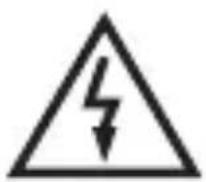
This symbol is intended to alert you to the presence of uninsulated and dangerous voltage inside the product housing which could be of sufficient power to deliver an electric shock. Do not open the product housing.

This symbol is intended to inform you that important operating and maintenance instructions are included in the literature that accompanies this product.
CHARGING OPERATION:
-
Insert 2 or 4 AA or AAA NiCD or NiMH batteries into the battery chambers. Make sure they are oriented according to the polarity symbols (+ or -) that are marked inside each chamber.
-
Pull out the flat AC plug 90 degrees, and plug it into a standard AC outlet.
-
The charging indicator lights will flash when the charger is first plugged in, then glow steady red while charging.
NOTE: If two level indicators are flashing, it's an indication that at least one of the batteries needs to be replaced.
- When the batteries are fully charged, the lights will glow steady green.
NOTE: It's normal for the batteries to become warm while charging.
- When you are finished charging the batteries, remove the flat AC plug from the AC outlet.
WARNING: To prevent damage to the charger as well as the risk of electrical shock, always unplug the charger from the AC outlet before handling the batteries.
| SPECIFICATIONS: | |
| Power adapter | Input: 100 to 240 V AC, 50/60 Hz; 10 W |
| Automatic shutoff | Negative delta V and zero slope detection |
| Dimensions | 4.3 × 2.7 × 1.3 in. (10.9 × 6.9 × 3.3 cm) |
| Weight 2.8 oz. (79.4 g) | |
Specifications are typical; individual units may vary. Specifications are subject to change and improvement without notice.
Charge batteries in temperatures between 32^ F and 113^ F ( 0^ C- 45^ C). Cold batteries cannot charge fully. If they are too warm, the batteries can lose their capacity to recharge.
WATSON MX BATTERIES
CHARGING TIME: (approximate\*)
Type Capacity Charging Time
AAA
950 mAh 4 hr., 5 min.
AA
2550 mAh 6 hr., 8 min.
*The listed charging times are for included batteries only. Actual charging times may vary depending on the cell's discharge level, capacity, and condition. Longer charging times may occur when the charger is used in temperatures above 95°F (35°C).
FEATURES:
- Ideal for high-drain devices like digital cameras, wireless microphones, flash units, and portable TVs.
- Are pre-charged, and they retain 85% of their charge, even after a year of non-use.
- Long-lasting, high-capacity operation that's perfect for travel, lengthy photo sessions, or other activities that require extra-long battery life.
- Can be recharged to 100% capacity whether they're fully or partially drained.
• Function in temperatures as low as -4^ (-20°C).
• Manufactured with renowned Japanese expert technology and precision engineering.
ONE-YEAR LIMITED WARRANTY
This Watson product is warranted to the original purchaser to be free from defects in materials and workmanship under normal consumer use for a period of one (1) year from the original purchase date or thirty (30) days after replacement, whichever occurs later. The warranty provider's responsibility with respect to this limited warranty shall be limited solely to repair or replacement, at the provider's discretion, of any product that fails during normal use of this product in its intended manner and in its intended environment. Inoperability of the product or part(s) shall be determined by the warranty provider. If the product has been discontinued, the warranty provider reserves the right to replace it with a model of equivalent quality and function. This warranty does not cover damage or defect caused by misuse, neglect, accident, alteration, abuse, improper installation or maintenance. EXCEPT AS PROVIDED HEREIN, THE WARRANTY PROVIDER MAKES NEITHER ANY EXPRESS WARRANTIES NOR ANY IMPLIED WARRANTIES, INCLUDING BUT NOT LIMITED TO ANY IMPLIED WARRANTY OF MERCHANTABILITY OR FITNESS FOR A PARTICULAR PURPOSE. This warranty provides you with specific legal rights, and you may also have additional rights that vary from state to state. To obtain warranty coverage, contact the Watson Customer Service Department to obtain a return merchandise authorization ("RMA") number, and return the defective product to Watson along with the RMA number and proof of purchase. Shipment of the defective product is at the purchaser's own risk and expense. For more information or to arrange service, visit www.poweredbywatson.com or call Customer Service at 212-594-2353.

WATSON™
A Gradus Group Brand
Product warranty provided by the Gradus group.
www.gradusgroup.com
Watson is a registered trademark of the Gradus Group.
©2016 Gradus Group LLC. All Rights Reserved.
GG1