
Switch Joy Con - Game controller NINTENDO - Free user manual and instructions
Find the device manual for free Switch Joy Con NINTENDO in PDF.


| Product Type | Wireless Controller |
| Brand | Nintendo |
| Model | Switch Joy-Con (L/R) |
| Compatibility | Nintendo Switch, Switch OLED, Switch Lite (with grip) |
| Dimensions (each) | 4.02 x 1.41 x 0.55 in (102 x 36 x 14 mm) |
| Weight (each) | 1.73 oz (49 g) |
| Power Source | Rechargeable Lithium-Ion Battery (3.7 V, 525 mAh) |
| Charging Time | Approx. 3.5 hours (via Switch console or charging grip) |
| Battery Life | Approx. 20 hours of gameplay |
| Connectivity | Bluetooth 3.0 |
| Wireless Range | Up to 30 ft (10 m) |
| Motion Controls | Accelerometer, Gyroscope |
| HD Rumble | Yes (L/R) |
| Infrared Camera | Yes (Right Joy-Con only) |
| Buttons | Analog sticks, directional buttons, A/B/X/Y, L/R/ZL/ZR, SL/SR, Capture, Home, +/-, Sync |
| NFC | Yes (Right Joy-Con for amiibo) |
| Materials | ABS plastic, rubber grips |
| Cleaning | Wipe with a soft dry cloth; avoid liquids |
| Safety Warnings | Contains small parts; keep away from children under 3. Do not disassemble. Avoid extreme temperatures. |
| Repairability | Battery and thumbsticks are replaceable with proper tools and skill. Other repairs recommended by professionals. |
Frequently Asked Questions - Switch Joy Con NINTENDO
User questions about Switch Joy Con NINTENDO
0 question about this device. Answer the ones you know or ask your own.
Ask a new question about this device
Download the instructions for your Game controller in PDF format for free! Find your manual Switch Joy Con - NINTENDO and take your electronic device back in hand. On this page are published all the documents necessary for the use of your device. Switch Joy Con by NINTENDO.
USER MANUAL Switch Joy Con NINTENDO
Nintendo Switch™ Joy-Con™ wheel
Nintendo
Joy-Con-Lenkrad • Volant Joy-Con • Joy-Con-stuur • Руль Joy-Con Volante Joy-Con • Volante Joy-Con • Volante Joy-Con • Joy-Con-ratt Joy-Con-rat • Joy-Con-ratti • Joy-Con-ratt
Art.-Nr.: 6400666L
FXA-HAC-A-BG-EUR-CO
ENGLISH
Health and Safety Information
Please read and observe the health and safety information. Failure to do so could result in injury or damage. Adults should supervise the use of this product by children.
WARNING - General
- Keep packaging materials away from young children. Packaging items may be swallowed.
- Do not expose this product to excessive force, fire, microwaves, high temperatures or direct sunlight.
CAREFUL USAGE
- If this product becomes dirty, wipe it with a soft, dry cloth. Avoid using thinner, benzene or alcohol.
Nintendo Customer Support
EUR: http://contact.nintendo.eu
AU/NZ: http://support.nintendo.com
DEUTSCH
© 2017 Nintendo Co., Ltd.
Trademarks are property of their respective owners. Nintendo Switch and Joy-Con are trademarks of Nintendo.
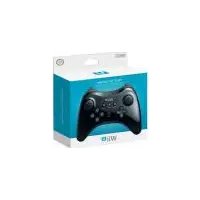
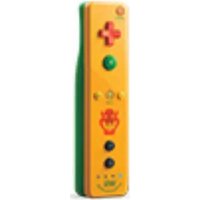

Brand : NINTENDO
Model : Switch Joy Con
Category : Game controller