
Kangoo (2020) - Automotive RENAULT - Free user manual and instructions
Find the device manual for free Kangoo (2020) RENAULT in PDF.


| Product Type | Automobile (Multi-Purpose Vehicle) |
| Brand | Renault |
| Model | Kangoo (2020) |
| Length | Approx. 4,300 mm |
| Width | Approx. 1,830 mm |
| Height | Approx. 1,820 mm |
| Wheelbase | Approx. 2,800 mm |
| Curb Weight | Approx. 1,300 - 1,500 kg (depending on engine) |
| Engine Options | Petrol (e.g., 1.3 TCe) and Diesel (e.g., 1.5 dCi) |
| Transmission | Manual or automatic (depending on variant) |
| Fuel Type | Petrol / Diesel |
| Seating Capacity | 5 (2+3 configuration) |
| Cargo Volume | Up to 3.3 m³ (rear seats folded) |
| Fuel Tank Capacity | Approx. 54 litres |
| Safety Features | ABS, ESP, airbags (front, side, curtain), ISOFIX |
| Maintenance Interval | Every 12 months or 20,000 km (whichever comes first) |
| Spare Parts Availability | Via Renault network and third-party suppliers |
| Repair Manual | PDF available for download (227 pages) |
Frequently Asked Questions - Kangoo (2020) RENAULT
User questions about Kangoo (2020) RENAULT
0 question about this device. Answer the ones you know or ask your own.
Ask a new question about this device
Download the instructions for your Automotive in PDF format for free! Find your manual Kangoo (2020) - RENAULT and take your electronic device back in hand. On this page are published all the documents necessary for the use of your device. Kangoo (2020) by RENAULT.
USER MANUAL Kangoo (2020) RENAULT
ELF has developed a complete range of lubricants for RENAULT:
▶ engine oils
▶ manual and automatic gearbox oils
Warning: to ensure the engine operates optimally, the use of a lubricant may be restricted to certain vehicles. Please refer to your maintenance document.
Benefiting from the research applied to Formula 1, lubricants are very high-tech products.
eIF
Updated with the help of RENAULT's technical teams, this range is perfectly compatible with the specific features of the brand's vehicles.
▶ ELF lubricants enhance your vehicle's performance significantly.
natural_image
Yellow F1 race car with 'Total' branding and 'MOVIT' on front, racing on track (no visible text beyond branding)
RENAULT recommends approved ELF lubricants for oil changes and top-ups. Contact your RENAULT Dealer or visit www.lubrifiants.elf.com

Une marque de
TOTAL
Welcome to your new vehicle
This Driver's Handbook contains the information necessary:
- for you to familiarise yourself with your vehicle, to use it to its best advantage and to benefit fully from the all the functions and the technical developments it incorporates.
- to ensure that it always gives the best performance by following the simple, but comprehensive advice concerning regular maintenance.
- to enable you to deal quickly with minor faults not requiring specialist attention.
It is well worth taking a few minutes to read this handbook to familiarise yourself with the information and guidelines it contains about the vehicle and its functions and new features. If certain points are still unclear, our Network technicians will be only too pleased to provide you with any additional information.
The following symbol will help you when reading this handbook:

To indicate a hazard, danger or safety recommendation.
The descriptions of the models given in this handbook are based on the technical specifications at the time of writing. This handbook covers all items of equipment (both standard and optional) available for these models but whether or not these are fitted to the vehicle depends on the version, options selected and the country where the vehicle is sold.
This handbook may also contain information about items of equipment to be introduced later in the model year.
Throughout the manual, the “approved Dealer” is your RENAULT Dealer.
Enjoy driving your new vehicle.
Translated from French. Copying or translation, in part or in full, is forbidden unless prior written permission has been obtained from the vehicle manufacturer.
0.1
CONTENTS
Sections
Getting to know your vehicle ....
Driving
Your comfort ....
Maintenance ....
Practical advice ....
Technical specifications ....
Alphabetical index
1
2
3
4
5
6
7
Section 1: Getting to know your vehicle
Key, radio frequency remote control: general information, use 1.2
Doors.... 1.5
Locking/unlocking the doors 1.10
Automatic locking when driving 1.12
Headrests 1.13
Front seats.... 1.17
Roof flap 1.20
Swivelling partition.... 1.22
Seat belts. 1.23
Restraint systems in addition to the front seat belts 1.27
Side protection devices 1.30
Additional methods of restraint 1.31
Child safety: general information.... 1.32
Choosing a child/baby seat mounting 1.35
Fitting a child seat 1.37
Deactivating/activating the front passenger air bag 1.42
Steering wheel.... 1.45
Driver's position, left-hand drive 1.46
Driver's position, right-hand drive 1.48
Instrument panel 1.50
Trip computer and warning system 1.57
Time and external temperature 1.66
Rear view mirrors 1.67
Audible and visual signals 1.68
External lighting and signals 1.69
Electric beam height adjustment 1.72
Wash/Wipe 1.73
Fuel tank 1.76
1.1
KEY, RADIO FREQUENCY REMOTE CONTROL: general information (1/2)
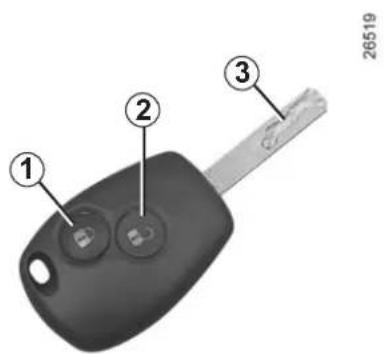
Radio frequency remote control unit
1 Locking all the opening elements.
2 Unlocking all the opening elements.
3 Coded key for ignition switch, driver's door and fuel filler cap.
Advice
Avoid leaving the remote control in hot, cold or humid areas.
The key must not be used for any function other than those described in the handbook (removing the cap from a bottle, etc.).

Driver's responsibility
Never leave your vehicle with the card inside the vehicle and never leave a child (or a pet) unsupervised. With the card in the reader, it would be possible to start the engine or operate electrical equipment such as the electric windows and there is a risk that part of their body may become trapped (neck, arm, hand, etc.). Risk of serious injury.
KEY, RADIO FREQUENCY REMOTE CONTROL: general information (2/2)
Radio frequency remote control operating range
This varies according to the surroundings: take care not to lock or unlock the doors by inadvertently pressing the buttons on the remote control.
Interference
Interference by factors in the immediate vicinity (external installations or the use of equipment operating on the same frequency as the remote control) may affect the operation of the remote control.
Note: if a door is not opened within approximately 2 seconds of the door being unlocked by remote control, the doors will lock again automatically.
For replacement, or if you require an additional remote control.
You must only contact an approved Dealer.
- To replace a remote control, the vehicle must be taken to an approved Dealer as both the vehicle and the remote control are needed to initialise the system.
- Depending on the vehicle, you have the option of using up to four remote controls.
Remote control unit failure
Make sure that the correct battery type is being used, and that the battery is in good condition and inserted correctly. These batteries have a service life of approximately two years.
To learn how to change the battery, please refer to the information on the "Key, radio frequency remote control: Batteries" in Section 5.
RADIO FREQUENCY REMOTE CONTROL/KEY: use
The doors are locked and unlocked using the remote control unit.
It is powered by a battery which must be replaced (refer to the information on the "Key, radio frequency remote control: batteries" in Section 5).

Driver's responsibility
Never leave your vehicle with the key inside and never leave a child (or a pet) unsupervised, even for a short while.
They may pose a risk to themselves or to others by starting the engine, activating equipment such as the electric windows or by locking the doors.
Risk of serious injury.
natural_image
Close-up of a car key with two buttons and a handle, labeled with number 1 (no text or symbols on the key itself)Locking the doors
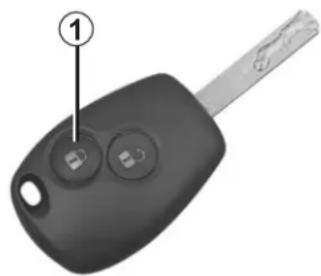
Press locking button 1.
The hazard warning lights and side indicator lights flash twice to indicate that the doors have locked.
If a door or the tailgate is open or not properly shut, the doors and tailgate lock then quickly unlock and the hazard warning lights and side indicator lights do not flash.
26519
natural_image
Close-up of a car key with two circular buttons and a handle, labeled with number 2 (no text or symbols on the key itself)26519
Unlocking the doors
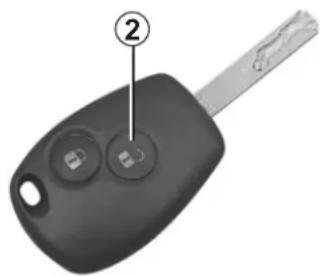
Press unlocking button 2.
Pressing the button briefly unlocks all the doors.
The hazard warning lights and side indicator lights flash once to indicate that the doors have unlocked.
The key must not be used for any function other than those described in the handbook (removing the cap from a bottle, etc.).
DOORS (1/5)
natural_image
Close-up of a white car door with a black clip labeled '1' and number '27173' on the side (no other text or symbols)Opening from the outside
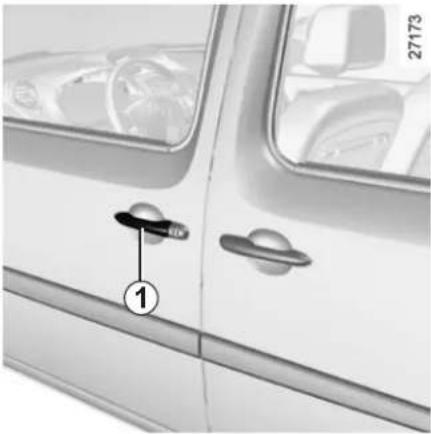
Unlock the door and pull handle 1. For information on unlocking the doors, refer to the information on the "Key, radio frequency remote control: use" in Section 1.
Opening from the inside
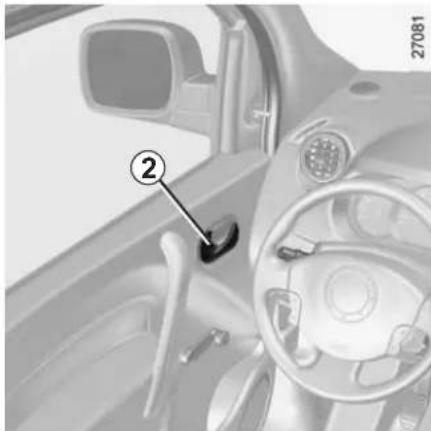
Pull handle 2.
natural_image
Interior view of a car dashboard and steering wheel (no visible text or symbols)Lights-on reminder buzzer
If the lights have been left on when the engine is switched off, an audible warning will sound when the door is opened (to prevent the battery discharging).
This warning indicates that a door is open or not properly closed.

As a safety precaution, the doors should only be opened or closed when the vehicle is stationary.
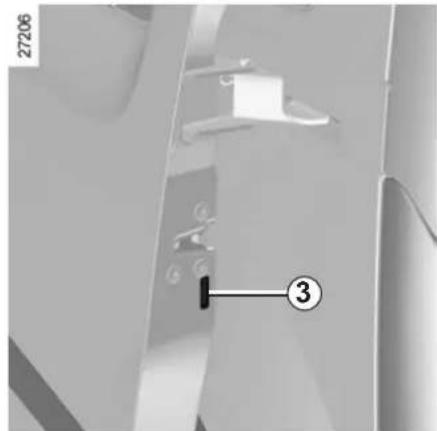
Child safety
At the rear, to prevent the side door from being opened from the inside, move lever 3 using the end of the vehicle key.
From the inside, check that the door is correctly locked.
DOORS (2/5)
natural_image
Close-up of a car door with handle and labeled part (4), no visible text or symbols beyond the number and number.Sliding side door
Opening from the outside
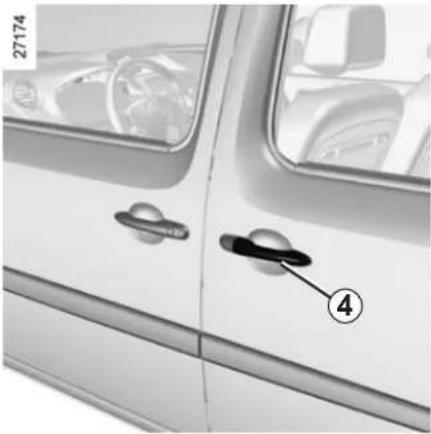
Unlock the door and pull handle 4 then slide the door towards the rear of the vehicle until it locks in position. For information on unlocking the doors, refer to the information on the "Key, radio frequency remote control: use" in Section 1.
Opening from the inside
Pull handle 6 and use handle 5 to slide the door towards the rear of the vehicle until it locks in position.
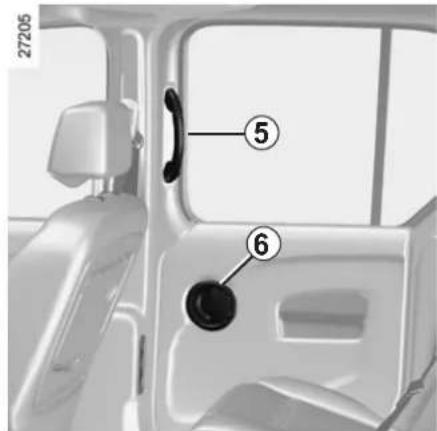
Closing from the inside
Pull handle 5 towards the front of the vehicle until the door is completely closed.
As a safety measure, the sliding side door located on the fuel filler flap side locks when the flap is opened. For more information, refer to the information on the "Central door locking/unlocking" in Section 1.

Recommendations concerning the sliding side door
The following precautions must be taken when opening and closing the doors or any other opening element:
- Check that the door will not come into contact with any person, animal or object.
- Only use the handles on the inside and outside of the door to operate it.
- Take care when opening and closing the door.
- Take particular care when the vehicle is parked on a slope: open the door with care until it is fully open and latches into its locking position.
- Before moving off, always ensure that the sliding door is properly closed.
- Do not use the lower support as a step.
DOORS (3/5)
natural_image
Side view of a van with a numbered arrow pointing to the front panel (no text or symbols on the vehicle itself)Rear hinged doors
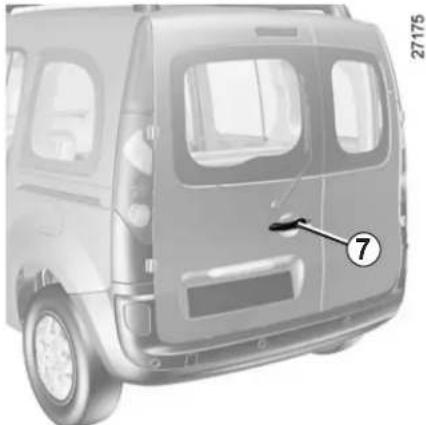
Opening from the outside
Unlock the door and pull handle 7. For information on unlocking the doors, refer to the information on the "Key, radio frequency remote control: use" in Section 1.

Do not leave the hinged rear doors open in case of strong winds. Risk of injury.
27363
natural_image
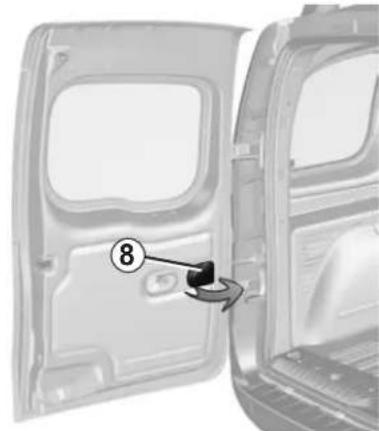
Exterior view of a car door panel with a numbered component (8) pointing to the interior area, no text or symbols present.Opening the doors to the maximum position
For each door, pull handle 8 to release the door check strap. Open the door as far as possible.
Closing manually from the outside
First close the small door and then close the large door.
Position each door so that it is almost closed and then slam shut.

If the vehicle is parked on the hard shoulder with tail-gate open, the rear lights may be obscured. You should make other road-users aware of your vehicle by using a warning triangle or other equipment specified by the road traffic regulations of the country concerned.
DOORS (4/5)
Rear hinged doors (continued)
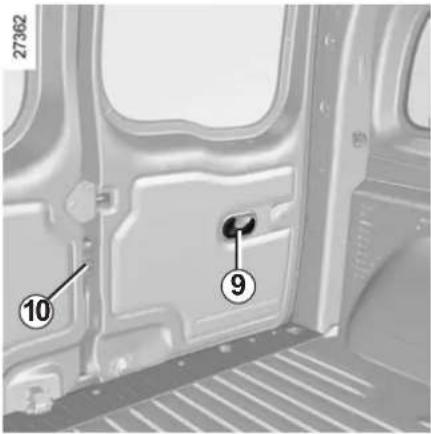
Opening from the inside
Pull handle 9 and open the door. Pull lever 10 to open the small door.
Closing from the inside
First close the small door and then close the large door.
Position each door so that it is almost closed and then slam shut.

Driver's responsibility when parking or stopping the vehicle
Never leave an animal, child or adult who is not self-sufficient alone on your vehicle, even for a short time.
They may pose a risk to themselves or to others by starting the engine, activating equipment such as the electric windows or by locking the doors.
Also, in hot and/or sunny weather, please remember that the temperature inside the passenger compartment increases very quickly.
RISK OF DEATH OR SERIOUS INJURY.
DOORS (5/5)
natural_image
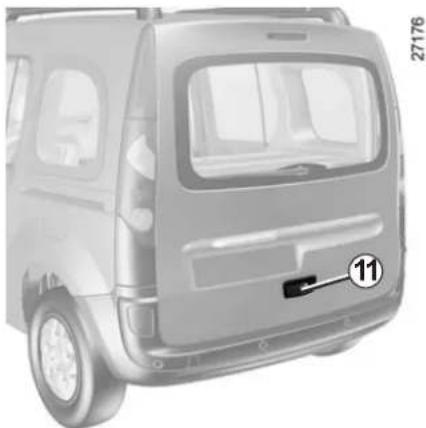
Front view of a van with visible door, side panel, and front-mounted sensor (no text or symbols)Tailgate
Opening
Unlock the door and pull handle 11. For information on unlocking the doors, refer to the information on the "Key, radio frequency remote control: use" in Section 1.

For your safety, check that all the vehicle's doors are properly closed before starting the engine.
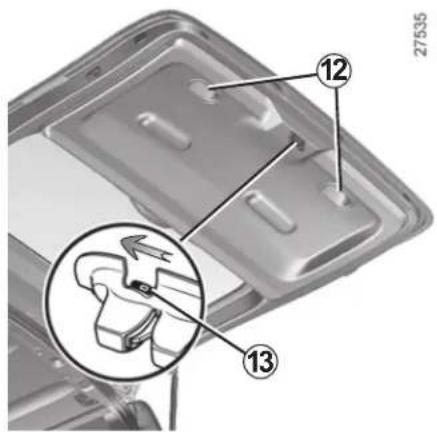
Closing
Lower the tailgate using interior handles 12.
When the tailgate reaches shoulder height, gently push it shut.
Opening manually from the inside
If it is not possible to unlock the tailgate, it can be unlocked manually from the inside.
Insert a pencil or similar object into cavity 13, slide the assembly as shown in the diagram and push the tailgate to open it.
CENTRAL DOOR LOCKING/UNLOCKING (1/2)
natural_image
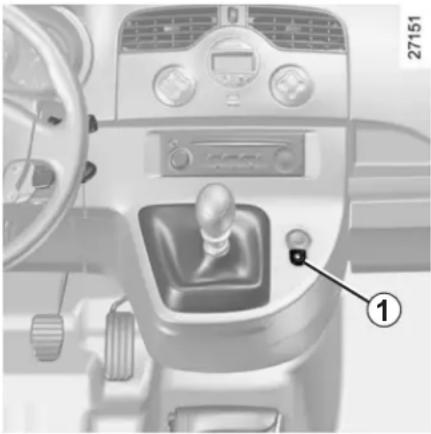
Interior view of a car dashboard with a gear shift knob and control panel (no visible text or symbols)Control for locking and unlocking from the inside
This enables all the doors to be locked simultaneously.
Lock or unlock the doors by pressing switch 1.
If a door or the tailgate is open or not closed properly, the doors and tailgate lock/unlock quickly.

Never leave your vehicle with the key inside the vehicle.
Locking the opening elements without the remote control
With the engine and ignition off, the sliding side doors closed and a front door open, press switch 1 for more than five seconds.
Make sure you have your key with you before you leave your vehicle.
When the door is closed, all the doors and tailgate will be locked.
Unlocking from outside the vehicle will only be possible with the key for the driver's door.
Doors and tailgate status indicator light
When the ignition is on, the indicator light integrated in switch 1 informs you of the status of the doors and tailgate:
– indicator light on, the doors and tail-gate are locked;
– indicator light off, at least one door is unlocked.
When you lock the doors, the indicator light remains lit and then goes out.

Driver's responsibility
If you decide to keep the doors locked when you are driving, remember that it may be more difficult for those assisting you to gain access to the passenger compartment in the event of an emergency.
CENTRAL DOOR LOCKING/UNLOCKING (2/2)
natural_image
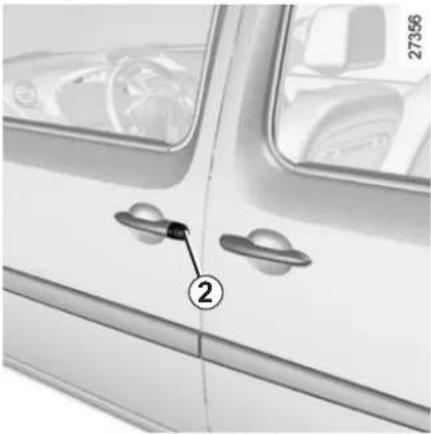
Close-up of a white car door with two handles and a numbered label pointing to the handle (no text or symbols visible)Manual control
Using the key
Lock or unlock the driver's door by inserting the key fully into lock 2, and turning the key.
For more information on the remote controls, refer to the information on the "Key, radio frequency remote control: use" in Section 1.
Locking the doors manually
Turn screw 3 with the door open (using the end of the key) and close the door. This means that the doors are then locked from the outside.
27083
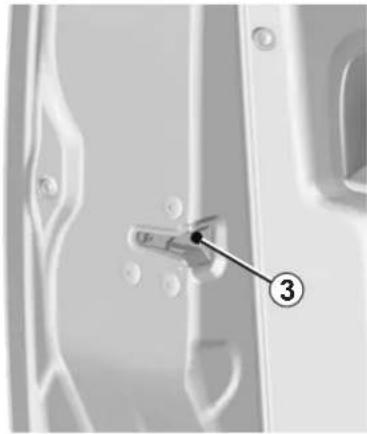
The doors may then only be opened from inside the vehicle or with the key for the front doors.
Sliding side door (fuel filler cap side)
To prevent the door striking the fuel filler nozzle, a mechanical system locks it when the fuel filler flap is open.
When the fuel tank has been filled, replace the cap in its housing and close the flap. The door can now be used.
AUTOMATIC LOCKING WHEN DRIVING (RAID)
natural_image
Interior view of a car dashboard with a control panel and steering wheel (no visible text or symbols)You must first decide if you want to activate this function.
To activate
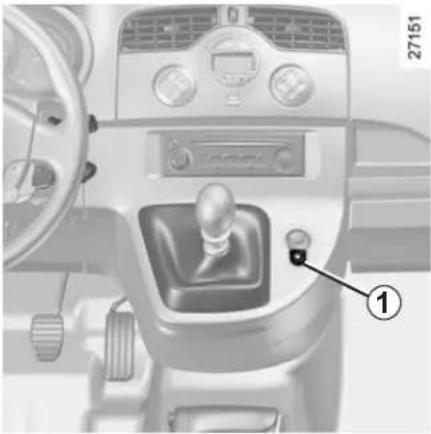
With the engine running, press and hold button 1 for approximately 5 seconds, until you hear a beep. The indicator light built into the control comes on when the doors are locked.
To deactivate
With the engine running, press and hold button 1 from approximately 5 seconds, until you hear a beep.
Operating principle
When the engine is started, the system automatically locks the doors when the vehicle reaches a speed of approximately 4 mph (7 km/h).
Operating faults
If you notice an operating fault (automatic locking impossible), first check that all doors are correctly locked. If they are correctly locked and the fault is still present, contact an approved Dealer.
Also make sure that locking has not been inadvertently deactivated.
If necessary, refer to the activation procedure.

Driver's responsibility
If you decide to keep the doors locked when you are driving, remember that it may be more difficult for those assisting you to gain access to the passenger compartment in the event of an emergency.
FRONT HEADRESTS (1/3)
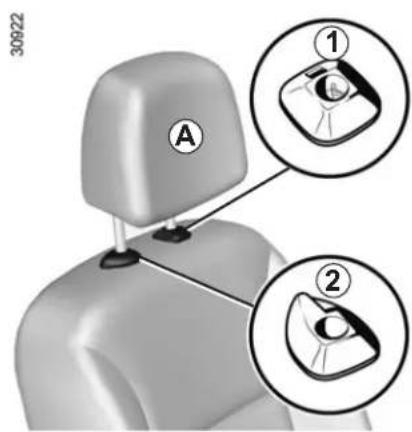
Headrest A
To raise the headrest
Pull it upwards to the required height.
To lower the headrest
Push tab 2 forwards and guide the headrest down to the required height.
To remove the headrest
Raise it to its highest position. Press button 1 and lift the headrest to release it.
To refit the headrest
First, check that the headrest rods are clean and correctly aligned.
Insert the headrest rods in the holes, with the notches facing forwards (tilt the seat backwards if necessary).
Pull tab 2 forwards and guide the head-rest down to the required height.
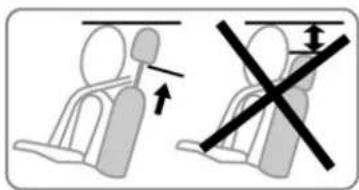

The headrest is an important safety component: ensure that it is in place and in the correct position.
The distance between your head and the headrest should be as small as possible. The top of your head should be in line with the top of the headrest.
FRONT HEADRESTS (2/3)
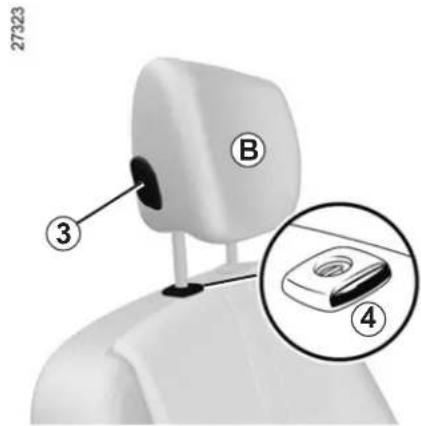
Headrest B
To raise the headrest
Pull it upwards to the required height.
To lower the headrest
Press button 3 and guide the headrest down to the desired height.
To remove the headrest
Raise it to its highest position. Press button 4 and lift the headrest to release it.
Note: when the headrest is removed, take care not to change the positions of the rods.
To refit the headrest
If the setting of the rods has been altered, pull them fully upwards. Take care to ensure they are clean and correctly aligned and, if there are any problems, check that the notches are facing forwards.
Insert the headrest rods into the holes (tilt the seatback backwards if necessary).
Lower the headrest until it locks, press button 3 and lower the headrest as far as possible.
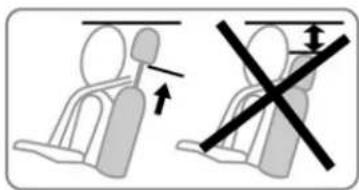

The headrest is an important safety component: ensure that it is in place and in the correct position.
The distance between your head and the headrest should be as small as possible. The top of your head should be in line with the top of the headrest.
FRONT HEADRESTS (3/3)
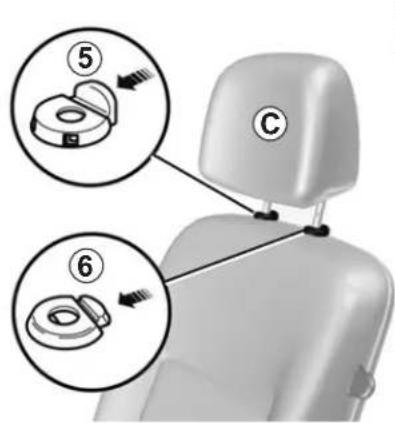
Headrest C
To raise the headrest
Pull it upwards to the required height.
To lower the headrest
Press tab 5 and guide the headrest down to the desired height.
To remove the headrest
Raise it to its highest position. Press tabs 5 and 6 then lift the headrest to release it.
Note: when the headrest is removed, take care not to change the positions of the rods.
To refit the headrest
Press tab 5.
Insert the headrest rods in the holes with the notches facing forward, and guide the headrest down to the required height.
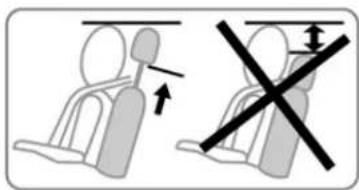

The headrest is an important safety component: ensure that it is in place and in the correct position.
The distance between your head and the headrest should be as small as possible. The top of your head should be in line with the top of the headrest.
REAR HEADRESTS
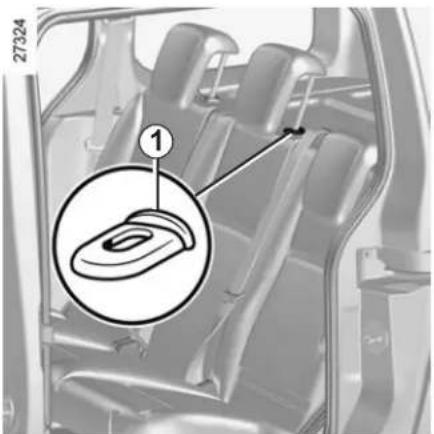
To raise it
Slide it to the required height.
To lower it
Pull it towards you and slide it to the required height.
To remove it
Raise the headrest then press tabs 1 to release it.
To refit it
Press tab 1 and insert the rods into the holes, with the notches facing forwards.
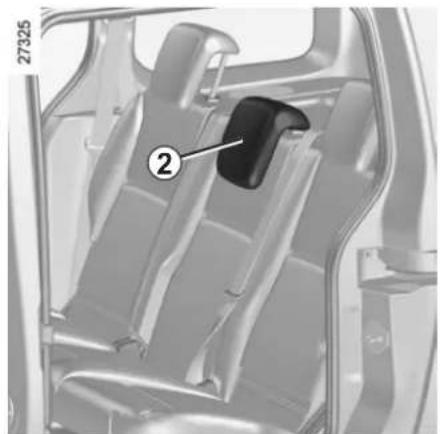
natural_image
Interior view of a car showing the seatbelt and dashboard compartment (no text or symbols visible)Storage position 2
Pull it towards you and lower it completely.
When the headrest is fully lowered, it is in the storage position: do not use this position when someone is sitting in the rear seats.

The headrest is a safety component; check that it is fitted and in the correct position.
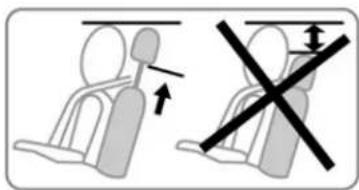
Child's convertible headrest
If fitted to the vehicle, the child head-rest and booster cushion can only be installed on the rear side seats.
For fitting and use, refer to the equipment instructions.
FRONT SEATS (1/3)
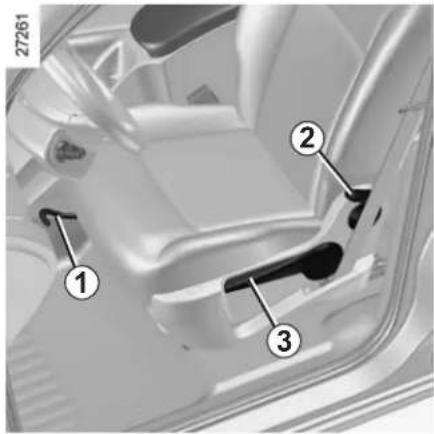
To move forwards or backwards
Depending on the seat, lift bar 1 or handle 4 to release it. Release the handle at the desired position and make sure that it is locked.
Adjusting the height of the driver's seat
Move lever 3 as many times as necessary:
- upwards to raise the seat,
– downwards to lower the seat.
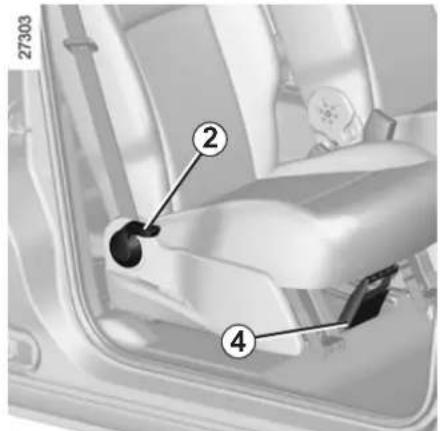
To tilt the seatback
Depending on the seat, lower or lift lever 2 and tilt the seatback until it reaches the required position.
natural_image
Interior view of a car dashboard and seat area showing seating arrangement (no text or symbols visible)
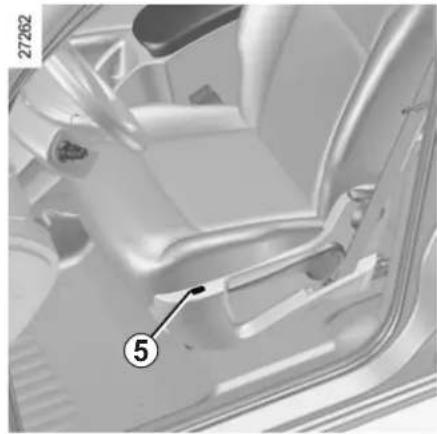
Heated seats
With the engine running, activate switch 5; a warning light comes on.

For safety reasons, carry out any adjustments when the vehicle is not being driven.
We would advise you not to recline the seatbacks too far to ensure that the effectiveness of the seat belts is not reduced.
Make sure that the seatbacks are correctly locked in place.
Nothing should be placed on the floor (area in front of driver) as such objects may slide under the pedal during braking manoeuvres, thus obstructing its use.
FRONT SEATS (2/3)
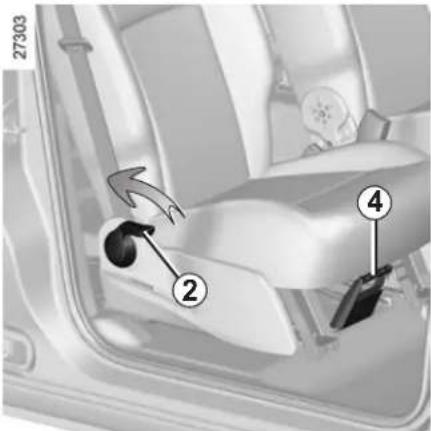
Flat position
Depending on the vehicle, the seatback on the passenger side may be folded down onto the seat base to create a flat position.
- Hold handle 4 and move the seat as far back as possible;
– lower the headrest fully;
– hold the top of the seatback to lower it; - pull lever 2 and pull the seatback down and forwards (the seat base will be positioned on the floor);

For safety reasons, carry out any adjustments when the vehicle is not being driven.
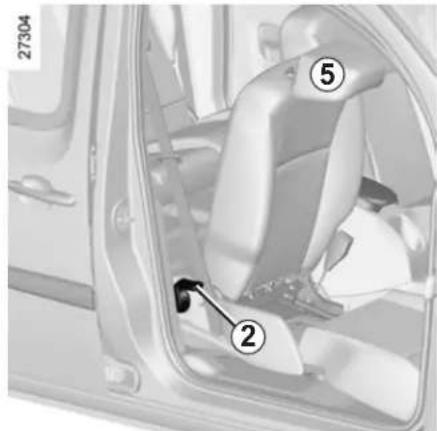
- make sure that there is nothing which will prevent the seat from moving;
- tilt headrest 5 so as to position it under the dashboard.
The seat locks automatically; make sure it is correctly locked.
Maximum weight on the seat in the flat position: 80 kg, with the weight evenly distributed.

Be sure to hold the seat-back when placing it in the flat position. Risk of injury.
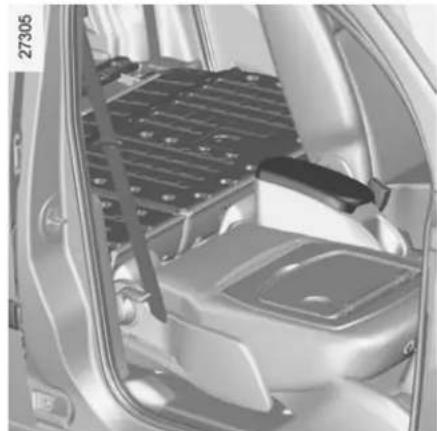
natural_image
Interior view of a car showing the dashboard and seat area (no visible text or symbols)Repositioning the seat
Make sure that nothing prevents the seat from moving.
- Pull lever 2 and lift the seatback, ensuring it is correctly locked;
- reposition the seat base, placing your hand on the front of the seat base.
When the rear bench seat is folded down, move the front seats carefully.

Put your hand on the front of the seat base when repositioning it. Risk of trapping.
FRONT SEATS (3/3)
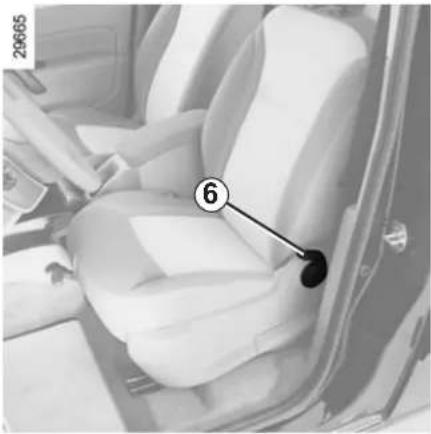
natural_image
Interior view of a car seatbelt with numbered annotation (6) pointing to the seat area, no visible text or symbols beyond the number.Front seats
Operating faults
(depending on vehicle)
If the sliding side door does not work, lower handle 6, hold it while the seat-back tilts and slide the seat forwards.
To place the seat into the comfort position, slide it rearwards.
Adjust the seat and make sure that it is correctly locked.

For safety reasons, carry out any adjustments when the vehicle is not being driven.

To avoid all risk of injury, ensure that nobody is in the proximity of the moving parts. When moving the
seat, make sure that nothing interferes with the moving parts and their locking.
ROOF FLAP (1/2)
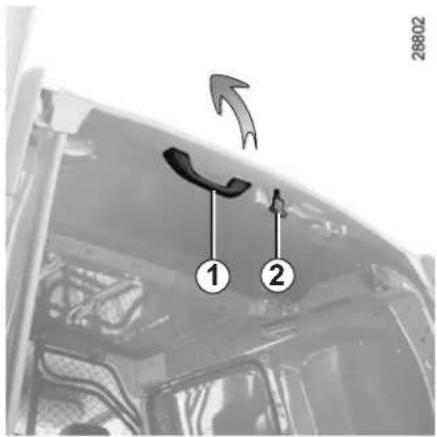
To open:
- Unlock the control 2, the roof flap lifts automatically (ensure that nothing stops the flap from opening. In this case, use the handle 1 to guide it open);
- when the roof flap is open, it must be locked by pushing it towards the front of the vehicle until the control 2 locks.
Important: It is prohibited to drive with the roof flap open and unlocked.
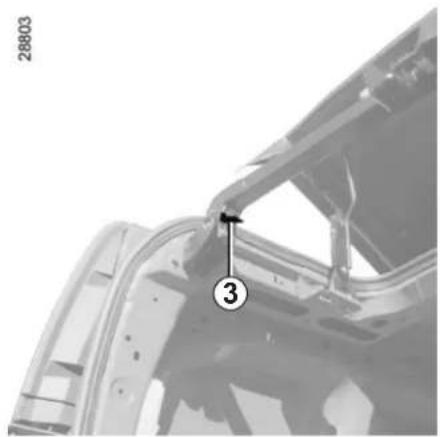
natural_image
Close-up of a vehicle's front panel showing structural components and a numbered marker (3), with no readable text or symbols.Transverse bar
When loading bulky objects, the transverse bar may be moved:
- Press the handle 3;
- lift the bar all the way to the door pillar;
- lock the bar after loading.
Note: when driving with the roof flap open, you may hear air noises. To reduce these, open one of the side windows slightly.

Driving with the roof flap open may be unpleasant for passengers because exhaust gas may enter the passenger compartment. This use is solely for short distances, whilst transporting bulky objects without having to open the rear doors. In this case, close the other windows and operate the ventilation system at the half or fully open setting, as this will help to prevent exhaust gas from entering the passenger compartment.
ROOF FLAP (2/2)
28805
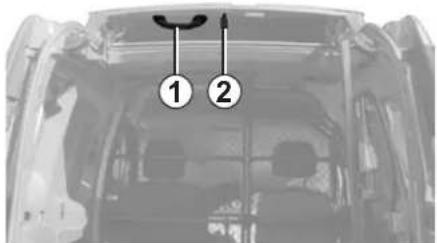
To close:
- Unlock the control 2, the roof flap automatically opens halfway;
- pull the handle 1 and lock the roof flap in the closed position.
Before starting, always reposition the transverse bar and ensure it is correctly locked.
The rear hinged doors can only be closed with the bar locked.
Remember that the overall vehicle dimensions may change when you are transporting bulky objects.
SWIVELLING PARTITION
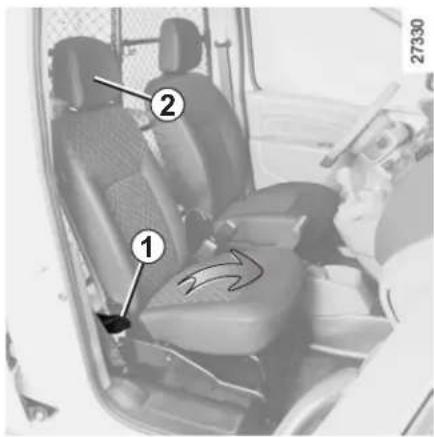
To rotate the partition
- Unlock the seat base by moving handle 1 downwards;
- lift the front passenger seat base vertically (arrow);
– lower headrest 2 to its lowest setting; - unlock the seatback by moving handle 1 downwards again and position the seatback horizontally. To make the manoeuvre easier, rotate the headrest 2;
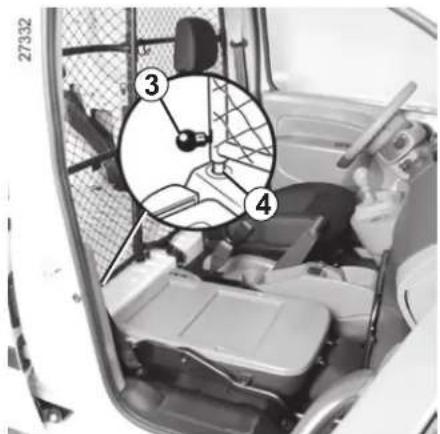
- unlock the swivelling section by lifting catch 3;
– reposition the seat base, proceeding in reverse order.
When moving the swivelling partition, ensure the seat belt is not damaged. Hold it aside when you rotate the partition.
natural_image
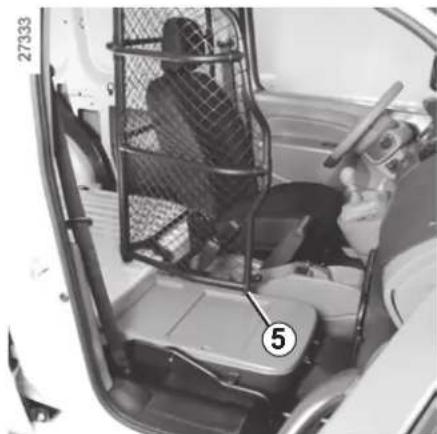
Interior view of a vehicle showing a person seated inside a vehicle's seat with a mesh fence and labeled component (no text or symbols visible)- Pivot the moving section 90 degrees, lock it at point 5 and lower catch 3.
Note: before refitting the swivelling section in its original position, check that locking point 4 is clean.
Maximum weight on the seat in table position is 80 kg. The weight must be evenly distributed.

The swivelling section must always be locked when the vehicle is driven. Risk of injury.
SEAT BELTS (1/4)
Always wear your seat belt when travelling in your vehicle. You must also comply with the legislation of the particular country you are in.
Make sure that the rear bench seat is locked in position correctly so that the rear seat belts will operate efficiently. Refer to the information on the "Rear bench seat: functions" in Section 3.

Seat belts which are incorrectly adjusted or twisted may cause injuries in the event of an accident.
Use one seat belt per person, whether child or adult.
Even pregnant women should wear a seat belt. In this case, ensure that the lap belt is not exerting too much pressure on the abdomen, but do not allow any slack.
Before starting, first adjust your driving position, then ask all occupants to adjust their seat belt to ensure optimum protection.
Adjusting your driving position
- Sit well back in your seat (having first removed your coat or jacket). This is essential to ensure your back is positioned correctly;
- adjust the distance between the seat and the pedals. Your seat should be as far back as possible while still allowing you to depress the clutch pedal fully. The seatback should be adjusted so that your arms are slightly bent when you hold the steering wheel;
- adjust the position of your head-rest. For the maximum safety, your head must be as close as possible to the headrest;
- adjust the height of the seat. This adjustment allows you to select the seat position which offers you the best possible view;
- adjust the position of the steering wheel.
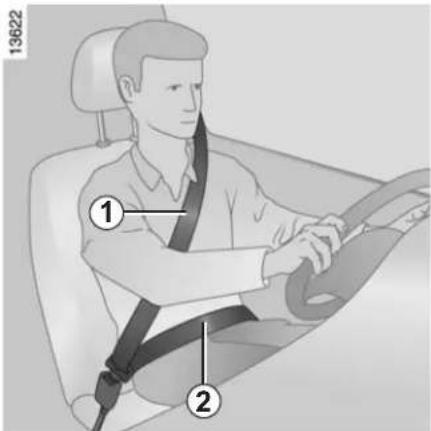
Adjusting the seat belts
Sit with your back firmly against the seatback.
Shoulder strap 1 should be as close as possible to the base of the neck but not on it.
Lap belt 2 should be worn flat over the thighs and against the pelvis.
The seat belt should be worn so that it is as close as possible to your body, i.e.: avoid wearing heavy clothing or keeping bulky objects under the belts, etc.
SEAT BELTS (2/4)
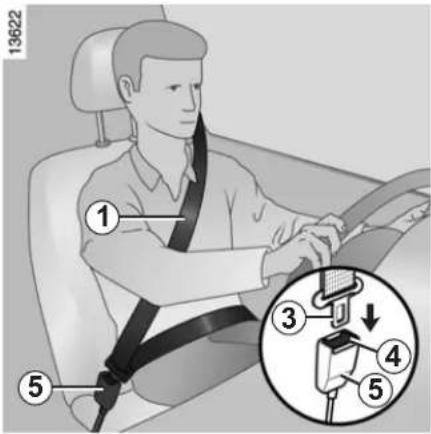
Locking
Unwind the belt slowly and smoothly and ensure that buckle 3 locks into catch 5 (check that it is locked by pulling on buckle 3).
If the belt jams, allow it to return slightly before attempting to unwind it again.
If your seat belt is completely jammed, pull slowly, but firmly so that just over 3 cm unwinds. Allow it to return slightly before attempting to unwind it again.
If there is still a problem, contact an approved dealer.

Front seat belt reminder warning light
It remains on when the engine is started if your seat belt is not fas-
tened. An audible warning sounds at a low volume for 30 seconds, then at a high volume for 90 seconds.
Unfastening
Press button 4 and the seat belt will be rewound by the inertia reel. Guide the belt.
Note: an object placed on the passenger seat base may activate the warning light in some cases.
natural_image
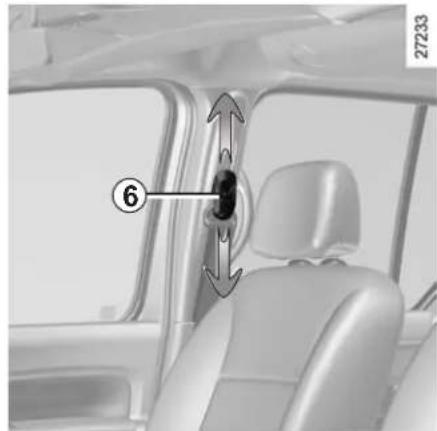
Interior view of a car showing a seatbelt buckle and seat, with no visible text or symbolsAdjusting the front seat belt height
Press button 6 to adjust the seat belt height so that shoulder strap 1 is worn as shown previously:
- to lower the seat belt, press button 6 and lower the seat belt at the same time;
- to raise the seat belt, press button 6 fully and lift the seat belt to the required position.
Make sure that the seat belt is locked in position correctly after you have adjusted it.
SEAT BELTS (3/4)
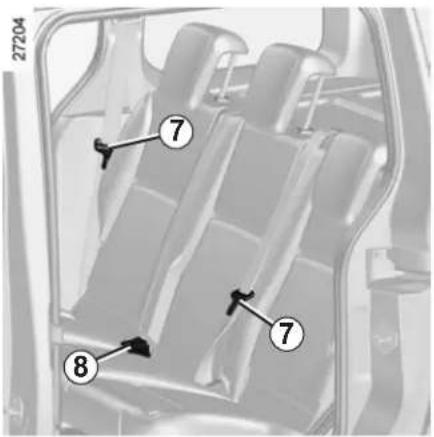
Rear centre belt
Slowly unwind the belt until buckle 7 clicks into catch 8.
Make sure that the rear bench seat is locked in position correctly so that the rear seat belts will operate efficiently. Refer to the information on the "Rear bench seat: functions" in Section 3.
Rear side seat belts
The belts are locked, unlocked and adjusted in the same way as the front belts.
SEAT BELTS (4/4)

owing information applies to the vehicle's front and rear seat belts.
- No modification may be made to the component parts of the restraint system (belts and seats and their mountings) fitted originally. For special operations (e.g. fitting child seats) contact an approved Dealer.
- Do not use devices which allow any slack in the belts (e.g. clothes pegs, clips, etc.): a seat belt which is worn too loosely may cause injury in the event of an accident.
- Never wear the shoulder strap under your arm or behind your back.
- Never use the same belt for more than one person and never hold a baby or child on your lap with your seat belt around them.
- The belt should never be twisted.
- Following an accident, have the seat belts checked and replaced if necessary. Always replace your seat belts as soon as they show any signs of wear.
- Make sure that the buckle is inserted into the appropriate catch.
- When refitting the rear bench seat, take care that the seat belts are correctly positioned so that they can be used properly.
- Ensure that no objects are placed in the area around the seat belt catch as they could prevent it from being properly secured.
METHODS OF RESTRAINT IN ADDITION TO THE FRONT SEAT BELTS (1/3)
Depending on the vehicle, they are composed of:
- seat belt pretensioners;
- air bags 1 for driver and front passenger.
These systems are designed to act independently or together when the vehicle is subjected to a frontal impact.
Depending on the severity of the impact, the system can trigger:
- seat belt 2 locking;
- the seat belt pretensioner (which engages to correct seat belt slack);
- the front air bag.
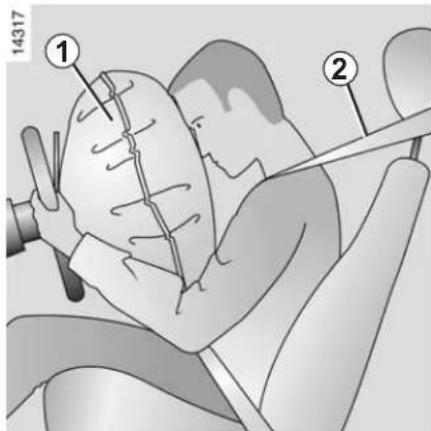
Pretensioners
The pretensioners hold the seat belt against the body, holding the occupant more securely against the seat, thus increasing the seat belt's efficiency.
With the ignition on, following a significant frontal impact and depending on the severity of the impact, the system may trigger the seat belt pretensioner which instantly retracts the seat belt.

- Have the entire restraint system checked following an accident.
- No operation whatsoever is permitted on any part of the system (pretensioners, air bags, computers, wiring) and the system components must not be reused on any other vehicle, even if identical.
- To avoid incorrect triggering of the system which may cause injury, only qualified personnel from an approved dealer may work on the pretensioner and air bag system.
- The electric trigger system may only be tested by a specially trained technician using special equipment.
- When the vehicle is scrapped, contact an approved dealer for disposal of the pretensioner and air bag gas generators.
METHODS OF RESTRAINT IN ADDITION TO THE FRONT SEAT BELTS (2/3)
Air bags for driver and front passenger
It is fitted to the front seats on the driver's side and, depending on the vehicle, on the passenger's side as well.
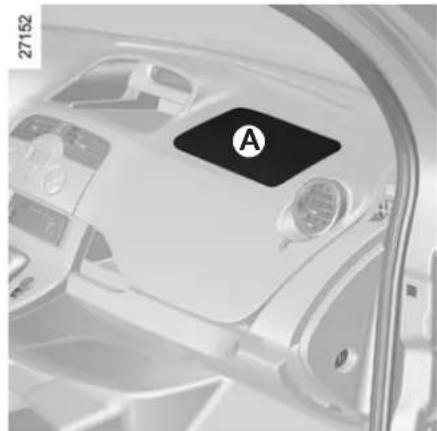
Depending on the vehicle, the presence of this equipment is indicated by the word "air bag" on the steering wheel and dashboard (air bag zone A) and a symbol on the lower section of the windscreen.
Each air bag system consists of:
- an air bag and gas generator fitted on the steering wheel for the driver and in the dashboard for the front passenger;
- an electronic unit for system monitoring which controls the gas generator electrical trigger system;
- a single indicator light on the instrument panel;
- remote sensors.
Operation
This system is only operational when the ignition is switched on.
In a severe frontal impact, the air bags inflate rapidly, cushioning the impact of the driver's head and chest against the steering wheel and of the front passenger against the dashboard. The air bags then deflate immediately so that the passengers are not in any way hindered from leaving the vehicle.
Load limiter
Above a certain severity of impact, this mechanism is used to limit the force of the belt against the body so that it is at an acceptable level.
natural_image
Interior view of a car dashboard with a black square labeled 'A' on the steering wheel (no readable text or symbols beyond label)
The air bag system uses pyrotechnic principles. This explains why, when the air bag inflates, it will generate heat, produce smoke (this does not mean that a fire is about to start) and make a noise upon detonation. In a situation where an air bag is required, it will inflate immediately and this may cause some minor, superficial grazing to the skin or other problems.
METHODS OF RESTRAINT IN ADDITION TO THE FRONT SEAT BELTS (3/3)
All of the warnings below are given so that the air bag is not obstructed in any way when it is inflated and also to prevent the risk of serious injuries caused by items which may be dislodged when the air bag inflates.

Warnings concerning the driver's air bag
- Do not modify the steering wheel or the steering wheel boss.
-
Do not cover the steering wheel boss under any circumstances.
-
Do not attach any objects (badge, logo, clock, telephone cradle, etc.) to the steering wheel boss.
- The steering wheel must not be removed (except by qualified personnel from our Network).
- Do not sit too close to the steering wheel when driving: sit with your arms slightly bent (see Section 1 "Adjusting your driving position"). This will allow sufficient space for the air bag to deploy correctly and be fully effective.
Warnings concerning the passenger air bag
- Do not attach or glue any objects (badge, logo, clock, telephone cradle, etc.) to the dashboard in the air bag zone.
- Do not place anything between the dashboard and the passenger (animal, umbrella, walking stick, parcels, etc.).
- The passenger must not put his or her feet on the dashboard or seat as there is a risk that serious injuries may occur. As a general rule, keep all body parts (knees, hands, head, etc.) away from the dashboard.
- The devices in addition to the front passenger seat belt should be reactivated as soon as a child seat is removed, to ensure the protection of the passenger in the event of an impact.
A REAR-FACING CHILD SEAT MUST NOT BE FITTED TO THE FRONT PASSENGER SEAT UNLESS THE ADDITIONAL RESTRAINT SYSTEMS, I.E. THE PASSENGER AIR BAG, ARE DEACTIVATED.
(Refer to the information on "Child safety: deactivating/activating the front passenger air bag" in Section 1).
SIDE PROTECTION DEVICES
Side air bags
(depending on vehicle)
This air bag may be fitted to each of the front seats and is activated at the sides of the seats (door side) to protect the occupants in the event of a severe side impact.
Curtain air bags
(depending on vehicle)
These air bags may be fitted along the top of each side of the vehicle and are triggered along the front and rear side windows to protect the passengers in the event of a severe side impact.
A marking on the windscreen informs you of the presence of additional means of restraint (air bags, pretensioners, etc.) in the passenger compartment.

Warnings concerning the side air bag
- Fitting seat covers: seats equipped with an air bag require covers specifically designed for your vehicle. Contact an approved Dealer to find out if these covers are available. The use of any covers other than those signed for your vehicle (and including those designed for another vehicle) affect the operation of the air bags and reduce your protection.
- Do not place any accessories, objects or even pets between the seatback, the door and the internal fittings. Do not cover the seatback with any items such as clothes or accessories. This may prevent the air bag from operating correctly or cause injury when the air bag is deployed.
- No work or modification whatsoever may be carried out on the seat or internal fittings, except by qualified personnel from an approved Dealer.
- These air bags operate through slits in the front seatbacks (door side): never insert any objects in these slits.
ADDITIONAL METHODS OF RESTRAINT
All of the warnings below are given so that the air bag is not obstructed in any way when it is inflated and also to prevent the risk of serious injuries caused by items which may be dislodged when the air bag inflates.

The air bag is designed to complement the action of the seat belt. Both the air bags and seat belts are integral parts of the same protection system. It is therefore essential to wear seat belts at all times. If seat belts are not worn, the occupants are exposed to the risk of serious injury in the event of an accident. It may also increase the risk of minor superficial injuries occurring when the air bag is deployed, although such minor injuries are always possible with air bags.
If the vehicle should overturn or suffer a rear impact, however severe, the pretensioners and air bags are not always triggered. Impacts to the underside of the vehicle, eg. from pavements, potholes or stones, can all trigger these systems.
- No work or modification whatsoever may be carried out on any part of the air bag system (air bags, pretensioners, computer, wiring harness, etc.), except by qualified personnel from an approved Dealer.
- To ensure that the system is in good working order and to avoid accidental triggering of the system which may cause injury, only qualified Network personnel may work on the air bag system.
- As a safety precaution, have the air bag system checked if your vehicle has been involved in an accident, or is stolen or broken into.
- When selling or lending the vehicle, inform the user of these points and hand over this handbook with the vehicle.
- When scrapping your vehicle, contact your approved Dealer for disposal of the gas generator(s).
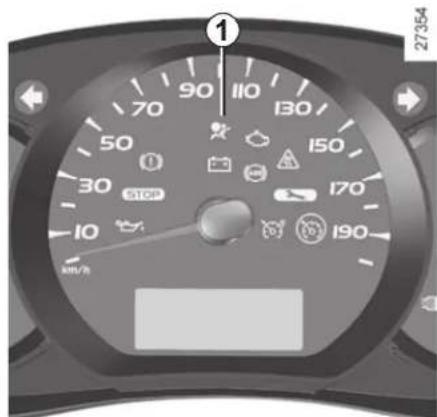
Operating faults
Warning light 1 will light up on the instrument panel when the ignition is turned on and then go out after a few seconds.
If it does not come on when the ignition is switched on, or if it comes on when the engine is running, there is a fault with the system (air bags, pretensioners, etc.) in the front and/or rear seats.
Contact your approved dealer as soon as possible. Your protection will be reduced until this fault is rectified.
CHILD SAFETY: General information (1/2)
Carrying children
Children, and adults, must be correctly seated and strapped in for all journeys. The children being carried in your vehicle are your responsibility.
A child is not a miniature adult. Children are at risk of specific injuries as their muscles and bones have not yet finished growing. The seat belt alone would not provide suitable protection. Use an approved child seat and ensure you use it correctly.

To prevent the doors being opened, use the "Child safety" device (refer to the information on "Opening
and closing the doors" in Section 1).

A collision at 30 mph (50 km/h) is the same as falling a distance of 10 metres.
Transporting a child without a restraint is the equivalent of allowing him or her to play on a fourth-floor balcony without railings.
Never travel with a child held in your arms. In the event of an accident, you will not be able to keep hold of the child, even if you yourself are wearing a seat belt.
If your vehicle has been involved in a road accident, replace the child seat and have the seat belts and ISOFIX anchorage points checked.

Driver's responsibility when parking or stopping the vehicle
Never leave an animal, child or adult who is not self-sufficient alone on your vehicle, even for a short time.
They may pose a risk to themselves or to others by starting the engine, activating equipment such as the electric windows or by locking the doors.
Also, in hot and/or sunny weather, please remember that the temperature inside the passenger compartment increases very quickly.
RISK OF DEATH OR SERIOUS INJURY.
CHILD SAFETY: General information (2/2)
Using a child seat
The level of protection offered by the child seat depends on its ability to restrain your child and on its installation. Incorrect installation compromises the protection it offers the child in the event of harsh braking or an impact.
Before purchasing a child seat, check that it complies with the regulations for the country you are in and that it can be fitted in your vehicle. Consult an approved dealer to find out which seats are recommended for your vehicle.
Before fitting a child seat, read the manual and respect its instructions. If you experience any difficulties during installation, contact the manufacturer of the equipment. Keep the instructions with the seat.
Set a good example by always fastening your seat belt and teaching your child:
– to strap themselves in correctly.
- to always get in and out of the car at the kerb, away from busy traffic.
Do not use a second-hand child seat or one without an instruction manual.
Check that there are no objects in the vicinity of the child seat which could impede its operation.

Never leave a child unattended in the vehicle.
Check that your child is always strapped in and that
the belt or safety harness used is correctly set and adjusted. Avoid wearing bulky clothing which could cause the belts to slacken.
Never let your child put their head or arms out of the window.
Check that the child is in the correct position for the entire journey, especially if asleep.
CHILD SAFETY: choosing a child seat
natural_image
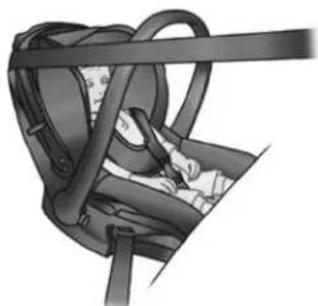
Illustration of a car seatbelt with straps and seatbelt (no text or symbols)Rear-facing child seats
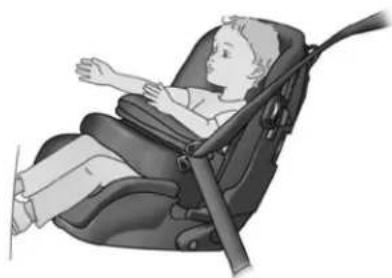
A baby's head is, proportionally, heavier than that of an adult and its neck is very fragile. Transport the child in this position for as long as possible (until the age of 2 at the very least). It supports both the head and the neck.
Choose a bucket type seat for best side protection and change it as soon as the child's head is higher than the shell.
natural_image
Illustration of a child wearing a baby seatbelt, no text or symbols presentForward-facing child seats
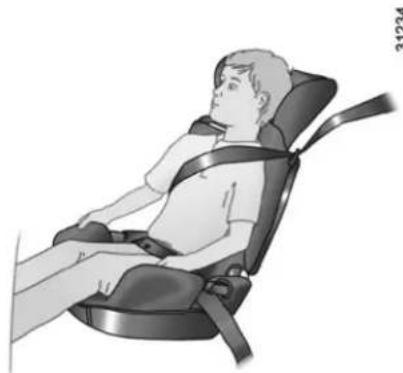
The child's head and abdomen need to be protected as a priority. A forward-facing child seat which is firmly attached to the vehicle will reduce the risk of impact to the head. Ensure your child travels in a forward-facing seat with a harness or buckle for as long as their size permits. Choose a bucket type seat for optimum side protection.w
natural_image
Illustration of a person seated in a car seatbelt chair, no text or symbols visibleBooster cushions
From 15 kg or 4 years, the child can travel using a booster seat, which will enable the seat belt to be adapted to suit his/her size and shape. The booster seat cushion must be fitted with guides to position the seat belt on the child's thighs rather than the stomach. It is recommended that you use a seat-back fitted with a belt strap guide which can be adjusted in terms of height to position the seat belt in the centre of the shoulder. It must never rest on the neck or on the arm.
Choose a bucket type seat for optimum side protection.
CHILD SAFETY: choosing a child/baby seat mounting (1/2)
The are two ways of attaching child seats: via the seat belt or using the ISOFIX system.
Attachment via the seat belt
The seat belt must be adjusted to ensure that it is effective in the event of harsh braking or an impact.
Ensure that the strap paths indicated by the child seat manufacturer are respected.
Always check that the seat belt is correctly fastened by pulling it up, then pulling it out fully whilst pressing on the child seat.
Check that the seat is correctly held by moving it from side to side and back to front: the seat should remain firmly fixed.
Check that the child seat has not been installed at an angle and that it is not resting against a window.

Do not use the child seat if it may unfasten the seat belt restraining it: the base of the seat must not rest on the buckle and/or catch of the seat belt.

The seat belt must never be twisted or the tension relieved. Never pass the shoulder strap under the arm or behind the back.
Check that the seat belt has not been damaged by sharp edges. If the seat belt does not operate normally, it will not protect the child. Consult an approved Dealer. Do not use this seat until the seat belt has been repaired.

No modifications may be made to the component parts of the restraint system (belts, ISOFIX and seats and their mountings) originally fitted.
Attachment with the ISOFIX system
Authorised ISOFIX child seats are approved in accordance with regulation ECE-R44 in one of the three following scenarios:
– ISOFIX universal 3 point forward-facing seat;
– ISOFIX semi-universal 2 point seat;
- specific.
For the latter two, check that your child seat can be installed by consulting the list of compatible vehicles.
Attach the child seat with the ISOFIX locks, if these are provided. The ISOFIX system allows quick, easy, safe fitting.
The ISOFIX system consists of 2 rings and, in some cases, a third ring.

Before using an ISOFIX child seat that you purchased for another vehicle, check that its installation is authorised. Consult the list of vehicles which can be fitted with the seat with the equipment manufacturer.
CHILD SAFETY: choosing a child/baby seat mounting (2/2)
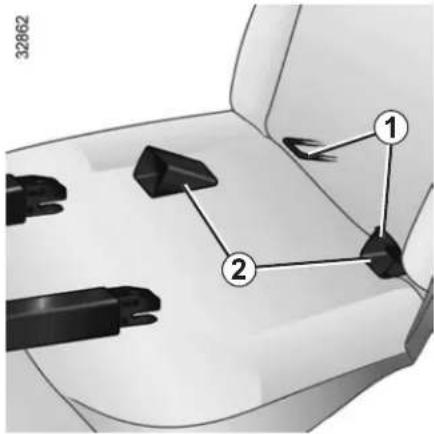
The two rings 1 are located between the seatback and the seat base, behind the zip fasteners, and are identified by a marking.
To ensure your child seat can be easily fitted and locked on rings 1, use access guides 2 on the child seat.
The third ring is used to attach the upper strap on some child seats.
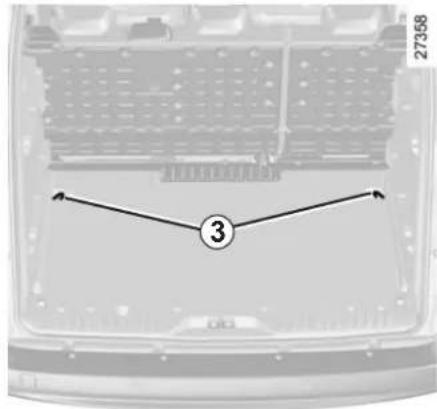
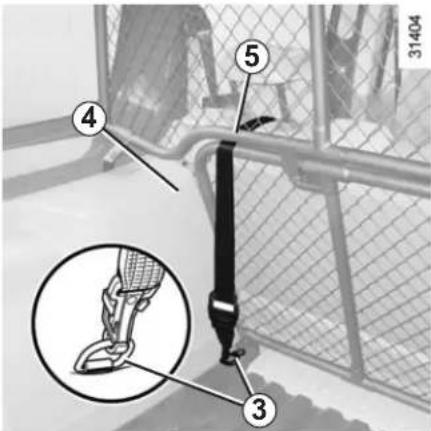
Depending on the vehicle, pass the strap between wheel arch liner 4 and the underside of upper partition 5.
From the luggage compartment, attach the strap hook to ring 3 on the corresponding side. Check that the bench seatback is correctly locked.
Pull the belt so that the back of the child seat comes into contact with the back of the vehicle seat.

The anchoring points (rings) in luggage compartment 3 cannot be used if they are already being used to mount two of the following three components: luggage net, load in the luggage compartment or child seat.

The ISOFIX anchorage points have been exclusively designed for child seats with the ISOFIX
system. Never fit a different type of child seat, seat belt or other objects to these anchorage points.
Check that nothing is obstructing the anchorage points.
If your vehicle has been involved in a road accident, have the ISOFIX anchorage points checked and replace your child seat.
CHILD SAFETY: Fitting a child seat (1/5)
Some seats are not suitable for fitting child seats. The diagrams on the following pages show you how to attach a child seat.
The types of child seats indicated may not be available. Before using a different child seat, check with the manufacturer that it can be fitted.

Fit the child seat in a rear seat wherever possible.
Check that when installing the child seat in the vehicle
it is not at risk of coming loose from its base.
If you have to remove the headrest, check that it is correctly stored so that it does not come loose under harsh braking or impact.
Always attach the child seat to the vehicle even if it is not in use so that it does not come loose under harsh braking or impact.
In the front seat
The laws concerning children travelling in the front passenger seat differ in every country. Consult the legislation in force and follow the indications on the diagrams on the following pages.
Before fitting a child seat in this seat (if authorised):
– lower the seat belt as far as possible;
- move the seat as far back as possible;
- gently tilt the seatback away from vertical (approximately 25^ );
– on equipped vehicles, raise the seat base as far as possible.
Do not change these settings after the child seat is installed.

RISK OF DEATH OR SERIOUS INJURY: before
fitting a child seat to this seat, check that the air bag
has been deactivated (refer to the information on "Child safety: deactivating/activating the front passenger air bag" in Section 1).
In the rear seat
A carrycot can be installed across the vehicle and will take up at least two seats. Position the child with his or her feet nearest the door.
Push the vehicle seat fully forwards to install a rear-facing child seat, then push it back as far as possible without allowing it to make contact with the child seat.
For the safety of the child in the forward-facing seat, do not move the seat in front back past the middle of the runner, do not tilt the seatback too far (maximum of 25^ ) and raise the seat as much as possible.
Check that the forward-facing child seat is resting against the back of the vehicle seat and that the headrest of the vehicle is not obstructing its use.
Child's convertible headrest
If fitted to the vehicle, the child head-rest and booster cushion can only be installed on the rear side seats.
For fitting and use, refer to the equipment instructions
CHILD SAFETY: Fitting a child seat (2/5)
Van version
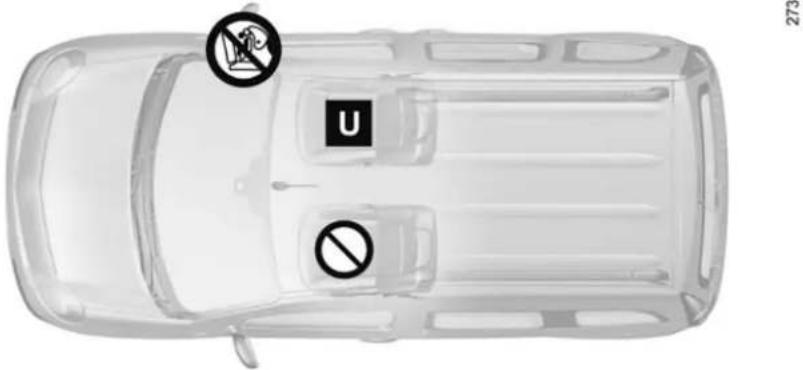
| Van versionType of seat group(weight of the child) | Seats suitable for fitting a child seatFront passenger seat (1) | |
| WITH PASSENGER AIR BAG (2) | WITHOUT PASSENGER AIR BAG | |
| Group 0, 0+(weight below 13 kg) | U | U |
| Group I(weight from 9 kg to 18 kg) | U | U |
| Groups II and III(weight from 15 kg to 36 kg) | U | U |
Child seat attached using the belt
U Seat which allows a child seat with "Universal" approval to be attached by a seat belt.
Seat not suitable for fitting child seats.
Check the status of the air bag before fitting a child seat or allowing a passenger to use the seat.
(1) Before fitting a child seat: position the vehicle seat as far back as possible.

(2) RISK OF DEATH OR SERIOUS INJURY: before
installing a child seat in the front passenger seat, sure the air bag has been de- d (refer to the information old safety: front passenger deactivation/activation" in 1).
CHILD SAFETY: Fitting a child seat (3/5)
Sport tourer versions
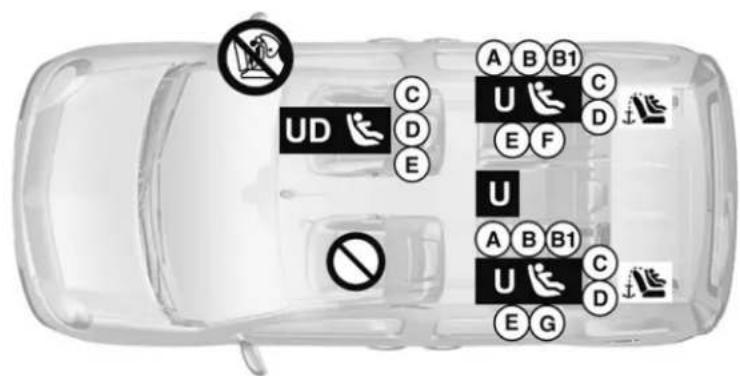
27311
Child seat attached using the belt
U Seat which allows a seat with "Universal" approval to be fitted using a seat belt;
UD Seat which only allows a rear-facing seat with "Universal" approval to be attached with a seat belt.

Using a child safety system which is not approved for this vehicle will not correctly protect the baby or child. They risk serious or even fatal injury.

RISK OF DEATH OR SERIOUS INJURY: before
installing a rear-facing child seat in the front passenger seat, make sure the air bag has been deactivated (refer to the information on "Child safety: front passenger air bag deactivation/activation" in Section 1).
Child seats attached using the ISOFIX mounting

Seat which allows an ISOFIX. seat to be fitted.

Check the status of the air bag fitting a child seat or allowing a anger to use the seat.

Seat not suitable for fitting child

The rear seats are fitted with chorage point which allows a d-facing ISOFIX child seat with sal approval to be fitted. The an-ge points are located in the lug-compartment and are visible.
The size of the ISOFIX child seat is indicated by a letter:
- A, B and B1: for forward-facing seats in group 1 (9 to 18 kg);
- C: rear-facing seats in group 1 (9 to 18 kg);
- D and E: shell seat or rear-facing seats in group 0 or 0+ (less than 13 kg);
- F and G: cots in group 0 (less than 10 kg).
CHILD SAFETY: Fitting a child seat (4/5)
The table below summarises the information already shown on the diagram on the previous page, to ensure the regulations in force are respected.
| Sport tourer versionsType of child seat | Weight of the child | Seat sizeISOFIX | Front passengerseat (1) (2) | Rear side seats Rear centre seat |
| Carrycot fitted across the vehicleGroup 0 | < 10 kg F, G | X U - IL (3) U (3) | ||
| Shell seat/rear-facing seatGroup 0, 0+ and 1 | < 13 kg and9 to 18 kg | C, D, E U - | IL (6) U - IL (4) U (4) | |
| Forward-facing seatGroup 1 | 9 to 18 kg A, | B, B1 X | U - IUF - IL (5) U (5) | |
| Booster seatGroup 2 and 3 | 15 to 25 kgand 22 to36 kg | X | U (5) |

(1) RISK OF DEATH OR SERIOUS INJURY: before installing a rear-facing child seat in the front passenger seat, make sure the air bag has been deactivated (refer to the information on "Child safety: front passenger air bag deactivation/activation" in Section 1).
CHILD SAFETY: Fitting a child seat (5/5)
X = Seat not suitable for fitting child seats.
U = Seat which allows a child seat with "Universal" approval to be attached by seat belt; check that it can be fitted.
IUF/IL = On equipped vehicles, seat which allows a child seat with "Universal, Semi-universal or Vehicle-specific" approval to be fitted using the ISOFIX system. Check that it can be fitted.
(2) Only a rear-facing child seat can be fitted to this seat: position the vehicle seat as far back and as high as possible, and tilt the seatback slightly (approximately 25^ ).
(3) A carrycot is fitted crosswise and occupies at least two seats (the child's feet are placed nearest the door).
(4) Push the vehicle seat fully forwards to install a rear-facing child seat, then push it back as far as possible without allowing it to make contact with the child seat.
(5) Forward-facing child seat; position the seatback of the child seat in contact with the seatback of the vehicle seat. Adjust the headrest, or remove it if necessary. In addition, do not push the seat in front of the child further than halfway along its runners, or incline the seatback more than 25^ .
(6) Depending on vehicle.
CHILD SAFETY: deactivating/activating the front passenger air bag (1/3)
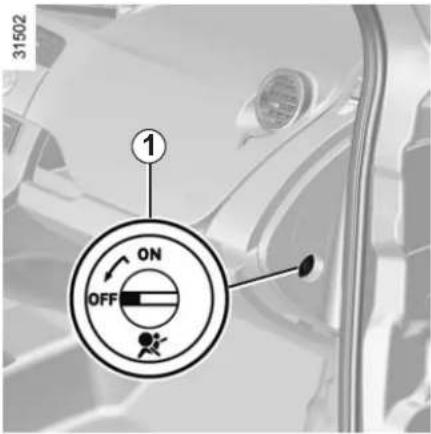
Deactivating the front passenger air bags (on equipped vehicles)
You must deactivate the devices in addition to the front passenger seat belt before fitting a child seat in the front passenger seat.
natural_image
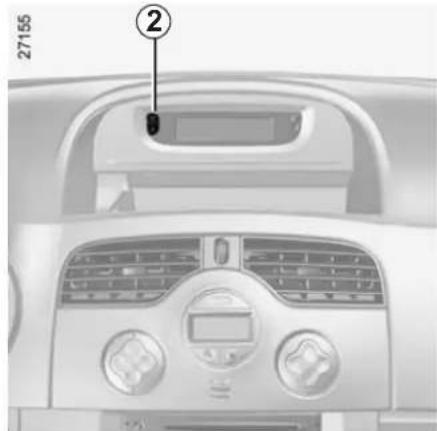
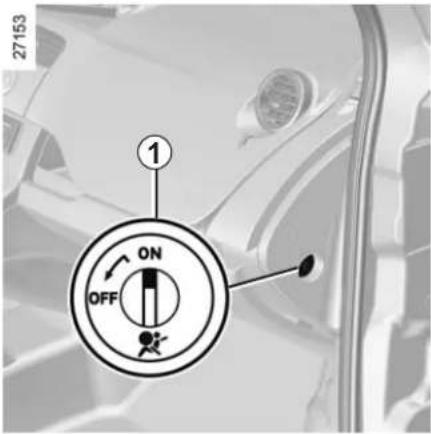
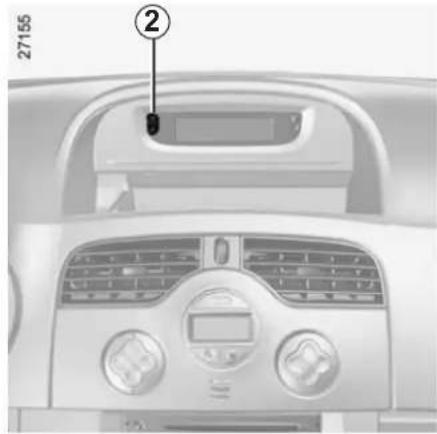
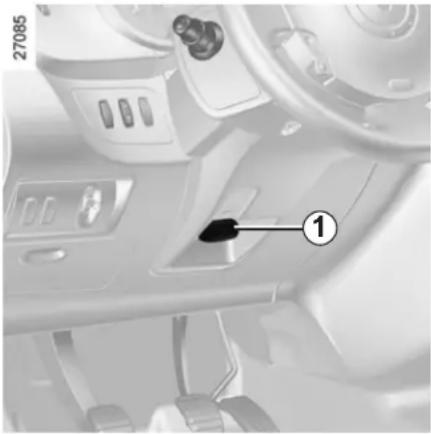
Interior view of a car dashboard with air conditioners and a digital display (no visible text or symbols)To deactivate the air bags: with the vehicle stopped and the ignition off, press and turn lock 1 to the OFF position.
With the ignition on, you must check that warning light 2 is lit on the central display and, depending on the vehicle, that the message "passenger air bag off" is displayed.
Note: on equipped vehicles, the side air bag is also deactivated.
This light remains permanently lit to let you know that you can fit a child seat.

The passenger air bag must only be deactivated or activated with the ignition off.
If it is interfered with when the vehicle is being driven, indicator
lights and will come on.
Switch the ignition off then on again to reset the air bag in accordance with the lock.
CHILD SAFETY: deactivating/activating the front passenger air bag (2/3)

DANGER
Since operation of the front passenger air bag is not compatible with the position
of a rear-facing child seat, NEVER fit a rear-facing child seat on a front passenger seat with an active front air bag. The child may suffer very serious injuries if the air bag is triggered.
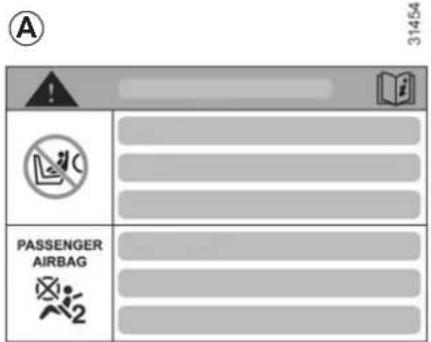
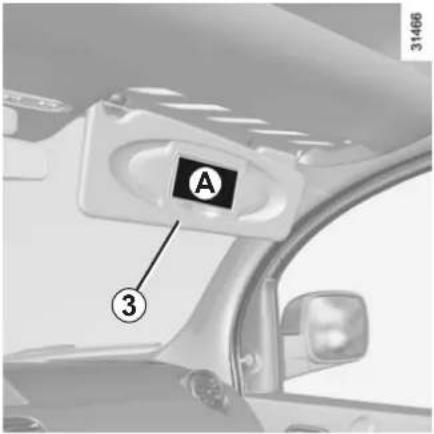
The markings on the dashboard and labels A on each side of passenger sun blind 3 (example: label shown above) remind you of these instructions.
CHILD SAFETY: deactivating/activating the front passenger air bag (3/3)
Activation of the front passenger air bag
You should reactivate the air bag as soon as you remove the child seat from the front passenger seat to ensure the protection of the front passenger in the event of an impact.
To reactivate the air bags: with the vehicle stopped and the ignition off, press and turn lock 1 to the ON position.
With the ignition on, you must ensure that warning light 2 is off.
The front passenger seat belt additional restraint systems are activated.
natural_image
Interior view of a car dashboard with air filters and a control panel (no visible text or symbols)Operating faults
In the event that the front passenger air bag activation/deactivation system is faulty, child seats must not be fitted to the front seat.
Allowing any other passenger to sit in that seat is not recommended.
Contact your approved Dealer as soon as possible.

DANGER
Since operation of the front passenger air bag is not compatible with the position
of a rear-facing child seat, NEVER fit a rear-facing child seat on a front passenger seat with an active front air bag. The child may suffer very serious injuries if the air bag is triggered.

The passenger air bag must only be deactivated or activated with the ignition off.
If it is interfered with when the vehicle is being driven, indicator
lights on.
and will come
Switch the ignition off then on again to reset the air bag in accordance with the lock.
STEERING WHEEL
natural_image
Interior view of a car dashboard with control panel and steering wheel (no visible text or symbols)Steering wheel height adjustment
Pull lever 1 and adjust the steering wheel to the required position; push the lever to lock the steering wheel.
Make sure that the steering wheel is correctly locked.

For safety reasons, only adjust the steering wheel when the vehicle is stationary.
Never leave the steering wheel on full lock when the vehicle is stationary.

Never switch off the ignition when travelling downhill, and avoid doing so in normal driving (assistance provided).
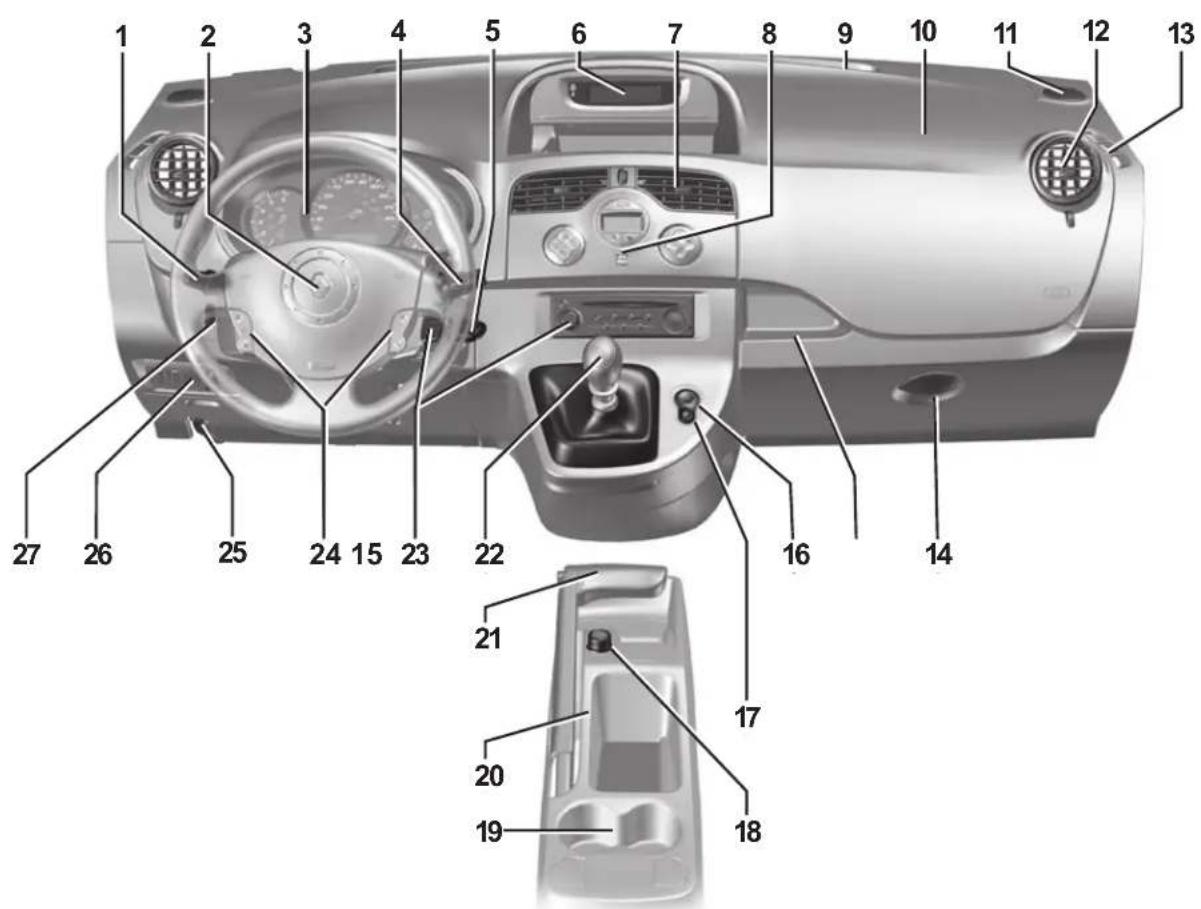
DRIVING POSITION: LEFT-HAND DRIVE (1/2)
27084
DRIVING POSITION: LEFT-HAND DRIVE (2/2)
The equipment fitted, described below, DEPENDS ON THE VERSION AND COUNTRY.
1 Stalk for:
– direction indicator lights,
- exterior lights,
- front fog lights,
- rear fog lights.
2 - Horn,
– location for driver's air bag.
3 Instrument panel.
4 Stalk for:
- wipers,
- windscreen washer,
- trip computer and warning system.
5 Ignition switch.
6 Central display:
- seat belt reminder warning light,
– air bag deactivation warning light, - navigation,
- clock,
– exterior temperature.
7 Centre air vent.
8 Controls for ventilation, heating and de-icing.
9 Windscreen demister outlet.
10 Location for passenger air bag.
11 Speaker.
12 Side air vent.
13 Side window demister outlet.
14 Glove box.
15 Storage space or accessories socket.
16 Hazard warning lights switch.
17 Central door locking/unlocking switch.
18 Cigar lighter/12V socket.
19 Cup holder.
20 Central storage compartment.
21 Handbrake.
22 Gear lever.
23 Remote control/location for radio, navigation system.
24 Cruise control/speed limiter controls.
25 Bonnet release control.
26 Headlight adjustment control, ESP and ASR activation/deactivation control.
27 Parking distance control, cruise control/speed limiter control.
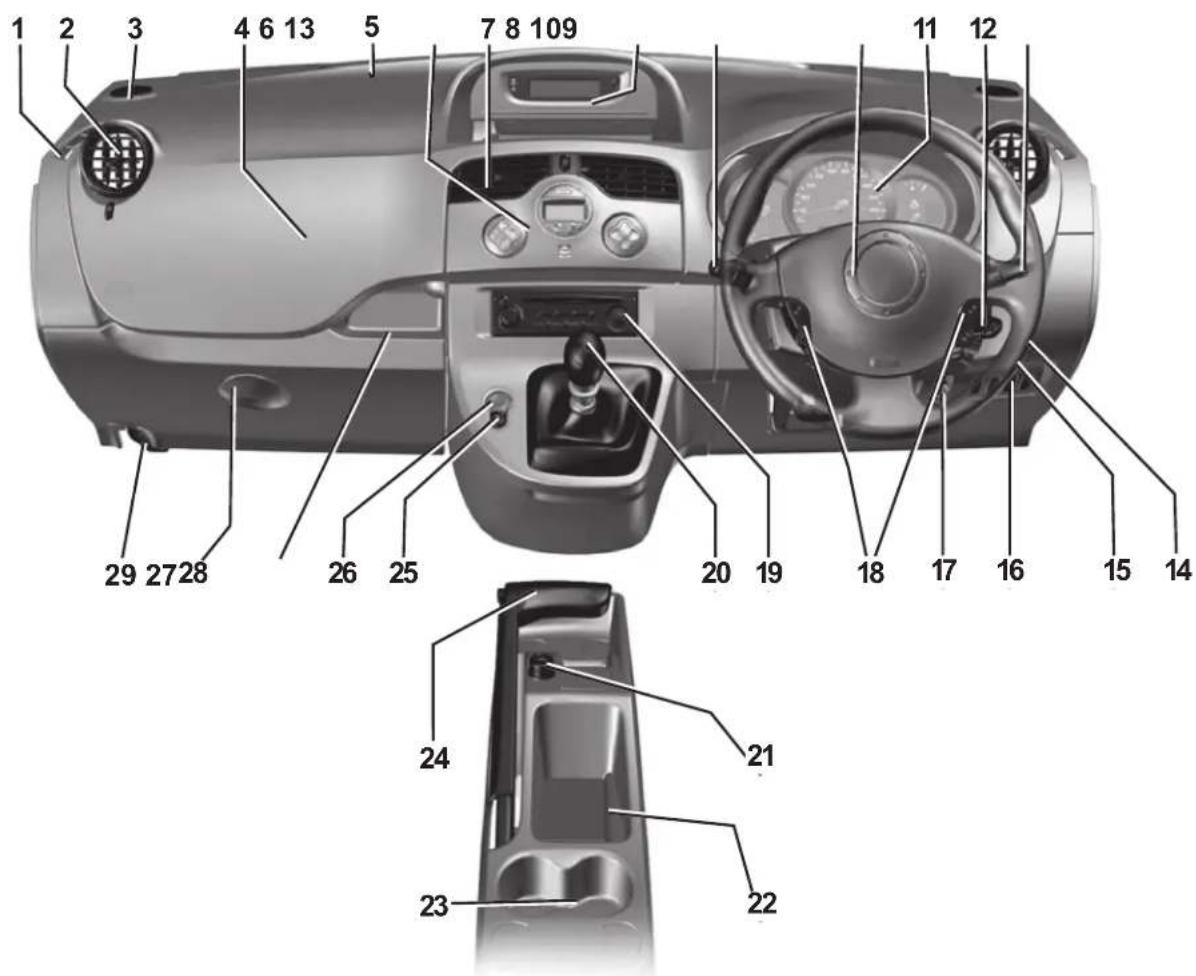
DRIVING POSITION: RIGHT-HAND DRIVE (1/2)
28810
DRIVING POSITION: RIGHT-HAND DRIVE (2/2)
The equipment fitted, described below, DEPENDS ON THE VERSION AND COUNTRY.
1 Side window demister outlet.
2 Side air vent.
3 Speaker.
4 Location for passenger air bag.
5 Windscreen demister outlet.
6 Controls for ventilation, heating and de-icing.
7 Centre air vent.
8 Central display:
- seat belt reminder warning light,
- air bag deactivation warning light,
- navigation,
- clock,
– exterior temperature.
9 Stalk for:
– direction indicator lights,
- exterior lights,
- front fog lights,
- rear fog lights.
10 - Horn.
- Location for driver's air bag.
11 Instrument panel.
12 Ignition switch.
13 Stalk for:
- wipers,
- windscreen washer,
- trip computer and warning system.
14 Cruise control/speed limiter control.
15 Parking distance control switch.
16 ESP and ASR activation/deactivation control.
17 Headlight adjustment control.
18 Cruise control/speed limiter controls.
19 Location for radio, navigation system.
20 Gear lever.
21 Cigar lighter/12V socket.
22 Central storage compartment.
23 Cup holder.
24 Handbrake.
25 Door electric locking/unlocking switch.
26 Hazard warning lights switch.
27 Storage space or accessories socket.
28 Glove box.
29 Bonnet release.
INSTRUMENT PANEL: warning lights (1/4)
The presence and operation of the warning lights DEPEND ON THE EQUIPMENT AND COUNTRY.
natural_image
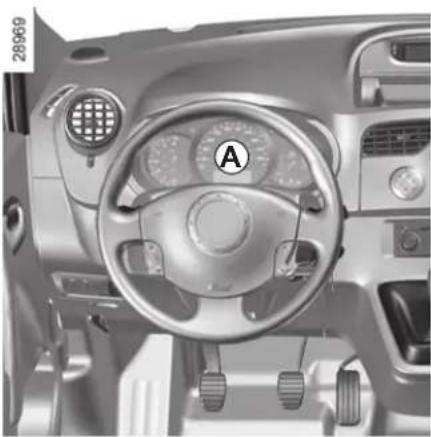
Interior view of a car dashboard with steering wheel, dashboard controls, and air vent (no visible text or symbols)Instrument panel A

Warning light STOP requires you to stop immediately, for your own safety, as traffic conditions allow. Off the engine and do not re-Contact an approved Dealer.

Main beam headlight tell-tale light

Dipped beam headlight tell-tale

Front fog light tell-tale light

Rear fog light tell-tale

Direction indicator tell-tale light
The warning light means you should drive very carefully to an approved Dealer as soon as possible. If you fail to follow this recommendation, you risk damaging your vehicle.

If no lights or sounds are apparent, this indicates a fault in the instrument panel. This indicates that it is essential to stop immediately (as soon as traffic conditions allow). Ensure that the vehicle is correctly immobilised and contact an approved Dealer.

Variable power assisted steering warning light
This lights up when the ignition is switched on and goes out after a few seconds.
If it comes on when driving accompanied by a beep, this indicates a fault in the system.
Contact an approved Dealer as soon as possible.

Fuel economy indicator lights.
This lights up to advise you to change to a higher gear (up arrow) or lower gear (down arrow).
INSTRUMENT PANEL: warning lights (2/4)
The presence and operation of the warning lights DEPEND ON THE EQUIPMENT AND COUNTRY.
natural_image
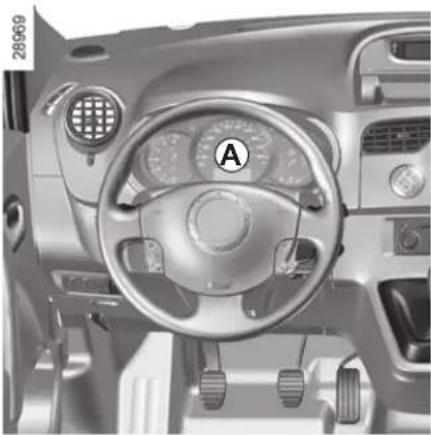
Interior view of a car dashboard with steering wheel, dashboard controls, and steering wheel (no visible text or symbols)STOP STOP light
It comes on when the ignition is switched on, sometimes at the same time as other warning lights and then goes out after several seconds.
It indicates that it is essential to stop as soon as traffic conditions allow. Contact an approved Dealer as soon as possible.
Depending on the vehicle, this warning light is accompanied by a message on the instrument panel.

Coolant temperature warning light
If this remains lit while driving accompanied by the STOP indicator light, it indicates engine overheating. Stop and allow the engine to run at idle speed for a minute or two. The temperature should drop. If not, stop the engine. Let the engine cool down, then check the coolant level. Contact an approved Dealer if necessary.

Handbrake "on" warning light and brake circuit inci- turning light
This comes on when the ignition is switched on. If it comes on during braking or when the vehicle is being driven, accompanied by the STOP indicator light, it means that one of the circuit levels is too low; it may be dangerous to continue driving. Consult an approved Dealer.

Warning light
It comes on when the ignition is switched on, sometimes at the same time as other warning lights and then goes out after several seconds.
If the light comes on, you should visit an approved Dealer immediately.
Depending on the vehicle, this warning light is accompanied by a message on the instrument panel.

Warning light for monitoring exhaust gas
On equipped vehicles, the light comes on when the ignition is switched on then goes out.
- If it lights up continuously accompanied by the 📁 indicator light, consult an approved Dealer as soon as possible;
- If it flashes, reduce the engine speed until the light stops flashing. Contact your approved Dealer as soon as possible.
Refer to "Emission control, fuel economy and driving advice" in section 2.
INSTRUMENT PANEL: warning lights (3/4)
The presence and operation of the warning lights DEPEND ON THE EQUIPMENT AND COUNTRY.
natural_image
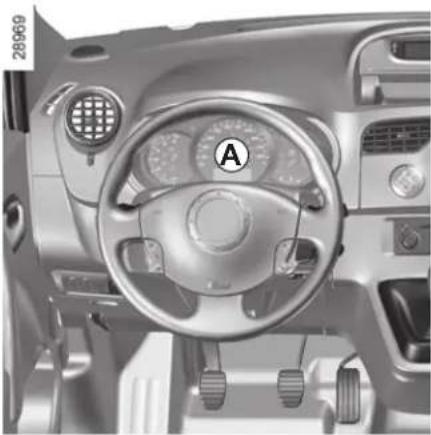
Interior view of a car dashboard with steering wheel, dashboard controls, and air vent (no visible text or symbols)
Oil pressure warning light
If it comes on while you are driving, stop at once and switch off the ignition.
Check the oil level (refer to section 4 "Engine oil level"). If the level is normal, the light has come on for another reason: contact an approved Dealer as soon as possible.

Preheating warning light (on diesel version)
This should come on when the ignition is switched on. It indicates that the heater plugs are in operation. It goes out after preheating is sufficient and the engine can be started.

Electronic fault warning light
If it comes on when driving, it indicates an electronic or electrical fault or, for diesel versions, the presence of water in the diesel fuel.
Contact your approved Dealer as soon as possible.

Air bag warning light
This comes on when the ignition is switched on and goes out after a few seconds. If it does not come on when the ignition is switched on or if it flashes, there is a fault in the system. Contact an approved Dealer as soon as possible.

Anti-lock braking warning light
This lights up when the ignition is switched on and goes out after a few seconds.
If it does not go out after the ignition is switched on, or lights up when driving, there is a fault with the ABS. Braking will then be as normal, without the ABS system.
Contact an approved Dealer as soon as possible.

Brake pad wear warning light
Depending on the vehicle, if the warning light comes on, you must have your brake pads checked as soon as possible.

Low fuel level warning light
This comes on when the ignition is switched on and goes out after a few seconds. If it comes on when driving accompanied by a beep, fill up with fuel as soon as possible. There is only approximately 30 miles (50 km) worth of fuel left after the warning light first comes on.
INSTRUMENT PANEL: warning lights (4/4)
The presence and operation of the warning lights DEPEND ON THE EQUIPMENT AND COUNTRY.
natural_image
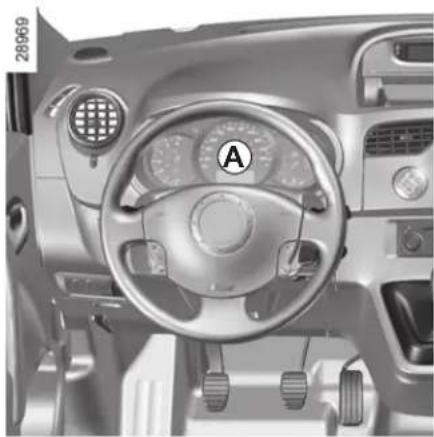
Interior view of a car dashboard with steering wheel, dashboard controls, and air vent (no visible text or symbols)
Seat belt reminder light
Depending on the vehicle, it is displayed on the instrument panel or on the central display of the dashboard. It remains on when the engine is started if your seat belt is not fastened. A beep sounds at a low volume for 30 seconds, then at a high volume for 90 seconds.

Electronic Stability Program (ESP) and Traction control (ASR) indicator light.
The indicator light may come on for several reasons: refer to the information on the "Electronic stability program: E.S.P." and "Traction control: A.S.R." in Section 2.

Particle filter warning light
Refer to the information on "Special features of diesel vehicles with particle filter" in Section 2.

Battery charge warning light
If it comes on when you are driving, it indicates that the circuit is overcharged or has discharged. Stop and consult an approved Dealer as soon as possible.

Door status warning light
If it lights up when the ignition is switched on, it indicates that a door is not properly closed.


Cruise control and speed limiter indica-
tor lights
Refer to the information on the "Speed limiter" and "Cruise control" in Section 2.
INSTRUMENT PANEL: display and indicators (1/3)
The presence and operation of the display and indicators DEPENDS ON THE LEVEL OF EQUIPMENT AND THE COUNTRY.
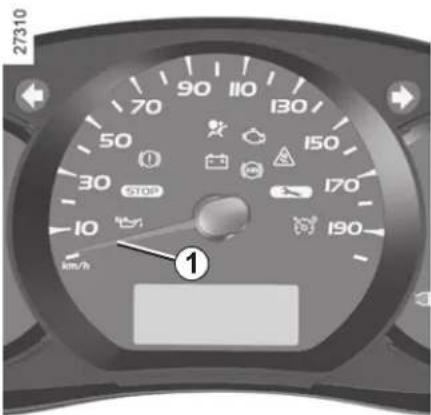
Speedometer 1
Overspeed buzzer
Depending on the vehicle, a beep sounds for 10 seconds approximately every 40 seconds as long as the vehicle is travelling at over 72 miles per hour (120 km/h).
Note: depending on the vehicle, the desired speed may be programmed; consult an approved Dealer.
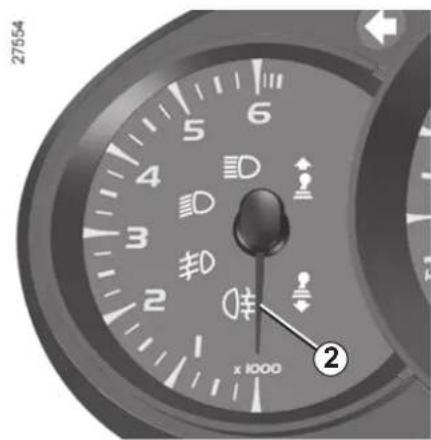
Rev counter 2
(graduations x 1000)
The engine speed must not be exceeded in intermediate gears in order to ensure economical driving: 3,000 revs (or 2,500 revs for the diesel version).
INSTRUMENT PANEL: display and indicators (2/3)
The presence and operation of the display and indicators DEPENDS ON THE LEVEL OF EQUIPMENT AND THE COUNTRY.
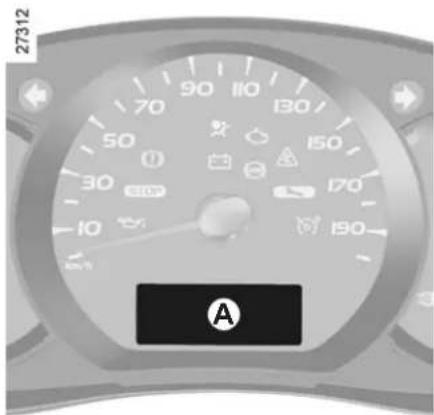
Fuel gauge A
The number of squares lit shows the fuel level. When it is at the minimum level, the last square comes on, accompanied by a beep. A warning light also lights up on the instrument panel.
Fill up as soon as possible. There is only approximately 30 miles (50 km) worth of fuel left after the warning light first comes on.
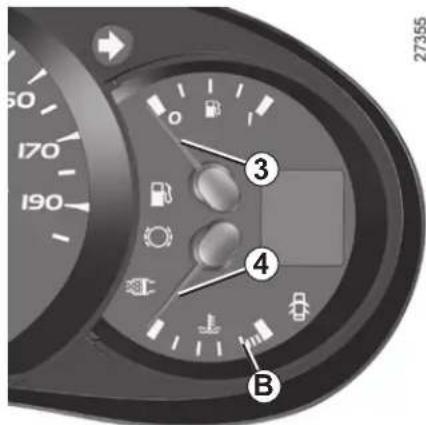
Fuel gauge 3
The needle shows the fuel level. When it is at the minimum level, the fuel warning light comes on, accompanied by a beep.
Fill up as soon as possible. There is only approximately 30 miles (50 km) worth of fuel left after the warning light first comes on.
Coolant temperature indicator 4 or A
In normal use, the needle should be positioned before zone B. Under "intensive" operating conditions, the needle may approach this zone. The only warning is if the indicator light comes on or the message "engine overheating" appears.
INSTRUMENT PANEL: display and indicators (3/3)
The presence and operation of the display and indicators DEPENDS ON THE LEVEL OF EQUIPMENT AND THE COUNTRY.
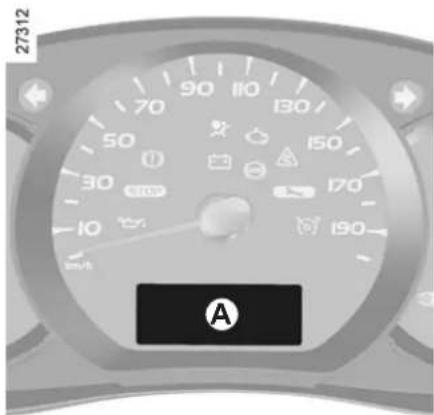
Low engine oil level warning
Depending on the vehicle, when the engine is started and for 30 seconds, display A alerts the driver when the minimum engine oil level is reached. Refer to the information on the "Engine oil level" in Section 4.
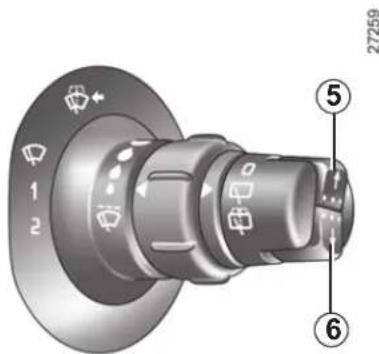
Display selection keys 5 or 6
Depending on the vehicle, pressing the button repeatedly enables the information on the display to be selected and the trip mileage recorder to be reset (for this, the trip mileage must be selected on the display).
- Display selection
Press briefly to move from the total mileage to the trip mileage and vice versa.
- Resetting the trip mileage recorder
Once trip mileage has been selected on the display, press and hold the button.
Multifunction display
Total mileage recorder.
Trip mileage recorder.
Setting the time.
OR
Trip computer and warning system
Refer to the information on the "Trip computer and warning system" in Section 1.
TRIP COMPUTER: general information (1/2)
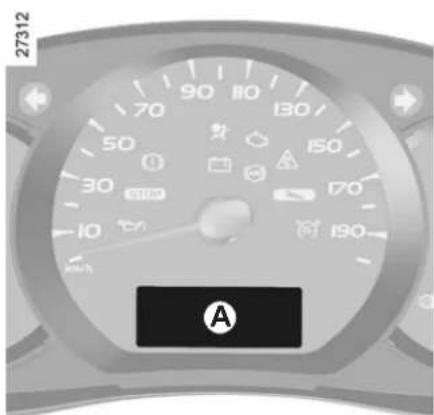
Trip computer and warning system A
Depending on the vehicle, this includes the following functions:
- distance travelled;
- journey parameters;
- information messages;
- operating fault messages (associated with the warning light);
- warning messages (connected to the warning light STOP).
All these functions are described on the following pages.
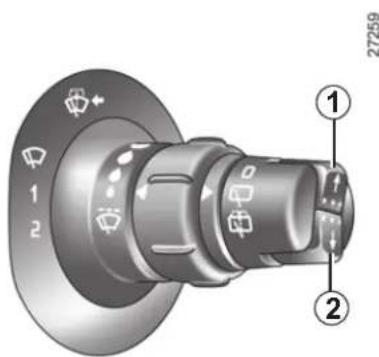
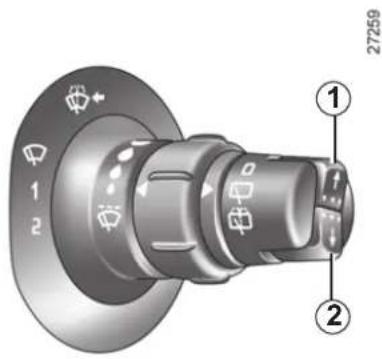
Display selection keys 1 and 2
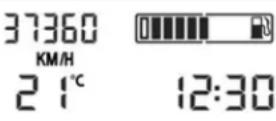
Scroll through the following information upwards (button 1) or downwards (button 2) by pressing briefly and successively (the display depends on the vehicle equipment and country).
a) Total mileage and trip mileage recorder;
b) journey parameters:
- fuel consumed;
– average fuel consumption;
– current fuel consumption; - estimated range;
- distance travelled;
- average speed;
c) mileage before service;
d) cruise control and speed limiter programmed speed;
e) trip log, operating faults and information message readout.
TRIP COMPUTER: general information (2/2)
Trip mileage resetting
With "trip mileage recorder" selected on the display, press button 1 or 2 until the mileage recorder resets to zero.
Resetting the journey parameters (reset button)
With one of the journey parameters selected on the display, press button 1 or 2 until the display resets.
Interpreting some of the values displayed after resetting
The values showing average fuel consumption, range and average speed will become more stable and reliable the further you travel after pressing the reset button.
For the first few miles after pressing the reset button you may notice:
- that the range increases as you travel. This range takes into account the average fuel consumption since the last time the reset button was pressed. Therefore, the average fuel consumption may decrease when:
– the vehicle is no longer accelerating;
- the engine reaches its operating temperature (engine cold when reset button pressed);
- driving from a built-up area onto the open road.
Automatic resetting of the journey parameters
Resetting occurs automatically when the maximum value of any of the parameters is exceeded.
TRIP COMPUTER AND WARNING SYSTEM: journey parameters (1/4)
The display of information shown below DEPENDS ON THE VEHICLE EQUIPMENT AND COUNTRY.
| Examples of selections Interpreting the display selected | ||
 | a) Total mileage and trip mileage recorder | |
| 37360 KM7080 KM | 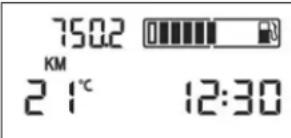 | |
| FUEL USED26.0 L | b) Journey parametersFuel consumed since the last reset. | |
| AVERAGE Average 7.3 L/100 | 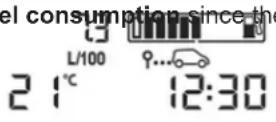 | This value is displayed after driving 400 metres and takes into account the distance travelled and the fuel used since the last time the reset button was pressed. |
TRIP COMPUTER AND WARNING SYSTEM: journey parameters (2/4)
The display of information shown below DEPENDS ON THE VEHICLE EQUIPMENT AND COUNTRY.
| Examples of selections Interpreting the display selected | ||
| CURRENT8.6 L/100[w6cz] | 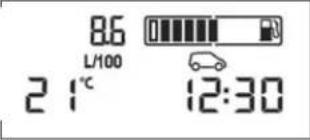 | Current fuel consumptionThis value is displayed after a speed of approximately 20 mph (30 km/h) is reached. |
 [IMAGE] [IMAGE] | 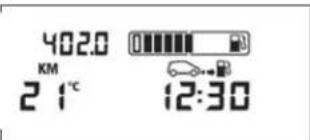 | Estimated range with remaining fuelThis range takes into account the average fuel consumption since the last time the reset button was pressed.The value is displayed after driving 400 metres. |
 [IMAGE] [IMAGE] | 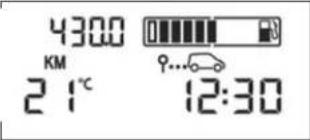 | Several minutes after the reserve light has come on (refer to the information on the “Instrument panel”), the estimated range will no longer be displayed. |
 [IMAGE] [IMAGE] | 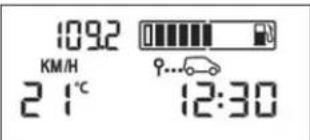 | Distance travelled since the last reset. |
| Average speed since the last reset.The value is displayed after driving 400 metres. | ||
TRIP COMPUTER AND WARNING SYSTEM: journey parameters (3/4)
The display of information shown below DEPENDS ON THE VEHICLE EQUIPMENT AND COUNTRY.
| Examples of selections Interpreting the display selected | ||
 | 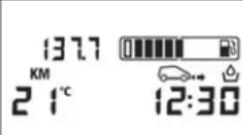 | |
| Note:depending on the vehicle, the mileage before service changes according to the driving style (frequent driving at low speeds, door-to-door, prolonged periods at idle speed, towing a trailer, etc.). The distance remaining until the next service can therefore, in some cases, be less than the actual distance remaining.Resetting the display after the service in accordance with the maintenance schedule.The mileage before service must only be reset after a service which complies with the recommendations in the Maintenance Service Booklet.If you decide to change the oil more frequently, do not reset this data each time the oil is changed to avoid exceeding the replacement intervals for other parts in the maintenance schedule.Special features:to reset the mileage before service value, go to the service page (see image above) and press and hold one of the display's reset buttons for at least 10 seconds until the mileage before service value is displayed continuously. Refer to the information on the "Trip computer and warning system: general information" in Section 2. | ||
Note: depending on the vehicle, the mileage before service changes according to the driving style (frequent driving at low speeds, door-to-door, prolonged periods at idle speed, towing a trailer, etc.). The distance remaining until the next service can therefore, in some cases, be less than the actual distance remaining.
Resetting the display after the service in accordance with the maintenance schedule.
The mileage before service must only be reset after a service which complies with the recommendations in the Maintenance Service Booklet.
If you decide to change the oil more frequently, do not reset this data each time the oil is changed to avoid exceeding the replacement intervals for other parts in the maintenance schedule.
Special features: to reset the mileage before service value, go to the service page (see image above) and press and hold one of the display's reset buttons for at least 10 seconds until the mileage before service value is displayed continuously. Refer to the information on the "Trip computer and warning system: general information" in Section 2.
TRIP COMPUTER AND WARNING SYSTEM: journey parameters (4/4)
The display of information shown below DEPENDS ON THE VEHICLE EQUIPMENT AND COUNTRY.
| Examples of selections Interpreting the display selected | |
| SPEED LIMITER70 KM/H | d) Cruise control/speed limiter programmed speed (depending on the vehicle). Refer to the information on the “Cruise control/speed limiter” in Section 2. |
| CRUISE CONTROL70 KM/H | |
TRIP COMPUTER AND WARNING SYSTEM: information messages
Information messages
These can help in the vehicle starting phase, or give information about a selection or a driving status. Examples of information messages are given in the following pages.
| Examples of messages Interpretation of messages | |
| “NO MESSAGE AVAILABLE” | e) On-board logSuccessive display:– of information messages (automatic lighting, etc.),– of operating fault messages (check injection, etc.). |
| “BOOT OPEN” Indicates that the tailgate has been left open. | |
| “BATTERY MODE:ECONOMY” | Indicates that vehicle accessories have been switched off to preserve the battery. |
| “OIL LEVEL CORRECT” Indicates that the oil level is correct when the ignition is switched on. | |
| “AUTO LIGHTS DEACTIVATED” Indicates that the automatic lights function is deactivated. | |
TRIP COMPUTER AND WARNING SYSTEM: operating fault messages
These appear with the warning light and mean that you should drive very carefully to an approved Dealer as soon as possible. If you fail to follow this recommendation, you risk damaging your vehicle.
They disappear when the display selection key is pressed or after several seconds and are stored in the computer log. The warning light stays on. Examples of operating fault messages are given on the following pages.
| Examples of messages Interpretation of messages | |
| “CHECK ESP” | Indicates a fault on the traction control system (refer to the information on the “Traction control system: ASR” in Section 2). |
| “CHECK FUEL FILTER” | Indicates that there is water present in the diesel fuel.Contact an approved Dealer as soon as possible. |
| “CHECK GEARBOX” | Indicates that a fault has occurred in the gearbox; contact an approved Dealer as soon as possible. |
| “CHECK AUTO LIGHTS” | Indicates an automatic lighting operating fault; contact an approved Dealer. |
| “CHECK STEERING” Indicates a power-assisted steering system operating fault. | |
TRIP COMPUTER AND WARNING SYSTEM: warning message
These appear with the STOP warning light and require you to stop immediately, for your own safety, as soon as traffic conditions allow. Stop your engine and do not restart it. Contact an approved Dealer.
Examples of warning messages are given in the following pages. Note: the messages appear on the display either individually or alternately (when there are several messages to be displayed), and may be accompanied by a warning light and/or a beep.
| Examples of messages Interpretation of messages | |
| “INJECTION FAULT” Indicates that the vehicle has a serious engine fault. | |
| “ENGINE OVERHEATING” Indicates that the engine is overheating. | |
| “STEERING FAULT” Indicates a fault in the vehicle’s power assisted steering. | |
| “GEARBOX OVERHEATING” Indicates that the gearbox is overheating. |
CLOCK AND EXTERIOR TEMPERATURE
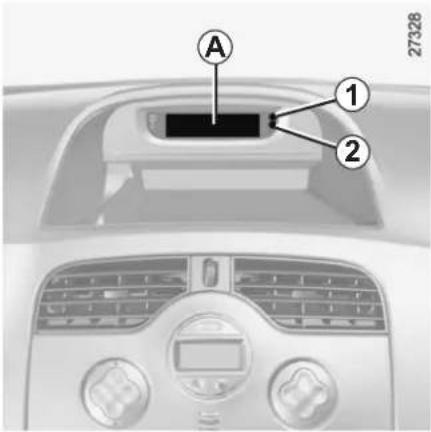
With the ignition on, the time and, depending on the vehicle, exterior temperature are displayed.
Setting the time
Setting clock A
On equipped vehicles, adjustment buttons 1 and 2 are used to set the clock.
Press button 1 to adjust the hours and button 2 to adjust the minutes.
Setting clock B
Display the "clock" page on the instrument panel by pressing one of the buttons on stalk 3.
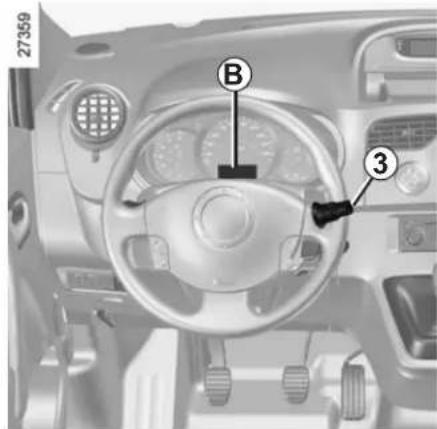
After two seconds, the hours and minutes start flashing.
Press and hold the bottom button to enter the hour setting mode.
When only the hours flash, press the top button to scroll through them.
Press and hold the bottom button to enter the minute setting mode.
When only the minutes flash, press the top button to scroll through them.
Confirm by pressing and holding the bottom button on stalk 3.
Exterior temperature
On equipped vehicles, the exterior temperature is displayed at A or at B. If it is between -3^ and +3^ , the ^ characters flash (signalling a risk of ice).
If the power supply is cut (battery disconnected, supply wire cut, etc.), the clock must be reset.
We recommend that you do not adjust these settings while driving.

Exterior temperature indicator
As ice formation is related to climatic exposure, local air humidity and temperature, the external temperature alone is not sufficient to detect ice.
REAR-VIEW MIRRORS
natural_image
Close-up of a mechanical component with a numbered annotation (1) pointing to a specific part, no readable text or symbols present.Interior rear view mirror
The interior rear view mirror is adjustable. When driving at night, tilt lever 1 to avoid being dazzled by the headlights of the vehicle behind.
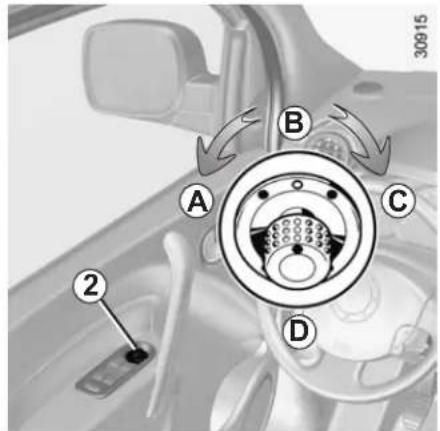
Door mirrors with electrical adjustment
With the ignition on, turn button 2:
- position A to adjust the left-hand door mirror;
- position C to adjust the right-hand door mirror.
B is the inactive position.
Door mirrors with manual adjustment
To adjust the door mirror, move switch 3.
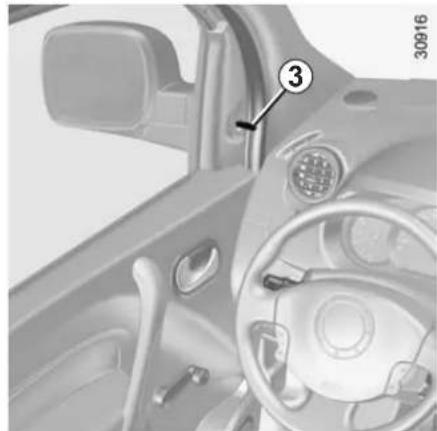
natural_image
Interior view of a car dashboard and steering wheel (no visible text or symbols)Heated door mirrors
With the engine running, mirror de-icing is activated with the rear screen de-icing/demisting.
Move button 2 to position D to fold the door mirrors in. To reset them for driving, return to position B.
If you fold the door mirrors in manually before resetting them to driving position B, you must first turn button 2 to position D.
AUDIBLE AND VISUAL SIGNALS
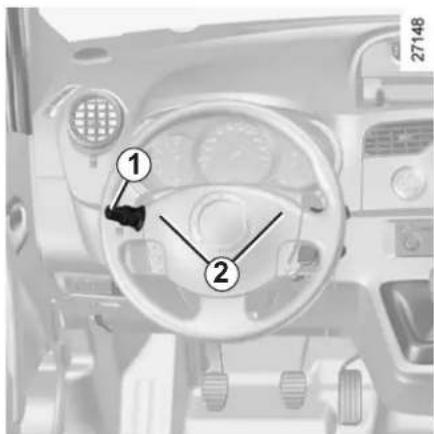
Horn
Press at one of the locations 2.
Headlight flasher
Pull stalk 1 towards you to flash the headlights.
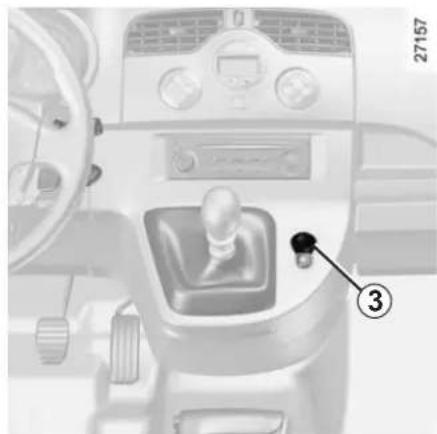
natural_image
Interior view of a car dashboard with a gear shift lever and control panel (no visible text or symbols)Hazard warning lights
Press switch 3. This device simultaneously activates the four direction indicators and the side indicator lights. It must only be used in an emergency to warn other drivers that you have had to stop in an area where stopping is prohibited or unexpected, or that you are obliged to drive under special conditions.
Depending on the vehicle, the hazard warning lights may come on automatically under heavy deceleration. You can switch them off by pressing switch 3.
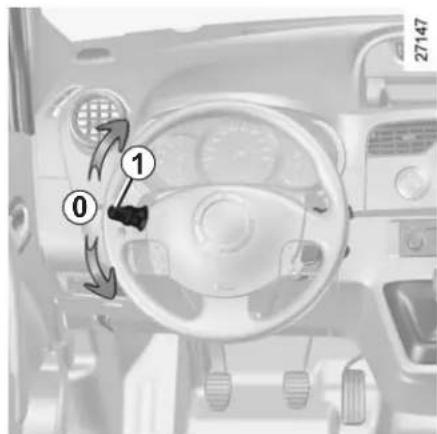
Direction indicators
Move stalk 1 parallel to the steering wheel and in the direction you are going to turn it.
When driving on the motorway, the steering wheel is not often turned enough to return the stalk automatically to 0. There is an intermediate position in which the stalk may be held when changing lanes.
When the stalk is released, it automatically returns to 0.
EXTERNAL LIGHTING AND SIGNALS (1/3)
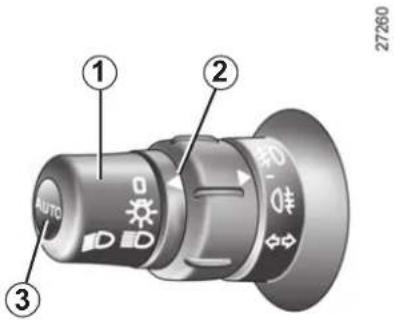

Side lights
Turn the end of stalk 1 until the
symbol is opposite mark 2.
The instrument panel will light up.

Dipped beam headlights
Manual operation
Turn the end of stalk 1 until the symbol is opposite mark 2. This indicator light on the instrument panel comes on.
Automatic operation (depending on vehicle)
With the engine running, the dipped beam headlights are switched on or off automatically depending on the level of ambient light, without the need to operate stalk 1.
This function can be deactivated or re-activated.
- To activate: with the ignition on and the vehicle stationary, press and hold button 3 for at least four seconds. Depending on the vehicle, the message "lights ON" appears on the instrument panel.
- To deactivate: with the ignition on and the vehicle stationary, press and hold button 3 for at least four seconds. Depending on the vehicle, the message "lights OFF" appears on the instrument panel.

Main beam headlights
With stalk 1 in dipped beam headlights position, move the stalk towards you. The indicator light on the instrument panel then lights up.
To return to the dipped beam head-light position, pull the stalk towards you again.

Before driving at night, check that the electrical equipment is operating correctly and adjust the head-
light beams (if your vehicle is not carrying its normal load). As a general precaution, check that the lights are not obscured (by dirt, mud, snow or objects being transported).
EXTERNAL LIGHTING AND SIGNALS (2/3)
"See-me-home lighting" function
(depending on vehicle)
This function (useful, for example, when opening a gate, garage, etc.) enables you to switch the dipped headlights on momentarily.
With the ignition off and the headlights off, pull stalk 1 towards you: the dipped beam headlights come on for approximately sixty seconds.
This action may be carried out no more than four times for a maximum lighting period of four minutes.
To switch off the lights before they switch off automatically, turn the end of stalk 1 then bring it back to position 0, or switch on the ignition.
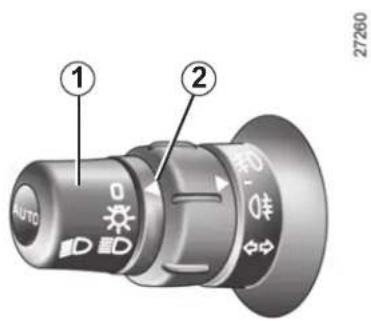

Switching off the lights
There are two possibilities:
- manually, move stalk 1 to its original position;
– automatically, the lights are switched off when the engine is stopped, the driver's door is opened or, depending on the vehicle, when the vehicle is locked. In this case, the next time the engine is started the lights will be switched back on according to the position of the ring 2.
EXTERNAL LIGHTING AND SIGNALS (3/3)
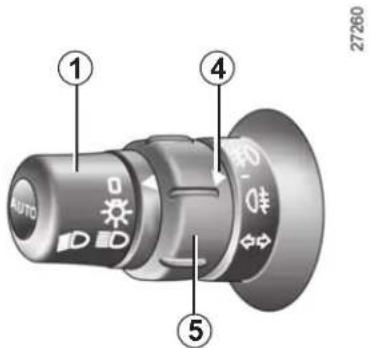

Front fog lights
(depending on vehicle)
The side lights or dipped beam head-lights must be on.
Turn ring 5 on stalk 1 until the symbol is opposite mark 4, then release it. This indicator light on the instrument panel comes on.

Rear fog light
The front fog lights and the side lights or dipped beam headlights must be on.
Turn ring 5 on stalk 1 until the symbol is opposite mark 4, then release it. This indicator light on the instrument panel comes on.
To avoid inconveniencing other road users, remember to switch off the rear fog light when it is no longer needed.
Switching off the lights
Turn ring 5 again to position mark 4 opposite the symbol for the light you wish to switch off.
Switching off the exterior lights or the ignition switches off the front and rear fog lights.
ELECTRICAL ADJUSTMENT OF THE DIPPED BEAM HEADLIGHTS
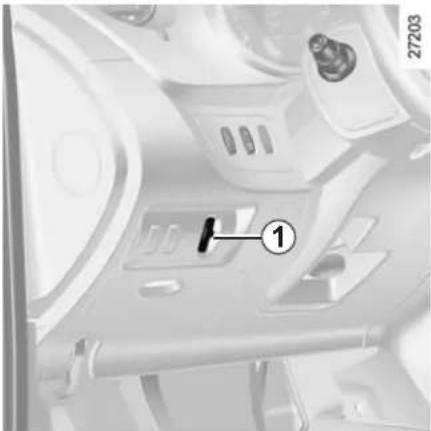
natural_image
Interior view of a vehicle or industrial control room with labeled component (no readable text or symbols)Control knob 1 is used to adjust the height of the headlight beams according to the load.
Turn control knob 1 downwards to lower the headlights and upwards to raise them.
Unladen, control knob 1 should be at 0.
When the vehicle is partially or completely laden, the headlight beam should be set to light the road at between 50 and 100 metres. Then use positions 1 to 4 on the control knob.
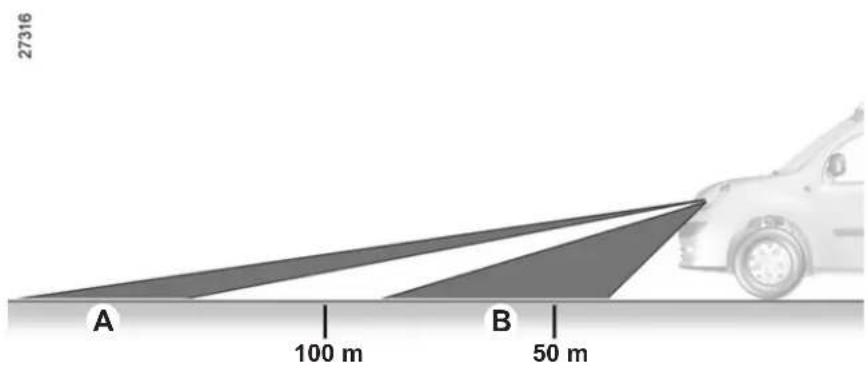
A Incorrect setting: the lights are set too high and could dazzle other drivers. Turn the control knob downwards to lower the beam.
B Correct setting: the beam's maximum range is between 50 and 100 metres.
FRONT WINDSCREEN WASHER/WIPER (1/2)
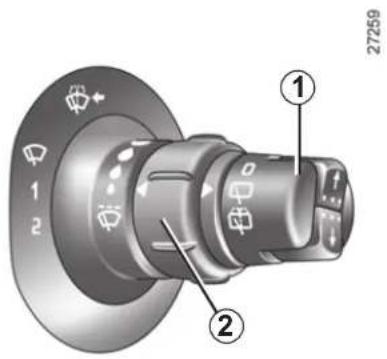
Windscreen wiper
With the ignition on, move stalk 1 around the steering wheel:
A Park
B Intermittent wiping
The wipers will pause for several seconds between sweeps. It is possible to change the time between sweeps by turning ring 2.
C Normal wiping speed
D Fast wiping speed
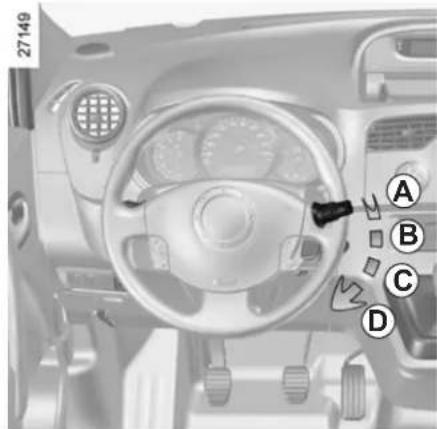
Special note
When the vehicle is being driven, the wiping speed slows down whenever the vehicle stops. For example, fast wiping speed will slow to normal wiping speed. As soon as the vehicle moves off, wiping will return to the speed originally selected.
If stalk 1 is operated, it overrides and cancels the automatic function.
If for any reason the wipers are jammed (eg. frozen to windscreen by ice, etc.), the system will automatically cut the power supply to the wipers.
Automatic wiper function (depending on vehicle)
With the engine running, move stalk 1.
A Park
B Automatic wiper function
When this position is selected, the system detects the presence of water on the windscreen and triggers wiping at a suitable wiping speed. The triggering threshold and the time between sweeps can be adjusted by turning ring 2.
Note: in foggy weather or during snowfalls, wiping is not automatically triggered and remains under the driver's control.
C Normal wiping speed
D Fast wiping speed
FRONT WINDSCREEN WASHER/WIPER (2/2)
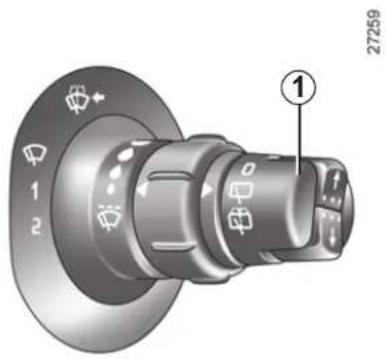
Windscreen wiper
With the ignition on, pull stalk 1 towards you.
A brief pull will trigger a single sweep of the wipers, in addition to the wind-screen washer.
A longer pull will trigger three sweeps of the wipers followed, a few seconds later, by a fourth, in addition to the wind-screen washer.
In freezing or snowy weather, ensure they are not stuck to the windscreen (including the central area located behind the interior rear-view mirror) and the rear screen before starting the wipers (risk of motor overheating).

Before any action on the windscreen (washing the vehicle, de-icing, cleaning the windscreen, etc.) return
stalk 1 to position A (park).
Risk of injury and/or damage.
REAR WINDSCREEN WASHER/WIPER
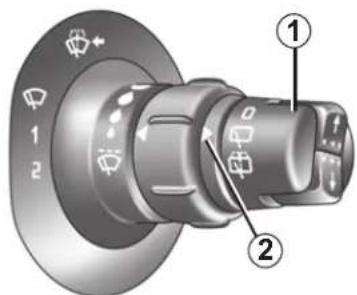
27259

Speed-dependent rear screen wiper with
timer
(depending on vehicle)
Turn the end of stalk 1 to position the symbol opposite mark 2.
Wiping frequency varies with speed.
Special note
If the windscreen wipers are operational when you select reverse gear, the rear screen is wiped intermittently.

Rear screen wash/wipe (depending on vehicle)
Turn the end of stalk 1 to position the symbol opposite mark 2.
When the stalk is released, it returns to the rear screen wiper position.
Check the condition of the wiper blades. You are responsible for their service life:
- they must remain clean: clean the blades, windscreen and rear screen regularly with soapy water;
- do not use them when the wind-screen or rear screen are dry;
- free them from the windscreen or rear screen when they have not been used for a long time.
In all cases, replace them as soon as they begin to lose efficiency: approximately once a year.
Before using the rear wiper, check that no object obstructs the travel of the blade.
Do not use the wiper arm to open or close the tailgate.
FUEL TANK (1/2)
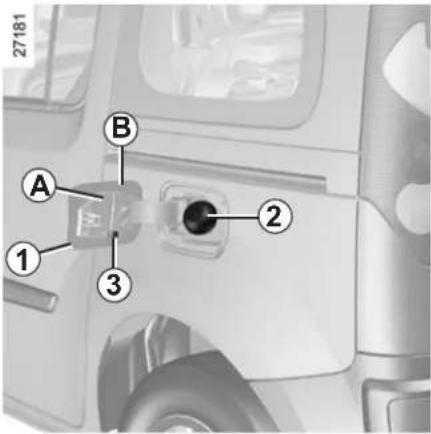
Filling the tank
With the vehicle unlocked, to open the fuel filler flap, place your finger in opening 1 and pull the flap.
Use the ignition key to open the cap 2.
Place the cap in cap holder 3 on the fuel filler flap B during filling to hold the cap 2 in place.
Useful capacity of fuel tank: approximately 60 litres.

Fuel filler cap: this is of a special type.
If you have to replace it, make sure it is identical to the original cap. Contact an approved Dealer.
Never place the cap near a source of heat or flame.
Do not wash the filler area with a high-pressure washer.
Fuel grade
Use a high-grade fuel that complies with the legislation in force in each country. It must conform to the specifications given on label A inside the fuel filler flap. Please refer to the information on "Engine specifications" in Section 6.
Diesel versions
It is essential to use diesel fuel that conforms to the specifications given on the label inside fuel filler flap A. Make sure that no water accidentally enters the fuel tank during filling. The shut-off system and its surrounding area must be dust-free.

Do not mix even small amounts of petrol (unleaded or E85) with diesel.
Do not use ethanol-based fuel if your vehicle is not compatible with this fuel.
Do not add additive to the fuel – otherwise you risk damaging the engine.
FUEL TANK (2/2)
Petrol versions
It is essential to use unleaded petrol. The octane rating (RON) should match the information given on the label A located inside the fuel filler flap. Please refer to the information on "Engine specifications" in Section 6.
Vehicles running on ethanol-based fuel
It is essential to use unleaded petrol or fuel containing a maximum of 85% ethanol (E85).
In very cold conditions, it may be very difficult or even impossible to start the engine. To avoid this problem, use unleaded petrol or, on equipped vehicles, use the heater integrated in the engine: connect the correct end of the extension piece supplied into the socket integrated into the radiator grille and the other end into a 220 V socket for at least 6 hours before starting.
Note: you may notice an increase in fuel consumption with this type of fuel.
Filling with fuel
With the ignition off, insert the nozzle so that the valve opens and then fully insert it before beginning to fill the tank (risk of splashback).
Keep the nozzle in this position throughout the entire filling operation.
When the pump cuts out automatically at the end of the filling procedure, a maximum of two further filling attempts may be made so as to leave sufficient room for expansion.
Petrol versions
Using leaded petrol will damage the antipollution system and may lead to a loss of warranty.
To ensure that the fuel tank is not filled with leaded petrol, the fuel tank filler neck consists of a restrictor fitted with a foolproof system which only allows a nozzle for unleaded petrol to be used (at the pump).

Persistent smell of fuel
If you notice a persistent smell of fuel you should:
- stop the vehicle as soon as traffic conditions allow and switch off the ignition;
- switch on the hazard warning lights and ask your passengers to leave the vehicle and to keep away from traffic;
- contact an approved Dealer.

No modifications whatsoever are permitted on any part of the fuel supply system (electronic unit,
wiring, fuel circuit, injector, protective covers, etc.) as this may be dangerous (unless undertaken by qualified Network personnel).
Section 2: Driving
(Advice on use relating to fuel economy and the environment)
Running in 2.2
Ignition switch 2.2
Starting/stopping the engine 2.3
Gear lever 2.4
Handbrake/Power-assisted steering 2.5
Special features of petrol versions 2.6
Special features of diesel versions 2.7
Advice on antipollution, fuel economy and driving 2.8
Environment 2.11
Active safety devices.... 2.12
Speed limiter 2.15
Cruise control 2.18
Automatic gearbox. 2.22
Parking distance control 2.25
2.1
RUNNING IN/IGNITION SWITCH
Running in
Petrol version
For the first 600 miles (1,000 km) do not exceed 54 mph (90 km/h) in the highest gear.
After 600 miles (1,000 km), you may use your vehicle normally, although you may only expect top performance after approximately 1,800 miles (3,000 km).
Service intervals: refer to the Maintenance Service Booklet for the vehicle.
Diesel version
For the first 900 miles (1,500 km), do not exceed 54 mph (90 km/h). After completing this mileage you may drive faster, however, it is only after 3600 miles (6,000 km) have been covered that you may reasonably expect full performance.
During the running in period, do not accelerate hard while the engine is still cold and do not let the engine over-rev.
Service intervals: refer to the Maintenance Service Booklet for the vehicle.
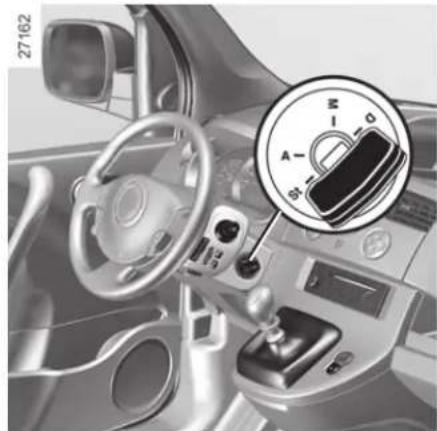
natural_image
Interior view of a car dashboard with steering wheel and rotary knob (no visible text or symbols)Ignition switch
Stop and steering lock position St
To lock: remove the key and turn the steering wheel until the steering column locks.
To unlock: turn the key and the steering wheel slightly.
Accessories position A
When the ignition is switched off, any accessories (radio, etc.) will continue to function.
Ignition on position M
The ignition is switched on:
- petrol version: you can start the vehicle;
- diesel version: the engine is preheating.
Start position D
If the engine fails to start at the first attempt, the key must be turned back before the starter can be activated again. Release the key as soon as the engine starts.
Note: on diesel versions, several seconds may pass between turning the key and the engine starting to allow for engine preheating.
In the "Accessories" or "On" position, a system may automatically switch off your vehicle's accessories depending on the battery charge, to prevent it from discharging completely.
STARTING/STOPPING THE ENGINE
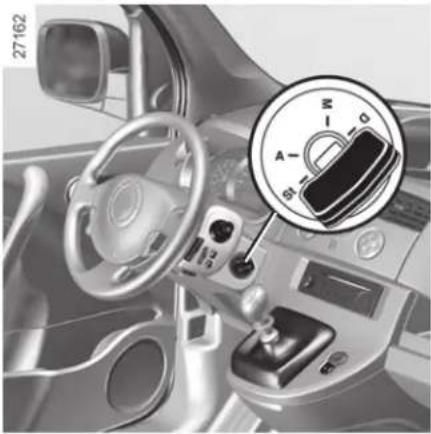
natural_image
Interior view of a car dashboard with steering wheel and rotary knob (no visible text or symbols)Starting the engine
Petrol versions
- Run the starter motor without accelerating;
- release the key as soon as the engine starts.
00
Diesel versions
Turn the ignition key to the "Ignition on" position M, and hold this position until the engine preheating light goes off.
Turn the key to starter position D without depressing the accelerator pedal.
Release the key as soon as the engine starts.
Stopping the engine
With the engine idling, turn the key to the "Stop" position St.

Driver's responsibility
Never leave your vehicle with the key inside and never leave a child (or a
pet) unsupervised, even for a short while.
There is a risk that they could start the engine or operate electrical equipment (electric windows etc.) and trap part of their body (neck, arms, hands, etc.).
Risk of serious injury.
Never switch off the ignition before the vehicle has stopped completely. Once the engine has stopped, the brake servo, power-assisted steering, etc., and the passive safety devices such as the airbags and pretensioners will no longer operate.
GEAR LEVER
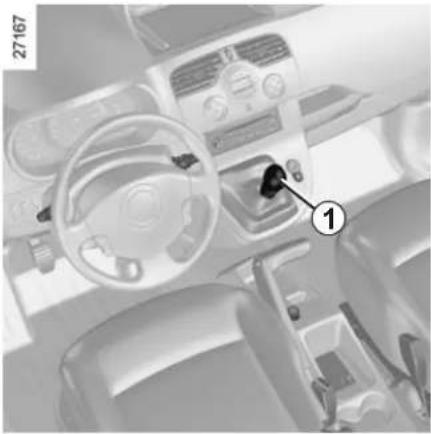
natural_image
Interior view of a car dashboard and steering wheel (no visible text or symbols)Selecting reverse gear
(vehicle stationary)
Vehicles with manual gearbox: follow the grid drawn on knob 1, and depending on the vehicle, lift ring against the gear lever knob to select reverse.
Vehicle with automatic gearbox: refer to the information on the "Automatic gearbox" in Section 2.
The reversing lights will come on as soon as reverse gear is selected (with the ignition on).

When stationary and depending on the slope and/or vehicle load, it may be necessary to pull up the hand-
brake at least two extra notches and engage a gear ( 1^st or reverse gear) for vehicles with a manual gearbox or position P for vehicles with an automatic transmission.

An impact to the underside of the vehicle (e.g.: striking a post, raised kerb or other street furniture) may result
in damage to the vehicle (e.g.: deformation of an axle).
To avoid any risk of accident, have your vehicle checked by an approved Dealer.
HANDBRAKE/POWER-ASSISTED STEERING
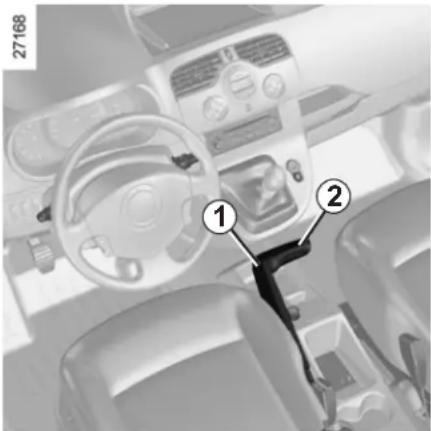
Handbrake
To release:
Pull lever 2 up slightly, press button 1 and then lower the lever to the floor.

Make sure that the hand-brake is properly released when driving (red indicator light off), otherwise over-
heating, or even damage, may occur.
To apply:
Pull upwards, check that the vehicle is properly immobilised.

When the vehicle is stopped, depending on the gradient and/or the vehicle load, it may be necessary to
apply the handbrake by at least two further notches and engage a gear ( 1^st or reverse).
Variable power-assisted steering
The variable power-assisted steering system is equipped with an electronic control system which alters the level of assistance to suit the vehicle speed.
Steering is made easier during parking manoeuvres (for added comfort) while the force needed to steer increases progressively as the speed rises (for enhanced safety at high speeds).

Never switch off the ignition when travelling downhill, and avoid doing so in normal driving (assistance
is not provided).
SPECIAL FEATURES OF PETROL VERSIONS
The following operating conditions should be avoided:
– driving for long periods when the low fuel level warning light is lit;
- using leaded petrol;
- using fuel or lubrication additives which are not approved.
Or operating faults such as:
- faulty ignition, running out of fuel or disconnected spark plugs resulting in the engine misfiring or cutting out when driving;
- loss of power,
may cause the catalytic converter to overheat, reducing its efficiency which may irreparably damage it and cause heat damage to the vehicle.
If you notice any of the above operating faults, have the necessary repairs carried out as soon as possible by an approved dealer.
These faults may be avoided by regularly taking your vehicle to an approved Dealer at the intervals specified in the Maintenance Service Booklet.
Starting problems
To avoid damaging the catalytic converter, do not keep trying to start the engine (using the start button, or by pushing or towing the vehicle) without having identified and corrected the cause of the fault.
If the fault cannot be identified, do not continue to try and start the engine, but contact an approved dealer.

Do not park the vehicle or run the engine in locations where combustible substances or materials such
as grass or leaves can come into contact with the hot exhaust system.
SPECIAL FEATURES OF DIESEL VERSIONS
Diesel engine speed
Diesel engines are fitted with an injection pump with an electronic regulator which prevents overrevving of the engine irrespective of the gear engaged.
Running out of fuel
You may start the engine normally after refilling the fuel tank even if you have completely run out of fuel, provided that the battery is fully charged. However, if the engine does not start after a few seconds and several attempts, refer to Section 5 "Diesel filter".
Precautions to be taken in winter
To avoid faults in icy weather:
- make sure that the battery is always fully charged;
- always keep the diesel tank relatively full to prevent water vapour condensing in it and accumulating at the bottom of the tank.
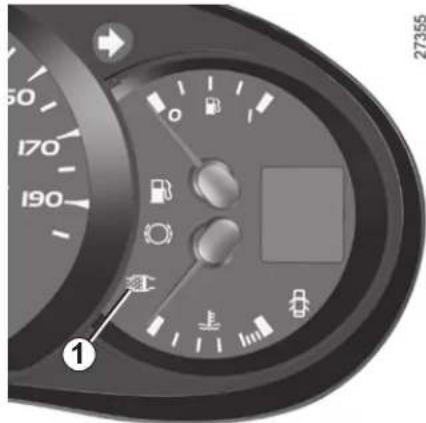
Vehicles with particle filters
Depending on the vehicle, a 1 warning light lights up on the instrument panel to show that there is a risk of the particle filter becoming clogged.
To clean the particle filter, in the 60 miles (100 km) following the appearance of the message, drive at an average speed of at least 24 mph (40 km/h) where traffic conditions and the speed limit will allow until the warning light goes out.
You may need to restart the operation if the vehicle has to stop before the warning light goes out.
As a guide, this type of cleaning should take up to 20 minutes.
If the warning light comes on, contact an approved Dealer as soon as possible.
When driving, depending on the fuel grade used, it is possible that white smoke may be emitted.
This is due to the exhaust particle filter being cleaned automatically, and does not affect the way the vehicle runs.

Do not park the vehicle or run the engine in locations where combustible substances or materials such as or leaves can come into with the hot exhaust system.
ADVICE: antipollution, fuel economy and driving (1/3)
Your vehicle complies with criteria for recycling and recovering vehicles at the end of their service life which will come into force in 2015.
Some parts of your vehicle have therefore been designed to facilitate future recycling.
These parts are easy to remove so that they can be recovered and reprocessed by recycling companies.
By virtue of its design, moderate fuel consumption and initial settings, your vehicle also conforms to current anti-pollution regulations. The manufacturer is actively striving to reduce pollutant exhaust gas emissions and to save energy. But the fuel consumption of your vehicle and the level of pollutant exhaust gas emissions are also your responsibility. Ensure that it is maintained and used correctly.
Aiding fuel economy
Depending on the vehicle, in order to optimise consumption, an indicator light on the instrument panel will inform you of the best moment to upshift or downshift gears:

shift up a gear;

shift down a gear.
Maintenance
It is important to remember that failure to respect antipollution regulations could lead to legal action being taken against the vehicle owner. In addition, replacing engine, fuel supply system and exhaust components with parts other than those originally recommended by the manufacturer may alter your vehicle so that it no longer complies with antipollution regulations.
Have your vehicle adjusted and checked by an approved Dealer, in accordance with the instructions given in your maintenance schedule: they will have all the equipment necessary for ensuring that your vehicle is maintained to its original standard.
Engine adjustments
- ignition: this does not require adjustment.
spark plugs: for optimum fuel economy, efficiency and performance the specifications laid down by our Design Department must be strictly applied. If the spark plugs have to be changed, use the make, type and gap specified for your vehicle's engine. Contact an approved dealer for this.
– idle speed: this does not require adjustment.
- air filter, diesel filter: a clogged element hinders performance. It must be replaced.
ADVICE: antipollution, fuel economy and driving (2/3)
Exhaust gas monitoring system
The exhaust gas monitoring system will detect any operating faults in the vehicle's antipollution system.
If this system malfunctions, toxic substances may be released into the atmosphere or damage may occur.

This warning light on the instrument panel will indicate if
there are any faults in the system: This lights up when the ignition is switched on and goes out when the engine is started.
- If it lights up continuously, consult an approved Dealer as soon as possible;
- if it flashes, reduce the engine speed until the light stops flashing. Contact your approved dealer as soon as possible.
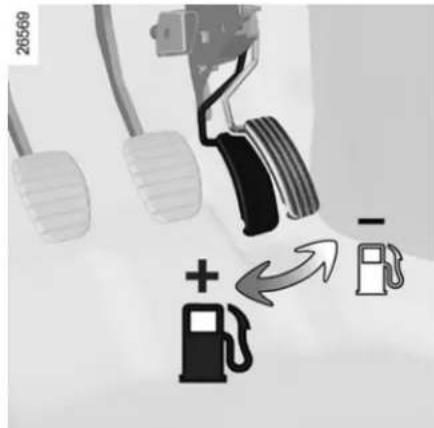
Driving
- Drive carefully for the first few miles until the engine reaches its normal operating temperature, rather than let it warm up while the vehicle is stationary.
- Speed is expensive.
- Sporty driving uses a lot of fuel: drive with a light right foot.
- Brake as little as possible. If you anticipate an obstacle or bend in advance, simply release the accelerator pedal.
-
Avoid sudden acceleration.
-
Do not overrev the engine in the intermediate gears.
Always use the highest gear possible without labouring the engine. - Do not try to maintain the same speed up a hill, accelerate no more than you would on the level. Keep your foot in the same position on the accelerator pedal.
- Double declutching and accelerating before switching off are unnecessary in modern vehicles.
- Bad weather, flooded roads:
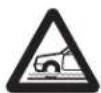
Do not drive through floods if the water is above the lower edge of the wheel rims.

Obstructions to the driver
On the driver's side, only use mats suitable for the vehicle, attached with the pre-fitted components, and check the fitting regularly. Do not lay one mat on top of another.
Risk of pedals jamming
ADVICE: antipollution, fuel economy and driving (3/3)
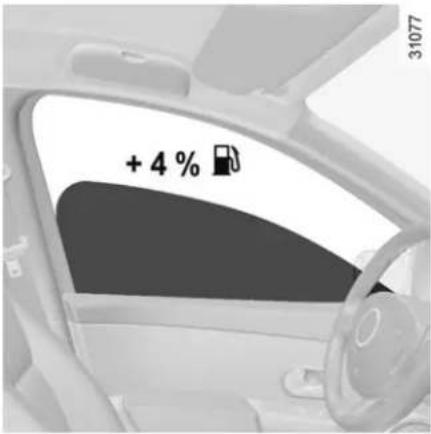
Advice on use
- Electricity is fuel; switch off all the electrical components which are not really needed. However (safety first), keep your lights on when the visibility is bad ("see and be seen").
- Use the air vents. Driving with the windows open at 60 mph (100 km/h) will increase fuel consumption by 4%.
- In vehicles fitted with air conditioning, it is normal to observe an increase in fuel consumption (especially in urban conditions) when it is used. For vehicles fitted with manual air conditioning, switch off the system when it is not required.
Advice for reducing consumption and therefore helping to preserve the environment:
If the vehicle has been parked in the sun, open the doors for a few moments to let the hot air escape before starting the engine.
- Never fill the fuel tank right to the brim to avoid overflow.
- Do not leave an empty roof rack fitted to the vehicle.
- It is better to fit a trailer for bulky objects.
- When towing a caravan, fit a wind deflector and adjust it carefully.
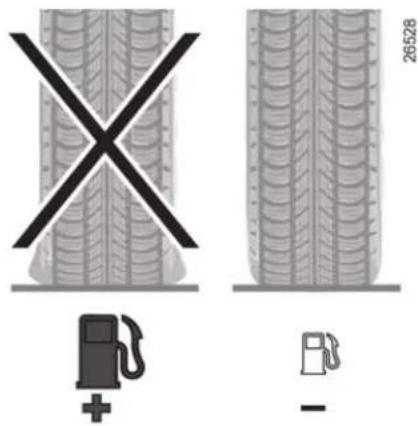
- Avoid using the car for door-to-door calls (short journeys with long waits in between) because the engine never reaches its normal operating temperature.
Tyres
- An underinflated tyre increases fuel consumption.
- The use of non-recommended tyres can increase fuel consumption.
ENVIRONMENT
Your vehicle has been designed with respect for the environment in mind for its entire service life: during production, use and at the end of its life.
This commitment is illustrated by the Renault eco ^2 group signature.

31016
Manufacture
Your vehicle has been manufactured at an industrial site which uses a progress policy to reduce environmental impacts on rivers and natural areas (reduction of water and energy consumption, visual and noise pollution, atmospheric emissions and waste water, sorting and reusing waste).
Emissions
Your vehicle has been designed to emit fewer greenhouse gases (CO2) while in use, and therefore to consume less fuel (eg. 140 g/km, equivalent to 5.3 l/100 km for a diesel vehicle).
Our vehicles are also equipped with a particle filter system including a catalytic converter, an oxygen sensor and an active carbon filter (the latter prevents vapour from the fuel tank being released into the open air).
Please make your own contribution towards protecting the environment too.
- Worn parts replaced in the course of routine vehicle maintenance (vehicle battery, oil filter, air filter, batteries, etc.) and oil containers (empty or filled with used oil) must be disposed of through specialist organisations.
- At the end of the vehicle's service life, it should be sent to approved centres to ensure that it is recycled.
– In all cases, comply with local legislation.
Recycling
Your vehicle is 85% recyclable and 95% recoverable.
To achieve these objectives, many of the vehicle components have been designed to enable them to be recycled.
The materials and structures have been carefully designed to allow these components to be easily removed and reprocessed by specialist companies.
In order to preserve raw material resources, this vehicle incorporates numerous parts made from recycled plastics or renewable materials (vegetable or animal-derived materials such as cotton or wool).
DRIVING CORRECTION DEVICES (1/3)
Depending on the vehicle, this is composed of:
- ABS (anti-lock braking system);
– electronic stability program (ESP) with understeer control and traction control (ASR);
– emergency brake assist with, depending on the vehicle, braking anticipation;

These functions are an additional aid in the event of critical driving conditions, enabling the vehicle behav-
iour to be adapted to suit the driving conditions.
However, the functions do not take the place of the driver. They do not increase the vehicle's limits and should not encourage you to drive more quickly. Therefore, they can under no circumstances replace the vigilance or responsibility of the driver when manoeuvring the vehicle (the driver must always be ready for sudden incidents which may occur when driving).
ABS (Anti-lock Braking System)
Under heavy braking, the ABS prevents the wheels from locking, allowing the stopping distance to be managed and keeping control of the vehicle.
Under these circumstances, the vehicle can be steered to avoid an obstacle whilst braking. In addition, this system can increase stopping distances, particularly on roads with low surface grip (wet ground, etc.).
You will feel a pulsation through the brake pedal each time the system is activated. The ABS does not in any way improve the vehicle's physical performance relating to the road surface and roadholding. It is still essential to follow the rules of good driving practice (such as driving at a safe distance from the vehicle in front).
In an emergency, apply firm and continuous pressure to the brake pedal. There is no need to pump it repeatedly. The ABS will modulate the force applied in the braking system.
Operating faults:
- If the (ABS) warning light on the instrument panel comes on while driving, braking is still operational;
- If the ABS and (!) warning lights on the instrument panel come on when driving, this indicates a fault with the braking system.
In these cases, the ABS, ESP and emergency brake assist are all deactivated and the messages "Check ABS", "Check braking system" and "Check ESP" are displayed on the instrument panel.
Consult an approved dealer.

Your braking systems are partially operational. However, it is dangerous to brake suddenly and
it is essential to stop immediately, as soon as traffic conditions allow. Contact an approved dealer.
DRIVING CORRECTION DEVICES (2/3)
Electronic stability program (ESP) with understeer control and traction control (ASR)
This system helps you to keep control of the vehicle in critical driving conditions (avoiding an obstacle, loss of grip on a bend, etc.).
Operating principle
A sensor in the steering wheel detects the direction selected by the driver.
Other sensors throughout the vehicle measure the actual direction.
The system compares the direction selected by the driver and the actual direction of the vehicle and corrects this as necessary by applying the brakes selectively and/or acting on the engine power.
Understeer control
This system optimises the action of the ESP in the case of pronounced understanding (loss of front axle road holding).
Traction control (ASR)
This system helps to limit wheelspin of the drive wheels and to control the vehicle when pulling away accelerating or decelerating.
Operating principle
Using the wheel sensors, the system measures and compares the speed of the drive wheels at all times and slows down their over-rotation. If a wheel is starting to slip, the system brakes automatically until the drive supplied becomes compatible with the level of grip under the wheel again.
The system also adjusts the engine speed to the grip available under the wheels, independently of the pressure exerted on the accelerator pedal.
Operating faults
When the system detects an operating fault the message "Check ESP" and warning light appear on the instrument panel. In this situation, ESP and ASR are deactivated.
Consult an approved dealer.
DRIVING CORRECTION DEVICES (3/3)
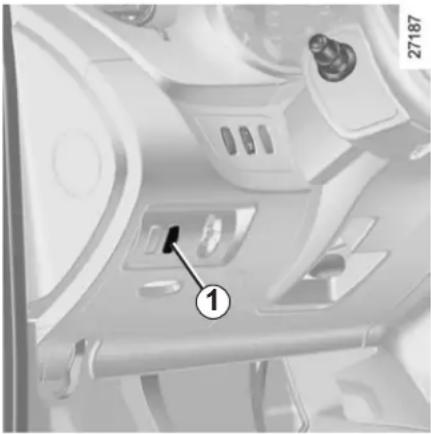
natural_image
Interior view of a vehicle air intake manifold with labeled component (1), no visible text or symbols beyond the number and number.Disabling the ASR function
In some situations (driving on very wet ground: snow, mud, etc. or driving with snow chains fitted), the system may reduce the engine output to limit wheel-spin. If this is not required, it is possible to deactivate the function by pressing switch 1.
The message "Traction control deactivated" is displayed on the instrument panel to inform you.
The traction control (ASR) offers additional safety, it is recommended that you do not drive with the function disabled. Correct this as soon as possible by pressing switch 1 again.
Note: The function is reactivated automatically when the ignition is switched on or when a speed of approximately 24 mph (40 km/h) is exceeded.
Emergency brake assist
This is an additional system to ABS which helps reduce vehicle stopping distances.
Operating principle
The system detects an emergency braking situation. In this case, the braking assistance immediately develops maximum power and may trigger ABS regulation.
ABS braking is maintained as long as the brake pedal is not released.
Hazard warning lights switching on Depending on the vehicle, these may light up in the event of sudden deceleration.
Operating faults
When the system detects an operating fault the message "braking fault" appears on the instrument panel along with the warning light.
Consult an approved dealer.
CRUISE CONTROL/SPEED LIMITER: speed limiter function (1/3)
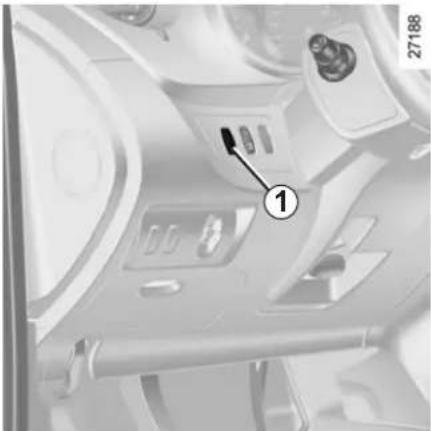
natural_image
Interior view of a vehicle dashboard with labeled component (1), no visible text or symbols beyond the number and numberThe speed limiter function helps you stay within the driving speed limit that you choose, known as the limit speed.
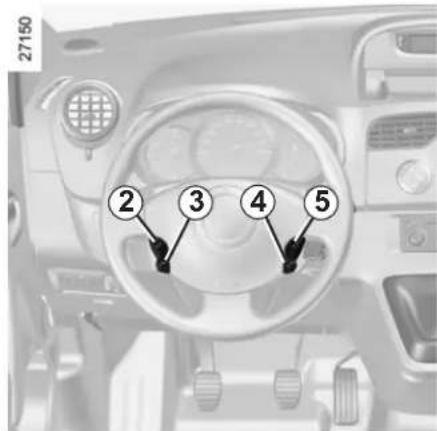
Controls
1 Main "On/Off" switch.
2 Limit speed activation, storage and increase switch (+).
3 Limit speed activation, storage and decrease switch (-).
4 Switching the function off (with limit speed storage) (O).
5 Stored limit speed activation, storage and recall (R).
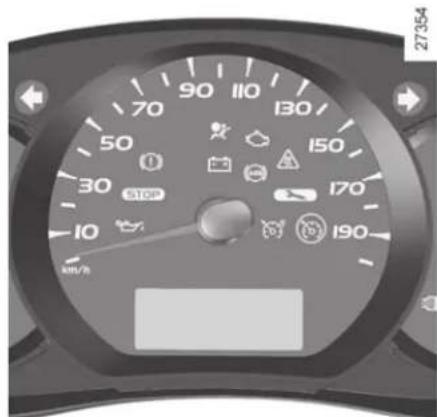
Switching on
Press switch 1 on the side showing ⚙. The ⚙ indicator light comes on, lit orange, and the message "speed limiter" appears on the instrument panel, accompanied by dashes to indicate that the speed limiter function is activated and waiting to store a limit speed. To store the current speed, press switch 2 (+) or 3 (-): the limit speed will replace the dashes. The minimum stored speed is 20 mph (30 km/h).
CRUISE CONTROL/SPEED LIMITER: speed limiter function (2/3)
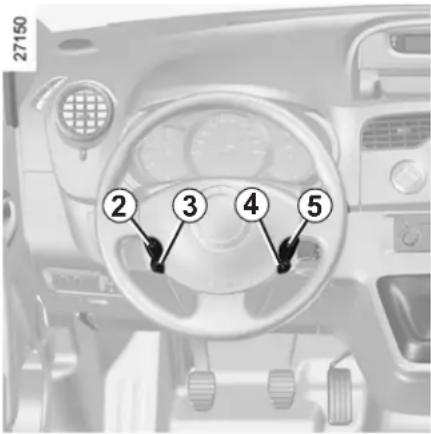
Driving
When a limited speed has been stored and this speed is not reached, driving is similar to driving a vehicle without the speed limiter function.
Once you have reached the stored speed, no effort on the accelerator pedal will allow you to exceed the programmed speed except in an emergency (refer to information on "Exceeding the limit speed").
Varying the limit speed
The limit speed may be changed by repeatedly pressing:
- switch 2 (+) to increase the speed;
- switch 3 (-) to decrease the speed.

The speed limiter function is in no way linked to the braking system.
Exceeding the limit speed
It is possible to exceed the limit speed at any moment. To do this: press the accelerator pedal firmly and fully (beyond the kickdown point).
Whilst the speed is being exceeded, the cruising speed displayed on the instrument panel flashes.
Then, release the accelerator pedal: the speed limiter function will return as soon as you reach a speed lower than the stored speed.
Limited speed cannot be maintained
When driving down a steep gradient, the system is unable to maintain the limit speed: the stored speed will flash on the instrument panel information display to inform you of this situation.
CRUISE CONTROL/SPEED LIMITER: speed limiter function (3/3)
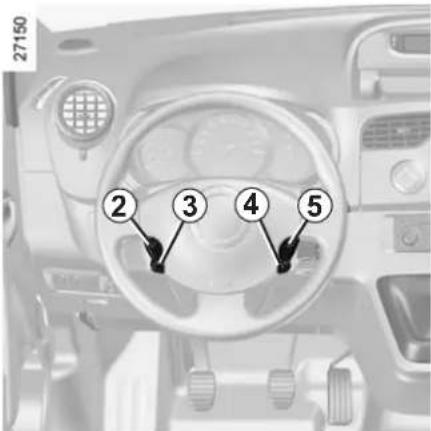
Putting the function on standby
The speed limiter function is suspended when you press switch 4 (O). In this case, the limit speed remains stored and the message "stored" accompanied by this speed appears on the instrument panel.
Recalling the limit speed
If a speed has been stored, it can be recalled by pressing switch 5 (R).
When the speed limiter is suspended, pressing button 2 (+) or switch 3 (-) reactivates the function without taking into account the stored speed: it is the speed at which the vehicle is moving that is taken into account.
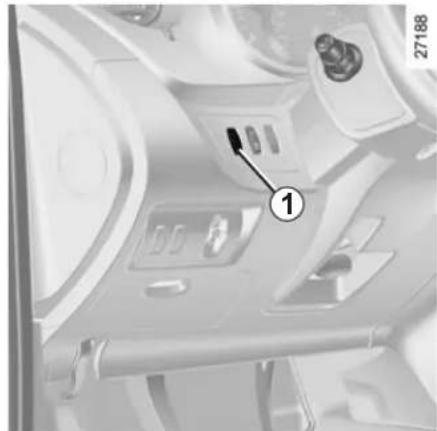
natural_image
Interior view of a vehicle air intake console with labeled component (1), no visible text or symbols beyond the number and number.Switching off the function
The speed limiter function is interrupted when you press switch 1. In this case, the speed is no longer stored. The instrument panel orange indicator light goes out to confirm that the function is deactivated.
CRUISE CONTROL/SPEED LIMITER: cruise control function (1/4)
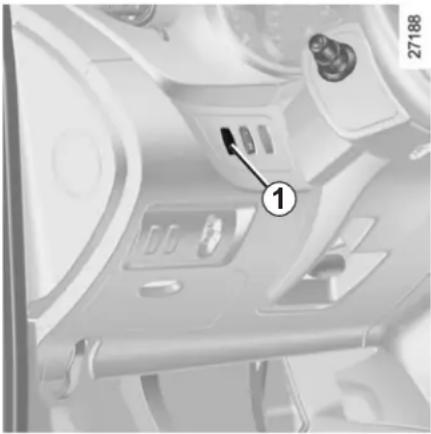
natural_image
Interior view of a vehicle dashboard with labeled component (1), no visible text or symbols beyond the number and numberThe cruise control function helps you to maintain your driving speed at a speed that you choose, called the cruising speed.
This cruising speed may be set at any speed above 20 mph (30 km/h).

The cruise control function is in no way linked to the braking system.

This function is an additional driving aid. However, the function does not take the place of the driver.
Therefore, it can under no circumstances replace the driver's responsibility to respect speed limits and to be vigilant (the driver must always be ready to brake).
Cruise control must not be used in heavy traffic, on undulating or slippery roads (black ice, aquaplaning, gravel) and during bad weather (fog, rain, side winds etc.).
There is a risk of accidents.
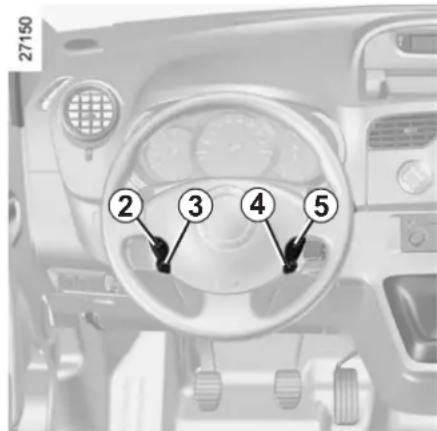
Controls
1 Main "On/Off" switch.
2 Cruising speed activation, storage and increase switch (+).
3 Cruising speed activation, storage and decrease switch (-).
4 Switching the function off (with memorisation of cruising speed) (O).
5 Cruising speed activation, storage and recall switch (R).
CRUISE CONTROL/SPEED LIMITER: cruise control function (2/4)
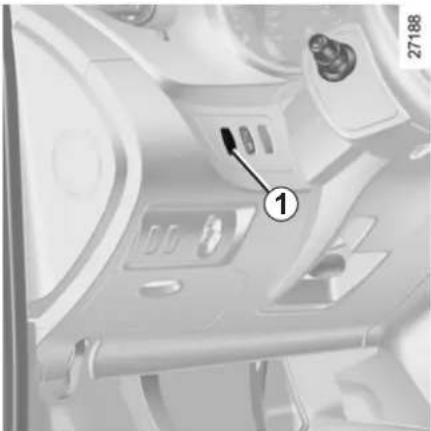
natural_image
Interior view of a vehicle dashboard with labeled component (1), no visible text or symbols beyond the number and numberSwitching on
Press switch 1 on the side showing 📋. Indicator light 6 comes on, lit green, and the message "cruise control" appears on the instrument panel, accompanied by dashes to indicate that the cruise control function is activated and waiting to store a cruising speed.
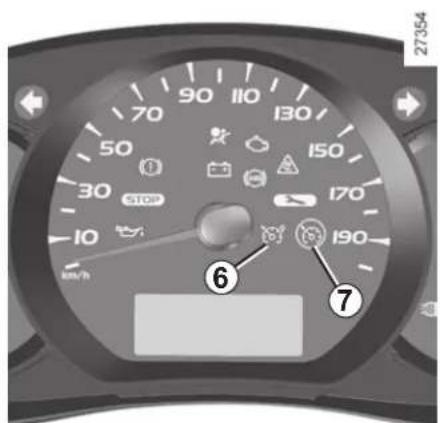
Activating cruise control
At a steady speed (above 20 mph (30 km/h) approximately) press switch 2 (+) or 3 (-): the function is activated and the current speed is memorised. The cruising speed replaces the dashes and the cruise control is confirmed by the appearance of a message on the instrument panel and indicator light 7 lit green, as well as indicator light 6.
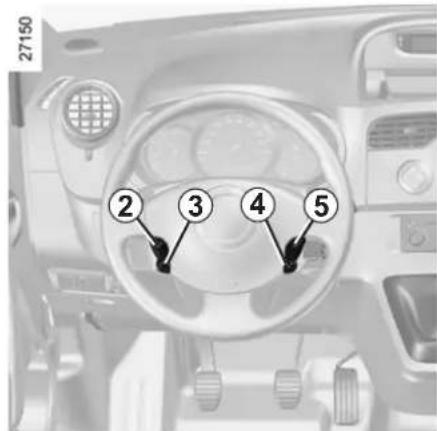
Driving
Once a cruising speed is memorised and the cruise control function is active, you may lift your foot off the accelerator pedal.

Important: you are nevertheless advised to keep your feet close to the pedals in order to react if neces-
CRUISE CONTROL/SPEED LIMITER: cruise control function (3/4)
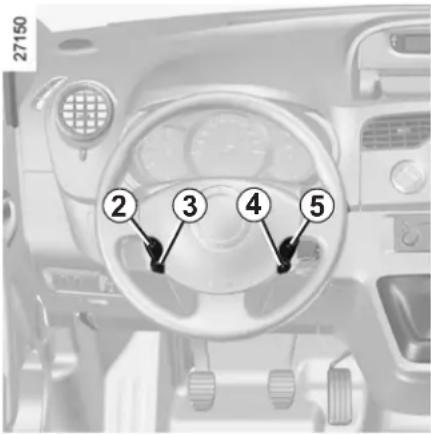
Adjusting the cruising speed
The cruising speed may be changed by pressing the following repeatedly:
- switch 2 (+) to increase the speed,
- switch 3 (-) to decrease the speed.
Exceeding the cruising speed
The cruising speed may be exceeded at any time by depressing the accelerator pedal. While it is being exceeded, the cruising speed flashes on the instrument panel.
Then, release the accelerator: after a few seconds, the vehicle will automatically return to its set cruising speed.
Cruising speed cannot be maintained
When driving down a steep gradient, the system is unable to maintain the cruising speed: the stored speed will flash on the instrument panel information display to inform you of this situation.

The cruise control function is in no way linked to the braking system.
CRUISE CONTROL/SPEED LIMITER: cruise control function (4/4)
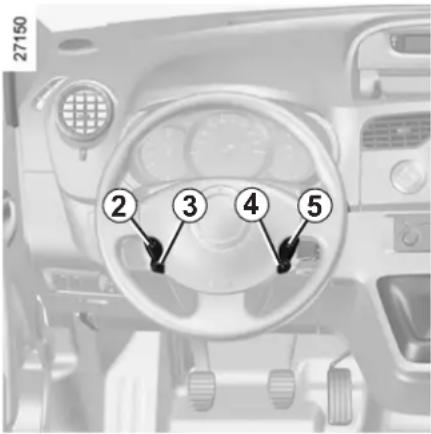
Putting the function on standby
The function is set to standby if you:
– the brake pedal;
- depress the clutch pedal or shift into neutral if the vehicle has an automatic gearbox;
- press switch 4 (O).
In all three cases, the cruising speed is stored.
Standby is confirmed when the green indicator light goes out and the "stored" message appears on the instrument panel.
Recalling the cruising speed
If a speed has been stored, it is possible to recall it by pressing button 5 (R), on condition that you are driving faster than 20 mph (30 km/h) and that you are sure that the road conditions are suitable (traffic, road surface condition, weather conditions, etc.).
Note: if the speed previously stored is much higher than the current speed, the vehicle will accelerate more rapidly to reach this threshold.
When the speed limiter is suspended, pressing buttons 2 (+) or 3 (-) reactivates the cruise control function without taking into account the stored speed: it is the speed at which the vehicle is moving that is taken into account.
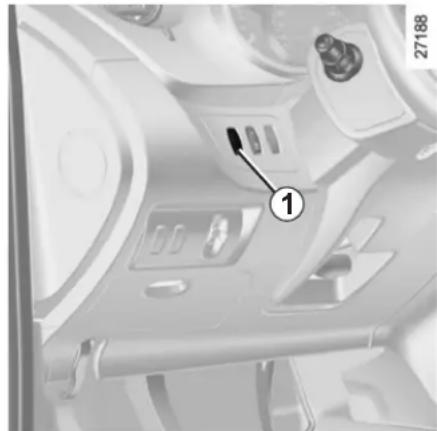
natural_image
Interior view of a vehicle air intake system with labeled component (1), no visible text or symbols beyond the number and number.Switching off the function
The cruise control function is deactivated if you press switch 1: in this case a speed is no longer stored.
The green ⚙️ and ⚙️ indicator lights on the instrument panel go out, confirming that the function is deactivated.

Putting the cruise control on standby or switching it off does not cause a rapid reduction in speed: you
must brake by depressing the brake pedal.
AUTOMATIC GEARBOX (1/3)
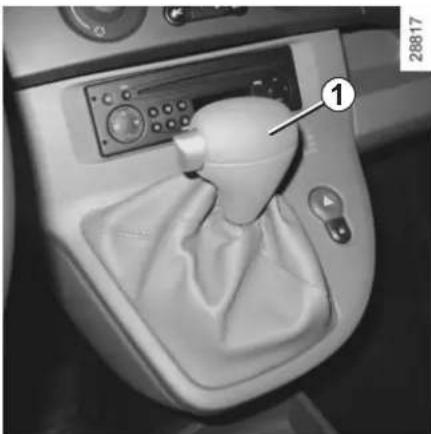
natural_image
Interior view of a car gear shift control unit with a dial and control panel (no visible text or symbols)Selector lever 1
Display A on the instrument panel shows the mode and gear selected.
P: park
R: reverse
N: neutral
D: automatic mode (in forwards gear only)
2: displays gear engaged in manual mode.
A
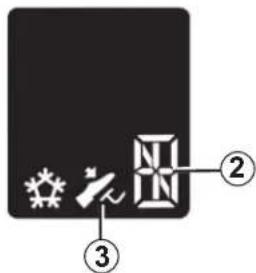
30964
Operation
With the gear lever in position P or N, switch on the ignition.
With your foot on the brake pedal (warning light 3 goes out), shift from position P.
Only engage D or R when the vehicle is stopped, with your foot on the brake and the accelerator pedal released.
To move out of position P, you must depress the brake pedal before pressing the unlocking button.
Driving in automatic mode
Move lever 1 to position D.
In most traffic conditions, you will not have to touch the gear selector lever again: the gears will change automatically at the right time and at the most suitable engine speed because the automatic system takes into account the vehicle load and road contour and adjusts itself to the particular driving style you have chosen.
Accelerating and overtaking
Depress the accelerator pedal firmly and fully (so that it goes beyond the kickdown point).
This will enable you to change down to the optimum gear within the engine range.
AUTOMATIC GEARBOX (2/3)
Driving in manual mode
With the selector lever 1 in position D, move the lever to the left. Shifting the lever repeatedly allows you to change gears manually:
- To move down through the gears, push the lever backwards;
- To move up through the gears, push the lever forwards.
The gear selected is displayed on the instrument panel.
Special cases
In certain driving conditions (eg.: engine protection, operation of the Electronic Stability Program) the automated system may change the gear automatically.
Likewise, to prevent incorrect manoeuvres, a gear change may be refused by the automatic system: in this case the gear display flashes for a few seconds as a warning.
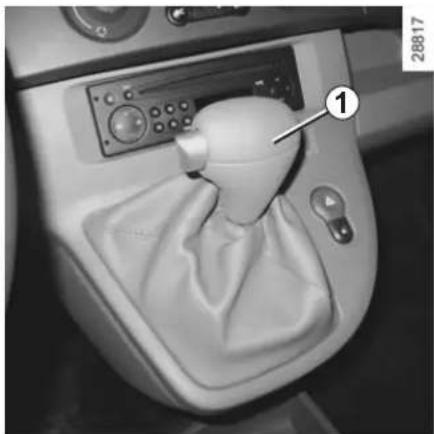
natural_image
Interior view of a car gear shift lever with control panel and dial (no visible text or symbols)Economical driving
When driving, leave the lever in position D, keeping the accelerator pedal lightly depressed to ensure automatic gear changes at comparatively low engine speeds.
Operating faults
- When driving, if the message "Check gearbox" and the warning light appear on the instrument panel, this indicates a fault. Contact your approved Dealer as soon as possible.
- When driving, if the message "Gearbox overheating" appears on the instrument panel, drive at a moderate speed and avoid leaving the lever in the D (or R) position, where traffic conditions allow: always return to the N position when you stop. Contact your approved Dealer as soon as possible.
- If a vehicle with an automatic gearbox breaks down, refer to the information on "Towing" in Section 5.

An impact to the underside of the vehicle (e.g.: striking a post, raised kerb or other street furniture) may result in damage to the vehicle (e.g.: deformation of an axle).
To avoid any risk of accident, have your vehicle checked by an approved dealer.
AUTOMATIC GEARBOX (3/3)
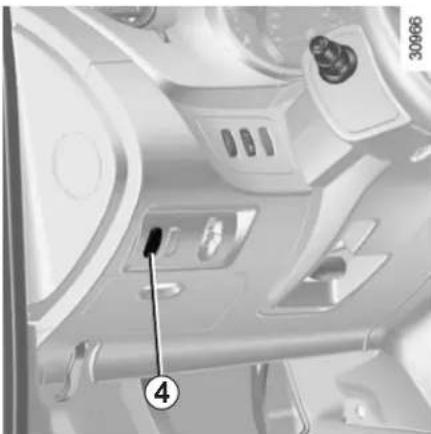
natural_image
Interior view of a vehicle air intake system with labeled components (no readable text or symbols)Special circumstances
- Snow position: if you are driving on ground where you are likely to skid (snow, mud, etc.), press switch 4, and operating tell-tale 5 will come on.
Once these special driving conditions no longer apply, exit this function by pressing switch 4 again. Operating tell-tale light 5 goes out.
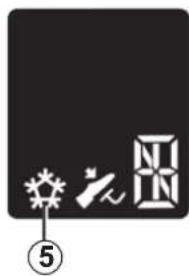
natural_image
Pure electrical circuit lines without any symbols- If the bends and road surface do not allow you to stay in automatic mode (eg. in the mountains), we recommend that you change to manual mode.
This will prevent the automatic gear-box from changing gear repeatedly when climbing, and permit engine braking on long descents.
- In cold weather, start the engine and wait a few seconds before moving the selector lever from position P or N and engaging it in D or R to prevent the engine stalling..
30964
- Vehicles not fitted with traction control: on a slippery surface or surface with a low level of adhesion, select second gear manually before starting the engine to avoid wheel-spin when starting.
Parking the vehicle
When the vehicle is stopped, move the lever to position P while keeping your foot on the brake pedal: the gearbox is in neutral and the drive wheels are mechanically locked by the driveshaft.
Apply the handbrake.
PARKING DISTANCE CONTROL (1/2)
Operating principle
Ultrasonic sensors, fitted in the vehicle's rear bumper, measure the distance between the vehicle and an obstacle when reversing.
This measurement is indicated by beeps which become more frequent the closer you come to the obstacle, until they become a continuous beep when the vehicle is approximately 25 centimetres from the obstacle.
There is a beep when reverse gear is engaged. If the beep sounds for a long time (3 seconds), this signals an operating fault.
Note: make sure that the ultrasonic sensors are not obscured (by dirt, mud, snow, etc.).
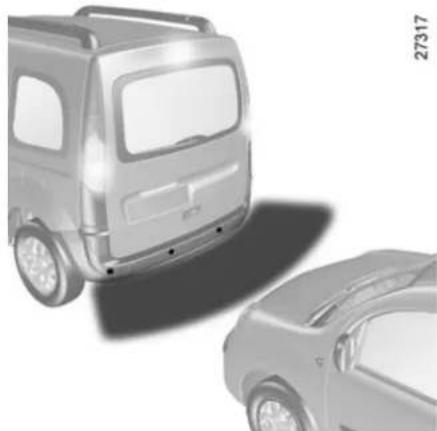
natural_image
Two grayscale car models, one front and one side, shown from different angles (no text or symbols visible)
An impact to the underside of the vehicle (e.g.: striking a post, raised kerb or other street furniture) may result
in damage to the vehicle (e.g.: deformation of an axle).
To avoid any risk of accident, have your vehicle checked by an approved dealer.
27317

This function is an additional aid that indicates the distance between the vehicle and an obstacle whilst using sound signals.
Under no circumstances should it replace the driver's care or responsibility whilst reversing.
The driver should always pay attention to sudden incidents during driving: always ensure that there are no moving obstacles (such as a child, animal, pram, bicycle, etc.) or small, narrow objects such as stones or posts in your path when manoeuvring.
PARKING DISTANCE CONTROL (2/2)
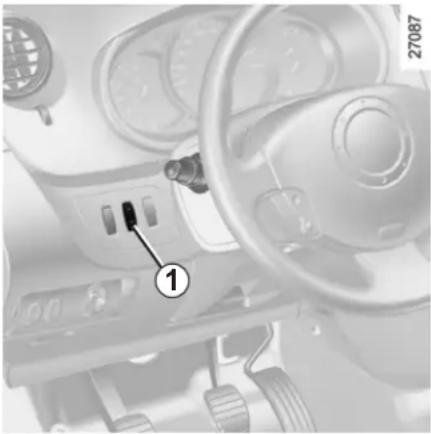
natural_image
Interior view of a car dashboard and steering wheel (no visible text or symbols)Temporary deactivation of the system
(depending on vehicle)
Press switch 1 to deactivate the system.
The indicator light built into the switch lights up to remind you that the system is deactivated.
Pressing the switch again will reactivate the system and switch off the indicator light.
The system is automatically reactivated after the ignition is switched off and the engine restarted.
Prolonged deactivation of the system
You can deactivate the system permanently by pressing and holding switch 1.
The warning light built into the switch remains lit constantly.
The deactivated system can be re-activated by pressing and holding the switch again.
Operating faults
When the system detects an operating fault there will be a 3-second continuous beep as a warning. Consult an approved Dealer.
Section 3: Your comfort
Air vents: air outlets 3.2
Heating/air conditioning.... 3.4
Automatic climate control 3.7
Air conditioning: information and advice on use 3.15
Interior lighting 3.16
Sun visor/mirrors 3.18
Electric windows 3.19
Half-opening window 3.20
Manual sunroof 3.21
Ashtrays/cigar lighter/accessories socket 3.22
Passenger compartment storage/fittings.... 3.23
Rear bench seat 3.28
Transporting objects in the luggage compartment 3.30
Luggage compartment cover.... 3.31
Luggage net. 3.32
Roof bars 3.33
3.1
AIR VENTS: air outlets (1/2)
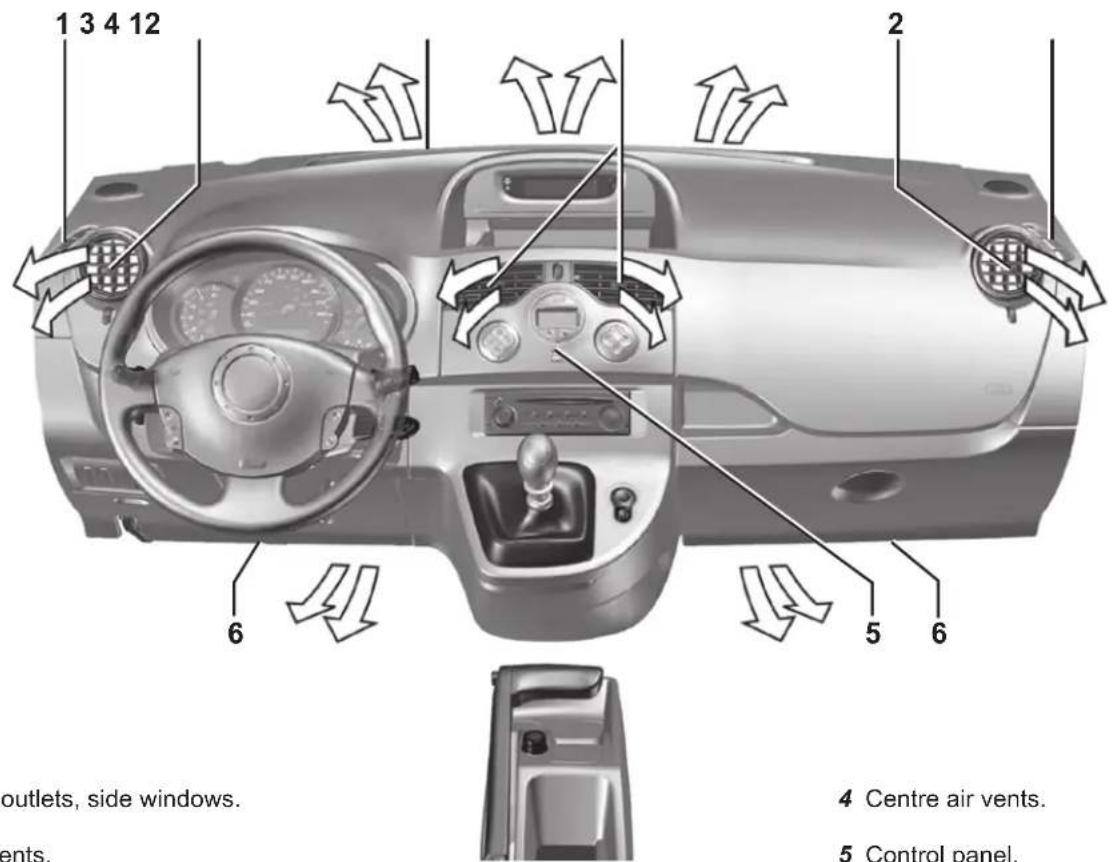
1 Demister outlets, side windows.
2 Side air vents.
3 Demisting outlets for the windscreen.
4 Centre air vents.
5 Control panel.
6 Footwell air vents.
3.2
AIR VENTS: air outlets (2/2)
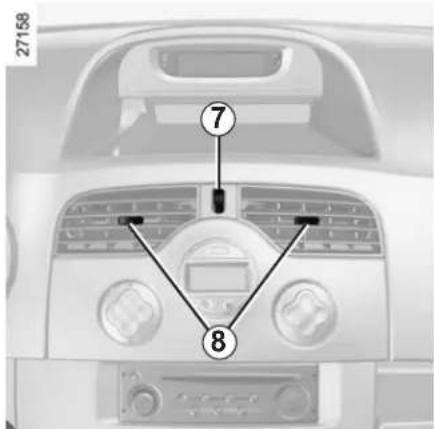
Centre air vents
Settings
Air flow:
Move control knob 7 (beyond the point of resistance).
Air distribution:
Right/left: move tabs 8.
Up/down: guide the air vent up or down.
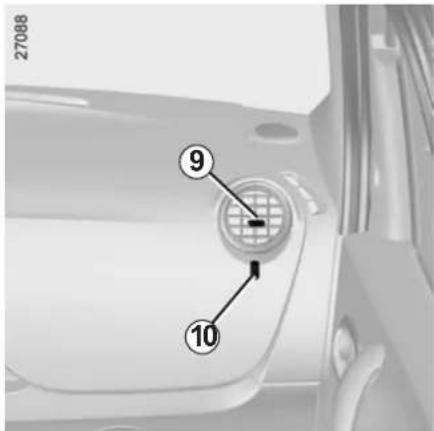
Side air vents
Settings
Air flow:
Move control knob 10 (beyond the point of resistance).
Air distribution:
Right/left: move tab 9.
Up/down: guide the air vent up or down.
To remove bad odours from your vehicles, only use the systems designed for this purpose. Consult an approved Dealer.

Do not add anything to the vehicle's ventilation circuit (for example, to remove bad odours).
There is a risk of damage or of fire.
HEATING/AIR CONDITIONING (1/3)
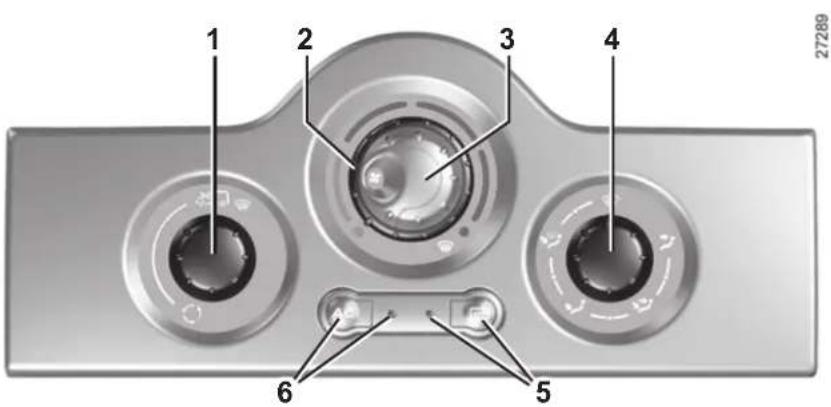
The controls
1 - Air recirculation control.
2 - Adjusting the air temperature.
3 - Adjusting the ventilation speed.
4 - Adjusting the distribution of air in the passenger compartment.
5 - Heated rear screen and heated door mirror de-icing/demisting control and indicator light.
6 - Air conditioning control and operating indicator light (depending on vehicle).
Information and advice for use:
Refer to information on "Air conditioning: information and advice on use".
Switching air conditioning on or off
The air conditioning is switched on (indicator light illuminated) or off (indicator light extinguished) using button 6.
The air conditioning system is used for:
– lowering the temperature inside the passenger compartment;
- eliminating condensation more quickly.
The air conditioning does not operate when the exterior temperature is low.
Adjusting the air temperature
Turn control 2 to obtain the desired temperature. The further towards the red the slide is, the higher the temperature will be.
When the air conditioning system is used for long periods, it may begin to feel cold. To increase the temperature, turn control 2 to the right.
HEATING/AIR CONDITIONING (2/3)
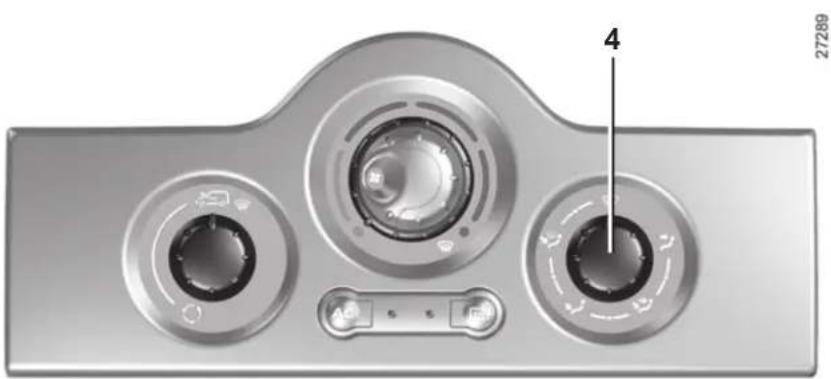
natural_image
Close-up of a metallic device's top panel showing three circular buttons with control knobs and a labeled dial (no text or symbols beyond basic labels)Distribution of air in the passenger compartment
Turn control 4 so that the pointer is positioned opposite the marked positions.

The air flow is directed to the windscreen demisting vents
and the side windows. This position prevents the formation of condensation.

The air flow is directed to the windscreen demisting vents,
the side windows and the passenger footwells.
This is the recommended position for the best temperature in cold weather.

The air flow is directed mainly towards the footwells.

The air flow is directed to all air vents and the footwells.
This is the recommended position for the best temperature in hot weather.

The air flow is directed mainly to the dashboard vents. This
position allows the passenger compartment to be heated or cooled more quickly.
Rapid demisting
Turn the controls to the positions
marked as

- air from the outside;
- maximum temperature;
- demisting.
Using the climate control increases the speed of demisting.
HEATING/AIR CONDITIONING (3/3)
Adjusting the ventilation speed
Normal use
Turn control 3 to one of the four positions to start the ventilation system and adjust the power.
Select position 1 for minimum ventilation and position 4 for maximum ventilation.
Position 0
In this position:
- the air conditioning stops automatically even if button 6 is activated (the indicator light remains lit);
- the ventilation speed of air in the passenger compartment is zero;
– there is, however, a slight flow of air when the vehicle is moving.
This position should not normally be used.
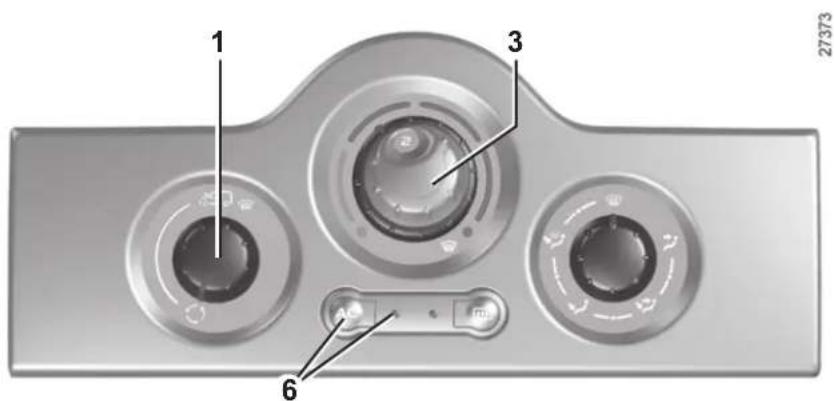
Air recirculation (isolation of the passenger compartment)
Turn control 1 towards air recirculation symbol 📄.
In these conditions air is taken from the passenger compartment and is recirculated, with no air being taken from outside the vehicle.
Air recirculation is for:
- isolating the passenger compartment from the outside air (driving in polluted areas, unpleasant odours, etc.);
- bringing the passenger compartment to the desired temperature as quickly as possible.
Prolonged use of this position can lead to condensation forming on the side windows and windscreen and problems due to the use of non-renewed air in the passenger compartment.
We therefore advise you to return to normal mode (outside air) as soon as the air recirculation function is no longer required, by turning control 1 again.
AUTOMATIC CLIMATE CONTROL (1/8)
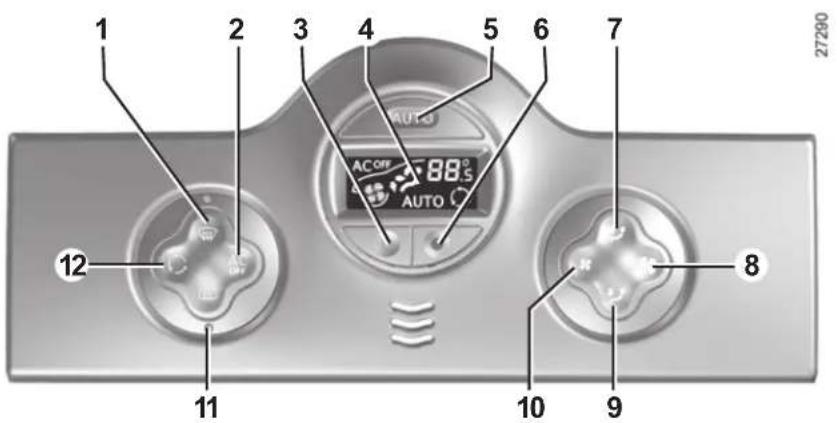
Controls
(depending on vehicle)
1 - Clear View button to demist and de-ice the windows.
2 - Switching off air conditioning.
3 and 6 - Adjusting the air temperature.
4 - Display.
5 - Switching on automatic mode.
7 and 9 - Passenger compartment air distribution adjustment.
8 and 10 - Adjusting the ventilation speed.
11 - Heated rear screen and heated door mirror de-icing.
12 - Air recirculation control.
Information and advice for use
Refer to information on "Air conditioning: information and advice on use".
AUTOMATIC CLIMATE CONTROL (2/8)
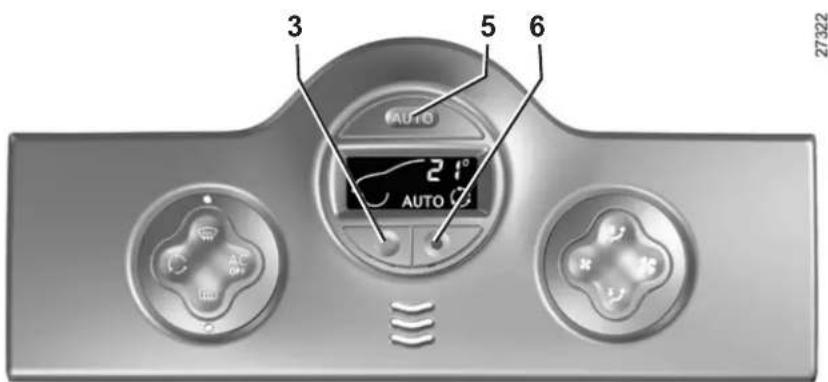
Automatic mode
Press button 5. The AUTO operating tell-tale will come on.
The automatic climate control system guarantees comfort in the passenger compartment and good visibility (except in the event of extreme conditions), while optimising fuel consumption.
This is the recommended mode of use.
To reach and keep the chosen comfort level and to maintain good visibility, the system controls:
- ventilation speed;
- air distribution;
– air recirculation management;
– air conditioning start/stop; - the air temperature.
Only the temperature and the AUTO symbol are displayed
Functions managed in automatic mode are not displayed.
- press button 6 to increase the temperature;
- press button 3 to decrease the temperature.
Note: The maximum and minimum settings of 15^ C and 27^ C allow the system to produce a minimum or maximum temperature, whatever the ambient conditions.
In automatic mode (AUTO indicator light on the display is lit), all air conditioning functions are controlled by the system.
When you modify certain functions the AUTO indicator light goes out. Only the modified function stops being controlled by the system.
AUTOMATIC CLIMATE CONTROL (3/8)
Adjusting automatic mode
The system normally operates in automatic mode but you can alter the standard settings used by the system (air distribution, etc.). These options are explained on the following pages.
The displayed temperature values show a comfort level.
When starting the engine, increasing or decreasing the value displayed will not allow the comfort level to be reached any more quickly. The system will always optimise the temperature increase or decrease (the ventilation system does not start instantly at maximum speed: it gradually increases). This may take several minutes.
Generally speaking, unless there is a particular reason not to, the dashboard air vents should remain open.
Automatic mode is the recommended mode of use
The automatic climate control system guarantees comfort in the passenger compartment and good visibility (except in the event of extreme conditions), while optimising consumption.
The types of adjustments that can be made are described in the following pages.
Return to automatic mode as soon as possible.
AUTOMATIC CLIMATE CONTROL (4/8)
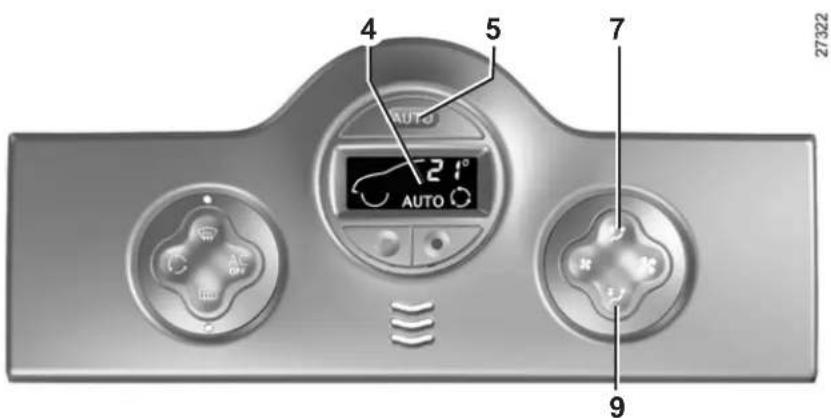
Distribution of air in the passenger compartment
There are five possible combinations for air distribution, which may be selected by pressing buttons 7 and 9 repeatedly. The arrows on display 4 indicate the setting selected:
The air flow is directed to the windscreen demisting vents and the side windows.
The air flow is directed to the windscreen demisting vents, the side windows and the passenger footwells.
The air flow is directed mainly to the dashboard air vents. This position allows the passenger compartment to be heated or cooled more quickly.
The air flow is directed to all the windscreen demisting vents and the passenger footwells.
The air flow is directed mainly towards the passenger foot-wells.
The manual air distribution option causes the operating tell-tale light on display 4 to go out (automatic mode), but only air distribution is no longer controlled automatically by the system.
Press button 5 to return to automatic mode.
AUTOMATIC CLIMATE CONTROL (5/8)
Varying the ventilation speed
In automatic mode, the system uses the most suitable amount of air to reach and maintain the desired comfort level.
Automatic mode is switched off by pressing buttons 8 and 10.
These buttons allow you to increase or decrease ventilation speed.
Switching air conditioning on or off
In automatic mode, the system switches the air conditioning system on or off, depending on the climate conditions.
Exit automatic mode by pressing button 2: the AUTO warning light on display 4 goes out.
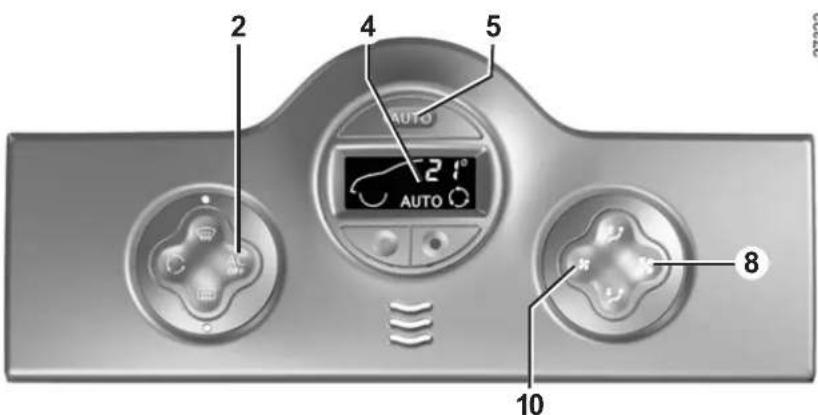
Note: the "Clear View" function automatically activates the air conditioning. Press button 5 to return to automatic mode.
In automatic mode, depending on the outside air conditions, the ventilation may not start immediately at maximum power but will increase progressively until the engine temperature is warm enough to heat the passenger compartment air. This may take from a few seconds to several minutes.
AUTOMATIC CLIMATE CONTROL (6/8)
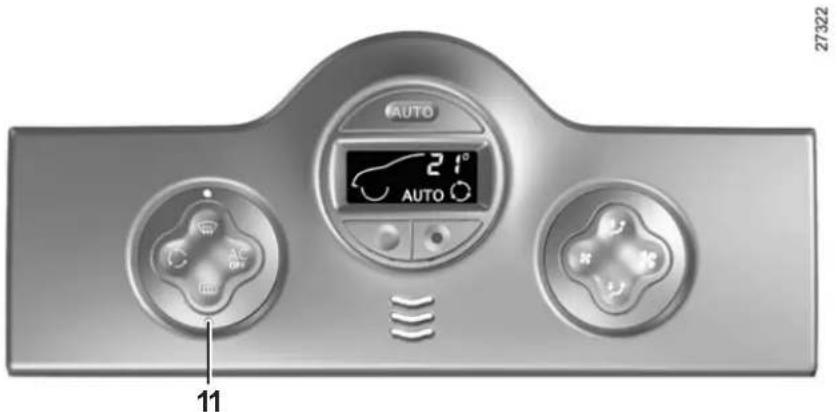
Rear screen de-icing/ demisting
Press button 11.
This function allows rapid electric demisting of the rear screen and, depending on the vehicle, electric de-icing of the door mirrors.
To exit this function, press button 11 again. Demisting automatically stops by default.
3.12
AUTOMATIC CLIMATE CONTROL (7/8)
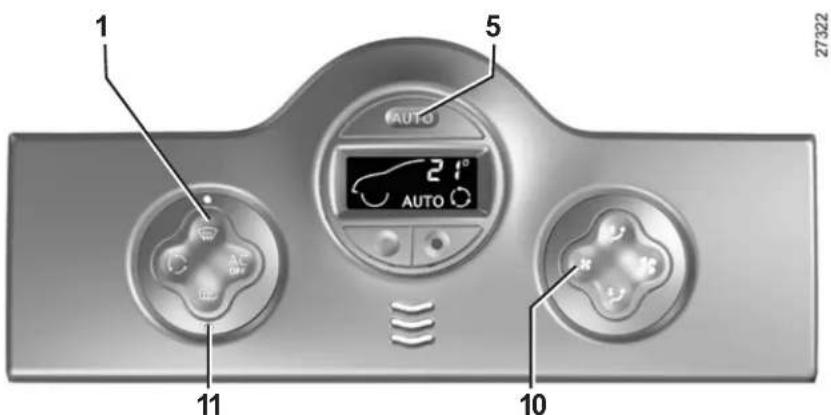
Clear View function
Press button 1.
The AUTO button indicator light (on the display) goes out.
This function rapidly demists/de-ices the windscreen, the front side windows and the door mirrors.
It imposes automatic operation of the air conditioning and rear screen de-icing, and inhibits air recirculation.
Press button 11 if you do not want the heated rear screen to be activated.
Note: if you wish to reduce the air flow (which may produce a certain amount of noise in the passenger compartment), press button 10.
To exit this function, press:
- button 1 again;
- or button 5 (the AUTO indicator light on the display will light up).
AUTOMATIC CLIMATE CONTROL (8/8)
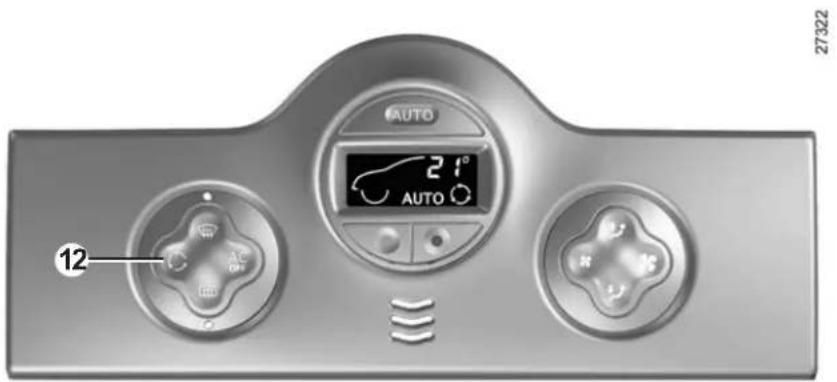
Air recirculation
Pressing button 12 activates air recirculation (the symbol lights up on the display).
During recirculation, air is taken from the passenger compartment and is recycled, with no air being taken from outside the vehicle.
Air recirculation allows the external atmosphere to be cut off (when driving in polluted areas, etc.).
Prolonged use of the air recirculation mode may cause the windows to mist up or lead to odours, as the air is not renewed.
We therefore advise you to return to normal mode (external air or automatic recirculation) as soon as air recirculation is no longer needed, by pressing button 12.
AIR CONDITIONING: information and advice on use
Fuel consumption
You will normally notice an increase in fuel consumption (especially when driving in town) when the air conditioning is operating.
For vehicles fitted with manual air conditioning, switch off the system when it is not required.
Advice for reducing consumption and helping to preserve the environment
Drive with the air vents on and the windows closed.
If the vehicle has been parked in the sun, open the doors for a few moments to let the hot air escape before starting the engine.
Maintenance
Refer to the Maintenance Service Booklet for your vehicle for the inspection frequency.
Operating faults
As a general rule, contact your approved Dealer in the event of an operating fault.
- Reduction in de-icing, demisting or air conditioning performance. This may be caused by the passenger compartment filter cartridge becoming clogged.
- No cold air is being produced. Check that the controls are set correctly and that the fuses are sound. Otherwise, switch off the system.
Note
Presence of water under the vehicle. After prolonged use of the air conditioning system, it is normal for water to be present under the vehicle. This is caused by condensation.

Do not open the refrigerant fluid circuit. The fluid may damage eyes or skin.
INTERIOR LIGHTING (1/2)
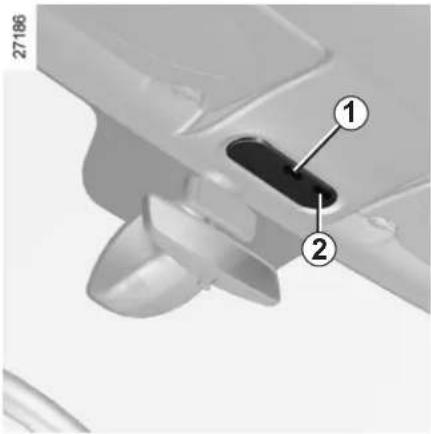
Courtesy lights
Switches 1 or 3 provide:
- permanent lighting;
- intermittent lighting, which comes on when a door is opened. It goes out when the doors concerned are properly closed;
- immediate switching off.
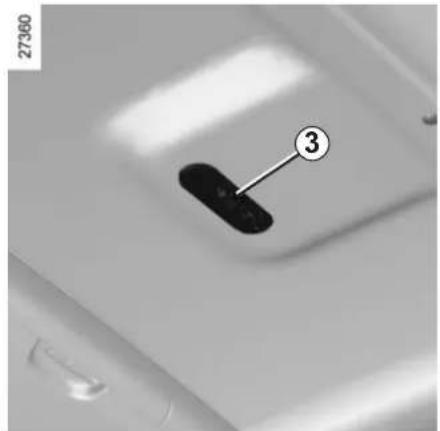
Map reading lights
(depending on vehicle)
Tilt the switch 3 for permanent lighting. In the front passenger seat, press switch 2.
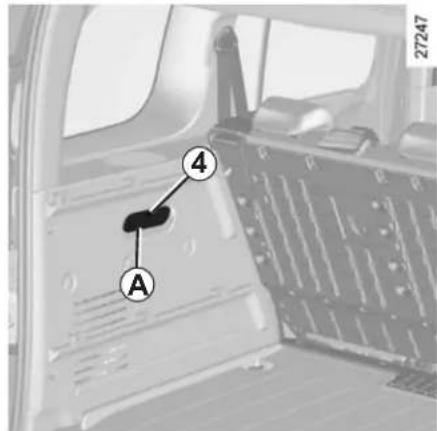
Luggage compartment light A (depending on vehicle)
Tilt the switch 4 for permanent lighting.
Unlocking and opening the doors or luggage compartment switches on the timed courtesy lights.
INTERIOR LIGHTING (2/2)
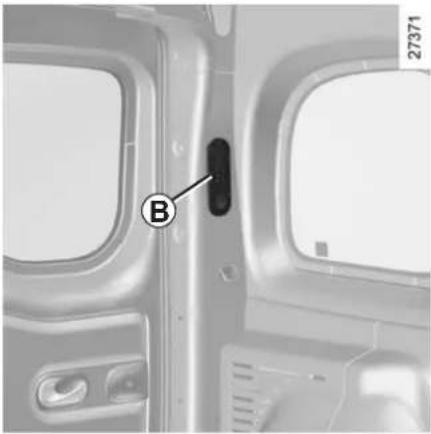
natural_image
Interior view of an airplane cabin with a labeled panel (B) and window frame, showing no readable text or symbols beyond the label.Luggage compartment light B
(depending on vehicle)
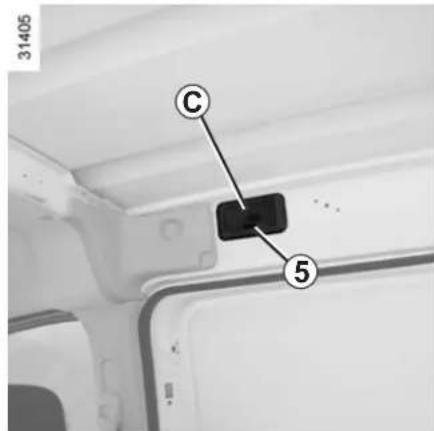
Sliding side door light C
(depending on vehicle)
Pressing switch 5 gives:
- permanent lighting;
- light when the sliding side door is opened. It goes out when the door in question is correctly closed;
- immediate switching off.
Special features
Depending on the vehicle, remote un- locking of the doors triggers timed light- ing of the passenger compartment. If one of the front or rear doors is opened, the period for which the light is switched on will start again.
Then the courtesy light and the luggage compartment light dim and go out.
The lighting timer will cut out for various reasons:
- if a door has been open for 15 minutes;
- if all the doors have been closed for 15 seconds or 5 minutes, depending on the vehicle;
- when the ignition is switched on.
SUN VISOR/MIRRORS
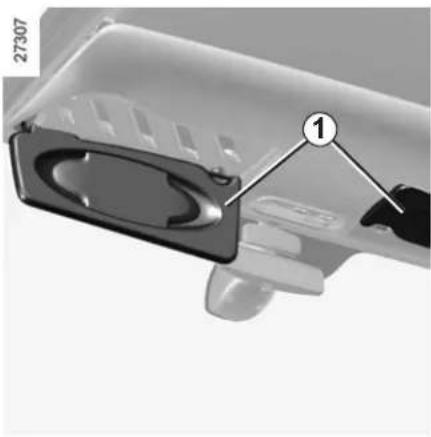
natural_image
Close-up of a mechanical component with a labeled part (1) and part number 27307, showing internal structure without any readable text or symbols.Front sun visor
Lower sun visor 1.
The clip can be used to hold motorway passes, etc..
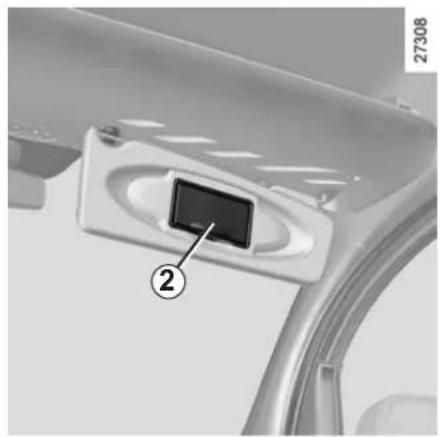
natural_image
Close-up of a car interior panel with a labeled component (2) and number 27308, no readable text or symbols beyond the label.Courtesy mirror 2 (passenger side)
If the sun visor is fitted with a courtesy mirror, it has a cover.
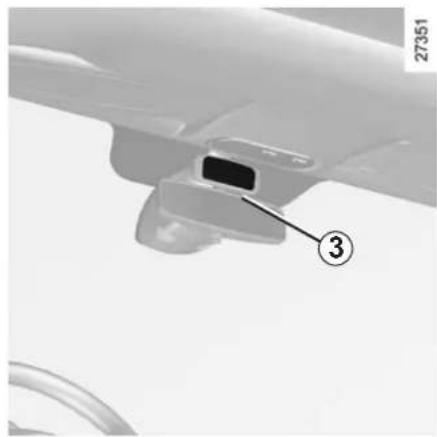
natural_image
Close-up of a mechanical component with a numbered annotation (3) pointing to a section, no readable text or symbols present.Child minder mirror 3
The child minder mirror allows you to keep an eye on your child in the back seat.

When driving, ensure the courtesy mirror cover is closed. Risk of injury.
ELECTRIC WINDOWS (1/2)
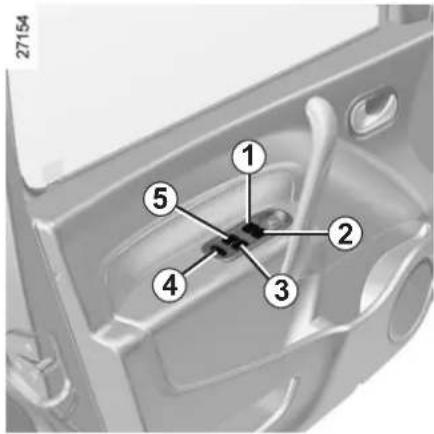
Electric windows
With the ignition on:
- press the switch for the window concerned to lower it to the desired height;
- lift the switch for the window concerned to raise it to the desired height.
From the driver's seat
Operate the switches as follows:
- 1 for the driver's side;
- 2 for the front passenger's side;
- 3 and 5 for the rear passenger windows.
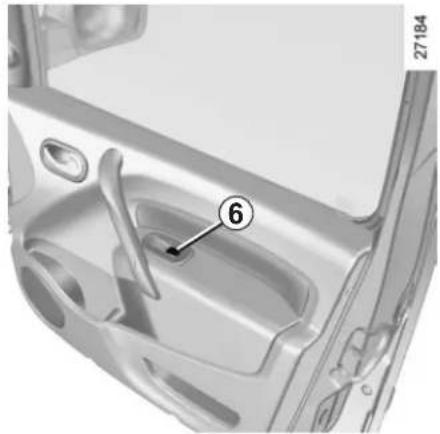
natural_image
Interior view of a car door with labeled component (6), no visible text or symbols beyond the number and numberFrom the front passenger seat
Press switch 6.
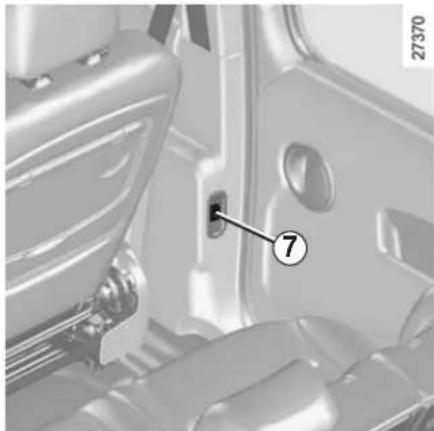
natural_image
Interior view of a car showing the door, seat, and window (no text or symbols visible)From the rear seats
With the doors closed, press switch 7.

Safety of rear occupants
Depending on the vehicle, the driver can disable operation of the rear electric windows by pressing switch 4.
Driver's responsibility
Never leave your vehicle with the remote control unit inside and never leave a child (or a pet) unsupervised, even for a short while.
The reason for this is that the child may endanger himself or others by starting the vehicle, activating equipment such as the electric windows, or locking the doors. If any part of the body becomes trapped, reverse the direction of the window immediately by pressing the relevant switch. Risk of serious injury.
ELECTRIC WINDOWS (2/2)/HALF-OPENING WINDOW
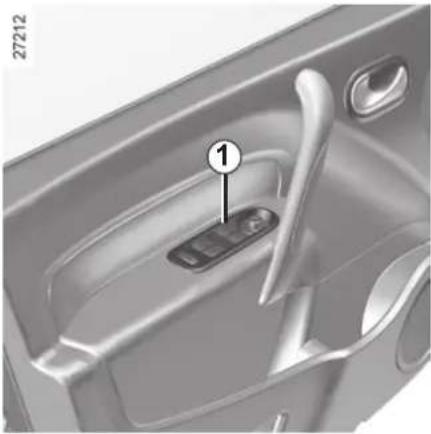
natural_image
Interior view of a car door handle with a labeled component (no text or symbols visible)One-touch electric window
The one-touch mode works in addition to the operation of the electric windows described previously.
It is fitted to the driver's window and is used for lowering only.
Briefly press switch 1: the window lowers completely.
Pressing the switch again while the window is moving will stop its movement.
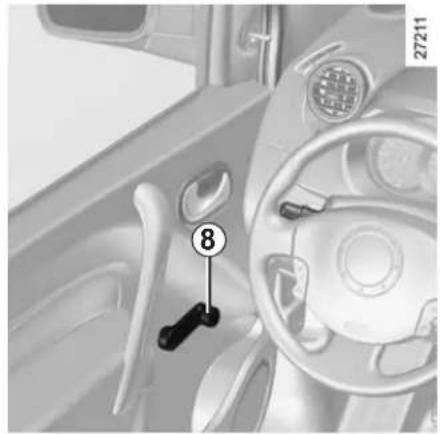
natural_image
Interior view of a car dashboard with steering wheel and keyhole (no visible text or symbols)Manual window winders
Turn handle 8.
Avoid resting any objects against a half-open window: there is a risk that the electric window winder could be damaged.
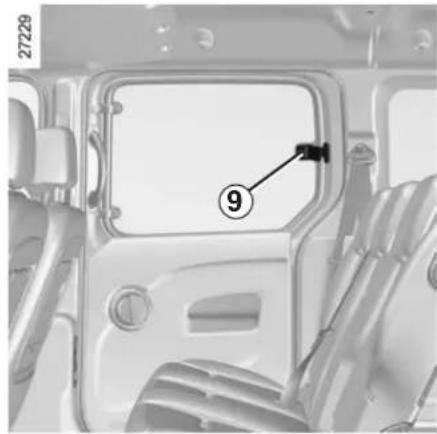
natural_image
Interior view of a vehicle's door frame with numbered component (9), no visible text or symbolsHalf-opening window
To half-open the window, turn handle 9 in the direction of the arrow then lock it by pushing the handle. When closing it, check that it is properly locked.
MANUAL SUNROOF
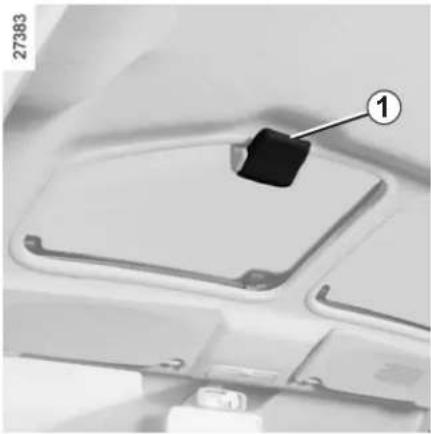
natural_image
Close-up of a mechanical component with a numbered label pointing to a black square on top (no readable text or symbols)Opening
To the first position
Push handle 1 towards the front of the vehicle until it stops.
To the second position
Press tab 2 and push handle 1 at the same time until it stops again.
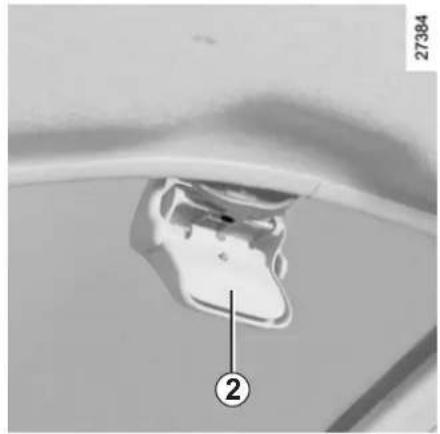
natural_image
Close-up of a mechanical component with a numbered label (2) pointing to a feature, no readable text or symbols present.Closing
Hold tab 2 pressed in and return the handle 1 to the initial position.
Precautions during use
- check that the sunroof is properly closed before leaving your vehicle;
- clean the seal every three months using products recommended by our Technical Department;
- do not open the sunroof immediately after the vehicle has been in the rain or after your car has been washed.
- Vehicle with roof bars
As a general rule, if there is a load on the roof, use of the sunroof is not recommended.
Before using the sunroof, check the objects and/or accessories (bike racks, roof boxes, etc.) attached to the roof bars: they should be properly arranged and secured and should not interfere with the operation of the sunroof.
Contact your approved Dealer for details of possible conversions.
ASHTRAYS/CIGAR LIGHTER/ACCESSORIES SOCKETS
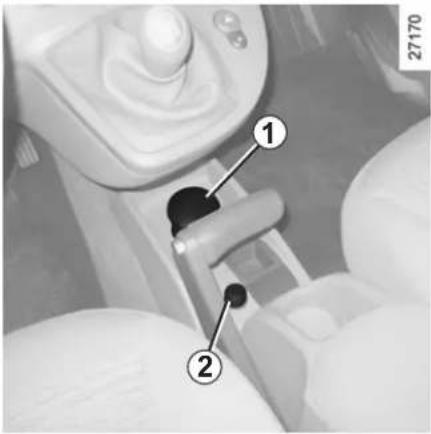
Removable ashtray 1
This is a removable ashtray which can be placed in the cup holders 3.
Lift the cover to open.
To empty it, pull the assembly. The ash-tray will come out of its housing.
If your vehicle is not fitted with a cigar lighter and an ashtray, these can be obtained from an approved Dealer.
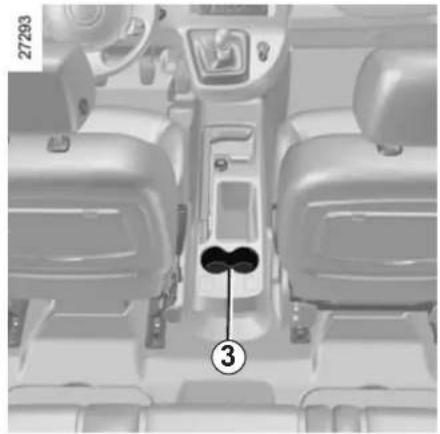
natural_image
Interior view of a car dashboard and seat area showing the headrest and seatbelt (no text or symbols visible)Cigar lighter 2
With the ignition on, press it in. It will spring back with a click when it is ready. Pull it out to use.
After use, replace it without pushing it all the way in.

Connect accessories with a maximum power of 120 Watts only.
Fire hazard.
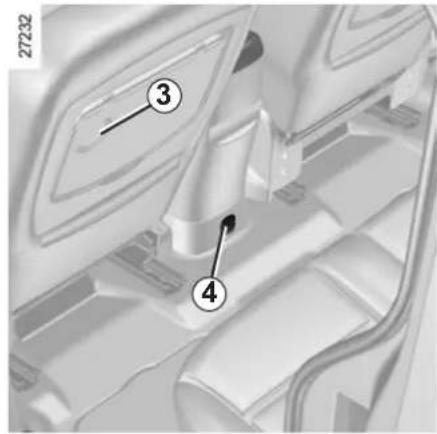
Accessories sockets
You may use the cigar lighter recess 2 or one of sockets 4 (depending on the vehicle). They are designed for connecting accessories with a maximum power rating of 120 Watts (voltage: 12V) which have been approved by our Technical Department.
Depending on the battery charge, the accessories socket may stop working.
PASSENGER COMPARTMENT STORAGE SPACE AND FITTINGS (1/5)
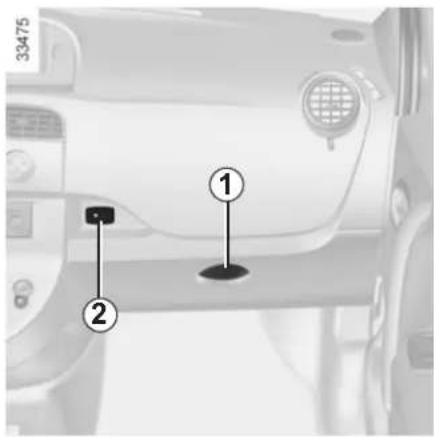
Glovebox
To open the glove box, lift catch 1.
Audio connection socket 2
If fitted to the vehicle, this socket is used for connecting a portable audio player.
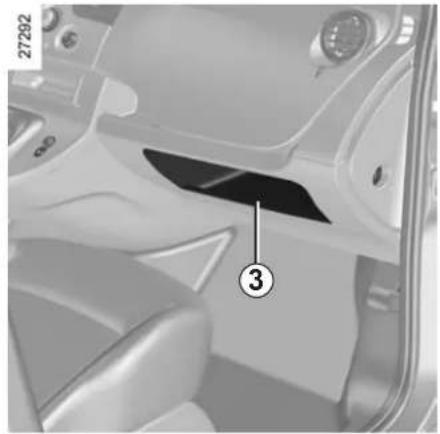
natural_image
Interior view of a car dashboard and seat area showing the hood and seatbelt (no text or symbols visible)Dashboard storage compartment 3
Central storage compartment 4
To open it, lift cover 5. It will store a 1.5 litre bottle.
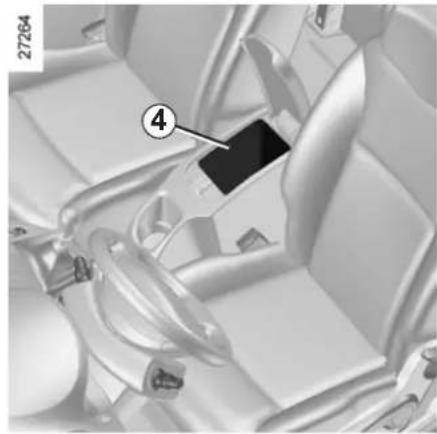
natural_image
Interior view of a car seatbelt with numbered component (4), no visible text or symbols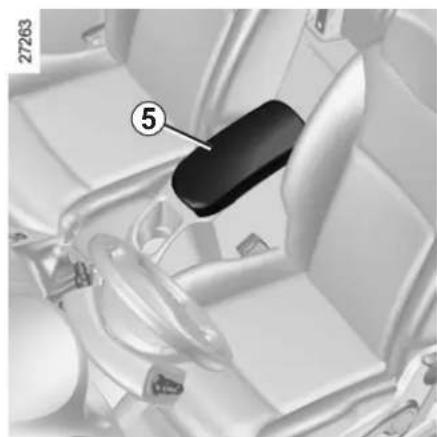
natural_image
Interior view of a car seatbelt with numbered component (5), no visible text or symbols
When turning corners, accelerating or braking, ensure that the receptacle being held by the cup holder is not dislodged.
There is a risk of burning if hot liquid escapes.
PASSENGER COMPARTMENT STORAGE SPACE AND FITTINGS (2/5)
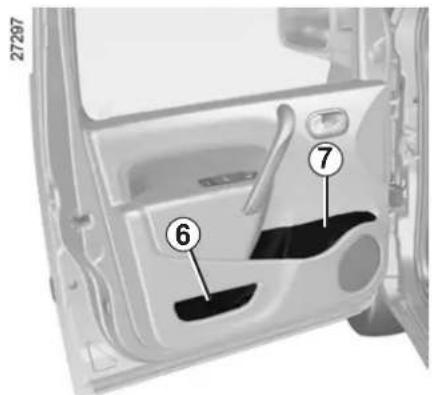
Front door storage compartments 6
Bottle holder 7
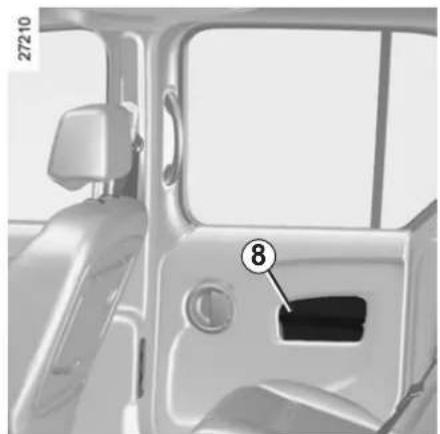
natural_image
Interior view of a car showing the door, seat, and dashboard (no text or symbols visible)Sliding side door storage compartment 8
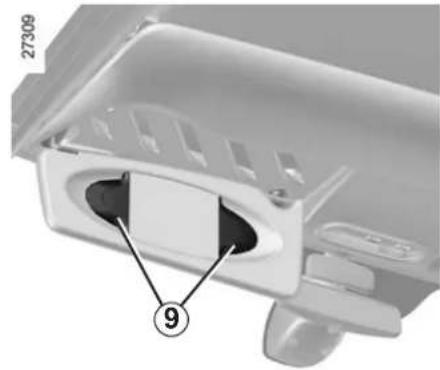
natural_image
Close-up of a mechanical component with labeled parts (number 9 and part number 27309), no readable text or symbols beyond labels.Clip 9
This can be used for storing motorway tickets, cards, etc.

Nothing should be placed on the floor area in front of the driver as such objects may slide under the pedal
during braking manoeuvres, thus obstructing its use.

Ensure that no hard, heavy or pointed objects are placed in the "open" storage compartments in such
a way that they may fall onto passengers during sudden turning or braking.
PASSENGER COMPARTMENT STORAGE SPACE AND FITTINGS (3/5)
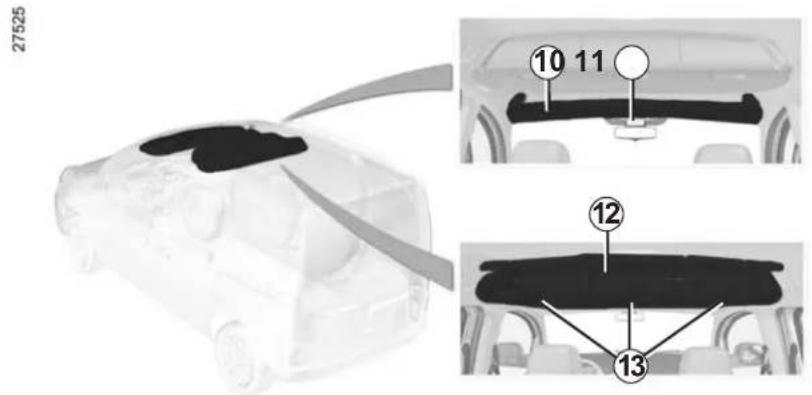
Front upper cab storage compartment 10
Do not use it for getting into or out of the vehicle and do not hang from it.
Sunglasses holder 11
There is a dedicated storage compartment in the centre.
Central upper storage compartments 12
To open the storage compartments, pull handles 13.
This is not suitable for storing heavy items.

Do not hang any heavy and/or sharp objects which may fall whilst driving. Risk of injury. Before opening the upper storage compartments, take the necessary precautions to avoid falling objects. Risk of injury.
When driving, the upper storage compartments 12 must be closed.
PASSENGER COMPARTMENT STORAGE SPACE AND FITTINGS (4/5)
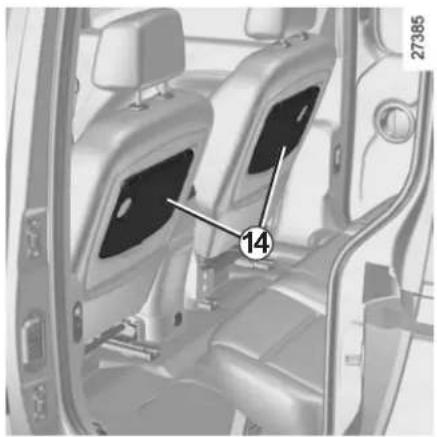
natural_image
Interior view of a car showing two seats with labeled components (number 14 and number 27385), no readable text or symbols beyond labels.Trays on the front seat 14
Permitted weight: 5 kg, evenly distributed.
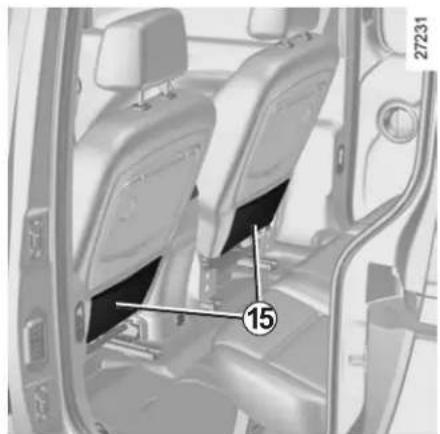
natural_image
Interior view of a car showing driver seats and seatbelt, with no visible text or symbolsFront seat pockets 15
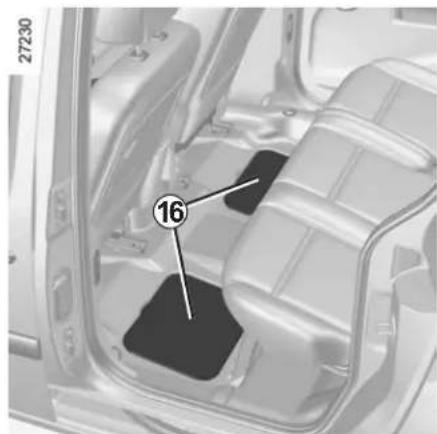
natural_image
Interior view of a vehicle showing internal compartments and a numbered component (16), no visible text or symbols.Flaps 16 in the rear passenger footwells
(depending on vehicle)
These compartments can hold road maps, manuals, cloths, etc.
PASSENGER COMPARTMENT STORAGE SPACE AND FITTINGS (5/5)
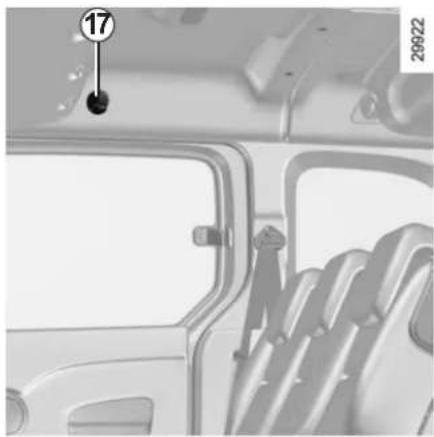
natural_image
Interior view of a vehicle showing a door, seatbelt, and dashboard (no visible text or symbols)Clothes hook 17
Depending on the vehicle, a hook may be located on the partition behind the front passenger seat.
For safety reasons, this hook may only be used to hang clothes.
Note: the maximum permitted load is 4 kg.
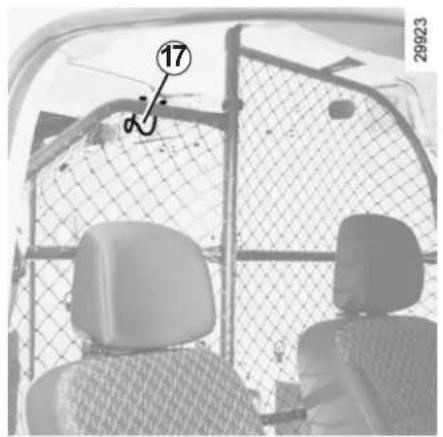
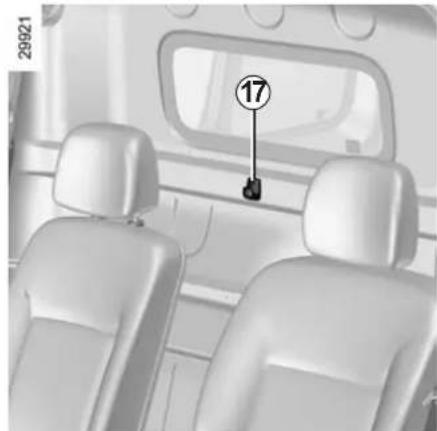
natural_image
Interior view of a car showing two rear seats and a numbered component (17) on the backrest, with no visible text or symbols.REAR BENCH SEAT: functions (1/2)
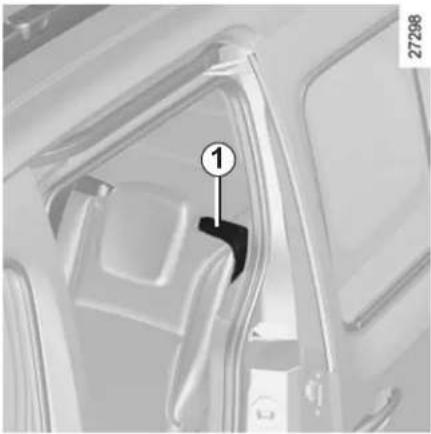
natural_image
Close-up of a car interior showing a seatbelt and door, with no visible text or symbolsTo fold down the seatback
Before moving the bench seat, make sure the front seats are pushed forward enough, that the rear seat belts are unfastened and that nothing will obstruct the manoeuvre.
Lower the rear headrests to storage position.
Pull lever 1 of the seatback you wish to fold down (on the right- or left-hand side of the bench seat), and bring the seat-back down.
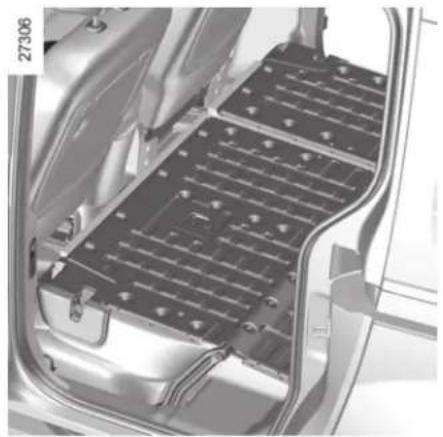
natural_image
Interior view of a car showing internal battery pack structure (no text or symbols visible)To raise the seatback
Before raising the seatback, make sure there are no objects (water bottle, tool box etc.) which will prevent it from locking properly.
Raise the seatback and click it into position. Check that it is correctly locked.
Maximum weight: 300 kg, evenly distributed.

For safety reasons, carry out any adjustments when the vehicle is not being driven.

When moving the rear bench seat, make sure the bench seat anchorage points are clean (they be free from grit, cloths etc.).

When refitting the seatback, make sure it is correctly locked.
If using seat covers, make sure they do not prevent the seat-back and seat base latches from locking in. Ensure that the seat belts and seat belt fasteners are correctly positioned.
Reposition the headrests.
REAR BENCH SEAT: functions (2/2)
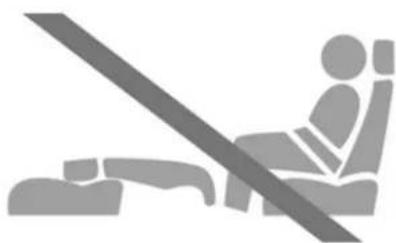
natural_image
Silhouette of a person sitting in a seat with a diagonal line indicating a safety threshold (no text or symbols)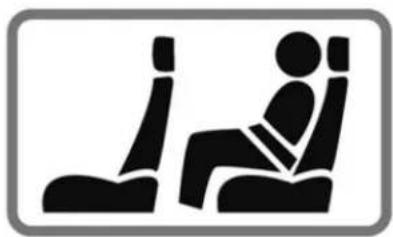
natural_image
Silhouette of a person sitting in a car seat, no text or symbols present30913
Use restriction
It is forbidden to drive with a seatback or a front seat folded down when there is a passenger occupying a rear seat.

For safety reasons, carry out any adjustments when the vehicle is not being driven.
TRANSPORTING OBJECTS IN THE LUGGAGE COMPARTMENT
Always position the objects transported so that the largest surface is against:
- the rear bench seatbacks, for normal loads;
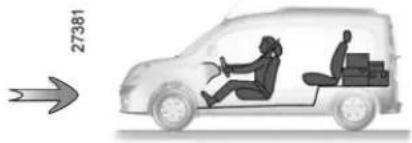
natural_image
Silhouette of a car with two people inside, showing driver and cargo (no text or symbols)– the front seats for maximum loads.
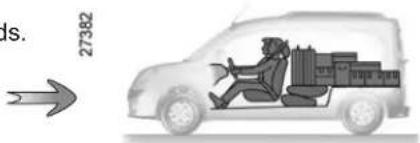
Always position the heaviest items directly on the floor.

Always position the heaviest items directly on the floor.
Use the lashing points on the floor of the luggage compartment, if these are fitted to the vehicle.
The luggage should be loaded in such a way that no items will be thrown forward and strike the occupants if the driver has to brake suddenly.
Fasten the rear seat belts, even if the seats are not occupied.
LUGGAGE COVER
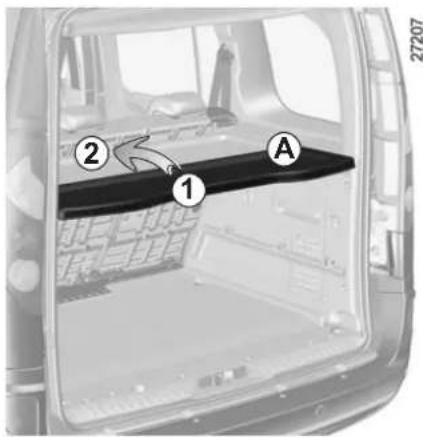
The luggage compartment cover is made up of two rigid sections.
There are three possible positions:
- top position A;
- bottom position B (depending on the vehicle).
In both cases, you can fold section 1 onto section 2 by lifting it as shown by the arrow.
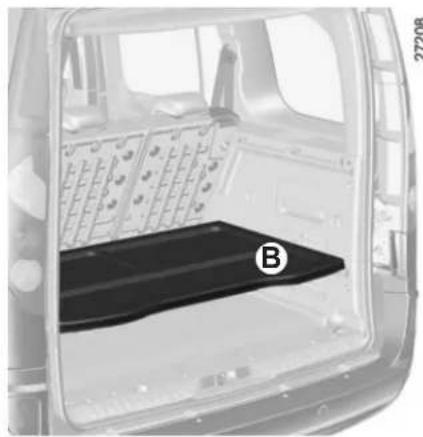
natural_image
Interior view of a vehicle back panel showing internal components and a labeled component (B), no text or symbols present.
Do not place any objects, especially heavy or solid objects on the luggage cover. These may pose a
risk to the vehicle occupants if the driver has to brake suddenly or if the vehicle is involved in an accident.
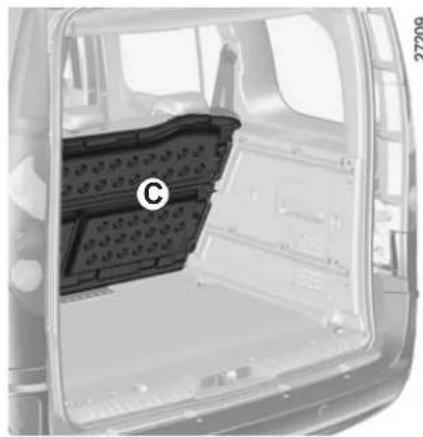
natural_image
Interior view of a vehicle showing the rear window, side-mounted plastic tray, and dashboard (no text or symbols visible)- The storage position C (depending on the vehicle).
To store the luggage compartment cover, position it in the runner against the rear bench seatback.
LUGGAGE NET
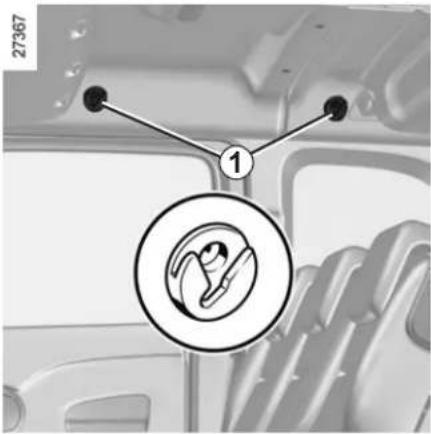
The luggage net (depending on vehicle)
This is located in the luggage compartment.
It may be attached behind the front seats or behind the rear bench seat.
Hooks 1 may also be used to hang clothes.

The luggage net must not be used to restrain or hold objects.
Risk of injury
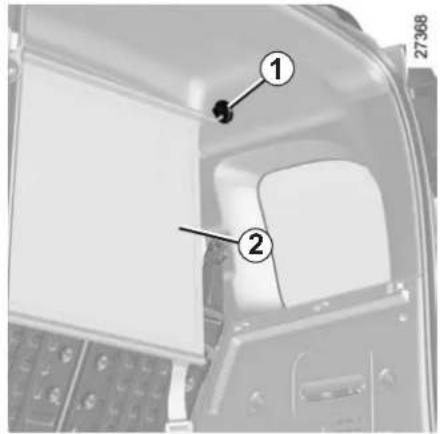
Positioning the net 2
- Upper section: insert the tabs at the ends of the net in hooks 1;
- lower section: engage belts 3 in lashing rings 4 on the floor. Ensure that both forks of the lower hook are engaged;
- tighten the net using the tensioning units.
For more information, refer to the label sewn onto the net.
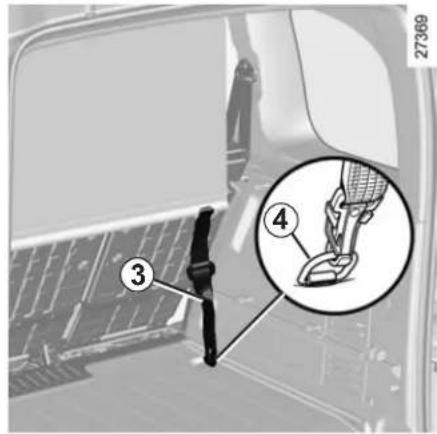

Luggage compartment anchorages (rings) 4 cannot be used if they are already being used to secure two
other components (eg. luggage net + load in the luggage compartment or child seat + load in the luggage compartment).
ROOF BARS (1/2)
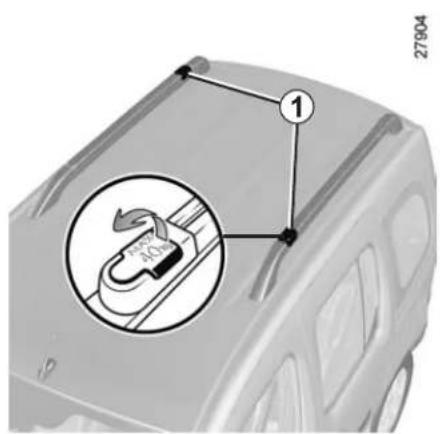
To place the bars in the transverse position
- Unclip levers 1.
- Lift the bars to allow them to be pivoted (figure A).
- Lock the bars in the transverse position (figure B).
- Check that they are correctly locked.
Maximum weight on each roof bar: 40 kg evenly distributed (80 kg over 2 roof bars)
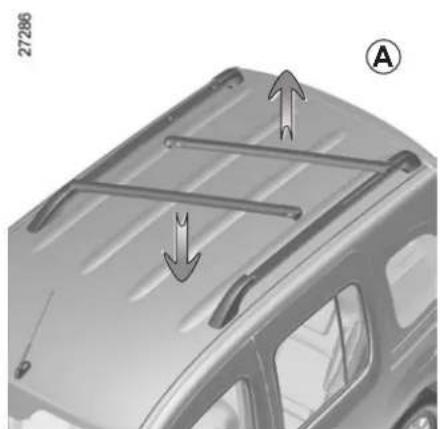
natural_image
Diagram of a car's roof structure with arrows indicating direction, no text or symbols presentIt is strictly forbidden to place the roof bars in the transverse position (carrying position) when entering a roller-type car wash.
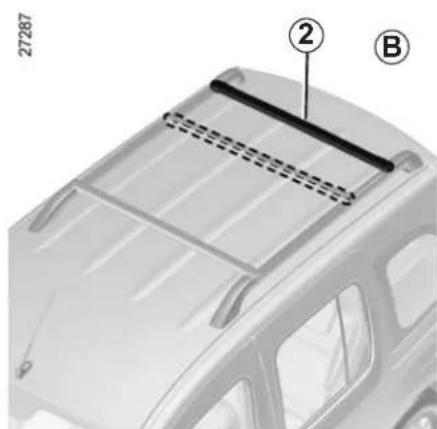
natural_image
Technical diagram of a car's rear window frame with labeled components (② and B), no readable text or symbols beyond labelsROOF BARS (2/2)
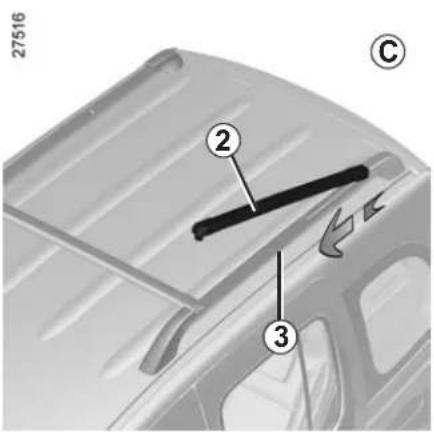
To slide the bar
Roof bar 2 can be slid to move it closer to or further from the other bar (figure C).
There are two positions: centre or rear.
With the bar unlocked, pull it towards the front or the rear of the vehicle to slide it in rail 3. Once you have chosen the position, pivot the bar and lock it in the transverse position (figure D).
Check that both bars are correctly locked in position.
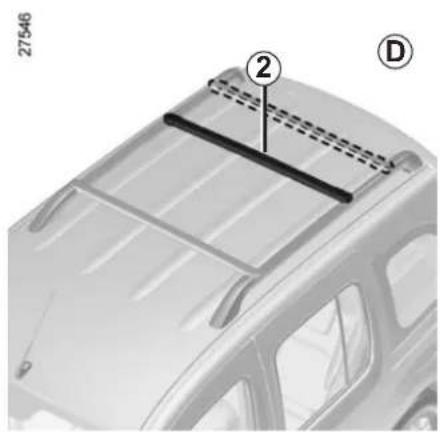
natural_image
Diagram of a car's rear window frame with labeled components (② and D), no readable text or symbols beyond labelsSection 4: Maintenance
Bonnet 4.2
Engine oil level: 4.3
general information 4.3
topping up/filling 4.5
Levels 4.7
Filters.... 4.9
Battery 4.10
Tyre pressure.... 4.11
Bodywork maintenance 4.12
Interior trim maintenance.... 4.14
4.1
BONNET
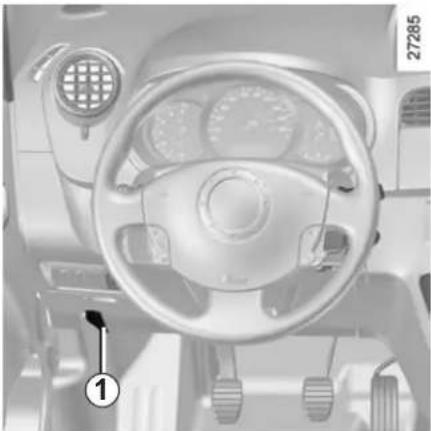
natural_image
Interior view of a car dashboard and steering wheel (no visible text or symbols)Opening
Pull control 1 towards you.
Lift the bonnet by several centimetres and push lever 2 to the left.
Lift the bonnet up and release stay 4 from its holder 5. For your own safety, it is very important to fit the stay into its retainer 3. Check that it is correctly locked.

In the event of an impact, even slight, against the radiator grille or bonnet, have the bonnet catch checked approved dealer as soon as
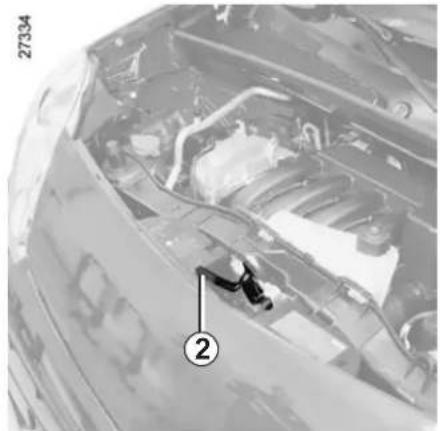
natural_image
Interior view of a car hood with visible engine and dashboard (no text or symbols)Closing
Check that nothing has been left in the engine compartment.
Release the stay and replace it in its holder 5.
Lower the bonnet and release it when it is approximately 20 cm from the closed position. It will latch automatically under its own weight.

Ensure that the bonnet is properly locked.
Check that nothing is preventing the catch from locking (gravel, cloth, etc.).
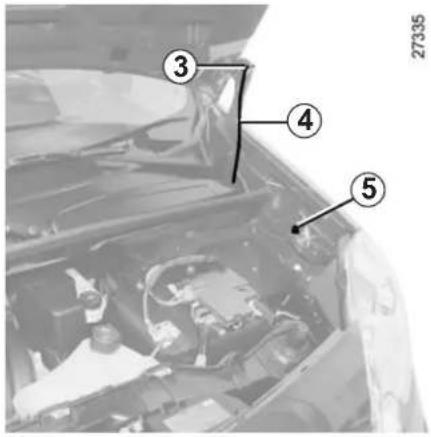

After carrying out any work in the engine compartment, check that nothing has been left behind (cloth, c.).
These may damage the engine or cause a fire.

The engine may be hot when carrying out operations in close proximity. In addition, the engine cooling
fan can come on at any moment. Risk of injury.
ENGINE OIL LEVEL: general information (1/2)
It is normal for an engine to use oil for lubrication and cooling of moving parts and it is normal to top up the level between oil changes.
However, contact an approved Dealer if more than 0.5 litres is being consumed every 600 miles (1,000 km) after the running in period.
Oil change frequency: check the oil level from time to time and certainly before any long journey to avoid the risk of damaging your engine.
Reading the oil level
The oil level should be read with the vehicle on level ground, after the engine has been switched off for some time.
The dipstick must be used to read the exact oil level and make sure that the maximum level has not been exceeded (risk of engine damage). Refer to the following pages.
The instrument panel display only alerts the driver when the oil level is at its minimum.
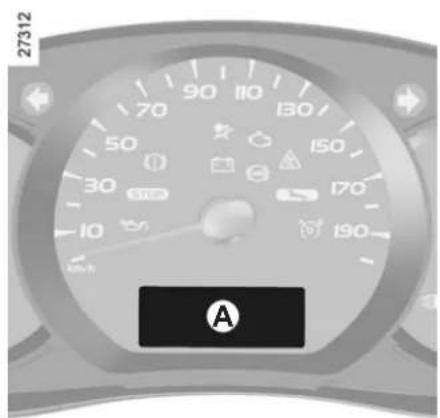
Minimum oil level display A
If the level is above the minimum level
The "oil level" message appears on the display, accompanied by squares indicating the level. These squares disappear as the level drops and they are replaced by dashes.
To advance to trip computer reading, press button 1 or 2 again.
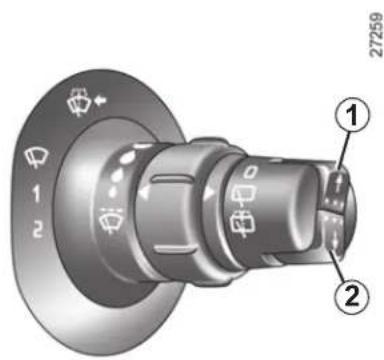
If the level is at the minimum
The message "adjust oil level" or "oil" and the warning light are displayed on the instrument panel.
It is vital to top up the oil as soon as possible.

The display only warns the driver if the oil level is at the minimum level. It does not inform the driver that the oil
level has exceeded the maximum level as this can only be measured using a dipstick.
ENGINE OIL LEVEL: general information (2/2)
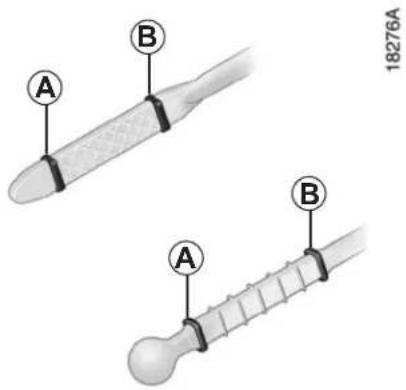
Reading the level using the dipstick
– remove the dipstick and wipe with a clean, lint-free cloth;
- push the dipstick in as far as it will go;
- take out the dipstick again;
- read the level: it should never fall below minimum mark A or exceed maximum mark B.
Once the level has been read, push the dipstick in as far as it will go.
Maximum engine oil level exceeded.
The oil level should only be read with the dipstick as explained above.
If the oil level exceeds the maximum level, do not start your vehicle and contact an approved Dealer.
Consult your approved Dealer at once if you notice an abnormal or repeated drop in any of the fluid levels.

Under no circumstances should maximum filling level B be exceeded: this could damage the engine catalytic converter.
In order to prevent splashback, it is recommended that a funnel be used when topping up/filling with oil

The engine may be hot when carrying out operations in close proximity. In addition, the engine cooling
fan can come on at any moment. Risk of injury.
ENGINE OIL LEVEL: topping up/filling (1/2)
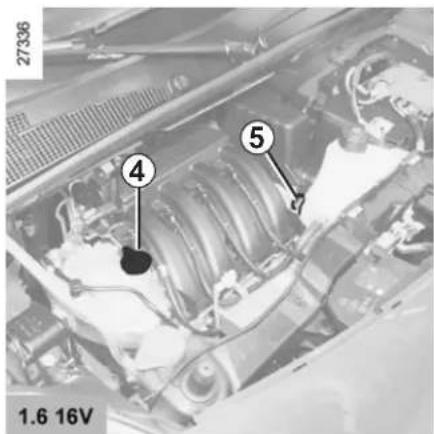
Topping up/filling
The vehicle must be parked on level ground and the engine should be cold (for instance, before the engine is started up for the first time in the day).
Engine oil grade
Refer to the Maintenance Service Booklet for your vehicle.
Do not exceed the max level and do not forget to refit cap 4 and dipstick 5.
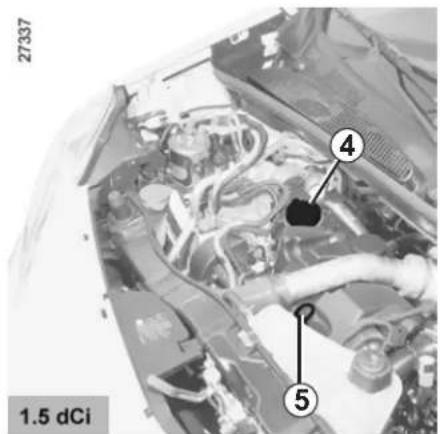
- Unscrew cap 4;
- top up the level (as a guide, the capacity between the minimum and the maximum reading on the dipstick 5 is 1.5 litres, depending on the engine);
- wait for approximately 10 minutes to allow the oil to flow into the engine;
- check the level using dipstick 5 (as described above).
Once the operation has been completed, ensure that the dipstick is pushed in as far as it will go or that the "cap-type dipstick" is completely screwed in.
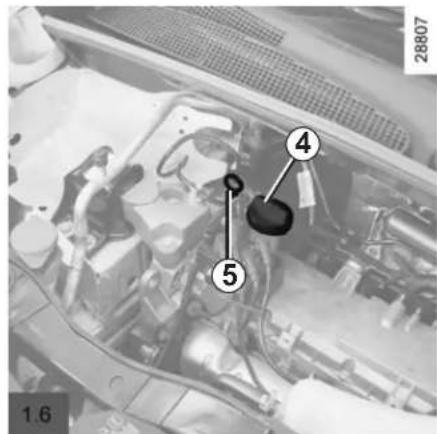
ENGINE OIL LEVEL: topping up/filling (2/2) ENGINE OIL CHANGE
Oil change
Service interval: refer to the Maintenance Service Booklet for your vehicle.
Average capacities for oil change including oil filter (for information)
1.6 16V engine : 4.8 litres
1.6 engine : 3.3 litres
1.5 dCi engine : 4.5 litres
Engine oil grade
Refer to the Maintenance Service Booklet for your vehicle.
Consult your approved Dealer at once if you notice an abnormal or repeated drop in any of the fluid levels.

Engine oil change: if you are changing the oil when the engine is hot, be careful not to scald yourself if the flows.

Filling: take care when topping up the oil that no oil drips onto engine components - risk of fire.
Remember to refit the cap securely as there is a risk of fire if oil splashes onto hot engine components.

The engine may be hot when carrying out operations in close proximity. In addition, the engine cooling
fan can come on at any moment.
Risk of injury.

Never run the engine in an enclosed space as exhaust gases are poisonous.
LEVELS (1/3)
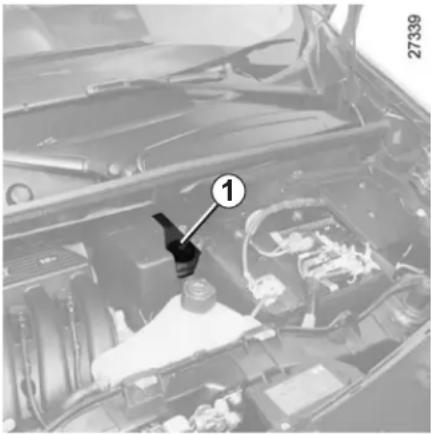
natural_image
Interior view of a car engine bay with visible components and a numbered component (1), no readable text or symbols present.Brake fluid level
This should be checked frequently, and immediately if you notice even the slightest loss in braking efficiency.
The level should be read with the engine switched off and on level ground.

The engine may be hot when carrying out operations in close proximity. In addition, the engine cooling
fan can come on at any moment.
Risk of injury.
Level 1
It is normal for the level to drop as the brake shoes become worn, but it must never drop lower than the "MINI" warning line.
If you wish to check the disc and drum wear yourself, you should obtain the document explaining the checking procedure from our network or from the manufacturer's website.
Consult your approved dealer at once if you notice an abnormal or repeated drop in any of the fluid levels.
Topping up
After any operation on the hydraulic circuit, a specialist must replace the fluid.
Only use fluids approved by our Technical Department (and taken from a sealed container).
Replacement intervals
Refer to the Maintenance Service Booklet for your vehicle.
LEVELS (2/3)
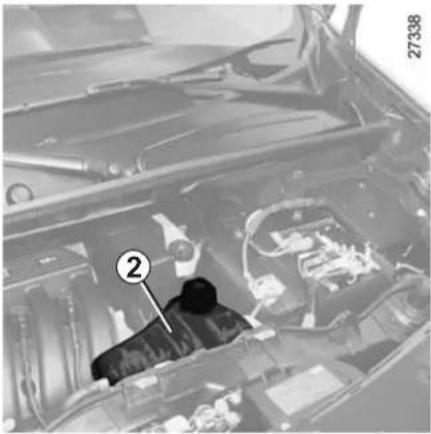
natural_image
Interior view of a car engine bay with visible engine components and a numbered annotation (no text or symbols beyond the number)Coolant
The level when cold should be between the MINI and MAXI marks on the coolant reservoir 2.
Top this level up when cold before it reaches the MINI mark.
The level should be read with the engine switched off and on level ground.
Checking intervals
Check the coolant level regularly (very severe damage is likely to be caused to the engine if it runs out of coolant).
If the level needs to be topped up, only use products approved by our Technical Department which ensure:
– protection against freezing;
- anticorrosion protection of the cooling system.

No operations should be carried out on the cooling circuit when the engine is hot.
Risk of burns.
Replacement intervals
Refer to the Maintenance Service Booklet for your vehicle.
Consult your approved dealer at once if you notice an abnormal or repeated drop in any of the fluid levels.
LEVELS (3/3) FILTERS
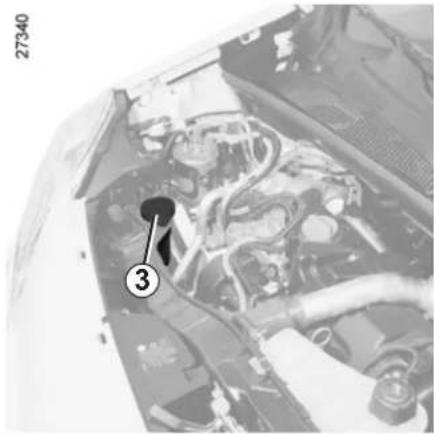
natural_image
Close-up of an engine bay with visible hoses and components, no text or symbols presentWindscreen washer reservoir
Topping up
- Unscrew cap 3;
- fill until you can see the fluid;
- close the cap.
Liquid
Screen wash product (product with antifreeze in winter).
Jets
To adjust the height of the windscreen washer jets, use a tool such as a flatblade screwdriver.
Filters
The replacement of filter elements (air filter, cabin filter, diesel fuel filter, etc.) is scheduled in the maintenance operations for your vehicle.
Replacement intervals for filter elements: refer to the Maintenance Service Booklet for your vehicle.

The engine may be hot when carrying out operations in close proximity. In addition, the engine cooling
fan can come on at any moment.
Risk of injury.
BATTERY
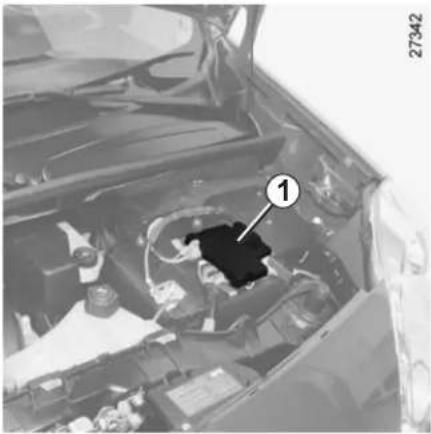
natural_image
Interior view of a car engine bay with a numbered component (1) highlighted, showing engine and dashboard structure without any readable text or symbols.It does not need to be serviced; never open cover 1 on the battery.

Handle the battery with care as it contains sulphuric acid, which must not come into contact with eyes or skin. If
it does, wash the affected area with plenty of cold water. If necessary, consult a doctor.
Ensure that naked flames, red hot objects and sparks do not come into contact with the battery as there is a risk of explosion.
Depending on the vehicle, a system continuously checks the battery charge status.
When the ignition is off, some consumers may also be switched off (dipped beam headlights, radio, ventilation, etc.). On the instrument panel, the message "battery saving mode" or "batt save" appears when they are switched off. When the level is extremely low, the message "low battery, start engine" is displayed.
The charge status of the battery can decrease, especially if you use your vehicle:
- for short journeys;
- for driving in town;
- when the temperature drops etc.;
– with the vehicle stopped and the engine off.
Replacing the battery
As this operation is complex, we advise you to contact an approved Dealer.

The battery is a specific type, please ensure it is replaced with the same type. Consult an approved
dealer.
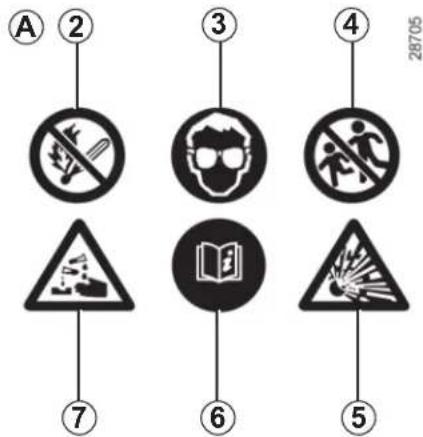
Label A
Observe the indications on the battery:
- 2 naked flames and smoking forbidden;
- 3 eye protection required;
- 4 keep away from children;
- 5 explosive materials;
- 6 refer to the handbook;
- 7 corrosive materials.

The engine may be hot during operations in close proximity. In addition, the engine cooling fan may
start at any moment.
Risk of injury.
TYRE PRESSURE WHEN cold
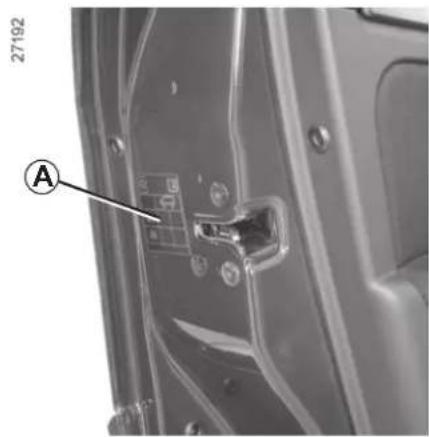
The tyre pressure is indicated on label A affixed to the edge of the driver's door. Open the door to read it.
Zone B: front tyre pressure when driving (non-motorway), or if less than 4 people occupy the vehicle.
Zone C: rear tyre pressure when driving (non-motorway), or if less than 4 people occupy the vehicle.
A
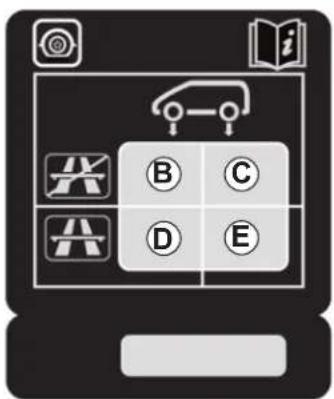
Zone D: tyre pressures for the front wheels (motorway) or when driving with a significant load.
Zone E: tyre pressures for the rear wheels (motorway) or when driving with a significant load.
27379
Tyre dimensions
The following dimensions are specific to the vehicle:
- 185/70 R 14 88 T;
- 195/65 R 15 91 T;
- 195/65 R 15 95 T;
- 205/60 R 16 96 T.
Refer to Section 5 "Tyres" for information on changing tyres.
Tyre safety and use of snow chains
Refer to Section 5, "Tyres" for information on maintenance conditions and, depending on the vehicle version, the use of chains.
Special note
For vehicles used fully laden (maximum permissible all-up weight) and towing a trailer. The maximum speed must be limited to 60 mph (100 km/h) (48 mph (80 km/h) for van versions) and the tyre pressure increased by 0.2 bar.
BODYWORK MAINTENANCE (1/2)
A well-maintained vehicle will last longer. It is therefore recommended to maintain the exterior of the vehicle regularly.
Protection against the effects of corrosive agents
Although your vehicle has been treated with very effective anti-corrosion products, it nevertheless remains subject to the effects of:
– corrosives in the atmosphere
– atmospheric pollution (built-up and industrial areas),
– saline atmospheres (near the sea, particularly in hot weather),
- seasonal and damp climatic conditions, (e.g.: road salt in winter, water from road cleaners, etc.).
- abrasives
Wind-borne dust and sand, mud, road grit thrown up by other vehicles, etc.
- minor impacts
You should take a minimum number of precautions in order to safeguard your vehicle against such risks and not to lose the benefit of your vehicle's anti-corrosion protection.
What you should not do
- Degrease or clean mechanical components (e.g. the engine compartment), underneath the body, parts with hinges (e.g. inside the fuel tank flap) and painted plastic external fittings (e.g. bumpers) using high-pressure cleaning equipment or by spraying on products not approved by our Technical Department. If adequate precautions are not taken, this could give rise to corrosion or operational faults.
- Wash the vehicle in bright sunlight or freezing temperatures.
- Scrape off mud or dirt without prewetting.
-
Allow dirt to accumulate.
-
Allow rust to form following minor impacts.
- Use solvents not approved by our Technical Department to remove stains as this could damage the paintwork.
- Drive frequently in snow or muddy conditions without washing the vehicle, particularly under the wheel arches and body.
BODYWORK MAINTENANCE (2/2)
You should
- Observe the vehicle stopping distances when driving on gravelled surfaces to prevent paint damage.
- Repair, or have repaired quickly, areas where the paint has been damaged, to prevent corrosion spreading.
– Remember to visit the body shop periodically if your vehicle has an anti-corrosion warranty. Refer to the Maintenance Service Booklet. - Respect local regulations about washing vehicles (e.g. do not wash your vehicle on a public highway).
- Wash your car frequently, with the engine off, with cleaning products recommended by our Technical Department (never use abrasive products) and be sure to jet-rinse off:
- spots of tree resin and industrial grime;
- bird droppings, which cause a chemical reaction with the paint that rapidly discolours paint-work and may even cause the paint to peel off;
Wash the vehicle immediately to remove these marks since it is impossible to remove them by polishing;
- salt, particularly in the wheel arches and underneath the body after driving in areas where the roads have been gritted;
- mud in the wheel arches and underneath the body which forms damp patches.
- Before going through a roller type car wash, return the windscreen wiper stalk to the Park position (refer to the information on the "Windscreen wash/wipe" in Section 1). Check the mounting of external accessories, additional lights and mirrors, and ensure that the wiper blades are secured with adhesive tape.
Remove the radio aerial mast if your vehicle is fitted with this equipment.
Remember to remove the tape and refit the antenna after washing.
- Spray mechanical components, hinges, etc. with products approved by our Technical Department to protect them after they have been cleaned.
We have selected special products to care for your vehicle and you can obtain these from the manufacturer's accessory outlets.
INTERIOR TRIM MAINTENANCE (1/2)
A well-maintained vehicle will last longer. It is therefore recommended to maintain the interior of the vehicle regularly.
A stain should always be dealt with swiftly.
Whatever type of stain is on the trim, use cold (or warm) soapy water with natural soap.
Detergents (washing-up liquid, powdered products, alcohol-based products) should not be used.
Use a soft cloth.
Rinse and soak up the excess.
Glass instrument panel
(e.g. instrument panel, clock, exterior temperature display, radio display, etc.)
Use a soft cloth (or cotton wool). If this does not clean it properly, use a soft cloth (or cotton wool) slightly moistened with soapy water and then wipe clean with a soft damp cloth or cotton wool.
Finally, carefully dry off with a soft dry cloth.
Cleaning products containing alcohol must not be used under any circumstances.
Seat belts
These must be kept clean. Use products selected by our Technical Department (Approved outlets) or warm, soapy water and a sponge and wipe with a dry cloth.
Detergents or dyes must not be used under any circumstances.
Textiles (seats, door trim, etc)
Vacuum-clean the textiles regularly.
Liquid stain
Use soapy water.
Dab lightly (never rub) with a soft cloth, rinse and remove the excess.
Solid or pasty stain
Carefully remove the excess solid or pasty material immediately with a spatula (working from the edges to the centre to avoid spreading the stain). Clean as for a liquid stain.
Special instructions for sweets or chewing gum
Put an ice cube on the stain to solidify it, then proceed as for a solid stain.
For further recommendations for maintaining the interior, and/or for any unsatisfactory results, please see an authorised dealer.
INTERIOR TRIM MAINTENANCE (2/2)
Removal/replacing removable equipment originally fitted in the vehicle
If you need to remove equipment in order to clean the passenger compartment (for example, mats), always ensure that they are correctly refitted and are the right way around (the driver's mat should be fitted on the driver's side, etc.) and fit them with the components supplied with the equipment (for example, the driver mat should always be fixed using the pre-fitted mounting components).
With the vehicle stationary, ensure that nothing will impede driving (anything obstructing the pedals, heel wedged by the mat, etc.).
You should not:
You are strongly advised not to position objects such as deodorants, scents, etc. near air vents, as this could damage your dashboard trim.

You are strongly recommended not to use high-pressure or spray cleaning equipment inside the pas-compartment: use of such ent could impair the correct ring of the electrical or elec-components in the vehicle, or her detrimental effects.
Section 5: Practical advice
Puncture 5.2
Emergency spare wheel 5.2
Tyre inflation kit 5.3
Tool kit 5.6
Wheel trim/wheels 5.7
Changing a wheel 5.8
Tyres 5.10
Headlights: changing bulbs 5.13
Fog lights: changing bulbs. 5.15
Rear lights: changing bulbs 5.16
Indicator lights: changing bulbs 5.19
Interior lights: changing bulbs 5.20
Battery: troubleshooting.... 5.22
Fuses.... 5.24
Wiper blades 5.26
Towing: breakdown 5.28
Towing: equipment 5.30
Fitting a radio.... 5.31
Accessories 5.33
Radio frequency remote control: batteries.... 5.34
Diesel filter 5.35
Operating faults 5.36
5.1
PUNCTURE/EMERGENCY SPARE WHEEL
In the event of a puncture, there is either an emergency spare wheel or tyre inflation kit available, depending on the vehicle (refer to the information in the following pages).
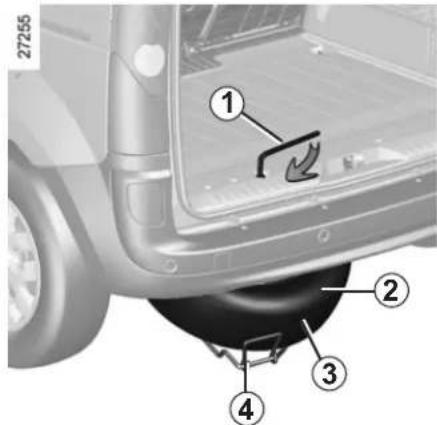
Emergency spare wheel 2
This is stored in cage 4 under the floor at the rear of the vehicle.

If the emergency spare wheel has been stored for several years, have it checked by your Dealer to that it is safe to use.
To access the emergency spare wheel
- Open the tailgate.
- Undo the nut with the wheelbrace 1.
- Detach the cage using handle 3.
- Release the emergency spare wheel.
To store the wheel in the cage
- Make sure the wheel is correctly positioned in the cage, valve facing down.
- Reposition the cage using handle 3 and retighten the nut using spanner 1 to refit the assembly.
- Make sure it is correctly locked.
TYRE PRESSURE KIT (1/3)
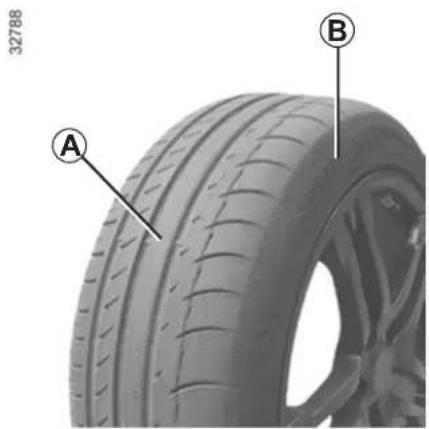
natural_image
Close-up of a car tire with labeled parts A and B, showing tread pattern and surface texture (no text or symbols beyond labels)
The kit repairs tyres when tread A has been damaged by objects smaller than 4 mm. It cannot repair
all types of puncture, such as cuts larger than 4 mm, or cuts in tyre sidewall B.
Ensure also that the wheel rim is in good condition.
Do not pull out the foreign body causing the puncture if it is still in the tyre.

Do not attempt to use the inflation kit if the tyre has been damaged as a result of driving with a puncture.
You should therefore carefully check the condition of the tyre sidewalls before any operation.
Driving with underinflated, flat or punctured tyres can be dangerous and may make the tyre impossible to repair.
This repair is temporary
A tyre which has been punctured should always be inspected (and repaired, where possible) as soon as possible by a specialist.
When taking a tyre which has been repaired using this kit to be replaced, you must inform the specialist.
When driving, vibration may be felt due to the presence of the repair product injected into the tyre.

The kit is only approved for inflating the tyres of the ve- hicle originally equipped with the kit.
It must never be used to inflate the tyres of another vehicle, or any other inflatable object (rubber ring, rubber boat, etc.).
Avoid spillage on skin when handling the repair liquid bottle. If droplets do leak out, rinse them off with plenty of water.
Keep the repair kit away from children.
Do not dispose of the empty bottle in the countryside. Return it to your approved dealer or to a recycling organisation.
The bottle has a limited service life which is indicated on its label. Check the expiry date.
Contact an approved dealer to replace the inflation tube and repair product bottle.
TYRE PRESSURE KIT (2/3)
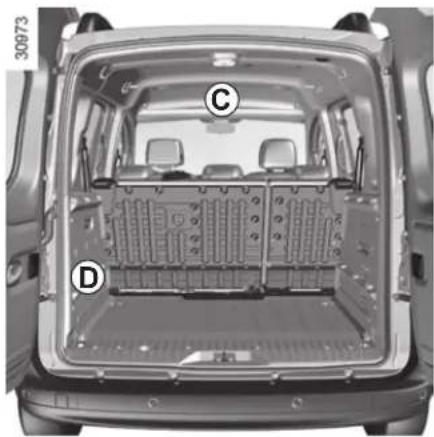
natural_image
Top-down view of a car's rear engine bay with labeled components (C, D), showing internal battery pack layout and structural components.Depending on the vehicle, in the event of a puncture use the kit located in the glove box, front upper cab storage compartment C or the luggage compartment, in rear wheel arch D. Open the kit, remove caps 1 and 3 (it is essential not to remove the cap from the bottle) then screw bottle 2 to its base 3.
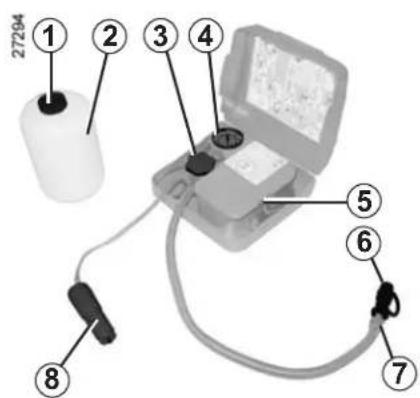

If the vehicle is parked on the hard shoulder, you must warn other road users of your vehicle's presence
with a warning triangle or with other devices as per the legislation applying to the country you are in.

Before using this kit, park the vehicle at a sufficient distance from traffic, switch on the hazard warning lights, apply the handbrake, ask all passengers to leave the vehicle and keep them away from traffic.
Engine running, parking brake applied,
- unscrew the valve cap on the wheel concerned and screw the inflation adapter 6 onto the valve;
- connect adapter 8 to the accessories socket on the dashboard of the vehicle;
- press switch 5 to inflate the tyre to the recommended pressure (check the label affixed to the edge of the driver's door);
- after a maximum of 5 minutes, stop inflating and read the pressure (on pressure gauge 4);
Note: while the bottle is emptying (approximately 30 seconds), pressure gauge 4 will briefly indicate a pressure of 6 bar, then the pressure will drop.
- adjust the pressure: to increase it, continue inflating with the kit, to reduce it, turn button 7 located on the inflation adapter.
If a minimum pressure of 1.8 bar is not reached after 15 minutes, repair is not possible; do not drive the vehicle but contact an approved dealer.
TYRE PRESSURE KIT (3/3)
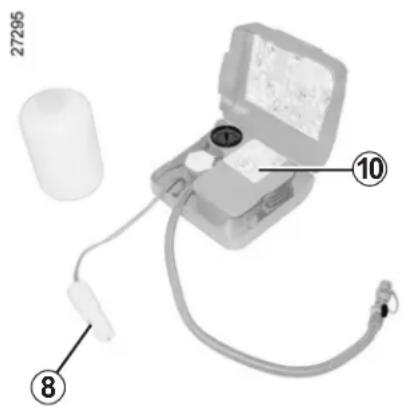
Once the tyre is inflated correctly:
- stop using the kit;
– close the integrated cap on the bottle again; - disconnect adapter 8;

Nothing should be placed around the driver's feet as such objects may slide under the pedals during
sudden braking manoeuvres and obstruct their use.
- affix the driving recommendation label 10 to the dashboard where it can easily be seen by the driver;
- store the kit;
- at the end of this initial inflation operation, air will still escape from the tyre; you must drive a short distance in order to seal the hole;
- start immediately and drive at between 12 and 40~mph (20 and 60~km / h ) in order to distribute the product evenly in the tyre and, after driving for 2 miles, stop and check the pressure;
- if the pressure is greater than 1.3 bar but less than the recommended pressure (refer to the label affixed to the edge of the driver's door), readjust it; otherwise, please contact an authorised dealer: the tyre cannot be repaired.
Note: after using the inflation kit, you should visit an approved Dealer to replace the inflation hose and the bottle of repair product.
Precautions when using the kit
The kit should not be operated for more than 15 consecutive minutes.

Please be aware that a poorly tightened or missing valve cap can make the tyres less airtight and lead sure loss.
Always use valve caps identical to those fitted originally and tighten them fully.

Following repair with the kit, do not travel further than 120 miles (200 km). In addition, reduce your speed and
under no circumstances exceed 48 mph (80 km/h). The label, which you must affix in a prominent position on the dashboard, reminds you of this. Depending on the country or local legislation, a tyre repaired with the tyre pressure kit will need to be replaced.
TOOL KIT
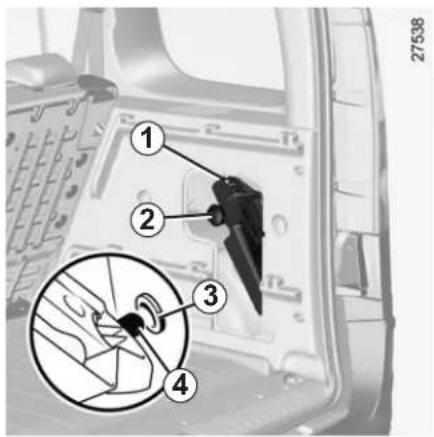
To remove the tool kit 1 from the luggage compartment
Depending on the vehicle, it may be stored behind a flap. Open it. Undo wheel 2 and pull the tool kit towards you.
To reposition the tool kit position tool kit pin 4 into housing 3. Make sure the kit is correctly positioned so as to be able to tighten wheel 2.
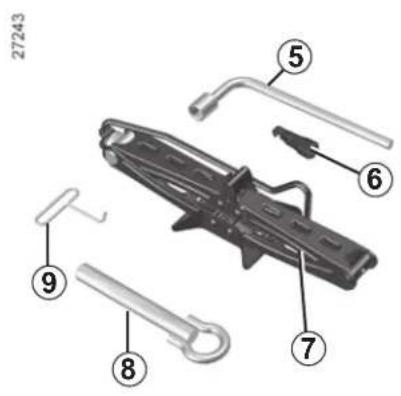
The tools included in the tool kit depend on the vehicle.
Retaining belt (depending on vehicle) After use, reposition the strap making sure that it retains all components in the tool kit.
Wheelbrace 5
To undo the wheel bolt and the emergency spare wheel cage nut.
Guide bolt 6 (depending on vehicle)
To finish loosening or starting to tighten the wheel bolts.
Hubcap tool 9
To remove the wheel trims.
Jack 7
Refer to Section 5 "Changing a wheel".
Towing hitch 8
Refer to the information on the "Towing: breakdown" in Section 5.

Do not leave the tools un- secured inside the vehicle as they may come loose under braking. After use,
check that all the tools are correctly clipped into the tool kit, then position it correctly in its housing: there is a risk of injury.
If wheel bolts are supplied in the tool kit, only use these bolts for the emergency spare wheel: refer to the label affixed to the emergency spare wheel.
The jack is designed for wheel changing purposes only. Under no circumstances should it be used for carrying out repairs underneath the vehicle or to gain access to the underside of the vehicle.
WHEELS - TRIM
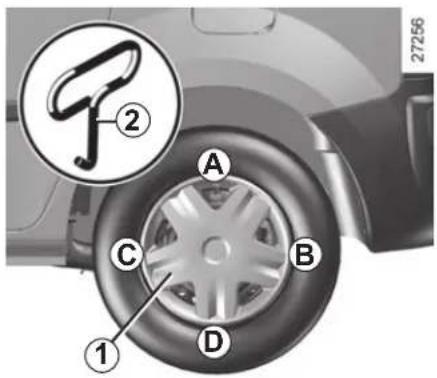
Wheel trim 1 (concealed wheel bolts)
Remove it using hubcap tool 2 (located under the tool kit), by pushing the hook into the opening located near the valve (to reach the metal retaining wire located behind the wheel trim).
To refit it, align it with the valve. Push the retaining hooks, starting with side A on the valve side, then B and C and finish with the side opposite the valve D.
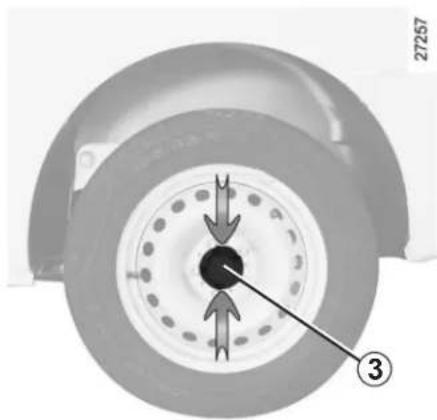
natural_image
Close-up of a mechanical component with arrows indicating direction, no visible text or symbolsWheel trim 3 (exposed wheel bolts)
To remove it without removing the wheel, press it at the points indicated by the arrows.
Turn it so that the retaining brackets holding it in place behind the wheel bolts are released.
To refit the hubcap, proceed in reverse order.
CHANGING A WHEEL (1/2)

Switch on the hazard warning lights.
Keep the vehicle away from traffic and on a level sur-
face where it will not slip (if necessary, place a solid support under the jack base).
Apply the parking brake and engage a gear (first or reverse, or P for automatic transmissions).
Ask all the passengers to leave the vehicle and keep them away from traffic.
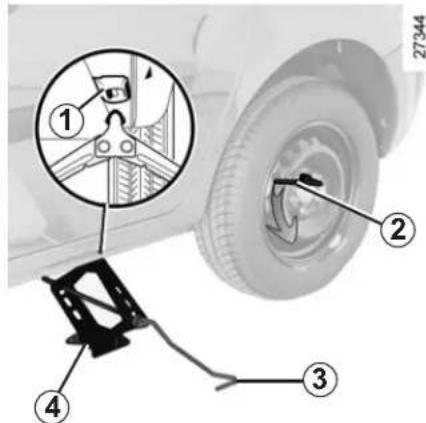
Vehicles equipped with a jack and wheelbrace
If necessary, remove the wheel trim.
Use the wheelbrace to slacken off the wheel bolts 2. Position it so as to be able to push from above.
Start extending jack 4 by hand, turning the handle.
Position the jack head against jacking point 1 closest to the wheel concerned and, depending on the vehicle, the area marked by a triangle. If the ground is soft, place a plank of wood under the baseplate.
Continue tightening to position the baseplate on the ground correctly. Turn handle 3 on the jack to lift the wheel off the ground.
If the vehicle is not equipped with a jack or wheelbrace, you can obtain these from your approved dealer.

If the vehicle is parked on the hard shoulder, you must warn other road users of your vehicle's presence
with a warning triangle or with other devices as per the legislation applying to the country you are in.

To prevent any risk of injury or damage to the vehicle, only crank the jack until the wheel you are replacing is
a maximum of 3 centimetres off the ground.
CHANGING A WHEEL (2/2)
Undo the bolts and take off the wheel. For vehicles fitted with alloy wheels, use the guide bolt located in the tool kit to finish loosening and start tightening the bolts.
Fit the emergency spare wheel on the central hub and turn it to align the mounting holes in the wheel and the hub.
Tighten the bolts and lower the jack.
If bolts are supplied with the emergency spare wheel, only use these bolts for the emergency spare wheel.
Tighten the bolts, checking that the wheel is correctly positioned on its hub and unscrew the jack.
With the wheels on the ground, tighten the screws as fully as possible and check the tightness as soon as possible (tightening torque 110 Nm).
Anti-theft bolt
If you use anti-theft bolts, fit these nearest the valve (wheel trim may not be able to fit).

If you have a puncture, replace the wheel as soon as possible.
A tyre which has been punctured should always be inspected (and repaired, where possible) by a specialist.
TYRES (1/3)
Tyre and wheel safety
The tyres are the only contact between the vehicle and the road, so it is essential to keep them in good condition.
You must make sure that your tyres conform to local road traffic regulations.

When they need to be replaced, only tyres of the same make, size, type and profile should be used.
Tyres fitted to the vehicle should either be identical to those fitted originally or conform to those recommended by your approved dealer.
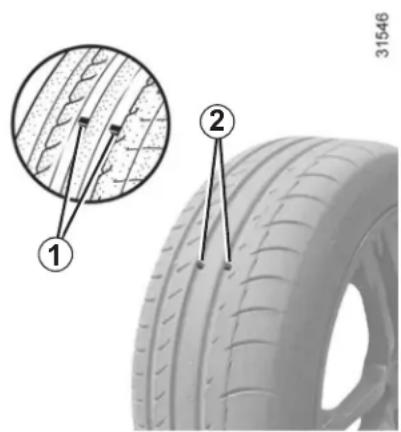
Maintaining the tyres
The tyres must be in good condition and the tread form must have sufficient depth; tyres approved by our Technical Department have tread wear indicators 1 which are indicators moulded into the tread at several points.
When the tyre tread has been eroded to the level of the warning strips, they become visible 2: it is then necessary to replace your tyres because the tread profile is no more than 1.6 mm deep and this causes poor road holding on wet roads.
An overloaded vehicle, long journeys by motorway, particularly in very hot weather, or continual driving on poorly surfaced minor roads will lead to more rapid tyre wear and affect safety.

Incidents which occur when driving, such as striking the kerb, may damage the tyres and wheel rims, and could
also lead to misalignment of the front or rear axle geometry. In this case, have the condition of these checked by an approved dealer.
TYRES (2/3)
Tyre pressures
Respect the tyre pressures (including the emergency spare wheel). Check them at least once a month and before a long journey (refer to the label on the edge of the driver's door).

Incorrect tyre pressures lead to abnormal tyre wear and unusually hot running.
These are factors which
may seriously affect safety and lead to:
- poor road holding;
– risk of bursting or tread separation.
The pressure depends on the load and the speed of use. Adjust the pressures according to the conditions of use (refer to the information on "Tyre pressures").
Pressures should be checked when the tyres are cold; ignore higher pressures which may be reached in hot weather or following a fast journey.
If tyre pressures cannot be checked when the tyres are cold, the normal pressures must be increased by 0.2 to 0.3 bar (or 3 PSI).
Never deflate a hot tyre.

Please be aware that a poorly tightened or missing valve cap can make the tyres less airtight and lead sure loss.
Always use valve caps identical to those fitted originally and tighten them fully.
Fitting new tyres

For safety reasons, this operation must be carried out by a specialist.
Fitting different tyres may change your vehicle as follows:
- may mean that your vehicle no longer conforms to current regulations;
- it may change the way it handles when cornering;
- it may cause the steering to be heavy;
- It may affect the use of snow chains.
Changing wheels around
This practice is not recommended.
Emergency spare wheel
Refer to the information on the "Emergency spare wheel" and instructions on "Changing a wheel" in Section 5.
TYRES (3/3)
Use in winter
- Chains
For safety reasons, fitting snow chains to the rear axle is strictly forbidden.
Chains must not be fitted to tyres which are larger than those originally fitted to the vehicle.

Chains may only be fitted to tyres of the same size as those originally fitted to your vehicle.
Only certain chains can be fitted to tyres. Consult an approved Dealer.
- Snow or winter tyres
We would recommend that these be fitted to all four wheels to ensure that your vehicle retains maximum grip.
Note: be aware that these tyres may sometimes have:
- a direction of travel ;
- a maximum speed index which may be lower than the maximum speed of your vehicle.
- Studded tyres
This type of equipment may only be used for a limited period and as laid down by local legislation.
It is necessary to observe the speed specified by current legislation.
These tyres must, at a minimum, be fitted to the two front wheels.
In all cases, we would recommend that you contact an approved dealer who will be able to advise you on the choice of equipment which is most suitable for your vehicle.
LIGHTS: changing bulbs (1/2)
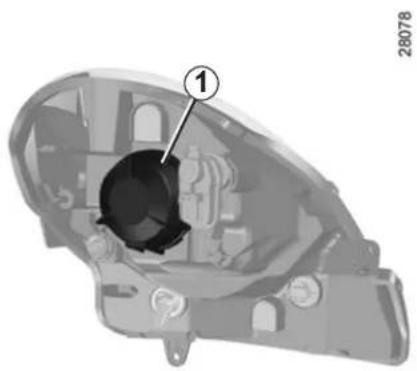
natural_image
Mechanical component diagram showing internal parts with numbered annotation (1), no readable text or symbols present.Dipped beam/main beam headlights
Turn cover 1 a quarter of a turn to unlock it.
Disconnect the wiring.
Remove rubber protector 2.
Unclip spring 3 to remove the bulb.
Bulb type: H4
It is essential to use 55W anti UV bulbs to prevent damage to the lights' plastic glass.
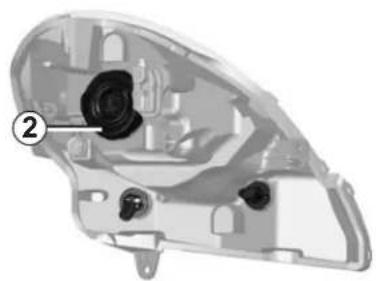
natural_image
Cross-sectional diagram of a mechanical component with numbered annotation (no readable text or symbols)Do not touch the bulb glass. Hold it by its base.
To refit it, carry out the above operations in reverse order.
Ensure that rubber protector 2 is re-positioned correctly so that the three strips can be seen.

The bulbs are under pressure and can break when replaced.
Risk of injury.
27386
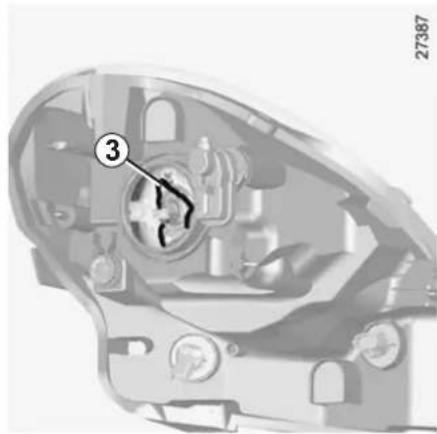
natural_image
Cross-sectional diagram of a mechanical component with numbered callouts (no readable text or symbols)To comply with local legislation, or as a precaution, you can obtain an emergency kit containing a set of spare bulbs and fuses from an approved Dealer.

The engine may be hot during operations in close proximity. In addition, the engine cooling fan may
start at any moment.
Risk of injury.
LIGHTS: changing bulbs (2/2)
27372
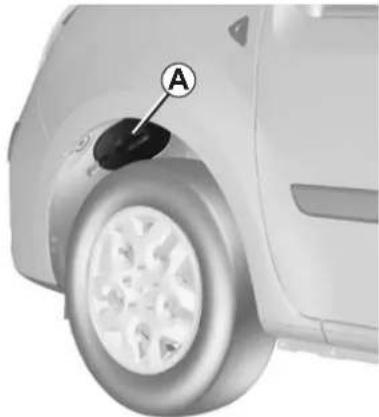
natural_image
Close-up of a car wheel with a black circular component labeled 'A' pointing to the wheel (no text or symbols beyond label)Front side light
Open flap A under the wheel arch. Turn the wheel in towards the vehicle to facilitate access to the flap.
Turn bulb holder 4 to unlock it and remove it from its location, without disconnecting the wiring. Replace the bulb.
Bulb type: P21/5W
To refit it, carry out the above operations in reverse order.
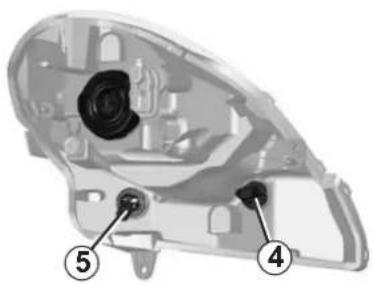
Direction indicator lights
Open the flap A in the wheel arch. Turn the wheel in towards the vehicle to facilitate access to the flap.
Turn bulb holder 5 to unlock it and remove it from its location, without disconnecting the wiring. Replace bulb.
Bulb type: PY21W
To refit it, carry out the above operations in reverse order.
Ensure that the flap is properly secured when refitting.
27386
Cleaning the headlights
As the headlights are made of plastic glass, use a soft cloth or cotton wool to clean them. If this does not clean it properly, moisten the cloth with soapy water, then wipe clean with a soft damp cloth or cotton wool.
Finally, carefully dry off with a soft dry cloth.
Cleaning products containing alcohol must not be used under any circumstances.
To comply with local legislation, or as a precaution, you can obtain an emergency kit containing a set of spare bulbs and fuses from an approved Dealer.

The bulbs are under pressure and can break when replaced.
Risk of injury.
FOG LIGHTS: changing bulbs
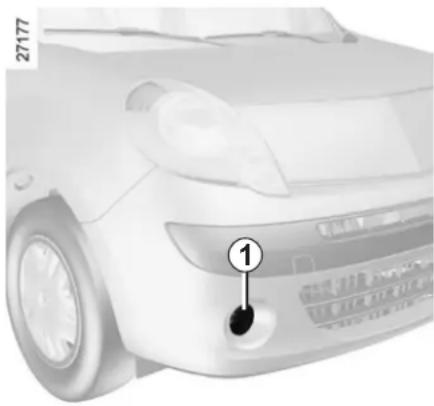
Front fog lights 1
As it is necessary to remove parts or components (front bumper), you are advised to have your bulbs replaced by an approved dealer.
Bulb type: H11

The engine may be hot during operations in close proximity. In addition, the engine cooling fan may any moment.
Risk of injury.
Additional lights
If you wish to fit your car with fog lights or long range headlights, consult an approved Dealer.

The bulbs are under pressure and can break when replaced.
Risk of injury.

Any operation on (or modification to) the electrical system must be performed by an approved dealer
since an incorrect connection might damage the electrical equipment (harness, components and in particular the alternator). In addition, your Dealer has all the parts required for fitting these units.
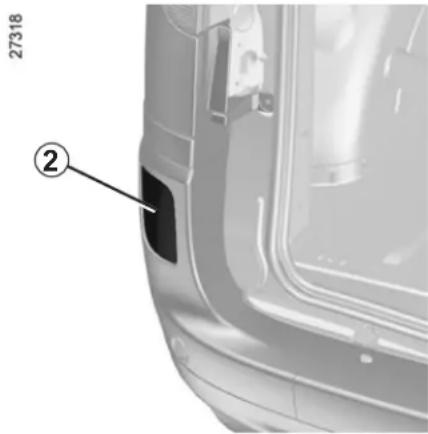
natural_image
Close-up of a car's side panel showing the front and rear door, with part number 27318 and label ② (no text or symbols on the main subject)Rear fog lights 2
As it is necessary to remove parts or components (rear bumper), you are advised to have your bulbs replaced by an approved dealer.
Bulb type: P21 W
REAR LIGHTS: changing bulbs (1/3)
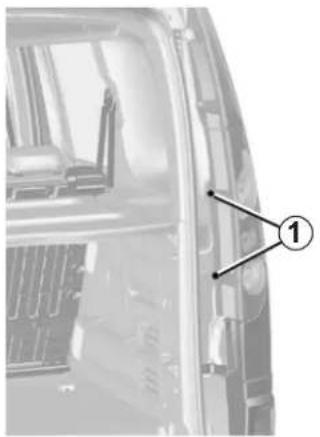
natural_image
Close-up of a vehicle's front panel showing engine and exhaust components (no text or symbols visible)Rear lights
Depending on the vehicle, open the hinged doors or the tailgate.
Undo bolts 1 using a Torx tool.
Unclip the lower section, then the upper section of the light by pulling it towards you.
Pull tabs 2 to unclip bulb holders 3.
Replace the bulb, then proceed in the reverse order to refit the bulb.
27265
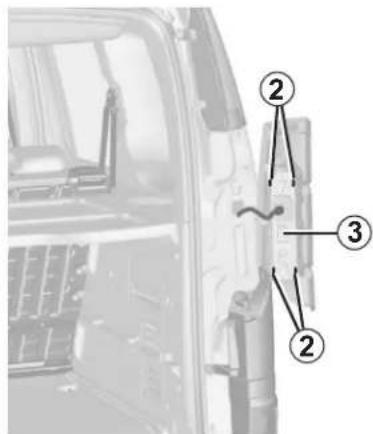
Bulb type
4 Indicator
Pear-shaped, bayonet type bulb P Y21W.
5 Side and brake light
Pear-shaped, bayonet type bulb with two filaments P 21/5W.
6 Reversing light (right-hand side or, depending on the vehicle, on both sides)
Pear-shaped, bayonet type bulb P 21W.
27266
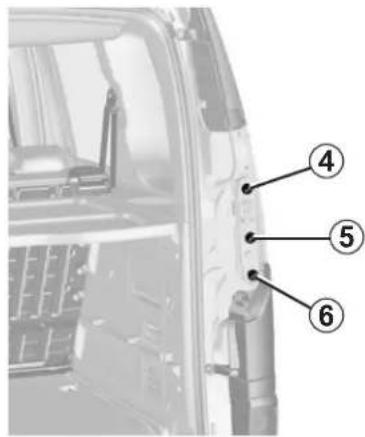
27267

The bulbs are under pressure and can break when replaced.
Risk of injury.
REAR LIGHTS: changing bulbs (2/3)
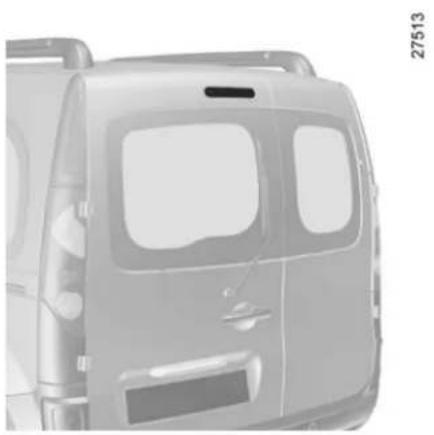
natural_image
Front view of a vehicle's front panel showing dashboard and side panels (no text or symbols)High-level brake light
- Version with tailgate: it is located above the rear screen, in the centre.
- Version with hinged doors: it is located above the rear screen, on the left-hand door.
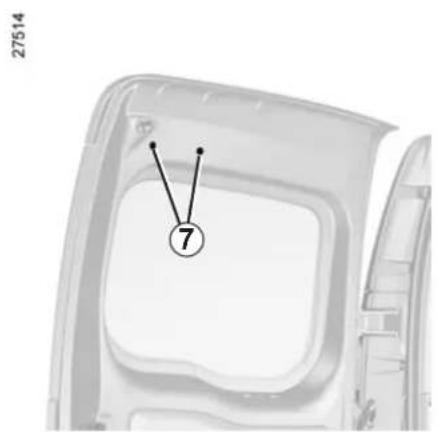
natural_image
Diagram of a vehicle door frame with numbered components (no text or symbols)Remove the two plastic blanking covers 7 from the inside. Unclip the light using a screwdriver, by pressing in the metal clip housings.
Remove light 8 from the outside. Replace the bulb without disconnecting the wiring.
Bulb type: W16W
For refitting, proceed in the reverse order to removal.
Check the tabs are correctly locked in position.
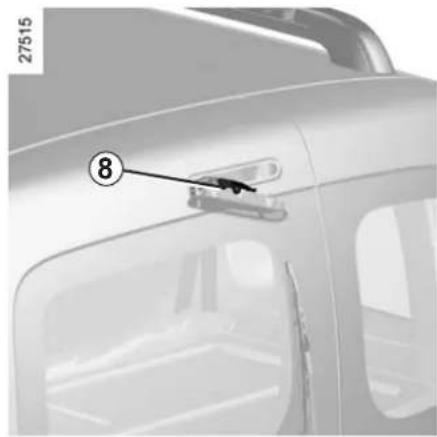
natural_image
Close-up of a car's front panel with a handle and numbered component (8), no visible text or symbolsREAR LIGHTS: changing bulbs (3/3)
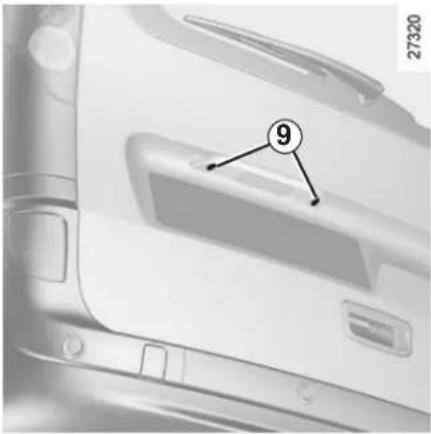
Number plate light
Undo two bolts 9 using a Torx tool.
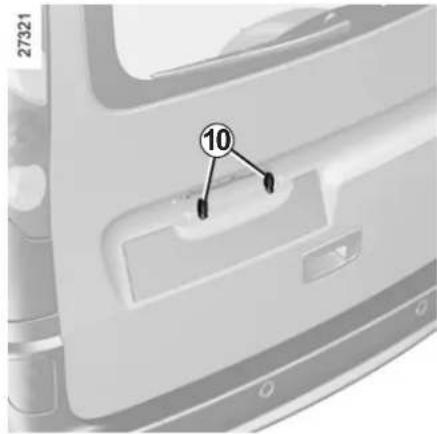
Release the light to access bulbs 10.
Bulb type: W5W.
Replace the bulbs, then fit the light in position.
INDICATOR LIGHTS: changing bulbs
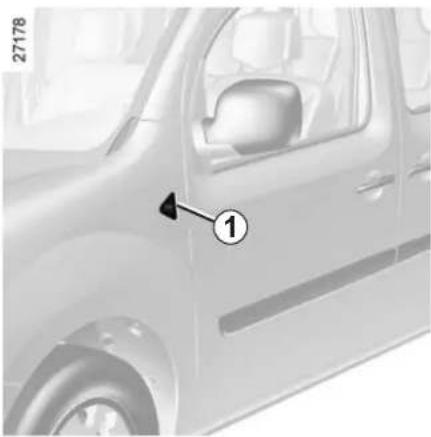
natural_image
Side view of a car with a numbered arrow pointing to the side panel (no text or symbols visible)Unclip indicator light 1 on the door side, using a flat-blade screwdriver type tool.
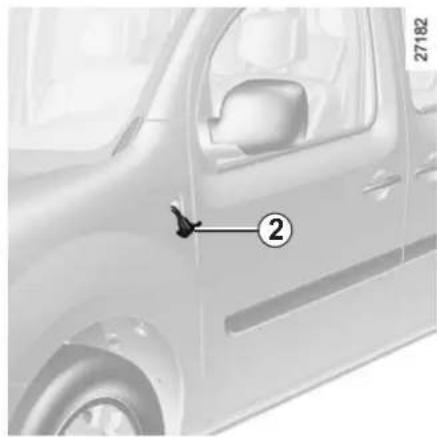
Turn bulb holder 2 a quarter of a turn and take out the bulb.
Bulb type: WY5W.
Replace the bulb and refit the indicator light.
INTERIOR LIGHTING: changing bulbs (1/2)
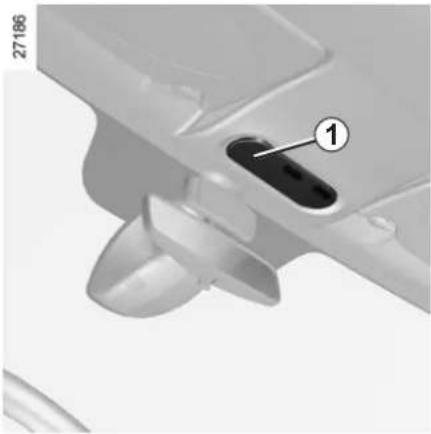
natural_image
Close-up of a mechanical component with a labeled pin (1) and part number 27186, showing no readable text or symbols beyond the label.Passenger compartment lights
Remove lens 1 using a tool such as a flat-blade screwdriver.
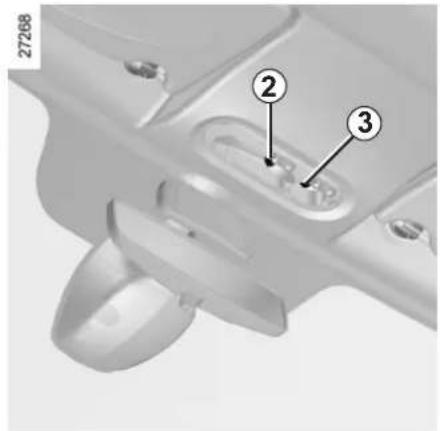
Pull bulbs 2 and 3 downwards to remove them from their housings.
Bulb type 2: W6W
Bulb type 3: W5W
Rear courtesy light bulb type: W6W
Replace the bulbs and replace the lens.
INTERIOR LIGHTING: changing bulbs (2/2)
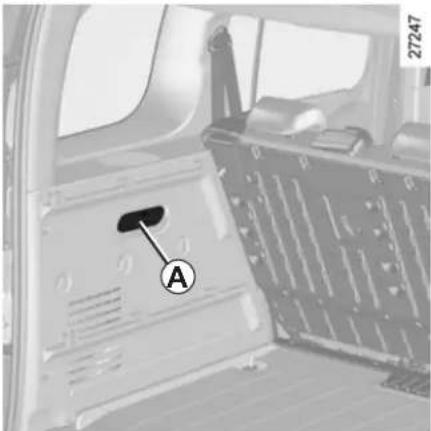
Light A
Remove the lens using a tool such as a flat-blade screwdriver.
Pull the bulb to remove it from its housing.
Bulb type A: W5W
Replace the bulb and refit the lens.
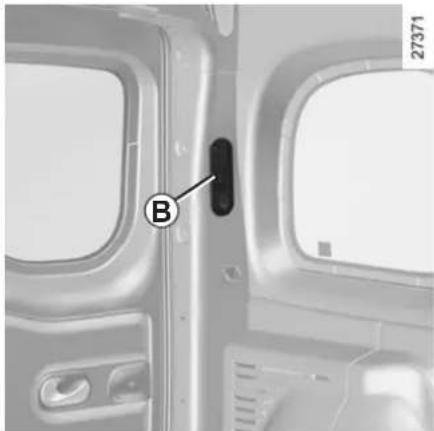
natural_image
Interior view of an airplane cabin with a labeled door and window (no text or symbols visible)Light B or C
Remove the lens using a tool such as a flat-blade screwdriver.
Pull the bulb to remove it from its housing.
Bulb type B or C : W6W
Replace the bulb and refit the lens.
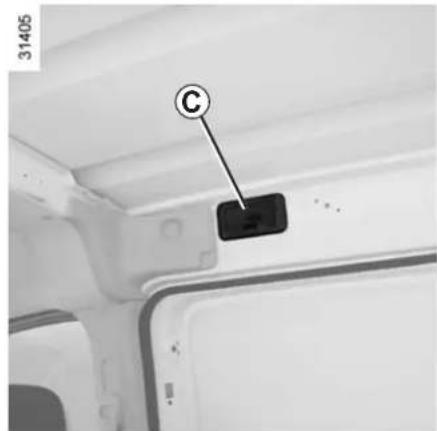
BATTERY: troubleshooting (1/2)
To avoid all risk of sparks:
- Ensure that any consumers (courtesy lights, etc.) are switched off before disconnecting or reconnecting the battery.
- When charging, stop the charger before connecting or disconnecting the battery.
- Do not place metal objects on the battery to avoid creating a short circuit between the terminals.
- Always wait at least twenty seconds after the engine has been switched off before disconnecting a battery.
- Make sure that you reconnect the battery terminals after refitting.

Handle the battery with care as it contains sulphuric acid, which must not come into contact with eyes or skin. If
it does, wash the affected area with plenty of cold water.
Ensure that naked flames, red hot objects and sparks do not come into contact with the battery as there is a risk of explosion.
The engine may be hot when carrying out operations in close proximity. In addition, the engine cooling fan can come on at any moment.
Risk of injury.
BATTERY: troubleshooting (2/2)
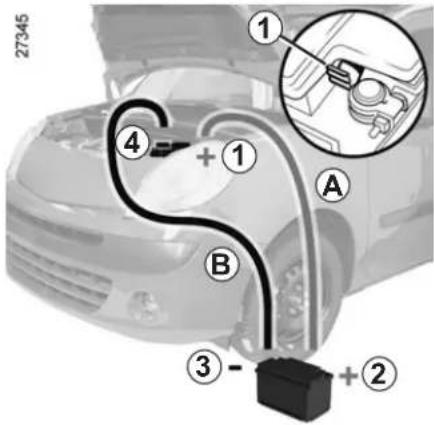
Connecting a battery charger
The battery charger must be compatible with a battery with nominal voltage of 12 volts.
Switch the engine off and then disconnect both battery leads starting with the negative terminal.
Do not disconnect the battery when the engine is running. Follow the instructions given by the manufacturer of the battery charger you are using.
Starting the vehicle using the battery from another vehicle
If you have to use the battery from another vehicle to start, obtain suitable jump leads (with a large cross section) from an approved dealer or, if you already have jump leads, ensure that they are in perfect condition.
The two batteries must have an identical nominal voltage of 12 volts. The battery supplying the current should have a capacity (amp-hours, Ah) which is at least the same as that of the discharged battery.
Ensure that there is no risk of contact between the two vehicles (risk of short circuiting when the positive terminals are connected) and that the discharged battery is properly connected. Switch off your vehicle ignition.
Start the engine of the vehicle supplying the current and run it at an intermediate engine speed.
Connect the positive (+) lead A to (+) terminal 1 of the discharged battery, then to (+) terminal 2 of the battery supplying the current.
Connect the negative (−) lead B to (−) terminal 3 of the battery supplying the current and then to (−) terminal 4 of the discharged battery.
Check that there is no contact between leads A and B and that the positive (+) lead A is not touching any metal parts on the vehicle supplying the current.
Start the engine as normal. As soon as it is running, disconnect leads A and B in the reverse order (4-3-2-1)

Special procedures may be required to charge some batteries. Contact your approved dealer.
Avoid all risk of sparks which may cause an immediate explosion, and charge the battery in a well-ventilated area. Risk of serious injury.
FUSES (1/2)
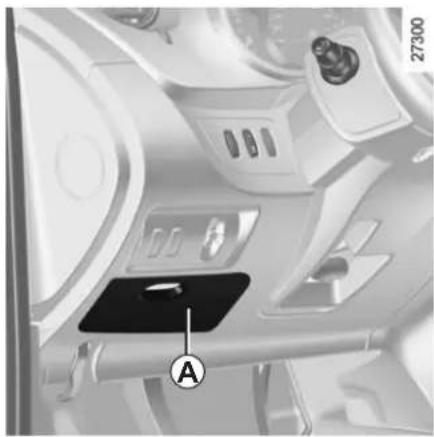
natural_image
Interior view of a vehicle dashboard with labeled control panel (A), no visible text or symbols beyond the labelFuse box
If any electrical component does not work, check the condition of the fuses. Unclip cover A.
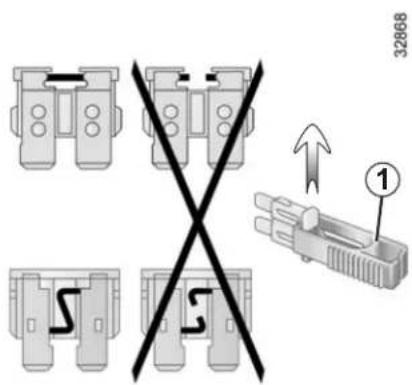
Tweezers 1
Remove the fuse using tweezers 1, located at the back of cover A.
To remove the fuse from the tweezers, slide the fuse to the side.
To identify the fuses, refer to the fuse allocation label (shown on the following page).
It is not advisable to use the free fuse locations.

Check the fuse in question and replace it, if necessary, with a fuse of the same rating.
If a fuse is fitted where the rating is too high, it may cause the electrical circuit to overheat (risk of fire) in the event of an item of equipment using
an excessive amount of current.
To comply with local legislation, or as a precaution, you can obtain an emergency kit containing a set of spare bulbs and fuses from an approved Dealer.
FUSES (2/2)
Allocation of fuses (the presence of fuses DEPENDS ON THE EQUIPMENT LEVEL OF THE VEHICLE)
| Symbol | Allocation Symbol Allocation | ||
| Interior lighting, electric door mirrors, rain/light sensors, heating and air conditioning system. | Radio, display, heating and air conditioning system, heated seat | ||
| Horn | Instrument panel | ||
| Rear fog lights, warning | Accessories socket, cigar lighter | ||
| Electric windows | Consumer cut-out (radio, navigation system, display, alarm) | ||
| Heated seats | Heated door mirrors | ||
| Rear screen wiper | Front/rear windscreen wash-ers | ||
| Passenger compartment heating system | Central door locking | ||
| ADAPT | Location reserved for additional equipment. | ABS | |
| STOP | Brake lights |
Some functions are protected by fuses located in the engine compartment.
However, because of their reduced accessibility, you are advised to have these fuses replaced by an approved Dealer.
WINDSCREEN WIPER BLADES (1/2)
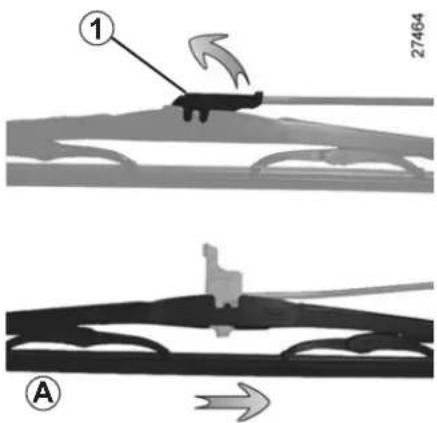
Replacing windscreen wiper blades
With the ignition off, lift wiper arm A slightly.
Pull tab 1 upwards.
Move the blade in the direction of the arrow.
For refitting, proceed in the reverse order and ensure that the blade is correctly clipped on.
Check the condition of the wiper blades. You are responsible for their service life:
– clean the blades, windscreen and rear screen regularly with soapy water;
- do not use them when the wind-screen or rear screen are dry;
– free them from the windscreen or rear screen when they have not been used for a long time.
WINDSCREEN WIPER BLADES (2/2)
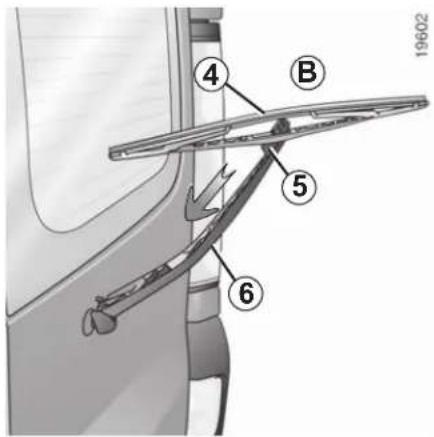
Replacing the rear screen wiper blade
Hinged door versions B
- With the ignition off, lift the wiper arm 6.
- Turn blade 4.
- Press tab 5.
– Pull the blade to release it (arrow).
For refitting, proceed in the reverse order and ensure that the blade is correctly clipped on.
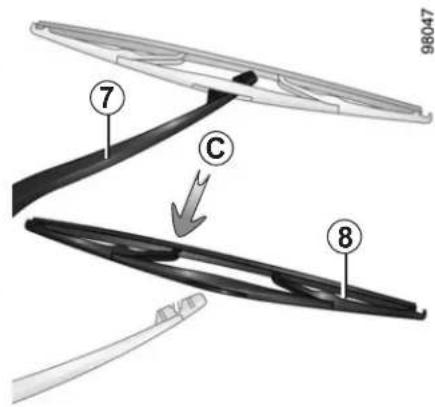
Tailgate versions C
- With the ignition off, lift wiper arm 7.
- Pivot blade 8 until some resistance is met.
– Pull the blade to release it (arrow).
For refitting, proceed in the reverse order and ensure that the blade is correctly clipped on.

- In frosty weather, make sure that the wiper blades are not stuck by ice (to avoid the risk of the motor heating).
- Check the condition of the wiper blades. Replace the wiper blades as soon as they begin to lose efficiency (approximately once a year).
Whilst changing the blade, take care not to drop the arm onto the window after it has been removed as this may break the window.
TOWING: breakdown (1/2)
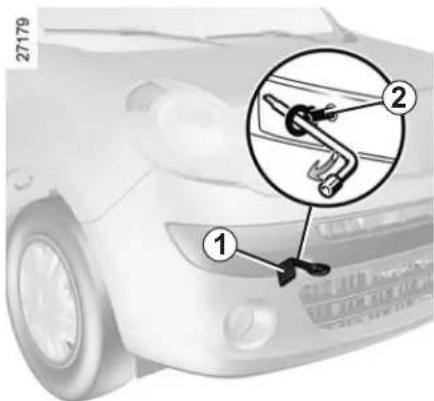
Insert the key into the ignition switch to unlock the steering wheel and to use the indicator lights (brake lights, indicators, etc.). The towed vehicle's lights must be switched on at night.
Furthermore, it is essential to respect the towing regulations set out in the legislation of the country concerned and, if your vehicle is the towing vehicle, not to exceed the towing weight of your vehicle. Contact an approved Dealer.
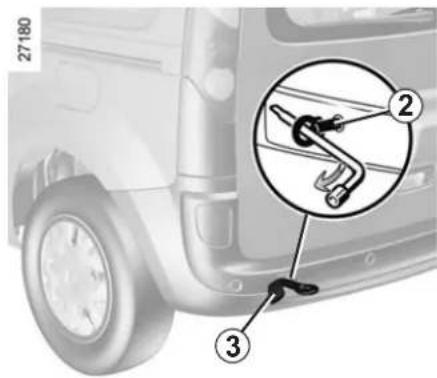
Access to towing points
Remove cover 1 or 3.
Screw in towing hitch 2 fully: as much as possible by hand at first, then finish by tightening it using the wheel-brace.
Towing hitch 2 and wheelbrace are located in the tool kit in the luggage compartment (refer to Section 5 "Tool kit").

When the engine is stopped, steering and braking assistance are not operational.
Only use the front and rear towing points (never use the driveshafts). These towing points may only be used for towing: never use them for lifting the vehicle directly or indirectly.

Do not leave the tools unsecured inside the vehicle as they may come loose under braking.

- Use a rigid towing bar. If a rope or cable is used (where the law allows this), the vehicle being towed be able to brake.
- A vehicle must not be towed if it is not fit to be driven.
- Avoid accelerating or braking suddenly when towing, as this may result in damage being caused to the vehicle.
- When towing a vehicle, it is advisable not to exceed 15 mph (25 km/h).
TOWING: breakdown (2/2)
Towing a vehicle with an automatic gearbox
With the engine switched off: the gearbox is no longer lubricated. It is preferable to tow this type of vehicle on a trailer or tow it with the front wheels off the ground.
Under exceptional circumstances, you may tow the vehicle with all four wheels on the ground, only going forward, with the gear lever in the Neutral position, and for a distance not exceeding 30 miles (50 km).
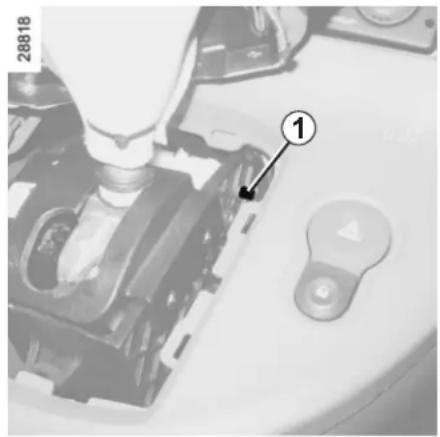
natural_image
Close-up of a mechanical device with a numbered component (1) and control buttons, no readable text or symbols beyond the number.
If the lever is stuck in P, even though you are depressing the brake pedal, the lever can be released by.
To do this, unclip the cover at the base of the lever.
Press simultaneously on mark 1 and on the unlocking button on the lever.
TOWING: equipment
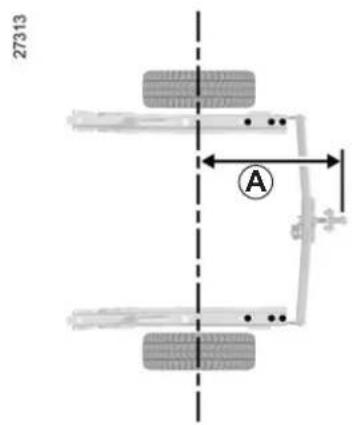
A = 776.5 mm.
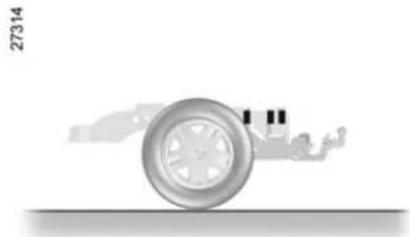
natural_image
Diagram of a car wheel with a blue indicator light, no text or symbols presentPermissible nose weight, maximum permissible towing weight, braked and unbraked: refer to Section 6 "Weights".
Refer to the manufacturer's instructions for information on how to fit and operate the towing equipment.
Please keep these instructions with the rest of the vehicle documentation.
5.30
FITTING A RADIO (1/2)
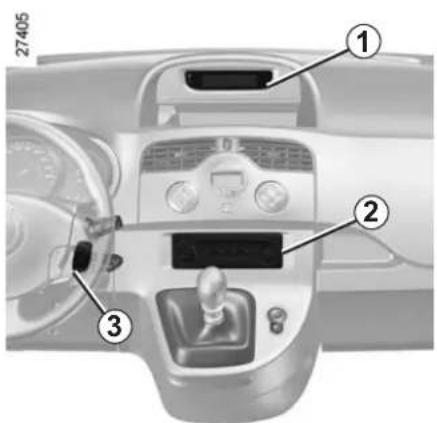
Radio equipment
Unclip the blanking cover. The connections for the aerial, + and - supply, and speaker wires are found behind the cover.
The equipment described below may or may not be fitted to the vehicle, and its location may vary, depending on the vehicle version:
1 offset display (time, exterior temperature, radio and navigation);
2 radio position;
3 radio steering column controls.
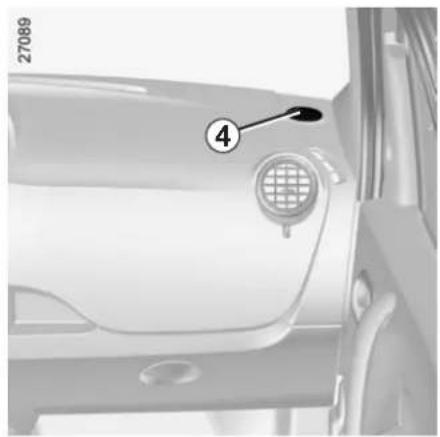
natural_image
Close-up of a car's front bumper with numbered annotation (4), no visible text or symbols beyond the number and labelTo use this equipment, consult the instructions for the equipment which should be kept with the other vehicle documentation.
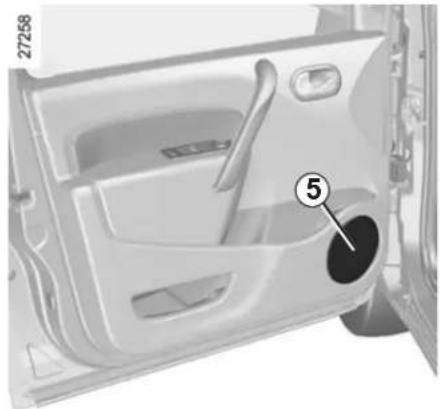
natural_image
Interior view of a car door with handle and seat, showing numbered component (no text or symbols)Bass speakers 5Tweeter speakers
FITTING A RADIO (2/2)
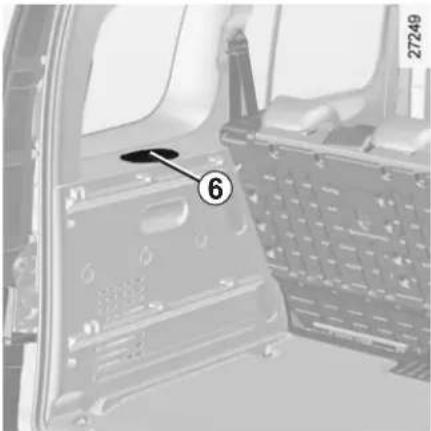
natural_image
Interior view of a vehicle showing a car chassis with a numbered component (6) and part number 27249, no readable text or symbols beyond the label.Rear speakers 6
- In all cases, it is very important to follow the manufacturer's instructions carefully.
- The specifications of the brackets and wires vary depending on the equipment level of your vehicle and the type of radio. Consult an approved Dealer to find out the correct part number.
- No work may be carried out on the vehicle's electrical or radio circuits, except by approved Dealers: an incorrectly connected system may result in damage being caused to the electrical equipment and/or the components connected to it.
ACCESSORIES

Before fitting an electrical or electronic device (particularly for transmitters/receivers: frequency bandwidth, power level, position of the aerial etc.), ensure that it is compatible with your vehicle.
Contact an approved dealer for this information.

Use of transmission/receiving devices (telephones, CB equipment etc.).
Telephones and CB equipment with integrated aerials may cause interference to the original electronic systems fitted to the vehicle: it is advisable only to use equipment with an external aerial.
Furthermore, we remind you of the need to comply with the legislation in force concerning the use of such equipment.

Fitting after-market accessories
If you wish to install accessories on the vehicle: con-approved dealer.
Also, to ensure the correct operation of your vehicle, and to avoid any risk to your safety, we recommend that you use only specific accessories, designed for your vehicle, which are the only accessories for which the manufacturer will provide a warranty.

If you are using an anti-theft device, only attach it to the brake pedal.

Electrical and electronic accessories
- Connect accessories
with a maximum power of 120 Watts only.
Fire hazard.
- No work may be carried out on the vehicle's electrical or radio circuits, except by approved Dealers: an incorrectly connected system may result in damage being caused to the electrical equipment and/or the components connected to it;
- if the vehicle is fitted with any aftermarket electrical equipment, make sure that the unit is correctly protected by a fuse. Establish the rating and position of this fuse.
RADIO FREQUENCY REMOTE CONTROL: batteries
27346
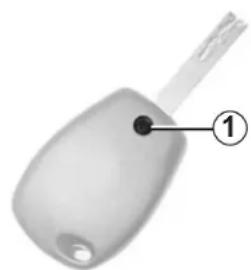
natural_image
Close-up of a white key-shaped object with a handle and labeled point 1 (no text or symbols on the object itself)Replacing the remote control battery
Undo screw 1 to remove the remote control cover.
The batteries are available from approved Dealers, and their service life approximately two years.
Check that there is no dye on the battery: risk of an incorrect electrical contact.
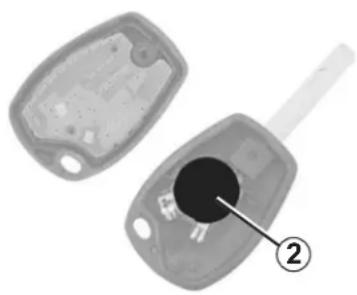
natural_image
Two views of a car key with a black hole and labeled component (2), no text or symbols present.Replace battery 2 according to the direction marked on the cover.
Note: It is not advisable to touch the electronic circuit in the key cover when replacing the battery.
When refitting, ensure that the cover is correctly clipped on and the screw tightened.
27347
26913

natural_image
Symbol of a trash bin crossed with a diagonal line, representing no waste or discharge (no text or numbers present)
Do not throw away your used batteries; give them to an organisation responsible for collecting and recycling
batteries.
DIESEL FILTER
Repriming the fuel circuit
If the vehicle runs out of fuel completely, it is necessary to actuate the manual priming bulb after having refilled.
The peripheral components (alternator, starter, engine mountings, etc.) should be protected against splashes of fuel.

The engine may be hot when carrying out operations in close proximity. In addition, the engine cooling
fan can come on at any moment.
Risk of injury.
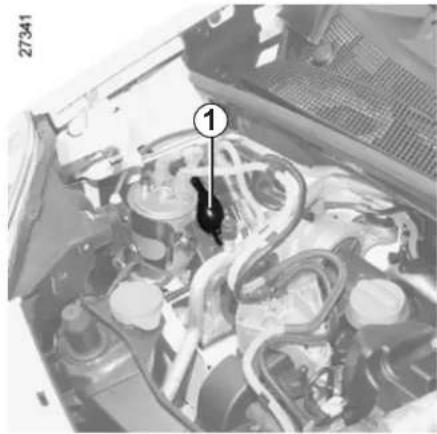
natural_image
Interior view of a car engine bay with visible hoses and components (no text or symbols)Vehicles with manual priming pump
- If fitted to the vehicle, turn the bleed screw located on the diesel filter.
- Actuate the repriming bulb 1 until it hardens and fuel runs in the pipes.
OPERATING FAULTS (1/4)
The following advice will enable you to carry out quick, temporary repairs. For safety reasons, you should always contact an approved Dealer as soon as possible.
The starter is activated POSSIBLE CAUSES WHAT TO DO
| Warning lights dim or fail to come on; the starter does not run. | Battery terminals disconnected, oxidised or incorrectly secured. | Retighten, reconnect or clean them if they are oxidised. |
| Battery discharged or worn. Connect another battery to the faulty battery. Refer to the paragraph “Battery: troubleshooting” in Section 5 or replace the battery if necessary.Do not push the vehicle if the steering column is locked. | ||
The engine will not start. Starting conditions are not fulfilled. Refer to the information on “Starting/stop-ping the engine” in Section 2.
The steering column remains locked.
Steering wheel locked.
To unlock, move the key and the steering wheel (refer to the information on the "Ignition switch" in Section 2).
OPERATING FAULTS (2/4)
On the road POSSIBLE CAUSES WHAT TO DO
| Vibrations. Tyres not inflated to the correct pres- sure, incorrectly balanced or dam- aged. | Check the tyre pressures: if this is not the problem, have them checked by an ap- proved Dealer. | |
| Coolant boiling in the coolant reservoir. Mechanical fault: damaged cylinder head gasket. | Stop the engine. Contact an approved Dealer. | |
| Smoke under the bonnet. Short circuit or cooling system leak. Stop, switch off the ignition, stand away from the vehicle and contact an approved dealer. | ||
| The oil pressure warning light comes on: while cornering or braking The level is too low. Top up the engine oil level (refer to the in- information on “Engine oil level: topping up/ filling” in Section 4). | ||
| is slow to go out or remains lit under acceleration | Loss of oil pressure. | Stop the vehicle and contact an approved Dealer. |
| White smoke from the exhaust. | This is not necessarily a fault. Smoke may be caused by regeneration of the particle filter. | Refer to the information on “Special fea- tures of diesel versions” in Section 2. |
OPERATING FAULTS (3/4)
On the road POSSIBLE CAUSES WHAT TO DO
Steering becomes heavy. Assistance overheating. Consult an approved Dealer.
The engine overheats. The coolant temperature indicator and the STOP warning light come on.
Engine cooling fan not working. Stop the vehicle, switch off the engine and contact an approved Dealer.
Coolant leaks. Check the coolant reservoir: it should con- tain fluid. If there is no coolant, consult an approved Dealer as soon as possible.

Radiator: If there is a lack of coolant, remember that it must never be topped up using cold coolant while the engine is very warm. After any procedure on the vehicle which has involved even partial draining of the cooling system, it must be refilled with a new mixture prepared in the correct proportions. Reminder: only products approved by our Technical Department may be used for this purpose.
OPERATING FAULTS (4/4)
Electrical equipment POSSIBLE CAUSES WHAT TO DO
The wipers do not work. Wiper blades stuck. Free the blades before using the wipers.
Faulty electrical circuit. Consult an approved Dealer.
The wiper does not stop. Faulty electrical controls. Consult an approved Dealer.
Direction indicators flashing more quickly. Blown bulb. Replace the bulb.
The direction indicators do not work. Faulty electrical circuit. Consult an approved Dealer.
The headlights do not switch on or off. Faulty electrical circuit or control. Consult an approved Dealer.
Traces of condensation in the lights. This is not a fault. Traces of condensation are a natural phenomenon caused by variations in temperature. These traces soon disappear when the lights are switched on.
Section 6: Technical specifications
Vehicle identification plates 6.2
Engine identification plates 6.3
Engine specifications.... 6.4
Weights (in kg).... 6.5
Dimensions 6.6
Replacement parts and repairs 6.8
Service sheets 6.9
Anticorrosion check.... 6.15
6.1
VEHICLE IDENTIFICATION PLATES
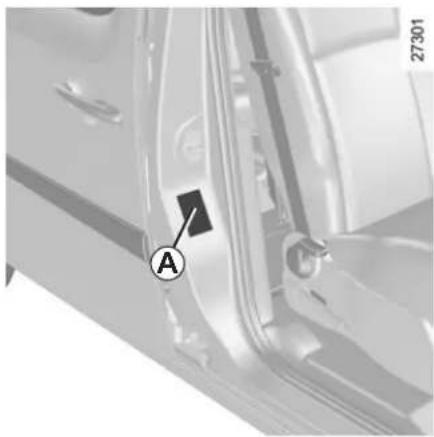
natural_image
Close-up of a mechanical component with labeled point A and number 27301 (no readable text or symbols beyond labels)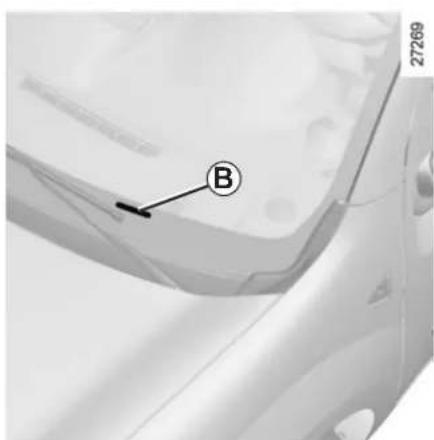
6.2
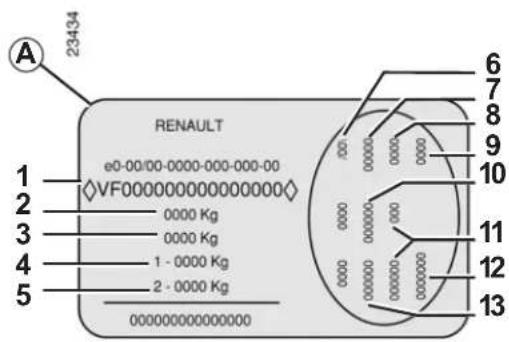
The information shown on the vehicle identification plate should be quoted on all correspondence or orders.
Vehicle identification plate A
1 Vehicle type and chassis number. Depending on the vehicle, this information is also given on marking B.
2 Maximum permissible all-up weight.
3 Total train weight (vehicle fully loaded, with trailer).
4 Front axle Maximum permissible weight.
5 Rear axle Maximum permissible weight.
6 Technical specifications of vehicle.
7 Vehicle paint reference.
8 Equipment level.
9 Vehicle type.
10 Trim code.
11 Additional equipment specification.
12 Fabrication number.
13 Interior trim code.
ENGINE IDENTIFICATION PLATES
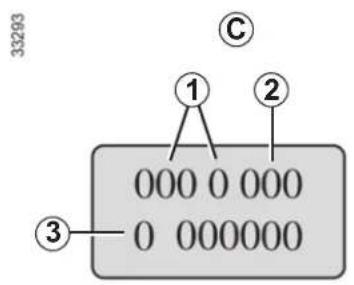
Quote the details given on engine plate C on all communication or orders.
(Location varies depending on engine)
1 Engine type.
2 Engine suffix.
3 Engine number.
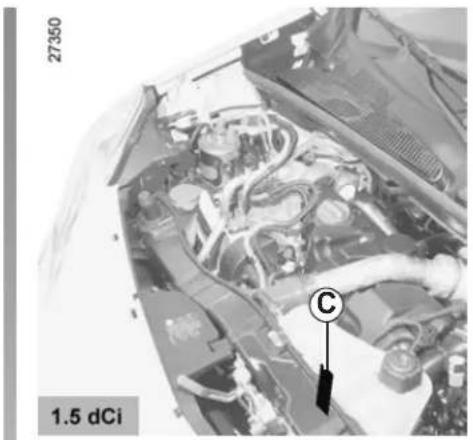
natural_image
Close-up of an automotive engine bay with visible internal components and a labeled component 'C' (no text or symbols beyond labels)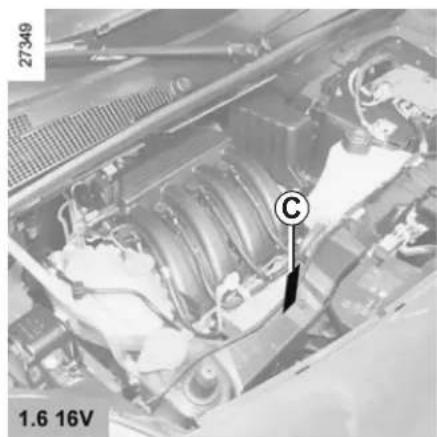
natural_image
Close-up of an automotive engine bay with visible components and a labeled component (no readable text or symbols)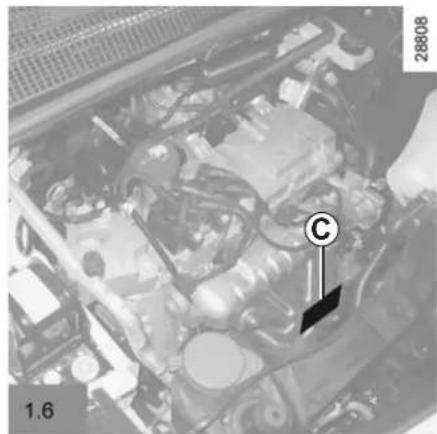
natural_image
Close-up of an automotive engine bay with visible components and a labeled component (no readable text or symbols)ENGINE SPECIFICATIONS
| Versions 1.6 16V 1.6 1.5 dCi | |||
| Engine type(see engine plate) | K4M K7M K9K | ||
| Cubic capacity (cc) 1 598 1 | 598 1 461 | ||
| Type of fuelOctane Rating | It is essential that you use unleaded petrol of the octane rating stated on the label inside the fuel filler flap.If not available, for a limited time only, use unleaded fuel:– with an octane rating of 91 for a label showing 95 or 98;– with an octane rating of 87 for a label showing 91, 95 or 98. | DieselThe label located in the fuel filler flap indicates authorised fuels. | |
| Spark plugs | Only use the spark plugs specified for your vehicle’s engine.The type should be marked on a label affixed inside the engine compartment. If it is not then contact your approved dealer.Fitting spark plugs which are not to specification may damage the engine. | — | |
WEIGHTS (in kg)
The weights indicated are for a basic vehicle without options: they vary depending on the your vehicle's equipment. Contact an approved Dealer.
| Maximum permissible all-up weight (MMAC)Total train weight (MTR) | Van version Estate | version All terrain | |
| Weights are indicated on the vehicle identification plate (refer to the information on “Vehicle identification plates” in Section 6) | |||
| Braked Trailer Weight * found by calculating: MTR - MMAC | |||
| Unbraked trailer weight * 600 684 696 | |||
| Permissible nose weight * 75 | |||
| Maximum permissible load on roof 100 (including the carrying device) | |||
\* Towing weight (towing a caravan, boat, etc.)
Towing is prohibited when the GTW - MAM calculation is equal to zero.
- It is important to comply with the towing weights, governed by local legislation in each country and, in particular, laid down in the Road Traffic Regulations. Contact an approved Dealer about any towing equipment.
- When towing, under no circumstances may the total train weight (vehicle + trailer) be exceeded. However the following is permitted:
– the Maximum permissible weight at the rear may be exceeded by no more than 15%,
– the maximum permissible all-up weight may be exceeded by no more than 10% or 100 kg (whichever occurs first).
In either case, the maximum speed of the vehicle and trailer must not exceed 48 mph (80 km/h) (van versions) or 60 mph (100 km/h) (estate versions) and the tyre pressure must be increased by 0.2 bar (3 PSI).
- The engine output and climbing capability are reduced with altitude. We recommend that the maximum load be reduced by 10% at an altitude of 1,000 metres and by an additional 10% for each 1,000 metres thereafter.
Weight transfer on Estate and All Terrain versions, average wheelbase
If the Maximum Authorised Mass of the vehicle has not been reached, up to 300 kg can be transferred to the braked trailer, within the limits of the Gross Train Weight.
DIMENSIONS (in metres) (1/2)
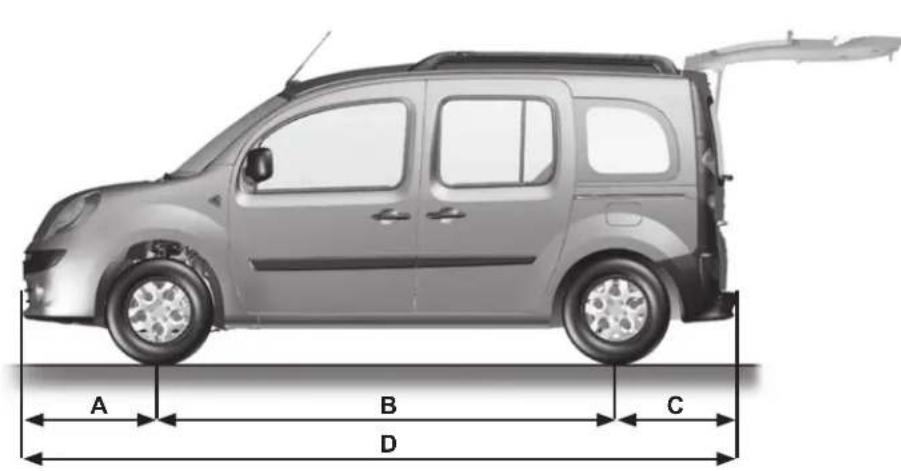
H
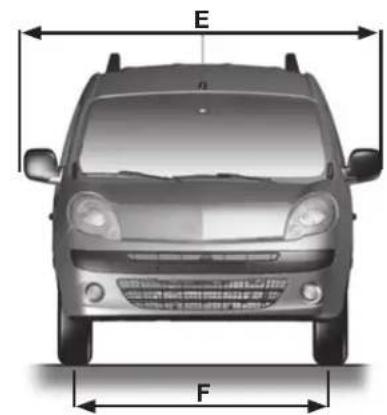
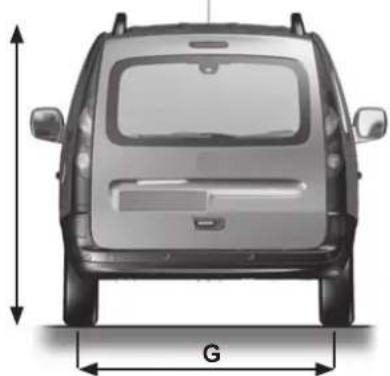
natural_image
Front view of a car with height dimension labeled 'G' (no other text or symbols)DIMENSIONS (in metres) (2/2)
| All terrain 5 seater | 2 seater | |||||
| 2 seater Medium | Long Short Medium | Medium Long | ||||
| A 0.8 | ||||||
| B 2.7 3,1 2.3 | 2.7 3.0 | |||||
| C 0.7 | ||||||
| D 4.2 4,6 3.8 | 4.2 4.6 | |||||
| E 2.1 | ||||||
| F 1.5 | ||||||
| G 1.5 | ||||||
| H (unladen) 1.8 | ||||||
| Turning circles between kerbs | 10.7 | 11,9 | 9.6 | 10.7 | 11.9 |
| Turning circles between walls | 11.2 | 12,4 | 10.1 | 11.2 | 12.4 |
Important: if the vehicle is fitted with roof bars, the height must be increased by 0.070 m (the bars cannot be moved).
REPLACEMENT PARTS AND REPAIRS
Original parts are based on strict specifications and are subject to highly-specialised tests. Therefore, they are of at least the same level of quality as the parts fitted originally.
If you always fit genuine replacement parts to your vehicle, you will ensure that it performs well. Furthermore, repairs carried out within the manufacturer's Network using original parts are guaranteed according to the conditions set out on the reverse of the repair order.
SERVICE SHEETS (1/6)
VIN:
| Date: Miles (km): Invoice number: Comments/miscellaneous | ||
| Type of operation: StampService □...... □ | ||
| Anticorrosion check:OK □ Not OK* □*See specific page | ||
| Date: Miles (km): Invoice number: Comments/miscellaneous | ||
| Type of operation: StampService □...... □ | ||
| Anticorrosion check:OK □ Not OK* □*See specific page | ||
| Date: Miles (km): Invoice number: Comments/miscellaneous | ||
| Type of operation: StampService □...... □ | ||
| Anticorrosion check:OK□ Not OK* □*See specific page | ||
SERVICE SHEETS (2/6)
VIN:
| Date: Miles (km): Invoice number: Comments/miscellaneous | ||
| Type of operation: StampService □...... □ | ||
| Anticorrosion check:OK □ Not OK* □*See specific page | ||
| Date: Miles (km): Invoice number: Comments/miscellaneous | ||
| Type of operation: StampService □...... □ | ||
| Anticorrosion check:OK □ Not OK* □*See specific page | ||
| Date: Miles (km): Invoice number: Comments/miscellaneous | ||
| Type of operation: StampService □...... □ | ||
| Anticorrosion check:OK□ Not OK* □*See specific page | ||
6.10
SERVICE SHEETS (3/6)
VIN:
| Date: Miles (km): Invoice number: Comments/miscellaneous | ||
| Type of operation: StampService □...... □ | ||
| Anticorrosion check:OK □ Not OK* □*See specific page | ||
| Date: Miles (km): Invoice number: Comments/miscellaneous | ||
| Type of operation: StampService □...... □ | ||
| Anticorrosion check:OK □ Not OK* □*See specific page | ||
| Date: Miles (km): Invoice number: Comments/miscellaneous | ||
| Type of operation: StampService □...... □ | ||
| Anticorrosion check:OK□ Not OK* □*See specific page | ||
SERVICE SHEETS (4/6)
VIN:
| Date: Miles (km): Invoice number: Comments/miscellaneous | ||
| Type of operation: StampService □...... □ | ||
| Anticorrosion check:OK □ Not OK* □*See specific page | ||
| Date: Miles (km): Invoice number: Comments/miscellaneous | ||
| Type of operation: StampService □...... □ | ||
| Anticorrosion check:OK □ Not OK* □*See specific page | ||
| Date: Miles (km): Invoice number: Comments/miscellaneous | ||
| Type of operation: StampService □...... □ | ||
| Anticorrosion check:OK□ Not OK* □*See specific page | ||
6.12
SERVICE SHEETS (5/6)
VIN:
| Date: Miles (km): Invoice number: Comments/miscellaneous | ||
| Type of operation: StampService □...... □ | ||
| Anticorrosion check:OK □ Not OK* □*See specific page | ||
| Date: Miles (km): Invoice number: Comments/miscellaneous | ||
| Type of operation: StampService □...... □ | ||
| Anticorrosion check:OK □ Not OK* □*See specific page | ||
| Date: Miles (km): Invoice number: Comments/miscellaneous | ||
| Type of operation: StampService □...... □ | ||
| Anticorrosion check:OK□ Not OK* □*See specific page | ||
SERVICE SHEETS (6/6)
VIN:
| Date: Miles (km): Invoice number: Comments/miscellaneous | ||
| Type of operation: StampService □...... □ | ||
| Anticorrosion check:OK □ Not OK* □*See specific page | ||
| Date: Miles (km): Invoice number: Comments/miscellaneous | ||
| Type of operation: StampService □...... □ | ||
| Anticorrosion check:OK □ Not OK* □*See specific page | ||
| Date: Miles (km): Invoice number: Comments/miscellaneous | ||
| Type of operation: StampService □...... □ | ||
| Anticorrosion check:OK□ Not OK* □*See specific page | ||
6.14
ANTICORROSION CHECK (1/6)
If the continuation of the warranty is subject to repair, it is indicated below.
VIN:
| Corrosion repair operation to be carried out: | 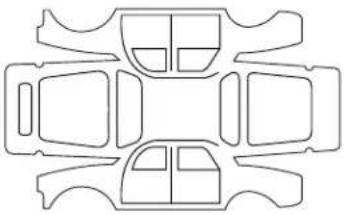 | Stamp |
| Date of repair: | ||
| Repair to be carried out: | 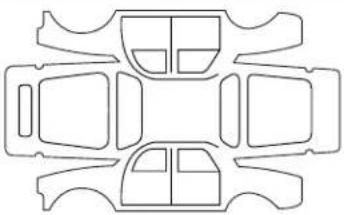 | Stamp |
| Date of repair: | ||
| Repair to be carried out: |  | Stamp |
| Date of repair: | ||
ANTICORROSION CHECK (2/6)
If the continuation of the warranty is subject to repair, it is indicated below.
VIN:
| Corrosion repair operation to be carried out: |  | Stamp |
| Date of repair: | ||
| Repair to be carried out: |  | Stamp |
| Date of repair: | ||
| Repair to be carried out: |  | Stamp |
| Date of repair: | ||
6.16
ANTICORROSION CHECK (3/6)
If the continuation of the warranty is subject to repair, it is indicated below.
VIN:
| Corrosion repair operation to be carried out: | | Stamp |
| Date of repair: | ||
| Repair to be carried out: | | Stamp |
| Date of repair: | ||
| Repair to be carried out: |  | Stamp |
| Date of repair: | ||
ANTICORROSION CHECK (4/6)
If the continuation of the warranty is subject to repair, it is indicated below.
VIN:
| Corrosion repair operation to be carried out: | | Stamp |
| Date of repair: | ||
| Repair to be carried out: |  | Stamp |
| Date of repair: | ||
| Repair to be carried out: |  | Stamp |
| Date of repair: | ||
6.18
ANTICORROSION CHECK (5/6)
If the continuation of the warranty is subject to repair, it is indicated below.
VIN:
| Corrosion repair operation to be carried out: | | Stamp |
| Date of repair: | ||
| Repair to be carried out: | | Stamp |
| Date of repair: | ||
| Repair to be carried out: |  | Stamp |
| Date of repair: | ||
ANTICORROSION CHECK (6/6)
If the continuation of the warranty is subject to repair, it is indicated below.
VIN:
| Corrosion repair operation to be carried out: | | Stamp |
| Date of repair: | ||
| Repair to be carried out: | | Stamp |
| Date of repair: | ||
| Repair to be carried out: | | Stamp |
| Date of repair: | ||
6.20
ALPHABETICAL INDEX (1/5)
A
ABS 1.51, 2.12 → 2.14
accessories....5.33
accessories socket 3.22
additional methods of restraint 1.31
air bag....1.27 → 1.31, 1.50
activating the front passenger air bags .....1.42 → 1.44
deactivating the front passenger air bags .....1.42 → 1.44
air conditioning ....3.4 → 3.15
air vents 3.2 - 3.3
anti-corrosion check 6.15 → 6.20
anti-corrosion protection 4.12 - 4.13
anti-lock braking system: ABS 2.12 → 2.14
antipollution advice ....2.8 → 2.10
ashtrays 3.22
ASR (traction control) 1.52, 2.12 → 2.14
audible and visual signals.... 1.68
automatic gearbox (use) 2.22 → 2.24
automatic gearbox selector lever....2.22 → 2.24
B
battery.... 1.52, 4.10
troubleshooting 5.22 - 5.23
battery (remote control) 5.34
bonnet 4.2
brake fluid 4.7
brake lights changing bulbs 5.16 - 5.17
bulbs changing ....5.13 → 5.21
C
catalytic converter.... 2.6
changing a bulb ....5.13 → 5.15, 5.19 → 5.21
changing a wheel.... 5.8
changing gear ....2.4, 2.22 → 2.24
child minder mirror 3.18
child restraint/seat 1.32 - 1.33, 1.35 → 1.44
child safety....1.2, 1.4, 1.6, 1.32 - 1.33, 1.35 → 1.44, 2.3, 3.19
child seats....1.32 - 1.33, 1.35 → 1.41
children 1.32 - 1.33
cigar lighter 3.22
cleaning: inside the vehicle .... 4.14 – 4.15 outside the vehicle .... 4.12 – 4.13
clock 1.66
closing the doors 1.5 → 1.9
control instruments 1.50 → 1.56
coolant 1.50
courtesy light 3.16 - 3.17
courtesy mirrors 3.18
cruise control 1.52, 2.18 → 2.21
D
dashboard.... 1.46 – 1.47
deadlocking the doors 1.4
demisting rear screen .... 3.4, 3.12 – 3.13 windscreen .... 3.5, 3.13
dimensions 6.6 - 6.7
dipstick.... 4.3 - 4.4
display 1.54 → 1.56
doors....1.5 → 1.12
driver's position 1.46 - 1.47
driving 2.6, 2.12 → 2.26
driving position settings ....1.23 → 1.26
E
electric windows 3.19 - 3.20
Electronic Stability Program: ESP ....2.12 → 2.14
ALPHABETICAL INDEX (2/5)
emergency brake assist....2.12 → 2.14
emergency braking 2.12 → 2.14
emergency spare wheel 5.2
engine
technical specifications .... 6.4
engine coolant 4.8
engine oil 1.52, 4.3 → 4.6
engine oil capacity 4.5 - 4.6
engine oil level 4.3 → 4.6
engine specifications 6.4
environment 2.11
ESP: Electronic Stability Program .....1.52 - 1.53, 2.12 → 2.14
external temperature 1.66
F
faults operating faults ....5.36 → 5.39
filter 4.9 diesel filter 5.35 particle filter 1.52
fitting a radio 5.31 - 5.32
fittings 3.23 → 3.27
fog lights 1.71, 5.15
front lights changing bulbs 5.13 - 5.14
front passenger air bag deactivation ....1.42 → 1.44
front seat adjustment 1.17 → 1.19
front seats adjustment ....1.17 → 1.19
fuel advice on fuel economy ....2.8 → 2.10 capacity ....1.76 filling ....1.50, 1.76 – 1.77 grade ....1.76
fuel economy 2.8 → 2.10
fuel filler cap 1.76 - 1.77
7.2
fuel tank capacity .... 1.76 – 1.77 fuel tank capacity .... 1.76 – 1.77 fuses .... 5.24 – 5.25
G
gear lever....2.4 glove box....3.23
H
handbrake.... 1.51, 2.5
hazard warning lights signal 1.68
headlight beam adjustment 1.72
headrest....1.13 → 1.16
heated seats 1.17 → 1.19
heating and air conditioning system ....3.4 → 3.15
heating system 3.4 → 3.15
horn 1.68
horn: flash .... 1.68 sounding the horn .... 1.68
hubcap tool 5.6
|
ignition switch 2.2
indicators 1.50, 1.68, 5.14, 5.19
indicators: direction indicators .... 5.14, 5.19 instrument panel .... 1.54 → 1.56
instrument panel ....1.50 → 1.65 instrument panel messages....1.57 → 1.65
interior lighting: changing bulbs 5.20 – 5.21
interior trim maintenance 4.14 – 4.15
Isofix 1.35 → 1.41
ALPHABETICAL INDEX (3/5)
J
jack 5.6, 5.8
L
levels 4.7 → 4.9
levels:
brake fluid 4.7
coolant 1.55, 4.8
fuel 1.55
windscreen washer reservoir 4.9
lifting the vehicle
changing a wheel 5.8 - 5.9
lighting:
interior 3.16 - 3.17
lights
adjustment 1.72
changing bulbs 5.13 - 5.14
fog lights 5.15
front 5.13-5.14
lights:
brake lights 5.16
dipped beam headlights 1.50, 1.69, 5.13
direction indicators 1.50, 1.68, 5.16
fog lights 1.50, 1.71, 5.15
hazard warning 1.68
main beam headlights 1.50, 1.69 – 1.70
number plate lights 5.18
reversing lights 5.16
side lights 1.69
lights-on warning buzzer
locking the doors 1.10 - 1.11
luggage compartment cover 3.31
luggage retaining net 3.32
M
maintenance:
bodywork 4.12-4.13
interior trim 4.14 - 4.15
mechanical 4.2-4.4,6.9 6.14
mileage before service 6.9 → 6.14
map reading lights 3.16 - 3.17
methods of restraint in addition to the front seat belts ...... 1.27 → 1.29
methods of restraint in addition to the seat belts ...1.27 → 1.31
multimedia equipment 5.31 - 5.32
0
oil change 4.5 - 4.6
opening the doors 1.5 → 1.9
operating faults ....1.50 → 1.53, 5.36 → 5.39
P
paintwork
maintenance 4.12 - 4.13
reference 6.2
parking distance control.... 2.25 - 2.26
partition 1.22
power-assisted steering.... 2.5
practical advice 5.32
pretensioners 1.27
puncture....5.6, 5.8
R
radio....5.31-5.32
radio frequency remote control/key
use 1.2, 1.4
rear bench seat.... 3.28 - 3.29
rear lights
changing bulbs 5.16 → 5.18
rear parcel shelf 3.31
ALPHABETICAL INDEX (4/5)
rear screen
demisting .... 3.2, 3.4
rear seats
functions ...... 3.28 – 3.29
rear view mirrors 1.67
remote control door locking batteries 5.34
remote control electric door locking 1.2, 1.4
RENAULT ANTI-INTRUDER DEVICE (RAID) 1.12
replacement parts 6.8
reverse gear
selecting ....2.4, 2.22 → 2.24
reversing sensor 2.25 - 2.26
roof bars 3.33
running in 2.2
S
seat belts ....1.23 → 1.31, 1.51
see-me-home lighting 1.70
service sheets....6.9 → 6.14
side indicator lights changing bulbs 5.19
side protection devices 1.30
side windows 3.20
signals and lights 1.69 → 1.71
speakers 5.32
special features of diesel versions.... 2.7
special features of petrol vehicles 2.6
speed limiter 1.52, 2.15 → 2.17
starting the engine 2.3
steering wheel adjustment 1.45
stopping the engine 2.3
storage compartment....3.23 → 3.27
storage compartments ....3.23 → 3.27
sun visor 3.18, 3.24
sunroof.... 3.21
T tailgate 1.7 → 1.9, 1.8, 3.30
technical specifications 6.2, 6.6 → 6.8
temperature regulation ....3.4 → 3.15
tool kit 5.6
towing 6.5
breakdown 5.28
towing equipment 5.30
towing a caravan 6.5
towing equipment fitting 5.30
towing hitch.... 5.6, 5.28
towing rings 1.35 - 1.36
towing weights 6.5
traction control: ASR 2.12 → 2.14
transporting children 1.32 - 1.33, 1.35 → 1.44
transporting objects in the luggage compartment .... 3.30
trims 5.7
trip computer and warning system....1.57 → 1.65
turning circle 6.6 - 6.7
tyre inflation kit....5.3 → 5.5
tyre pressure.... 4.11
tyre pressures 4.11, 5.10 → 5.12
tyres 4.11, 5.10 → 5.12
U unlocking the doors .... 1.10 – 1.11
V variable power-assisted steering .... 1.51
vehicle identification 6.2
vehicle identification plates 6.2 - 6.3
ventilation 3.2 → 3.15
ALPHABETICAL INDEX (5/5)
W
warning lights....1.50 → 1.53, 1.57 → 1.65
washing 4.12 - 4.13
weights 6.5
wheelbrace 5.6
wheels (safety) 5.10
windscreen washer 1.73 → 1.75
windscreen washer fluid 4.9
windscreen washer/wiper replacing blades 5.26 – 5.27
wiper blades 5.26 - 5.27
wipers 1.73 → 1.75
( www.e-guide.renault.com )
RENAULT S.A.S. SOCIÉTÉ PAR ACTIONS SIMPLIFIÉE AU CAPITAL DE 533 941 113 € / 13-15, QUAI LE GALLO 92100 BOULOGNE-BILLANCOURT R.C.S. NANTERRE 780 129 987 — SIRET 780 129 987 03591 / TÉL. : 0810 40 50 60 NU 813-9 – 99 91 045 84R – 03/2011 – Edition anglaise

MJ