Flowline - Tripod Flycam - Free user manual and instructions
Find the device manual for free Flowline Flycam in PDF.


User questions about Flowline Flycam
0 question about this device. Answer the ones you know or ask your own.
Ask a new question about this device
Download the instructions for your Tripod in PDF format for free! Find your manual Flowline - Flycam and take your electronic device back in hand. On this page are published all the documents necessary for the use of your device. Flowline by Flycam.
USER MANUAL Flowline Flycam
natural_image
Product photo of a swimmer device with a full-body head and control panel, displayed against a plain background (no text or symbols visible)Flycam Flowline Camera Support Rig (FLCM-FLN)
Instruction Manual
FLYCAM
At Proaim, our goal is to ensure 100% Customer Satisfaction in all that we do.
We back our sales with a 1 year warranty from the date of purchase and work hard to resolve any problems in the unlikely event one should arise.
With our commitment to continuous improvement and your Feedback, building on our reputation of providing affordable, quality products is PRIORITY #1.
Table of Contents
Subject Page
Foreword 3
Introduction 4
Assembling 5-9
Warranty 10
■ Welcome To Proaim!
Dear Client,
On behalf of all the people that work so hard to provide you with the most up-to-date, flexible and cost-efficient production gear, we would like to welcome you into the Proaim family.
By purchasing your Flowline Steady Camera Support Rig, you have just joined a host of designers, engineers, machinists, assembly, customer service and office staff that take great pride in all that they do. Our mantra of continuous improvement has been the guiding principle of how we conduct our business since day one.
Once you have the opportunity to experience your new Flowline Steady Camera Support Rig, we hope you will agree that we craft quality products at a competitive price. Products designed to meet and exceed the standards of today's real production world.
Standards set by our valued clients and standards we strive to maintain.
With Best Wishes, Proaim Team
Introduction
The Flycam Flowline is here to support & carry the heavy necessities. Flowline is a remarkable gear that has already shaken the film industry with its performance. Its outstanding functionality will make you addicted to it. It relieves you from all kinds of strain usually faced on day long shoots. Specifically designed for carrying cameras from 3kg to 7.5kg, it provides you incredible freedom of movement. This must have equipment allows you to capture the most beautiful moves for all occasions.
What's In The Box
Please inspect the contents of your shipped package to ensure you have received everything that is listed below.
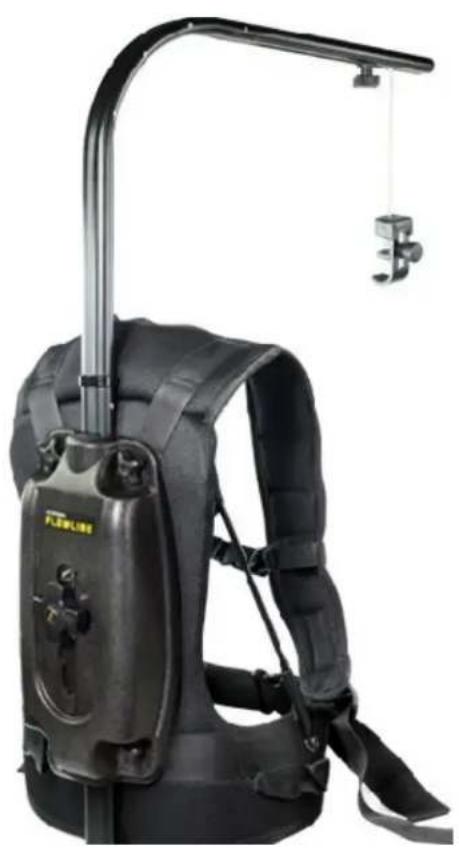
natural_image
Black flight suit with attached boom and support bracket, no visible text or symbolsFlycam Flowline Camera Support
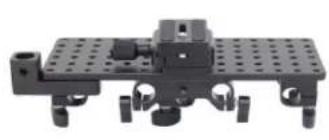
natural_image
Mechanical assembly component with perforated plate and mounting holes (no visible text or symbols)Camera Plate
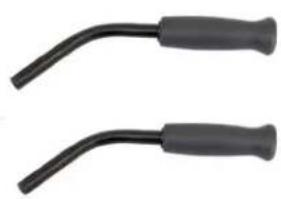
natural_image
Two black plastic tool holders with curved ends, no text or symbols visible2 x Front Handles
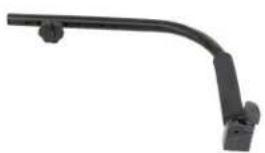
natural_image
Black curved metal bracket with two small protrusions, isolated on white background (no text or symbols)Top Handle
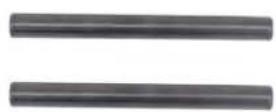
2 x Rods
natural_image
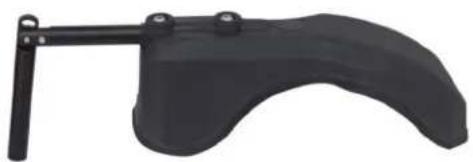
Black ergonomic hand tool with curved handle and lever (no text or symbols visible)Shoulder Pad
Assembling
- Connect Section-1 Support Jacket with Section -2 Support Bar by simple push-fit technique.
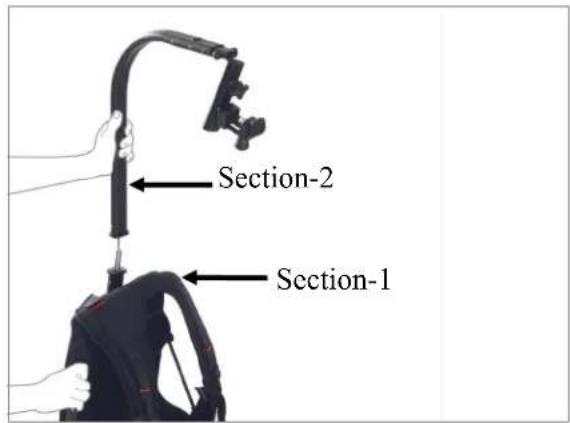
text_image
Section-2 Section-1- Remove side knobs of Section-2. Join Section-3 with Section-2 and tighten the knobs back.
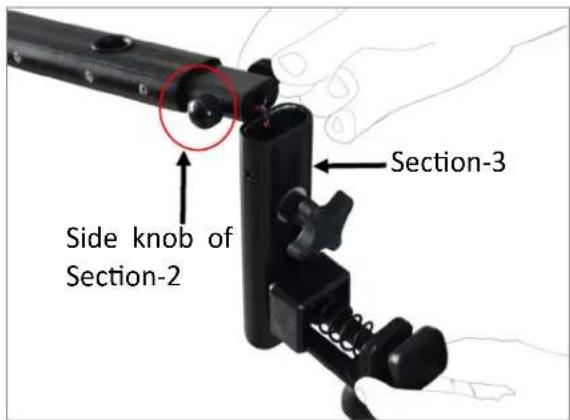
text_image
Side knob of Section-2 Section-3
natural_image
Close-up of a hand holding a black cylindrical object with a red circle highlighting a small feature (no text or symbols visible)- Adjust & tighten the buckles provided at both waist & chest, as show in image, until you find it comfortable.
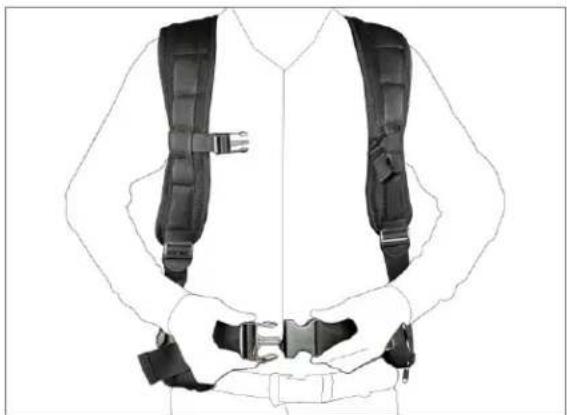
natural_image
Line drawing of a person wearing a full-body safety harness (no text or symbols)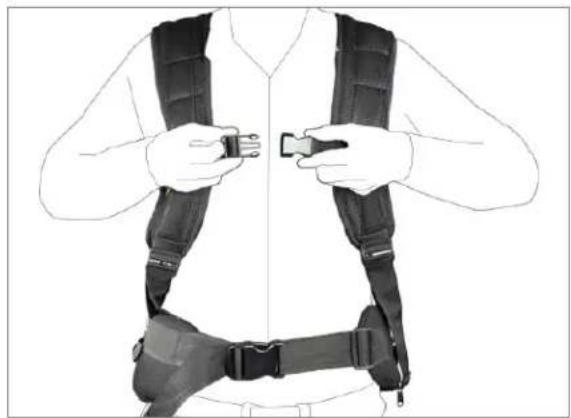
natural_image
Line drawing of a person wearing a full-body safety vest with straps and belt (no text or symbols)- Loosen the knob on hook and attach camera with it. Tighten the knob back to ensure slip-free connection.
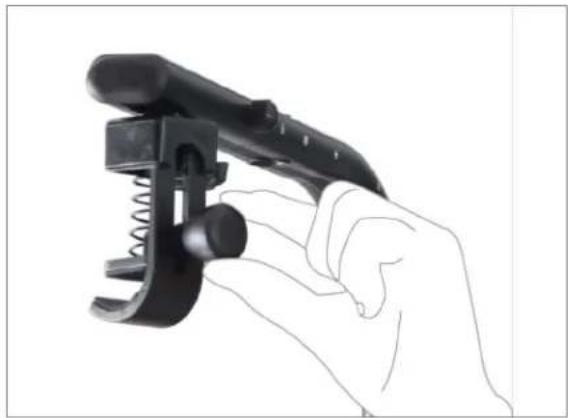
natural_image
Hand holding a black mechanical clamp or tool with spring and coiled spring (no text or symbols visible)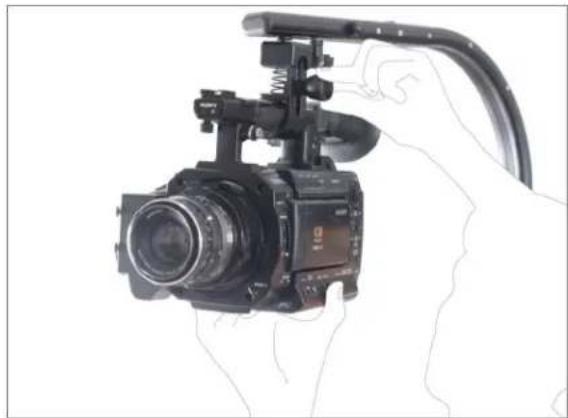
natural_image
Person holding a video camera with extended cable and spring (no visible text or symbols)NOTE 1: Slightly loosen all the four knobs provided on back of Support Jacket to adjust the height of Support Bar.
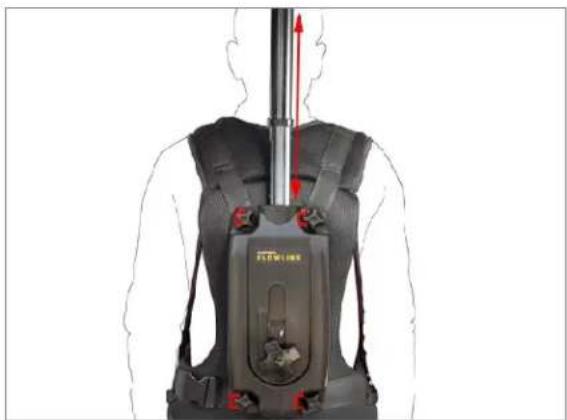
natural_image
Human silhouette of a person wearing a BLAM device with red directional arrows indicating movement or force (no text or symbols)NOTE 2: By adjusting side Support Bars, weight can be easily shifted to your shoulders and hips.
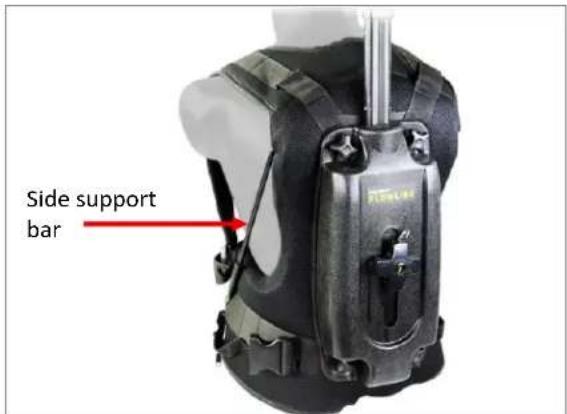
text_image
Side support barNOTE 3: Through Adjustment Knob you can adjust the tension in anti-clockwise direction, according to the weight of your setup.
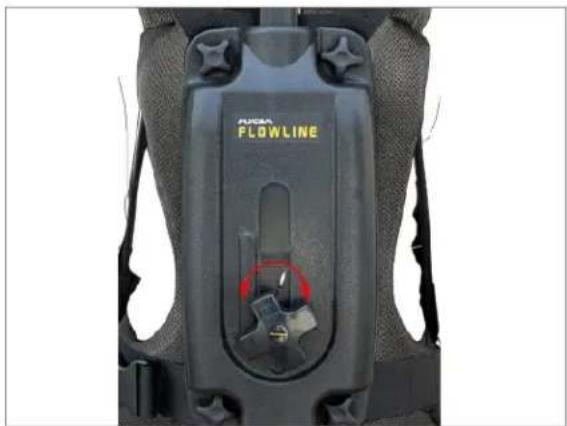
natural_image
Close-up of a black PLOWLINE device with visible buttons and mounting brackets (no text or symbols beyond branding)- Loosen knob at Support Bar and adjust the position of camera according to your eye-level, if required.

natural_image
Close-up of a video camera with red circular annotation highlighting a joint detail (no text or symbols visible)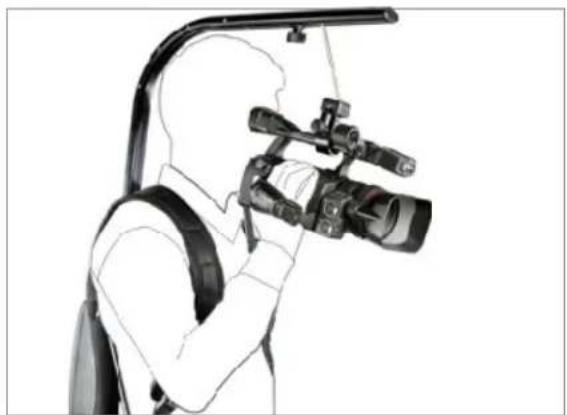
natural_image
Silhouette of a person using a professional video camera with a mounted lens (no text or symbols visible)Assembling of Shoulder Mount Rig
- Insert both Handles into Camera Plate and tighten the Handle Adjustment Knob.
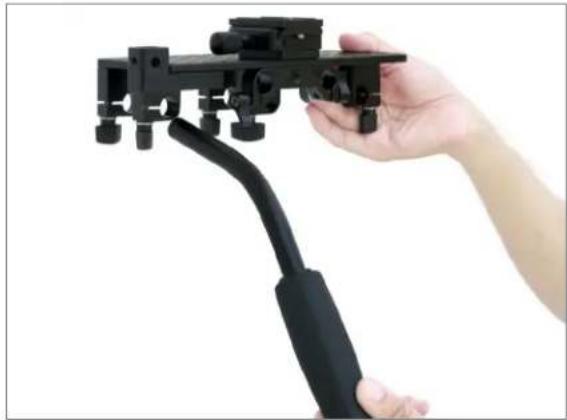
natural_image
Hand holding a black mechanical device with a lever, against a plain white background (no text or symbols visible)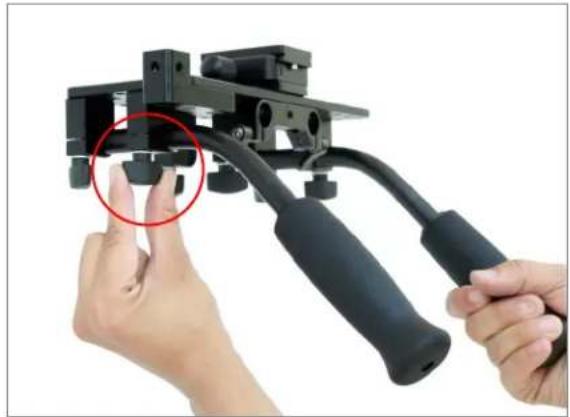
natural_image
Close-up of hands operating a black mechanical device with a red circle highlighting a finger (no text or symbols visible)- Now insert both the Rods into Camera Plate and tighten the knobs accurately.
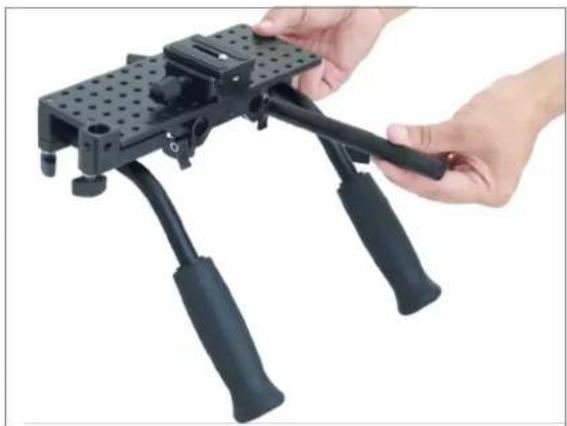
natural_image
Close-up of a hand holding a black mechanical device with articulated legs (no visible text or symbols)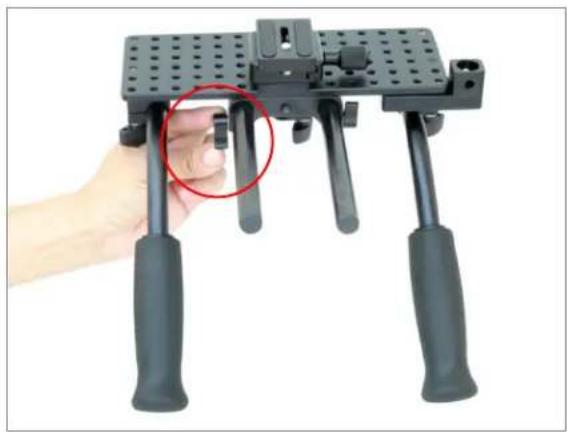
natural_image
Hand holding a black mechanical device with four articulated legs and a red circle highlighting the handle (no text or symbols visible)- Then insert Top Handle into the handle holder and tighten it with the knob.
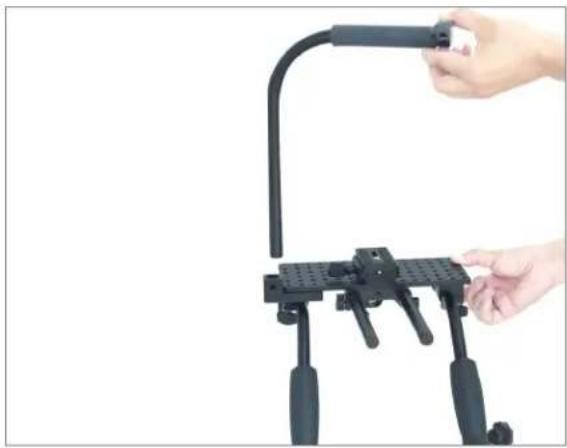
natural_image
Close-up of a hand holding a black mechanical device with a curved handle (no text or symbols visible)NOTE: You can loosen this knob to adjust the height of top handle, according to your setup requirement.
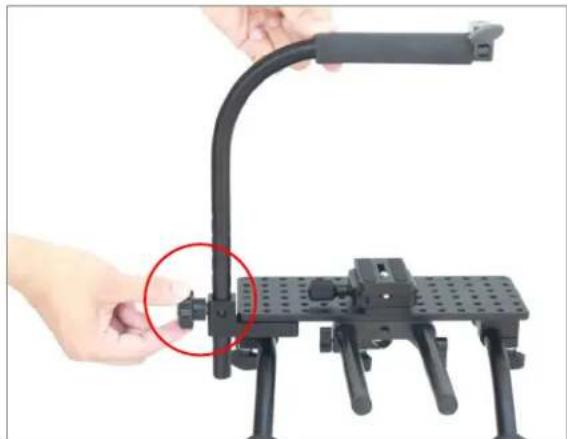
natural_image
Close-up of hands operating a black adjustable cable or support device with a red circle highlighting a small component (no text or symbols visible)- Now take Shoulder Pad. Remove a bolt with the help of allen key to change the position of rod. Insert the bolt again and tighten with the help of allen key.
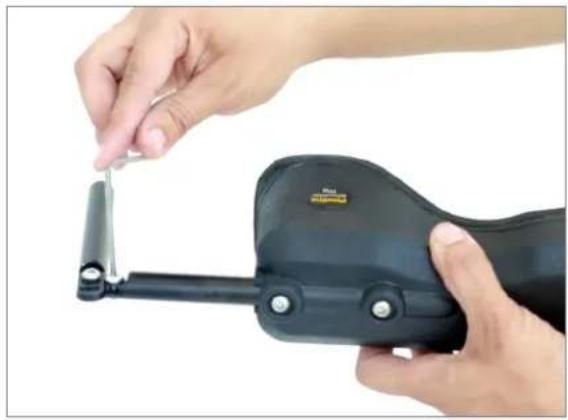
natural_image
Close-up of hands using a handheld device to adjust a small metallic component (no visible text or symbols)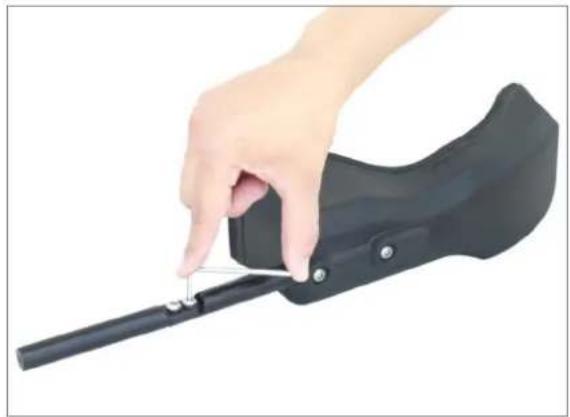
natural_image
Hand holding a black mechanical device with a cable, against a white background (no text or symbols visible)- Then attach your Shoulder Support with Camera Plate and tighten the knob to secure it properly.
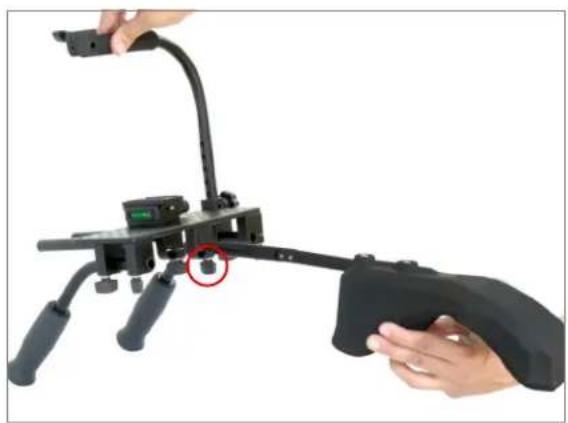
natural_image
Close-up of a black mechanical device with a red circle highlighting a component, being handled by fingers (no visible text or symbols)- Finally, loosen the knob on hook and attach Shoulder Mount Rig. Tighten it back to ensure slip-free connection.
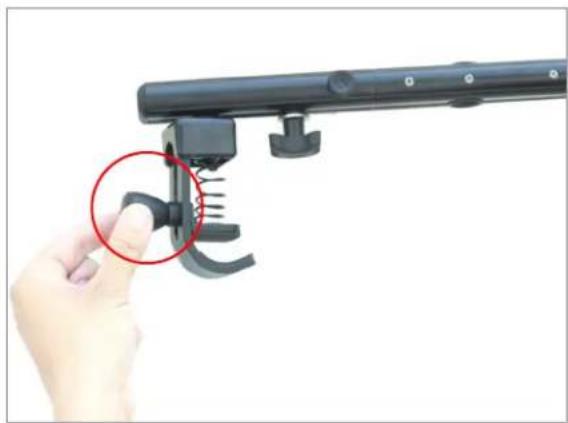
natural_image
Hand holding a black mechanical device with a red circle highlighting a specific component (no text or symbols visible)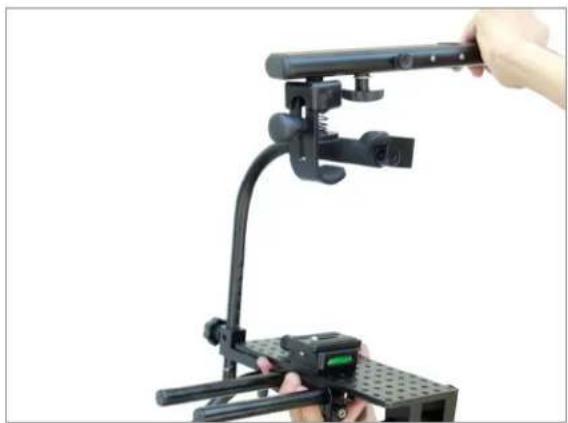
natural_image
Close-up of a black adjustable camera setup with a hand adjusting the lever (no text or symbols visible)YOUR FLYCAM FLOWLINE CAMERA SUPPORT RIG ALL DRESSED UP AND READY TO GO!
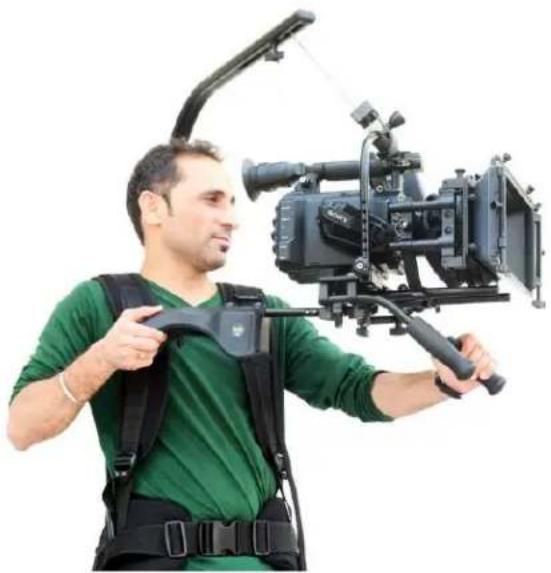
natural_image
Man in green shirt and black exoskeleton suit holding a professional video camera setup (no visible text or symbols)WARRANTY
We offer a one year warranty for our products from the date of purchase.
We will repair or replace your product, free of charge, in the event of a defect in materials or craftsmanship obtained during normal use or handling based on the user manual. Please note that we will not cover any shipping costs for returning the product to us. If any VAT or import duties are applied to the return, we will also charge these costs to the customer.
The warranty does not include, by the way of example, damage caused by products that we do not supply or from mishandling in transit, accident, misuse, neglect, lack of care of the product, or service by anyone other than our company.
We are not liable for incidental or consequential damages resulting from the use of the unit or occurring due to any breach of this warranty.
Replacement parts of the product will be provided at nominal cost (covering the cost price of the replacement parts only) to the customers after the Warranty Period has expired. We will cover
the complete cost of sending replacement parts within the warranty period. After that, Nominal cost of the product & Actual shipping cost will be charged.
Do not send the unit to us without first getting a response and getting the approval to send back the item.
In case of any kind of dissatisfaction, we urge you to Contact us immediately and we shall do our Best to help you out. For any other assistance you can reach us via email.
For any other assistance you can reach us via email.