
Mars 300 - Hi-Fi System Hollyland - Free user manual and instructions
Find the device manual for free Mars 300 Hollyland in PDF.


| Product Type | Wireless HD Video Transmission System |
| Brand | Hollyland |
| Model | Mars 300 |
| Dimensions (Transmitter/Receiver) | 105 x 62 x 22 mm (without antennas and battery plate) |
| Weight (Transmitter/Receiver) | 145 g each |
| Power Input Voltage | 6-16V DC |
| Power Consumption (Transmitter) | <6W |
| Power Consumption (Receiver) | <5W |
| Video Input Formats | HDMI: 480P60, 576P50, 720P50/60, 1080i50/60, 1080P30/50/60 |
| Video Output Formats | HDMI: 480P60, 576P50, 720P50/60, 1080i50/60, 1080P30/50/60 |
| Transmission Range (Line of Sight) | Over 650 ft (198 m) |
| Latency | <0.1s |
| Frequency Band | 5 GHz |
| Modulation | OFDM |
| Bandwidth | 20/40 MHz |
| Transmitter Interfaces | HDMI Input, HDMI Loop Out, 2x RP-SMA Antenna, DC Input, Micro USB |
| Receiver Interfaces | HDMI Output 1 & 2, 2x RP-SMA Antenna, DC Input, Micro USB |
| Pairing Method | Press and hold pairing button on both units |
| OSD Function | Press and hold Receiver Channel/OSD button to display wireless parameters |
| Housing Material | Industrial metal casing |
| Mounting | 1/4-20 threaded hole, cold shoe, expansion accessory |
| Included Accessories | Transmitter, Receiver, 5x 5GHz Antennas, User Manual, Cold Shoe, Expansion Accessory, DC Adapter, OTG Converter |
| Repair and Maintenance | Keep antennas securely connected; avoid exposure to moisture; ensure adequate ventilation. |
Frequently Asked Questions - Mars 300 Hollyland
User questions about Mars 300 Hollyland
0 question about this device. Answer the ones you know or ask your own.
Ask a new question about this device
Download the instructions for your Hi-Fi System in PDF format for free! Find your manual Mars 300 - Hollyland and take your electronic device back in hand. On this page are published all the documents necessary for the use of your device. Mars 300 by Hollyland.
USER MANUAL Mars 300 Hollyland
Thank you for purchasing the MARS 300 Wireless HD Video Transmission System. This product uses the latest image coding and decoding technology and 5G wireless transmission technology to achieve ultra-low latency video transmission. The transmission distance is greater than 650ft in the line-of-sight environment, and the maximum resolution is 1080P60Hz, enabling full HD HDMI video transmission.
Features
- Latest image coding and decoding technology, 5G wireless transmission technology, Ultra-low latency video transmission
● Transmission Range 650ft
• HDMI IN/HDMI LOOP OUT、Dual HDMI OUT
● Both the transmitter and the receiver can mount the battery - 6\~16V DC Wide Voltage Input
● Support USB Interface Software Upgrade - Industrial Metal Casing, Stable and Reliable
Application
- Filmmaking
• Live Broadcast - Sports Activities
• Educational Recording - Wedding Ceremonies
• Corporate Events
Packing List

①
②
③

④

⑤
⑥

⑦

⑧
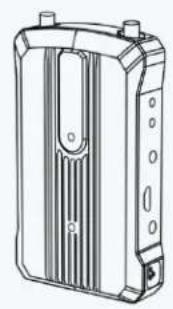
- Receiver x1
- Transmitter x1
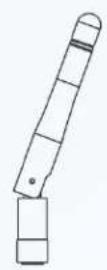
- 5GHz Antenna x5
- User Manual x1
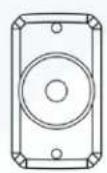
- Cold Shoe x1
- Expansion Accessory x1
- DC Adapter x1
- OTG converter x1
Typical Connection Diagram
![graph LR A["Video Camera"] -->|HDMI IN| B["Signal Receiver"] B -->|Wireless Signal| C["Video Camera"] C -->|HDMI OUT| D["Monitor Device"]](/content/2026/05/760251/images/999f6075227bdde8ccaad73b2bbcb223acf3177ca4b55e69861cc48df634857b.jpg)
The wireless HD video transmission system adopts the latest wireless communication technology and ultra-low-latency high-definition video transmission. The transmitter supports HDMI input and HDMI loop out, and the receiver supports dual HDMI output
Product Interface Definition

(1)Transmitter
- RP-SMA Antenna Male Interface
- Expansion Accessory Mounting Hole
- HDMI Loop Out Interface
- HDMI Input Interface
- DC Power Input Interface
- Video Indicator
- Link Indicator
- Channel Button
- Micro USB Interface
- Pairing Button
- Power Switch
- 1/4-20 Threaded Hole
(2)Receiver
-
RP-SMA Antenna Male Interface
-
Expansion Accessory Mounting Hole
- HDMI Output1 Interface
- HDMI Output2 Interface
- DC Power Input Interface
- Video Indicator
- Link Indicator
- Channel Button
- Micro USB Interface
- Pairing Button
- Power Switch
- 1/4-20 Threaded Hole
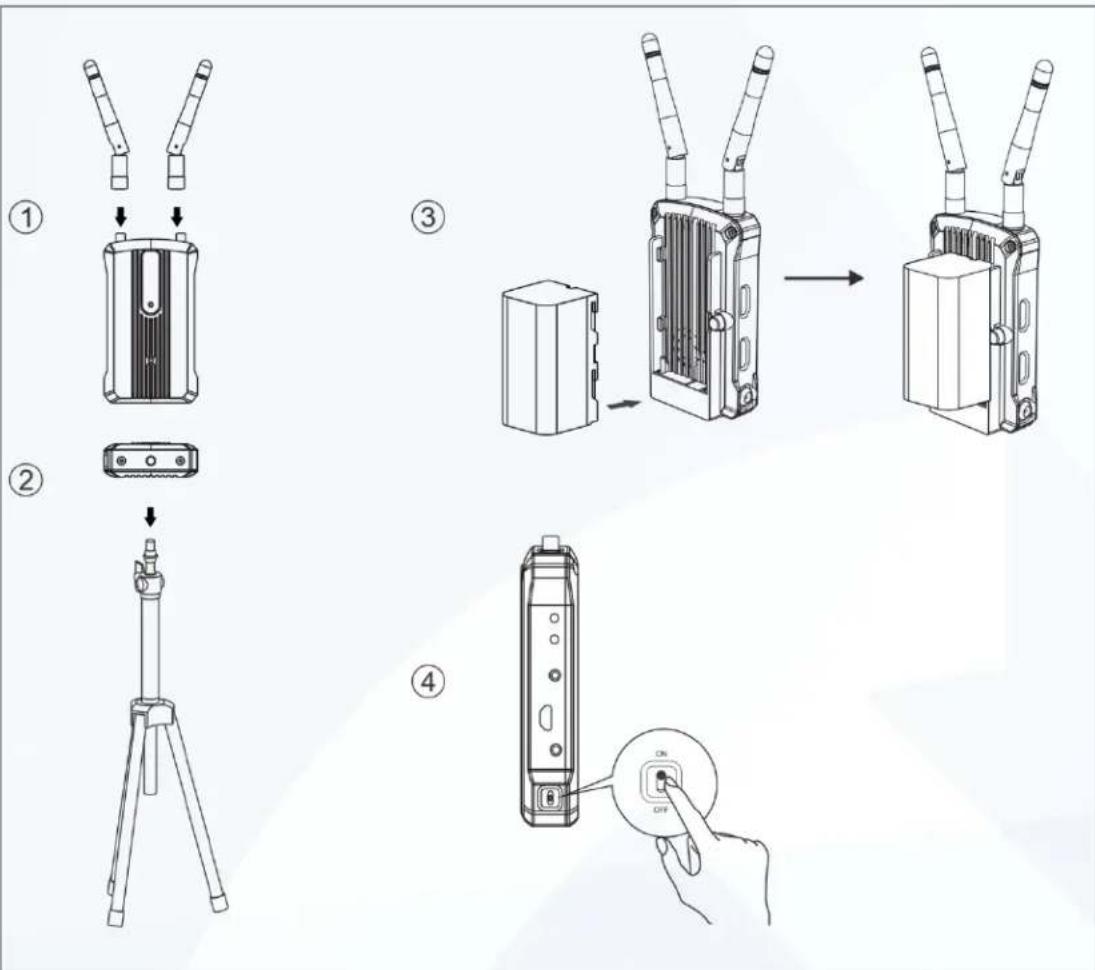
Product Installation
- Install the antenna as shown
- Fixed transmitter, receiver
- Install battery
- Power on, open to "ON" state
Use Function Introduction
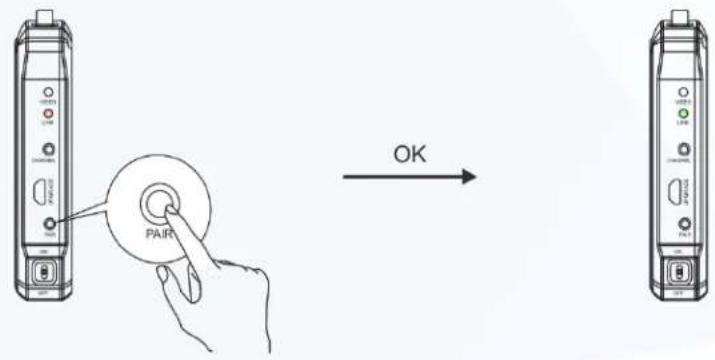
- Pairing Function
Press and hold the pairing button between the transmitter and the receiver at the same time. The Link light flashes red rapidly, and the transmitter and receiver enter the pairing mode. After the pairing is successful, the Link light is steady green, as shown in Figure 5.
- Function Description
Double-click the FM button to switch the frequency value.
- OSD Function
Press and hold the Receiver Channel/OSD button to call up the OSD to display the wireless parameters and version information of the device. After clicking or no operation for 10s, the OSD is blanked.
5
Status Light and Display Instructions
Link Indicator
| Connection Status | Disconnect | Pairing | Connected - Strong Signal | Connected - Weak Signal |
| Display Light | Red Light | Red Light | Green Light | Yellow Light |
| Status | Slow Flash | Quick Flash | Stays On | Slow Flash |
Video Indicator
| Whether there is a video source | Have | No |
| Display Light | Yellow Light | / |
| Status | Stays On | Stays Off |
Product Parameter List
| Transmitter | Receiver | |
| Interface | HDMI Input (Type A Female)HDMI Loop Out (Type A Female)2 Antenna (RP-SMA Male)DC Input、Micro USB | HDMI Output1 (Type A Female)HDMI Output2 (Type A Female)2 Antenna (RP-SMA Male)DC Input、Micro USB |
| Power Supply Voltage Range | 6~16V DC | 6~16V DC |
| Power Consumption | <6W | <5W |
| Weight | 145g | 145g |
| Size | (LxWxH) :105x62x22mm not include antennas and battery plate | (LxWxH) :105x62x22mm not include antennas and battery plate |
| Input Video Format | HDMI: 480P60,576P50,720P50/60, 1080i50/60,1080P30/50/60 | / |
| Output Video Format | / | HDMI: 480P60,576P50,720P50/60, 1080i50/60,1080P30/50/60 |
| Frequency Band | 5GHz | 5GHz |
| Modulation Mode | OFDM | OFDM |
| Transmission Power | maximum17dBm | / |
| Receiving Sensitivity | / | -80dBm |
| Transmission Latency | <0.1s | |
| Bandwidth | 20/40MHz | 20/40MHz |
Common Troubleshooting
No output on the display side
-
Please check the power of the transmitter and receiver. If it is powered by battery or external power supply, please make sure that the battery or external power supply has power and output normally
-
Please check if the antenna connected to the transmitter and receiver is securely installed
-
Please check if the transmitter's Video light is on; if not, please check if the HDMI cable connected to the transmitter is reliably connected to the camera and whether the camera has video outputs
- Please check if the video output format of the camera is compatible with this product.
- Please check if the battery level is too low
Poor Video Quality
- Please check the HDMI input and output cable connections are reliable
- Please ensure that the transmitter and receiver are placed at least 1.5 meters above the ground
- Please check the status of the Link light. If the status is slow yellow, the wireless signal strength is too weak. In this case, please switch the wireless communication frequency or shorten the wireless connection distance

Brand : Hollyland
Model : Mars 300
Category : Hi-Fi System