
QF75 - Uncategorized QUANTUM - Free user manual and instructions
Find the device manual for free QF75 QUANTUM in PDF.


| Product Type | Portable Bluetooth Speaker |
| Dimensions | 5.2 x 2.8 x 2.5 inches |
| Weight | 1.2 lbs |
| Power Supply | Rechargeable Lithium-ion battery (3.7V, 1500mAh) |
| Charging Time | Approximately 2.5 hours |
| Playback Time | Up to 10 hours at medium volume |
| Bluetooth Version | 5.0 |
| Wireless Range | 33 feet (10 meters) |
| Speaker Output | 10W RMS |
| Frequency Response | 80Hz - 20kHz |
| Water Resistance | IPX5 (splash-resistant) |
| Main Functions | Wireless music streaming, hands-free calling, built-in microphone |
| Controls | Power on/off, volume up/down, play/pause, track skip, answer/end call |
| Compatible Devices | Smartphones, tablets, laptops with Bluetooth |
| Cleaning and Maintenance | Wipe with a soft, dry cloth. Do not use abrasive cleaners. |
| Safety | Do not expose to extreme temperatures or moisture. Use only supplied charger. |
| Spare Parts and Repairability | Replacement battery available. Contact Quantum support. |
| General Information | Device model QF75 from Quantum. Includes USB charging cable and user manual. |
Frequently Asked Questions - QF75 QUANTUM
User questions about QF75 QUANTUM
0 question about this device. Answer the ones you know or ask your own.
Ask a new question about this device
Download the instructions for your Uncategorized in PDF format for free! Find your manual QF75 - QUANTUM and take your electronic device back in hand. On this page are published all the documents necessary for the use of your device. QF75 by QUANTUM.
USER MANUAL QF75 QUANTUM
B: Softbox with rods
C: Diffuser with Silver deflector
D: Speedring with bracket
E: Adjustable shoe mount bracket with swivel bracket
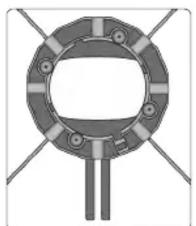
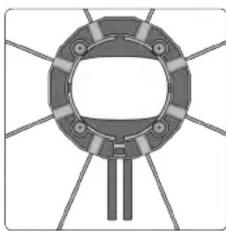
2. Assembling order of speedring in the type of softbox
natural_image
Pure mechanical component diagram without any text, numbers, or symbolsStrip Box (#QF76 10x24")
natural_image
Pure mechanical component diagram without any text, numbers, or symbolsOctagon Softbox (QF75 26")
Check the direction of the speedring before inserting
the rods.
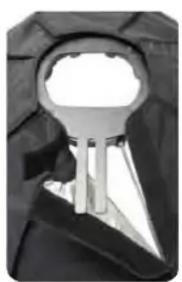
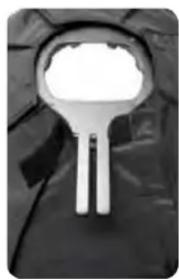
Check the Velcro strap attached on the rear part of sofbox is on the right place of the bracket.
See the fig. #2, 3 and 4. The black bracket side should face backward of softbox
QUANTUM INSTRUMENTS INC.
1
QUANTUM
©
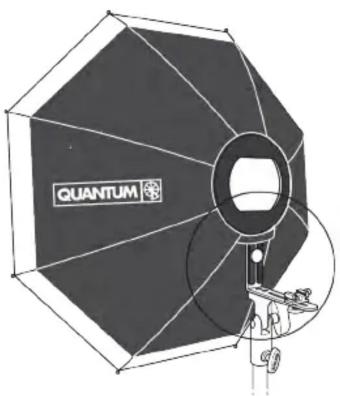
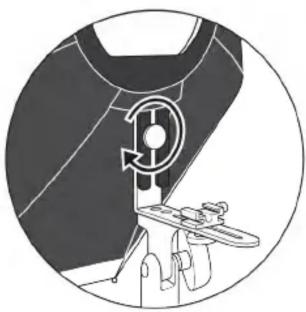
Fig. 5
natural_image
Diagram of a mechanical device with a rotating component and lever mechanism (no text or symbols)Screw the shoe mounting bracket to the swivel bracket as indicated. See fig. 5
Fig. 6
natural_image
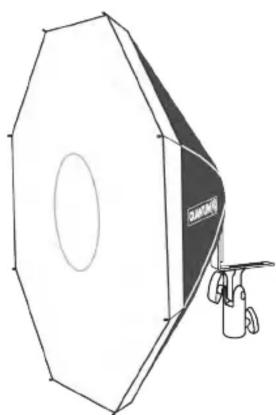
Line drawing of a 3D studio lighting setup with octagonal frame and camera lens (no text or symbols)Cover the front of Softbox with the included diffuser with silver deflector. See fig. 6
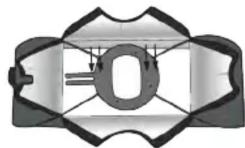

Fig. 1
natural_image
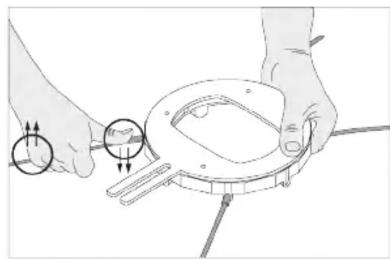
Illustration of hands using a tool to adjust a mechanical component (no text or symbols visible)Assembling : Insert rods in diagonal direction and when inserting the last one, press it and insert as the fig. 1 on the left.
Disassembling : Take a rod and pull it by pulling upward.
natural_image
Close-up of a metallic key inserted into a dark jacket (no text or symbols visible)Fig. 2

natural_image
Close-up of a metallic tool with a white head and handle, partially covered by dark fabric (no text or symbols visible)Fig. 3


natural_image
Close-up of a dark fabric with two white vertical bars, resembling a stylized lamp or mask (no text or symbols visible)Fig. 4
Close the rear part of softbox by using the Velcro strap.
QUANTUM INSTRUMENTS INC.
2
QUANTUM
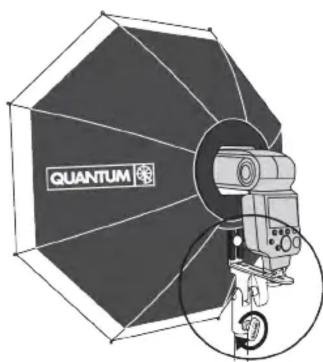
Fig. 7
natural_image
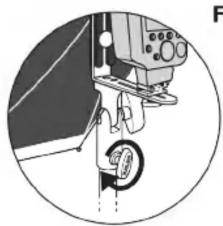
Diagram of a sewing machine needle with a circular base, showing the mechanism and no text or symbols.After attaching the flash onto the shoe or screw, mount the assembled softbox to a light stand or camera bracket to use. See fig. 7
natural_image
Illustration of a hand using a camera to adjust a targeting device labeled 'QUANTUM' (no additional text or symbols)Fig. 8
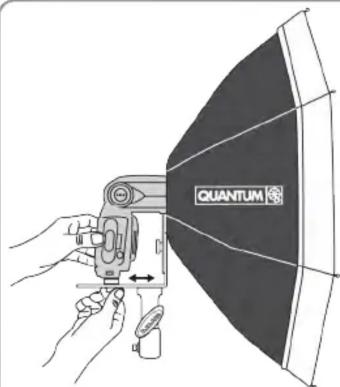
To position the flash head correctly into the softbox rear aperture, move the flash forward or backward and then secure with the locking screw. See fig. 8
To keep pace with our continued design and development this product may be modified by Quantum Instruments, Inc at any time.
10 Commerce Drive, Hauppauge NY 11788-3968 USA Tel: (631) 656-7400 Fax: (631) 656-7410 www.qtm.com Email: QuantumHelp@qtm.com ©2011 Quantum Instruments, Inc. All right reserv

Brand : QUANTUM
Model : QF75
Category : Uncategorized