Viera TX-L32E30 - TV PANASONIC - Free user manual and instructions
Find the device manual for free Viera TX-L32E30 PANASONIC in PDF.


User questions about Viera TX-L32E30 PANASONIC
0 question about this device. Answer the ones you know or ask your own.
Ask a new question about this device
Download the instructions for your TV in PDF format for free! Find your manual Viera TX-L32E30 - PANASONIC and take your electronic device back in hand. On this page are published all the documents necessary for the use of your device. Viera TX-L32E30 by PANASONIC.
USER MANUAL Viera TX-L32E30 PANASONIC
| Panasonicideas for life | Support | |
| DOCUMENT TITLE | Fitting Pedestal Stand to LCD Television | |
| APPLICABLE MODELS | All Models | |
Attaching / removing the pedestal
To help avoid risk of damage or injury by the TV tipping or falling, please follow the warnings and cautions below:
Warning
- Do not disassemble or modify the pedestal.
Caution
- Do not use any pedestal other than the one provided with this TV.
- Do not use the pedestal if it becomes warped or physically damaged. If this occurs, contact your nearest Panasonic dealer immediately.
- During setup, make sure that all screws are securely tightened.
- Ensure that the TV does not suffer any impact during installation of the pedestal.
- Ensure that children do not climb onto the pedestal.
• Install or remove the TV from the pedestal with at least two people.
Panasonic
ideas for life
Support
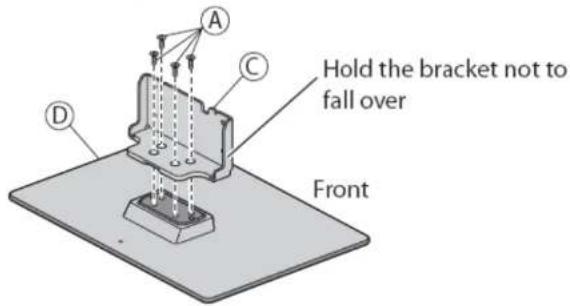
Supplied Parts of the pedestal stand
Ⓐ Assembly screw (4)
• XSS5+15FNK
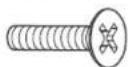
M5×15
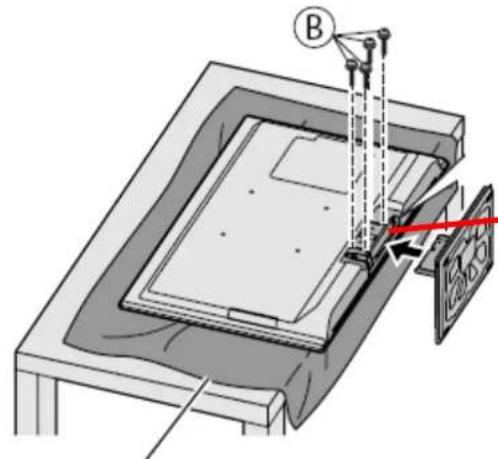
B Assembly screw (4)
• XYN4+F30FJK
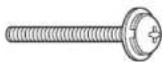
M4×30
© Bracket
• TBL5ZA3017 (TX-L32E30B) (TX-L37E30B)
• TBL5ZA3014 (TX-L42E30B)

D Base
• TBL5ZX0140 (TX-L32E30B)
• TBL5ZX0144 (TX-L37E30B)
• TBL5ZX0149 (TX-L42E30B)
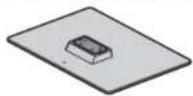
Example taken from the TX-L32E30B
Panasonic
ideas for life
Support
Assembling the pedestal
Use the assembly screws Ⓐ to fasten the bracket
© to the base Ⓓ securely.
• Make sure that the screws are securely tightened.
- Forcing the assembly screws the wrong way will strip the threads.
text_image
Hold the bracket not to fall over Front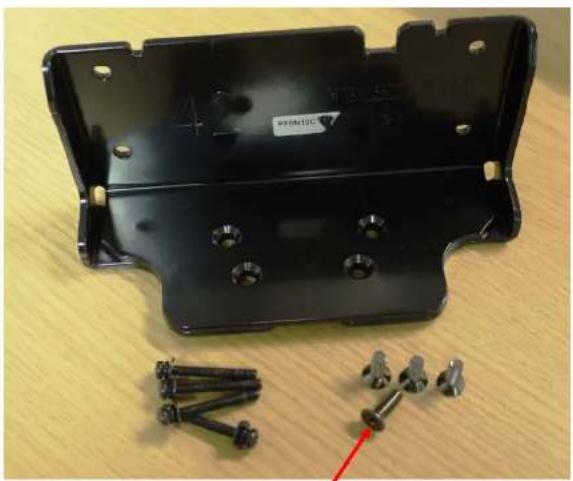
natural_image
Black plastic automotive bracket with screws and metal fasteners on a wooden surface (no text or symbols visible)Screw 'A' Counter-sunk head
Panasonic
ideas for life
Support
Securing the TV
Use the assembly screws Ⓑ to fasten securely.
- Tighten the four assembly screws loosely at first, then tighten them firmly to fix securely.
- Carry out the work on a horizontal and level surface.
text_image
Technical diagram showing a mechanical assembly with labeled component B and a red arrow indicating direction or force.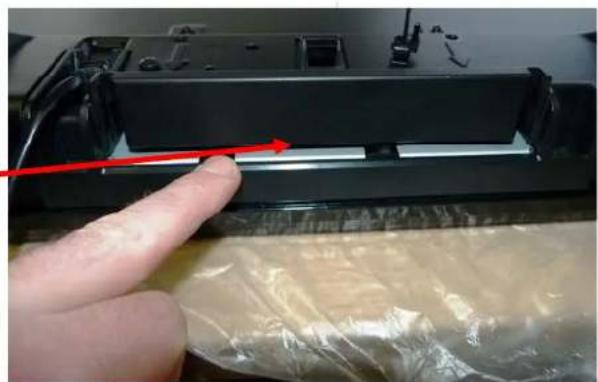
natural_image
Close-up of a finger pressing down on a black electronic device with plastic wrap (no visible text or symbols)Foam mat or thick soft cloth
Panasonic
ideas for life
Support
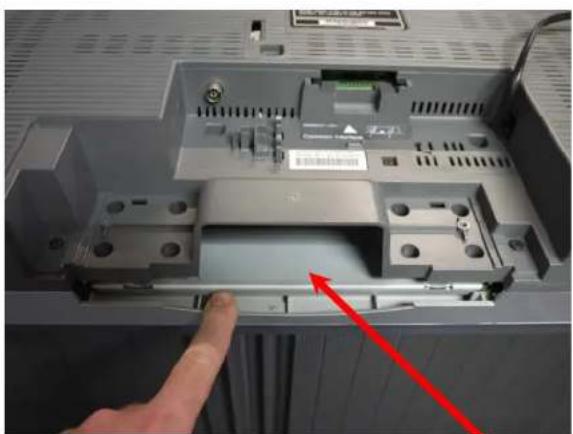
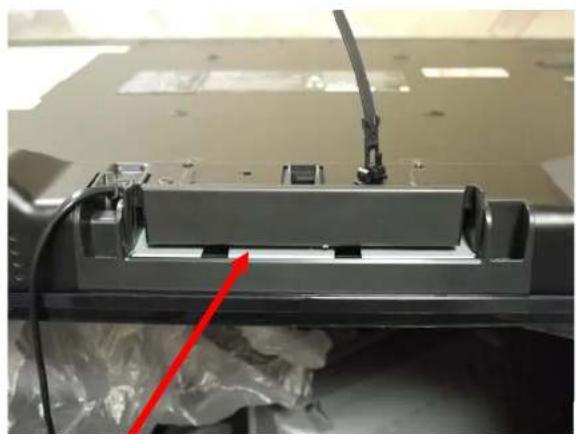
1) The fixing slot for the stand is located on the bottom of the unit.
natural_image
Interior view of a computer case with a hand pointing to a component, showing internal circuitry and no visible text or symbols.2006 LCD Model
natural_image
Close-up of a mechanical component with a red arrow pointing to a feature, no visible text or symbols2011 LCD Model
Stand slot location
Panasonic
ideas for life
Support
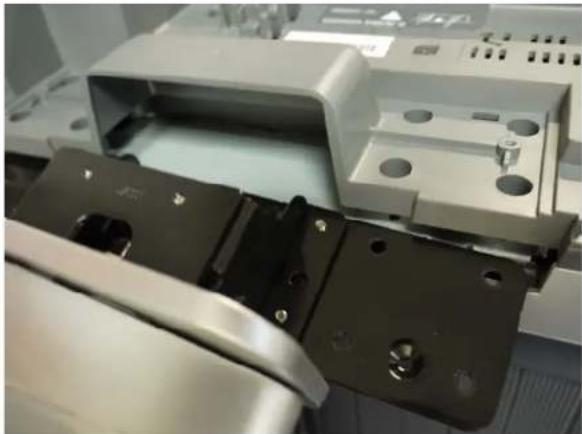
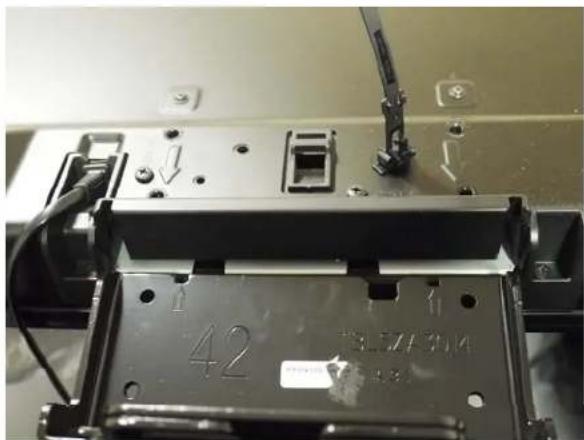
Inserting the Stand into the Television
natural_image
Close-up of a mechanical assembly with metal brackets and mounting holes (no visible text or symbols)2006 LCD Model 2011 LCD MODEL
natural_image
Close-up of a mechanical assembly with visible components and mounting holes (no readable text or symbols)Panasonic
ideas for life
Support
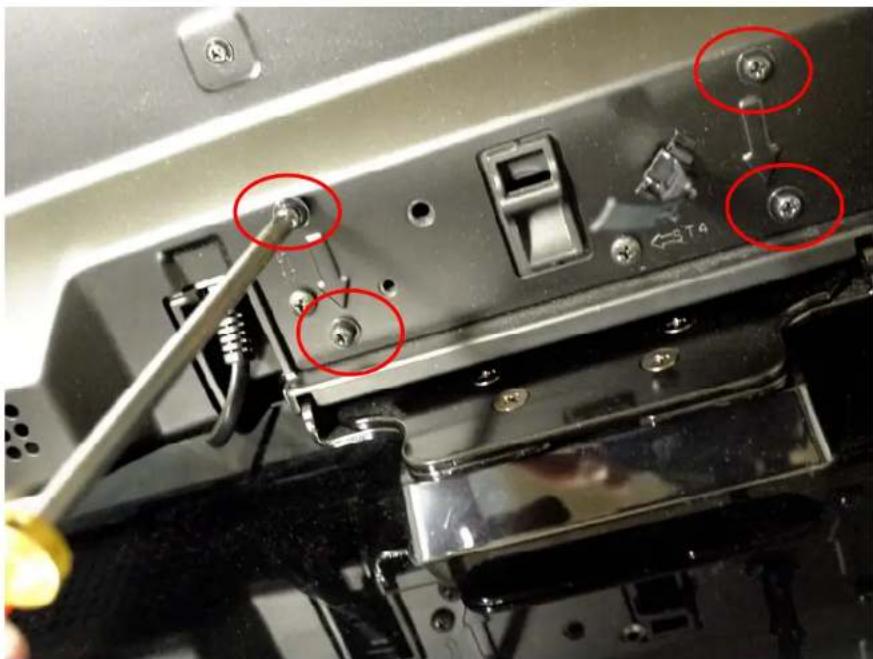
Using a cross-headed screw-driver tighten the screws.