
ES-GFD8145W5 - Washing machine SHARP - Free user manual and instructions
Find the device manual for free ES-GFD8145W5 SHARP in PDF.
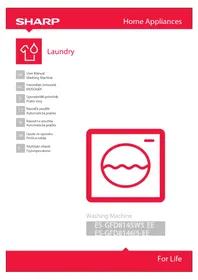


| Product Type | Washing Machine |
| Brand | Sharp |
| Model | ES-GFD8145W5 |
| Capacity | 8 kg |
| Maximum Spin Speed | 1400 rpm |
| Display Type | Digital with adjustable brightness and contrast |
| Number of Programs | 20+ (Cotton, Synthetic, Wool, Silk, Duvet, Sports Wear, etc.) |
| Stain Selection | 22 types (blood, grass, coffee, wine, etc.) |
| Eco Time Zone | Adjustable period for low-energy operation (requires smart meter) |
| Language Options | Multiple languages (English, German, etc.) |
| Time Setting | Yes, with hour and minute adjustment |
| Dirtiness Level Selection | Little dirty, dirty, very dirty (depending on program) |
| Pre-wash Function | Available for dirty and very dirty levels |
| Drum Cleaning Program | Yes (Drum clean) |
| Allergy Safe Program | Yes |
| Rapid 12' Program | Yes |
| Night Wash Program | Yes |
| Warning Sound | Adjustable (on/off) |
| Factory Reset | Yes |
Frequently Asked Questions - ES-GFD8145W5 SHARP
User questions about ES-GFD8145W5 SHARP
0 question about this device. Answer the ones you know or ask your own.
Ask a new question about this device
Download the instructions for your Washing machine in PDF format for free! Find your manual ES-GFD8145W5 - SHARP and take your electronic device back in hand. On this page are published all the documents necessary for the use of your device. ES-GFD8145W5 by SHARP.
USER MANUAL ES-GFD8145W5 SHARP
Laundry
Washing Machine
ES GFD8145W5 EE
ES-GFD8146|5-EE
CHAPTER-1: MACHINE SETTINGS (DAY TIME)
To make the first settings of your machine:
- Plug your machine in.
- Open the water faucet.
- Press the on / off button.
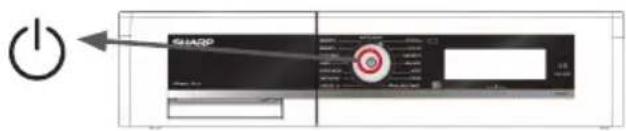
After the logo introduction, your machine will automatically be directed to the time selection setting menu for time selection.
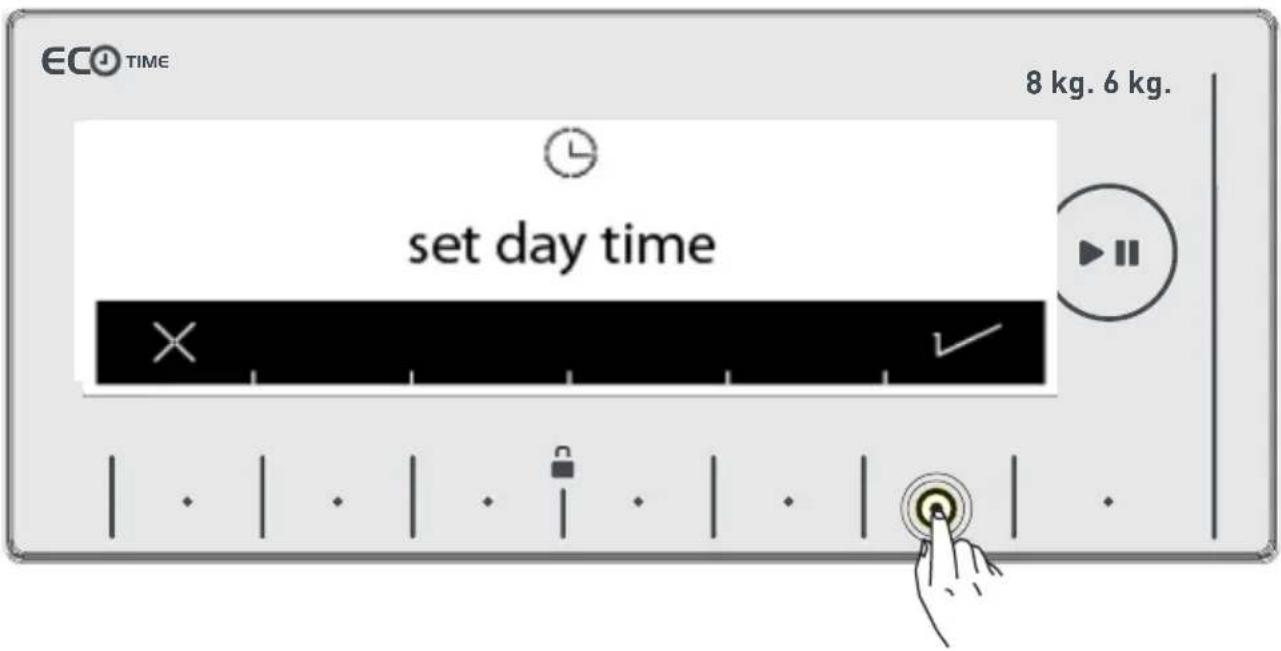
Your machine will ask your approval for setting the current time. Go to the setting menu by touching the button of √ symbol. ✗ symbol button allows you to exit without setting.
Note: You must set the current time correctly. If not, it will affect the operation of other functions related to time.
Note: Recorded time information will be reset if you keep your machine unplugged for longer than 15 days. In that case your machine will ask you again for time setting when you turn it back on.
CHAPTER-1: MACHINE SETTINGS (DAY TIME)
Please make the current hour and minute settings by touching the buttons of symbols
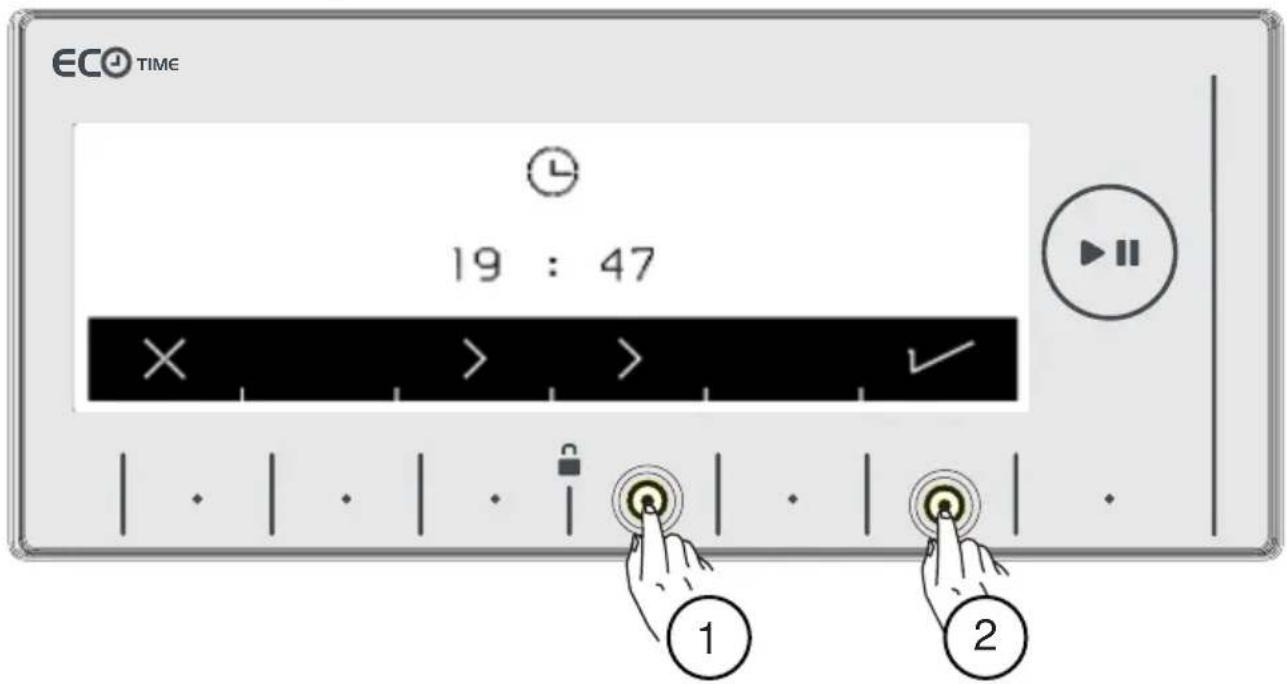
• After setting the current time, approve by touching the button with symbol 1.
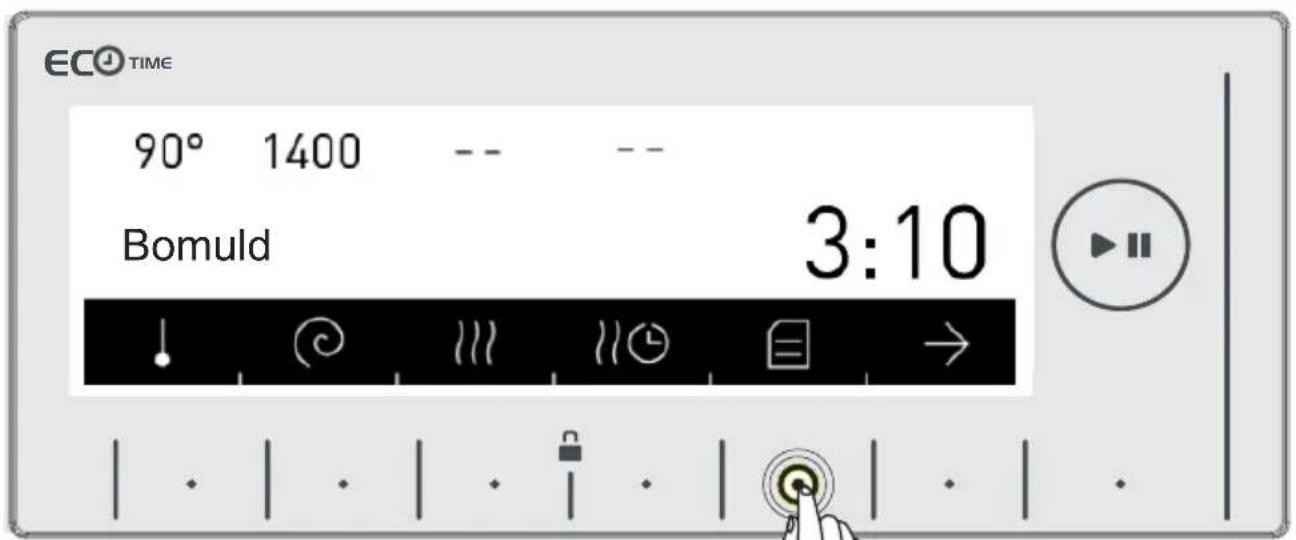
- Your machine will automatically go to the main screen of the program you have selected. Go to the machine settings menu by touching the button with the 📁 symbol on this screen.
CHAPTER-2: MACHINE SETTINGS (SELECT LANGUAGE)
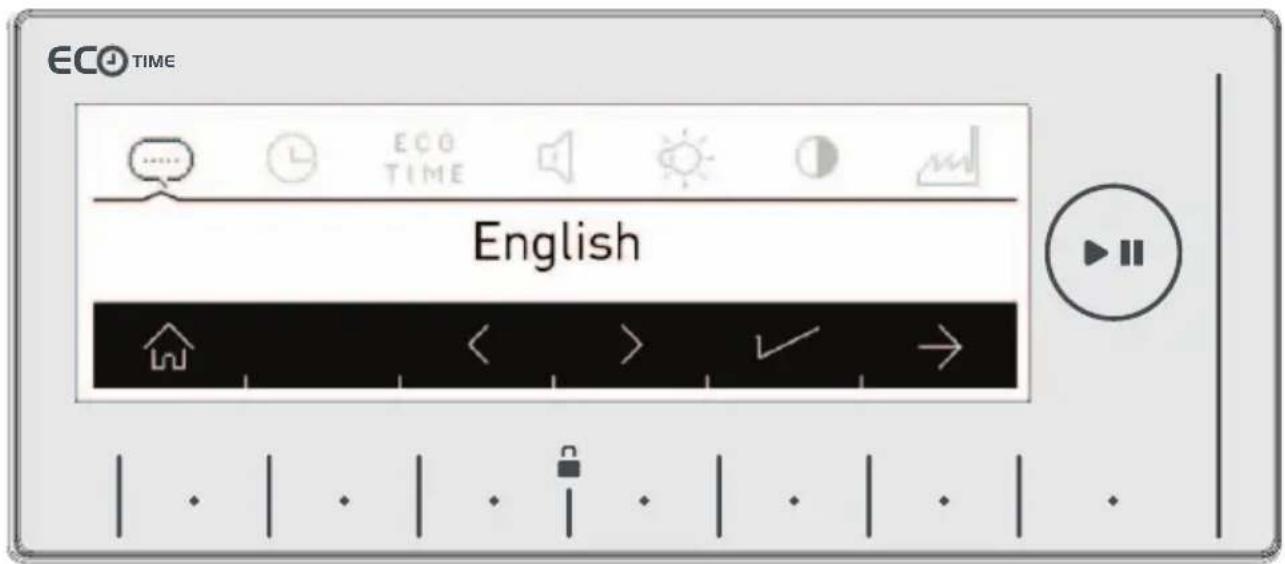
- You can select the language you wish by using the direction buttons < >
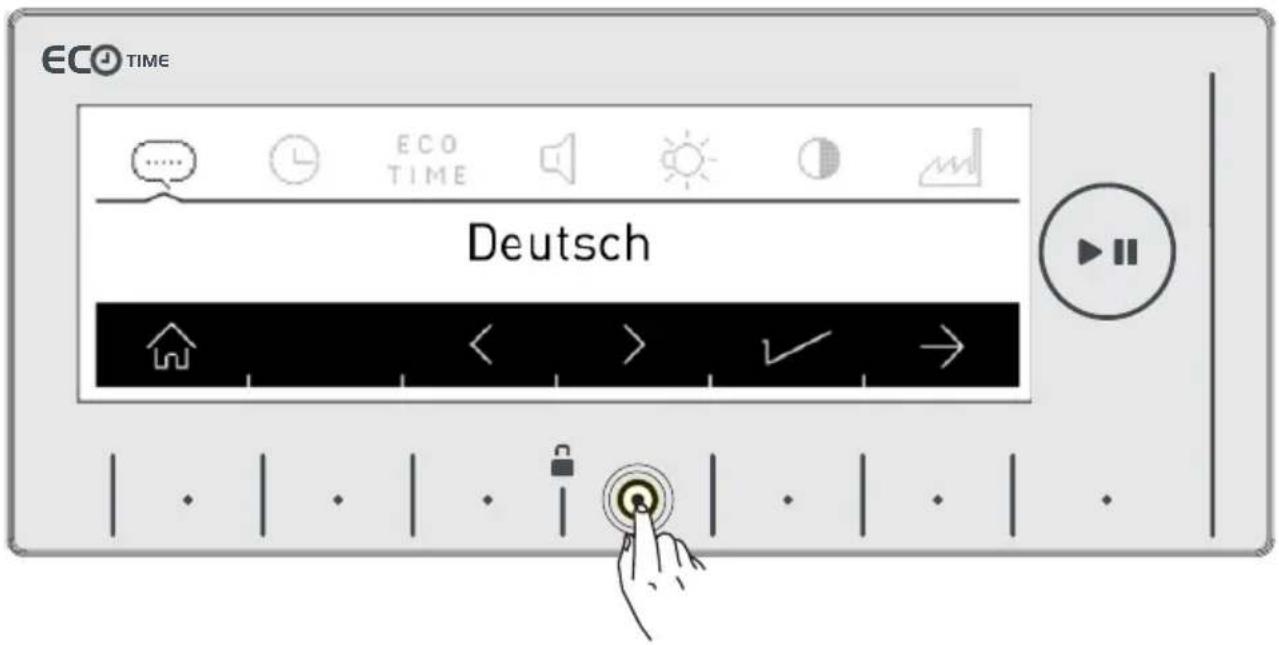
CHAPTER-2: MACHINE SETTINGS (SELECT LANGUAGE)
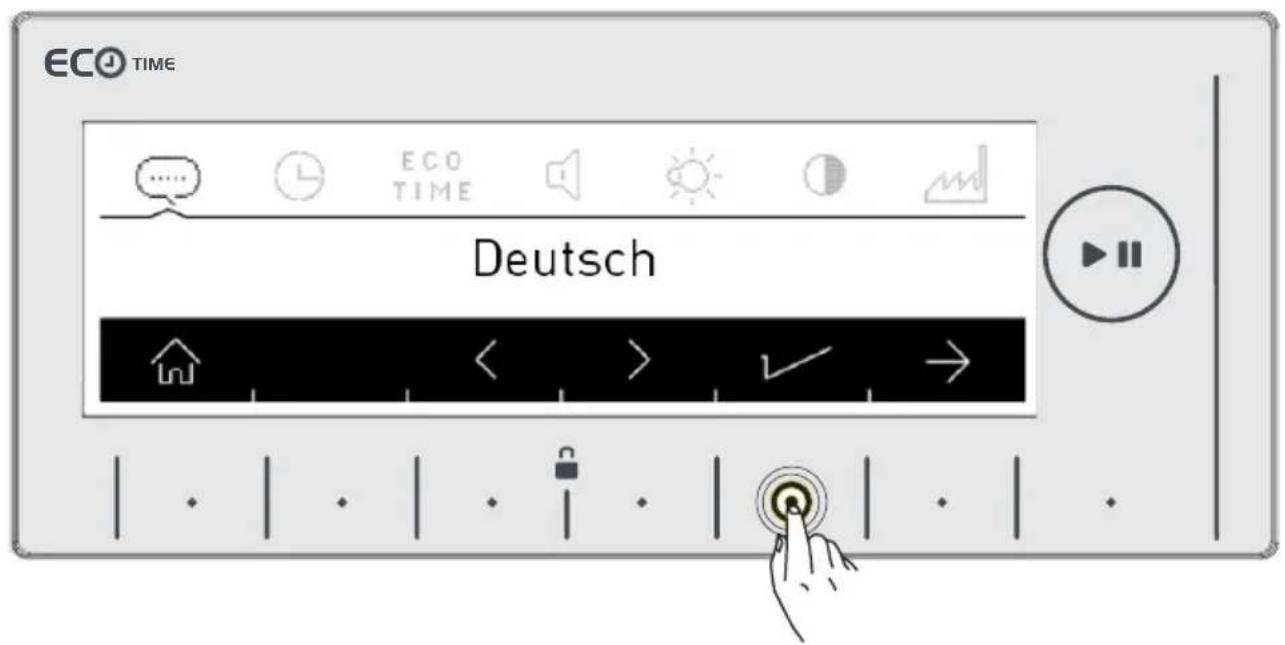
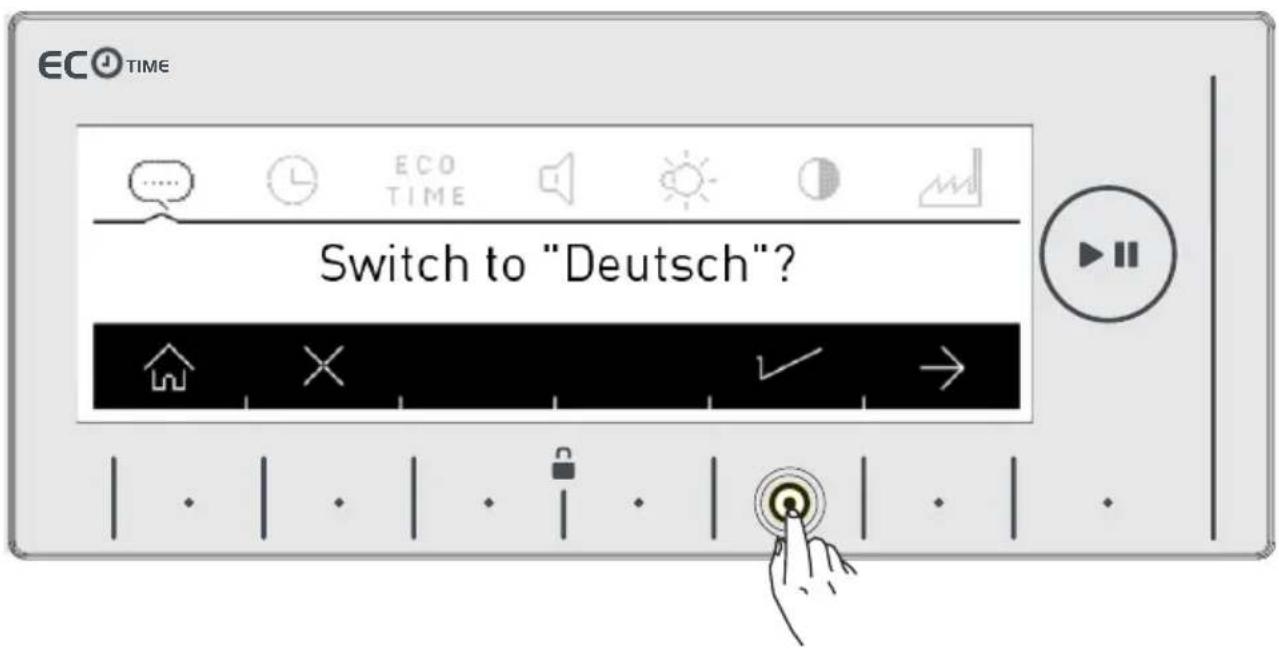
- Touch button 1 to save the language you selected. • A question will be asked on the screen for whether you approve the selection.
CHAPTER-2: MACHINE SETTINGS (SELECT LANGUAGE)
- Touch the √ button to approve the language change.
• If you think you have selected the wrong language, touch the button and make the language selection again.
- When you approve the language change, the language you have selected will be active.
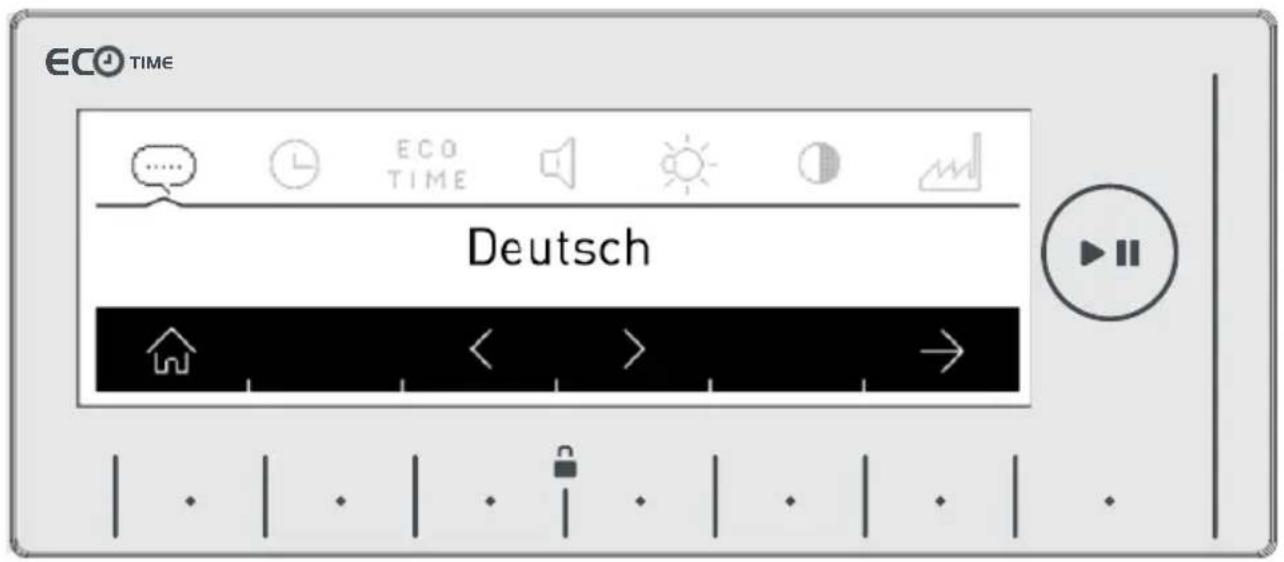
- Go to the time setting menu of your machine by pressing the button with the symbol twice.
CHAPTER-3: MACHINE SETTINGS (SET ECONOMIC TIME ZONE)
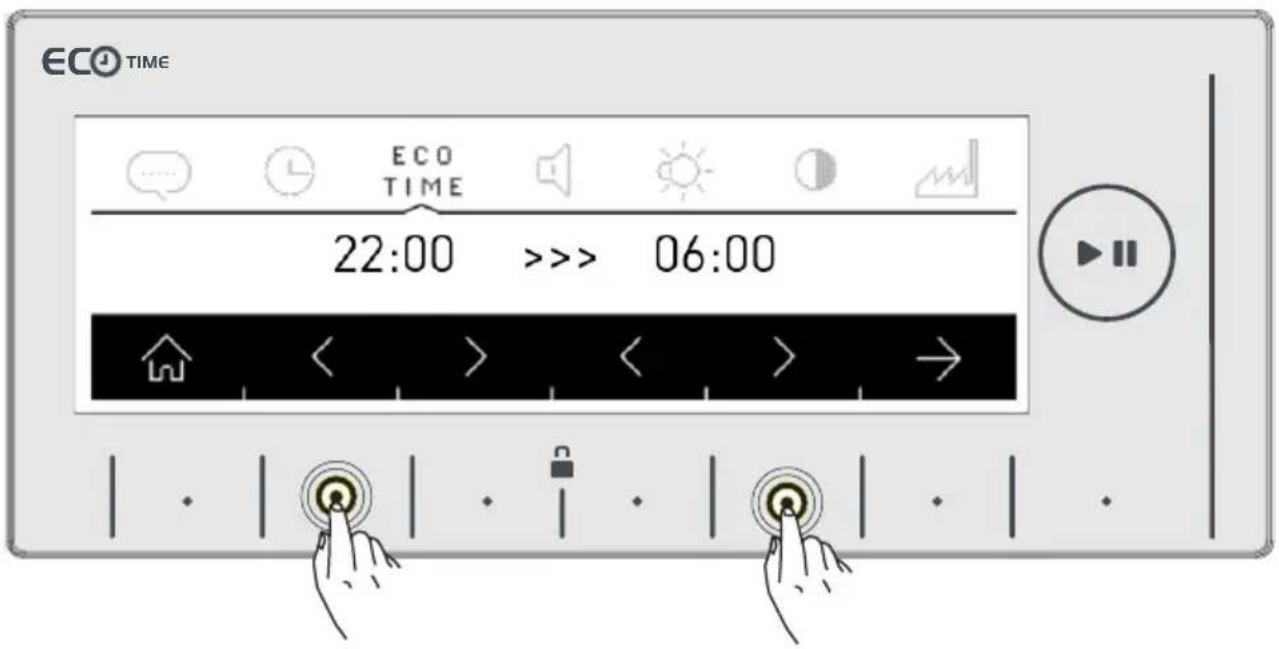
- The electrical energy consumption can change during the day according to the single electricity provider. You can possibly see these intervals from your electricity provider and set your eco time running hours, and have your machine run these hours you determined.
Note: Your mains electricity must be connected to a counter with a smart-counter feature to be able to provide this energy saving.
- Touch the Symbol button to make this adjustment.
- If you want to do it later, touch the X symbol button.
CHAPTER-3: MACHINE SETTINGS (SET ECONOMIC TIME ZONE)
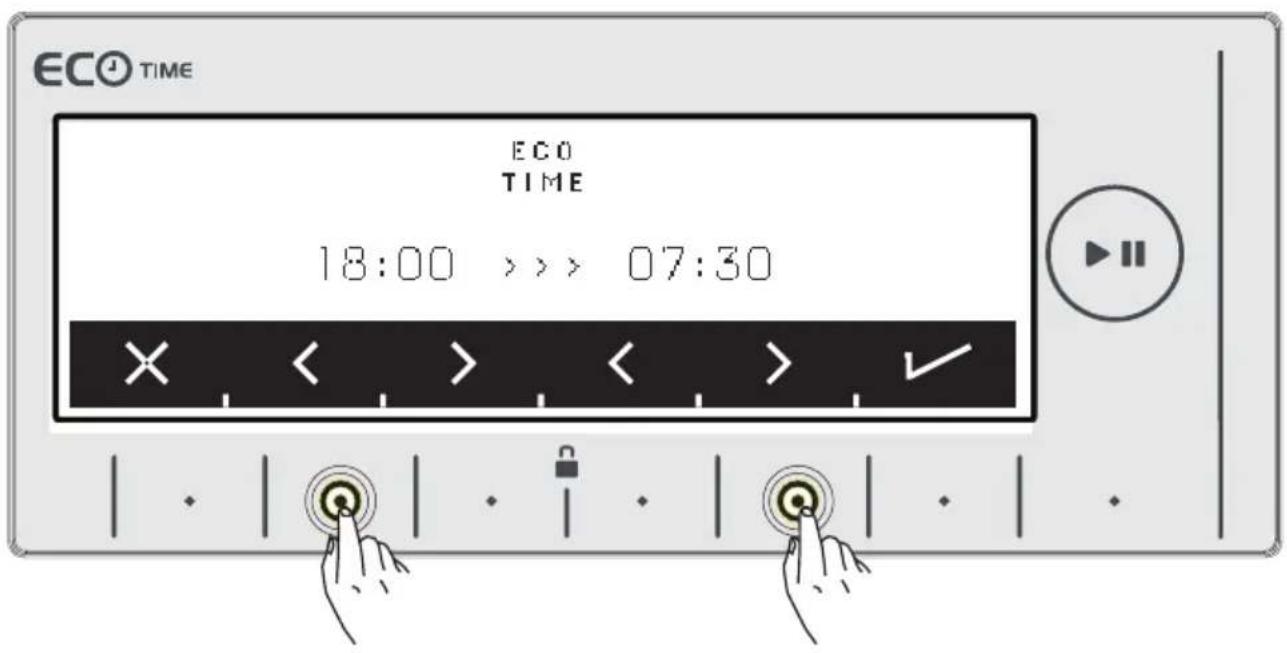
- You can adjust the Eco Time interval by touching the buttons of symbols <> See page 61 to activate the Eco Time interval additional function.
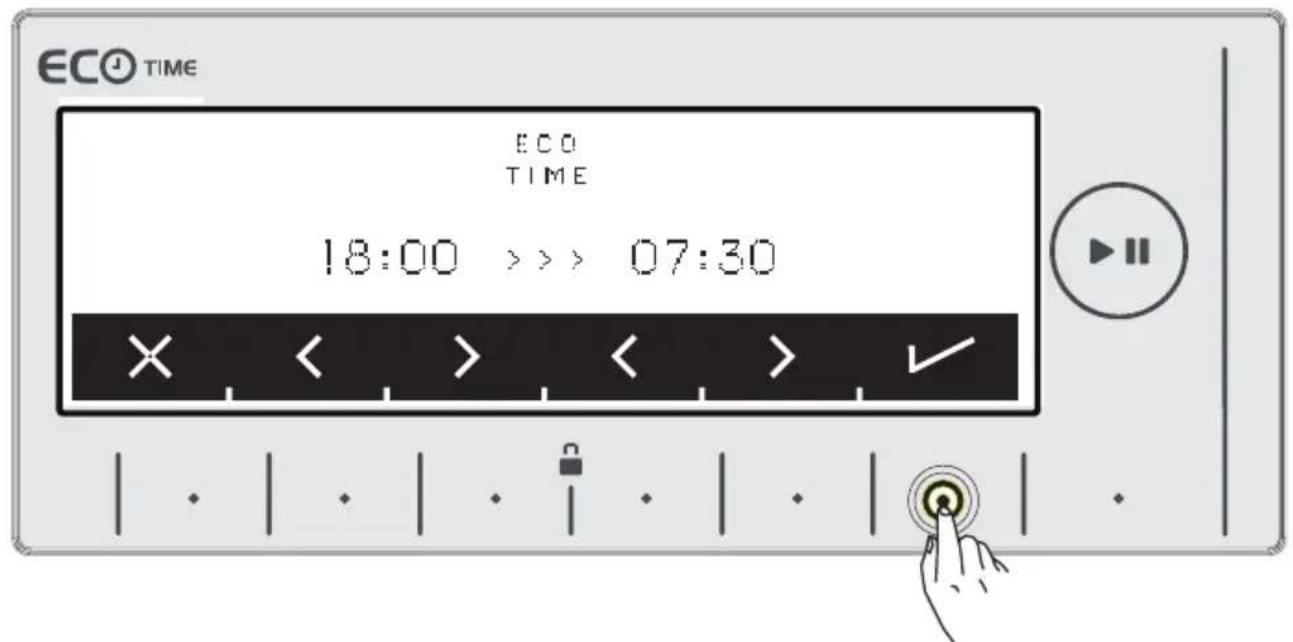
- Approve your selection by touching the symbol button.
- You can adjust the volume of your machine by touching the buttons of <> symbols.
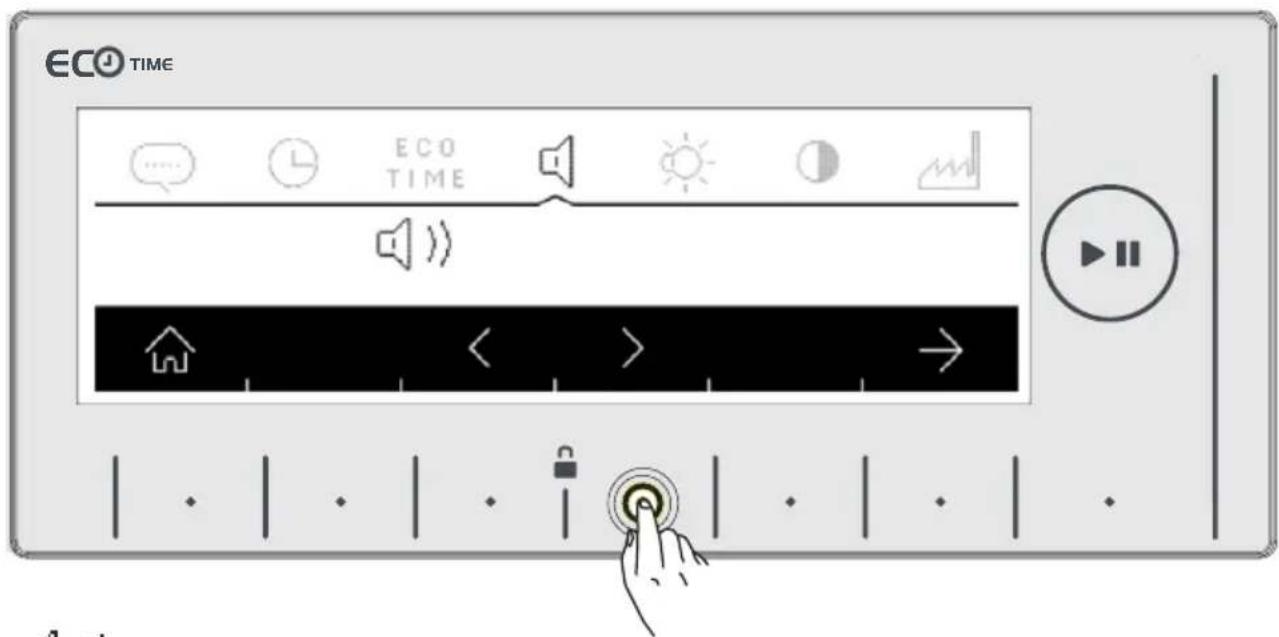
symbol denotes that the warning sound of your machine is on.
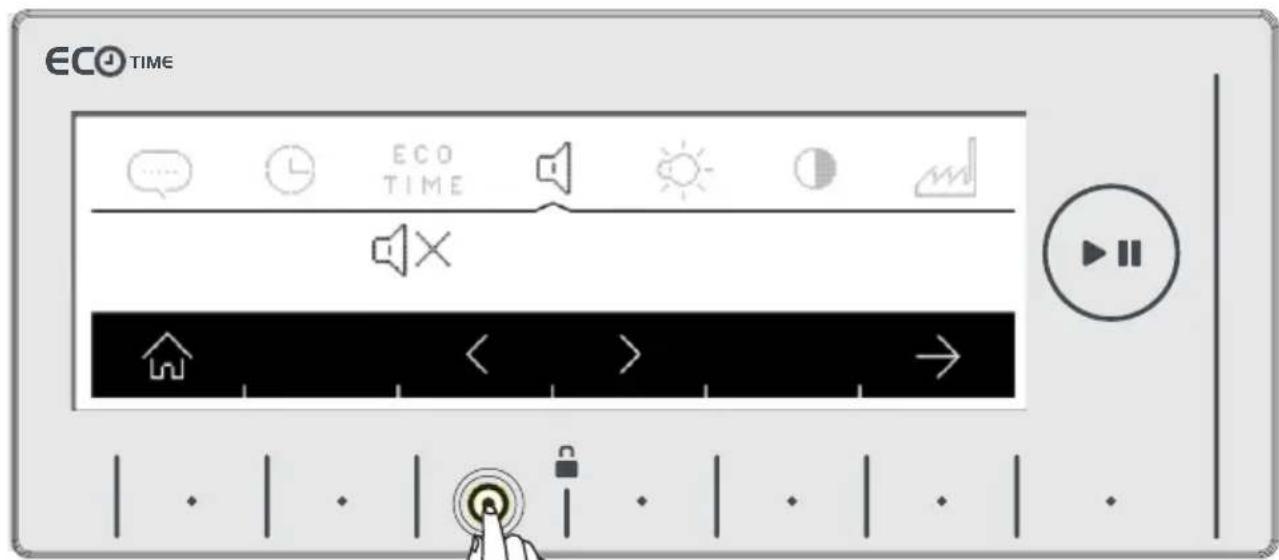
☐ × symbol denotes that the warning sound of your machine is off.
- Adjust the screen brightness of your machine by touching the buttons of symbol.
CHAPTER-5: MACHINE SETTINGS (SCREEN BRIGHTNESS ADJUSTMENT / SCREEN CONTRAST ADJUSTMENT
- You can adjust the screen brightness of your machine by touching the buttons of symbols.
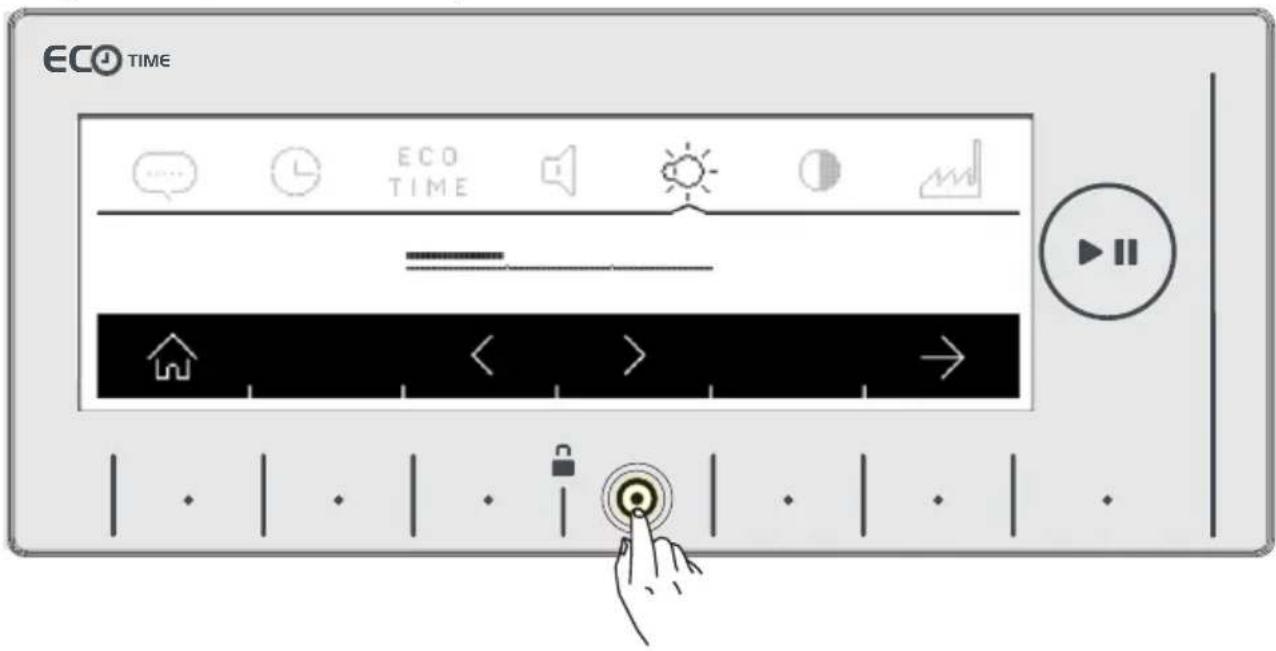
- Adjust the screen contract of your machine by touching the buttons of symbol.
- You can adjust the screen contrast of your machine by touching the buttons of symbols.
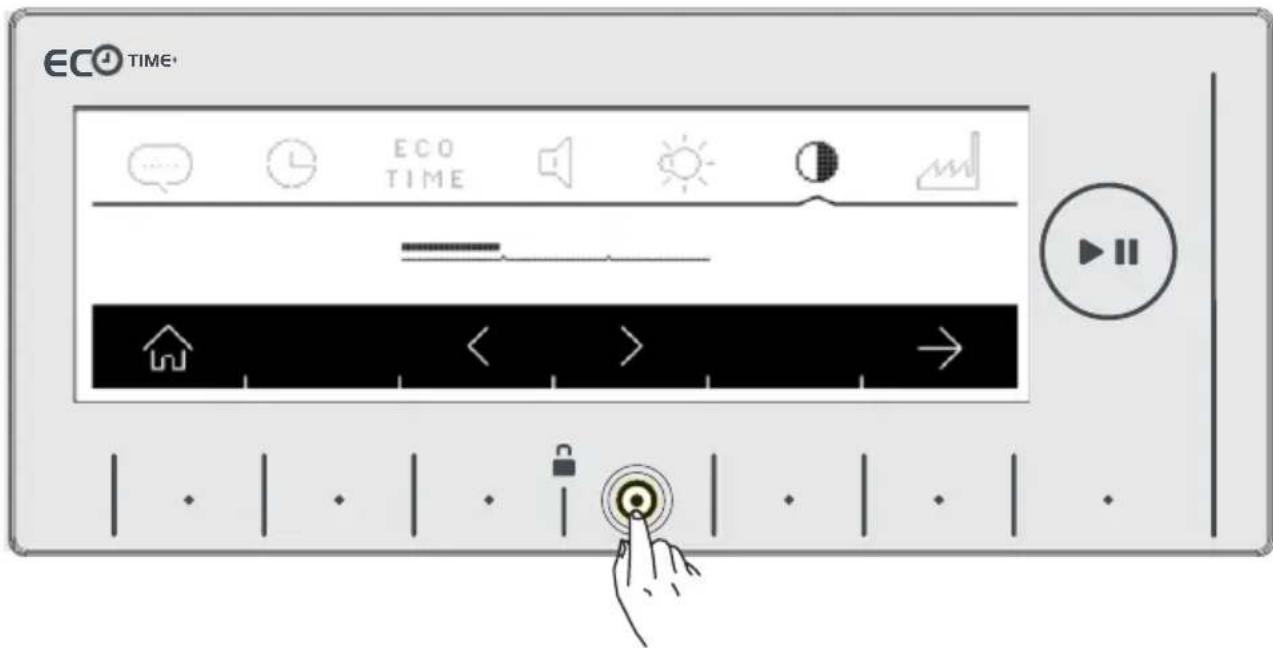
- You can go to revert to factory settings screen by touching the button of → symbol.
If you want to revert your machine to the factory settings:
- Touch the button of symbol.
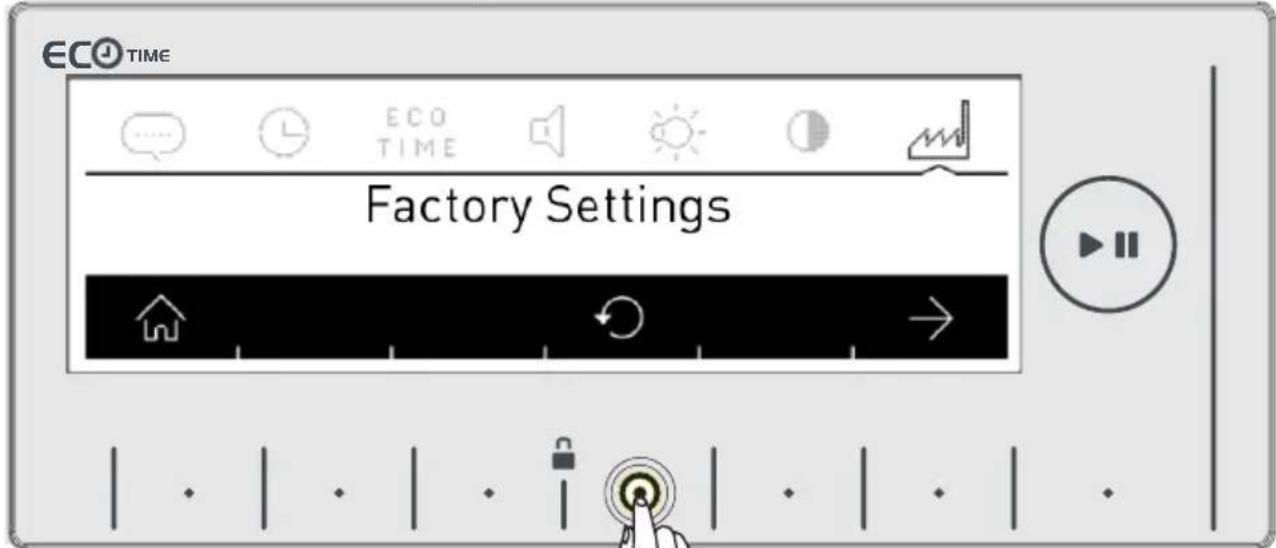
- A question will be asked on the screen for whether you approve the selection.
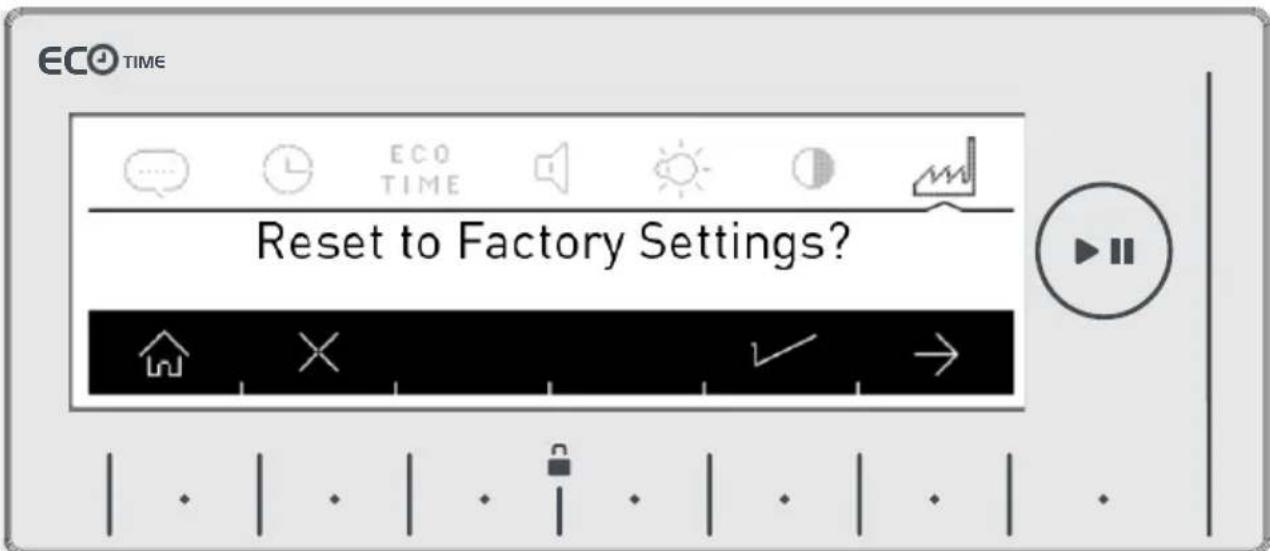
- A question will be asked on the screen for whether you approve the selection.
- If you want to cancel the selection, touch the button of symbol.
- You can return to the main screen by touching the button.
CHAPTER-7: PRELIMINARY PREPARATION FOR LAUNDERING STAIN SELECTION

Your machine has additional functions for removing 22 different types of stains.
You can make use of these auxiliary functions according to the stain types on your laundry.
Warning: For the stain selection auxiliary function to perform properly, you should not let the stains on your laundry to dry and stick. Remove solid materials beforehand.
Warning: Before you start washing the new stains on your laundry, press on the stain once with a cloth. Do not rub!
Your washing machine automatically adjusts the washing temperature, vessel rotation movement and rinse number and duration according to the stain type selected.
For example, the stain removing methods of your machine are as such ;
Blood stain: The blood stain auxiliary function combined with the selected washing program will dissolve the laundry with blood stains in cold water prior to the main program and work to clean the stained surfaces, and then your selected washing program will start.
Egg stain: Egg stains will be softened in warm water for a certain time to clear the stain, and then the combined washing program will continue to complete the washing cycle.
The stain type selection features in your machine are listed below.
For other stain selections, similar stain removal solutions are available.
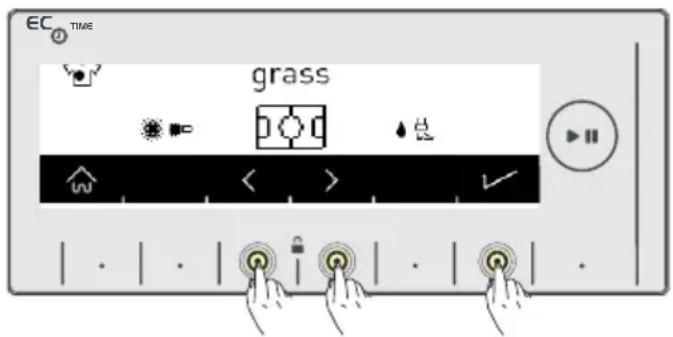
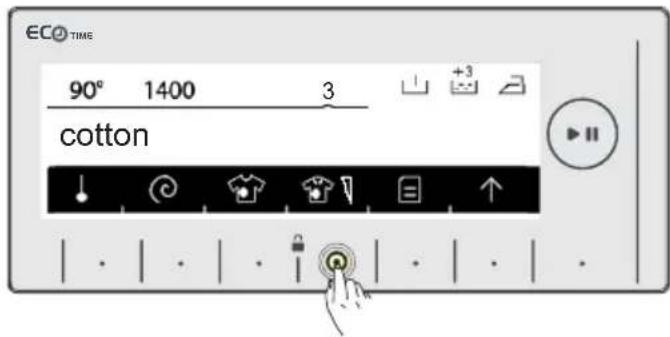
For the stain selection to be active, touch the stain selection 📋 symbol button on the screen of your machine. (Picture 1)
Determine the stain selection by touching the arrow <> symbol buttons. (Picture 2)
To approve the selection, activate the stain removal auxiliary washing program you selected by touching the √ symbol button on the screen. (Picture 2)
Picture 1 Picture 2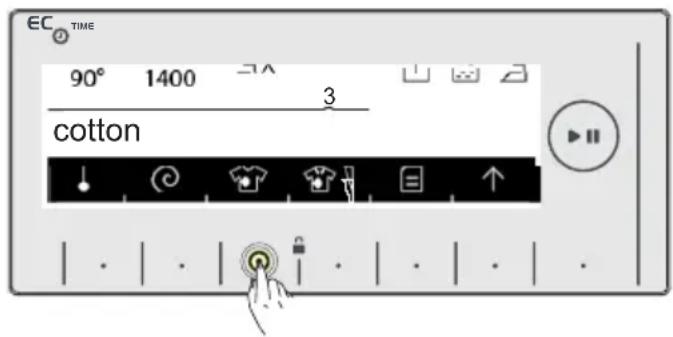
CHAPTER-7: PRELIMINARY PREPARATION FOR LAUNDERING STAIN SELECTION
Picture 3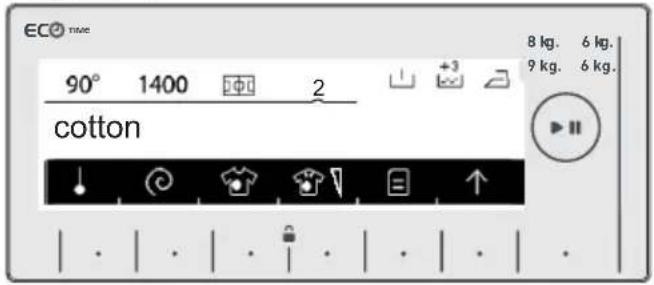
Picture 4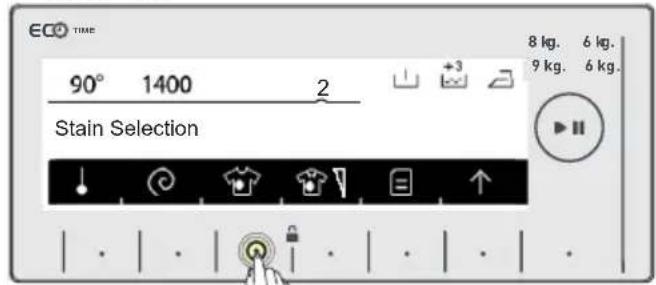
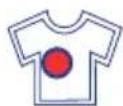
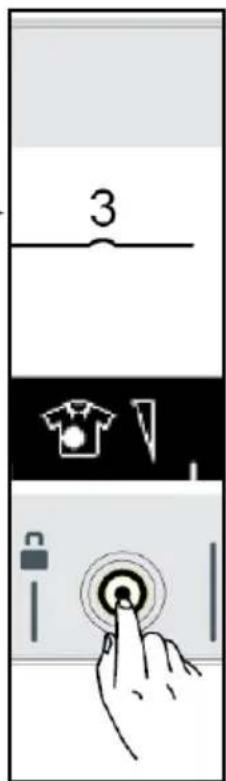
On the screen you will see the symbol for the stain selection you selected. (Picture 3)
If you want to cancel the stain selection, you can touch the stain selection symbol button. The warning message that the selection is cancelled will be displayed on the screen for a short duration. "Stain selection"
If you want to re-select the stain removal function, re-apply the operations seen in Picture 1 and Picture 2.
Note: If the desired result is not achieved with the selected stain selection at the end of the wash, you might have selected the wrong stain; please re-apply the washing operation with the correct stain selection to remove the stain. Stain selection symbol explanations.
Stain selection symbol explanation table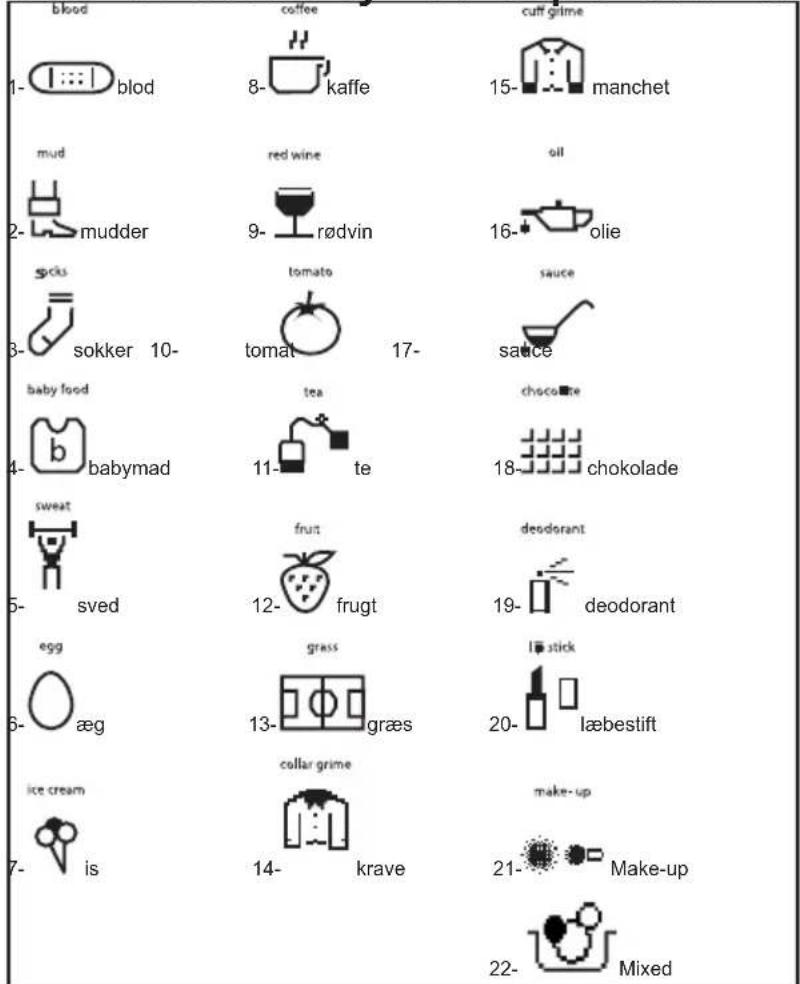
| PROGRAMS STAIN | SELECTION |
| Cotton S | |
| Cotton eco S | |
| *Cotton 60 e S | |
| *Cotton 40 e S | |
| Eco 20° SY | |
| Synthetic S | |
| *Curtain S | |
| Wool SY | |
| *Silk SY | |
| Duvet S | |
| Exstra SY | |
| *Rinse SY | |
| *Spin SY | |
| *Drain SY | |
| *Drum clean SY | |
| Allergy safe | S |
| Rapid 12' | SY |
| Daily 60° 60' | S |
| Sports Wear S | |
| Blouses/Shirts | S |
| Night Wash | S |
| S: Selectable SY: No selection * : Sub-programs | |
CHAPTER-7: PRELIMINARY PREPARATION FOR LAUNDERING STAIN LEVEL SELECTION
You can change your wash settings according to how dirty your laundry is and have your laundry washed in less or more time, lower or higher temperature. The dirtiness levels are automatically set in certain programs. You can make changes as you like.
Note: If no change occurs when you touch the stain level button, this
means there is no stain level selection in the program you have selected.
1 Little dirt (no pre-washing) 2 Dirty (apply pre-washing if necessary.) 3 Very dirty (apply pre-washing if necessary.)
| PROGRAMS DIRTINESS FACTORY PRESET | SELECTABLE LEVELS | |||
| Cotton S Dirty Very dirty Little dirt | ||||
| Cotton eco S Dirty Very dirty Little dirt | ||||
| *Cotton 60 e S Dirty Very dirty Little dirt | ||||
| *Cotton 40 e S Dirty Very dirty Little dirt | ||||
| Eco 20° SY Little dirt NS NS | ||||
| Synthetic S Dirty Very dirty Little dirt | ||||
| *Curtain S Dirty Very dirty Little dirt | ||||
| Wool S Dirty Very dirty Little dirt | ||||
| *Silk | S Dirty Very dirty Little dirt | |||
| Duvet | S Dirty Very dirty Little dirt | |||
| Exstra | SY NS | NS NS | ||
| *Rinse SY NS | NS NS | |||
| *Spin | SY NS | NS NS | ||
| *Drain | SY NS | NS NS | ||
| *Drum clean | SY NS | NS NS | ||
| Allergy safe | S Dirty NS NS | |||
| Rapid 12' | SY Little dirt NS NS | |||
| Daily 60°60' | S Dirty Little dirt NS | |||
| Sports Wear S Dirty Very dirty Little dirt | ||||
| Blouses/Shirts | S Dirty Very dirty Little dirt | |||
| Night Wash | S Dirty Very dirty Little dirt | |||
| S: Selectable SY: No selection * : Sub-programs | ||||
Or contact us:


- LAUNDRY
- CHAPTER-1: MACHINE SETTINGS (DAY TIME)
- CHAPTER-2: MACHINE SETTINGS (SELECT LANGUAGE)
- CHAPTER-3: MACHINE SETTINGS (SET ECONOMIC TIME ZONE)
- CHAPTER-5: MACHINE SETTINGS (SCREEN BRIGHTNESS ADJUSTMENT / SCREEN CONTRAST ADJUSTMENT
- CHAPTER-7: PRELIMINARY PREPARATION FOR LAUNDERING STAIN SELECTION
- CHAPTER-7: PRELIMINARY PREPARATION FOR LAUNDERING STAIN LEVEL SELECTION
Brand : SHARP
Model : ES-GFD8145W5
Category : Washing machine