
PJ-MSL3W - Mouse PRESTIGIO - Free user manual and instructions
Find the device manual for free PJ-MSL3W PRESTIGIO in PDF.


| Product Type | Wireless Laser Mouse |
| Brand | Prestigio |
| Model | PJ-MSL3W |
| Connectivity Technology | 2.4 GHz Dual Direction RF |
| Sensor Type | Laser Diode with Built-In Sensor |
| DPI Levels | 800 / 1600 DPI Switchable |
| Number of Buttons | 5 (Left, Right, Wheel, DPI, Forward/Backward) |
| Battery Type | AA or AAA Alkaline x 2 |
| Power Source | 2 x AA or AAA batteries |
| Weight (Medium) | 75 g |
| Dimensions (Medium) | 109 x 66 x 38.5 mm |
| Frame Rate | 3000 frames/second |
| Report Rate | 125 cycles/second |
| RF Sensitivity | ~ -85 dBm |
| Channels / ID | 16 Channels / 2^8 ID per Channel |
| Operating Systems Supported | Windows 2000/ME/XP (32bit)/Vista |
| Power Consumption (Operation) | < 5.5 ~ 8.5 mA |
| Power Consumption (Idle) | 0.6 ~ 0.65 mA |
| Sleep Mode | Automatic sleep after 5s idle; deep sleep after 425s |
| Low Power Indicator | Red LED (on PJ-MSL3W) |
| DPI Indicator | Integrated with wheel button indicator |
| Included Receiver | USB 2.4 GHz nano receiver |
| Laser Class | Class 1 (IEC 60825-1) |
| Cleaning & Maintenance | Wipe with dry cloth; avoid liquids |
| Safety Warning | Do not disassemble; keep away from heat and moisture |
Frequently Asked Questions - PJ-MSL3W PRESTIGIO
User questions about PJ-MSL3W PRESTIGIO
0 question about this device. Answer the ones you know or ask your own.
Ask a new question about this device
Download the instructions for your Mouse in PDF format for free! Find your manual PJ-MSL3W - PRESTIGIO and take your electronic device back in hand. On this page are published all the documents necessary for the use of your device. PJ-MSL3W by PRESTIGIO.
USER MANUAL PJ-MSL3W PRESTIGIO
- Prestigio Mouse Main Unit
-
Quick Guide
-
Warranty Card
- AA or AAA Alkaline Battery X 2
Product Overviews
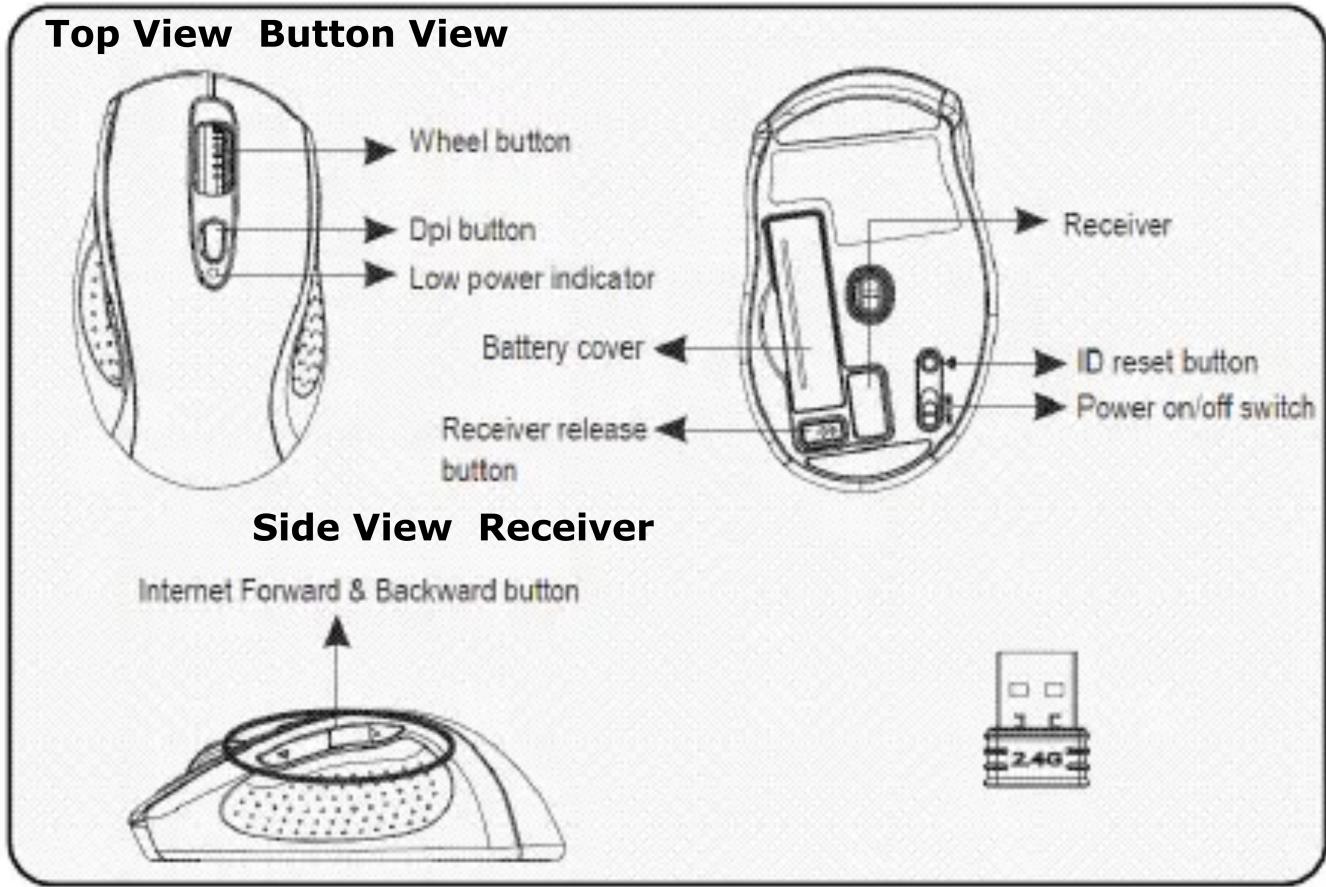
PJ-MSL1W & PJ-MSL2W models
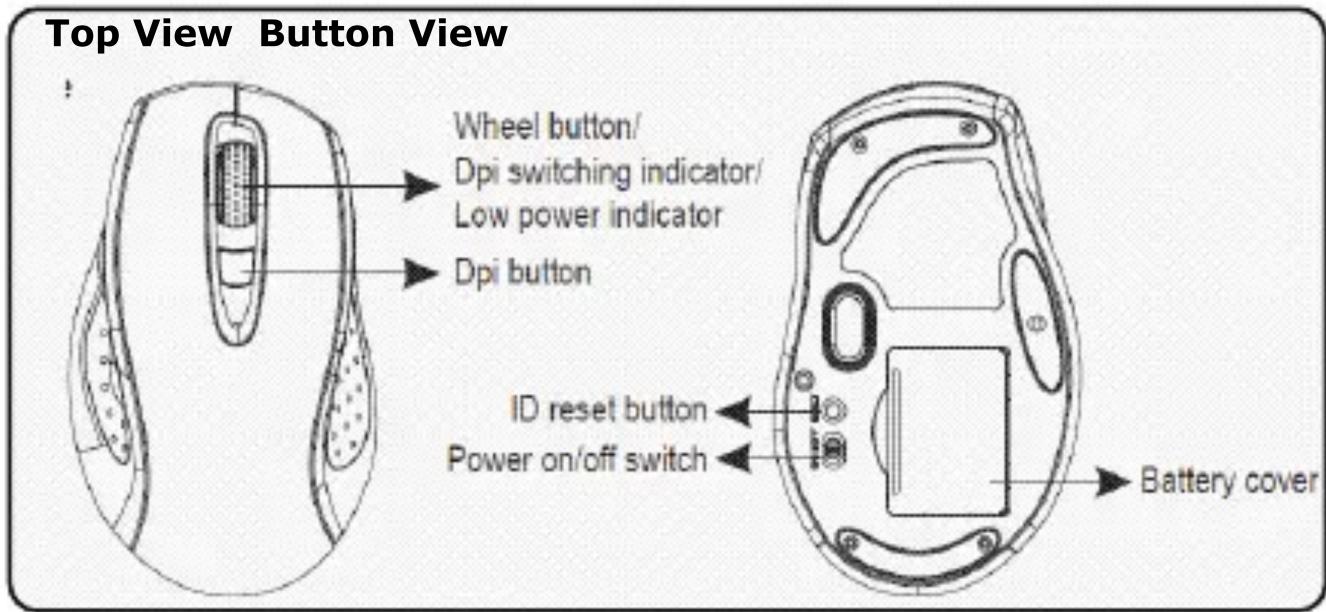
PJ-MSL3W models
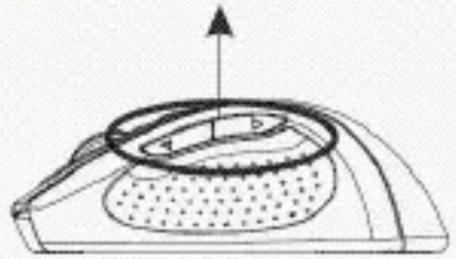
Side View Receiver
Internet Forward & Backward button
natural_image
Diagram of a mechanical component with a circular housing and an arrow indicating upward motion (no text or symbols)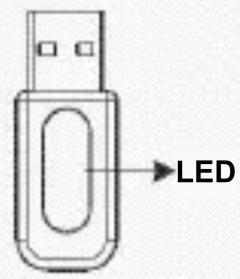
Getting Started
flowchart
graph TD
    A["Laptop"] --> B["Server"]
    B --> C["USB Device"]
    C --> D["USB Device"]
    style A fill:#f9f,stroke:#333
    style B fill:#ccf,stroke:#333
    style C fill:#cfc,stroke:#333
    style D fill:#fcc,stroke:#333
natural_image
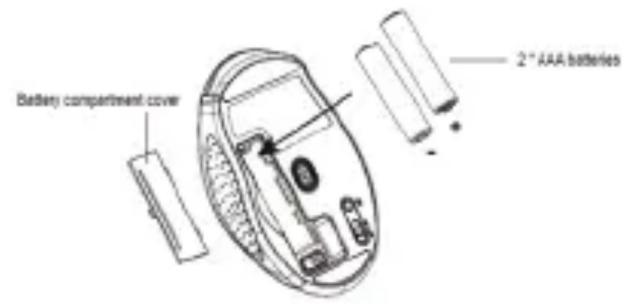
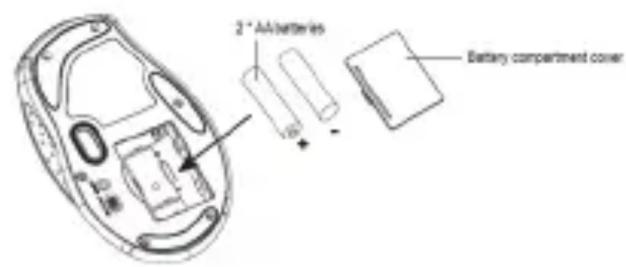
Line drawing of a device with a hand pointing to it (no text or symbols)- Remove battery cabinet cover at the button of device.
- Insert batteries as indicated on the diagram attached.
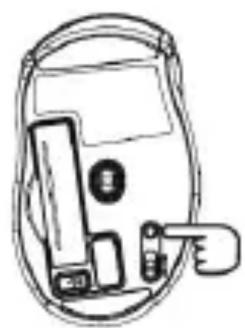
● Fit in battery cabinet cover. - Slide power switch to ON position.
NOTE:
Low power LED blinks for 3 seconds if the device is powered on.
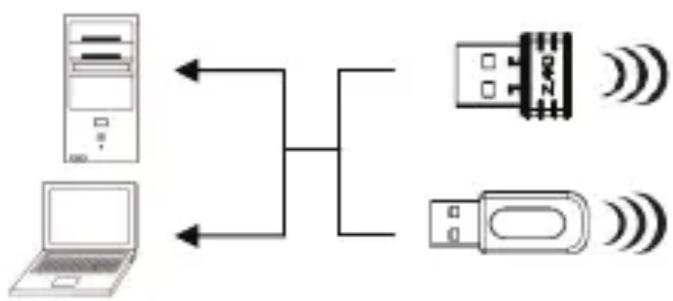
- Turn on PC or notebook.
- Release USB receiver from the button of the device.
- Insert USB receiver to any of the USB slot on PC or notebook.
● The device now is ready for use. - The radio connection will be automatically established once receiver is properly inserted.
- Upon interference, the device will automatically switch to a new channel with slight delay in device operation.
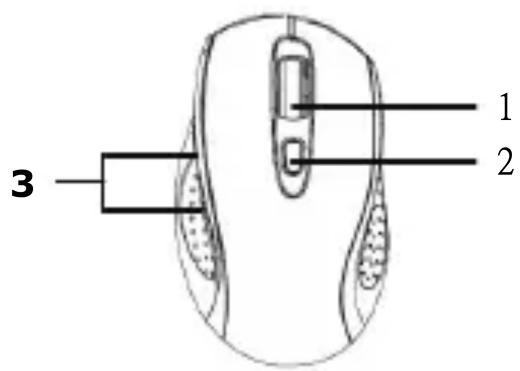
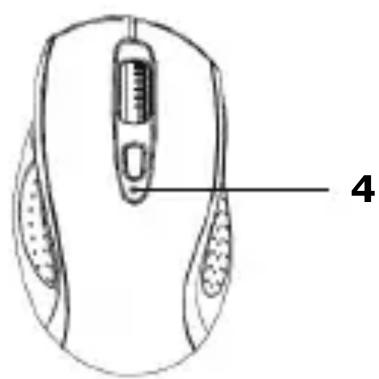
natural_image
Line drawing of a computer mouse with labeled parts (no text or symbols on the diagram itself)- Press DPI switch to toggle between DPI 800/1600 modes.
- Slide scrolling wheel to fast-scroll between pages.
- Press Forward/Backward button to go to next/previous pages when using browser.
- The Low power indicator will be illuminated in red (PJ-MSL1W & PJ-MSL2W models only) if batteries are in need to replacement. Please immediately replace batteries as instructed above.
NOTE:
The device automatically enters sleep mode when not used. Click any button to recall normal function.
Cautions
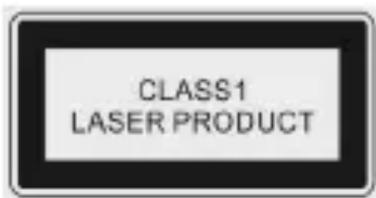
- Do not direct the laser beam at eyes at all times.
- Do not attempt to disassemble or alter any part of the device that is not described in this guide.
- Do not place the device in contact with water or any other liquids. The device is NOT designed to be liquid proof of any sort.
In the event of liquid entry into interior of device, immediately disconnect the device from the computer. Continuing use of the device may result in fire or electrical shock. Please consult your product distributor or the closest support center.
● To avoid risk of electrical shock, do not connect or disconnect the device with wet hands. - Do not place the device near a heat source or directly expose it to flame or heat.
Technical Specifications
| Model Name PJ-MSLxW | |
| Lens Laser Lens | |
| Light Source Laser Diode with Built-In Sensor | |
| Resolution 800/1600 DPI Switchable | |
| Frame Rate 3000 | |
| Report Rate 125 cycle/second | |
| Connection Type 2.4GHz Dual Direction RF Technology | |
| Sensitivity ~ -85dbm | |
| Channel/ID 16 Channels / 2 ^8 ID per Channel | |
| Buttons 5 | |
| OS Supported | Windows 2000/ME/XP(32bit)/Vista |
| Power Source | Alkaline Battery AA or AAA X 2 |
| Operation Mode: < 5.5~8.5mAIdle Mode: 0.6~0.65mA(Operation Mode to Idle Mode: 0~1second) | |
| Power Consumption | Sleep Mode 1: 0.1~0.12mA(Idle Mode to Sleep Mode 1: 5 second)Sleep Mode 2 :0.03~0.05mA(Sleep Mode 1 to Sleep Mode 2: 420 second) |
| Weight | Small: 75gMedium: 75gLarge: 90g |
| Dimensions (mm) | Small: 99.5(L) X 60.0(W) X 36.7(H)Medium: 109(L) X 66.0(W) X 38.5(H)Large: 125(L) X 73.0(W) X 43.0(H) |
Technical Support and Warranty Information
Please refer to www.prestigio.com for technical support and included warranty card for warranty information.
Disclaimer
We make every effort to ensure that the information and procedures in this user manual are accurate and complete. No liability can and will be accepted for any errors or omissions. Prestigio reserves the right to make any changes without further notice to any products herein.
Brand : PRESTIGIO
Model : PJ-MSL3W
Category : Mouse