
VP-8210 - Vacuum Cleaner Concept - Free user manual and instructions
Find the device manual for free VP-8210 Concept in PDF.


| Product Type | Canister Vacuum Cleaner |
| Brand | Concept |
| Model | VP-8210 |
| Voltage | 220–240 V ~ 50 Hz |
| Power Input (Nominal) | 1800 W |
| Power Input (Maximum) | 2000 W |
| Suction Power | 26 kPa |
| Noise Level | <84 dB(A) |
| Dust Collection System | Paper dustbag |
| Filter Type (Motor) | Washable motor filter |
| Filter Type (Air Outlet) | H.E.P.A. filter |
| Accessories Included | Slot nozzle, upholstery nozzle with detachable brush, telescopic tube, combination floor attachment |
| Floor Attachment Flap | Switchable between hard floor brushing and carpet vacuuming |
| Suction Power Control | Slide throttle on hose handle |
| Dust Bag Full Indicator | Red indicator on appliance |
| Cable Wind Button | Yes |
| Overheating Protection | Thermal fuse |
| Warranty (Appliance) | 24 months |
| Warranty (Motor) | Additional 36 months (total up to 60 months) |
| Order Code for Dust Bags | SMS9000 (5 bags + 2 motor filters) |
| Order Code for Motor Filter | 44290820 |
| Order Code for HEPA Filter | 44290821 |
Frequently Asked Questions - VP-8210 Concept
User questions about VP-8210 Concept
0 question about this device. Answer the ones you know or ask your own.
Ask a new question about this device
Download the instructions for your Vacuum Cleaner in PDF format for free! Find your manual VP-8210 - Concept and take your electronic device back in hand. On this page are published all the documents necessary for the use of your device. VP-8210 by Concept.
USER MANUAL VP-8210 Concept
natural_image
Black concept vacuum cleaner with coiled hose and base, displayed against white background (no text or symbols on main subject)CZ EN DESK PL LV

natural_image
Three empty gray rectangular boxes arranged horizontally (no text or symbols)PODĚKOVÁNÍ
natural_image
Black triangular tool with serrated edge (no text or symbols visible)B
NÁVOD K OBSLUZE - SESTAVOVÁNÍ VYSAVAČE
UPOZORNĚNÍ
natural_image
Close-up of a hand holding a handheld device next to a white surface (no visible text or symbols)(Obr. 1)
natural_image
Close-up of a black mechanical component with a curved cable and arrow pointing to a detail (no text or symbols visible)ni (pro hladké (Obr.2)
natural_image
3D rendered black square grid object with no visible text or symbolsdůkladně (Obr. 7)
natural_image
Black triangular tool with serrated edges, isolated on white background (no text or symbols)B
NÁVOD NA OBSLUHU - ZOSTAVOVOVANIE VYSÁVAČA
UPOZORNENIE
natural_image
Close-up of a hand inserting a plug into a vacuum cleaner's air vent (no text or symbols visible)(Obr. 1)
natural_image
Close-up of a black mechanical component with a curved cable and arrow pointing to a small feature (no text or symbols visible)e(Obr.2)
PRÍSLUŠENSTVO
INSTRUKCJA OBSŁUGI – MONTAŻ ODKURZACZA
UWAGA
natural_image
Close-up of a hand holding a handheld device next to a white surface (no visible text or symbols)(Rys. 1)
natural_image
Close-up of a black mechanical component with a curved cable and arrow pointing to a small feature (no text or symbols visible)natural_image
Close-up of a mechanical device with a central button and textured surface (no visible text or symbols)WYMIANA WORKA NA KURZ
natural_image
Close-up of hands holding a grid of small white squares on a mechanical component (no visible text or symbols)(Rys. 6)
CZYSZCZENIE I WYMIANA FILTRA WYDMUCHU POWIETRZA
natural_image
3D black plastic tray with grid pattern, no visible text or symbolsnatural_image
Black triangular tool with serrated edges, isolated on white background (no text or symbols)B
EKSPLUATĀCIJAS NORĀDĪJUMI – PUTEKŁU SŪCĒJA MONTĀŽA
BRĪDINĀJUMS!
natural_image
Close-up of a hand holding a handheld device next to a white surface (no visible text or symbols)(Att. 1)
natural_image
Close-up of a black mechanical component with a curved cable and arrow pointing to a small feature (no text or symbols visible)(Att. 2)
PIEDERUMI
(Att. 3)
natural_image
Close-up of a mechanical component with two arrows pointing to a circular feature (no visible text or symbols)(Att. 4)
natural_image
Close-up of a mechanical component with internal channels and a black arrow pointing to a specific feature (no text or symbols visible)(Att. 5)
natural_image
Close-up of hands holding a grid-based object (no visible text or symbols)(Att. 6)
IZPLÜDES GAISA FILTRA TİRİŞANA UN MAIŞA
natural_image
3D rendered image of a square grid object with no visible text or symbols(Att. 7)
TRAUCĒJUMMEKLĒŠANA
Thank you for purchasing a Concept product. We hope you will be satisfied with our product throughout its service life.
Please study the entire Operating Manual carefully before you start using the product. Keep the manual in a safe place for future reference. Make sure that any persons handling the vacuum cleaner are also familiar with this Operating Manual..
| Technical parameters | |
| Voltage 220 – 240 V ~ 50 Hz | |
| Power input nom. 1800 W, max. 2000 W | |
| Noise level <84 dB(A) | |
| Suction power 26 kPa | |
IMPORTANT SAFETY PRECAUTIONS:
• Do not use this appliance in a way different from this manual.
- Remove all packaging and marketing materials from the appliance before you use it for the first time.
• Make sure that the connecting voltage corresponds to the values on the appliance type label.
• Do not leave the appliance unattended when turned on, or plugged into the electrical socket.
- Disconnect the appliance from the electrical socket when you are not using it.
- Never pull the supply cable when disconnecting the appliance from the electrical socket; pull the plug instead.
- Do not allow children or irresponsible people to handle the appliance. Use the appliance out of the reach of these people.
- Handicapped people, people with impaired faculties or mental capabilities, or people unfamiliar with the appliance operation are only allowed to use it when supervised by responsible, knowledgeable people.
- Be especially careful when there are children near the appliance.
• Do not allow the appliance to be used as a toy.
- Do not use the appliance outdoors or on wet surfaces, as there is a risk of electric shock in these places.
- Do not use any other accessories except those recommended by the manufacturer.
- Never use the appliance if the supply cable or plug has been damaged; have the defect repaired immediately by an authorised service centre.
• Never run over the supply cable with the floor attachment or the appliance itself.
- When the rotary brush is used, it may be dangerous to run the appliance over the supply cable.
- Do not pull or carry the appliance by the power supply cable.
- Keep the appliance away from any sources of heat, such as radiators, ovens, etc. Do not expose the appliance to direct sunlight and humidity.
• Do not touch the appliance with moist or wet hands.
- Do not insert any items into openings. Do not use the appliance if any opening is obstructed.
- When unplugging the appliance from the wall socket, first turn off the main switch, then pull the plug out of the electric voltage socket.
• Take extra care when using the appliance on stairs.
- When the appliance's suction inlet gets obstructed, turn the appliance off and remove any obstructing dirt before turning the appliance on again.
- Hold the supply cable while winding to avoid its uncontrolled movement.
- Before fixing any accessories, performing cleaning, or in the event of a defect, turn off the appliance and pull the plug out of the electrical socket.
- Unwind the necessary length of power supply cord before using the appliance. The ideal length of the power supply
cord is marked by a yellow dot on the cord. Do not unwind the power supply cord past the red mark.
• The appliance is intended for household use only, not for commercial use.
• Do not vacuum any burning items such as cigarettes, matches, or hot ash.
- Do not use the appliance in damp rooms, do not vacuum any wet items or liquids, flammable liquids (such as petrol), and do not use the appliance in places where these substances may be present.
- Never vacuum without using the dust collection bag and the appliance's filters. Before each use of the appliance, make sure the dust collection bag and the appliance's filters are mounted properly.
- Do not immerse the supply cable, the plug, or the appliance itself in water or any other liquid.
- Check the appliance and the supply cable regularly for any damage. Never turn the appliance on when damaged.
- Prior to cleaning and after using the appliance, turn it off, disconnect it from the electric voltage outlet, and let it cool down.
- Before vacuuming, remove large or sharp items from the surface you want to vacuum as these items may damage the dust collection bag or the appliance's filters.
• Do not use the appliance with dirty filters.
• Never repair the appliance yourself. Instead, contact an authorised service centre for repair.
Failure to follow the manufacturer's instructions may invalidate the warranty.
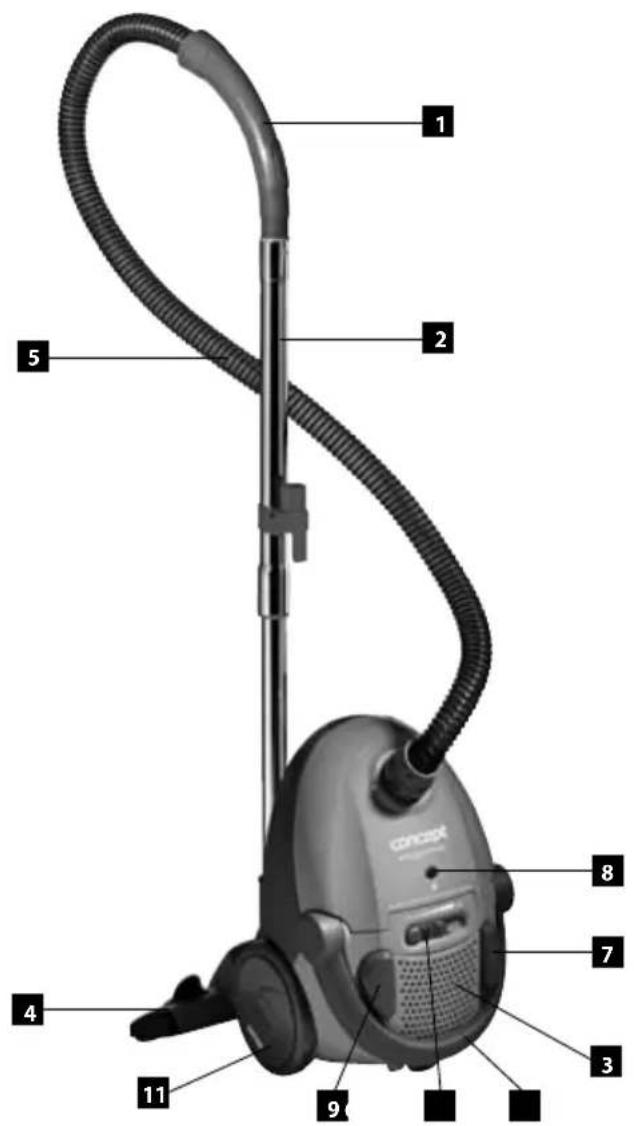
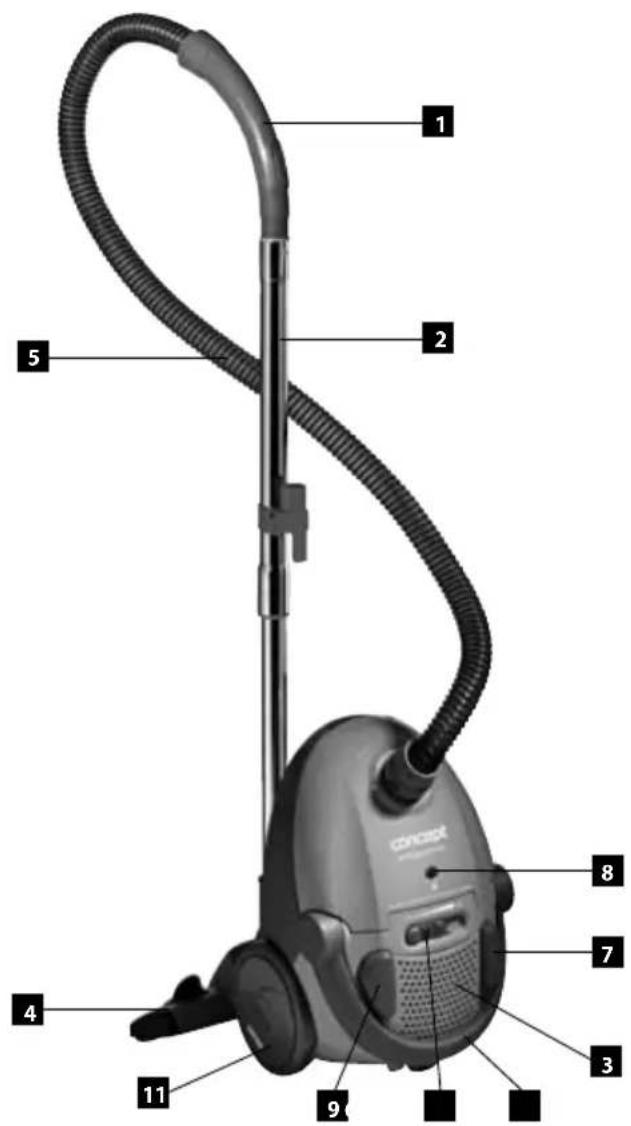
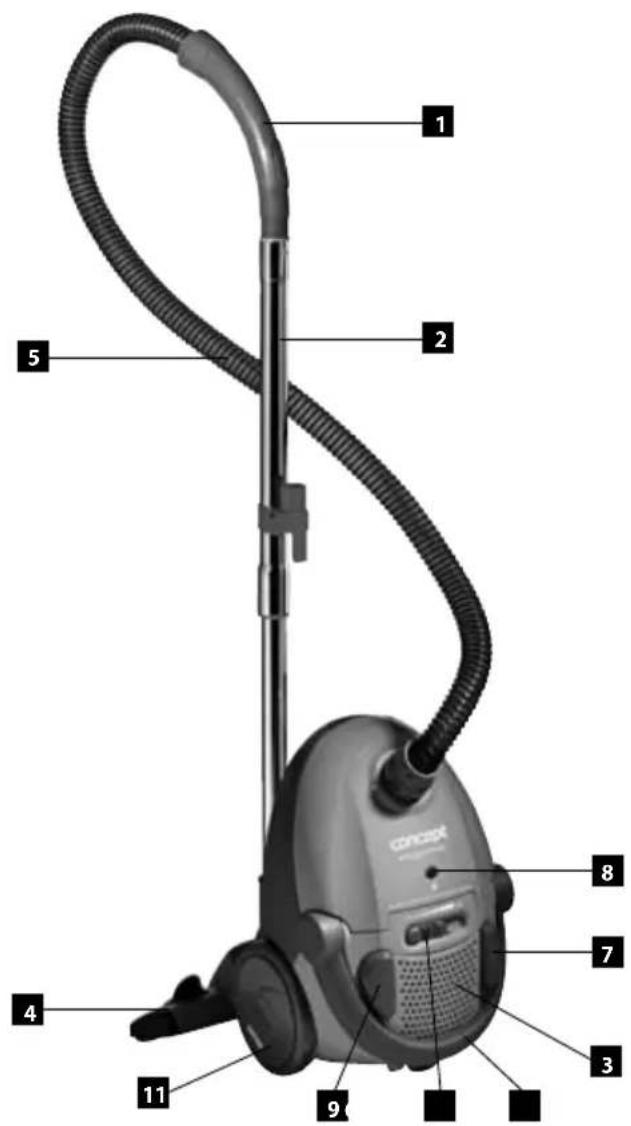
PRODUCT DESCRIPTION
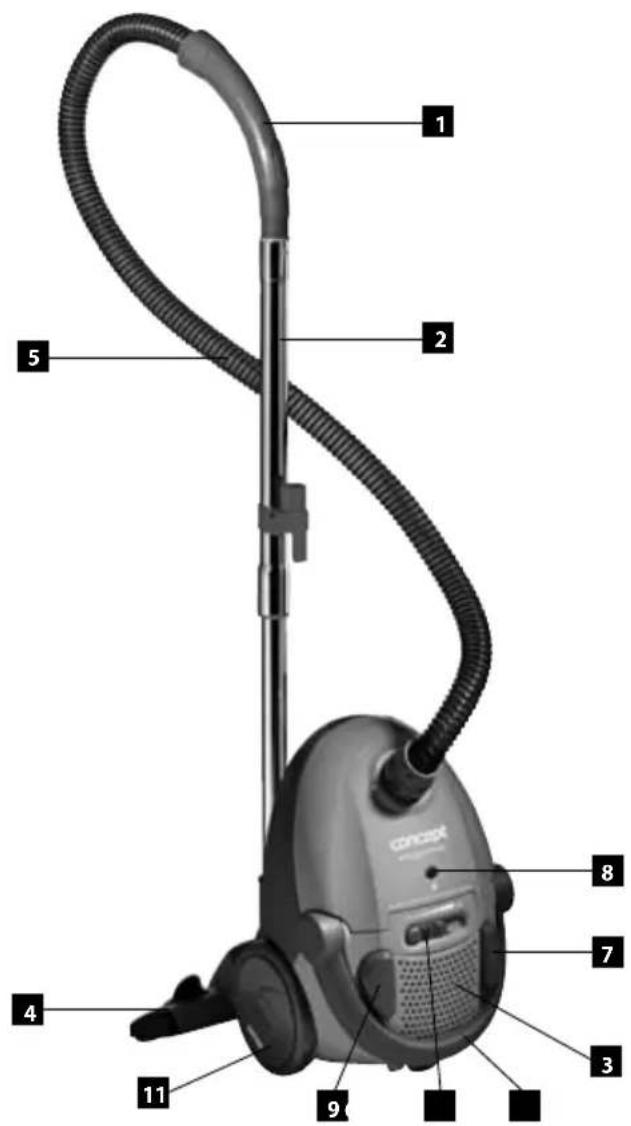
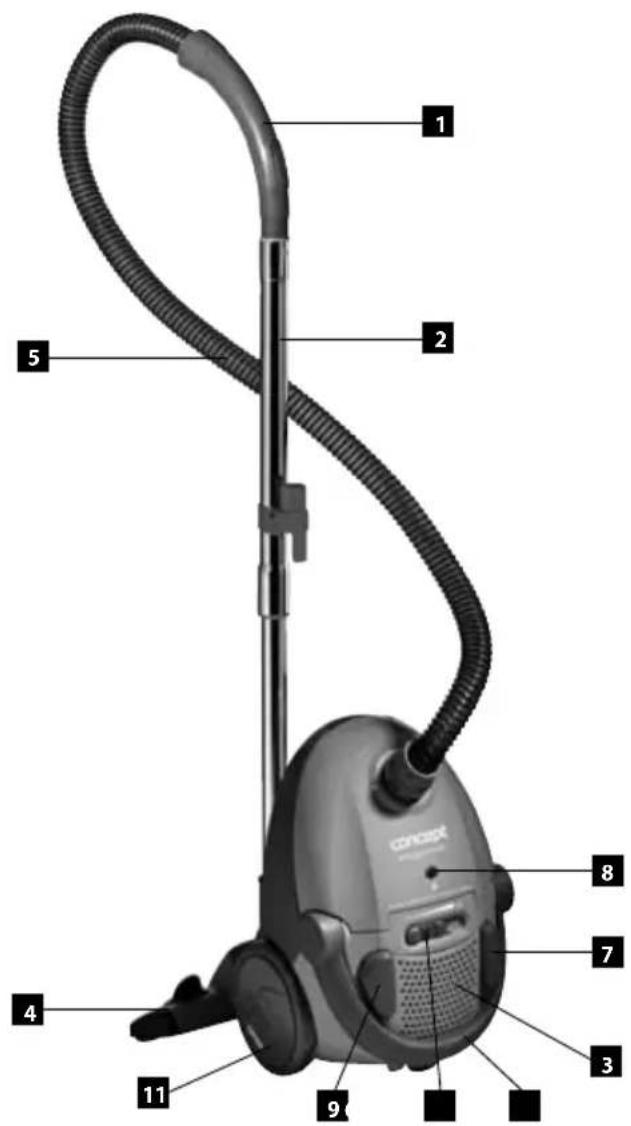
- Hose handle
- Telescopic tube
- Air discharge filter
- Floor attachment
- Flexible hose
- Power controller
- Supply cable wind button
- Dust retention bag fill indicator
- ON/OFF switch button
- Carrying handle
- Rubber-coated wheels
ACCESSORIES
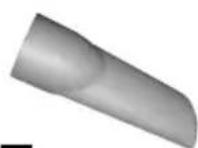
A Slot nozzle
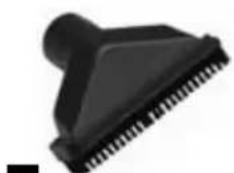
B Upholstery nozzle with a detachable brush
A
natural_image
Close-up of a black plastic pushpin with serrated tip (no text or symbols visible)B
OPERATING MANUAL - ASSEMBLY OF THE VACUUM CLEANER
NOTE
Always disconnect the plug from the mains outlet prior to mounting or removing accessories!
- Connecting the flexible hose to the appliance
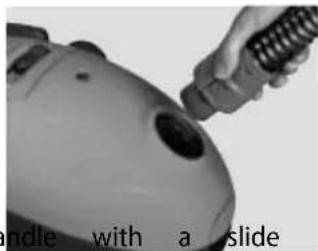
Insert the flexible hose into the appliance's air suction inlet.
Continue pushing until you hear a clicking sound, which indicates that the correct position has been reached.
For removing the flexible hose, press both stopper buttons and remove the hose (Fig. 1).
The suction power can be controlled manually on the hose throttle.
When the slide throttle is closed, the air flow is stronger.
Slide throttle in open position - weaker air flow.
- Attaching the telescopic tube to the hose adapter
Put the telescopic tube on the hose adapter and turn it slightly.
- Extending the telescopic tube
Press the plastic latch and pull the smaller tube outwards.
- Fixing the floor attachment to the telescopic tube
Insert the telescopic tube into the floor attachment and turn it slightly.
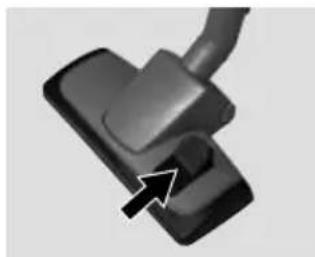
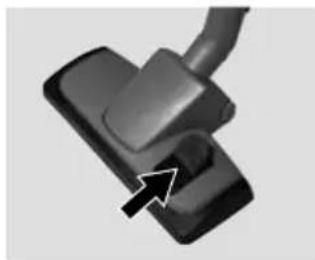
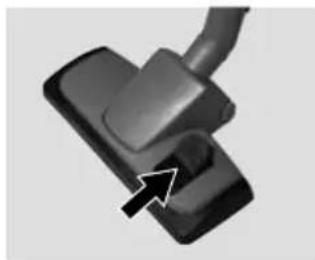
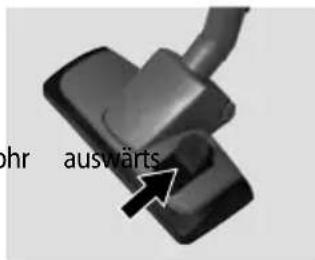
The flap (Fig. 2) is used for setting the floor attachment to brushing (for smooth floors), or to smooth vacuuming (for carpets).
natural_image
Close-up of a robotic device with a handle and scroll, no visible text or symbols(Fig. 1)
natural_image
Close-up of a black mechanical component with a curved cable and arrow pointing to a small feature (no text or symbols visible)(Fig. 2)
ACCESSORIES
Portable accessories are stored in the appliance's rear bottom section.
- Slot nozzle
The slot nozzle adapter is used for vacuum cleaning the places accessible with difficulty, such as radiators, slots, corners, pedestals, spaces between upholsteries, and others.
- Upholstery nozzle with a detachable brush
This upholstery nozzle attachment is used for smaller upholstery areas. The detachable brush is used for vacuum cleaning shelves, books, furniture and others.
APPLIANCE USE
Before using the appliance, make sure that the filters and the dust collection bag are properly positioned and mounted. Unwind the supply cable length you need. The yellow mark on the supply cable indicates the optimum cable length. Do not unwind the supply cable beyond the red mark!
- Insert the plug into the electric voltage socket.
- Press the ON/OFF switch on the appliance.
- Set up the suction power you need using the slide throttle.
- After you have finished vacuum cleaning, switch the appliance off and disconnect it from the electric voltage socket.
- For winding the supply cable up, press the wind button with one hand and hold the supply cable with the other hand to avoid its uncontrolled movement.
DUST RETENTION BAG FILL CHECK
When the dust retention bag fill indicator becomes red during operation, replace the full dust retention bag immediately.
If the dust retention bag fill indicator is still red after the the bag replacement, it may be due to several causes:
- Some of the air passages (hoses, telescopic tube, suction inlet, brush adapter, or other adapters) are obstructed;
- Motor filter is dirty;
- Air outlet filter is dirty.
Check each of these causes and remove any of them before you start using the appliance. Should you fail to find the fault, forward the appliance to the service centre nearest to you. Never use the appliance when the dust retention bag fill indicator is fully red as this may damage the motor beyond repair.
MAINTENANCE
You can clean the accessories and the appliance with a wet cloth. Never immerse the appliance
in water! Do not use any aggressive substances for cleaning, such as solvents or abrasives!
DUST RETENTION BAG REPLACEMENT
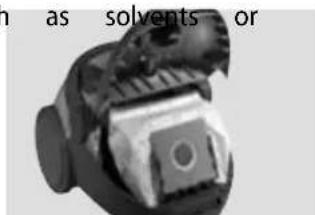
- Disconnect the appliance from the mains, pull the hose out of the suction inlet, and open the appliance's cover (Fig. 3).
- Remove the full dust retention bag and dispose of it. Make sure if does not get ripped open when handled.
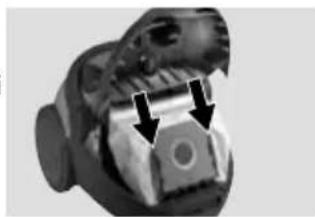
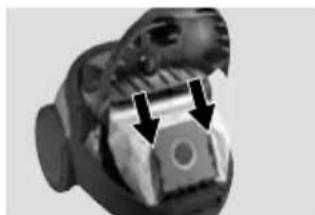
- Insert a new bag by sliding the pasteboard lamella into the bag holder, and insert the holder into the appliance (Fig. 4). The bag opening must be aligned with the hole in the appliance cover.
- Only use the appliance when a dust collection bag has been inserted into it! If you forget to insert the dust collection bag, or you place it incorrectly, you will not be able to fully close the appliance cover.
- Close the cover by pushing it until it clicks into the right position.
FILTER REPLACEMENT
- Filters should be cleaned or replaced when they are visibly dirty, or the appliance's suction power is reduced. Check the filters after every use of the appliance.
- In order not to damage the appliance, do not use it with incorrectly fixed filters.
- Before replacing the filters, disconnect the appliance from the socket
- You can buy suitable types of filters from your dealer, or you can order them with the manufacturer.
MOTOR FILTER CLEANING AND REPLACEMENT
- Disconnect the flexible hose and open the appliance cover.
- Pull the dust collection bag out of its holder so that you can access the motor filter more easily.
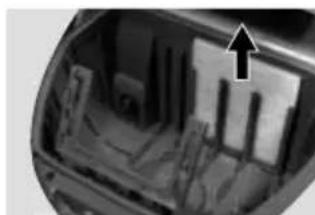
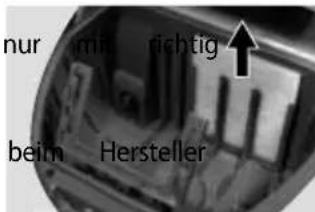
- Remove the motor filter (Fig. 5). You can clean the filter by tapping and shaking. If the filter is heavily soiled, you can wash it in lukewarm water and let it dry properly.
- Insert the cleaned or new motor filter into the appliance and close the cover.
natural_image
Close-up of a mechanical component with two arrows pointing to a central feature (no visible text or symbols)(Fig. 4)
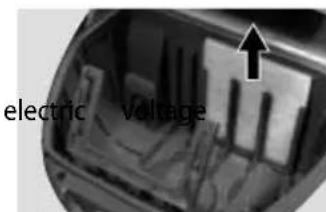
(Fig. 5)
natural_image
Close-up of hands holding a grid-patterned object (no visible text or symbols)(Fig. 6)
CLEANING AND REPLACEMENT OF THE AIR OUTLET FILTER
-
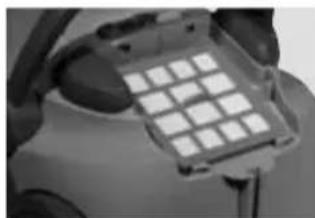
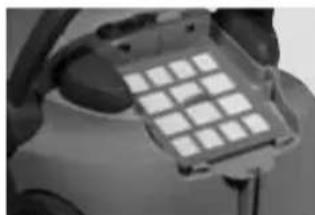
Open the air outlet grid in the appliance's rear section (Fig. 6).
-
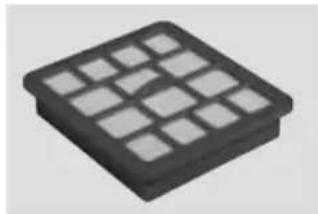
Remove the air outlet filter. This type of vacuum cleaner is equipped with an H.E.P.A. filter in the outlet (Fig. 7), which is capable of catching even very fine dust particles. You can clean this filter by tapping and shaking, and then with a soft brush. After this operation is complete, you can clean a very dirty filter by washing and rubbing with a soft brush in lukewarm water without any cleaning agents added. It is important to let the wet parts dry thoroughly.
A wet filter would get damaged by vacuum cleaning! Do not use a hair dryer for drying!
natural_image
3D rendered black square grid object with no visible text or symbols(Fig. 7)
Note: Wet cleaning may cause more wear and tear of the filter and, consequently, shorten its service life.
- Insert the cleaned or new air outlet filter into the appliance and close the air outlet grid.
TROUBLESHOOTING
| Problem Cause Solution | ||
| Motor does not run. | Plug inserted into the mains outlet incorrectly or insufficiently. | Check the plug connection. |
| The mains outlet is not live. | Check for voltage, e.g. by connecting another appliance. | |
| Motor has stopped operating. | Improper or insufficient air flow. Motor overheating fuse activated. | Disconnect the cable from the socket.Check and release the air suction and discharge holes; check the filter's cleanliness and/or replace the dust bag.Let the vacuum cleaner cool down. |
| Front cover cannot be closed | Dust bag inserted incorrectly. Check the dust filter installation. | |
| Reduced suction power | Dust bag full or clogged. Replace the dust bag. | |
| Obstructed filter. Clean or replace the filter. | ||
| Clogged nozzle, tube, or hose. | Check and clear the air passage on the suction and discharge sides. | |
| Vacuum cleaner heats up | Slight heating of the vacuum cleaner is normal and cannot be considered a failure. | |
SUPPLEMENTAL ACCESSORIES
The following appliance accessories can be supplemented by purchase:
SMS dust bags (5 units + 2 units of motor filters)
Order code sms9000
Priced according to the pricelist in force
Motor filter
Order code 44290820
Priced according to the pricelist in force
H.E.P.A. air outlet filter
Order code 44290821
Priced according to the pricelist in force
SERVICE
Any larger maintenance or repairs requiring intervention into the internal parts of the product shall only be performed by an authorized service
ENVIRONMENTAL PROTECTION
- Packaging materials and obsolete appliances should be recycled.
- The transport box may be disposed of as sorted waste.
- Polyethylene bags shall be handed over for recycling.
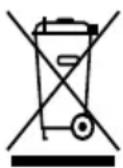
Recycling the product at the end of its service life
The symbol affixed to the product or its packaging indicates that the product may not be disposed of as household waste. It must be taken to the collection facility authorized for recycling electric and electronic waste. By ensuring that this product is disposed of correctly, you will help prevent potential negative consequences for the environment and human health, which could otherwise be caused by inappropriate waste handling of this product. For more detailed information about the treatment, recovery and recycling of this product, please contact your local city office, your household waste disposal service or the shop where you purchased the product.
DANKSAGUNG
natural_image
Close-up of a black plastic pushpin with serrated edge (no text or symbols visible)B
natural_image
Close-up of a hand holding a handheld device near a white surface (no visible text or symbols)(Abb. 1)
natural_image
Close-up of a mechanical component with no visible text or symbols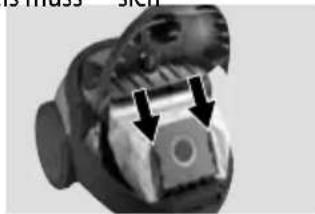
natural_image
Close-up of a mechanical component with two arrows pointing to features (no visible text or symbols)(Abb. 4)
Warranty Certificate
CZ
ZÁRUČNÍ PODMÍNKY
| Model: | |
| Production number: | |
| Date of purchase: | Seal and signature of vendor: |
The vendor is obliged to inform the consumer of the features and parameters of the product and fill in the Warranty Certificate fully and legibly on the day of purchase.
The Certificate is not valid without all the prescribed data correctly filled in!
In addition to the general guarantees on appliances now we also provide special vacuum cleaners warranty to motor for the additional 36 months to the statutory 24 month warranty under the terms as below.
The manufacturer (or importer) is responsible for the features of the product under the applicable technical standards and conditions for the warranty period.
The warranty period is 24 months from the date of purchase, unless stated otherwise by the manufacturer (or importer).
Under the warranty the consumer is entitled to the free, timely and duly executed remedy of faults (see below), or to receive a replacement of the defective part of the product, provided it is not disproportionate with regards to the nature of the fault. The right to replacement of the product or termination of the purchase contract can be exercised only if all the legal preconditions have been met, on the condition that the product was not excessively worn or damaged.
The validity of the guarantee is subject to:
- Observance of the instructions mentioned in the Operating Manual;
- A document proving payment including all the prerequisites, or a valid Warranty Certificate;
Any claims with regards to product liability shall be exercised by the consumer with the vendor where the product was purchased.
The right to repair can be exercised at the location where you purchased the product or at an authorized service centre; a list of the centres is included in the product package or you may find it on the website www.my-concept.com.
Notice for consumers
The consumer is obliged to keep the Warranty Certificate and cash voucher to demonstrate payment for the product. When exercising a claim on a product, it has to be cleaned and packed in order to prevent any damage during transport to an authorized centre. The manufacturer (or importer) reserves the right not to accept a product which is not cleaned duly. Additional cleaning of the product will be charged.
The manufacturer (or importer) reserves the right not to pay the cost of false claims and to require that the claiming party cover all the necessary costs related to the examination of the qualification and solution of the claim.
The right to free repair of the product, or refund, shall not be exercised in the following cases:
- The conditions of the installation, operation and handling of the product, mentioned in the Operating Manual, were not observed;
- The fault occurred due to mechanical, thermal or chemical damage, short circuit or overvoltage;
- The fault is due to the unauthorized intervention of a third party;
- The fault is due to force majeure;
- The fault is due to insufficient or undue maintenance in conflict with the Operating Manual, including faults caused by limescale and other sediments;
- Wear and tear of the product, or its part, caused by regular use;
- Change of the colour of heating surfaces, or scratched surfaces due to regular use;
- Changes of appearance and function due to sunshine, thermal radiation, or limescale and other sediments;
- Expired service life of some parts of the product, e.g. accumulators, bulbs etc.
The nature of the fault can be determined only by the manufacturer, importer, authorized centre, or authorized expert, not by the vendor or consumer.
The consumer shall have no claim to faulty spare parts replaced within a warranty repair.
In the case of termination of the purchase contract, the consumer is obliged to return the complete product, including the accessories and documents supplied.
There is no warranty related to promotional items supplied with the product, the price of which was not charged to the consumer.
The consumer has all the minimum rights under the applicable laws.
Note: Claims regarding products damaged during transport shall be governed by the complaint procedure of the freight forwarder.
Manufacturer:
Jindřich Valenta - ELKO Valenta, Vysokomýtská 1800, 565 01 Choceň, Czech Republic,
tel: +420 465 471 433, fax: +420 465 473 304, email: servis@my-concept.cz, www.my-concept.com
Importer:
Jindřich Valenta - ELKO Valenta Czech Republic, Vysokomýtská 1800,
565 01 Choceň, Tel. +420 465 471 400, Fax: 465 473 304, www.my-concept.com
concept
CZ SEZNAM SERVISNÍCH MÍST
SK ZOZNAM SERVISNÝCH STREDISIEK
PL WYKAZ PUNKTÓW SERVISOVYCH
www.my-concept.com
concept
Česká republika

- PODĚKOVÁNÍ
- NÁVOD K OBSLUZE - SESTAVOVÁNÍ VYSAVAČE
- UPOZORNĚNÍ
- NÁVOD NA OBSLUHU - ZOSTAVOVOVANIE VYSÁVAČA
- UPOZORNENIE
- PRÍSLUŠENSTVO
- INSTRUKCJA OBSŁUGI – MONTAŻ ODKURZACZA
- UWAGA
- WYMIANA WORKA NA KURZ
- CZYSZCZENIE I WYMIANA FILTRA WYDMUCHU POWIETRZA
- EKSPLUATĀCIJAS NORĀDĪJUMI – PUTEKŁU SŪCĒJA MONTĀŽA
- BRĪDINĀJUMS!
- PIEDERUMI
- IZPLÜDES GAISA FILTRA TİRİŞANA UN MAIŞA
- IMPORTANT SAFETY PRECAUTIONS:
- PRODUCT DESCRIPTION
- ACCESSORIES
- OPERATING MANUAL - ASSEMBLY OF THE VACUUM CLEANER
- NOTE
- APPLIANCE USE
- DUST RETENTION BAG FILL CHECK
- MAINTENANCE
- DUST RETENTION BAG REPLACEMENT
- FILTER REPLACEMENT
- MOTOR FILTER CLEANING AND REPLACEMENT
- CLEANING AND REPLACEMENT OF THE AIR OUTLET FILTER
- SUPPLEMENTAL ACCESSORIES
- SERVICE
- ENVIRONMENTAL PROTECTION
- Recycling the product at the end of its service life
- DANKSAGUNG
- CZ
- ZÁRUČNÍ PODMÍNKY
- The Certificate is not valid without all the prescribed data correctly filled in!
- Notice for consumers
- Manufacturer:
- Importer:
- concept
Brand : Concept
Model : VP-8210
Category : Vacuum Cleaner