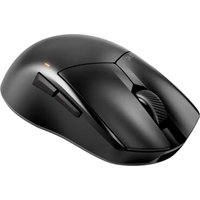
Dark Perk - Mouse Be Quiet! - Free user manual and instructions
Find the device manual for free Dark Perk Be Quiet! in PDF.


| Product type | Wired mouse |
| Brand | Be Quiet! |
| Model | Dark Perk |
| Number of buttons | 6 (left, right, clickable scroll wheel, forward, backward, DPI selector) |
| Resolution (DPI) | 400, 800, 1200, 2000, 30000 (selectable via slider) |
| Connectivity | Wired USB |
| Cable length | 1.8 m (estimated) |
| Dimensions (L x W x H) | 128 x 68 x 42 mm (estimated) |
| Weight | 100 g (estimated) |
| LED lighting | Resolution indicator (blue, green, orange, purple, white) |
| Power supply | Via USB port |
| On/Off switch | Yes, slider on the bottom |
| Supported operating systems | Windows, macOS, Linux (estimated) |
| Manufacturer warranty | 2 years (subject to conditions) |
| Care and cleaning | Use a soft, dry cloth. Avoid abrasive products. |
| Safety | Complies with ISEDC standards. Minimum distance of 20 cm between the radiator and the body. |
| Spare parts and repairability | Contact be quiet! after-sales service for any repairs. |
Frequently Asked Questions - Dark Perk Be Quiet!
User questions about Dark Perk Be Quiet!
0 question about this device. Answer the ones you know or ask your own.
Ask a new question about this device
Download the instructions for your Mouse in PDF format for free! Find your manual Dark Perk - Be Quiet! and take your electronic device back in hand. On this page are published all the documents necessary for the use of your device. Dark Perk by Be Quiet!.
USER MANUAL Dark Perk Be Quiet!
natural_image
Two glossy black computer mouse models against a black background (no text or symbols visible)DARK PERK
EN
Introduction: Thank you for deciding to purchase a be quiet! product. The following instructions will guide you through the installation process. If you do encounter installation problems, please don't hesitate to contact our customer services by mailing service@bequiet.com. Please note that be quiet! cannot accept liability for damage caused by compatibility problems.
DE
www.bequiet.com/BM007

www.bequiet.com/BM008

www.bequiet.com/software
EN ▶ Product information for this PC mouse
- 2-year manufacturer guarantee for consumers (original purchase from authorized be quiet! dealers only)
- Warranty services can only be processed with a copy included of the purchase receipt from an authorized be quiet! dealer
- Manipulation and structural changes of any kind, including any damage caused by external mechanical force, will lead to a complete voiding of the guarantee
- Our General Warranty Conditions apply, which can be viewed on bequiet.com Listan GmbH · Wilhelm-Bergner-Straße 11c · 21509 Glinde · Germany. service@bequiet.com
DE
Garantie:
Scope of delivery ▶ 7
Overview PC mouse ▶ 8
Using the cable ▶ 9
Turn mouse on/off ▶ 10
Switch DPI ▶ 11
Overview LED indicator ▶ 12
SCOPE OF DELIVERY
LIEFERUMFANG • ÉLÉMENTS FOURNIS • CONTENIDO •
ZAWARTOŚĆ • НАБОР АКСЕССУАРОВ • НАБІР
natural_image
Front view of a white electronic device with a gold connector (no visible text or symbols)Plug the cable supplied into the USB port on the Dark Perk. Make sure it is firmly seated. Then connect the cable to the USB port on your system.
natural_image
Close-up of a gray industrial device with orange buttons and control panel (no visible text or symbols)Slide the switch to the upper position to switch the mouse on. Slide it to the lower position to switch it off.
natural_image
Close-up of a gray industrial device with orange square button and control panel (no visible text or symbols)Move the cycle to switch between the five DPI settings.
OVERVIEW LED INDICATOR
ÜBERSICHT LED-INDIKATOR • PRÉSENTATION DE L'INDICATEUR LED • INDICADOR LED GENERAL • PRZEGLĄD WSKAŹNIK LED • LED ИНДИКАЦИЯ РЕЖИМА • LED ІНДИКАЦІЯ РЕЖИМУ • LEDライトの概要 • LED 指示燈概述 • LED 指示灯概述
natural_image
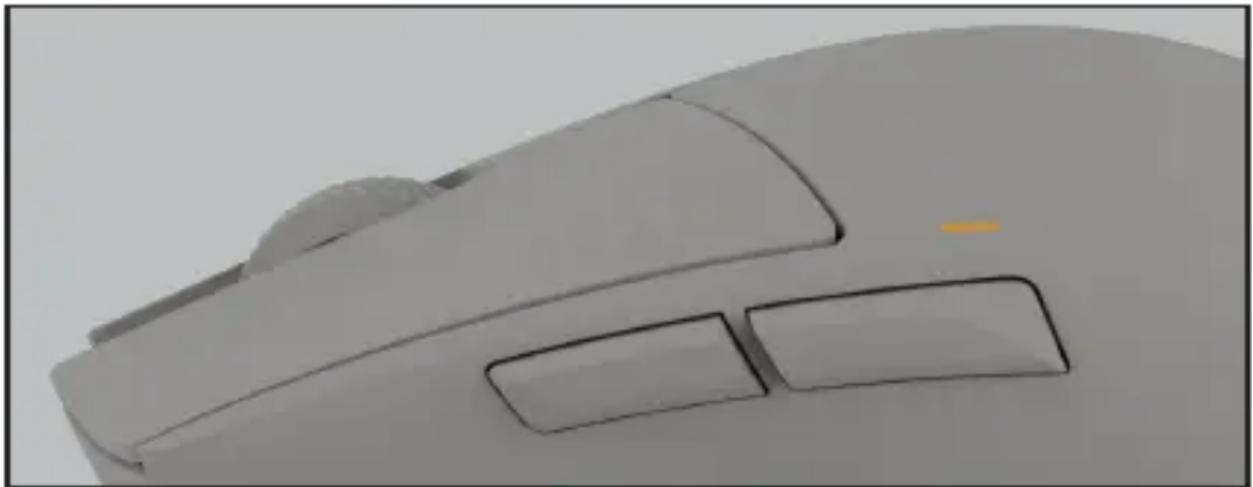
Close-up of a beige computer mouse with two buttons, no visible text or symbolsThis non-transferable warranty is applicable to newly purchased, previously unopened be quiet! products and is enforceable by only the original consumer purchaser. Proof of purchase is required for warranty service, so should be retained. be quiet! does not provide warranty registration services.
II. WARRANTY PERIOD
For eligible products, parts and labor are warranted for the applicable warranty period from the date of purchase. The applicable warranty period varies by product model, and is identified in your user documentation, on the product package, or as listed below. Should any of these warranty periods differ, the longest specified warranty period will apply. Replaced products will be warranted for the remainder of the original warranty period or thirty days, whichever is longer.
III. EXCLUSIONS
The following are not covered by the warranty:
- Normal wear and tear.
- Any product which has been modified without permission from be quiet!, or on which the serial number or warranty sticker has been defaced, modified, or removed.
- Damage, deterioration or malfunction resulting from: Accident, abuse, misuse or improper use, neglect, connection to an improper voltage source, unauthorized product modification, or failure to follow instructions included with the product. Fire, water, lightning, or other acts of nature. Repair or attempted repair by anyone not authorized by be quiet!. Shipping or transport damage (claims must be made with the carrier). Any other cause which does not relate to a defect in materials or manufacturing workmanship.
- Cartons, cases, batteries, cabinets, tapes, accessories or other consumables used with this product.
- be quiet!, Inc. does not warrant that this product will meet your requirements. It is your responsibility to determine the suitability of this product for your purpose.
- Removal or installation charges.
- Shipping charges.
- Any incidental charges.
IV. EXCLUSION OF DAMAGES
be quiet!'s sole obligation and liability under this warranty is limited to the repair or replacement of a defective product at its option. be quiet! shall not, in any event, be liable for any special, incidental, indirect, or consequential damages whatsoever, including but not limited to loss of profits, revenue, or data (whether direct or indirect), damages resulting from interruption of service and loss of business, or for liability in tort relating to this product or resulting from its use
or possession, even if be quiet! has been advised previously of the possibility of such damages.
V. LIMITATIONS OF IMPLIED WARRANTIES
There are no other warranties, expressed or implied, including but not limited to those of merchantability or fitness for a particular purpose. The duration of implied warranties is limited to the warranty length specified in Paragraph II.
VI. LOCAL LAW AND YOUR WARRANTY
This warranty gives you specific legal rights. You may also have other rights granted under local law. These rights may vary.
VII. NO OTHER WARRANTY
No be quiet! employee, dealer, or other agent is authorized to make any modification, extension, or addition to this warranty.
VIII. TO OBTAIN TECHNICAL SUPPORT OR WARRANTY SERVICE
Please see your product owner's manual or visit the Online Support section at www.bequiet.com
flowchart
graph LR
    A["FR"] --> B["Recycle"]
    B --> C["Recycle"]
    D["FR"] --> E["Cet appareil se recycle"]
    E --> F["Recycle"]
    F --> G["Recycle"]
    H["RECICLA"] --> I["Al Azul Envase Cartón"]
    H --> J["Al Amarillo Envase Plástico"]
    K["À DÉPOSER EN MAGASIN"] --> L["Store icon"]
    M["À DÉPOSER EN DECHETERIE"] --> N["Hand icon"]
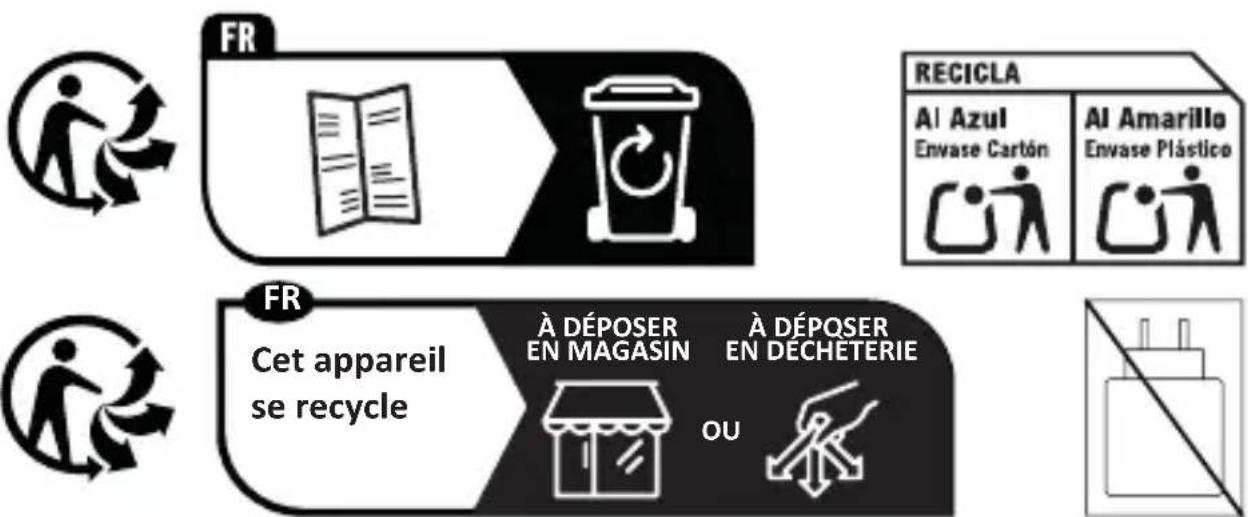
Points de collectes ur www.quefairedemesdechets.fr
FCC COMPLIANCE NOTICE
This device complies with part 15 of the FCC Rules. Operation is subject to the following two conditions:
(1) This device may not cause harmful interference, and
(2) this device must accept any interference received, including interference that may cause undesired operation.
Any changes or modifications not expressly approved by the party responsible for compliance could void the user's authority to operate the equipment. This equipment has been tested and found to comply with the limits for a Class B digital device, pursuant to part 15 of the FCC Rules. These limits are designed to provide reasonable protection against harmful interference in a residential installation. This equipment generates, uses and can radiate radio frequency energy and, if not installed and used in accordance with the instructions, may cause harmful interference to radio communications. However, there is no guarantee that interference will not occur in a particular installation. If this equipment does cause harmful interference to radio or television reception, which can be determined by turning the equipment off and on, the user is encouraged to try to correct the interference by one or more of the following measures:
- Reorient or relocate the receiving antenna.
- Increase the separation between the equipment and receiver.
- Connect the equipment into an outlet on a circuit different from that to which the receiver is connected.
- Consult the dealer or an experienced radio/TV technician for help.
This equipment complies with FCC radiation exposure limits set forth for an uncontrolled environment. This transmitter must not be co-located or operating in con unction with any other antenna or transmitter. This equipment should be installed and operated with minimum distance 20cm between the radiator and your body.
ISEDC RSS WARNING
This device complies with Innovation, Science and Economic Development Canada Compliance licence-exempt RSS standard (s). Operation is subject to the following two conditions:
(1) this device may not cause interference, and
(2) this device must accept any interference, including interference that may cause undesired operation of the device.
ISEDC RADIATION EXPOSURE STATEMENT
This equipment complies with ISEDC RF radiation exposure limits set forth for an uncontrolled environment. This transmitter must not be co-located or operating in conjunction with any other antenna or transmitter. This equipment should be installed and operated with minimum distance 20cm between the radiator and your body.
Any changes or modifications not expressly approved by the party responsible for compliance could void the user's authority to operate the equipment.
IC EXPOSITION AUX RADIATIONS

- DARK PERK
- EN
- DE
- Garantie:
- SCOPE OF DELIVERY
- OVERVIEW LED INDICATOR
- WARRANTY PERIOD
- EXCLUSIONS
- EXCLUSION OF DAMAGES
- LIMITATIONS OF IMPLIED WARRANTIES
- LOCAL LAW AND YOUR WARRANTY
- NO OTHER WARRANTY
- TO OBTAIN TECHNICAL SUPPORT OR WARRANTY SERVICE
- FCC COMPLIANCE NOTICE
- ISEDC RSS WARNING
- ISEDC RADIATION EXPOSURE STATEMENT
- IC EXPOSITION AUX RADIATIONS
Brand : Be Quiet!
Model : Dark Perk
Category : Mouse