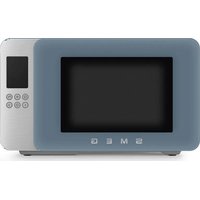
MOC01SBMEU - Microwave Oven SMEG - Free user manual and instructions
Find the device manual for free MOC01SBMEU SMEG in PDF.


| Brand | Smeg |
| Model | MOC01SBMEU |
| Product type | Microwave oven |
| Voltage / Frequency | 230-240 V ~ 50 Hz |
| Microwave power (input) | 1450 W |
| Microwave power (output) | 900 W |
| Grill power | 950-1000 W |
| Main functions | Microwave, grill, automatic and manual defrost, heating, Chef Menu |
| Display | Digital screen with icons |
| Turntable | Yes, glass |
| Raised rack | Yes, for grill and ventilation |
| Capacity | Approx. 25 L (estimate) |
| Dimensions (W x H x D) | Approx. 45 x 30 x 25 cm (estimate) |
| Child lock | Yes, adjustable via menu |
| Quick Start function | Yes, 30 seconds at maximum power |
| +30 seconds function | Yes, during cooking |
| Multi-phase function | Yes, up to 2 sequences |
| Cleaning and maintenance | Regular cleaning of surfaces, accessories, and cavity with a soft cloth and non-abrasive products |
| Safety | Automatic shut-off, child lock, instructions to avoid burns and fires |
| Spare parts / After-sales service | Contact Smeg technical support |
| General information | Place the oven on a flat surface, clearance min. 30 cm above, 20 cm on sides |
Frequently Asked Questions - MOC01SBMEU SMEG
User questions about MOC01SBMEU SMEG
0 question about this device. Answer the ones you know or ask your own.
Ask a new question about this device
Download the instructions for your Microwave Oven in PDF format for free! Find your manual MOC01SBMEU - SMEG and take your electronic device back in hand. On this page are published all the documents necessary for the use of your device. MOC01SBMEU by SMEG.
USER MANUAL MOC01SBMEU SMEG
IMPORTANT SAFETY INSTRUCTIONS READ CAREFULLY AND KEEP FOR FUTURE REFERENCE
1 Instructions
This user manual is an integral part of the appliance and must therefore be kept in its entirety and within the user's reach for the whole working life of the appliance.
1.1 Intended use
Failure to comply with the safety instructions and failure to read the instructions for the microwave oven may lead to the appliance being used incorrectly and cause personal injury.
- Do not use the appliance for purposes other than those for which it was designed. Improper use could cause injury.
- The appliance is not designed to operate with external timers or with remote-control systems.
-
Use the appliance indoors, protected from weather conditions.
• This appliance is intended for cooking food in domestic and similar environments, such as: -
staff kitchen areas in shops, offices and other working environments
- by guests in hotels, motels and other residential accommodation
- bed and breakfast facilities / farm accommodation
- any other use, for example in restaurants, bars and coffee shops is considered improper.
1.2 General safety instructions
Follow all safety instructions in order to use the appliance safely:
- WARNING: When in use, the appliance and its accessible parts become very hot. Small children should be kept away from the appliance. Never touch the heating elements during use.
- Protect your hands by wearing oven gloves when moving food inside the oven.
- Never try to put out a fire or flames with water: Turn off the appliance and smother the flames with a fire blanket or other appropriate cover.
- This appliance may be used by children aged at least 8 and by people of reduced physical, sensory or mental capacity, or lacking in experience in the use of electrical appliances, provided that they are supervised or instructed by adults who are responsible for their safety.
• Children must not play with the appliance. - Keep children under the age of 8 away from the appliance and power cable unless they are constantly supervised.
- Keep children under the age of 8 away from the appliance when it is in use.
- Cleaning and maintenance must not be carried out by unsupervised children.

Instructions
- The cooking process must always be monitored. A short cooking process must be continuously monitored.
- Never leave the appliance unattended during cooking operations where fats or oils could be released, as these could then heat up and catch fire.
- Be very careful.
- Keep the oven door closed during cooking.
- Switch off the appliance immediately after use.
• After use, allow the appliance to cool down. Do not touch the heating elements, as they could be very hot. Danger of burns or scalds! - Do not insert pointed metal objects (cutlery or utensils) into the slots in the appliance.
-
Do not use or store flammable materials near the appliance.
-
Do not use aerosols in the vicinity of this appliance whilst it is in use.
- Do not modify this appliance.
• Installation and servicing should be carried out by qualified personnel in accordance with current standards. - Do not try to repair the appliance yourself or without the assistance of a qualified technician.
- Do not pull the cable to unplug the appliance.
- Do not use extension cables.
- Minimum height of free space necessary above the top surface of the oven is 30 cm.
- Appliance must not be placed in a cabinet.

WARNING: If the door or door seals are damaged, the oven must not be operated until it has been repaired by a competent person.

WARNING: It is hazardous for anyone other than a competent person to carry out any service or repair operation that involves the removal of a cover which gives protection against exposure to microwave energy.
Instructions

1.3 Caution when using this appliance
- Do not sit on the appliance.
- Do not use abrasive or corrosive detergents (e.g. powder products, stain removers and metallic sponges), rough materials or sharp metal scrapers on glass parts as they may scratch the surface and cause the glass to shatter. Use wooden or plastic utensils.
- Do not use cleaning products containing chlorine, ammonia, bleach or alcohol on steel parts or parts with a metallic surface finish (e.g. anodised, nickel-plated or chrome-plated).
- Do not use steam jets to clean the appliance.
- Do not spray any spray products near the appliance.
- Do not obstruct ventilation openings and heat dispersal slots.
- Fire hazard: Do not leave objects inside the appliance.
- Do not use the appliance to heat rooms for any reason.
- Do not use plastic cookware or containers unsuitable for microwave cooking.
- Do not use plastic containers unsuitable for microwave cooking when cooking food.
-
Do not put sealed tins or containers in the oven.
-
WARNING: Do not use hermetically sealed containers to heat food in the microwave, as the increased pressure may cause damage or explosions when the container is opened.
- Do not cook food wrapped in plastic, aluminium or tin foil.
- Do not cover the bottom of the oven cavity with aluminium or tin foil sheets.
- Do not place pans or trays directly on the bottom of the oven cavity.
- If you wish to use greaseproof paper, place it so that it will not interfere with the hot air circulation inside the oven.
- Never use the oven door to lever the appliance into place when fitting.
- Avoid exerting too much pressure on the oven door when open.
- Do not rest any weight or sit on the open door of the appliance.
• Take care that no objects are stuck in the doors. - Do not install / use the appliance outdoors.
• Install / use the appliance on a flat, stable surface. - Do not remove the waveguide covers on the sides of the microwave cavity, which prevent grease and food residue from entering the slots.

Instructions
- In the case of vertical combustible walls, install / use the appliance at a minimum distance of 8 cm.
- This appliance must not be installed in boats or caravans.
- The appliance must not be installed on a pedestal.
- Do not immerse the appliance, the power cord or the plug in water or any other liquid.
- Avoid spilling liquids onto the power plug and base.
- If the power cable becomes damaged, contact technical support immediately to arrange for it to be replaced in order to avoid possible hazards.
• Always use any necessary/required personal protective equipment (PPE) before performing any work on the appliance (installation, maintenance, positioning or movement). - Before performing any work on the appliance, switch off the power supply.
- Metallic containers for food and beverages are not allowed during microwave cooking.
-
When heating food in plastic or paper containers, keep an eye on the oven due to the possibility of ignition.
-
The microwave oven is intended for heating food and beverages. Drying of food or clothing and heating of warming pads, slippers, sponges, damp cloth and similar may lead to risk of injury, ignition or fire.
- If smoke is observed, switch off or unplug the appliance and keep the door closed in order to stifle any flames.
- Microwave heating of beverages can result in delayed eruptive boiling, therefore care must be taken when handling the container.
- The contents of feeding bottles and baby food jars shall be stirred or shaken and the temperature checked before consumption, in order to avoid burns.
- Eggs in their shell and whole hard-boiled eggs should not be heated in microwave ovens since they may explode, even after microwave heating has ended.
- Failure to maintain the oven in a clean condition could lead to deterioration of the surface that could adversely affect the life of the appliance and possibly result in a hazardous situation.
Information on power consumption in off/stand-by mode
Technical data on the appliance's power consumption in off/stand-by mode can be found at www.smeg.com under the page corresponding to the product in question.
Instructions

1.4 Connecting the appliance
Make sure that the voltage and frequency of the power supply correspond to those indicated on the data plate on the bottom of the appliance.
If the plug of the appliance is not compatible with the socket, contact our Technical Assistance service for a replacement.
• Children must not play with this appliance.
- Keep the appliance and its power cable out of the reach of children.
• Always unplug the appliance from the power socket if it is to be left unattended and before assembly, disassembly or cleaning.
- Disconnect the appliance from the power supply before changing the accessories or approaching moving parts when in use.
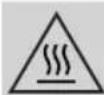
The accessible surface may be hot during operation.
1.5 Manufacturer liability
The manufacturer declines any liability for damage to persons or property caused by:
- Use of the appliance other than the one envisaged.
• Not having read the user manual.
• Tampering with any part of the appliance.
• Use of non-original spare parts. - Failure to comply with the safety instructions.
Please store these instructions carefully. If the appliance is transferred to others, they should also be given this instructions booklet.
These instructions can be downloaded from the Smeg website "www.smeg.com".
1.6 Disposal
Electrical appliances must not be disposed of together with household waste.
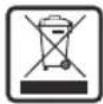
Devices marked with this symbol are subject to European Directive 2012/19/EU requirements.
- All waste electrical and electronic appliances must be disposed of separately from household waste and taken to authorised waste disposal facilities. Disposing of the used appliance correctly will help to safeguard the environment and human health. For further information regarding the disposal of used appliances, please contact your local authority waste disposal department or the shop where the appliance was purchased.

Instructions / Description

1.7 Installation
1) Select a level surface that provides enough open space for the intake and/or outlet vents.
- The minimum installation height is 85 cm.
- The rear surface of appliance shall be placed against a wall. Leave a minimum clearance of 30 cm above the oven. A minimum clearance of 20 cm is required between the oven and any adjacent walls.
- Do not remove the legs from the bottom of the oven.
- Blocking the intake and/or outlet openings can damage the oven.
- Place the oven as far away from radios and TV as possible. Operation of microwave oven may cause interference to your radio or TV reception.
2) Plug your oven into a standard household outlet. Be sure the voltage and the frequency is the same as the voltage and the frequency on the rating label.

Do not install oven over a range cooktop or other heat-producing appliance. If installed near or over a heat source, the oven could be damaged and the warranty would be void.
2 Appliance description (Fig. A)
1) Control panel and display
2) Oven light
3) Door
4) Roller ring
5) Turntable
6) Grill rack
Technical specifications
| Rated Voltage/Frequency | 230-240 V~ 50 Hz |
| Microwave Input 1450 W | |
| Microwave Output 900 W | |
| Grill 950-1000 W | |
| Convection - | |
2.1 Before first use

Danger of burns High appliance temperature
- Failure to follow these instructions may result in fire, burns or scalds.
- Remove any protective film from the outside or inside of the appliance, including accessories.
- Remove any labels (apart from the technical data plate) from the accessories and shelves.
- Remove and wash all the accessories (see section "4 Cleaning and maintenance").
Before use, make sure that all the components are intact.
Description

2.2 Description of the parts (Fig. A)
Light (2)
The appliance's interior lighting comes on:
- when the door is opened;
• during cooking.
Roller ring (4)
The appliance is equipped with a roller ring in the centre of the cooking cavity on which the turntable rests.
2.3 Description of accessories (Fig. A)
Turntable (5)
Glass turntable in the centre of the microwave base, used as a support surface and to collect food residues during cooking. It rotates during use to ensure even heat distribution.
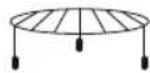
Grill rack (6)
Grid that allows food to be placed in a raised position in the oven. Optimises cooking with a grill or fan function. Ideal for even browning, gratinating and roasting.
The accessories intended to come into contact with food are made of materials that comply with the provisions of current legislation.
2.4 Description of the controls (Fig. D)
Chef Menu button (8)

Gives access to the Chef Menu for automatic programmes. The corresponding LED lights up when you scroll through the recipes.

Plus button (9)
Allows you to activate one of the following functions depending on when it is selected:
- Once a cooking function has been set, it allows you to add a second function to start sequentially from the first (multi-step function).
- When cooking, it adds cooking time in 30 second increments (+30 second function).
- In clock mode, it immediately starts microwave cooking at maximum power (Quick Start function).
Back button (10)
Returns to the previous selection.

Description
START/ STOP button (11)
A short press allows you to confirm the required function or to start or pause cooking. Press and hold to stop cooking or access the user settings section (only available in clock mode).
Back button (12)
Allows you to scroll back through the parameters of the functions or decrease the values.
Next button (13)
Allows you to scroll forward through the parameters of the functions or increase the values.
Display (14)
The display shows the functions, parameters and the values of the cooking settings.
2.5 Description of the display (Fig. E)
Display icons
| Icon Meaning | ||
| 1 |  | Microwave |
| 2 |  | Grill |
| 3 |  | Defrost |
| 4 |  | Warm |
| 5 |  | Child lock |
| 6 |  | Clock |
| 7 |  | Cooking timer |
| 8 |  | Meat and poultry |
| 9 |  | Fish and shellfish |
| 10 |  | Vegetables |
| 11 |  | Cakes and sweets |
| 12 | (HX8Y) | Bread, pizza and cereals |

Description / Use

Power/weight indicator (13)
Displays cooking power or food weight.
Clock and timer (14)
Displays the time ⏻ and the cooking time ⚙ set on the timer.
Recipe number (15)
Displays the automatic programme number of the Chef Menu 🏠.
3 Use
3.1 First use
- Heat the empty oven at maximum power to burn off any residues left by the manufacturing process.
- Ventilate the room and leave the room while the appliance is heating up.
- When the appliance is used for the first time, when heating, it may give off unpleasant smells due to manufacturing residues remaining on some components. These smells usually disappear after the appliance has been heated for the first time.
Using the accessories (Fig. C)
The turntable must be correctly positioned on the roller ring and the accessories can be placed on it if required.
| Accessory | Instructions for use (Fig. C) | Compatible functions | |
 |  | ||
 | (1) x | ### | |
3.2 How to use the microwave oven
Setting the time
When connecting the appliance for the first time or after a power failure, the
flashing time 12:00 and the clock symbol 🔒 appear on the display. The current time has to be set in order to start a cooking function:
1) Press the navigation buttons to set the hour to the required value.
2) Confirm using the START/STOP button.
3) Repeat the procedure to set the minutes and confirm the selected time.
To set the current time and/or the display format (12h/24h) see "3.3 Settings Menu".
Selecting the cooking functions
To start using the microwave and select the cooking function:
1) Press the navigation buttons to select the required function.
2) Confirm by pressing the START/STOP button to access the cooking settings available for the selected function (see specific table).
3) Press the navigation buttons to set the parameters and then press the START/STOP button to confirm.
4) When you have finished adjusting the selectable settings, press the START/STOP button to start.


Use
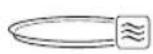
This symbol indicates a plate suitable for use in a microwave oven (not supplied).
Function Description Settings Accessory

Microwave
Quickly cook, defrost or heat food and drinks.
- Power
- Cooking time
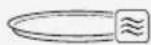

Grill
Produces excellent grilling and gratinating results.
- Cooking time

Defrost
Allows you to defrost frozen food in two ways:
- Auto Defrost: allows you to choose between automatic programmes (see specific table) and set the weight of the food. The time is calculated automatically.
• Food weight (Auto Defrost)
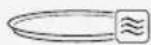
- Manual Defrost: allows you to set the required defrosting time manually.
• Cooking time (Manual Defrost)

Warm
Useful for reheating or keeping food warm.
- Cooking time
Use

Selecting Chef Menu functions
Various automatic programmes can be selected for each food category in the Chef Menu.
Once the type and weight of the food has been set, the appliance automatically selects the most appropriate cooking mode.
Slight variations in time are possible depending on the ingredients or cooking accessories used and the degree of cooking required.
We recommend that you always check the food at the end of the preset cooking time.
1) Press the Chef Menu button.
2) Press the navigation buttons to select the food category.
3) Confirm using the START/STOP button.
4) Press the navigation buttons to select the required programme. The recipe indicator P flashes.
5) Confirm using the START/STOP button. Once the recipe has been selected, you can change the set weight (see "Changing the cooking settings").
6) Press the navigation buttons to set the food weight.
7) Press the START/STOP button to start.


Use
| Category Programme Weight Function Accessory Cooking tips | ||||||
| P01 | Meat | 150-600 g |  |  | Cover during cooking. Use slices no thicker than 3 cm. Cover and allow to rest before serving. | |
 Meat and poultry Meat and poultry | P02 | Chicken 150-600 g |  | 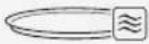 | Cover during cooking. Use slices no thicker than 3 cm. Cover and allow to rest before serving. | |
| P03 | Bacon 4-8 pcs - |  | 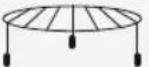 | |||
 Fish and shellfish Fish and shellfish | P04 | Fish fillets (thick slice) | 150-650 g |  | 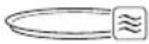 | |
| P05 | Fish fillets (thin slice) | 150-650 g | ||||
| P06 | Shrimps 250 g | Cover and allow to rest before serving. | ||||
 Vegetables Vegetables | P07 | Potatoes 1-3 pcs |  | 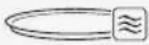 | Pierce before cooking. | |
| P08 | Hard vegetables 200-400 g | Cover during cooking. | ||||
| P09 | Soft vegetables 200-400 g | Cover during cooking. | ||||
| P10 | Frozen vegetables | 200-400 g | ||||
Use

Category Programme Weight Function Accessory Cooking tips
 Cakes and sweets Cakes and sweets | P11 | Popcorn 100 g - |  | 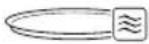 | ||
| P12 | Melting 113 g | Recommended for butter and soft cheeses. | ||||
| P13 | Mug cake 115 g - | |||||
| P14 | Porridge 50 g | Oats: water ratio = 1:7 | ||||
| P15 | Jam/Compote 400 g | Add lemon juice half way through cooking. | ||||
 pizza and cereals pizza and cereals | P16 | Toast 100 g - |  | 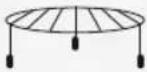 | ||
| P17 | Rice 200-600 g |  | 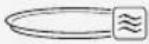 | Ratio to water = 1:1.8 Cover during cooking. | ||
| P18 | Pizza (reheating) | 100-400 g - |  | 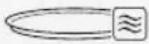 |
 | Programme | Weight | Cooking tips |
 | d01 Minced meat | 125 - 500 g | Turn half way through cooking. |
| d02 Meat | 400 - 800 g | - | |
| d03 Fish | 500 g - 1 kg | - | |
| d04 Vegetables | 300 - 500 g | - | |
| d05 Bread | 280 - 600 g | - |

Use
Changing the cooking settings
Each cooking setting can be changed by following the steps below:
Before you start cooking:
1) Press the navigation buttons to select the required parameter.
2) Press the START/STOP button to confirm.
3) Press the navigation buttons to set the required value.
4) Press the START/STOP button to move to the next parameter or to start cooking.
During cooking:
1) Press the START/STOP button to pause cooking.
2) Press the BACK button; the last parameter set will flash.
3) Press the navigation buttons to change the value of the selected parameter.
4) Press the BACK button again to return to the previous parameters and change them using the navigation buttons.
End of cooking
If a cooking duration has been set, it ends automatically. The text End, appears on the display, the timer symbol 🔗 flashes and a buzzer sounds, which can be switched off using the START/STOP button. To end cooking manually and go back to the clock display, press and hold the START/STOP button for at least 3 seconds.
Quick Start Function
In clock mode, press and hold the PLUS button to activate the Quick Start function to start cooking immediately. The microwave function is activated for 30 seconds at maximum power.
+30 seconds function
During cooking, press the navigation buttons to quickly increase or decrease the time at 30 second increments.

This function is not available for the automatic programmes in the Chef Menu and for the Auto Defrost and Auto Warm functions.
Use

Multi-step Function
During the function selection phase, it is possible to set a sequence of up to 2 cooking functions that are automatically activated at the end of the previous function.
To add a sequence of functions:
1) After setting a cooking function (before starting to cook), press the PLUS button. The icons of the available cooking functions flash on the display.
2) Set the parameters for the second function.
3) Start cooking.
It is not possible to activate the multi-step function once cooking has started.
3.3 Settings Menu
The settings menu can only be accessed when the microwave is in clock mode.
Z
1) Press and hold the START/STOP button.
2) Press the navigation buttons to scroll through the items in the menu.
3) Press the START/STOP button to confirm the setting to be configured.
4) Press and hold the START/STOP button to save the setting and exit the menu.
Child lock
This function allows the appliance to lock (On) the controls.
When the function is active, the indicator lights up on the display.
To disable the function, go back to the Settings menu and select OFF.
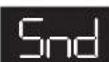
Sound
Enables (On) or disables (OFF) the sounds emitted by the microwave.
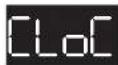
Clock format
Sets the time display to a 12 (12H) or 24 hour (24H) format.

Use
Modifying the time
1) The clock icon Ⓤ appears on the display and the hours start to flash.
2) Press the navigation buttons to select the required value.
3) Confirm using the START/STOP button.
4) Repeat the procedure to set the minutes.

Setting the units of measurement
Set the unit of measurement for weight according to the following table:
| Hardness level Weight |
| EU kg |
| US lb |
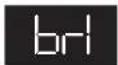
Display brightness
This allows you to select the brightness of the display according to the following table:
| Hardness level Display brightness |
| 1 25% |
| 2 100% |
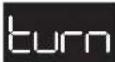
Turntable setting
When enabled (On), the turntable is rotated to optimise cooking results.
Can only be deactivated (OFF) for cooking functions that do not use microwave mode.
It does not affect the automatic programme settings of the Chef Menu.
| Function | Turntable (Default) | Modifiable |
 | On | X |
 | On | √ |
 | On | X |
 | On | X |
Cleaning and maintenance

4 Cleaning and maintenance
The instructions manual contains cleaning and maintenance instructions and recommendations from the manufacturer to the customer. Any other intervention should be carried out by an authorised service centre.
Before cleaning, ALWAYS remove the plug from the mains power supply and allow the appliance to cool down.
Caution
- Do not use steam jets to clean the appliance.
- Do not use cleaning products containing chlorine, ammonia, bleach or alcohol on steel parts or parts with a metallic surface finish.
- Do not use abrasive or corrosive detergents.
- Do not use rough or abrasive materials or sharp metal scrapers.
- Clean the components and accessories regularly after each use.
Cleaning the surfaces
To keep the surfaces in good condition, they should be cleaned regularly after use. Let them cool first.

Ordinary daily cleaning
Always and only use specific products that do not contain abrasives or chlorine-based acids.
Pour the product onto a damp cloth and wipe the surface, rinse thoroughly and dry with a soft cloth or a microfibre cloth.
Food stains or residues
Do not use steel sponges and sharp scrapers as they will damage the surface.
Use normal, non-abrasive products and a wooden or plastic tool, if necessary. Rinse thoroughly and dry with a soft cloth or a microfibre cloth.
Do not allow residues of sugary foods (such as jam) to set inside the oven. If left to set for too long, they might damage the enamel lining of the appliance.

Cleaning and maintenance
Cleaning the accessories
Wash all accessories in warm soapy water with a soft sponge or a soft cloth. Rinse and dry thoroughly. Do not use abrasive detergents, metallic sponges or metal tools to clean the accessories as they may damage the surfaces.
Cleaning the door glazing
The glass in the door should always be kept perfectly clean. Use absorbent kitchen roll. In case of stubborn dirt, wash with a damp sponge and an ordinary detergent.
Cleaning the oven cavity
In order to keep your oven in the best possible condition, clean it regularly after letting it cool down.
Avoid letting food residue dry inside the oven cavity, as this could damage the enamel.
What to do if...
Problem Possible cause Solution
| The microwave oven does not switch on. | The plug has not been properly inserted into the power socket. | Make sure the plug has been inserted properly into the power socket. |
| Possible cable or electronic board failure. | Contact your local service centre. | |
| No power. | Make sure that the power supply is working properly. If the problem persists, contact a qualified electrician. | |
| The oven light does not switch on. | The plug has not been properly inserted into the power socket. | Make sure the plug has been inserted properly into the power socket. |
| The light bulb or microwave oven door sensor may be faulty. | Contact your local service centre. | |
| Cooking does not start. | No confirmation. | Make sure that you confirm the cooking phase when you have set the required values (see “3.2 How to use the microwave oven”). |
| The microwave door is not closed. | Make sure that the microwave door is closed. | |
| The microwave oven door sensor may be faulty. | Contact your local service centre. | |
| The turntable does not rotate or makes a noise during operation. | The plate is not positioned correctly on the support. | Make sure that the plate is correctly positioned. |
| The support is not inserted correctly. | Make sure that the support is inserted correctly. |
What to do if...
Problem Possible cause Solution
| There are sparks and crackles inside the microwave during cooking. | Cookware with metallic finishes were used. Forks or other metal utensils have been left inside the microwave. Aluminium foil has been used inside the microwave oven. | Make sure that you only use containers that are suitable for microwave cooking. |
| Hot air or steam escapes around the door or from the vents during use. | It is normal for hot air to escape from above the door to cool the oven during use. | Wait for the appliance to cool down normally. If hot air or steam continues to escape, or if it escapes from other parts of the oven, contact your local service centre. |
| One of the following error codes appears on the display: E-01 / E-02 / E-03 / E-04 / E-05 / E-06 / E-07 / E-08 / E-09 / E-10. | - | Contact your local service centre. |
If the problem has not been resolved or in the case of other types of fault, contact your local technical support centre.
Instructions
IMPORTANTS AVERTISSEMENTS DE SÉCURITÉ LIRE ATTENTIVEMENT ET CONSERVER POUR TOUTE UTILISATION FUTURE
1 Instructions
Chef -valikon painike (8)

- IMPORTANT SAFETY INSTRUCTIONS READ CAREFULLY AND KEEP FOR FUTURE REFERENCE
- Instructions
- Intended use
- General safety instructions
- Instructions
- Caution when using this appliance
- Information on power consumption in off/stand-by mode
- Connecting the appliance
- Manufacturer liability
- Disposal
- Instructions / Description
- Installation
- Appliance description (Fig. A)
- Before first use
- Danger of burns High appliance temperature
- Description
- Description of the parts (Fig. A)
- Light (2)
- Roller ring (4)
- Description of accessories (Fig. A)
- Turntable (5)
- Grill rack (6)
- Description of the controls (Fig. D)
- Chef Menu button (8)
- Plus button (9)
- Back button (10)
- START/ STOP button (11)
- Back button (12)
- Next button (13)
- Display (14)
- Description of the display (Fig. E)
- Description / Use
- Power/weight indicator (13)
- Clock and timer (14)
- Recipe number (15)
- Use
- First use
- Using the accessories (Fig. C)
- How to use the microwave oven
- Setting the time
- Selecting the cooking functions
- Use
- Function Description Settings Accessory
- Microwave
- Grill
- Defrost
- Warm
- Selecting Chef Menu functions
- Changing the cooking settings
- End of cooking
- Quick Start Function
- +30 seconds function
- Multi-step Function
- Settings Menu
- Child lock
- Sound
- Clock format
- Modifying the time
- Setting the units of measurement
- Display brightness
- Turntable setting
- Cleaning and maintenance
- Cleaning and maintenance
- Caution
- Cleaning the surfaces
- Ordinary daily cleaning
- Food stains or residues
- Cleaning the accessories
- Cleaning the door glazing
- Cleaning the oven cavity
- What to do if...
- Chef -valikon painike (8)
Brand : SMEG
Model : MOC01SBMEU
Category : Microwave Oven