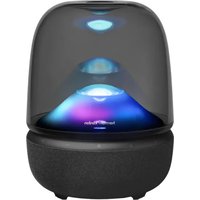
USER MANUAL Aura Studio 5 HARMAN KARDON
* Power cord quantity and plug type vary by regions.
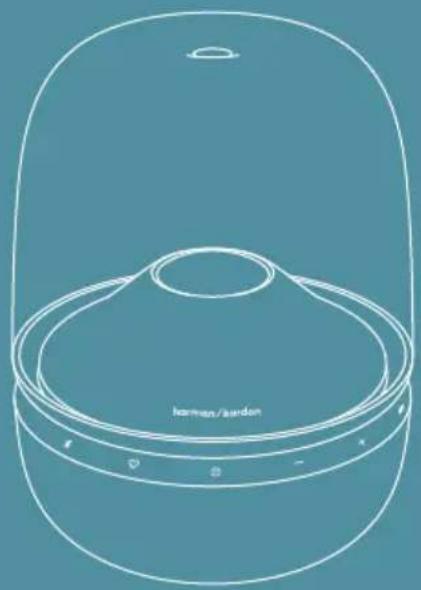
natural_image
Line drawing of a dome-shaped container with a central circular opening, labeled 'leman/leardon' at the bottom (no other text or symbols)
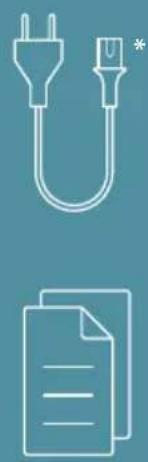
natural_image
Two-line icon set: a plug and a document with lines, both on a solid blue background (no text or symbols)

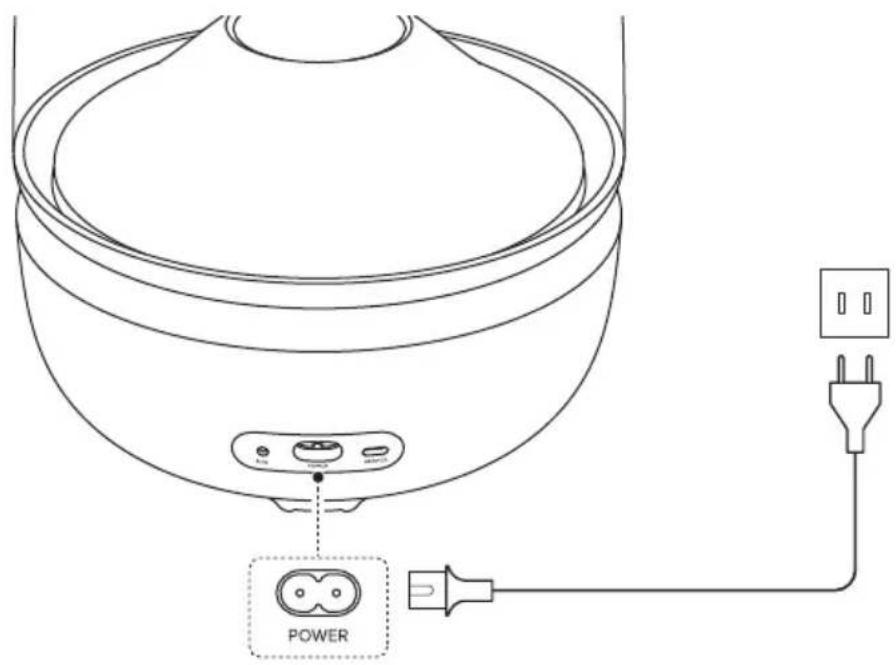
POWER ON
WI-FI SETUP

Connect your Android ^™ or iOS device to the Wi-Fi network and follow app instructions to complete speaker setup.
* The availability of features will vary between countries and not all features may be available in your country.
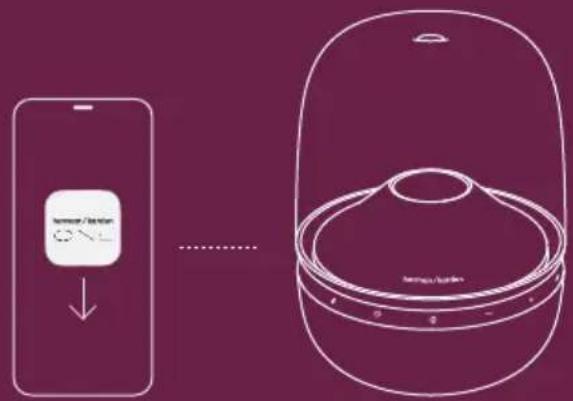

Harman Kardon One

GETITON
Google Play

Download on the
App Store

MUSIC STREAMING
harmon/karden
ONF
Stream music through the Harman Kardon One app or supported music services.

Works with Apple AirPlay
natural_image
Line drawing of a speaker with decorative musical notes floating nearby (no text or symbols)

works with Google Cast

Spotify®


TIDAL
connect
qobuz
CONNECT
roon READY

MOMENT
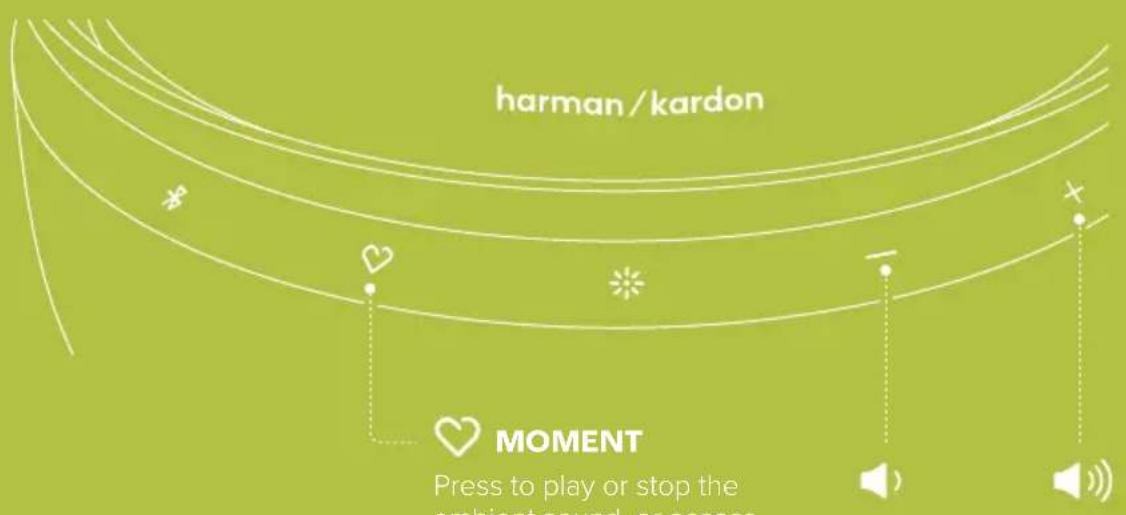
Press to play or stop the ambient sound, or access your personalized music playlist in the Harman Kardon One app.

LIGHT MODE
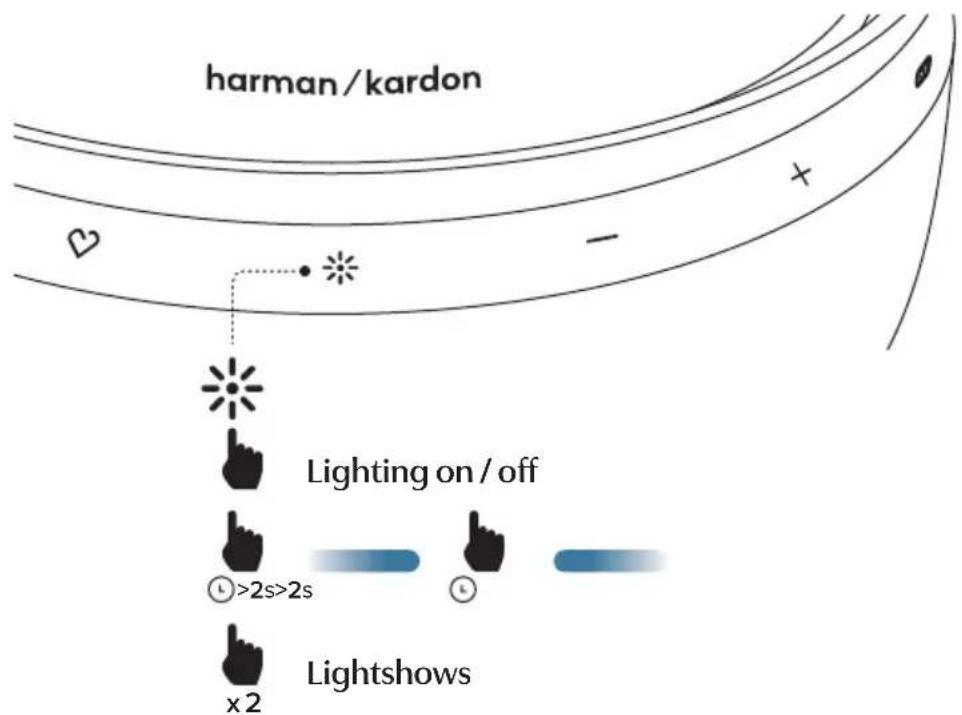
Apply lightshow presets and more with the Harman Kardon One app.

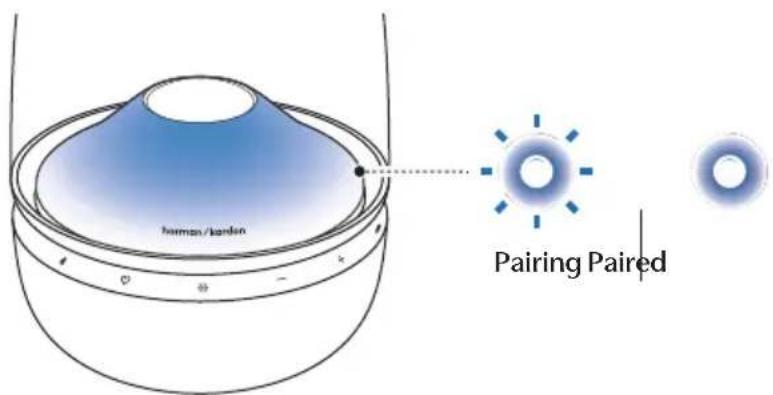
BLUETOOTH PAIRING
Music streaming through Wi-Fi will pause when the speaker enters Bluetooth pairing.
* Maximum 2 devices


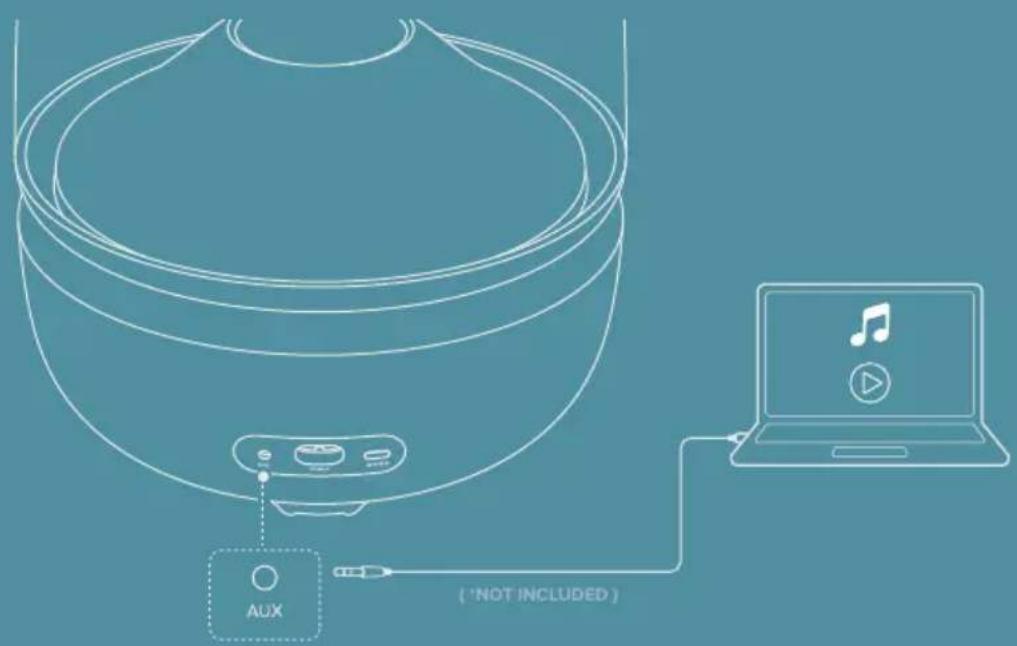
MUSIC PLAYBACK THROUGH AN AUDIO CABLE
To play music through the audio cable, ensure that no music plays through Wi-Fi or Bluetooth.

AUTO STANDBY
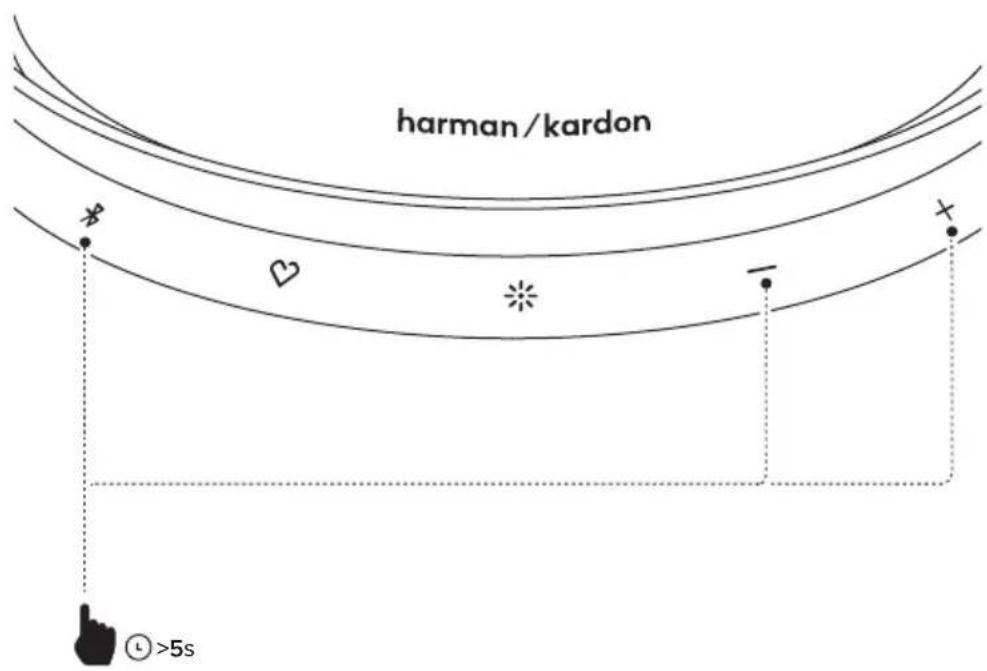
The speaker switches to standby automatically after 10 minutes if there is no music playback or key press. To disable the auto standby feature, hold +, - and ✝ for more than 5 seconds.
TECH SPEC
• Transducers: 40 mm x 6 pcs (Mid-high range); 25 mm x 1 pc (tweeter), 143 mm x 1 pc (Subwoofer)
• Output power: 2 x 20 W + 1 x 20 W + 1 x 100 W RMS
• Networked standby power: < 2.0 W
• Operation temperature: 0 °C – 45 °C
• Frequency response: 45 Hz – 20 kHz (-6 dB)
• Signal to noise ratio: 80 dB A-weighted
• Power supply: 100 – 240 V \~ 50/60 Hz
- Bluetooth version: 6.0
- Bluetooth profile: A2DP 1.3.2, AVRCP 1.5.1
- Bluetooth transmitter power: ≤15 dBm (EIRP)
- Bluetooth transmitter frequency range: 2.400 – 2.4835 GHz
- Bluetooth transmitter modulation: GFSK, π/4 DQPSK, 8DPSK
• WI-Fi network: IEEE 802.11 a/b/g/n/ac/ax (2.4 GHz / 5 GHz)
• 2.4G WI-FI transmitter frequency range: 2412 – 2472 MHz (2.4 GHz ISM Band,
USA 11 Channels, Europe and others 13 Channels)
• 2.4G Wi-Fi transmitter power: ≤ 20 dBm (EIRP)
• 5G WI-FI transmitter frequency range: 5.15 – 5.35 GHz, 5.470 – 5.725 GHz, 5.725 – 5.825 GHz
• 5G Wi-Fi transmitter power: 5.15 – 5.25 GHz ≤ 23 dBm, 5.25 – 5.35 GHz & 5.470 – 5.725 GHz ≤ 20 dBm.
5.725 - 5.825 GHz ≤ 14 dBm
- USB port: Type C
• USB rating: 5 V DC, 0.5 A
MP3
• USB specification: Audio playback is for US version only. For other versions, USB is for Service only.
• Dimension (H x W x D): 306.4 x 234 x 234 mm / 12.1" x 9.2" x 9.2"
• Weight: 4.1 kg (9.1 lb)
FR DA
SUPPORT EN LIGNE
Mode d'emploi
CONTENU DE LA BOÎTE
PARRING MED BLUETOOTH
Parrer | Parret
- Consumo in standby di rete: < 2,0 W
• Temperatura d'esercizio:
0°C-45°C
-
Information on power consumption
This equipment complies with European
Commission Regulation (EU) 2023/826.
Off: N/A
Networked standby for the speaker:
< 2.0 W
-
The period of time after which the power management function switches the equipment automatically into:
| Networked standby mode | When the system is with AC cable plugged in | Switched to Networked standby mode after 10 minutes of inactivity |
- If this equipment has the wireless network connections:
How to activate wireless network connections:
- Activate after every power cycle;
- Switch into wireless mode (Bluetooth, Google Cast™, AirPlay casting audio & etc).
How to deactivate wireless network connections:
- Hold ♥ and for more than 10 seconds.
FR
- Dacă acest echipament are conexiuni la reteaua wireless:
Activarea conexiunilor la reteaua wireless:
WARNING: Please refer to the information on exterior bottom enclosure for electrical and safety information before installing or operating the apparatus.
Use Restriction: This device is restricted to indoor use when operating in the 5150 to 5350 MHz frequency range in following countries:
| BE | FL | LT | PT | | |
| BG | ES | LU | RO | |
| CZ | FR | HU | SI |
| DK | HR | MT | SK | UK |
| DE | IT | NL | FI | | |
| EE | CY | AT | SE |
| IE | LV | PL | UK(NI) |
Belgium (BE), Greece (EL), Lithuania (LT), Portugal (PT), Bulgaria (BG), Spain (ES), Luxembourg (LU), Romania (RO), Czech Republic (CZ), France (FR), Hungary (HU), Slovenia (SI), Denmark (DK), Croatia (HR), Malta (MT), Slovakia (SK), Germany (DE), Italy (IT), Netherlands (NL), Finland (FI), Estonia (EE), Cyprus (CY), Austria (AT), Sweden (SE), Ireland (IE), Latvia (LV), Poland (PL), United Kingdom (UK) and Northern Ireland (UK (NI)).
This product contains open source software licensed under GPL. For your convenience, the source code and relevant build Instruction are also available at https://harman-webpages.s3.amazonaws.com/Harman_One_OS_C_package_license_list.htm
Please feel free to contact us at:
or_OpenSourceSupport@Harman.com_if you have additional question regarding the open source software in the product.

This equipment is a Class II or double insulated electrical appliance.
Bluetooth®

AURACAST
The Bluetooth® word mark and logos are registered trademarks owned by Bluetooth SIG, Inc. The Auracast™ word mark and logos are trademarks owned by Bluetooth SIG, Inc. Any use of such marks by HARMAN International Industries, Incorporated is under license. Other trademarks and trade names are those of their respective owners.

works with Google Home

works with Google Cast
Google, Android, Google Home, Google Cast and other marks are trademarks of Google LLC.
Google Assistant is not available in certain languages and countries. Availability and performance of certain features, services, and applications are device and network dependent and may not be available in all areas.

Works with Apple AirPlay
Use of the Works with Apple badge means that an accessory has been designed to work specifically with the technology identified in the badge and has been certified by the developer to meet Apple performance standards.
Apple, and AirPlay are trademarks of Apple Inc., registered in the U.S. and other countries and regions.
To use AirPlay with Harman Kardon Aura Studio 5 Wi-Fi, the latest version of iOS, iPadOS, or macOS is recommended.

Spotify®

Use your phone, tablet or computer as a remote control for Spotify. Go to spotify.com/connect to learn how.
The Spotify Software is subject to third party licenses found here: https://www.spotify.com/connect/third-party-licenses.
The WI-FI CERTIFIED ^TM Logo is a registered trademark of WI-FI Alliance ^® .
ROON READY
Being Roon Ready means that HARMAN uses Roon streaming technology, for an incredible user interface, simple setup, rock-solid daily reliability, and the highest levels of audio performance, without compromise.

With Qobuz Connect, use your phone, tablet, or computer as a remote to play music directly on your device. Enjoy effortless setup, reliable streaming, and the unmatched sound of Qobuz Hi-Res.