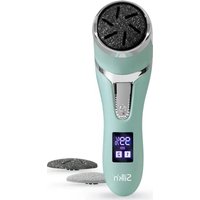
FreshPedi - Foot care device Silk'n - Free user manual and instructions
Find the device manual for free FreshPedi Silk'n in PDF.


User questions about FreshPedi Silk'n
0 question about this device. Answer the ones you know or ask your own.
Ask a new question about this device
Download the instructions for your Foot care device in PDF format for free! Find your manual FreshPedi - Silk'n and take your electronic device back in hand. On this page are published all the documents necessary for the use of your device. FreshPedi by Silk'n.
USER MANUAL FreshPedi Silk'n
Beautiful Technology
FRESHPEDI
FTC03
natural_image
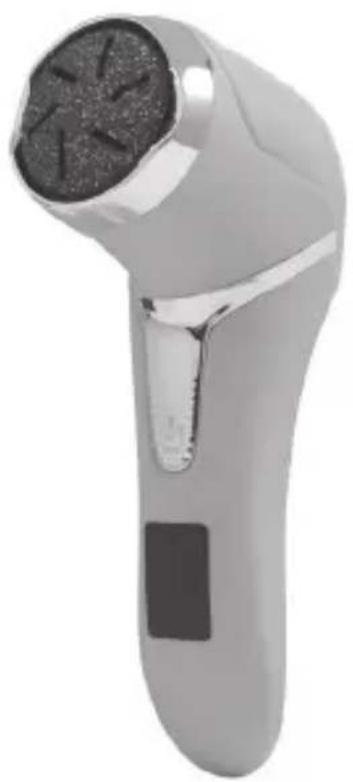
Close-up of a handheld electric shaver with a circular head and metallic handle (no visible text or symbols)
text_image
hansc control User-friendly Manual ID: #05007EN USER MANUAL
Invention Works B.V. reserves the right to make changes to its products or specifications to improve performance, reliability, or manufacturability. Information furnished by Invention Works B.V. is believed to be accurate and reliable at the time of publication. However, Invention Works B.V. assumes no responsibility for its use. No license is granted by its implication or otherwise under any patent or patent rights of Invention Works B.V.
No part of this document may be reproduced or transmitted in any form or by any means, electronic or mechanical, for any purpose, without the express written permission of Invention Works B.V. Data is subject to change without notification.
Silkn Beauty Ltd. has patents and pending patent applications, trademarks, copyrights, or other intellectual property rights covering subject matter in this document. The furnishing of this document does not give you any license to these patents, trademarks, copyrights, or other intellectual property rights except as expressly provided in any written agreement from Silkn Beauty Ltd. Specifications are subject to change without notice.
Silk'n and the Silk'n logo are registered trademarks of Silkn Beauty Ltd.
Invention Works B.V.
Galileïstraat 17, 3029 AL Rotterdam, The Netherlands www.silkn.eu – info@silkn.eu
Table of contents
EN
I Package contents/device parts ____ 5
2 General information 5
2.1 Reading and storing the user manual ____ 5
2.2 Explanation of symbols 5
3 Safety 6
3.1 Proper use ____ 6
3.2 Safety instructions ____ 6
4 Checking the product and package contents _ 10
5 Charging 10
6 Operation ____ II
6.1 Attaching or replacing the grinding disc ____ 11
6.2 Starting and ending the treatment 12
7 Cleaning 12
8 Storage 13
9 Troubleshooting 13
10 Technical data 13
II Disposal 14
11.1 Disposing of the packaging ____ 14
11.2 Disposing of the product ____ 14
12 Warranty 15
13 Customer service 15
EN
I Package contents/device parts
1 Medium grinding disc*
7 Coarse grinding disc
2 Grinding head (with spindle)
8 Fine grinding disc
3 Dust chamber cover
9 Cover
4 Operation button ( )
10 Disc remover
5 Charging port
USB cable
6 Display
12 Cleaning brush
*Already attached to the grinding head.
2 General information
2.1 Reading and storing the user manual

natural_image
Icon of a person using a laptop (no text or symbols)This user manual accompanies this callus remover FreshPedi (hereafter referred to as the “product”), and contains important information on setup and handling.
Before using the product, read the user manual
carefully. This particularly applies to the safety instructions. Failure to do so may result in personal injury or damage to the product. The user manual is based on the standards and rules in force in the European Union. When abroad, you must also observe country-specific guidelines and laws. Store the user manual for further use. Make sure to include this user manual when passing the product on to third parties.
2.2 Explanation of symbols
The following symbols and signal words are used in this user manual, on the product or packaging.

WARNING!
This signal symbol/word designates a hazard with moderate risk, which may result in death or severe injury if not avoided.
NOTICE!
This signal word warns of possible damage to property.

This signal symbol provides you with useful additional information on handling and use.
Read the user manual.

Declaration of Conformity: Products labelled with this symbol meet all applicable provisions of the European Economic Area.

Declaration of Conformity: Products labelled with this symbol meet all applicable provisions of the United Kingdom.
IPX7
The product is protected against water immersion for up to 30 minutes at a depth of 1 m.
3 Safety
3.1 Proper use
The product is exclusively designed for removing calluses on the feet. It is only intended for private use and not suitable for commercial purposes. Only use the product as described in this user manual. Any other use is considered improper and may result in damage to property or persons. The manufacturer cannot be held liable for damages or injury incurred through improper or incorrect use.
3.2 Safety instructions

WARNING! RISK OF ELECTRIC SHOCK!
- Only use the product with the supplied USB cable.
- Only connect the USB cable of the product to a suitable mains adaptor (IEC/EN 60335 certified SELV power supply), connected to an easily accessible socket so that you can quickly disconnect it from the mains supply in the event of a problem.
- Do not use the product if it is damaged or if the USB cable is defective.
- Do not open the housing; instead, have a qualified professional perform repairs. Contact the customer service team for this. Liability and warranty claims are waived in the event of repairs performed by the user, improper connection or incorrect operation.
- Only parts that comply with the original device data may be used for repairs. This product contains electrical and mechanical parts which are essential for providing protection against sources of danger.
- Keep the USB cable away from water or other liquids. It is not waterproof.
- Do not leave the product submerged in water (max. 1 m) or under running water for more than 30 minutes.
- Always switch the product off when you are not using it, when you intend to clean it, or in the event of a malfunction. Always unplug the USB cable when you are not charging the product.
- Never touch the USB cable with wet or damp hands.
- Never insert any objects into the housing.
- Keep all parts of the product away from open flames and hot surfaces.
- Lay the USB cable so that it does not pose a tripping hazard.
- Do not pull the USB cable out of the mains
adaptor by the cord; instead, always pull it out by the cable plug.
- Do not kink the USB cable and do not lay it over sharp edges.
- Only use the product indoors.

WARNING! RISK OF INJURY!
- The product can be used by children aged from 8 years and above and persons with reduced physical, sensory or mental capabilities or lack of experience and knowledge if they have been given supervision or instruction concerning use of the product in a safe way and understand the hazards involved. Children must not play with the product. Cleaning and user maintenance must not be performed by unsupervised children.
- Keep children under the age of 8 away from the product and USB cable.
• Make sure that children do not play with the plastic wrapping. They may get caught in it when playing and suffocate. - Only use the product after the grinding disc is properly installed.
- Only use the product on your feet to treat calloused skin. Do not use it on other parts of the body and on soft or thin parts of the skin.
- Only use the product for dry treatment of
EN
skin (do not use any additives such as oils or lotions).
- Do not continuously treat one spot of your skin for more than 2 to 3 seconds at a time.
- Do not use the product directly on or near open wounds and inflamed areas of the skin or to remove warts.
- Immediately stop using the product if you experience pain or skin irritation.
- Consult a doctor if you are not sure whether the product is suitable for you (e.g. you suffer from skin diseases or diabetes, you are pregnant, or you are using a pacemaker).
- For hygienic reasons, the product should only be used by one person.
- Keep the product away from hair, wigs and other long flexible objects, e.g. shoelaces, threads, textile fibres.
- Under abusive conditions, liquid may be ejected from the battery; avoid contact. Liquid ejected from the battery may cause irritation or burns.
- If battery fluid comes into contact with skin, eyes or mucous membrane, wash and rinse the affected areas immediately with clean water. Consult a physician if necessary.
- The battery must not be disassembled, short-circuited or thrown into a fire.
NOTICE! RISK OF DAMAGE!
- Avoid leaving the product in direct sunlight and never expose it to extreme heat.
- Do not place the product on the edge of a surface to avoid dropping.
- Only use the product with the original accessories.
- Never fill the housing of the product with liquid.
4 Checking the product and package contents
NOTICE! RISK OF DAMAGE!
- If you are not cautious when opening the packaging with a sharp knife or other pointed objects, you may quickly damage the product. Be very careful when opening it.
I. Take the product out of the packaging.
2. Check to make sure that all parts are included (see Fig. A).
3. Check whether the product or individual parts are damaged. If this is the case, do not use the product. Contact our customer service.
5 Charging

WARNING! RISK OF INJURY!
- Do not charge the product when it is wet. Make sure it is dry before charging.
- Only charge the product with the supplied USB cable.
EN
- Only charge the product at temperatures between 0 and 40^ .
• Always unplug the product after charging has been completed.

- Fully charge the product before first use and when the battery power is low.
- The remaining battery power level shows in the display 6 (indicated by %). Recharge the product when the battery power is low.
- The product cannot be used during charging.
I. Plug the smaller end of the USB cable 11 into the charging port 5 of the product.
2. Plug the larger end of the USB cable into the USB port of a compatible USB power source (e.g. USB power adapter) for charging.
Charging starts automatically. The current battery power level shows in the display (indicated by %).
- When charging is done, unplug the USB cable from the charging port and the USB power source.
6 Operation

- Before treating an area of your feet for the first time, perform a skin sensitivity test on a spot on your foot for maximum 3 seconds. Start your treatment only if there is no adverse reaction.
- You can purchase new grinding discs on our website at www.silkn.eu.
6.1 Attaching or replacing the grinding disc
The product includes 3 grinding discs 8 / 1 / 7 (Fine, Medium and Coarse). Start with the Fine grinding disc until you are sure there is no adverse reaction.
I. Remove the cover 9 if it is attached to the product.
2. Remove the attached grinding disc from the product.
If necessary, attach the hooks of the disc remover 10 to the grinding disc and then pull it up to remove the grinding disc (see step 1 in Fig. B).
- Gently push the desired grinding disc onto the spindle of the grinding head 2 (see step 2 in Fig. B).
You will hear a click sound when the grinding disc is securely snapped into place.
6.2 Starting and ending the treatment
- Make sure your feet are clean and completely dry.
- Press the operation button ( ) 4 once.
The product is now turned on at a low speed. The “I” icon in the display 6 turns on.
- Press the operation button ( ) again to increase the speed level.
The product is now operating at a high speed. The “2” icon in the display turns on.
- Move the grinding head 2 over the parts of your skin you intend to treat. In the process, apply gentle pressure and only keep the grinding disc on a spot on your skin for 2 to 3 seconds at a time, then check the result (see Fig. C).
The dust created during treatment will be sucked into the dust chamber behind the grinding head.
- When treatment is done, press the operation button (⏻) a third time to turn the product off.
7 Cleaning
WARNING! RISK OF ELECTRIC SHOCK!
• Always unplug the product from power before cleaning.
NOTICE! RISK OF DAMAGE!
- Do not use any aggressive cleaners, brushes with metal bristles, or sharp or metallic cleaning utensils such as knives, hard scrapers, and the like.
Clean the product after each use.
- Make sure the product is turned off and is not being charged.
- Slide open the dust chamber cover 3 and empty the dust collected inside the dust chamber (see Fig. D).
Use the cleaning brush 12 if necessary.
EN
- Rinse the grinding disc 1 / 7 / 8, the dust chamber and the body of the product under running water (see Fig. D).
You may turn on the product for a few seconds for more efficient cleaning. - Wipe dry all parts of the product after cleaning.
- Replace the dust chamber cover before using the product again.
8 Storage
All parts must be completely dry before being stored.
- Store all parts in a clean and dry place, avoiding heat and direct sunlight.
- Attach the cover 9 to protect the grinding disc 1 / 7 / 8 for storage.
9 Troubleshooting
Some problems may be caused by minor faults that you can fix yourself. To do so, follow the instructions in the following table. If it is still not possible to resolve the problem, contact customer service. Do not repair the product yourself.
| Fault Possible cause and solution | |
| The product does not start. | Make sure the product is properly charged (see chapter “Charging”). |
| Charging does not start. | Make sure the USB cable 11 is securely connected to the product and the USB port of a compatible USB power source. |
10 Technical data
Model: FTC03
Voltage: DC 3.7 V
Power: 6 W
Battery capacity: 2,000 mAh (lithium)
Speed settings: 2 (low/high)
Rotation speed: 1,900 rpm (low speed) 2,200 rpm (high speed)
Charging time: 2–2.5 hours
IP code: IPX7 (protected against water immersion for up to 30 minutes at a depth of 1 m)
Use time: Approx. 150 min per full charge
Dimensions: 165 × 76 × 50 mm
II Disposal
II.1 Disposing of the packaging

Sort the packaging before you dispose of it. Dispose of paperboard and cardboard with the recycled paper service and wrappings with the appropriate collection service.
II.2 Disposing of the product
(Applicable in the European Union and other European countries with separate collection systems of recyclable materials)
natural_image
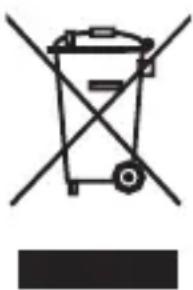
Symbol of a trash bin crossed with a diagonal line, no text or numbers presentOld appliances may not be disposed of in the household waste!
Should the product no longer be capable of being used at some point in time, dispose of it in accordance with the regulations in force in your city or county. This ensures that old appliances are recycled in a professional manner and also rules out negative
consequences for the environment. For this reason, electrical equipment is marked with the symbol shown here.
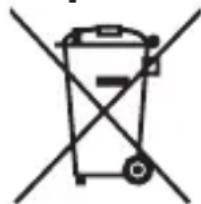
Batteries and rechargeable batteries may not be disposed of with household waste!
natural_image
Simple line drawing of a trash bin with two crossed lines indicating no waste or prohibition (no text or symbols)As the end user you are required by law to bring all batteries and rechargeable batteries, regardless whether they contain harmful substances* or not, to a collection point run by the communal authority or to a retailer, so that they can be disposed of in an environmentally friendly manner.
Bring the entire product (including the rechargeable battery) to your collection point and make sure that it is in an uncharged state!
* labelled with: Cd = cadmium, Hg = mercury, Pb = lead
12 Warranty
This product is covered by a 2-year warranty according to European regulations and law. The extent of the warranty on this product is limited to technical defects caused by faulty production processes. In the event you want to claim warranty please be sure to contact our customer service for instructions. They may be able to solve your problem without needing to return the product to the store or our service center. Our customer service is always pleased to help you!
13 Customer service
For more information about the products of Silk'n visit your regional Silk'n website: www.silkn.eu. If the device is damaged, defective, in need of repair or you need our assistance, please contact your nearest Silk'n service center. This manual is also available as a PDF download from: www.silkn.eu.
Service number: 0906-2130009
Email: customercareuk@silkn.eu
natural_image
Symbol of a trash bin crossed with two crossed lines, no text or numbers presentnatural_image
Symbol of a trash bin crossed out by two diagonal lines (no text or labels)natural_image
Simple icon of a person using a computer (no text or symbols)natural_image
Symbol of a trash bin crossed with no text or labels, accompanied by a black rectangular block below (no readable text or symbols)natural_image
Simple line drawing of a trash bin with two crossed lines indicating no waste or prohibition (no text or symbols)natural_image
Icon of a person using a laptop (no text or symbols)WAARSCHUWING! GEVAAR VOOR ELEKTROCUTIE!
WAARSCHUWING! GEVAAR VOOR ELEKTROCUTIE!
natural_image
Symbol of a trash bin crossed with no text or numbers, representing waste sorting or disposal (no text present)natural_image
Simple line drawing of a trash bin with crossed lines indicating no waste or restriction (no text or symbols)natural_image
Icon of a person using a laptop inside a circle (no text or symbols)natural_image
Symbol of a trash bin crossed with no text or numbers, representing waste sorting or disposal (no text present)natural_image
Symbol of a trash bin crossed out by two crossed lines (no text or numbers present)natural_image
Icon of a person using a laptop (no text or symbols)natural_image
Symbol of a trash bin with crossed lines indicating no waste or restriction, accompanied by a black rectangular block below (no text or symbols present)natural_image
Symbol of a trash bin crossed out by two diagonal lines (no text or labels)natural_image
Symbol of a trash bin with crossed lines indicating no waste or restriction, accompanied by a solid black rectangle below (no text or symbols present)natural_image
Simple line drawing of a trash bin with two crossed lines indicating no waste or restriction (no text or symbols)natural_image
Icon of a person using a laptop inside a circle (no text or symbols)natural_image
Symbol of a trash bin crossed with no text or numbers, representing waste sorting or disposal (no text present)natural_image
Simple line drawing of a trash bin with two crossed x-axes (no text or symbols)natural_image
Icon of a person using a laptop (no text or symbols)natural_image
Symbol of a trash bin with crossed lines indicating no waste or discharge (no text or labels)natural_image
Symbol of a trash bin crossed out by two diagonal lines (no text or numbers present)natural_image
Simple icon of a person using a computer (no text or symbols)natural_image
Symbol of a trash bin crossed with no text or labelsnatural_image
Simple line drawing of a trash bin with two crossed lines indicating no waste or prohibition (no text or symbols)natural_image
Icon of a person using a laptop (no text or symbols)natural_image
Symbol of a trash bin crossed with no text or labels, representing waste sorting or disposal (no text present)natural_image
Simple line drawing of a trash bin with two crossed lines indicating no waste or prohibition (no text or symbols)*märkta med: Cd = kadmium, Hg = kvicksilver, Pb = bly
12 Garantiinformation
Invention Works B.V.
natural_image
Icon of a person using a laptop (no text or symbols)natural_image
Symbol of a trash bin with crossed lines indicating no waste or restriction, and a solid black rectangle below (no text or symbols)natural_image
Simple line drawing of a trash bin with two crossed lines indicating no waste or prohibition (no text or symbols)Beautiful Technology
Invention Works B.V.
De Burgh House Market Road,
Wickford, Essex, SS12 0FD
United Kingdom