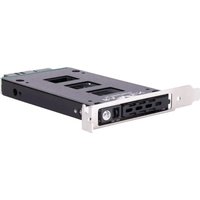
EXB02 - Computer component SILVERSTONE - Free user manual and instructions
Find the device manual for free EXB02 SILVERSTONE in PDF.


| Product Type | 2.5" Hard Drive Adapter to PCIe Slot |
| Brand | Silverstone |
| Model | EXB02 |
| Dimensions (L x W x H) | 140 x 120 x 20 mm (approx.) |
| Weight | 100 g (approx.) |
| Chassis Material | Steel and plastic |
| Interface | SATA III (6 Gbit/s) |
| Power Connector | SATA 15-pin |
| Supported Drive Form Factors | SSD/HDD 2.5" with 7mm to 9.5mm height |
| Required Expansion Slot | 1 x PCIe (x1, x4, x8 or x16) |
| Drive Mounting | Screws included, mounting on removable tray |
| Security Lock | Panel lock key included |
| Power | Via SATA cable (PC power) |
| Power Consumption | Low, depends on installed drive |
| Operating Temperature | 0°C to 50°C |
| Operating Humidity | 10% to 90% non-condensing |
| System Compatibility | Windows, macOS, Linux (no driver required) |
| Installation | Tool-free for drive, screw fixation for chassis |
| Maintenance and Cleaning | Disconnect before cleaning; use a soft dry cloth |
| Safety | Turn off and unplug the computer before installation |
| Spare Parts and Repairability | Mounting screws and lock key provided; removable tray |
| General Information | 1 year warranty (check with reseller) |
Frequently Asked Questions - EXB02 SILVERSTONE
User questions about EXB02 SILVERSTONE
0 question about this device. Answer the ones you know or ask your own.
Ask a new question about this device
Download the instructions for your Computer component in PDF format for free! Find your manual EXB02 - SILVERSTONE and take your electronic device back in hand. On this page are published all the documents necessary for the use of your device. EXB02 by SILVERSTONE.
USER MANUAL EXB02 SILVERSTONE
natural_image
Black RAGEN memory card with silver slots and external connectors (no readable text or symbols beyond branding)EXB02
2.5" SAS/SATA removable hard drive bay for PCIe slot
EXB02
Panel EXPLANATION
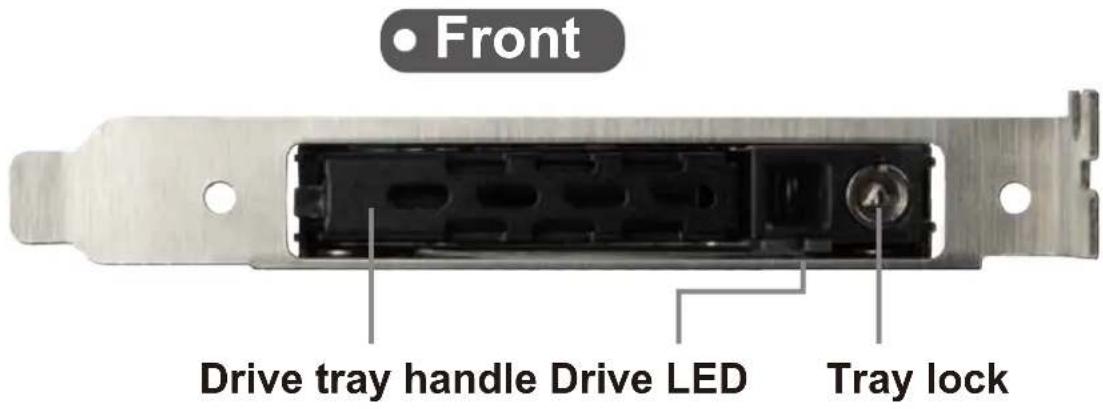
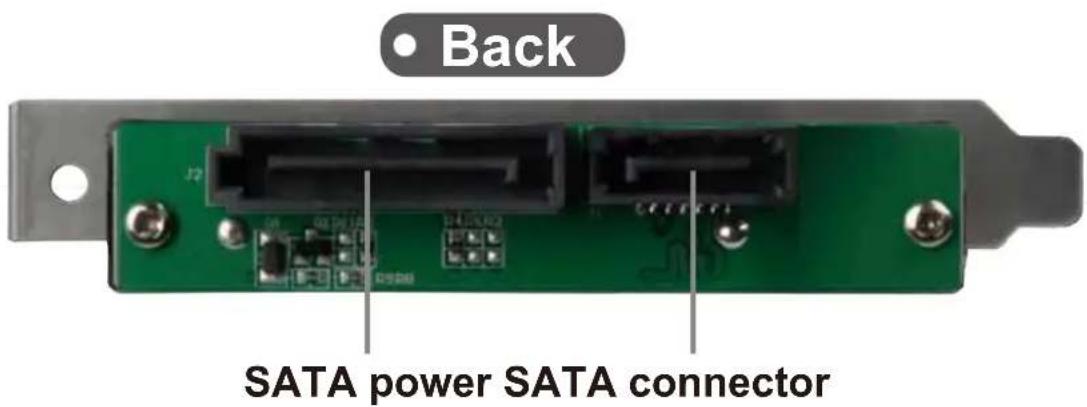
Screw
Secure HDD x 4
Package includes
EXB02 enclosure x 1
Key x 1
Specifications
| Model | SST-EXB02 |
| Color | Black |
| Material | Metal |
| HDD Drive Support | SATA 6 Gbit/s, SATA 3 Gbit/s, SATA 1.5 Gbit/sSAS 12 Gbit/s, SAS 6 Gbit/s, SAS 3 Gbit/s |
| Transfer rate | Up to 12 Gbit/s** or 6 Gbit/s(dependent on drive and host speed) |
| Drive support | 2.5” SAS*/SATA HDD/SSD up to 9.5mm |
| Host interface | 7-Pin SATA connector x 1 |
| Power connector | SATA 15-Pin x 1 |
| LED indicator | Power On: GreenHDD Access: Orange blinking. |
| Environment | Operating temperature : 0°C~65°C (32°F~149°F)Storage temperature : -10°C~70°C (14°F~158°F)Operating humidity: 10%~90% non-condensingStorage humidity : 5%~90% non-condensing |
| Drive door security | Triangle key lock design |
| Number of key | 2 |
| Net weight | 200g |
| Dimension | 120.5mm (W) x 21.5mm (H) x 137.3mm (D) |
Remark
* Your system must have SAS controller if you want to use SAS HDD
* Hard drive capacity and RAID support is dependent on SAS or SATA controller used
**12Gbit/s Mini-SAS HD control card and cable required for 12Gb/s performance (e.g. SilverStone ECS05 & CPS05)
EXB02
Product installation
1
natural_image
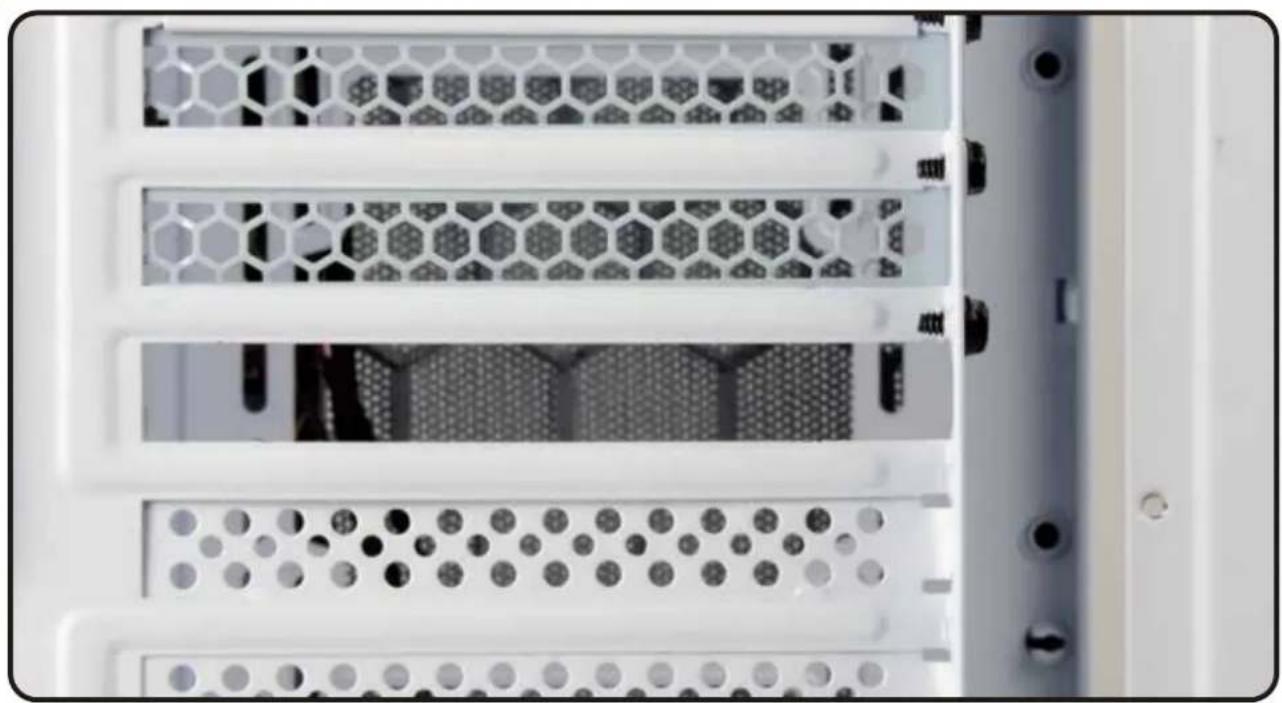
Close-up of a server rack with hexagonal mesh panels and ventilation slots (no visible text or labels)ENGLISH
Remove one of the expansion slot covers from the rear of computer chassis
DEUTSCH
natural_image
Exterior view of a black RAE EN by SilverStone electronic device (no text or symbols on the device itself)ENGLISH
Install EXB02 into an available PCIe slot and secure with screw
DEUTSCH
natural_image
Close-up of a green electronic device rear panel with connectors and ports (no visible text or symbols)SATA power SATA connector
ENGLISH
Connect SATA cable and SATA power cable to EXB02
DEUTSCH
natural_image
Close-up of a white server rack with hexagonal mesh panels and a central drive (no visible text or symbols)ENGLISH
Installation complete
DEUTSCH
Press and pull out the drive tray, as shown in illustrations 1 & 2
DEUTSCH
natural_image
Close-up of a mechanical device housing with a red arrow pointing to a component (no text or symbols visible)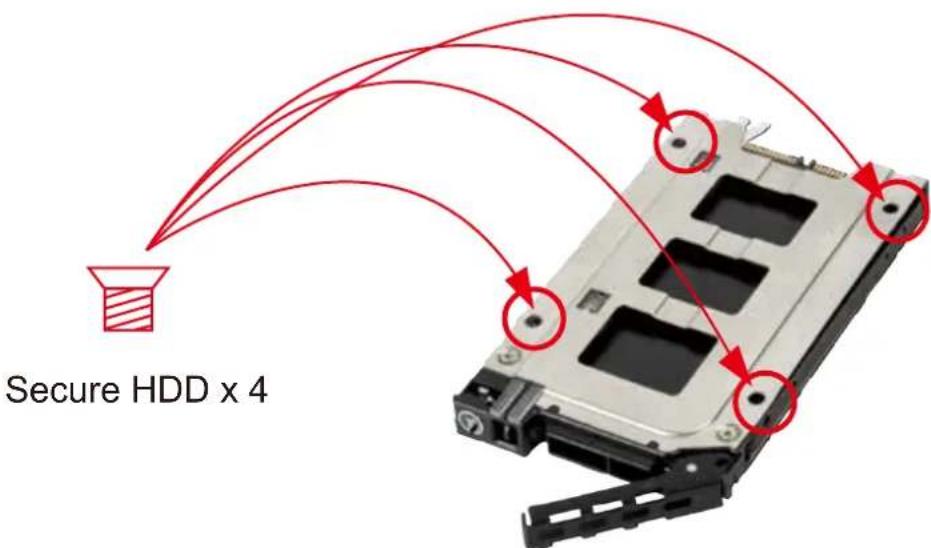
ENGLISH
Place 2.5" drive into the drive tray and secure with screws as shown
DEUTSCH
natural_image
Close-up of a black mechanical device with a red upward arrow pointing to its side, placed on a perforated metal plate (no text or symbols visible)ENGLISH
Insert the assembled tray back into the EXB02 enclosure
DEUTSCH
natural_image
Close-up of a white metal keychain hanging from a perforated metal shelf, with no visible text or symbols.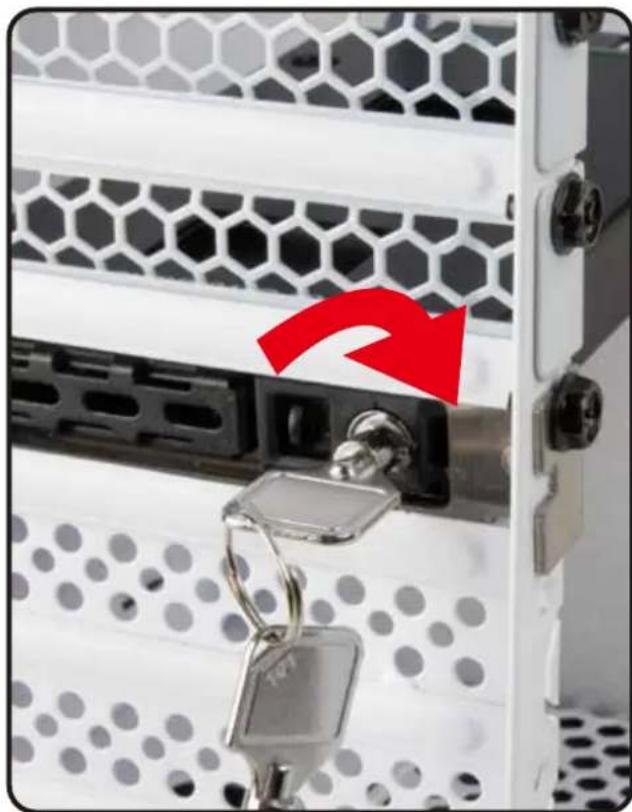
natural_image
Close-up of a server rack with hexagonal mesh panel and key inserted, showing a red arrow pointing to a lock component (no text or symbols visible)ENGLISH
Use the key to lock the panel
DEUTSCH
Warranty Information
This product has a limited 1 year warranty in North America and Australia.
For information on warranty periods in other regions, please contact your reseller or SilverStone authorized distributor.
Warranty terms & conditions
- Product component defects or damages resulted from defective production is covered under warranty.
Defects or damages with the following conditions will be fixed or replaced under SilverStone Technology's jurisdiction.
a) Usage in accordance with instructions provided in this manual, with no misuse, overuse, or other inappropriate actions.
b) Damage not caused by natural disaster (thunder, fire, earthquake, flood, salt, wind, insect, animals, etc...)
c) Product is not disassembled, modified, or fixed. Components not disassembled or replaced.
d) Warranty mark/stickers are not removed or broken.
Loss or damages resulted from conditions other than ones listed above are not covered under warranty.
-
Under warranty, SilverStone Technology's maximum liability is limited to the current market value for the product (depreciated value, excluding shipping, handling, and other fees). SilverStone Technology is not responsible for other damages or loss associated with the use of product.
-
Under warranty, SilverStone Technology is obligated to repair or replace its defective products. Under no circumstances will SilverStone Technology be liable for damages in connection with the sale, purchase, or use including but not limited to loss of data, loss of business, loss of profits, loss of use of the product or incidental or consequential damage whether or not foreseeable and whether or not based on breach of warranty, contract or negligence, even if SilverStone Technology has been advised of the possibility of such damages.
-
Warranty covers only the original purchaser through authorized SilverStone distributors and resellers and is not transferable to a second hand purchaser.
-
You must provide sales receipt or invoice with clear indication of purchase date to determine warranty eligibility.
-
If a problem develops during the warranty period, please contact your retailer/reseller/SilverStone authorized distributors or SilverStone http://www.silverstonetek.com.
Please note that: (i) You must provide proof of original purchase of the product by a dated itemized receipt; (ii) You shall bear the cost of shipping (or otherwise transporting) the product to SilverStone authorized distributors. SilverStone authorized distributors will bear the cost of shipping (or otherwise transporting) the product back to you after completing the warranty service; (iii) Before you send the product, you must be issued a Return Merchandise Authorization ("RMA") number from SilverStone. Updated warranty information will be posted on SilverStone's official website. Please visit http://www.silverstonetek.com for the latest updates.
Additional info & contacts
For North America (usasupport@silverstonetek.com)
SilverStone Technology in North America may repair or replace defective product with refurbished product that is not new but has been functionally tested. Replacement product will be warranted for remainder of the warranty period or thirty days, whichever is longer. All products should be sent back to the place of purchase if it is within 30 days of purchase, after 30 days, customers need to initiate RMA procedure with SilverStone Technology in USA by first downloading the "USA RMA form for end-users" form from the below link and follow its instructions.
http://silverstonetek.com/contactus.php
For Australia only (support@silverstonetek.com)
Our goods come with guarantees that cannot be excluded under the Australian Consumer Law.
You are entitled to a replacement or refund for a major failure and for compensation for any other reasonably foreseeable loss or damage.
You are also entitled to have the goods repaired or replaced if the goods fail to be of acceptable quality and the failure does not amount to a major failure. Please refer to above "Warranty terms & conditions" for further warranty details.
SilverStone Technology Co., Ltd. 12F No. 168 Jiankang Rd., Zhonghe Dist., New Taipei City 235 Taiwan R.O.C. + 886-2-8228-1238 (standard international call charges apply)
For Europe (support.eu@silverstonetek.de)
For China (support@silverstonetek.com.cn)
For all other regions (support@silverstonetek.com)
Please refer to SilverStone website for latest specifications updates.

Brand : SILVERSTONE
Model : EXB02
Category : Computer component