USER MANUAL TES273 LIVOO
natural_image
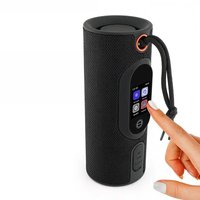
Black cylindrical smart beer mug with orange logo and connected cable, displaying a digital app interface (no readable text or symbols on the device itself)
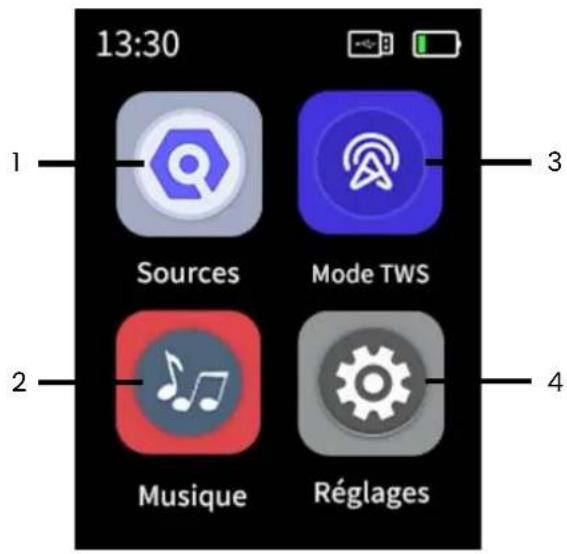
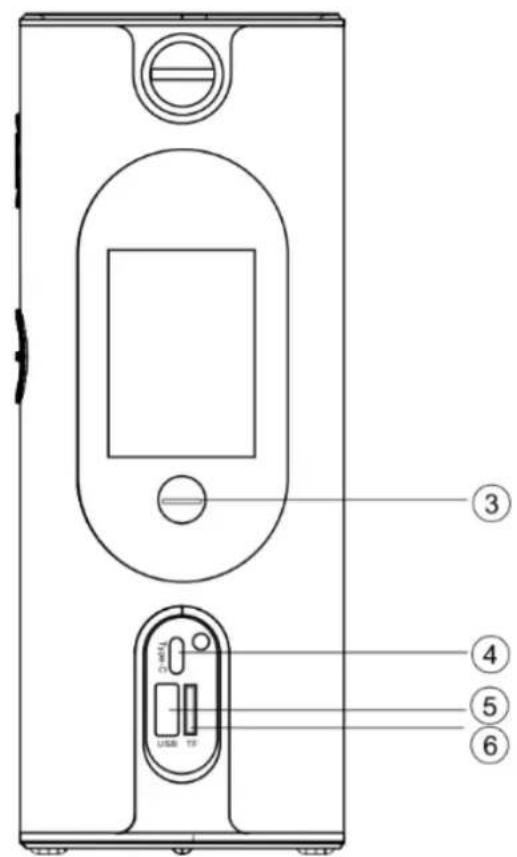
Figure 2
Nous,
DELTA - BP61071 - 67452 Mundolsheim - France
| DIRECTIVES | NORMES ou Exigences |
| (RED) 2014/53/EU et (EMC) 2014/30/EU | ETSI EN 301 489-1 V.2.2.3 (2019-11) ; ETSI EN 301 489-17 V.3.3.1 (2024-09)EN 300 328 V.2.2.2 (2019-07) ; EN 55032 2015+A11 2020+A1 2020 EN55035 2017+A11 2020EN50663 2017 EN 62479 2010; EN62479:2010; EN50663:2017 |
| (ROHS) 2011/65/EU | The object of the declaration described above is in conformity with Directive 2011/65/EU of the European Parliament and of the Council of 8 June 2011 on the restriction of the use of certain hazardous substances in electrical and electronic equipment.EU 2011/65/EU and EU 2015/863 and EU 2017/2102 |
Mundolsheim, 17/07/2025
natural_image
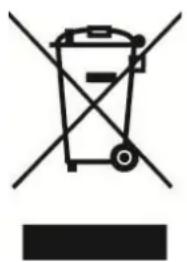
Symbol of a trash bin crossed with no text or labels, accompanied by a black rectangular block below (no readable text or symbols)
Thank you for choosing a Livoo device!
EN
Your blender, your barbecue, and your headphones are not just objects, they are extensions of yourself, allowing you to get closer to your friends and family, to bring them together, to laugh and to share experiences. Livoo's aim is to help you live your life to the fullest, whatever wishes you have throughout the year. Winter raclette, summer barbecue. Or the other way around. It's up to you. Take advantage of this freedom for feel good moments every day.
That's why we're constantly innovating and creating clever devices full of zest, but most of all, accessible. Find our entire collection on our website www.livoo.en.
Livoo, your daily companion till social networks

@Livoo

@livoo_officiel

@Livoo
Safety Instructions
Please, take time to read well the instruction sheet before the first use and keep them for a future use.
A misuse of the appliance can damage it or hurt the user. Assure that you use the appliance for the use for which it is designed. We refuse any responsibilities as for the damages by an incorrect use or a bad manipulation.
- Do not immerse appliance in water.
- Use in dry locations only.
-
Keep this device away from naked flames such as candles.
-
This device should be only operated from the type of power source indicated on the marking label.
-
Do not place the device in direct sunlight or heat. Keep away from temperatures over 40^ C.
-
Ensure that the product is in a well-ventilated area. Do not press the buttons too hard as it could damage the device.
-
Do not press the buttons too hard as this may damage them.
-
Do not use chemicals on this device.
-
Never try to repair this device yourself because it could lead to electric shock. Take it to an approved technician.
-
If the USB cable is damaged, it must be replaced by the manufacturer, its service agent or similarly qualified persons in order to avoid hazard.
-
WARNING: For the purposes of charging, only use the detachable USB cable provided.
-
If you want to use your device with an adaptor(not supplied) instead of USB cable, only used adaptor with power supply 5V.
-
When the unit is not in use, make sure it is correctly turned off and stored in a cool dry place.
-
Do not insert foreign objects into the device.
-
The appliance shall not be used by children.
-
Avoid dropping it as harsh impacts could damage the device.
-
Ensure children and infants do not play with plastic bags or any packaging materials.
-
Batteries can't be replaced.
-
Throwing a battery into fire or a hot oven, mechanically crushing or cutting a battery may cause an explosion.
-
Leaving a battery in an environment with extremely high ambient temperature may cause an explosion or the leakage of flammable liquid or gas.
-
A battery subjected to extremely low air pressure may cause an explosion or the leakage of flammable liquid or gas.
Technical characteristics
Input: 5V JA
Speaker Battery: 3.7 V 1500 mAh
Battery life up to 5 hours
Range: up to 10 m
Version Bluetooth : V5.3
Operating Frequency:
BT:2402MHz\~2480MHz
Maximum EIRP transmission power: -1.67 dBm
Device Diagram
Figure 1
Figure 2
| 3 | Music |
| 4 | Settings |
| 5 | Photo |
| 6 | Clock |
| 2 | Volume- / previous media |
| 3 | On/Off |
| 4 | Port Type C |
| 5 | USB port |
| 6 | TF Card (micro SD card) |
Using the device
Battery charging
Before first use, fully charge the battery using the included USB cable. Connect it to a USB port capable of delivering the necessary voltage (laptop, computer, AC charger, car charger, etc.).
When charging, the red light will illuminate. When the charge is complete, the green light will turn on. Press and hold the Power button (Figure 3) to turn your device off or on.
You can choose to play audio files from TF or USB card or Bluetooth.
Bluetooth® pairing
The device detects nearby Bluetooth® devices. Turn on the Bluetooth settings on your mobile phone and search for TES273N. When pairing is successful, your mobile phone will display that the device is connected, and the device will signal the connection with the "connected" beep.
Once a TF card (Figure 2, number 6) is inserted, the device will go into playback mode and you can listen to music automatically.
Entering this menu takes you to Media Selection, Equalizer, Volume, and Wallpaper Selection.
Pressing the button briefly increases the playback volume of the media (Figure 2, button 1). By briefly pressing the button, you decrease the volume (Figure 2, button 2).
Press and hold the + button to skip to the next media, and the - button to go back to the previous media.
Hands-free calling
To reject the call or hang up, click on this icon that appears during the call if you are connected via Bluetooth to the device. To answer the phone, click on this icon
By entering this menu, you activate TWS mode. In this mode, it is possible to pair two speakers using one of three methods: Bluetooth, USB drive, or TF card.
Connect the host speaker to the mobile phone, and then enter the TWS mode. Click on "connection" of the host speaker, then click on "connection" of the secondary speaker. Click the "Exit" icon to exit the connection with the other speakers.
This menu includes screen brightness, language, time, volume settings, sound effects, alarm settings, and factory reset.
Alarms
Enter the "Alarms" menu to view the current clock. Press the "+" button to the right of the time to add an alarm. You can set up to 5 alarms.
Enter this menu to select different themed backgrounds.
Note: The Bluetooth word mark is the property of the Bluetooth SIG.
Cleaning the device
Clean the speaker regularly, especially the inside of the speaker, and keep it dry. Do not use abrasive products to clean the watch. Use a soft, dry cloth
We
DELTA - BP61071 - 67452 Mundolsheim - France
We declare under our own responsibility that the TES273 Touch Screen Speaker to which this statement applies, complies with the applicable union harmonization legislation:
| DIRECTIVES | STANDARDS or Requirements |
| (RED) 2014/53/EU and (EMC) 2014/30/EU | ETSI EN 301 489-1 V.2.2.3 (2019-11) ; ETSI EN 301 489-17 V.3.3.1 (2024-09)EN 300 328 V.2.2.2 (2019-07) ; EN 55032 2015+A11 2020+A1 2020 EN55035 2017+A11 2020 EN50663 2017 EN 62479 2010; EN62479:2010; EN50663:2017 |
| (ROHS) 2011/65/EU | The object of the declaration described above is in conformity with Directive 2011/65/EU of the European Parliament and of the Council of 8 June 2011 on the restriction of the use of certain hazardous substances in electrical and electronic equipment.EU 2011/65/EU and EU 2015/863 and EU 2017/2102 |
Mundolsheim, 17/07/2025
natural_image
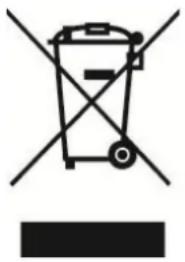
Symbol of a trash bin with crossed-out lanes and a blank rectangular base (no text or labels)
Correct disposal of the unit (Electrical and Electronic Equipment).
(Applicable in the European Union and the rest of Europe that have adopted separate collection systems countries). The European Directive 2012/19/EU on Waste Electrical and Electronic Equipment (WEEE), requires that old household electrical appliances must not be disposed of in the normal household waste stream. Old appliances must be collected separately in order to optimize the recovery and recycling of the materials they contain and reduce the impact on human health and the environment. The symbol of the crossed out dustbin is marked on all devices to remind the obligations of separate collection. Consumers should contact their local authority or retailer for information concerning the correct disposal of their device.