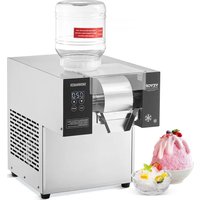
FC125FD-1 - Ice machine Vevor - Free user manual and instructions
Find the device manual for free FC125FD-1 Vevor in PDF.


| Product Type | Snow Flake Ice Machine |
| Model | FC125FD-1 |
| Power Supply | Single-phase, 220–240 V, 50 Hz (estimated) |
| Power | Not specified in the manual |
| Refrigerant | Flammable (type R290 or similar, not specified) |
| Production Capacity | Not specified for this model |
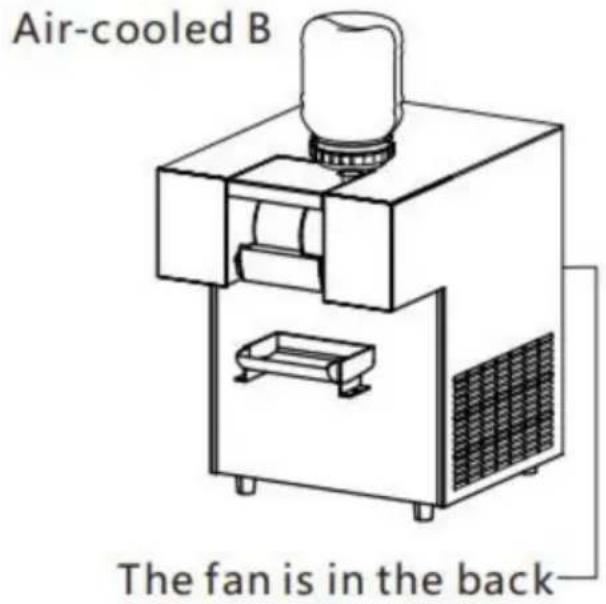
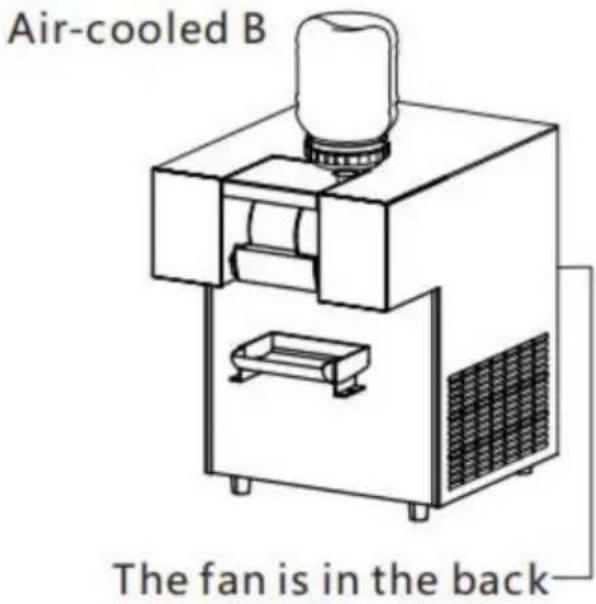
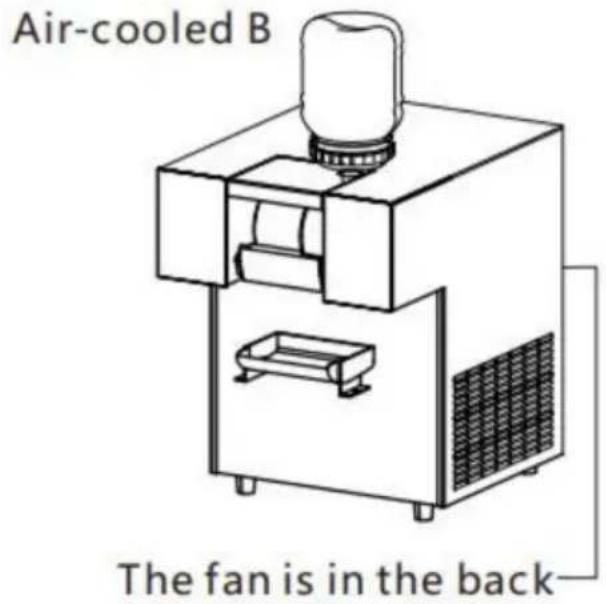
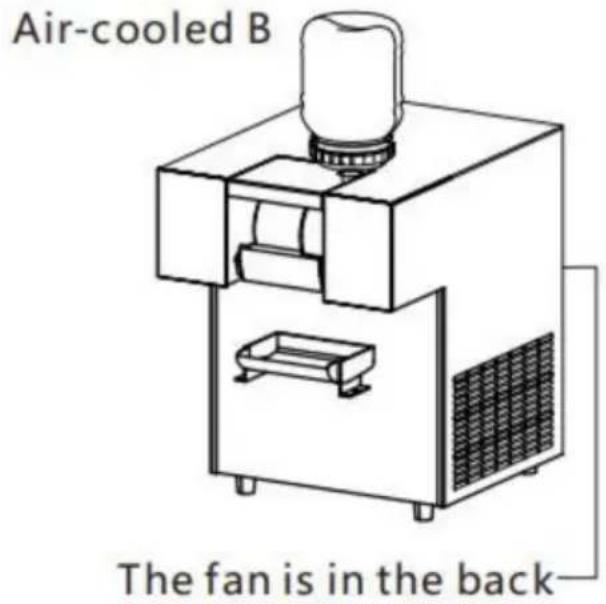
| Cooling Type | Air-cooled or water-cooled depending on configuration |
| Main Functions | Flake ice production, size adjustment (large, medium, small), continuous mode, countdown, cleaning function |
| Control Panel | Touch panel with ON/OFF buttons, speed adjustment, cleaning |
| Materials | Stainless steel (food contact parts), plastic for the bucket |
| Safety | Mandatory grounding, do not touch with wet skin, independent plug, wire section ≥ 2.5 mm², automatic shutdown in case of fault |
| Maintenance | Daily cleaning of evaporator and knife; for air model: radiator every 3 months; for water model: filter every 6 months |
| Cleaning | Rinse the evaporator with a cleaning hose, run the evaporator in cleaning mode |
| Spare Parts | Blade, motor, controller, compressor, fan (depending on model) |
| Warranty | 1 year parts, transportation and labor not included |
| Operating Conditions | Indoor only, horizontal and dry surface, avoid heat sources (>70°C within 50 cm), ambient temperature <40°C, no direct sunlight exposure |
| Installation | Let stand 2 hours after transport, water inlet hose ≤ 4 m, water inlet temperature ≤ 28°C (for water model) |
Frequently Asked Questions - FC125FD-1 Vevor
User questions about FC125FD-1 Vevor
0 question about this device. Answer the ones you know or ask your own.
Ask a new question about this device
Download the instructions for your Ice machine in PDF format for free! Find your manual FC125FD-1 - Vevor and take your electronic device back in hand. On this page are published all the documents necessary for the use of your device. FC125FD-1 by Vevor.
USER MANUAL FC125FD-1 Vevor
Technical Support and E-Warranty Certificate www.vevor.com/support
SNOWFLAKE ICE MACHINE
MODEL:FC80FD-1/FC80FD/FC125FD-1/FC125FD/FC170FD-1 /FC170FD/QLX100F2-1/QLX100F2/QLX230F10-1/QLX230F10 /QLX260F15-1/QLX260F15/QLX1203-1/QLX1203 /QLX1603-1/QLX1603/QLX1752-1/QLX1752
We continue to be committed to provide you tools with competitive price. "Save Half", "Half Price" or any other similar expressions used by us only represent estimate of savings you might benefit from buying certain tools with us compared top brands and does not necessarily mean to cover all categories of tools offered are kindly reminded to verify carefully when you are placing an order with us actually saving half in comparison with the top major brands.
MODEL:FC80FD-1/FC80FD/FC125FD-1/FC125FD/FC170FD-1/FC170FD
/QLX100F2-1/QLX100F2/QLX230F10-1/QLX230F10
/QLX260F15-1/QLX260F15/QLX1203-1/QLX1203/QLX1603-1/QLX1603/
QLX1752-1/QLX1752
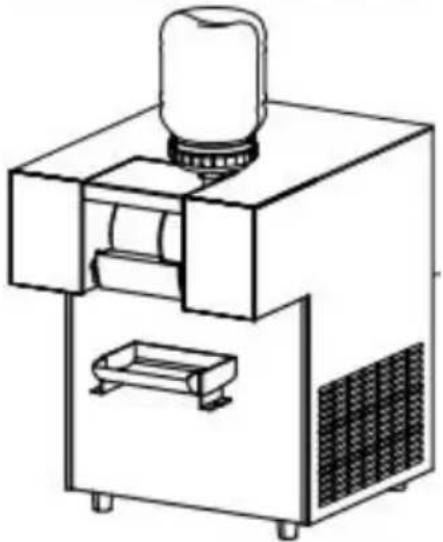
natural_image
Line drawing of a laboratory apparatus with a cylindrical component mounted on top, showing internal components and a base (no text or symbols)NEED HELP? CONTACT US!
Have product questions? Need technical support? Please feel from contact us:
Technical Support and E-Warranty Certificate www.vevor.com/support
This is the original instruction, please read all manual instruction carefully before operating. VEVOR reserves a clear interpretation user manual. The appearance of the product shall be subject to product you received. Please forgive us that we won't inform your data on our product.
 | Warning-To reduce the risk of injury, user must read instru manual carefully. |
 | FCC Information:CAUTION: Changes or modifications not expressly approved the party responsible for compliance could void the user's to operate the equipment!This device complies with Part 15 of the FCC Rules. Ope subject to the following two conditions:1) This product may cause harmful interference.2)This product must accept any interference received, includ interference that may cause undesired operation.WARNING: Changes or modifications to this product not ex approved by the party.responsible for compliance could void user's authority to operate the product.Note: This product has been tested and found to comply limits for a Class B digital device pursuant to Part 15 of Rules, These limits are designed to provide reasonable pro against harmful interference in a residential installation.This product generates, uses and can radiate radio frequen energy, and if not installed and used in accordance with t instructions, may cause harmful interference to radio communications. However, there is no guarantee that interfere will not occur in a particular installation. If this product does harmful interference to radio or television reception,which ca determined by turning the product off and on, the user is encouraged to try to correct the interference by one or mo following measures.Reorient or relocate the receiving antenna.Increase the distance between the product and receiver.Connect the product to an outlet on a circuit different fr which the receiver is connected.Consult the dealer or an experienced radio/TV technician assistance. |
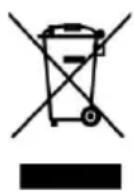
CORRECT DISPOSAL:
This product is subject to the provision of European Directi 2012/19/EC. The symbol showing a wheelie bin crossed thr indicates that the product requires separate refuse collection European Union. This applies to the product and all access marked with this symbol. Products marked as such may no discarded with normal domestic waste, but must be taken to collection point for recycling electrical and electronic devices
1.Product overview
Thank you for choosing snowflake ice machine. This snowflake ice machine adopts international advanced technology. Technical production, using international famous brand compressors and high-quality refrigeration accessories. Beautiful appearance, reliable performance, in line with the national food machinery safety standards and. Electrical sa standards, widely used in high-end bars, coffee shops, tea shops. And high-end cold drink shops, please read it carefully before using this machine. In this manual, the machine is installed in strict accordance the provisions of this manual. Debugging and operation.
2.Matters needing attention
- The machine is for indoor use only and should be placed in a h and dry sturdy. On the table, there should be no heat source with a temperature higher than 70 °C in the surrounding 50cm range.
- The inlet temperature of the water-cooled machine shall not exceed 30 °C, and the water pressure shall not be allowed. Lower than 0.05m The exhaust outlet of the air cooler shall not be blocked by sundries
- According to the national electrical safety standard, this machine m be
installed. Independent power supply, power cord wearing area must not less than 2.5mm, must have good. Grounding device to ensure that the power supply line of the machine is equipped with a short circuit device. The voltage fluctuation range of single-phase power supply is between
3.Safety rules
Note: the machine will inevitably be shaken in the course of transport and must be. Put it for 2 hours before use, the machine should avoid sunlight
and high temperature.Radiant heat source.
Warning:
In order to ensure safety, the machine must be operated by personnel trained in operation.
If the supply cord is damaged, it must be replaced by the manufacture service agent or similarly qualified persons in order to avoid a hazard machine breaks down ois damaged, it is necessary to avoid danger.
It will be handled by professional maintenance personnel. When the machine is not in use for a long time, please cut off the power of machine and connect it with the raw materials. The parts of the mach contact are cleaned and then dried and stored.
This appliance can be used by children aged from 8 years and abc persons with reduced physical, sensory or mental capabilities or lack of experience and knowledge if they have been given supervision or instruction concerning use of the appliance in a safe way and unders the hazards involved. Children shall not play with the appliance. Clear and user maintenance shall not be made by children without supervisi
Danger:
-
when the skin is bare, wet, wearing wet gloves or wearing wet clothes. Do not touch live plugs or switches. Do not operate those that not properly grounded. Machine, do not carry out any maintenance work on the machine before the power supply is cut off.
-
This appliance contains flammable refrigerant and foaming agent cyclopentane. Please avoid contact fire when you transport and use it. Please ask professional for servicing when the machine broke down.
Please send it to your local appointed disposal station when you disc
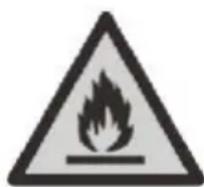
During using, service and disposal the appliance, please pa
attention to symbol similar as left side, which is located on rear of appliance (rear panel or compressor) and with yellow or orange color. risk of fire warning symbol. There are flammable materials in refrigerant pipes and compressor. Please be far away fire source during using, and disposal.
4. machine structure
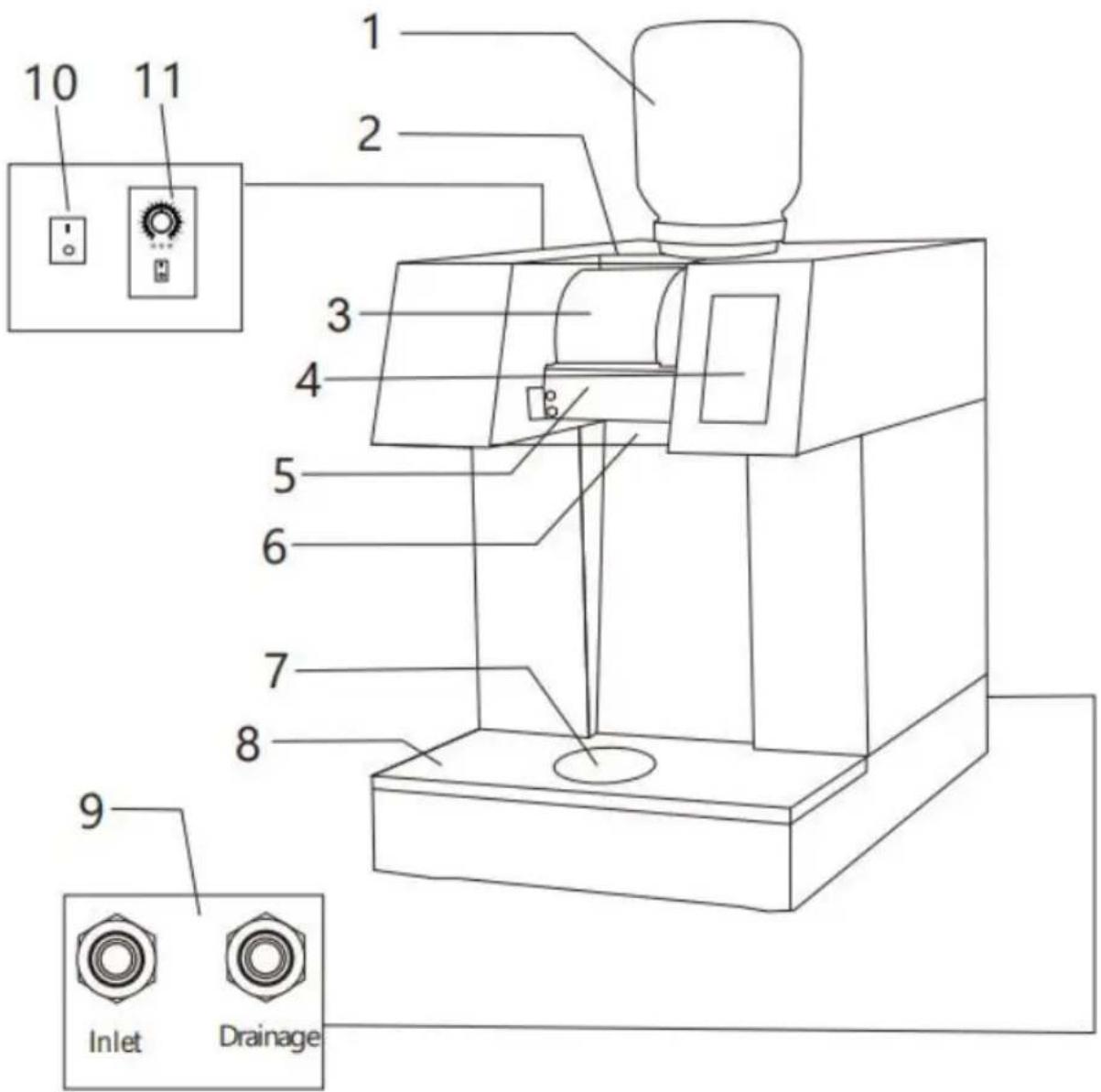
Water-cooled model with rotating plate
1.Material bucket
2. Dustproof plate
4.Operation
6.Material box
- Evaporator
5.knife - Rotating disc
8.Front cover plate - Water inlet and outlet
10.Power switch
11.Speed
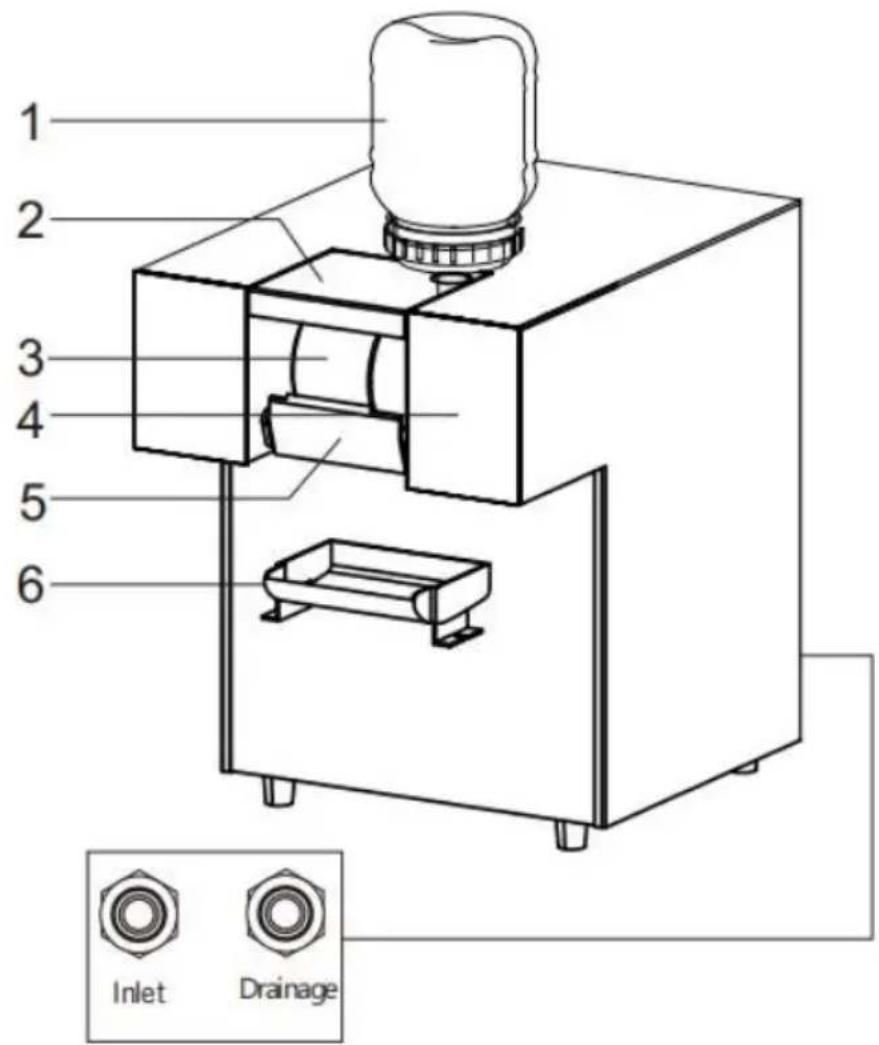
Water-cooled model without rotating plate
1.Material bucket
2. Dustproof plate
3. Evaporator
4.0operation
5.knife
6.Material box
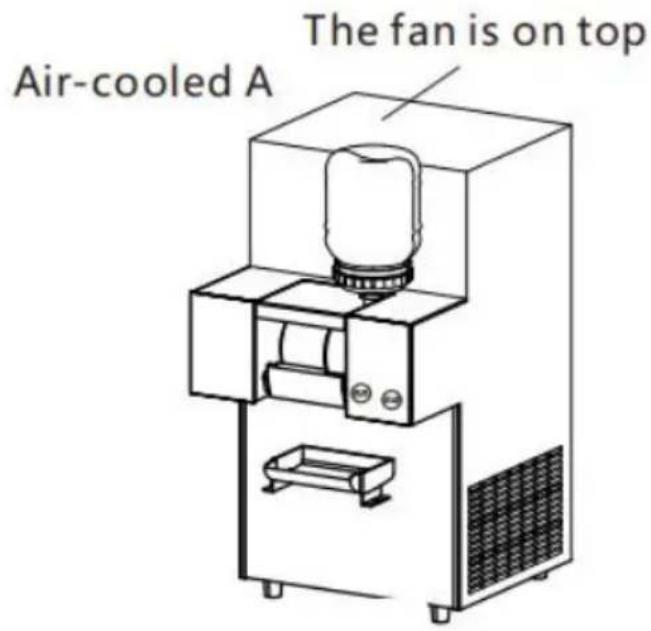
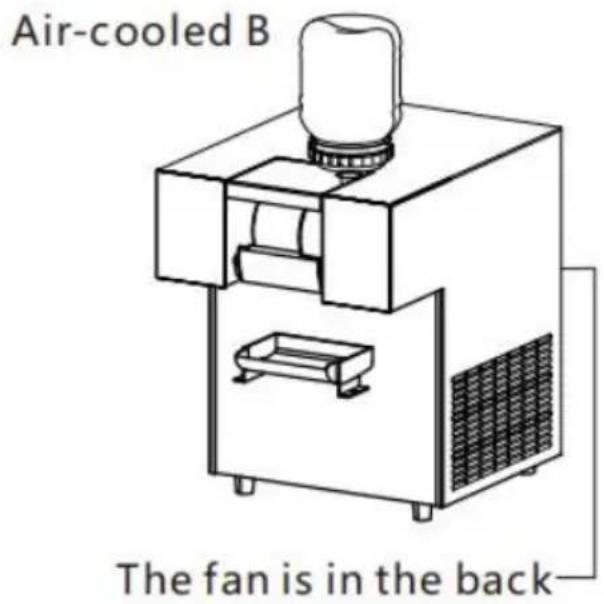
5. Installation and debugging
Installation of inlet and outlet pipes
A. Opening the valve is the intake pipe
B. The straight pipe is the drain pipe
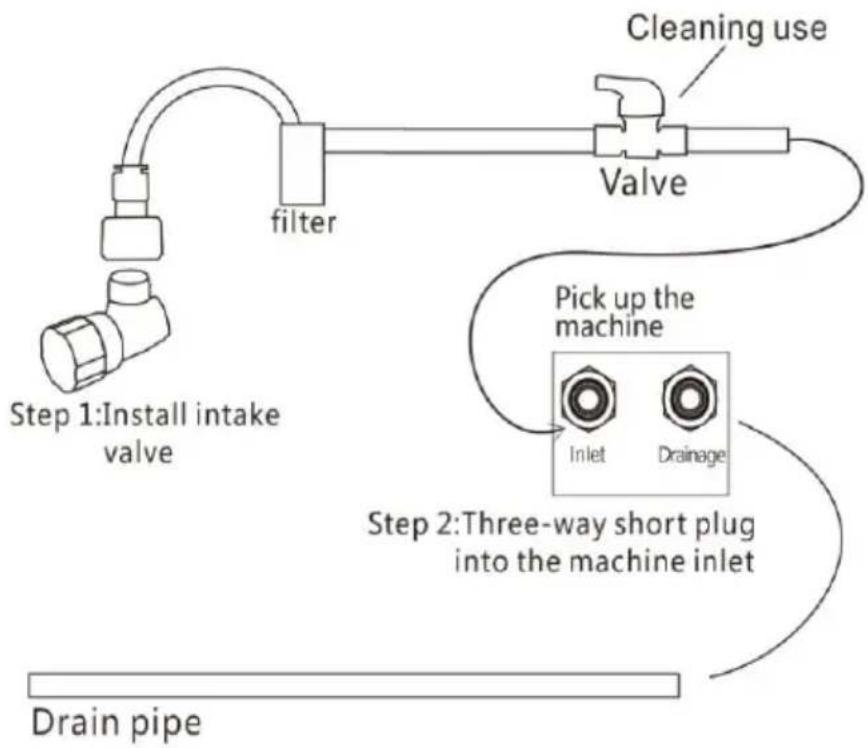
flowchart
graph TD
    A["Step 1: Install intake valve"] --> B["filter"]
    B --> C["Valve"]
    C --> D["Pick up the machine"]
    D --> E["Inlet"]
    D --> F["Drainage"]
    G["Step 2: Three-way short plug into the machine inlet"] --> H["Drain pipe"]
    I["Cleaning use"] --> C
Step 3: Insert the drain into the outlet of the machine. The total length of intake pipe should not exceed 4 ~m , too long will affect the cooling effect, the influent
temperature shall not exceed 28 degrees.
The water storage basin drain pipe is discharged into the sewer (only for self-contained rotating disk models.
6.Operation instructions
A:Section A operation panel
Press: Large, Medium, Small, work, countdown to 0.stop
Press:continuous.the machine works continuously,
press:SET,enter the settings interface
press:HEIP,go to the operation instructions page,
B. Evaporator adjustment of rotating speed, twist the adjusting knob to adjust the speed of the evaporator, just adjust to the desired ice share
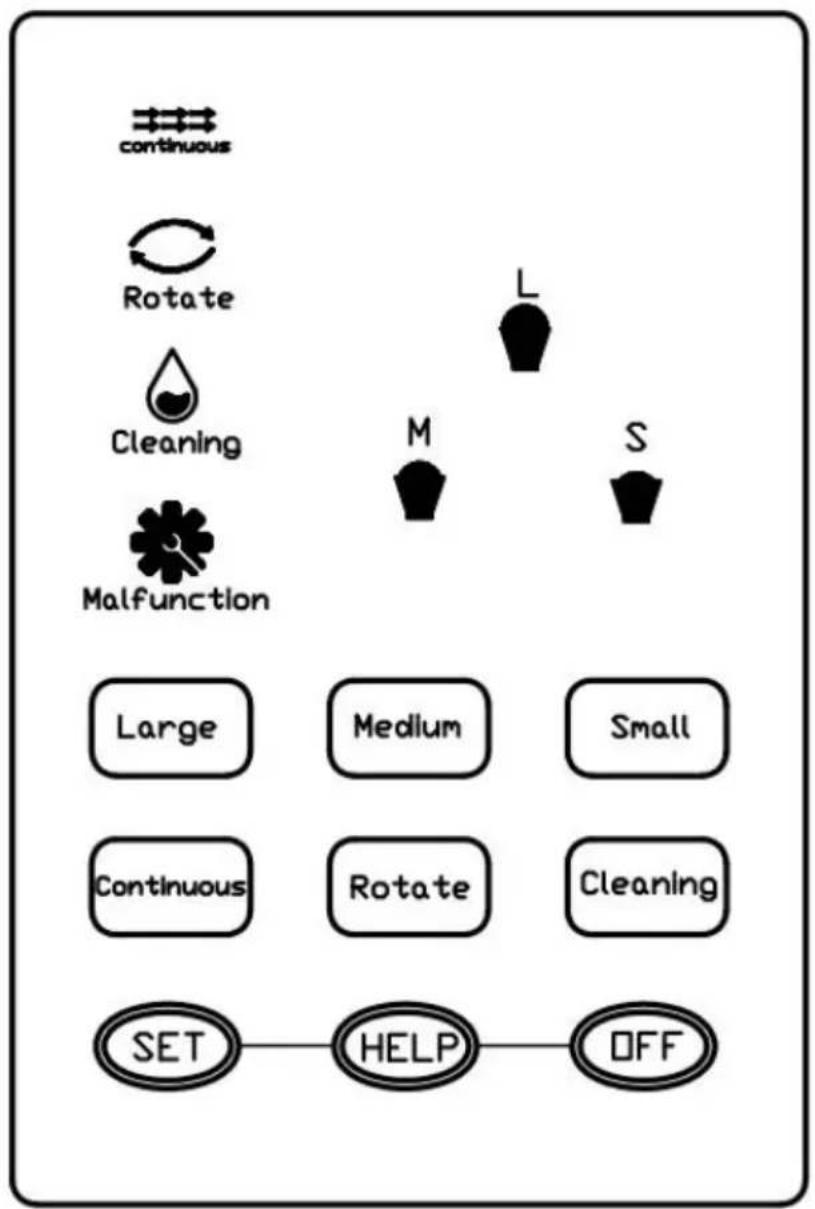
B: Section B operation panel
A: Section A operation panel
Double-click the power button and the light is on, enter standby mode, press: continuous the machine works continuously, press stop again,
press:L,M,S,the machine enters the countdown to work,stop at 0.
press: clean the evaporator rotates without cooling, flush the machine with a cleaning pipe.
L,M,S, Time setting:press+,- Lights flashing,pressa gain in 6 seconds+,- set the time, automatic memory without operation after 6 seconds,
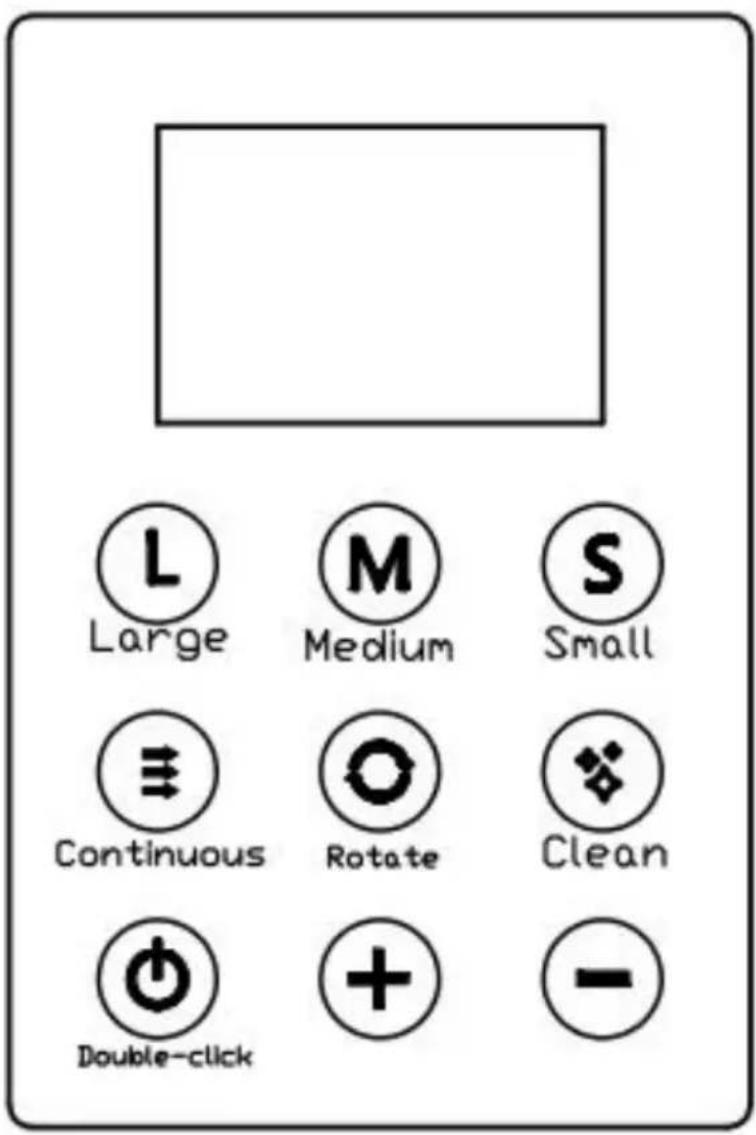
C: Two-button touch operation instruction
Press the ON/OFF key for 2 seconds, then stop for 2 seconds,and p 1 or 2 keys to adjust the speed of the drum evaporatorduring the ice
work.
CLEAN: press clean2 seconds for a long time and the drum evapora starts to rotate and clean. press 1 or 2 keys during cleaning to adjust cleaning time.
please check whether the machine has poor heat dissipation when E2 displayed.
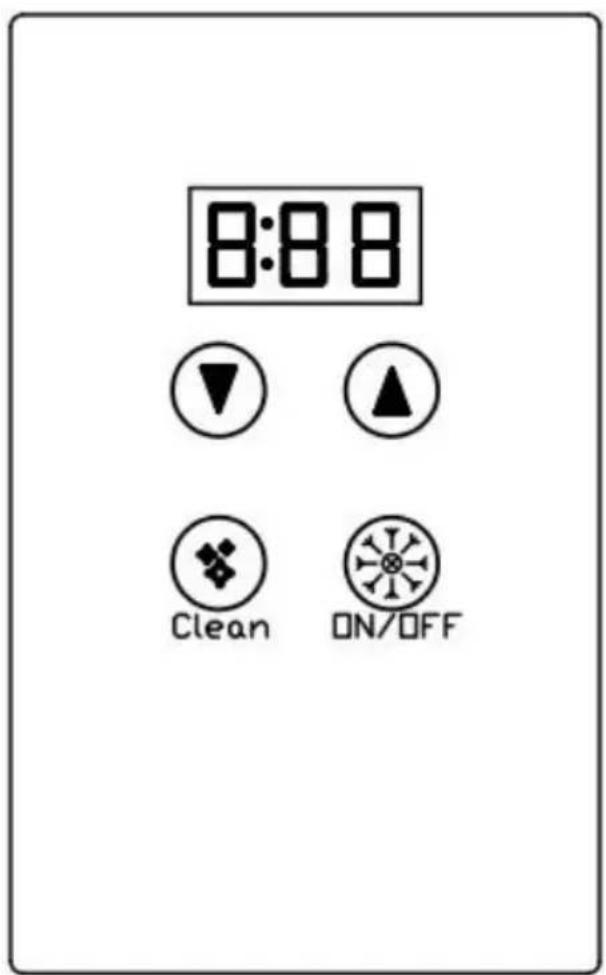
Installation method of material barrel:
Barrel loading, close the lid, and then turn the bucket upside down, put down through the dustproof board, As shown in the figure, Machine cleaning
Please check when the fault is displayed Please check the hot water the water-cooled machine,
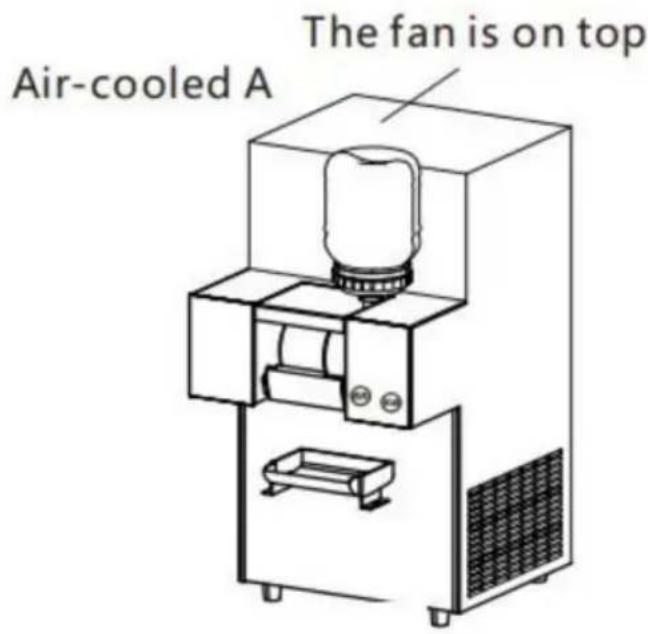
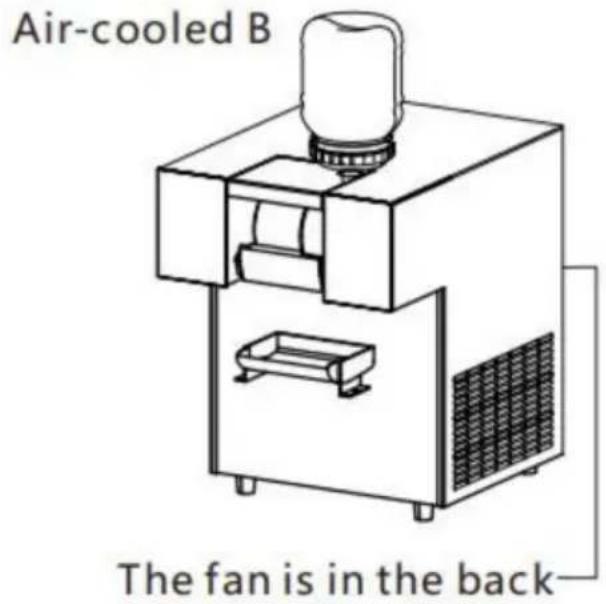
Please check the fan for the air-cooled model, and cleaning the radia
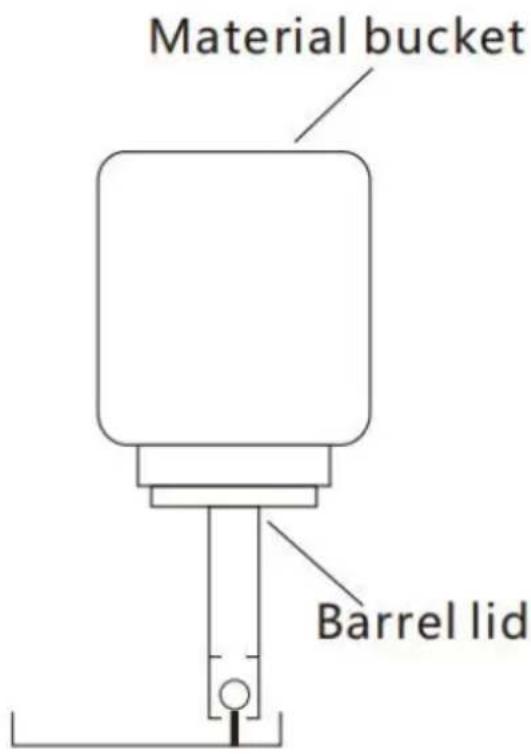
7. Machine maintenance
After using it every day, the machine should be cleaned, first remove material box and clean it, then rinse the evaporator and knife with a cleaning pipe, at the same time, press the switch to make the evaporator turn. Air-cooled model: The radiator should clean the dust every 3 months gently sweep the radiator with a brush when cleaning,
Water-cooled machine: the influent filter is cleaned every 6 months, so not to affect the cooling effect.
Warranty description
As this machine is used abroad, our company is unable to provide warranty service. If the machine breaks down within one year from the purchase date, our company can provide spare parts free or charge. But transportation and maintenance costs are not included. Get free accessories with machine nameplate and purchase record as proc
8.Malfunction analysis
| Trouble | Reason | Analyze | Maintain |
| The machine is not responding | No electricity | Socket loosening | To repair or repla |
| There is power and cannot be operated | This switch or controller is broken | To repair or repla | |
| Uncooled | Compressor doesnot work | Bad compressor or controller | To repair or repla |
| The compressor is not refrigerate | Refriqerant leakage | Inspection and maintenance | |
| Cooling difference | The middle part freezes | Refriqerant leakage | Inspection and maintenance |
| Ice is not hard | Poor heat dissipation | Change fan or clean radiator | |
| Check the water source | |||
| Deicing particle difference | Uneven icing | Raw material problem | Change raw materials |
| The blade is n sharp | Change the blade | ||
| Small blade gap | Adjust the gap(0.6mm) | ||
| Evaporator | The electric motor oes not turn | Chain shedding | To repair or repla |
| The motor does not run | The motor or controller is broken | Change the motor or controller | |
| The rotating disk does not rotate | The motor does not run | The motor is broken | Change motor |
| Leaking material | Bucket lid loose | The lid is not tightened | Tighten or change the sealing ring |
VEVOR®
TOUGH TOOLS, HALF PRICE
Technical Support and E-Warranty Certificate
www.vevor.com/support
VEVOR®
TOUGH TOOLS, HALF PRICE
natural_image
Line drawing of a laboratory apparatus with a cylindrical component mounted on a base, showing internal components and no text or symbols.BESOIN D'AIDE? CONTACTEZ-NOUS!
- Plaque anti-poussière 3.
Évaporateur 4.
Fonctionnement
- Couteau
6.Boîte à matériaux
flowchart
graph TD
    A["Step 1: Install intake valve"] --> B["filter"]
    B --> C["Valve"]
    C --> D["Pick up the machine"]
    D --> E["Inlet"]
    D --> F["Drainage"]
    G["Step 2: Three-way short plug into the machine inlet"] --> H["Drain pipe"]
    I["Cleaning use"] --> C
natural_image
Line drawing of a laboratory apparatus with a cylindrical component mounted on a base, no text or symbols present.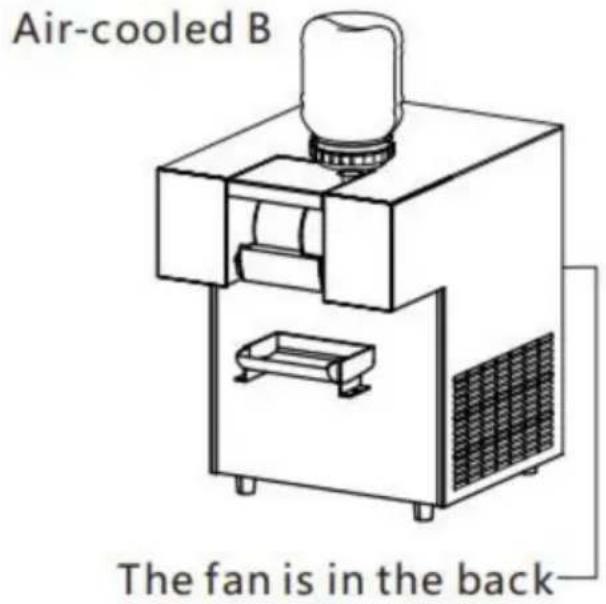
flowchart
graph TD
    A["Step 1: Install intake valve"] --> B["filter"]
    B --> C["Valve"]
    C --> D["Pick up the machine"]
    D --> E["Inlet"]
    D --> F["Drainage"]
    G["Step 2: Three-way short plug into the machine inlet"] --> H["Drain pipe"]
    I["Cleaning use"] --> C
www.vevor.com/support
VEVOR®
TOUGH TOOLS, HALF PRICE
natural_image
Line drawing of a laboratory apparatus with a cylindrical component mounted on a base, no text or symbols present.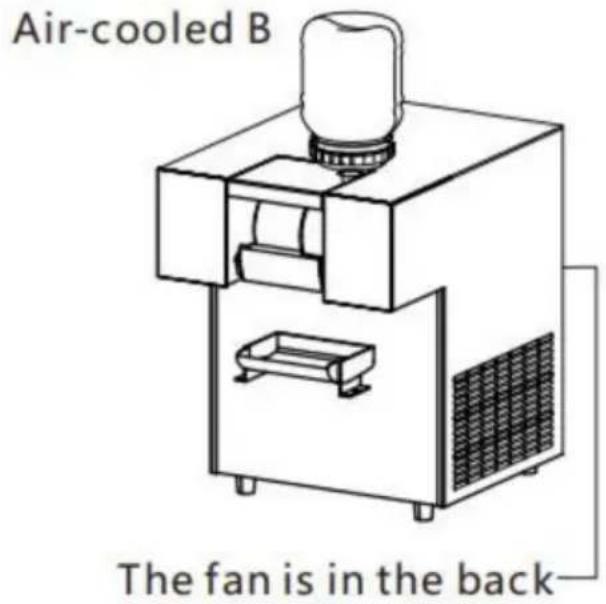
flowchart
graph TD
    A["Step 1: Install intake valve"] --> B["filter"]
    B --> C["Valve"]
    C --> D["Pick up the machine"]
    D --> E["Inlet"]
    D --> F["Drainage"]
    G["Step 2: Three-way short plug into the machine inlet"] --> H["Drain pipe"]
    I["Cleaning use"] --> C
elettronica www.vevor.com/support
VEVOR®
TOUGH TOOLS, HALF PRICE
natural_image
Line drawing of a laboratory apparatus with a cylindrical component mounted on a base, no text or symbols present.Machine Translated by Google
- Evaporador 5.
Cuchilla
- Disco giratorio 8.
flowchart
graph TD
    A["Step 1: Install intake valve"] --> B["filter"]
    B --> C["Valve"]
    C --> D["Pick up the machine"]
    D --> E["Inlet"]
    D --> F["Drainage"]
    G["Step 2: Three-way short plug into the machine inlet"] --> H["Drain pipe"]
    I["Cleaning use"] --> C
natural_image
Line drawing of a laboratory apparatus with a cylindrical component mounted on a base, showing internal components and no text or symbols.POTRZEBUJESZ POMOCY? SKONTAKTUJ SIĘ Z NAMI!
flowchart
graph TD
    A["Step 1: Install intake valve"] --> B["filter"]
    B --> C["Valve"]
    C --> D["Pick up the machine"]
    D --> E["Inlet"]
    D --> F["Drainage"]
    G["Step 2: Three-way short plug into the machine inlet"] --> H["Drain pipe"]
natural_image
Line drawing of a laboratory apparatus with a cylindrical component mounted on a base, no text or symbols present.HULP NODIG? NEEM CONTACT MET ONS OP!
www.vevor.com/support
flowchart
graph TD
    A["Step 1: Install intake valve"] --> B["filter"]
    B --> C["Valve"]
    C --> D["Pick up the machine"]
    D --> E["Inlet"]
    D --> F["Drainage"]
    G["Step 2: Three-way short plug into the machine inlet"] --> H["Drain pipe"]
    I["Cleaning use"] --> C
natural_image
Line drawing of a laboratory apparatus with a cylindrical component mounted on a base, showing internal components and no text or symbols.BEHÖVER HJÄLP? KONTAKTA OSS!
flowchart
graph TD
    A["Step 1: Install intake valve"] --> B["filter"]
    B --> C["Valve"]
    C --> D["Pick up the machine"]
    D --> E["Inlet"]
    D --> F["Drainage"]
    G["Step 2: Three-way short plug into the machine inlet"] --> H["Drain pipe"]
    I["Cleaning use"] --> C
www.vevor.com/support
- SNOWFLAKE ICE MACHINE
- MODEL:FC80FD-1/FC80FD/FC125FD-1/FC125FD/FC170FD-1/FC170FD
- /QLX100F2-1/QLX100F2/QLX230F10-1/QLX230F10
- /QLX260F15-1/QLX260F15/QLX1203-1/QLX1203/QLX1603-1/QLX1603/
- QLX1752-1/QLX1752
- NEED HELP? CONTACT US!
- Technical Support and E-Warranty Certificate www.vevor.com/support
- CORRECT DISPOSAL:
- 1.Product overview
- 2.Matters needing attention
- 3.Safety rules
- Danger:
- machine structure
- Water-cooled model with rotating plate
- Water-cooled model without rotating plate
- Installation and debugging
- Installation of inlet and outlet pipes
- 6.Operation instructions
- Installation method of material barrel:
- Machine maintenance
- Warranty description
- 8.Malfunction analysis
- VEVOR®
- TOUGH TOOLS, HALF PRICE
- BESOIN D'AIDE? CONTACTEZ-NOUS!
- Machine Translated by Google
- HULP NODIG? NEEM CONTACT MET ONS OP!
- BEHÖVER HJÄLP? KONTAKTA OSS!
Brand : Vevor
Model : FC125FD-1
Category : Ice machine