
SF-890 - Scale Vevor - Free user manual and instructions
Find the device manual for free SF-890 Vevor in PDF.
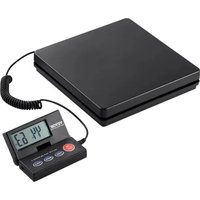


| Product type | Digital shipping scale |
| Model | SF-890 |
| Brand | Vevor |
| Maximum capacity | 50 kg (110 lb) |
| Graduation | 2 g |
| Weighing units | kg, lb, lb:oz, g |
| Platform dimensions | 25 x 25 cm (9.84 x 9.84 in) |
| Display | LCD with backlight |
| Power supply | 2 AAA batteries (1.5 V) or 5 V DC power adapter (110-240 V AC) |
| Functions | On/off, tare, hold, unit change, adjustable auto-off (1 min, 5 min, disabled) |
| Indicators | Low battery "LO", overload "O_Ld" or "Err" |
| Operating temperature | 5°C to 35°C |
| Calibration | Can be calibrated with 2 kg, 5 kg or 10 kg weight |
| Package dimensions | 295 x 280 x 105 mm |
| Gross weight | 2.3 kg |
| Maintenance | Place on flat surface; do not expose to moisture; do not overload; replace batteries if "LO" |
| Safety | Compliant with European directive 2012/19/EC (WEEE) |
| Warranty and support | Warranty certificate available at www.vevor.com/support |
| Manufacturer | JiangYin SuoFei Electronic Technology Co., Ltd., Zhejiang, China |
Frequently Asked Questions - SF-890 Vevor
User questions about SF-890 Vevor
0 question about this device. Answer the ones you know or ask your own.
Ask a new question about this device
Download the instructions for your Scale in PDF format for free! Find your manual SF-890 - Vevor and take your electronic device back in hand. On this page are published all the documents necessary for the use of your device. SF-890 by Vevor.
USER MANUAL SF-890 Vevor
Technical Support and E-Warranty Certificate www.vevor.com/support
SHIPPING SCALE
MODEL:SF-890
We continue to be committed to provide you tools with competitive price. "Save Half", "Half Price" or any other similar expressions used by us only represent of savings you might benefit from buying certain tools with us compared top brands and doses not necessarily mean to cover all categories of tools offered are kindly reminded to verify carefully when you are placing an order with us actually saving half in comparison with the top major brands.
VEVOR®
TOUGH TOOLS, HALF PRICE
SHIPPING SCALE
MODEL:SF-890
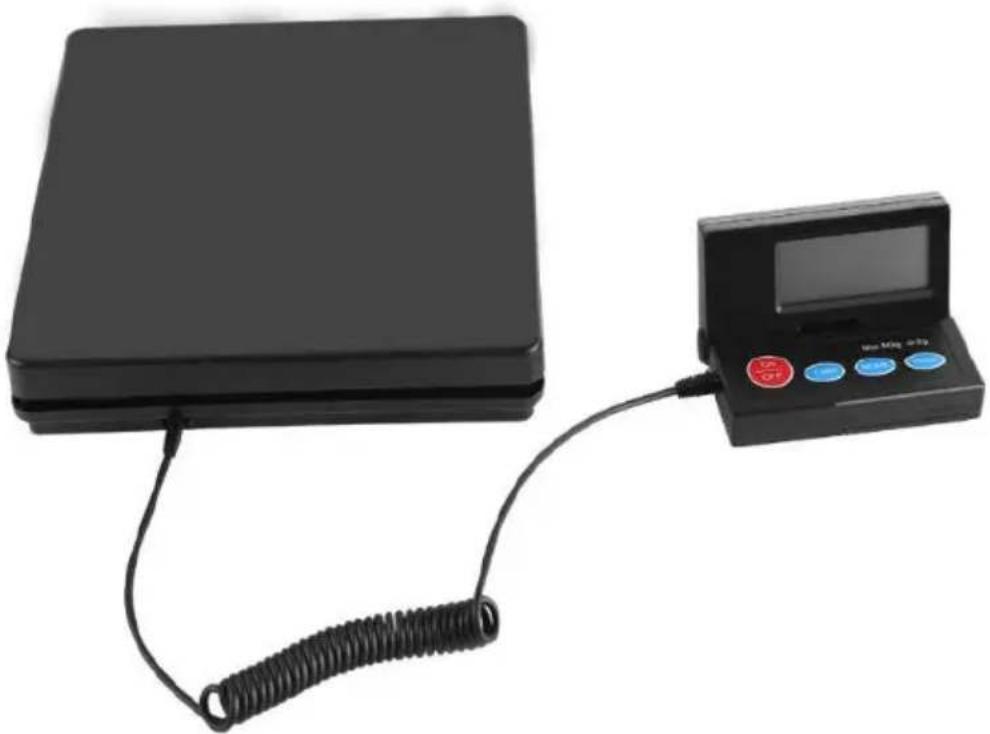
NEED HELP? CONTACT US!
Have product questions? Need technical support? Please feel fr contact us:

CustomerService@vevor.com
This is the original instruction, please read all manual instruction carefully before operating. VEVOR reserves a clear interpretation user manual. The appearance of the product shall be subject to product you received. Please forgive us that we won't inform you there are any technology or software updates on our product.
 | Warning-To reduce the risk of injury, user must read instructions manual carefully. |
 | This device complies with Part 15 of the FCC Rules. Operat subject to the following two conditions:(1)This device may not harmful interference, and (2)this device must accept any inter received, including interference that may cause undesired oper |
 | This product is subject to the provision of European Directive 2012/19/EC. The symbol showing a wheelie bin crossed through indicates that the product requires separate refuse collection in European Union. This applies to the product and all accessor marked with this symbol. Products marked as such may not discarded with normal domestic waste, but must be taken to collection point for recycling electrical and electronic devices |
INSTRUCTIONS
Thank you very much for choosing this digital scale. weighing scales are precision instruments that should always be handled with care. Please read all of the instructions before using it. The information will help you achieve the best possible results.
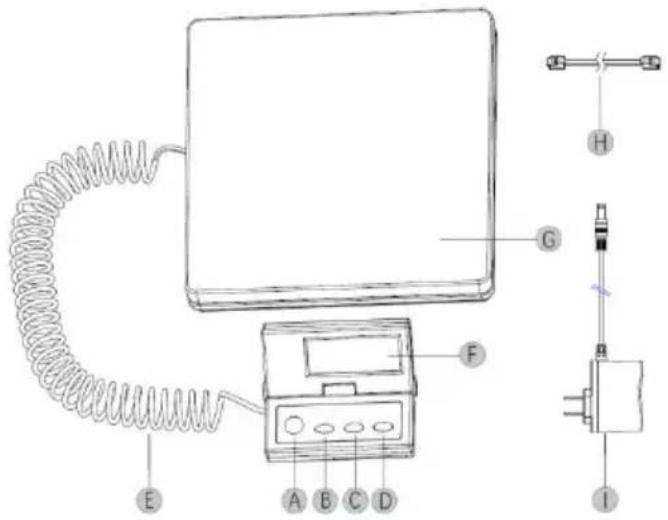
A ON/OFF button
F LCD display
B TARE button
G Weighing plate
C MODE button
H RJ11 joint
D HOLD button
I Power Adapter
E Coiled cable
SAVE THIS MANUAL
| Capacity × Graduation | 50kg×2g |
| Weighing units | Kg, lb, lb: oz, g |
| Weighing pan size | 9.84”×9.84” |
| Overload indication | [ O_Ld ] or [ Err ] |
| Low voltage indication | [ LO ] |
| Optimumoperating temperature | 5°C-35°C |
| Power Supplier | 2xAAA(1.5V) batteries or AC adapter (110-240V AC to 5V DC) |
FEATURES
● Large LCD display with back light - Low battery indication "LO", over load indication "O_Ld" - If you don't operate the scale, it will automatically power off after 5 minutes - If the scale is powered by adapter or during calibration, the scale will not automatically power off.
Button Functions
1. ON/OFF Button: Pressing this button will turn the scale on and off. 2. TARE Button: Pressing this button will tare the weight of the load. Tare function will eliminate the weight put on the scale, such as a container or vessel. This will give the weight only of the items added to the scale. 3. MODE Button: Pressing this button changes the unit of measure for the scale. 4. HOLD Button: Press HOLD button to lock the readout, even if you remove items, the readout will keep on.
OPERATION
- Please put scale on a level platform.
- Please put batteries into the scale or plug the adapter into the scale.
- Press the "ON/OFF" button to turn the scale on.
- Wait until the display shows "0" (zero) before placing any weight on the scale.
- Carefully place item(s) on the platform.
- After a few seconds, the weight will stabilize and you can now read the data from the LCD display.
- Press the "MODE" button to switch between weighing units.
- You can set the auto-off time by the following method: long press TARE, then choose the auto-off time, press TARE button to shift from "1" "3" "5" "-" (OFF), press MODE button to confirm.
CALIBRATION
- Put the scale on a flat platform.
- Turn on the scale, press the "MODE" button for six seconds, the scale with capacity
- Press the "TARE" button to choose the calibration value from "2kg/5kg/10". Please press "MODE" to confirm the calibration value.
- Put the counterweight on the platform according to what the indicator shows. The indicator will show "PASS" after the readout is stable.
- If the loading weight is not stable or you stop calibration, the scale will show "Err" and automatically turn off after one minute.
- You can press ON/OFF to stop calibration.
CARE INSTRUCTIONS
Don't put the scale on an uneven surface
Don't expose scale to moisture
Don't drop or mistreat the scale
Don't overload the scale. This will permanently damage it!
Don't leave weight on the scale when not in use.
Replace battery when the scale shows "LO" on the display.
| items | Description | |
| 1 | Name | Shipping Scale |
| 2 | Model | SF-890 |
| 3 | Parameter | Rating(s): 2x1.5AAA or 5Vdc, Capacity:50kg/110lb, Division:2g |
| 4 | Package Size | 295x280x105mm |
| 5 | G.W. | 2.3KG |
Importer: WAITCHX
Address: 2 Holywell Lane, London, England, EC2A 3ET
Manufacturer: JiangYin SuoFei Electronic Technology Co., Ltd.
Address: Building 70, Chuangrong Industrial City, Yucheng Street, Yuhuan City, Zhejiang Province
Made In China
| UK | REP |
EUREP UK LTD
UNIT 2264, 100 OCK STREET, ABINGDON
OXFORDSHIRE ENGLAND OX14 5DH
| EC | REP |
EUREP GmbH
Unterlettenweg 1a, 85051
Ingolstadt, Germany
VEVOR®
TOUGH TOOLS, HALF PRICE
Technical Support and E-Warranty Certificate
www.vevor.com/support
VEVOR®
TOUGH TOOLS, HALF PRICE
We continue to be committed to providing you with tools at competitive prices. "Save Half", "Half Price", or any other similar expressions used by us only represent the savings you might benefit from buying certain tools with us compared to top brands and do not necessarily mean to cover all categories of tools offered. We kindly remind you to verify carefully when placing an order with us to ensure you are actually saving half in comparison with the top major brands.
VEVOR®
TOUGH TOOLS, HALF PRICE
SHIPPING SCALE
MODEL: SF-890
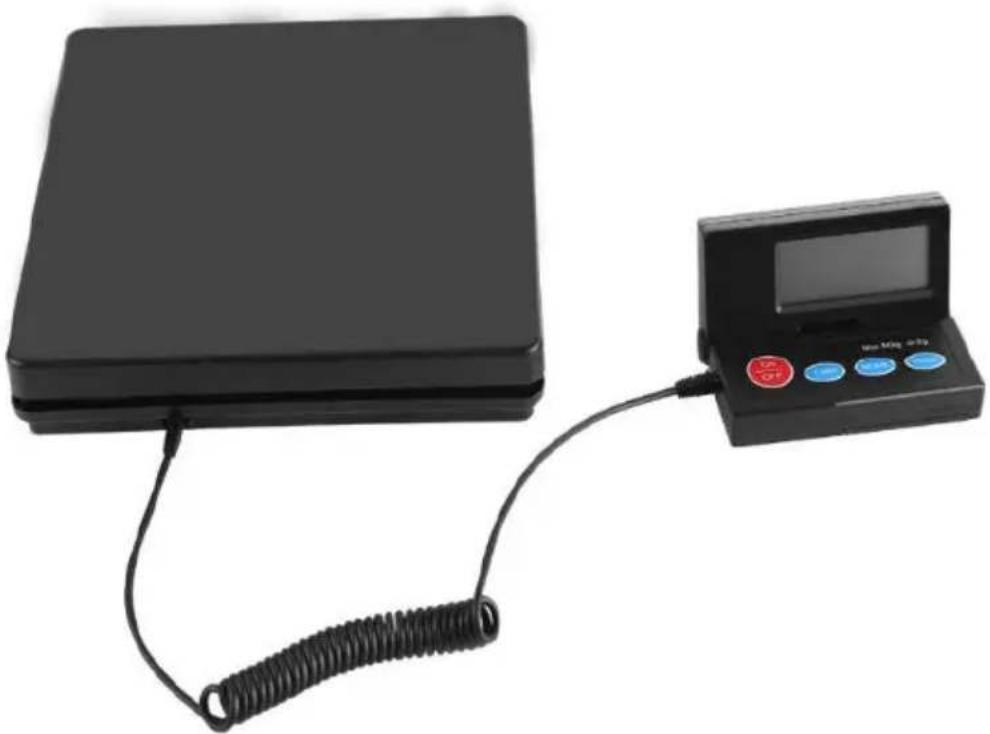
NEED HELP? CONTACT US!
Have product questions? Need technical support? Please feel free to contact us:

CustomerService@vevor.com
This is the original instruction. Please read all manual instructions carefully before operating. VEVOR reserves a clear interpretation of the user manual. The appearance of the product shall be subject to the product you received. Please forgive us that we won't inform you of any technology or software updates on our product.
A ON/OFF button
B TARE button
C MODE button
D HOLD button
E Coiled cable
F LCD display
G Weighing plate
H RJ11 joint
I Power Adapter
SAVE THIS MANUAL
We continue to be committed to providing you with tools at competitive prices. "Save Half", "Half Price" or any other similar expressions used by us only represent savings you might benefit from buying certain tools with us compared to top brands and do not necessarily mean to cover all categories of tools offered. We kindly remind you to verify carefully when placing an order with us that you are actually saving half in comparison with the top major brands.
VEVOR®
TOUGH TOOLS, HALF PRICE
SHIPPING SCALE
MODEL: SF-890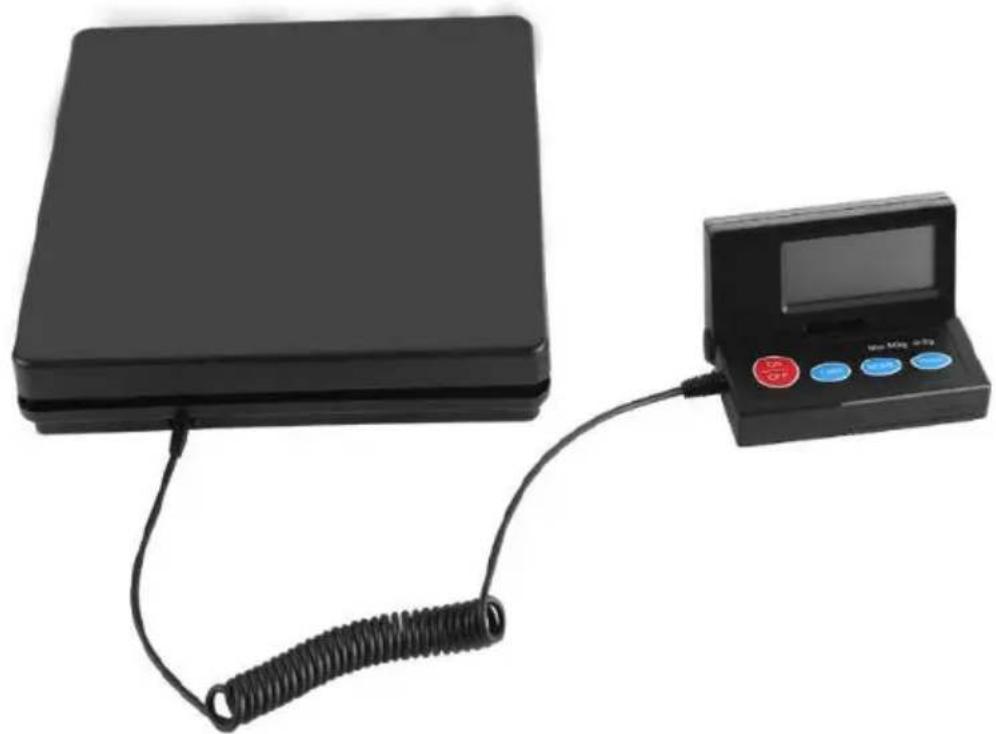
NEED HELP? CONTACT US!
Have product questions? Need technical support? Please feel free to contact us:

CustomerService@vevor.com
This is the original instruction. Please read all manual instructions carefully before operating. VEVOR reserves a clear interpretation of the user manual. The appearance of the product shall be subject to the product you received. Please forgive us that we won't inform you if there are any technology or software updates on our product.
A ON/OFF button
B TARE button
C MODE button
D HOLD button
E Coiled cable
F LCD display
G Weighing plate
H RJ11 joint
I Power Adapter
SAVE THIS MANUAL
www.vevor.com/support
VEVOR®
TOUGH TOOLS, HALF PRICE
We continue to be committed to provide you with tools at competitive prices. "Save Half", "Half Price", or any other similar expressions used by us only represent the savings you might benefit from buying certain tools with us compared to top brands, and do not necessarily mean to cover all categories of tools offered. We kindly remind you to verify carefully when placing an order with us whether you are actually saving half in comparison with the top major brands.
VEVOR®
TOUGH TOOLS, HALF PRICE
SHIPPING SCALE
MODEL: SF-890
NEED HELP? CONTACT US!
Have product questions? Need technical support? Please feel free to contact us:

CustomerService@vevor.com
This is the original instruction. Please read all manual instructions carefully before operating. VEVOR reserves the right to interpret the user manual. The appearance of the product shall be subject to the product you received. Please forgive us that we won't inform you of any technology or software updates on our product.
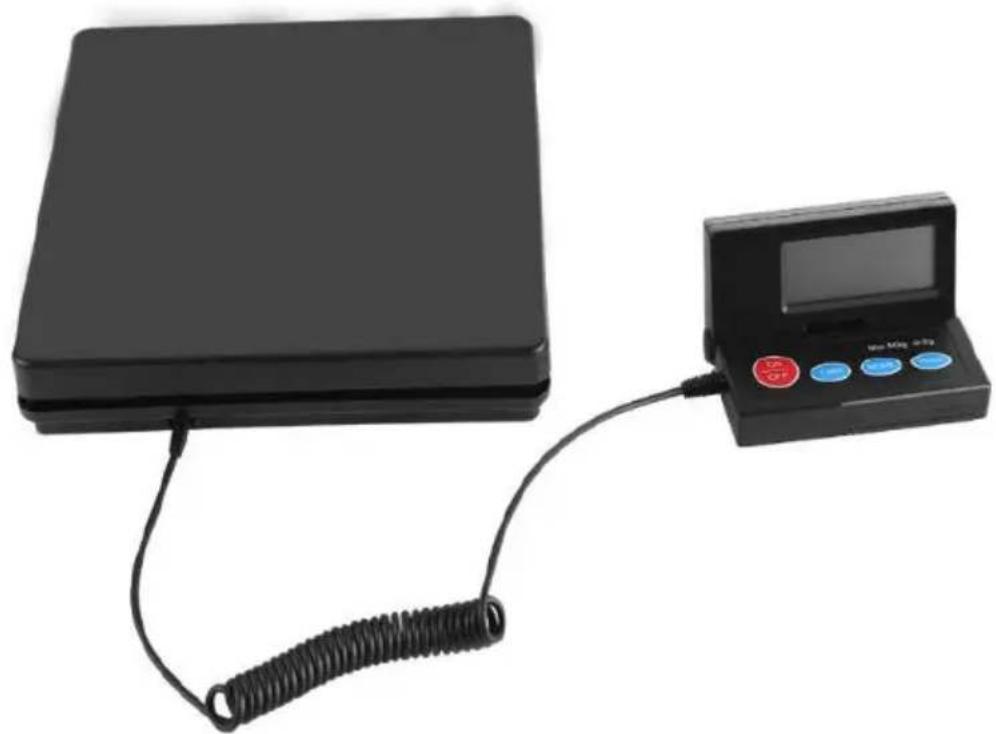
A ON/OFF button
F LCD display
B TARE button
G Weighing plate
C MODE button
H RJ11 joint
D HOLD button
I Power Adapter
E Coiled cable
SAVE THIS MANUAL
www.vevor.com/support
VEVOR®
TOUGH TOOLS, HALF PRICE
We continue to be committed to provide you tools with competitive price. "Save Half", "Half Price" or any other similar expressions used by us only represent of savings you might benefit from buying certain tools with us compared top brands and doses not necessarily mean to cover all categories of tools offered are kindly reminded to verify carefully when you are placing an order with us actually saving half in comparison with the top major brands.
VEVOR®
TOUGH TOOLS, HALF PRICE
SHIPPING SCALE
MODEL: SF-890
NEED HELP? CONTACT US!
Have product questions? Need technical support? Please feel free to contact us:

CustomerService@vevor.com
This is the original instruction. Please read all manual instructions carefully before operating. VEVOR reserves the right to interpret the user manual. The appearance of the product shall be subject to the product you received. Please forgive us that we won't inform you of any technology or software updates on our product.
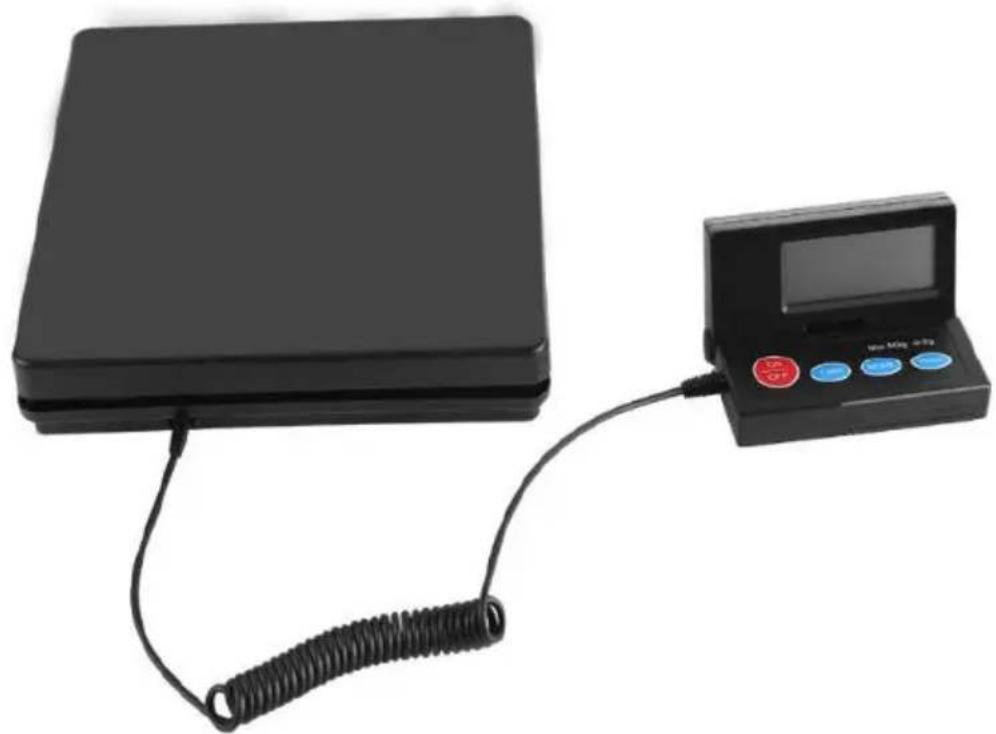
A ON/OFF button
F LCD display
B TARE button
G Weighing plate
C MODE button
H RJ11 joint
D HOLD button
I Power Adapter
E Coiled cable
SAVE THIS MANUAL
We continue to be committed to providing you with tools at competitive prices. "Save Half", "Half Price", or any other similar expressions used by us only represent savings you might benefit from buying certain tools with us compared to top brands, and do not necessarily mean that all categories of tools offered are covered. We kindly remind you to verify carefully when placing an order with us to ensure that you are actually saving half in comparison with the top major brands.
VEVOR®
TOUGH TOOLS, HALF PRICE
SHIPPING SCALE
MODEL: SF-890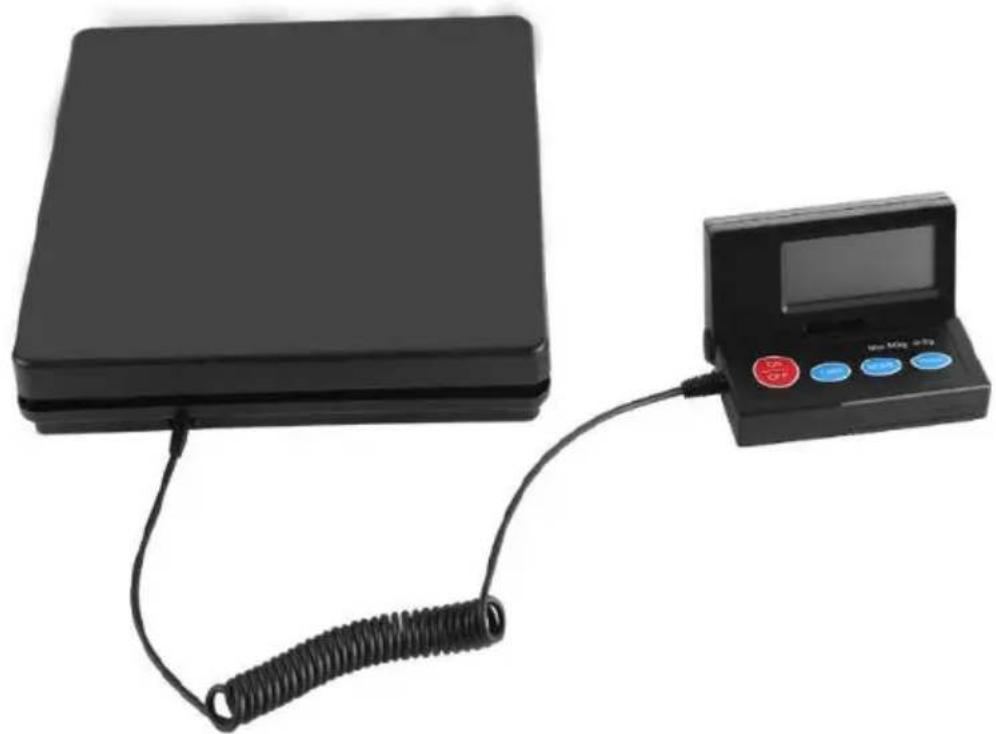
NEED HELP? CONTACT US!
Have product questions? Need technical support? Please feel free to contact us:

CustomerService@vevor.com
This is the original instruction. Please read all manual instructions carefully before operating. VEVOR reserves a clear interpretation of the user manual. The appearance of the product shall be subject to the product you received. Please forgive us that we won't inform you if there are any technology or software updates on our product.
A ON/OFF button
F LCD display
B TARE button
G Weighing plate
C MODE button
H RJ11 joint
D HOLD button
I Power Adapter
E Coiled cable
SAVE THIS MANUAL
www.vevor.com/support
VEVOR®
TOUGH TOOLS, HALF PRICE
Technical Support and E-warranty Certificate www.vevor.com/support
SHIPPING SCALE
MODEL: SF-890
We continue to be committed to provide you tools with competitive price. "Save Half", "Half Price" or any other similar expressions used by us only represent of savings you might benefit from buying certain tools with us compared to top brands and does not necessarily mean to cover all categories of tools offered. We kindly remind you to verify carefully when you are placing an order with us to ensure you are actually saving half in comparison with the top major brands.
VEVOR®
TOUGH TOOLS, HALF PRICE
SHIPPING SCALE
MODEL: SF-890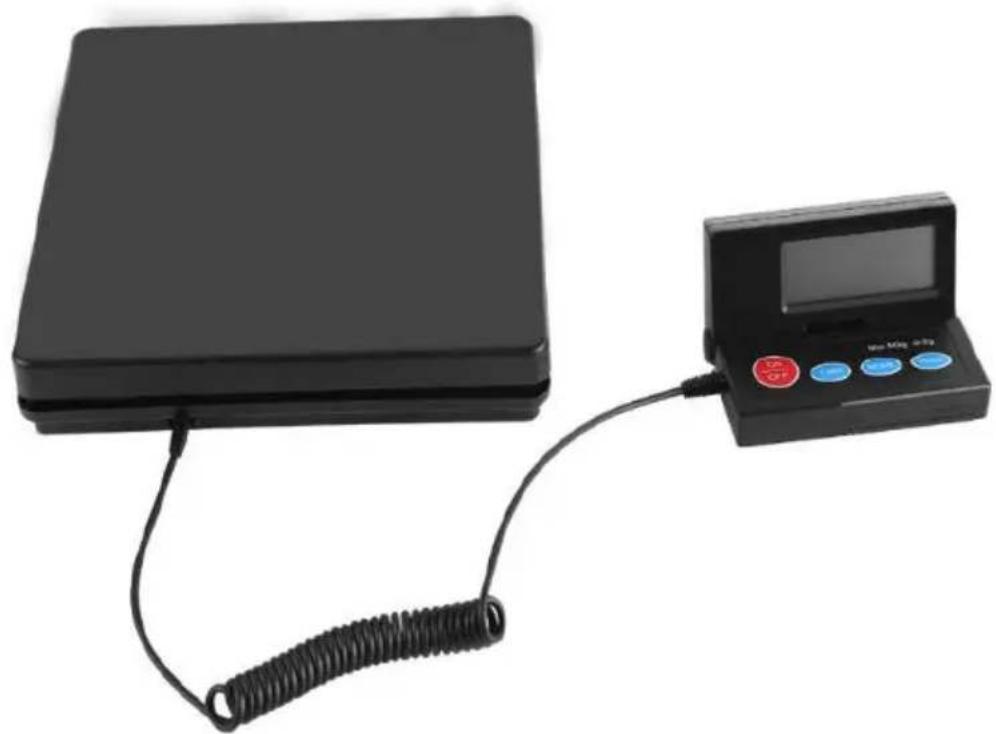
NEED HELP? CONTACT US!
Have product questions? Need technical support? Please feel free to contact us:

CustomerService@vevor.com
This is the original instruction. Please read all manual instructions carefully before operating. VEVOR reserves a clear interpretation of the user manual. The appearance of the product shall be subject to the product you received. Please forgive us that we won't inform you if there are any technology or software updates on our product.
A ON/OFF button
F LCD display
B TARE button
G Weighing plate
C MODE button
H RJ11 joint
D HOLD button
I Power Adapter
E Coiled cable
SAVE THIS MANUAL
www.vevor.com/support
VEVOR®
TOUGH TOOLS, HALF PRICE
We continue to be committed to providing you tools with competitive prices. "Save Half", "Half Price" or any other similar expressions used by us only represent the savings you might benefit from buying certain tools with us compared to top brands and do not necessarily mean to cover all categories of tools offered. We kindly remind you to verify carefully when placing an order with us to ensure you are actually saving half in comparison with the top major brands.
VEVOR®
TOUGH TOOLS, HALF PRICE
SHIPPING SCALE
MODEL: SF-890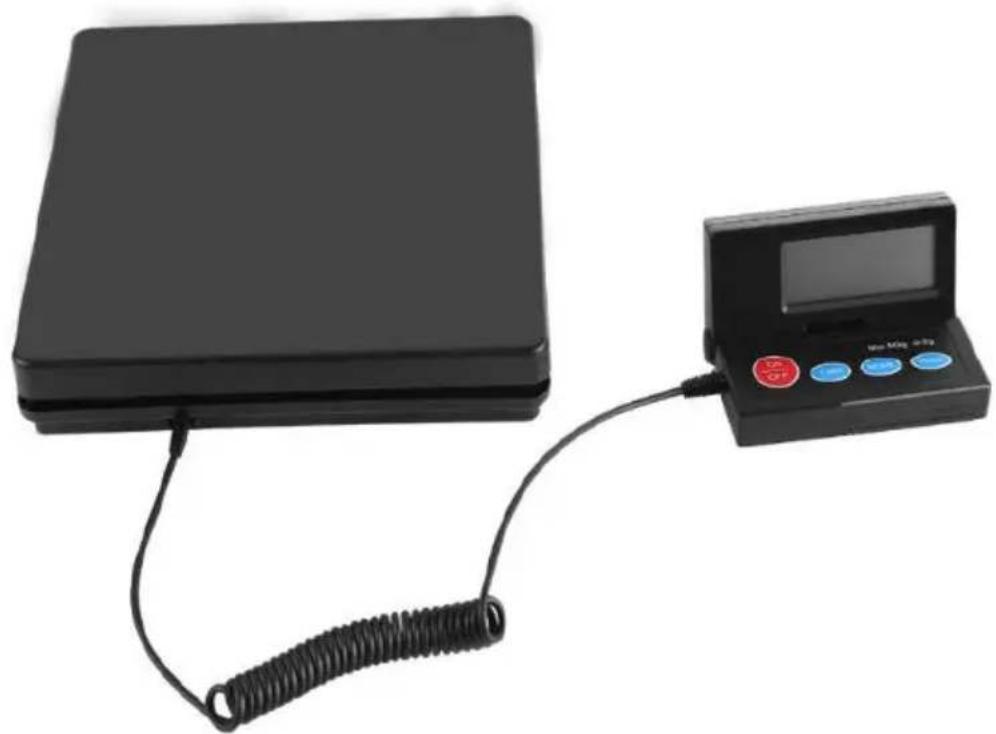
NEED HELP? CONTACT US!
Have product questions? Need technical support? Please feel free to contact us:

CustomerService@vevor.com
This is the original instruction. Please read all manual instructions carefully before operating. VEVOR reserves a clear interpretation of the user manual. The appearance of the product shall be subject to the product you received. Please forgive us that we won't inform you of any technology or software updates on our product.
A ON/OFF button
F LCD display
B TARE button
G Weighing plate
C MODE button
H RJ11 joint
D HOLD button
I Power Adapter
E Coiled cable
SAVE THIS MANUAL
| Kapacitet × Graduation | 50kg×2g |
| Vägningsenheter | Kg , lb , lb: oz , g |
| Vägningspannas storlek | 9,84"×9,84" |
| Överbelastningsindikering | [ O_Ld ] eller [ Err ] |
| Lågspänningsindikering | [ LO ] |
| Optimal driftstemperatur | 5 °C -35 °C |
| Strömförsörjare | 2 x AAA(1,5V)-batterier eller AC-adapt (110-240V AC till 5 V DC ) |
FEATURES
Address: 2 Holywell Lane, London, England, EC2A 3ET
Manufacturer: JiangYin SuoFei Electronic Technology Co., Ltd.
Address: Building 70, Chuangrong Industrial City, Yucheng Street, Yuhu City, Zhejiang Province
Made in China
| UK | REP |
EUREP UK LTD
UNIT 2264, 100 OCK STREET, ABINGDON
OXFORDSHIRE ENGLAND OX14 5DH
| EC | REP |
EUREP GmbH
Unterlettenweg 1a, 85051
Ingolstadt, Germany
VEVOR®
TOUGH TOOLS, HALF PRICE
www.vevor.com/support
Brand : Vevor
Model : SF-890
Category : Scale