
SF921 - Scale Vevor - Free user manual and instructions
Find the device manual for free SF921 Vevor in PDF.
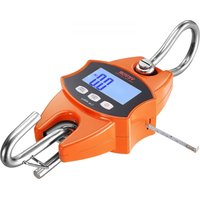


| Product type | Digital crane scale |
| Brand | Vevor |
| Model | SF921 |
| Maximum capacity | 400 kg / 880 lb |
| Division (accuracy) | 0.1 lb |
| Minimum weight | 0.3 lb |
| Units of measurement | kg, lb, N (Newton) |
| Power supply | 2 AA batteries (1.5 V each, 3 V DC) |
| Standby time | Adjustable auto-off: 1, 3, 5 minutes or disabled |
| Main functions | On/Off, tare, hold, peak value, unit change, auto-off |
| Display type | Digital display |
| Safety | Do not overload, check hook and ring before use, use a suitable support |
| Operating conditions | Keep away from direct sunlight, moisture, vibrations |
| Maintenance | Clean with a soft cloth, remove batteries if not used for extended periods |
| Calibration | Possible via built-in procedure (access by holding the UNIT button) |
| Warranty | Electronic warranty certificate (see www.vevor.com/support) |
| Technical support | www.vevor.com/support |
| Compliance | European Directive 2012/19/EC (WEEE) |
| Manufacturer | Shanghaimuxinmuyeyouxiangonsi |
| EU importer | E-CrossStu GmbH, Mainzer Landstr.69, 60329 Frankfurt am Main, Germany |
Frequently Asked Questions - SF921 Vevor
User questions about SF921 Vevor
0 question about this device. Answer the ones you know or ask your own.
Ask a new question about this device
Download the instructions for your Scale in PDF format for free! Find your manual SF921 - Vevor and take your electronic device back in hand. On this page are published all the documents necessary for the use of your device. SF921 by Vevor.
USER MANUAL SF921 Vevor
Technical Support and E-Warranty Certificate
www.vevor.com/support
CRANE SCALE
MODEL: SF921
We continue to be committed to providing you with tools at competitive prices. "Save Half", "Half Price", or any other similar expressions used by us only represent an estimate of savings you might benefit from buying certain tools with us compared to top brands, and does not necessarily mean to cover all categories of tools offered by us. We kindly remind you to verify carefully when placing an order with us if you are actually saving half in comparison with the top major brands.
MODEL: SF921
NEED HELP? CONTACT US!
Have product questions? Need technical support? Please feel free to contact us:
Technical Support and E-Warranty Certificate www.vevor.com/support
This is the original instruction. Please read all manual instructions carefully before operating. VEVOR reserves a clear interpretation of the user manual. The appearance of the product shall be subject to the product you received. Please forgive us that we won't inform you of any technology or software updates on our product.
GENERAL SAFETY RULES
| Symbol | Symbol Description |
 | Warning - To reduce the risk of injury, the user must read t instructions manual carefully. |
 | This symbol, placed before a safety comment, indicates a kir precaution, warning, or danger. Ignoring this warning may lea an accident. To reduce the risk of injury, fire, or electrocution please always follow the recommendations shown below. |
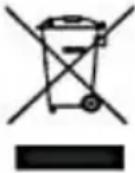 | Disposal information:This product is subject to the provision of European Directive 2012/19/EC. The symbol showing a wheelie bin crossed throu indicates that the product requires separate refuse collection the European Union. This applies to the product and all accessories marked with this symbol. Products marked as su may not be discarded with normal domestic waste but must taken to a collection point for recycling electrical and electron devices. |

General safety instructions
WARNING! Read all safety warnings and notes. Failure to follow the instructions listed below may result in electrical shock, fire, and/or injury.
For good performance and precise measurement, be careful with daily operation and maintenance.
WORK AREA SAFETY
a) Keep the application area clean and well-lit. Unclean and dark areas lead to accidents. b) Do not use power tools in explosive environments, such as in the presence of flammable liquids, gases, or vapors. Power tools generate sparks that can ignite dust or vapors. c) Keep children and bystanders away when operating the appliance.
Distractions can lead to loss of control over the device.
Please read all operating instructions prior to use. Scales are pre-measuring devices and should always be handled with proper care.
- This is not a toy. Keep out of reach of children.
- Remove all loads from the scale when not in use.
- Remove all batteries prior to long-term storage.
- Danger! Do not overload this scale. This can cause damage to the unit and possible injury to the user.
- Please check the hook and ring before using.
- Keep away from direct sunlight, moisture, heat, and vibration.
- Do not use the scale during inclement weather.
- Media used to hang the scale should be rated at least 5 times the maximum weight capacity.
Button Functions
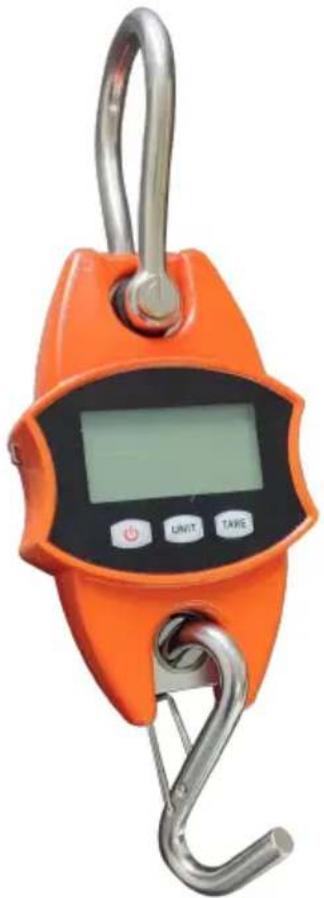
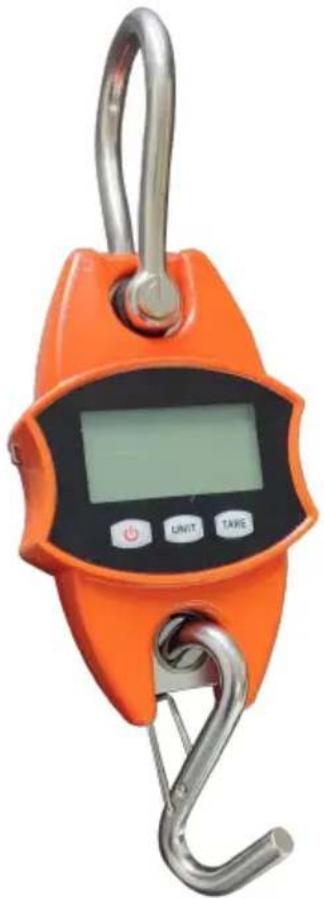
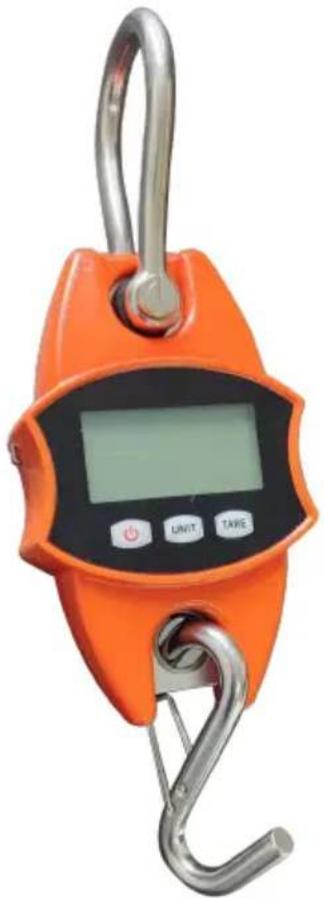
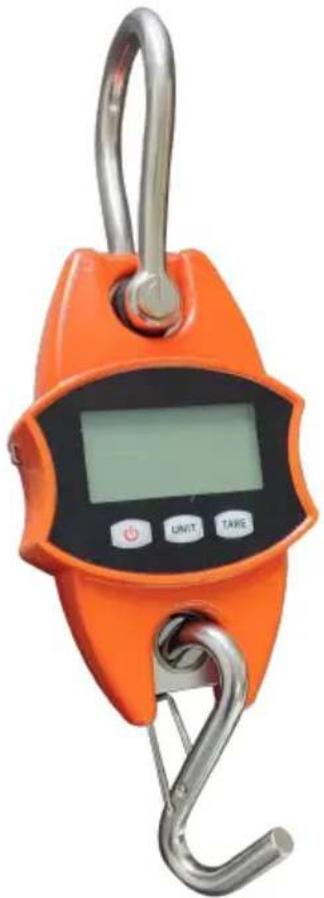
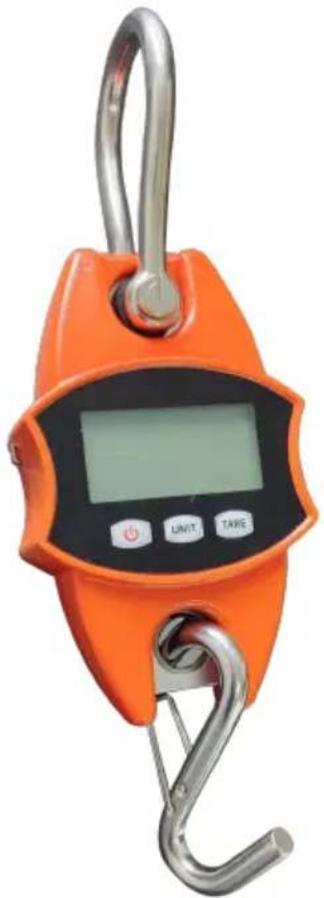
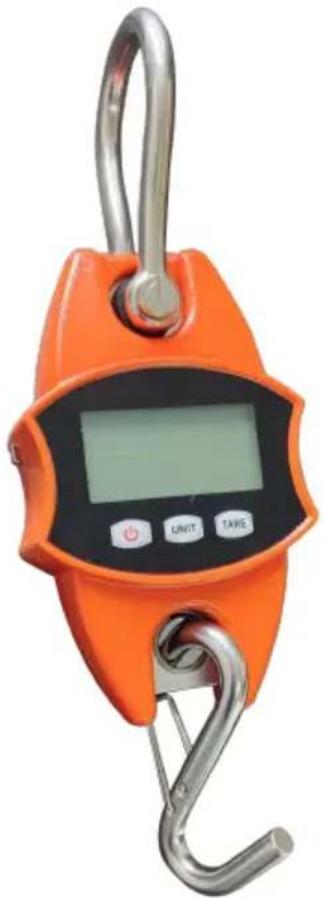
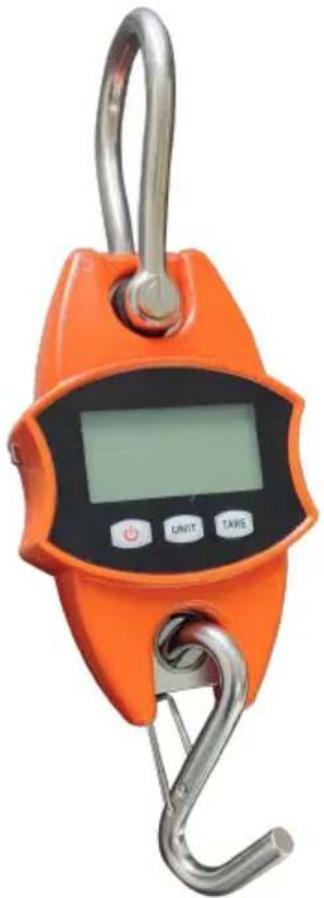
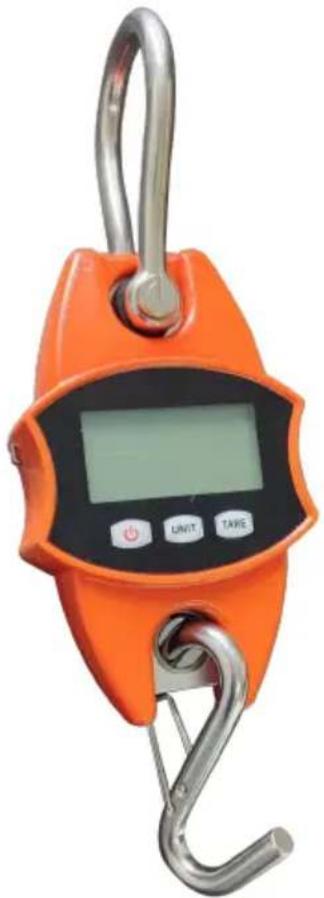
- ON/Off: Pressing this button will turn the unit on and off if there is no load on the scale. If there is a load on the scale, pressing this button will display the weight of the load.
- UNIT/HOLD Button: Pressing this button will "Hold" the displayed weight. This way, the items being weighed can be removed from the scale and the weight will still be visible to the user.
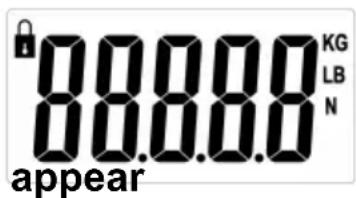
When the scale is turned on, it will appear. Pressing this button changes the unit of measure for the scale between Newton (N), Pounds (lb), and Kilograms (kg). The unit of measure is indicated by an arrow on the right side of the display.
- TARE Button: The tare function will eliminate the weight hanging on the scale, such as a container or vessel. This will give the weight of items added to the container.
- Standby time: no weight change, no button operation, automatic shutdown in 5 minutes by default; in zero state, press and hold the TARE button to switch off time, select "5" (minutes), "-" (no automatic shutdown), "1" (minute), "3" (minute), press UNIT to confirm.
- PEAK function: In the off state, press and hold the TARE key, press the ON/OFF key to turn on the machine, display H_ON, and return to zero. The peak value lock function is turned on, and the maximum weight value is displayed and locked when loading weight; after power off, hold down TARE key and press ON/OFF key to power on, display H_OFF and zero, the peak value lock function is off, and the actual weight value is displayed when the weight is loaded and not locked.
- Battery: 1.5V * 2AA
- Min weight: 0.3lb, Max capacity: 880lb
- Unit: KG/LB/N
Instructions for Use
- Prior to use, make sure the area you are going to use the scale in has enough room for operation.
- Prior to use, make sure the area you are going to use the scale in has enough room for operation.
- Turn the scale ON.
- Fix the scale to the designated hanging media by unscrewing the retaining pin on the Top Hook.
- Remove the top hook from the scale, making sure not to misplace the rubber washers on the scale.
- Then, thread the top hook through the chosen media. Reattach the T-hook to the scale with the retaining pin. Secure the retaining pin with the included cotter pin.
- Make sure the scale is secure prior to setting the lower hook in the I-hook hole.
- Place the items to be weighed on the lower hook.
- Please remove any loads from the scale immediately after weighing. Damage to the scale can result from loads being left on the scale for prolonged periods.
Troubleshooting
| Problem: The scale does not turn on. |
| Solution: Check to make sure batteries are inserted correctly and function batteries if necessary. |
| Problem: The scale turns on, but the incorrect weight is displayed. |
| Solution: Was there a load on the scale when it was turned on?Is the scale secure and stable?Are the items to be weighed above the scale's capacity?After making sure none of these apply, turn the scale off and back on. |
| Problem: O L is displayed. |
| Solution: Make sure that the load is less than the operating capacity of |
Calibration:
- Switch the scale on.
- Press the UNIT button and long-press it until the message "cal" is shown on the display.
- The calibration function has been activated.
- When a value is shown (5, 10, 20), place the corresponding weight on the scale pan (5 = 5kg, 10 = 10kg, 20 = 20kg).
- Wait until the message "PASS" is shown.
- The calibration procedure is finished.
| Items | Description | |
| 1 | Name | Crane Scale |
| 2 | Model | SF921 |
| 3 | Parameter | Rating(s): 2x1.5AA (3VDC)Capacity: 400kg/880lbDivision: 0.1lb |
Manufacturer: Shanghai Muxin Muye Youxian Gongsi
Address: Shuangcheng Road 803, Lane 11, Room 1602A-1609, Baoshan District, Shanghai 200000, CN.
Imported to AUS: SIHAO PTY LTD, 1 ROKEVA STREET, EASTWOOD NSW 2122 Australia
Imported to USA: Sanven Technology Ltd., Suite 250, 9166 Anaheim Place, Rancho Cucamonga, CA 91730
| EC | REP |
E-CrossStu GmbH
Mainzer Landstr.69, 60329 Frankfurt am Main
| UK | REP |
YH CONSULTING LIMITED.
C/O YH Consulting Limited Office 147, Centurion House, London Road, Staines-upon-Thames, Surrey, TW18 4A
VEVOR®
TOUGH TOOLS, HALF PRICE
Technical Support and E-Warranty Certificate
www.vevor.com/support
VEVOR®
TOUGH TOOLS, HALF PRICE
We continue to be committed to provide you tools with competitive price. "Save Half", "Half Price" or any other similar expressions used by us only represent an estimate of savings you might benefit from buying certain tools with us compared to top brands and does not necessarily mean to cover all categories of tools offered by us. We kindly remind you to verify carefully when you are placing an order with us if you are actually saving half in comparison with the top major brands.
MODEL: SF921
NEED HELP? CONTACT US!
Have product questions? Need technical support? Please feel free to contact us:
Technical Support and E-Warranty Certificate www.vevor.com/support
This is the original instruction. Please read all manual instructions carefully before operating. VEVOR reserves a clear interpretation of the user manual. The appearance of the product shall be subject to the product you received. Please forgive us that we won't inform you of any technology or software updates on our product.
GENERAL SAFETY RULES
icon appears
C/O YH Consulting Limited Office 147, Centurion House
London Road, Staines-upon-Thames, Surrey, TW18 4A
VEVOR®
TOUGH TOOLS, HALF PRICE
www.vevor.com/support
VEVOR®
TOUGH TOOLS, HALF PRICE
www.vevor.com/support
CRANE SCALE
MODEL: SF921
We continue to be committed to provide you with tools at competitive prices. "Save Half", "Half Price" or any other similar expressions used by us only represent an estimate of savings you might benefit from buying certain tools with us compared to top brands, and does not necessarily mean to cover all categories of tools offered. We kindly remind you to verify carefully when placing an order with us if you are actually saving half in comparison with the top major brands.
MODEL: SF921
NEED HELP? CONTACT US!
Have product questions? Need technical support? Please feel free to contact us:
Technical Support and E-Warranty Certificate www.vevor.com/support
This is the original instruction. Please read all manual instructions carefully before operating. VEVOR reserves a clear interpretation of the user manual. The appearance of the product shall be subject to the product you received. Please forgive us that we won't inform you of any technology or software updates on our product.
C/O YH Consulting Limited Office 147, Centurion House London Road, Staines-upon-Thames, Surrey, TW18 4A
VEVOR®
TOUGH TOOLS, HALF PRICE
www.vevor.com/support
VEVOR®
TOUGH TOOLS, HALF PRICE
We continue to be committed to provide you with tools at competitive prices. "Save Half", "Half Price" or any other similar expressions used by us only represent an estimate of savings you might benefit from buying certain tools with us compared to top brands, and does not necessarily mean to cover all categories of tools offered. We kindly remind you to verify carefully when placing an order with us if you are actually saving half in comparison with the top major brands.
MODEL: SF921
NEED HELP? CONTACT US!
Have product questions? Need technical support? Please feel free to contact us:
Technical Support and E-Warranty Certificate www.vevor.com/support
This is the original instruction. Please read all manual instructions carefully before operating. VEVOR reserves a clear interpretation of the user manual. The appearance of the product shall be subject to the product you received. Please forgive us that we won't inform you of any technology or software updates on our product.
Imported in AUS: SIHAO PTY LTD, 1 ROKEVA STREETEASTWOOD NSW 2122 Australia
Imported in the USA: Sanven Technology Ltd., Suite 250, 9166 Anaheim Place, Rancho Cucamonga, CA 91730
| EC | REP |
E-CrossStu GmbH
Mainzer Landstr.69, 60329 Frankfurt am Main
| UK | REP |
YH CONSULTING LIMITED.
C/O YH Consulting Limited Office 147, Centurion House London Road, Staines-upon-Thames, Surrey, TW18 4A
VEVOR®
TOUGH TOOLS, HALF PRICE
www.vevor.com/support
VEVOR®
TOUGH TOOLS, HALF PRICE
www.vevor.com/support
CRANE SCALE
MODEL: SF921
We continue to be committed to provide you tools with competitive price. "Save Half", "Half Price" or any other similar expressions used by us only represent an estimate of savings you might benefit from buying certain tools with us compared to top brands and does not necessarily mean to cover all categories of tools offered by us. We kindly remind you to verify carefully when you are placing an order with us if you are actually saving half in comparison with the top major brands.
MODEL: SF921
NEED HELP? CONTACT US!
Have product questions? Need technical support? Please feel free to contact us:
Technical Support and E-Warranty Certificate www.vevor.com/support
This is the original instruction. Please read all manual instructions carefully before operating. VEVOR reserves a clear interpretation of the user manual. The appearance of the product shall be subject to the product you received. Please forgive us that we won't inform you of any technology or software updates on our product.
Imported to AUS: SIHAO PTY LTD, 1 ROKEVA STREET EASTWOOD NSW 2122 Australia
Imported to USA: Sanven Technology Ltd., Suite 250, 9166 Anaheim Place, Rancho Cucamonga, CA 91730
| EC | REP |
E-CrossStu GmbH
Mainzer Landstr.69, 60329 Frankfurt am Main
| UK | REP |
YH CONSULTING LIMITED.
C/O YH Consulting Limited Office 147, Centurion House London Road, Staines-upon-Thames, Surrey, TW18 4A
VEVOR®
TOUGH TOOLS, HALF PRICE
www.vevor.com/support
VEVOR®
TOUGH TOOLS, HALF PRICE
www.vevor.com/support
CRANE SCALE
MODEL: SF921
We continue to be committed to provide you tools with competitive price. "Save Half", "Half Price" or any other similar expressions used by us only represent an estimate of savings you might benefit from buying certain tools with us compared to top brands and does not necessarily mean to cover all categories of tools offered by us. We kindly remind you to verify carefully when you are placing an order with us if you are actually saving half in comparison with the top major brands.
MODEL: SF921
NEED HELP? CONTACT US!
Have product questions? Need technical support? Please feel free to contact us:
Technical Support and E-Warranty Certificate www.vevor.com/support
This is the original instruction. Please read all manual instructions carefully before operating. VEVOR reserves a clear interpretation of the user manual. The appearance of the product shall be subject to the product you received. Please forgive us that we won't inform you of any technology or software updates on our product.
GENERAL SAFETY RULES
WORKPLACE SAFETY
Imported to AUS: SIHAO PTY LTD, 1 ROKEVA STREETEASTWOOD NSW 2122 Australia
Imported to USA: Sanven Technology Ltd., Suite 250, 9166 Anaheim Place, Rancho Cucamonga, CA 91730
| EC | REP |
E-CrossStu GmbH
Mainzer Landstr.69, 60329 Frankfurt am Main
| UK | REP |
YH CONSULTING LIMITED.
C/O YH Consulting Limited Office 147, Centurion House London Road, Staines-upon-Thames, Surrey, TW18 4A
VEVOR®
TOUGH TOOLS, HALF PRICE
www.vevor.com/support
VEVOR®
TOUGH TOOLS, HALF PRICE
www.vevor.com/support
CRANE SCALE
MODEL: SF921
We continue to be committed to providing you with tools at competitive prices. "Save Half", "Half Price", or any other similar expressions used by us only represent an estimate of savings you might benefit from buying certain tools with us compared to top brands, and do not necessarily mean to cover all categories of tools offered. We kindly remind you to verify carefully when placing an order with us if you are actually saving half in comparison with the top major brands.
MODEL: SF921
NEED HELP? CONTACT US!
Have product questions? Need technical support? Please feel free to contact us:
Technical Support and E-Warranty Certificate www.vevor.com/support
This is the original instruction. Please read all manual instructions carefully before operating. VEVOR reserves a clear interpretation of the user manual. The appearance of the product shall be subject to the product you received. Please forgive us that we won't inform you of any technology or software updates on our product.
Anaheim Place, Rancho Cucamonga, CA 91730
| EC | REP |
E-CrossStu GmbH
Mainzer Landstr.69, 60329 Frankfurt am Main
| UK | REP |
YH CONSULTING LIMITED.
C/O YH Consulting Limited Office 147, Centurion House
London Road, Staines-upon-Thames, Surrey, TW18 4A
VEVOR®
TOUGH TOOLS, HALF PRICE
www.vevor.com/support
VEVOR®
TOUGH TOOLS, HALF PRICE
www.vevor.com/support
CRANE SCALE
MODEL: SF921
We continue to be committed to providing you with tools at competitive prices. "Save Half", "Half Price", or any other similar expressions used by us only represent an estimate of savings you might benefit from buying certain tools with us compared to top brands, and do not necessarily mean to cover all categories of tools offered. We kindly remind you to verify carefully when placing an order with us if you are actually saving half in comparison with the top major brands.
MODEL: SF921
NEED HELP? CONTACT US!
Have product questions? Need technical support? Please feel free to contact us:
Technical Support and E-Warranty Certificate www.vevor.com/support
This is the original instruction. Please read all manual instructions carefully before operating. VEVOR reserves a clear interpretation of the user manual. The appearance of the product shall be subject to the product you received. Please forgive us that we won't inform you of any technology or software updates on our product.
GENERAL SAFETY REGULATIONS
C/O YH Consulting Limited Office 147, Centurion House London Road, Staines-upon-Thames, Surrey, TW18 4A
VEVOR®
TOUGH TOOLS, HALF PRICE
www.vevor.com/support
- CRANE SCALE
- NEED HELP? CONTACT US
- GENERAL SAFETY RULES
- GENERAL SAFETY INSTRUCTIONS
- WORK AREA SAFETY
- PLEASE READ ALL OPERATING INSTRUCTIONS PRIOR TO USE. SCALES ARE PRE-MEASURING DEVICES AND SHOULD ALWAYS BE HANDLED WITH PROPER CARE
- BUTTON FUNCTIONS
- INSTRUCTIONS FOR USE
- TROUBLESHOOTING
- CALIBRATION
- VEVOR®
- TOUGH TOOLS, HALF PRICE
- MODEL: SF
- WORKPLACE SAFETY
- GENERAL SAFETY REGULATIONS
Brand : Vevor
Model : SF921
Category : Scale