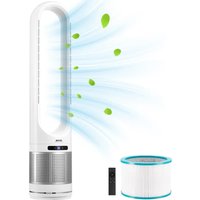
Vevor UML-050 - Fan

UML-050 - Fan Vevor - Free user manual and instructions

Find the device manual for free UML-050 Vevor in PDF.

📄 96 pages English EN Download 💬 AI Question
Notice Vevor UML-050 - page 1
Pick your language and provide your email: we'll send you a specifically translated version.

User questions about UML-050 Vevor

0 question about this device. Answer the ones you know or ask your own.

Ask a new question about this device

The email remains private: it is only used to notify you if someone responds to your question.

No questions yet. Be the first to ask one.

Download the instructions for your Fan in PDF format for free! Find your manual UML-050 - Vevor and take your electronic device back in hand. On this page are published all the documents necessary for the use of your device. UML-050 by Vevor.

USER MANUAL UML-050 Vevor

Technical Support and E-Warranty Certificate

www.vevor.com/support

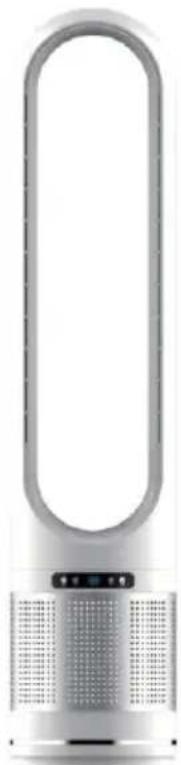
BLADELESS FAN

MODEL: UML-050

We continue to be committed to provide you tools with competitive price. "Save Half", "Half Price" or any other similar expressions used by us only represents an estimate of savings you might benefit from buying certain tools with us compared to the major top brands and does not necessarily mean to co all categories of tools offered by us. You are kindly reminded to verify carefully when you are placing an order with us if you are actually Saving Half in comparison with the top major brands.

MODEL: UML-050
Vevor UML-050 - BLADELESS FAN - 1

natural_image Exterior view of a modern office building (no signage)

NEED HELP? CONTACT US!

Have product questions? Need technical support? Please feel free to contact us:

Technical Support and E-Warranty Certificate www.vevor.com/support

This is the original instruction, please read all manual instructions carefully before operating. VEVOR reserves a clear interpretation of user manual. The appearance of the product shall be subject to product you received. Please forgive us that we won't inform you and there are any technology or software updates on our product.

IMPORTANT SAFETY INSTRUCTIONS

Read Guidance for safe Operation and Instructions Carefully.

  1. To reduce the risk of fire or electric shock, do not use this fan solid state speed control device.
  2. This appliance has a polarized plug (one blade is wider than the To reduce the risk of electric shock, this plug is intended to fit in a outlet only one way. If plug does not fit fully in the outlet, reverse p still does not fit, contact a qualified electrician. Do not attempt to mo safety feature.
  3. This appliance is not intended for use by persons (including children with reduced physical, sensory or mental capabilities, or lack of experience and knowledge, unless they have been supervised or instructed to use the appliance by a person responsible for their safety.
  4. Do not leave the fan running unattended.
  5. Unplug or disconnect the appliance from the power supply before servicing.

READ AND SAVE THESE INSTRUCTIONS

  1. The instructions about cord and plug as below:

(1) This product employs overoad protection (fuse). A blown fuse indicates an overload or short-circuit situation. If the fuse blows, unplug the product from the outlet. Replace the fuse as the user servicing instructions (for product marking for proper fuse rating) and check the products. If the replacement fuse blows, a short-circuit may be present and the product should be discarded or returned to an authorized service facility for examination and/or repair.
(2) Do not operate any fan with a damaged cord or plug. If damage to an authorized service facility for examination and/or repair.
(3) Do not run cord under carpeting. Do not cover cord with throw rugs.runners, or similar coverings. Do not place the cord under furnitu

appliances. Arrange cord away from traffic area where it might be trip over.

  1. Fan should be used under rated voltage.
  2. Connect power only after the fan is fully assembled.
  3. Never insert fingers, pencils, or any other object through the proteen cover when fan is running.
  4. Unplug from outlet when not in use, when moving fan from one I to another, before putting on or taking off parts, and before cleaning.
  5. Make sure fan is on a stable surface when operating to avoid overturning.
  6. Do not use fan near window. Moisture may create electrical hazard
ModelPOWER SOURCEPOWER
UML-050AC230V 50Hz32W
Wind PatternNormal Wind / Strong Wind / SI Wind
Maximum Wind Speed (m/s)4.7
Noise (dB)≤55
Swing Angle80°±5°
Maximum Timing Duration8H
Part List
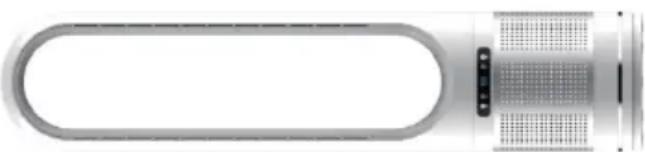
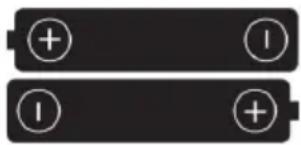
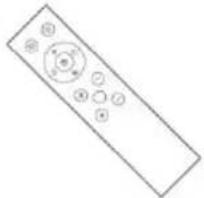
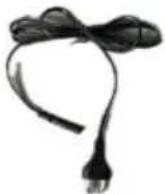
CodeNamePictureQty.
1BodyVevor UML-050 - READ AND SAVE THESE INSTRUCTIONS - 11
2AAA Dry BatteryVevor UML-050 - READ AND SAVE THESE INSTRUCTIONS - 22
3Remote ControlVevor UML-050 - READ AND SAVE THESE INSTRUCTIONS - 31
4Power CordVevor UML-050 - READ AND SAVE THESE INSTRUCTIONS - 41

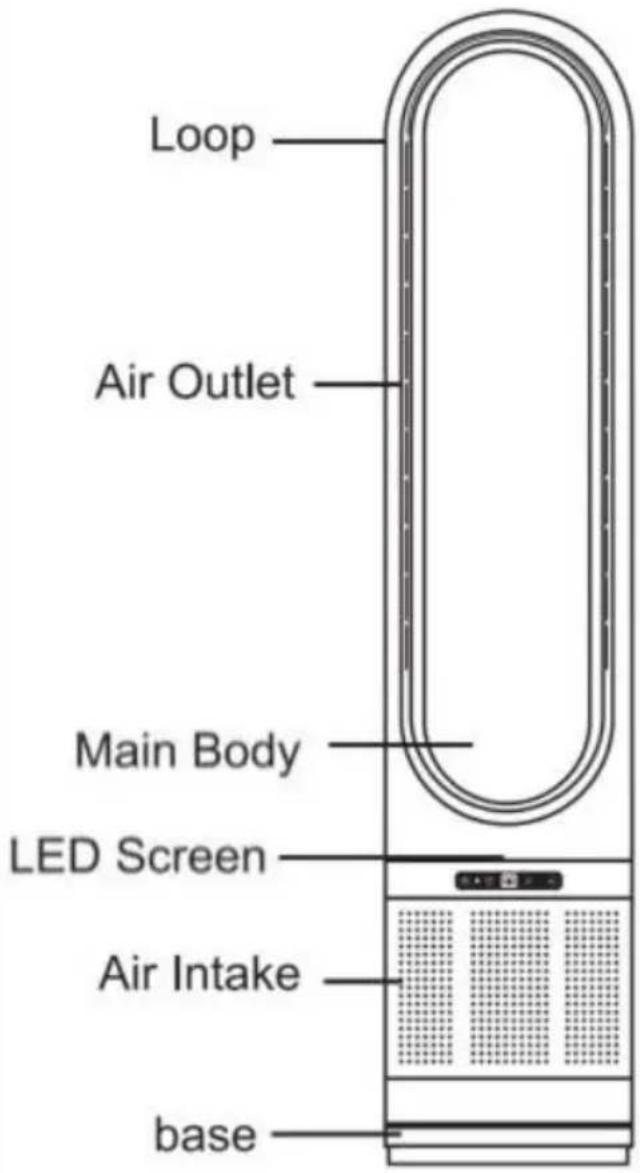
Product Component
Vevor UML-050 - READ AND SAVE THESE INSTRUCTIONS - 5

text_image Loop Air Outlet Main Body LED Screen Air Intake base

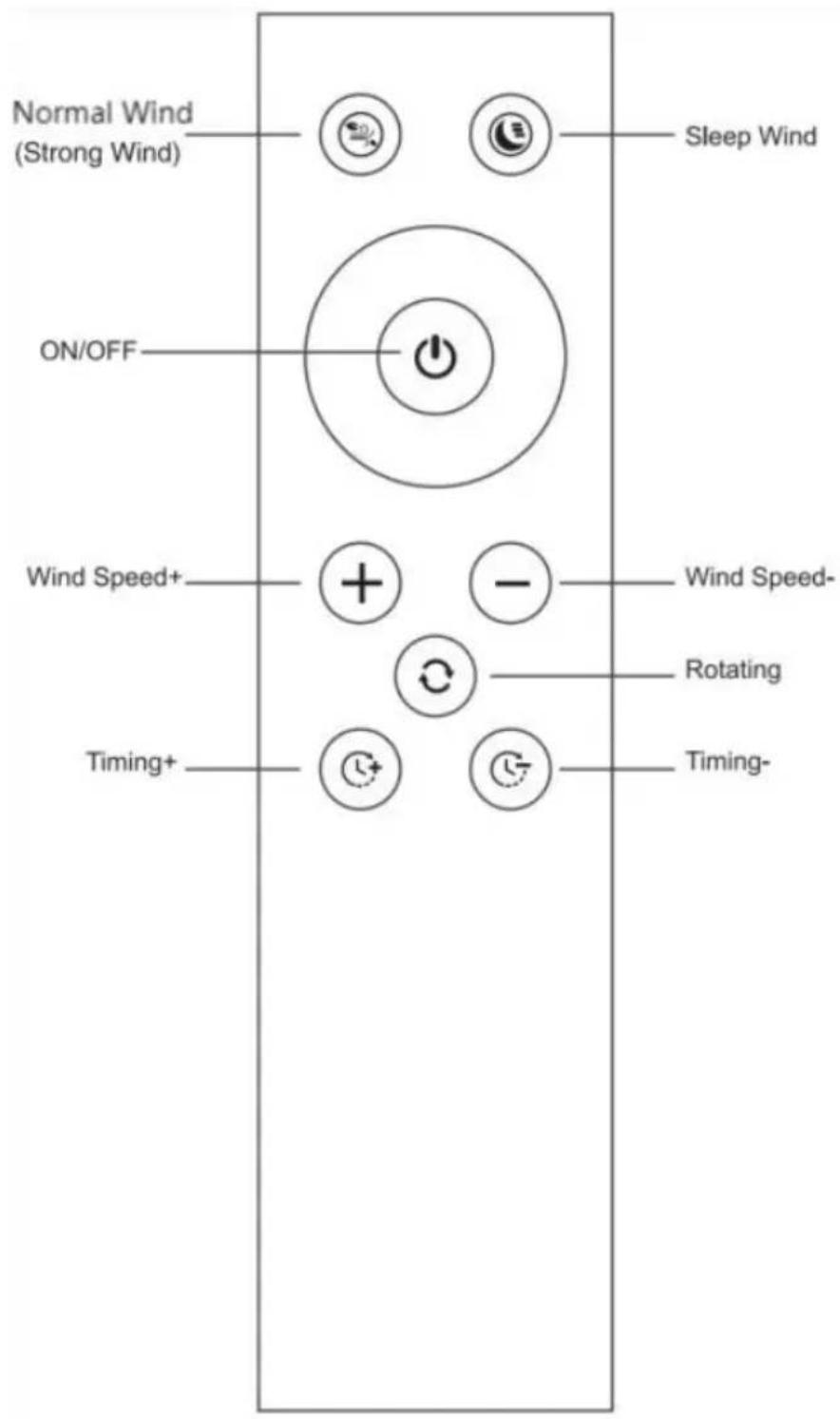
Remote Control
Vevor UML-050 - READ AND SAVE THESE INSTRUCTIONS - 6

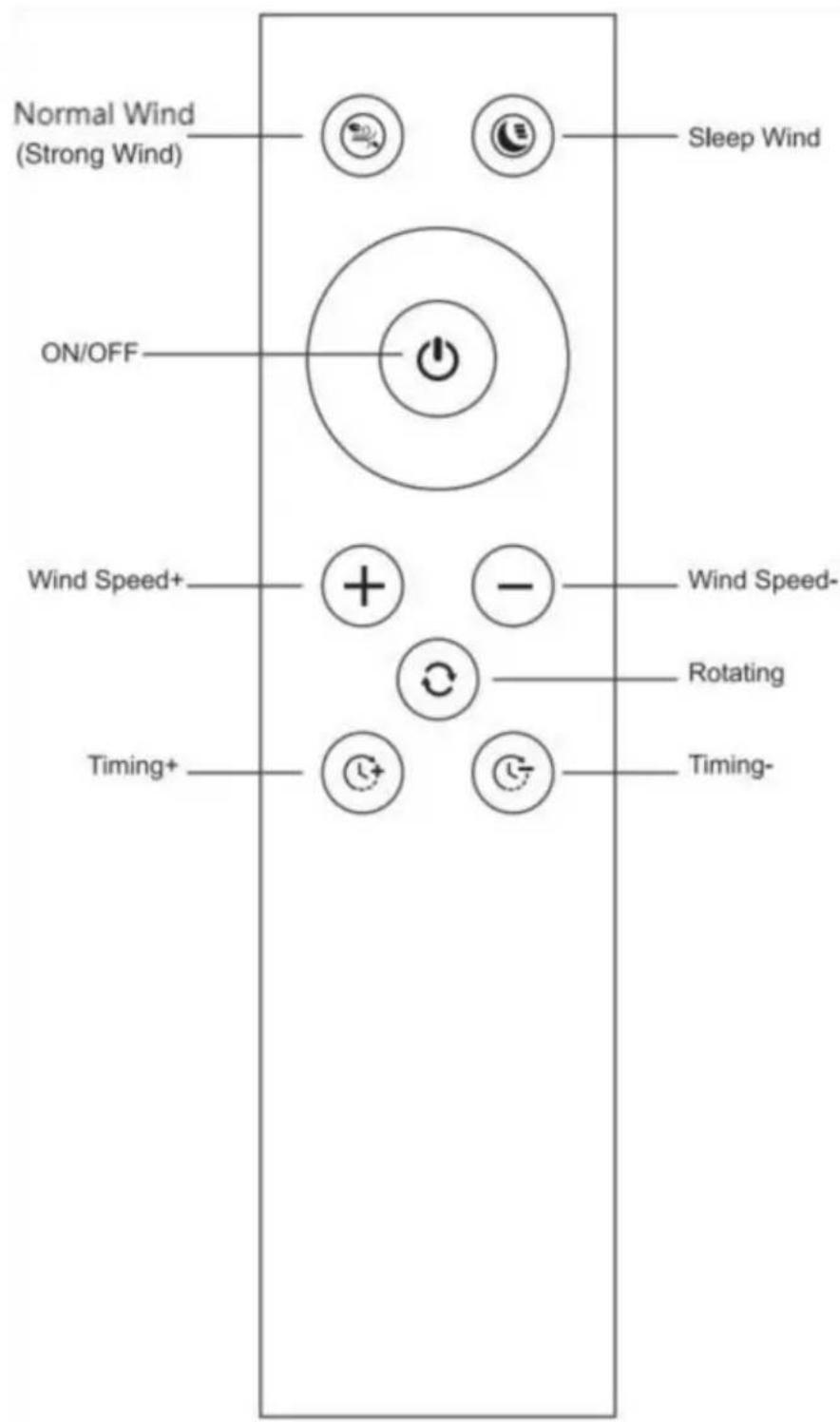
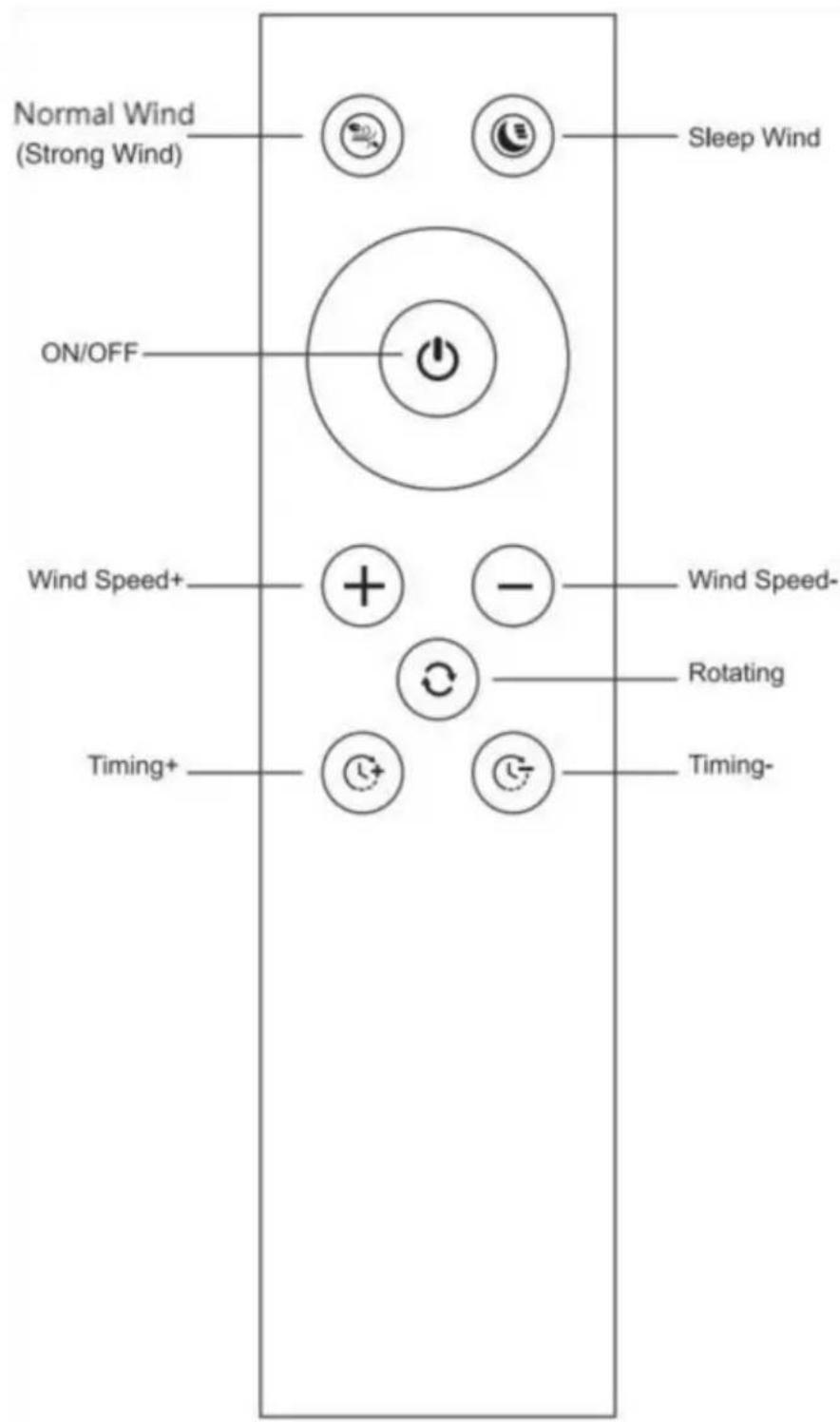
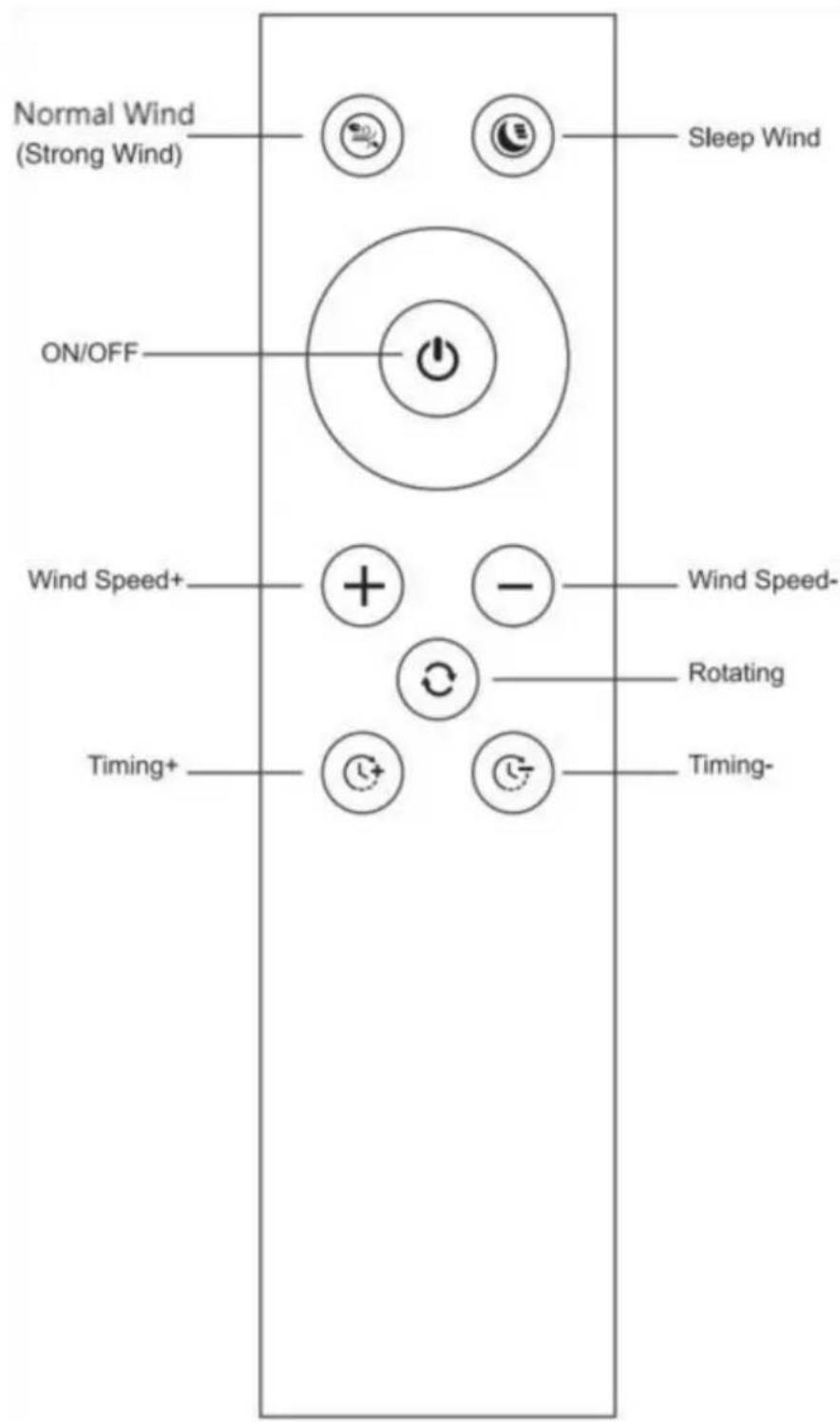
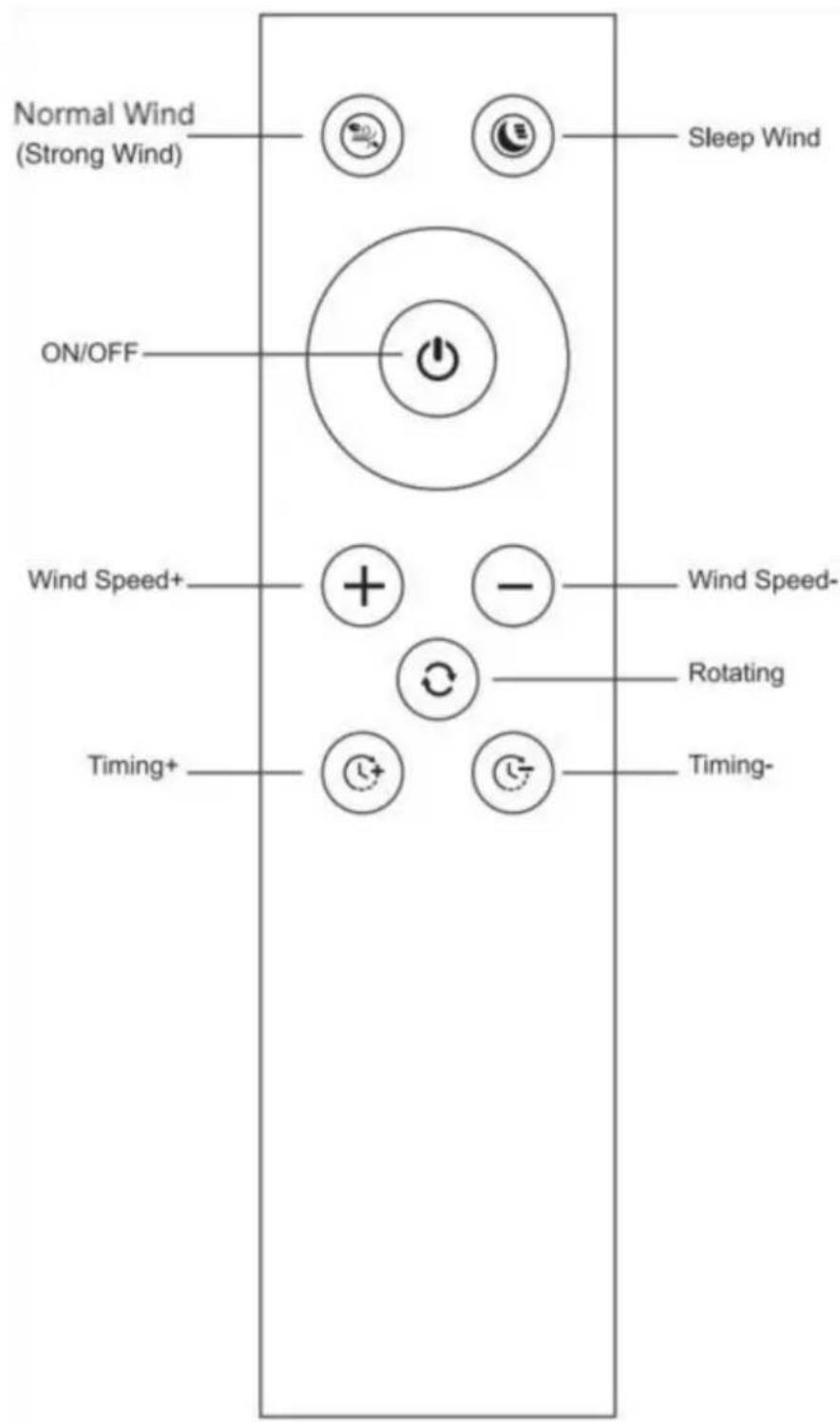
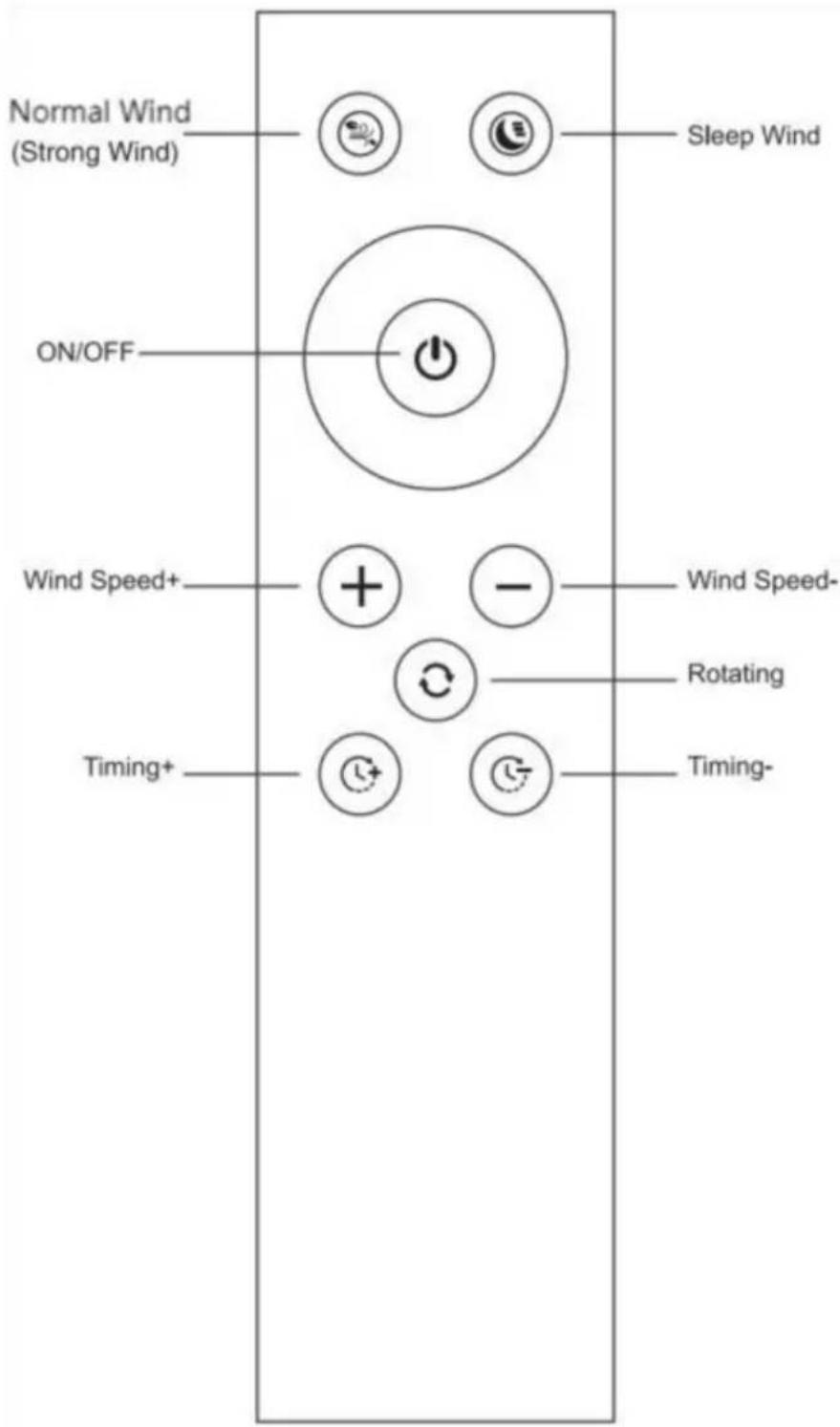
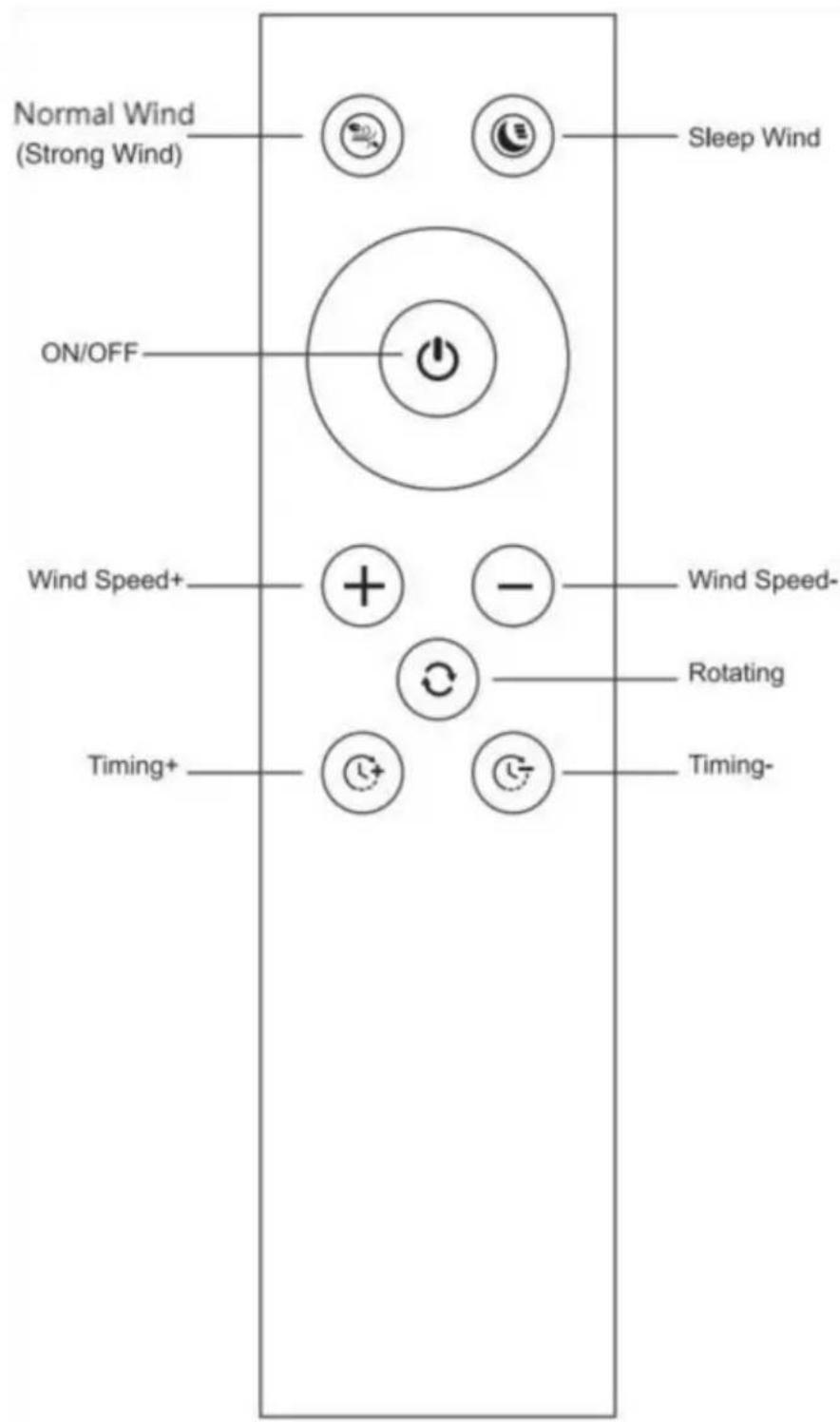
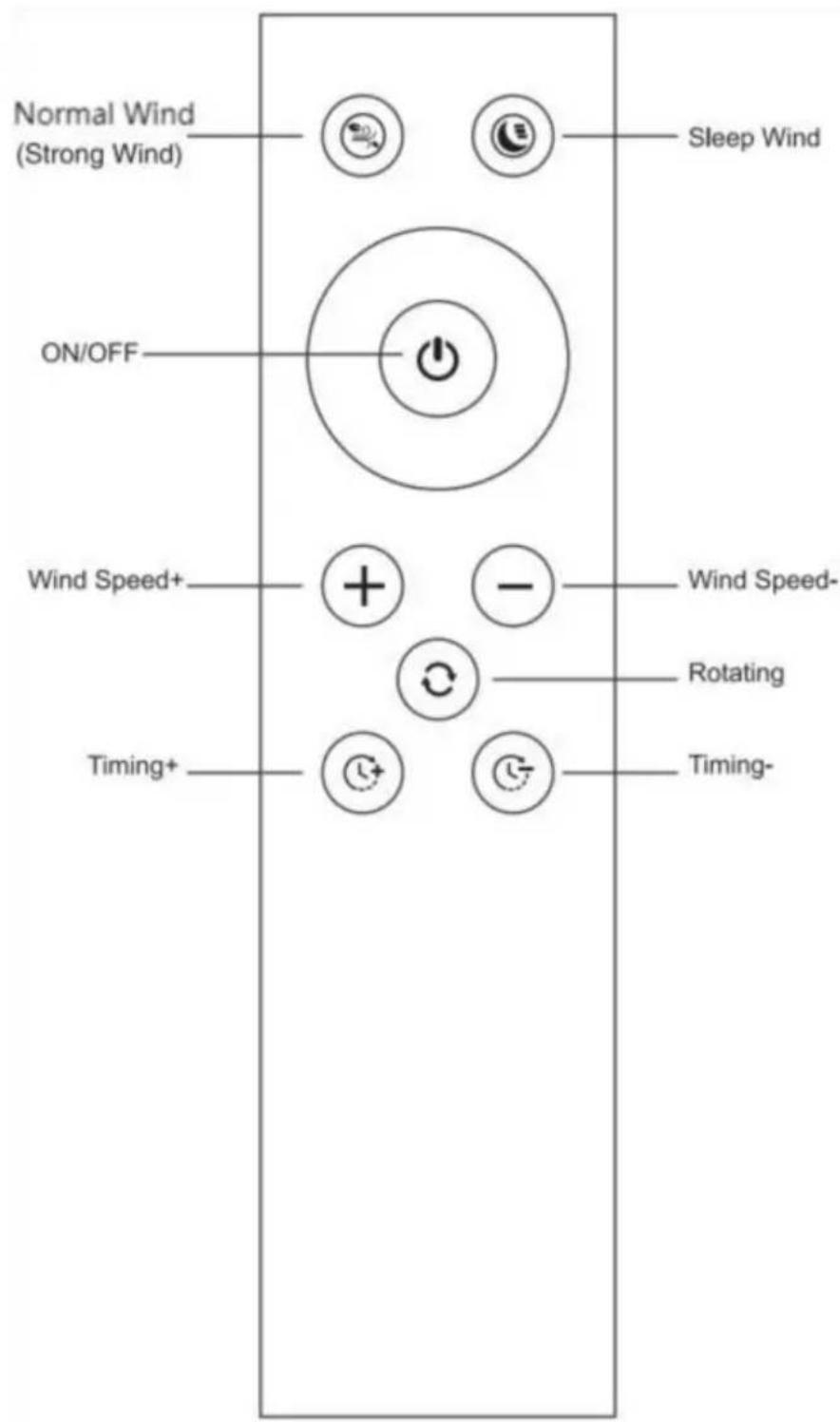
text_image Normal Wind (Strong Wind) ON/OFF Sleep Wind Wind Speed+ Timing+ - - - - Rotating Timing-
  1. When the host is in standby state, press the power button to start operation; When the host is in the running state, press the power butt stop the operation and enter the standby state.
  2. Press the normal wind button on the remote control, the display should be FF. Press again to exit normal wind. (Press the air speed key to exit

current mode also.)

  1. Press the sleep wind button on the remote control, the display show. Press it again to exit Sleep Wind. (Press the air speed key to exit current mode also.)

  2. Press the "Wind Speed +" button on the remote control to increase air volume. Press the "Wind Speed -" button on the remote control to reduce the air volume.8 speeds can be adjusted.

  3. Press the shaking head button on the remote control to turn on the and right shaking heads. Shake the head at 80^ and press it again the shaking operation.

  4. Press the "Timing +" button on the remote control to increase the time. Press the "Timing-" button on the remote control to decrease the timing time. Can realize 1 to 8 hours timer function. After the timer is set, other functions can still be used normally, after the power is off, the timer setting will also be canceled; the machine will stop run when the timer expires.

Remote control operation introduction
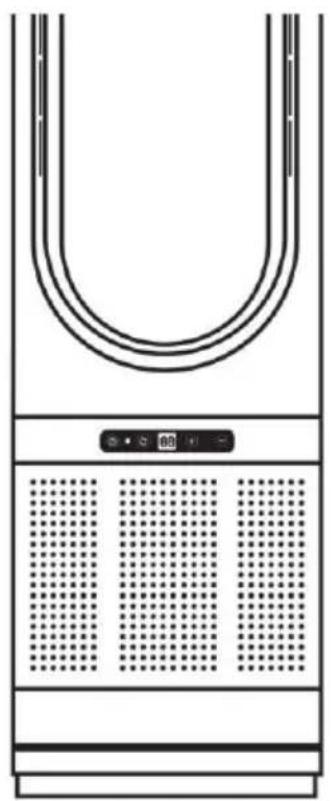
Vevor UML-050 - Remote control operation introduction - 1

natural_image Front view of a U-shaped electronic device with control panel and grid pattern (no text or symbols)

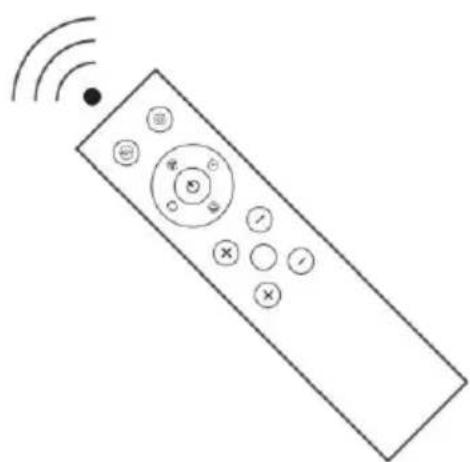
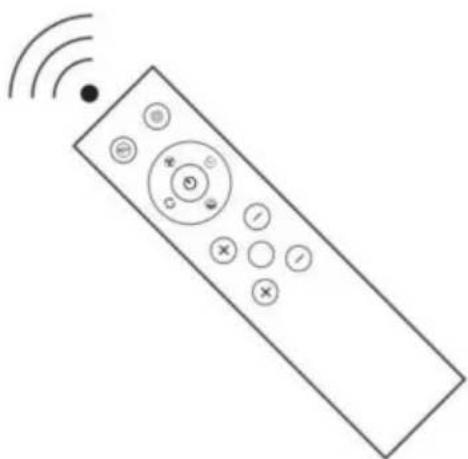
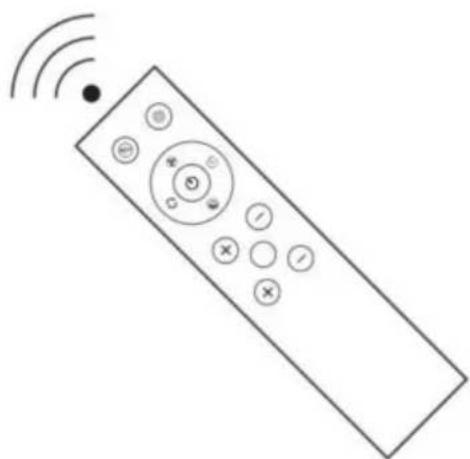
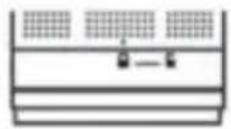
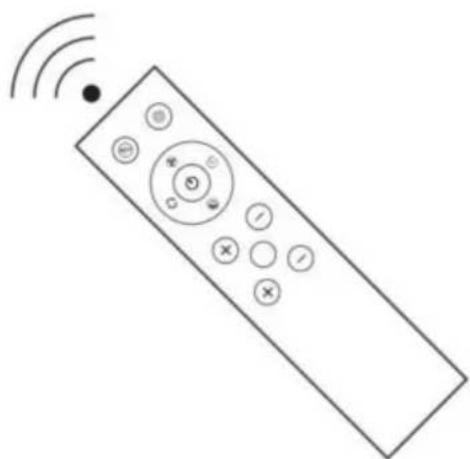
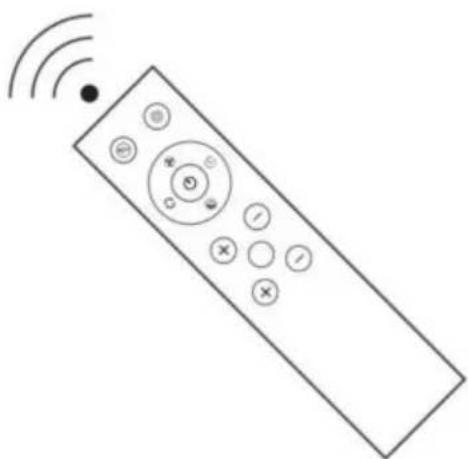
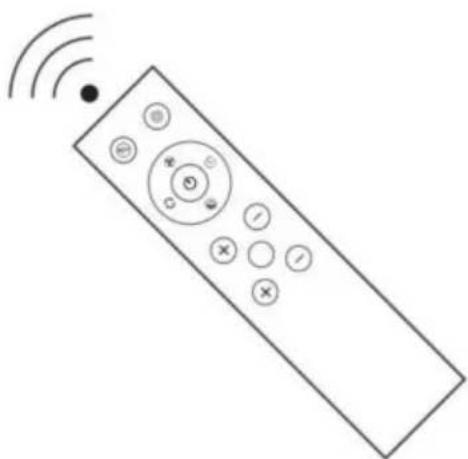
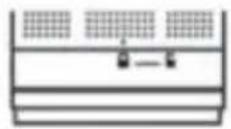
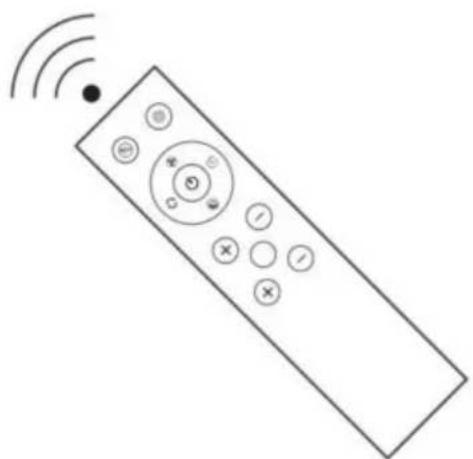
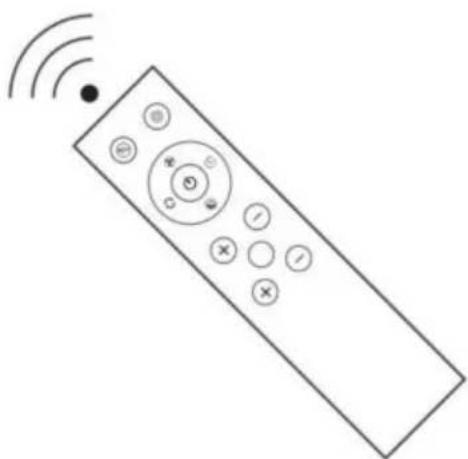
When using the remote control,

Pointing at the remote signal receiver on the display

Can make the best remote control signal.

Vevor UML-050 - Remote control operation introduction - 2

natural_image Line drawing of a remote control with signal waves and control buttons (no text or symbols)

Note:

The following phenomena may occur during operation. This is due to frequency overlap of the remote control. There is no quality problem product itself. To avoid misoperation, please keep the remote control from other appliances:

When using remote control of other appliances, this intelligent purification fan may react.

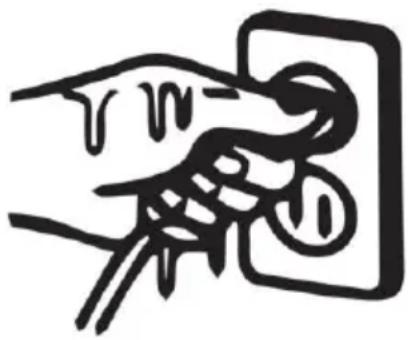
When using the remote control of this purification fan, other appliances may re The power on / off button on the ren control or the power button on the ho computer cannot completely turn off the power. If not used for a long time, pl unplug it.

Vevor UML-050 - Note: - 1

natural_image Simple line drawing of a hand inserting a plug into a socket (no text or symbols)

Host operation introduction

Vevor UML-050 - Host operation introduction - 1

text_image 88 + -

- Switch

After the plug is inserted into the socket, turn on the power switch, the power indicator light is on, the machine enters the standby state, press switch button, the buzzer prompts a beep, and the intelligent purification fan starts running; long press the host power button for 2 seconds, the buzzer prompts two Sound, after letting go, stop running.

- Mode

When the host is in the running state: Press Mode repeatedly to swim between wind speed, time, normal wind, and sleep wind.and the

corresponding indicator lights up.

- Rotating operation

When the host is in running state: press the shaking head button, the buzzer will prompt a beep, and shake the head to turn on; press th shaking head button again, the buzzer will prompt a beep, and stop s the head.

- SPEED+/SPEED-.

When the wind speed and time indicators are on, press the upshift and downshift buttons to adjust the wind speed or timing time. And display corresponding wind speed gear or timing time.

Battery installation method and troubleshooting analysis

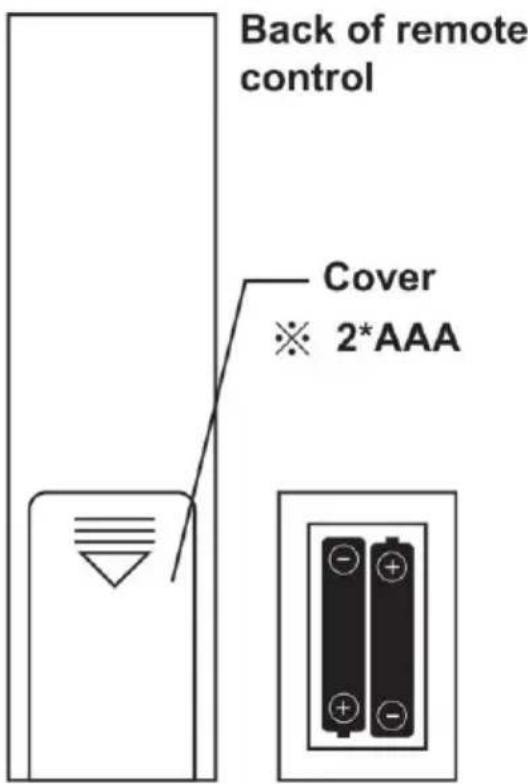
Before using the remote control Insert the battery into the remote control before using it.

Battery installation method

  1. Open the battery cover of the remote control;
    2.Load two new AAA sections (Seventh) dry batteries;
  2. Close the battery cover of the remote control.

Note:

Do not charge this battery.

Keep out of reach of children.

Seek medical attention if swallow

Vevor UML-050 - Note: - 1

text_image Back of remote control Cover ※ 2*AAA

Note: Please insert the battery correctly.

※ If the remote control is not used for a long time, please remove battery. Dispose of used electricity Pools are subject to local ordinanc regulations.

Filter Replacement

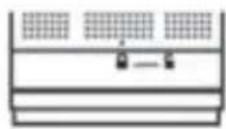
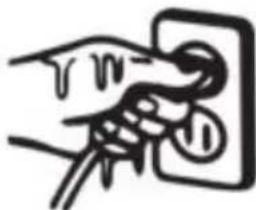
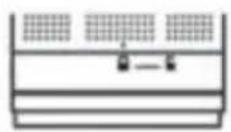
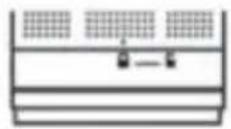
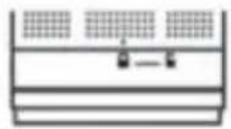
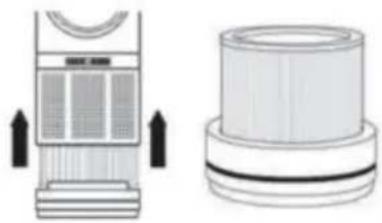
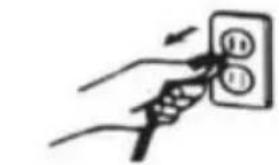
1) Unplug the Hot+Cool Bladeless Fan from the power outlet.
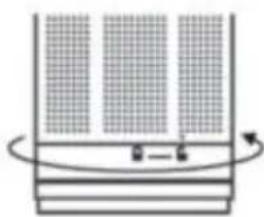
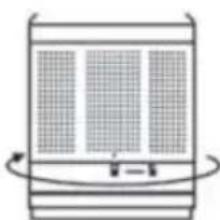
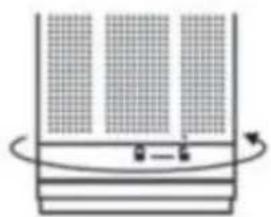
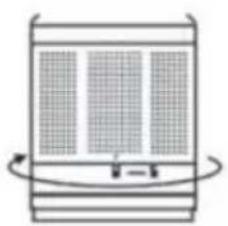
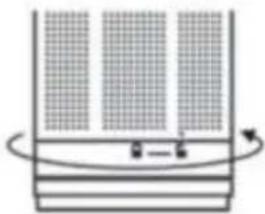
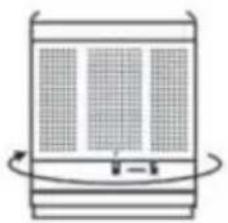
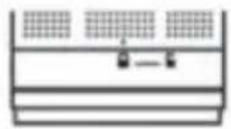
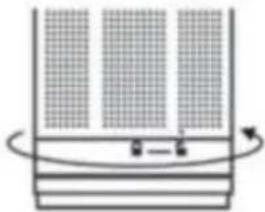
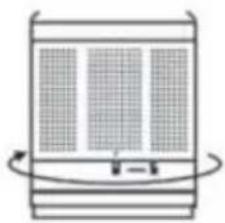
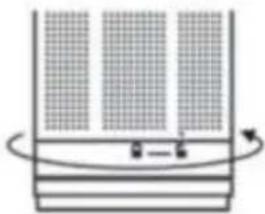
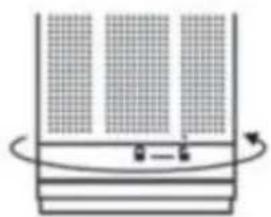
2)On the bottom of the Bladeless Fan y see a lock and unlock icon with an arro above showing the position it is in.
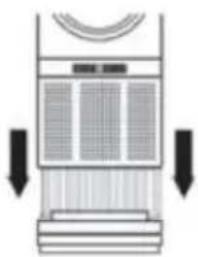
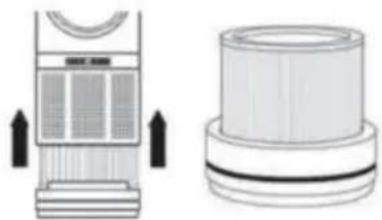
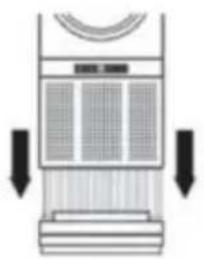
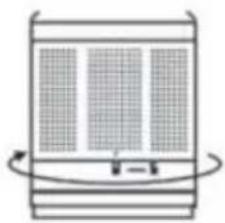
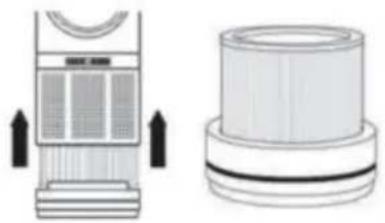
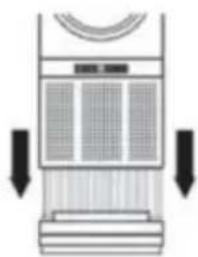
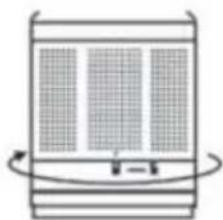
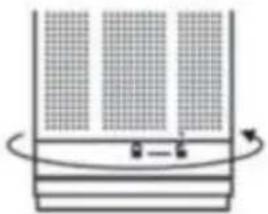
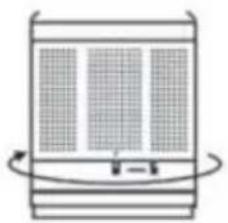
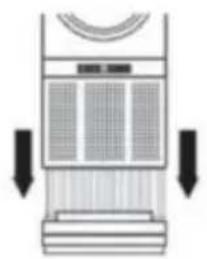
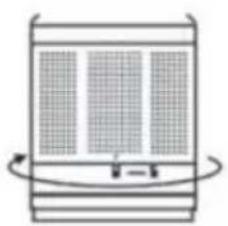
3)To replace the filter, securely hold the and twist the unit anti-clockwise towards unlock icon, you will then hear a click
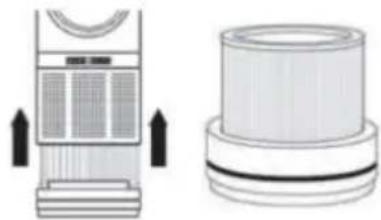
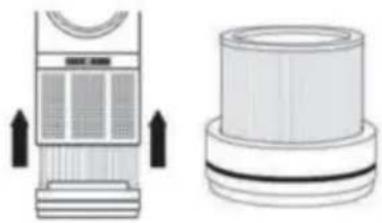
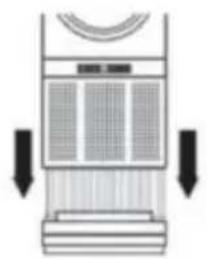
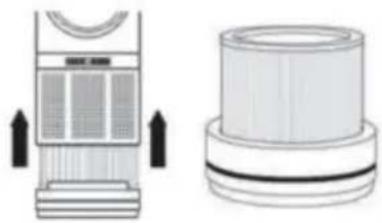
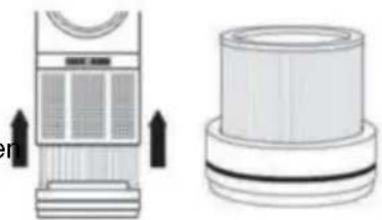
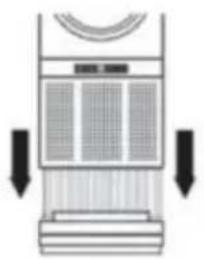
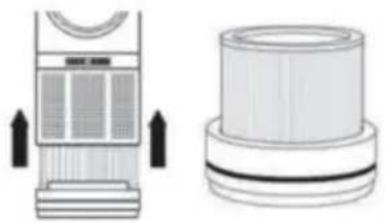
4) Then simply lift the unit upwards to separate the two pieces. A replacement/n filter can be purchased from authorized resellers of the Bladeless Fan.
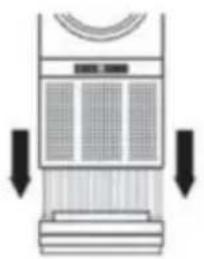
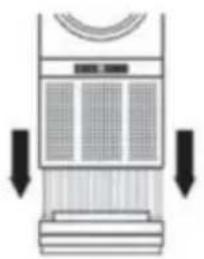
5) Once the filter is replaced lower the of the fan over the filter and back into (ensure the arrow aligns with the unlock as you are positioning it back into place
6) Twist the top half clockwise towards lock icon, you will hear another click so which means your unit is now secured
NOTE: It is recommended that you repla the filter every 1-3 months for better performance.
Vevor UML-050 - Filter Replacement - 1

natural_image Hand inserting a plug into an electrical socket (no text or symbols visible)

Vevor UML-050 - Filter Replacement - 2

Vevor UML-050 - Filter Replacement - 3

natural_image Diagram of a container with horizontal bands and a curved arrow indicating rotation (no text or symbols)

Vevor UML-050 - Filter Replacement - 4

natural_image Technical illustration of a portable air conditioner unit and its side view showing airflow direction (no text or symbols)

Vevor UML-050 - Filter Replacement - 5

natural_image Diagram of a vertical fan or air conditioner unit with cooling fins and airflow arrows (no text or symbols)

Vevor UML-050 - Filter Replacement - 6

natural_image Simple line drawing of a cylindrical container with internal grid pattern and curved arrows indicating rotation (no text or symbols)

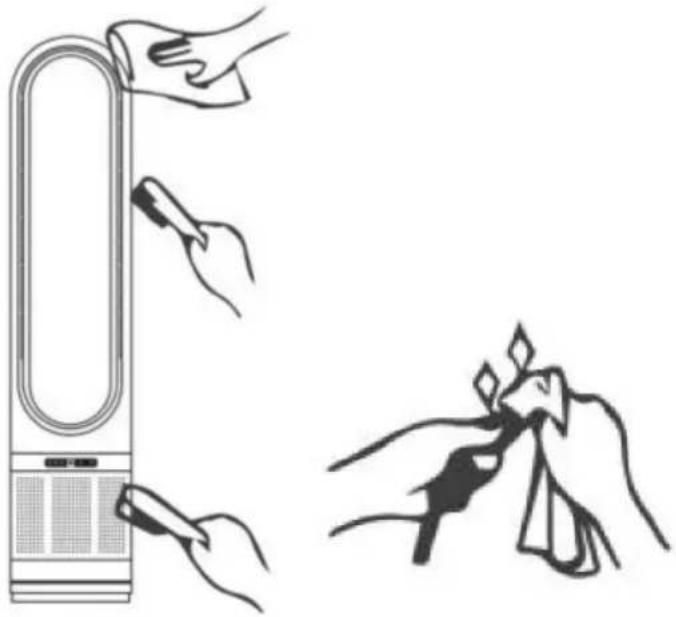
CLEANING

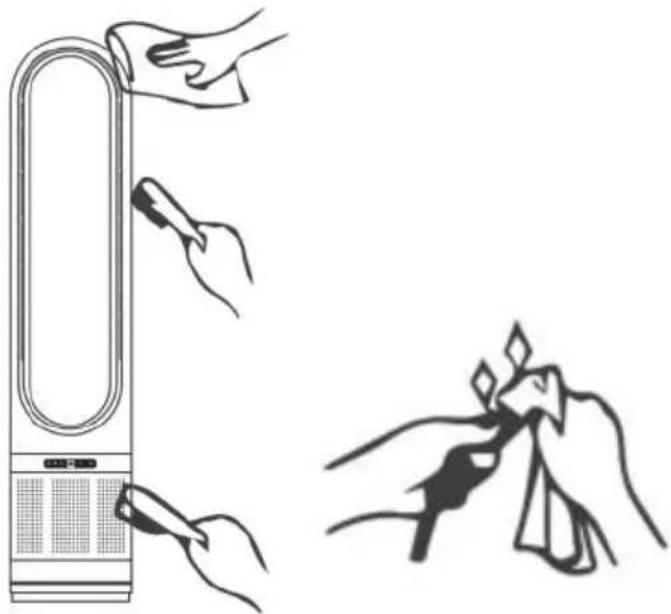
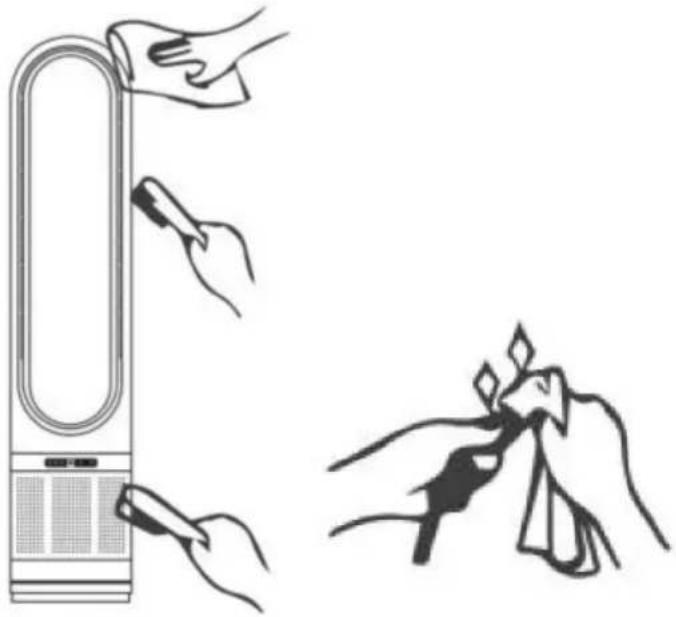
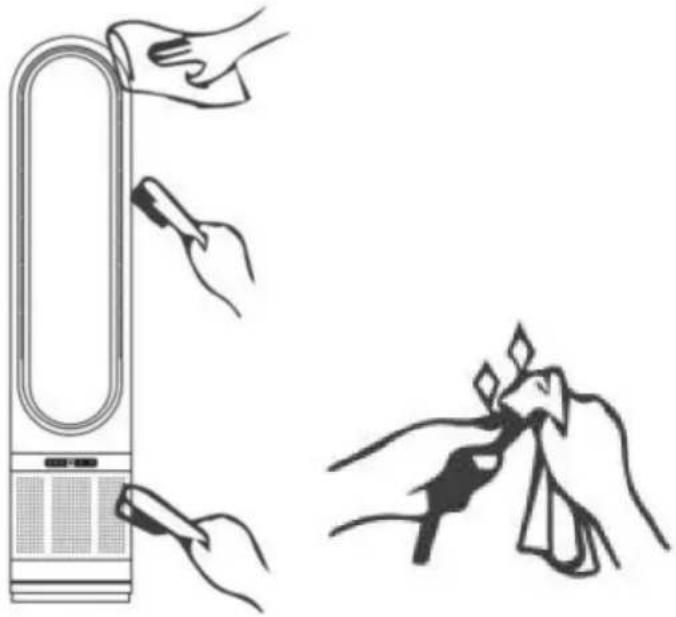
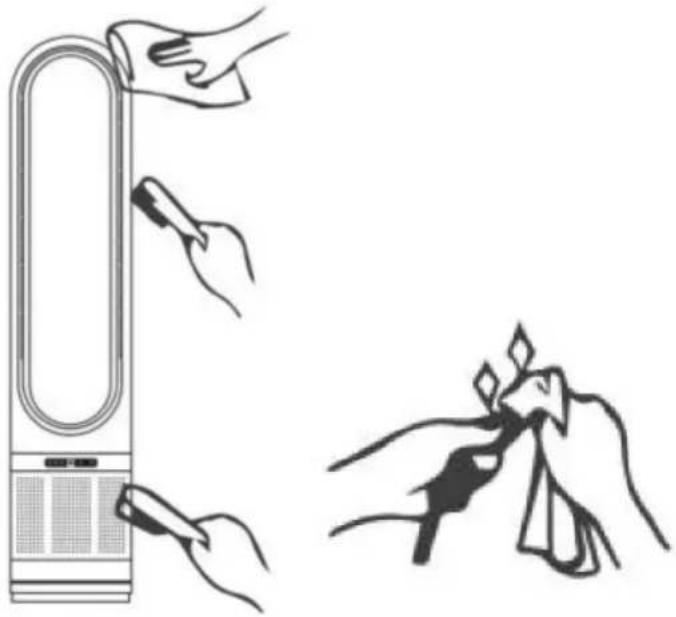
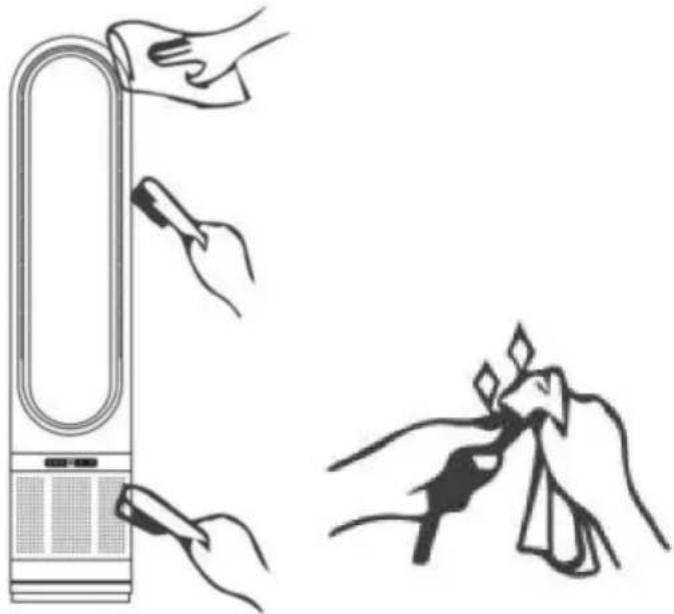
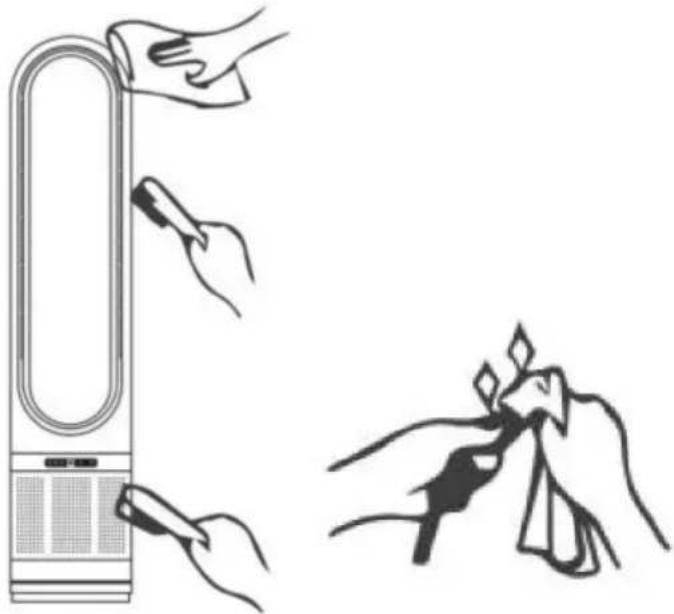
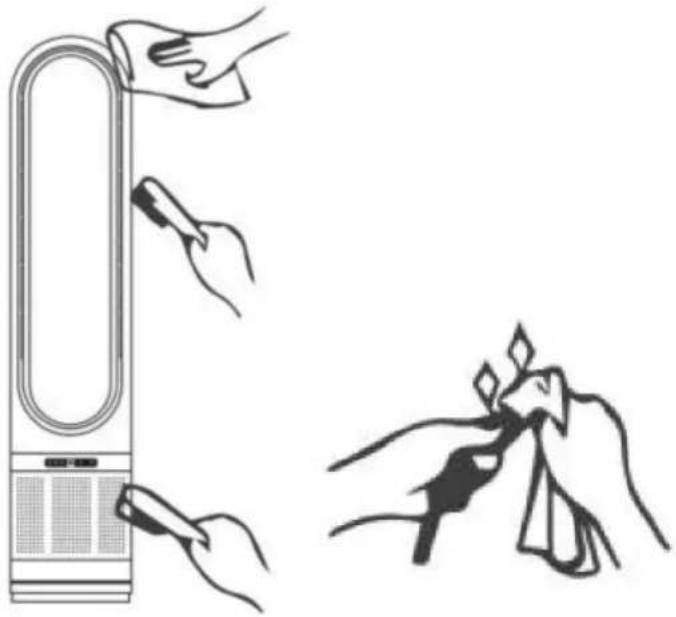
  1. Be sure to unplug the power cord from the outlet before cleaning.

  2. Plastic parts should be cleaned thoroughly

clean water, mild soap and damp cloth or s

  1. Be sure not to get water or other liquid e

inside of the motor.

  1. Dry all parts completely before plugging into

socket.

Vevor UML-050 - CLEANING - 1

natural_image Hand inserting a coin into an electrical outlet (no text or symbols visible)

Vevor UML-050 - CLEANING - 2

natural_image Illustration showing hand cleaning a device with tool, and cleaning a cloth (no text or symbols)

CORRECT DISPOSAL

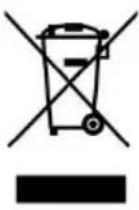
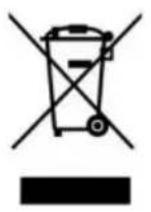
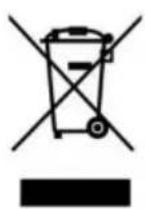
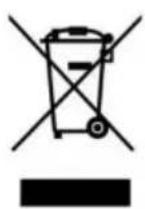
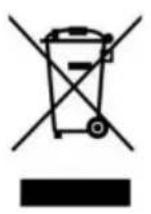
Vevor UML-050 - CORRECT DISPOSAL - 1This product is subject to the provision of European D 2012/19/EC. The symbol showing a wheelie bin cross through indicates that the product requires separate re collection in the European Union. This applies to the and all accessories marked with this symbol. Products as such may not be discarded with normal domestic w must be taken to a collection point for recycling electr electronic devices

VEVOR®

TOUGH TOOLS, HALF PRICE

Technical Support and E-Warranty Certificate www.vevor.com/support

VEVOR®

TOUGH TOOLS, HALF PRICE

natural_image Modern digital fan with a wide neck and mesh grille, no visible text or symbols

BESOIN D'AIDE? CONTACTEZ-NOUS!

text_image Loop Air Outlet Main Body LED Screen Air Intake base

Télécommande
Vevor UML-050 - TOUGH TOOLS, HALF PRICE - 1

text_image Normal Wind (Strong Wind) ON/OFF Wind Speed+ Timing+ Sleep Wind Sleep Wind Wind Speed- Rotating Timing-
natural_image Diagram of a U-shaped electronic device with a control panel and indicator lights (no text or symbols)

When using the remote control,

Pointing at the remote signal receiver on the display

Can make the best remote control signal.
Vevor UML-050 - TOUGH TOOLS, HALF PRICE - 2

natural_image Line drawing of a remote control with signal waves and control buttons (no text or symbols)
natural_image Simple line drawing of a hand inserting a plug into an electrical outlet (no text or symbols)
natural_image Hand inserting a plug into an electrical socket (no text or symbols visible)

Vevor UML-050 - TOUGH TOOLS, HALF PRICE - 3

Vevor UML-050 - TOUGH TOOLS, HALF PRICE - 4

natural_image Diagram of a heat exchanger or cooling unit with cooling fins and cooling tower, showing airflow direction (no text or labels)

Vevor UML-050 - TOUGH TOOLS, HALF PRICE - 5

natural_image Technical line drawing of a portable air conditioner unit and its side view (no text or symbols)

Vevor UML-050 - TOUGH TOOLS, HALF PRICE - 6

natural_image Diagram of a front-mounted air conditioner unit with cooling fins and ventilation grilles (no text or labels)

Vevor UML-050 - TOUGH TOOLS, HALF PRICE - 7

natural_image Diagram of a heat exchanger or cooling unit with heat flow arrows indicating direction (no text or symbols)

NETTOYAGE

natural_image Hand inserting a plug into an electrical socket (no text or symbols visible)

Vevor UML-050 - NETTOYAGE - 1

natural_image Illustration showing hand cleaning a device with tool, and cleaning a cloth (no text or symbols)

ÉLIMINATION CORRECTE

Vevor UML-050 - ÉLIMINATION CORRECTE - 1

www.vevor.com/support

LÜFTER OHNE BLÄTTER

MODEL: UML-050

natural_image Modern digital fan with a wide neck and mesh grille, no visible text or symbols
text_image Loop Air Outlet Main Body LED Screen Air Intake base

Fernbedienung
Vevor UML-050 - LÜFTER OHNE BLÄTTER - 1

text_image Normal Wind (Strong Wind) ON/OFF Sleep Wind Wind Speed+ Timing+ - - Wind Speed- Rotating Timing-
natural_image Diagram of a U-shaped electronic device with a control panel and indicator lights (no text or symbols)

When using the remote control, Pointing at the remote signal receiver on the display Can make the best remote control signal.

Vevor UML-050 - LÜFTER OHNE BLÄTTER - 2

natural_image Line drawing of a remote control with signal waves and control buttons (no text or symbols)
natural_image Simple line drawing of a hand inserting a plug into a socket (no text or symbols)
natural_image Hand inserting a plug into an electrical socket (no text or symbols visible)

Vevor UML-050 - LÜFTER OHNE BLÄTTER - 3

Vevor UML-050 - LÜFTER OHNE BLÄTTER - 4

natural_image Diagram of a heat exchanger or cooling unit with cooling fins and cooling tower, showing airflow direction (no text or labels)

Vevor UML-050 - LÜFTER OHNE BLÄTTER - 5

natural_image Technical line drawing of a portable air conditioner unit and its side view (no text or symbols)

Vevor UML-050 - LÜFTER OHNE BLÄTTER - 6

natural_image Diagram of a front-mounted air conditioner unit with cooling fins and ventilation grilles (no text or labels)

Vevor UML-050 - LÜFTER OHNE BLÄTTER - 7

natural_image Diagram of a heat exchanger or cooling unit with heat flow arrows indicating direction (no text or symbols)

REINIGUNG

natural_image Hand inserting a plug into an electrical outlet (no text or symbols visible)

Vevor UML-050 - REINIGUNG - 1

natural_image Illustration showing hand cleaning a device with tool, and cleaning a cloth (no text or symbols)

KORREKTE ENTSORGUNG

Vevor UML-050 - KORREKTE ENTSORGUNG - 1

elettronica www.vevor.com/support

VENTILATORE SENZA PALE

MODELLO: UML-050

natural_image Modern digital fan with a wide neck and mesh grille (no text or symbols visible)
text_image Loop Air Outlet Main Body LED Screen Air Intake base

Telecomando
Vevor UML-050 - VENTILATORE SENZA PALE - 1

text_image Normal Wind (Strong Wind) ON/OFF Wind Speed+ Timing+ Sleep Wind Sleep Wind Wind Speed- Rotating Timing-
natural_image Diagram of a U-shaped electronic device with a control panel and indicator lights (no text or symbols)

When using the remote control,

Pointing at the remote signal receiver on the display

Can make the best remote control signal.
Vevor UML-050 - VENTILATORE SENZA PALE - 2

natural_image Line drawing of a remote control with signal waves and control buttons (no text or symbols)

Nota:

natural_image Simple line drawing of a hand inserting a plug into an electrical outlet (no text or symbols)
natural_image Hand inserting a plug into an electrical socket (no text or symbols visible)

Vevor UML-050 - Nota: - 1

Vevor UML-050 - Nota: - 2

natural_image Diagram of a container with horizontal bands and a curved arrow indicating rotation (no text or symbols)

Vevor UML-050 - Nota: - 3

natural_image Technical line drawings of two mechanical components, one with a side view and the other with a top view (no text or symbols)

Vevor UML-050 - Nota: - 4

natural_image Diagram of a mechanical or electrical component with downward arrows indicating force or direction (no text or symbols)

Vevor UML-050 - Nota: - 5

natural_image Simple line drawing of a rectangular container with three vertical grating and a curved arrow indicating rotation (no text or symbols)

PULIZIA 1.

natural_image Hand inserting a plug into an electrical socket (no text or symbols visible)

Vevor UML-050 - PULIZIA 1. - 1

natural_image Illustration showing hand cleaning a device with tool, and cleaning a cloth (no text or symbols)
natural_image Modern digital fan with a wide neck and mesh grille, no visible text or symbols
text_image Loop Air Outlet Main Body LED Screen Air Intake base

Mando a distancia
Vevor UML-050 - PULIZIA 1. - 2

text_image Normal Wind (Strong Wind) ON/OFF Wind Speed+ Timing+ Sleep Wind Sleep Wind Wind Speed- Rotating Timing-
natural_image Diagram of a U-shaped electronic device with a control panel and indicator lights (no text or symbols)

When using the remote control,

Pointing at the remote signal receiver on the display

Can make the best remote control signal.
Vevor UML-050 - PULIZIA 1. - 3

natural_image Line drawing of a remote control with signal waves and control buttons (no text or symbols)

Nota:

natural_image Simple line drawing of a hand inserting a plug into an electrical outlet (no text or symbols)
natural_image Hand inserting a plug into an electrical socket (no text or symbols visible)

Vevor UML-050 - PULIZIA 1. - 4

Vevor UML-050 - PULIZIA 1. - 5

natural_image Diagram of a heat exchanger or cooling unit with cooling fins and cooling tower (no text or symbols)

Vevor UML-050 - PULIZIA 1. - 6

natural_image Technical line drawing of a portable air conditioner unit and its side view (no text or symbols)

Vevor UML-050 - PULIZIA 1. - 7

natural_image Diagram of a mechanical or electrical component with downward arrows indicating force or direction (no text or symbols)

Vevor UML-050 - PULIZIA 1. - 8

natural_image Diagram of a heat exchanger or cooling unit with heat flow arrows indicating direction (no text or symbols)

LIMPIEZA 1.

natural_image Hand inserting a plug into an electrical outlet (no text or symbols visible)

Vevor UML-050 - LIMPIEZA 1. - 1

natural_image Illustration showing hand cleaning a device with tool, and cleaning a cloth (no text or symbols)
natural_image Modern digital fan with a wide neck and mesh grille, no visible text or symbols

POTRZEBUJESZ POMOCY? SKONTAKTUJ SIĘ Z NAMI!

text_image Loop Air Outlet Main Body LED Screen Air Intake base

Zdalne sterowanie
Vevor UML-050 - LIMPIEZA 1. - 2

text_image Normal Wind (Strong Wind) ON/OFF Sleep Wind Wind Speed+ Timing+ - - - - Rotating Timing-
natural_image Diagram of a U-shaped electronic device with a control panel and indicator lights (no text or symbols)

When using the remote control,

Pointing at the remote signal receiver on the display

Can make the best remote control signal.
Vevor UML-050 - LIMPIEZA 1. - 3

natural_image Line drawing of a remote control with signal waves and control buttons (no text or symbols)

Uwaga:

natural_image Hand inserting a plug into an electrical socket (no text or symbols visible)

Vevor UML-050 - LIMPIEZA 1. - 4

Vevor UML-050 - LIMPIEZA 1. - 5

natural_image Diagram of a heat exchanger or cooling unit with cooling fins and cooling elements, showing airflow direction (no text or labels)

Vevor UML-050 - LIMPIEZA 1. - 6

natural_image Technical line drawing of two mechanical components: a tower with ventilation grilles and a cylindrical housing (no text or symbols)

Vevor UML-050 - LIMPIEZA 1. - 7

natural_image Diagram of a mechanical or electrical component with downward arrows indicating force or direction (no text or symbols)

Vevor UML-050 - LIMPIEZA 1. - 8

natural_image Simple line drawing of a rectangular container with three vertical grating and a curved arrow indicating rotation (no text or symbols)

CZYSZCZENIE

natural_image Hand inserting a coin into an electrical socket (no text or symbols visible)

Vevor UML-050 - CZYSZCZENIE - 1

natural_image Illustration showing hand cleaning a device with tool, and cleaning a cloth (no text or symbols)

PRAWIDŁOWA UTYLIZACJA

Vevor UML-050 - PRAWIDŁOWA UTYLIZACJA - 1

www.vevor.com/support

VENTILATOR ZONDER BLAD

MODEL: UML-050

natural_image Modern digital fan with a wide neck and mesh grille, no visible text or symbols

HULP NODIG? NEEM CONTACT MET ONS OP!

text_image Loop Air Outlet Main Body LED Screen Air Intake base

Afstandsbediening
Vevor UML-050 - HULP NODIG? NEEM CONTACT MET ONS OP! - 1

text_image Normal Wind (Strong Wind) ON/OFF Wind Speed+ Timing+ Sleep Wind Sleep Wind Wind Speed- Rotating Timing-
natural_image Diagram of a U-shaped electronic device with a control panel and indicator lights (no text or symbols)

When using the remote control,

Pointing at the remote signal receiver on the display

Can make the best remote control signal.
Vevor UML-050 - HULP NODIG? NEEM CONTACT MET ONS OP! - 2

natural_image Line drawing of a remote control with signal waves and control buttons (no text or symbols)

Let

natural_image Hand inserting a plug into an electrical socket (no text or symbols visible)

Vevor UML-050 - Let - 1

Vevor UML-050 - Let - 2

natural_image Diagram of a container with horizontal bands and a curved arrow indicating rotation (no text or symbols)

Vevor UML-050 - Let - 3

natural_image Technical line drawing of a mechanical device with two views: top shows internal components, bottom shows cylindrical housing (no text or symbols)

Vevor UML-050 - Let - 4

natural_image Diagram of a vertical fan or air conditioner unit with three panels and directional arrows indicating airflow or cooling system (no text or symbols)

Vevor UML-050 - Let - 5

natural_image Simple line drawing of a rectangular container with internal grid pattern and a curved arrow indicating rotation (no text or symbols)

SCHOONMAKEN

natural_image Hand inserting a coin into an electrical socket (no text or symbols visible)

Vevor UML-050 - SCHOONMAKEN - 1

natural_image Illustration showing hand cleaning a device with tool, and cleaning a cloth (no text or symbols)

CORRECTE VERWIJDERING

Vevor UML-050 - CORRECTE VERWIJDERING - 1

garantiecertificaat www.vevor.com/support

VEVOR®

TOUGH TOOLS, HALF PRICE

www.vevor.com/support

BLADELLÖS FLÄKT

MODELL: UML-050

natural_image Modern digital fan with a wide neck and mesh grille, no visible text or symbols

BEHÖVER HJÄLP? KONTAKTA OSS!

text_image Loop Air Outlet Main Body LED Screen Air Intake base

Fjärrkontroll
Vevor UML-050 - BEHÖVER HJÄLP? KONTAKTA OSS! - 1

text_image Normal Wind (Strong Wind) ON/OFF Wind Speed+ Timing+ Sleep Wind Sleep Wind Wind Speed- Rotating Timing-
natural_image Diagram of a U-shaped electronic device with a control panel and indicator lights (no text or symbols)

When using the remote control,

Pointing at the remote signal receiver on the display

Can make the best remote control signal.
Vevor UML-050 - BEHÖVER HJÄLP? KONTAKTA OSS! - 2

natural_image Line drawing of a remote control with signal waves and control buttons (no text or symbols)

Obs:

natural_image Simple line drawing of a hand inserting a plug into an electrical outlet (no text or symbols)
natural_image Hand inserting a plug into an electrical socket (no text or symbols visible)

Vevor UML-050 - Obs: - 1

Vevor UML-050 - Obs: - 2

natural_image Diagram of a heat exchanger or cooling unit with cooling fins and cooling tower (no text or symbols)

Vevor UML-050 - Obs: - 3

natural_image Technical line drawing of a portable air conditioner unit and its side view (no text or symbols)

Vevor UML-050 - Obs: - 4

natural_image Diagram of a mechanical or electrical component with downward arrows indicating force or direction (no text or symbols)

Vevor UML-050 - Obs: - 5

natural_image Diagram of a heat exchanger or cooling unit with heat flow arrows indicating direction (no text or symbols)

RENGÖRING 1.

natural_image Hand inserting a plug into an electrical outlet (no text or symbols visible)

Vevor UML-050 - RENGÖRING 1. - 1

natural_image Illustration showing hand cleaning a device with tool, and cleaning a cloth (no text or symbols)

KORREKT AVFALLSHANTERING

Vevor UML-050 - KORREKT AVFALLSHANTERING - 1

Manual assistant
Powered by Anthropic
Waiting for your message
Product information

Brand : Vevor

Model : UML-050

Category : Fan