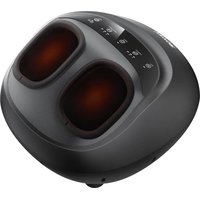
MD-50230A - Massage device Vevor - Free user manual and instructions
Find the device manual for free MD-50230A Vevor in PDF.


| Product type | Foot massager |
| Brand | Vevor |
| Model | MD-50230A |
| Device input voltage | 12 V 2,5 A |
| Power | 30 W |
| Adapter input | 100-240 V ~ 50/60 Hz |
| Adjustable massage durations | 15 or 30 minutes |
| Roller modes | 3 levels (L / M / H) |
| Air pressure levels | 3 levels (L / M / H) |
| Heating function | Yes, activated by default |
| Remote control | Yes, identical functions to the control panel |
| Included accessories | 1 foot massager, 1 power adapter, 1 user manual |
| Protection class | III |
| Cleaning | With a dry cloth; avoid corrosive detergents (benzene, thinners) |
| Storage | In a dry and cool place, away from direct sunlight |
| Automatic shut-off | Yes, after the set time |
| Recommended maximum continuous use | 30 minutes, then at least 1 hour break |
| Non-recommended users | Pregnant women, children, pacemaker wearers, people suffering from heart disease, hypertension, osteoporosis, etc. |
| Warranty and support | Electronic warranty certificate and technical support at www.vevor.com/support |
| Approval | Compliant with FCC Part 15 rules (Class B) |
Frequently Asked Questions - MD-50230A Vevor
User questions about MD-50230A Vevor
0 question about this device. Answer the ones you know or ask your own.
Ask a new question about this device
Download the instructions for your Massage device in PDF format for free! Find your manual MD-50230A - Vevor and take your electronic device back in hand. On this page are published all the documents necessary for the use of your device. MD-50230A by Vevor.
USER MANUAL MD-50230A Vevor
Technical Support and E-Warranty Certificate www.vevor.com/support
FOOT MASSAGER
MODEL: MD-50230A
We continue to be committed to provide you tools with competitive price. "Save Half", "Half Price" or any other similar expressions used by us only represents an estimate of savings you might benefit from buying certain tools with us compared to the major top brands and does not necessarily mean to cover all categories of tools offered by us. You are kindly reminded to verify carefully when you are placing an order with us if you are actually saving half in comparison with the top major brands.
MODEL: MD-50230A
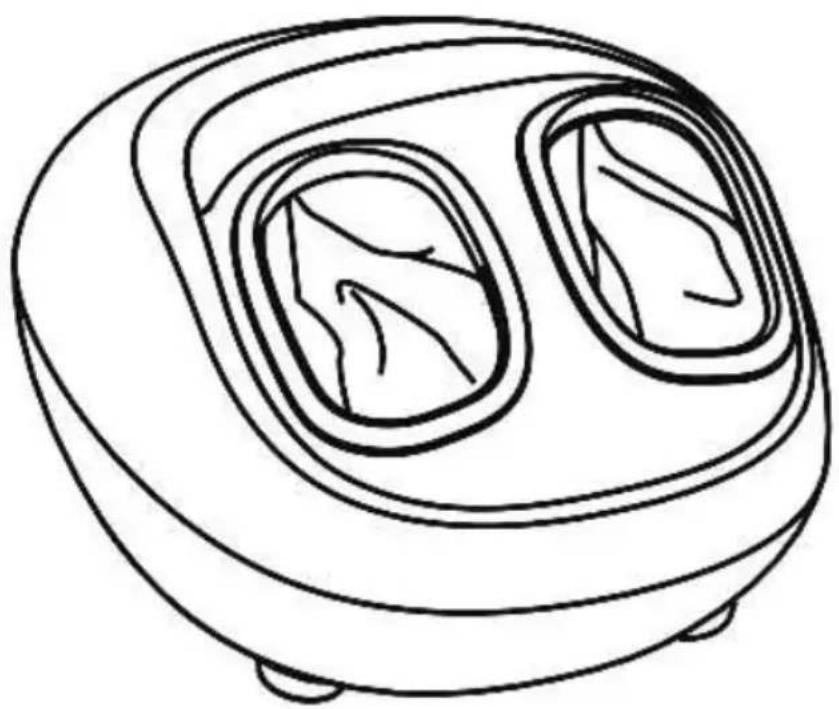
natural_image
Line drawing of a microwave oven with two recessed chambers (no text or symbols)NEED HELP? CONTACT US!
Have product questions? Need technical support? Please feel free to contact us:
Technical Support and E-Warranty Certificate www.vevor.com/support
This is the original instruction, please read all manual instructions carefully before operating. VEVOR reserves a clear interpretation of our user manual. The appearance of the product shall be subject to the product you received. Please forgive us that we won't inform you again if there are any technology or software updates on our product.
 | Warning-To reduce the risk of injury, user must read instructions manual carefully. |
  | FCC Information:CAUTION: Changes or modifications not expressly approved by the party responsible for compliance could void the user's authority to operate the equipment!This device complies with Part 15 of the FCC Rules. Operation is subject to the following two conditions:1) This product may cause harmful interference.2) This product must accept any interference received, including interference that may cause undesired operation.WARNING: Changes or modifications to this product not expressly approved by the party. responsible for compliance could void the user's authority to operate the product.Note: This product has been tested and found to comply with the limits for a Class B digital device pursuant to Part 15 of the FCC Rules, These limits are designed to provide reasonable protection against harmful interference in a residential installation.This product generates, uses and can radiate radio frequency energy, and if not installed and used in accordance with the instructions, may cause harmful interference to radio communications. However, there is no guarantee that interference will not occur in a particular installation. If this product does cause harmful interference to radio or television reception, which can be determined by turning the product off and on, the user is encouraged to try to correct the interference by one or more of the following measures.Reorient or relocate the receiving antenna.Increase the distance between the product and receiver.Connect the product to an outlet on a circuit different from that to which the receiver is connected.Consult the dealer or an experienced radio/TV technician for assistanceCORRECT DISPOSALThis product is subject to the provision of European Directive 2012/19/EC. The symbol showing a wheelie bin crossed through indicates that the product requires separate refuse collection in the European Union. This applies to the product and all accessories marked with this symbol. Products marked as such may not be discarded with normal domestic waste, but must be taken to a collection point for recycling electrical and electronic devices |
 | This product is of protection class III. |
INSTRUCTIONS
| Product Name Foot Massager | |
| Product Model MD-50230A | |
| Input Voltage 12V 2.5A | |
| Power 30 W | |
| Default Time 15/30 Mins | |
| Remark: Via 100-240V~50/60Hz adapter | |
Accessory:
1——Foot Massager
1——Power Adapter
1——User Manual
BASIC CAUTIONS
- Please don't use spare and accessory parts that aren't recommended by manufacturers
-
Non-professional repairman is forbidden to dismantle massager to change parts.
-
If the power cord is damaged, it must be replaced by a professional in order to avoid danger.
- Please don't use or store it in damp or high-temperature places.
- Please disconnect the power plug from the outlet after use.
- Each use time is less than 30 minutes or so.
- If you feel unwell or any abnormality during use, stop using it immediately.
- In case of excess temperature or bad smells in use, please stop using the product immediately and switch off electric power.
- Please don't move this product by dragging power line or take power line as a grip
- The product is not suitable for humans who are lack of physical, sense or spirit capacity or are short of experiences and knowledge (including children), unless they are supervised by humans who can be responsible for their safety or provide related product instructions.
- Please don't insert or drop in any objects in any openings.
- Humans who are insensitive to heat should use heating function carefully.
NON-APPLICABLE USER
- In case of following conditions, please consult a doctor before use.
Pregnant women, children.
Humans with skin infectious diseases, skin redness, burns, or scalds.
Humans who use a cardiac pacemaker or similar implantable medical devices.
Humans with heart disease or malignant tumor.
Humans who are receiving treatment or ill.
Humans with osteoporosis.
Humans with high blood pressure or abnormal blood pressure.
- This product is not intended for medical use. It is intended only to provide a comfortable massage.
STORAGE AND CLEANING
- Before cleaning, please confirm that product switch has been closed and power socket as been pulled out from socket.
- Please use dry cloth to clean its surface.
- Avoid using corrosive detergent like benzene and diluent in this product and it accessories.
- When you don't use it, please put it in dry and cool place.
- Avoid to be radiated directly by sun or placed in damp place, otherwise, it is easy to fade or damage.
PRODUCT DIAGRAM
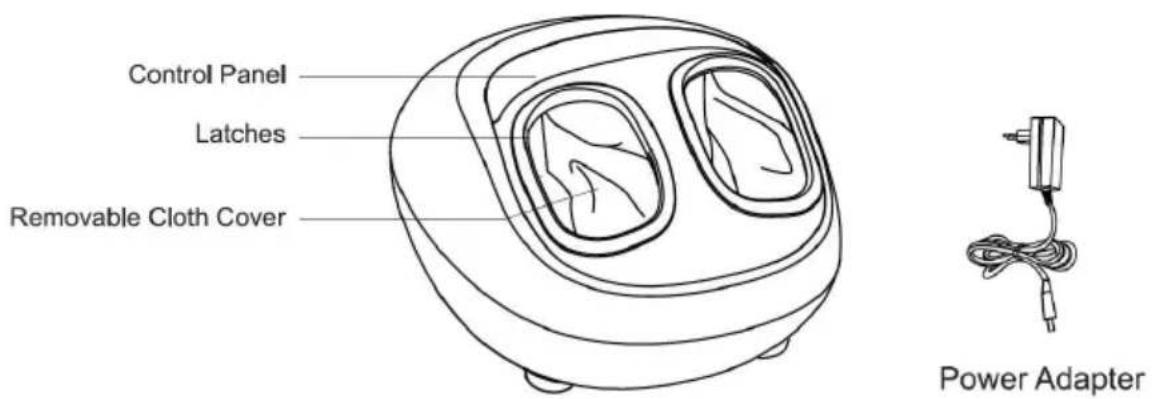
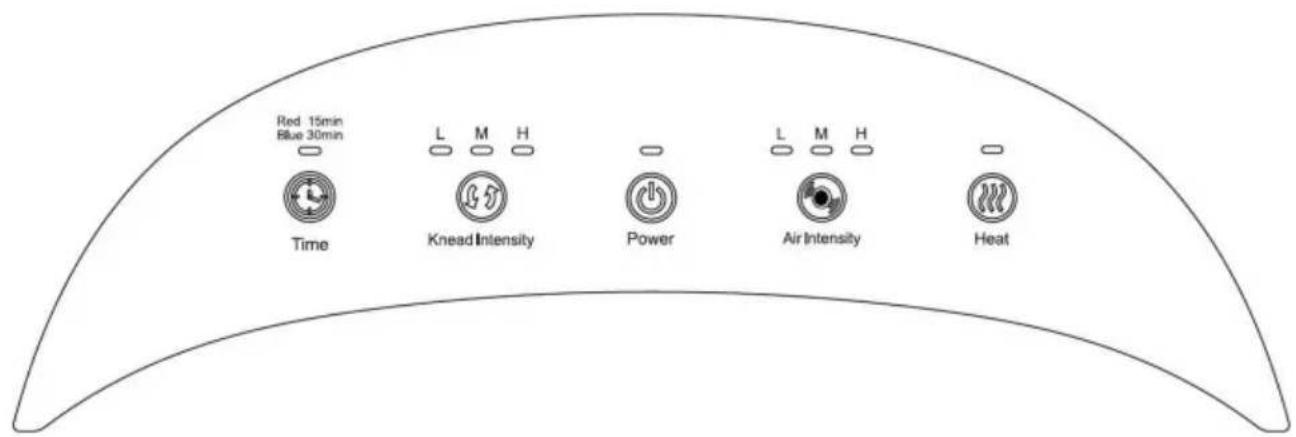
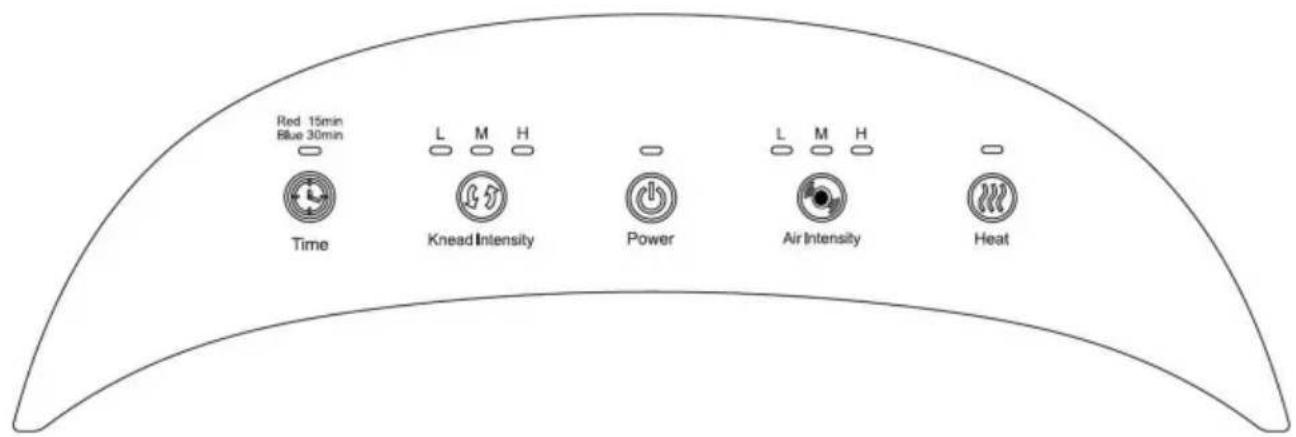
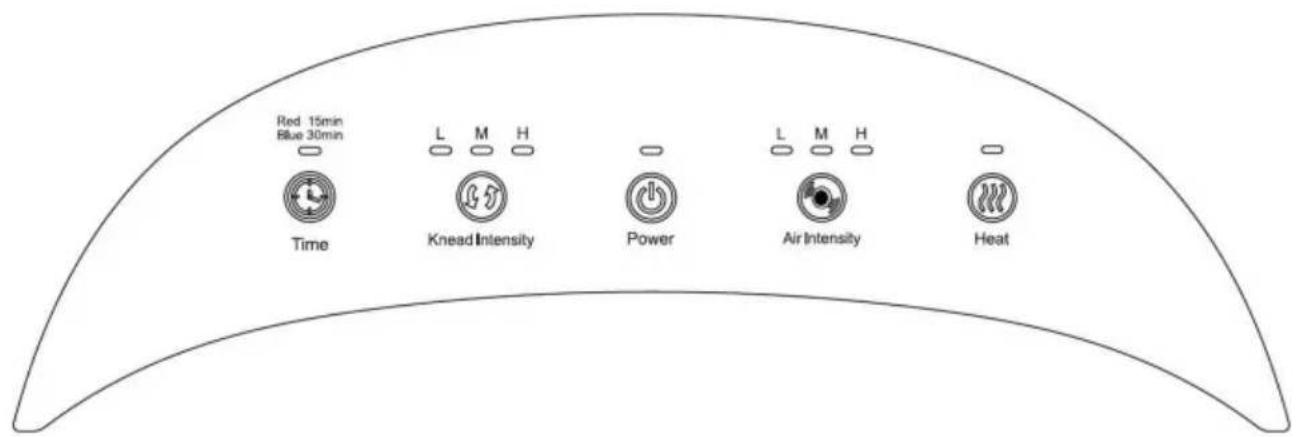
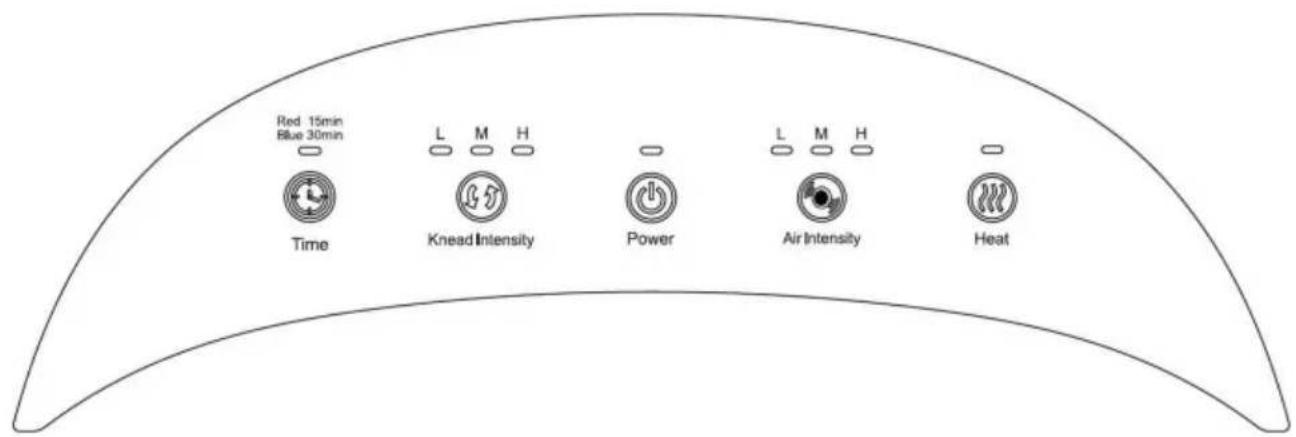
Control Panel
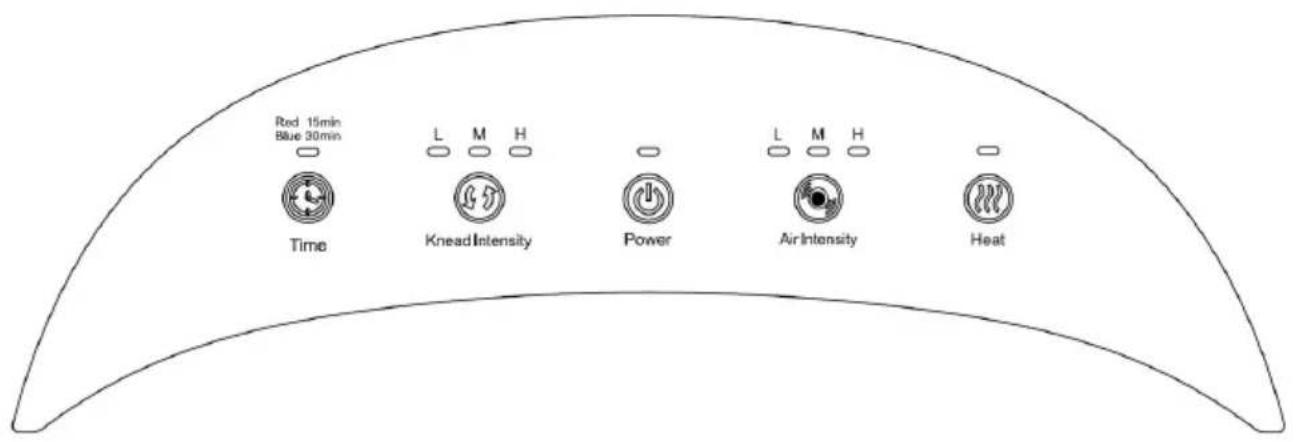
Way To Use
1. Power Switch:
Press the power switch, the default time is 15 minutes. The roller and air pressure strength are in the L mode, and the heating function is on. At the same time, the corresponding indicator light is solid red.
2. Timer Button:
The initial operating state is 15 minutes (the indicator lights up red), press the timer button to switch to 30 minutes (the indicator lights up blue), and press again to switch to 15 minutes.
3. Roller Mode Button:
When the roller mode is in the initial operating state, it is defaulted to L mode, with the slowest speed level.
Press the roller mode button to switch to M mode. Now, it is at a medium speed level. Press the roller mode button to switch to H mode. Now, it is at the highest speed level.
4. Air Pressure Strength Button:
The initial operating state is L mode, which means the strength level is low.
Press the mode button to switch to M mode. Now, the strength level is medium. Press the mode button to switch to H mode. Now, the strength level is high.
5. Heating Function Button:
In the initial operating state, the sole heating function is automatically turned on (the indicator of massage head lights up red)
Press the heating button to turn off the function(the indicator of the massage head goes out)
- The function of the remote controller is the same as the control panel.
| Problem Cause Solution | |
| Unable to start the product | 1. The power or adapter is not connected.2. The power plug is not in good contact.3. The massage time exceeds the set time |
| 1. Re-plug the power or adapter2. Re-plug the power plug and confirm3. Re-turn on the power switch |
| Stop suddenly during use | The massage time is too long | Turn off the power and reuse after 1 hour |
| Make a faint sound while using | 1. The motor sound generally carried2. The sound of the drive mechanism rotates | A common sound and non-fault |
VEVOR®
TOUGH TOOLS, HALF PRICE
Technical Support and E-Warranty Certificate
www.vevor.com/support
VEVOR®
TOUGH TOOLS, HALF PRICE
natural_image
Line drawing of a microwave oven with two vented dish (no text or symbols)BESOIN D'AIDE ? CONTACTEZ-NOUS!
STORAGE AND CLEANING
Panneau de contrôle
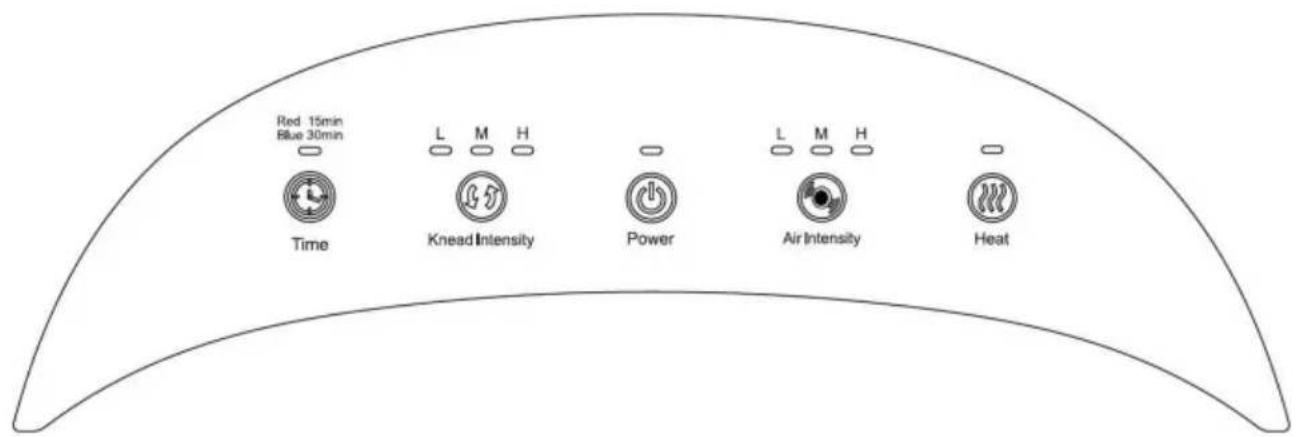
Façon d'utiliser 1.
www.vevor.com/support
VEVOR®
TOUGH TOOLS, HALF PRICE
natural_image
Line drawing of a microwave oven with two vented chambers (no text or symbols)STORAGE AND CLEANING
Bedienfeld
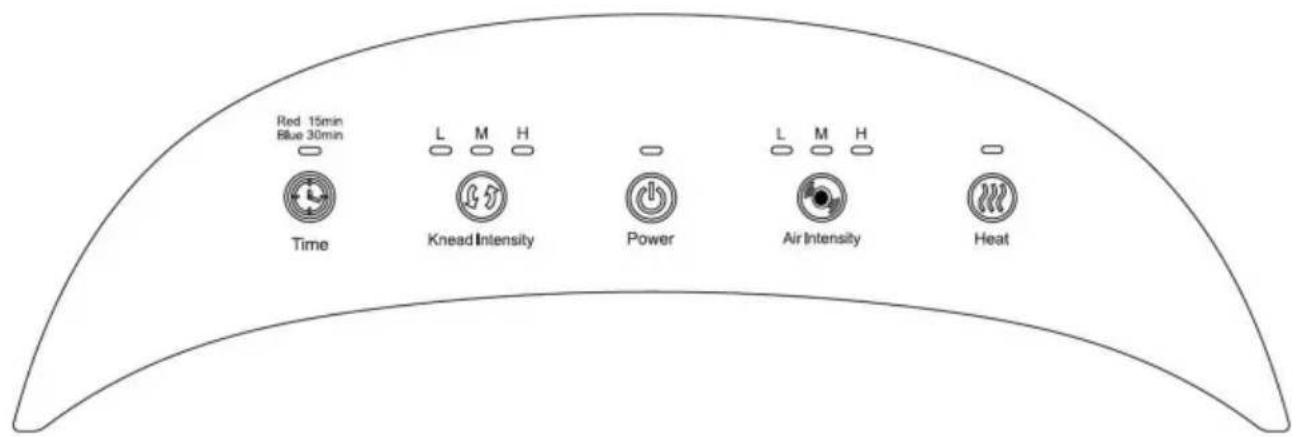
Anwendung 1.
Netzschalter:
www.vevor.com/support
VEVOR®
TOUGH TOOLS, HALF PRICE
natural_image
Line drawing of a microwave oven with two vented chambers (no text or symbols)STORAGE AND CLEANING
Modo d'uso 1.
www.vevor.com/support
VEVOR®
TOUGH TOOLS, HALF PRICE
natural_image
Line drawing of a microwave oven with two vented dish (no text or symbols)STORAGE AND CLEANING
Panel de control
Modo de uso 1.
natural_image
Line drawing of a microwave oven with two vented dish (no text or symbols)POTRZEBUJESZ POMOCY? SKONTAKTUJ SIĘ Z NAMI!
STORAGE AND CLEANING
Panel sterowania
Sposób użycia 1.
natural_image
Line drawing of a microwave oven with two vented chambers (no text or symbols)HULP NODIG? NEEM CONTACT MET ONS OP!
STORAGE AND CLEANING
Configuratiescherm
Manier van
www.vevor.com/support
VEVOR®
TOUGH TOOLS, HALF PRICE
natural_image
Line drawing of a microwave oven with two vented chambers (no text or symbols)BEHÖVER HJÄLP? KONTAKTA OSS!
STORAGE AND CLEANING
Kontrollpanelen
Sätt att använda
1. Strömbrytare:
- FOOT MASSAGER
- NEED HELP? CONTACT US!
- Accessory:
- BASIC CAUTIONS
- NON-APPLICABLE USER
- STORAGE AND CLEANING
- Way To Use
- Power Switch:
- Timer Button:
- Roller Mode Button:
- Air Pressure Strength Button:
- Heating Function Button:
- VEVOR®
- TOUGH TOOLS, HALF PRICE
- BESOIN D'AIDE ? CONTACTEZ-NOUS!
- Anwendung 1.
- Netzschalter:
- Manier van
- BEHÖVER HJÄLP? KONTAKTA OSS!
- Sätt att använda
- Strömbrytare:
Brand : Vevor
Model : MD-50230A
Category : Massage device