
AL370 - Safe Vevor - Free user manual and instructions
Find the device manual for free AL370 Vevor in PDF.
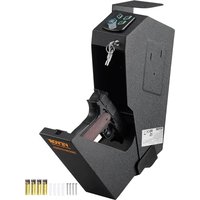


| Brand | Vevor |
| Model | AL370 |
| Product type | Handgun safe |
| Dimensions (W × H × D) | 370 × 190 × 86 mm |
| Power supply | 6 V DC (4 AA batteries) |
| Capacity | 1 handgun |
| Opening method | Numeric keypad (3-6 digit code), fingerprint reader (up to 100 fingerprints), backup key |
| Factory code | 1234 |
| Audible alarm | Triggered after 3 wrong codes or 5 wrong fingerprints, duration 30 seconds, lockout 1 minute then 5 minutes |
| Silent mode | Yes, activated by pressing "4" button for 2 seconds |
| Low battery indicator | Red LED flashes 6 times upon electronic opening |
| Material | Steel |
| Mounting | Wall mount included, fixing with thumbscrew (wood recommended) |
| Interior foam | Adjustable to fit the weapon |
| Maximum number of fingerprints | 100 |
| Battery type | 4 AA batteries (alkaline recommended) |
| Battery replacement | Remove used batteries, observe polarity (+ and -) |
| Cleaning and maintenance | Use a soft, dry cloth. Do not use chemical or abrasive products. |
| Safety | Automatic locking upon closing, backup key, alarm in case of repeated errors |
| Reset | Possibility to restore factory settings by holding the programming button |
| Compliance | FCC Part 15 |
Frequently Asked Questions - AL370 Vevor
User questions about AL370 Vevor
0 question about this device. Answer the ones you know or ask your own.
Ask a new question about this device
Download the instructions for your Safe in PDF format for free! Find your manual AL370 - Vevor and take your electronic device back in hand. On this page are published all the documents necessary for the use of your device. AL370 by Vevor.
USER MANUAL AL370 Vevor
Upgrade · The Home Creator Way
HAND GUN SAFE
USER MANUAL
MODEL: AL370
MODEL: AL370
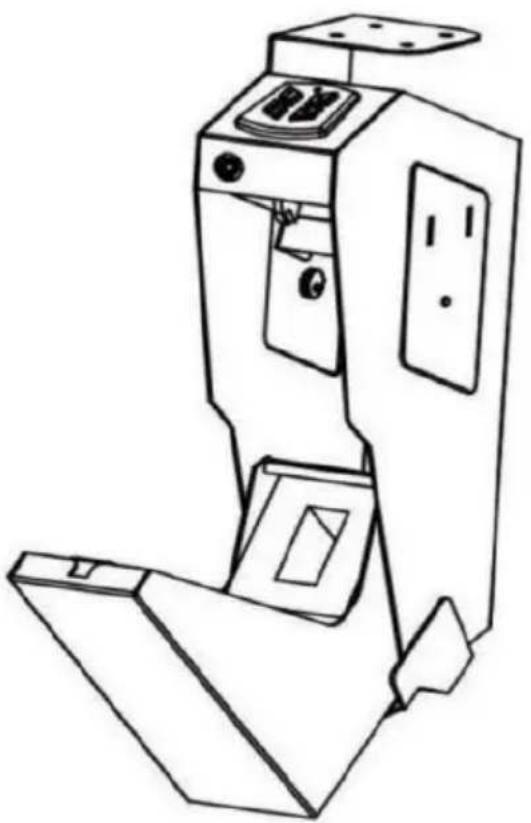
This is the original instruction. Please read all manual instructions carefully before operating. VEVOR reserves a clear interpretation of the user manual. The appearance of the product shall be subject to the product you received. Please forgive us that we won't inform you again if there are any technology or software updates on our product.
IMPORTANT SAFEGUARDS

Warning: To reduce the risk of injury, user must read the instructions manual carefully. Failure to do so can result in serious injury.
Use precautions
- DO NOT SIT, STAND OR CLIMB ON THIS ITEM.
- This product is not a toy. Do not allow children to play with this item.
- Use as intended only. Keep away from sharp points, blades and other items, so as not to scratch the product.
- Flammable: Keep away from open flame. This product will ignite and burn if brought into contact with an open flame.
- Battery Replacement: When the batteries are not high enough, they must be replaced immediately. To replace the batteries, turn off the gun safe first. Replace the old batteries with new ones of the same type. Make sure that the polarity connections are correct (see the polarity indications at the bottom of the battery compartment). Reinstall the battery cover.
SAVE THESE INSTRUCTIONS
PRODUCT PARAMETERS
| Model | AL370 |
| Product Size | 370*190*86 mm |
| Working Power | DC 6V (4x AA batteries needed),120mA |
| Capacity | 1 piece |
FCC STATEMENT: This device complies with Part 15 of the Rules. Operation is subject to the following two conditions: (1) This device may not cause harmful interference, and (2) this device must accept any interference received, including interference that may cause undesired operation.
PARTS LIST
Thank you very much for choosing this Hand Gun Safe. Please read the instructions before using it. The information will help you achieve the best possible results.
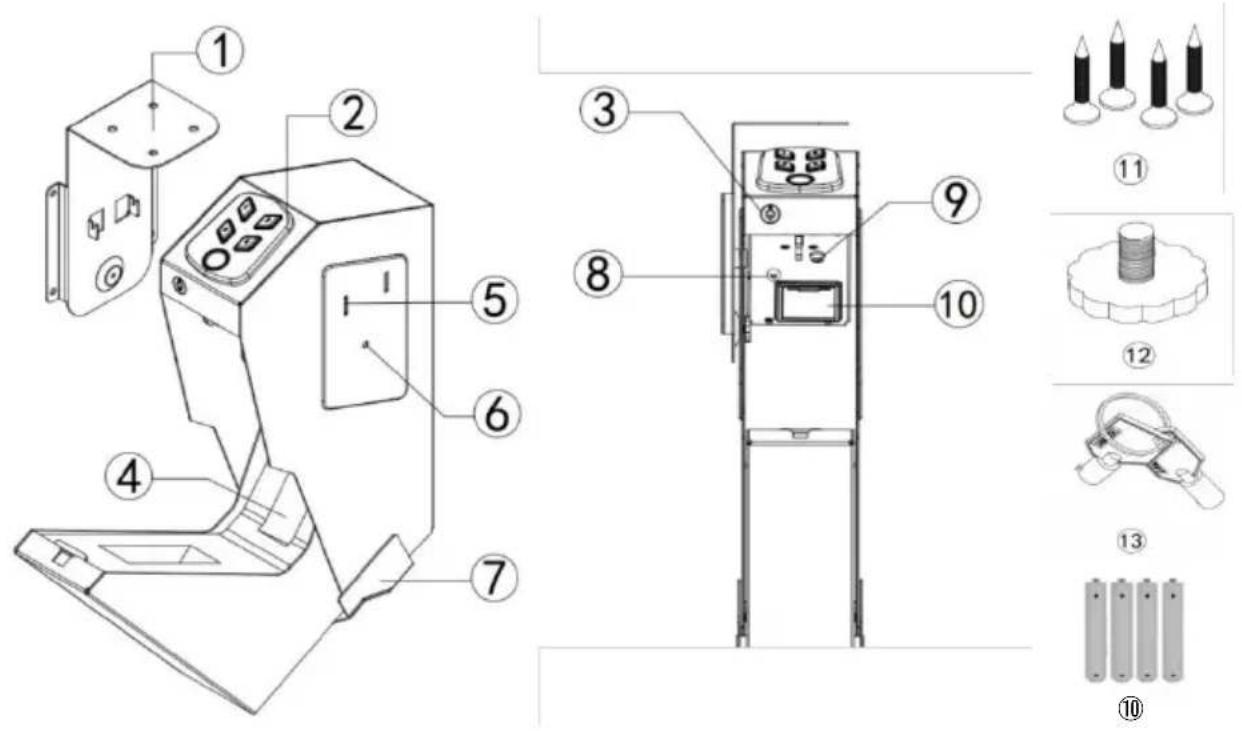
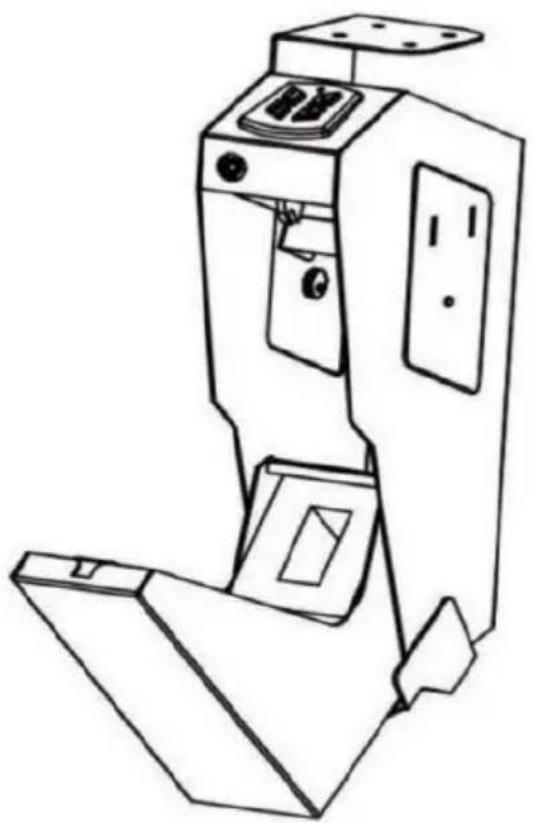
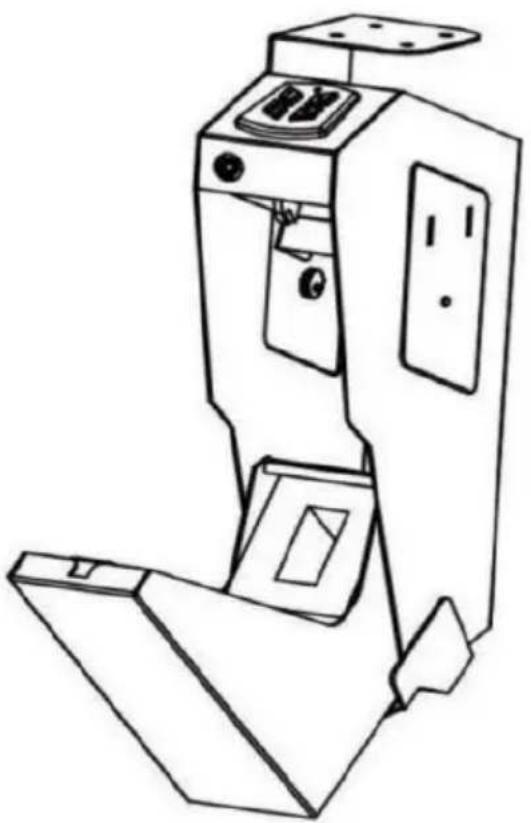
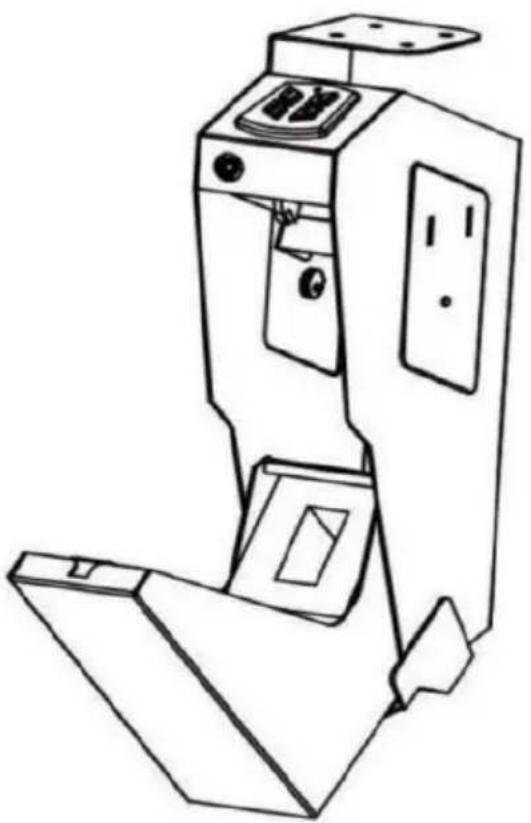
① Mounting Bracket ② Panel (Buttons & Biometric Scanner) ③ Emergency Keyhole ④ Anti-crash Foam ⑤ Holes of Mounting Hook ⑥ Plug Nut Hole ⑦ Connector Protection Bracket
⑧ Program Button ⑨ Interior Light ⑩ Battery Compartment ⑪ Mounting Screws ×4 ⑫ Thumb Screws ×1 ⑬ Backup Keys ×2 ⑭ AA Batteries ×4
ADJUSTING THE FOAM
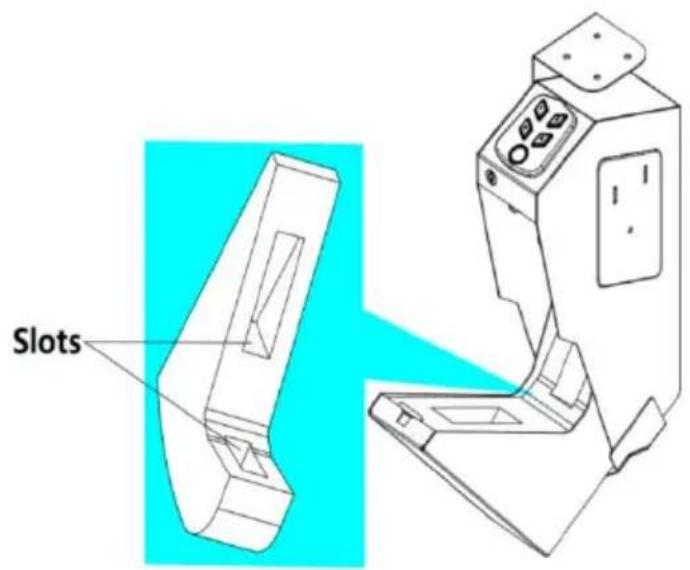
Before installing the gun safe, adjust the slots on the foam to fit your gun.
BATTERY INSTALLATION
To get started, ensure the bottom of the safe and the door are not obstructed before opening.
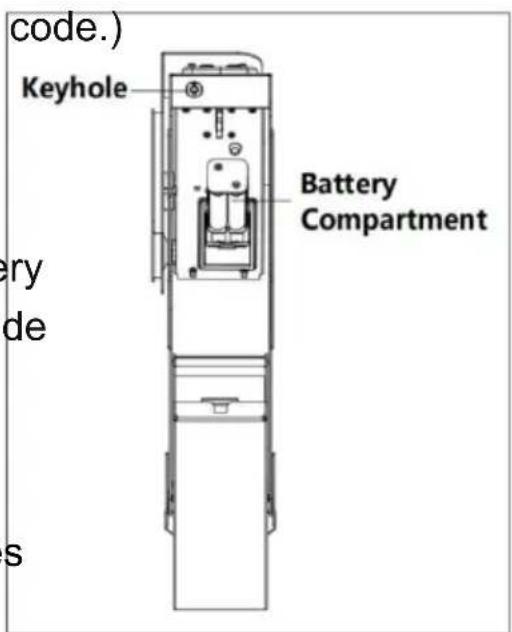
- Insert one of your backup keys into the keyhole at the front of the gun safe. Push the key in and turn it counterclockwise to open the safe. (Note: Do not lock the key inside the safe - this is an emergency key that will open the safe if you have lost your code.)
- Locate the battery compartment inside the gun safe, and pull out the battery compartment.
- Insert 4 x AA batteries into the battery compartment. The batteries go against the spring inside of the compartment.

Pay attention to the "+" and "-" signs. The "-" end of the batteries
- Repeat the above steps for battery replacement.
BATTERY WARNINGS
- Always insert batteries correctly about polarity (+ and -) as marked on battery and the product.
- Exhausted batteries should be immediately removed from the product or properly disposed of.
- Do not mix old and new batteries.
- Do not mix alkaline, standard (carbon-zinc), or rechargeable (ni-cad, ni-mh, etc.) batteries.
LOW BATTERY WARNING
If the indicator light lights up red 6 times with 6 beeps when opening the Gun Safe electronically, your battery level is low and your Gun Safe needs to be replaced with 4 new batteries.
FACTORY PRESET CODE
Factory preset code: 1234.
Factory preset fingerprint: blank (unregistered fingerprints cannot unlock).
Enter the factory code 1.2.3.4, the green LED will light up.
Important:
All safe models initially work with the safe code 1.2.3.4. It is therefore important to reset your safe with a new user code you have personally selected to provide maximum security.
TO SET A USER CODE
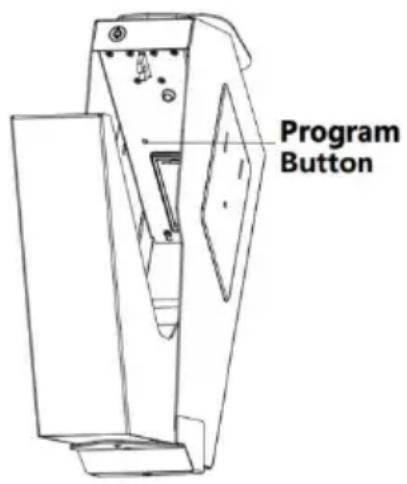
- Press the "program button" until you hear beeps and the green light flashes twice, then start to set your user code with 3-6 digits.
- Press the "program button" again to control the user code. When you hear 2 beeps and the green light flashes twice, the new code has been set successfully.
TO SET PRIMARY USER FINGERPRINT
- Press the "program button" until you hear 2 beeps and the green light flashes twice. Put one finger on the fingerprint scanner.
- Repeat 4 times. When you hear 2 beeps and the green light flashes twice, the main user fingerprint has been successfully set. (A total of fingerprints are available. The setup method is the same as for primary user fingerprint.)
Note: You only have 10 seconds to set the code or fingerprint. If you hear 2 beeps and the red light flashes twice, the code or finger fails.
ERROR ALARM
Enter the wrong password 3 times or fingerprint 5 times, the buzzer sounds for 30 seconds, and all buttons/fingerprints are invalid when the alarm sounds. The panel locks for one minute. Press any button or fingerprint, you hear 3 beeps and the red light flashes 3 times.
The gun safe can still be opened using the backup keys.
After one minute, the gun safe will automatically resume normal operation with one beep sound issued and the indicator light flashes green.
If the input is wrong again, the buzzer alarms for 30 seconds and the panel
is locked for 5 minutes.
Note: The 30-second buzzer alarm is not affected by the mute mode.
MUTE FUNCTION
Press the "4" button for more than 2 seconds, the green light flashes, meaning the mute function is on/off.
RESTORE FACTORY SETTINGS
Keep pressing the set button until you hear a beep, the reset is complete.
MOUNTING YOUR GUN SAFE
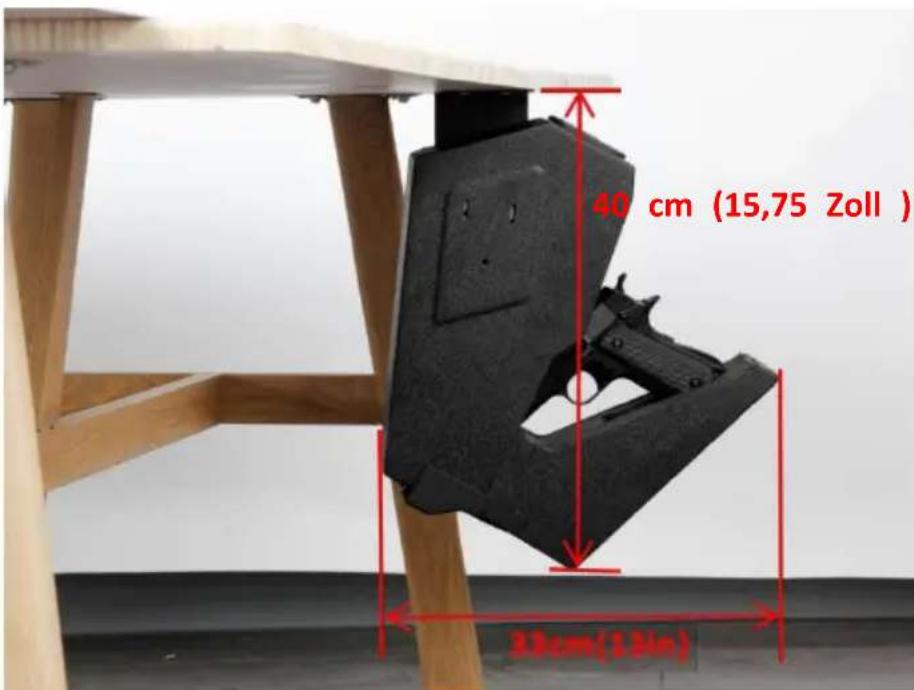
Use proper drilling tools and mounting hardware based on the type of surface you mount the gun safe onto. Supplied screws are intended for use on wooden surfaces.

Ensure you have enough clearance for the lid to open properly before mounting the gun safe.
Your Vevor gun safe will automatically lock when you fully close the lid.
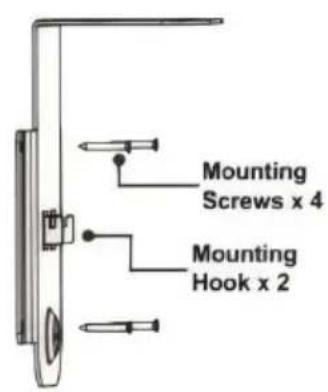
- Open the box and take out the mounting bracket and screws.
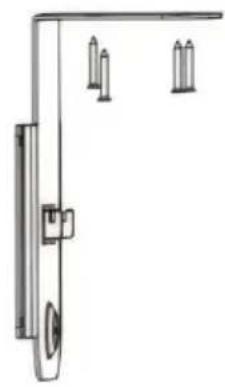
- Use the included 4x mounting screws to install the bracket onto the desired place.
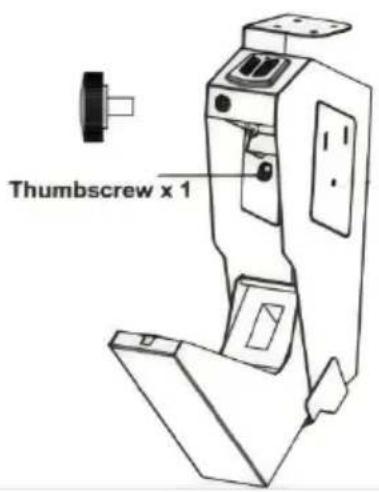
- Slide the gun safe onto the bracket mounting hook, and fix the gun safe to the bracket with a thumbscrew from inside the gun safe.
- Close the gun safe. Now the gun safe should be ready for use.
- The bracket is allowed to be installed on the left and right side of the safe, but the thumbscrew must be attached to the bracket.
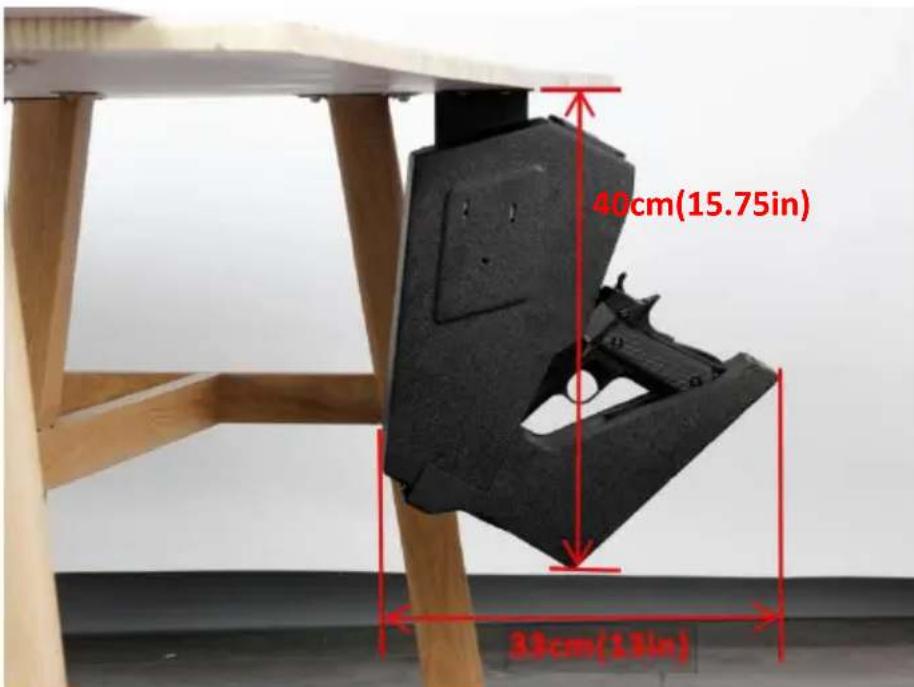
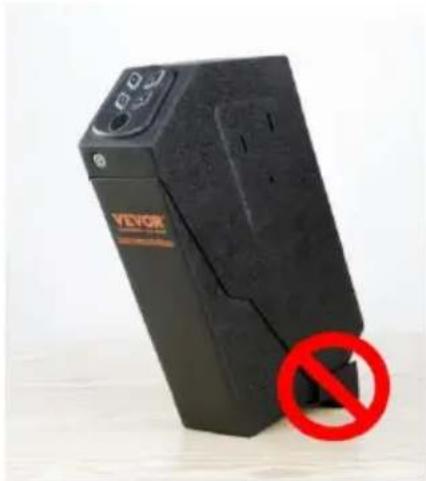
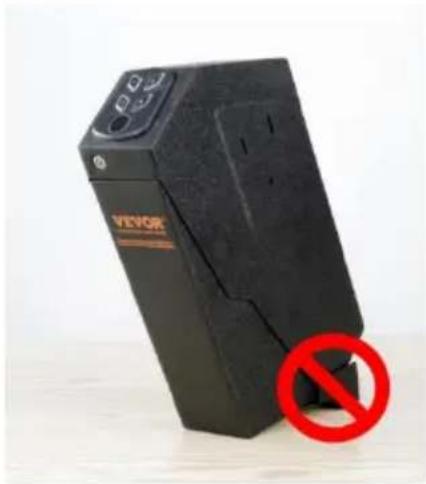
- Do not let the gun safe door face the floor when mounting the gun safe in the vertical direction to avoid damage to your property.
IMPORTANT INSTRUCTIONS
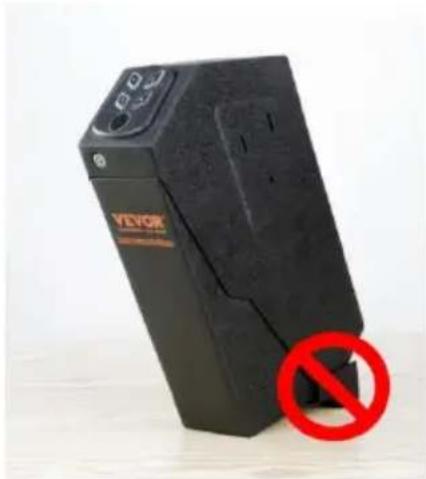
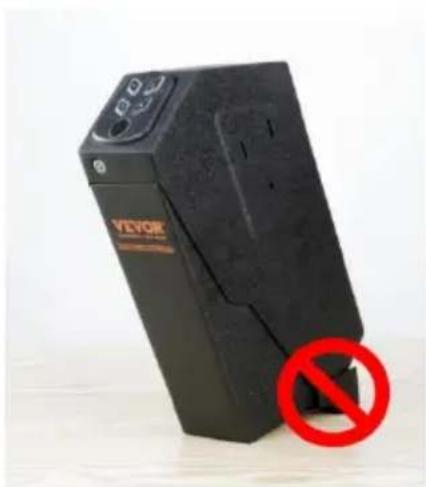
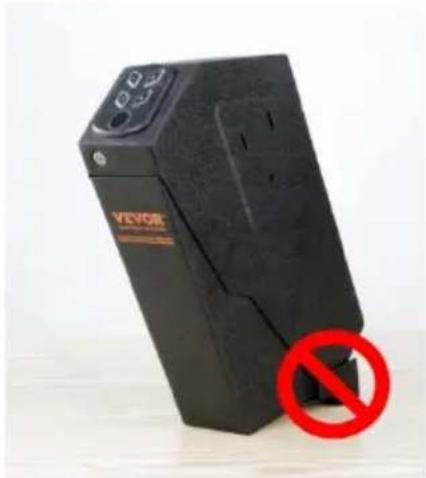
(1) If the password is set and the fingerprint is not entered, the empty fingerprint cannot open the door; On the contrary, if the fingerprint is entered and no password is set, the original factory password "1234" cannot open the door (of course, if the password set by the user is 1234, the door can be opened normally). (2) In the following two pictures, the drawer cannot be opened by itself after unlocking, and it needs to be opened manually.
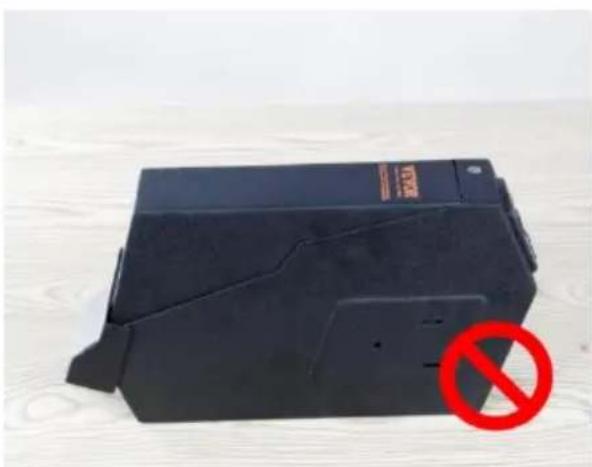
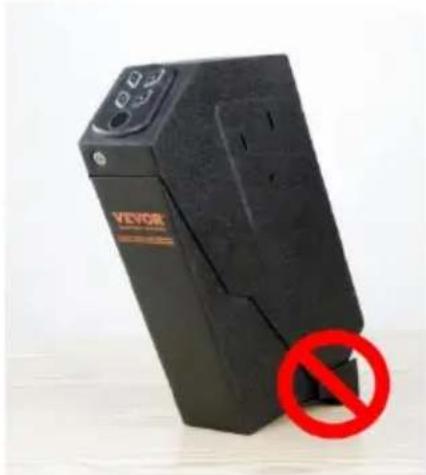
(3) Installation size:
Supplementary instructions
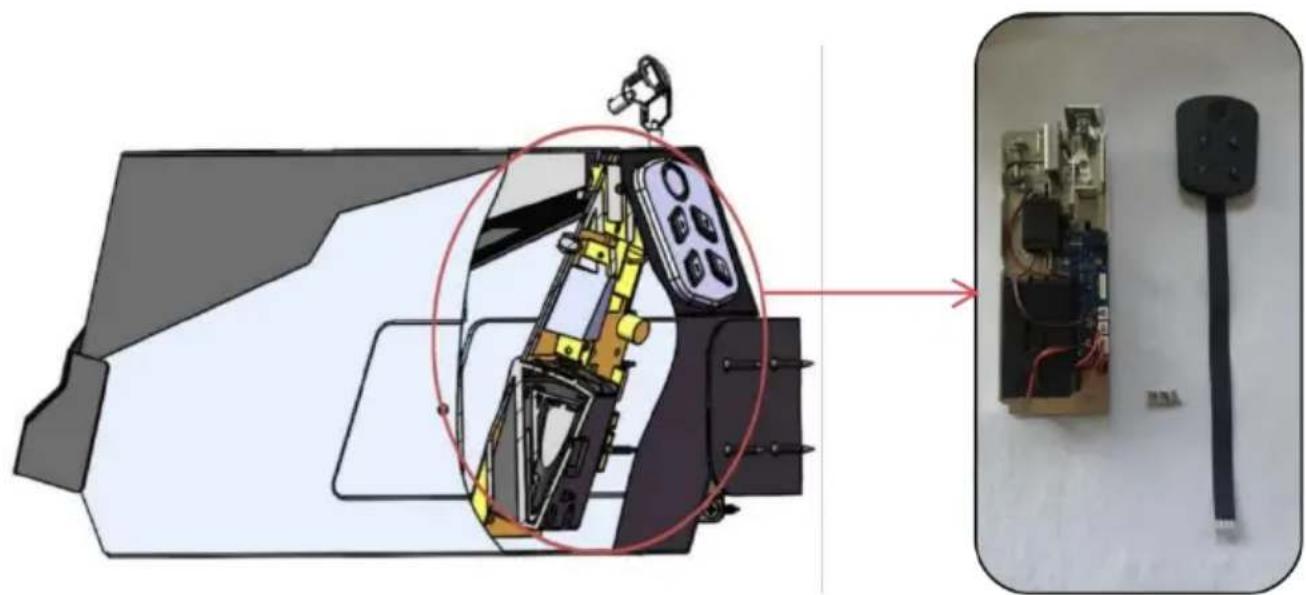
(1) AL370 Connecting rod assembly (Inside the gun safe.) [PJ-CDKDJLGZJ6TQ-001]
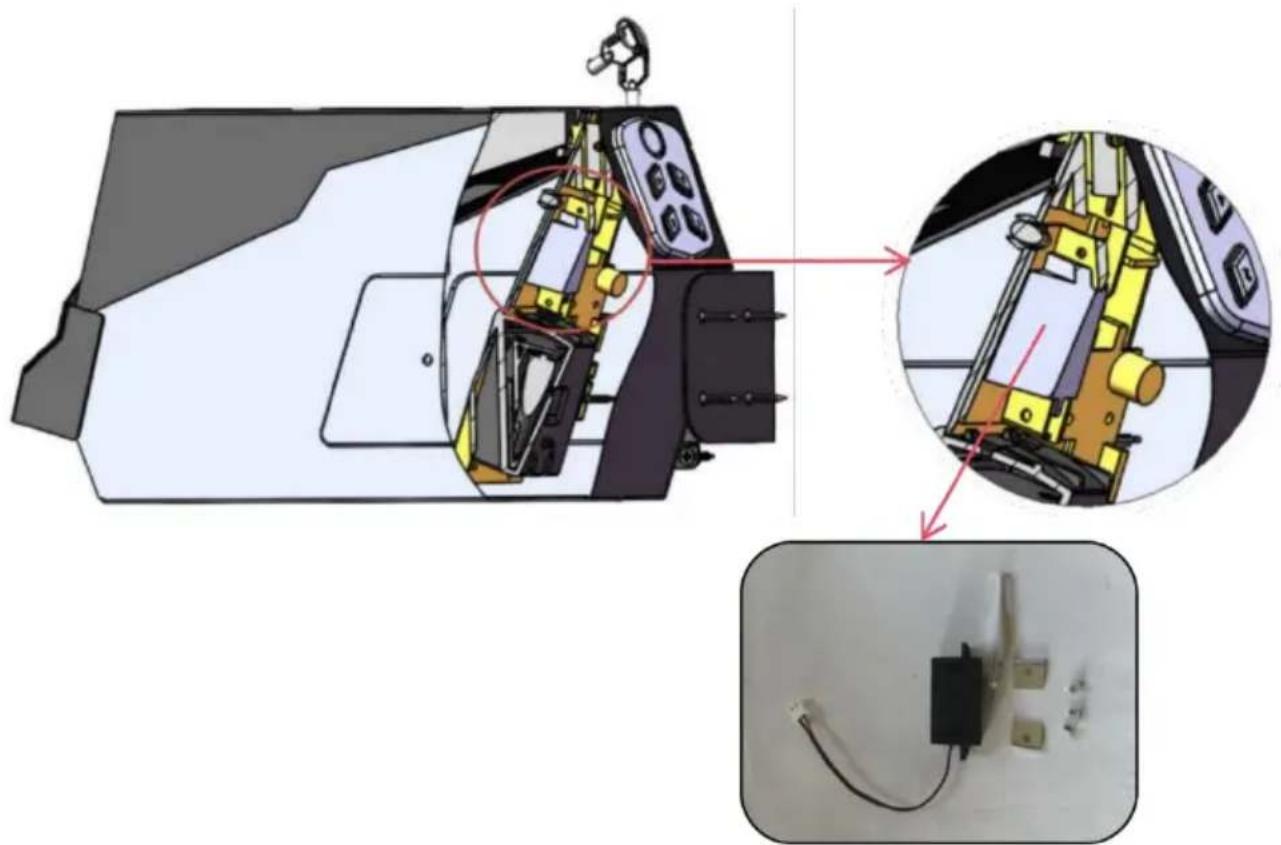
(1) AL370 Connecting rod assembly
(2) AL370 Institutional components circuit board (Inside the gun safe.) [PJ-JGJHXLBTJHDW-001]
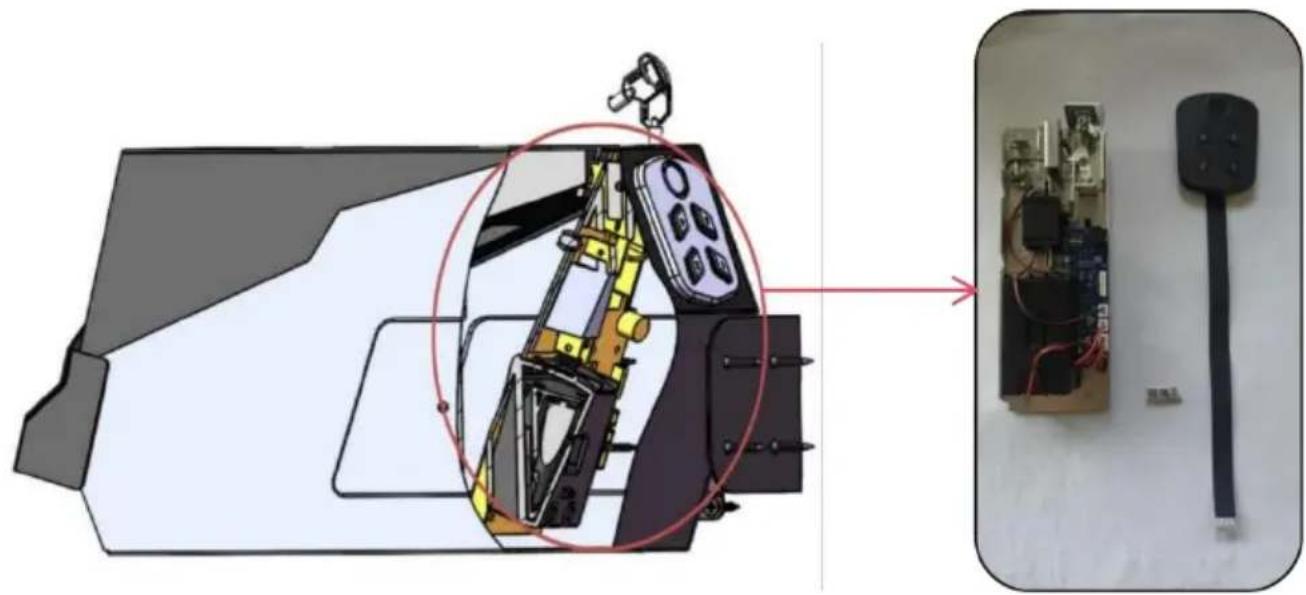
(2) AL370 Institutional components circuit board
CORRECT DISPOSAL:

This product is subject to the provision of European Directive 2012/19/EC. The symbol showing a wheelie bin crossed through indicates that the product requires separate refuse collection in the European Union. This applies to the product and all accessories marked with this symbol. Products marked as such may not be discarded with normal domestic waste, but must be taken to a collection point for recycling electrical and electronic devices.

VEVOR
Upgrade · The Home Creator Way
MAIN PISTOL SAFE USER MANUAL
MODEL: AL370
MODEL: AL370
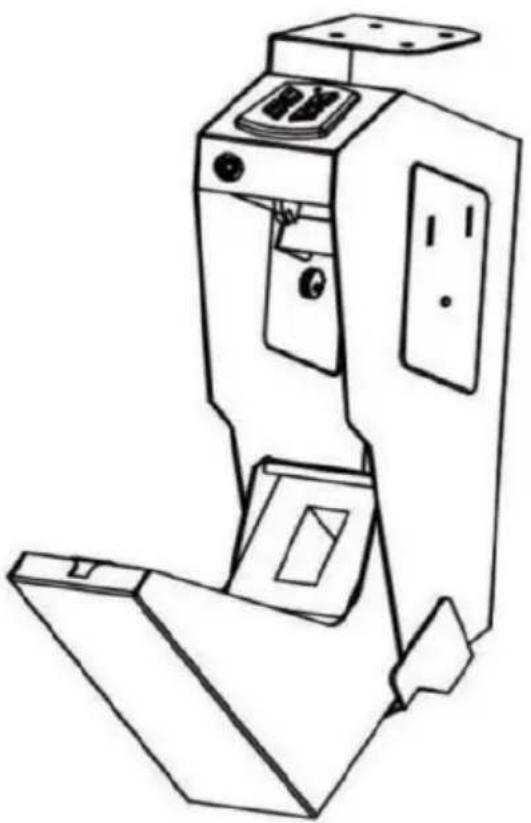
①Mounting Bracket ②Panel (Buttons & Biometric Scanner) ③Emergency Keyhole ④Anti-crash Foam ⑤Holes of Mounting Hook ⑥Plug Nut Hole ⑦Connector Protection Bracket
⑧Program Button ⑨Interior Light ⑩Battery Compartment ⑪Mounting Screws ×4 ⑫Thumb Screws ×1 ⑬Backup Keys ×2 ⑭AA Batteries ×4
ADJUSTING THE FOAM
TO SET THE FINGERPRINT OF THE PRIMARY USER
IMPORTANT INSTRUCTIONS
(1) AL370 Connecting Rod Assembly
Upgrade · The Home Creator Way
HAND PISTOL SAFETY
USER MANUAL
MODEL: AL370
MODEL: AL370
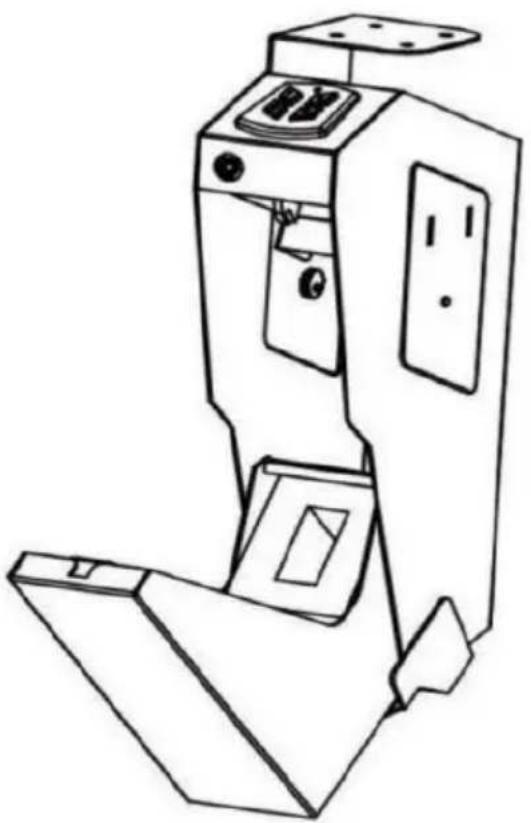
①Mounting Bracket ②Panel (Buttons & Biometric Scanner) ③Emergency Keyhole ④Anti-crash Foam ⑤Holes of Mounting Hook ⑥Plug Nut Hole ⑦Connector Protection Bracket
⑧Program Button ⑨Interior Light ⑩Battery Compartment ⑪Mounting Screws ×4 ⑫Thumb Screws ×1 ⑬Backup Keys ×2 ⑭AA Batteries ×4
ADJUSTING THE FOAM
SET THE FINGERPRINT OF THE PRIMARY USER
IMPORTANT INSTRUCTIONS
(3) Installation dimensions:
(1) AL370 Connecting Rod
(2) AL370 Institutional Components Board (Inside the pistol, safe.) [PJ-JGJHXLBTJHDW-001]
Upgrade · The Home Creator Way
①Mounting Bracket ②Panel (Buttons & Biometric Scanner) ③Emergency Keyhole ④Anti-crash Foam ⑤Holes of Mounting Hook ⑥Plug Nut Hole ⑦Connector Protection Bracket
⑧Program Button ⑨Interior Light ⑩Battery Compartment ⑪Mounting Screws×4 ⑫Thumb Screws×1 ⑬Backup Keys×2 ⑭AA Batteries×4
ADJUSTING THE FOAM
TO SET THE PRIMARY USER'S FINGERPRINT
IMPORTANT INSTRUCTIONS
Upgrade · The Home Creator Way
PISTOL SAFE USER MANUAL
MODEL: AL370
MODEL: AL370
①Mounting Bracket ②Panel (Buttons & Biometric Scanner) ③Emergency Keyhole ④Anti-crash Foam ⑤Holes of Mounting Hook ⑥Plug Nut Hole ⑦Connector Protection Bracket
⑧Program Button ⑨Interior Light ⑩Battery Compartment ⑪Mounting Screws×4 ⑫Thumb Screws×1 ⑬Backup Keys×2 ⑭AA Batteries×4
ADJUSTING THE FOAM
ADJUSTING THE FOAM
TO CONFIGURE THE MAIN USER'S FINGERPRINT
IMPORTANT INSTRUCTIONS
(1) AL370 Connecting Rod Assembly
(2) AL370 Institutional Component Circuit Board (inside the gun, secure.) [PJ-JGJHXLBTJHDW-001]

(2) AL370 Institutional Component Circuit Board
Upgrade · The Home Creator Way
REKA PISTOLET BEZPIECZNA
USER MANUAL
MODEL: AL370
MODEL: AL370
① Mounting Bracket ② Panel (Buttons & Biometric Scanner) ③ Emergency Keyhole ④ Anti-crash Foam ⑤ Holes of Mounting Hook ⑥ Plug Nut Hole ⑦ Connector Protection Bracket
⑧ Program Button ⑨ Interior Light ⑩ Battery Compartment ⑪ Mounting Screws ×4 ⑫ Thumb Screws ×1 ⑬ Backup Keys ×2 ⑭ AA Batteries ×4
ADJUSTING THE FOAM
SETTING THE MAIN USER'S FINGERPRINTS
IMPORTANT INSTRUCTIONS
Upgrade · The Home Creator Way
HAND GUN SAFETY
USER MANUAL
MODEL: AL370
MODEL: AL370
①Mounting Bracket ②Panel (Buttons & Biometric Scanner) ③Emergency Keyhole ④Anti-crash Foam ⑤Holes of Mounting Hook ⑥Plug Nut Hole ⑦Connector Protection Bracket
⑧Program Button ⑨Interior Light ⑩Battery Compartment ⑪Mounting Screws ×4 ⑫Thumb Screws ×1 ⑬Backup Keys ×2 ⑭AA Batteries ×4
ADJUSTING THE FOAM
- UPGRADE · THE HOME CREATOR WAY
- MODEL: AL
- IMPORTANT SAFEGUARDS
- USE PRECAUTIONS
- SAVE THESE INSTRUCTIONS
- PARTS LIST
- ADJUSTING THE FOAM
- BATTERY INSTALLATION
- BATTERY WARNINGS
- LOW BATTERY WARNING
- FACTORY PRESET CODE
- IMPORTANT
- TO SET A USER CODE
- TO SET PRIMARY USER FINGERPRINT
- ERROR ALARM
- MUTE FUNCTION
- RESTORE FACTORY SETTINGS
- MOUNTING YOUR GUN SAFE
- IMPORTANT INSTRUCTIONS
- SUPPLEMENTARY INSTRUCTIONS
- CORRECT DISPOSAL
- VEVOR
- MAIN PISTOL SAFE USER MANUAL
- TO SET THE FINGERPRINT OF THE PRIMARY USER
- SET THE FINGERPRINT OF THE PRIMARY USER
- TO SET THE PRIMARY USER'S FINGERPRINT
- PISTOL SAFE USER MANUAL
- TO CONFIGURE THE MAIN USER'S FINGERPRINT
- SETTING THE MAIN USER'S FINGERPRINTS
- HAND GUN SAFETY
- USER MANUAL
Brand : Vevor
Model : AL370
Category : Safe