OCEARPUR45 - Air purifier OCEANIC - Free user manual and instructions
Find the device manual for free OCEARPUR45 OCEANIC in PDF.


| Product type | Air purifier |
| Reference | OCEARPUR45 |
| Model | KJ210F-142 |
| Rated power | 45 W |
| Rated voltage | 220-240 V ~ 50/60 Hz |
| Coverage area | 25 m² |
| Protection class | II |
| Filter | Non-washable composite filter + washable pre-filter |
| Air quality indicator | PM2.5 with color code (green, blue, yellow, red) |
| Fan speeds | 3 manual speeds (1, 2, 3) + auto mode |
| Timer | 1 to 12 hours (programmed on/off) |
| Sleep mode | Yes, minimum speed with reduced display |
| Ionizer function | Yes, can be activated/deactivated |
| Remote control | Yes, with CR2025 battery |
| Child lock | Yes, button lock mode |
| Temperature display | Yes, accessible via key combination |
| Power supply | Standard power plug (non-detachable cable) |
| Maintenance | Clean the pre-filter; replace the composite filter when indicator is red |
| Filter reset | Hold TIMER + ON/OFF for 3 seconds |
| Safety | Automatic shut-off if back cover is not properly closed; overvoltage protection |
Frequently Asked Questions - OCEARPUR45 OCEANIC
User questions about OCEARPUR45 OCEANIC
0 question about this device. Answer the ones you know or ask your own.
Ask a new question about this device
Download the instructions for your Air purifier in PDF format for free! Find your manual OCEARPUR45 - OCEANIC and take your electronic device back in hand. On this page are published all the documents necessary for the use of your device. OCEARPUR45 by OCEANIC.
USER MANUAL OCEARPUR45 OCEANIC
OCEARPUR45
oceanic
CONSIGNES DE SÉCURITÉ
MERCI DE BIEN VOULOIR LIRE LES CONSIGNES DE SÉCURITÉ ATTENTIVEMENT AVANT D'UTILISER L'APPAREIL ET LES CONSERVER.
Avant l'utilisation
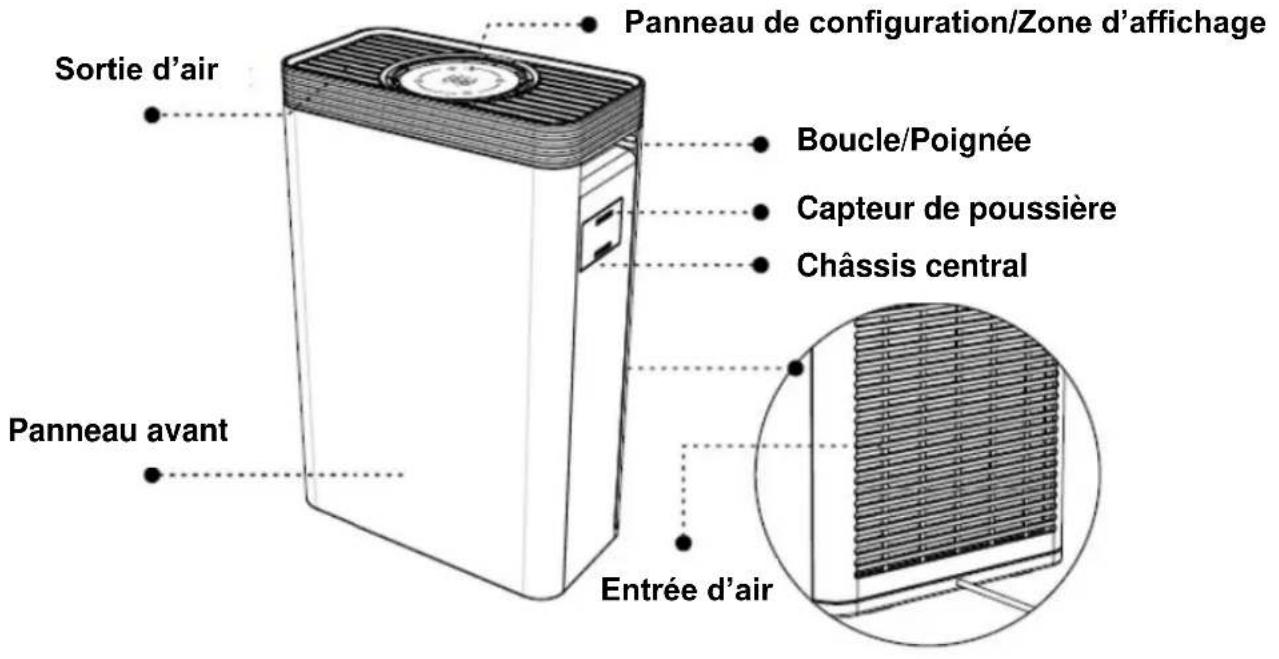
STRUCTURE DU PRODUIT
PLEASE READ SAFETY INSTRUCTIONS CAREFULLY BEFORE USING THE UNIT AND SAVE IT.
Before use
- Use only standard socket that meet the standard voltage written on the nameplate.
- If the power cable is damaged, it must be replaced by the manufacturer, its after-sale service or people of similar qualification to avoid danger.
- To avoid any electrics shocks or fair disasters caused by circuit, when unplugging the power plug, please clench the plug. Do no pull the power cord.
Restrictions on use
- Before cleaning or other maintenance, the unit must be disconnected from the power supply.
- This appliance can be used by children aged from 8 years and above and persons with reduced physical, sensory or mental capabilities or lack of experience and knowledge if they have been given supervision or instruction concerning use of the appliance in a safe way and understand the hazards involved. Children shall not play with the appliance. Cleaning and user maintenance shall not be made by children without supervision.
- There is oil residue in the room, please do not use the device.
- There is smoke in the room when burning incense, please do not use the device.
- The flame in the room when it is a little smoke, please do not use the device.
- When there is a chemical smell in the air, please do not use the device.
- To avoid any electric shock, fire disaster or any other damages, please do not use the device on any place which with nitrogen, natural gas, or any other fire gases.
- Please do not use the device when you use aerosol bomb.
- To avoid any electric shock, fire disaster or any other damages please do not use the device in any dump, unstable places or high temperature, wet places, such as shower room, etc.
Installation
- Please do not install that may come into contact with near objects the air inlet or outlet.
- Please use the device at room with temperature of 0 to 40 degrees Celsius.
- To avoid surface cracking or sensor failure. Please do not install in places where black smoke will occur. (Such as kitchen, etc.)
In use
- Please do not use the device without filters.
- Please do not insert your fingers or objects into the air inlet/outlet.
- Please do not close to heart object (like stoves or any place have fire gases.)
- Please pull the plug immediately if any malfunction happen like smoking, band smell, etc.
Transport
- Be sure to stop running and unplug the power cord when moving.
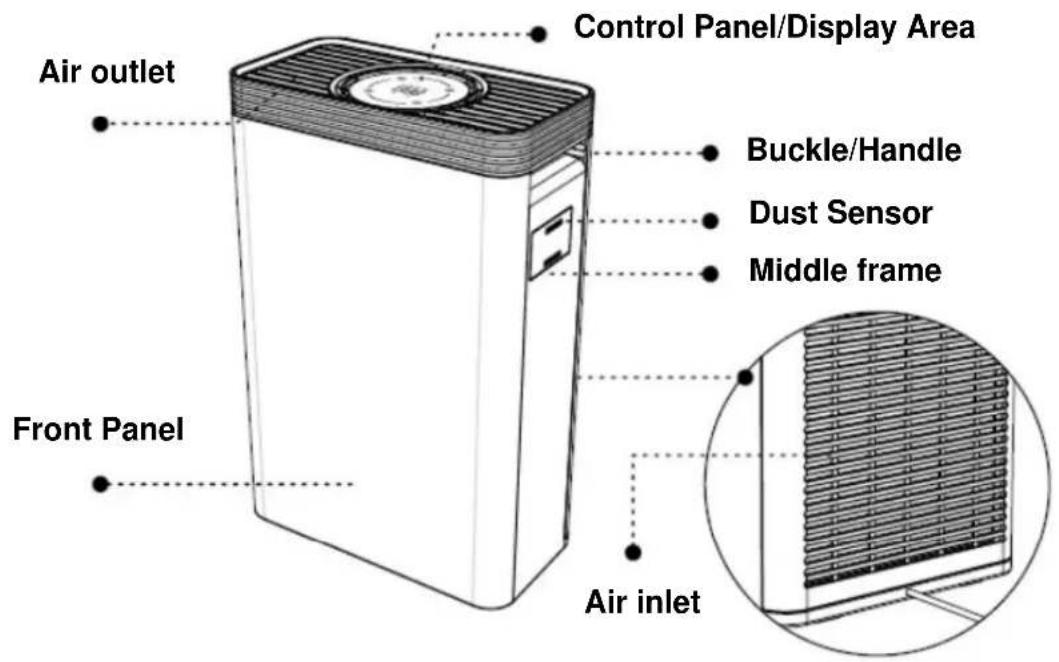
- Hold the handle on the side of the device when moving. To avoid the host fell and wounded, please do not handle the front board.
Notice of cleaning
- Please do not clean and reuse the composite filter.
- To avoid any damage or malfunction of sensor, please clean the device with soft cloth.
- To avoid any damage, electric shock or fire disasters, please do not clean the device with ethyl alcohol or organic solvent.
- To avoid any electric shock or fair disaster, please power off and clean foreign matters of plug when clean the device or not use the device.
Warm reminder
- There should be a certain space around the air purifier to allow the wind and ions to flow naturally, thus improving the purification effect.
- This appliance can be used by children aged from 8 years and above and persons with reduced physical, sensory or mental capabilities or lack of experience and knowledge if they have been given supervision or instruction concerning use of the appliance in a safe way and understand the hazards involved. Children shall not play with the appliance. Cleaning and user maintenance shall not be made by children without supervision.
- For the first use, please remove the plastic sheet under the battery of remote control, and remove the plastic bag of the filter.
PRODUCT STRUCTURE
OPERATION INSTRUCTIONS
Touch display
- "Sleep" button, only this icon light on, others not.
- The air purifier will work under the minimum speed.
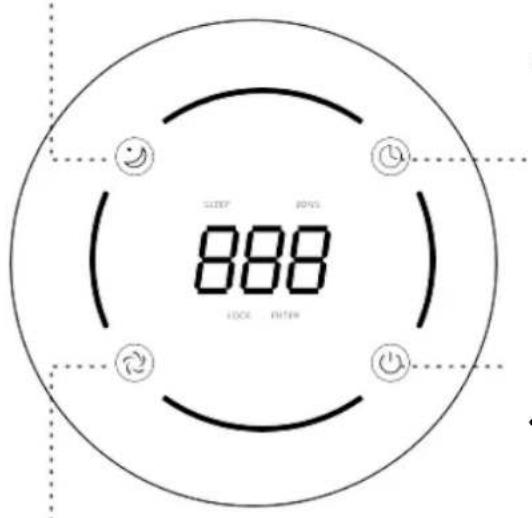
- "Timer" button to show time setting (1\~12 hours)
- Setting timer when on power on state, air purifier will shut off automatically when done.
- Setting timer when on stand-by state, air purifier will turn on automatically when done.
- ON/OFF, to turn on/turn off the unit.
• After turn on the machine, it being 30 seconds of preheat and will show the value of PM2.5 and the icons turn green
● "Speed" button, showing the fan speed levels.
• Fan speed switches from 2 - 3 - 1 - A.
• Auto mode, means fan speed changes via air quality.
Remote control
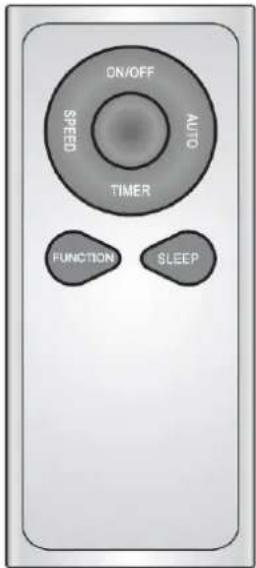
| ON/OFF | To turn on/off the unit. |
| SPEED | Fan speed switches from 2-3-1 |
| TIMER | Timer setting (1~12 hours)- Setting timer when on power on state, air purifier will shut off automatically when done.- Setting timer when on stand-by state, air purifier will turn on automatically when done. |
| AUTO | Fan speed changes via air quality |
| FUNCTION | Turn on/off the IONS function, display the room temperature. |
| SLEEP | Sleep mode, the air purifier will work under the minimum speed. |
Battery replacement
- Remove the battery cover.
- Replace the battery by the same type battery (CR2025) and make sure that the (+) side should face up. Failure to respect polarities can cause significant damage.
- Put the battery cover back in the remote control until it is locked.
CAUTION: Danger of short circuit and electric shock if the battery is incorrectly replaced.
WARNING: Danger of short circuit and electric shocks if batteries are improperly installed. Replace battery only with battery of the same type or compatible.
Don't short-circuit the battery;
Don't leave the battery within reach of children;
Do not charge a non-rechargeable battery;
Do not leave the battery in the remote control for a long time without being used;
Non-rechargeable batteries are not to be recharged;
Batteries are to be inserted with the correct polarity;
Exhausted batteries are to be removed from the appliance and safely disposed of; If the appliance is to be stored unused for a long period, the batteries should be removed.
| Air Quality Indication | |||||
| Green | ......○ | Perfect | Blue | ......○ | Good |
| Yellow | ......○ | Normal | Red | ......○ | Poor |
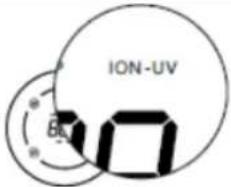 | IONSA. Ions are designed to turn on while plug on, and the icon light turns white. | ||||
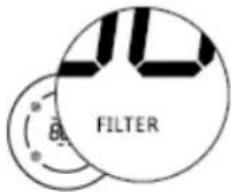 | Touch and hold "TIMER + ON/OFF SWITCH" buttons for 3 seconds to reset the filter.A. When the filter indicator light turns red, it needs to replace the filter. | ||||
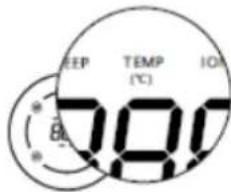 | Touch the "SLEEP + SPEED" button to display the temperatureA. The temperature indicator lights on in white showing the temperature. | ||||
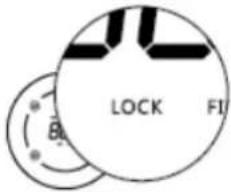 | Touch and hold the "SLEEP + TIMER" button to turn on/off the Lock mode.A. When in Lock mode, no other buttons work. | ||||
CLEANING AND MAINTENANCE
Filter Replacement
When the filter indicator light turns red, it needs to replace the filter.
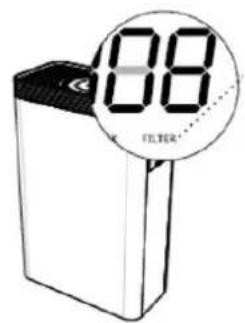
- Turn off the unit and plug off the power cord.

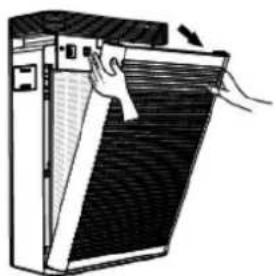
- Open the filter cover After the unit is powered off, remove the back cover from the buckle position.

-
Please take out the composite filter, and pack the used filter into bag to avoid any second pollution. C. The preliminary filter can be cleaned and reused. D. The composite filter is reaching its lifespan and cannot be reused even if it is clean. Please treat it as non-burnable waste.
-
Adjust the direction of the new filter to correspond to the filter slot of the purifier and install the filter in, and then close the cover.
-
Turn on the power, touch the "ON/OFF" button to turn on the unit. And long press the "timer + ON/OFF" button for 3s to reset the filter time.
TECHNICAL PARAMETERS
| Reference | OCEARPUR45 | Model | KJ210F-142 |
| Rated Voltage | 220-240V~ 50/60Hz | Coverage Area | 25m2 |
| Rated Power | 45W | Protection class | II |
| For more information ,please contact | A.M.C123, Quai Jules Guesde94400 VITRY SUR SEINEFRANCE | ||
TROUBLESHOOTING
If your air purifier does not run smoothly, please check the following before maintenance.
| Phenomenon | Possible reason | Solution |
| Machine can not start | C. Unplug power plug.D. Machine rear cover not in position. | C. Reconnect power plug.D. Re-install the rear cover in position. |
| Odor in the outlet | C. More pollutants indoor such as more smoking.D. Filter is polluted severely | C. It is recommended that the room air be changed.D. Replace with the all new filter. |
| None obvious dust removal effect, none air quality improvement | D. Filter is not installed into the machine.E. Machine is placed in narrow space or space with obstacles nearby which may have negative impact on the purification effect.F. Filter is too dirty. | D. Install the filter correctly.E. Place the unit at least a foot away from the obstacles.F. Replace for new combination filter. |
| Running noise loud | C. Whether the installation is not tight.D. Other matter stored in the machine. | C. Contact after-sales center.D. Clean other matters. |
| Main buttons not work | LOCK mode is worked. | Press 3 second to turn off the LOCK mode |
| Filter cannot be installed | Filter is installed opposite. | Adjust the filter to right direction and install the filter to the bottom slot. |

After all the checks above, troubleshooting still existed, please contact our service center or contact technical service center. Do not attempt to disassemble and maintain the maintenance by yourself, to avoid any danger and damages to the machine.
ENVIRONMENTAL PROTECTION
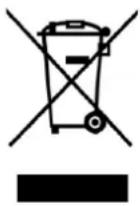
This symbol is known as the 'Crossed-out Wheelie Bin Symbol'. When this symbol is marked on a product or battery, it means that it should not be disposed of with your general household waste. Some chemicals contained within electrical/electronic products or batteries can be harmful to health and the environment. Only dispose of electrical/electronic/battery items in separate collection schemes, which cater for the recovery and recycling of materials contained within. Your co-operation is vital to ensure the success of these schemes and for the protection of the environment.
OCEANIC
120-126 Quai de Bacalan
CS 11584
33000 Bordeaux
IMPORTED BY :
A.M.C.
123, QUAI JULES GUESDE
94400 VITRY SUR SEINE
France
oceanic
www.oceanic.eu


- OCEANIC
- CONSIGNES DE SÉCURITÉ
- MERCI DE BIEN VOULOIR LIRE LES CONSIGNES DE SÉCURITÉ ATTENTIVEMENT AVANT D'UTILISER L'APPAREIL ET LES CONSERVER
- AVANT L'UTILISATION
- STRUCTURE DU PRODUIT
- PLEASE READ SAFETY INSTRUCTIONS CAREFULLY BEFORE USING THE UNIT AND SAVE IT
- BEFORE USE
- RESTRICTIONS ON USE
- INSTALLATION
- IN USE
- TRANSPORT
- NOTICE OF CLEANING
- WARM REMINDER
- PRODUCT STRUCTURE
- OPERATION INSTRUCTIONS
- TOUCH DISPLAY
- REMOTE CONTROL
- BATTERY REPLACEMENT
- CLEANING AND MAINTENANCE
- FILTER REPLACEMENT
- TECHNICAL PARAMETERS
- TROUBLESHOOTING
- ENVIRONMENTAL PROTECTION
Brand : OCEANIC
Model : OCEARPUR45
Category : Air purifier