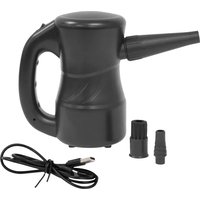
A-3B - Heating XPower - Free user manual and instructions
Find the device manual for free A-3B XPower in PDF.


| Product Type | Multipurpose Electronic Duster (Cyber Duster) – air blower for dusting, drying, and inflating |
| Brand | XPower |
| Model | A-3B |
| Color | Not specified (typical gray/black) |
| Dimensions (L x W x H) | 15.5 x 9.0 x 16.5 cm |
| Weight | 0.63 kg |
| Power Supply | Rechargeable lithium-ion battery 27.75 Wh (built-in) |
| Charger | USB Type-C, input 100-240 V~ 50/60 Hz, output 5 V / 2.0 A |
| Battery Life | Approximately 12 to 15 minutes (depending on use) |
| Charging Time | Maximum 3.5 hours |
| Power | 120 W |
| Speed Control | 2 speeds (I = low, II = high) |
| Main Functions | Dusting electronic devices, drying animals, inflating objects (mattresses, floats, etc.) |
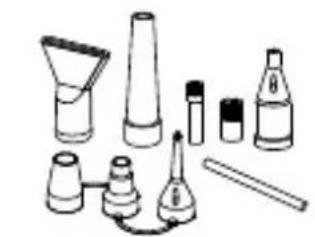
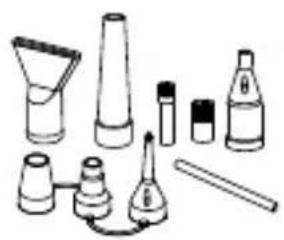
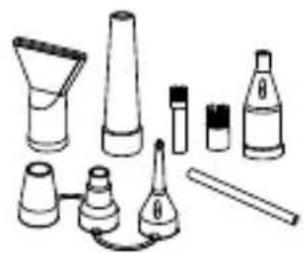
| Included Accessories | Standard nozzle, standard brush, detail brush, air blade nozzle, air pump adapters (wide valve, Boston, stem), straw adapter, cone flow nozzle, storage pouch |
| Safety | Polarized plug, thermal protection fuse, automatic shutdown in case of excessive temperature or air blockage |
| Maintenance and Cleaning | Clean the air inlet filter regularly, wipe the housing with a damp cloth, clean nozzles with water and dry them |
| Battery Maintenance | Charge fully before storage, recharge at least once every 3 months if unused – do not disassemble |
| Repairability | Do not disassemble yourself – contact XPOWER for any malfunction – limited 1-year warranty (USA) |
| Certifications | ETL/C-ETL (for models A-2 and A-2S only – A-3B not certified) |
| General Information | User manual available as PDF at www.xpower.com – household use only |
Frequently Asked Questions - A-3B XPower
User questions about A-3B XPower
0 question about this device. Answer the ones you know or ask your own.
Ask a new question about this device
Download the instructions for your Heating in PDF format for free! Find your manual A-3B - XPower and take your electronic device back in hand. On this page are published all the documents necessary for the use of your device. A-3B by XPower.
USER MANUAL A-3B XPower
natural_image
Line drawing of a portable electric shaver with handle and spout (no text or symbols)Cyber Duster Owner's Manual
A-2, A-2S, A-2B, A-3B
(115V 60HZ)

Intertek
Read and save these instructions
* Not all the models in this manual are certified with ETL/C-ETL.
WARNING - READ AND SAVE THESE INSTRUCTIONS BEFORE USING THIS PRODUCT.
The user of electrical products may create hazards that include, but are not limited to injury, fire, electrical shock. Failure to follow these instructions may damage and/or impair its operation and void the warranty.
- Before operating, remove all packaging material and check for any damage that may have occurred during shipping or any missing items.
- Check household power supply to ensure it matches the appliance's specification.
- To reduce the risk of electric shock, this appliance has a polarized plug (one blade is wider than the other). This plug is intended to fit into a polarized outlet only one way. If the plug does not fit fully into the outlet, reverse the plug. If it still does not fit, contact a qualified electrician. DO NOT change the plug in any way.
- DO NOT use with damaged cord or plug. If the appliance is not working as it would, or has been dropped, damaged, left outdoors, or dropped into water, return it to a service center.
- DO NOT pull or carry by cord, use cord as a handle, close a door on cord, or pull cord around sharp edges or corners.
- DO NOT run appliance over cord. Keep cord away from heated surfaces.
- The unit's electrical cord cannot be replaced. If the cord is damaged, the appliance should not be used further.
- DO NOT touch this appliance or the plug with wet hands or while standing in water.
- DO NOT allow to be used as a toy. Close attention is necessary when used by or near children.
- DO NOT leave appliance when plugged in. Unplug from outlet when not in use and before servicing.
- Turn off all controls before unplugging. Remove the power cord from the electrical receptacle by grasping and pulling on the power cord plug-end only, DO NOT pull the cord directly.
- Use only as described in this manual. Use only manufacturer's recommended attachments.
- DO NOT put any object into openings. DO NOT use with any opening blocked; keep free of dust, lint, hair, and anything that may reduce air flow.
- Keep hair, loose clothing, fingers and all parts of body away from openings.
- Use extra care when cleaning on stairs.
- DO NOT disassemble this machine personally. DO NOT disassemble the battery. If the machine or battery malfunctions, refer to the Troubleshooting Guide.
- If the appliance is damaged or it malfunctions, DO NOT continue to use it. Unplug the product from the electrical outlet. Refer to Troubleshooting Guide or contact XPOWER.
- Store in a dry indoor area, away from exposure to sunlight, rain, extreme temperature and humidity, or other extreme environments, when not in use.
- WARNING: DO NOT use generic chargers or power adapters to charge the battery, as
Special Instructions
this may cause malfunction or permanent damage to the battery or other related safety concerns. When charging, connect to a properly grounded outlet only.
- An electronic instruction manual can be obtained through manufacturer's website www.xpower.com.
This product is ETL/C-ETL certified. (For Model A-2 and A-2S only)
- The ETL (Electrical Testing Laboratory) Listed Mark is proof that this product has been independently tested and meets the applicable published safety standard of North America.

Electric Motor Driven Tools:
(1) Sparks
(1.1) Sparks may be visible on occasion due to the electric motor. Various factors may cause this such as prolonged or intensive use, foreign objects or an imbalanced motor.
(1.2) DO NOT use this product around flammable or explosive materials such as gas, oil and chemicals. Sparks can ignite these materials and cause fire.
(1.3) Occasionally small amounts of sparks are safe if away from flammable or explosive materials. Please follow the instructions of the troubleshooting guide. (See Page 12: Troubleshooting Guide)
(1.4) If the amount of sparks exceeds the safe range, a thermal protection fuse will stop this product completely. Please contact XPOWER or other parties authorized by XPOWER for further instructions.
(1.5) If sparks continue or you have a large amount of sparks, we will consider your machine as a defective unit. Please stop using immediately and contact XPOWER or other parties authorized by XPOWER for return or further instructions.
(2) Temperature Level
(2.1) This product generates heated air from the powerful motor. After prolonged use, the airflow and the machine surface can reach high temperature levels.
(2.2) Please be aware that the objects under high temperatures can be damaged. Follow the instructions of the troubleshooting guide. (See Page 12: Troubleshooting Guide)
(2.3) If the temperature exceeds the safe range, a thermal protection fuse will shut down the unit automatically. Please contact XPOWER or other parties authorized by XPOWER for further instructions.
(3) Noise Level
(3.1) This product uses a high RPM (Revolutions Per Minute) motor to provide powerful airflow and can create a high level of noise.
(3.2) Please follow the instructions of the troubleshooting guide. (See Page 12: Troubleshooting Guide)

If you drop this product:
(1) Before the next usage, please point to a safe area and turn on the unit with the low speed setting for 5 minutes. And then switch to the higher speed setting for another 5 minutes.
(2) If you experience abnormal sparks, temperature or noise level occur during the above operation, please immediately stop using and contact XPOWER or other parties authorized by XPOWER for further instructions.
natural_image
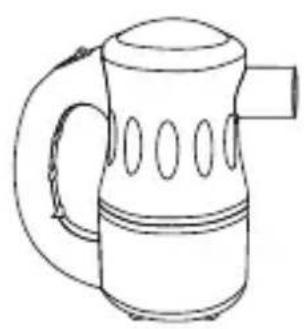
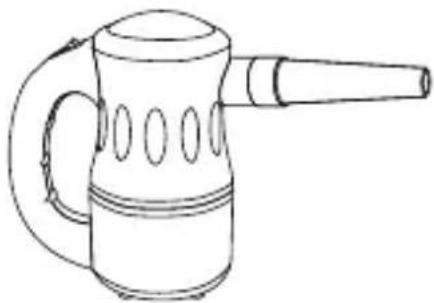
Line drawing of a kettle with handle and side slots (no text or symbols)- Cyber Duster x 1
natural_image
Collection of cosmetic products including funnel, cone, bottle, and tube (no text or labels)- Nozzle Attachments
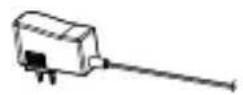
- Charger x 1# • USB Cable x 1@
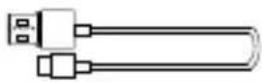
USB Cable x 1@
- Owner's Manual x 1

- Nozzle Pouch x 1
Parts Description
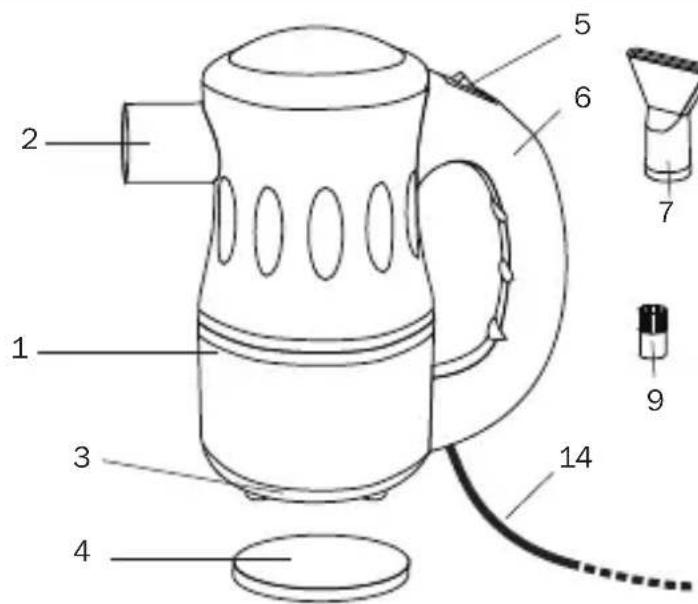
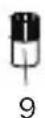
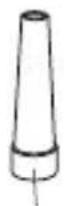
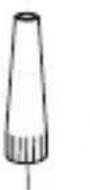


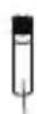
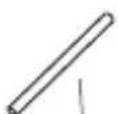
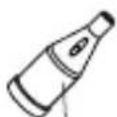
(1) Housing
(2) Air Outlet
(3) Air Inlet
(4) Filter
(5) Speed Switch
(6) Handle
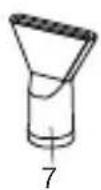
(7) Air Blade Nozzle*
(8) Standard Nozzle*
(9) Standard Brush**
(10) Detail Brush*
(11) Straw Adapter*
(12) Tapered Flow Nozzle*
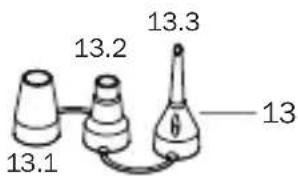
(13) Air Pump Adapter set*
(13.1) Wide Valve Adapter
(13.2) Boston Valve
Adapter
(13.3) Stem Valve Adapter
(14) Power Cord ***
(15) Standard Nozzle A**
(16) Standard Nozzle B**
(17) Detail Nozzle@
* For model A-2 only. /** For model A-2S and A-2B only. /*** For model A-2 and A-2S only. /# For model A-2B only. /@ For model A-3B only.
Cyber Duster Introduction
- The XPOWER Cyber Duster produces a powerful airflow for endless applications with various nozzle attachments.
- It's ideal to dust, pump air, and dry a variety of surfaces with its power and flexibility.
- With a high pressure airflow, it's also designed to help dry a bathed pet in your home.
natural_image
Line drawing of a portable electric shaver with handle and spout (no text or symbols)Installation and Operation Guide
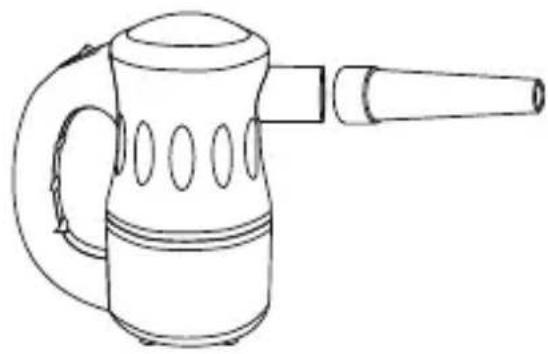
Nozzle Installation
(See Page 4: Parts Description)
natural_image
Line drawing of a portable electric shaver with handle and spout (no text or symbols)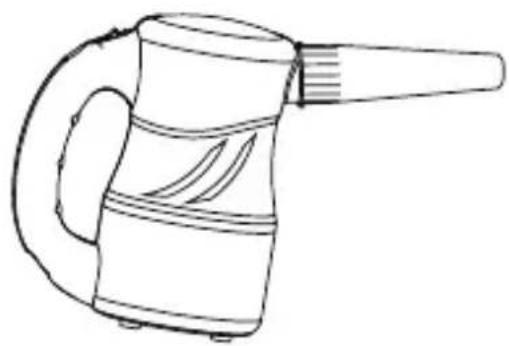
natural_image
Line drawing of a handheld hair dryer with handle and spout (no text or symbols)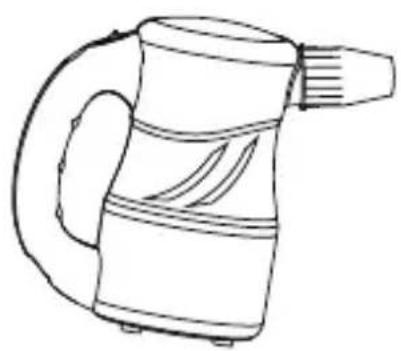
natural_image
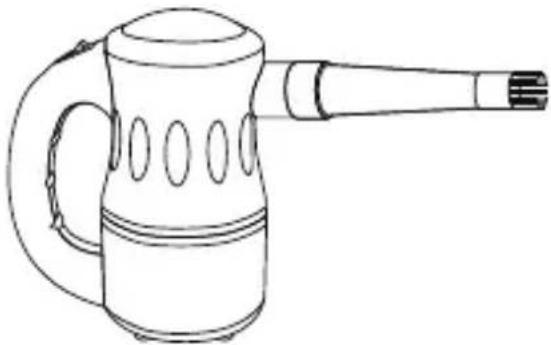
Line drawing of a portable electric shaver with handle and spout (no text or symbols)Standard Nozzle
- The standard nozzle can be used alone. Attach the standard nozzle to the air inlet of the Cyber Duster.
- Push and secure the nozzle.
Standard Nozzle A / B
- The Standard Nozzle A / B can be used alone.
- Attach the nozzle to the air inlet of the Cyber Duster. Screw and fasten the nozzle.
natural_image
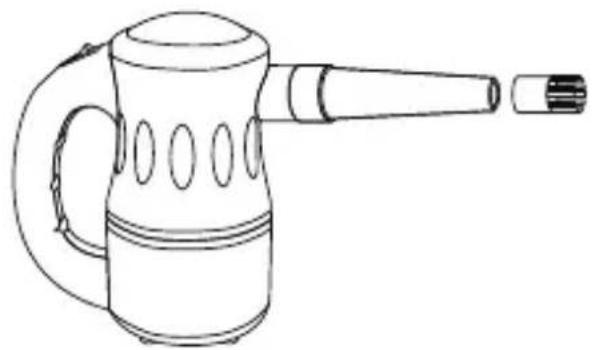
Line drawing of a portable electric shaver with handle and spout (no text or symbols)Standard Brush / Detail Nozzle
- The standard brush / detail nozzle must be attached onto the standard nozzle or standard nozzle A.
natural_image
Line drawing of a portable electric shaver with handle and spout (no text or symbols)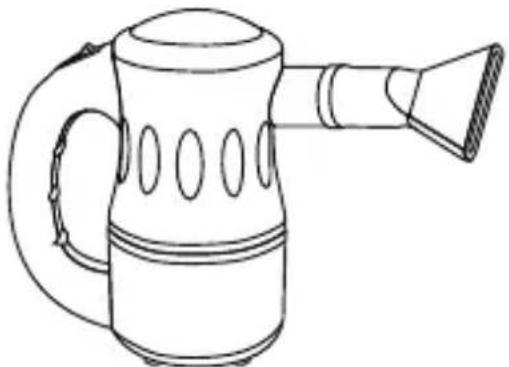
natural_image
Line drawing of a portable water heater with handle and spout (no text or symbols)Air Blade Nozzle
- Simply attach the air blade nozzle to the air inlet of the Cyber Duster.
natural_image
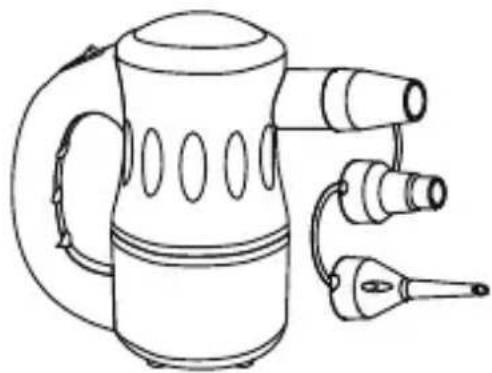
Line drawing of a portable electric kettle with three speakers and a handle (no text or symbols)Air Pump Adapters
- The air pump adapter set consists of three adapters. Each adapter is designed for different kind of inflatable valves.
- Simply attach the desired adapter to the air inlet of the Cyber Duster.
natural_image
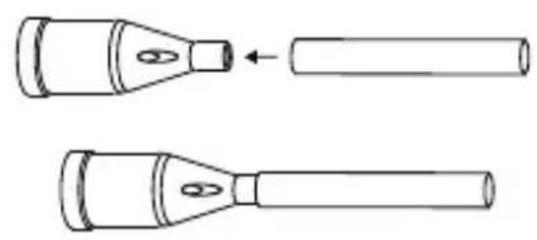
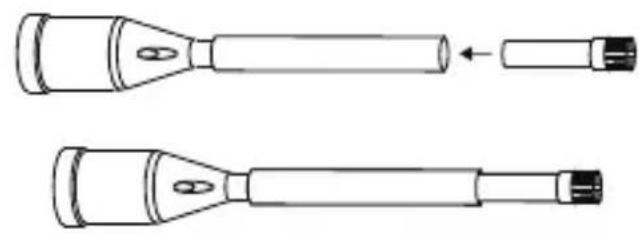
Two handshells with pointed tips and a cylindrical shaft, shown from different angles (no text or symbols)The tapered flow nozzle, straw adapter and the detail brush should be used together.
Tapered Flow Nozzle
- Attach the straw adapter onto the tapered flow nozzle.
natural_image
Two handshells with different tip positions and internal connectors, shown from different angles (no text or symbols)Straw Adapter
- Insert the detail brush inside the other end of the straw adapter.
natural_image
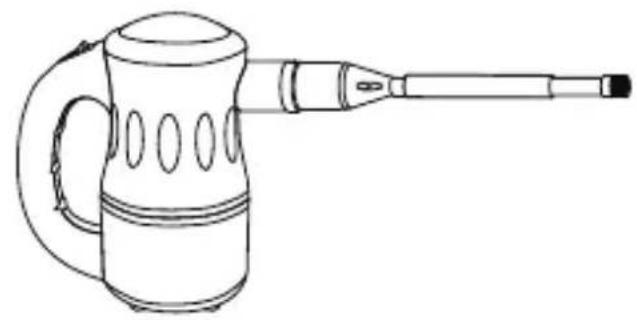
Line drawing of a portable electric shaver with handle and spout (no text or symbols)Detail Brush
- Attach the whole set of the nozzles onto the Cyber Duster.
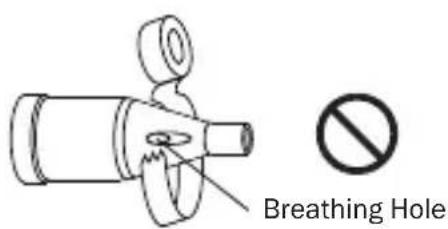
! WARNING
- Do not tape or block the breathing holes on the tapered flow nozzle and the air pump adapters.
- The breathing holes allow the machine to release the air pressure when the straw adapter or the detail brush is blocked.
- Blocking the breathing holes could cause serious failure on the machine and void the warranty.
Power Supply
Amperage Rating
- This appliance consumes high amperage electricity of 4.5 A (Model A-2 and A-2S only. See Page 13: Technical Specifications).
- Make sure you have a power socket with a compatible amperage rating and fuse setting. You should also check if the power circuit of your building can support the total power consumption of all the devices including this appliance.
Speed Switch
natural_image
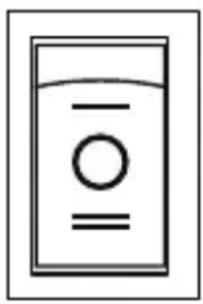
Simple line drawing of a water dispenser with no text or symbols- Switch to “O” position to turn the Cyber Duster OFF. Switch to other positions to turn the Cyber Duster ON.
- For model A-2, A-2S and A-2B, there are two speeds settings: I and II. “I” is the lower speed and “II” is the higher speed.
Charging the Battery (For Model A-2B only)
- Connect the charger to the power source. The power indicator light on the charger will display green.
- Then connect the charger to the machine. The power indicator on the charger will display red. When the battery is fully charged, the power indicator light will display green.
- WARNING: DO NOT use generic chargers or power adapters to charge the battery, as this may cause malfunction or permanent damage to the battery or other related safety concerns.
- IMPORTANT: Please charge the battery fully to activate the battery prior to initial use.
- IMPORTANT: To avoid the battery working on low capacity condition and encountering permanent damage, it's recommended to charge the battery fully before each usage and not to use this machine when charging.
Starting Your Job
Before Turning on the Cyber Duster:
Please hold the handle tightly and point to a safe area.
Dusting a Computer or Other Devices (See Page 4: Parts Description)
Recommended nozzles: standard nozzle, standard brush, tapered flow nozzle, straw adapter and detail brush.
- Disassemble the computer (or other desired devices) and put the computer (or other desired devices) in a outdoor place (recommended).
Starting Your Job (Continued)
- Install the standard nozzle and turn on the Cyber Duster with the higher speed setting. Roughly dust the surface of the computer (or other desired devices).
• Install the standard brush onto the standard nozzle to remove difficult dirt. - Switch to tapered flow nozzle with straw adapter and detail brush installed to clean crawl places.
- Switch to standard nozzle again to dust out the whole surface.
Used As a Hair Dryer for Pet (See Page 4: Parts Description)
Recommended nozzles: standard nozzle and air blade nozzle.
- Force Drying Stage: In this stage, pets have been bathed and are saturated with heavy water. High-pressure airflow can remove the heavy water efficiently. You can achieve high-pressure air by installing the standard nozzle or air blade nozzle and dry at the higher speed setting of the machine.
- Finish Stage: In this stage, most of the heavy water on the pets have been removed in the force drying stage, but there is still some moisture. Heated-temperature and high-volume soft airflow can help to vaporize the rest of the moisture or to fluff and style. Switch to the lower speed setting and dry. For long coated pets, use the air blade nozzle to prevent knotting in the drying process.
Used As an Air Pump/Inflator (See Page 4: Parts Description)
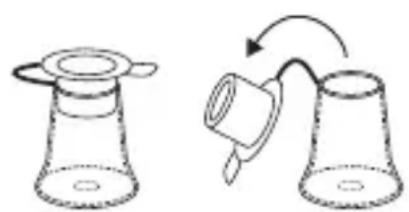
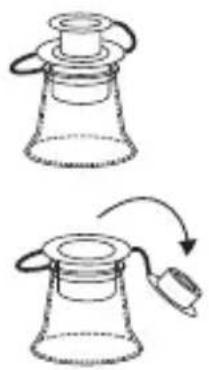
• Install the matching air pump adapter onto the Cyber Duster.
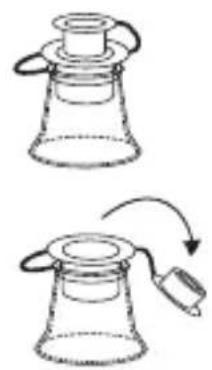
- Open the valve and insert the adapter into the valve until the adapter covers the whole intake.
- Turn on the machine with the lower speed setting (recommended) and start to inflate. Use your hands to feel if there is enough air.
- Turn off the machine when finished. Close the valve.
Stem Valves (Inner diameter ≥ 14 inch / 6 mm)
natural_image
Diagram showing two stages of a funnel-like object with a handle, connected by an arrow indicating rotation (no text or symbols present)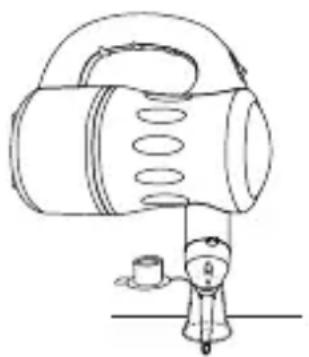
natural_image
Line drawing of a portable electronic device with a cylindrical body and a small cylindrical component attached (no text or symbols)Boston Valves (Inner diameter between 12 inch / 12 mm and 78 inch / 22 mm)
natural_image
Two diagrams showing a conical container with a lid and a mouse, connected by an arrow indicating rotation (no text or symbols)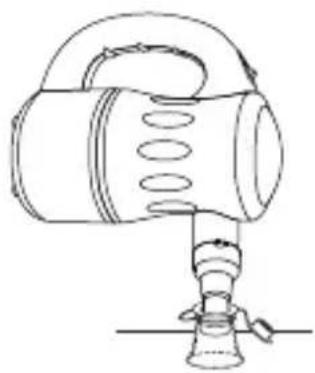
natural_image
Line drawing of a mechanical device with a handle and base, no text or symbols presentOther Valves (Inner diameter between 78 inch / 22 mm and 114 inch / 32 mm)
natural_image
Two diagrams showing a conical flask with a side arm and a separate container with a handle, connected by an arrow indicating rotation (no text or symbols)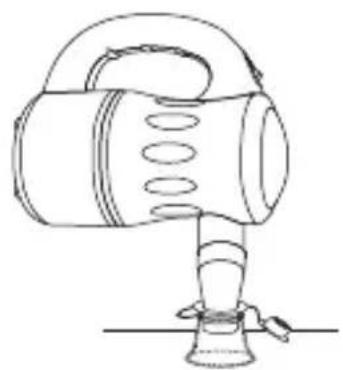
natural_image
Line drawing of a portable electronic device with handle and base (no text or symbols)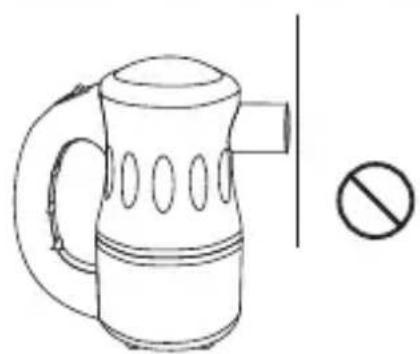
natural_image
Line drawing of a portable kettle with handle and side panel, next to a prohibition symbol (no text or labels)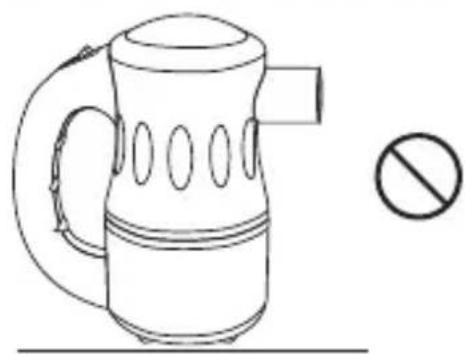
natural_image
Line drawing of a portable kettle with handle and side panel, accompanied by a prohibition symbol (no text or labels)! WARNING
- Do not operate the machine with air inlet or outlet against any flat surface directly.
- This could block the air inlet or outlet and cause serious failure on the machine and void the warranty.
User Maintenance Instructions
Frequent maintenance is recommended on this appliance. Failure to follow the maintenance instructions may cause failure of the appliance and void the warranty.
- When not in use, unplug and store the appliance in a dry and cool indoor place. Make sure it's out of reach of children.
- Before performing any maintenance or cleaning, always disconnect the Cyber Duster from its power source.
- Use a damp cloth to wipe the surface of the housing. Do not clean the unit with water directly.
- Check if the air inlet and outlet are clean. Remove dirt or any other objects that could block the air inlet and air outlet.
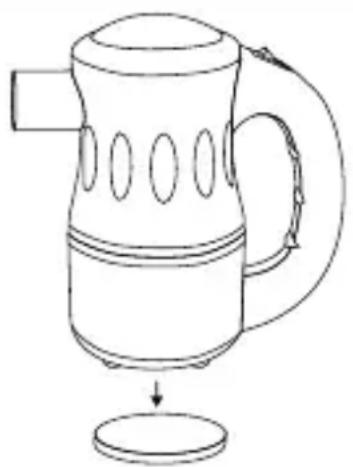
Filter Maintenance
natural_image
Line drawing of a kettle with handle and spout, showing internal structure and a drop below (no text or symbols)There is one filter on the bottom (intake) of the machine. To ensure the best performance, you should clean or replace the filters frequently. (See Also Page 3: Parts Description).
Nozzle Attachment Maintenance
- Use water to remove dirt or any other objects on the nozzle attachments. Pay attention to the possible hidden dirt on the standard brush and detail brush.
- Dry the nozzle attachments in natural wind or with the Cyber Duster.
- Store the nozzle attachments in the nozzle pouch out of reach of children.
Battery Maintenance (For Model A-2B only)
- When not in use for a long time, please charge the battery until full before storage. It's recommended to charge the battery at least once every 3 months.
- DO NOT disassemble this machine on your own. DO NOT disassemble the battery. If the machine or battery malfunctions, refer to the Troubleshooting Guide.
Disposal of the Battery
- This product contains lithium ion batteries. Special disposal methods may be required local disposal regulations.
PROBLEM POSSIBLE CAUSE SOLUTION
| Cyber Duster does not start | No electricity. Check for power supply. | |
| The power cord is not properly plugged in. | Remove and reconnect the power cord. | |
| Battery is not activated yet. Please charge the battery until full prior to initial use.(See Page 8: Charge the Battery) | ||
| Low battery capacity. When the battery capacity is 20% or lower, in order to protect the battery, the preset program will stop the machine and prohibit the machine from working again. (See Page 8: Charge the Battery) | ||
| Battery can't be charged | Charger malfunctions or battery is permanently damaged. | Contact XPOWER for additional assistance. |
| Unit runs but the speed / noise is abnormal | Air inlet or air outlet is blocked. Remove blockage and clean the filter or nozzle attachment. | |
| Low battery capacity. (See Page 8: Charge the Battery) | ||
| This product uses a high RPM motor to provide powerful airflow and could create a certain level of noise. This is a normal sound. | Use a wider opening nozzle attachment, switch to the lower speed setting or operate in a outdoor place. | |
| Abnormal Temperature of the airflow or housing | This product generates powerful motor heated air. After a prolonged use, the airflow and the machine surface might reach a high temperature. | Stop using for at least one hour until fully cooled down. Clean the filter and check if the air inlet or outlet is blocked. Use a glove the isolate the heat coming from the housing. |
| Nozzle falls off | The nozzle is not properly installed. | Follow the installation guide. Secure the nozzle before use. |
Troubleshooting Guide (Continued)
| Sparks Occasionally small amount of sparks generated by the motor during normal operation. | This is normal. |
| Unit works with continuous sparks. | Stop using for at least one hour until the unit cools down. Clean the filter and check if the air inlet or outlet is blocked. Then point to a safe area and turn on the machine for 5 minutes. Sparks should disappear. |
(See Page 3: Special Instructions)
If troubleshooting does not resolve your problem, please contact XPOWER or other parties authorized by XPOWER for further instructions.
Technical Specification
| MODEL NUMBER A-2 A-2S | ||
| Voltage/Frequency 115 V~60 Hz | ||
| Amperage 4.5 A | ||
| Motor Power 540 W | ||
| Rated Airflow 90 CFM | ||
| Speed Control 2 Speeds | ||
| Cord Length 10 ft. / 3 m | ||
| Unit Dimension (L) x (W) x (H) | 6.75 x 3.82 x 7.22 in. / 17.2 x 9.7 x 18.3 cm | 7.01 x 3.90 x 7.13 in. / 17.8 x 9.9 x 18.1 cm |
| Unit Weight 2.3 lbs. / 1.0 kg 2.3 lbs. / 1.1 kg | ||
| Safety Certification ETL/C-ETL | ||
Technical Specification (Continued)
MODEL NUMBER A-2B A-3B
| Charger Input Specification | 100-240 V~, 50/60Hz 0.4 A | USB Type-A, 5 V / 2.0 A |
| Charger Output Specification | DC 21 V / 0.6 A USB Type-C, 5 V / 2.0 A | |
| Machine Output Power 175 W 120 W | ||
| Battery Specification Lithium Ion Battery 37 W·h | Lithium Ion Battery 27.75 W·h | |
| Run Duration ≈ 12 - 15 min | ||
| Charging Duration Max 3.5 h | ||
| Charger Cord Length 6 ft. / 1.8 m 3 ft. / 1.0 m | ||
| Unit Dimension (L) x (W) x (H) | 7.1 x 3.9 x 7.0 in. / 17.8 x 9.9 x 18.1 cm | 6.1 x 3.5 x 6.5 in. / 15.5 x 9.0 x 16.5 cm |
| Unit Weight 2.09 lbs. / 0.95 kg | 1.39 lbs. / 0.63 kg | |
XPOWER Limited Warranty (USA)
1 YEAR LIMITED WARRANTY
XPOWER-branded products purchased in the U.S. from authorized distributors include a 1-year limited warranty. Contact XPOWER to confirm warranty information about your product(s).
This limited warranty covers defects in materials and workmanship in your XPOWER-branded products, purchased in the U.S. ONLY. Local warranty policy (if any) in your country will cover products purchased outside the U.S.
IMPORTANT:
(1) Please finish the online warranty registration before usage. Visit https://xpower.com/warranty-registration/.
(2) This Limited Warranty applies with its own timeliness. Contact XPOWER or visit www.xpower.com for more information.
Items mentioned but not limited to below are not covered by warranty:
(1) Power cord, filters or any other components considered as a “consumable parts” by XPOWER.
(2) Normal wear and tear.
(3) Problems that result, directly or indirectly, at XPOWER's sole discretion, from:
(3.1) External causes such as accident, abuse, misuse or problems with electrical power supply.
(3.2) Disassembling, servicing or modification not authorized by XPOWER.
(3.3) Usage that is not accordant with product instructions stated in Owner's Manual.
(3.4) Failure to follow the product instructions or lack of necessary maintenance stated in Owner's Manual.
Before contacting XPOWER, please try one or more of the following:
(1) Consult this Owner's Manual and follow the instructions of troubleshooting guide.
(2) Access www.xpower.com for more advice and information that could be helpful to address your problems.
If you need additional assistance from XPOWER, please:
(1) Email info@xpower.com.
(2) Call XPOWER U.S. Customer Service Department at 855-855-8868 or other numbers provided on www.xpower.com.
(3) Visit XPOWER U.S. Head Office at 668 S. 6th Avenue, City of Industry, CA 91746 or the most current address provided on www.xpower.com.
Please also have your original proof of purchase and the serial number(s) of your product(s) ready when you contact XPOWER.
If you are instructed to return the unit for service or replacement, please:
(1) Request a RMA (Return-Merchandise-Authorization) number.
(2) Use the original or an equivalent packaging, prepay shipping charges at your own expense to the address provided by XPOWER, with the RMA number on the shipping label or the packaging.
(3) Include all the original parts and components.
XPOWER will inspect, assess and advise the repairs needed and applicable cost, if any. For products under warranty, we will pay to ship the repaired or replaced product(s) to you if you use an address within the Contiguous United States. Otherwise, we will ship the product(s) to you at your own expense.

ADVERTENCIA: LEA Y GUARDE ESTE MANUAL ANTES DE USAR ESTE PRODUCTO.
natural_image
Line drawing of a kettle with handle and side slots (no text or symbols)• Cyber Duster x 1
natural_image
Illustration of various cosmetic products including tubes, flasks, and a pen (no text or labels)natural_image
Line drawing of a portable pitcher with handle and spout (no text or symbols)natural_image
Line drawing of a portable electric shaver with handle and spout (no text or symbols)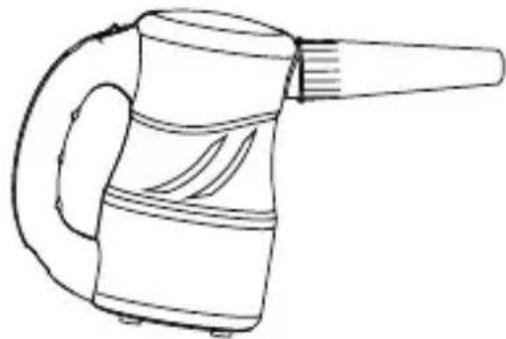
natural_image
Line drawing of a handheld device with handle and spout (no text or symbols)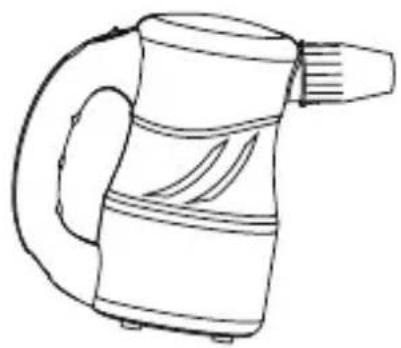
natural_image
Line drawing of a portable electric shaver with handle and spout (no text or symbols)Boquilla Estándar
natural_image
Line drawing of a handheld electric shaver with handle and spout (no text or symbols)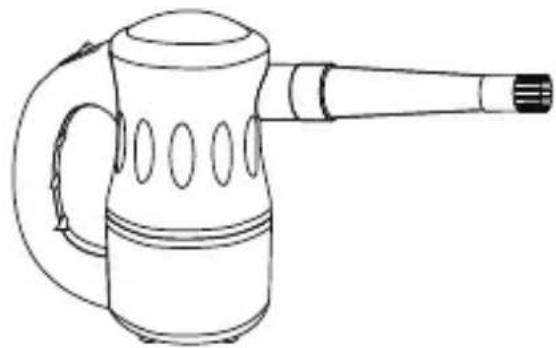
natural_image
Line drawing of a portable electric shaver with handle and spout (no text or symbols)natural_image
Line drawing of a portable water heater with handle and spout (no text or symbols)natural_image
Line drawing of a portable electric kettle with three speakers and a handle (no text or symbols)natural_image
Two hand-cranked cylindrical devices with pointed tips, one being inserted and the other extended (no text or symbols)natural_image
Diagram of two different types of flashlights with no text or symbolsAdaptador de Paja
natural_image
Line drawing of a handheld electric shaver with handle and spout (no text or symbols)Cepillo de Detalle
natural_image
Simple line drawing of a mechanical component with a cylindrical shaft and flanged end (no text or symbols)natural_image
Simple line drawing of a water level with horizontal and vertical lines (no text or symbols)natural_image
Diagram showing two stages of a mechanical or laboratory setup with no visible text or symbols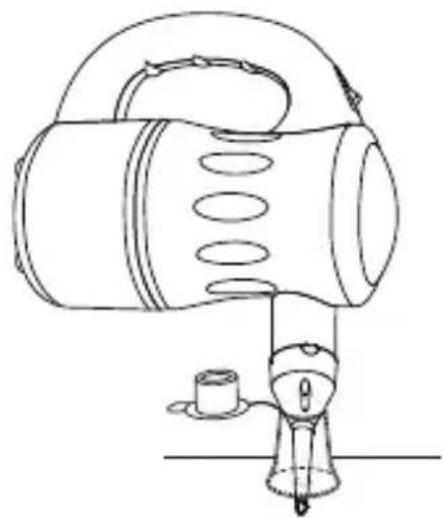
natural_image
Line drawing of a portable lamp with a small cup and handle (no text or symbols)Válvulas Boston
natural_image
Two diagrams showing a conical flask with a lid and a handle, connected by an arrow indicating rotation or movement (no text or symbols)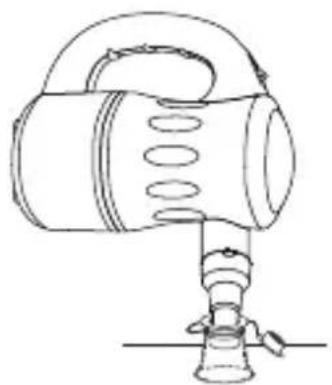
natural_image
Line drawing of a handheld device with a cylindrical body and a stand (no text or symbols)Otras Válvulas
natural_image
Two diagrams showing a conical flask with a lid and a handle, connected by an arrow indicating rotation or movement (no text or symbols)
natural_image
Line drawing of a portable electronic device with a handle and base (no text or symbols)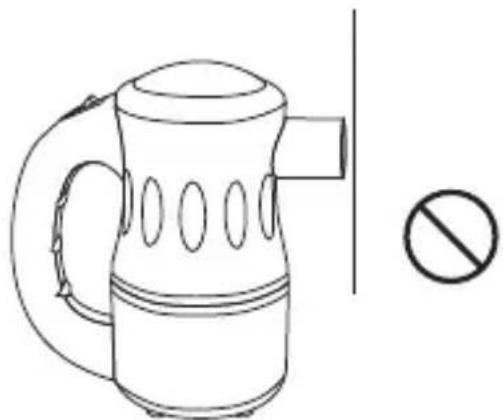
natural_image
Line drawing of a portable kettle with handle and side panel, accompanied by a prohibition symbol (no text or labels)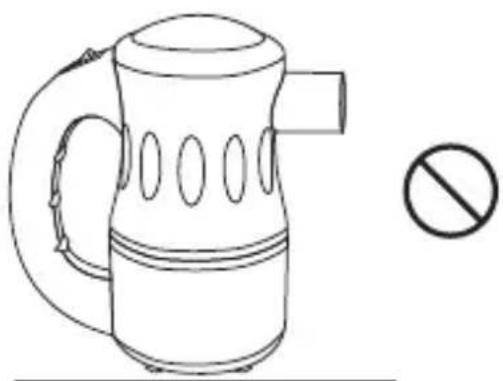
natural_image
Line drawing of a portable kettle with handle and side slots, accompanied by a prohibition symbol (no text or labels)ADVERTENCIA
natural_image
Line drawing of a kettle with a handle and spout, showing internal structure and a base (no text or symbols)natural_image
Line drawing of a kettle with handle and side slots (no text or symbols)- Cyber Duster x 1
natural_image
Illustration of various cosmetic and laboratory equipment including funnel, bottle, cap, and bulb (no text or symbols)- Buses
- Chargeurx 1#
Cable USB x1@
natural_image
Line drawing of a portable electric shaver with handle and spout (no text or symbols)natural_image
Line drawing of a portable electric shaver with handle and spout (no text or symbols)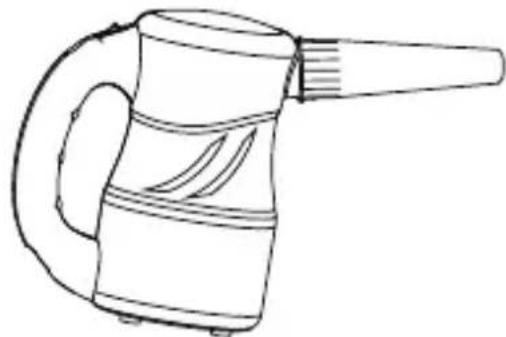
natural_image
Line drawing of a handheld device with handle and spout (no text or symbols)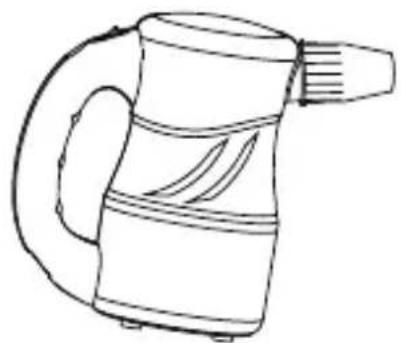
natural_image
Line drawing of a portable electric shaver with handle and spout (no text or symbols)Buse standard
natural_image
Line drawing of a portable electric shaver with handle and spout (no text or symbols)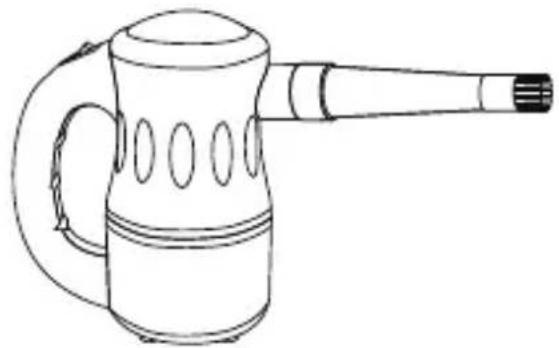
natural_image
Line drawing of a portable electric shaver with handle and spout (no text or symbols)natural_image
Line drawing of a portable water heater with handle and spout (no text or symbols)Buse de lame d'air
natural_image
Line drawing of a portable electric kettle with three speakers and a handle (no text or symbols)natural_image
Two hand tools with pointed tips and a cylindrical component, shown from different angles (no text or symbols)natural_image
Diagram of two different types of flashlights with pointed tips and a separate version, shown without any text or symbols.natural_image
Line drawing of a handheld electric shaver with handle and spout (no text or symbols)Brosse détail
natural_image
Simple line drawing of a mechanical component with a handle and base, no text or symbols presentOrifice de respiration
! ATTENTION
natural_image
Simple line drawing of a water level with two horizontal lines and a central circle (no text or symbols)natural_image
Simple line drawing of a laboratory flask with a stopper (no text or symbols)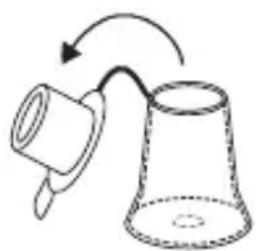
natural_image
Simple line drawing of a cup with an arrow indicating rotation (no text or symbols)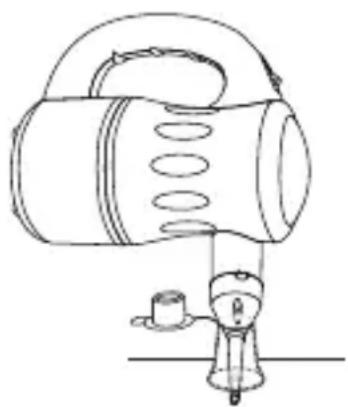
natural_image
Line drawing of a mechanical device with a cylindrical component and a base, no text or symbols presentnatural_image
Two diagrams showing a conical flask with a lid and a curved arrow indicating motion or transformation (no text or symbols)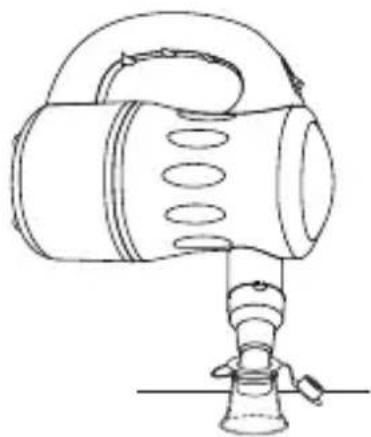
natural_image
Line drawing of a handheld device with a handle and spout, no text or symbols presentnatural_image
Two diagrams showing a conical container with a lid and a curved arrow indicating rotation or movement (no text or symbols)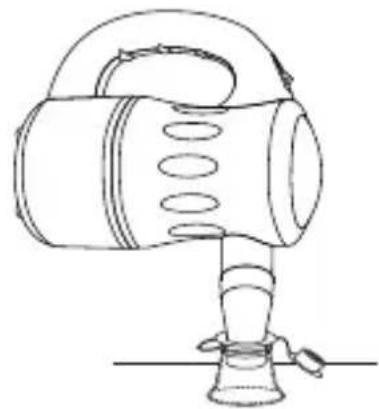
natural_image
Line drawing of a portable radio with handle and base (no text or symbols)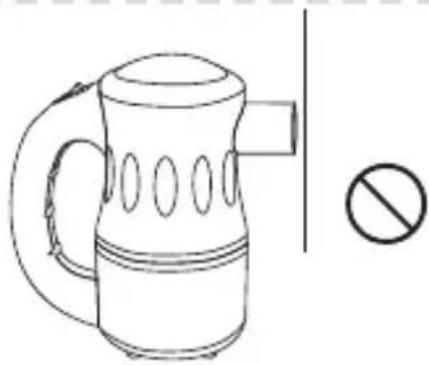
natural_image
Line drawing of a portable kettle with handle and side arm, plus a prohibition symbol (no text or labels)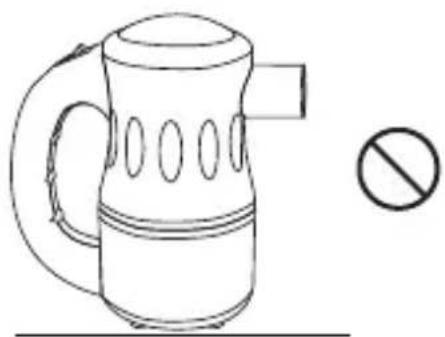
natural_image
Line drawing of a kettle with handle and side panel, accompanied by a prohibition symbol (no text or labels)! ATTENTION
natural_image
Line drawing of a kettle with a handle and spout, showing internal structure and a drop to the bottom (no text or symbols)XPOWER Manufacture, INC.
668 S. 6th Avenue
City of Industry, CA 91746 USA
www.xpower.com | 1-(855)-855-8868 | info@xpower.com
Read and save these instructions before use

- Cyber Duster Owner's Manual
- WARNING - READ AND SAVE THESE INSTRUCTIONS BEFORE USING THIS PRODUCT.
- Special Instructions
- This product is ETL/C-ETL certified. (For Model A-2 and A-2S only)
- Electric Motor Driven Tools:
- Sparks
- Temperature Level
- Noise Level
- If you drop this product:
- Parts Description
- Cyber Duster Introduction
- Installation and Operation Guide
- Nozzle Installation
- Standard Nozzle
- Standard Nozzle A / B
- Standard Brush / Detail Nozzle
- Air Blade Nozzle
- Air Pump Adapters
- Tapered Flow Nozzle
- Straw Adapter
- Detail Brush
- ! WARNING
- Power Supply
- Amperage Rating
- Speed Switch
- Charging the Battery (For Model A-2B only)
- Starting Your Job
- Before Turning on the Cyber Duster:
- Dusting a Computer or Other Devices (See Page 4: Parts Description)
- Starting Your Job (Continued)
- Used As a Hair Dryer for Pet (See Page 4: Parts Description)
- Used As an Air Pump/Inflator (See Page 4: Parts Description)
- User Maintenance Instructions
- Filter Maintenance
- Nozzle Attachment Maintenance
- Battery Maintenance (For Model A-2B only)
- Disposal of the Battery
- Troubleshooting Guide (Continued)
- Technical Specification (Continued)
- XPOWER Limited Warranty (USA)
- YEAR LIMITED WARRANTY
- IMPORTANT:
- Items mentioned but not limited to below are not covered by warranty:
- Before contacting XPOWER, please try one or more of the following:
- If you need additional assistance from XPOWER, please:
- If you are instructed to return the unit for service or replacement, please:
- ADVERTENCIA: LEA Y GUARDE ESTE MANUAL ANTES DE USAR ESTE PRODUCTO.
- Boquilla Estándar
- Adaptador de Paja
- Cepillo de Detalle
- Válvulas Boston
- Otras Válvulas
- ADVERTENCIA
- Buse standard
- Buse de lame d'air
- Brosse détail
- ! ATTENTION
Brand : XPower
Model : A-3B
Category : Heating