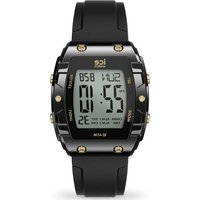
Digit Boliday - Wristwatch ICE Watch - Free user manual and instructions
Find the device manual for free Digit Boliday ICE Watch in PDF.


| Product type | Digital watch |
| Brand | ICE Watch |
| Model | Digit Boliday |
| Water resistance | 100 meters (10 ATM) |
| Power | CR2016 battery |
| Lighting | LED backlight (long press button D) |
| Main functions | Time, date, stopwatch, timer, alarm 1 & 2, world time, chime |
| Display | Digital with weekday |
| Time format | 12 or 24 hours |
| Control buttons | 4 buttons (A, B, C, D) |
| Case material | Resistant plastic |
| Strap | Silicone or plastic (not specified) |
| Case diameter | Approximately 45 mm |
| Case thickness | Approximately 12 mm |
| Approximate weight | 50 g |
| Care and cleaning | Soft dry cloth, avoid chemicals |
| Safety | Do not open case, avoid shocks and extreme temperatures |
| Replaceable battery | Yes, by a professional |
| Recycling | Complies with WEEE directive, battery to be recycled separately |
| General information | Manual available in multiple languages at notice-facile.com |
Frequently Asked Questions - Digit Boliday ICE Watch
User questions about Digit Boliday ICE Watch
0 question about this device. Answer the ones you know or ask your own.
Ask a new question about this device
Download the instructions for your Wristwatch in PDF format for free! Find your manual Digit Boliday - ICE Watch and take your electronic device back in hand. On this page are published all the documents necessary for the use of your device. Digit Boliday by ICE Watch.
USER MANUAL Digit Boliday ICE Watch
- Never try to open the case or remove its back cover.
- Do not operate buttons underwater.
- Should moisture appear inside the watch, have it checked immediately by your dealer. Otherwise it can cause erosion of the metal parts of the watch.
- Though the watch is designed to withstand normal use, you should avoid rough use or dropping the watch.
- Avoid exposing the watch to temperature extremes.
- Wipe the watch with dry, soft cloth only. Avoid allowing it to come into direct contact with chemical materials, which can cause deterioration of the plastic parts of the watch.
- Avoid to wear the watch in electromagnetic, static conditions.
- The information contained in this document belongs to ICE Universal Ltd and may not be reproduced without its authorisation.
WATER RESISTANT: 100m - BATTERY: CR2016

The symbol beside means that according to local laws and regulations your product and/or its battery shall be disposed of separately from household waste. When this product reaches its end of life, take it to a collection point designated by local authorities. The separate collection and recycling of your product and/or its battery at the time of disposal will help conserve natural resources and ensure that it is recycled in a manner that protects human health and the environment.
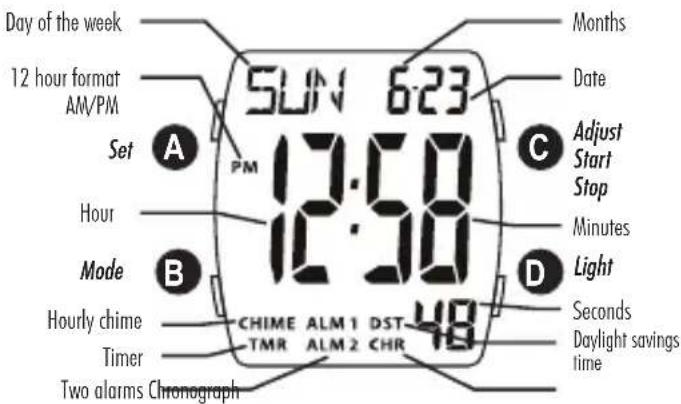
General functions
- USE THE BACKLIGHT: press and hold D to illuminate the display about 3 seconds.
- DISPLAY THE CHRONOGRAPH: press one time B.
- DISPLAY THE TIMER: press B two times.
- DISPLAY THE WORLD TIME: press B three times.
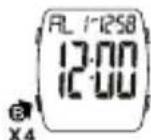
- DISPLAY THE ALARM 1: press B four times.
- DISPLAY THE ALARM 2: press B five times.
- RETURN TO THE NORMAL TIME DISPLAY: press B six times.
TIME SETTING
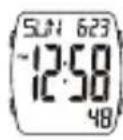
- Press and hold A until the day of the week start flashing (flashing indicates set mode).
- Press B to change to the next selection.
- Press C to increase the number, press and hold to increase at high speed.
- Press D to reverse the setting, press and hold to reverse at high speed. Repeat steps 2, 3, and 4, following the selection in this sequence: CITY CODE > SECONDS > HOURS > MINUTES > YEARS > MONTHS > DATE > 12 HR FORMAT

- Press one time A to return to normal time display.

- When set 30 seconds earlier, the minutes do not increase and the seconds reset to zero. Conversely, when set 30 seconds later, the minutes increase and the seconds reset to zero.
CHRONOGRAPH
SETTING
- Press B one time to access the « Chronograph Mode »
- Press C to start the chronograph.
- Press C again to stop the chronograph.
- Press A to reset the chronograph.
- Press B to return to the normal time display.
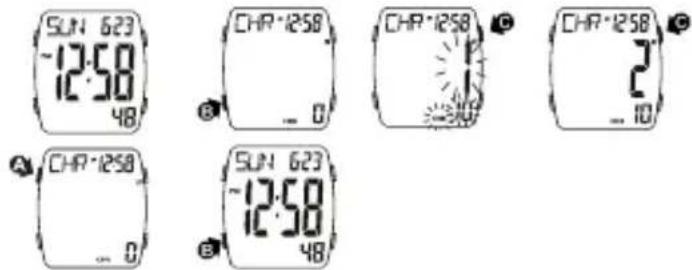
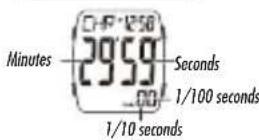
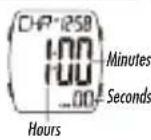
- Chronograph display for 30 minutes before and after.
BEFORE 30 MINUTES
AFTER 30 MINUTES
CHRONOGRAPH
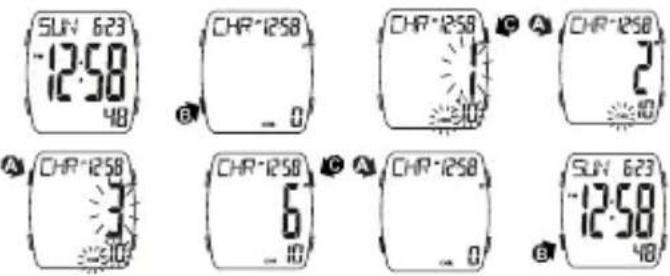
LAP TIME
- Press one time B to access the « Chronograph Mode »
- Press C to start the chronograph.
- Press A to view the first lap read.
- Press A again to access the second lap count. Repeat step 3 and 4, you can measure the multi split time.
- Press C to stop the timing.
- Press A to reset the chronograph.
- Press B to return to the normal time display.
TIMER
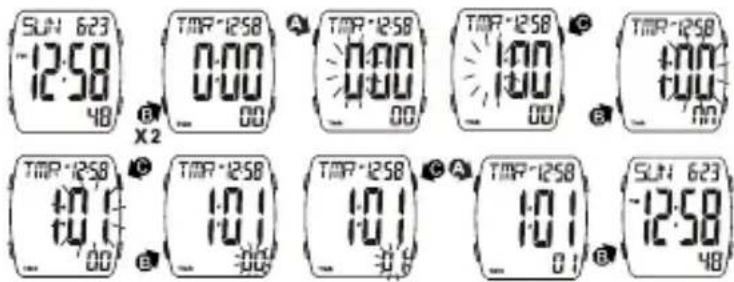
SET TIMER
- Press B two times to access the « Timer Mode »
- Press A the hour to flash (flashing indicated in set mode).
- Press C to increase the hour, press and hold to increase at high speed.
- Press B to select the minutes.
- Press C to increase the minutes, press and hold to increase at high speed.
- Press B to select the seconds.
- Press C to increase the seconds, press and hold to increase at high speed.
- Press A once to return to the « Timer Mode » screen.
- Press B once to return to the normal time display.
TIMER
COUNT UP
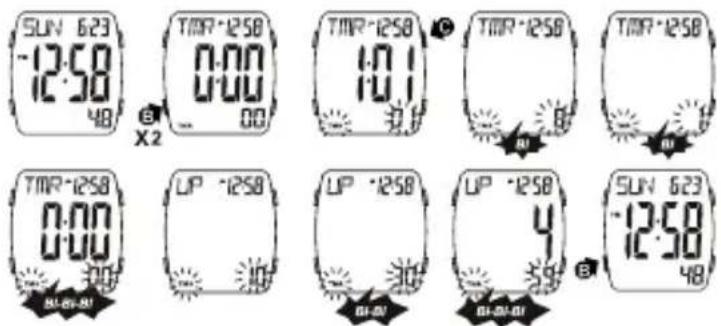
- Press B two times to access the « Timer Mode »,
- Press C to start or stop the timer.
- Press A once to return to the « Timer Mode » screen.
- Press B once to return to the normal time display.
SNOOZE
- When the timer reaches zero, the alarm will beep three times for 10 seconds. You can silence it by pressing any button; otherwise, it will sound for 5 minute.
- During the final 10 seconds of the countdown, the alarm will beep once every second.
WORLD TIME
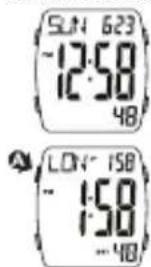
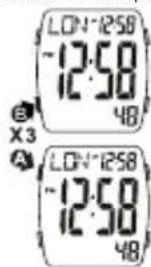
- Press B three times to access the « World Time Mode »
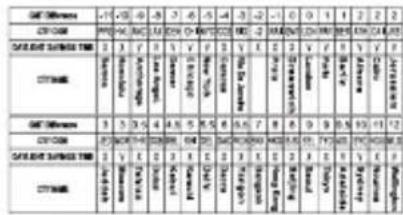
- Press C to access the city selection; 36 cities are available.
- Press and hold A for 2 seconds to turn ON daylight saving time.
- Press and hold A for 2 seconds to turn OFF daylight saving time.
- Press B once to return to the normal time display.
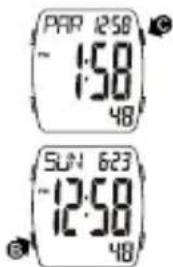
- Only cities practicing daylight saving time have a DST setting.
CITY NAMES
36 cities (x = no DST, v = selectable DST).
ALARM
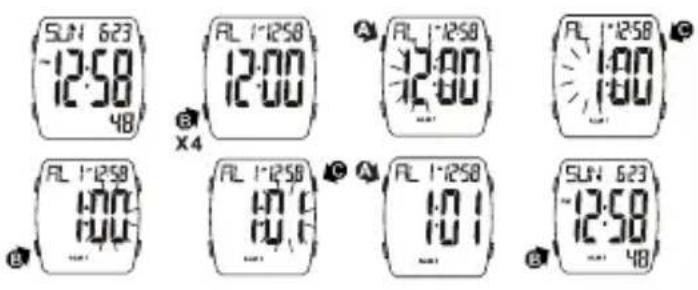
SETTING ALARM 1
- Press B four times to access the « Alarm 1 Mode »
- Press and hold A for two seconds to make the hour start flashing (flashing indicates set mode).
- Press C to increase the number, press and hold to increase at high speed.
- Press B to change to the next selection. Repeat steps 3 and 4, following the selection in this sequence: HOURS > MINUTES
- Press A once to return to the « Alarm 1 Mode » screen.
- Press B once to return to the normal time display.
ALARM
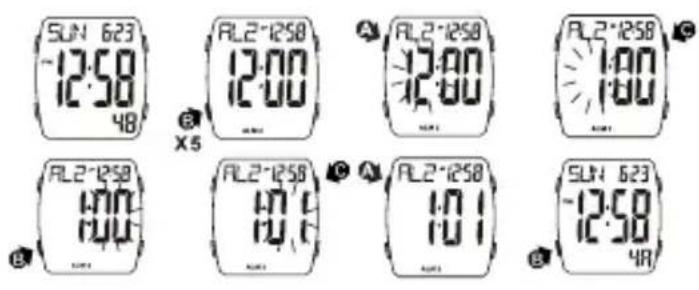
SETTING ALARM 2
- Press B five times to access the « Alarm 2 Mode »
- Press and hold A for two seconds to make the hour start flashing (flashing indicates set mode).
- Press C to increase the number, press and hold to increase at high speed.
- Press B to change to the next selection. Repeat steps 3 and 4, following the selection in this sequence: HOURS > MINUTES
- Press A once to return to the « Alarm 2 Mode » screen.
- Press B once to return to the normal time display.
ALARM AND CHIME AI
USING ALARM 1 AND CHIME
- Press B four times to access the « Alarm 1 Mode »
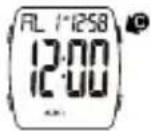
- Press Once to activate the alarm.
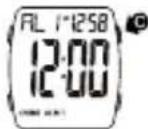
- Press C a second time to activate the alarm and the chime.
- Press C a third time to deactivate the alarm and keep the chime.
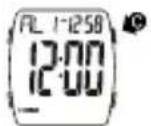
- Press C a fourth time to deactivate the alarm and the chime.
- Press B once to return to the normal time display.
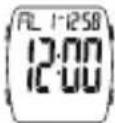

USING ALARM 2
- Press B five times to access the 气 Alarm 2 Mode
- Press C once to activate the alarm.
- Press C a fourth time to deactivate the alarm.
- Press B once to return to the normal time display.
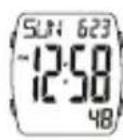
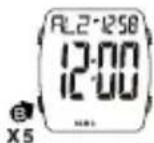
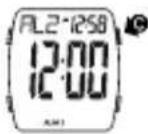
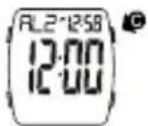
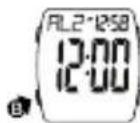
- It is not possible to activate the chime for Alarm 2.
FRANÇAIS
ATTENTION


- WATER RESISTANT: 100m - BATTERY: CR2016
- General functions
- TIME SETTING
- CHRONOGRAPH
- SETTING
- BEFORE 30 MINUTES
- AFTER 30 MINUTES
- LAP TIME
- TIMER
- SET TIMER
- COUNT UP
- SNOOZE
- WORLD TIME
- CITY NAMES
- ALARM
- SETTING ALARM 1
- SETTING ALARM 2
- ALARM AND CHIME AI
- USING ALARM 1 AND CHIME
- USING ALARM 2
- FRANÇAIS
- ATTENTION
Brand : ICE Watch
Model : Digit Boliday
Category : Wristwatch