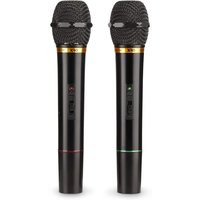
M-336 - Microphone QFX - Free user manual and instructions
Find the device manual for free M-336 QFX in PDF.


| Product Type | Wireless microphone system (receiver + 2 microphones) |
| Brand | QFX |
| Model | M-336 |
| Number of microphones | 2 |
| Connection type | FM wireless |
| Frequency range | FM 76.2 - 87.8 MHz |
| Frequency response | 100 - 1000 Hz (±3 dB) |
| Signal-to-noise ratio | > 80 dB |
| Total harmonic distortion | < 1 % |
| Operating range | Up to 30 m |
| Microphone power supply | 9 V battery (not included) |
| Battery life | 10 to 30 hours |
| Receiver power supply | AC 120 V, 60 Hz |
| Receiver dimensions | 300 x 42 x 110 mm |
| Microphone length | 190 mm |
| Antennas | Two telescopic antennas (receiver), built-in antenna (microphones) |
| Audio output | 25 mV, 600 Ω impedance (unbalanced) |
| Operating temperature | 0 °C to 45 °C |
| Care and cleaning | Clean with a soft dry cloth. Do not expose to moisture or dust. |
| Safety | Check the power supply voltage before use. Disconnect if not used for a long time. Remove the battery from the microphone if unused for long periods. |
| Spare parts and repairability | No spare parts specified. Contact QFX after-sales service. |
| General information | Use with an amplifier or karaoke system. Set the volume to minimum before connection. |
Frequently Asked Questions - M-336 QFX
User questions about M-336 QFX
0 question about this device. Answer the ones you know or ask your own.
Ask a new question about this device
Download the instructions for your Microphone in PDF format for free! Find your manual M-336 - QFX and take your electronic device back in hand. On this page are published all the documents necessary for the use of your device. M-336 by QFX.
USER MANUAL M-336 QFX
natural_image
Black OFX M-336 wireless router with antenna and control buttons (no visible text or symbols on device body)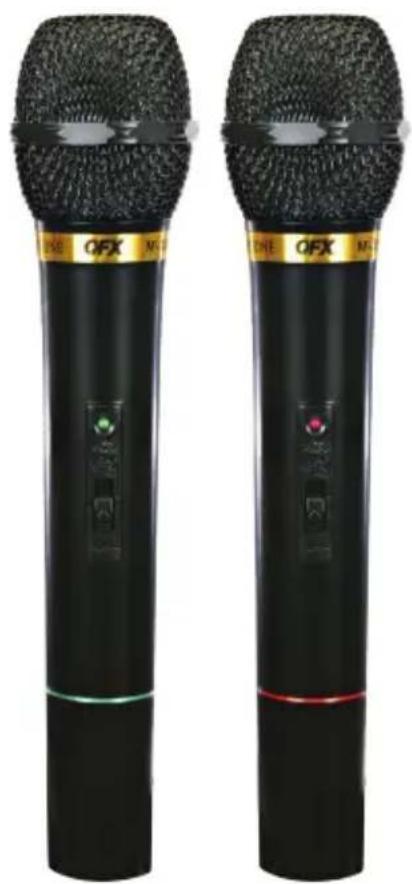
natural_image
Two black OPX audio synthesizer devices with visible microphone and control buttons (no text or symbols on body)CAUTION
Must confirm power voltage and correct terminals used before installing and using. Avoid using in a dirty and dusty surrounding. Avoid using in a over humid surrounding.
PRECAUCIÓN
Thank You for purchasing our products. This system contains a receiver and two wireless microphones. Please read the below instructions before operating the unit.
OPERATING
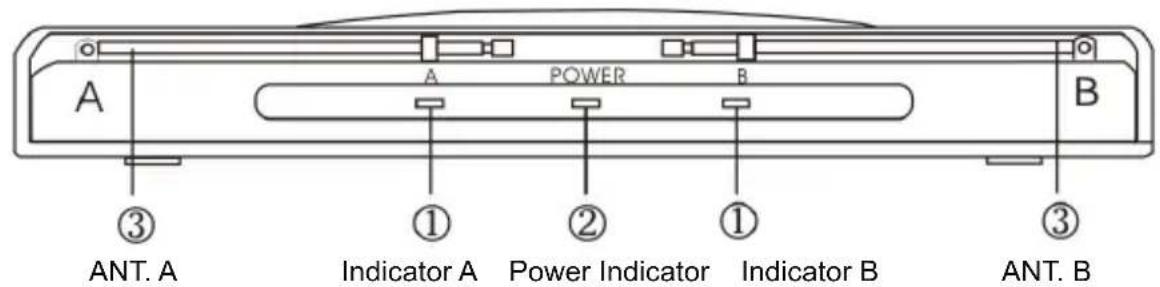
Adjust the amplifier or karaoke system volume control to the minimum. Connect the receiver unit to the amplifier or karaoke system MIC input. Raise the two telescopic antennas on the receiver unit to the highest level. Plug the unit into any 110-120V AC jack. Turn ON/OFF switch to ON. The red power LED will ligh up.
Front
Back

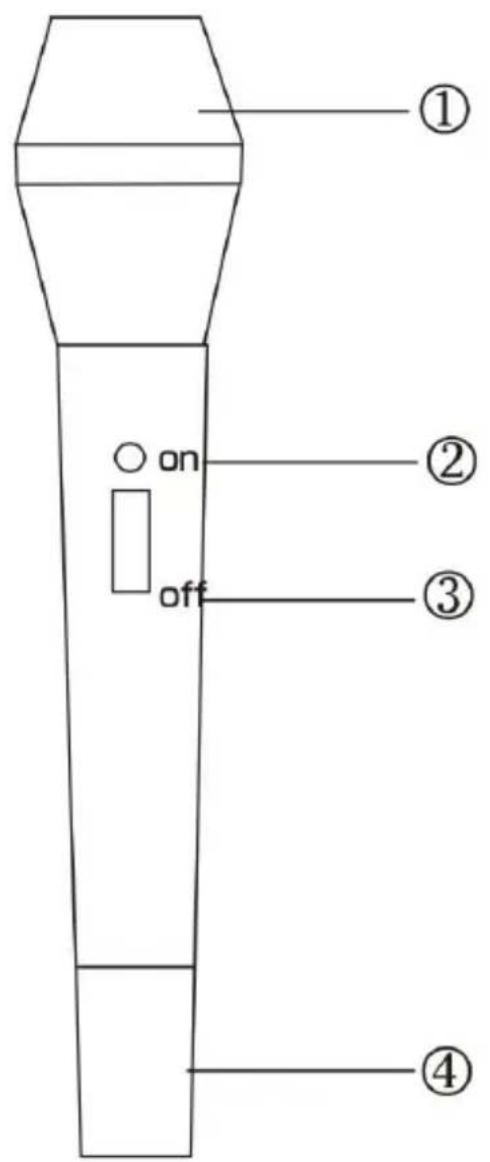
Unscrew the bottom piece of the microphones (#4) and install the 9 volt batteries and screw back on the bottom piece. Please follow the battery polarity directions marked on the microphones. Turn ON/OFF switch on each microphone to ON position and the LED A or B on the receiver should light at the moment. Now, adjust the system volume control at the desired level.
Note:
- Remove the battery from the microphone and unplug the receiver from power if they have not been used for a period of time. If the reception is bad, please change the batteries.
Specifications:
Frequency Range: FM 76.2-87.8MHz
Frequency Response: 100\~1000Hz (± 3db)
Mobile Range: 80dB
S/N Ratio: > 80dB
T.H.D.: <%
Working Temperature: 0°C\~45°C
Working Range: 30M in good position
Radio sender: Sending type: FM
Frequency Output Power: 8mW (maximum 50mw)
Deviation Range: 30KHz
Antenna: Staff Antenna
Battery: One 9V
Battery Time: 10\~30 hours
Length: 190mm
Weight:
Receiver: Receiving Type FM
Receiving Way: Out of range discrepancy
Audio out frequency power: 25mV
Output resistance: 600Ω (unbalance)
Receiving resistivity: 30dBuV
Antenna: Staff antenna or telescopic antenna
Size: 300 x 42 x 110mm
Working Voltage: AC 120 60Hz
Nota:
Remarque:
Brand : QFX
Model : M-336
Category : Microphone