
BR 49B8-S - Washing machine CANDY - Free user manual and instructions

Find the device manual for free BR 49B8-S CANDY in PDF.

CANDY BR 49B8-S - Washing machine
📄 38 pages English EN Download 💬 AI Question 2 questions
Notice CANDY BR 49B8-S - page 1
Pick your language and provide your email: we'll send you a specifically translated version.

User questions about BR 49B8-S CANDY

2 questions about this device. Answer the ones you know or ask your own.

Ask a new question about this device

Your email remains private: it is only used to notify you if someone answers your question.

How to put the CANDY BR 49B8-S washing machine in standby mode?
Frequently Asked Questions - 28 d
Response Notice-Facile

The standby mode is activated automatically on your machine - you don't have to do anything.

Operation of standby mode

  • The machine automatically goes into standby mode after 2 minutes of inactivity before the program starts, or at the end of the cycle
  • During this phase, the screen turns off to save energy

To wake up the machine

Simply turn the program selector (located at the top of the control panel) to any program. The display will turn back on immediately.

To completely turn off the machine

Turn the selector to the OFF position. The machine will turn off and the door will unlock.
Respond (be the first)
How to change the display language from English to French on the CANDY BR 49B8-S?
Frequently Asked Questions - 28 d
Response Notice-Facile

Here is the procedure to switch your CANDY BR 49B8-S washing machine from English to French:

Accessing Language Settings

  • In standby mode, press and hold the Option button for more than 5 seconds to access the settings menu
  • The screen will display the available options including language and sound settings

Selecting French

  • Turn the program knob to scroll through the available languages (the system supports more than 50)
  • Select Français from the list
  • Click to confirm your choice

Validation

The settings are automatically saved once confirmed via the display. The interface will then switch to French.

You can also adjust the beep sound (enable or disable sound alerts) in the same menu before confirming.

Respond (be the first)

Download the instructions for your Washing machine in PDF format for free! Find your manual BR 49B8-S - CANDY and take your electronic device back in hand. On this page are published all the documents necessary for the use of your device. BR 49B8-S by CANDY.

USER MANUAL BR 49B8-S CANDY

MERCI

5-4 88:88

Tiroir à lessive

Simple gear icon with no text or symbols, labeled '5-9' at top right (no other text or symbols)

5-10

EXTRA RINÇAGE «

5-15 >>||

5-16

6. PROGRAMMES

• Oui

○ Facultatif

/ Non

Technical diagram of a mechanical component with numbered parts and an arrow indicating direction

L = lessive liquide/en gel

P = lessive en poudre

= facultatif

- = non

8-5 100 100 100 100 100 100 100 100 100 100 100 100 100 100 100 100 100 100 100 100 100 100 100 100 100 10 1 2 3 4 5 6 7 8 9 10 11 12 13 14 15 16 17 18 19 20 21 22 23 24 25 26 27 28 29 30 31 32 33 34 35 36 37 38 39 40 41 42 43 44 45 46 47 48 49 50 51 52 53 54 55 56 57 58 59 60 61 62 63 64 65 66 67 6…

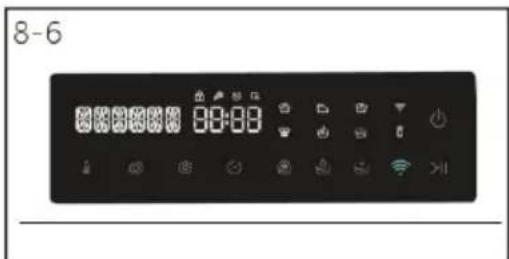
8-6 8:00:00

Download on the App Store ANDROID APP ON Google® play EXPLORE IT ON AppGallery

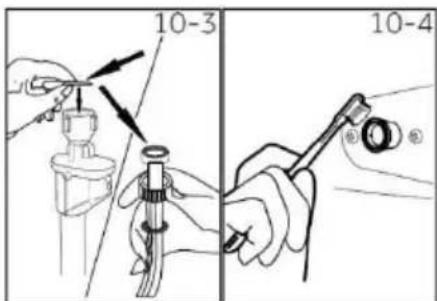
10-3 10-4

Technical illustration of a cylindrical mechanical component with internal structure (no text or symbols)

10-8 10-9

10-10 10-11

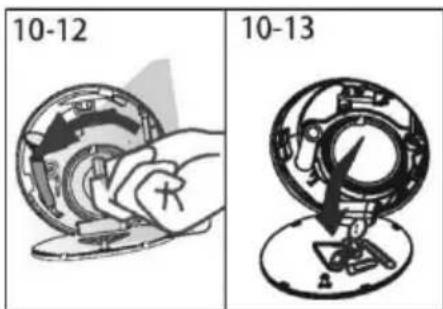
10-12 10-13

Table of contents Click a title to access it
Manual assistant
Powered by Anthropic
Waiting for your message
Product information

Brand : CANDY

Model : BR 49B8-S

Category : Washing machine