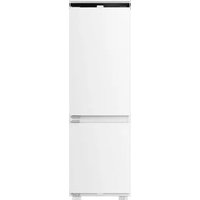
USER MANUAL RB3B250NEWE1 HISENSE

NOTE

NOTE

NOTE
Spirit level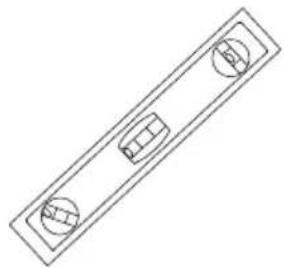
Angle gauge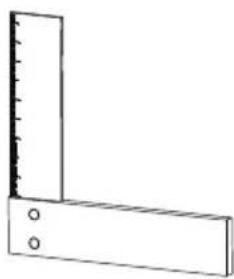
Ruler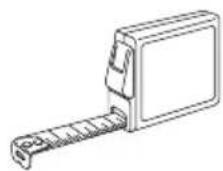
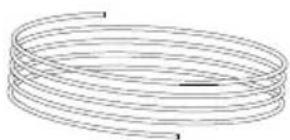
Rope
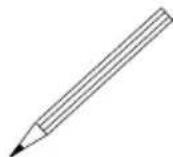
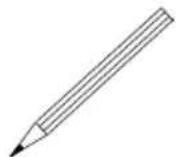
Pen
2
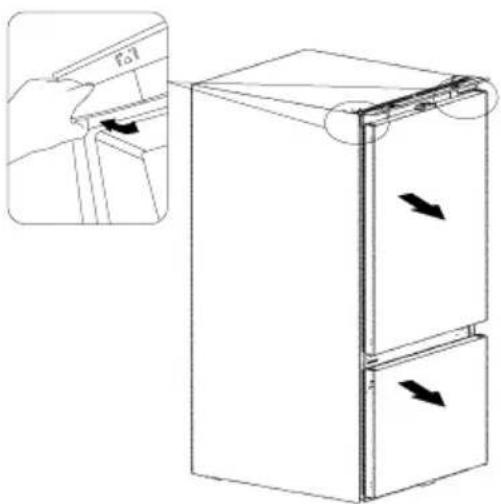
4
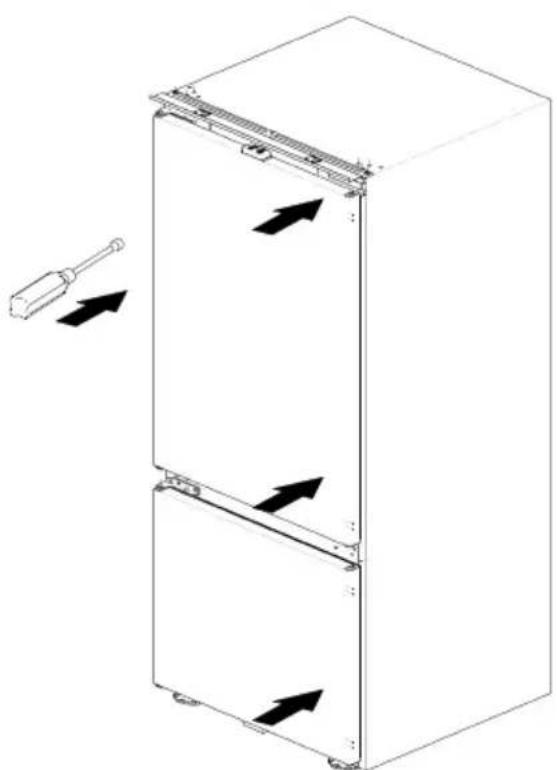
Example of error
Before operating this unit, please read this manual thoroughly, and retain for future reference.
EN
English
Contents
Safety and warning information 01
Description of the appliance....12
Electronic controls....13
First use and installation....19
Reverse the door....26
Daily use....29
Helpful hints and tips....30
Cleaning and care.... 31
Troubleshooting....33
Disposal of the appliance....36
For your safety and correct usage, before installing and first using the appliance, read this user manual carefully, including its hints and warnings. To avoid unnecessary mistakes and accidents, it is important to make sure that all people using the appliance are thoroughly familiar with its operation and safety features. Save these instructions and be sure that they remain with the appliance if it is moved or sold, so that anyone using it throughout its life, will be properly informed on its usage and safety notices.
For the safety of life and property, keep the precautions of these user's instructions as the manufacturer is not responsible for damages caused by omission.

Safety for children and others who are vulnerable people
According to EN standard
This appliance can be used by children aged from 8 years and above and persons with reduced physical, sensory or mental capabilities or lack of experience and knowledge if they have been given supervision or instruction concerning use of the appliance in a safe way and understand the hazards involved. Children shall not play with the appliance. Cleaning and user maintenance shall not be made by children without supervision.

Safety for children and others who are vulnerable people
According to IEC standard
This appliance is not intended for use by persons (including children) with reduced physical, sensory or mental capabilities, or lack of experience and knowledge, unless they have been given supervision or instruction concerning use of the appliance by a person responsible for their safety.
- Keep all packaging away from children as there is risk of suffocation.
- If you are discarding the appliance, pull the plug out of the socket, cut the connection cable (as close to the appliance as you can) and remove the door to prevent children playing from suffering an electric shock or from closing themselves inside it.
- If this appliance, featuring magnetic door seals, is to replace an older appliance having a spring lock (latch) on the door or lid, be sure to make the spring lock unusable before you discard the old appliance. This will prevent it from becoming a death trap for a child.

General safety
- WARNING
This appliance is intended to be used in household and similar applications such as
- staff kitchen areas in shops, offices and other working environments;
- farm houses and by clients in hotels, motels and other residential type environments;
- bed and breakfast type environments;
- catering and similar non-retail applications.
- WARNING
Do not store explosive substances such as aerosol cans with a flammable propellant in this appliance.
- WARNING
If the supply cord is damaged, it must be replaced by the manufacturer, its service agent or similarly qualified persons in order to avoid a hazard.
- WARNING
Keep ventilation openings, in the appliance enclosure or in the built-in structure, clear of obstruction.

General safety
- WARNING
Do not use mechanical devices or other means to accelerate the defrosting process, other than those recommended by the manufacturer.
- WARNING
Do not damage the refrigerant circuit.
- WARNING
Do not use electrical appliances inside the food storage compartments of the appliance, unless they are of the type recommended by the manufacturer.
- WARNING
The refrigerant and insulation blowing gas are flammable. When disposing of the appliance, do so only at an authorized waste disposal center. Do not expose to flame.
- WARNING
When positioning the appliance, ensure the supply cord is not trapped or damaged.
- WARNING
Do not locate multiple portable socket-outlets or portable power supplies at the rear of the appliance.

Replacing the illuminating lamps
- WARNING
The illuminating lamps must not be replaced by the user! If the illuminating lamps is damaged, contact the customer helpline for assistance. This warning is only for refrigerators that contain illuminating lamps.

Refrigerant
The refrigerant isobutene (R600a) is contained within the refrigerant circuit of the appliance, a natural gas with a high level of environmental compatibility, which is nevertheless flammable. During transportation and installation of the appliance, ensure that none of the components of the refrigerant circuit become damaged. The refrigerant (R600a) is flammable.
- WARNING
Refrigerators contain refrigerant and gases in the insulation. Refrigerant and gases must be disposed of professionally as they may cause eye injuries or ignition. Ensure that tubing of the refrigerant circuit is not damage prior to proper disposal.
WARNING Risk of fire / flammable materials
If the refrigerant circuit should be damaged:
- Avoid open flames and sources of ignition.
- Thoroughly ventilate the room in which the appliance is situated.
It is dangerous to alter the specifications or modify this product in any way.
Any damage to the cord may cause a short circuit, fire, and/or electric shock.

Electrical safety
- The power cord must not be lengthened.
- Make sure that the power plug is not crushed or damaged. A crushed or damaged power plug may overheat and cause a fire.
- Make sure that you can access the main plug of the appliance.
- Do not pull the main cable.
- If the power plug socket is loose, do not insert the power plug. There is a risk of electric shock or fire.
- You must not operate the appliance without the interior lighting lamp cover.

Electrical safety
- The fridge is only applied with power supply of single phase alternating current of 220~240V/50Hz. If fluctuation of voltage in the district of user is so large that the voltage exceeds the above scope, for safety sake, be sure to apply A. C. Automatic voltage regulator of more than 350W to the fridge. The fridge must employ a special power socket instead of common one with other electric appliances. Its plug must match the socket with ground wire.
Daily use
- Do not store flammable gases or liquids in the appliance, there is a risk of an explosion.
- Do not operate any electrical appliances in the appliance (e.g. electric ice cream makers, mixers etc.).
- When unplugging always pull the plug from the mains socket, do not pull on the cable.
- Do not place hot items near the plastic components of this appliance.
- Do not place food products directly against the air outlet on the rear wall.
- Store pre-packed frozen food in accordance with the frozen food manufacture's instructions.
- The appliance manufactures storage recommendations should be strictly adhered to. Refer to relevant instructions for storage.
- Do not place carbonated or fizzy drinks in the freeze compartment as it creates pressure on the container, which may cause it to explode, resulting in damage to the appliance.
- Frozen food can cause frost burns if consumed straight from the freezer compartment.
- Do not place the appliance in direct sunlight.
- Keep burning candles, lamps and other items with naked flames away from the appliance and do not set the appliance on fire.
- The appliance is intended for keeping food stuff and/or beverages in normal household as explained in this instruction booklet. You should take care when move it as the appliance is heavy.
- Do not remove nor touch items from the freezer compartment if your hands are damp/wet, as this could cause skin abrasions or frost/freezer burns.
- Never use the base, drawers, doors etc. to stand on or as supports.
- Do not consume ice popsicles or ice cubes straight from the freezer as this can cause freezer burn to the mouth and lips.
- Frozen food must not be refrozen once it has been thawed out. • To avoid items falling and causing injury or damage to the appliance, do not overload the door racks or put too much food in the crisper drawers.
- Never cover or obstruct the ventilation slats on the appliance. • In order to sense the temperature near the appliance and make the appliance run better, add temperature sensor outside the box of appliance.
- The WiFi module is installed in the control box at the top of appliance. In order to avoid interference and cause weak signal, it is recommended to cancel large-area metal products or water-containing drinks around the top of the box (this clause applies only to appliances with WiFi function).

CAUTION
Care and cleaning
- Before maintenance, switch off the appliance and disconnect the mains plug from the mains socket.
- Do not clean the appliance with metal objects, steam cleaner, ethereal oils, organic solvents or abrasive cleansers.
- Do use a plastic scraper instead of a sharp objects to remove frost from the appliance.
Installation
- For electrical connection carefully, follow the instructions given in this manual. Unpack the appliance and check if there are damages on it.
- Do not connect the appliance if it is damaged. Report possible damages immediately to the place you bought it. In this case retain packing.
- It is advisable to wait at least four hours before connecting the appliance to allow the oil to flow back in the compressor.
- Adequate air circulation should be around the appliance; lacking this leads to overheating. To achieve sufficient ventilation, follow the installation instructions.
- Wherever possible, the back of the product should not be too close to a wall to avoid touching or catching warm parts (compressor, condenser) to prevent the risk of fire. Follow the installation instructions.
- The appliance must not be located close to radiators or cookers.
- Make sure that the mains plug is accessible after the installation of the appliance.
- Transmitting frequency band(s) and max allowed transmitting power in the operating frequency band(s): 2400-2483.5MHz, less than or equal to 20dBm (this clause applies only to appliances with WiFi function).
This equipment should be installed and operated with minimum distance 20cm between the radiator and your body (this clause applies only to appliances with WiFi function).
Service
Any electrical work required to do the servicing of the appliance should be carried out by a qualified electrician or competent person. This product must be serviced by an authorized Service Center, and only genuine spare parts must be used.
- If the appliance is Frost Free.
- If the appliance contains freezer compartment.
In case of malfunction
If a malfunction occurs on the appliance, please look first in the “Trouble shooting” section of these instructions. If the information given there does not help, please do not perform any further repairs yourself. Under no circumstance should you attempt to repair the appliance yourself. Repairs carried out by inexperienced persons may cause injury or serious malfunctioning.
Remove transport packaging
The appliance and the interior fittings are protected for transportation. Pull off the adhesive tape on the left and right side of the door. You can remove any remnants of adhesive using white spirit. Remove all adhesive tape and packing pieces from the interior of the appliance.

NOTE
Children aged from 3 to 8 years are allowed to load and unload refrigerating appliances. (This clause applies only to the EU region.)
Description of the appliance
View of the appliance
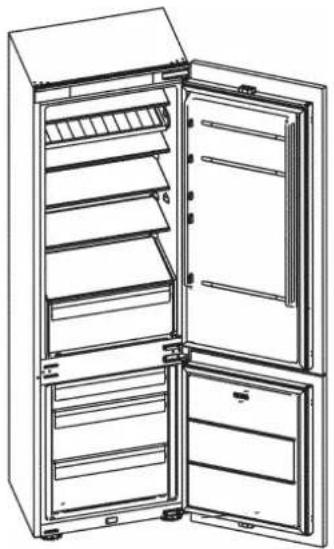
① Electronic control ② Multi-function rack ③ Storage shelves ④ Vegetable drawer cover ⑤ Vegetable drawer ⑥ Freezer drawers ⑦ Door rack ⑧ Fresh drawer (Optional)
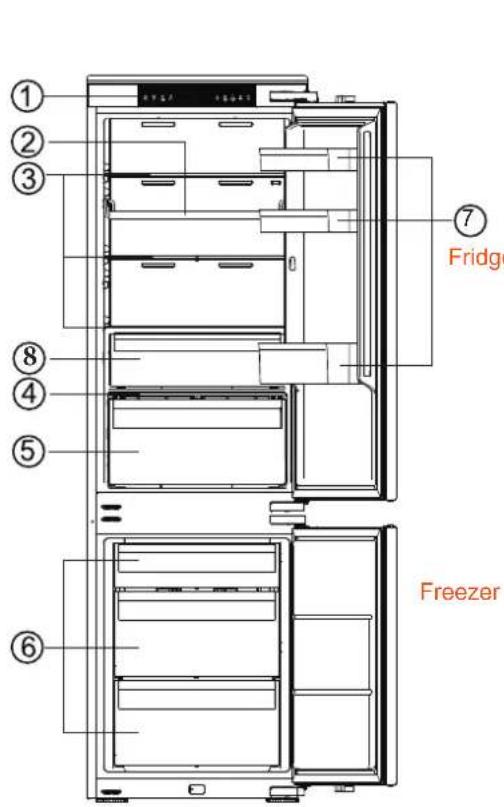
RB3B250*1 RB3B280*1


NOTE
- Due to constant modification of our products, your refrigerator may be slightly different from this instruction manual, but its functions and using methods remain the same.
- To get the best energy efficiency of this product, please place all shelves, drawers and baskets on their original position as the illustration above.
Electronic controls
All functions and controls of the unit are accessible from a control panel conveniently located on the roof of the cabinet. A display circuit board allows easy configuration of features and settings in a simple and intuitive manner.
Display Controls
Use your appliance according to the following control regulations, your appliance has the corresponding functions and models as the display panels showed in the pictures below. When the appliance is powered on for the first time, the backlighting of the icons on display panel starts working. If no button have been pressed and the doors are closed, the backlighting will turn off after one minute.

Electronic Control (located at the top of appliance) with WiFi function

Electronic Control (located at the top of appliance) without WiFi function
1. Power
If you want to stop using it, you can turn the appliance off by pressing the "Power" button for 3 seconds.
Press and hold the "Power" button for 3 seconds to turn the standby function on or off. When the standby function is on, the display panel will show "--".
IMPORTANT!
Do not store any food in the fridge during this time. If you will not use the refrigerator for a long time, please pull the plug.

NOTE
When the standby function is on, the refrigerator is stopped cooling.
2. Eco
Press the "Eco" button to turn on the energy saving function, the " " icon will be illuminated.
When the Eco function is on, the temperature of the fridge is automatically switched to 6°C and the temperature of the freezer is automatically switched to -17°C.
When the Eco function is on, you can switch it by pressing the "Temp" or "Eco" button and the refrigerator temperature setting will revert back to the previous setting.
3. Super Cool
Super Cool
The Super Cool feature helps to keep food stored in the refrigerator at the set temperature during
Electronic controls
periods of high usage, large grocery loads, or temporarily warm room temperatures.
The Super Cool feature lowers the temperature in the fridge compartment.
- Press the "Super Cool" button to activate this function. The "on" will be illuminated and the fridge temperature indicator will display 2°C.
- Super Cool will automatically turn off after 6 hours.
- When the Super Cool function is on, you can turn it off by pressing the "Super Cool" button or the left "Temp" button.
To manually turn off the Super Cool function, the fridge temperature setting will revert back to the previous setting.
4. Fridge Compartment Temperature
Press the left "Temp" button repeatedly to cycle through the available temperature settings from 8°C to 2°C.


NOTE
Each press of the button decreases the setting by one degree.
5. Freezer Compartment Temperature
Press the right "Temp" button repeatedly to cycle through the available temperature settings from -14°C to -24°C.


NOTE
Each press of the button decreases the setting by one degree.
Setting Compartment Temperatures
When you set a temperature, you are setting an average temperature for the entire compartment. The actual compartment temperatures may vary from the temperatures displayed depending on the amount and placement of stored food, and the surrounding room temperature.
Recommended Temperature Settings
Fridge Compartment: 4°C
Freezer Compartment: -18°C
6. Super Freeze
Super Freeze will quickly lower the temperature within the freezer so food will freeze faster than usual.
This feature also helps to keep vitamins and nutrition of fresh food fresh for longer period.
- Press the "Super Freeze" button to activate this function. The icon will be illuminated and the temperature for the freezer is set to -24°C.
- Super Freeze will automatically turn off after 52 hours.
- When Super Freeze function is on, you can turn it off by pressing the "Super Freeze" button or pressing the right "Temp" button.
To manually turn off the Super Freeze function, the freezer temperature setting will revert back to the previous setting.
Electronic controls

NOTE
When selecting the Super Freeze function, ensure there are no bottled or canned drinks (especially carbonated drinks) in the freezer compartment. Bottles and cans may explode.
7. Alarm

High temperature alarm:
Alarm
If the temperature inside the
appliance is too high, an alarm will
sound to alert you and the "con" will illuminate.
In non-standby function, the temperature inside the box is detected after 24 hours of powering on. If the temperature remains too high for 4 hours, the high temperature alarm will be triggered.
Switching off the alarm:
If you want to switch off the acoustic alarm, briefly press the Alarm button.
The “⚠️” icon will remain illuminated until the actual temperature in the appliance drops below the alarm level.
When the appliance reaches an
adequate temperature, the “
icon will extinguish, and the high temperature alarm will be cleared.
If you have not cancelled the high temperature alarm, the alarm icon will remain illuminated, and the buzzer will sound three times per minute. After more than 10 minutes, the alarm will stop.
Door Open Alarm:
If a door is open for longer than 1 minute, an alarm will sound to alert you. The alarm will sound 5 times every minute in the first and second minutes. Starting from the third minute, the alarm will sound once per second. If the alarm beeps for a long time, the buzzer will stop after 10 minutes of opening the door.
During the alarm period, pressing any button can cancel the alarm sound. To turn off the alarm, close all doors completely.
Demo mode
Demo mode is for store display, and it prevents the refrigerator from generating cool air. In this Cooling off Mode, the refrigerator may seem like it is working but it will not make cool air.
- For appliances with WiFi function, to switch on demo mode, press and hold "Power" and "Wi-Fi" buttons at the same time for three seconds and the buzzer beeps 3 times. The display panel will show "OF", indicating that the Demo mode has been turned on.
If there is no button operation for 10 seconds, it will keep displaying "OF", otherwise it will display the set temperature.
To switch off demo mode, press and hold "Power" and "Wi-Fi" buttons at the same time for three seconds and the buzzer beeps 3 times.
- For appliances without WiFi function, to switch on demo mode, press and hold "Power" and "Alarm" buttons at the same time for three seconds and the buzzer beeps 3 times. The display panel will show "OF", indicating that the Demo mode has been turned on.
If there is no button operation for 10 seconds, it will keep displaying "OF", otherwise it will display the set temperature.
To switch off demo mode, press and hold "Power" and "Alarm" buttons at the same time for three seconds, and the buzzer beeps 3 times.
8. Convert
Press and hold the "Convert" button for 5 seconds to turn the Convert function on or off.
The entire freezer compartment can be converted into a Smart Zone compartment. The temperature in this compartment is at or slightly below 0°C. Therefore, do not store food that is sensitive to low temperature in this compartment, as such food could freeze. Before switching to Smart Zone function, empty the freezer compartment to prevent the frozen food from defrosting and perishing.
- Activating the Convert function:
Press the "Convert" button for 5 seconds. A beep will sound, and the indicator will light up.
- When this function is activated, the temperature in the freezer compartment will be set to 0°C, while the refrigerator compartment temperature will be set to 4°C. "G" will flash on the display until the temperature in the freezer compartment reaches the appropriate temperature. When this temperature is reached, the indicator will be constantly lit.
- Setting the temperature in the Smart Zone compartment: use the right "Temp" button to set the temperature between -5°C and +3°C.
- Setting the temperature in the Fridge compartment: use the left "Temp" button to set the temperature between +2°C and +8°C.
- When the Convert function is activated, the Super Cool, Super Freeze, and Eco functions will be deactivated, while other functions can be activated.
- When the Convert function is activated, the Freezer High temperature alarm function will be disabled.
- Deactivating the Convert function: press the "Convert" button for 5 seconds again. A beep will sound, and the Convert indicator will no longer be lit.
Electronic controls
When the Convert function is deactivated, the temperature in the freezer compartment will be set to -18°C, while the refrigerator compartment temperature will be set to 4°C.
9. Wi-Fi (this clause applies only to appliances with WiFi function)

Connecting your refrigerator to Wi-Fi
Connect Life app
Connect Life is a smart home app that allows you to communicate with your smart appliances using a smartphone or tablet.
Installation
- Open the Apple App Store (iOS) or the Google Play Store (Android) on your smartphone.
- Search for the "ConnectLife" app. You will see an app with the following icon:
- Download and install the ConnectLife app provided by Connect Life, LLC.
Alternatively, you can scan the following QR code with your smartphone or tablet to find the ConnectLife app:

NOTE
- The distance between your appliance and the Wi-Fi router can impact performance. If they are too far apart, pairing your appliance might fail or take longer.
- The appliance supports 2.4 GHz Wi-Fi networks only. The Wi-Fi network SSID must be visible.
- The surrounding wireless environment (other connected devices) can affect the performance of your network.
- Your appliance's Wi-Fi connection may experience interruptions due to external factors such as your home network environment or Internet service provider.
Connecting your refrigerator (this clause applies only to appliances with Wi-Fi function)
After installing the ConnectLife app, sign in or create an account and follow these steps: 1. Ensure the appliance is powered on and the display panel is active. You'll know it's ready when the panel lights up.
Electronic controls
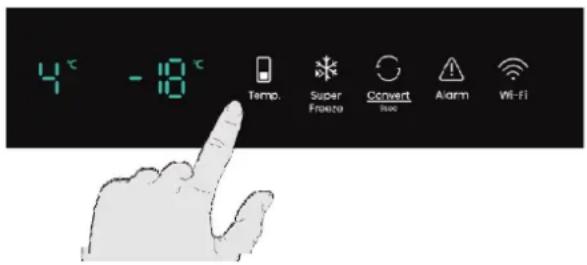
- Press and hold the Wi-Fi button for 3 seconds until you hear a beep and see the indicator light flash after being constantly on for a few seconds.
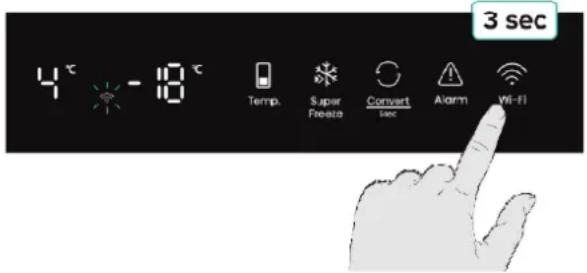
- Ensure Bluetooth is enabled on your phone and open the ConnectLife app. Look for the pop-up indicating that a new appliance has been found. Tap the button on the pop-up and follow the instructions to proceed.
- If a pop-up doesn't appear, tap the button called "Add appliance" or "+" in the app.
- Locate "Refrigerator" in the device list and select it.
- Follow the instructions in the app to connect your refrigerator. Once the setup is complete, your refrigerator will appear on your home screen.

NOTE
- The appliance will remain in pairing mode for a maximum of 5 minutes.
- To factory reset your network settings, press and hold the Wi-Fi button for 6 seconds. You will hear two beeps once the appliance is reset. After resetting, the appliance will automatically go into pairing mode.
- A solid Wi-Fi light indicates the appliance is successfully connected to the home network.
First use and installation
Built-In Fridge Freezer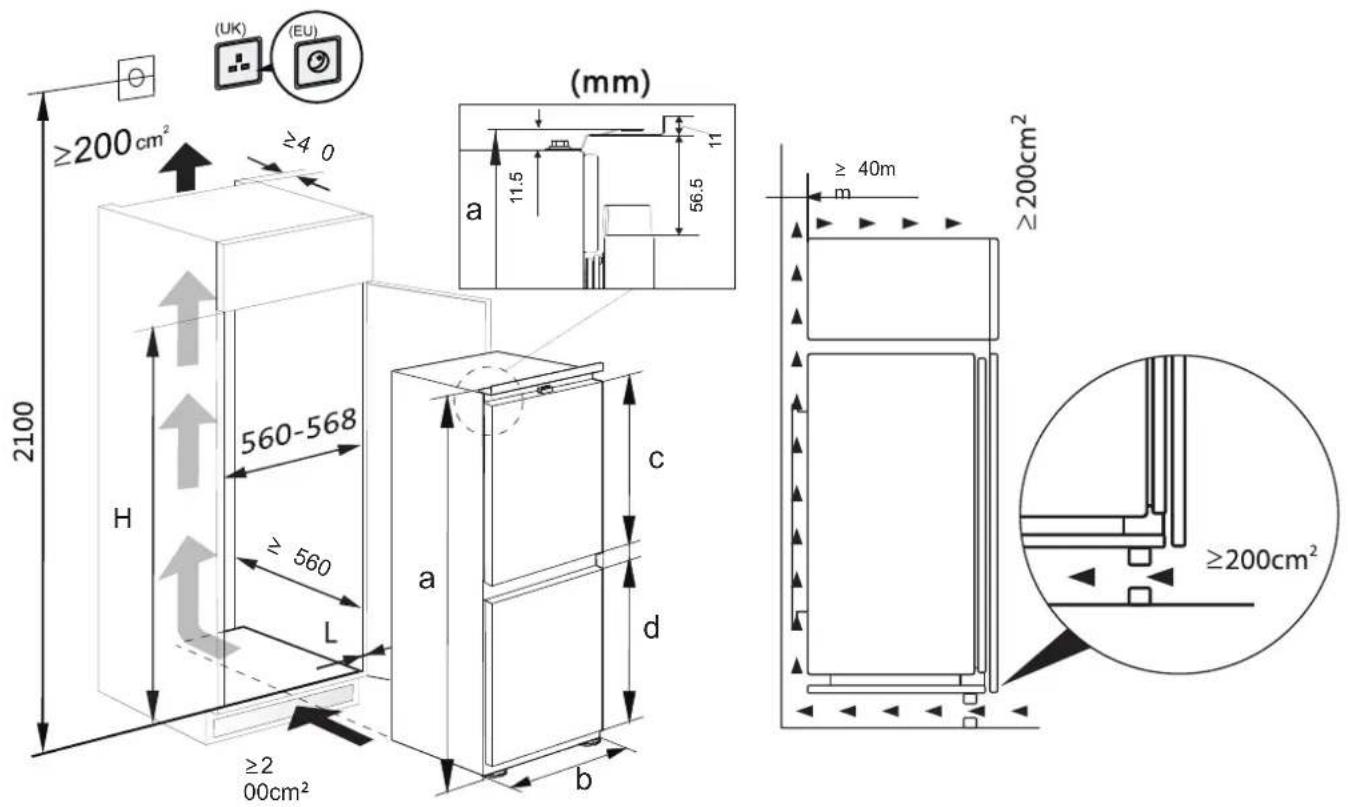
Please ensure there is enough space in the cabinet for the refrigerator, as it is necessary for installation, repairs, and air circulation. Before installation, please confirm the cabinet size.
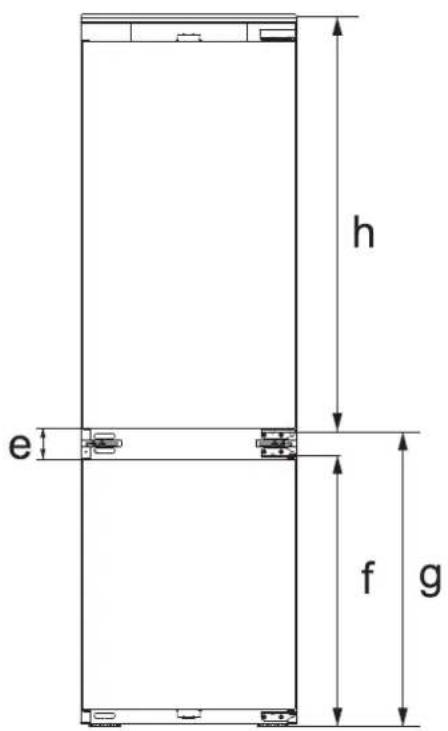
Technical characteristics
a Height b Width c Refrigerator door height d Freezer door height e The distance between the two doors f The distance from the bottom of the refrigerator to the top of the hinge g The distance from the bottom of the refrigerator to the bottom of the hinge h The distance from the top of the refrigerator to the bottom of the hinge
First use and installation
| Model height | H(cabinet height) | a | b | c | d | e | f | g | h |
| 1772 | 1772 ~ 1780 | 1772 | 540 | | | | 676625.5 | 359651534.5 | |
| 1932 | 1932 ~ 1940 | 1932 | 540 | 1125.5 | 625.5 | 78 | 676 | 735.5 | 1194.5 |

NOTE
- Your product is designed and built for domestic household use only. The product must be correctly installed, located and operated in accordance with the instructions contained in the User Instructions provided.
- Parameters provided in table are design parameters. Because of the various reasons there will a slight deviation between actual dimension and design parameter. The data listed are only for reference.
Installation instructions
This diagram shows the state of the hinge side of the product after installation.
The gap between the left and right cabinet doors is recommended as shown in the figure above,
the wall thickness of the cabinet ≤19mm
Use anti-cut safety gloves whilst performing the installation.
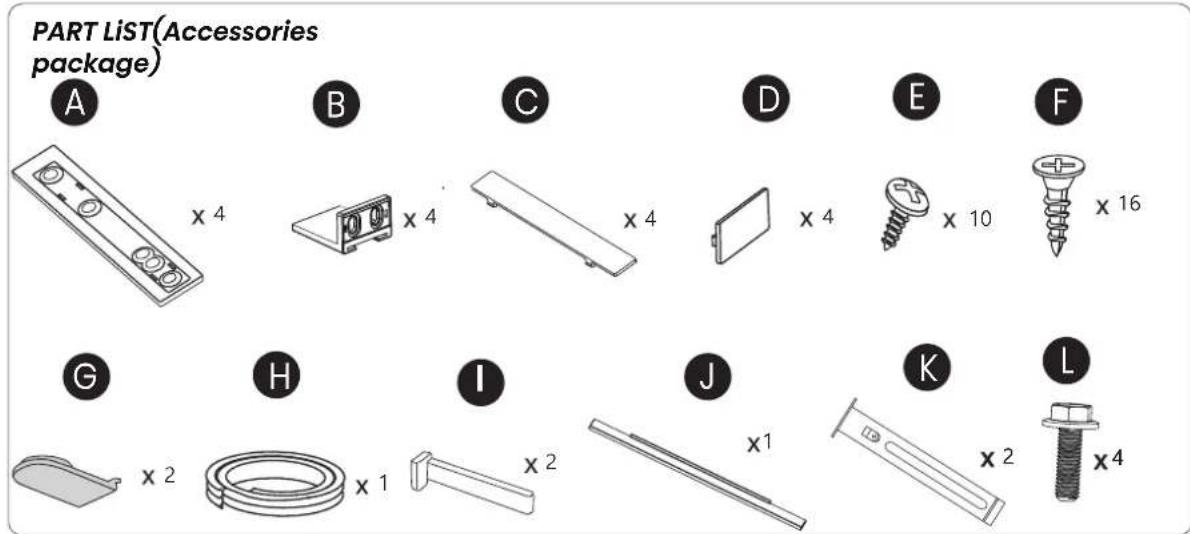
PART LIST(Accessories package)
First use and installation
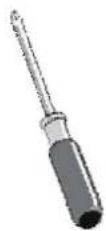
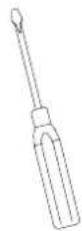
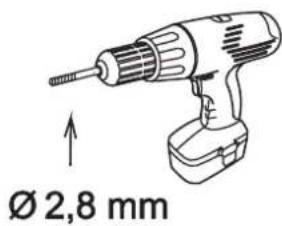
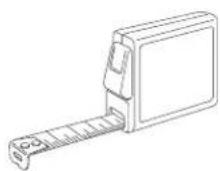
You may need:
cross
screwdriver
straight
screwdriver
electric
portable drill
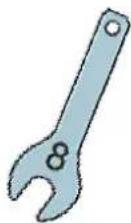
spanner
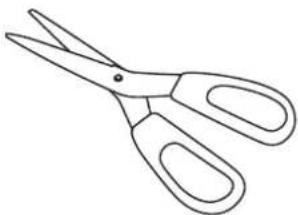
scissors
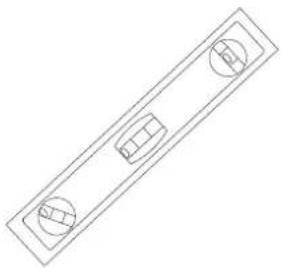
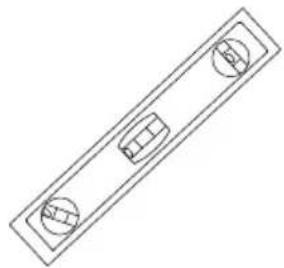
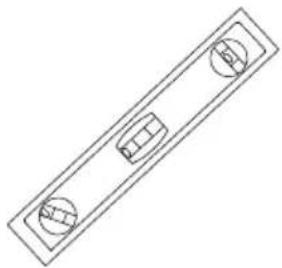
Spirit level
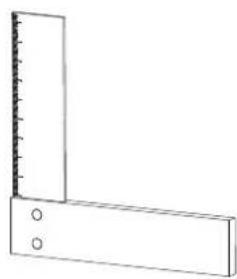
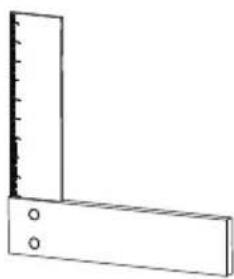
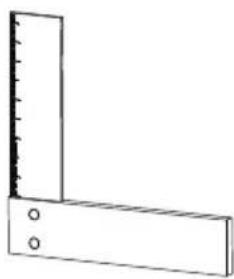
square
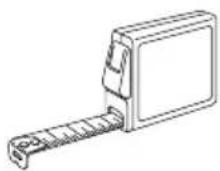
ruler
string
pen
First use and installation
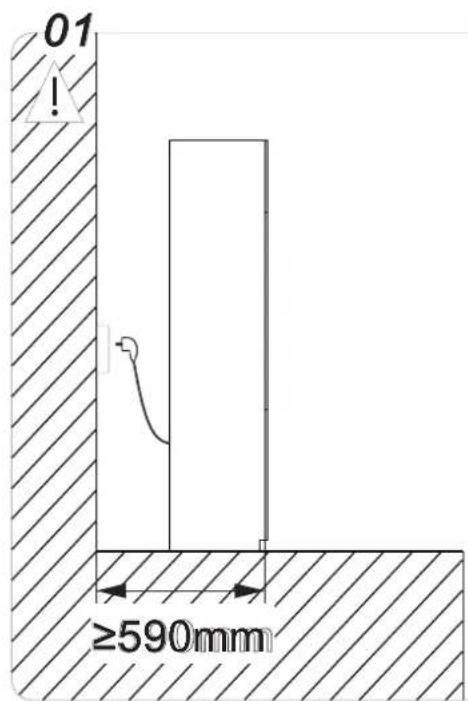
Consideration for socket outlet location and required space
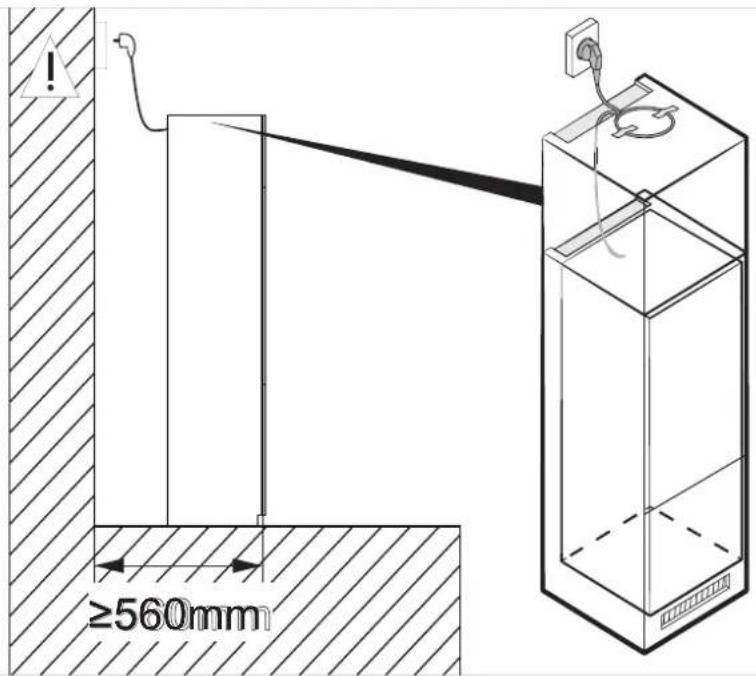
If you install the refrigerator in a cabinet with a 560 mm depth, make sure the power cord is arranged on a side of the refrigerator before plugging into a power socket. If the power cord is in the rear of the refrigerator, it could decrease the energy efficiency.
02
Types of air outlet
- Directly above the appliance
- Above the top unit
- From the front of the top unit with decor grille
- Directly above the appliance
- Above the top unit
- From the front of the top unit with decor grille
- Directly above the appliance
- Above the top unit
- From the front of the top unit with decor grille
- Directly above the appliance
- Above the top unit
- From the front of the top unit with decor grille
- Directly above the appliance
- Above the top unit
- From the front of the top unit with decor grille
- Directly above the appliance
- Above the top unit
- From the front of the top unit with decor grille
- Directly above the appliance
- Above the top unit
- From the front of the top unit with decor grille
- Directly above the appliance
- Above the top unit
- From the front of the top unit with decor grille
- Directly above the appliance
- Above the top unit
- From the front of the top unit with decor grille
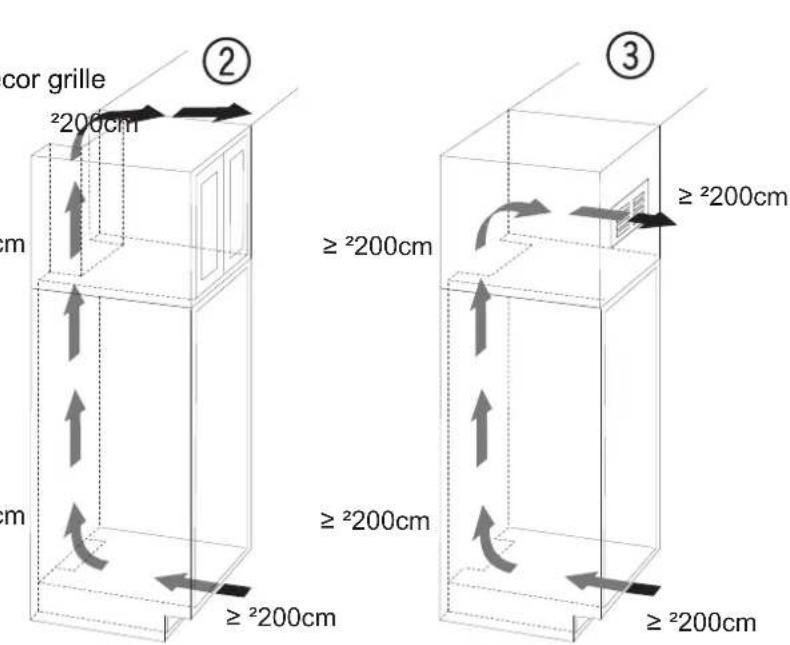
When using decor grilles, it must be taken into account that the clear ventilation cross-section corresponds to the sum of the individual openings in the grille. A cut-out section of merely 200 cm for installing the ventilation grille is thus not sufficient. 2
First use and installation
03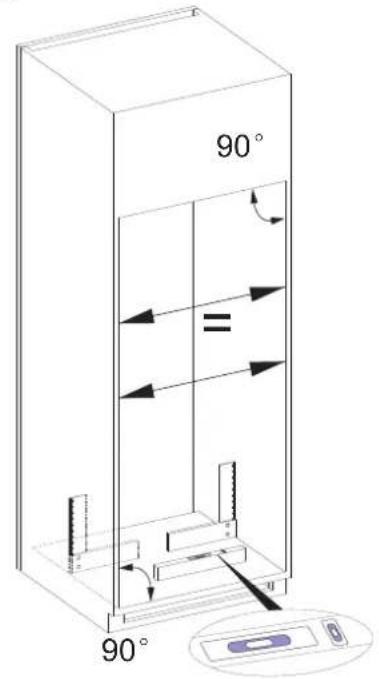
- Check the flatness level of the cabinet with the spirit level
- Check the squareness of the cabinet with the square.
04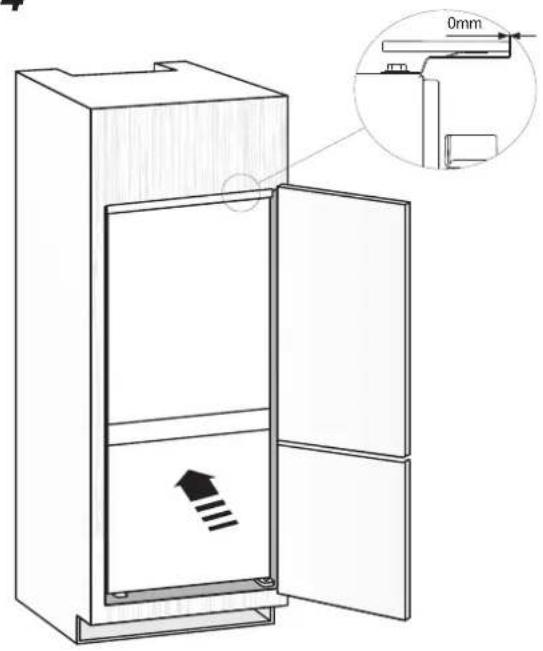
1. Slowly and carefully push the unit into the installation compartment. Great care needs to be taken to avoid scratching the floor because of the metal compressor supporting board. 2. When placed in the fit place, the distance is zero as shown in the figure.
05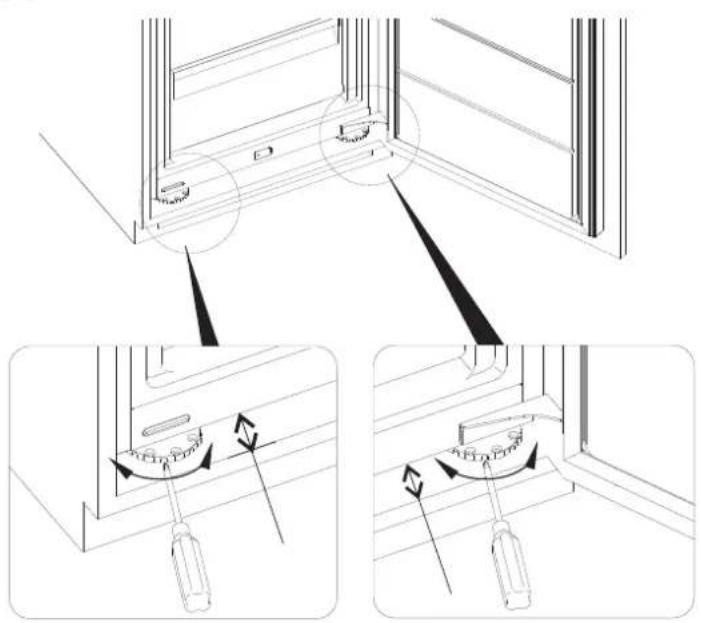
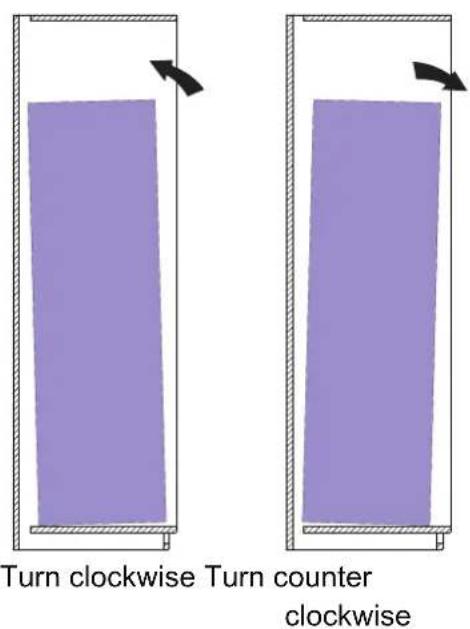
When the refrigerator is tilted forward or backward, turn the adjustable feet to adjust. When turned clockwise, the refrigerator tilts backward, and when turned counterclockwise, the refrigerator tilts forward.
First use and installation
06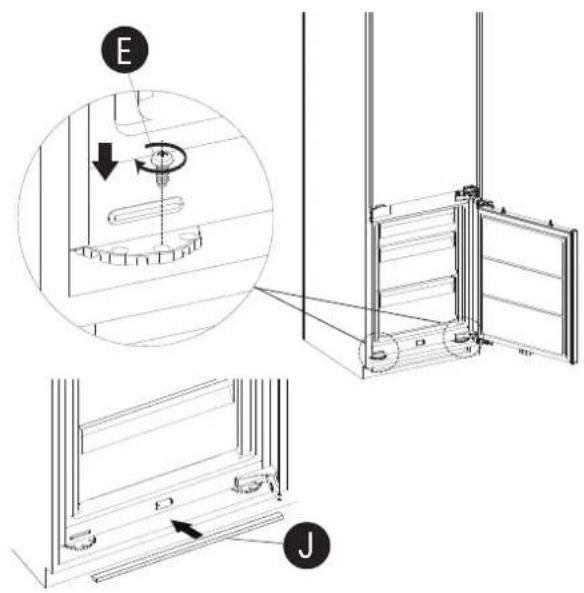
Tighten the adjustable feet with screw E. Install the decorative J referring to the instruction figure.
07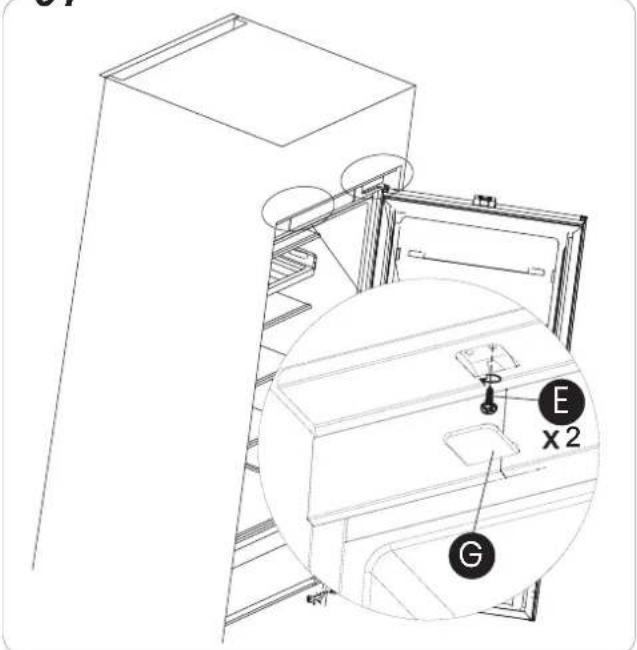
Tighten the top hinge brackets and place the screw covers G.
08 x2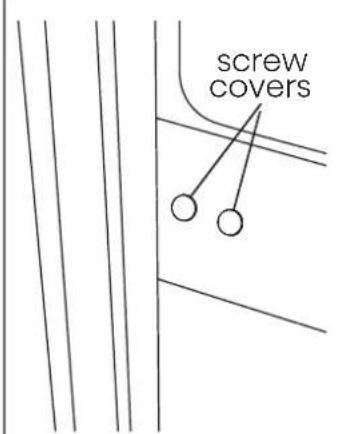
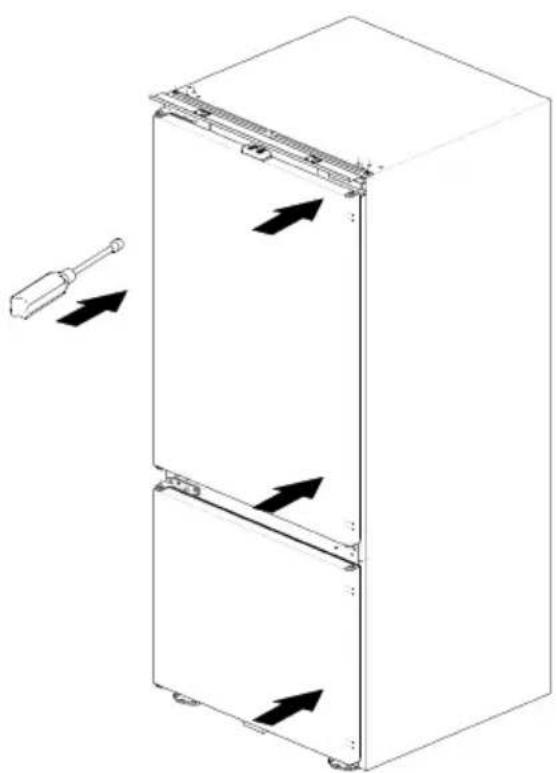
Use a straight screwdriver to remove the screw covers.
09 X2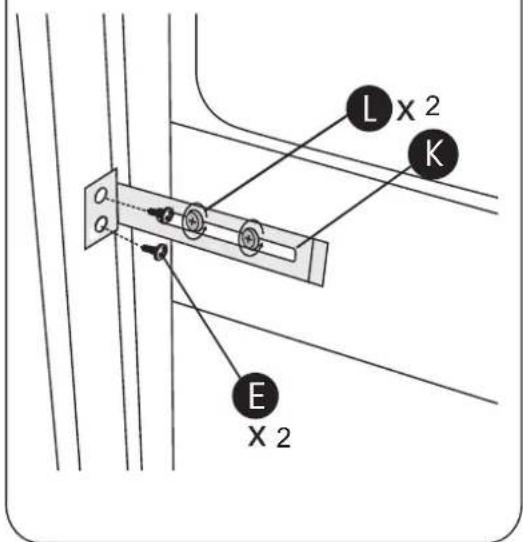
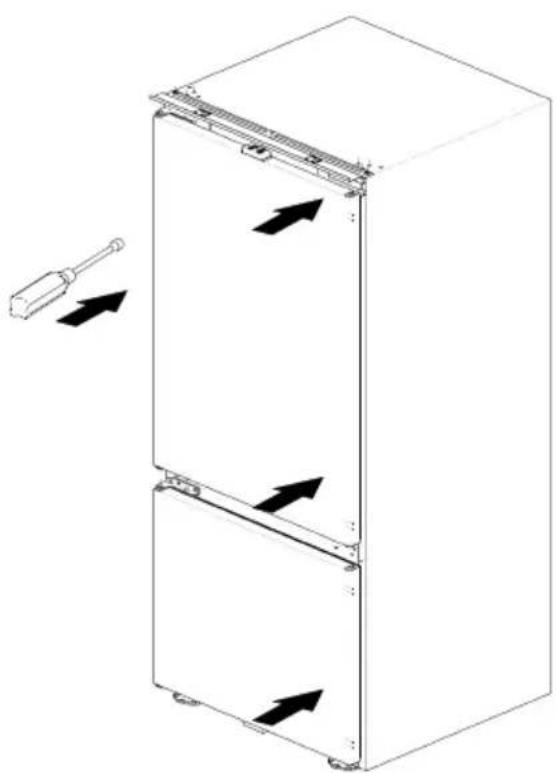
Fix the part K with screws L, but not very tight. Adjust the part K until the unit is aligned properly to the cabinet. Ensure the distance between the cabinet and the left and right sides of the unit is level and aligned. Then tighten the screws E.
10 X2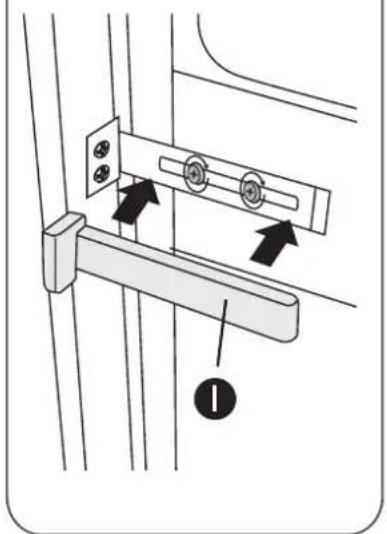
Tighten the screws L and place the screw covers I
First use and installation
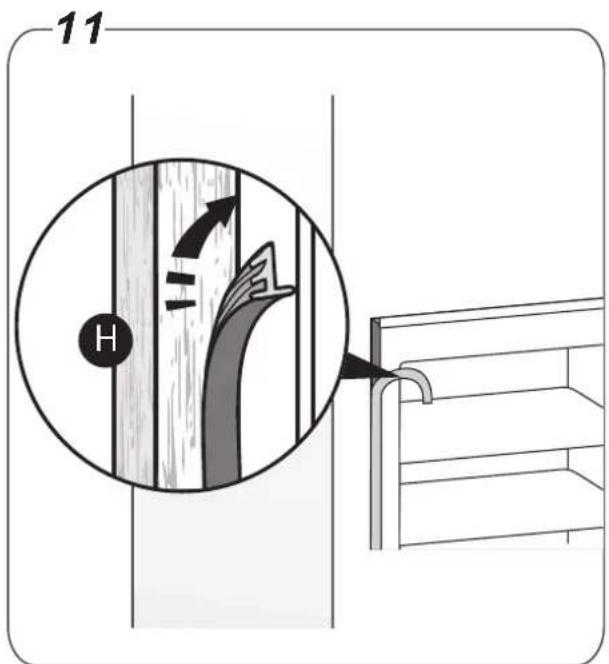
Cut the right length of the rubber strip and place it at the side of the cabinet cover (the strip will stay if the gap is no more than 4mm). If the strip is curved, it can become straight again by heating with a hair dryer
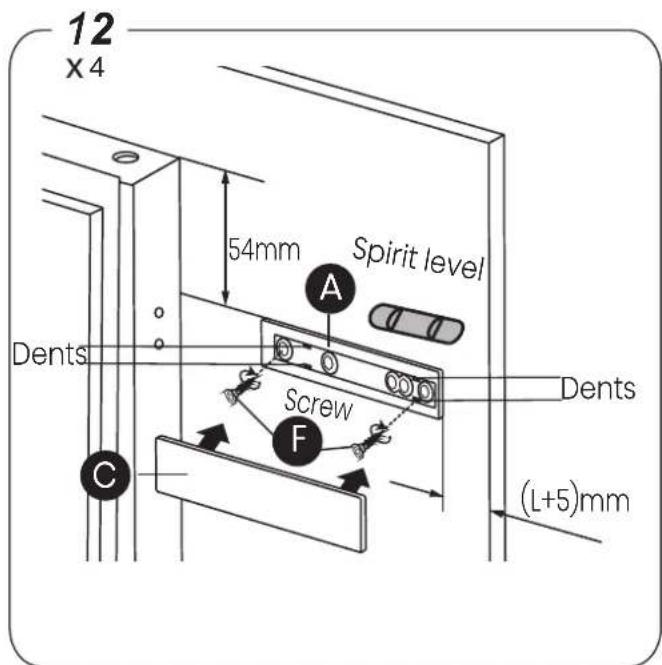
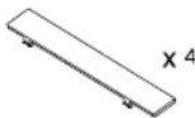
Use a spirit level to ensure Part A is level when securing to door panel. Tighten the screws and place Cover C onto part A. Align and push Cover C into the 4 dents of part A. (L=thickness of cabinet wall)
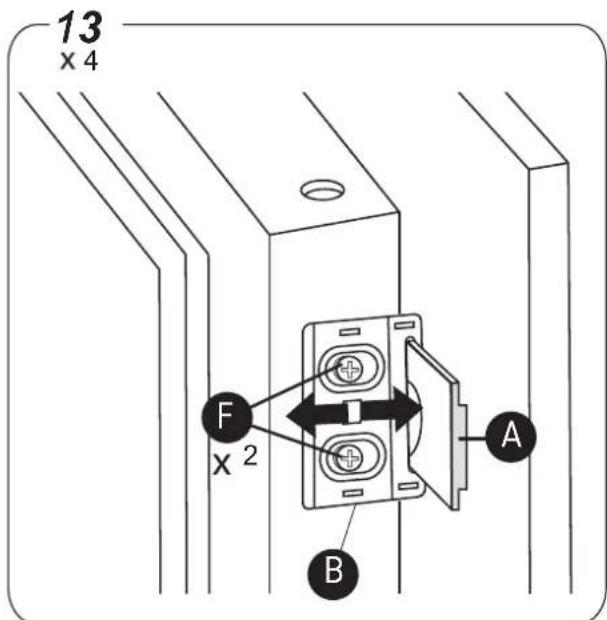
Place part B onto the units door. Adjust the position of part B, make sure part A can smoothly slide into part B.
If doors squeak when opened, the sliders are not mounted correctly, part A should be checked that it is fitted level.
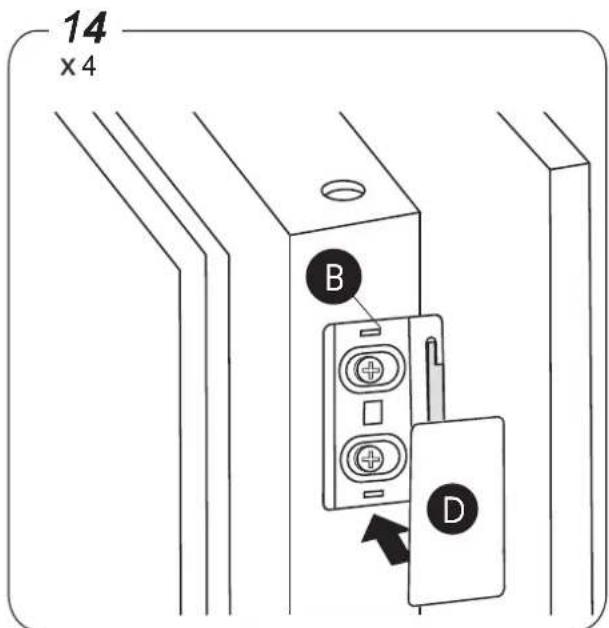
Tighten the part B with screws F and place the cover D onto part B.
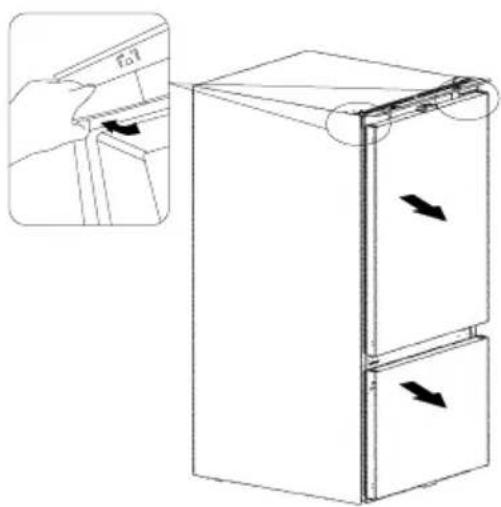
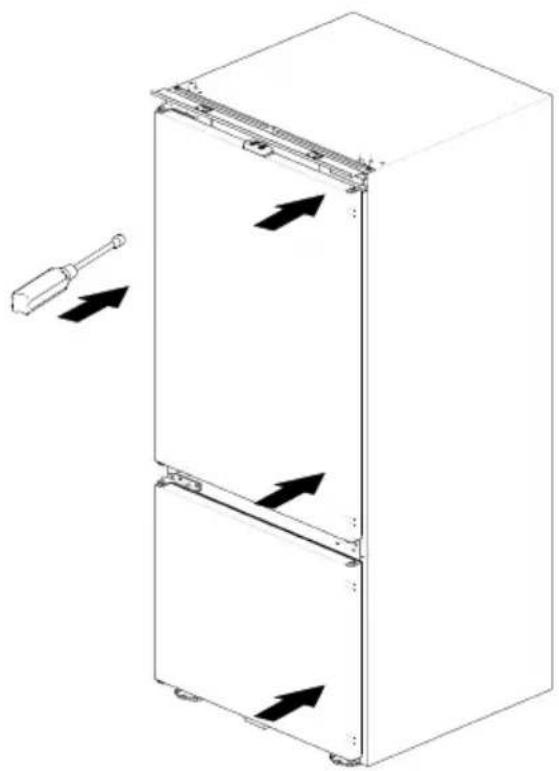
Reverse the door
The side in which the door opens can be changed from the right side (as supplied) to the left side, if the installation site allows for it.
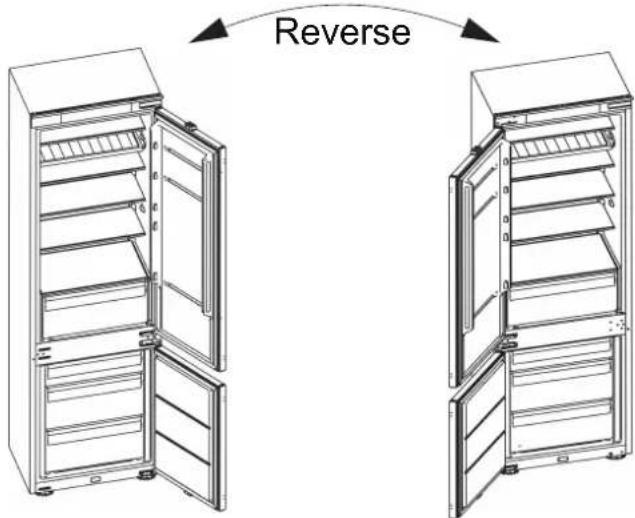

WARNING
When reversing the door, the appliance must not be connected to the mains. Ensure that the plug is removed from the mains socket.
Tools you will need:
- 8mm socket driver

- Cross-shaped screwdriver

- Putty knife or thin-blade screwdriver


NOTE
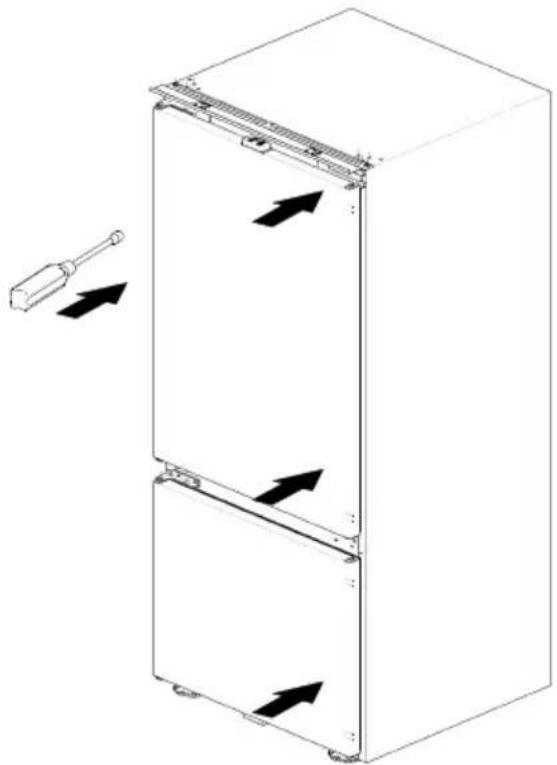
You should rest the appliance on soft foam packaging or similar material to avoid damage. Stand the refrigerator upright. Open the upper door to take out all racks (to avoid racks damaged) and then close the door.
1
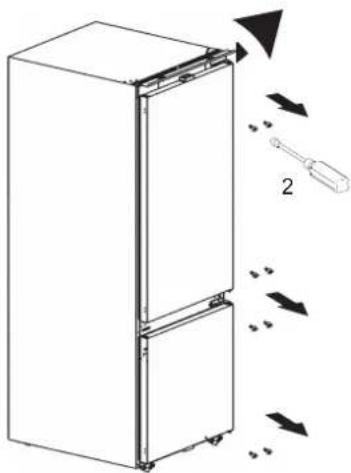
2
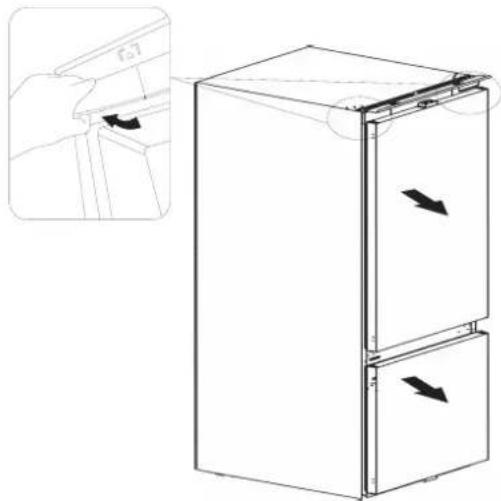
Reverse the door
3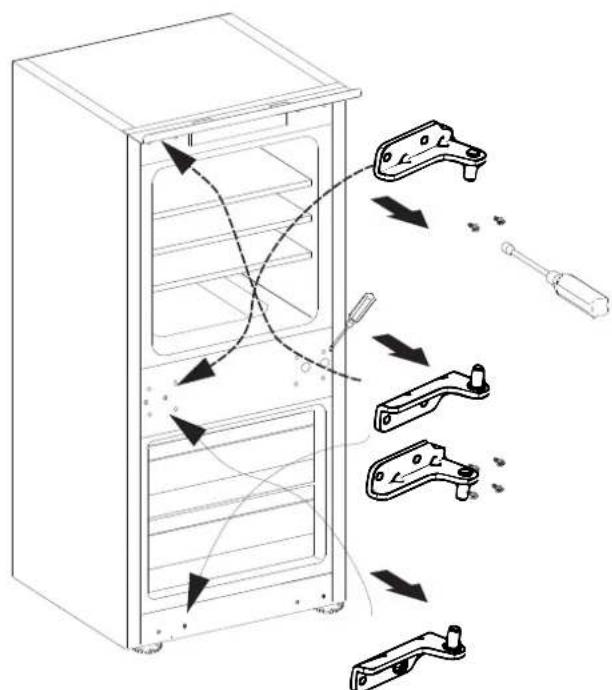
4
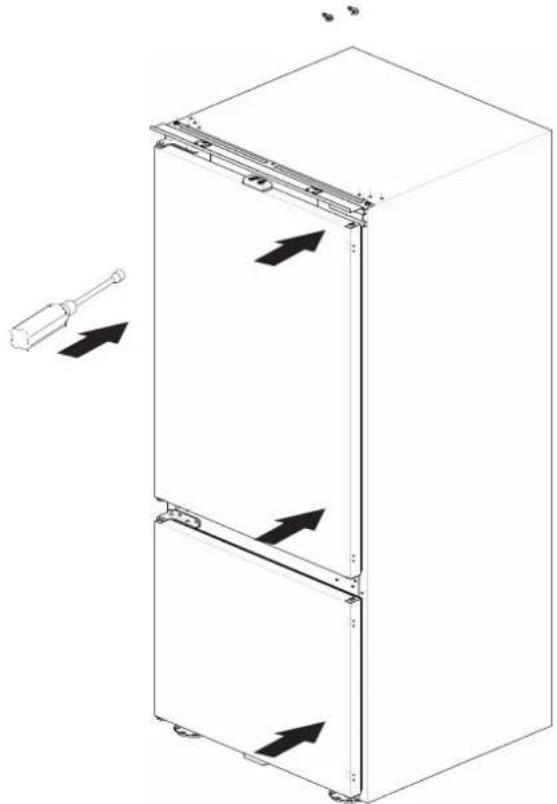
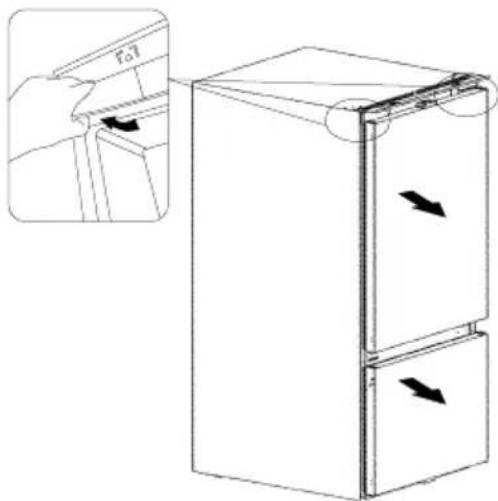
Please be careful your hands when take out the hinge

NOTE
When reversing the door, the cabinet installation can refer to Built-In Fridge Freezer installation instructions.
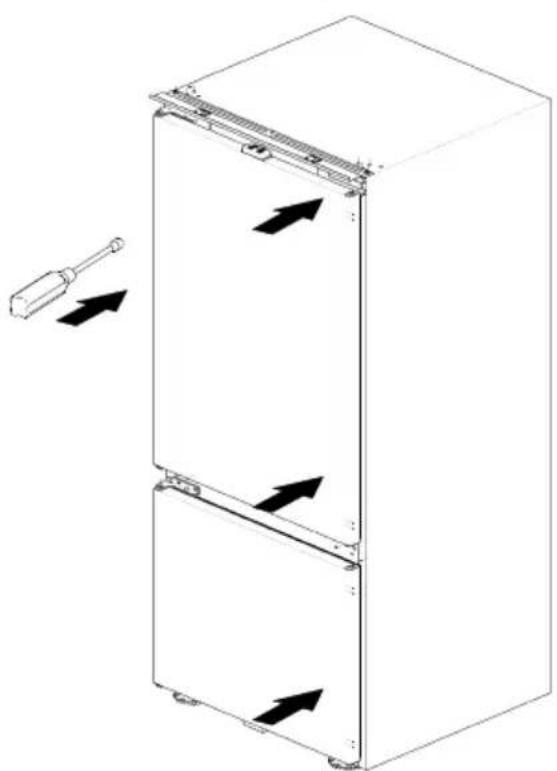
- To ensure the doors are fully closed/sealed, conduct a test on both doors following the installation of decor door, such as using a sheet of paper in-between the unit door and its seal and closing the decor door and seeing if there is any tension observed when pulling the sheet of paper - the sheet should hold in place and not fall out.
- For reversing the door, the hole covers need to be removed from the current location and refitted to cover the new holes. If these break when removing and can be replaced by accessory bag.
Cleaning before use
Before using the appliance for the first time, wash the interior and all internal accessories with lukewarm water and neutral soap in order to remove the typical smell of a brand new product, then dry thoroughly.
Installation Positioning

WARNING
Before installing, read the instructions carefully for your safety and the correct operation of the appliance.
- Position the appliance away from sources of heat such as stoves, radiators, direct sunlight, etc. Maximum performance and safety are guaranteed by maintaining the correct indoor temperature for the class of unit concerned, as specified on the rating plate.
- The appliance operates well in the corresponding climate type. The appliance may not work properly if it is left for a longer period at a temperature above or below the indicated range.
Important!
It is necessary to have good ventilation around the refrigerator to allow for the dissipation of heat, high efficiency, and low power consumption. For this reason, sufficiently cleared space should be available around the refrigerator.
| Climate class | Ambient temperature |
| SN | +10°C to +32°C |
| N | +16°C to +32°C |
| ST | +16°C to +38°C |
| T | +16°C to +43°C |
Leveling
The appliance should be level in order to eliminate vibration. To make the appliance level it should be upright and adjusters should be in stable contact with the floor. Also adjust the level by unscrewing the appropriate level adjustment in the front (use your fingers or a suitable spanner).
Reverse the door
Electrical connection

CAUTION
Any electrical work required to install the appliance should be carried out by a qualified or authorized person.

WARNING
This appliance must be grounded. The manufacturer declines any liability should these safety measures not be observed.
Daily use
Accessories 1)
Movable shelves/trays
- Various glass, plastic storage shelves or wire trays are included with your appliance. Different models have different combinations and different models have different features.
- The walls of the refrigerator are equipped with a series of runners so that the shelves can be positioned as desired.
Positioning the door racks
- To permit the storage of food packages of various sizes, the door racks can be placed at different heights.
- To adjust, gradually pull the rack in the direction of the arrows until it comes free, then reposition as required.
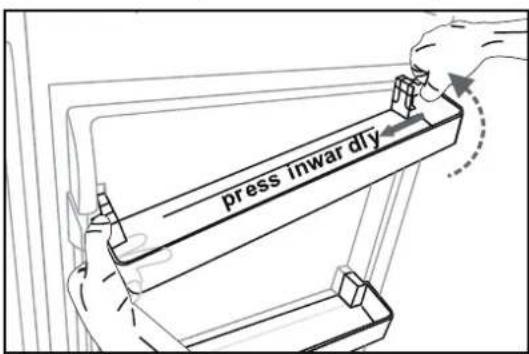
Remove the door rack
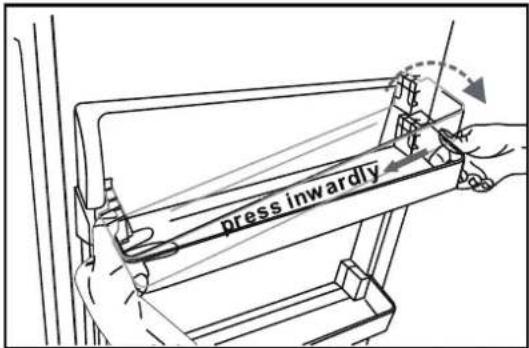
Install the door rack
Vegetable Drawer
• For storing fruit and vegetables.
Freezer Drawer
• For storing frozen food.
Ice-cube tray
- For making ice and storing ice-cubes.
Refrigerator compartment 2)
- For storing food that does not need to be frozen and different sections suitable for different kinds of food.
Freezer food compartment 2)
- For freezing fresh food and storing frozen and deep-frozen food for long periods of time.
Daily use
Thawing food 2)
• In the refrigerator compartment. - At room temperature. • In a microwave oven. • In a conventional or convection oven. - Food once thawed should be re-frozen with the exception of special cases.
1) If the appliance contains related accessories and functions. 2) If the appliance contains a freezer compartment.
Helpful hints and tips
Multi-function rack
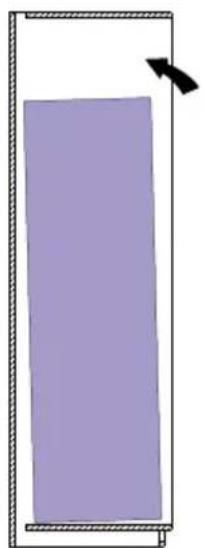
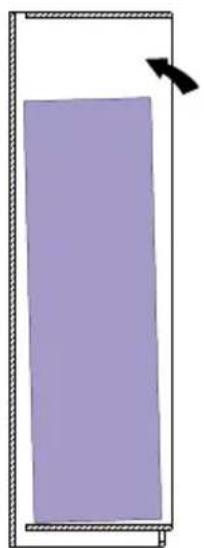
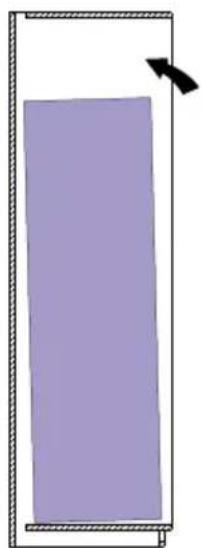
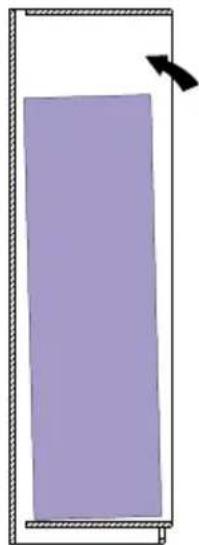
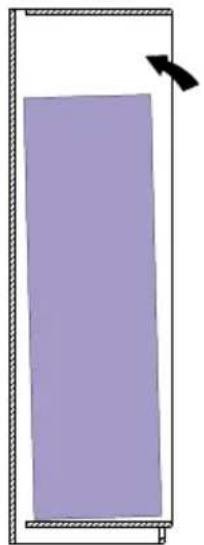
NOTE: Ensure the correct placement of the multi-function rack so that the air outlet doesn't blow directly to the wine bottles. The following picture is an error example.

Error example
Noises during operation
Clicks - Whenever the compressor switches on or off, a click can be heard.
Humming - As soon as the compressor is in operation, you can hear it humming.
Bubbling - When refrigerant flows into thin tubes, you can hear bubbling or splashing noises.
Splashing—Even after the compressor has been switched off, this noise can be heard for a short time.
Energy saving tips
- Do not install the appliance near stoves, radiators, or other sources of warmth.
- Keep the time the appliance is open to a minimum.
- Do not set the temperature colder than necessary.
- Make sure the side plates and back plate of the appliance are at some distance from the wall, and follow the instructions relevant to installation.
- If the diagram shows the correct combination for the drawers, crisper, and shelves, do not adjust the
combination as it would produce an effect on energy consumption.
Hints for fresh food refrigeration
- Do not store warm foods or evaporating liquids in the appliance.
- Do cover or wrap the food, particularly if it has a strong flavor or odor.
- Position food so that air can circulate freely around it.
Hints for refrigeration
- Meat (all types): wrap in polyethylene (plastic) bags and place on the glass shelf above the vegetable drawer. For safety, store in this way only one or two days at the most.
- Cooked foods, cold dishes, etc: these should be covered and may be placed on any shelf.
- Fruit and vegetables: these should be thoroughly cleaned and placed in the special drawer provided.
- Butter and cheese: these should be placed in aluminum foil or polyethylene (plastic) bags while removing as much air as possible.
Helpful hints and tips
- Milk bottles: these should have a cap and should be stored in the bottle rack on the door.
Hints for freezing
When first starting-up or after a period out of use. Before putting the food in the compartment, let the appliance run at 2 hours on the higher settings.
• Prepare food in small portions to enable it to be rapidly and completely frozen and to make it possible to subsequently thaw only the quantity required. - Wrap up the food in aluminum foil or polyethylene (plastic) and make sure that the packages are airtight. - Do not allow fresh, unfrozen food to touch food that is already frozen, thus avoiding a rise in the temperature of the later. - Iced products, if consumed immediately after removal from the freezer compartment, can possibly
cause skin to become freezer burnt.
- It is recommended to label and date each frozen package in order to keep track of the storage time.
Hints for the storage of frozen food
- Ensure that frozen food has been stored correctly by the food retailer.
- Once defrosted, foods deteriorate rapidly and can not be re-frozen,
- Do not exceed the storage period indicated by the food manufacturer.

NOTE
If the appliance contains related accessories and functions.
Switching off your appliance
• Empty the appliance. • Pull out the power plug. • Clean and dry the interior thoroughly. • Ensure that all doors are wedged open slightly to allow air to circulate.
Cleaning and care
For hygienic reasons, the appliance (including exterior and interior accessories) should be cleaned regularly at least every two months.

WARNING
Danger of electrical shock!
The appliance must not be connected to the main power during cleaning. Before cleaning, switch the appliance off and remove the plug from the main power supply, or shut off the circuit breaker or fuse.
Cleaning and care
Exterior cleaning
To maintain good appearance of your appliance, you should clean it regularly.
- Wipe the digital panel and display panel with a clean, soft cloth.
- Spray water onto the cleaning cloth instead of spraying directly on the surface of the appliance. This helps ensure an even distribution of moisture to the surface.
- Clean the doors and cabinet surfaces with a mild detergent and then wipe dry with a soft cloth.

CAUTION
Do not use sharp objects as they are likely to scratch the surface. Do not use Thinner, Car detergent, Clorox, ethereal oil, abrasive cleansers, or organic solvent such as Benzene for cleaning. They may damage the surface of the appliance and may cause fire.
Interior cleaning
- You should clean the appliance interior regularly. It will be easier to clean when food stocks are low.
Wipe the inside of the fridge freezer with a weak solution of bicarbonate of soda, and then rinse with warm water using a wrung-out sponge or cloth. Wipe completely dry before replacing the shelves and baskets. Thoroughly dry all surfaces and removable parts before putting them back into place.
- Although this appliance automatically defrosts, a layer of frost may occur on the freezer compartment's interior walls if the freezer door is opened frequently or kept open too long. If the frost is too thick, choose a time when the freezer is nearly empty and proceed as follows.
- Remove existing food and accessories baskets, unplug the appliance from the mains power and leave the doors open. Ventilate the room thoroughly to accelerate the process.
- When defrosting is completed, clean your freezer as described above.

CAUTION
Do not use sharp objects to remove frost from the freezer compartment. Only after the interior is completely dry should the appliance be switched back on and plugged back into the mains socket.
Defrosting
Fridge compartment
- This compartment defrosts automatically. The defrosting water runs to the drain tube via a collection container at the back of the appliance.
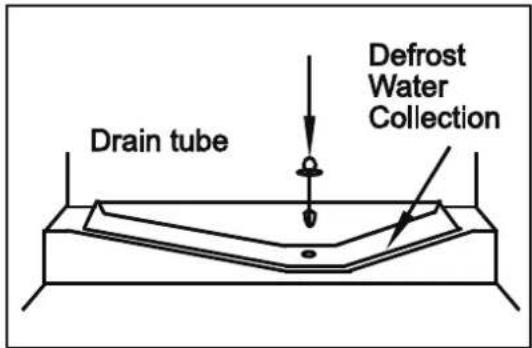
Cleaning and care
Freezer compartment
- This compartment defrosts automatically.
Door seals cleaning
• Take care to keep door seals clean. Sticky food and drinks can cause seals to stick to the cabinet and tear when you open the door. Wash the seals with a mild detergent and warm water. Rinse and dry them thoroughly after cleaning.

CAUTION
Only after the door seals are completely dry should the appliance be powered on.
Replacing the LED light
To replace the LED light, the following steps can be followed:
- Unplug your appliance.
- Remove the light cover by pushing up and out.
- Hold the LED cover with one hand and pull it with the other hand while pressing the connector latch.
- Replace the LED light and snap it correctly in place.
Note
This product contains a light source of energy efficiency class G.

WARNING
The LED light must not be replaced by the user! If damaged, contact the customer helpline for assistance.
Troubleshooting
If you experience a problem with your appliance or are concerned that the appliance is not functioning correctly, you can carry out some easy checks before calling for service. Please see below. You can carry out some easy checks according to this section before calling for service.

WARNING
- Don't try to repair the appliance yourself. If the problem persists after you have made the checks mentioned below, contact a qualified electrician, authorized service engineer or the shop where you purchased the product.
| Problem | Possible cause & Solution |
| Appliance is not working correctly | Check whether the power cord is plugged into the power outlet properly. |
Troubleshooting
| Problem | Possible cause & Solution |
| Appliance is not working correctly | Check the fuse or circuit of your power supply, replace if necessary. |
| The ambient temperature is too low. Try setting the chamber temperature to a colder level to solve this problem. |
| It is normal that the freezer is not operating during the automatic defrost cycle, or for a short time after the appliance is switched on to protect the compressor. |
| Odours from the compartments | The interior may need to be cleaned. |
| Some food, containers or wrapping cause odours. |
| Noise from the appliance | The sounds below are quite normal:Compressor running noises.Air movement noise from the small fan motor in the freezer compartment or other compartments.Gurgling sound similar to water boiling.Popping noise during automatic defrosting.Clicking noise before the compressor starts. |
| Other unusual noises are due to the reasons below and may need you to check and take action:The cabinet is not level.The back of appliance touches the wall.Bottles or containers fallen or rolling. |
| The motor runs continuously | It is normal to frequently hear the sound of the motor, it will need to run more when in following circumstances:Temperature setting is set colder than necessary.Large quantity of warm food has recently been stored within the appliance.The temperature outside the appliance is too high.Doors are kept open too long or too often.After your installing the appliance or it has been switched off for a long time. |
Troubleshooting
| Problem | Possible cause & Solution |
| A layer of frost occurs in the compartment | Check that the air outlets are not blocked by food and ensure food is placed within the appliance to allow sufficient ventilation. Ensure that the door can be fully closed .To remove the frost, please refer to the “Cleaning and care” chapter. |
| Temperature inside is too warm | You may have left the doors open too long or too frequently; or the doors are kept open by some obstacle; or the appliance is located with insufficient clearance at the sides, back and top. |
| Temperature inside is too cold | Increase the temperature by following the “Display controls” chapter. |
| Doors can’t be closed easily | Check whether the top of the refrigerator is tilted back by 10-15mm to allow the doors to self close, or if something inside is preventing the doors from closing. |
| Water drips on the floor | The water pan (located at the rear bottom of the cabinet) may not be properly leveled, or the draining spout (located underneath the top of the compressor depot) may not be properly positioned to direct water into this pan, or the water spout is blocked , or the water is not fully inserted into the connector. You may need to pull the refrigerator away from the wall to check the pan and spout. |
| The light is not working | The LED light may be damaged. Refer to replace LED lights in cleaning and care chapter.The control system has disabled the lights due to the door being kept open too long, close and reopen the door to reactivate the lights. |
| Unable to connect appliance to WiFi network (this clause applies only to appliances with WiFi function) | The password for home Wi-Fi network was entered incorrectly. Make sure the password is correct and connect again.The home Wi-Fi router frequency is not 2.4GHz.The appliance only supports 2.4GHz radio frequency. Set up a dedicated 2.4GHz Wi-Fi SSID and connect the appliance to it. |
Troubleshooting
| Problem | Possible cause & Solution |
| Unable to connect appliance to WiFi network | • The router and appliance kept far apart causing the poor network. Consider either moving the router closer to the appliance or purchasing Wi-Fi range extender and installing it. |
Disposal of the appliance
It is prohibited to dispose of this appliance as household waste.
Packaging materials
Packaging materials with the recycle symbol are recyclable. Dispose of the packaging into a suitable waste collection container to recycle it.
Before disposal of the appliance
- Disconnect the main plug from the main socket.
- Cut off the main cable and discard it.
| Correct Disposal of this product |
 | This marking indicates that this product should not be disposed with other household wastes throughout the EU. To prevent possible harm to the environment o human health from uncontrolled waste disposal, recycle it responsibly to promote the sustainable reuse of material resources. To return your used device, please use the return and collection systems or contact the retailer where the product was purchased. They can take this product for environmental safe recycling. |
Disposal of the appliance
To avoid contamination of food, please respect the following instructions.
- Opening the door for long periods can cause a significant increase of the temperature in the compartments of the appliance.
- Clean regularly surfaces that can come in contact with food and accessible drainage systems.
- Store raw meat and fish in suitable containers in the refrigerator, so that it is not in contact with or drip onto other food.
- Two-star frozen-food compartments are suitable for storing pre-frozen food, storing or making ice cream and making ice cubes.
- One-, two- and three-star compartments are not suitable for the freezing of fresh food.
| Order | Target籠age type | temp.[°C] | Appropriate food |
| 1 | Fridge | +2~+8 | Eggs, cooked food, packaged food, fruits and vegetables, dairy products, cakes, drinks and other foods which are not suitable for freezing. |
| 2 | (***)*-Freezer | ≤-18 | Seafood (fish, shrimp, shellfish), freshwater aquatic products and meat products (recommended for 3 months - nutrition values and taste decrease with time), suitable for frozen fresh food. |
| 3 | ***-Freezer | ≤-18 | Seafood (fish, shrimp, shellfish), freshwater aquatic products and meat products (recommended time is 3 months - nutrition values and taste decrease with time). Not suitable for freezing fresh food. |
| 4 | **-Freezer | ≤-12 | Seafood (fish, shrimp, shellfish), freshwater aquatic products and meat products (recommended time is 2 months - nutrition values and taste decrease with time). Not suitable for freezing fresh food. |
Disposal of the appliance
| Order | Target storage type | temp.[°C] | Appropriate foodCompartme |
| 5 | *-Freezer | ≤-6 | Seafood (fish, shrimp, shellfish), freshwater aquatic products and meat products (recommended time is 1 month - nutrition values and taste decrease with time). Not suitable for freezing fresh food. |
| 6 | 0-star | -6~0 | Fresh pork, beef, fish, chicken, some packaged processed foods, etc. (Recommended to eat within the same day, preferably not later than 3 days). Partially packed/wrapped up encapsulated processed foods (non-freezable foods) |
| 7 | chill | -3~+3 | Fresh/frozen pork, beef, chicken, freshwater aquatic products, etc.(7 days below 0°C and above 0°C is recommended for consumption within that day, preferably no more than 2 days). Seafood (less than 0°C for 15 days, it is not recommended to store above 0°C). |
| 8 | Fresh Food | 0~+4 | Fresh pork, beef, fish, chicken, cooked food, etc. (Recommended to eat within the same day, preferably no more than 3 days). |
| 9 | Wine | +5~+20 | Red wine, white wine, sparkling wine etc. |
Disposal of the appliance

NOTE
Please store different foods according to the compartments or target storage temperature of your purchased products.
- If the refrigerating appliance is left empty for long periods, switch off, defrost, clean, dry, and leave the door open to prevent mould developing within the appliance.
Water dispenser cleaning (special for water dispenser products):
- Clean water tanks if they have not been used for 48h; flush the water system connected to a water supply if water has not been drawn for 5 days.

Warning
- Food needs to be packed in bags before putting into the refrigerator, and liquids need to be packed in bottles or capped containers to avoid the problem that the product design structure is not easy to clean.
Hisense
life reimagined
USER MANUAL

NOTE

NOTE

NOTE
Spirit level
Square
Ruler
String
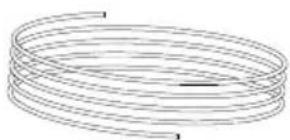
Pen
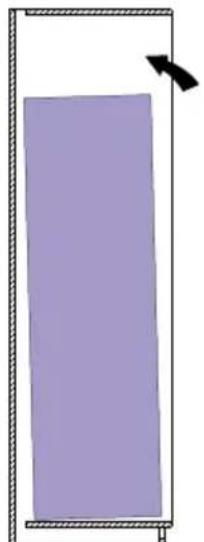
2
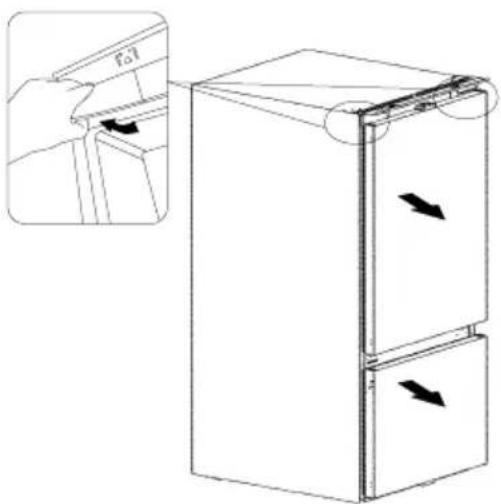
4
Example of error

NOTE

NOTE
Spirit level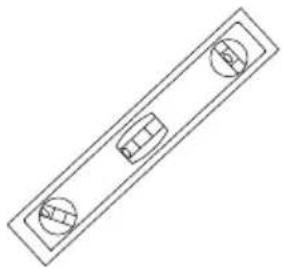
Square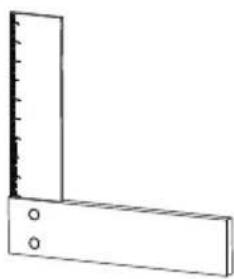
ruler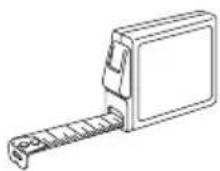
string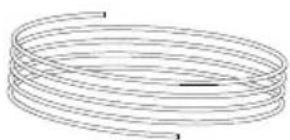
pen
2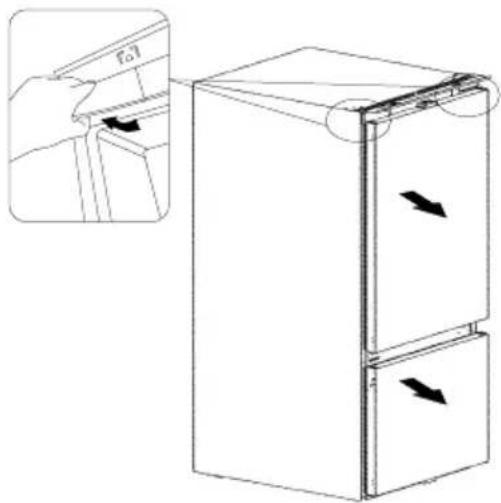
4
Incorrect example

NOTE

NOTE

NOTE

Invert the door
3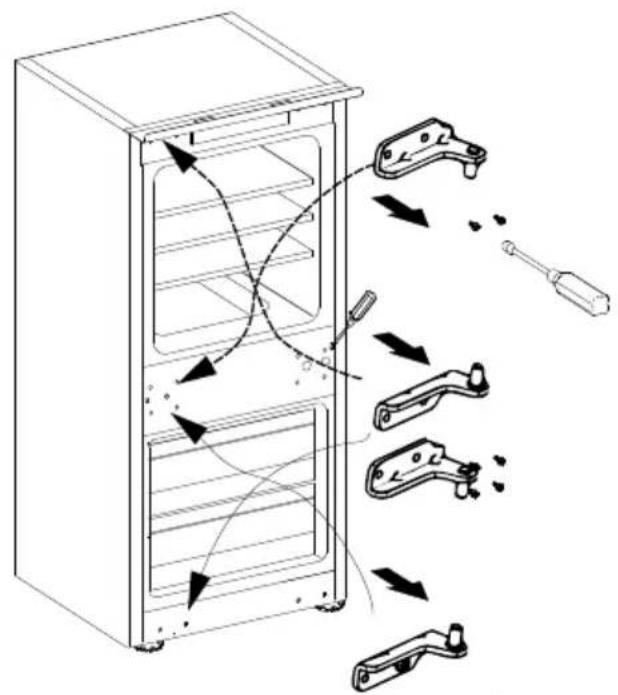
4
Example of error
Temperature of "ECO" door

NOTE

NOTE
Freezer compartment: -18°C
6. Super Freeze (Super Freeze)

Super
Freeze

NOTE
PARTS LIST (Accessories package)
PARTS LIST (Accessories package)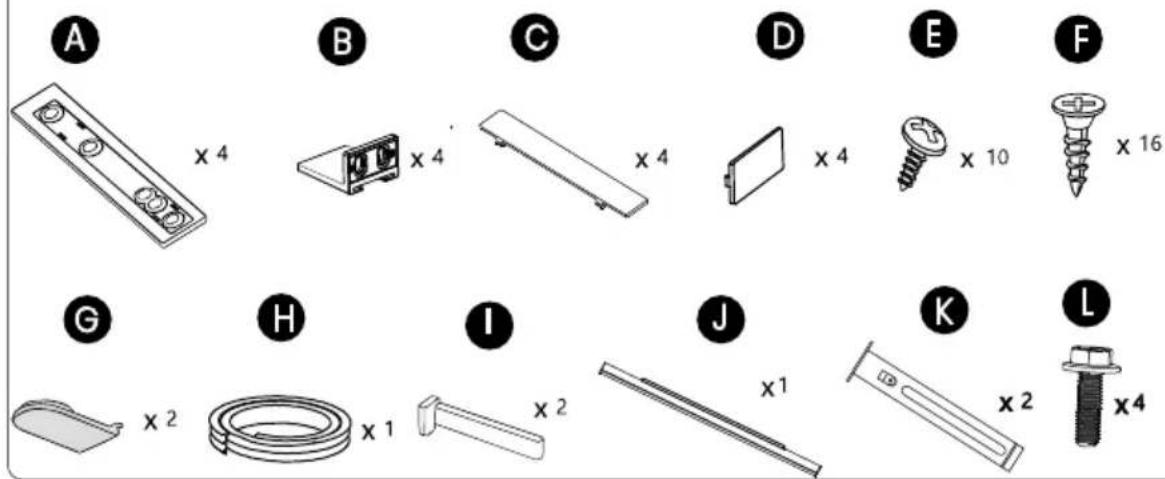
Spirit level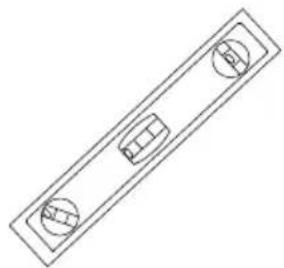
square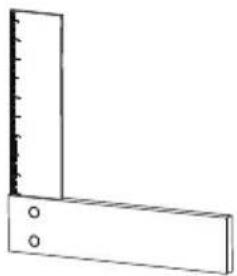
ruler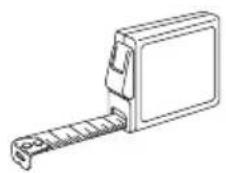
cord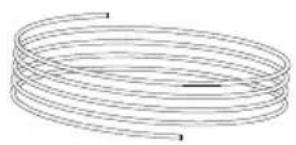
pen
2
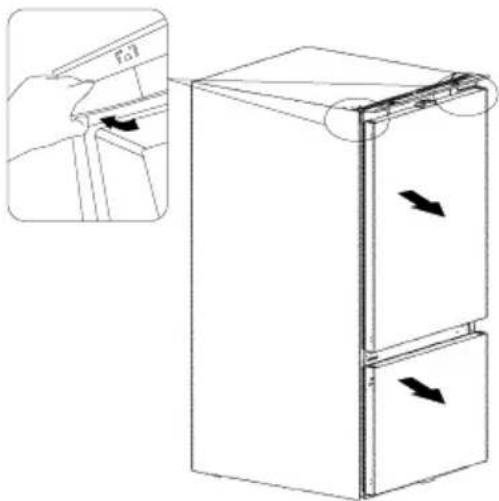
Reversing the door
3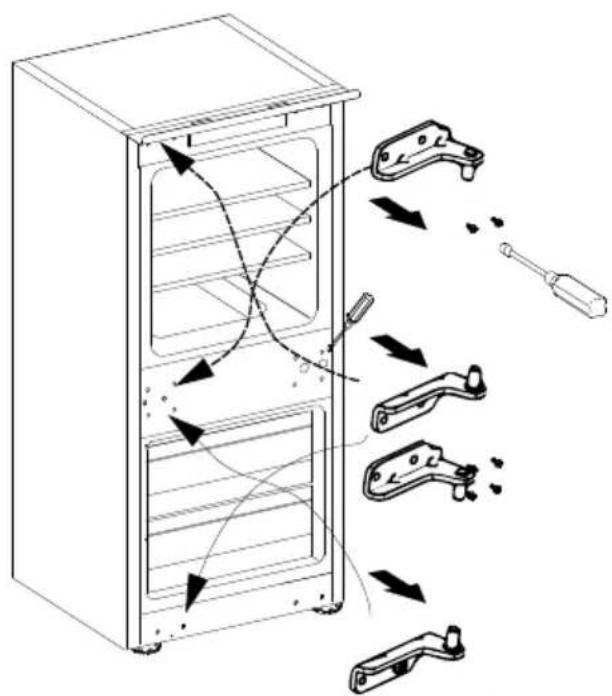
4
Wrong example
Freezer compartment
- This compartment defrosts automatically
Cleaning the door seals

NOTE

NOTE

NOTE
B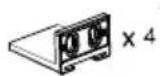
©
D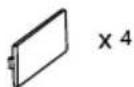
E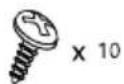
F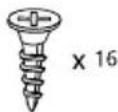
G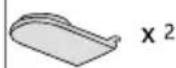
H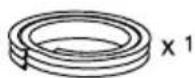
1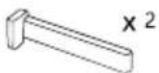
J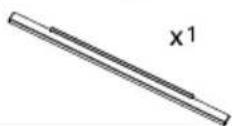
K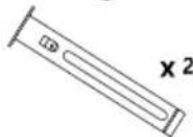
L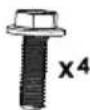
Level
square
ruler
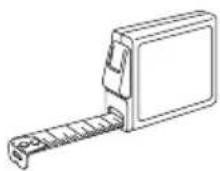
string
pen
Tighten screws L and put on screw caps I.

Reversing the door
3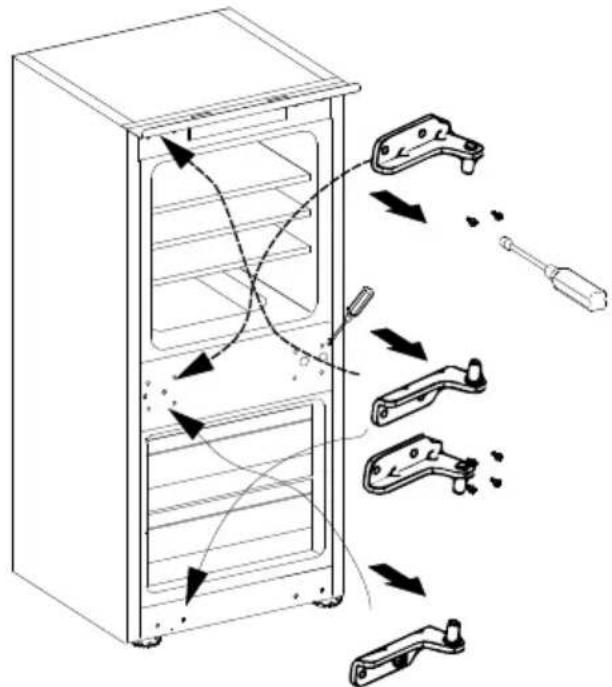
4
Example of error