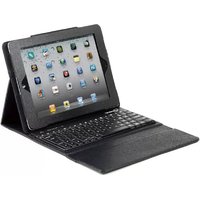
TA-KBT97-001 - Tablet accessories Gembird - Free user manual and instructions
Find the device manual for free TA-KBT97-001 Gembird in PDF.


| Product Type | Bluetooth Keyboard for Touchscreen Tablet |
| Brand | Gembird |
| Model | TA-KBT97-001 |
| Dimensions | 25.4 x 15.2 x 1.0 cm |
| Weight | 320 g |
| Power Supply | Rechargeable lithium-ion battery 200 mAh |
| Battery Life | Approximately 40 hours of continuous use |
| Connection | Bluetooth 3.0, range up to 10 m |
| Compatible Operating Systems | iOS, Android, Windows |
| Material | ABS plastic with matte finish |
| Color | Black |
| Package Contents | Keyboard, USB charging cable, user manual |
| Care and Cleaning | Clean with a soft, dry cloth. Do not use abrasive products. |
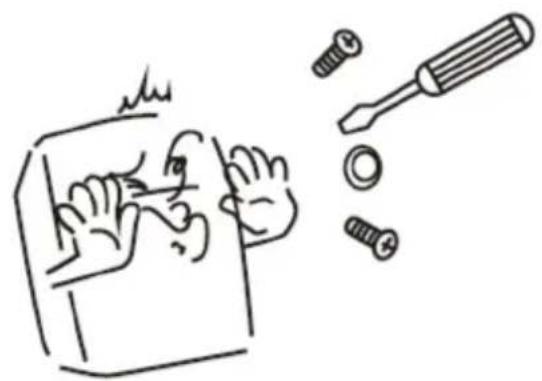
| Safety | Do not expose to moisture or extreme temperatures. Do not disassemble. |
| Warranty | 24 months |
| Repairability | Battery replaceable by a professional. No spare parts available at retail. |
Frequently Asked Questions - TA-KBT97-001 Gembird
User questions about TA-KBT97-001 Gembird
0 question about this device. Answer the ones you know or ask your own.
Ask a new question about this device
Download the instructions for your Tablet accessories in PDF format for free! Find your manual TA-KBT97-001 - Gembird and take your electronic device back in hand. On this page are published all the documents necessary for the use of your device. TA-KBT97-001 by Gembird.
USER MANUAL TA-KBT97-001 Gembird
natural_image
Abstract logo design featuring a stylized arrow and 'GE' letters, no readable text or symbols beyond the graphic elements.GEMBIRD®
natural_image
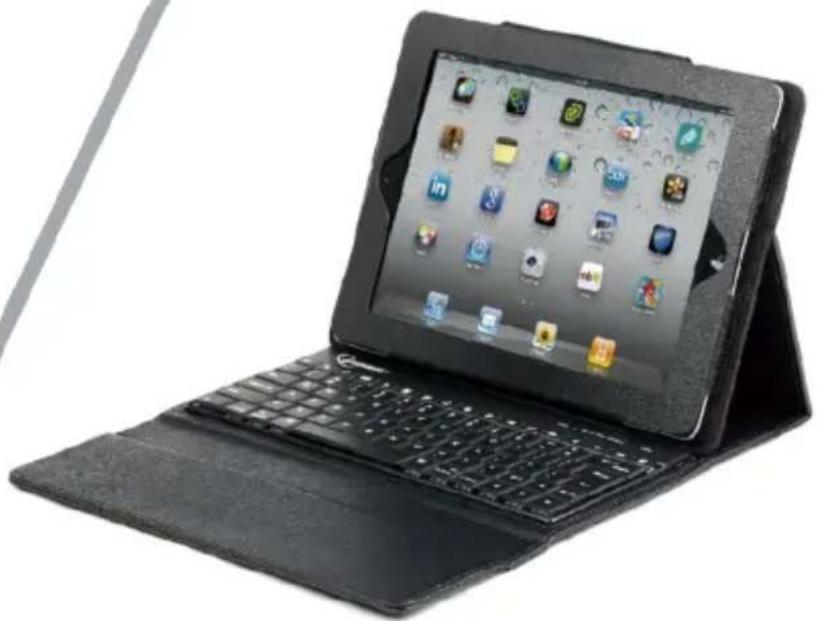
Black tablet device with keyboard and open screen displaying app icons (no visible text or symbols on screen)KEYCASE FOR IPAD
LEDER-SCHUTZHÜLLE MIT TASTATUR FÜR IPAD 2 UND DAS NEUE IPAD
IPAD KEYCASE
KEYCASE POUR IPAD
• Stylish black leather case specially designed for iPad
- Suitable for use with iPad 2, the new iPad (3) and iPad with Retina display (4)
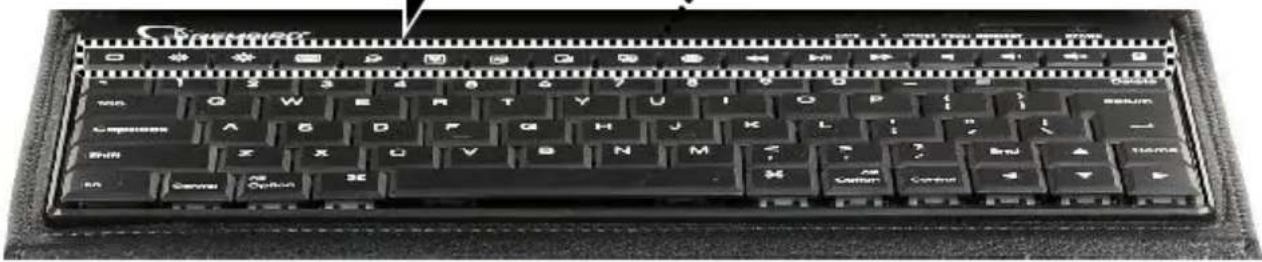
- Integrated Bluetooth keyboard with Apple key layout
- Recharge keyboard battery with micro USB cable (included)
- Up to 180 hours continuous typing without charging
• Up to 60 days standby time
Specifications
• Keyboard: 84 keys, Bluetooth 3.0
• Battery: rechargeable Li, 200 mAh
• Power consumption: 3.7 - 5 V DC up to 5 mA
- Operating temperature: between -10 °C and 55 °C
• Dimensions: 259 x 205 x 30 mm (folded)
• Weight: 0.47 kg
GEMBIRD EUROPE B.V. http://www.gembird.eu All brands and logos are registered trademarks of their respective owners
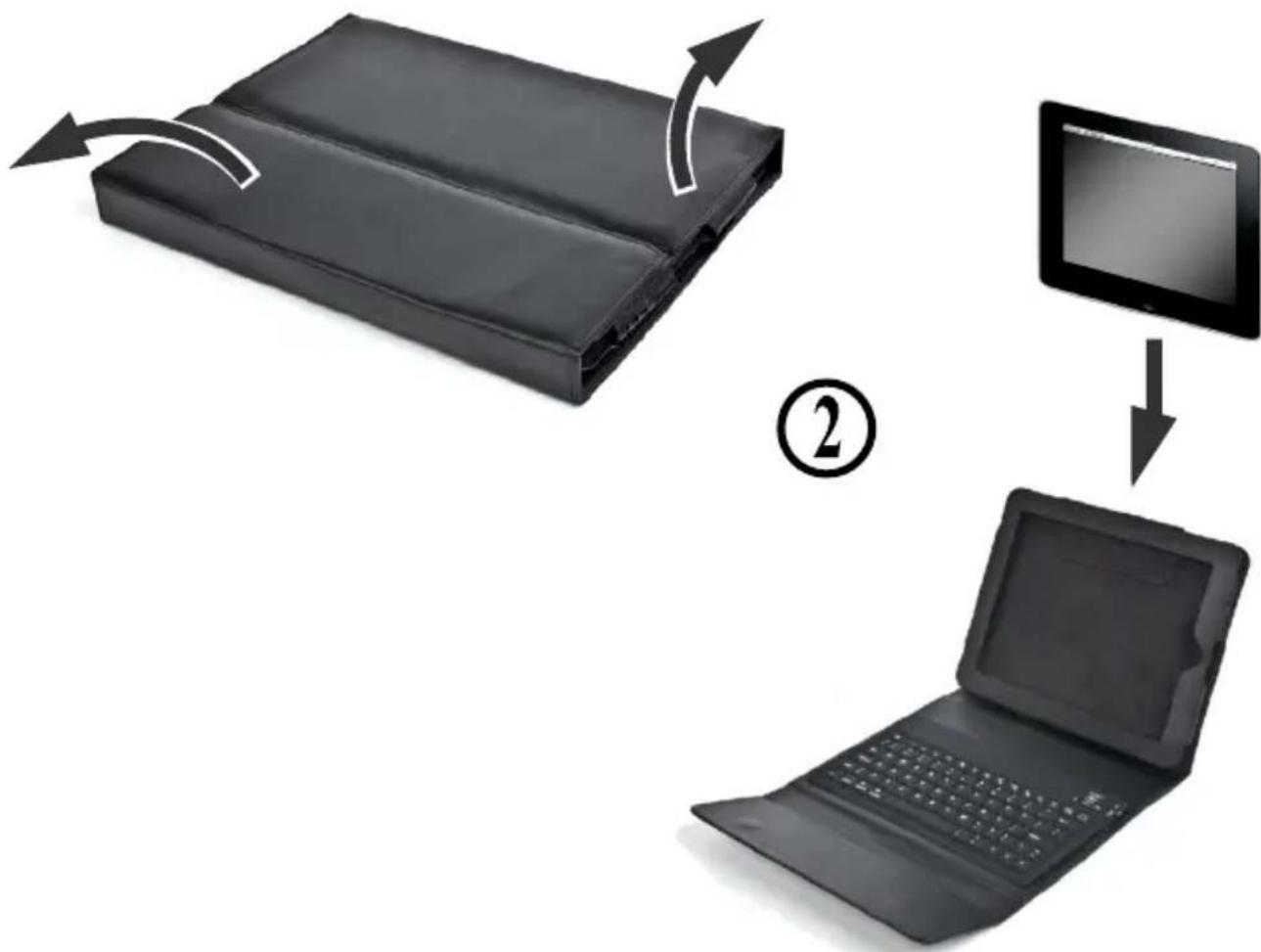
①
flowchart
graph TD
    A["Closed folder"] -->|Arrow 2| B["Laptop"]
    B --> C["Table with monitor"]
    C --> D["Arrow"]
    style A fill:#000,stroke:#fff,color:#fff
    style B fill:#000,stroke:#fff,color:#fff
    style C fill:#000,stroke:#fff,color:#fff
    style D fill:#000,stroke:#fff,color:#fff

flowchart
graph TD
    A["Input Device ③"] --> B["Data Link"]
    B --> C["Device ③"]
    C --> D["Server"]
    B --> E["Power Source"]
    B --> F["Power Usage"]
    B --> G["Power Control"]
    B --> H["Power Access"]
    B --> I["Power Link to Server"]
    style A fill:#f9f,stroke:#333
    style D fill:#ccf,stroke:#333
    style E fill:#cfc,stroke:#333
    style F fill:#fcc,stroke:#333
    style G fill:#cff,stroke:#333
    style H fill:#ffc,stroke:#333
    style I fill:#fcc,stroke:#333
④

④.1
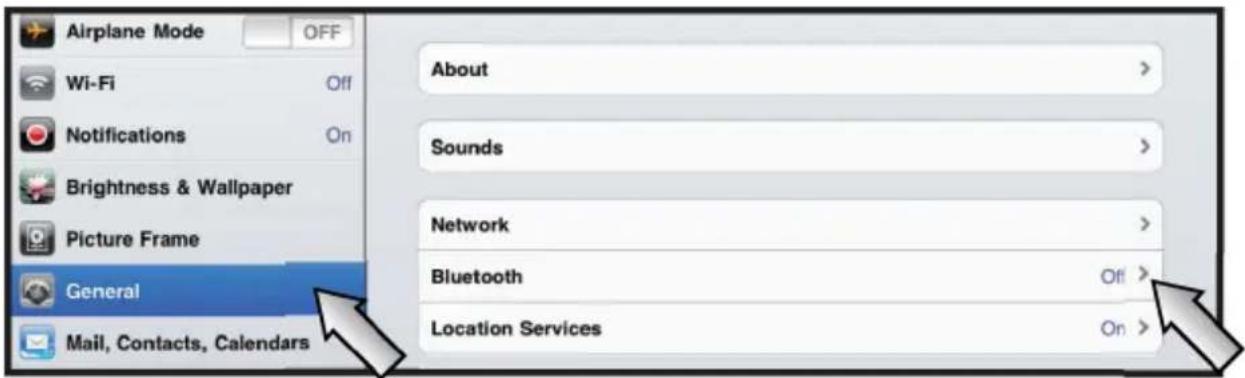
4.2
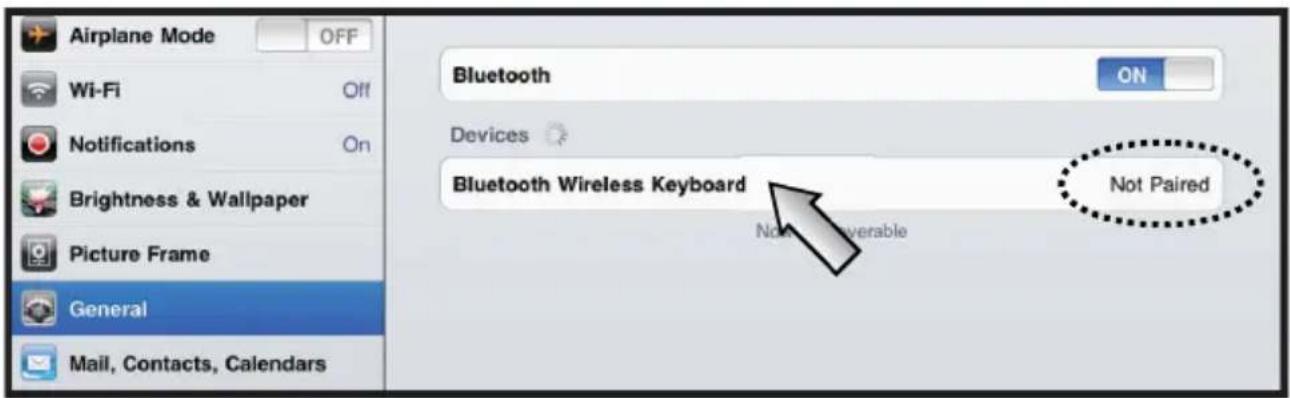
④.3
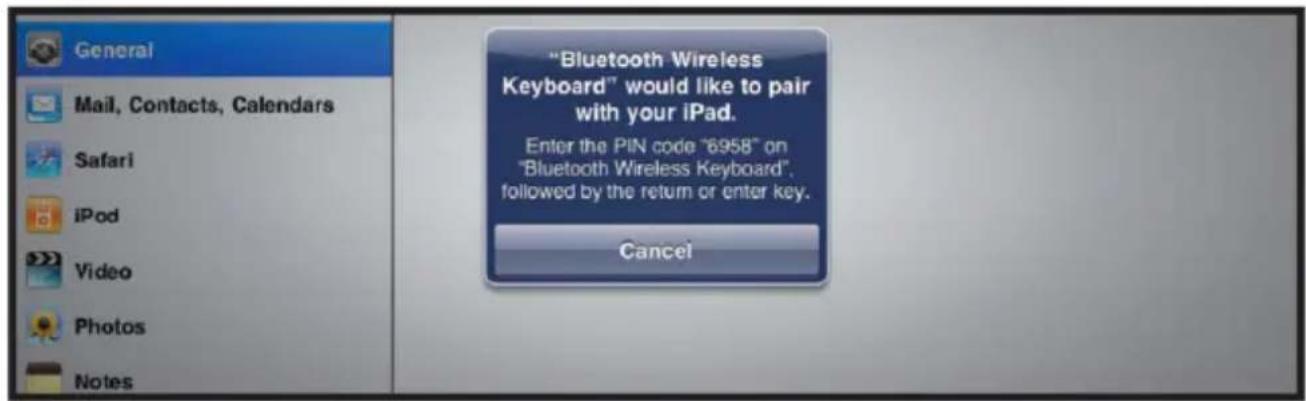
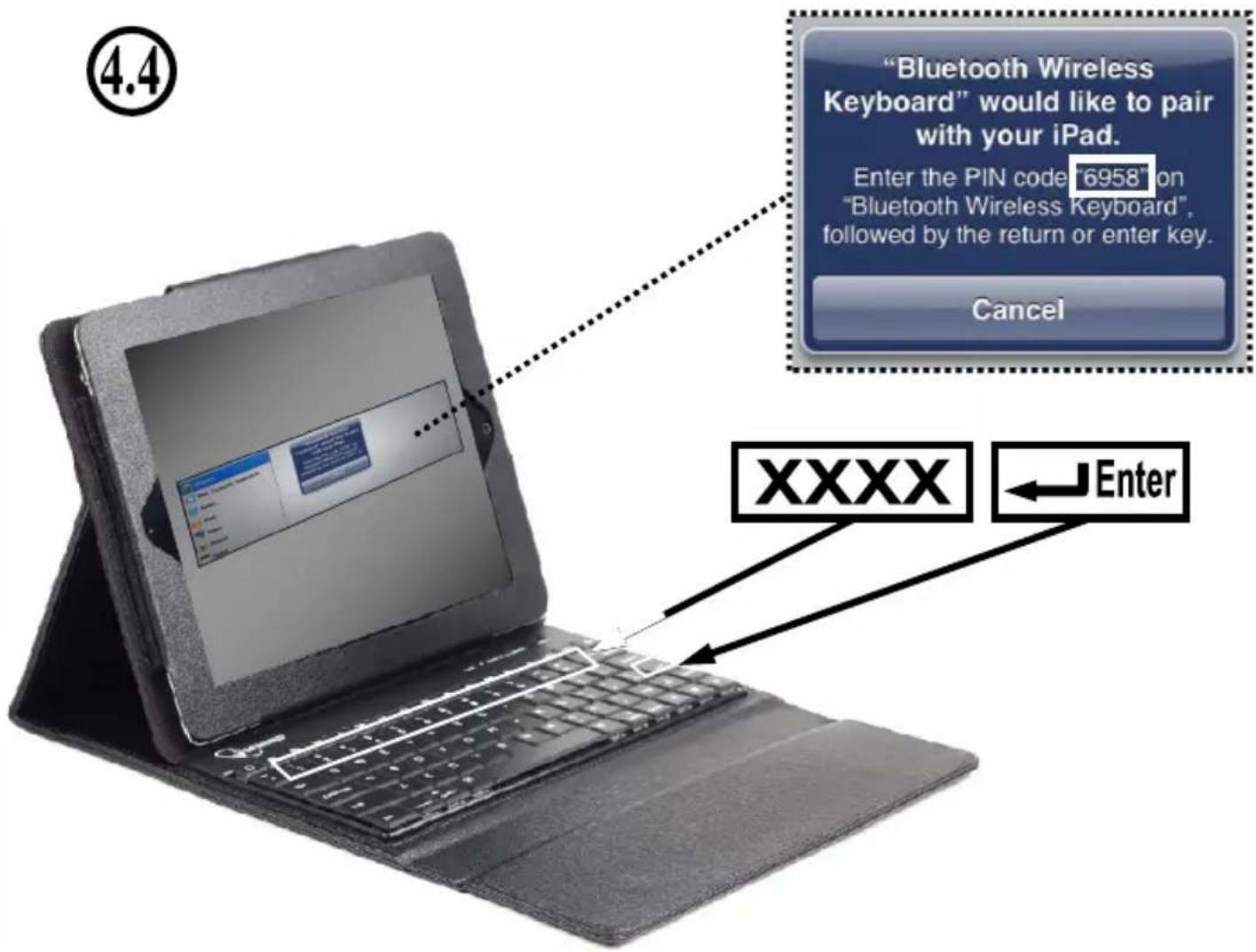
4.5


[1] = i
[2] = TM
[3] = £
[a] = â
● ● ●
flowchart
graph TD
    A["Process Step 1"] --> B["Process Step 2"]
    B --> C["Output Flow Icon"]
natural_image
Close-up of a black computer keyboard with no visible text or symbols on the keys or background (pure technical view)This product is tested and complies with the essential requirements of the laws of member states concerning R&TTE(1999/5/EC). The CE declaration can be found under www.gembird.eu
natural_image
Simple line drawing of a hand washing a cup with water droplets falling (no text or symbols)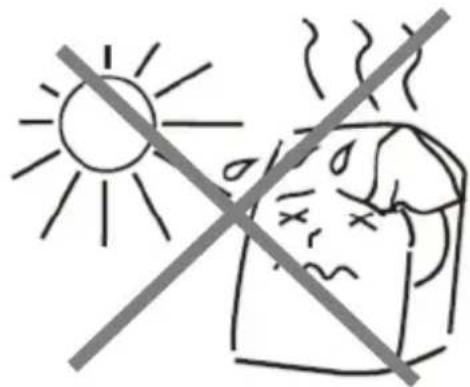
natural_image
Simple line drawing of a hand using a tool to cut a screwdriver into a screw (no text or symbols)
natural_image
Simple line drawing of a hand holding a bag with a diagonal line crossing through, no text or symbols present.Waste disposal:

Do not deposit this equipment with the household waste. Improper disposal can harm both the environment and human health. For Information about waste collection facilities for used electrical and electronic devices, please contact your city council or an authorized company for the disposal of electrical and electronic equipment.
Brand : Gembird
Model : TA-KBT97-001
Category : Tablet accessories