V-TAC VT-5113 - Lamp

VT-5113 - Lamp V-TAC - Free user manual and instructions

Find the device manual for free VT-5113 V-TAC in PDF.

📄 145 pages English EN Download 💬 AI Question
Notice V-TAC VT-5113 - page 3
Pick your language and provide your email: we'll send you a specifically translated version.

User questions about VT-5113 V-TAC

0 question about this device. Answer the ones you know or ask your own.

Ask a new question about this device

The email remains private: it is only used to notify you if someone responds to your question.

No questions yet. Be the first to ask one.

Download the instructions for your Lamp in PDF format for free! Find your manual VT-5113 - V-TAC and take your electronic device back in hand. On this page are published all the documents necessary for the use of your device. VT-5113 by V-TAC.

USER MANUAL VT-5113 V-TAC

natural_image White plastic funnel-shaped object with two small feet at the base (no text or symbols visible)

GU10 LENS

V-TAC VT-5113 - 1
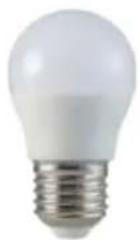
E27 G45

V-TAC VT-5113 - 2
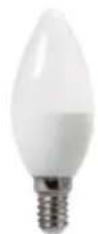
E14 Candle

V-TAC VT-5113 - 3
E14 P45

V-TAC VT-5113 - 4
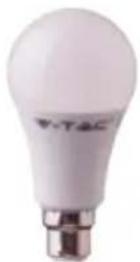
B22 A60

V-TAC VT-5113 - 5
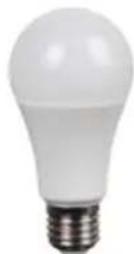
E27 A60

V-TAC VT-5113 - 6
E27 A65

V-TAC VT-5113 - 7
works with the Google Assistant

works with amazon alexa

V-TAC VT-5113 - 8

MULTI-LANGUAGE MANUAL - QR CODE

Please scan the QR code to access the manual in multiple languages.

V-TAC VT-5113 - 9

text_image QR code image containing encoded data, no visible human-readable text

INTRODUCTION & WARRANTY

Thank you for selecting and buying V-TAC SMART LED Lighting. V-TAC will serve you the best. Please read these instructions carefully before starting the installation and keep this manual handy for future reference. If you have any other query, please contact our dealer or local vendor from whom you have purchased the product. They are trained and ready to serve you at the best.

The warranty is valid for 2 years from the date of purchase. The warranty does not apply to damage caused by incorrect installation or abnormal wear and tear. The company gives no warranty against damage to any surface due to incorrect removal and installation of the product. The products are suitable for 10-12 Hours Daily operation. Usage of product for 24 Hours a day would void the warranty. This product is warranted for manufacturing defects only.

SAFETY WARNING

1) Lamps are limited to indoor use and are not advisable for use in humid environment
2) Lamps and lanterns cannot be installed on the surface of ordinary combustible materials. Increase in temperature is normal for lamps.
3) Do not exert external force or throw on the lamp.
4) Lamps should be stored in cool/dry place. Always make sure the environment is clean before installing the lamp.
5) Do not discard the lamps with regular trash. Lamps are made with electronic components and should be properly disposed at designated locations with unified treatment like traditional electronic equipment.

INSTALLATION

Step1: Disconnect the power supply and install the lamp.

Step2: Turn the power ON to test the lamp.

Step3: Scan the given QR code, or download "V-TAC Smart Light" from the App Store (iOS) or the Google Play Store (Android).

For ANDROID

V-TAC VT-5113 - INSTALLATION - 1

text_image QR code with red and black triangular logo in center, likely for digital link or payment

For IOS
V-TAC VT-5113 - INSTALLATION - 2

text_image QR code with red and black pixelated logo in center, likely linking to a digital resource or webpage

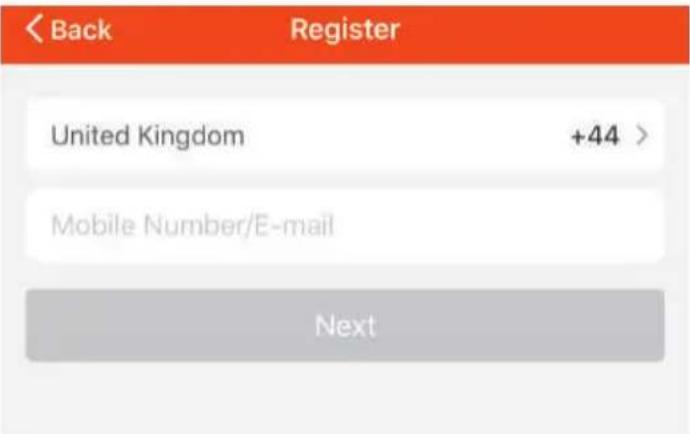
Step4: Open the V-TAC Smart Light app and tap on register for creating a new account.

V-TAC Smart Light

Step5:

A) Mobile Number: Select the country, then enter your mobile number. Once done, tap 'Next'.
B) E-Mail: Enter your email id and tap on 'Next'.
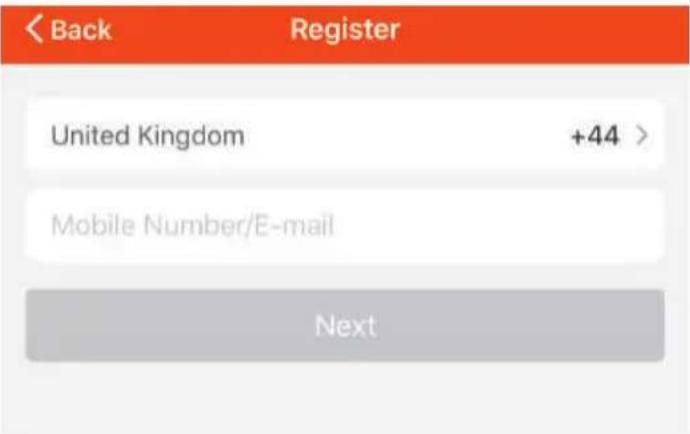
V-TAC VT-5113 - INSTALLATION - 3

text_image < Back Register United Kingdom +44 > Mobile Number/E-mail Next

Step6: Enter the verification code which will be sent to your mobile number/email id, then assign a new password to your account and tap on "Confirm".

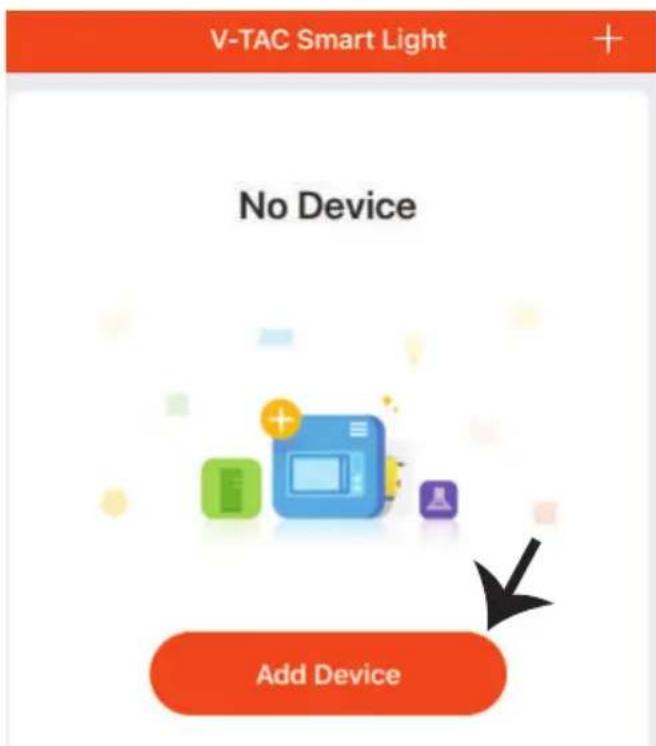
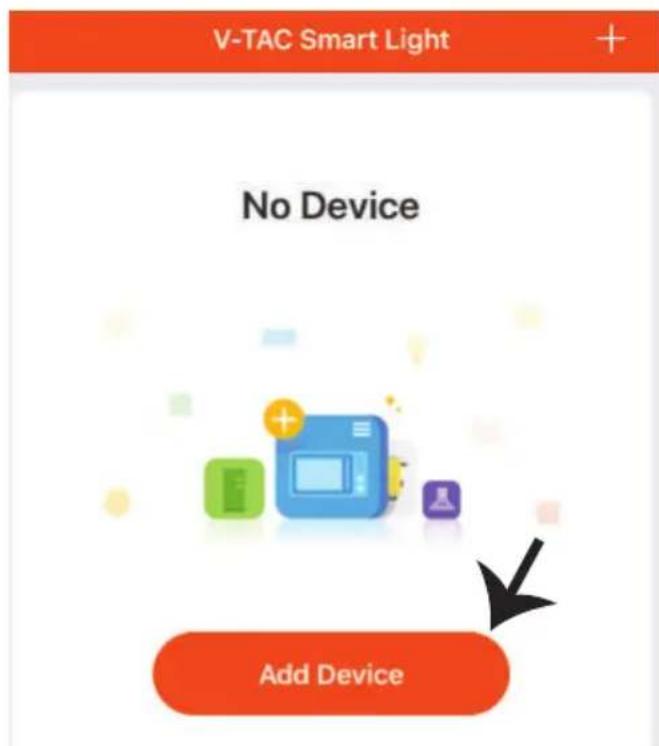
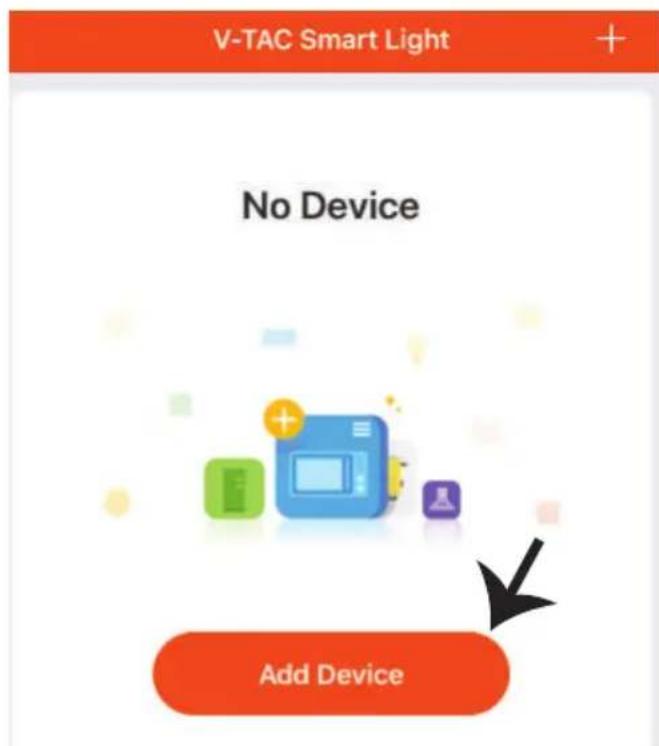
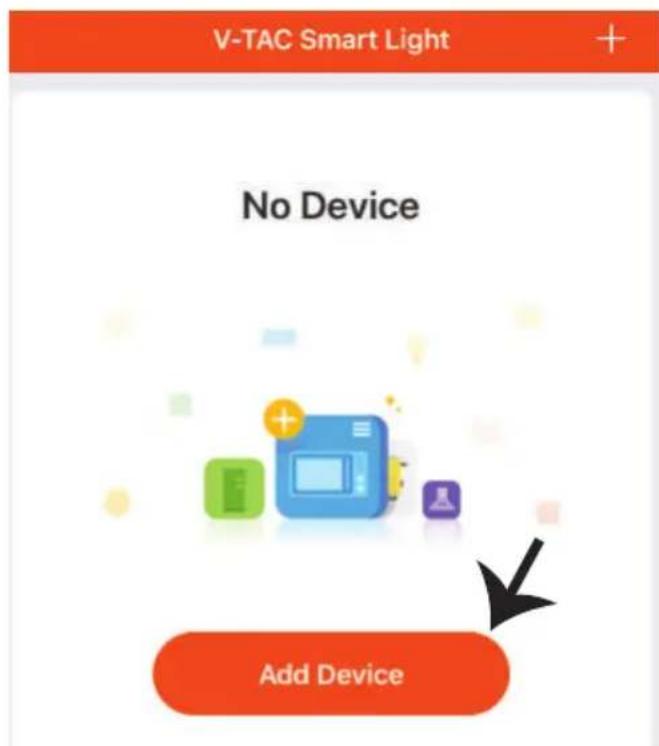
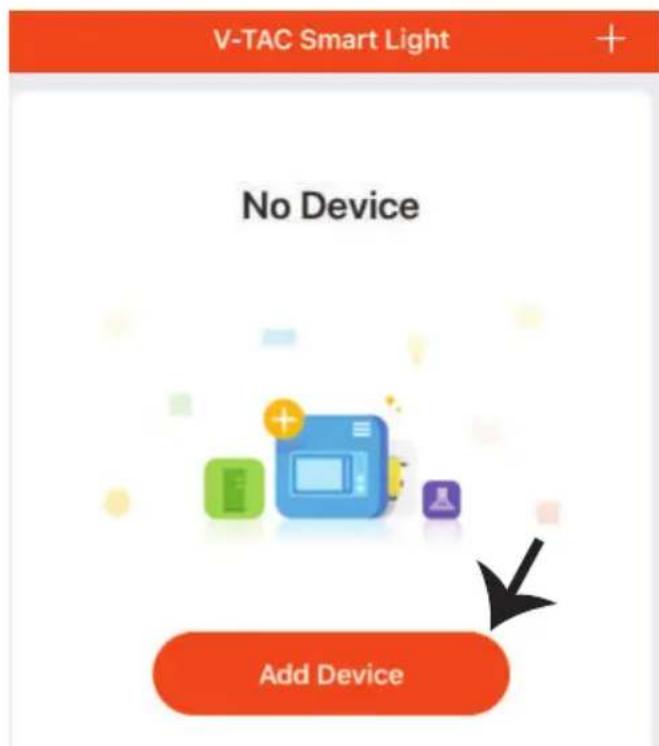
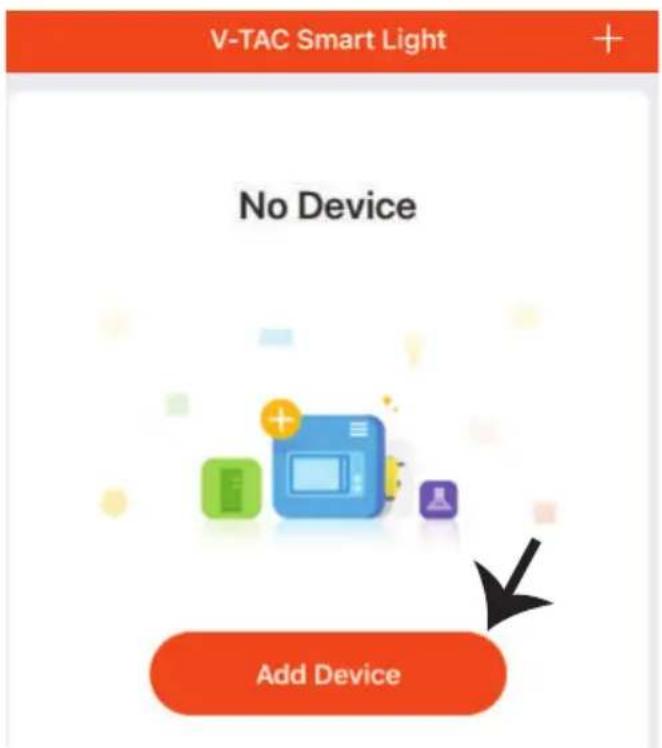
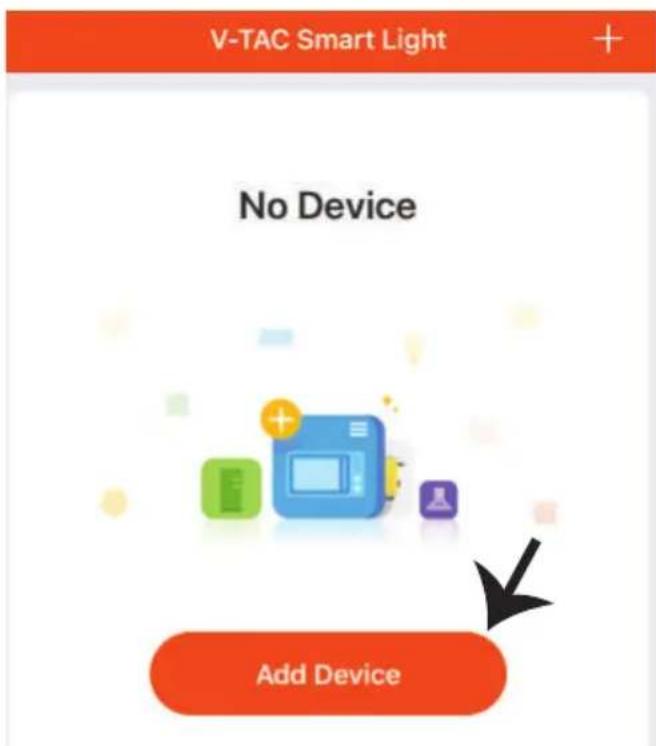
Step7: Tap on 'Add Device' or the + sign. Make sure the lamp is switched on.
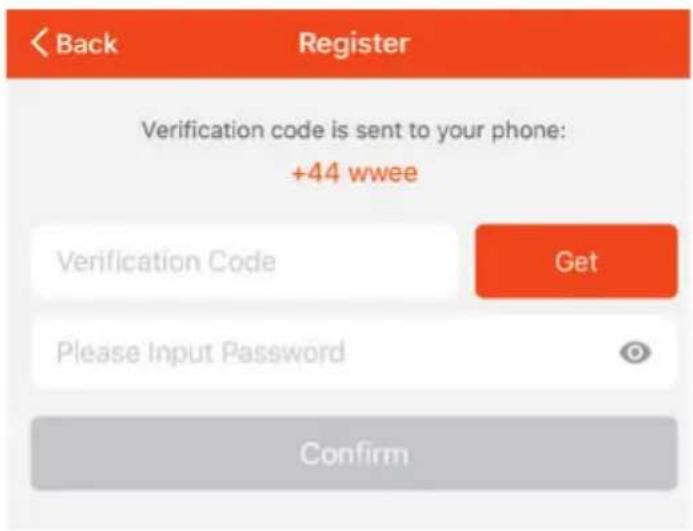
V-TAC VT-5113 - INSTALLATION - 4

text_image Back Register Verification code is sent to your phone: +44 wwee Verification Code Get Please Input Password Confirm

V-TAC VT-5113 - INSTALLATION - 5

text_image V-TAC Smart Light No Device Add Device

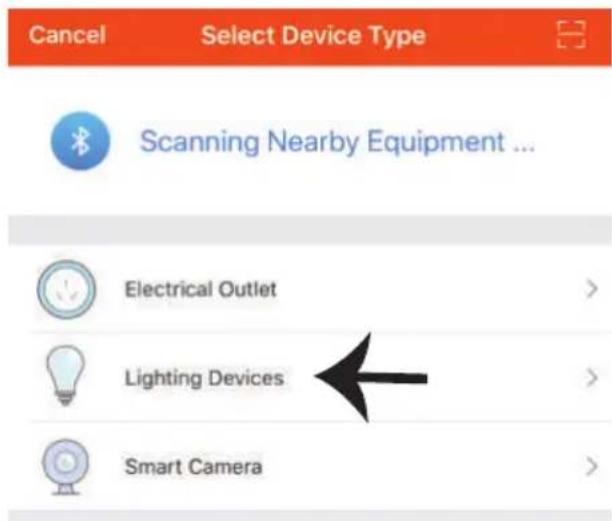
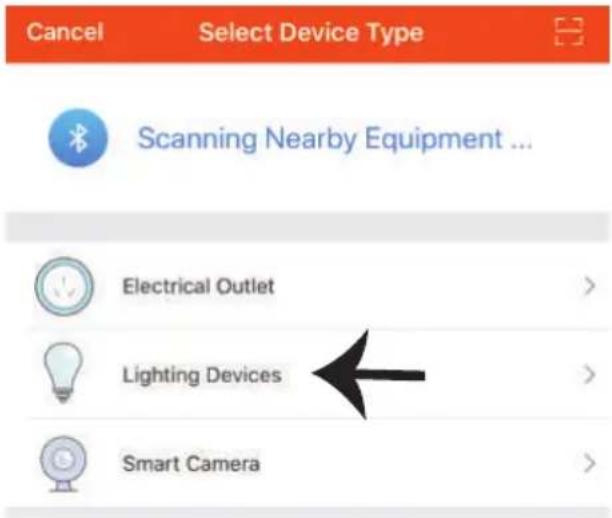
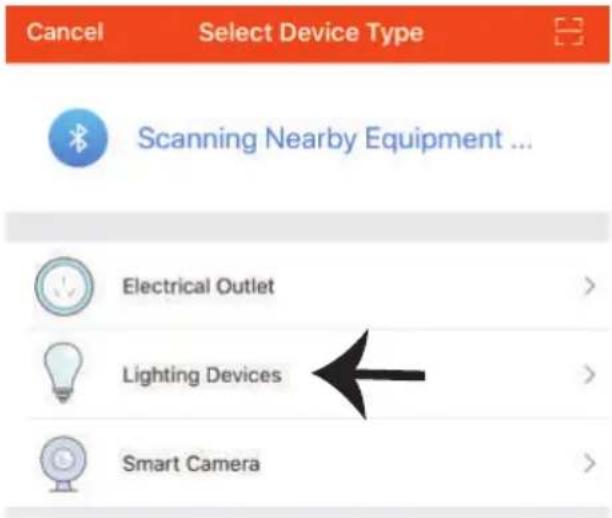
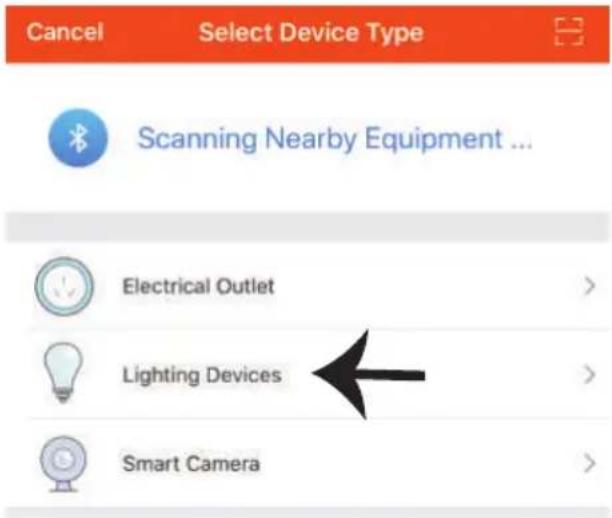
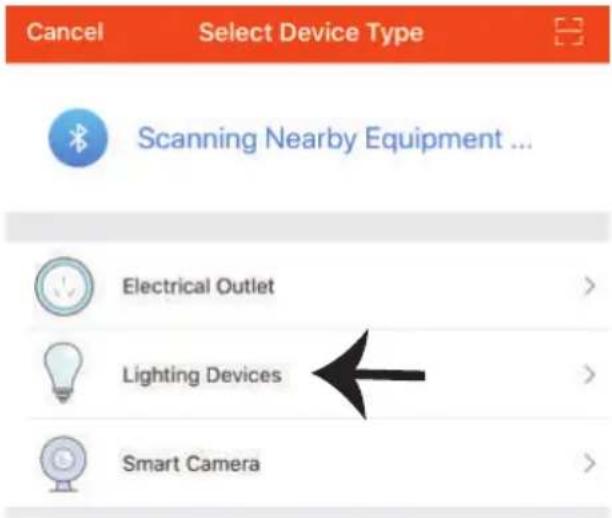
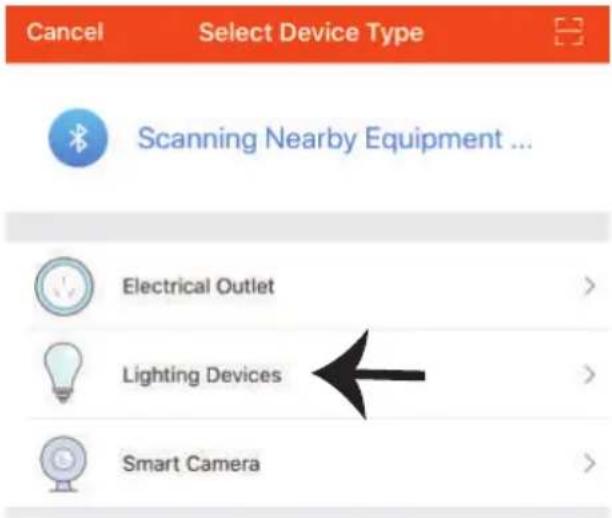
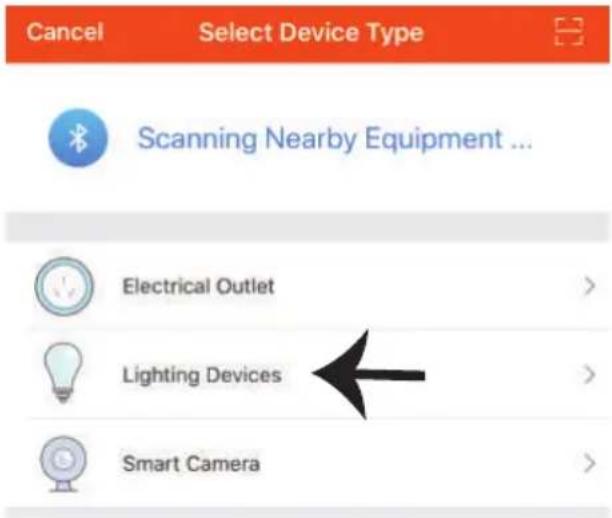
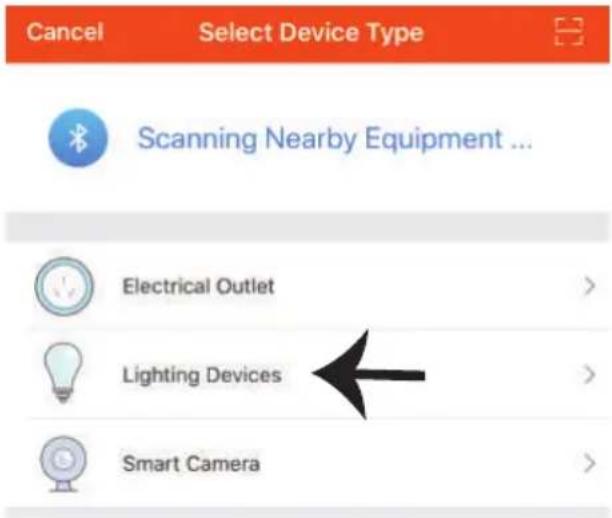
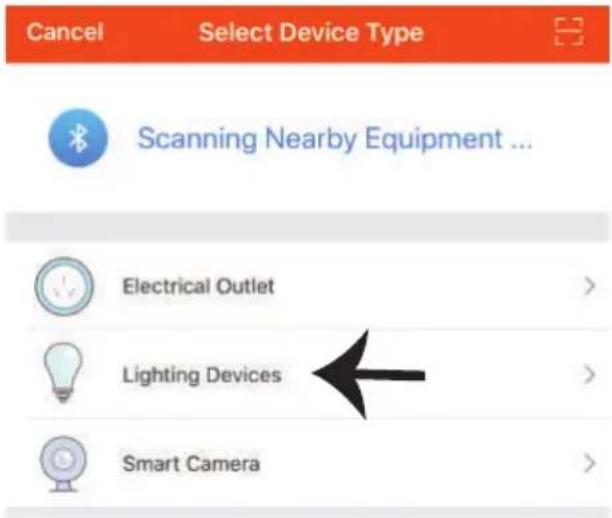
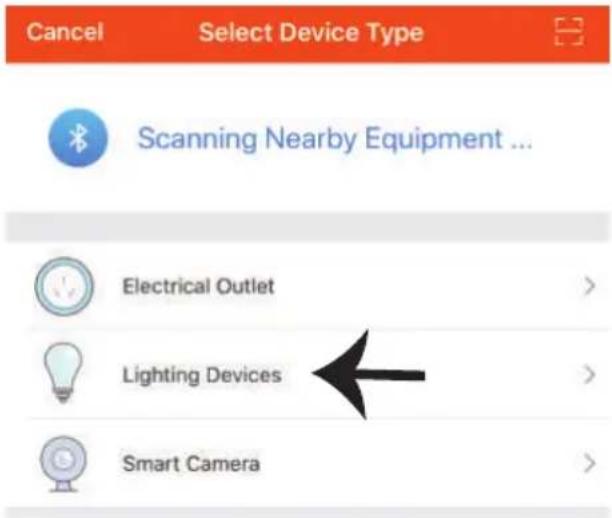
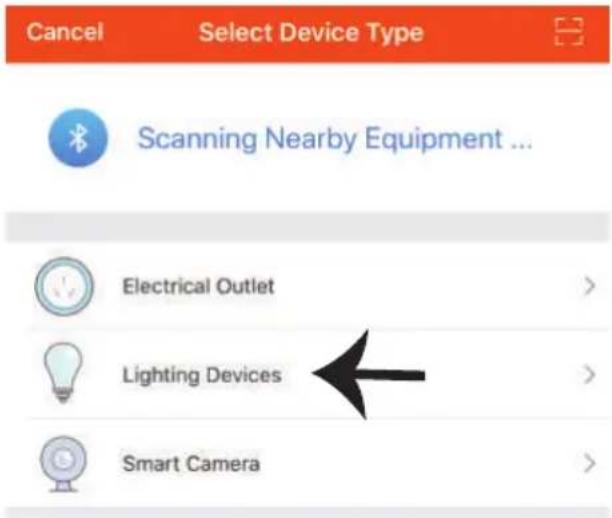
Step8: Choose 'Lighting Devices' to start pairing the lamp to the app.
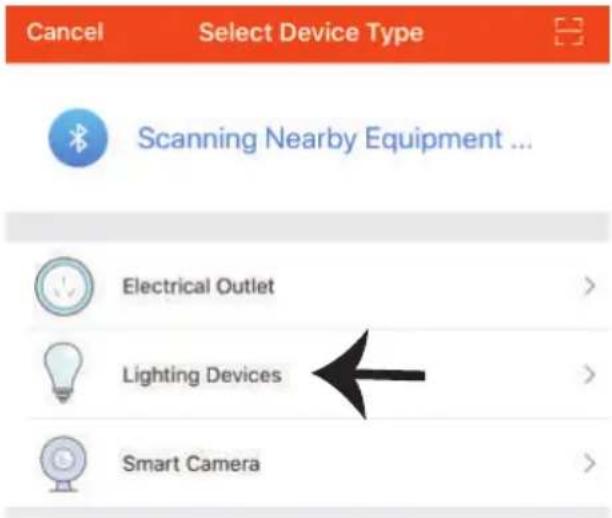
V-TAC VT-5113 - INSTALLATION - 6

text_image Cancel Select Device Type Scanning Nearby Equipment ... Electrical Outlet > Lighting Devices > Smart Camera >

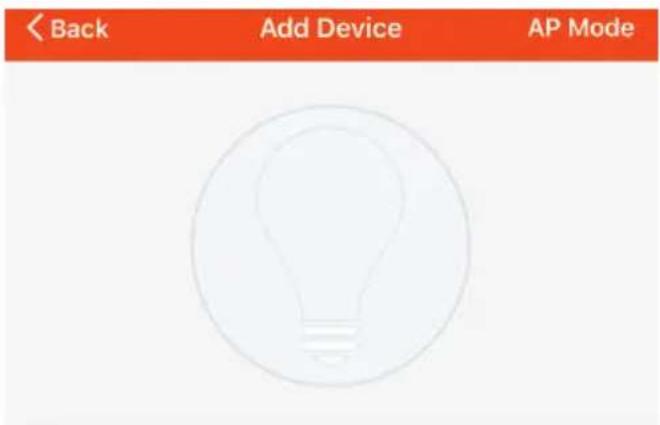
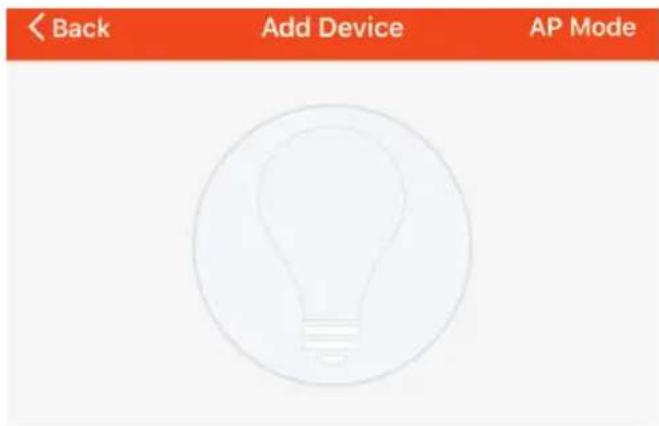
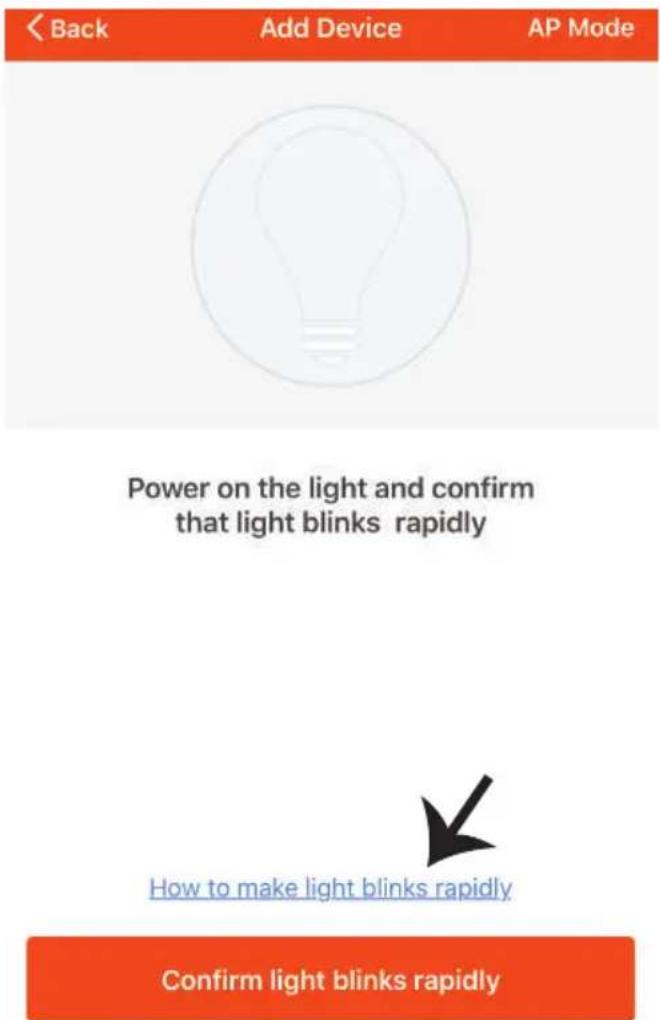
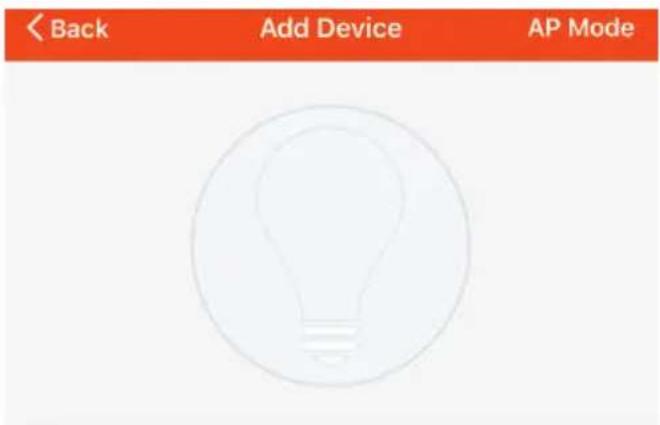
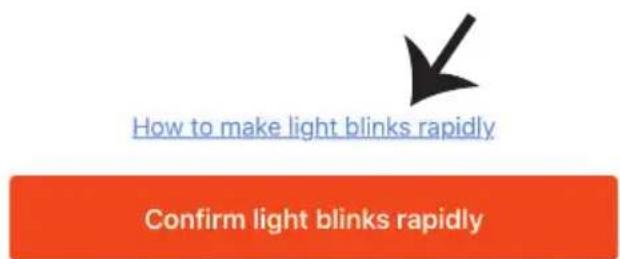
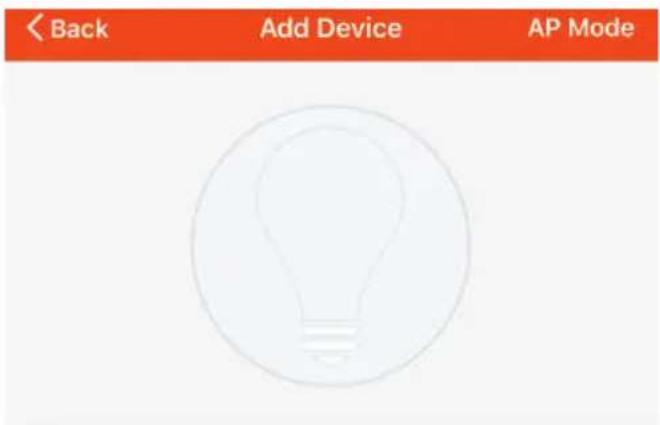
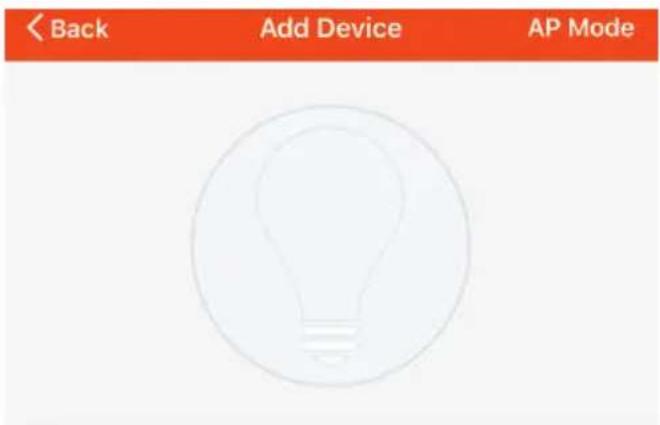
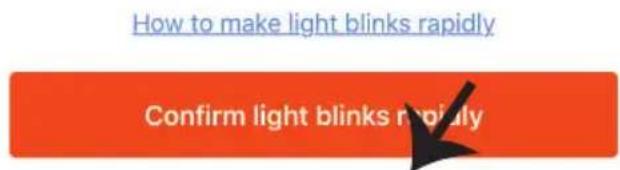
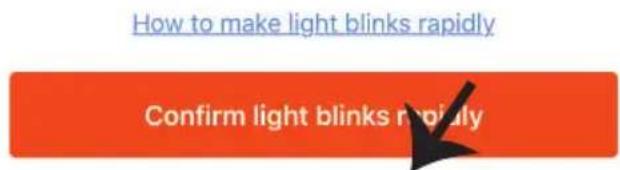
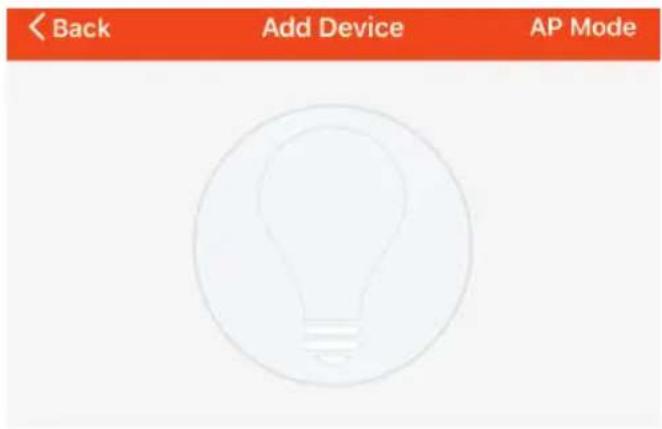
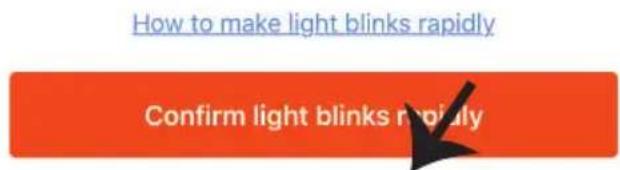
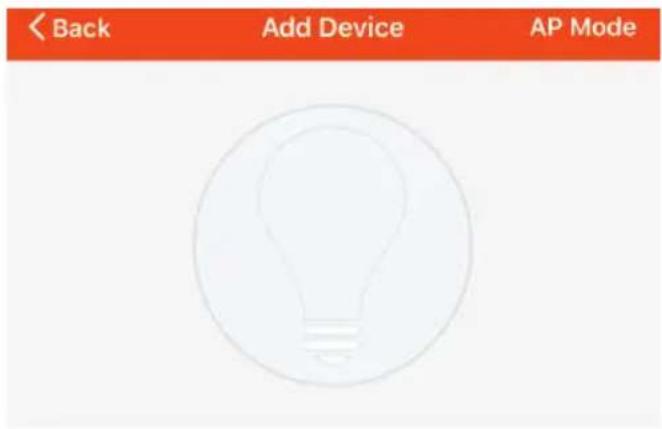
Step9: To pair the device with lamp make sure the light is blinks rapidly.

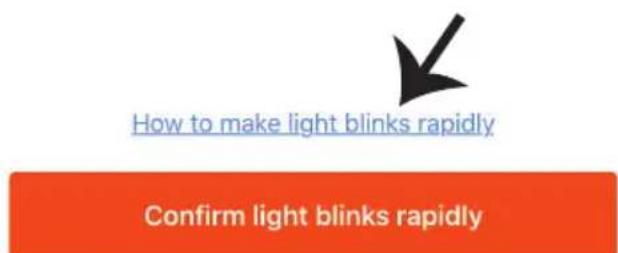
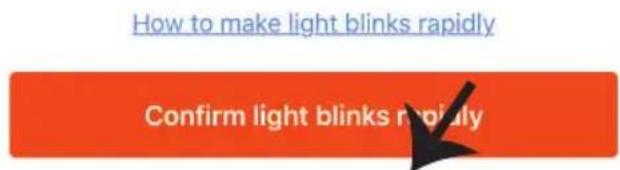
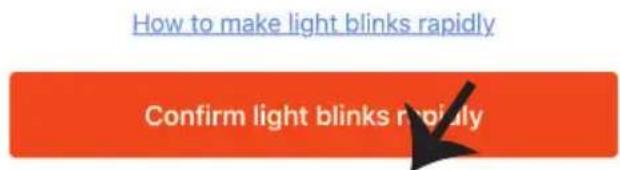
Once the light blinks rapidly, the lamp is in pairing mode. If the bulb is not blinking rapidly, you can do one of the following steps:

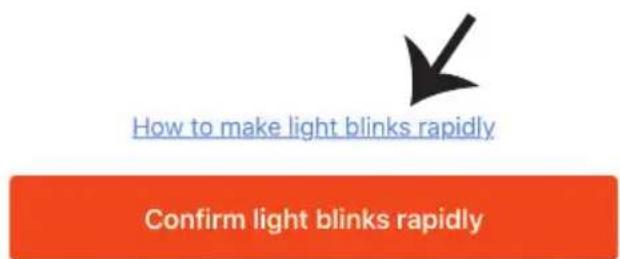
A. Switch the bulb on & off repeatedly for 3 times, with short intervals of less than 2 seconds.
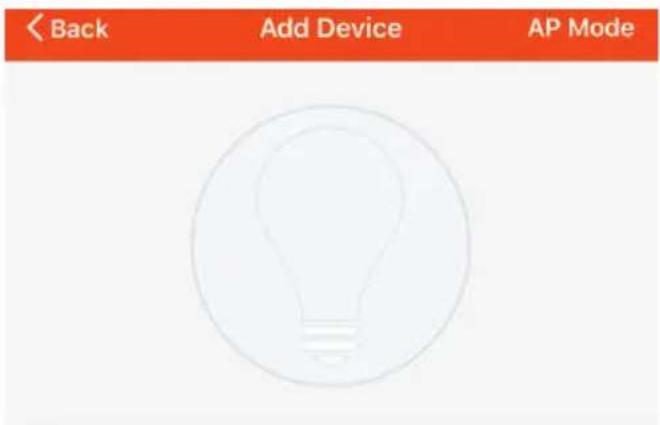
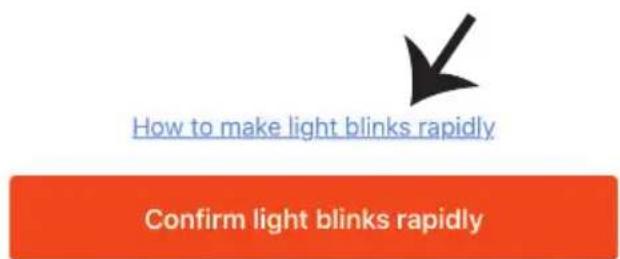
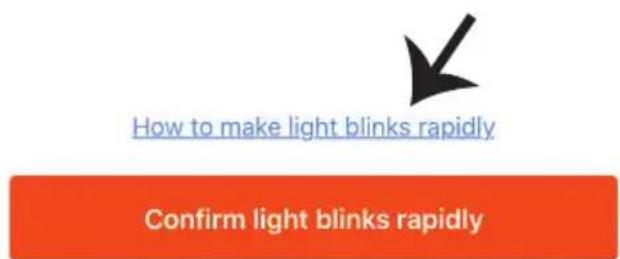
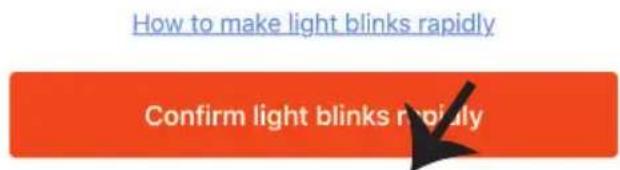
B. Tap the 'How to make light blink rapidly' link (as shown on the image to the right)

Network Modes:

1) EZ Mode: Light flashes twice per second
2) AP mode: Slow flash, once every 2 second

Confirm if the light blinks rapidly, select the WiFi network, and enter the password.
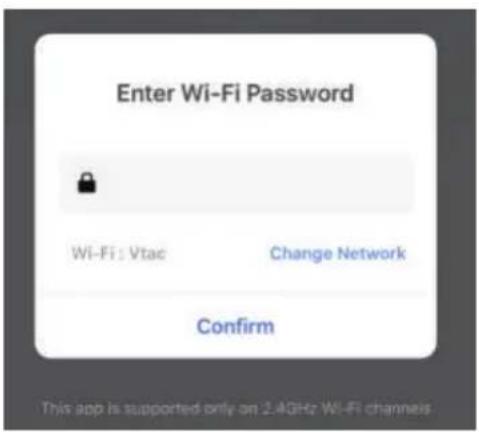
V-TAC VT-5113 - INSTALLATION - 7

text_image Enter Wi-Fi Password Wi-Fi: Vtac Change Network Confirm This app is supported only on 2.4GHz Wi-Fi channels

V-TAC VT-5113 - INSTALLATION - 8

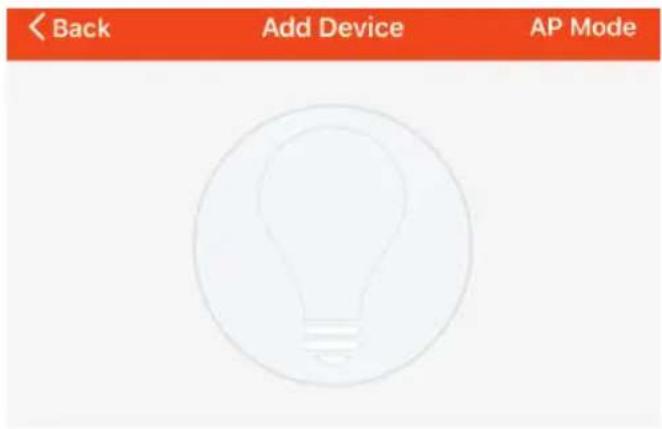
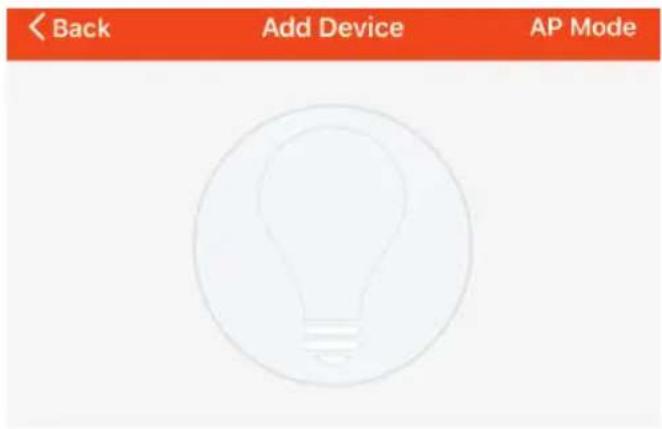
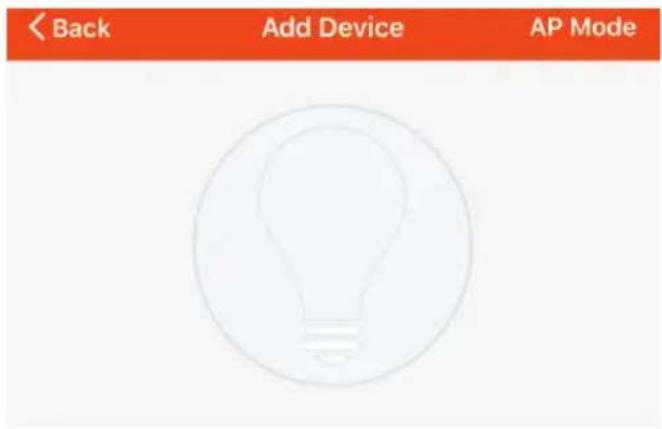
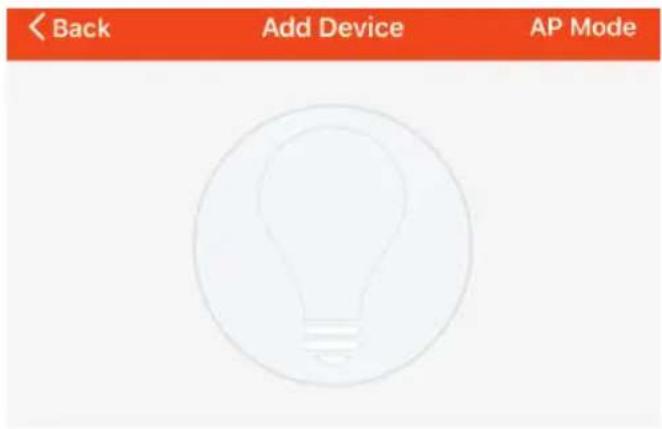
text_image < Back Add Device AP Mode

Power on the light and confirm that light blinks rapidly
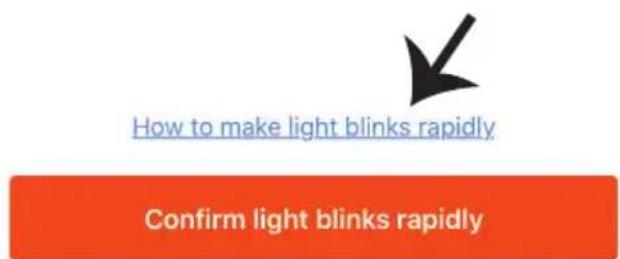
V-TAC VT-5113 - INSTALLATION - 9

text_image How to make light blinks rapidly Confirm light blinks rapidly

Step10: Once you have successfully completed step 9, you will be redirected to below page, where the App searches, registers and initializes the device(lamp) (ref image below)

Connecting Now
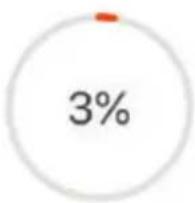
V-TAC VT-5113 - INSTALLATION - 10

pie | Category | Value (%) | |---|---| | Start | 0 | | End | 3 |

Make sure your phone and device are as close to your router as possible.

  • Searching for Device
  • Registering device to the cloud
  • Initializing your Device

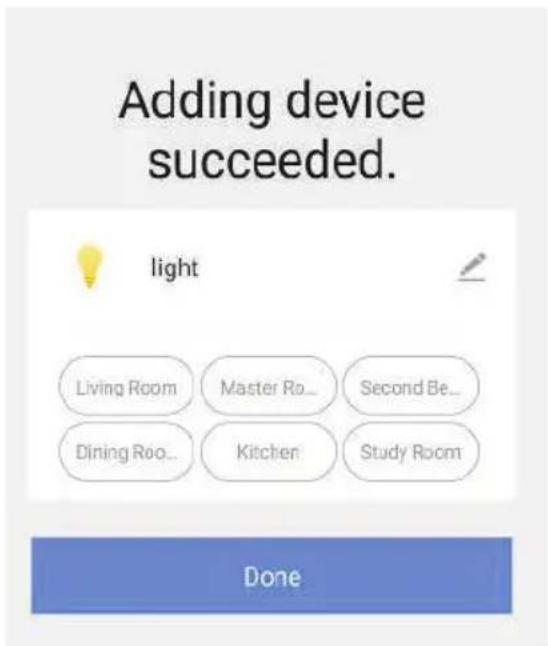
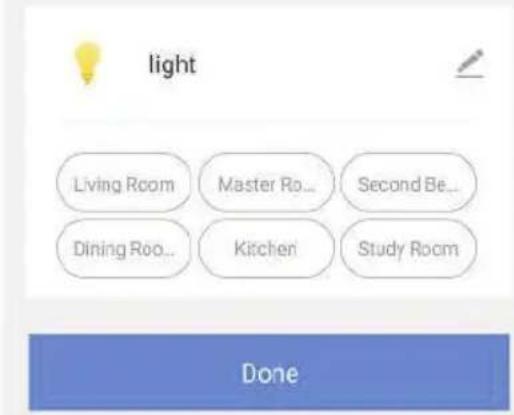
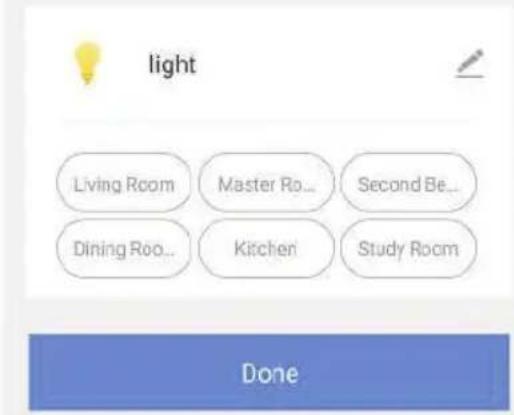
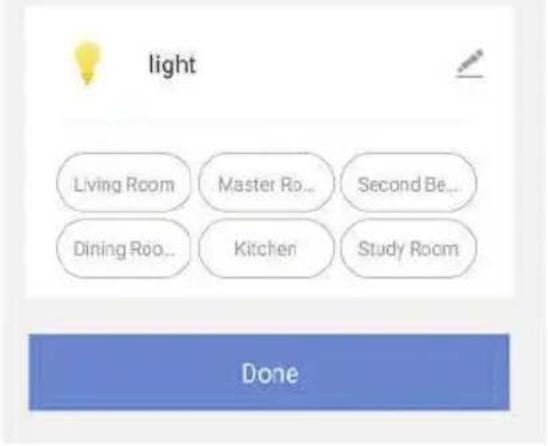
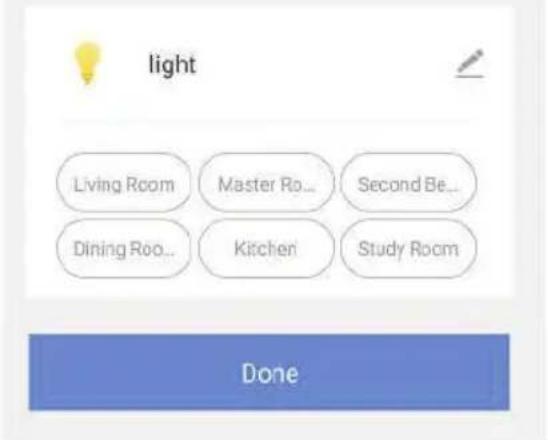
Step11: Once your device is successfully added, rename the device to your preference.

Adding device succeeded.
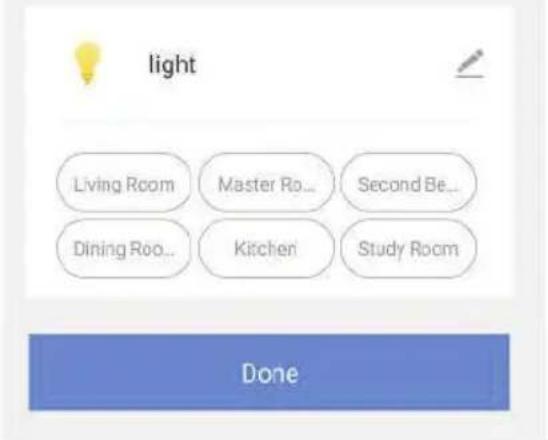
V-TAC VT-5113 - INSTALLATION - 11

text_image light Living Room Master Ro... Second Be... Dining Ro... Kitchen Study Room Done

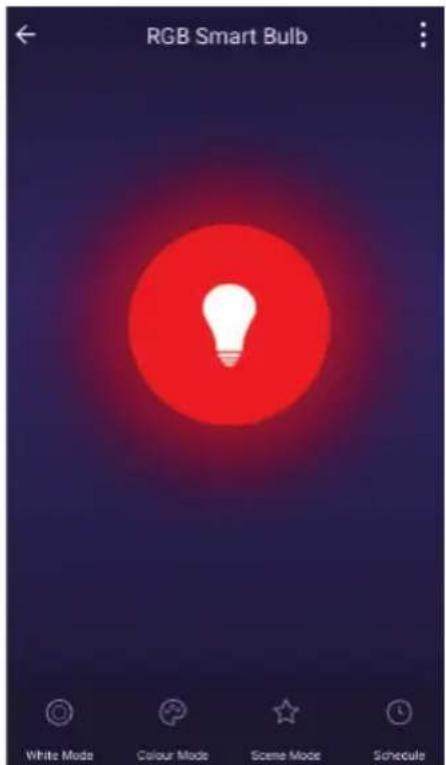
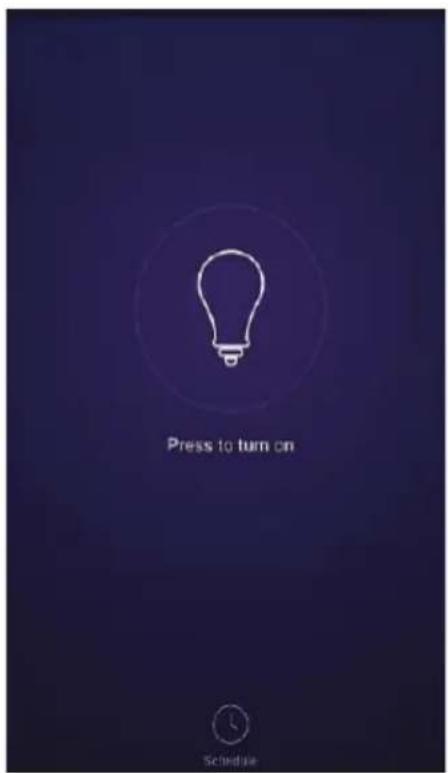
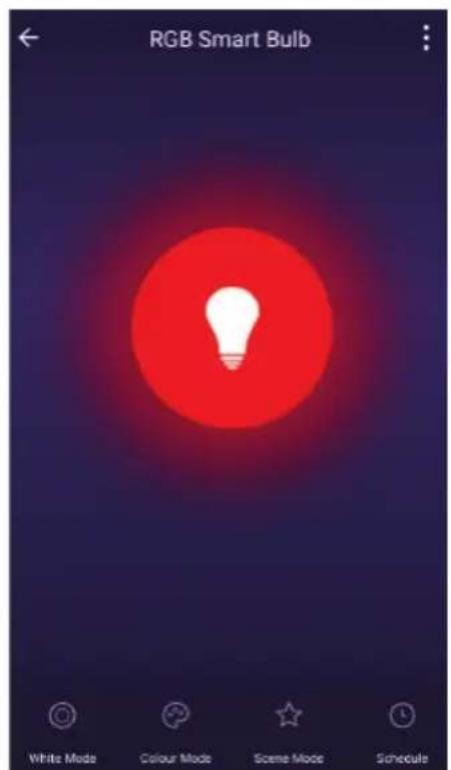
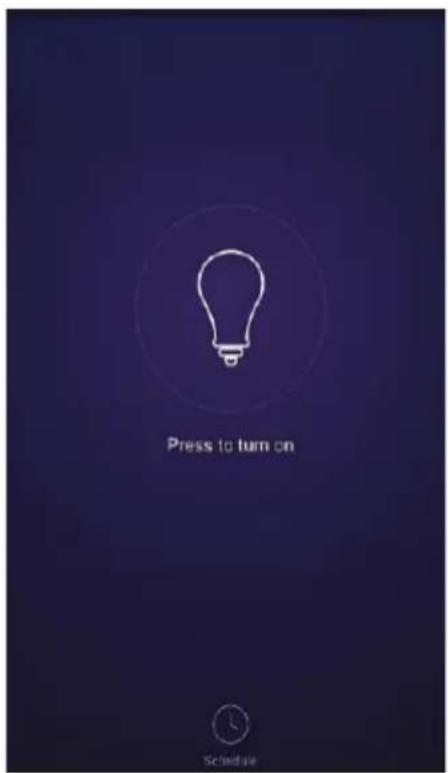
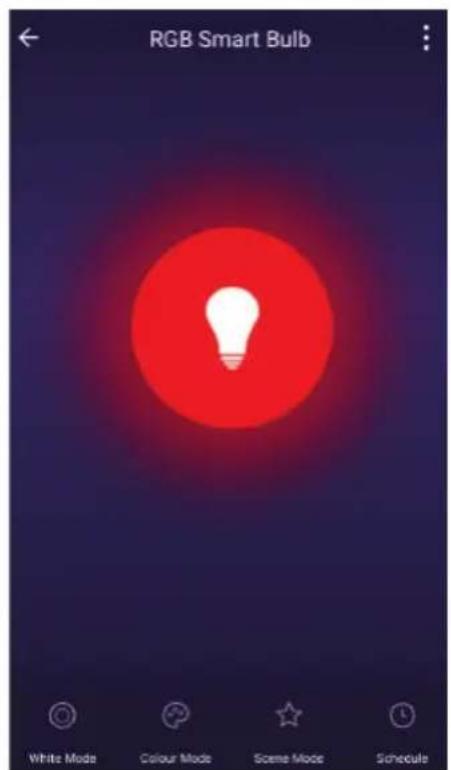
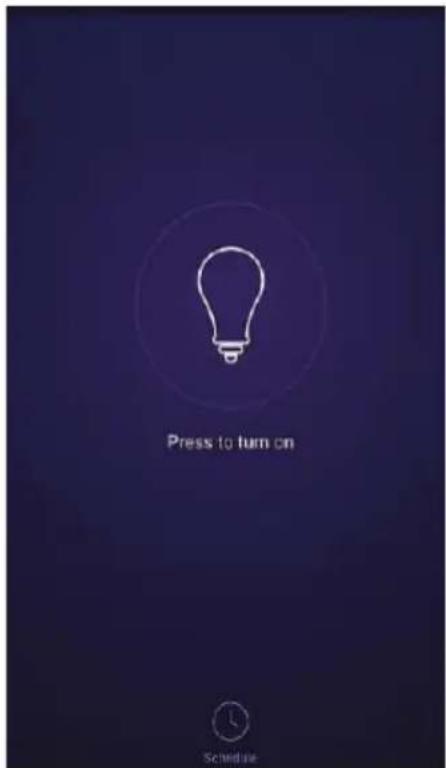
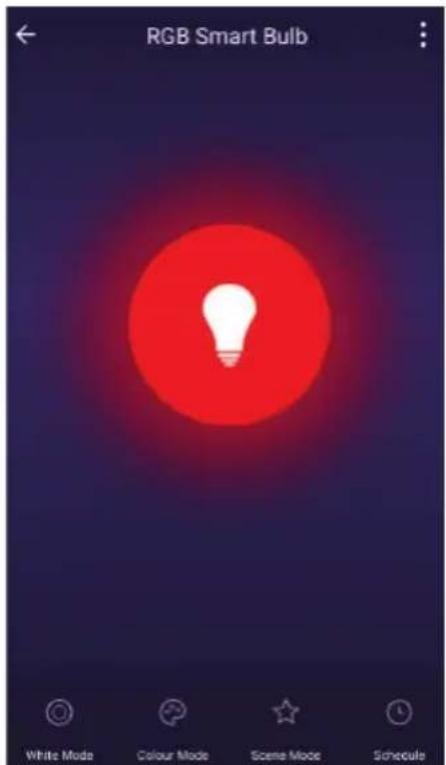
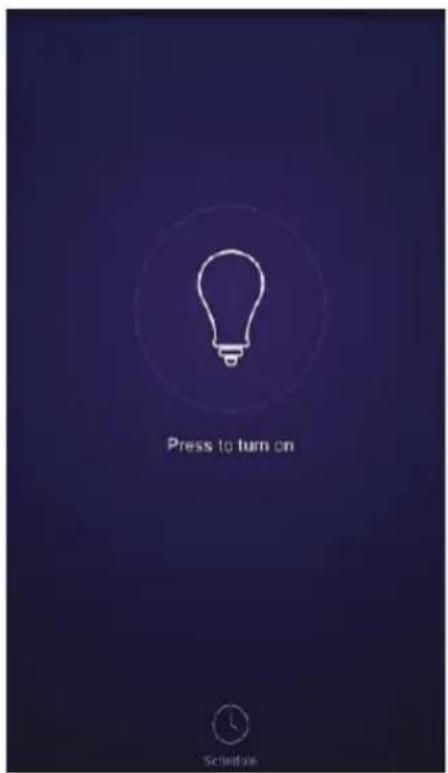
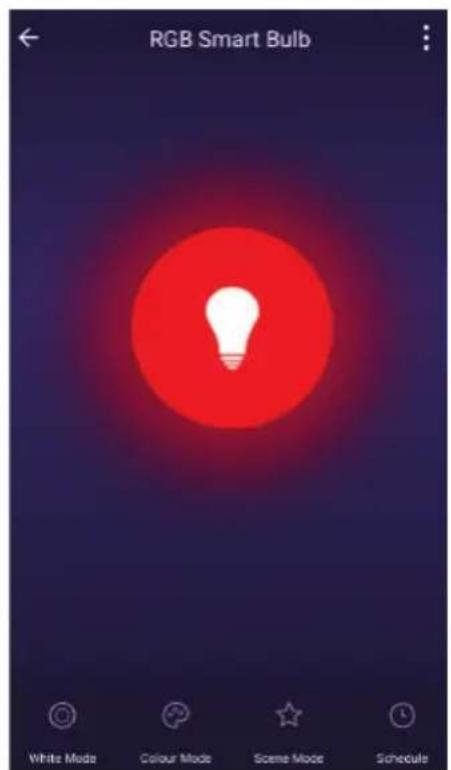
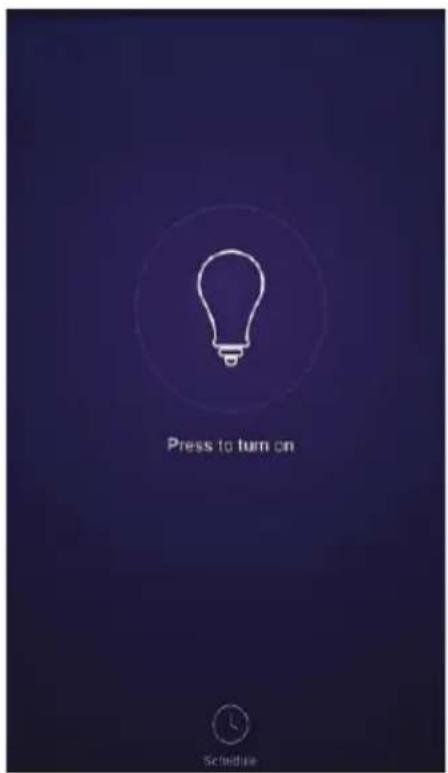
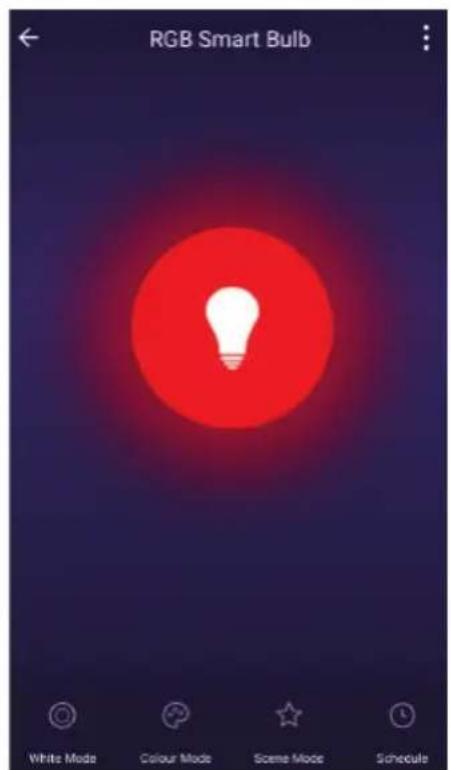
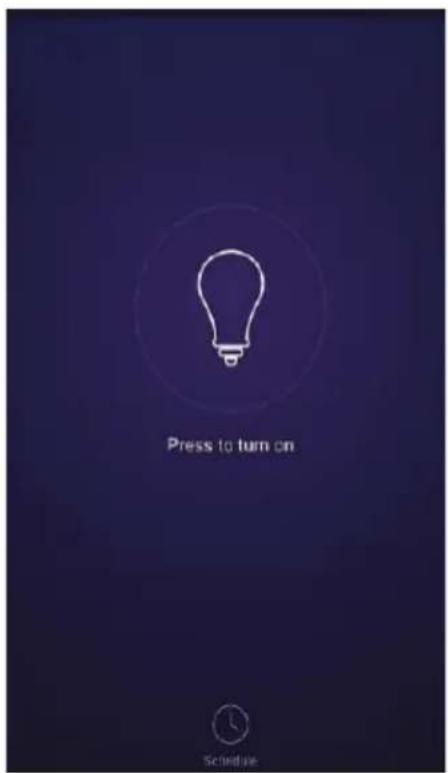
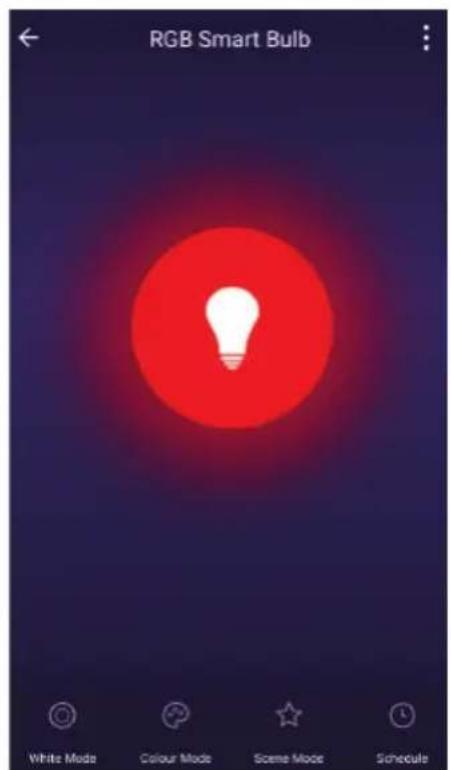
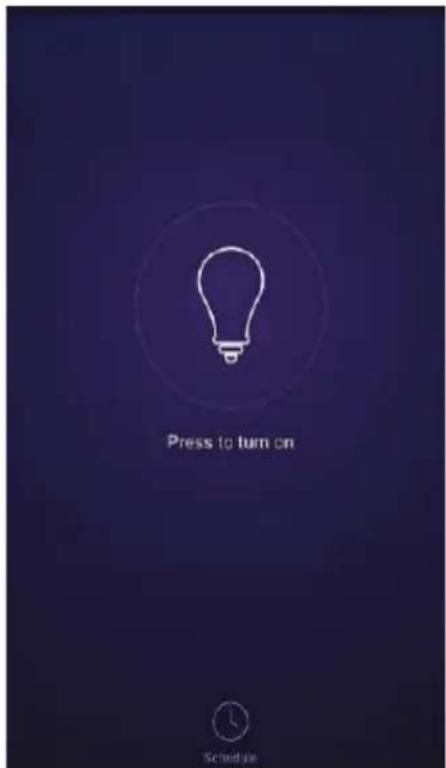
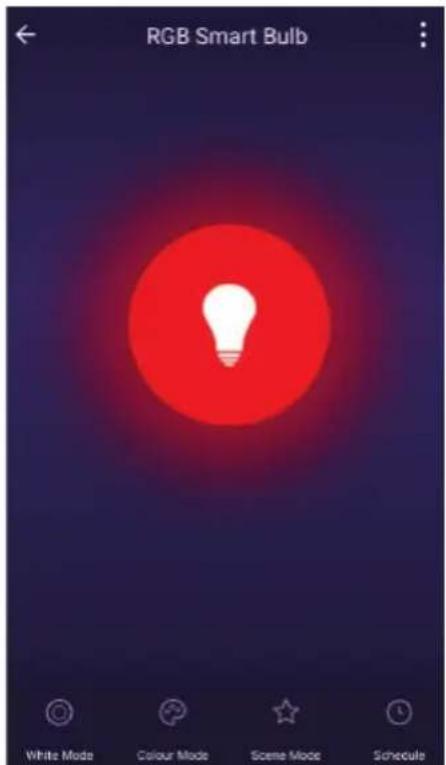
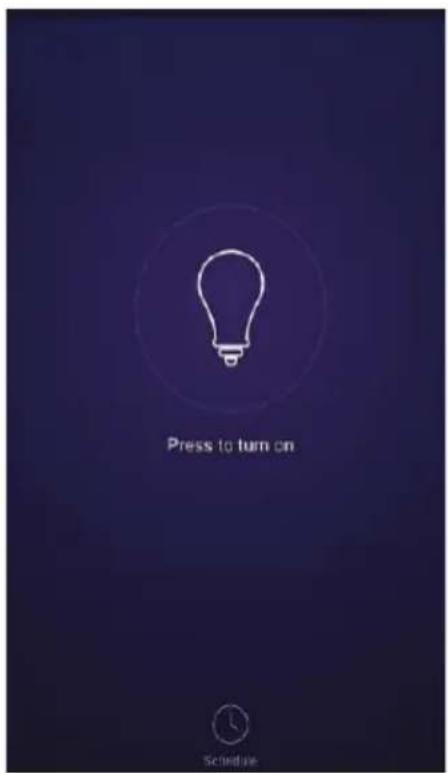
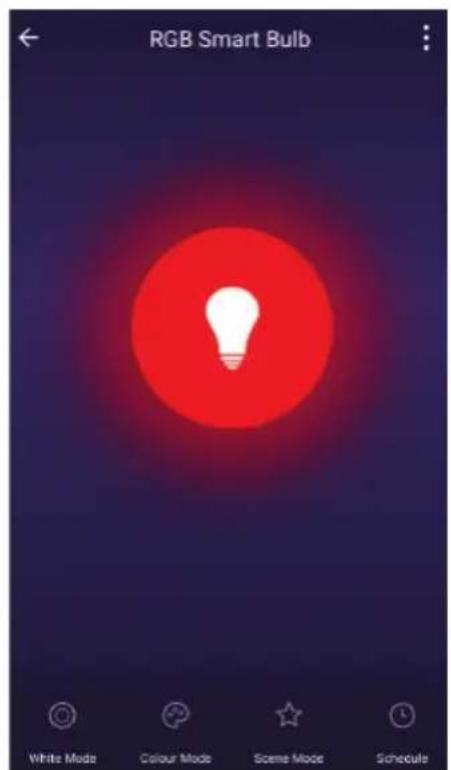
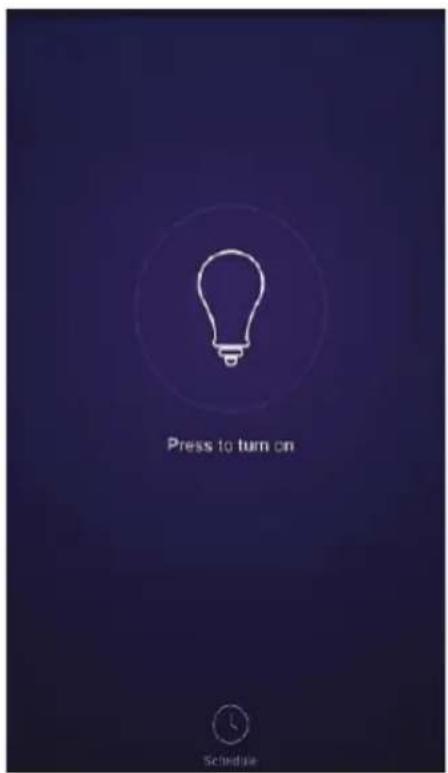
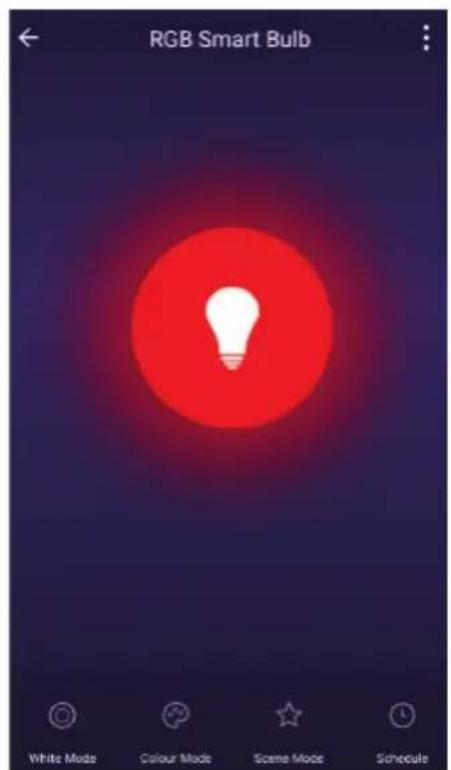
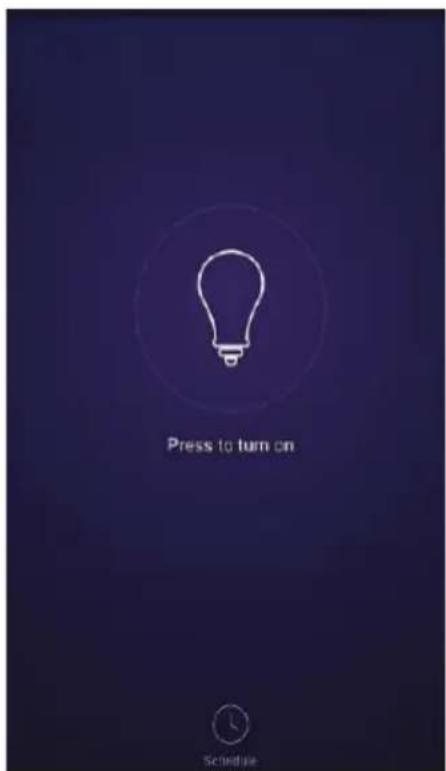
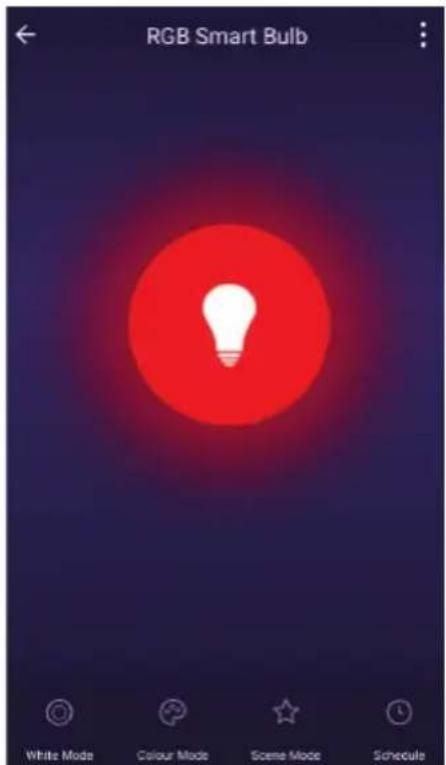
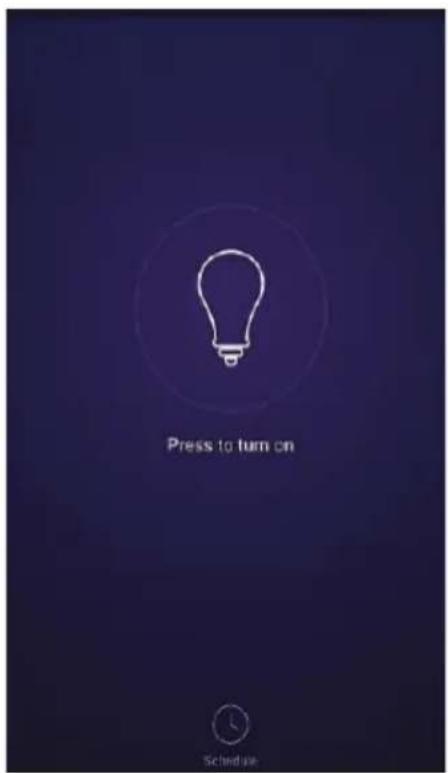
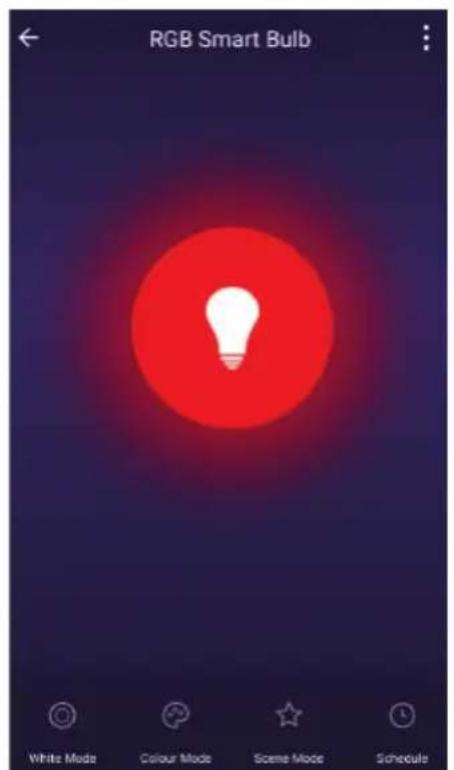
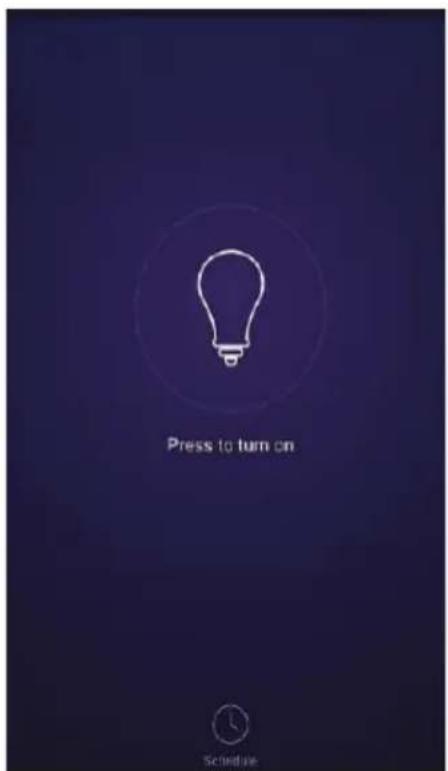
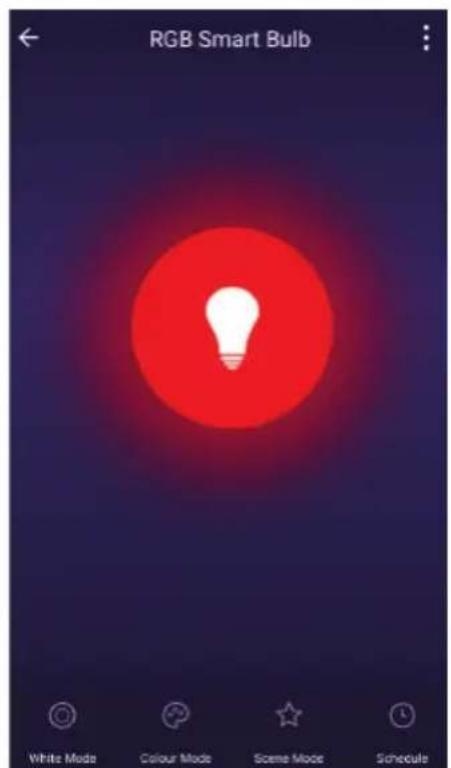
Step12: After successfully pairing the lamp with the app, you can start controlling multiple features of the lamp through your mobile-on/off switch, changing the colour temperature, timing & schedules, dimming options, and more.
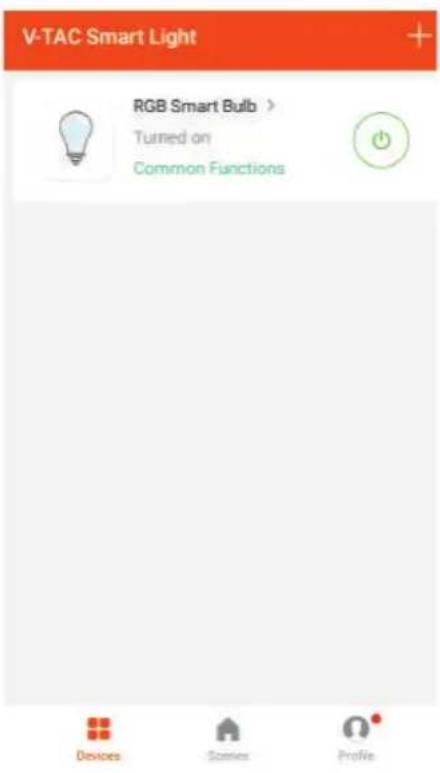
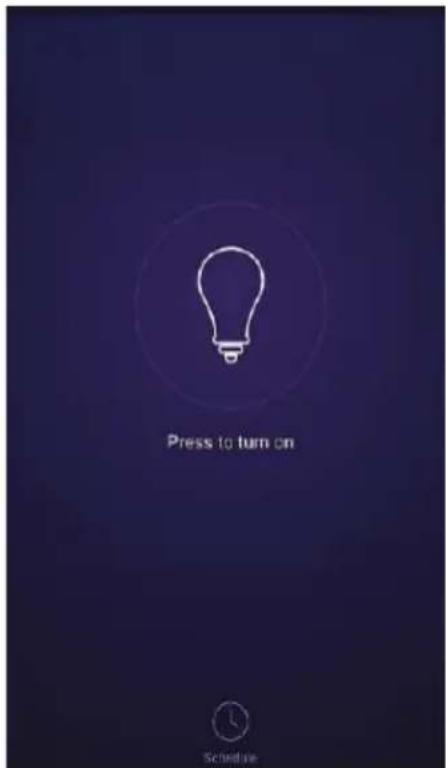
V-TAC VT-5113 - INSTALLATION - 12

text_image V-TAC Smart Light RGB Smart Bulb > Turned on Common Functions Devices Stories Profile

V-TAC VT-5113 - INSTALLATION - 13

text_image Press to turn on Schedule

V-TAC VT-5113 - INSTALLATION - 14

text_image RGB Smart Bulb White Mode Colour Mode Scene Mode Schedule

ALEXA SETTINGS

Step1: Install the Amazon Alexa app via the App Store(iOS) or the Play Store (Android) and register. If you already have an existing account with Amazon Alexa, please proceed to logging in.

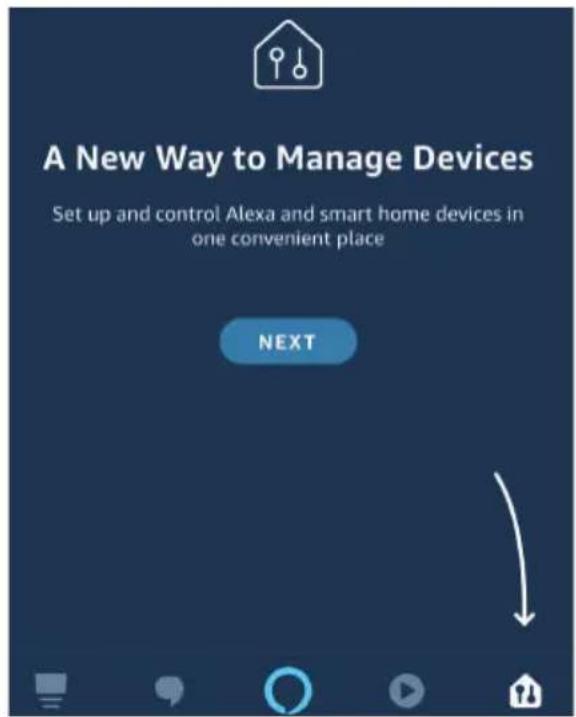
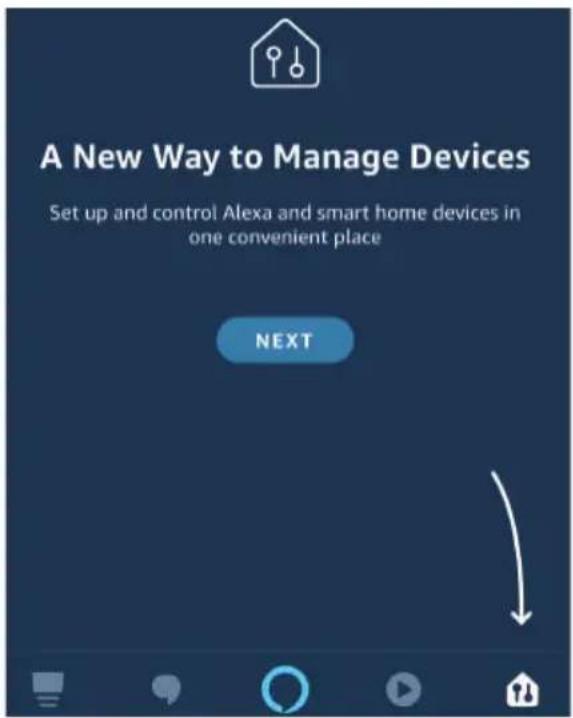
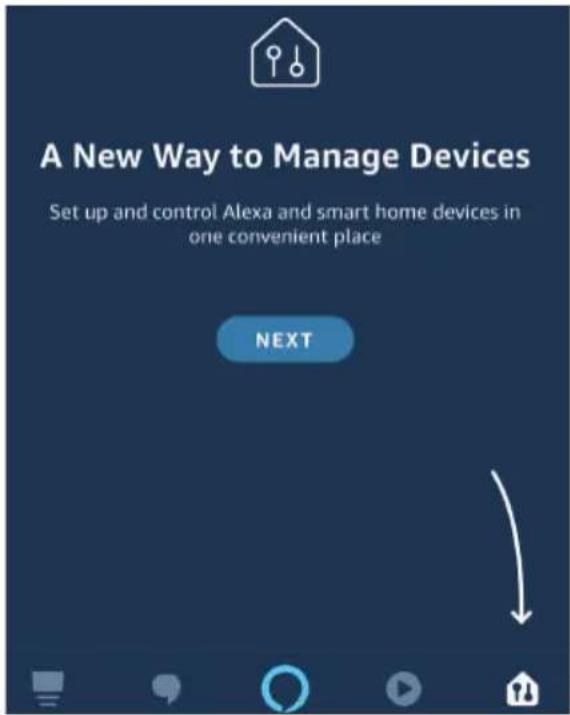
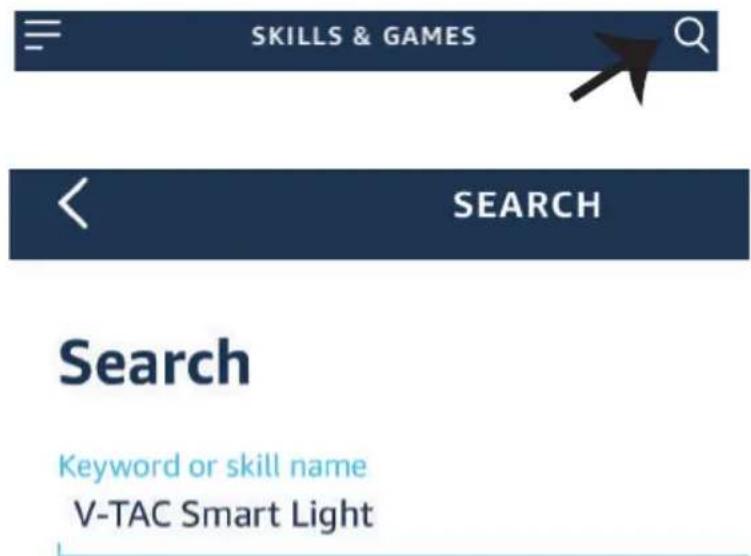
Step2: Once you are on the Amazon Alexa home page, tap on the lower right icon — where the arrow is pointed— to add a new device and skill.
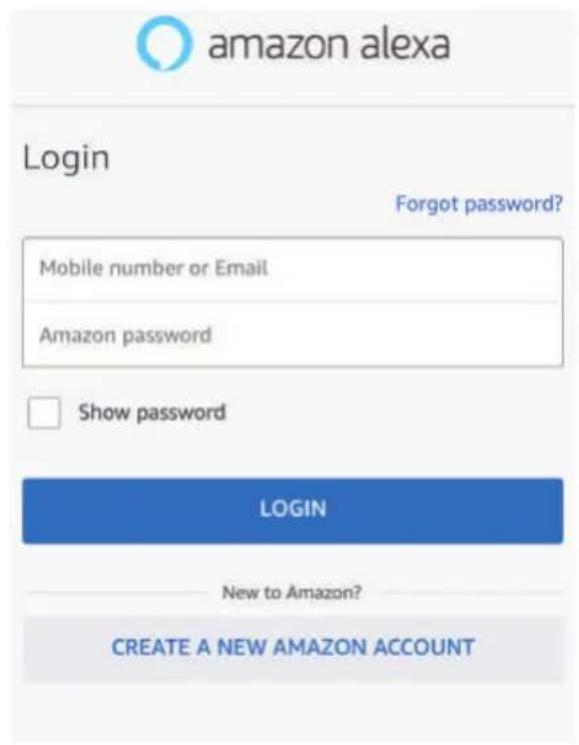
V-TAC VT-5113 - ALEXA SETTINGS - 1

text_image amazon alexa Login Forgot password? Mobile number or Email Amazon password Show password LOGIN New to Amazon? CREATE A NEW AMAZON ACCOUNT

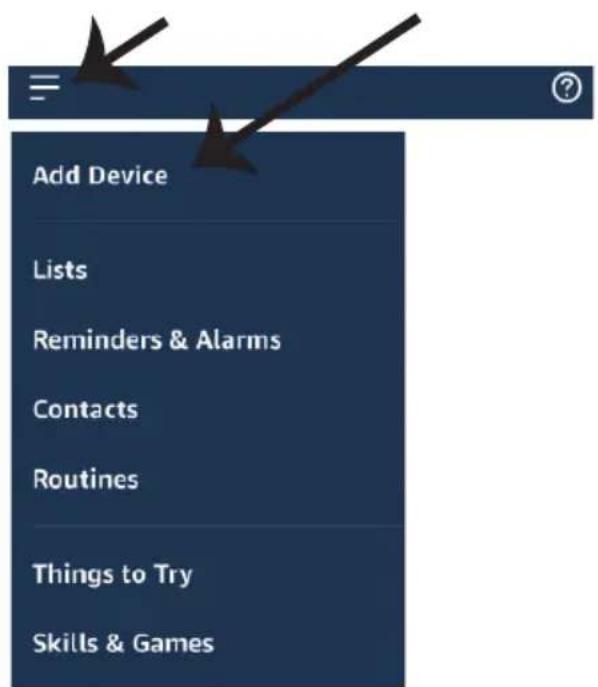
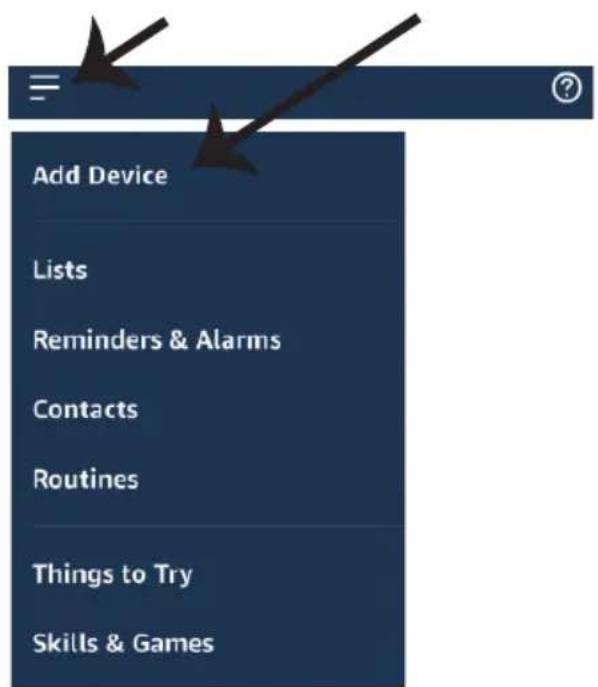
Step3: Tap on = settings and tap on

V-TAC VT-5113 - ALEXA SETTINGS - 2

text_image A New Way to Manage Devices Set up and control Alexa and smart home devices in one convenient place NEXT

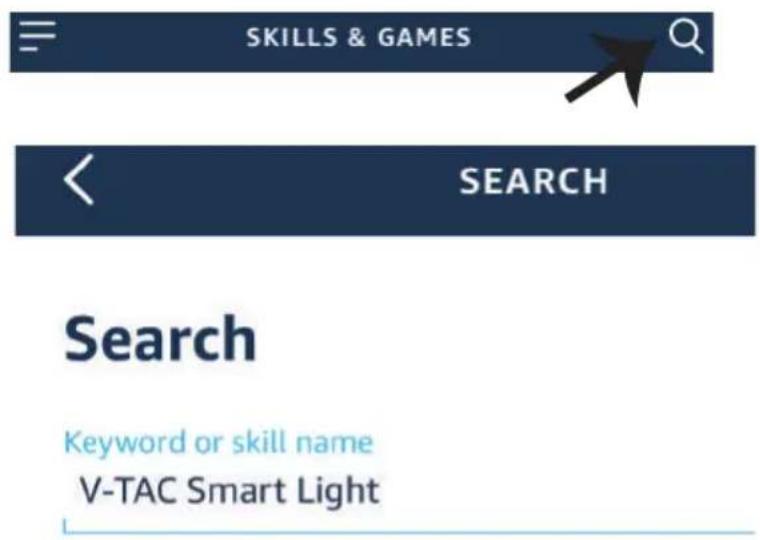
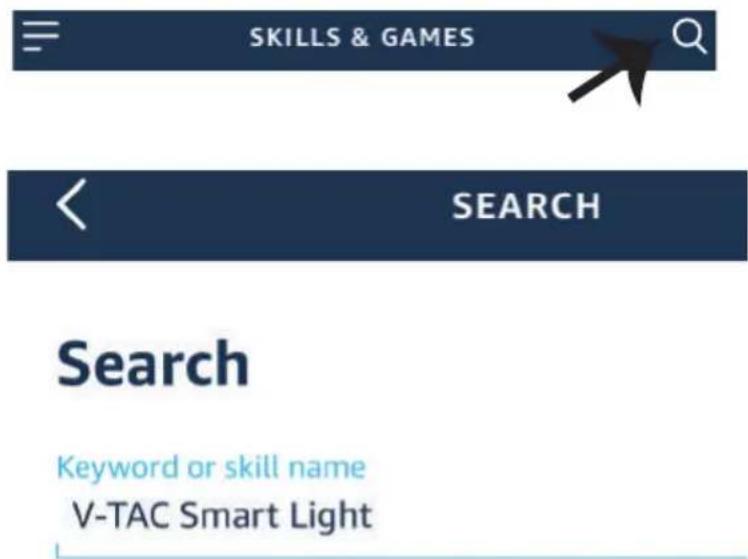
Step4: Search for 'V-TAC Smart Light' on the "Skills & Games" page as shown below.

"skills and games" as shown below.
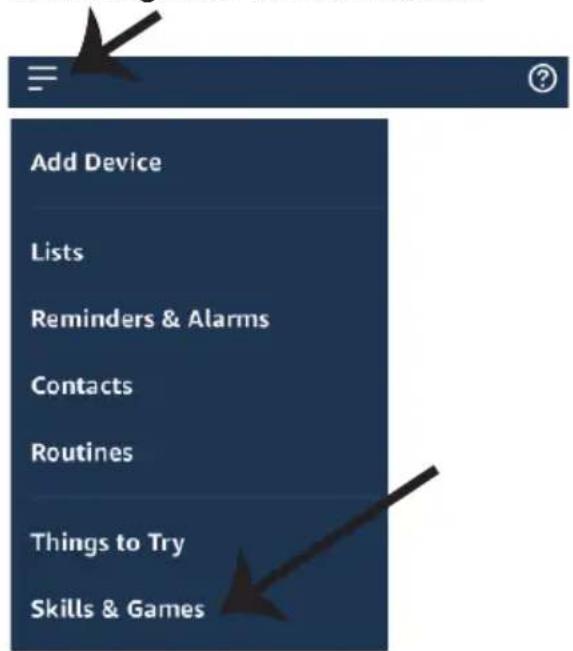
V-TAC VT-5113 - ALEXA SETTINGS - 3

text_image Add Device Lists Reminders & Alarms Contacts Routines Things to Try Skills & Games

V-TAC VT-5113 - ALEXA SETTINGS - 4

text_image SKILLS & GAMES SEARCH Search Keyword or skill name V-TAC Smart Light

Step5: Enable the Skill.

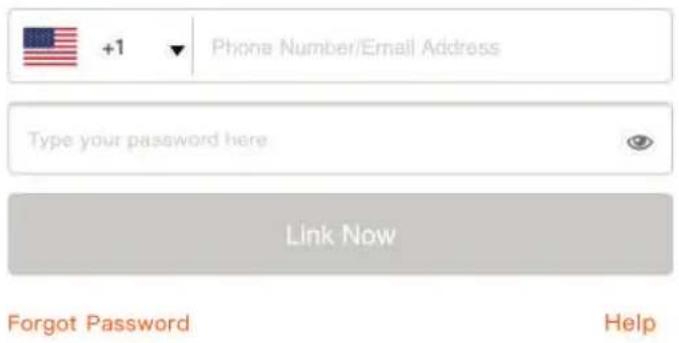
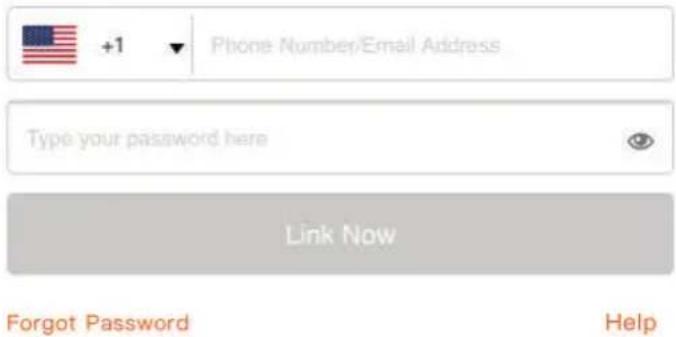
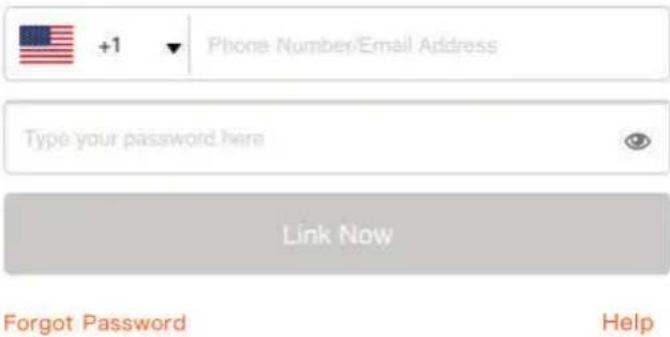
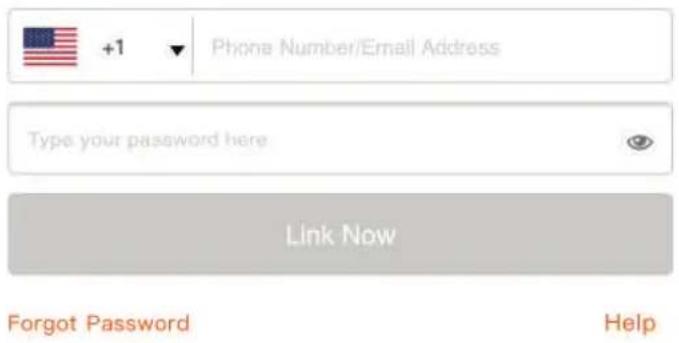
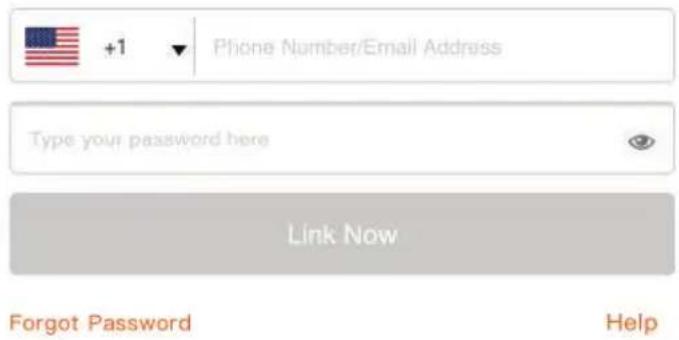
Step6: Enter your V-TAC Smart Light login ID and password and tap on "Link Now"

V-TAC VT-5113 - ALEXA SETTINGS - 5

text_image ENABLE

Account linking in progress

V-TAC VT-5113 - ALEXA SETTINGS - 6

text_image +1 Phone Number/Email Address Type your password here Link Now Forgot Password Help

Step7: Once you tap on Link Now, you will be redirected to a new page requesting for authorization(Ref Image below). Tap on "Authorize"

Step8: You will receive confirmation of the account being linked successfully (Ref Image below)

V-TAC VT-5113 - ALEXA SETTINGS - 7

Alexa by Amazon will be able to:

Receive your public profile Control your devices over internet

V-TAC VT-5113 - ALEXA SETTINGS - 8

text_image Authorize

Done

skills-store.amazon.in

V-TAC VT-5113 - ALEXA SETTINGS - 9

amazon alexa

V-TAC VT-5113 - ALEXA SETTINGS - 10

V-TAC has been successfully linked.

What to do next:

→ Close this window to discover smart home devices you can control with Alexa.

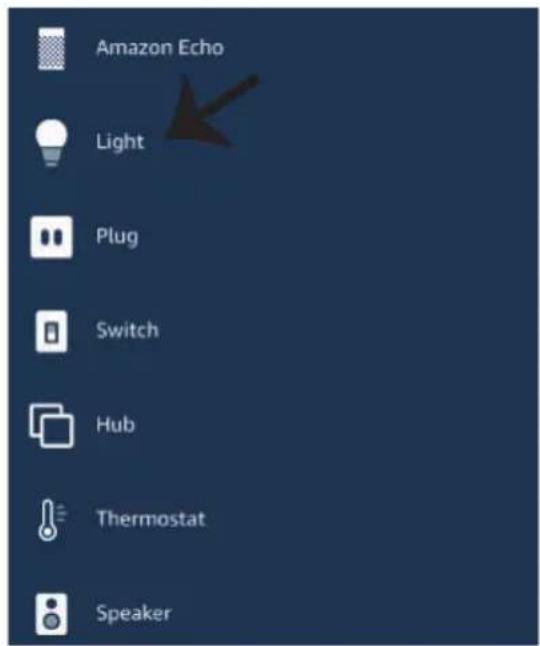
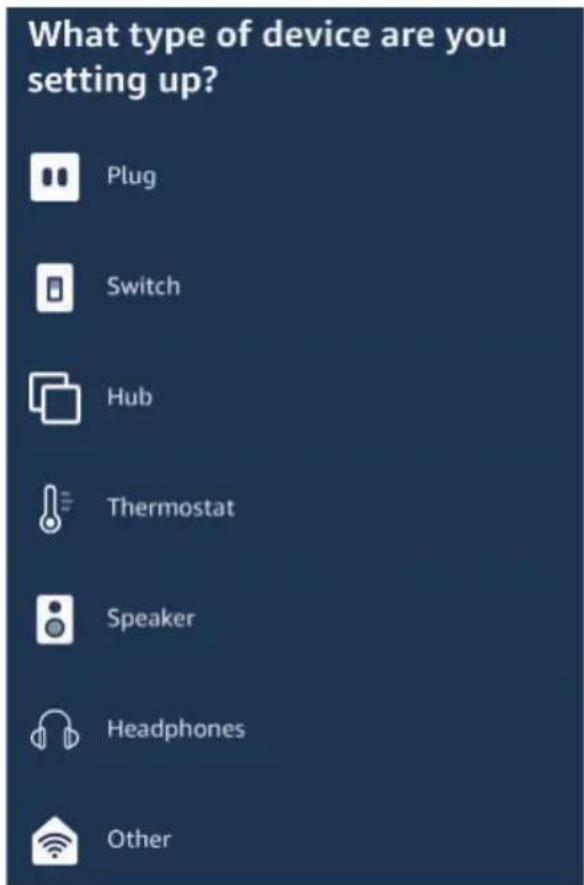
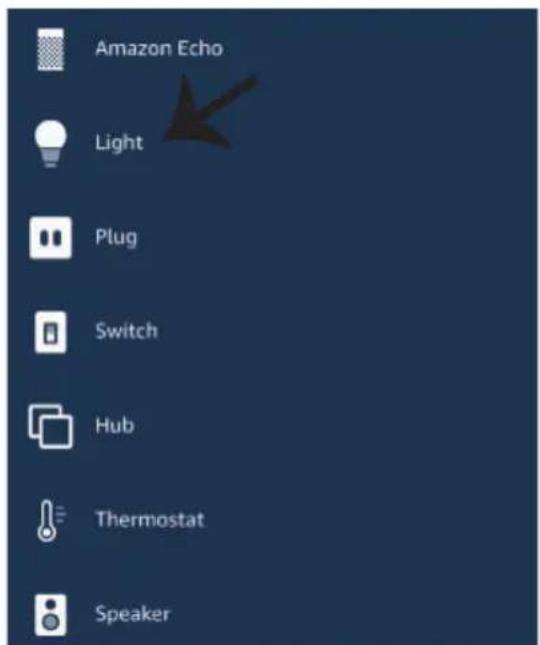
Step8: Discover your smart device on Alexa. Once you have enabled the skill

A) You can use voice command "Alexa discover devices" to the Alexa device which you have.

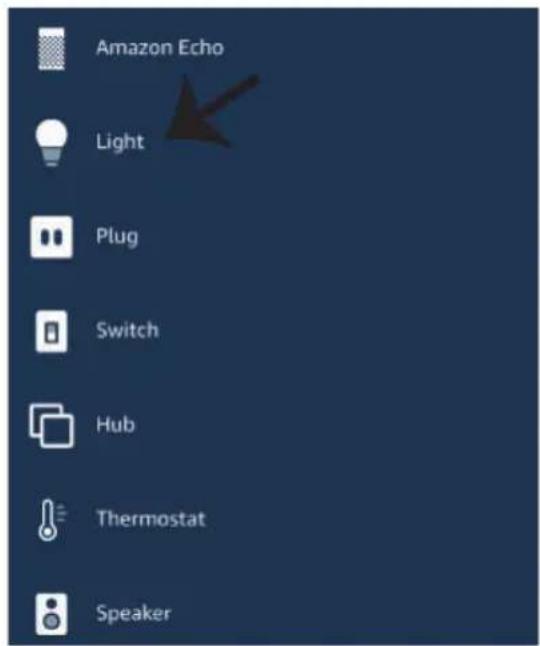
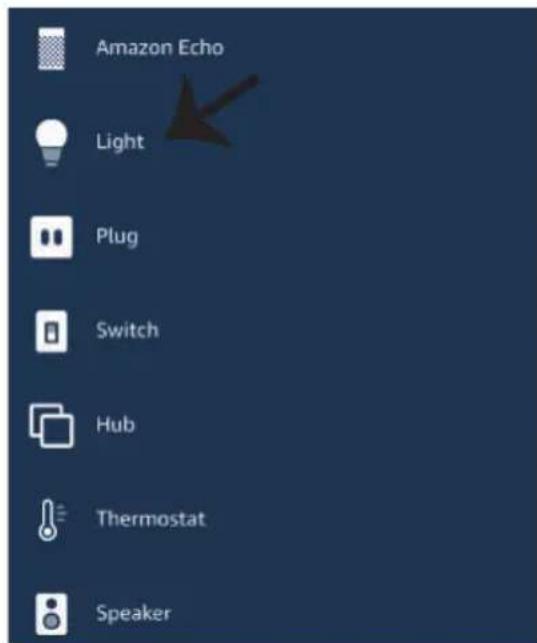
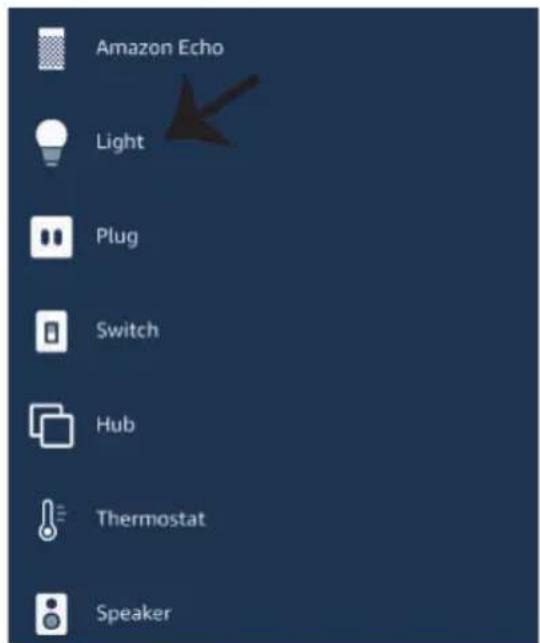
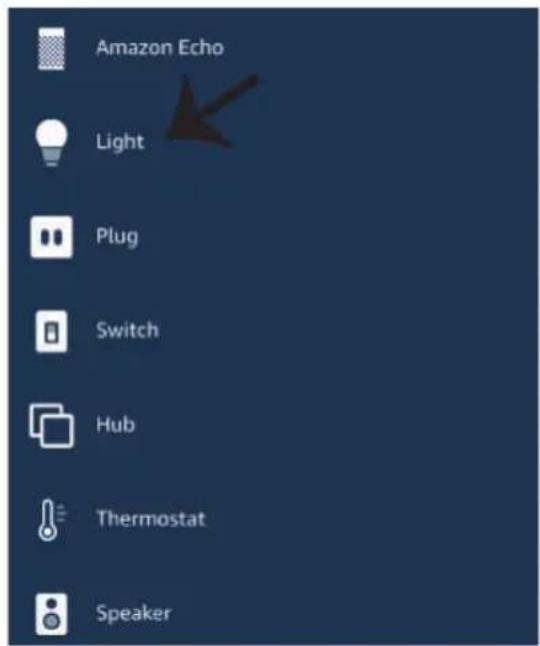
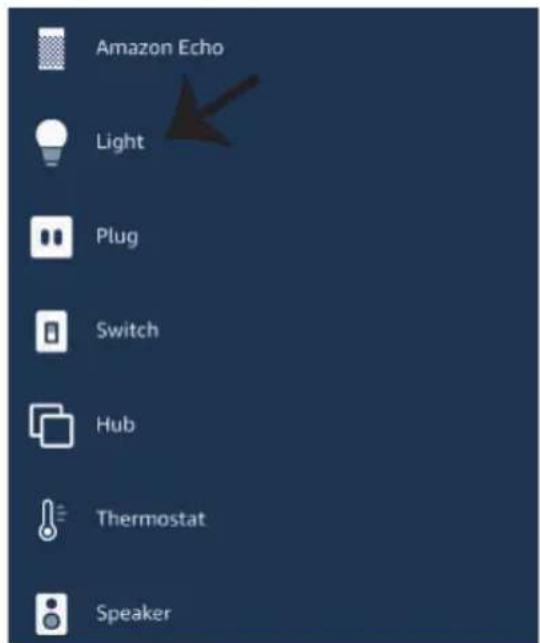
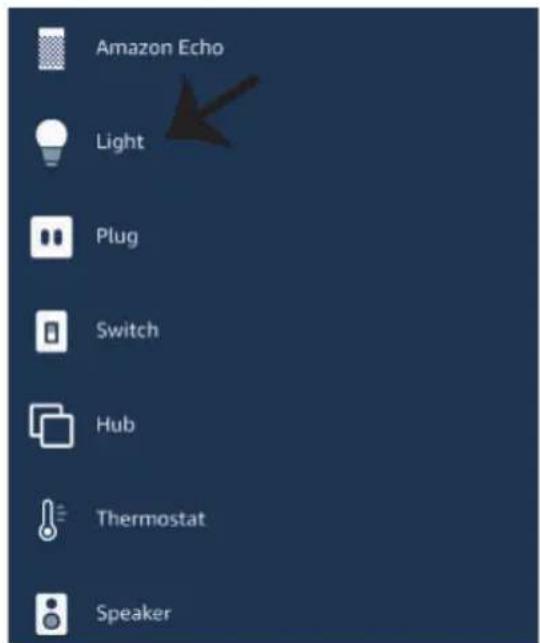
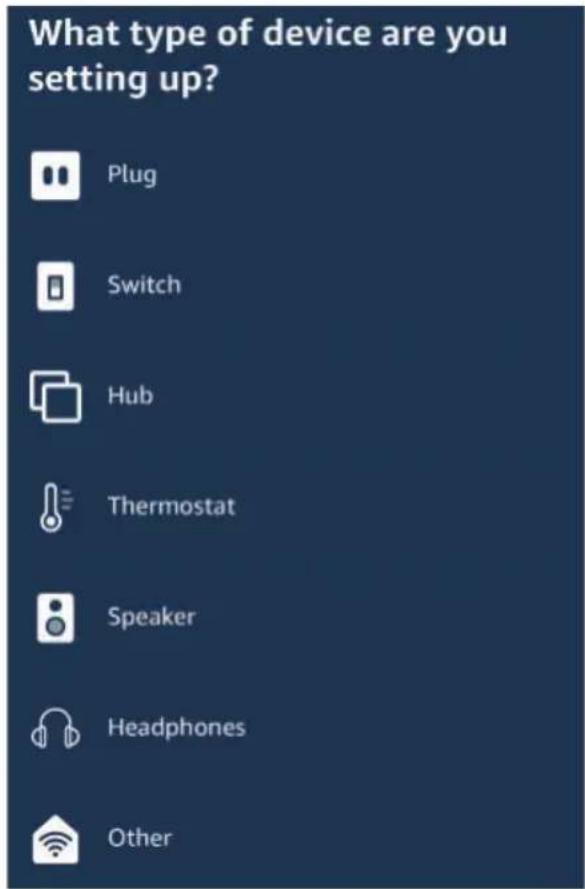
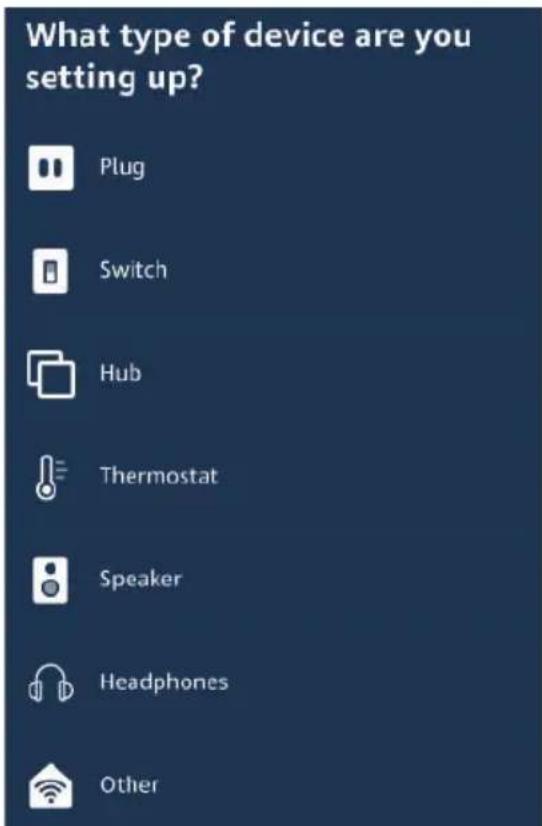
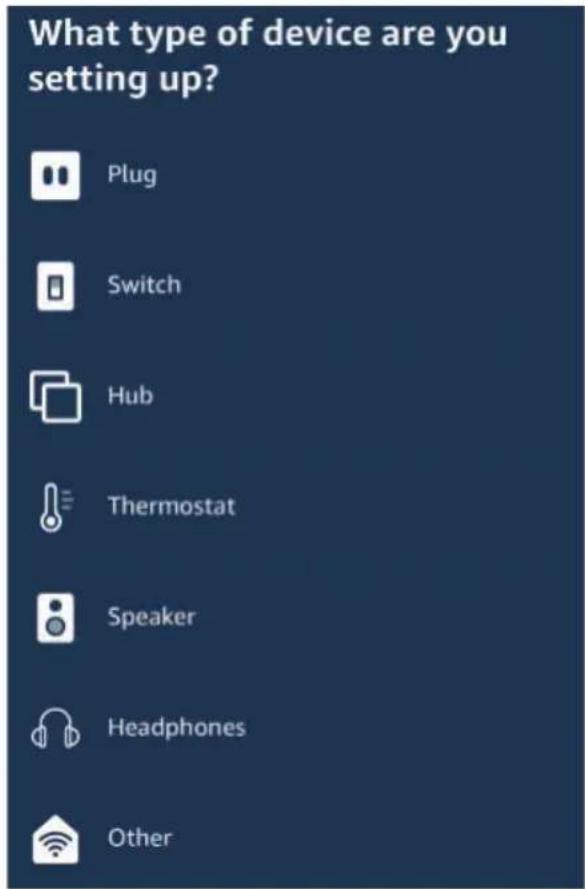
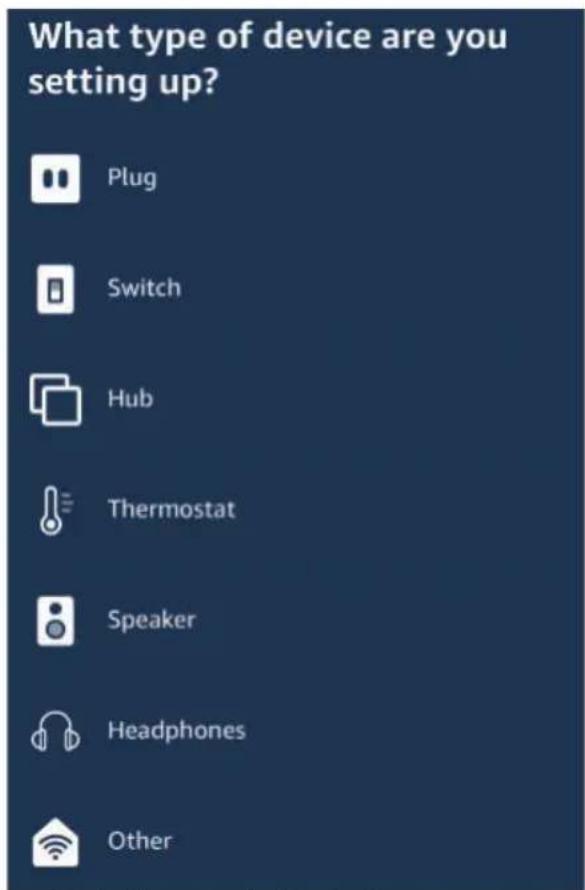
B) To add device manually on home page tap on and tap on Add device, select the device which you are adding and tap on discover device.

V-TAC VT-5113 - ALEXA SETTINGS - 11

text_image Add Device Lists Reminders & Alarms Contacts Routines Things to Try Skills & Games

V-TAC VT-5113 - ALEXA SETTINGS - 12

text_image Amazon Echo Light Plug Switch Hub Thermostat Speaker

Note: Discovering the device must be done every time the device's name is changed on the app.

ALEXA Commands

Now, you can control your smart device using voice commands on Alexa. Below are a few commands you can use:

➢! Alexa, turn on/off bedroom light.
➢! Alexa, set bedroom light to 50 percent.
➢! Alexa, set bedroom light to green.
➢! Alexa, set bedroom light to warm white.

THINGS TO REMEMBER BEFORE STARTING INSTALLATION:

  1. V-TAC Smart Light App & Amazon Alexa App
  2. Make sure you have Amazon Alexa Device(including Echo, Echo Tap, or Echo Dot)
  3. Smart Device - Lamp
  4. Stable Wifi network

GOOGLE HOME SETTINGS

Step1:

a&b) Install the Google Home app via the App Store (iOS) or the Play Store (Android) and register. If you already have an existing account with Google Home, please proceed to logging in.
c) Create a New Home/Choose from the existing home if any.
d) Power ON the Google Home device and connect it to the App.(Then Proceed to step 2)

a. Welcome home

Your content and devices all in one place

V-TAC VT-5113 - a. Welcome home - 1

natural_image Abstract geometric shapes including a square, circle, and triangle (no text or symbols)

GET STARTED >

b. Choose account

This account will be used to personalize your experience

c. Choose a home

You will be able to control the devices and services in this home.

V-TAC VT-5113 - c. Choose a home - 1
Create another home

d. Plug in your device

Make sure your device is nearby and connected to power, then try again

V-TAC VT-5113 - d. Plug in your device - 1

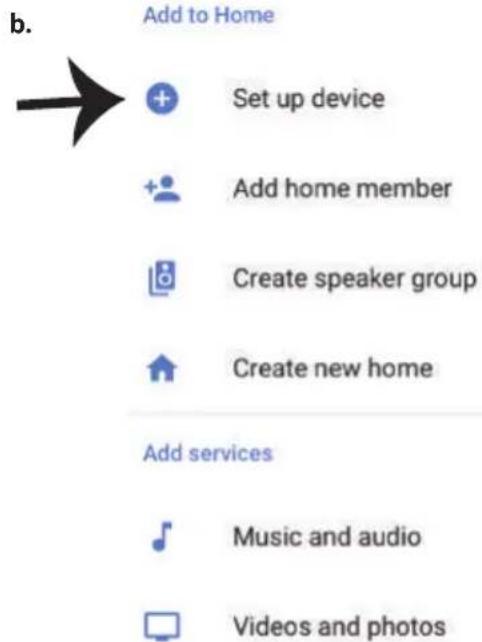
Step2: Once you are on the Google home page, tap on the Add "+" icon—to add a new device and skill. And then tap on Set up device as shown in below image.

a.
V-TAC VT-5113 - d. Plug in your device - 2
Play

Office
V-TAC VT-5113 - d. Plug in your device - 3
Broadcast

V-TAC VT-5113 - d. Plug in your device - 4
Add

V-TAC VT-5113 - d. Plug in your device - 5

V-TAC VT-5113 - d. Plug in your device - 6
Settings

Office
1 device
V-TAC VT-5113 - d. Plug in your device - 7
Office Speaker
Pause

b.
V-TAC VT-5113 - d. Plug in your device - 8
Add to Home

V-TAC VT-5113 - d. Plug in your device - 9
Set up device

V-TAC VT-5113 - d. Plug in your device - 10
Add home member

V-TAC VT-5113 - d. Plug in your device - 11
Create speaker group

V-TAC VT-5113 - d. Plug in your device - 12
Create new home

Add services
V-TAC VT-5113 - d. Plug in your device - 13
Music and audio

V-TAC VT-5113 - d. Plug in your device - 14
Videos and photos

Step3: Make sure the Smart Bulb is paired with V-TAC Smart Light app before starting step 3. Tap on the arrow section as highlighted in the below image.

Set up

Set up new devices or add existing devices and services to your home

Step4: Type "V-TAC Smart Light" on the search bar and tap on the icon of "V-TAC Smart Light"

V-TAC VT-5113 - Set up - 1

× V-TAC Smart Life

New devices

V-TAC VT-5113 - New devices - 1

Set up new devices

Google Home, smart displays and devices labelled 'Made for Google' such as C by GE smart bulbs

Works with Google

V-TAC VT-5113 - Works with Google - 1

Have something already set up?

V-TAC VT-5113 - Works with Google - 2

Link your smart home services such as Philips Hue and TP-Link

Step5: Sign In with your V-TAC Smart Light Login credentials to Link the Smart Light device

Step6: Tap on Authorize in order to proceed to linking the device.

V-TAC VT-5113 - Works with Google - 3

text_image +1 Phone Number/Email Address Type your password here Link Now Forgot Password Help

V-TAC VT-5113 - Works with Google - 4

Google will be able to:

Receive your public profile Control your devices over internet

V-TAC VT-5113 - Works with Google - 5

text_image Authorize

Step7

a. Account will now be linked, please stay on the page you will be redirected in few seconds to select the device to add to your home.
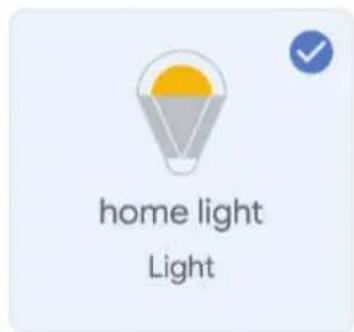
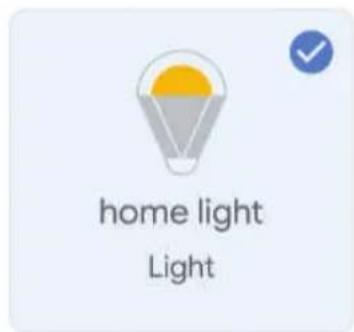
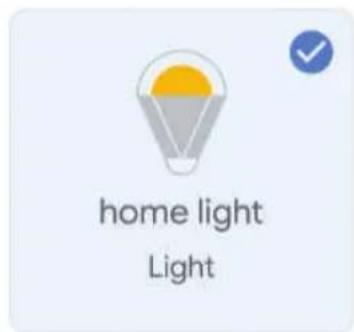
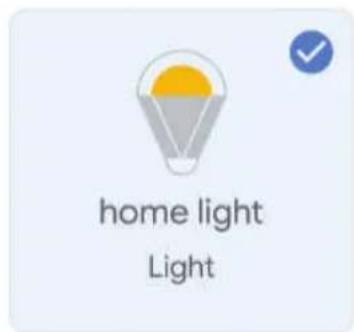
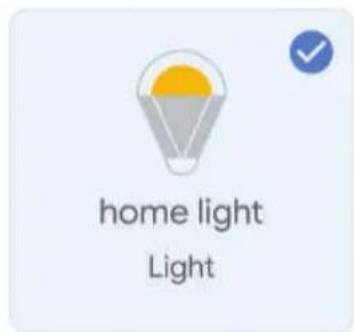
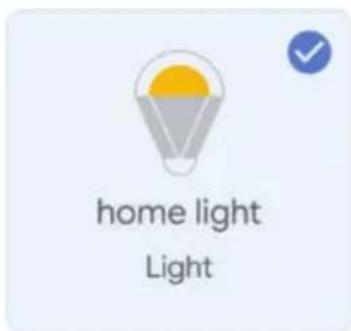
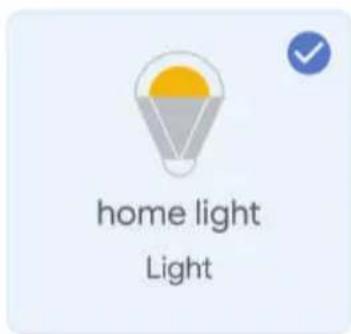
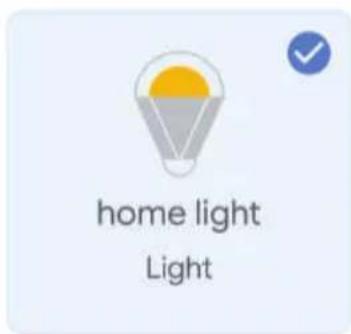
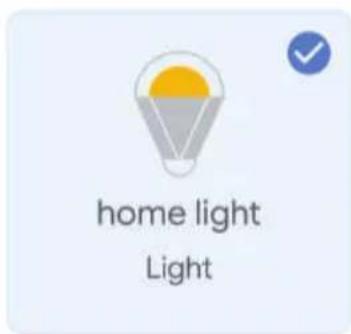
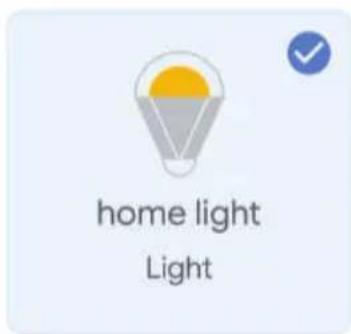
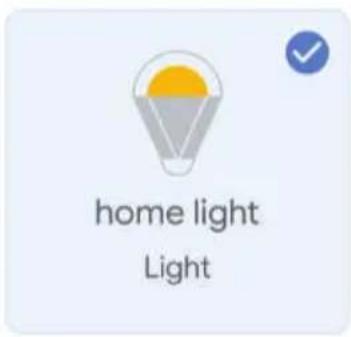
b. Select the device and tap on Next as show in image b.

a. Done

assistant.google.com

V-TAC VT-5113 - Step7 - 1

Account is now Linked

b. ×

Choose device

V-TAC VT-5113 - Step7 - 2

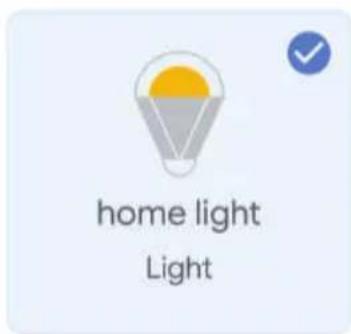
text_image home light Light

Step8: Select the Home where you would like to add the Smart Light under. (Or) you can create a New home in order to add the Smart Light to it.

Step9: You have successfully added Smart Light device to your Google home App.

Choose a home

You will be able to control the devices and services in this home.

V-TAC VT-5113 - Choose a home - 1

Smart-Home

V-TAC VT-5113 - Choose a home - 2

Office

V-TAC VT-5113 - Choose a home - 3

Smart Home

V-TAC VT-5113 - Choose a home - 4

Create another home

Smart-Home

V-TAC VT-5113 - Smart-Home - 1
Off

V-TAC VT-5113 - Smart-Home - 2
On

V-TAC VT-5113 - Smart-Home - 3
Add

V-TAC VT-5113 - Smart-Home - 4
Settings

Master bedroom

1 device

V-TAC VT-5113 - Master bedroom - 1

home light

V-TAC VT-5113 - Master bedroom - 2

V-TAC VT-5113 - Master bedroom - 3

V-TAC VT-5113 - Master bedroom - 4

V-TAC VT-5113 - Master bedroom - 5

Local devices

1 device

V-TAC VT-5113 - Local devices - 1

Office Speaker

Step10:

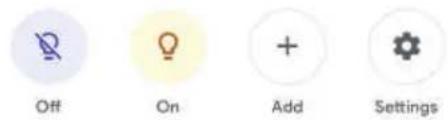
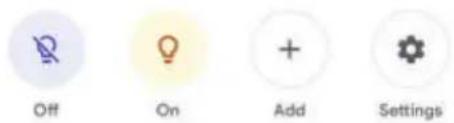
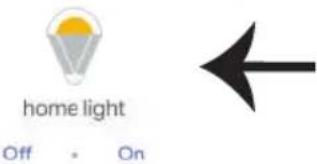
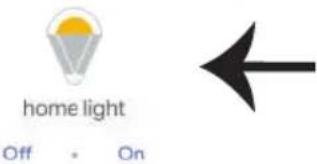
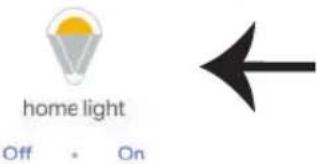
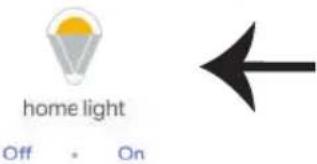
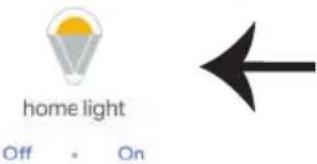
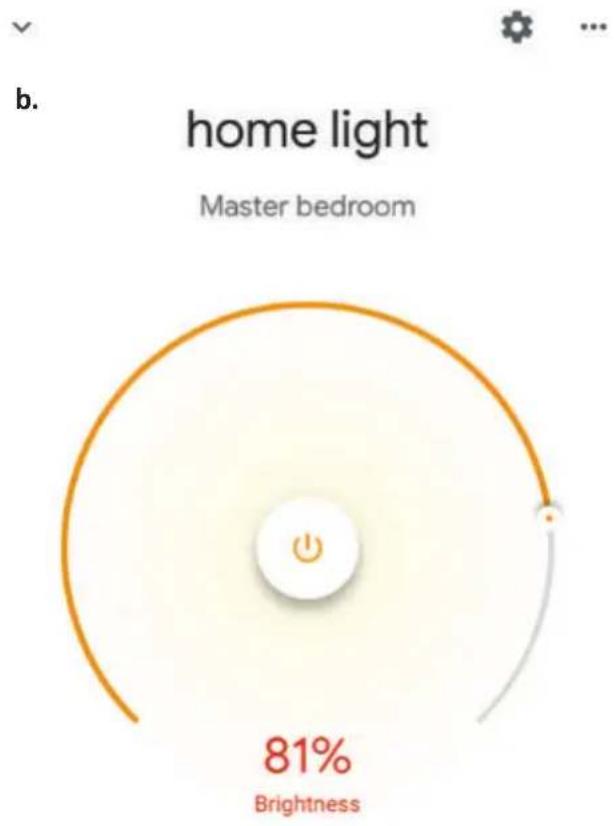
a. You can turn the Lamp On/OFF by taping on On/Off options as shown below. (OR) You can tap on the Smart Lamp.
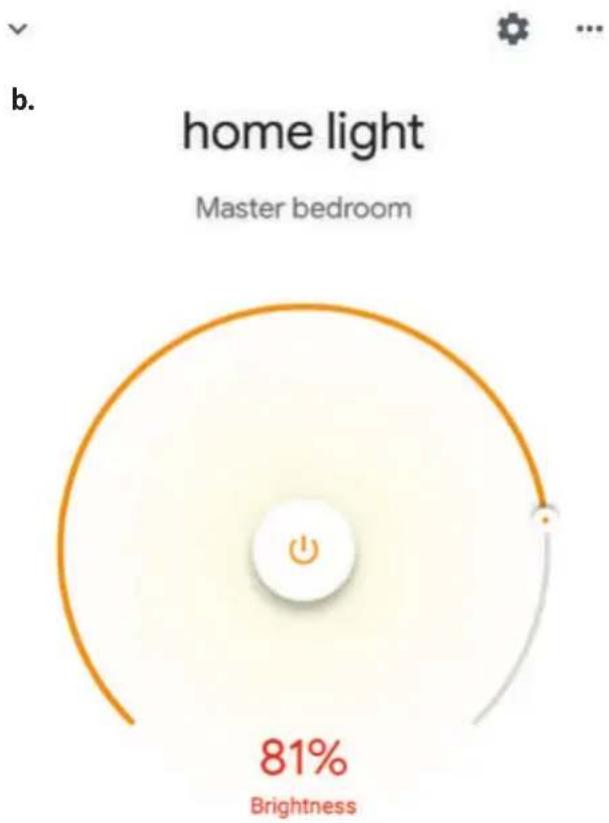
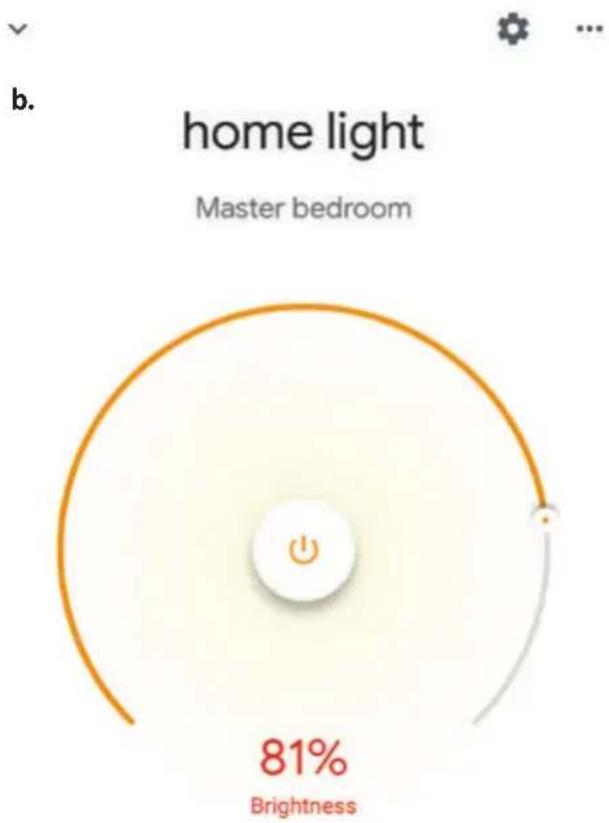
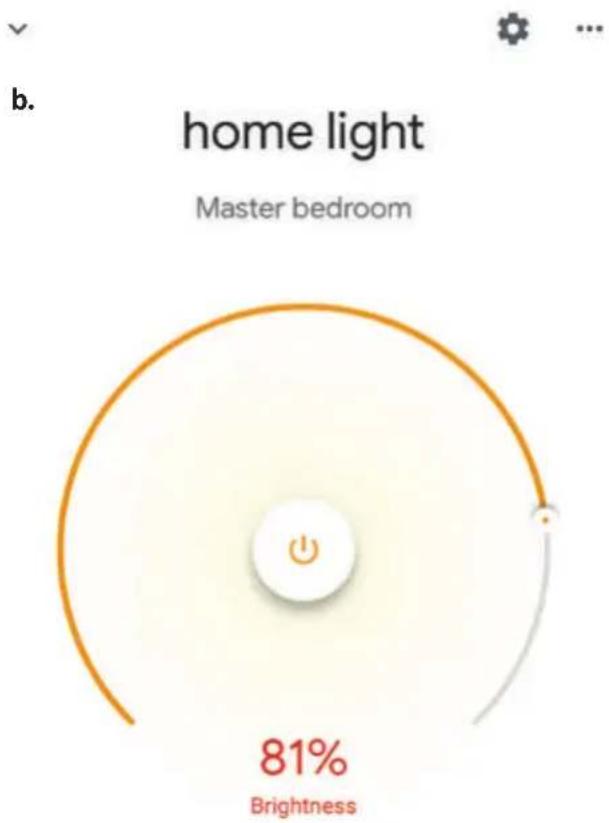
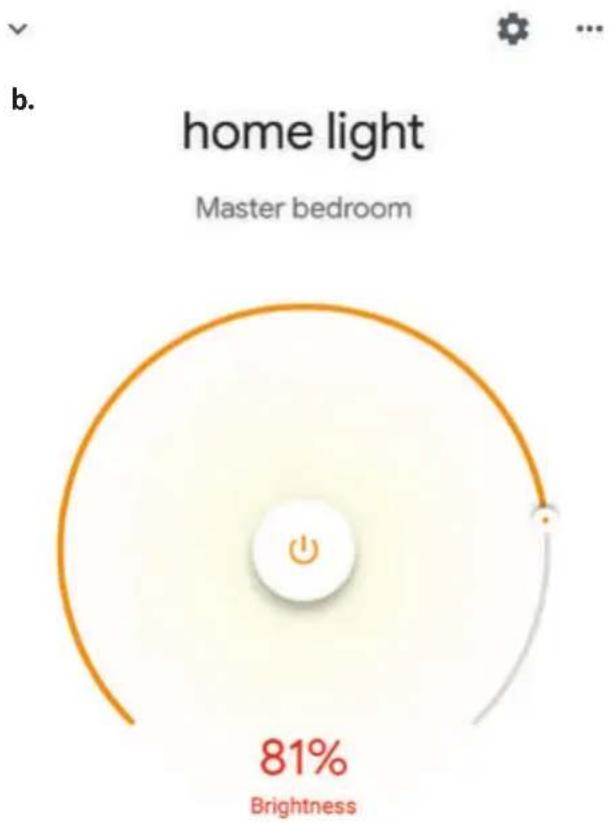
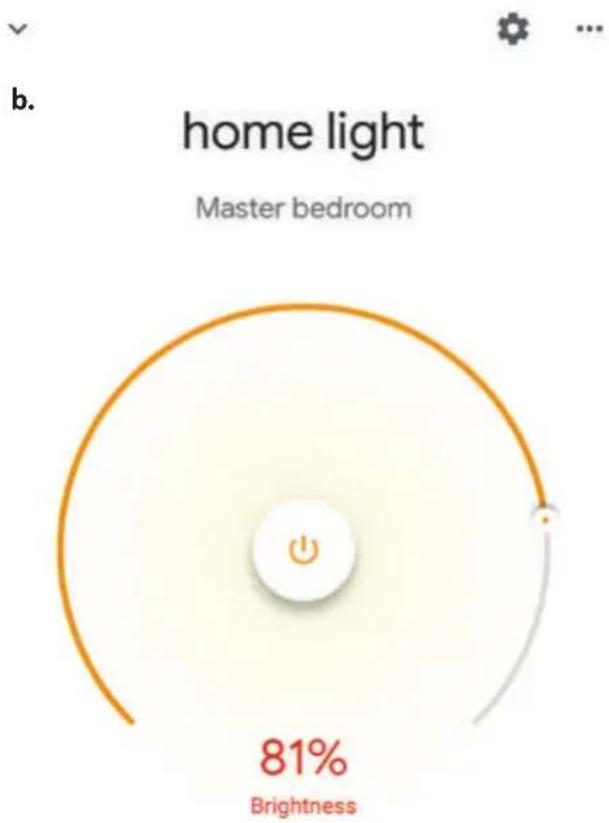
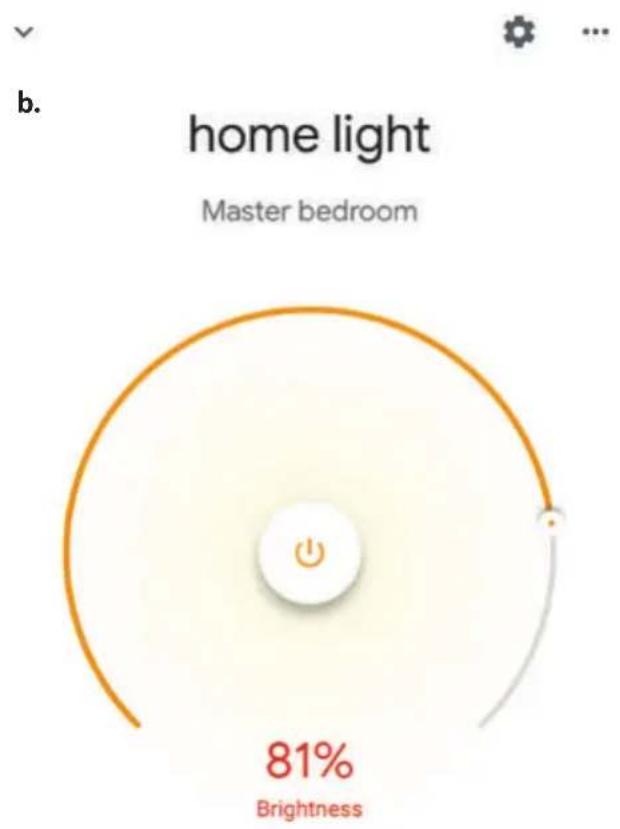
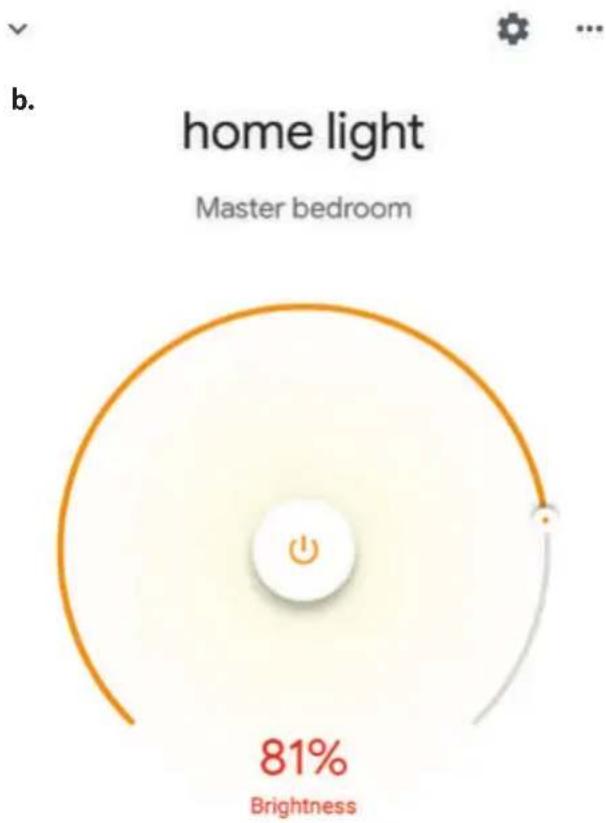
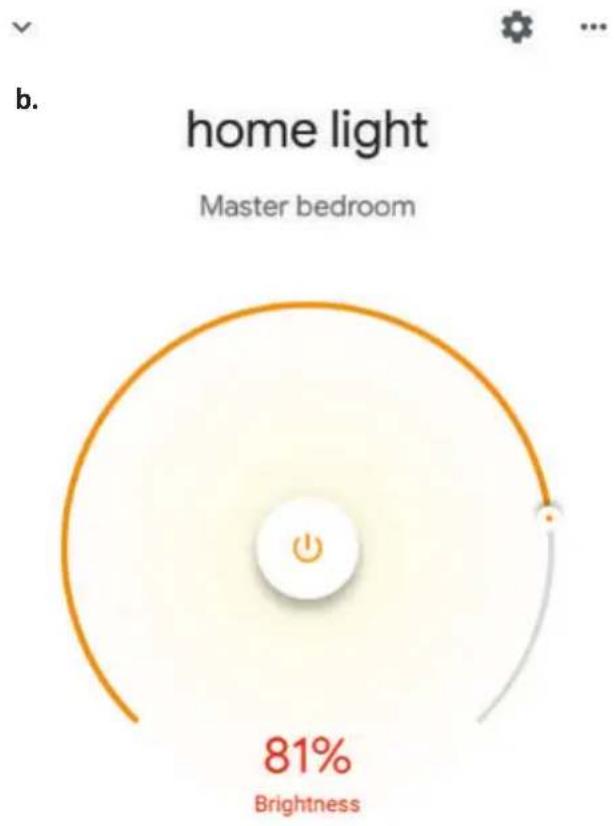
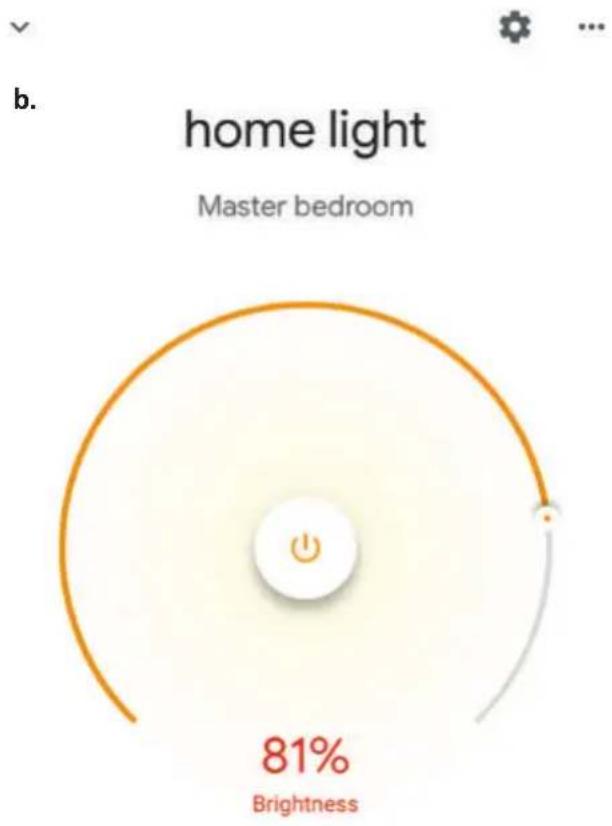
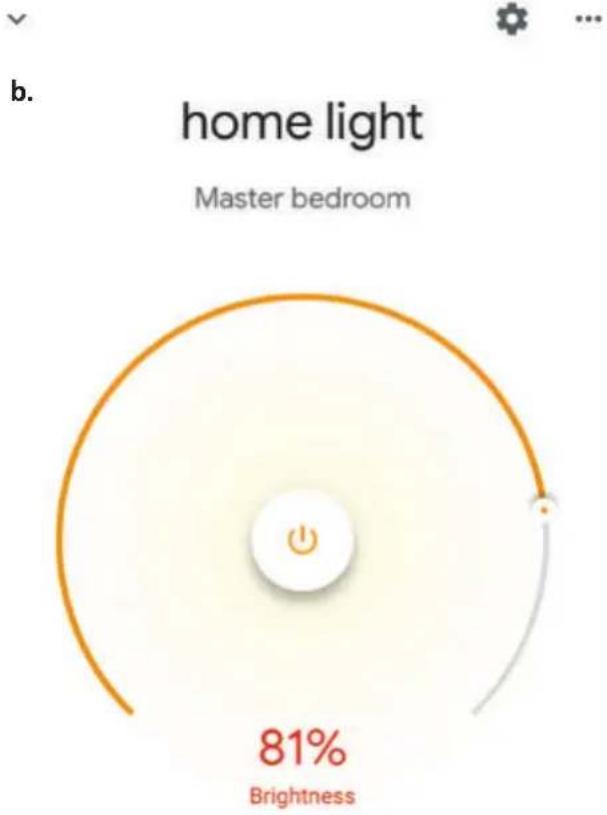
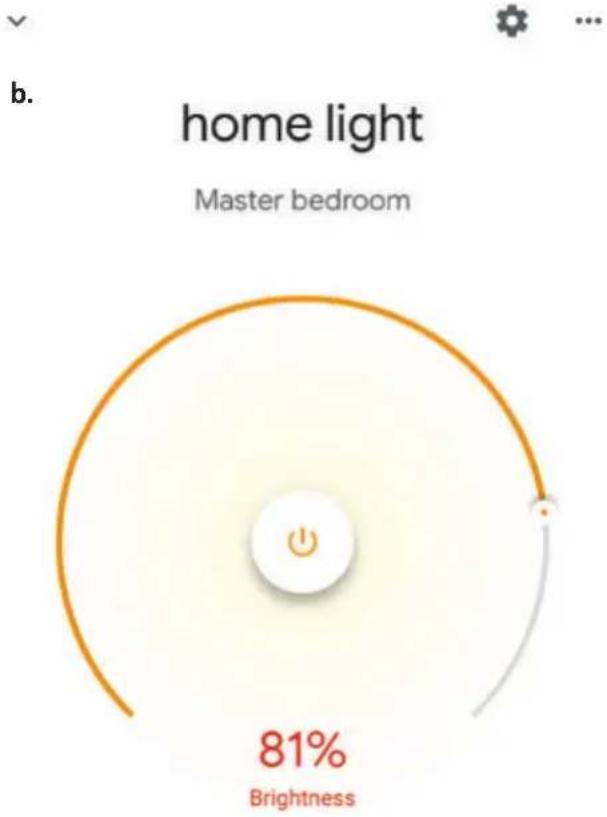
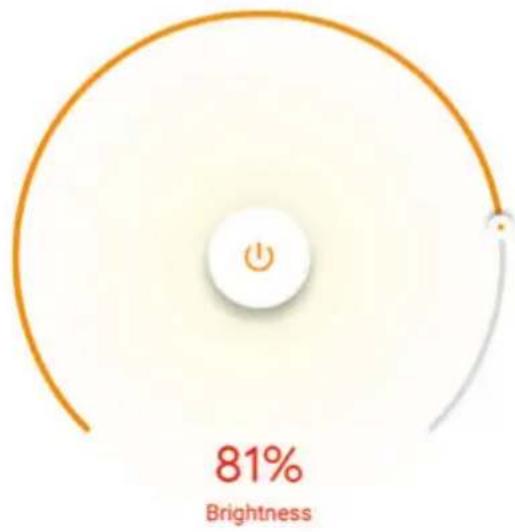
b. You will be redirected to page(as shown in image b) where you can control the lights "Power and Dimmingfunctionality".

a. Smart-Home
V-TAC VT-5113 - Step10: - 1

text_image Off On Add Settings

Master bedroom
1 device
V-TAC VT-5113 - Step10: - 2

text_image home light Off • On

Local devices

1 device
V-TAC VT-5113 - Step10: - 3

V-TAC VT-5113 - Step10: - 4

gauge | Metric | Value | |--------|-------| | Brightness | 81% |

Google Commands:

Now, you can control your smart device using voice commands on Google Home. Below are a few commands you can use:

➢! OK Google, turn on/off bedroom light
➢! OK Google, set bedroom light to 50 percent.
➢! OK Google, set bedroom light to green.
➢! OK Google, set bedroom light to warm white.

THINGS TO REMEMBER BEFORE STARTING INSTALLATION:

  1. V-TAC Smart Light App & Google Home App
  2. Make sure you have Google Home Device
  3. Smart Device - Lamp
  4. Stable Wifi network

INTRODUCTION & GARANTIE

text_image QR code with red and black triangular logo in center, likely linking to a digital resource or website

For IOS
V-TAC VT-5113 - INTRODUCTION &amp; GARANTIE - 1

text_image QR code with a red and black triangular logo in the center, likely linking to a digital resource or website.
text_image < Back Register United Kingdom +44 > Mobile Number/E-mail Next
text_image Back Register Verification code is sent to your phone: +44 wwee Verification Code Get Please Input Password Confirm

V-TAC VT-5113 - INTRODUCTION &amp; GARANTIE - 2

text_image V-TAC Smart Light No Device Add Device
text_image Enter Wi-Fi Password Wi-Fi: Vtac Change Network Confirm This app is supported only on 2.4GHz Wi-Fi channels

V-TAC VT-5113 - INTRODUCTION &amp; GARANTIE - 3

text_image Cancel Select Device Type Scanning Nearby Equipment ... Electrical Outlet > Lighting Devices > Smart Camera >

V-TAC VT-5113 - INTRODUCTION &amp; GARANTIE - 4

text_image < Back Add Device AP Mode

Power on the light and confirm that light blinks rapidly

V-TAC VT-5113 - INTRODUCTION &amp; GARANTIE - 5

text_image How to make light blinks rapidly Confirm light blinks rapidly

Make sure your phone and device are as close to your router as possible.

  • Searching for Device
  • Registering device to the cloud
  • Initializing your Device
text_image Adding device succeeded. light Living Room Master Ro... Second Be... Dining Ro... Kitchen Study Room Done
text_image V-TAC Smart Light RGB Smart Bulb > Turned on Common Functions Devices Games Profile

V-TAC VT-5113 - INTRODUCTION &amp; GARANTIE - 6

text_image Press to turn on Schedule

V-TAC VT-5113 - INTRODUCTION &amp; GARANTIE - 7

text_image RGB Smart Bulb White Mode Colour Mode Scene Mode Schedule

RÉGLAGES ALEXA

text_image amazon alexa Login Forgot password? Mobile number or Email Amazon password Show password LOGIN New to Amazon? CREATE A NEW AMAZON ACCOUNT
text_image Add Device Lists Reminders & Alarms Contacts Routines Things to Try Skills & Games
text_image A New Way to Manage Devices Set up and control Alexa and smart home devices in one convenient place NEXT

Account linking in progress

text_image +1 Phone Number/Email Address Type your password here Link Now Forgot Password Help

Alexa by Amazon will be able to:

Receive your public profile Control your devices over internet

V-TAC VT-5113 - RÉGLAGES ALEXA - 1

text_image Authorize
text_image Done skills-store.amazon.in amazon alexa SMART

V-TAC has been successfully linked.

What to do next:

→ Close this window to discover smart home devices you can control with Alexa.

text_image Add Device Lists Reminders & Alarms Contacts Routines Things to Try Skills & Games

V-TAC VT-5113 - RÉGLAGES ALEXA - 2

text_image Amazon Echo Light Plug Switch Hub Thermostat Speaker

➢! Alexa, turn on/off bedroom light.
➢! Alexa, set bedroom light to 50 percent.
➢! Alexa, set bedroom light to green.
➢! Alexa, set bedroom light to warm white.

CHOSES À RAPPELER AVANT DE COMMENCER L'INSTALLATION:

Your content and devices all in one place

V-TAC VT-5113 - CHOSES À RAPPELER AVANT DE COMMENCER L'INSTALLATION: - 1

natural_image Abstract geometric shapes including rectangles, circles, and triangles (no text or symbols)

GET STARTED >

b. Choose account

This account will be used to personalize your experience

c. Choose a home

You will be able to control the devices and services in this home.

V-TAC VT-5113 - c. Choose a home - 1
Create another home

d. Plug in your device

Make sure your device is nearby and connected to power, then try again

V-TAC VT-5113 - d. Plug in your device - 1

Office
1 device
V-TAC VT-5113 - d. Plug in your device - 2
Office Speaker
Pause

b.
V-TAC VT-5113 - d. Plug in your device - 3
Add to Home

V-TAC VT-5113 - d. Plug in your device - 4
Set up device

V-TAC VT-5113 - d. Plug in your device - 5
Add home member

V-TAC VT-5113 - d. Plug in your device - 6
Create speaker group

V-TAC VT-5113 - d. Plug in your device - 7
Create new home

Add services
V-TAC VT-5113 - d. Plug in your device - 8
Music and audio

V-TAC VT-5113 - d. Plug in your device - 9
Videos and photos

Set up new devices or add existing devices and services to your home

Google Home, smart displays and devices labelled 'Made for Google' such as C by GE smart bulbs

Works with Google

V-TAC VT-5113 - Works with Google - 1

Have something already set up?

V-TAC VT-5113 - Works with Google - 2

Link your smart home services such as Philips Hue and TP-Link

text_image +1 Phone Number/Email Address Type your password here Link Now Forgot Password Help

V-TAC VT-5113 - Works with Google - 3

Google will be able to:

Receive your public profile Control your devices over internet

V-TAC VT-5113 - Works with Google - 4

text_image Authorize

Étape 7:

Account is now Linked

b. ×

Choose device

V-TAC VT-5113 - Étape 7: - 1

text_image home light Light

You will be able to control the devices and services in this home.

V-TAC VT-5113 - Étape 7: - 2

Smart-Home

V-TAC VT-5113 - Étape 7: - 3

Office

V-TAC VT-5113 - Étape 7: - 4

Smart Home

V-TAC VT-5113 - Étape 7: - 5

Create another home

Smart-Home
V-TAC VT-5113 - Étape 7: - 6

text_image Off On Add Settings

Master bedroom
V-TAC VT-5113 - Étape 7: - 7

home light

Off

On

V-TAC VT-5113 - Étape 7: - 8
Local devices

1 device

V-TAC VT-5113 - Étape 7: - 9

Office Speaker

Étape 11:

text_image Off On Add Settings

Master bedroom
1 device
V-TAC VT-5113 - Étape 11: - 1

text_image home light Off • On

Local devices

1 device
V-TAC VT-5113 - Étape 11: - 2

V-TAC VT-5113 - Étape 11: - 3

gauge | Metric | Value | |--------|-------| | Brightness | 81% |

Commandes Google:

➢! OK Google, turn on/off bedroom light
➢! OK Google, set bedroom light to 50 percent.
➢! OK Google, set bedroom light to green.
➢! OK Google, set bedroom light to warm white.

CHOSES À RAPPELER AVANT DE COMMENCER L'INSTALLATION:

text_image QR code with red and black triangular logo in center, likely linking to a digital resource or website

For IOS
V-TAC VT-5113 - CHOSES À RAPPELER AVANT DE COMMENCER L'INSTALLATION: - 1

text_image QR code with a red and black stylized logo in the center, likely linking to a digital resource or website.
text_image Back Register Verification code is sent to your phone: +44 wwee Verification Code Get Please Input Password Confirm

Schritt 5:

text_image < Back Register United Kingdom +44 > Mobile Number/E-mail Next
text_image Enter Wi-Fi Password Wi-Fi: Vtac Change Network Confirm This app is supported only on 2.4GHz Wi-Fi channels

V-TAC VT-5113 - Schritt 5: - 1

text_image Cancel Select Device Type Scanning Nearby Equipment ... Electrical Outlet > Lighting Devices > Smart Camera >

V-TAC VT-5113 - Schritt 5: - 2

text_image < Back Add Device AP Mode Power on the light and confirm that light blinks rapidly How to make light blinks rapidly Confirm light blinks rapidly

Make sure your phone and device are as close to your router as possible.

  • Searching for Device
  • Registering device to the cloud
  • Initializing your Device
text_image Adding device succeeded. light Living Room Master Ro... Second Be... Dining Roo... Kitchen Study Room Done
text_image V-TAC Smart Light RGB Smart Bulb > Turned on Common Functions Devices Games Profile

V-TAC VT-5113 - Schritt 5: - 3

text_image Press to turn on Schedule

V-TAC VT-5113 - Schritt 5: - 4

text_image RGB Smart Bulb White Mode Colour Mode Scene Mode Schedule

ALEXA SETTINGS

text_image amazon alexa Login Forgot password? Mobile number or Email Amazon password Show password LOGIN New to Amazon? CREATE A NEW AMAZON ACCOUNT
text_image Add Device Lists Reminders & Alarms Contacts Routines Things to Try Skills & Games
text_image A New Way to Manage Devices Set up and control Alexa and smart home devices in one convenient place NEXT

Account linking in progress

Phone Number/Email Address

Type your password here

V-TAC VT-5113 - ALEXA SETTINGS - 1

Link Now

Forgot Password

Help

Alexa by Amazon will be able to:

Receive your public profile Control your devices over internet

V-TAC VT-5113 - ALEXA SETTINGS - 2

text_image Authorize

Done

V-TAC VT-5113 - ALEXA SETTINGS - 3

skills-store.amazon.in

V-TAC VT-5113 - ALEXA SETTINGS - 4

amazon alexa

V-TAC VT-5113 - ALEXA SETTINGS - 5

V-TAC has been successfully linked.

What to do next:

→ Close this window to discover smart home devices you can control with Alexa.

text_image Add Device Lists Reminders & Alarms Contacts Routines Things to Try Skills & Games

V-TAC VT-5113 - ALEXA SETTINGS - 6

text_image Amazon Echo Light Plug Switch Hub Thermostat Speaker

➢! Alexa, turn on/off bedroom light.
➢! Alexa, set bedroom light to 50 percent.
➢! Alexa, set bedroom light to green.
➢! Alexa, set bedroom light to warm white.

EMPFEHLUNGEN VOR DEM START DER INSTALLATION:

Your content and devices all in one place

V-TAC VT-5113 - EMPFEHLUNGEN VOR DEM START DER INSTALLATION: - 1

natural_image Abstract geometric shapes including rectangles, circles, and triangles (no text or symbols)

GET STARTED >

b. Choose account

This account will be used to personalize your experience

c. Choose a home

You will be able to control the devices and services in this home.

V-TAC VT-5113 - c. Choose a home - 1
Create another home

d. Plug in your device

Make sure your device is nearby and connected to power, then try again

V-TAC VT-5113 - d. Plug in your device - 1

Office
1 device
V-TAC VT-5113 - d. Plug in your device - 2
Office Speaker
Pause

b.
V-TAC VT-5113 - d. Plug in your device - 3
Add to Home

V-TAC VT-5113 - d. Plug in your device - 4
Set up device

V-TAC VT-5113 - d. Plug in your device - 5
Add home member

V-TAC VT-5113 - d. Plug in your device - 6
Create speaker group

V-TAC VT-5113 - d. Plug in your device - 7
Create new home
Add services

V-TAC VT-5113 - d. Plug in your device - 8
Music and audio

V-TAC VT-5113 - d. Plug in your device - 9
Videos and photos

Set up new devices or add existing devices and services to your home

Google Home, smart displays and devices labelled 'Made for Google' such as C by GE smart bulbs

Works with Google

V-TAC VT-5113 - Works with Google - 1

Have something already set up?

V-TAC VT-5113 - Works with Google - 2

Link your smart home services such as Philips Hue and TP-Link

text_image +1 Phone Number/Email Address Type your password here Link Now Forgot Password Help

V-TAC VT-5113 - Works with Google - 3

Google will be able to:

Receive your public profile Control your devices over internet

V-TAC VT-5113 - Works with Google - 4

text_image Authorize

Schritt 7:

Account is now Linked

b. ×

Choose device

V-TAC VT-5113 - Schritt 7: - 1

text_image home light Light

You will be able to control the devices and services in this home.

V-TAC VT-5113 - Schritt 7: - 2

Smart-Home

V-TAC VT-5113 - Schritt 7: - 3

Office

V-TAC VT-5113 - Schritt 7: - 4

Smart Home

V-TAC VT-5113 - Schritt 7: - 5

Create another home

text_image Smart-Home Off On Add Settings Master bedroom 1 device home light Off + On Local devices 1 device Office Speaker

Schritt 11:

text_image Off On Add Settings

Master bedroom
1 device
V-TAC VT-5113 - Schritt 11: - 1

text_image home light Off • On

Local devices

1 device
V-TAC VT-5113 - Schritt 11: - 2

V-TAC VT-5113 - Schritt 11: - 3

pie | Metric | Value | |--------|-------| | Brightness | 81% |

GOOGLE HOME-Befehle

➢! OK Google, turn on/off bedroom light
➢! OK Google, set bedroom light to 50 percent.
➢! OK Google, set bedroom light to green.
➢! OK Google, set bedroom light to warm white.

EMPFEHLUNGEN VOR DEM START DER INSTALLATION:

text_image QR code with red and black triangular logo in center, likely linking to a digital service or website

For IOS
V-TAC VT-5113 - EMPFEHLUNGEN VOR DEM START DER INSTALLATION: - 1

text_image QR code with red and black pixelated logo in center, likely linking to a digital resource or webpage
text_image Back Register Verification code is sent to your phone: +44 wwee Verification Code Get Please Input Password Confirm

Стъпка 5:

text_image < Back Register United Kingdom +44 > Mobile Number/E-mail Next
text_image Enter Wi-Fi Password Wi-Fi: Vtac Change Network Confirm This app is supported only on 2.4GHz Wi-Fi channels

V-TAC VT-5113 - EMPFEHLUNGEN VOR DEM START DER INSTALLATION: - 2

text_image Cancel Select Device Type Scanning Nearby Equipment ... Electrical Outlet > Lighting Devices > Smart Camera >

V-TAC VT-5113 - EMPFEHLUNGEN VOR DEM START DER INSTALLATION: - 3

text_image < Back Add Device AP Mode

Power on the light and confirm that light blinks rapidly

V-TAC VT-5113 - EMPFEHLUNGEN VOR DEM START DER INSTALLATION: - 4

text_image How to make light blinks rapidly Confirm light blinks rapidly

Make sure your phone and device are as close to your router as possible.

  • Searching for Device
  • Registering device to the cloud
  • Initializing your Device

V-TAC VT-5113 - EMPFEHLUNGEN VOR DEM START DER INSTALLATION: - 5

text_image Adding device succeeded. light Living Room Master Ro_ Second Be_ Dining Roo_ Kitchen Study Room Done
text_image V-TAC Smart Light RGB Smart Bulb > Turned on Common Functions Devices Games Profile

V-TAC VT-5113 - EMPFEHLUNGEN VOR DEM START DER INSTALLATION: - 6

text_image Press to turn on Schedule

V-TAC VT-5113 - EMPFEHLUNGEN VOR DEM START DER INSTALLATION: - 7

text_image RGB Smart Bulb White Mode Colour Mode Scene Mode Schedule

НАСТРОЙКИ НА АЛЕКСА

text_image amazon alexa Login Forgot password? Mobile number or Email Amazon password Show password LOGIN New to Amazon? CREATE A NEW AMAZON ACCOUNT
text_image Add Device Lists Reminders & Alarms Contacts Routines Things to Try Skills & Games

V-TAC VT-5113 - НАСТРОЙКИ НА АЛЕКСА - 1

text_image A New Way to Manage Devices Set up and control Alexa and smart home devices in one convenient place NEXT

Account linking in progress

text_image +1 Phone Number/Email Address Type your password here Link Now Forgot Password Help

Alexa by Amazon will be able to:

Receive your public profile Control your devices over internet

V-TAC VT-5113 - НАСТРОЙКИ НА АЛЕКСА - 2

text_image Authorize

Done

V-TAC VT-5113 - НАСТРОЙКИ НА АЛЕКСА - 3

skills-store.amazon.in

V-TAC VT-5113 - НАСТРОЙКИ НА АЛЕКСА - 4

amazon alexa

V-TAC VT-5113 - НАСТРОЙКИ НА АЛЕКСА - 5

V-TAC has been successfully linked.

What to do next:

→ Close this window to discover smart home devices you can control with Alexa.

text_image Add Device Lists Reminders & Alarms Contacts Routines Things to Try Skills & Games

V-TAC VT-5113 - НАСТРОЙКИ НА АЛЕКСА - 6

text_image Amazon Echo Light Plug Switch Hub Thermostat Speaker

➢! Alexa, turn on/off bedroom light.
➢! Alexa, set bedroom light to 50 percent.
➢! Alexa, set bedroom light to green.
➢! Alexa, set bedroom light to warm white.

НЕЩА, КОИТО ТРЯБВА ДА ЗАПОМНИТЕ ПРЕДИ ДА ЗАПОЧНЕТЕ ИНСТАЛАЦИЯ:

Your content and devices all in one place

V-TAC VT-5113 - НЕЩА, КОИТО ТРЯБВА ДА ЗАПОМНИТЕ ПРЕДИ ДА ЗАПОЧНЕТЕ ИНСТАЛАЦИЯ: - 1

natural_image Abstract geometric shapes including rectangles, circles, and triangles (no text or symbols)

GET STARTED >

b. Choose account

This account will be used to personalize your experience

c. Choose a home

You will be able to control the devices and services in this home.

V-TAC VT-5113 - c. Choose a home - 1
Create another home

d. Plug in your device

Make sure your device is nearby and connected to power, then try again

V-TAC VT-5113 - d. Plug in your device - 1

Office
1 device
V-TAC VT-5113 - d. Plug in your device - 2
Office Speaker
Pause

b.
V-TAC VT-5113 - d. Plug in your device - 3
Add to Home

V-TAC VT-5113 - d. Plug in your device - 4
Set up device

V-TAC VT-5113 - d. Plug in your device - 5
Add home member

V-TAC VT-5113 - d. Plug in your device - 6
Create speaker group

V-TAC VT-5113 - d. Plug in your device - 7
Create new home

Add services
V-TAC VT-5113 - d. Plug in your device - 8
Music and audio

V-TAC VT-5113 - d. Plug in your device - 9
Videos and photos

Set up new devices or add existing devices and services to your home

Google Home, smart displays and devices labelled 'Made for Google' such as C by GE smart bulbs

Works with Google

V-TAC VT-5113 - Works with Google - 1

Have something already set up?

V-TAC VT-5113 - Works with Google - 2

Link your smart home services such as Philips Hue and TP-Link

text_image +1 Phone Number/Email Address Type your password here Link Now Forgot Password Help

V-TAC VT-5113 - Works with Google - 3

Google will be able to:

Receive your public profile Control your devices over internet

V-TAC VT-5113 - Works with Google - 4

text_image Authorize

Стъпка 7:

Account is now Linked

b. ×

Choose device

V-TAC VT-5113 - Стъпка 7: - 1

text_image home light Light

You will be able to control the devices and services in this home.

V-TAC VT-5113 - Стъпка 7: - 2

Smart-Home

V-TAC VT-5113 - Стъпка 7: - 3

Office

V-TAC VT-5113 - Стъпка 7: - 4

Smart Home

V-TAC VT-5113 - Стъпка 7: - 5

Create another home

text_image Smart-Home Off On Add Settings Master bedroom 1 device home light Off + On Local devices 1 device Office Speaker

Стъпка 11:

text_image Off On Add Settings

Master bedroom
1 device
V-TAC VT-5113 - Стъпка 11: - 1

text_image home light Off • On

Local devices

1 device
V-TAC VT-5113 - Стъпка 11: - 2

V-TAC VT-5113 - Стъпка 11: - 3

gauge | Metric | Value | |--------|-------| | Brightness | 81% |

Команди на Google:

➢! OK Google, turn on/off bedroom light
➢! OK Google, set bedroom light to 50 percent.
➢! OK Google, set bedroom light to green.
➢! OK Google, set bedroom light to warm white.

КАКВО ДА НЕ ЗАБРАВЯМЕ ПРЕДИ ДА СТАРТИРАМЕ ИНСТАЛАЦИЯТА:

text_image QR code with red and black triangular logo in center, likely linking to a digital resource or website

For IOS
V-TAC VT-5113 - КАКВО ДА НЕ ЗАБРАВЯМЕ ПРЕДИ ДА СТАРТИРАМЕ ИНСТАЛАЦИЯТА: - 1

text_image QR code with a red and black stylized logo in the center, likely linking to a digital resource or website.

Korak 4.: Otvorite aplikaciju V-TAC Smart Light i kliknite Register (registriranje) da biste registrirali novi račun (account).

V-TAC Smart Light

Korak 5.:

A) Broj mobitela: Odaberite svoju zemlju i unesite broj mobilnog telefona. Zatim pritisnite 'Next'.
B) E-mail: Unesite adresu e-pošte i pritisnite 'Next'.

V-TAC VT-5113 - КАКВО ДА НЕ ЗАБРАВЯМЕ ПРЕДИ ДА СТАРТИРАМЕ ИНСТАЛАЦИЯТА: - 2

text_image < Back Register United Kingdom +44 > Mobile Number/E-mail Next
text_image Back Register Verification code is sent to your phone: +44 wwee Verification Code Get Please Input Password Confirm

V-TAC VT-5113 - КАКВО ДА НЕ ЗАБРАВЯМЕ ПРЕДИ ДА СТАРТИРАМЕ ИНСТАЛАЦИЯТА: - 3

text_image V-TAC Smart Light No Device Add Device
text_image Enter Wi-Fi Password Wi-Fi: Vtac Change Network Confirm This app is supported only on 2.4GHz Wi-Fi channels

V-TAC VT-5113 - КАКВО ДА НЕ ЗАБРАВЯМЕ ПРЕДИ ДА СТАРТИРАМЕ ИНСТАЛАЦИЯТА: - 4

text_image Cancel Select Device Type Scanning Nearby Equipment ... Electrical Outlet > Lighting Devices > Smart Camera >

V-TAC VT-5113 - КАКВО ДА НЕ ЗАБРАВЯМЕ ПРЕДИ ДА СТАРТИРАМЕ ИНСТАЛАЦИЯТА: - 5

text_image < Back Add Device AP Mode

Power on the light and confirm that light blinks rapidly

V-TAC VT-5113 - КАКВО ДА НЕ ЗАБРАВЯМЕ ПРЕДИ ДА СТАРТИРАМЕ ИНСТАЛАЦИЯТА: - 6

text_image How to make light blinks rapidly Confirm light blinks rapidly

Make sure your phone and device are as close to your router as possible.

  • Searching for Device
  • Registering device to the cloud
  • Initializing your Device

Adding device succeeded.
V-TAC VT-5113 - КАКВО ДА НЕ ЗАБРАВЯМЕ ПРЕДИ ДА СТАРТИРАМЕ ИНСТАЛАЦИЯТА: - 7

text_image light Living Room Master Ro... Second Be... Dining Roo... Kitchen Study Room Done
text_image V-TAC Smart Light RGB Smart Bulb > Turned on Common Functions Devices Stories Profile

V-TAC VT-5113 - КАКВО ДА НЕ ЗАБРАВЯМЕ ПРЕДИ ДА СТАРТИРАМЕ ИНСТАЛАЦИЯТА: - 8

text_image Press to turn on Schedule

V-TAC VT-5113 - КАКВО ДА НЕ ЗАБРАВЯМЕ ПРЕДИ ДА СТАРТИРАМЕ ИНСТАЛАЦИЯТА: - 9

text_image RGB Smart Bulb White Mode Colour Mode Scene Mode Schedule

POSTAVKE ZA ALEXA

Korak 1: Instalirajte Amazon Alexa aplikaciju s App Store-a (iOS) ili Play Store-a (Android) i registrirajte ju. Ako već imate račun za Amazon Alexa, jednostavno se prijavite.

V-TAC VT-5113 - POSTAVKE ZA ALEXA - 1

text_image amazon alexa Login Forgot password? Mobile number or Email Amazon password Show password LOGIN New to Amazon? CREATE A NEW AMAZON ACCOUNT
text_image Add Device Lists Reminders & Alarms Contacts Routines Things to Try Skills & Games

Korak 2: Kada dođete na domaću stranicu Amazon Alexa, pritisnite donju desnu ikonu — kuda ukazuje strelica — da biste dodali novi uređaj ili vještinu.

V-TAC VT-5113 - POSTAVKE ZA ALEXA - 2

text_image A New Way to Manage Devices Set up and control Alexa and smart home devices in one convenient place NEXT

Account linking in progress

Korak 6.: Unesite korisničko ime i lozinku za „V-TAC Smart Light“ i kliknite "Link Now".

V-TAC VT-5113 - POSTAVKE ZA ALEXA - 3

+1

V-TAC VT-5113 - POSTAVKE ZA ALEXA - 4

Phone Number/Email Address

Type your password here

V-TAC VT-5113 - POSTAVKE ZA ALEXA - 5

Link Now

Forgot Password

Help

Korak 7.: Nakon što kliknete "Link Now" bit ćete preusmjereni na novu stranicu koja zahtijeva autorizaciju (pogledajte sliku u nastavku). Pritisnite "Authorize".

Alexa by Amazon will be able to:

Receive your public profile Control your devices over internet

V-TAC VT-5113 - POSTAVKE ZA ALEXA - 6

text_image Authorize

Done

V-TAC VT-5113 - POSTAVKE ZA ALEXA - 7

skills-store.amazon.in

V-TAC VT-5113 - POSTAVKE ZA ALEXA - 8

amazon alexa

V-TAC VT-5113 - POSTAVKE ZA ALEXA - 9

V-TAC has been successfully linked.

What to do next:

→ Close this window to discover smart home devices you can control with Alexa.

Korak 9. Otkrijte Vaš pametni uređaj u Alexa. Nakon što odobrite opciju:

A) Možete dati glasovnu naredbu „Alexa discover devices“ Vašem uređaju Alexa.

B) Da biste ručno dodali uređaj, na početnoj stranici pritisnite 📋, a zatim Add devices, odaberite uređaj, koji želite dodati, i pritisnite Discover device.

V-TAC VT-5113 - POSTAVKE ZA ALEXA - 10

text_image Add Device Lists Reminders & Alarms Contacts Routines Things to Try Skills & Games

V-TAC VT-5113 - POSTAVKE ZA ALEXA - 11

text_image Amazon Echo Light Plug Switch Hub Thermostat Speaker

➢! Alexa, turn on/off bedroom light.
➢! Alexa, set bedroom light to 50 percent.
➢! Alexa, set bedroom light to green.
➢! Alexa, set bedroom light to warm white.

PRIJE POČETKA INSTALACIJE NEMOJTE ZABORAVITI:

  1. Aplikaciju V-TAC Smart Light i aplikaciju Amazon Alexa
  2. Uvjerite se da imate uređaj Amazon Alexa (uključujući Echo, Echo Tap, ili Echo Dot)
  3. Pametni uređaj – Svjetiljku
  4. Stabilnu Wifi mrežu

GOOGLE HOME POSTAVKE

Korak 1:

a&b) Instalirajte aplikaciju Google Home s App Store-a (iOS) ili Play Store-a (Android) i registrirajte ju. Ako već imate račun za Google Home, jednostavno se prijavite.

c) Napravite novi Home/Odaberite postojeći, ukoliko postoji.

Your content and devices all in one place

V-TAC VT-5113 - Korak 1: - 1

natural_image Abstract geometric shapes including squares, circles, and triangles (no text or symbols)

GET STARTED >

b. Choose account

This account will be used to personalize your experience

c. Choose a home

You will be able to control the devices and services in this home.

V-TAC VT-5113 - c. Choose a home - 1
Create another home

d. Plug in your device

Make sure your device is nearby and connected to power, then try again

V-TAC VT-5113 - d. Plug in your device - 1

Korak 2: Čim dodete do Googlove početne stranice, pritisnite ikonu Dodaj("+" ) da biste dodali novi uređaj ili vještinu. Zatim predite na "Postavi uređaj" kao što je prikazano na slici ispod.

a.
V-TAC VT-5113 - d. Plug in your device - 2
Play

Office
V-TAC VT-5113 - d. Plug in your device - 3
Broadcast

V-TAC VT-5113 - d. Plug in your device - 4
Add

V-TAC VT-5113 - d. Plug in your device - 5
Settings

Office
1 device
V-TAC VT-5113 - d. Plug in your device - 6
Office Speaker
Pause

b.
V-TAC VT-5113 - d. Plug in your device - 7
Add to Home

V-TAC VT-5113 - d. Plug in your device - 8
Set up device

V-TAC VT-5113 - d. Plug in your device - 9
Add home member

V-TAC VT-5113 - d. Plug in your device - 10
Create speaker group

V-TAC VT-5113 - d. Plug in your device - 11
Create new home

Add services
V-TAC VT-5113 - d. Plug in your device - 12
Music and audio

V-TAC VT-5113 - d. Plug in your device - 13
Videos and photos

Korak 3: Uvjerite se da je Pametna žarulja uparena s aplikacijom V-TAC Smart Light prije nego prijeđete na korak 3. Pritisnite strelicu kao što je prikazano na slici ispod.

Set up

Set up new devices or add existing devices and services to your home

Korak 4.: Upišite "V-TAC Smart Light" u traku za pretraživanje i pritisnite ikonu "V-TAC Smart Light"

V-TAC VT-5113 - Set up - 1

× V-TAC Smart Life

New devices

V-TAC VT-5113 - New devices - 1

Set up new devices

Google Home, smart displays and devices labelled 'Made for Google' such as C by GE smart bulbs

Works with Google

V-TAC VT-5113 - Works with Google - 1

Have something already set up?

V-TAC VT-5113 - Works with Google - 2

Link your smart home services such as Philips Hue and TP-Link

Korak 5: Prijavite se sa svojim V-TAC Smart Light vjerodajnicama da biste uključili Smart Light uređaj

Korak 6: Odaberite V-TAC Smart Light kao što je prikazano ispod i pritisnite Poveži sada (Link Now).

V-TAC VT-5113 - Works with Google - 3

text_image +1 Phone Number/Email Address Type your password here Link Now Forgot Password Help

V-TAC VT-5113 - Works with Google - 4

Google will be able to:

Receive your public profile Control your devices over internet

V-TAC VT-5113 - Works with Google - 5

text_image Authorize

Korak 8:

a. Računi će biti povezani, ostanite na strani te ćete za par sekundi biti preusmjereni na odabir domaćeg uređaja.
b. Odaberite uređaj i pritisnite Dalje (kao što je prikazano na slici b).

a. Done

assistant.google.com

V-TAC VT-5113 - Korak 8: - 1

Account is now Linked

b. ×

Choose device

V-TAC VT-5113 - Korak 8: - 2

text_image home light Light

Korak 9: Odaberite Home, kojem ćete dodati Smart Light (ili) možete napraviti novi Home kojem ćete dodati Smart Light.

You will be able to control the devices and services in this home.

V-TAC VT-5113 - Korak 8: - 3

Smart-Home

V-TAC VT-5113 - Korak 8: - 4

Office

V-TAC VT-5113 - Korak 8: - 5

Smart Home

V-TAC VT-5113 - Korak 8: - 6

Create another home

Smart-Home

V-TAC VT-5113 - Smart-Home - 1
Off

V-TAC VT-5113 - Smart-Home - 2
On

V-TAC VT-5113 - Smart-Home - 3
Add

V-TAC VT-5113 - Smart-Home - 4
Settings

Master bedroom

1 device

V-TAC VT-5113 - Master bedroom - 1

home light

V-TAC VT-5113 - Master bedroom - 2

V-TAC VT-5113 - Master bedroom - 3

V-TAC VT-5113 - Master bedroom - 4

V-TAC VT-5113 - Master bedroom - 5

Local devices

1 device

V-TAC VT-5113 - Local devices - 1

Office Speaker

Korak 11:

text_image Off On Add Settings

Master bedroom
1 device
V-TAC VT-5113 - Korak 11: - 1

text_image home light Off • On

Local devices

1 device
V-TAC VT-5113 - Korak 11: - 2

V-TAC VT-5113 - Korak 11: - 3

gauge | Metric | Value | |--------|-------| | Brightness | 81% |

Google Naredbe:

Sada možete kontrolirati Vaš pametni uređaj pomoću glasovnih naredbi na Google Home. Ispod ćete naći nekoliko naredbi koje možete koristiti:

➢! OK Google, turn on/off bedroom light
➢! OK Google, set bedroom light to 50 percent.
➢! OK Google, set bedroom light to green.
➢! OK Google, set bedroom light to warm white.

PRIJE POČETKA INSTALACIJE NEMOJTE ZABORAVITI:

  1. Aplikaciju V-TAC Smart Light i aplikaciju Google Home
  2. Provjerite da li imate uređaj Google Home
  3. Pametni uređaj - svjetiljku
  4. Stabilnu Wifi mrežu
text_image QR code with red and black triangular logo in center, likely for digital link or payment

For IOS
V-TAC VT-5113 - PRIJE POČETKA INSTALACIJE NEMOJTE ZABORAVITI: - 1

text_image QR code with a red and black triangular logo in the center, likely linking to a digital resource or website.
text_image Back Register Verification code is sent to your phone: +44 wwee Verification Code Get Please Input Password Confirm

Passo 5:

text_image < Back Register United Kingdom +44 > Mobile Number/E-mail Next
text_image Enter Wi-Fi Password Wi-Fi: Vtac Change Network Confirm This app is supported only on 2.4GHz Wi-Fi channels

V-TAC VT-5113 - PRIJE POČETKA INSTALACIJE NEMOJTE ZABORAVITI: - 2

text_image Cancel Select Device Type Scanning Nearby Equipment ... Electrical Outlet > Lighting Devices > Smart Camera >

V-TAC VT-5113 - PRIJE POČETKA INSTALACIJE NEMOJTE ZABORAVITI: - 3

text_image < Back Add Device AP Mode

Power on the light and confirm that light blinks rapidly

V-TAC VT-5113 - PRIJE POČETKA INSTALACIJE NEMOJTE ZABORAVITI: - 4

text_image How to make light blinks rapidly Confirm light blinks rapidly

Make sure your phone and device are as close to your router as possible.

  • Searching for Device
  • Registering device to the cloud
  • Initializing your Device
text_image Adding device succeeded. light Living Room Master Ro... Second Be... Dining Ro... Kitchen Study Room Done
text_image V-TAC Smart Light RGB Smart Bulb > Turned on Common Functions Devices Stories Profile

V-TAC VT-5113 - PRIJE POČETKA INSTALACIJE NEMOJTE ZABORAVITI: - 5

text_image Press to turn on Schedule

V-TAC VT-5113 - PRIJE POČETKA INSTALACIJE NEMOJTE ZABORAVITI: - 6

text_image RGB Smart Bulb White Mode Colour Mode Scene Mode Schedule

CONFIGURAÇÕES ALEXA

text_image amazon alexa Login Forgot password? Mobile number or Email Amazon password Show password LOGIN New to Amazon? CREATE A NEW AMAZON ACCOUNT
text_image Add Device Lists Reminders & Alarms Contacts Routines Things to Try Skills & Games
text_image A New Way to Manage Devices Set up and control Alexa and smart home devices in one convenient place NEXT

Account linking in progress

V-TAC VT-5113 - CONFIGURAÇÕES ALEXA - 1

text_image +1 Phone Number/Email Address Type your password here Link Now Forgot Password Help

Alexa by Amazon will be able to:

Receive your public profile Control your devices over internet

V-TAC VT-5113 - CONFIGURAÇÕES ALEXA - 2

text_image Authorize

Done

V-TAC VT-5113 - CONFIGURAÇÕES ALEXA - 3

skills-store.amazon.in

V-TAC VT-5113 - CONFIGURAÇÕES ALEXA - 4

amazon alexa

V-TAC VT-5113 - CONFIGURAÇÕES ALEXA - 5

V-TAC has been successfully linked.

What to do next:

→ Close this window to discover smart home devices you can control with Alexa.

text_image Add Device Lists Reminders & Alarms Contacts Routines Things to Try Skills & Games

V-TAC VT-5113 - CONFIGURAÇÕES ALEXA - 6

text_image Amazon Echo Light Plug Switch Hub Thermostat Speaker

➢! Alexa, turn on/off bedroom light.
➢! Alexa, set bedroom light to 50 percent.
➢! Alexa, set bedroom light to green.
➢! Alexa, set bedroom light to warm white.

DICAS QUE DEVERÁ MEMORIZAR ANTES DE COMEÇAR A INSTALAÇÃO:

Your content and devices all in one place

V-TAC VT-5113 - DICAS QUE DEVERÁ MEMORIZAR ANTES DE COMEÇAR A INSTALAÇÃO: - 1

natural_image Abstract geometric shapes including a triangle, circle, and rectangle (no text or symbols)

GET STARTED >

b. Choose account

This account will be used to personalize your experience

c. Choose a home

You will be able to control the devices and services in this home.

V-TAC VT-5113 - c. Choose a home - 1
Create another home

d. Plug in your device

Make sure your device is nearby and connected to power, then try again

V-TAC VT-5113 - d. Plug in your device - 1

Office
1 device
V-TAC VT-5113 - d. Plug in your device - 2
Office Speaker
Pause

b.
V-TAC VT-5113 - d. Plug in your device - 3
Add to Home

V-TAC VT-5113 - d. Plug in your device - 4
Set up device

V-TAC VT-5113 - d. Plug in your device - 5
Add home member

V-TAC VT-5113 - d. Plug in your device - 6
Create speaker group

V-TAC VT-5113 - d. Plug in your device - 7
Create new home
Add services
Passo 4: Digite "V-TAC Smart Light" na barra de pesquisa e toque no ícone de "V-TAC Smart Light"

Set up new devices or add existing devices and services to your home

New devices

V-TAC VT-5113 - New devices - 1

Set up new devices

Google Home, smart displays and devices labelled 'Made for Google' such as C by GE smart bulbs

Works with Google

V-TAC VT-5113 - Works with Google - 1

Have something already set up?

Link your smart home services such as Philips Hue and TP-Link

V-TAC VT-5113 - Works with Google - 2

text_image +1 Phone Number/Email Address Type your password here Link Now Forgot Password Help

Passo 4: Digite "V-TAC Smart Light" na barra de pesquisa e toque no ícone de "V-TAC Smart Light"

V-TAC VT-5113 - Works with Google - 3

× V-TAC Smart Life

Google will be able to:

Receive your public profile Control your devices over internet

V-TAC VT-5113 - Works with Google - 4

text_image Authorize

Passo 8:

Account is now Linked

b. ×

Choose device

V-TAC VT-5113 - Passo 8: - 1

text_image home light Light

You will be able to control the devices and services in this home.

V-TAC VT-5113 - Passo 8: - 2

Smart-Home

V-TAC VT-5113 - Passo 8: - 3

Office

V-TAC VT-5113 - Passo 8: - 4

Smart Home

V-TAC VT-5113 - Passo 8: - 5

Create another home

text_image Smart-Home Off On Add Settings Master bedroom 1 device home light Off On Local devices 1 device Office Speaker

Passo 11:

text_image a. Smart-Home Off On Add Settings Master bedroom 1 device home light Off On Local devices 1 device Office Speaker

V-TAC VT-5113 - Passo 11: - 1

pie | Metric | Value | |--------|-------| | Brightness | 81% |

Comados do Google:

➢! OK Google, turn on/off bedroom light
➢! OK Google, set bedroom light to 50 percent.
➢! OK Google, set bedroom light to green.
➢! OK Google, set bedroom light to warm white.

text_image QR code with red and black triangular logo in center, likely linking to a digital resource or website

For IOS
V-TAC VT-5113 - Comados do Google: - 1

text_image QR code with a red and black triangular logo in the center, likely linking to a digital resource or website.
text_image < Back Register United Kingdom +44 > Mobile Number/E-mail Next
text_image Back Register Verification code is sent to your phone: +44 wwee Verification Code Get Please Input Password Confirm

V-TAC VT-5113 - Comados do Google: - 2

text_image V-TAC Smart Light No Device Add Device
text_image Enter Wi-Fi Password Wi-Fi: Vtac Change Network Confirm This app is supported only on 2.4GHz Wi-Fi channels

V-TAC VT-5113 - Comados do Google: - 3

text_image Cancel Select Device Type Scanning Nearby Equipment ... Electrical Outlet > Lighting Devices > Smart Camera >

V-TAC VT-5113 - Comados do Google: - 4

text_image < Back Add Device AP Mode

Power on the light and confirm that light blinks rapidly

V-TAC VT-5113 - Comados do Google: - 5

text_image How to make light blinks rapidly Confirm light blinks rapidly

Make sure your phone and device are as close to your router as possible.

  • Searching for Device
  • Registering device to the cloud
  • Initializing your Device

Adding device succeeded.
V-TAC VT-5113 - Comados do Google: - 6

text_image light Living Room Master Ro... Second Be... Dining Roo... Kitchen Study Room Done
text_image V-TAC Smart Light RGB Smart Bulb > Turned on Common Functions Devices Senses Profile

V-TAC VT-5113 - Comados do Google: - 7

text_image Press to turn on Schedule

V-TAC VT-5113 - Comados do Google: - 8

text_image RGB Smart Bulb White Mode Colour Mode Scene Mode Schedule
text_image amazon alexa Login Forgot password? Mobile number or Email Amazon password Show password LOGIN New to Amazon? CREATE A NEW AMAZON ACCOUNT
text_image Add Device Lists Reminders & Alarms Contacts Routines Things to Try Skills & Games
text_image A New Way to Manage Devices Set up and control Alexa and smart home devices in one convenient place NEXT

Account linking in progress

text_image +1 Phone Number/Email Address Type your password here Link Now Forgot Password Help

Alexa by Amazon will be able to:

Receive your public profile Control your devices over internet

V-TAC VT-5113 - Comados do Google: - 9

text_image Authorize

Done

V-TAC VT-5113 - Comados do Google: - 10

skills-store.amazon.in

V-TAC VT-5113 - Comados do Google: - 11

amazon alexa

V-TAC VT-5113 - Comados do Google: - 12

V-TAC has been successfully linked.

What to do next:

→ Close this window to discover smart home devices you can control with Alexa.

text_image Add Device Lists Reminders & Alarms Contacts Routines Things to Try Skills & Games

V-TAC VT-5113 - Comados do Google: - 13

text_image Amazon Echo Light Plug Switch Hub Thermostat Speaker

➢! Alexa, turn on/off bedroom light.
➢! Alexa, set bedroom light to 50 percent.
➢! Alexa, set bedroom light to green.
➢! Alexa, set bedroom light to warm white.

Your content and devices all in one place

V-TAC VT-5113 - Comados do Google: - 14

natural_image Abstract geometric shapes including squares, triangles, and circles (no text or symbols)

GET STARTED >

b. Choose account

This account will be used to personalize your experience

c. Choose a home

You will be able to control the devices and services in this home.

V-TAC VT-5113 - c. Choose a home - 1

Create another home

d. Plug in your device

Make sure your device is nearby and connected to power, then try again

V-TAC VT-5113 - d. Plug in your device - 1

Office
1 device
V-TAC VT-5113 - d. Plug in your device - 2
Office Speaker
Pause

b.
V-TAC VT-5113 - d. Plug in your device - 3

Add to Home

V-TAC VT-5113 - d. Plug in your device - 4

Set up device

V-TAC VT-5113 - d. Plug in your device - 5

Add home member

V-TAC VT-5113 - d. Plug in your device - 6

Create speaker group

V-TAC VT-5113 - d. Plug in your device - 7

Create new home

Add services

V-TAC VT-5113 - d. Plug in your device - 8

Music and audio

V-TAC VT-5113 - d. Plug in your device - 9

Videos and photos

Set up new devices or add existing devices and services to your home

New devices

V-TAC VT-5113 - New devices - 1

Set up new devices

Google Home, smart displays and devices labelled 'Made for Google' such as C by GE smart bulbs

Works with Google

V-TAC VT-5113 - Works with Google - 1

Have something already set up?

Link your smart home services such as Philips Hue and TP-Link

V-TAC VT-5113 - Works with Google - 2

text_image +1 Phone Number/Email Address Type your password here Link Now Forgot Password Help

Google will be able to:

Receive your public profile Control your devices over internet

V-TAC VT-5113 - Works with Google - 3

text_image Authorize

Paso 7:

Account is now Linked

b. ×

Choose device

V-TAC VT-5113 - Paso 7: - 1

text_image home light Light

Paso 8:

You will be able to control the devices and services in this home.

V-TAC VT-5113 - Paso 8: - 1

Smart-Home

V-TAC VT-5113 - Paso 8: - 2

Office

V-TAC VT-5113 - Paso 8: - 3

Smart Home

V-TAC VT-5113 - Paso 8: - 4

Create another home

Smart-Home

V-TAC VT-5113 - Smart-Home - 1
Off

V-TAC VT-5113 - Smart-Home - 2
On

V-TAC VT-5113 - Smart-Home - 3
Add

V-TAC VT-5113 - Smart-Home - 4
Settings

Master bedroom

1 device

V-TAC VT-5113 - Master bedroom - 1

home light

V-TAC VT-5113 - Master bedroom - 1

Local devices

1 device

V-TAC VT-5113 - Master bedroom - 2

Office Speaker

Paso 11:

text_image Off On Add Settings

Master bedroom
1 device
V-TAC VT-5113 - Paso 11: - 1

text_image home light Off • On

Local devices

1 device
V-TAC VT-5113 - Paso 11: - 2

V-TAC VT-5113 - Paso 11: - 3

pie | Metric | Value | |--------|-------| | Brightness | 81% |

Comandos de Google:

  • ! OK Google, turn on/off bedroom light
    ➢! OK Google, set bedroom light to 50 percent.
    ▶! OK Google, set bedroom light to green.
    ➢! OK Google, set bedroom light to warm white.
text_image QR code with red and black triangular logo in center, likely for digital link or payment

For IOS
V-TAC VT-5113 - Comandos de Google: - 1

text_image QR code with red and black pixelated logo in center, likely linking to a digital resource or webpage
text_image < Back Register United Kingdom +44 > Mobile Number/E-mail Next
text_image Back Register Verification code is sent to your phone: +44 wwee Verification Code Get Please Input Password Confirm

V-TAC VT-5113 - Comandos de Google: - 2

text_image V-TAC Smart Light No Device Add Device
text_image Enter Wi-Fi Password Wi-Fi: Vtac Change Network Confirm This app is supported only on 2.4GHz Wi-Fi channels

V-TAC VT-5113 - Comandos de Google: - 3

text_image Cancel Select Device Type Scanning Nearby Equipment ... Electrical Outlet > Lighting Devices > Smart Camera >

V-TAC VT-5113 - Comandos de Google: - 4

text_image < Back Add Device AP Mode

Power on the light and confirm that light blinks rapidly

V-TAC VT-5113 - Comandos de Google: - 5

text_image How to make light blinks rapidly Confirm light blinks rapidly

Make sure your phone and device are as close to your router as possible.

Adding device succeeded.
V-TAC VT-5113 - Comandos de Google: - 6

text_image light Living Room Master Ro... Second Be... Dining Ro... Kitchen Study Room Done
text_image V-TAC Smart Light RGB Smart Bulb > Turned on Common Functions Devices Games Profile

V-TAC VT-5113 - Comandos de Google: - 7

text_image Press to turn on Schedule

V-TAC VT-5113 - Comandos de Google: - 8

text_image RGB Smart Bulb White Mode Colour Mode Scene Mode Schedule

ALEXA BEÁLLÍTÁSAI

text_image amazon alexa Login Forgot password? Mobile number or Email Amazon password Show password LOGIN New to Amazon? CREATE A NEW AMAZON ACCOUNT
text_image Add Device Lists Reminders & Alarms Contacts Routines Things to Try Skills & Games
text_image A New Way to Manage Devices Set up and control Alexa and smart home devices in one convenient place NEXT

Account linking in progress

V-TAC VT-5113 - ALEXA BEÁLLÍTÁSAI - 1

text_image +1 Phone Number/Email Address Type your password here Link Now Forgot Password Help

Alexa by Amazon will be able to:

Receive your public profile Control your devices over internet

V-TAC VT-5113 - ALEXA BEÁLLÍTÁSAI - 2

text_image Authorize

Done

skills-store.amazon.in

V-TAC VT-5113 - ALEXA BEÁLLÍTÁSAI - 3

amazon alexa

V-TAC VT-5113 - ALEXA BEÁLLÍTÁSAI - 4

V-TAC has been successfully linked.

What to do next:

→ Close this window to discover smart home devices you can control with Alexa.

text_image Add Device Lists Reminders & Alarms Contacts Routines Things to Try Skills & Games

V-TAC VT-5113 - ALEXA BEÁLLÍTÁSAI - 5

text_image What type of device are you setting up? Plug Switch Hub Thermostat Speaker Headphones Other

➢! Alexa, turn on/off bedroom light.
➢! Alexa, set bedroom light to 50 percent.
➢! Alexa, set bedroom light to green.
➢! Alexa, set bedroom light to warm white.

Your content and devices all in one place

V-TAC VT-5113 - ALEXA BEÁLLÍTÁSAI - 6

natural_image Abstract geometric shapes including a triangle, circle, and rectangle (no text or symbols)

GET STARTED >

b. Choose account

This account will be used to personalize your experience

c. Choose a home

You will be able to control the devices and services in this home.

V-TAC VT-5113 - c. Choose a home - 1
Create another home

d. Plug in your device

Make sure your device is nearby and connected to power, then try again

V-TAC VT-5113 - d. Plug in your device - 1

Office
1 device
V-TAC VT-5113 - d. Plug in your device - 2
Office Speaker
Pause

b.
V-TAC VT-5113 - d. Plug in your device - 3
Add to Home

V-TAC VT-5113 - d. Plug in your device - 4
Set up device

V-TAC VT-5113 - d. Plug in your device - 5
Add home member

V-TAC VT-5113 - d. Plug in your device - 6
Create speaker group

V-TAC VT-5113 - d. Plug in your device - 7
Create new home

Add services
V-TAC VT-5113 - d. Plug in your device - 8
Music and audio

V-TAC VT-5113 - d. Plug in your device - 9
Videos and photos

Set up new devices or add existing devices and services to your home

New devices

V-TAC VT-5113 - New devices - 1

Set up new devices

Google Home, smart displays and devices labelled 'Made for Google' such as C by GE smart bulbs

Works with Google

V-TAC VT-5113 - Works with Google - 1

Have something already set up?

V-TAC VT-5113 - Works with Google - 2

Link your smart home services such as Philips Hue and TP-Link

text_image +1 Phone Number/Email Address Type your password here Link Now Forgot Password Help

Google will be able to:

Receive your public profile Control your devices over internet

V-TAC VT-5113 - Works with Google - 3

text_image Authorize

7. lépés:

Account is now Linked

b. ✗ Choose device

V-TAC VT-5113 - lépés: - 1

text_image home light Light

You will be able to control the devices and services in this home.

V-TAC VT-5113 - lépés: - 2

Smart-Home

V-TAC VT-5113 - lépés: - 3

Office

V-TAC VT-5113 - lépés: - 4

Smart Home

V-TAC VT-5113 - lépés: - 5

Create another home

text_image Smart-Home Off On Add Settings Master bedroom 1 device home light Off On Local devices 1 device Office Speaker

11. lépés:

text_image Off On Add Settings Master bedroom 1 device home light Off On Local devices 1 device Office Speaker

V-TAC VT-5113 - lépés: - 1

gauge | Metric | Value | |--------|-------| | Brightness | 81% |

Google Parancsai:

➢! OK Google, turn on/off bedroom light
➢! OK Google, set bedroom light to 50 percent.
➢! OK Google, set bedroom light to green.
➢! OK Google, set bedroom light to warm white.

text_image QR code with red and black triangular logo in center, likely linking to a digital service or website

For IOS
V-TAC VT-5113 - Google Parancsai: - 1

text_image QR code with a red and black stylized logo in the center, likely linking to a digital resource or website.
text_image Back Register Verification code is sent to your phone: +44 wwee Verification Code Get Please Input Password Confirm

Passo 5:

text_image < Back Register United Kingdom +44 > Mobile Number/E-mail Next
text_image Enter Wi-Fi Password Wi-Fi: Vtac Change Network Confirm This app is supported only on 2.4GHz Wi-Fi channels

V-TAC VT-5113 - Google Parancsai: - 2

text_image Cancel Select Device Type Scanning Nearby Equipment ... Electrical Outlet > Lighting Devices > Smart Camera >

V-TAC VT-5113 - Google Parancsai: - 3

text_image < Back Add Device AP Mode

Power on the light and confirm that light blinks rapidly

V-TAC VT-5113 - Google Parancsai: - 4

text_image How to make light blinks rapidly Confirm light blinks rapidly

Make sure your phone and device are as close to your router as possible.

  • Searching for Device
  • Registering device to the cloud
  • Initializing your Device
text_image Adding device succeeded. light Living Room Master Ro... Second Be... Dining Ro... Kitchen Study Room Done
text_image V-TAC Smart Light RGB Smart Bulb > Turned on Common Functions Devices Scenes Profile

V-TAC VT-5113 - Google Parancsai: - 5

text_image Press to turn on Schedule

V-TAC VT-5113 - Google Parancsai: - 6

text_image RGB Smart Bulb White Mode Colour Mode Scene Mode Schedule
text_image amazon alexa Login Forgot password? Mobile number or Email Amazon password Show password LOGIN New to Amazon? CREATE A NEW AMAZON ACCOUNT
text_image A New Way to Manage Devices Set up and control Alexa and smart home devices in one convenient place NEXT
text_image Add Device Lists Reminders & Alarms Contacts Routines Things to Try Skills & Games

V-TAC VT-5113 - Google Parancsai: - 7

text_image SKILLS & GAMES SEARCH Search Keyword or skill name V-TAC Smart Light

Account linking in progress

V-TAC VT-5113 - Google Parancsai: - 8

+1

V-TAC VT-5113 - Google Parancsai: - 9

Phone Number/Email Address

Type your password here

V-TAC VT-5113 - Google Parancsai: - 10

Link Now

Forgot Password

Help

Alexa by Amazon will be able to:

Receive your public profile Control your devices over internet

Done

V-TAC VT-5113 - Google Parancsai: - 11

skills-store.amazon.in

V-TAC VT-5113 - Google Parancsai: - 12

amazon alexa

V-TAC VT-5113 - Google Parancsai: - 13

V-TAC has been successfully linked.

What to do next:

→ Close this window to discover smart home devices you can control with Alexa.

Authorize

V-TAC VT-5113 - Google Parancsai: - 14

text_image Add Device Lists Reminders & Alarms Contacts Routines Things to Try Skills & Games

V-TAC VT-5113 - Google Parancsai: - 15

text_image What type of device are you setting up? Plug Switch Hub Thermostat Speaker Headphones Other

➢! Alexa, turn on/off bedroom light.
➢! Alexa, set bedroom light to 50 percent.
➢! Alexa, set bedroom light to green.
➢! Alexa, set bedroom light to warm white.

Your content and devices all in one place

V-TAC VT-5113 - Google Parancsai: - 16

natural_image Abstract geometric shapes including a square, circle, and triangle (no text or symbols)

GET STARTED >

b. Choose account

This account will be used to personalize your experience

c. Choose a home

You will be able to control the devices and services in this home.

V-TAC VT-5113 - c. Choose a home - 1

Create another home

d. Plug in your device

Make sure your device is nearby and connected to power, then try again

V-TAC VT-5113 - d. Plug in your device - 1

Office
1 device
V-TAC VT-5113 - d. Plug in your device - 2
Office Speaker
Pause

b.
V-TAC VT-5113 - d. Plug in your device - 3
Add to Home

V-TAC VT-5113 - d. Plug in your device - 4
Set up device

V-TAC VT-5113 - d. Plug in your device - 5
Add home member

V-TAC VT-5113 - d. Plug in your device - 6
Create speaker group

V-TAC VT-5113 - d. Plug in your device - 7
Create new home

Add services
V-TAC VT-5113 - d. Plug in your device - 8
Music and audio

V-TAC VT-5113 - d. Plug in your device - 9
Videos and photos

Set up new devices or add existing devices and services to your home

New devices

V-TAC VT-5113 - New devices - 1

Set up new devices

Google Home, smart displays and devices labelled 'Made for Google' such as C by GE smart bulbs

Works with Google

V-TAC VT-5113 - Works with Google - 1

Have something already set up?

V-TAC VT-5113 - Works with Google - 2

Link your smart home services such as Philips Hue and TP-Link

text_image +1 Phone Number/Email Address Type your password here Link Now Forgot Password Help

Google will be able to:

Receive your public profile Control your devices over internet

V-TAC VT-5113 - Works with Google - 3

text_image Authorize

Passo 7:

Account is now Linked

b. ×

Choose device

V-TAC VT-5113 - Passo 7: - 1

text_image home light Light

You will be able to control the devices and services in this home.

V-TAC VT-5113 - Passo 7: - 2

Smart-Home

V-TAC VT-5113 - Passo 7: - 3

Office

V-TAC VT-5113 - Passo 7: - 4

Smart Home

V-TAC VT-5113 - Passo 7: - 5

Create another home

text_image Smart-Home Off On Add Settings Master bedroom 1 device home light Off + On Local devices 1 device Office Speaker

Passo 11:

text_image Off On Add Settings Master bedroom 1 device home light Off On Local devices 1 device Office Speaker

V-TAC VT-5113 - Passo 11: - 1

gauge | Metric | Value | |--------|-------| | Brightness | 81% |

Comandi di Google:

➢! OK Google, turn on/off bedroom light
➢! OK Google, set bedroom light to 50 percent.
➢! OK Google, set bedroom light to green.
➢! OK Google, set bedroom light to warm white.

text_image QR code with red and black triangular logo in center, likely linking to a digital resource or website

For IOS
V-TAC VT-5113 - Comandi di Google: - 1

text_image QR code with red and black pixelated logo in center, likely linking to a digital resource or webpage
text_image < Back Register United Kingdom +44 > Mobile Number/E-mail Next
text_image Back Register Verification code is sent to your phone: +44 wwee Verification Code Get Please Input Password Confirm

V-TAC VT-5113 - Comandi di Google: - 2

text_image V-TAC Smart Light No Device Add Device
text_image Enter Wi-Fi Password Wi-Fi: Vtac Change Network Confirm This app is supported only on 2.4GHz Wi-Fi channels

V-TAC VT-5113 - Comandi di Google: - 3

text_image Cancel Select Device Type Scanning Nearby Equipment ... Electrical Outlet > Lighting Devices > Smart Camera >

V-TAC VT-5113 - Comandi di Google: - 4

text_image < Back Add Device AP Mode

Power on the light and confirm that light blinks rapidly

V-TAC VT-5113 - Comandi di Google: - 5

text_image How to make light blinks rapidly Confirm light blinks rapidly

Make sure your phone and device are as close to your router as possible.

  • Searching for Device
  • Registering device to the cloud
  • Initializing your Device
text_image Adding device succeeded. light Living Room Master Ro... Second Be... Dining Ro... Kitchen Study Room Done
text_image V-TAC Smart Light RGB Smart Bulb > Turned on Common Functions Devices Games Profile

V-TAC VT-5113 - Comandi di Google: - 6

text_image Press to turn on Schedule

V-TAC VT-5113 - Comandi di Google: - 7

text_image RGB Smart Bulb White Mode Colour Mode Scene Mode Schedule

PYOMIZEIS THΣ ALEXA

text_image amazon alexa Login Forgot password? Mobile number or Email Amazon password Show password LOGIN New to Amazon? CREATE A NEW AMAZON ACCOUNT
text_image Add Device Lists Reminders & Alarms Contacts Routines Things to Try Skills & Games
text_image A New Way to Manage Devices Set up and control Alexa and smart home devices in one convenient place NEXT

Account linking in progress

V-TAC VT-5113 - PYOMIZEIS THΣ ALEXA - 1

+1

V-TAC VT-5113 - PYOMIZEIS THΣ ALEXA - 2

Phone Number/Email Address

Type your password here

V-TAC VT-5113 - PYOMIZEIS THΣ ALEXA - 3

Link Now

Forgot Password

Help

Alexa by Amazon will be able to:

Receive your public profile Control your devices over internet

Done

V-TAC VT-5113 - PYOMIZEIS THΣ ALEXA - 4

skills-store.amazon.in

V-TAC VT-5113 - PYOMIZEIS THΣ ALEXA - 5

amazon alexa

V-TAC VT-5113 - PYOMIZEIS THΣ ALEXA - 6

V-TAC has been successfully linked.

What to do next:

→ Close this window to discover smart home devices you can control with Alexa.

Authorize

V-TAC VT-5113 - PYOMIZEIS THΣ ALEXA - 7

text_image Add Device Lists Reminders & Alarms Contacts Routines Things to Try Skills & Games

V-TAC VT-5113 - PYOMIZEIS THΣ ALEXA - 8

text_image What type of device are you setting up? Plug Switch Hub Thermostat Speaker Headphones Other

➢! Alexa, turn on/off bedroom light.
➢! Alexa, set bedroom light to 50 percent.
➢! Alexa, set bedroom light to green.
➢! Alexa, set bedroom light to warm white.

Your content and devices all in one place

V-TAC VT-5113 - PYOMIZEIS THΣ ALEXA - 9

natural_image Abstract geometric shapes including rectangles, circles, and triangles (no text or symbols)

GET STARTED >

b. Choose account

This account will be used to personalize your experience

c. Choose a home

You will be able to control the devices and services in this home.

V-TAC VT-5113 - c. Choose a home - 1
Create another home

d. Plug in your device

Make sure your device is nearby and connected to power, then try again

V-TAC VT-5113 - d. Plug in your device - 1

Office
1 device
V-TAC VT-5113 - d. Plug in your device - 2
Office Speaker
Pause

b.
V-TAC VT-5113 - d. Plug in your device - 3
Add to Home

V-TAC VT-5113 - d. Plug in your device - 4
Set up device

V-TAC VT-5113 - d. Plug in your device - 5
Add home member

V-TAC VT-5113 - d. Plug in your device - 6
Create speaker group

V-TAC VT-5113 - d. Plug in your device - 7
Create new home

Add services
V-TAC VT-5113 - d. Plug in your device - 8
Music and audio

V-TAC VT-5113 - d. Plug in your device - 9
Videos and photos

Set up new devices or add existing devices and services to your home

Google Home, smart displays and devices labelled 'Made for Google' such as C by GE smart bulbs

Works with Google

V-TAC VT-5113 - Works with Google - 1

Have something already set up?

V-TAC VT-5113 - Works with Google - 2

Link your smart home services such as Philips Hue and TP-Link

text_image +1 Phone Number/Email Address Type your password here Link Now Forgot Password Help

V-TAC VT-5113 - Works with Google - 3

Google will be able to:

Receive your public profile Control your devices over internet

V-TAC VT-5113 - Works with Google - 4

text_image Authorize

Βήμα 7:

Account is now Linked

b. ×

Choose device

V-TAC VT-5113 - Βήμα 7: - 1

text_image home light Light

You will be able to control the devices and services in this home.

V-TAC VT-5113 - Βήμα 7: - 2

Smart-Home

V-TAC VT-5113 - Βήμα 7: - 3

Office

V-TAC VT-5113 - Βήμα 7: - 4

Smart Home

V-TAC VT-5113 - Βήμα 7: - 5

Create another home

Smart-Home

V-TAC VT-5113 - Smart-Home - 1
Off

V-TAC VT-5113 - Smart-Home - 2
On

V-TAC VT-5113 - Smart-Home - 3
Add

V-TAC VT-5113 - Smart-Home - 4
Settings

Master bedroom

1 device

V-TAC VT-5113 - Master bedroom - 1

home light

V-TAC VT-5113 - Master bedroom - 2

V-TAC VT-5113 - Master bedroom - 3

V-TAC VT-5113 - Master bedroom - 4

V-TAC VT-5113 - Master bedroom - 5

Local devices

1 device

V-TAC VT-5113 - Master bedroom - 6

Office Speaker

Βήμα 11:

text_image Off On Add Settings Master bedroom 1 device home light Off On Local devices 1 device Office Speaker

V-TAC VT-5113 - Βήμα 11: - 1

gauge | Metric | Value | |--------|-------| | Brightness | 81% |

Εντολές στο Google:

➢! OK Google, turn on/off bedroom light
➢! OK Google, set bedroom light to 50 percent.
▶! OK Google, set bedroom light to green.
➢! OK Google, set bedroom light to warm white.

text_image QR code with red and black triangular logo in center, likely for digital link or payment

For IOS
V-TAC VT-5113 - Εντολές στο Google: - 1

text_image QR code with a red and black triangular logo in the center, likely linking to a digital resource or website.
text_image Back Register Verification code is sent to your phone: +44 wwee Verification Code Get Please Input Password Confirm

Krok 5:

text_image < Back Register United Kingdom +44 > Mobile Number/E-mail Next
text_image Enter Wi-Fi Password Wi-Fi: Vtac Change Network Confirm This app is supported only on 2.4GHz Wi-Fi channels

V-TAC VT-5113 - Εντολές στο Google: - 2

text_image Cancel Select Device Type Scanning Nearby Equipment ... Electrical Outlet > Lighting Devices > Smart Camera >

V-TAC VT-5113 - Εντολές στο Google: - 3

text_image < Back Add Device AP Mode

Power on the light and confirm that light blinks rapidly

V-TAC VT-5113 - Εντολές στο Google: - 4

text_image How to make light blinks rapidly Confirm light blinks rapidly

Make sure your phone and device are as close to your router as possible.

  • Searching for Device
  • Registering device to the cloud
  • Initializing your Device

Adding device succeeded.
V-TAC VT-5113 - Εντολές στο Google: - 5

light

V-TAC VT-5113 - Εντολές στο Google: - 6

Living Room

Master Ro..

Second Be.

Dining Roo.

Kitchen

Study Room

V-TAC VT-5113 - Εντολές στο Google: - 7

text_image Done

Done

text_image V-TAC Smart Light RGB Smart Bulb > Turned on Common Functions Devices Games Profile

V-TAC VT-5113 - Εντολές στο Google: - 8

text_image Press to turn on Schedule

V-TAC VT-5113 - Εντολές στο Google: - 9

text_image RGB Smart Bulb White Mode Colour Mode Scene Mode Schedule

USTAWIENIA ALEXA

text_image amazon alexa Login Forgot password? Mobile number or Email Amazon password Show password LOGIN New to Amazon? CREATE A NEW AMAZON ACCOUNT
text_image Add Device Lists Reminders & Alarms Contacts Routines Things to Try Skills & Games
text_image A New Way to Manage Devices Set up and control Alexa and smart home devices in one convenient place NEXT

Account linking in progress

V-TAC VT-5113 - USTAWIENIA ALEXA - 1

+1

Phone Number/Email Address

Type your password here

V-TAC VT-5113 - USTAWIENIA ALEXA - 2

Link Now

Forgot Password

Help

Alexa by Amazon will be able to:

Receive your public profile Control your devices over internet

Done

V-TAC VT-5113 - USTAWIENIA ALEXA - 3

skills-store.amazon.in

V-TAC VT-5113 - USTAWIENIA ALEXA - 4

amazon alexa

V-TAC VT-5113 - USTAWIENIA ALEXA - 5

V-TAC has been successfully linked.

What to do next:

→ Close this window to discover smart home devices you can control with Alexa.

Authorize

V-TAC VT-5113 - USTAWIENIA ALEXA - 6

text_image Add Device Lists Reminders & Alarms Contacts Routines Things to Try Skills & Games

V-TAC VT-5113 - USTAWIENIA ALEXA - 7

text_image What type of device are you setting up? Plug Switch Hub Thermostat Speaker Headphones Other

➢! Alexa, turn on/off bedroom light.
➢! Alexa, set bedroom light to 50 percent.
➢! Alexa, set bedroom light to green.
➢! Alexa, set bedroom light to warm white.

RZECZY O KTÓRYCH MUSISZ PAMIĘTAĆ PRZED PRZYSTĄPIENIEM DO INSTALACJI:

Your content and devices all in one place

V-TAC VT-5113 - RZECZY O KTÓRYCH MUSISZ PAMIĘTAĆ PRZED PRZYSTĄPIENIEM DO INSTALACJI: - 1

natural_image Abstract geometric shapes including a triangle, square, circle, and rectangle (no text or symbols)

GET STARTED >

b. Choose account

This account will be used to personalize your experience

c. Choose a home

You will be able to control the devices and services in this home.

V-TAC VT-5113 - c. Choose a home - 1

Create another home

d. Plug in your device

Make sure your device is nearby and connected to power, then try again

V-TAC VT-5113 - d. Plug in your device - 1

Office
1 device
V-TAC VT-5113 - d. Plug in your device - 2
Office Speaker
Pause

b.
V-TAC VT-5113 - d. Plug in your device - 3
Add to Home

V-TAC VT-5113 - d. Plug in your device - 4
Set up device

V-TAC VT-5113 - d. Plug in your device - 5
Add home member

V-TAC VT-5113 - d. Plug in your device - 6
Create speaker group

V-TAC VT-5113 - d. Plug in your device - 7
Create new home

Add services
V-TAC VT-5113 - d. Plug in your device - 8
Music and audio

V-TAC VT-5113 - d. Plug in your device - 9
Videos and photos

Set up new devices or add existing devices and services to your home

Google Home, smart displays and devices labelled 'Made for Google' such as C by GE smart bulbs

Works with Google

V-TAC VT-5113 - Works with Google - 1

Have something already set up?

V-TAC VT-5113 - Works with Google - 2

Link your smart home services such as Philips Hue and TP-Link

text_image +1 Phone Number/Email Address Type your password here Link Now Forgot Password Help

V-TAC VT-5113 - Works with Google - 3

Google will be able to:

Receive your public profile Control your devices over internet

V-TAC VT-5113 - Works with Google - 4

text_image Authorize

Krok 7:

Account is now Linked

b. ×

Choose device

V-TAC VT-5113 - Krok 7: - 1

text_image home light Light

You will be able to control the devices and services in this home.

V-TAC VT-5113 - Krok 7: - 2

Smart-Home

V-TAC VT-5113 - Krok 7: - 3

Office

V-TAC VT-5113 - Krok 7: - 4

Smart Home

V-TAC VT-5113 - Krok 7: - 5

Create another home

text_image Smart-Home Off On Add Settings Master bedroom 1 device home light Off + On Local devices 1 device Office Speaker

Krok 11:

text_image Off On Add Settings

Master bedroom
1 device
V-TAC VT-5113 - Krok 11: - 1
home light

Off On
V-TAC VT-5113 - Krok 11: - 2

Local devices
1 device
V-TAC VT-5113 - Krok 11: - 3
Office Speaker

V-TAC VT-5113 - Krok 11: - 4

pie | Metric | Value | |--------|-------| | Brightness | 81% |

Komendy Google:

➢! OK Google, turn on/off bedroom light
➢! OK Google, set bedroom light to 50 percent.
➢! OK Google, set bedroom light to green.
➢! OK Google, set bedroom light to warm white.

RZECZY O KTÓRYCH MUSISZ PAMIĘTAĆ PRZED PRZYSTĄPIENIEM DO INSTALACJI:

INTRODUCERE, GARANTIA

text_image QR code with red and black triangular logo in center, likely for digital link or payment

For IOS
V-TAC VT-5113 - INTRODUCERE, GARANTIA - 1

text_image QR code with red and black pixelated logo in center, likely linking to a digital resource or webpage
text_image < Back Register United Kingdom +44 > Mobile Number/E-mail Next
text_image Back Register Verification code is sent to your phone: +44 wwee Verification Code Get Please Input Password Confirm

V-TAC VT-5113 - INTRODUCERE, GARANTIA - 2

text_image V-TAC Smart Light No Device Add Device
text_image Enter Wi-Fi Password Wi-Fi: Vtac Change Network Confirm This app is supported only on 2.4GHz Wi-Fi channels

V-TAC VT-5113 - INTRODUCERE, GARANTIA - 3

text_image Cancel Select Device Type Scanning Nearby Equipment ... Electrical Outlet > Lighting Devices > Smart Camera >

V-TAC VT-5113 - INTRODUCERE, GARANTIA - 4

text_image < Back Add Device AP Mode

Power on the light and confirm that light blinks rapidly

V-TAC VT-5113 - INTRODUCERE, GARANTIA - 5

text_image How to make light blinks rapidly Confirm light blinks rapidly
pie Connecting Now | Category | Value (%) | |---|---| | Searching for Device | 0 | | Registering device to the cloud | 0 | | Initializing your Device | 0 | Make sure your phone and device are as close to your router as possible.
text_image Adding device succeeded. light Living Room Master Ro... Second Be... Dining Roo... Kitchen Study Room Done
text_image V-TAC Smart Light RGB Smart Bulb > Turned on Common Functions Devices Scenes Profile

V-TAC VT-5113 - INTRODUCERE, GARANTIA - 6

text_image Press to turn on Schedule

V-TAC VT-5113 - INTRODUCERE, GARANTIA - 7

text_image RGB Smart Bulb White Mode Colour Mode Scene Mode Schedule

SETĂRI ALEXA

text_image amazon alexa Login Forgot password? Mobile number or Email Amazon password Show password LOGIN New to Amazon? CREATE A NEW AMAZON ACCOUNT
text_image Add Device Lists Reminders & Alarms Contacts Routines Things to Try Skills & Games
text_image A New Way to Manage Devices Set up and control Alexa and smart home devices in one convenient place NEXT

Account linking in progress

V-TAC VT-5113 - SETĂRI ALEXA - 1

+1

V-TAC VT-5113 - SETĂRI ALEXA - 2

Phone Number/Email Address

Type your password here

V-TAC VT-5113 - SETĂRI ALEXA - 3

Link Now

Forgot Password

Help

Alexa by Amazon will be able to:

Receive your public profile Control your devices over internet

V-TAC VT-5113 - SETĂRI ALEXA - 4

text_image Authorize

Done

V-TAC VT-5113 - SETĂRI ALEXA - 5

skills-store.amazon.in

V-TAC VT-5113 - SETĂRI ALEXA - 6

amazon alexa

V-TAC VT-5113 - SETĂRI ALEXA - 7

V-TAC has been successfully linked.

What to do next:

→ Close this window to discover smart home devices you can control with Alexa.

text_image Add Device Lists Reminders & Alarms Contacts Routines Things to Try Skills & Games

V-TAC VT-5113 - SETĂRI ALEXA - 8

text_image What type of device are you setting up? Plug Switch Hub Thermostat Speaker Headphones Other

➢! Alexa, turn on/off bedroom light.
➢! Alexa, set bedroom light to 50 percent.
➢! Alexa, set bedroom light to green.
➢! Alexa, set bedroom light to warm white.

LUCRURILE PE CARE TREBUIE SĂ LE RETINEȚI ÎNAINTE SĂ ÎNCEPETI INSTALAREA:

Your content and devices all in one place

V-TAC VT-5113 - LUCRURILE PE CARE TREBUIE SĂ LE RETINEȚI ÎNAINTE SĂ ÎNCEPETI INSTALAREA: - 1

natural_image Abstract geometric shapes including a square, circle, and triangle (no text or symbols)

GET STARTED >

b. Choose account

This account will be used to personalize your experience

c. Choose a home

You will be able to control the devices and services in this home.

V-TAC VT-5113 - c. Choose a home - 1

Create another home

d. Plug in your device

Make sure your device is nearby and connected to power, then try again

V-TAC VT-5113 - d. Plug in your device - 1

Office
1 device
V-TAC VT-5113 - d. Plug in your device - 2
Office Speaker
Pause

b.
V-TAC VT-5113 - d. Plug in your device - 3
Add to Home

V-TAC VT-5113 - d. Plug in your device - 4
Set up device

V-TAC VT-5113 - d. Plug in your device - 5
Add home member

V-TAC VT-5113 - d. Plug in your device - 6
Create speaker group

V-TAC VT-5113 - d. Plug in your device - 7
Create new home

Add services
V-TAC VT-5113 - d. Plug in your device - 8
Music and audio

V-TAC VT-5113 - d. Plug in your device - 9
Videos and photos

Set up new devices or add existing devices and services to your home

New devices

V-TAC VT-5113 - New devices - 1

Set up new devices

Google Home, smart displays and devices labelled 'Made for Google' such as C by GE smart bulbs

Works with Google

V-TAC VT-5113 - Works with Google - 1

Have something already set up?

V-TAC VT-5113 - Works with Google - 2

Link your smart home services such as Philips Hue and TP-Link

text_image +1 Phone Number/Email Address Type your password here Link Now Forgot Password Help

Google will be able to:

Receive your public profile Control your devices over internet

V-TAC VT-5113 - Works with Google - 3

text_image Authorize

Pasul 8:

Account is now Linked

b. ×

Choose device

V-TAC VT-5113 - Pasul 8: - 1

text_image home light Light

You will be able to control the devices and services in this home.

V-TAC VT-5113 - Pasul 8: - 2

Smart-Home

V-TAC VT-5113 - Pasul 8: - 3

Office

V-TAC VT-5113 - Pasul 8: - 4

Smart Home

V-TAC VT-5113 - Pasul 8: - 5

Create another home

Smart-Home

V-TAC VT-5113 - Smart-Home - 1
Off

V-TAC VT-5113 - Smart-Home - 2
On

V-TAC VT-5113 - Smart-Home - 3
Add

V-TAC VT-5113 - Smart-Home - 4
Settings

Master bedroom

1 device

V-TAC VT-5113 - Master bedroom - 1

home light

V-TAC VT-5113 - Master bedroom - 1

Local devices

1 device

V-TAC VT-5113 - Master bedroom - 2

Office Speaker

Pasul 11:

text_image Off On Add Settings

Master bedroom
1 device
V-TAC VT-5113 - Pasul 11: - 1
home light

Off On
V-TAC VT-5113 - Pasul 11: - 2

Local devices
1 device
V-TAC VT-5113 - Pasul 11: - 3
Office Speaker

V-TAC VT-5113 - Pasul 11: - 4

pie | Metric | Value | |--------|-------| | Brightness | 81% |

Comenzile Google:

➢! OK Google, turn on/off bedroom light
➢! OK Google, set bedroom light to 50 percent.
➢! OK Google, set bedroom light to green.
➢! OK Google, set bedroom light to warm white.

CE NU TREBUIE SĂ UITĂM ÎNAINTE SĂ ÎNCEPEM INSTALAREA:

text_image QR code with red and black triangular logo in center, likely linking to a digital resource or website

For IOS
V-TAC VT-5113 - CE NU TREBUIE SĂ UITĂM ÎNAINTE SĂ ÎNCEPEM INSTALAREA: - 1

text_image QR code with red and black pixelated logo in center, likely linking to a digital resource or webpage
text_image Back Register Verification code is sent to your phone: +44 wwee Verification Code Get Please Input Password Confirm

Krok 5:

text_image < Back Register United Kingdom +44 > Mobile Number/E-mail Next
text_image Enter Wi-Fi Password Wi-Fi: Vtac Change Network Confirm This app is supported only on 2.4GHz Wi-Fi channels

V-TAC VT-5113 - Krok 5: - 1

text_image Cancel Select Device Type Scanning Nearby Equipment ... Electrical Outlet > Lighting Devices > Smart Camera >

V-TAC VT-5113 - Krok 5: - 2

text_image < Back Add Device AP Mode

Power on the light and confirm that light blinks rapidly

V-TAC VT-5113 - Krok 5: - 3

text_image How to make light blinks rapidly Confirm light blinks rapidly

Make sure your phone and device are as close to your router as possible.

  • Searching for Device
  • Registering device to the cloud
  • Initializing your Device

Adding device succeeded.
V-TAC VT-5113 - Krok 5: - 4

text_image light Living Room Master Ro... Second Be... Dining Ro... Kitchen Study Room Done
text_image V-TAC Smart Light RGB Smart Bulb > Turned on Common Functions Devices Scenes Profile

V-TAC VT-5113 - Krok 5: - 5

text_image Press to turn on Schedule

V-TAC VT-5113 - Krok 5: - 6

text_image RGB Smart Bulb White Mode Colour Mode Scene Mode Schedule

NASTAVENÍ APLIKACE ALEXA

text_image amazon alexa Login Forgot password? Mobile number or Email Amazon password Show password LOGIN New to Amazon? CREATE A NEW AMAZON ACCOUNT
text_image A New Way to Manage Devices Set up and control Alexa and smart home devices in one convenient place NEXT
text_image Add Device Lists Reminders & Alarms Contacts Routines Things to Try Skills & Games

V-TAC VT-5113 - NASTAVENÍ APLIKACE ALEXA - 1

text_image SKILLS & GAMES SEARCH Search Keyword or skill name V-TAC Smart Light

Krok 5: Povolte dovednost.

V-TAC VT-5113 - NASTAVENÍ APLIKACE ALEXA - 2

text_image ENABLE

Account linking in progress

text_image +1 Phone Number/Email Address Type your password here Link Now Forgot Password Help

Alexa by Amazon will be able to:

Receive your public profile Control your devices over internet

V-TAC VT-5113 - NASTAVENÍ APLIKACE ALEXA - 3

text_image Authorize

Done

skills-store.amazon.in

V-TAC VT-5113 - NASTAVENÍ APLIKACE ALEXA - 4

amazon alexa

V-TAC VT-5113 - NASTAVENÍ APLIKACE ALEXA - 5

V-TAC has been successfully linked.

What to do next:

→ Close this window to discover smart home devices you can control with Alexa.

text_image Add Device Lists Reminders & Alarms Contacts Routines Things to Try Skills & Games

V-TAC VT-5113 - NASTAVENÍ APLIKACE ALEXA - 6

text_image Amazon Echo Light Plug Switch Hub Thermostat Speaker

POVELY APLIKACE ALEXA

➢! Alexa, turn on/off bedroom light.
➢! Alexa, set bedroom light to 50 percent.
➢! Alexa, set bedroom light to green.
➢! Alexa, set bedroom light to warm white.

DOPORUČENÍ PŘED ZAHÁJENÍM INSTALACE:

Your content and devices all in one place

V-TAC VT-5113 - DOPORUČENÍ PŘED ZAHÁJENÍM INSTALACE: - 1

natural_image Abstract geometric shapes including triangles, squares, and circles (no text or symbols)

GET STARTED >

b. Choose account

This account will be used to personalize your experience

c. Choose a home

You will be able to control the devices and services in this home.

V-TAC VT-5113 - c. Choose a home - 1

Create another home

d. Plug in your device

Make sure your device is nearby and connected to power, then try again

V-TAC VT-5113 - d. Plug in your device - 1

text_image a. Office Play Broadcast Add Settings Office 1 device Office Speaker Pause

V-TAC VT-5113 - d. Plug in your device - 2

text_image b. Add to Home + Set up device + Add home member Create speaker group Create new home Add services Music and audio Videos and photos

Set up new devices or add existing devices and services to your home

New devices

V-TAC VT-5113 - New devices - 1

Set up new devices

Google Home, smart displays and devices labelled 'Made for Google' such as C by GE smart bulbs

Works with Google

V-TAC VT-5113 - Works with Google - 1

Have something already set up?

Link your smart home services such as Philips Hue and TP-Link

V-TAC VT-5113 - Works with Google - 2

text_image +1 Phone Number/Email Address Type your password here Link Now Forgot Password Help

Google will be able to:

Receive your public profile Control your devices over internet

V-TAC VT-5113 - Works with Google - 3

text_image Authorize

Krok 7:

Account is now Linked

b. ×

Choose device
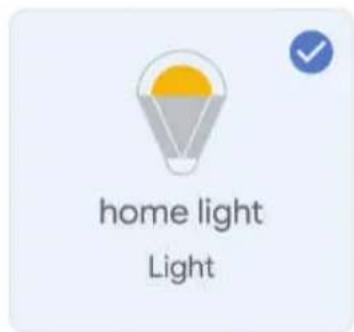
V-TAC VT-5113 - Krok 7: - 1

text_image home light Light

You will be able to control the devices and services in this home.

V-TAC VT-5113 - Krok 7: - 2

Smart-Home

V-TAC VT-5113 - Krok 7: - 3

Office

V-TAC VT-5113 - Krok 7: - 4

Smart Home

V-TAC VT-5113 - Krok 7: - 5

Create another home

Smart-Home

V-TAC VT-5113 - Smart-Home - 1
Off

V-TAC VT-5113 - Smart-Home - 2
On

V-TAC VT-5113 - Smart-Home - 3
Add

V-TAC VT-5113 - Smart-Home - 4
Settings

Master bedroom

1 device

V-TAC VT-5113 - Master bedroom - 1

home light

V-TAC VT-5113 - Master bedroom - 2

V-TAC VT-5113 - Master bedroom - 3

Local devices

1 device

V-TAC VT-5113 - Master bedroom - 4

Office Speaker

Krok 10:

text_image Off On Add Settings

Master bedroom
1 device
V-TAC VT-5113 - Krok 10: - 1
Off · On

Local devices
1 device
V-TAC VT-5113 - Krok 10: - 2
Office Speaker

b.
V-TAC VT-5113 - Krok 10: - 3
home light

Master bedroom
V-TAC VT-5113 - Krok 10: - 4

pie | Metric | Value (%) | |---|---| | Brightness | 81 |

Povely v Google:

➢! OK Google, turn on/off bedroom light
➢! OK Google, set bedroom light to 50 percent.
➢! OK Google, set bedroom light to green.
➢! OK Google, set bedroom light to warm white.

DOPORUČENÍ PŘED ZAHÁJENÍM INSTALACE:

Table of contents Click a title to access it
Manual assistant
Powered by Anthropic
Waiting for your message
Product information

Brand : V-TAC

Model : VT-5113

Category : Lamp