MZ33-AR0 - Server GIGABYTE - Free user manual and instructions
Find the device manual for free MZ33-AR0 GIGABYTE in PDF.


| Product Type | Server Motherboard |
| Brand | Gigabyte |
| Model | MZ33-AR0 |
| Form Factor | E-ATX (305 x 330 mm) |
| CPU Socket | 1 x LGA 6096 (Socket SP5) |
| Supported Processor | AMD EPYC 9004 (up to 128 cores, TDP up to 400W) |
| Memory | 24 x DDR5 DIMM, 12-channel architecture, up to 4800 MHz |
| Storage | 7 x MCIO 8i (NVMe/SATA), 1 x M.2 PCIe Gen4 x4 |
| Network | 2 x 10GbE (Broadcom BCM57416), 1 x GbE management |
| Expansion Slots | 4 x PCIe Gen5 x16 |
| Internal Connectors | 1 x 24-pin ATX, 2 x 8-pin 12V, 1 x 6-pin 12V, 6 x fan |
| Rear Connectors | 2 x USB 3.2 Gen1, 1 x VGA, 1 x COM, 2 x RJ45, 1 x MLAN |
| Remote Management | Aspeed AST2600, BMC with web interface, KVM HTML5 |
| Security | TPM (SPI), Secure Boot, BIOS password |
| Operating Temperature | 10°C to 40°C |
| Operating Humidity | 8% to 80% (non-condensing) |
| Recommended Power Supply | 500W or more |
Frequently Asked Questions - MZ33-AR0 GIGABYTE
User questions about MZ33-AR0 GIGABYTE
0 question about this device. Answer the ones you know or ask your own.
Ask a new question about this device
Download the instructions for your Server in PDF format for free! Find your manual MZ33-AR0 - GIGABYTE and take your electronic device back in hand. On this page are published all the documents necessary for the use of your device. MZ33-AR0 by GIGABYTE.
USER MANUAL MZ33-AR0 GIGABYTE
© 2022 GIGA-BYTE TECHNOLOGY CO., LTD. All rights reserved.
The trademarks mentioned in this manual are legally registered to their respective owners.
Disclaimer
Information in this manual is protected by copyright laws and is the property of GIGABYTE.
Changes to the specifications and features in this manual may be made by GIGABYTE without prior notice. No part of this manual may be reproduced, copied, translated, transmitted, or published in any form or by any means without GIGABYTE's prior written permission.
Documentation Classifications
In order to assist in the use of this product, GIGABYTE provides the following types of documentation:
■ User Manual: detailed information & steps about the installation, configuration and use this product (e.g. motherboard, server barebones), covering hardware and BIOS.
■ User Guide: detailed information about the installation & use of an add-on hardware or software component (e.g. BMC firmware, rail-kit) compatible with this product.
■ Quick Installation Guide: a short guide with visual diagrams that you can reference easily for installation purposes of this product (e.g. motherboard, server barebones).
Please see the support section of the online product page to check the current availability of these documents
For More Information
For related product specifications, the latest firmware and software, and other information, please visit our website at: http://www.gigabyte.com.
For GIGABYTE distributors and resellers, additional sales & marketing materials are available from our reseller portal: http://reseller.b2b.gigabyte.com
For further technical assistance, please contact your GIGABYTE representative or visit http://esupport.gigabyte.com/ to create a new support ticket.
For any general sales or marketing enquires, you may message GIGABYTE server directly by email: server.grp@gigabyte.com.
Table of Contents
MZ33-AR0 Motherboard Layout....5
Block Diagram....7
Chapter 1 Hardware Installation ....8
1-1 Installation Precautions....8
1-2 Product Specifications....9
1-3 Installing and Removing the CPU and Heat Sink.... 12
1-4 Installing and Removing Memory.... 13
1-4-1 12-Channel Memory Configuration ....13
1-4-2 Installing and Removing the Memory Module 14
1-4-3 Processor and Memory Module Matrix Table 14
1-4-4 Memory Population Table 15
1-5 Installing and Removing the M.2 SSD Module.... 16
1-6 Back Panel Connectors.... 17
1-7 Internal Connectors.... 18
1-8 Jumper Settings 26
Chapter 2 BIOS Setup ....27
2-1 The Main Menu 29
2-2 Advanced Menu 32
2-2-1 Trusted Computing....34
2-2-2 PSP Firmware Versions....35
2-2-3 Legacy Video Select....36
2-2-4 AST2600 Super IO Configuration....37
2-2-5 S5 RTC Wake Settings....39
2-2-6 Serial Port Console Redirection 40
2-2-7 CPU Configuration....44
2-2-8 PCI Subsystem Settings....45
2-2-9 USB Configuration....47
2-2-10 Network Stack Configuration....49
2-2-11 NVMe Configuration....50
2-2-12 SATA Configuration....51
2-2-13 Graphic Output Configuration....52
2-2-14 AMD Mem Configuration Status....53
2-2-15 Tls Auth Configuration ....54
2-2-16 RAM Disk Configuration....55
2-2-17 iSCSI Configuration....56
2-2-18 Broadcom BCM57416 10GBASE-T Network Connection....57
2-2-19 VLAN Configuration....63
2-2-20 MAC IPv4 Network Configuration....64
2-2-21 MAC IPv6 Network Configuration....65
2-3 AMD CBS Menu....66
2-3-1 CPU Common Options....67
2-3-2 DF Common Options....73
2-3-3 UMC Common Options....79
2-3-4 NBIO Common Options....99
2-3-5 FCH Common Options 109
2-3-6 NTB Common Options 118
2-3-7 SOC Miscellaneous Control 119
2-3-8 Workload Tuning....121
2-3-9 CXL Common Options....122
2-4 AMD PBS Menu 123
2-4-1 RAS 124
2-5 Chipset Setup Menu....126
2-5-1 North Bridge 127
2-5-2 Fabric Resource 128
2-6 Server Management Menu....130
2-6-1 System Event Log 132
2-6-2 View FRU Information 133
2-6-3 BMC Network Configuration....134
2-6-4 IPv6 BMC Network Configuration....135
2-7 Security Menu 136
2-7-1 Secure Boot 137
2-8 Boot Menu....139
2-9 Save & Exit Menu....141
2-10 BIOS Recovery 142
2-11 BIOS POST Beep code (AMI standard).... 143
2-11-1 PEI Beep Codes....143
2-11-2 DXE Beep Codes 143
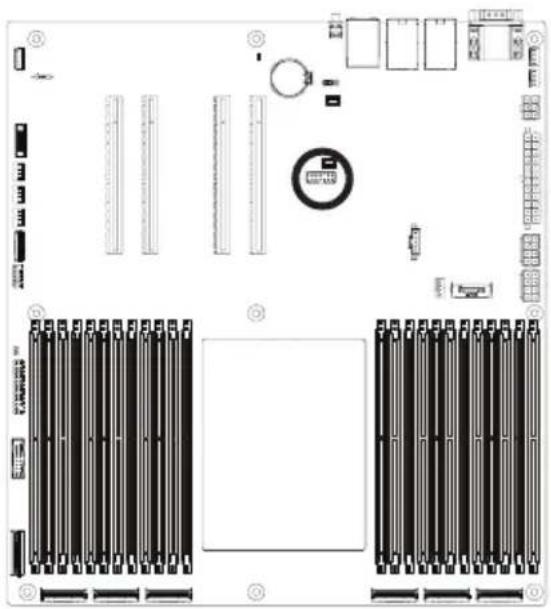
MZ33-AR0 Motherboard Layout
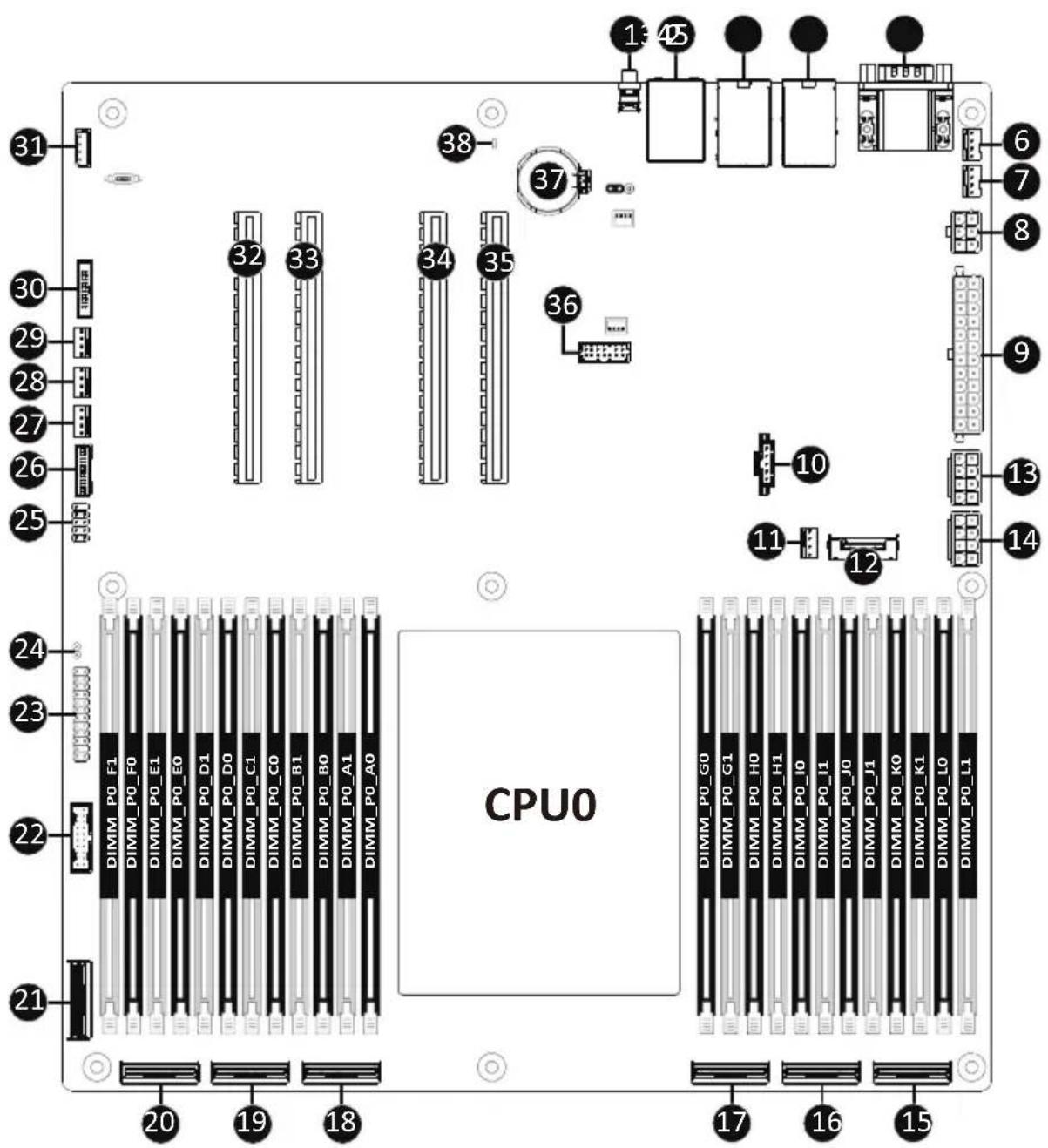
Item Code Description
1 SW_ID ID Button with LED
2 USB3_MLAN Server Management LAN Port (Top)/ USB3.2 Gen1 Ports (Bottom)
3 LAN1 10GbE LAN Port #1
4 LAN2 10GbE LAN Port #2
5 COM1_VGA Serial Port (Top)/ VGA Port (Bottom)
6 SYS_FAN4 System Fan Connector #4
7 SYS_FAN5 System Fan Connector #5
8 P12V_PCIE 2 x 3 Pin 12V Power Connector
9 ATX1 2 x 12 Pin Main Power Connector
10 PMBUS PMBus Connector
11 CPU0_FAN1 CPU Fan Connector #1
12 M2_0 M.2 slot (PCIe Gen4 x4, Support NGFF-2280/22110)
13 P12V_AUX2 2 x 4 Pin 12V Power Connector
14 P12V_AUX1 2 x 4 Pin 12V Power Connector
15 U2_P0_G2A MCIO Connector (PCIe Gen5)
16 U2_P0_G3A MCIO Connector (PCIe Gen5/SATA)
17 U2_P0_G3B MCIO Connector (PCIe Gen5/SATA)
18 U2_P0_G0A MCIO Connector (PCIe Gen5)
19 U2_P0_G1A MCIO Connector (PCIe Gen5)
20 U2_P0_G0B MCIO Connector (PCIe Gen5)
21 U2_P0_G1B MCIO Connector (PCIe Gen4)
22 F_USB3 Front Panel USB 3.2 Gen1 Connector
23 FP_1 Front Panel Header
24 CASE_OPEN Case Open Intrusion Alert Header
25 F_USB2 Front Panel USB 2.0 Header
26 BP_1 HDD Backplane Board Connector
27 SYS_FAN1 System Fan Connector #1
28 SYS_FAN2 System Fan Connector #2
29 SYS_FAN3 System Fan Connector #3
30 CN_NCSI NCSI Connector
31 IPMB IPMB Connector
32 PCIE_3 PCIe x16 Slot #3 (Gen5 x16)
33 PCIE_4 PCIe x16 Slot #4 (Gen5 x16)
34 PCIE_6 PCIe x16 Slot #6 (Gen5 x16)
35 PCIE_7 PCIe x16 Slot #7 (Gen5 x16)
36 SPI_TPM TPM Connector
37 BAT Battery Socket
38 LED_BMC BMC Firmware Readiness LED
Block Diagram
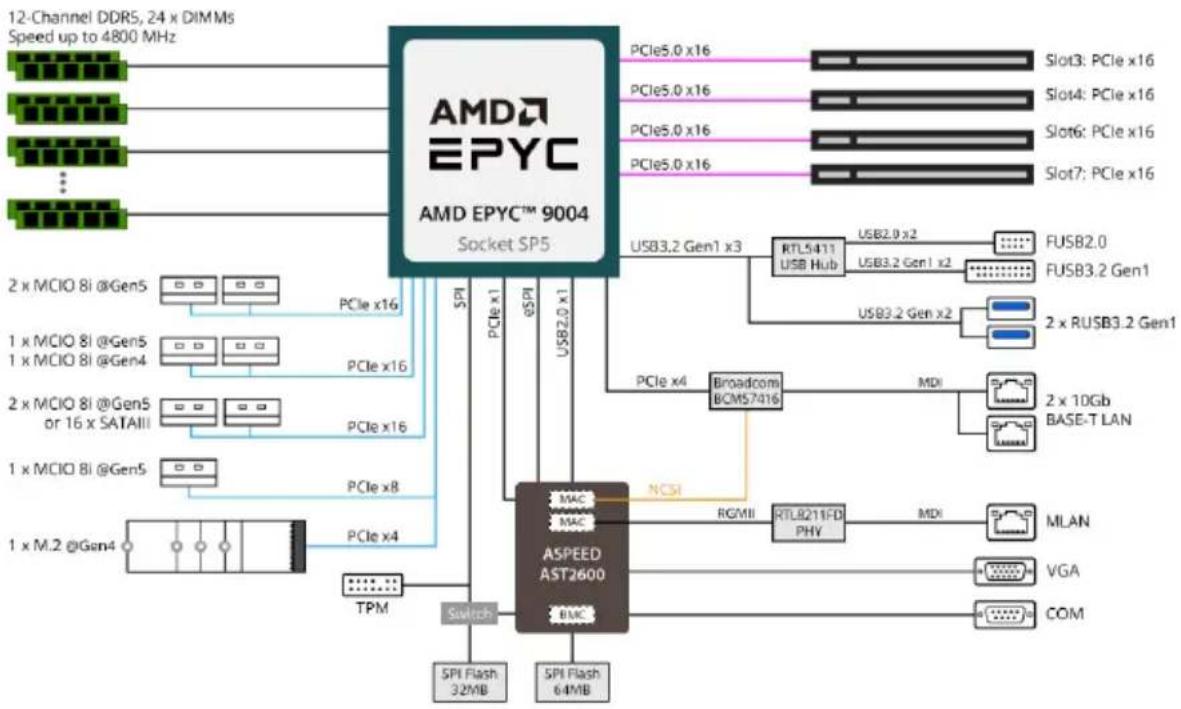
flowchart
graph TD
    A["AMD EPYC 9004"] -->|PCIe x16| B["ASPEED AST2600"]
    A -->|PCIe x16| C["PCIe x4"]
    A -->|PCIe x16| D["PCIe x8"]
    A -->|PCIe x16| E["PCIe x16"]
    A -->|PCIe x16| F["PCIe x16"]
    A -->|PCIe x16| G["PCIe x16"]
    A -->|PCIe x16| H["PCIe x16"]
    A -->|PCIe x16| I["PCIe x16"]
    A -->|PCIe x16| J["PCIe x16"]
    A -->|PCIe x16| K["PCIe x16"]
    A -->|PCIe x16| L["PCIe x16"]
    A -->|PCIe x16| M["PCIe x16"]
    A -->|PCIe x16| N["PCIe x16"]
    A -->|PCIe x16| O["PCIe x16"]
    A -->|PCIe x16| P["PCIe x16"]
    A -->|PCIe x16| Q["PCIe x16"]
    A -->|PCIe x16| R["PCIe x16"]
    A -->|PCIe x16| S["PCIe x16"]
    A -->|PCIe x16| T["PCIe x16"]
    A -->|PCIe x16| U["PCIe x16"]
    A -->|PCIe x16| V["PCIe x16"]
    A -->|PCIe x16| W["PCIe x16"]
    A -->|PCIe x16| X["PCIe x16"]
    A -->|PCIe x16| Y["PCIe x16"]
    A -->|PCIe x16| Z["PCIe x16"]
    A -->|PCIe x16| AA["PCIe x16"]
    A -->|PCIe x16| AB["PCIe x16"]
    A -->|PCIe x16| AC["PCIe x16"]
    A -->|PCIe x16| AD["PCIe x16"]
    A -->|PCIe x16| AE["PCIe x16"]
    A -->|PCIe x16| AF["PCIe x16"]
    A -->|PCIe x16| AG["PCIe x16"]
    A -->|PCIe x16| AH["PCIe x16"]
    A -->|PCIe x16| AI["PCIe x16"]
    A -->|PCIe x16| AJ["PCIe x16"]
    A -->|PCIe x16| AK["PCIe x16"]
    A -->|PCIe x16| AL["PCIe x16"]
    A -->|PCIe x16| AM["PCIe x16"]
    A -->|PCIe x16| AN["PCIe x16"]
    A -->|PCIe x16| AO["PCIe x16"]
    A -->|PCIe x16| AP["PCIe x16"]
    A -->|PCIe x16| AQ["PCIe x16"]
    A -->|PCIe x16| AR["PCIe x16"]
    A -->|PCIe x16| AS["PCIe x16"]
    A -->|PCIe x16| AT["PCIe x16"]
    A -->|PCIe x16| AU["PCIe x16"]
    A -->|PCIe x16| AV["PCIe x16"]
    A -->|PCIe x16| AW["PCIe x16"]
    A -->|PCIe x16| AX["PCIe x16"]
    A -->|PCIe x16| AY["PCIe x16"]
    A -->|PCIe x16| AZ["PCIe x16"]
    A -->|PCIe x16| BA["PCIe x16"]
    A -->|PCIe x16| BB["PCIe x16"]
    A -->|PCIe x16| BC["PCIe x16"]
    A -->|PCIe x16| BD["PCIe x16"]
    A -->|PCIe x16| BE["PCIe x16"]
    A -->|PCIe x16| BF["PCIe x16"]
    A -->|PCIe x16| BG["PCIe x16"]
    A -->|PCIe x16| BH["PCIe x16"]
    A -->|PCIe x16| BI["PCIe x16"]
    A -->|PCIe x16| BJ["PCIe x16"]
    A -->|PCIe x16| BK["PCIe x16"]
    A -->|PCIe x16| BL["PCIe x16"]
    A -->|PCIe x16| BM["PCIe x16"]
    A -->|PCIe x16| BN["PCIe x16"]
    A -->|PCIe x16| BO["PCIe x16"]
    A -->|PCIe x16| BP["PCIe x16"]
    A -->|PCIe x16| BQ["PCIe x4"]
    A -->|PCIe x4 | MAC
    MAC --> ASPEED
    ASPEED --> ASPEEDAST2600
    ASPEEDAST2600 --> MAC
    ASPEEDAST2600 --> MACMAC
    ASPEEDAST2600 --> MACMACB
    ASPEEDAST2600 --> MACMACN
    ASPEEDAST2600 --> MACMACM
    ASPEEDAST2600 --> MACMACN
Chapter 1 Hardware Installation
1-1 Installation Precautions
The motherboard contains numerous delicate electronic circuits and components which can become damaged as a result of electrostatic discharge (ESD). Prior to installation, carefully read the user's manual and follow these procedures:
- Prior to installation, do not remove or break motherboard S/N (Serial Number) sticker or warranty sticker provided by your dealer. These stickers are required for warranty validation.
- Always remove the AC power by unplugging the power cord from the power outlet before installing or removing the motherboard or other hardware components.
- When connecting hardware components to the internal connectors on the motherboard, make sure they are connected tightly and securely.
- When handling the motherboard, avoid touching any metal leads or connectors.
- It is best to wear an electrostatic discharge (ESD) wrist strap when handling electronic components such as a motherboard, CPU or memory. If you do not have an ESD wrist strap, keep your hands dry and first touch a metal object to eliminate static electricity.
- Prior to installing the motherboard, please have it on top of an antistatic pad or within an electrostatic shielding container.
- Before unplugging the power supply cable from the motherboard, make sure the power supply has been turned off.
- Before turning on the power, make sure the power supply voltage has been set according to the local voltage standard.
- Before using the product, please verify that all cables and power connectors of your hardware components are connected.
- To prevent damage to the motherboard, do not allow screws to come in contact with the motherboard circuit or its components.
- Make sure there are no leftover screws or metal components placed on the motherboard or within the computer casing.
- Do not place the computer system on an uneven surface.
- Do not place the computer system in a high-temperature environment.
- Turning on the computer power during the installation process can lead to damage to system components as well as physical harm to the user.
- If you are uncertain about any installation steps or have a problem related to the use of the product, please consult a certified computer technician.
1-2 Product Specifications

NOTE:
We reserve the right to make any changes to the product specifications and product-related information without prior notice.
| Form Factor | ◆ E-ATX◆ 305W x 330D (mm) |
| CPU | ◆ AMD EPYCTM 9004 series processors◆ AMD EPYCTM 9004 series processors with AMD 3D V-CacheTM Technology◆ Single processor, 5nm technology◆ Up to 128-core, 256 threads per processor◆ cTDP up to 400W |
| Socket ◆ 1 x LGA 6096◆ Socket SP5 | |
| Chipset ◆ System on Chip | |
| Memory ◆ 24 x DIMM slots◆ DDR5 memory supported only◆ 12-Channel memory architecture◆ RDIMM modules up to 96GB supported◆ 3DS RDIMM modules up to 256GB supported◆ Memory speed: Up to 4800 MHz (1DPC), 3600 MHz (2DPC) | |
| LAN ◆ 2 x 10Gb/s BASE-T LAN ports (1 x Broadcom® BCM57416)◆ NCSI function supported◆ 1 x 10/100/1000 management LAN | |
| Onboard Graphics | ◆ Integrated in Aspeed® AST2600◆ 2D Video Graphic Adapter with PCIe bus interface◆ 1920x1200@60Hz 32bpp, DDR4 SDRAM |
| Storage Interface | ◆ 2x MCIO 8i with 16 x SATA ports |
| Expansion Slots ◆ Slot_7: 1 x PCIe x16 (Gen5 x16 bus) slot◆ Slot_6: 1 x PCIe x16 (Gen5 x16 bus) slot◆ Slot_4: 1 x PCIe x16 (Gen5 x16 bus) slot◆ Slot_3: 1 x PCIe x16 (Gen5 x16 bus) slot◆ 1 x M.2 slot:- M-key- PCIe Gen4 x4- Supports 2280/22110 cards◆ Total 7 x MCIO 8i connectors ports:- 4 x MCIO 8i connectors for 8 x Gen5 NVMe- 2 x MCIO 8i connectors for 4 x Gen5 NVMe or 16 x SATA 6Gb/s- 1 x MCIO 8i connector for 2 x Gen4 NVMe | |
 | Internal I/OConnectors | ◆ 1 x 24-pin ATX main power connector◆ 2 x 8-pin ATX 12V power connectors◆ 1 x 6-pin ATX 12V power connector◆ 7 x MCIO 8i connectors◆ 1 x M.2 slot◆ 1 x CPU fan header◆ 5 x System fan headers◆ 1 x USB 3.2 Gen1 header◆ 1 x TPM header◆ 1 x Front panel header◆ 1 x HDD back plane board header◆ 1 x PMBus connector◆ 1 x IPMB connector◆ 1 x Clear CMOS jumper◆ 1 x BIOS recovery jumper◆ 1 x Buzzer |
 | Rear I/OConnectors | ◆ 2 x USB 3.2 Gen1◆ 1 x VGA◆ 1 x COM◆ 2 x RJ45◆ 1 x MLAN◆ 1 x ID button with LED |
 | TPM ◆ 1 x TPM header with SPI interface◆ Optional TPM2.0 kit: CTM010 | |
 | BoardManagement | ◆ Aspeed® AST2600 management controller◆ GIGABYTE Management Console (AMI MegaRAC SP-X) web interface◆ Dashboard◆ HTML5 KVM◆ Sensor Monitor (Voltage, RPM, Temperature, CPU Status ...etc.)◆ Sensor Reading History Data◆ FRU Information◆ SEL Log in Linear Storage / Circular Storage Policy◆ Hardware Inventory◆ Fan Profile◆ System Firewall◆ Power Consumption◆ Power Control◆ LDAP / AD / RADIUS Support◆ Backup & Restore Configuration◆ Remote BIOS/BMC/CPLD Update◆ Event Log Filter◆ User Management◆ Media Redirection Settings◆ PAM Order Settings◆ SSL Settings◆ SMTP Settings |

Operating
Properties
♦ Operating temperature: 10°C to 40°C
◆ Operating humidity: 8-80% (non-condensing)
Non-operating temperature: -40°C to 60°C
Non-operating humidity: 20%-95% (non-condensing)
1-3 Installing and Removing the CPU and Heat Sink

Read the following guidelines before you begin to install the CPU:
• Make sure that the motherboard supports the CPU.
- Always turn off the computer and unplug the power cord from the power outlet before installing the CPU to prevent hardware damage.
• Unplug all cables from the power outlets.
- Disconnect all telecommunication cables from their ports.
- Place the system unit on a flat and stable surface.
- Open the system according to the instructions.

WARNING!
Failure to properly turn off the server before you start installing components may cause serious damage. Do not attempt the procedures described in the following sections unless you are a qualified service technician.
Follow these instructions to Install the CPU:
- Loosen the captive screw securing the CPU cover.
- Flip open the CPU cover.
- Remove the CPU carrier from the CPU frame using the handle on the CPU carrier.
-
Using the handle on the CPU carrier insert the new CPU carrier with CPU installed into the CPU frame.
NOTE: Ensure the CPU is installed in the CPU carrier in the correct orientation, with the triangle on the CPU aligned to the top left corner of the CPU carrier. -
Flip the CPU frame with CPU installed into place in the CPU socket.
-
Flip the CPU cover into place over the CPU socket.
-
Tighten the CPU cover screw to secure the CPU cover in place.
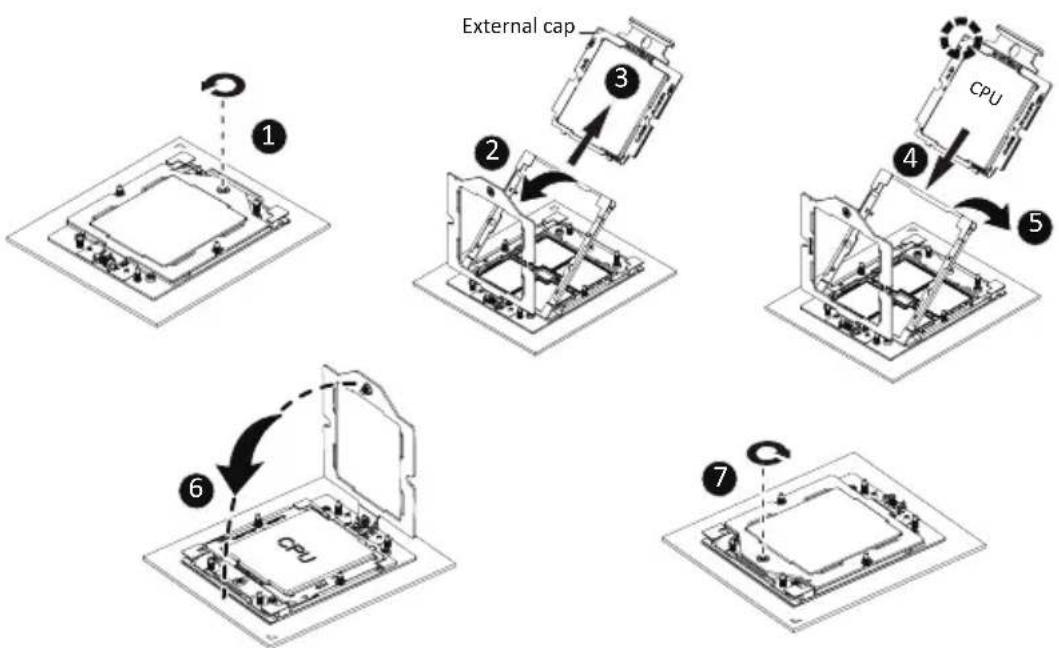
flowchart
graph TD
    A["CPU"] --> B["Internal Cap ①"]
    B --> C["Internal Cap ②"]
    C --> D["External Cap ③"]
    D --> E["External Cap ④"]
    E --> F["External Cap ⑤"]
    F --> G["External Cap ⑥"]
    G --> H["External Cap ⑦"]

Note:
- Lock the CPU by using a Torx T20 screwdriver to tighten screw.
• The screw tightening torque: 12.5-15.0 kgf-cm.
1-4 Installing and Removing Memory

Read the following guidelines before you begin to install the memory:
- Make sure that the motherboard supports the memory. It is recommended that memory of the same capacity, brand, speed, and chips be used.
- Always turn off the computer and unplug the power cord from the power outlet before installing the memory to prevent hardware damage.
- Memory modules have a foolproof design. A memory module can be installed in only one direction. If you are unable to insert the memory, switch the direction.
1-4-1 12-Channel Memory Configuration
This motherboard provides 24 DDR5 memory slots and supports 12-Channel Technology. After the memory is installed, the BIOS will automatically detect the specifications and capacity of the memory.
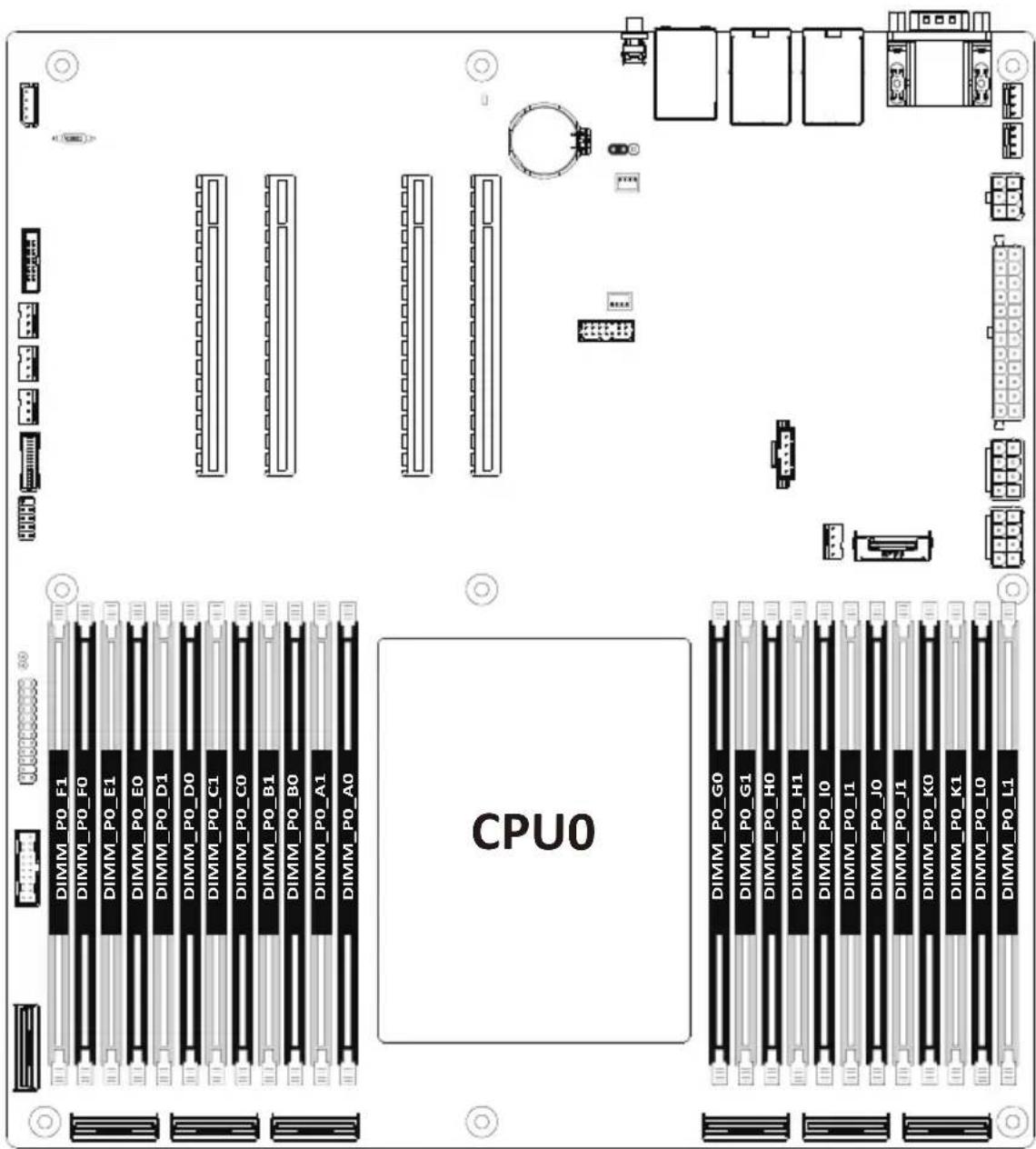
1-4-2 Installing and Removing the Memory Module

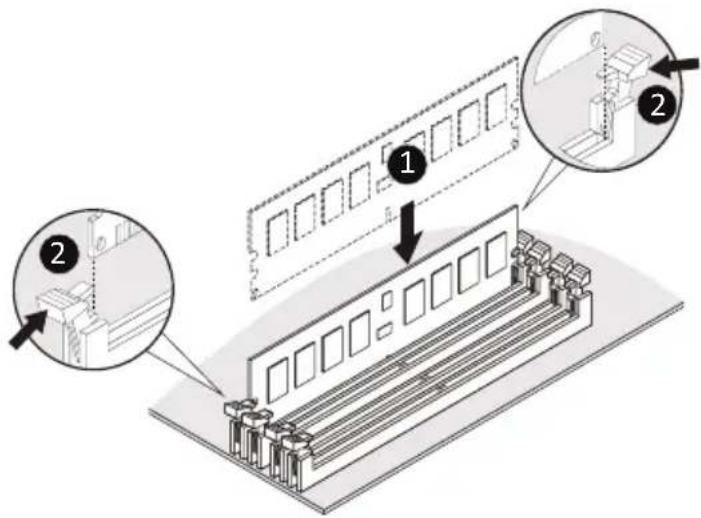
Before installing a memory module, make sure to turn off the computer and unplug the power cord from the power outlet to prevent damage to the memory module.
Be sure to install DDR5 DIMMs on to this motherboard.
Follow these instructions to install a DIMM module:
- Insert the DIMM memory module vertically into the DIMM slot and push it down.
- Close the plastic clip at both edges of the DIMM slots to lock the DIMM module.
- Reverse the installation steps when you want to remove the DIMM module.
1-4-3 Processor and Memory Module Matrix Table
| Memory Q'ty | CPU0 | ||||||||||||||||||||||||
| F1 | D0 | E1 | E0 | C1 | B0 | F0 | B0 | A1 | A0 | G0 | K1 | H0 | H0 | K0 | U0 | L0 | J1 | L1 | |||||||
| 1 DIMM | V | ||||||||||||||||||||||||
| 2 DIMM | V | V | |||||||||||||||||||||||
| V | V | ||||||||||||||||||||||||
| 4 DIMM | V | V | V | V | |||||||||||||||||||||
| V | V | V | V | ||||||||||||||||||||||
| 6 DIMM | V | V | V | V | V | V | |||||||||||||||||||
| 8 DIMM | V | V | V | V | V | V | V | V | |||||||||||||||||
| V | V | V | V | V | V | V | V | ||||||||||||||||||
| 10 DIMM | V | V | V | V | V | V | V | V | V | V | |||||||||||||||
| 12 DIMM | V | V | V | V | V | V | V | V | V | V | V | V | |||||||||||||
| V | V | V | V | V | V | V | V | V | V | V | V | V | |||||||||||||
| 16 DIMM | V | V | V | V | V | V | V | V | V | V | V | V | V | V | V | V | V | ||||||||
| 20 DIMM | V | V | V | V | V | V | V | V | V | V | V | V | V | V | V | V | V | V | V | V | V | ||||
| 24 DIMM | V | V | V | V | V | V | V | V | V | V | V | V | V | V | V | V | V | V | V | V | V | V | V | V | V |
1-4-4 Memory Population Table
EPYC Memory Speed based on DIMM Population (Two DIMM per Channel)
| DIMM Type | DIMM Population DDR5 Frequency (MT/s) | ||||
| DIMM 0 DIMM | 1 | 14L 93mil high-Dk PCB stackup | 14L 74mil high-Dk PCB stackup | 16L 93mil high-Dk PCB stackup | |
| RDIMM | -- 1R 4800 | 4800 4800 | |||
| 1R 1R 4000 | 4000 4000 | ||||
| -- 2R 4400 | 4800 4800 | ||||
| 1R 2R 3600 | 3600 3600 | ||||
| 2R 2R 3600 | 3600 3600 | ||||
| 3DS RDIMM | -- 2S2R (4 Ranks) | 4400 4800 4800 | |||
| -- 2S4R (8 Ranks) | 4400 4800 4800 | ||||
| -- 2S8R (16 Ranks) | 4400 4800 4800 | ||||
| 2S2R (4 Ranks) | 2S2R (4 Ranks) 3600 3600 3600 | ||||
| 2S4R (8 Ranks) | 2S4R (8 Ranks) 3600 3600 3600 | ||||
| 2S8R (16 Ranks) | 2S8R (16 Ranks) 3600 3600 3600 | ||||
1-5 Installing and Removing the M.2 SSD Module

CAUTION
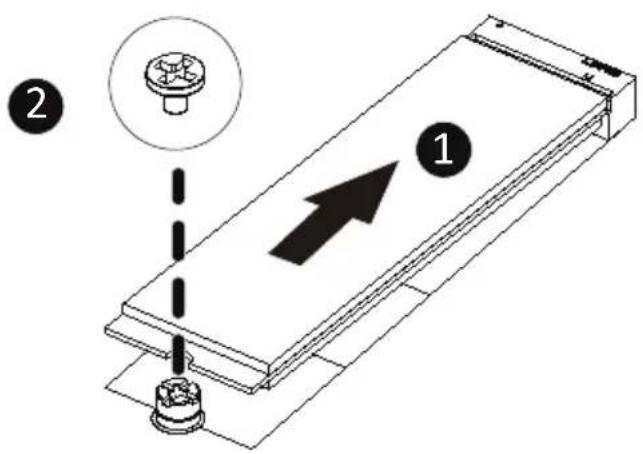
The position of the stand-off screw will depend on the size of the M.2 device. The stand-off screw is pre-installed for 22110 cards as standard. Refer to the size of the M.2 device and change the position of the stand-off screw accordingly.
Follow the steps below to install an optional M.2 SSD module on your motherboard:
Step1. Insert the M.2 SSD module into the slot.
Step2. Secure it with the screw, tightening as necessary to fasten the M.2 SSD module in place.
1-6 Back Panel Connectors
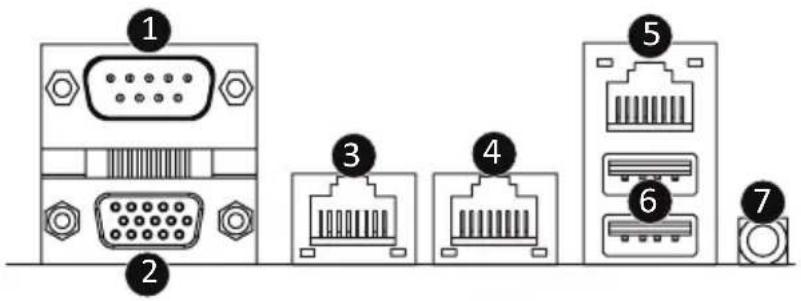
① Serial Port
Connect to serial-based mouse or data processing devices.
② VGA Port
Connect to a monitor device.
③ 10GbE LAN Port #2
The Gigabit Ethernet LAN port provides Internet connection at up to 10 Gbps data rate. See the section below for a description of the states of the LAN port LEDs.
④ 10GbE LAN Port #1
The Gigabit Ethernet LAN port provides Internet connection at up to 10 Gbps data rate. See the section below for a description of the states of the LAN port LEDs.
⑤ Server Management LAN Port
The LAN port provides Internet connection with data transfer speeds of 10/100/1000Mbps. This port is the dedicated LAN port for Server Management.
⑥ USB 3.2 Gen1 Ports
The USB port supports the USB 3.2 specification. Use this port for USB devices such as a USB keyboard/mouse, USB printer, USB flash drive etc.
⑦ ID button with LED
When the system identification is active, the ID LED on the front/ back panel glows blue.
LAN and ID Button LEDs
Speed LED Link/Activity LED
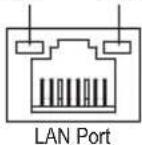
10GbE LAN LED:
| State Description |
| Yellow On 5Gbps, 2.5Gbps, 1Gps data rate |
| Green On 10Gbps data rate |
| Off 100Mbps data rate |
10/100/1000 LAN LED:
| State Description |
| Yellow On 1Gbps data rate |
| Green On 100Mbps data rate |
| Off 10Mbps data rate |
ID button/LED:
| State Description |
| Blue On System identification is active |
| Off System identification is disabled |

- When removing the cable connected to a back panel connector, first remove the cable from your device and then remove it from the motherboard.
- When removing the cable, pull it straight out from the connector. Do not rock it side to side to prevent an electrical short inside the cable connector.
1-7 Internal Connectors
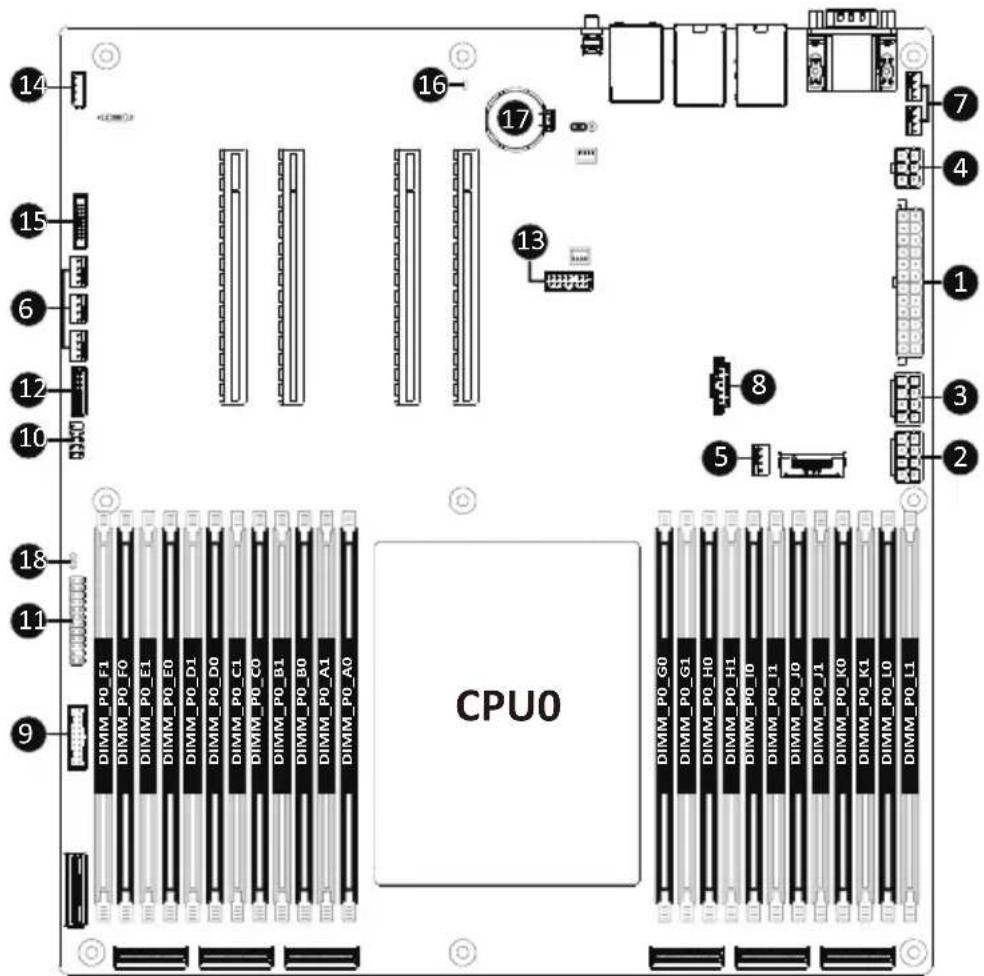
Read the following guidelines before connecting external devices:
- First make sure your devices are compliant with the connectors you wish to connect.
- Before installing the devices, be sure to turn off the devices and your computer. Unplug the power cord from the power outlet to prevent damage to the devices.
- After installing the device and before turning on the computer, make sure the device cable has been securely attached to the connector on the motherboard.
1/2/3/4) ATX1/P12V\_AUX1/P12V\_AUX2/P12V\_PCIE
(2x12 Main Power Connector and 2x4/2x3 12V Power Connector)
With the use of the power connector, the power supply can supply enough stable power to all the components on the motherboard. Before connecting the power connector, first make sure the power supply is turned off and all devices are properly installed. The power connector possesses a foolproof design. Connect the power supply cable to the power connector in the correct orientation. The 12V power connector mainly supplies power to the CPU. If the 12V power connector is not connected, the computer will not start.

To meet expansion requirements, it is recommended that a power supply that can withstand high power consumption be used (500W or greater). If a power supply is used that does not provide the required power, the result can lead to an unstable or unbootable system.
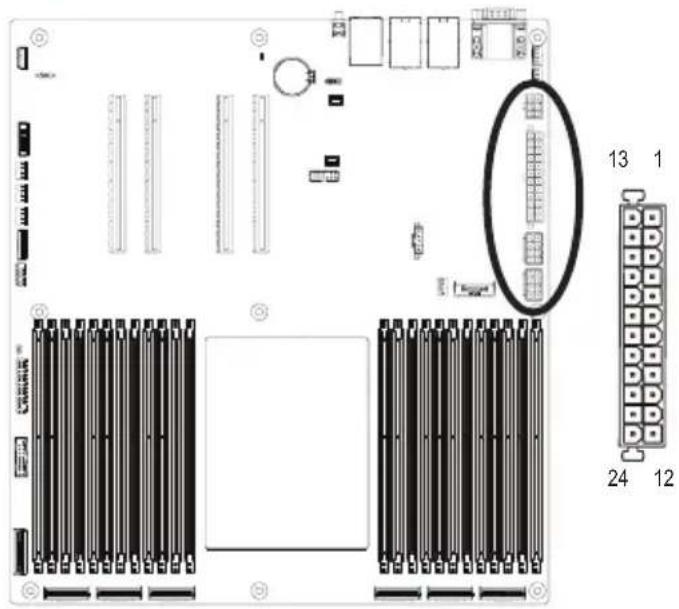
ATX1
| Pin No. | Definition | Pin | No. Definition |
| 1 3.3 | V 13 3.3V | ||
| 2 3.3 | V 14 -12V | ||
| 3 GND | 15 GND | ||
| 4 +5V | 16 PS_ON | ||
| 5 GND | 17 GND | ||
| 6 +5V | 18 GND | ||
| 7 GND | 19 GND | ||
| 8 Power Good 20 | NC | ||
| 9 5V | SB 21 +5V | ||
| 10 +1 | 2V 22 +5V | ||
| 11 | +12V 23 +5V | ||
| 12 3.3 | V 24 GND | ||
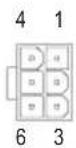
P12V_PCIE
| Pin No. | Definition |
| 1 | +12V |
| 2 | +12V |
| 3 | +12V |
| 4 | GND |
| 5 | GND |
| 6 | GND |
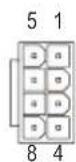
P12V_AUX1/P12V_AUX2
| Pin No. | Definition |
| 1 | GND |
| 2 | GND |
| 3 | GND |
| 4 | GND |
| 5 | +12V |
| 6 | +12V |
| 7 | +12V |
| 8 | +12V |
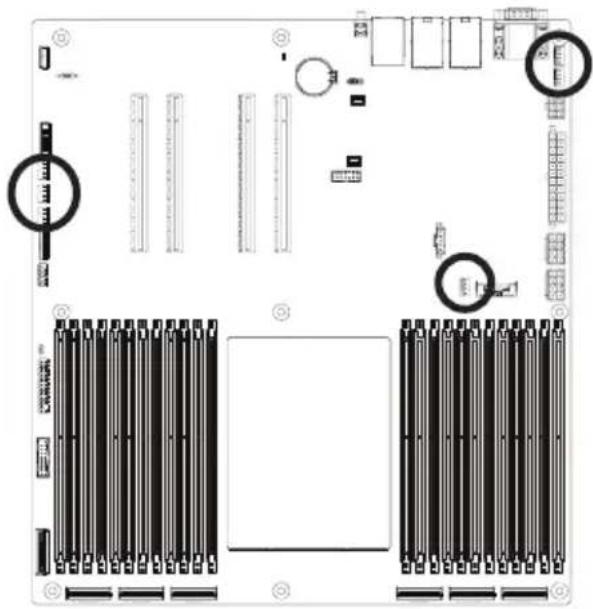
5/6/7) CPU0\_FAN1/SYS\_FAN1/SYS\_FAN2/SYS\_FAN3/SYS\_FAN4/SYS\_FAN5 (FAN Headers)
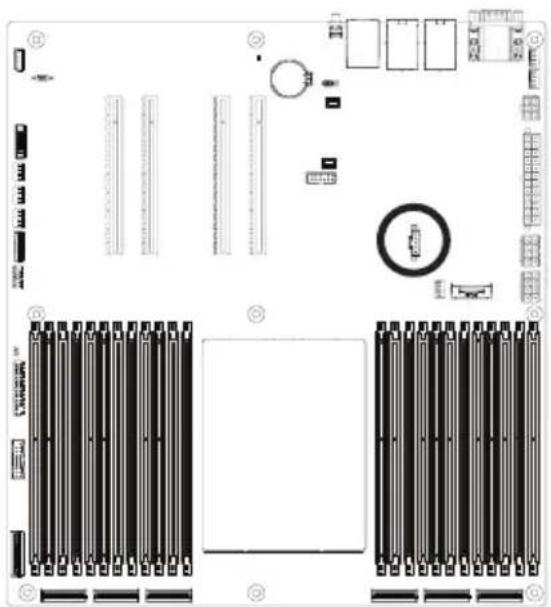
The motherboard has one 4-pin CPU fan header (CPU_FAN), and five 4-pin (SYS_FAN) system fan headers. Most fan headers possess a foolproof insertion design. When connecting a fan cable, be sure to connect it in the correct orientation (the black connector wire is the ground wire). The motherboard supports CPU fan speed control, which requires the use of a CPU fan with fan speed control design. For optimum heat dissipation, it is recommended that a system fan be installed inside the chassis.
natural_image
Top-down schematic of a computer motherboard showing CPU socket, RAM slots, and memory connections (no text or labels)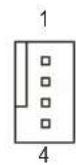
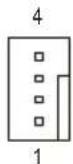
| Pin No. | Definition |
| 1 | GND |
| 2 | +12V |
| 3 | Sense |
| 4 Speed Control | |

- Be sure to connect fan cables to the fan headers to prevent your CPU and system from overheating. Overheating may result in damage to the CPU or the system may hang.
- These fan headers are not configuration jumper blocks. Do not place a jumper cap on the headers.
8) PMBus Connector
The Power Management Bus (PMBus) is a variant of the System Management Bus (SMBus) which is targeted at digital management of power supplies.
natural_image
Top-down schematic of a computer motherboard layout showing CPU socket, RAM slots, and memory units (no text or labels)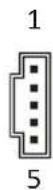
| Pin No. | Definition |
| 1 PMBus Clock | |
| 2 PMBus Data | |
| 3 PMBus Alert | |
| 4 | GND |
| 5 3.3V | Sense |
9/10) F\_USB3/ F\_USB2 (USB 3.2 Gen1 Connector/ 2.0 Header)
The connector/header conform to USB 2.0/3.0 specification. Each USB connector/header can provide two USB ports via an optional USB bracket. For purchasing the optional USB bracket, please contact the local dealer.

natural_image
Top-down schematic of a computer motherboard showing RAM slots, drive bays, and memory compartments (no text or labels)USB 2.0 Header
| Pin No. | Definition | Pin No. | Definition | |
| 10 9 | 1 Power (5V) | 6 USB DY+ | ||
 | 2 Power (5V) | 7 GND | ||
| 3 USB DX- | 8 GND | |||
| 4 USB DY- | 9 No Pin | |||
| 2 1 | 5 USB DX+ | 10 No Connect | ||
USB 3.0 Connector
| Pin No. | Definition | Pin No. | Definition |
| 1 | Power 11 IntA_P2_D+ | ||
| 2 | IntA_P1_SSRX- 12 IntA_P2_D- | ||
| 3 | IntA_P1_SSRX+ 13 GND | ||
| 4 | GND 14 IntA_P2_SSTX+ | ||
| 5 | IntA_P1_SSTX- 15 IntA_P2_SSTX- | ||
| 6 | IntA_P1_SSTX+ 16 GND | ||
| 7 | GND 17 IntA_P2_SSRX+ | ||
| 8 | IntA_P1_D- 18 IntA_P2_SSRX- | ||
| 9 | IntA_P1_D+ 19 Power | ||
| 10 | NC 20 No Pin |
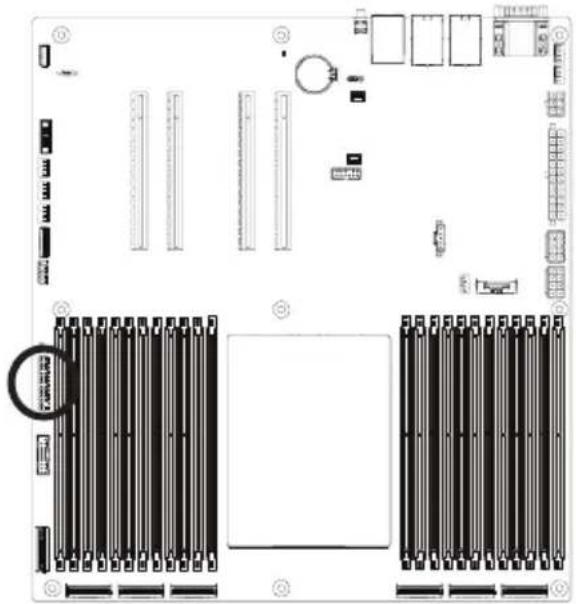
11) FP\_1 (Front Panel Header)
Connect the power switch, reset switch, speaker, chassis intrusion switch/sensor and system status indicator on the chassis to this header according to the pin assignments below. Note the positive and negative pins before connecting the cables.
natural_image
Top-down schematic of a computer motherboard showing RAM slots, drive bays, and memory units (no text or labels)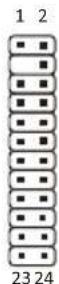
| Pin No. | Definition | Pin No. | Definition |
| 1 | Power LED+ | 2 | 5V Standby |
| 3 | No Pin 4 ID LED+ | ||
| 5 | Power LED- | 6 | ID LED- |
| 7* | HDD LED+ | 8 | System Status LED+ |
| 9* | HDD LED- | 10 | System Status LED- |
| 11 | Power Button | 12 | LAN1 Active LED+ |
| 13 | GND | 14 | LAN1 Link LED- |
| 15 | Reset Button | 16 | SMBus Data |
| 17 | GND | 18 | SMBus Clock |
| 19 | ID Button | 20 | Case Open |
| 21 | GND | 22 | LAN2 Active LED+ |
| 23 | NMI Switch | 24 | LAN2 Link LED- |
| *Note: Pin 7 & Pin 9 are reserved for Gigabyte systems. | |||

The front panel design may differ by chassis. A front panel module mainly consists of power switch, reset switch, power LED, hard drive activity LED, speaker etc. When connecting your chassis front panel module to this header, make sure the wire assignments and the pin assignments are matched correctly.
12) BP_1 (HDD Backplane Board Header)

natural_image
Top-down schematic of a computer motherboard layout showing CPU socket, RAM slots, and drive unit (no text or labels)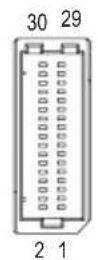
| Pin No. | Definition Pin No. Definition | |
| 1 HP_ALERT_L 2 BPMI DIN/OUT | ||
| 3 GND 4 BPMI DIN/IN | ||
| 5 BPMI_LOAD 6 GND | ||
| 7 BPMI_CLK 8 PLD_Program_EN | ||
| 9 GLED_AMB_N 10 GLED_GRN_N | ||
| 11 FAN_IRQ_N 12 Reserved | ||
| 13 BP_SCL 14 GND | ||
| 15 BP_SDA 16 BP_RST_N | ||
| 17 SMB_U2_TMP_SCL | 18 GND | |
| 19 SMB_U2_TMP_SDA 20 I2C_DEV_RST | ||
| 21 PH_HP_SCL0 | 22 GND | |
| 23 PH_HP_SDA0 | 24 GND | |
| 25 PH_HP_SCL1 | 26 GND | |
| 27 PH_HP_SDA1 | 28 GND | |
| 15 P3V3_AUX | 30 P3V3_AUX | |
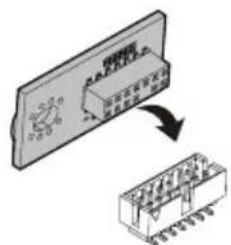
13) SPI\_TPM (Trusted Platform Module Connector)
Trusted Platform Module (TPM) is an international standard for a secure cryptoprocessor, a dedicated microcontroller designed to secure hardware through integrated cryptographic keys.
natural_image
Top-down schematic of an electronic device layout with connectors, modules, and a central control panel (no text or labels)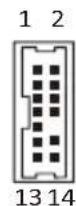
| Pin No. | Definition | Pin No. | Definition |
| 1 Clock | 8 NC | ||
| 2 P_3V3_AUX | 9 NC | ||
| 3 LPC_RST | 10 No Pin | ||
| 4 NC | 11 NC | ||
| 5 SP_MISO | 12 GND | ||
| 6 IRQ_SPI | 13 SPI_CS_N | ||
| 7 SP_MOSI | 14 GND | ||
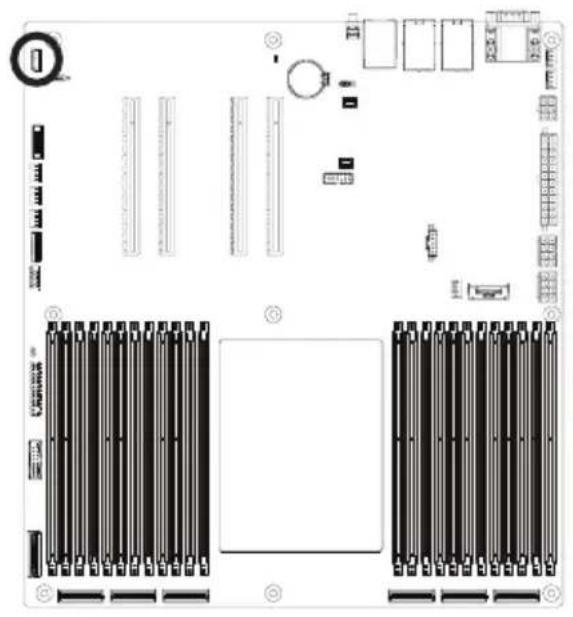
14) IPMB (Intelligent Platform Management Bus) Connector
The Intelligent Platform Management Bus Communications Protocol defines a byte-level transport for transferring Intelligent Platform Management Interface Specification (IPMI) messages between intelligent I2C devices.
natural_image
Top-down schematic of a computer motherboard showing RAM slots, connectors, and memory units (no text or labels)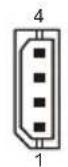
| Pin No. | Definition |
| 1 Clock | |
| 2 GND | |
| 3 Data | |
| 4 VCC | |
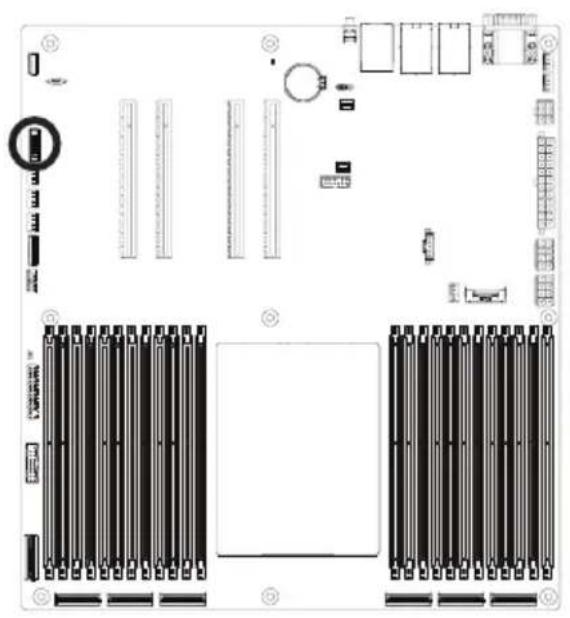
15) CN\_NCSI (NCSI Connector)
natural_image
Top-down schematic of a computer motherboard showing RAM slots, drive bays, and memory compartments (no text or labels)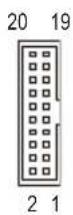
| Pin No. | Definition | Pin No. | Definition |
| 1 | NCSI_CLK 2 GND | ||
| 3 | NCSI_RX_D0 4 GND | ||
| 5 | NCSI_RX_D1 6 GND | ||
| 7 | NCSI_CRS_DV 8 GND | ||
| 9 | NCSI_RX_ER 10 GND | ||
| 11 | P3V3_AUX 12 GND | ||
| 13 | NCSI_TX_D1 14 GND | ||
| 15 | NCSI_TX_D0 16 GND | ||
| 17 | NCSI_TX_EN 18 GND | ||
| 19 | NCSI_PRESENT 20 | P3V3_AUX |
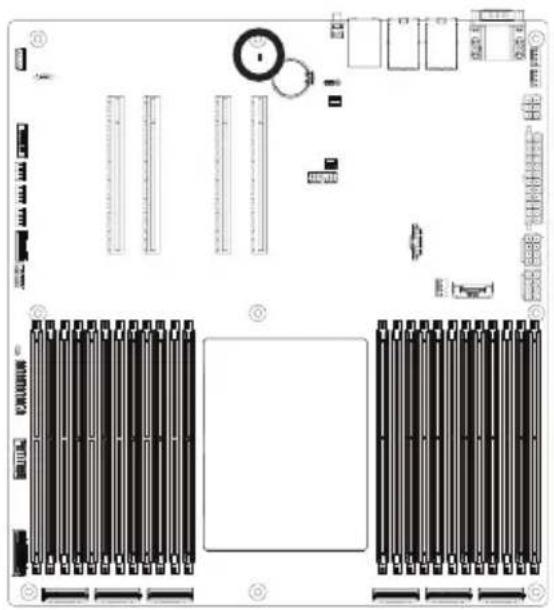
16) LED\_BMC (BMC Firmware Readiness LED)
natural_image
Top-down schematic of a computer motherboard layout showing slots, connectors, and control panel (no text or labels)| State Description | |
| On BMC firmware is initial | |
| Blink BMC firmware is ready | |
| Off AC loss | |
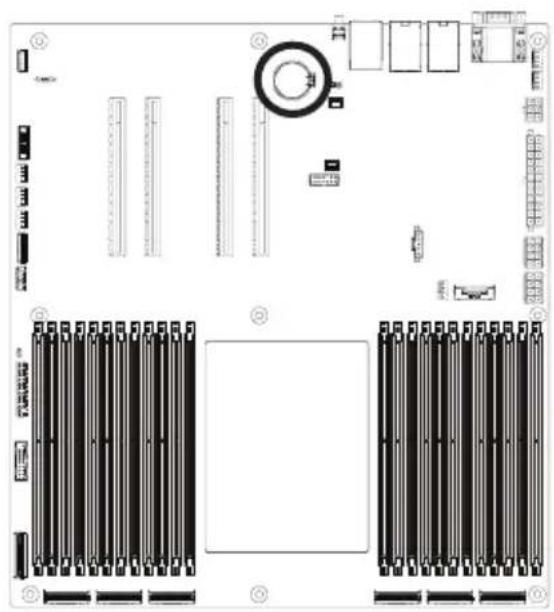
17) BAT (Battery Socket)
The battery provides power to keep the values (such as BIOS configurations, date, and time information) in the CMOS when the computer is turned off. Replace the battery when the battery voltage drops to a low level, or the CMOS values may not be accurate or may be lost.
natural_image
Top-down schematic of an electronic device layout showing front, top, and side views with no visible text or symbols.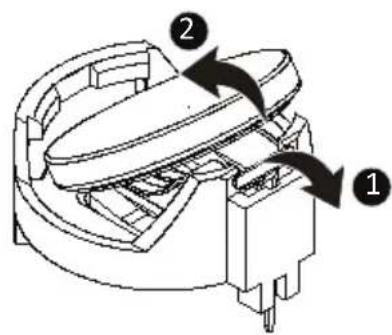

• Always turn off your computer and unplug the power cord before replacing the battery.
- Replace the battery with an equivalent one. Danger of explosion if the battery is replaced with an incorrect model.
- Contact the place of purchase or local dealer if you are not able to replace the battery by yourself or uncertain about the battery model.
• Used batteries must be handled in accordance with local environmental regulations.
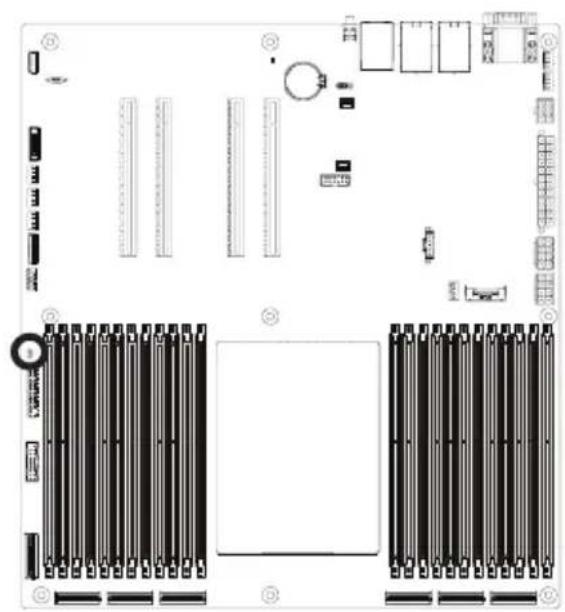
19) CASE\_OPEN (Case Open Intrusion Alert Header)
This motherboard provides a chassis detection feature that detects if the chassis cover has been removed. This function requires a chassis with chassis intrusion detection design.
natural_image
Top-down schematic of a computer motherboard showing CPU socket, RAM slots, and drive bays (no text or labels)Open: Normal Operation (Default)
Closed: Active Chassis Intrusion Alert
1-8 Jumper Settings
![NCSI_SW SW1 OFF Onboard LAN ON CN_NCSI Clear CMOS CLR_CMOS EnableDefault 1 2 3 J1 ON OFF 1 HSMB_SEL BIOS Defined 2 PMBUS_SEL BIOS Defined 3 BIOS_PWD Clear supervisor password Normal [Default] 4 BIOS recovery mode BIOS_RNormal [Default]](/content/2026/04/671948/images/74d0ae0ce76601f01b4131b1e1fcaeedb398805308cfd921a5e5203932147236.jpg)
Chapter 2 BIOS Setup
BIOS (Basic Input and Output System) records hardware parameters of the system in the EFI on the motherboard. Its major functions include conducting the Power-On Self-Test (POST) during system startup, saving system parameters, loading the operating system etc. The BIOS includes a BIOS Setup program that allows the user to modify basic system configuration settings or to activate certain system features. When the power is turned off, the battery on the motherboard supplies the necessary power to the CMOS to keep the configuration values in the CMOS.
To access the BIOS Setup program, press the key during the POST when the power is turned on.

- BIOS flashing is potentially risky, if you do not encounter any problems when using the current BIOS version, it is recommended that you don't flash the BIOS. To flash the BIOS, do it with caution. Inadequate BIOS flashing may result in system malfunction.
- It is recommended that you not alter the default settings (unless you need to) to prevent system instability or other unexpected results. Inadequately altering the settings may result in system's failure to boot. If this occurs, try to clear the CMOS values and reset the board to default values. (Refer to the Exit section in this chapter or introductions of the battery/clearing CMOS jumper in Chapter 1 for how to clear the CMOS values.)
BIOS Setup Program Function Keys
| <←><→> | Move the selection bar to select the screen |
| <↑><↓> | Move the selection bar to select an item |
| <+> | Increase the numeric value or make changes |
| <-> | Decrease the numeric value or make changes |
| Execute command or enter the submenu | |
| Main Menu: Exit the BIOS Setup programSubmenus: Exit current submenu | |
| Show descriptions of general help | |
| Restore the previous BIOS settings for the current submenus | |
| Load the Optimized BIOS default settings for the current submenus | |
| Save all the changes and exit the BIOS Setup program |
Main
This setup page includes all the items of the standard compatible BIOS.
■ Advanced
This setup page includes all the items of AMI BIOS special enhanced features.
(ex: Auto detect fan and temperature status, automatically configure hard disk parameters.)
AMD CBS
This setup page includes the common items for configuration of AMD motherboard-related information.
AMD PBS Option
This setup page includes the common items for configuration of AMD CPM RAS related settings.
Chipset
This setup page includes all the submenu options for configuring the functions of the North Bridge.
■ Server Management
Server additional features enabled/disabled setup menus.
■ Security
Change, set, or disable supervisor and user password. Configuration supervisor password allows you to restrict access to the system and BIOS Setup.
A supervisor password allows you to make changes in BIOS Setup.
A user password only allows you to view the BIOS settings but not to make changes.
Boot
This setup page provides items for configuration of the boot sequence.
■ Save & Exit
Save all the changes made in the BIOS Setup program to the CMOS and exit BIOS Setup. (Pressing
Abandon all changes and the previous settings remain in effect. Pressing
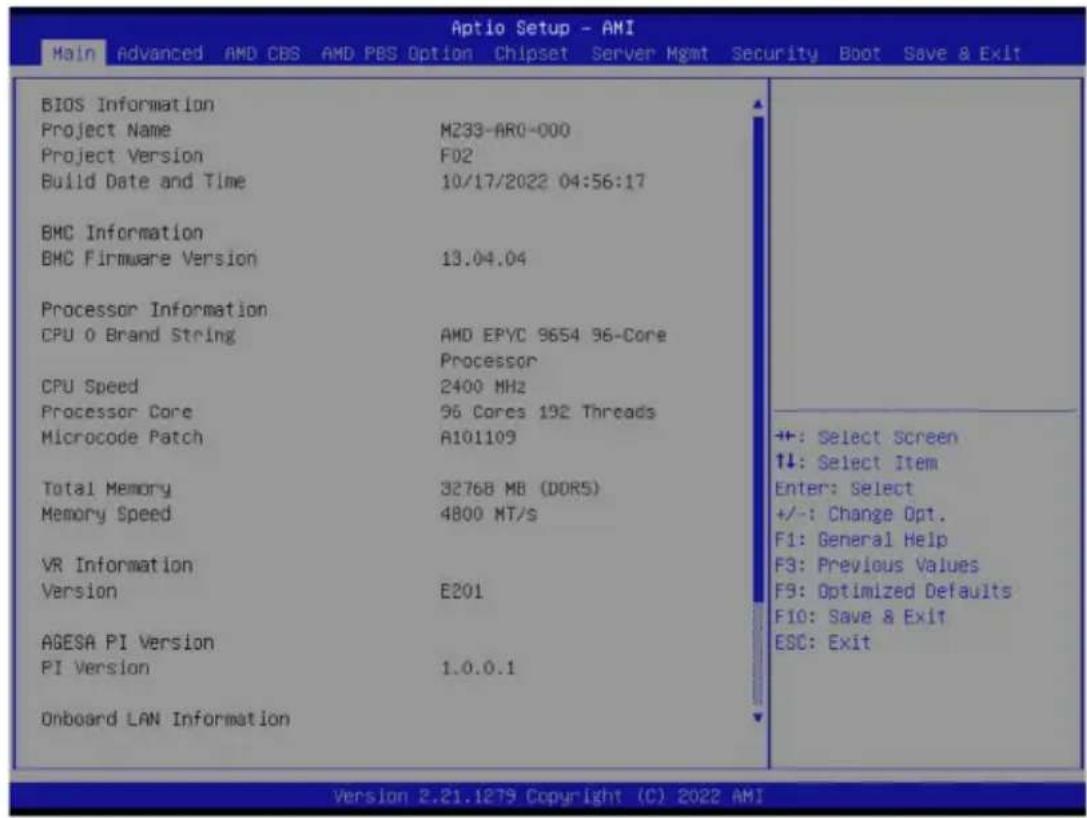
2-1 The Main Menu
Once you enter the BIOS Setup program, the Main Menu (as shown below) appears on the screen. Use arrow keys to move among the items and press
Main Menu Help
The on-screen description of a highlighted setup option is displayed on the bottom line of the Main Menu.
Submenu Help
While in a submenu, press

- When the system is not stable as usual, select the Restore Defaults item to set your system to its defaults.
- The BIOS Setup menus described in this chapter are for reference only and may differ by BIOS version.
![Aptio Setup - AMI Main Advanced AMD CBS AMD PBS Option Chipset Server Mgmt Security Boot Save 8 Exit Processor Information CPU 0 Brand String CPU 1 Brand String CPU Speed Processor Core Microcode Patch Total Memory Memory Speed VR Information Version AGESA PI Version PI Version Onboard LAN Information LAN1 MAC Address LAN2 MAC Address System Date System Time AMD EPYC 9654 96-Core Processor AMD EPYC 9654 96-Core Processor 2400 MHz 192 Cores 384 Threads A101109 32768 MB (DDR5) 4800 MT/s FFFF 1.0.0.0 D8-5E-D3-81-63-70 D8-5E-D3-81-63-71 [Ned 01/12/2022] [19:12:55] Set the Time. Use Tab to switch between Time elements. +: Select Screen ↑↓: Select Item Enter: Select +/-: Change Opt. F1: General Help F3: Previous Values F9: Optimized Defaults F10: Save & Exit ESC: Exit Version 2.21.1279 Copyright (C) 2022 AMI B4](/content/2026/04/671948/images/c8bb10251c7494cdcae682328cef3b19c7351dd16c329967b62e800264bcc2cf.jpg)
| Parameter | Description |
| BIOS Information | |
| Project Name | Displays the project name information. |
| Project Version | Displays version number of the BIOS setup utility. |
| Build Date and Time | Displays the date and time when the BIOS setup utility was created. |
| BMC Information^(Note1) | |
| BMC Firmware Version^(Note1) | Displays BMC firmware version information. |
| Processor Information | |
| CPU Brand String/ CPU Speed / Processor Core / Microcode Patch | Displays the technical specifications for the installed processor(s). |
| Total Memory^(Note2) | Displays the total memory size of the installed memory. |
| Memory Speed^(Note2) | Displays the frequency information of the installed memory. |
| VR Information Version Displays VR version information. | |
| AGESA PI Version | |
| PI Version Displays AGESA PI version information. | |
(Note1) Functions available on selected models.
(Note2) This section will display capacity and frequency information of the memory that the customer has installed.
| Parameter | Description |
| Onboard LAN Information | |
| LAN1 MAC Address ^(Note) | Displays LAN MAC address information. |
| LAN2 MAC Address ^(Note) | Displays LAN MAC address information. |
| System Date | Sets the date following the weekday-month-day-year format. |
| System Time | Sets the system time following the hour-minute-second format. |
(Note) The number of LAN ports listed will depend on the motherboard / system model.
2-2 Advanced Menu
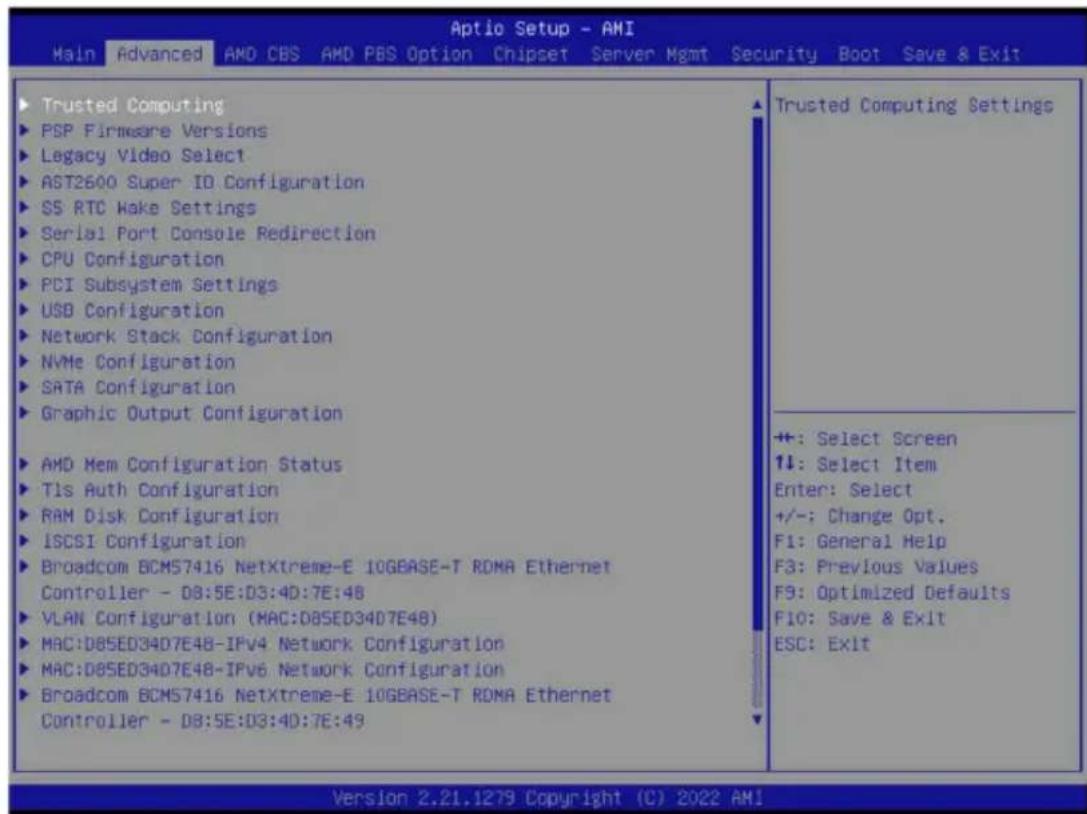
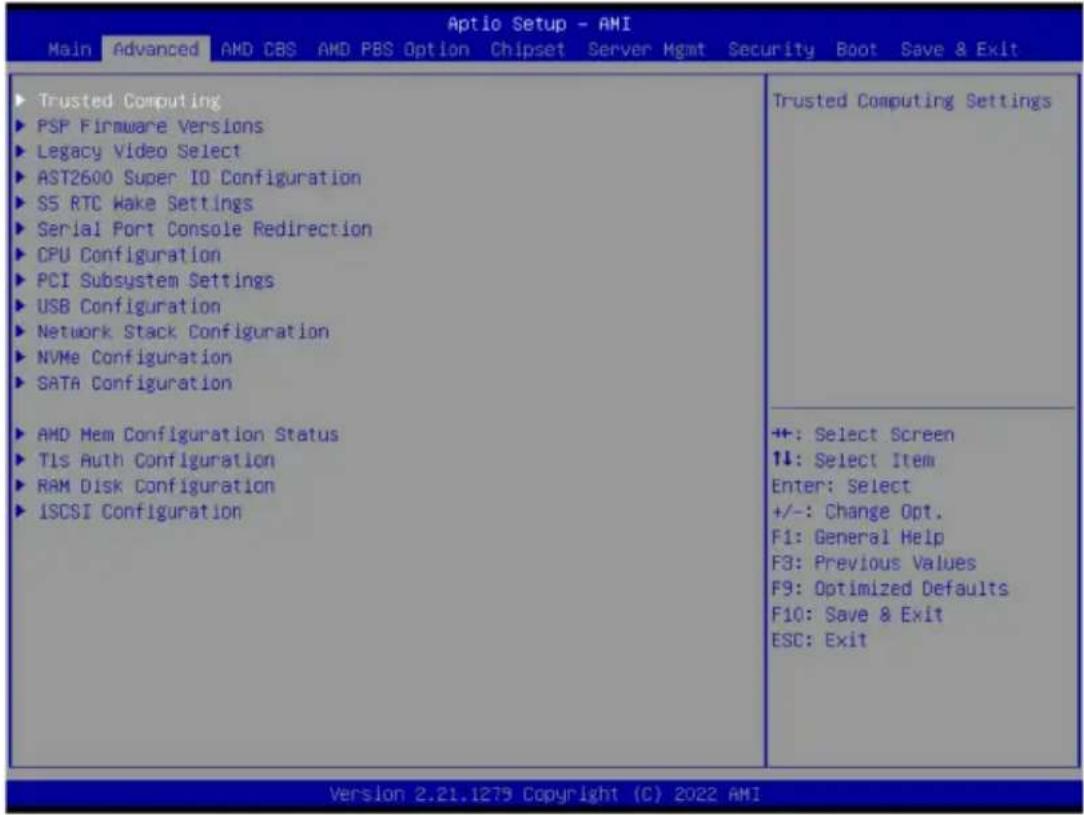
The Advanced Menu displays submenu options for configuring the function of various hardware components. Select a submenu item, then press
When Boot Mode Select is set to UEFI (Default)
When "Boot Mode Select" is set to Legacy in the Boot > Boot Mode Select section
2-2-1 Trusted Computing
![Aptio Setup - AMI Advanced Configuration Security Device Support [Enable] SPI TPM Support [Disabled] NO Security Device Found Enables or Disables BIOS support for security device. O.S. will not show Security Device. TCG EFI protocol and INT1A interface will not be available. +: Select Screen ↑↓: Select Item Enter: Select +/-: Change Opt. F1: General Help F3: Previous Values F9: Optimized Defaults F10: Save & Exit ESC: Exit Version 2.21.1279 Copyright (C) 2022 AMI B4](/content/2026/04/671948/images/1348269ea785cf8fc56cf346a8024c9106c75d613c6fb12313a65738c32d146d.jpg)
| Parameter | Description |
| Configuration | |
| Security Device Support | Enable/Disable BIOS support for security device. OS will not show security device. TCG EFI protocol and INT1A interface will not be available.Options available: Disable, Enable. Default setting is Enable. |
| SPI TPM Support | Select Enable to activate TPM support feature.Options available: Disabled, Enabled. Default setting is Disabled. |
2-2-2 PSP Firmware Versions
The PSP Firmware Versions page displays the basic PSP firmware version information. Items on this window are non-configurable.
| Aptio Setup - AMI | |
| Advanced | |
| PSP Firmware Versions | |
| ABL Version 10018012 PSP BootLoader Version 00.29.00.50 SMU FW Version 71.77.0 SEV FW Version 01.01.34.12 PHY FW Version 00.01.2F.00 MPIO FW Version 00.06.48 MMPDMA FW Version 47.03.00 Page Migration FW 00.47.20.00 GMI FW Version AB.01.1F.00 uCode B1 Version A101109 | |
| APCB Version 0000 APOB Version 0000 APPB Version 0000 | +: Select Screen ↑↓: Select Item Enter: Select +/-: Change Opt. F1: General Help F3: Previous Values F9: Optimized Defaults F10: Save & Exit ESC: Exit |
| Version 2.21.1279 Copyright (C) 2022 AMI | |
2-2-3 Legacy Video Select
![Optio Setup - AMI Advanced OnBrd/Ext VGA Select [Auto] Select between onboard or external VGA support. +: Select Screen 14: Select Item Enter: Select +/-: Change Opt. F1: General Help F3: Previous Values F9: Optimized Defaults F10: Save & Exit ESC: Exit Version 2.21.1279 Copyright (C) 2022 AMI](/content/2026/04/671948/images/0010a126ab0f8a552b4922394d1909ef433ceeae872b90dd76e2e75b2077e482.jpg)
| Parameter | Description |
| OnBrd/Ext VGA Select | Selects between onboard or external VGA support. Options available: Auto, Onboard, External. Default setting is Auto. |
(Note) This configurable option will be displayed when "Boot Mode Select" is set to Legacy in the Boot > Boot Mode Select section.
2-2-4 AST2600 Super IO Configuration

| Parameter | Description |
| AST2600 Super IO Configuration | |
| Super IO Chip Displays the super IO chip information | |
| Serial Port 1 Configuration | Press [Enter] for configuration of advanced items. |
2-2-4-1 Serial Port 1 Configuration
![Advanced Serial Port 1 Configuration Serial Port [Enabled] Device Settings IO=3F8h; IRQ=4; Change Settings [Auto] Enable or Disable Serial Port (COM) +: Select Screen ↑↓: Select Item Enter: Select +/-: Change Opt. F1: General Help F3: Previous Values F9: Optimized Defaults F10: Save & Exit ESC: Exit Version 2.21.1279 Copyright (C) 2022 AMI](/content/2026/04/671948/images/31a9dc8449328b3a06d1add85a233e758aab8d70824bf063bbe5d01787517934.jpg)
| Parameter | Description |
| Serial Port 1 Configuration | |
| Serial Port ^(Note) | Enable/Disable the Serial Port (COM). When set to Enabled allows you to configure the Serial port 1 settings. When set to Disabled, displays no configuration for the serial port.Options available: Disabled, Enabled. Default setting isEnabled. |
| Devices Settings Displays the Serial Port 1 device settings. | |
| Change Settings | Select an optimal settings for Super IO Device.Options available for Serial Port 1:AutoIO=3F8h; IRQ=4;IO=3F8h; IRQ=3, 4, 5, 6, 7, 9, 10, 11, 12;IO=2F8h; IRQ=3, 4, 5, 6, 7, 9, 10, 11, 12;IO=3E8h; IRQ=3, 4, 5, 6, 7, 9, 10, 11, 12;IO=2E8h; IRQ=3, 4, 5, 6, 7, 9, 10, 11, 12;Default setting isAuto. |
(Note) Advanced items prompt when this item is defined.
2-2-5 S5 RTC Wake Settings
| Aptio Setup - AMI Advanced | |
| Wake system from S5 [Disabled] | Enable or disable System wake on alarm event. Select FixedTime, system will wake on the hr::min::sec specified. Select DynamicTime, System will wake on the current time + Increase minute(s) |
| +: Select Screen ↑↓: Select Item Enter: Select +/-: Change Opt. F1: General Help F3: Previous Values F9: Optimized Defaults F10: Save & Exit ESC: Exit | |
| Parameter | Description |
| Wake System from S5 | Enable/Disable system wake on alarm event. Options available: Disabled, Fixed Time, Dynamic Time. When Fixed Time is selected, system will wake on the hr::min::sec specified. Default setting is Disabled. |
2-2-6 Serial Port Console Redirection
![Aptio Setup - AMI Advanced COM1/SOL Console Redirection [Disabled] ► Console Redirection Settings Legacy Console Redirection ► Legacy Console Redirection Settings Serial Port for Out-of-Band Management/ Windows Emergency Management Services (EMS) Console Redirection EMS [Disabled] ► Console Redirection Settings Console Redirection Enable or Disable. +: Select Screen +: Select Item Enter: Select +/-: Change Opt. F1: General Help F3: Previous Values F9: Optimized Defaults F10: Save & Exit ESC: Exit Version 2.21.1279 Copyright (C) 2022 AMI](/content/2026/04/671948/images/567933f70b1a9cb4e522d2a471fd30fdf291ad61b889ce1ad8c2c33ca4fec6fc.jpg)
| Parameter | Description |
| COM1/Serial Over LANConsole Redirection ^(Note) | Select whether to enable console redirection for specified device. Console redirection enables the users to manage the system from a remote location.Options available: Enabled, Disabled. Default setting isDisabled. |
| COM1/Serial Over LANConsole Redirection Settings | Press [Enter] to configure advanced items.Please note that this item is configurable when COM1/Serial Over LAN Console Redirection is set to Enabled.Terminal Type- Selects a terminal type to be used for console redirection.- Options available: VT100, VT100+, ANSI, VT-UTF8. Default setting isANSI.Bits per second- Selects the transfer rate for console redirection.- Options available: 9600, 19200, 38400, 57600, 115200. Default setting is115200.Data Bits- Selects the number of data bits used for console redirection.- Options available: 7, 8. Default setting is8. |
(Note) Advanced items prompt when this item is defined.
| Parameter | Description |
| COM1/Serial Over LAN Console Redirection Settings (continued) | Parity– A parity bit can be sent with the data bits to detect some transmission errors.– Even: parity bit is 0 if the num of 1's in the data bits is even.– Odd: parity bit is 0 if num of 1's in the data bits is odd.– Mark: parity bit is always 1. Space: Parity bit is always 0.– Mark and Space Parity do not allow for error detection.– Options available: None, Even, Odd, Mark, Space. Default setting is None.Stop Bits– Stop bits indicate the end of a serial data packet. (A start bit indicates the beginning). The standard setting is 1 stop bit.Communication with slow devices may require more than 1 stop bit.– Options available: 1, 2. Default setting is 1.Flow Control– Flow control can prevent data loss from buffer overflow. When sending data, if the receiving buffers are full, a 'stop' signal can be sent to stop the data flow. Once the buffers are empty, a 'start' signal can be sent to re-start the flow. Hardware flow control uses two wires to send start/stop signals.– Options available: None, Hardware RTS/CTS. Default setting is None.VT-UTF8 Combo Key Support– Enable/Disable the VT-UTF8 Combo Key Support.– Options available: Enabled, Disabled. Default setting is Enabled.Recorder Mode– When this mode enabled, only texts will be send. This is to capture Terminal data.– Options available: Enabled, Disabled. Default setting is Disabled.Resolution 100x31– Enable/Disable extended terminal resolution.– Options available: Enabled, Disabled. Default setting is Enabled.Putty KeyPad– Selects Function Key and KeyPad on Putty.– Options available: VT100, LINUX, XTERMR6, SC0, ESCN, VT400. Default setting is VT100. |
| Legacy Console Redirection | |
| Legacy Console Redirection Settings | Press [Enter] to configure advanced items.◆Redirection COM Port-Selects a COM port for Legacy serial redirection.-Default setting isCOM1/SOL.◆Resolution-Selects the number of rows and columns used in Console Redirection for legacy OS support.-Options available: 80x24, 80x25. Default setting is80x24.◆Redirect After POST-When Bootloader is selected, then Legacy Console Redirection is disabled before booting to legacy OS. When Always Enable is selected, then Legacy Console Redirection is enabled for legacy OS.-Options available: Always Enable, BootLoader. Default setting isAlways Enable. |
| Serial Port for Out-of-Band Management / Windows Emergency Management Services (EMS) Console Redirection ^(Note) | EMS console redirection allows the user to configure Console Redirection Settings to support Out-of-Band Serial Port management.Options available: Disabled, Enabled. Default setting isDisabled. |
| Serial Port for Out-of-Band EMS Console Redirection Settings | Press [Enter] to configure advanced items.Please note that this item is configurable when Serial Port for Out-of-Band Management EMS Console Redirection is set to Enabled.◆Out-of-Band Mgmt Port-Microsoft Windows Emergency Management Service (EMS) allows for remote management of a Windows Server OS through a serial port.-Default setting isCOM1/SOL.◆Terminal Type-Selects a terminal type to be used for console redirection.-Options available: VT100, VT100+, ANSI, VT-UTF8. Default setting isANSI.◆Bits per second-Selects the transfer rate for console redirection.-Options available: 9600, 19200, 57600, 115200. Default setting is115200. |
(Note) Advanced items prompt when this item is defined.
| Parameter | Description |
| Serial Port for Out-of-Band EMS Console Redirection Settings(continued) | ◆ Flow Control– Flow control can prevent data loss from buffer overflow. When sending data, if the receiving buffers are full, a 'stop' signal can be sent to stop the data flow. Once the buffers are empty, a 'start' signal can be sent to re-start the flow. Hardware flow control uses two wires to send start/stop signals.– Options available: None, Hardware RTS/CTS, Software Xon/Xoff. Default setting is None. |
2-2-7 CPU Configuration
![Advanced Aptio Setup - AMI CPU Configuration SVM Mode [Enabled] ► CPU 0 Information Enable/disable CPU Virtualization ++: Select Screen ↑↓: Select Item Enter: Select +/-: Change Opt. F1: General Help F3: Previous Values F9: Optimized Defaults F10: Save & Exit ESC: Exit Version 2.21.1279 Copyright (C) 2022 AMI](/content/2026/04/671948/images/e63f565fe9f6c43fb48c2f919607412197a29a3be8718852c6338dd293ad6f42.jpg)
| Parameter | Description |
| SVM Mode | Enable/Disable the CPU Virtualization.Options available: Disabled, Enabled. Default setting is Enabled. |
| CPU 0 Information | Press [Enter] to view the memory information related to CPU 0. |
2-2-8 PCI Subsystem Settings
![PCI Bus Driver Version PCIE_3 PCIE_3 I/O ROM PCIE_3 Link Speed U2_P0_G0 U2_P0_G0 I/O ROM U2_P0_G0 Link Speed PCIE_4 PCIE_4 I/O ROM PCIE_4 Link Speed U2_P0_G1 U2_P0_G1 I/O ROM U2_P0_G1 Link Speed PCIE_6 PCIE_6 I/O ROM PCIE_6 Link Speed U2_P0_G2 U2_P0_G2 I/O ROM A5.01.28 [Auto] [Enabled] [Auto] [Auto] [Enabled] [Auto] [Auto] [Enabled] [Auto] [Auto] [Auto] [Enabled] [Auto] [Auto] [Enabled] [Auto] Change PCIE_3 PCIe lanes. +: Select Screen ↑↓: Select Item Enter: Select +/-: Change Opt. F1: General Help F3: Previous Values F9: Optimized Defaults F10: Save & Exit ESC: Exit Version 2.21.1279 Copyright (C) 2022 AMI](/content/2026/04/671948/images/b973360ab9bb241951ddba59dce09ad928be9667e117b21cfc2714340d6846ca.jpg)
![Advanced PCIE_6 PCIE_6 I/O ROM PCIE_6 Link Speed [U2_P0_G2 U2_P0_G2 I/O ROM U2_P0_G2 Link Speed PCIE_7 PCIE_7 I/O ROM PCIE_7 Link Speed U2_P0_G3 U2_P0_G3 I/O ROM U2_P0_G3 Link Speed Onboard LAN Controller Onboard LAN1 I/O ROM Onboard LAN2 I/O ROM PCI Devices Common Settings: Above 4G Decoding SR-IOV Support Relaxed Ordering [Auto] [Enabled] [Auto] [Auto] [Enabled] [Auto] [SATA] [Enabled] [Auto] [Enabled] [Enabled] [Enabled] [Enabled] Enables or Disables PCI Express Device Relaxed Ordering. ++: Select Screen ↑↓: Select Item Enter: Select +/-: Change Opt. F1: General Help F3: Previous Values F9: Optimized Defaults F10: Save & Exit ESC: Exit Version 2.21.1279 Copyright (C) 2022 AMI](/content/2026/04/671948/images/952b53627c76439d7c5641ef8517d1451eea0987cf116f03852f49aab2680964.jpg)
| Parameter | Description |
| PCI Bus Driver Version | Displays the PCI Bus Driver version information. |
| PCIE_\#^(Note1) | Change the PCIe lanes.Options available: Disabled, Auto, x16, x8x8, x8x4x4, x4x4x8, x4x4x4x4. Default setting isAuto. |
| SLOT \#_I/O ROM^(Note1) | When enabled, this setting will initialize the device expansion ROM for the related PCI-E slot.Options available: Disabled, Enabled. Default setting isEnabled. |
| SLOT \#_Link Speed^(Note1) | Configure PCIe max link speed.Options available: Auto, Gen4, Gen3, Gen2, Gen1.Default setting isAuto. |
| U2_P0_G0/1/2 Lanes^(Note2) | Change MCIO PCIe lanes.Options available: Disabled, Auto, x8, x16, x4x4, x8x8, x8x4x4, x4x4x8, x4x4x4x4. Default setting isAuto. |
| U2_P0_G3 Lanes | Change MCIO U2_P0_G3 PCIe lanes.Options available: Disabled, SATA, x16, x8x8, x8x4x4, x4x4x8, x4x4x4x4. Default setting isSATA. |
| U2_P0_G0/1/2/3 I/O ROM^(Note2) | When enabled, this setting will initialize the device expansion ROM for the related devices.Options available: Disabled, Enabled. Default setting isEnabled. |
| U2_P0_G0/1/2/3 Link Speed^(Note2) | Configure MCIO PCIe max link speed.Options available: Auto, Gen4, Gen3, Gen2, Gen1.Default setting isAuto. |
| Onboard LAN Controller ^(Note3) | Enable/Disable the onboard LAN devices.Options available: Disabled, Enabled. Default setting isEnabled. |
| Onboard LAN# I/O ROM ^(Note3) | Enable/Disable the onboard LAN devices, and initializes device expansion ROM.Options available: Disabled, Enabled. Default setting isEnabled. |
| PCI Devices Common Settings | |
| Above 4G Decoding | Enable/Disable memory mapped I/O to 4GB or greater address space (Above 4G Decoding).Options available: Disabled, Enabled. Default setting isEnabled. |
| SR-IOV Support | If the system has SR-IOV capable PCIe devices, this item Enable/Disable Single Root IO Virtualization Support.Options available: Disabled, Enabled. Default setting isEnabled. |
| Relaxed Ordering | Enable/Disable PCI express device relaxed ordering.Options available: Disabled, Enabled. Default setting isEnabled. |
(Note1) This section is dependent on the available PCIe Slot.
(Note2) This section is dependent on the available MCIO connector.
(Note3) This section is dependent on the available LAN controller.
2-2-9 USB Configuration
![Advanced Aptio Setup - AMI USB Configuration USB Module Version 29 USB Controllers: 2 XHCIs USB Devices: 4 Keyboards, 3 Mice, 6 Hubs Legacy USB Support [Enabled] XHCI Hand-off [Enabled] USB Mass Storage Driver Support [Enabled] USB hardware delays and time-outs: USB transfer time-out [20 sec] Device reset time-out [20 sec] Device power-up delay [Auto] Enables Legacy USB support. AUTO option disables legacy support if no USB devices are connected. DISABLE option will keep USB devices available only for EFI applications. ++: Select Screen ↑↓: Select Item Enter: Select +/-: Change Opt. F1: General Help F3: Previous Values F9: Optimized Defaults F10: Save & Exit ESC: Exit Version 2.21.1279 Copyright (C) 2022 AMI](/content/2026/04/671948/images/43831d7d905b949697809f14bf72513798041958c4dbd1c61e6bde68e05b24b6.jpg)
| Parameter | Description |
| USB Configuration | |
| USB Module Version | Displays the USB module version information. |
| USB Controllers | Displays the supported USB controllers. |
| USB Devices: | Displays the USB devices connected to the system. |
| Legacy USB Support | Enable/Disable the Legacy USB support function. AUTO option disables legacy support if no USB devices are connected. DISABLE option will keep USB devices available only for EFI applications.Options available: Enabled, Disabled, Auto. Default setting is Enabled. |
| XHCI Hand-off | Enable/Disable the XHCI Hand-off support.Options available: Enabled, Disabled. Default setting is Enabled. |
| USB Mass Storage Driver Support ^(Note) | Enable/Disable the USB Mass Storage Driver Support.Options available: Disabled, Enabled. Default setting is Enabled. |
| USB hardware delays and time-outs | |
| USB transfer time-out | Selects the time-out value for USB Control/Bulk/Interrupt transfers.Options available: 1 sec, 5 sec, 10 sec, 20 sec.Default setting is 20 sec. |
(Note) This item is present only if you attach USB devices.
| Parameter | Description |
| Device reset time-out | Selects the time-out value during a USB mass storage device reset. Options available: 10 sec, 20 sec, 30 sec, 40 sec. Default setting is 20 sec. |
| Device power-up delay | Maximum time the device will take before it properly reports itself to the Host Controller. "Auto" uses default value: for a Root port it is 100 ms, for a Hub port the delay is taken from Hub descriptor. Options available: Auto, Manual. Default setting is Auto. |
2-2-10 Network Stack Configuration
| Advanced Aptio Setup - AMI | ||
| Network Stack | [Enabled] | Enable/Disable UEFI Network Stack |
| IPv4 PXE Support | [Enabled] | |
| IPv4 HTTP Support | [Disabled] | |
| IPv6 PXE Support | [Enabled] | |
| IPv6 HTTP Support | [Disabled] | |
| PXE boot wait time | 1 | |
| Media detect count | 1 | |
| +: Select Screen ↑↓: Select Item Enter: Select +/-: Change Opt. F1: General Help F3: Previous Values F9: Optimized Defaults F10: Save & Exit ESC: Exit | ||
| Parameter | Description |
| Network Stack | Enable/Disable the UEFI network stack.Options available: Enabled, Disabled. Default setting is Enabled. |
| Ipv4 PXE Support^(Note) | Enable/Disable the lpv4 PXE feature.Options available: Enabled, Disabled. Default setting is Enabled. |
| Ipv4 HTTP Support^(Note) | Enable/Disable the lpv4 HTTP feature.Options available: Enabled, Disabled. Default setting is Disabled. |
| Ipv6 PXE Support^(Note) | Enable/Disable the lpv6 PXE feature.Options available: Enabled, Disabled. Default setting is Enabled. |
| Ipv6 HTTP Support^(Note) | Enable/Disable the lpv6 HTTP feature.Options available: Enabled, Disabled. Default setting is Disabled. |
| PXE boot wait time^(Note) | Wait time in seconds to press ESC key to abort the PXE boot.Press the <+> / <-> keys to increase or decrease the desired values. |
| Media detect count^(Note) | Number of times the presence of media will be checked.Press the <+> / <-> keys to increase or decrease the desired values. |
(Note) This item appears when Network Stack is set to Enabled.
2-2-11 NVMe Configuration
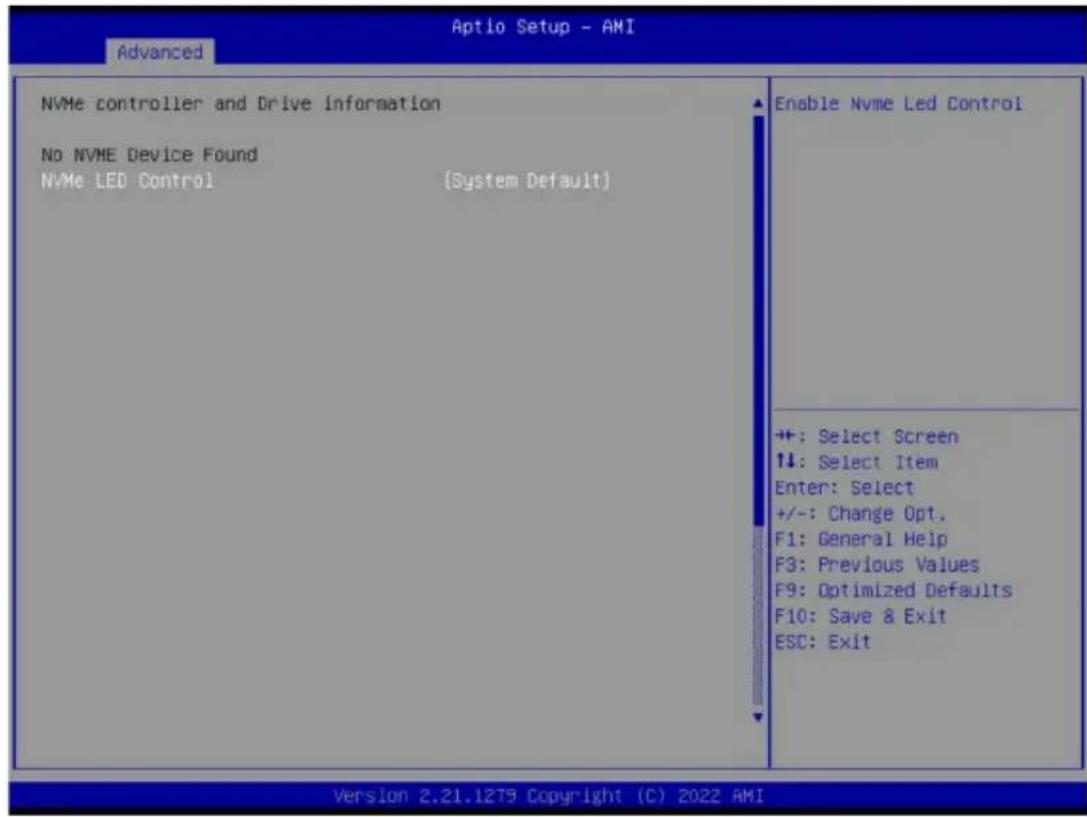
| Parameter | Description |
| NVMe Configuration | Displays the NVMe devices connected to the system. |
| NVMe LED Control | Enable/Disable NVMe LED Control.Options available: System Default, Disabled, Enabled.Default setting is Enabled. |
2-2-12 SATA Configuration
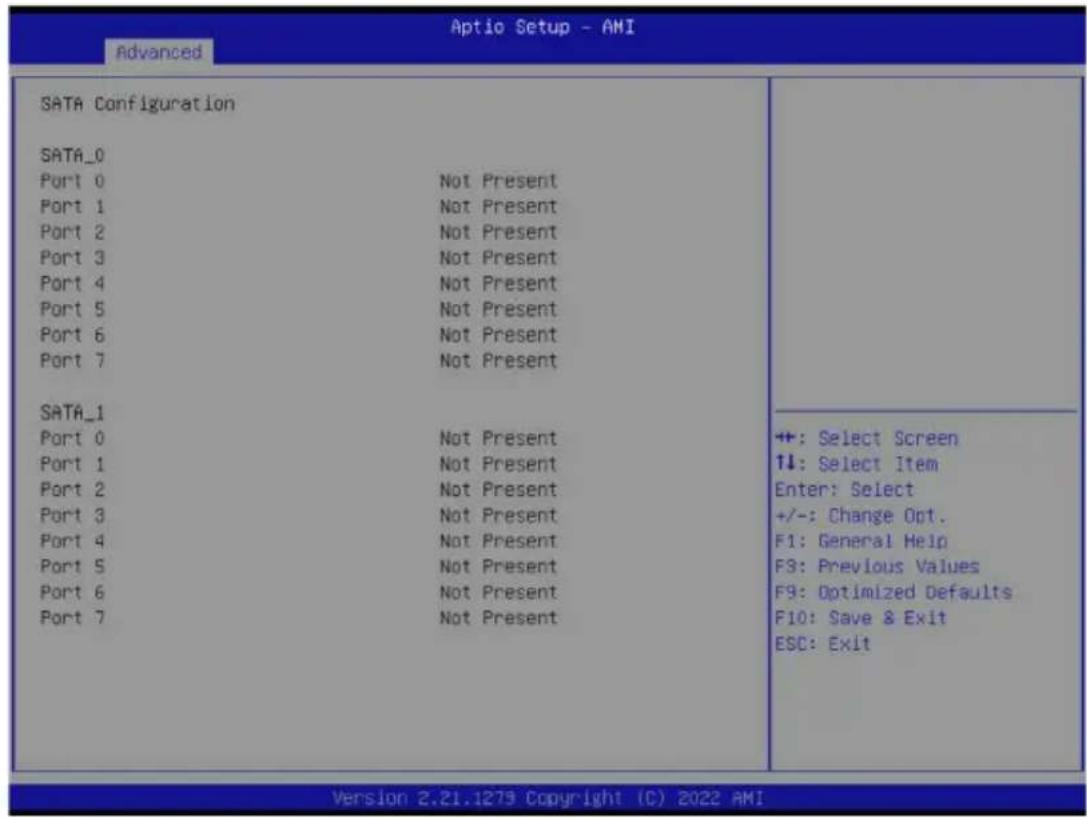
| Parameter | Description |
| SATA Configuration | Displays the installed HDD devices information. System will automatically detect HDD type. |
2-2-13 Graphic Output Configuration
![Aptio Setup - AMI Advanced Graphic Output Configuration Output Device Type [Onboard Device] Select Output Device Type +: Select Screen 1↓: Select Item Enter: Select +/-: Change Opt. F1: General Help F3: Previous Values F9: Optimized Defaults F10: Save & Exit ESC: Exit Version 2.21.1279 Copyright (C) 2022 AMI](/content/2026/04/671948/images/8d070ba755515ffe0b80df40ede00666c27552c110886da6c6b90b111e81e1a5.jpg)
| Parameter | Description |
| Output Device Type | Selects output device type. Options available: First loaded Device, Onboard Device, External Device, Specific Device. Default setting is Onboard Device. |
2-2-14 AMD Mem Configuration Status
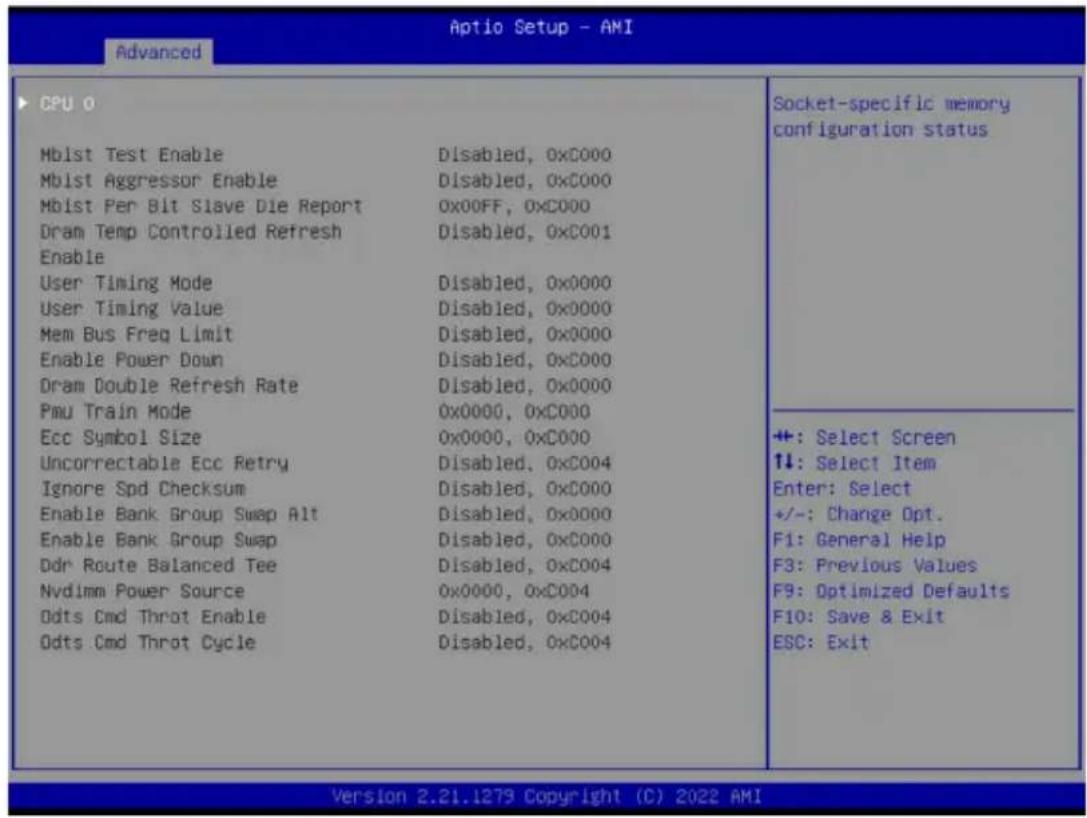
| Parameter | Description |
| CPU 0 | Press [Enter] to view the memory configuration status related to CPU 0. |
2-2-15 TIs Auth Configuration
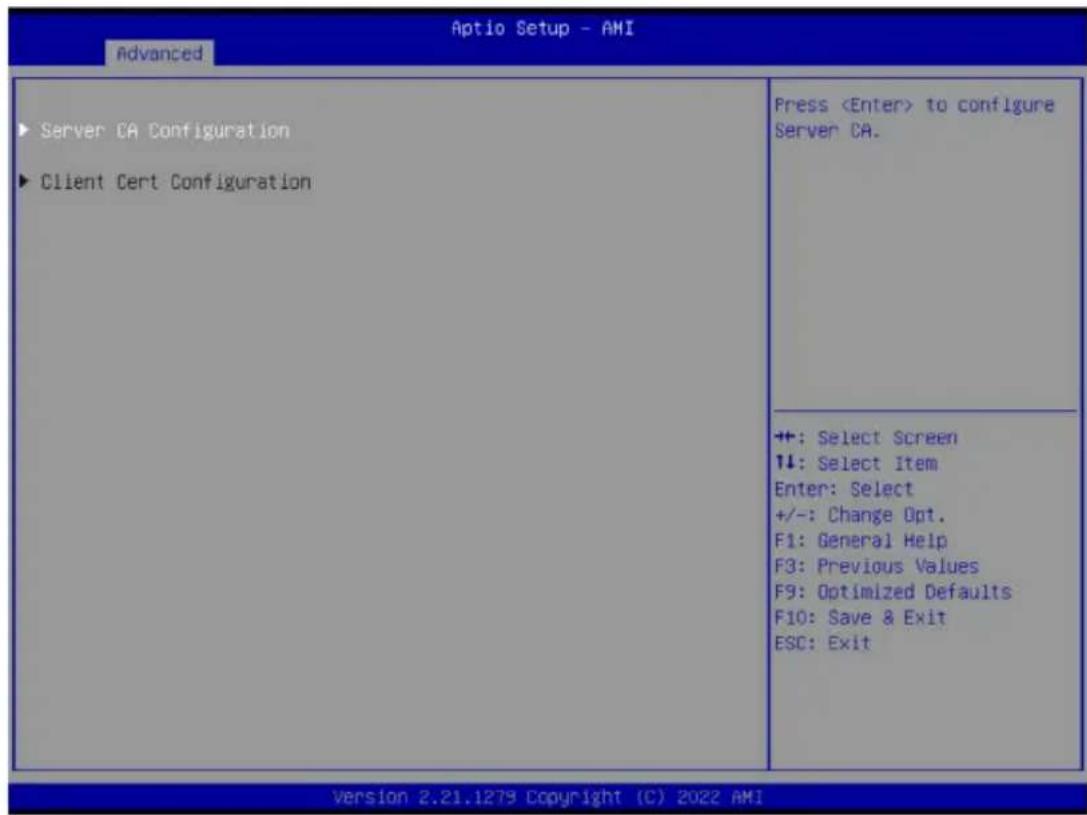
| Parameter Description | |
| Server CA Configuration | Press [Enter] for configuration of advanced items.◆ Enroll Cert- Press [Enter] to enroll a certificate• Enroll Cert Using File• Cert GUIDInput digit character in 1111111-2222-3333-4444-1234567890ab format.- Commit Changes and Exit- Discard Changes and Exit◆ Delete Cert |
| Client Cert Configuration | Press [Enter] for configuration of advanced items. |
2-2-16 RAM Disk Configuration
| Disk Memory Type: [Boot Service Data] ► Create raw ► Create from file Created RAM disk list: Remove selected RAM disk(s). | Specifies type of memory to use from available memory pool in system to create a disk. |
| +: Select Screen 14: Select Item Enter: Select +/-: Change Opt. F1: General Help F3: Previous Values F9: Optimized Defaults F10: Save & Exit ESC: Exit |
| Parameter | Description |
| Disk Memory Type | Specifies the type of memory to use from available memory pool in system to create a disk.Options available: Boot Service Data, Reserved.Default setting isBoot Service Data. |
| Create Raw | Creates a raw RAM disk.◆ Size (Hex)– Input a valid RAM disk size that should be multiple of the RAM disk block size.◆ Create & Exit◆ Discard & Exit |
| Create from file | Creates a RAM disk from a given file. |
| Created RAM disk list | |
| Remove selected RAM disk(s) | Selects the RAM disk(s) to remove. |
2-2-17 iSCSI Configuration
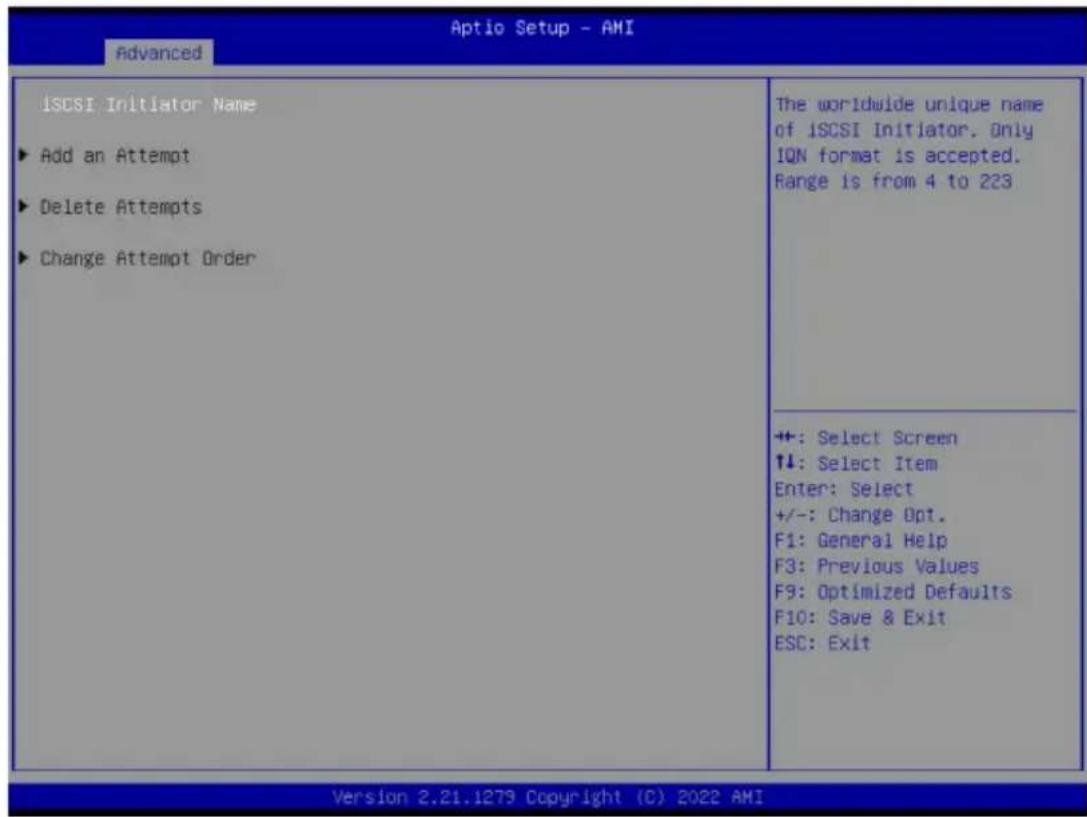
| Parameter | Description |
| iSCSI Initiator Name | Press [Enter] and name iSCSI Initiator. Only IQN format is accepted. Range: from 4 to 223 |
| Add an Attempt | Press [Enter] to configure advanced items. |
| Delete Attempts | Press [Enter] to configure advanced items. |
| Change Attempt Order | Press [Enter] to configure advanced items. |
2-2-18 Broadcom BCM57416 10GBASE-T Network Connection
![Aptio Setup - AMI Advanced ► Firmware Image Menu ► Device Configuration Menu ► MBA Configuration Menu ► iSCSI Boot Configuration Menu Blink LEDs 0 Link Status [Disconnected] Physical Link Speed None Chip Type BCM57416:B1 PCI Device ID 16D8 Bus:Device:Function 01:00:00 Permanent MAC Address D8:5E:D3:4D:7E:48 Virtual MAC Address D8:5E:D3:4D:7E:48 Restore Defaults Firmware image information. ++: Select Screen ↑↓: Select Item Enter: Select +/-: Change Opt. F1: General Help F3: Previous Values F9: Optimized Defaults F10: Save & Exit ESC: Exit Version 2.21.1279 Copyright (C) 2022 AMI](/content/2026/04/671948/images/d0d3ff8eff19434343bd126ea9ee246591f1ae8d5e8a8fe92090726f95fead14.jpg)
Parameter Description
| Firmware Image Menu | Press [Enter] to view firmware image information. |
| Device Configuration Menu | Press [Enter] to configure advanced items.◆ Multi-Function Mode– Configures the NIC Hardware Mode.– Options available: SF, NPAR 1.0. Default setting isSF.◆ SR-IOV– Enable/Disable Single Root I/O Virtualization.– Options available: Disabled, Enabled. Default setting isDisabled.◆ Number of MSI-X Vectors per VF– Configures the number of MSI-X Vectors per VF (0-128).– Default setting is16.◆ Maximum Number of PF MSI-X Vectors– Configures the maximum number of PF MSI-X Vectors (0-512 per controller).– Default setting is74.◆ Energy Efficient Ethernet– Enable/Disable Energy Efficient Ethernet operation.– Options available: Disabled, Enabled. Default setting isDisabled.◆ Operational Link Speed– Configures the link speed setting to be used as the default link speed for the selected port.– Options available: AutoNeg. Default setting isAutoNeg. |
| Parameter | Description |
| Device Configuration Menu (continued) | Support RDMA- Enable/Disable RDMA support for this port.- Options available: Disabled, Enabled. Default setting is Disabled.DCB Protocol- Enable/Disable DCB protocol.- Options available: Disabled, Enabled (IEEE only), CEE (only), Both (IEEE preferred with fallback to CEE). Default setting is Disabled.LLDP nearest bridge- Enable/Disable LLDP nearest bridge state.- Options available: Disabled, Enabled. Default setting is Enabled.Default EVB Mode- Configures the default Edge Virtual Bridging mode.- Options available: VEB, VEPA, None. Default setting is VEB.Enable PME Capability- Enable/Disable PME Capability support.- Options available: Disabled, Enabled. Default setting is Enabled.Flow Offload- Options available: Enabled, Disabled. Default setting is Disabled.Live Firmware Upgrade- Options available: Enabled, Disabled. Default setting is Disabled.Adapter Error Recovery- Options available: Enabled, Disabled. Default setting is Disabled. |
| MBA Configuration Menu | Press [Enter] to configure advanced items.Option ROM- Enable/Disable Boot Option ROM.- Options available: Disabled, Enabled. Default setting is Enabled.Legacy Boot Protocol- Selects non-UEFI Boot Protocol: Preboot Execution Environment (PXE)/iSCSI.- Options available: PXE, iSCSI, NONE. Default setting is PXE.Bot Strap Type- Selects the boot strap type. Options available: Auto Detect, BBS, Int 18h, Int 19h. Default setting is Auto Detect.Hide Setup Prompt- Configures whether the Setup Prompt is displayed during ROM initialization.- Options available: Disabled, Enabled. Default setting is Disabled.Setup Key Stroke- Configures key strokes to invoke the configuration menu.- Options available: Ctrl-S, Ctrl-B. Default setting is Ctrl-S%.Banner Message Timeout- Selects the timeout value. (0 defaults to 4 seconds, 15 is no delay, 1-14 is timeout value in seconds)- Default setting is 5. |
| Parameter Description | |
| MBA Configuration Menu (continued) | ◆ Pre-boot Wake On LAN– Configures Pre-boot Wake on LAN (WOL).– Options available: Disabled, Enabled. Default setting is Enabled.◆ VLAN Mode– Configures the virtual LAN (VLAN) mode.– Options available: Disabled, Enabled. Default setting is Disabled.◆ VLAN ID– Configures the VLAN ID (1...4094).– This item is available only when VLAN Mode is Enabled.◆ Boot Retry Count– Selects the number of boot retries.– Options available: No Retry, 1 Retry, 2 Retries, 3 Retries, 4 Retries, 5 Retries, 6 Retries, Indefinite Retries. Default setting is No Retry. |
| iSCSI Boot Configuration Menu | Press [Enter] to configure advanced items. |
| Blink LEDs | Identifies the physical network port by blinking the associated LED.Press the numeric keys to adjust desired values. |
| Link Status | Specifies the link status of the port. |
| Physical Link Speed | Displays the technical specifications for the Network Interface Controller. |
| Chip Type | Displays the technical specifications for the Network Interface Controller. |
| PCI Device ID | Displays the technical specifications for the Network Interface Controller. |
| Bus:Device:Function | Displays the technical specifications for the Network Interface Controller. |
| Permanent MAC Address | Displays the MAC address of the Ethernet controller. |
| Virtual MAC Address | Displays the virtual MAC address of the Ethernet controller. |
| Restore Defaults | Resets the adapter to factory defaults. |
2-2-18-1 iSCSI Boot Configuration Menu
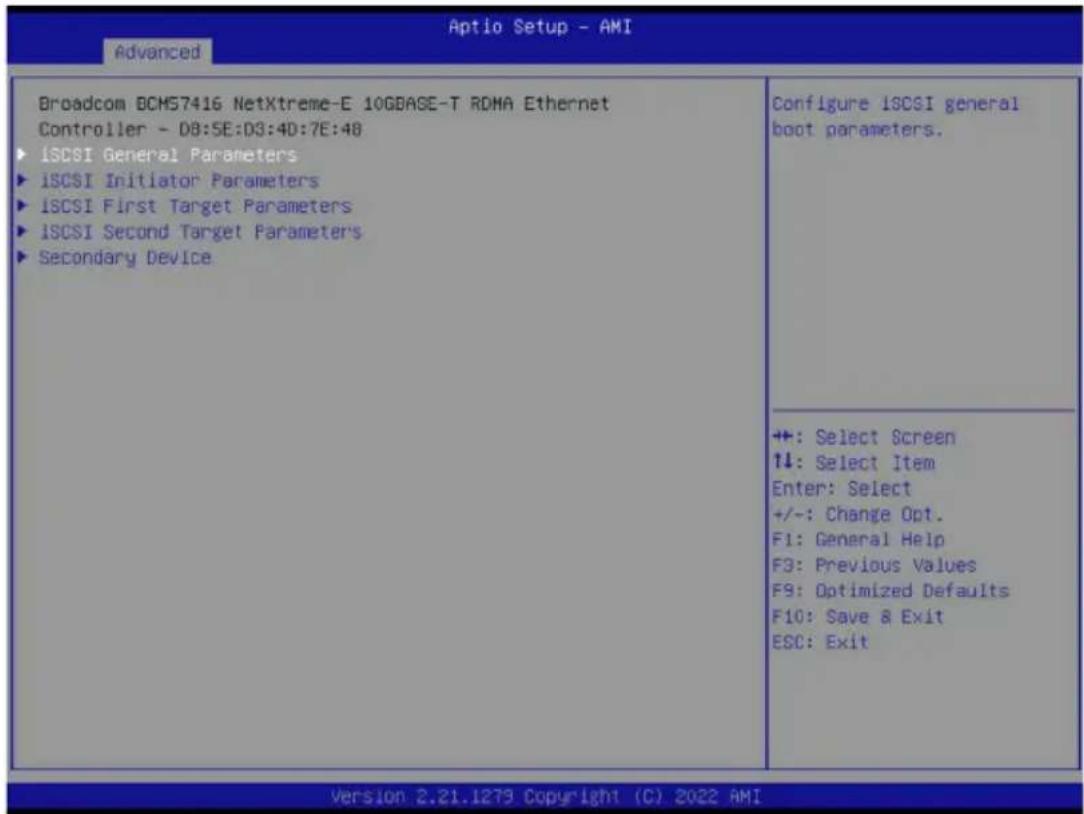
Parameter Description
| iSCSI General Parameters | Press [Enter] to configure advanced items.◆ TCP/IP Parameters via DHCP- Acquires TCP/IP Parameters via DHCP.- Options available: Disabled, Enabled. Default setting is Enabled.◆ IP Autoconfiguration- Auto-configures the IP configuration.◆ iSCSI Parameters via DHCP- Acquires iSCSI Parameters via DHCP.- Options available: Disabled, Enabled. Default setting is Disabled.◆ CHAP Authentication- Enable/Disable the CHAP authentication.- Options available: Disabled, Enabled. Default setting is Disabled.◆ Boot to iSCSI Target- Enable/Disable booting to iSCSI target after log-on.- Options available:Disabled, Enabled, One Time Disabled. Default setting is Enabled.◆ DHCP Vendor ID- Configures the DHCP vendor ID (up to 32 characters long).◆ Link Up Delay Time- Configures the link up delay time in seconds (0-225). |
| Parameter | Description |
| iSCSI General Parameters (continued) | Use TCP Timestamp- Enable/Disable the TCP timestamp.- Options available: Disabled, Enabled. Default setting isDisabled.Target as First HDD- Enable/Disable target appears as first hard disk drive (HDD) in the system.- Options available: Disabled, Enabled. Default setting isDisabled.LUN Busy Retry Count- Configures the number of retries in 2 second intervals when LUN is busy (0-60).- Default setting is0.IP Version- Displays the IP version supported. Modifying this parameter will reset all IP-related fields.- Options available: IPv4, IPv6. Disabled. Default setting isIPv4. |
| iSCSI Initiator Parameters | Press [Enter] to configure advanced items.IP Address- Configures the initiator IP address.Subnet Mask- Configures the IP subnet mask.Default Gateway- Configures the default gateway IP address.Primary DNS- Configures the primary DNS IP address.Secondary DNS- Configures the secondary DNS IP address.iSCSI Name- Configures the iSCSI name.CHAP ID- Configures the Challenge-Handshake Authentication Protocol (CHAP) ID (up to 128 characters in length).CHAP Secret- Configure the Challenge-Handshake Authentication Protocol (CHAP) Secret (12 to 16 characters in length). |
| iSCSI First/Second Target Parameters | Press [Enter] to configure advanced items.Connect- Enable/Disable the target establishment.- Options available: Disabled, Enabled. Default setting isDisabled.IP Address- Configures the Target IP address.TCP Port- Configures the Target TCP port number (1-65535). |
| iSCSI First/Second Target Parameters (continued) | ◆ Boot LUN– Configures the Target boot LUN number (0-255).◆ iSCSI Name– Configures the iSCSI name.◆ CHAP ID– Configures the Challenge-Handshake Authentication Protocol (CHAP) ID (up to 128 characters in length).◆ CHAP Secret– Configure the Challenge-Handshake Authentication Protocol (CHAP) Secret (12 to 16 characters in length). |
| Secondary Device | Press [Enter] to configure advanced items.◆ Secondary Device– Inputs the secondary device MAC address.◆ Use Independent Target Portal– Use Independent target portal when multipath I/O is enabled.– Options available: Disabled, Enabled. Default setting is Disabled.◆ Use Independent Target Name– Use Independent target name when multipath I/O is enabled.– Options available: Disabled, Enabled. Default setting is Disabled. |
2-2-19 VLAN Configuration
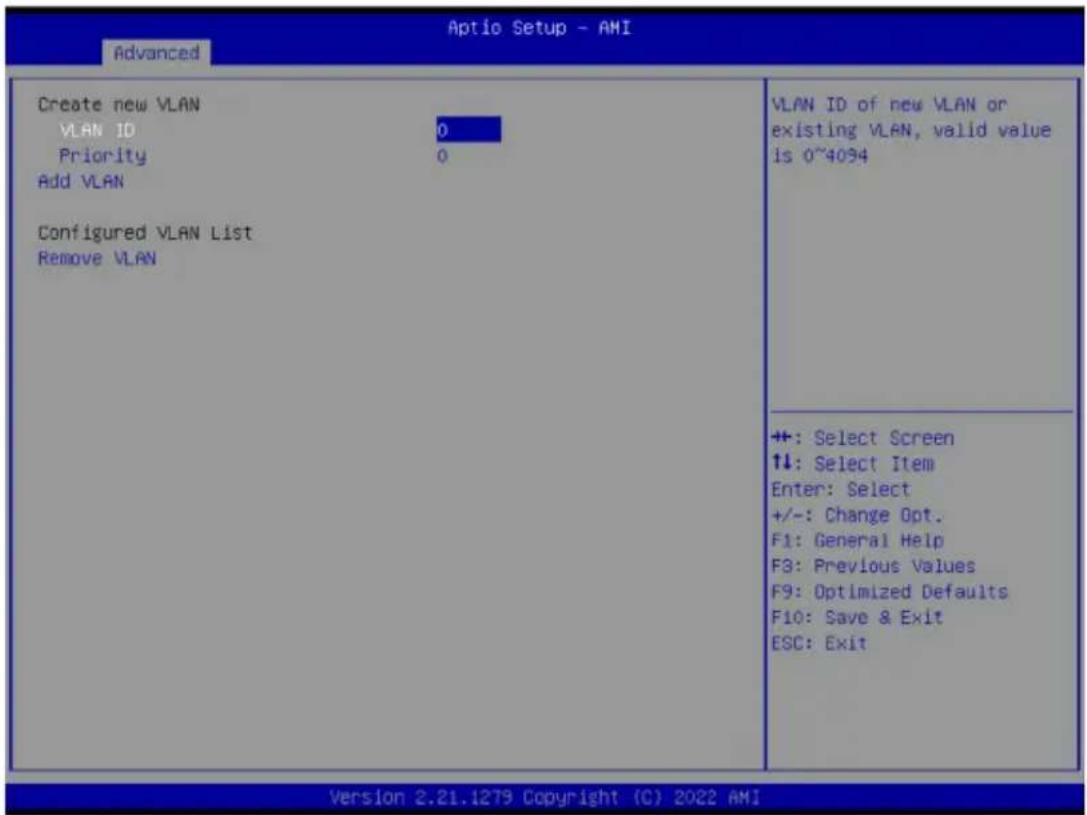
| Parameter | Description |
| Enter Configuration Menu | Press [Enter] to configure advanced items.◆ Create new VLAN◆ VLAN ID- Sets VLAN ID for a new VLAN or an existing VLAN.- Press the <+> / <-> keys to increase or decrease the desired values.- The valid range is from 0 to 4094.◆ Priority- Sets 802.1Q Priority for a new VLAN or an existing VLAN.- Press the <+> / <-> keys to increase or decrease the desired values.- The valid range is from 0 to 7.◆ Add VLAN- Press [Enter] to create a new VLAN or update an existing VLAN.◆ Configured VLAN List◆ Remove VLAN- Press [Enter] to remove an existing VLAN. |
2-2-20 MAC IPv4 Network Configuration
| Aptio Setup - AMI | |
| Advanced | |
| Configured [Disabled] Save Changes and Exit | Indicate whether network address configured successfully or not. |
| +: Select Screen ↑↓: Select Item Enter: Select +/-: Change Opt. F1: General Help F3: Previous Values F9: Optimized Defaults F10: Save & Exit ESC: Exit | |
| Version 2.21.1279 Copyright (C) 2022 AMI | |
| Parameter Description | |
| Configured | Indicates whether network address is configured successfully or not. Options available: Enabled, Disabled. Default setting is Disabled. |
| Enable DHCP ^(Note) | Options available: Enabled, Disabled. Default setting is Disabled. |
| Local IP Address ^(Note) | Press [Enter] to configure local IP address. |
| Local NetMask ^(Note) | Press [Enter] to configure local NetMask. |
| Local Gateway ^(Note) | Press [Enter] to configure local Gateway |
| Local DNS Servers ^(Note) | Press [Enter] to configure local DNS servers |
| Save Changes and Exit Press [Enter] to save all configurations. | |
(Note) This item appears when Configured is set to Enabled.
2-2-21 MAC IPv6 Network Configuration
| Advanced Aptio Setup - AMI | |
| Interface Name : etho Interface Type : Ethernet MAC address : D8-5E-D3-81-63-70 Host addresses : FE80::DA5E:D3FF:FE81:6370/64 Route Table : FE80::/64 >>:: Gateway addresses : DNS addresses : Interface ID DA:5E:D3:FF:FE:B1:63:70 DAD Transmit Count 1 Policy [automatic] Save Changes and Exit | The 64 bit alternative interface ID for the device. The string is colon separated. e.g. ff:dd:88:66:cc:1:2:3 |
| +: Select Screen ↑↓: Select Item Enter: Select +/-: Change Opt. F1: General Help F3: Previous Values F9: Optimized Defaults F10: Save & Exit ESC: Exit | |
| Parameter | Description |
| Enter Configuration Menu | Press [Enter] to configure advanced items.◆ Displays the MAC Address information.◆ Interface ID- The 64 bit alternative interface ID for the device. The string is colon separated. e.g. ff:dd:88:66:cc:1:2:3.◆ DAD Transmit Count- The number of consecutive Neighbor solicitation messages sent while performing Duplicate Address Detection on a tentative address.A value of zero indicates that Duplicate Address Detection is not performed.◆ Policy- Options available: automatic, manual. Default setting is automatic.◆ Save Changes and Exit- Press [Enter] to save all configurations. |
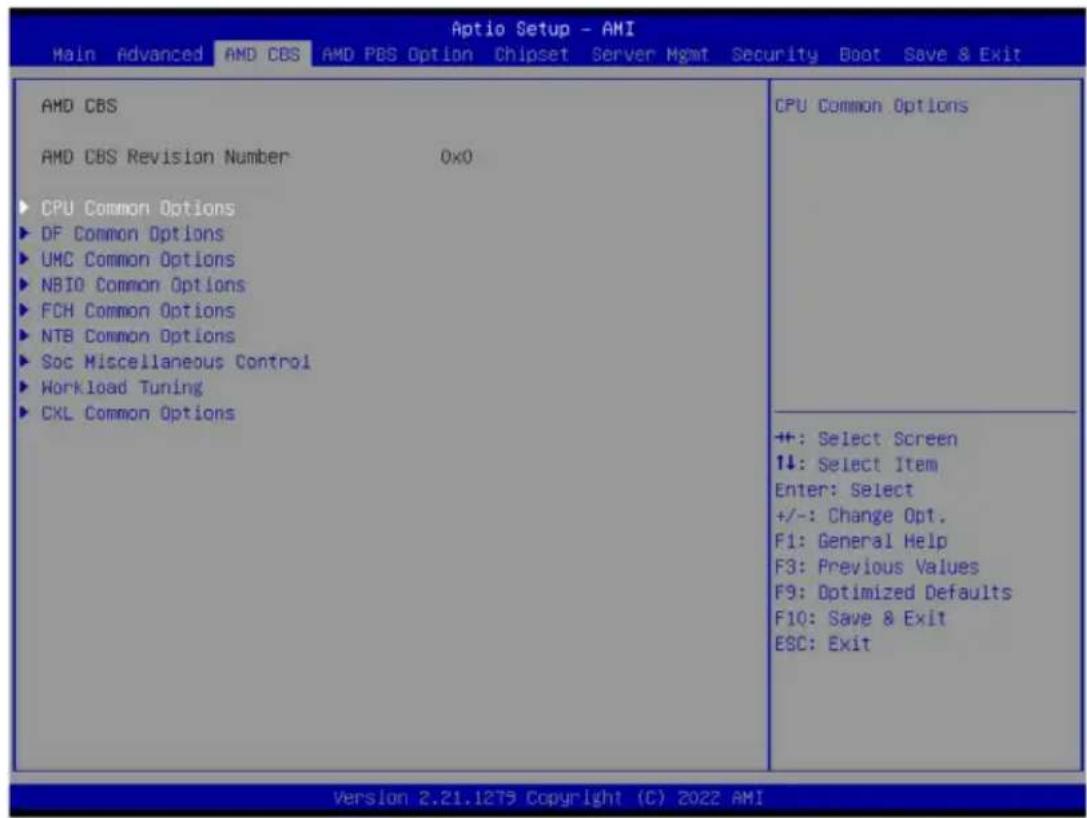
2-3 AMD CBS Menu
AMD CBS menu displays submenu options for configuring the CPU-related information that the BIOS automatically sets. Select a submenu item, then press [Enter] to access the related submenu screen.
2-3-1 CPU Common Options
![Aptio Setup - AMI AMD CBS CPU Common Options ▶ Performance REP-MOV/STOS Streaming [Enabled] ▶ Prefetcher settings ▶ Core Watchdog RedirectForReturnDis [Auto] Platform First Error Handling [Auto] Core Performance Boost [Auto] Global C-state Control [Auto] Power Supply Idle Control [Auto] SEV-ES ASID Space Limit 1 SEV Control [Enable] Streaming Stores Control [Auto] Local APIC Mode [Auto] ACPI _CST C1 Declaration [Auto] MCA error thresh enable [Auto] MCA FruText [True] SMU and PSP Debug Mode [Auto] PPIN Opt-in [Auto] SNP Memory (RMP Table) Coverage [Auto] SMEE [Auto] Action on BIST Failure [Auto] Enhanced REP MOVSB/STOSB (ERSM) [Auto] Performance ++: Select Screen ↑↓: Select Item Enter: Select +/-: Change Opt. F1: General Help F3: Previous Values F9: Optimized Defaults F10: Save & Exit ESC: Exit Version 2.21.1279 Copyright (C) 2022 AMI](/content/2026/04/671948/images/973ad8c1e2f64c498805bf5b548693c7d9c032b62b9aa8c2e75f88e70089e1da.jpg)
![Aptio Setup - AMI AMD CBS RedirectForReturnDis [Auto] Platform First Error Handling [Auto] Core Performance Boost [Auto] Global C-state Control [Auto] Power Supply Idle Control [Auto] SEV-ES ASID Space Limit 1 SEV Control [Enable] Streaming Stores Control [Auto] Local APIC Mode [Auto] ACPI _CST C1 Declaration [Auto] MCA error thresh enable [Auto] MCA FruText [True] SMU and PSP Debug Mode [Auto] PPIN Opt-in [Auto] SNP Memory (RMP Table) Coverage [Auto] SMEE [Auto] Action on BIST Failure [Auto] Enhanced REP MOVSB/STDSB (ERSM) [Auto] Log Transparent Errors [Auto] AVX512 [Auto] MONITOR and MWAIT disable [Auto] Small Hammer Configuration [Auto] Corrector Branch Predictor [Disable] PAUSE Delay [Auto] CPU Speculative Store Modes [Auto] Balanced: Store instructions may delay sending out their invalidations to remote cacheline copies when the cacheline is present but not in a writable state in the local cache. More Speculative: Store instructions will send out invalidations to +: Select Screen ↑↓: Select Item Enter: Select +/-: Change Opt. F1: General Help F3: Previous Values F9: Optimized Defaults F10: Save & Exit ESC: Exit Version 2.21.1279 Copyright (C) 2022 AMI 64](/content/2026/04/671948/images/88b70c3d03e2d2a9f03fb39553e5ce74567674696ada6ced8feff73c439f0174.jpg)
| Parameter Description | |
| CPU Common Options | |
| Performance Press [Enter] for configuration of advanced items. | |
| REP-MOV/STOS Streaming | Allow REP-MOV/STOS to use non-caching streaming stores for large sizes. Options available: Disabled, Enabled. Default setting is Enabled. |
| Prefetcher settings Press [Enter] for configuration of advanced items. | |
| Core Watchdog Press [Enter] for configuration of advanced items. | |
| RedirectForReturnDis | From a workaround for GCC/C000005 issue for XV Core on CZ A0, setting MSRC001_1029 Decode Configuration (DE_CFG) bit 14 [DecfgNoRdrctForReturns] to 1. Options available: Auto, 1, 0. Default setting is Auto. |
| Platform First Error Handling | Enable/Disable PFEH, cloak individual banks, and mask deferred error interrupts from each bank. Options available: Enabled, Disabled, Auto. Default setting is Auto. |
| Core Performance Boost | Enable/Disable the Core Performance Boost function. Options available: Disabled, Auto. Default setting is Auto. |
| Global C-state Control | Controls the IO based C-state generation and DF C-states. Options available: Disabled, Enabled, Auto. Default setting is Auto. |
| Power Supply Idle Control | Configures the Power Supply Idle Control. Options available: Low Current Idle, Typical Current Idle, Auto. Default setting is Auto. |
| SEV-ES ASID Space Limit | Configures the Space limit for SEV-ES ASIDs. Default setting is 1. |
| SEV Control | Enable/Disable SEV control. Options available: Enable, Disable. Default setting is Enable. |
| Streaming Stores Control | Enable/Disable the Streaming Stores functionality. Options available: Disabled, Enabled, Auto. Default setting is Auto. |
| Local APIC Mode | Sets the Local APIC Mode. Options available: Compatibility, xAPIC, x2APIC, Auto. Default setting is Auto. |
| ACPI_CST C1 Declaration | Determines whether or not to declare the C1 state to the OS.. Options available: Disabled, Enabled, Auto. Default setting is Auto. |
| MCA error thresh enable | Enable MCA error thresholding. Options available: False, True, Auto. Default setting is True. |
| MCA FruText | Enable MCA FruText. Options available: False, True. Default setting is Auto. |
| SMU and PSP Debug Mode | When this option is enabled, specific uncorrected errors detected by the PSP FW or SMU FW will hand and not reset the system. Options available: Disabled, Enabled, Auto. Default setting is Auto. |
| PPIN Opt-in | Enable/Disable the PPIN feature. Options available: Disabled, Enabled, Auto. Default setting is Auto. |
| SNP Memory (RMP Table) Coverage | Enabled: Enter system memory is covered. Options available: Disabled, Enabled, Custom, Auto. Default setting is Auto. |
| SMEE | Controls the Secure Memory Encryption Enable (SMEE) function. Options available: Disable, Enable, Auto. Default setting is Auto. |
| Action on BIST Failure | Action to take when a CCD BIST failure is detected. Options available: Do nothing, Down-CCD, Auto. Default setting is Auto. |
| Enhanced REP MOVSB/STOSB (ERMSB) | Options available: Disabled, Enabled, Auto. Default setting is Auto. |
| Log Transparent Errors | Enable/Disable the log Transparent errors function. Options available: Auto, Disabled, Enabled. Default setting is Auto. |
| AVX512 | Enable/Disable AVX512. Options available: Disabled, Enabled, Auto. Default setting is Auto. |
| MONITOR and MWAIT disable | The MONITOR, MWAIT, MONITORX and MWAITX opcodes become invalid when enabled. Options available: Enabled, Disabled, Auto. Default setting is Auto |
| Small Hammer Configuration | Options available: Disabled, Enabled, Auto. Default setting is Auto. |
| Corrector Branch Predictor Options available: Disable, Enable. Default setting is Disable. | |
| PAUSE Delay | Number a cycles thread will be idle after a PAUSE instruction. Options available: Auto, Disable, 16 cycles, 32 cycles, 64 cycles, 128 cycles. Default setting is Auto. |
| CPU Speculative Store Modes | Select the CPU speculative store modes. Options available: Balanced, More Speculative, Less Speculative, Auto. Default setting is Auto. |
2-3-1-1 Performance
![Aptio Setup - AMI AMD CBS Performance OC Mode [Normal Operation] ► Custom Core Pstates ► CCD/Core/Thread Enablement SHT Control [Enable] Select overclock operation modes +: Select Screen ↑↓: Select Item Enter: Select +/-: Change Opt. F1: General Help F3: Previous Values F9: Optimized Defaults F10: Save & Exit ESC: Exit Version 2.21.1279 Copyright (C) 2022 AMI](/content/2026/04/671948/images/d3ba3b9e6eec28ca23496927cb4df6a7bc616e29d64d8508cc7c15d25da3f743.jpg)
Parameter Description
| Performance | |
| OC Mode(Note) | Options available: Normal Operation, Customized. Default setting is Normal Operation. |
| Custom Core Pstates | Allows you to accept or decline enabling Custom Core Pstates. When accepted, you can disable or customize core pstates. |
| CCD/Core/Thread Enablement | Allows you to accept or decline enabling CCDs, processor cores and threads. When accepted, you can control the number of CCDs to be used, and the number of cores to be used.◆ CCD Control- Options available: Auto, 2 CCDs, 4 CCDs, 6 CCDs, 8 CCDs, 10 CCDs. Default setting is Auto.◆ Core Control- Options available: Auto, ONE(1+0), TWO(2+0), THREE(3+0), FOUR(4+0), FIVE(5+0), SIX(6+0), SEVEN(7+0).- Default setting is Auto. |
| SMT Control | Can be used to disable symmetric multithreading. To re-enable SMT, a POWER CYCLE is needed after select the 'Enable' option. Select 'Auto' base on BIOS PCD. (PcdAmdSmtMode) default setting.Options available: Disable, Enable, Auto. Default setting is Enable. |
(Note) Advanced items are configurable when this item is defined.
2-3-1-2 Prefetcher Settings
![Aptio Setup - AMI AMD CBS Prefetcher settings L1 Stream HW Prefetcher [Auto] L1 Stride Prefetcher [Auto] L1 Region Prefetcher [Auto] L2 Stream HW Prefetcher [Auto] L2 Up/Down Prefetcher [Auto] L1 Burst Prefetch Mode [Auto] Option to Enable | Disable L1 Stream HW Prefetcher +: Select Screen ↑↓: Select Item Enter: Select +/-: Change Opt. F1: General Help F3: Previous Values F9: Optimized Defaults F10: Save & Exit ESC: Exit Version 2.21.1279 Copyright (C) 2022 AMI](/content/2026/04/671948/images/a74d4da9ab4ab68f58d3b966d3b530749283116e03c87dfdcdf58d7c744e79e1.jpg)
| Parameter Description | |
| Prefetcher settings | |
| L1 Stream HW Prefetcher | Enable/Disable L1 Stream HW Prefetcher.Options available: Disable, Enable, Auto. Default setting isAuto. |
| L1 Stride Prefetcher | Use memory access history of individual instructions to fetch additional lines when each access is a constant distance from the previous.Enable/Disable L1 Stride Prefetcher.Options available: Disable, Enable, Auto. Default setting isAuto. |
| L1 Region Prefetcher | Use memory access history to fetch additional lines when the data access for a given instruction tends to be followed by other data accesses.Enable/Disable L1 Region Prefetcher.Options available: Disable, Enable, Auto. Default setting isAuto. |
| L2 Stream HW Prefetcher | Enable/Disable L2 Stream HW Prefetcher.Options available: Disable, Enable, Auto. Default setting isAuto. |
| L2 Up/Down Prefetcher | Use memory access history to determine whether to fetch the next or previous line for all memory accesses.Enable/Disable L2 Up/Down Prefetcher.Options available: Disable, Enable, Auto. Default setting isAuto. |
| L1 Burst Prefetch Mode | Enable/Disable L1 Burst Prefetch Mode.Options available: Disable, Enable, Auto. Default setting isAuto. |
2-3-1-3 Core Watchdog
![Aptio Setup - AMI AMD CBS Core Watchdog Core Watchdog Timer Enable [Auto] Enable or disable CPU Watchdog Timer +: Select Screen ↑↓: Select Item Enter: Select +/-: Change Opt. F1: General Help F3: Previous Values F9: Optimized Defaults F10: Save & Exit ESC: Exit Version 2.21.1279 Copyright (C) 2022 AMI](/content/2026/04/671948/images/48a31ff45f9001343a7785fbecd83c149f1f2b1615a1849283c0485981a4b03b.jpg)
Parameter Description
| Core Watchdog | |
| Core Watchdog Timer Enable ^(Note) | Enable/Disable CPU Watchdog Timer.Options available: Disabled, Enabled, Auto. Default setting isAuto. |
| Core Watchdog Timer Interval | Select the CPU Watchdog Timer interval.Options available: 2.681s, 1.340s, 669.41ms, 334.05ms, 166.37ms,82.53ms, 40.61ms, 20.970ms, 10.484ms,5.241ms, 2.620ms, 1.309ms,654.08us, 326.4us, 162.56us, 80.64us, 39.68us, Auto.Default setting isAuto. |
(Note) Advanced items prompt when this item is defined.
2-3-2 DF Common Options
![Aptio Setup - AMI AMD CBS DF Common Options ► Memory Addressing ► ACPI ► Link ► SDCI DF Watchdog Timer Interval [Auto] Disable DF to external IP [Auto] SyncFloodPropagation Sync Flood Propagation to DF [Auto] Components Freeze DF module queues on error [Auto] CC6 memory region encryption [Auto] CCD B/W Balance Throttle Level [Auto] Memory Addressing +: Select Screen ↑↓: Select Item Enter: Select +/-: Change Opt. F1: General Help F3: Previous Values F9: Optimized Defaults F10: Save & Exit ESC: Exit Version 2.21.1279 Copyright (C) 2022 AMI](/content/2026/04/671948/images/d2c8351a032e903c82adc971bf72038705e846d2d2218d0ae6bf08718aa4c5b5.jpg)
| Parameter Description | |
| DF Common Options | |
| Memory Addressing Press [Enter] for configuration of advanced items. | |
| ACPI Press [Enter] for configuration of advanced items. | |
| Link Press [Enter] for configuration of advanced items. | |
| SDCI Press [Enter] for configuration of advanced items. | |
| DF Watchdog Timer Interval | Configures the Data Fabric watchdog timer interval.Options available: Auto, 41ms, 166ms, 334ms, 669ms, 1.34 seconds, 2.68 seconds, 5.36 seconds. Default setting isAuto. |
| Disable DF to external IP sync flood propagation | Enable/Disable SyncFlood to UMC & downstream slaves.Options available: Sync flood disabled, Sync flood enabled, Auto.Default setting isAuto. |
| Sync flood propagation to DF Components | Enable/Disable DF Sync Flood propagation.Options available: Sync flood disabled, Sync flood enabled, Auto.Default setting isAuto. |
| Freeze DF module queues on error | Options available: Disabled, Enabled, Auto. Default setting isAuto. |
| CC6 memory region encryption | Controls whether or not the CC6 save/restor memory is encrypted.Options available: Disabled, Enabled, Auto. Default setting isAuto. |
| CCD B/W Balance Throttle Level | Options available: Auto, Level 0, Level 1, Level 2, Level 3, Level 4. Default setting isAuto. |
2-3-2-1 Memory Addressing
![Aptio Setup - AMI AMD CBS Memory Addressing NUMA nodes per socket [Auto] Memory interleaving [Auto] 1TB remap [Auto] DRAM map inversion [Auto] Location of private memory regions [Auto] CXL Memory Interleaving [Auto] CXL Sublink interleaving [Auto] Specifies the number of desired NUMA nodes per socket. Zero will attempt to Interleave the two sockets together. +: Select Screen ↑↓: Select Item Enter: Select +/-: Change Opt. F1: General Help F3: Previous Values F9: Optimized Defaults F10: Save & Exit ESC: Exit Version 2.21.1279 Copyright (C) 2022 AMI](/content/2026/04/671948/images/a1cb2d80545bc71072a84c3e1cdc2626a5b5183ef97db61352c476d475f3d450.jpg)
| Parameter Description | |
| Memory Addressing | |
| NUMA nodes per socket | Specifies the number of desired NUMA nodes per socket.Options available: NPS0, NPS1, NPS2, NPS4, Auto. Default setting isAuto.NOTE!Available options may vary by system configuration.Only dual processor configuration supports NPS0. |
| Memory interleaving | Enable/Disable the Memory interleaving feature.Options available: Disabled, Auto, Enabled. Default setting isAuto. |
| 1TB remap | Enable/Disable to remap DRAM out of the space just below the 1TB boundary.The ability to remap depends on DRAM configuration, NPS, and interleaving selection, and may not always be possible.Options available: Do not remap, Attempt to remap, Auto.Default setting isAuto. |
| DRAM map inversion | Enable/Disable the DRAM map inversion function.Options available: Disabled, Enabled, Auto. Default setting isAuto. |
| Location of private memory regions | Controls whether or not the private memory regions (PSP, SMU and CC6) are at the top of DRAM or distributed.Options available: Distributed, Consolidated, Auto. Default setting isAuto. |
| CXL Memory interleaving Options available: Disabled, Enabled, Auto. Default setting isAuto. | |
| CXL Sublink interleaving Options available: Enable, Disable, Auto. Default setting isAuto. | |
2-3-2-2 ACPI
![Aptio Setup - AMI AMD CBS ACPI ACPI SRAT L3 Cache As NUMA Domain [Auto] ACPI SLIT Distance Control [Auto] ACPI SLIT remote relative distance [Auto] Enabled: Each CCX in the system will be declared as a separate NUMA domain. Disabled: Memory Addressing \ NUMA nodes per socket will be declared. +: Select Screen ↑↓: Select Item Enter: Select +/-: Change Opt. F1: General Help F3: Previous Values F9: Optimized Defaults F10: Save & Exit ESC: Exit Version 2.21.1279 Copyright (C) 2022 AMI](/content/2026/04/671948/images/b711cacc36dfc7e3f9cc162a040084149c7a2ca5d47e41c9f5d2b082f81c9c72.jpg)
Parameter Description
| ACPI | |
| ACPI SRAT L3 Cache As NUMA Domain | Enable/Disable report each L3 cache as a NUMA Domain to the OS. Options available: Disabled, Enabled, Auto. Default setting isAuto. |
| ACPI SLIT Distance Control | Determines how the SLIT distances are declared. Options available: Manual, Auto. Default setting isAuto. |
| ACPI SLIT remote relative distance | Sets the remote socket distance for 2P systems as near (2.8) or far (3.2). Options available: Near, Far, Auto. Default setting isAuto. |
2-3-2-3 Link
![Aptio Setup - AMI AMD CBS Link GMI encryption control [Auto] ×GMI encryption control [Auto] ×GMI Link Configuration [Auto] 4-link ×GMI max speed [Auto] 3-link ×GMI max speed [Auto] ×GMI 18GACOFC [Auto] ×GMI CRC Scale 7 ×GMI CRC Threshold 25 ×GMI Preset Control [Enabled] ▶ ×GMI Global Preset List ▶ ×GMI Initial Preset ▶ ×GMI TXEQ Search Mask ▶ ×GMI AC/DC Coupled Link ▶ ×GMI Channel Type Control GMI link encryption +: Select Screen ↓: Select Item Enter: Select +/-: Change Opt. F1: General Help F3: Previous Values F9: Optimized Defaults F10: Save & Exit ESC: Exit Version 2.21.1279 Copyright (C) 2022 AMI](/content/2026/04/671948/images/082d4457eabae7427c09099058370c133a44878adc9df53f7b32a014db5a2322.jpg)
| Parameter Description | |
| GMI encryption control | Enable/Disable GMI link encryption. Options available: Disabled, Enabled, Auto. Default setting isAuto. |
| xGMI encryption control | Enable/Disable xGMI link encryption. Options available: Disabled, Enabled, Auto. Default setting isAuto. |
| xGMI Link Configuration | Configures the number of xGMI2 links used on a multi-socket system. Options available: Auto, 3 xGMI Links, 4 xGMI Links. Default setting isAuto. |
| 4-link xGMI max speed | Specifies the max speed of 4-link xGMI. Options available: 12Gbps, 16Gbps, 17Gbps, 18Gbps, 20Gbps, 22Gbps, 23Gbps, 24Gbps, 25Gbps, 26Gbps, 27Gbps, 30Gbps, 32Gbps, Auto. Default setting isAuto. |
| 3-link xGMI max speed | Specifies the max speed of 3-link xGMI. Options available: 12Gbps, 16Gbps, 17Gbps, 18Gbps, 20Gbps, 22Gbps, 23Gbps, 24Gbps, 25Gbps, 26Gbps, 27Gbps, 30Gbps, 32Gbps, Auto. Default setting isAuto. |
| xGMI 18GACOFC | Configures xGMI 18GACOFC. Options available: Auto, Enable, Disable. Default setting isAuto. |
| xGMI CRC Scale | Configures leaky bucket scale for xGMI and WAFL CRC errors. Every scale milliseconds an error will leak from the CRC counter. Default setting is7. |
| xGMI CRC Threshold | Configures leaky bucket threshold for xGMI and WAFL CRC errors. If link CRC counter exceeds this threshold, an error will be logged. Default setting is25. |
| xGMI Preset Control | Enable/Disable xGMI Preset control. Options available: Disabled, Enabled, Auto. Default setting isAuto. |
| xGMI Global Preset List Press [Enter] to configure the xGMI Preset list. | |
| xGMI Initial Preset Press [Enter] to configure the xGMI Initial Preset CPU0/1 link. | |
| xGMI TXEQ Search Mask Press [Enter] to configure the xGMI TXEQ Search Mask CPU0/1 link. | |
| xGMI AC/DC Coupled Link | Press [Enter] to configure the xGMI AC/DC Coupled link. xGMI AC/DC Coupled Link Control ^(Note) – Options available: Manual, Auto. Default setting isAuto. |
| xGMI Channel Type | Press [Enter] to configure the xGMI Channel Type. xGMI Channel Type Control ^(Note) – Options available: Manual, Auto. Default setting isAuto. |
2-3-2-4 SDCI
![Aptio Setup - AMI AMD CBS SDCI SDCI [Auto] DisRmtSteer [Auto] No help string +: Select Screen ↑↓: Select Item Enter: Select +/-: Change Opt. F1: General Help F3: Previous Values F9: Optimized Defaults F10: Save & Exit ESC: Exit Version 2.21.1279 Copyright (C) 2022 AMI](/content/2026/04/671948/images/82424832f0b6ec52db6fd1f6b15ea2a076a71f5156fefc978c433123687b9e98.jpg)
Parameter Description
SDCI ^(Note)
Options available: Disabled, Enabled, Auto. Default setting is Auto.
DisRmSteer Options available: Disabled, Enabled, Auto. Default setting is Auto.
(Note) Advanced items prompt when this item is defined.
2-3-3 UMC Common Options
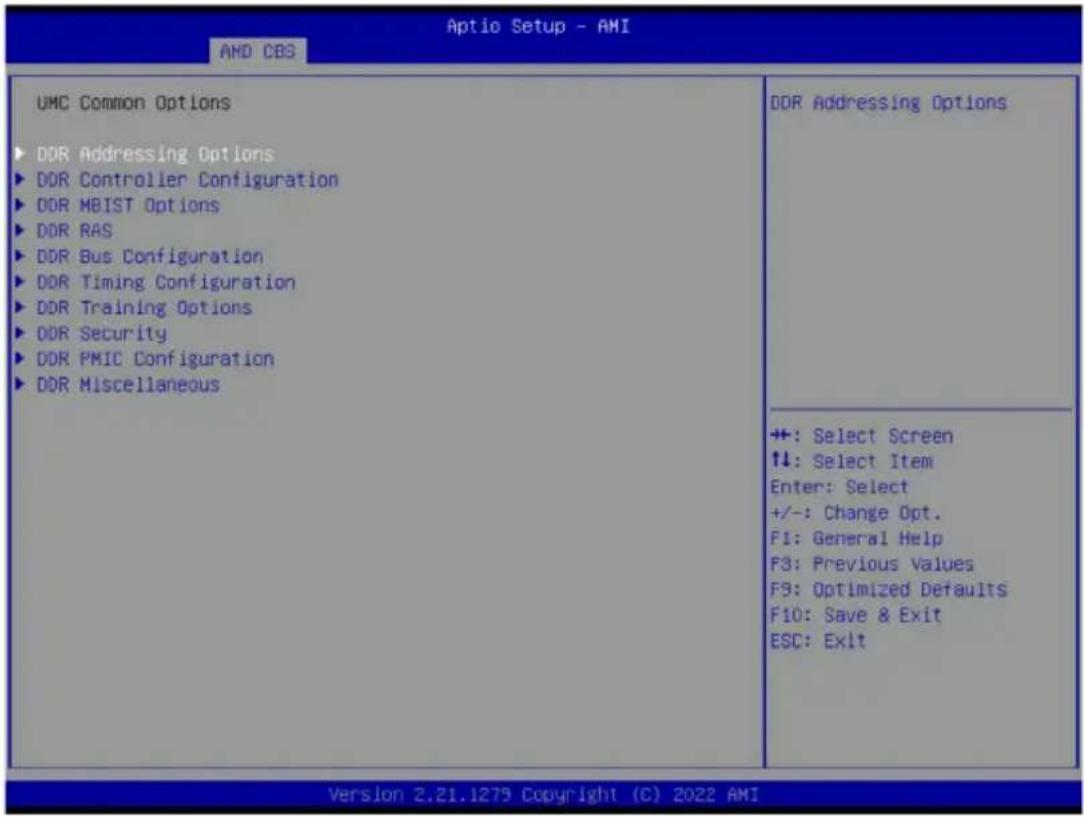
Parameter Description
| UMC Common Options |
| DDR Addressing Options Press [Enter] for configuration of advanced items. |
| DDR Controller Configuration Press [Enter] for configuration of advanced items. |
| DDR MBIST Options Press [Enter] for configuration of advanced items. |
| DDR RAS Press [Enter] for configuration of advanced items. |
| DDR Bus Configuration Press [Enter] for configuration of advanced items. |
| DDR Timing Configuration Press [Enter] for configuration of advanced items. |
| DDR Training Options Press [Enter] for configuration of advanced items. |
| DDR Security Press [Enter] for configuration of advanced items. |
| DDR PMIC Configuration Press [Enter] for configuration of advanced items. |
| DDR Miscellaneous Press [Enter] for configuration of advanced items. |
2-3-3-1 DDR Addressing Options
![AHD CBS DOR Addressing Options Chipselect Interleaving [Auto] Address Hash Bank [Auto] Address Hash CS [Auto] Address Hash Rm [Auto] Address Hash Subchannel [Auto] BankSwapMode [Auto] Interleave memory blocks across the DRAM chip selects for node 0. +: Select Screen ↑↓: Select Item Enter: Select +/-: Change Opt. F1: General Help F3: Previous Values F9: Optimized Defaults F10: Save & Exit ESC: Exit Version 2.21.1279 Copyright (C) 2022 AMI](/content/2026/04/671948/images/50a30afd59cfb14486ab95dbc3a2a60f40a85a57519a27720ca88cb07cca9da7.jpg)
| Parameter Description | |
| DDR Addressing Options | |
| Chipselect Interleaving | Interleaves memory blocks across the DRAM chip selects for node 0. Options available: Disabled, Auto. Default setting is Auto. |
| Address Hash Bank | Enable or disable bank addressing hashing. Options available: Disabled, Enabled, Auto. Default setting is Auto. |
| Address Hash CS | Enable or disable CS addressing hashing. Options available: Auto, Enabled, Disabled. Default setting is Auto. |
| Address Hash Rm | Enable or disable RM addressing hashing. Options available: Auto, Enabled, Disabled. Default setting is Auto. |
| Address Hash Subchannel | Enable or disable sub-channel addressing hashing. Options available: Auto, Enabled, Disabled. Default setting is Auto. |
| Bank SwapMode Options available: Auto, Disabled, Swap CPU. Default setting is Auto. | |
2-3-3-2 DDR Controller Configuration
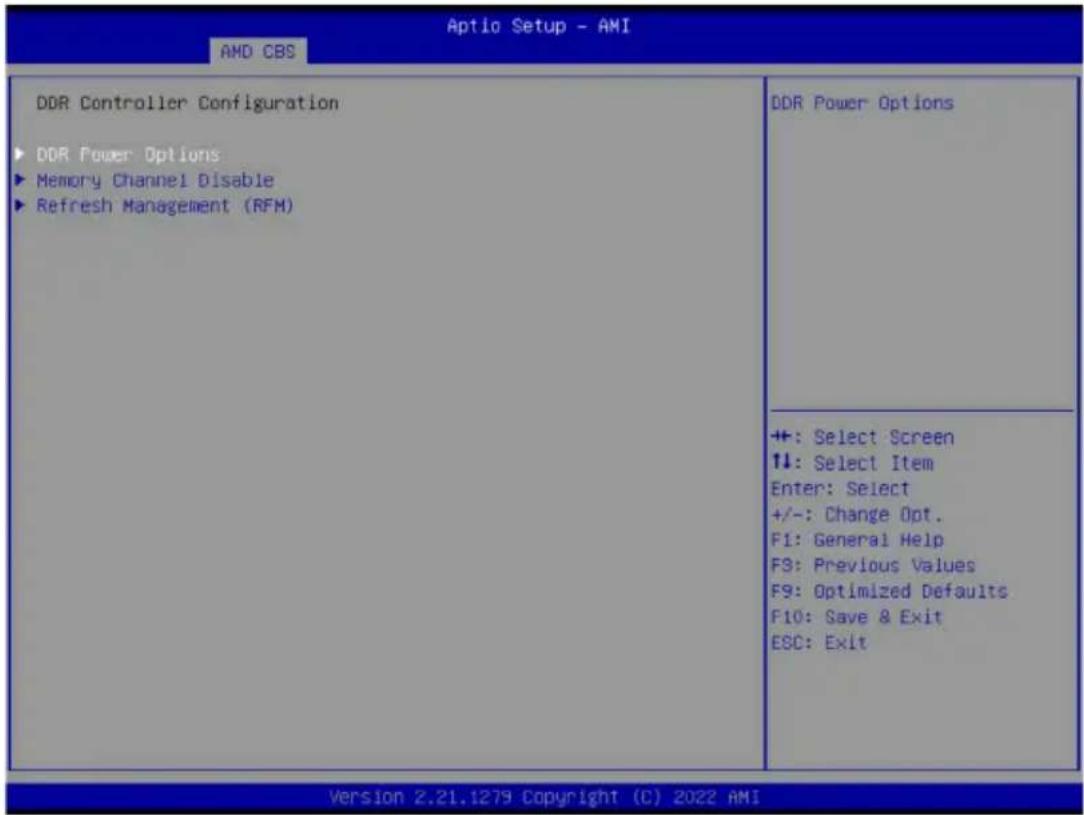
Parameter Description
DDR Cotroller Configuration
DDR Power Options Press [Enter] for configuration of advanced items.
Memory Channel Disable Press [Enter] for configuration of advanced items.
Refresh Management (RFM) Press [Enter] for configuration of advanced items.
2-3-3-2-1 DDR Power Options
![Aptio Setup - AMI AMD CBS DDR Power Options Power Down Enable [Auto] Sub Urgent Refresh Lower Bound 1 Urgent Refresh Limit 4 DRAM Refresh Rate [3.9 usec] Self-Refresh Exit Staggering [n = 9] Enable or disable DDR power down mode +: Select Screen ↑↓: Select Item Enter: Select +/-: Change Opt. F1: General Help F3: Previous Values F9: Optimized Defaults F10: Save & Exit ESC: Exit Version 2.21.1279 Copyright (C) 2022 AMI](/content/2026/04/671948/images/d6749a54212bba76ff270b8ccd23b141e354298d72366859916acd8ef3aea2b7.jpg)
| Parameter Description | |
| DDR Power Options | |
| Power Down Enable | Enable or disable DDR power down mode. Options available: Disabled, Enabled, Auto. Default setting is Auto. |
| Sub Urgent Refresh Lower Bound | Specifies the stored refresh limit required to enter sub-urgent refresh mode. |
| Urgent Refresh Limit Specifies the stored refresh limit required to enter urgent refresh mode. | |
| DRAM Refresh Rate | DRAM refresh rate: 1.95us or 3.9us. Options available: 3.9 usec, 1.95usec. Default setting is 3.9 usec. |
| Self-Refresh Exit Staggering Options available: Disabled, n=1~9. Default setting is n=9. | |
2-3-3-2-2 Memory Channel Disable
![Aptio Setup - AMI AMD CBS Memory Channel Disable Memory Channel Disable Bitmask 0 CPU0 Channel A [Enabled] CPU0 Channel B [Enabled] CPU0 Channel C [Enabled] CPU0 Channel D [Enabled] CPU0 Channel E [Enabled] CPU0 Channel F [Enabled] CPU0 Channel G [Enabled] CPU0 Channel H [Enabled] CPU0 Channel I [Enabled] CPU0 Channel J [Enabled] CPU0 Channel K [Enabled] CPU0 Channel L [Enabled] CPU1 Channel M [Enabled] CPU1 Channel N [Enabled] CPU1 Channel O [Enabled] CPU1 Channel P [Enabled] CPU1 Channel Q [Enabled] CPU1 Channel R [Enabled] CPU1 Channel S [Enabled] CPU1 Channel T [Enabled] CPU1 Channel U [Enabled] CPU1 Channel V [Enabled] SPD reading will be skipped when channel is disabled. ++: Select Screen ↑↓: Select Item Enter: Select +/-: Change Opt. F1: General Help F3: Previous Values F9: Optimized Defaults F10: Save & Exit ESC: Exit Version 2.21.1279 Copyright (C) 2022 AMI 84](/content/2026/04/671948/images/3afdded20760646183140119acc5ea7d89d126901daac4088d197d2d1e19a938.jpg)
Parameter Description
Memory Channel Disable
Memory Channel Disable Bitmask
CPU0/CPU1 Channel_# Press [Enter] to enable/disable specific memory channel.
2-3-3-2-3 Refresh Management (RFM)
![Aptio Setup - AMI AMD CBS Refresh Management (RFM) Refresh Management [Auto] RAA Initial Management Threshold [Auto] RAA Maximum Management Threshold [Auto] RAA Refresh Decrement Multiplier [Auto] Auto: Disable Disable: Disable RFM for all Ranks. Enable: Enable RFM for Ranks which support RFM. Force Enable: Enable RFM for all Ranks regardless of support. Selecting 'Force Enable' will cause REFpb/REFsb to be disabled if all ranks +: Select Screen +: Select Item Enter: Select +/-: Change Opt. F1: General Help F3: Previous Values F9: Optimized Defaults F10: Save & Exit ESC: Exit Version 2.21.1279 Copyright (C) 2022 AMI](/content/2026/04/671948/images/7926ef81d3dcb9bb43af2202ac8ba0c50dd778b413ee32e88d2dc1b9c6f291d9.jpg)
| Parameter Description | |
| Refresh Management (RFM) | |
| Refresh Management | Configure Refresh Management. Options available: Enable, Disable, Auto, Force Enable. Default setting is Auto. |
| RAA Initial Management Threshold | Override Rolling Accumulated ACT Initial Management Threshold. Options available: 32, 40, 48, 56, 64, 72, 80, Auto. Default setting is Auto. |
| RAA Maximum Management Threshold | Override Rolling Accumulated ACT Maximum Management Threshold. Options available: 3X, 4X, 5X, 6X, Auto. Default setting is Auto. |
| RAA Refresh Decrement Multiplier | Override RAA Refresh Decrement Multiplier. Options available: 0.5, 1, Auto. Default setting is Auto. |
2-3-3-3 DDR MBIST Options
![Aptio Setup - AMI AMD CBS DDR MBIST Options MBIST Enable [Auto] MBIST Test Mode [Auto] MBIST Aggressors [Auto] MBIST Per Bit Slave Die Reporting [Auto] ► Data Eye DDR Healing BIST [Disabled] DDR Healing BIST Execution Mode [One Time] ► PMU Mem BIST Algorithm DDR Healing BIST Repair Type [Soft Repair] Enable or disable Memory MBIST +: Select Screen ↑↓: Select Item Enter: Select +/-: Change Opt. F1: General Help F3: Previous Values F9: Optimized Defaults F10: Save & Exit ESC: Exit Version 2.21.1279 Copyright (C) 2022 AMI](/content/2026/04/671948/images/01268a459a1eba817c320d7e0ba817283ca7d04ae8366cd75c6c126f6ae30d4f.jpg)
| Parameter Description | |
| DDR MBIST Options | |
| MBIST Enable | Enable/Disable the Memory MBIST function.Options available: Disabled, Enabled, Auto. Default setting isAuto. |
| MBIST Test Mode ^(Note1) | Selects MBIST Test Mode.Interface Mode: Tests Single and Multiple CS transactions and Basic Connectivity.Data Eye Mode: Measures Voltage vs. Timing.Options available: Auto, Both, Interface Mode, Data Eye Mode. Default setting isAuto. |
| MBIST Aggressors ^(Note1) | Enable/Disable MBIST Aggressor test.Options available: Auto, Enabled, Disabled. Default setting isAuto. |
| MBIST Per Bit Slave Die Reporting ^(Note1) | Enable/Disable to report 2D data eye results in ABL log for each DQ, Chipselect, and Channel.Options available: Auto, Enabled, Disabled. Default setting isAuto. |
| Data Eye | Press [Enter] to configure advanced items. |
| Memory Healing BIST | Enable/Disable memory healing BIST.Options available: Disabled, PMU Mem BIST, Self-Healing Mem BIST, PMU and Self-Healing Mem BIST. Default setting isDisabled. |
(Note1) This item appears when MBIST Enable is set to Enabled.
| Parameter Description | |
| DDR Healing BIST Execution Mode ^(Note2) | Options available: One Time, Every boot.Default setting isOne Time. |
| PMU Mem BIST Algorithm ^(Note2) | Press [Enter] to enable/disable PMU Mem BIST Algorithm. |
| DDR Healing BIST Repair Type ^(Note2) | For DRAM errors found in the BIOS memory BIST select the repair type.Options available: Soft Repair, Hard Repair, No Repairs -Test only.Default setting isSoft Repair. |
(Note2) This item appears when DDR Healing BIST is defined.
2-3-3-3-1 Data Eye
![Aptio Setup - AMI AMD CBS Data Eye Pattern Select [PRBS] Pattern Length 3 Aggressor Channel [All Channels] Aggressor Static Lane Control [Disabled] Aggressor Static Lane Select 0 Upper 32 bits Aggressor Static Lane Select 0 Lower 32 Bits Aggressor Static Lane Select ECC 0 Aggressor Static Lane Value 0 Target Static Lane Control [Disabled] Target Static Lane Select Upper 0 32 bit Target Static Lane Select Lower 0 32 Bits Target Static Lane Select ECC 0 Target Static Lane Value 0 Worst Case Margin Granularity [Per Chip Select] Read Voltage Sweep Step Size [1] Read Timing Sweep Step Size [1] Write Voltage Sweep Step Size [1] Write Timing Sweep Step Size [1] Silent Execution [Disabled] MBIST Data Eye Pattern Type. 0 - PRBS (default), 1 - SSO, 2 - Both +: Select Screen ↑↓: Select Item Enter: Select +/-: Change Opt. F1: General Help F3: Previous Values F9: Optimized Defaults F10: Save & Exit ESC: Exit Version 2.21.1279 Copyright (C) 2022 AMI](/content/2026/04/671948/images/a9c6eda107dea6000a5b5563282b13d8261d20134f0e21bd90df4fe01985ca93.jpg)
| Parameter | Description |
| Data Eye | |
| Pattern Select | Options available: PRBS, SSO, Both. Default setting is PRBS. |
| Pattern Length | Determines the pattern length. The possible options are N=3....12. |
| Aggressor Channel | This item helps read the aggressors channels. Options available: One Sub-Channel, Half Channels, All Channels. Default setting is All Channels. |
| Aggressor Static Lane Control | Enable/Disable the Aggressor Static Lane Control function. Options available: Enabled, Disabled. Default setting is Disabled. |
| Aggressor Static Lane Select Upper 32 bits | This item is configurable when Aggressor Static Lane Control is set to Enabled. |
| Aggressor Static Lane Select Lower 32 bits | This item is configurable when Aggressor Static Lane Control is set to Enabled. |
| Aggressor Static Lane Select ECC | This item is configurable when Aggressor Static Lane Control is set to Enabled. |
| Aggressor Static Lane Value | This item is configurable when Aggressor Static Lane Control is set to Enabled. |
| Target Static Lane Control | Enable/Disable the Target Static Lane Control function. Options available: Enabled, Disabled. Default setting is Disabled. |
| Target Static Lane Select Upper 32 bits | This item is configurable when Target Static Lane Control is set to Enabled. |
| Target Static Lane Select Lower 32 bits | This item is configurable when Target Static Lane Control is set to Enabled. |
| Target Static Lane Select ECC | This item is configurable when Target Static Lane Control is set to Enabled. |
| Target Static Lane Value | This item is configurable when Target Static Lane Control is set to Enabled. |
| Worst Case Margin Granularity | Configures Worst Case Margin Granularity.Options available: Per Chip Select, Per Nibble.Default setting is Per Chip Select. |
| Read Voltage Sweep Step Size | Configures the step size for read Data Eye voltage sweep.Options available: 1, 2, 4. Default setting is 1. |
| Read Timing Sweep Step Size | Configures the step size for read Data Eye timing sweep.Options available: 1, 2, 4. Default setting is 1. |
| Write Voltage Sweep Step Size | Configures the step size for write Data Eye voltage sweep.Options available: 1, 2, 4. Default setting is 1. |
| Write Timing Sweep Step Size | Configures the step size for write Data Eye timing sweep.Options available: 1, 2, 4. Default setting is 1. |
| Silent Execution | Execute MBIST Data Eye silently without ABL log output.Options available: Enabled, Disabled. Default setting is Disabled. |
![Aptio Setup - AMI AMD CBS DOR RAS Data Poisoning [Auto] DRAM Boot Time Post Package Repair [Disable] DRAM Runtime Post Package Repair [Disable] RCD Parity [Enabled] Max RCD Parity Error Replay 8 Write CRC [Enabled] Max Write CRC Error Replay 8 Read CRC [Enabled] Max Read CRC Error Replay 8 Disable Memory Error Injection [Auto] ▶ ECC Configuration ▶ DRAM Scrubbers DRAM Corrected Error Counter [LeakMode] Enable DRAM Corrected Error Counter [True] Interrupt Enable DRAM Corrected Error Counter Leak 7 Rate DRAM Corrected Error Counter FFFS Start Count Enable poison data creation on uncorrectable DDR DRAM ECC errors and poison propagation to CPU cores and caches. Requires ECC memory. When FALSE, a fatal error event will occur on DDR ECC errors sets UMC_CH::EccCtrl[UcFatalEn] when +: Select Screen ↑↓: Select Item Enter: Select +/-: Change Opt. F1: General Help F3: Previous Values F9: Optimized Defaults F10: Save & Exit ESC: Exit Version 2.21.1279 Copyright (C) 2022 AMI](/content/2026/04/671948/images/5b2e67548e626333dc083550de7917cca24689520cb39e6b08e384e91fd18154.jpg)
Parameter Description
| DDR RAS | |
| Data Poisoning | Enable/Disable the Data Poisoning function.Options available: Auto, Enabled, Disabled. Default setting isAuto. |
| DRAM Boot Time Post Package Repair | Enable/Disable the DRAM Boot Time Post Package Repair function.Options available: Enable, Disable. Default setting isDisable. |
| DRAM Runtime Post Package Repair | Enable/Disable the DRAM Runtime Post Package Repair function.Options available: Enable, Disable. Default setting isDisable. |
| RCD Parity | Enable/Disable the RCD Parity function.Options available: Auto, Enabled, Disabled. Default setting isEnabled. |
| Max RCD Parity Error Replay Default setting is 8. | |
| Write CRC | Enable/Disable the Write CRC function.Options available: Auto, Enabled, Disabled. Default setting isEnabled. |
| Max Write CRC Error Replay Default setting is 8. | |
| Read CRC | Enable/Disable the Read CRC function.Options available: Auto, Enabled, Disabled. Default setting isEnabled. |
| Max Read CRC Error Replay Default setting is 8. | |
| Disable Memory Error Injection | Options available: False, True, Auto. Default setting isAuto. |
| ECC Configuration | Press [Enter] to configure advanced items.DRAM ECC Symbol Size- Configures the DRAM ECC Symbol Size.- Options available: Auto, x4, x16. Default setting isAuto. |
Parameter Description
| ECC Configuration (continued) | DRAM ECC Enable- Enable/Disable DRAM ECC. When set to Auto, it will set ECC to enable.- Options available: Auto, Enabled, Disabled. Default setting is Auto.DRAM UECC Retry- Enable/Disable DRAM UECC Retry.- Options available: Auto, Enabled, Disabled. Default setting is Disabled.Max DRAM UECC Error Replay ^(Note) - Default setting is 8.Memory Clear- Options available: Auto, Enabled, Disabled. Default setting is Auto.Address XDR after ECC- Options available: Auto, Enabled, Disabled. Default setting is Disabled. |
| DRAM Scrubbers | Press [Enter] to configure advanced items.DRAM ECS Mode- Options available: Auto, AutoECS, ManualECS, DisableECS. Default setting is Auto.DRAM Redirect Scrubber Enable- Options available: Auto, Enabled, Disabled. Default setting is Auto.DRAM Scrub Redirection Limit- Options available: Auto, 8 Scrubs, 4 Scrubs, 2 Scrubs, 1 Scrub. Default setting is Auto.DRAM Scrub Time- Options available: Disabled, 1 hour, 4 hours, 6 hours, 8 hours, 12 hours, 16 hours, 24 hours, 48 hours. Default setting is 24 Hours.DRAM Error Threshold Count- Options available: Auto, ETC_4, ETC_16, ETC_64, ETC_256, ETC_1024, ETC_4096. Default setting is Auto.DRAM ECS Count Mode- Options available: Auto, Row Count Mode, Code Word Count Mode. Default setting is Auto.DRAM AutoEcs during Self Refresh- Options available: Auto, AutoEcs Disabled, AutoEcs Enabled. Default setting is Auto.DRAM ECS WriteBack Suppression- Options available: Auto, Enable, Disable. Default setting is Auto. |
| Parameter Description | |
| DRAM Scrubbers(continued) | ♦ DRAM X4 WriteBack Suppression– Options available: Auto, Enable, Disable. Default setting is Auto. |
| DRAM Corrected Error Counter Enable | Configure DRAM Corrected Error Counter function.Options available: Disable, NoLeakMode, Leak Mode. Default setting is Leak Mode. |
| DRAM Corrected Error Counter Interrupt Enable | Enable SMI when DRAM corrected Error Counter count exceeds the threshold value.Options available: False, True. Default setting is True. |
| DRAM Corrected Counter Leak Rate | Program Rate value for DRAM Corrected Error Counter function. Default setting is 7. |
| DRAM Corrected Error Counter Start Count | Program starting value for DRAM Corrected Error Counter function. Default setting is FFF5. |
2-3-3-5 DDR Bus Configuration
![Aptio Setup - AMI AMD CBS DDR Bus Configuration Dram ODT Impedance RTT_NOM_WR [Auto] Dram ODT Impedance RTT_NOM_RD [Auto] Dram ODT Impedance RTT_WR [Auto] Dram ODT Impedance RTT_PARK [Auto] Dram ODT Impedance DQS_RTT_PARK [Auto] Processor ODT Impedance [Auto] Dram DQ drive strengths [Auto] Select the DRAMs On-die Termination Impedance for RTT_NOM_WR ++: Select Screen ↑↓: Select Item Enter: Select +/-: Change Opt. F1: General Help F3: Previous Values F9: Optimized Defaults F10: Save & Exit ESC: Exit Version 2.21.1279 Copyright (C) 2022 AMI](/content/2026/04/671948/images/b341a699f48cfe41b9cec35fa943253b8ed73ad1f711830a090f4ab5fd51ba88.jpg)
| Parameter Description | |
| DDR Bus Configuration | |
| Dram ODT impedance RTT_NOM_WR | Select the DRAMs On-die Termination impedance for RTT_NOM_WR. Options available: Auto, RTT_OFF, RZQ (240), RZQ/2 (120), RZQ/3 (80) RZQ/4 (60), RZQ/5(48), RZQ/6(40), RZQ/7(34). Default setting is Auto. |
| Dram ODT impedance RTT_NOM_RD | Select the DRAMs On-die Termination impedance for RTT_NOM_RD. Options available: Auto, RTT_OFF, RZQ (240), RZQ/2 (120), RZQ/3 (80) RZQ/4 (60), RZQ/5(48), RZQ/6(40), RZQ/7(34). Default setting is Auto. |
| Dram ODT impedance RTT_WR | Select the DRAMs On-die Termination impedance for RTT_WR. Options available: Auto, RTT_OFF, RZQ (240), RZQ/2 (120), RZQ/3 (80) RZQ/4 (60), RZQ/5(48), RZQ/6(40), RZQ/7(34). Default setting is Auto. |
| Dram ODT Timpedance RTT_PARK | Select the DRAMs On-die Termination impedance for RTT_PARK. Options available: Auto, RTT_OFF, RZQ (240), RZQ/2 (120), RZQ/3 (80) RZQ/4 (60), RZQ/5(48), RZQ/6(40), RZQ/7(34). Default setting is Auto. |
| Dram ODT Timpedance DQS_RTT_PARK | Select the DRAMs On-die Termination impedance for DQS_RTT_PARK. Options available: Auto, RTT_OFF, RZQ (240), RZQ/2 (120), RZQ/3 (80) RZQ/4 (60), RZQ/5(48), RZQ/6(40), RZQ/7(34). Default setting is Auto. |
Parameter Description
| Processor ODT impedance | Select the ODT impedance for all DBYTE IOs. Options available: Auto, High Impedance, 480 ohm, 240 ohm, 160 ohm, 120 ohm, 96 ohm, 80 ohm, 68.6 ohm, 60 ohm, 53.3 ohm,48 ohm, 43.6 ohm, 40 ohm, 36.9 ohm, 34.3 ohm, 32 ohm, 30 ohm, 28.2 ohm, 26.7 ohm, 25.3 ohm. Default setting isAuto. |
| Dram DQ drive strengths | Select the Dram Pull-up and Pull-Down Output Driver Impedance for all DQ and DMI IOs.. Options available: Auto, 48 ohm, 40 ohm, 34 ohm, Default setting isAuto. |
2-3-3-6 DDR Timing Configuration
| Aptio Setup - AMI AMD CBS | |
| DDR Timing Configuration WARNING - DAMAGE CAUSED BY USE OF YOUR AMD PROCESSOR OUTSIDE OF SPECIFICATION OR IN EXCESS OF FACTORY SETTINGS ARE NOT COVERED UNDER YOUR AMD PRODUCT WARRANTY AND MAY NOT BE COVERED BY YOUR SYSTEM MANUFACTURER'S WARRANTY. Operating your AMD processor outside of specification or in excess of factory settings, including but not limited to overclocking, may damage or shorten the life of your processor or other system components, create system instabilities (e.g., data loss and corrupted images) and in extreme cases may result in total system failure. AMD does not provide support or service for issues or damages related to use of an AMD processor outside of processor specifications or in excess of factory settings. ►Decline ►Accept | Decline |
| +: Select Screen ↑↓: Select Item Enter: Select +/-: Change Opt. F1: General Help F3: Previous Values F9: Optimized Defaults F10: Save & Exit ESC: Exit | |
| Version 2.21.1279 Copyright (C) 2022 AMI | |
Parameter Description
| DDR Timing Configuration | Decline/Accept to configure the advanced items. |
| Accept | |
| Active Memory Timing Settings ^(Note) | Active memory Timing Settings.Options available: Auto, Enabled. Default setting isAuto. |
| Memory Target Speed | Specifies the memory target speed in MT/s.Options available: Auto, DDR3200, DDR3600, DDR4000, DDR4400, DDR4800, DDR5200, DDR5600. Default setting isAuto. |
| SPD Timing Press [Enter] to configure advanced items. | |
| Non-SPD Timing Press [Enter] to configure advanced items. | |
2-3-3-7 DDR Training Options
![Aptio Setup - AMI AMD CBS DDR Training Options DRAM PDA Enumerate ID Programming [Auto] Mode Specify PDA enumeration mode Auto : default 0 : Continuous DQS toggling PDA enumeration mode (default) 1 : Legacy PDA enumeration mode +: Select Screen ↑↓: Select Item Enter: Select +/-: Change Opt. F1: General Help F3: Previous Values F9: Optimized Defaults F10: Save & Exit ESC: Exit Version 2.21.1279 Copyright (C) 2022 AMI](/content/2026/04/671948/images/a8f28a0d10108d9608d181d7cc0aebe03d8a92dff5bdd6a395bc6a3fd6472a66.jpg)
Parameter Description
| DDR Training Options | |
| DRAM PDA Enumerate ID Programming Mode | Specify PDA enumeration mode. Options available: Auto, Toggling PDA enumeration mode, Legacy PDA enumeration mode. Default setting isAuto. |
2-3-3-8 DDR Security
![Aptio Setup - AMI AMD CBS DDR Security TSME [Auto] AES [AES-256] Data Scramble [Enabled] SME-MK [Disabled] Transparent SHE +: Select Screen ↑↓: Select Item Enter: Select +/-: Change Opt. F1: General Help F3: Previous Values F9: Optimized Defaults F10: Save & Exit ESC: Exit Version 2.21.1279 Copyright (C) 2022 AMI](/content/2026/04/671948/images/dcf5bc28a62358b31b4cd96b9a1e7937efb1c0d04bccff3a98a13688351a8dc8.jpg)
| Parameter Description | |
| Security | |
| TSME | Enable/Disable Transparent SME. Options available: Auto, Enabled, Disabled. Default setting is Auto. |
| AES Options available: AES-128, AES-256. Default setting is AES-256. | |
| Data Scramble | Enable/Disable Data Scrambling. Options available: Enabled, Disabled. Default setting is Enabled. |
| SME-MK Options available: Enabled, Disabled. Default setting is Disabled. | |
2-3-3-9 DDR PMIC Configuration
![Aptio Setup - AMI AMD CBS DDR PMIC Configuration PMIC Error Reporting [Auto] PMIC Operation Mode [Programmable Mode] PMIC Fault Recovery [Always] PMIC SMC VDDIO 1100 PMIC SWA/SWB VDD Core 1100 PMIC Stagger Delay S Max PMIC Power On FF Enables support for PMIC Error Reporting. ++: Select Screen ↑↓: Select Item Enter: Select +/-: Change Opt. F1: General Help F3: Previous Values F9: Optimized Defaults F10: Save & Exit ESC: Exit Version 2.21.1279 Copyright (C) 2022 AMI](/content/2026/04/671948/images/0b3d3825fc0399ee2239c4c4b6ae9f36595730bbb3e13f728a790ab152718345.jpg)
| Parameter Description | |
| DDR PMIC Configuration | |
| PMIC Error Reporting | Enables support for PMIC Error Reporting. Options available: Auto, False, True. Default setting is Auto. |
| PMIC Operation Mode | Options available: Secure Mode, Programmable Mode. Default setting is Programmable Mode. |
| PMIC Fault Recovery Options available: Always, Never, Once. Default setting is Always. | |
| PMIC SWC VDDIO Default setting is 1100. | |
| PMIC SWA/SWB VDD Core Default setting is 1100. | |
| PMIC Stagger Delay Default setting is 5. | |
| Max PMIC Power On Default setting is FF. | |
2-3-3-10 DDR Miscellaneous
![Aptio Setup - AMI AMD CBS DDR Miscellaneous DRAM Survives Warm Reset [Enabled] 1 - Enabled (default); 0 - Disabled If enabled - Upon warm reset DRAM content is preserved, Training values are saved & retrieved. +: Select Screen ↑↓: Select Item Enter: Select +/-: Change Opt. F1: General Help F3: Previous Values F9: Optimized Defaults F10: Save & Exit ESC: Exit Version 2.21.1279 Copyright (C) 2022 AMI](/content/2026/04/671948/images/f3a0cb2094e1860d7f996b0d7982120bb1b3c82e87d91338f3f85b4cb30b8020.jpg)
Parameter Description
DDR Miscellaneous
DRAM Survives Warm Reset Options available: Enabled, Disabled. Default setting is Enabled.
2-3-4 NBIO Common Options
![Aptio Setup - AMI AMD CBS NBIO Common Options [OMMU] [Enabled] DMAr Support [Auto] DMA Protection [Auto] DRTM Virtual Device Support [Auto] DRTM Memory Reservation [Auto] ACS Enable [Auto] PCIe ARI Support [Auto] PCIe ARI Enumeration [Auto] PCIe Ten Bit Tag Support [Auto] ► SMU Common Options ► NBIO RAS Common Options Enable AER Cap [Auto] Early Link Speed [Auto] Hot Plug Handling mode [Auto] Hot Plug Allow FF In Synchronous [Disabled] Presence Detect Select mode [Auto] Data Link Feature Cap [Auto] CV test [Auto] SEV-SNP Support [Disable] Allow Compliance [Auto] SRIS [Auto] Multi Upstream Auto Speed Change [Auto] Enable/Disable IOMMU +: Select Screen ↑↓: Select Item Enter: Select +/-: Change Opt. F1: General Help F3: Previous Values F9: Optimized Defaults F10: Save & Exit ESC: Exit Version 2.21.1279 Copyright (C) 2022 AMI](/content/2026/04/671948/images/8f0bce055c979d39b0c14efd80b49375754f8fd71ed1ecdadd59dcfcaf26601d.jpg)
![Aptio Setup - AMI AMD CBS DRTM Virtual Device Support [Auto] DRTM Memory Reservation [Auto] ACS Enable [Auto] PCIe ARI Support [Auto] PCIe ARI Enumeration [Auto] PCIe Ten Bit Tag Support [Auto] ► SMU Common Options ► NBIO RAS Common Options Enable AER Cap [Auto] Early Link Speed [Auto] Hot Plug Handling mode [Auto] Hot Plug Allow FF in Synchronous [Disabled] Presence Detect Select mode [Auto] Data Link Feature Cap [Auto] CV test [Auto] SEV-SNP Support [Disable] Allow Compliance [Auto] SRIS [Auto] Multi Upstream Auto Speed Change [Auto] Multi Auto Speed Change On Last [Auto] Rate PCIE Link Speed Capability [Auto] RTM Margining Support [Auto] EQ Bypass To Highest Rate [Auto] ► nBif Common Options nBif Common Options +: Select Screen ↑: Select Item Enter: Select +/-: Change Opt. F1: General Help F3: Previous Values F9: Optimized Defaults F10: Save & Exit ESC: Exit Version 2.21.1279 Copyright (C) 2022 AMI](/content/2026/04/671948/images/4a26dcc59e4d91fd3bd41ca57a411440f34fddeedb3d8562c20f208e300979cd.jpg)
| Parameter | Description |
| NBIO Common Options | |
| IOMMU | Enable/Disable the IOMMU function.Options available: Disabled, Enabled. Default setting is Enabled. |
| DMAr Support | Enable/Disable DMAr system protection during POST.Options available: Disabled, Enabled, Auto. Default setting is Auto. |
| DMA Protection | Enable/Disable DMA remap support in IVRS IVinfo Field.Options available: Auto, Enabled, Disabled. Default setting is Auto. |
| DRTM Virtual Device Support | Enable/Disable DRTM ACPI virtual device.Options available: Disabled, Enabled, Auto. Default setting is Auto. |
| DRTM Memory Reservation | Enable/Disable DRTM Memory reservation.Options available: Disabled, Enabled, Auto. Default setting is Auto. |
| ACS Enable | Enable/Disable ACS.Options available: Enable, Disabled, Auto. Default setting is Auto. |
| PCIe ARI Support | Enable/Disable Alternative Routing-ID Interpretation.Options available: Disable, Enable, Auto. Default setting is Auto. |
| PCIe ARI Enumeration | ARI Forwarding Enable for each downstream port.Options available: Disable, Enable, Auto. Default setting is Auto. |
| PCIe Ten Bit Tag Support | Enable/Disable PCIe ten bit tags for supported devices. (Auto=Disabled)Options available: Disable, Enable, Auto. Default setting is Auto. |
| SMU Common Options Press [Enter] for configuration of advanced items. | |
| NBIO RAS Common Options | Press [Enter] for configuration of advanced items. |
| Enable AER Cap | Enable/Disable Advanced Error Reporting Capability.Options available: Enable, Disabled, Auto. Default setting is Auto. |
| Early Link Speed | Configures Early Link Speed.Options available: Auto, Gen1, Gen2. Default setting is Auto. |
| Hot Plug Handling mode | Controls the Hot Plug Handling mode.Options available: OS First, Firmware First/EDR if OS supports, Firmware First but allow OS First, System Firmware Intermediary, Auto. Default setting is Auto. |
| Hot Plug Allow FF in Synchronous | Allows firmware first hot plug handling mode to operate in mode A and mode B synchronous mappings.Options available: Disabled, Enabled. Default setting is Disabled. |
| Presence Detect Select mode | Controls the Presence Detect Select mode.Options available: OR, AND, Auto. Default setting is Auto. |
| Data Link Feature Cap | Enable/Disable the data link feature capability.Options available: Enabled, Disabled, Auto. Default setting isAuto. |
| CV test | Enable/Disable the running PCIE CV tool support.Options available: Auto, Enabled, Disabled. Default setting isAuto. |
| SEV-SNP Support | Enable/Disable the SEV-SNP support.Options available: Disable, Enable. Default setting isDisable. |
| Allow Compliance | When enabled, allows the PCIe RP to enter Polling.Compliance state.Options available: Auto, Disable, Enable. Default setting isAuto. |
| SRIS Options available: Auto, Disable, Enable. Default setting isAuto. | |
| Multi Upstream AutoSpeed Change | Defines the setting of this feature for all PCIe devices.Options available: Disabled, Enabled, Auto. Default setting isAuto. |
| Multi Auto Speed ChangeOn Last Rate | Options available: Disable, Enable, Auto. Default setting isAuto. |
| PCIE Link SpeedCapability | Options available: Maximum speed, Gen1, Gen2, Gen3, Gen4, Gen5, Auto.Default setting isAuto. |
| RTM Margining Support Options available: Disable, Enable, Auto. Default setting isAuto. | |
| EQ Bypass To HighestRate | Options available: Disable, Enable, Auto. Default setting isAuto. |
| nBif Common Options Press [Enter] for configuration of advanced items. | |
2-3-4-1 SMU Common Options
![Aptio Setup - AMI AMD CBS SMU Common Options TDP Control [Auto] PPT Control [Auto] Determinism Control [Auto] xGMI Link Width Control [Auto] APBDIS [Auto] Power Profile Selection [High Performance Mode] BoostFmaxEn [Auto] DF PState Frequency Optimizer [Auto] DF Cstates [Auto] CPPC [Auto] HSMP Support [Auto] SVI3 SVC Speed Control [Auto] 3D V-Cache [Auto] Diagnostic Mode [Auto] PCIE Speed PMM Control [Auto] DMI Folding [Auto] Auto = Use the fused TDP Manual = User can set customized TDP +: Select Screen ↑↓: Select Item Enter: Select +/-: Change Opt. F1: General Help F3: Previous Values F9: Optimized Defaults F10: Save & Exit ESC: Exit Version 2.21.1279 Copyright (C) 2022 AMI](/content/2026/04/671948/images/1184f7e2bcf877d529c7345f627d6dd5dc5554fbd12232367f69c67075fc1738.jpg)
| Parameter | Description |
| SMU Common Options | |
| TDP Control | Options available: Manual, Auto. Default setting isAuto. |
| PPT Control | Options available: Manual, Auto. Default setting isAuto. |
| Determinism Control | Selects use the fused Determinism or set customized Determinism.Options available: Manual, Auto. Default setting isAuto. |
| xGMI Link Width Control Options available: Manual, Auto. Default setting isAuto. | |
| APBDIS Options available: 0, 1, Auto. Default setting isAuto. | |
| Power Profile Selection | Options available: High Performace Mode, Efficiency Mode, Maximum IO Performance Mode. Default setting isHigh Performace Mode. |
| BoostFmaxEn Options available: Manual, Auto. Default setting isAuto. | |
| DF PState Frequency Optimizer | Options available: Auto, Enabled, Disabled. Default setting isAuto. |
| DF PState Latency Optimizer | Options available: Auto, Enabled, Disabled. Default setting isAuto. |
| DF Cstates Options available: Disabled, Enabled, Auto. Default setting isDisabled. | |
| CPPC | Enable/Disable the CPPC feature.Options available: Disabled, Enabled, Auto. Default setting isAuto. |
| HSMP Support | Enable/Disable the HSMP support.Options available: Disabled, Enabled, Auto. Default setting isAuto. |
| SVI3 SVC Speed Control | Options available: Auto, Manual. Default setting isAuto. |
| 3D V-Cache | Options available: Auto, Disable, 1 stack, 2 stack, 4 stack.Default setting isAuto. |
| Diagnostic Mode Options available: Disabled, Enabled, Auto. Default setting isAuto. | |
| PCIE Speed PMM Control | Options available: Dynamic link speed determined by Power Management functionality, Static Target Link Speed (GEN4),Static Target Link Speed (GEN5), Auto. Default setting isAuto. |
| GMI Folding Options available: Disabled, Enabled, Auto. Default setting isAuto. | |
2-3-4-2 NBIO RAS Common Options
![Aptio Setup - AMI AMD CBS NBIO RAS Common Options NBIO RAS Control [Auto] Egress Poison Severity High 30011 Egress Poison Severity Low 4 NBIO SyncFlood Generation [Auto] NBIO SyncFlood Reporting [Auto] Egress Poison Mask High FFFCFFFF Egress Poison Mask Low FFFFFFFB Uncorrected Converted to Poison 30000 Enable Mask High Uncorrected Converted to Poison 4 Enable Mask Low System Hub Watchdog Timer A28 PCIe Aer Reporting Mechanism [Auto] Edpc Control [Auto] ACS RAS Request Value [Auto] NBIO Poison Consumption [Auto] Sync Flood on PCIe Fatal Error [Auto] (0) Disabled, (1) MCA ++: Select Screen ↑↓: Select Item Enter: Select +/-: Change Opt. F1: General Help F3: Previous Values F9: Optimized Defaults F10: Save & Exit ESC: Exit Version 2.21.1279 Copyright (C) 2022 AMI](/content/2026/04/671948/images/092eb5db605bd2d0f186a2897ad0d0011dbbf9a67e33f217d270acb0dcbc8a26.jpg)
| Parameter | Description |
| NBIO RAS Common Options | |
| NBIO RAS Control Options available: Disabled, MCA, Auto. Default setting is Auto. | |
| Egress Poison Severity High | Configures the Egress Poison High Severity. Each bit set to 1 enables High severity on the associated IOHC egress port. A bit of 0 indicates LOW severity. |
| Egress Poison Severity Low | Configures the Egress Poison Low Severity. Each bit set to 1 enables High severity on the associated IOHC egress port. A bit of 0 indicates LOW severity. |
| NBIO SyncFlood Generation | The value may be used to mask SyncFlood caused by NBIO RAS options. Options available: Enabled, Disabled, Auto. Default setting is Auto. |
| NBIO SyncFlood Reporting | The value may be used to enable SyncFlood reporting to APML. Options available: Enabled, Disabled, Auto. Default setting is Auto. |
| Egress Poison Mask High | Enables mask for masking of errors logged in EGRESS_POISON_STATUS. For each bit set to 1, errors are masked. For each bit set to 0, errors trigger response actions. |
| Egress Poison Mask Low | Enables mask for masking of errors logged in EGRESS_POISON_STATUS. For each bit set to 1, errors are masked. For each bit set to 0, errors trigger response actions. |
| Uncorrected Converted to Poison Enable Mask High | Enables mask for masking of uncorrectable parity errors on internal arrays. |
| Uncorrected Converted to Poison Enable Mask Low | Enables mask for masking of uncorrectable parity errors on internal arrays. |
| System Hub Watchdog Timer | Specifies the timer interval of the SYSHUB Watchdog timer in milliseconds. |
| PCIe Aer Reporting Mechanism | Selects the method of reporting AER errors from PCI Express. Options available: Firmware First, Firmware Frist but allow OS First, OS First, Auto. Default setting isAuto. |
| Edpc Control Options available: Disabled, Enabled, Auto. Default setting isAuto. | |
| ACS RAS Request Value | Options available: Direct Request Access Enabled, Request Blocking Enabled, Request Redirect Enabled, Auto. Default setting isAuto. |
| NBIO Poison Consumption Options available: Auto, Enabled, Disabled. Default setting isAuto. | |
| Sync Flood on PCIe Fatal Error | Options available: Auto, True, False. Default setting isAuto. |
2-3-4-3 nBif Common Options
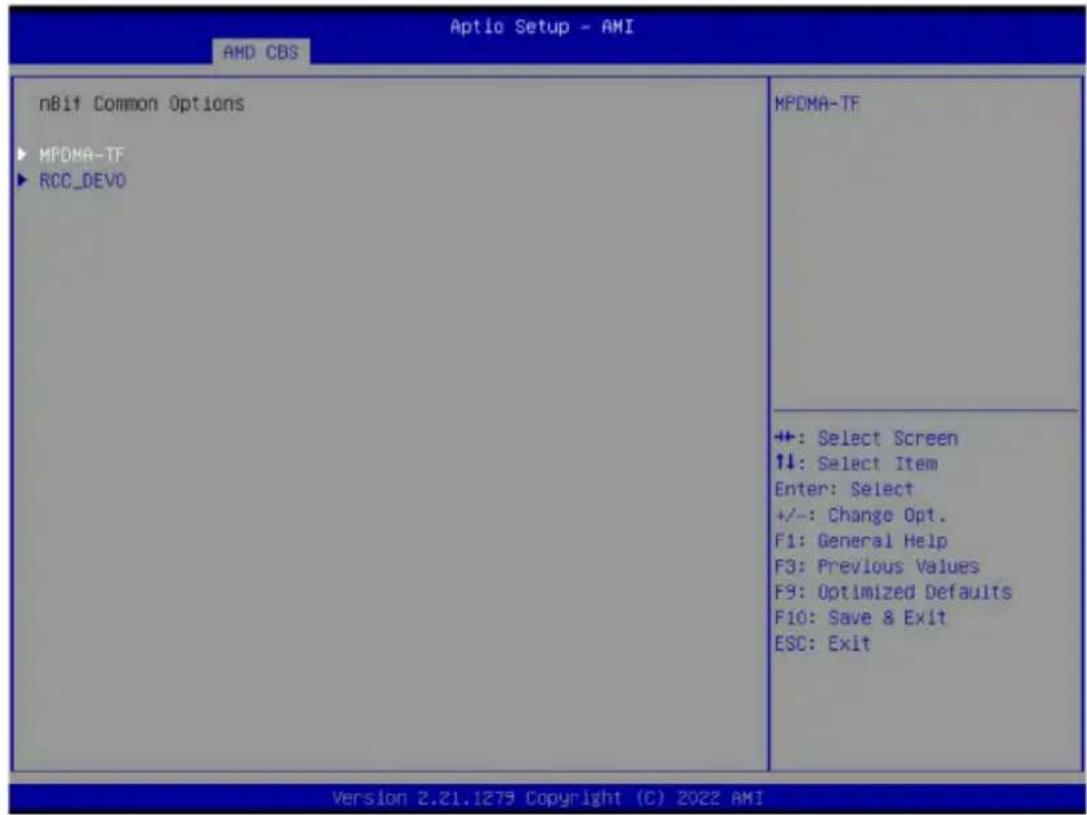
| Parameter | Description |
| MPDMA-TF | SRIOV- Options available: Auto, Disable, Enable. Default setting isAuto.ARI- Options available: Auto/Default, Disable, Enable. Default setting isAuto/Default.AER- Options available: Auto, Disable, Enable. Default setting isAuto.ACS- Options available: Auto, Disable, Enable. Default setting isAuto.ATS- Options available: Auto, Disable, Enable. Default setting isAuto.PASID- Options available: Auto, Disable, Enable. Default setting isAuto.RTR- Options available: Auto, Disable, Enable. Default setting isAuto.PAGE_REQ- Options available: Auto, Disable, Enable. Default setting isAuto.PWR- Options available: Auto, Disable, Enable. Default setting isAuto.ATC_ENABLE- Options available: Auto, Disable, Enable. Default setting isAuto. |
| RCC_DEV0 | ACS Rcc_Dev0Options available: Auto, Disable, Enable. Default setting isAuto.AER Rcc_Dev0Options available: Auto, Disable, Enable. Default setting isAuto.DlfEnableStrap1Options available: Auto, Disable, Enable. Default setting isAuto.Phy16GTStrap1Options available: Auto, Disable, Enable. Default setting isAuto.MarginEnStrap1Options available: Auto, Disable, Enable. Default setting isAuto.SourceValStrap5Options available: Auto, Disable, Enable. Default setting isAuto.TranslationalBlockingStrap5Options available: Auto, Disable, Enable. Default setting isAuto.P2pReq ACS ControlOptions available: Auto, Disable, Enable. Default setting isAuto.P2pCompStrap5Options available: Auto, Disable, Enable. Default setting isAuto.UpstreamFwdStrap5Options available: Auto, Disable, Enable. Default setting isAuto.P2PEgressStrap5Options available: Auto, Disable, Enable. Default setting isAuto.DirectTranslatedStrap5Options available: Auto, Disable, Enable. Default setting isAuto.SsidEnStrap5Options available: Auto, Disable, Enable. Default setting isAuto.PriEnPageReqOptions available: Auto, Disable, Enable. Default setting isAuto.PriResetPageReqOptions available: Auto, Disable, Enable. Default setting isAuto.SourceVal ACS cntlOptions available: Auto, Disable, Enable. Default setting isAuto.TranslationalBlocking ACS ControlOptions available: Auto, Disable, Enable. Default setting isAuto.P2pComp ACS ControlOptions available: Auto, Disable, Enable. Default setting isAuto.UpstreamFwd ACS ControlOptions available: Auto, Disable, Enable. Default setting isAuto.P2PEgress ACS ControlOptions available: Auto, Disable, Enable. Default setting isAuto.P2pReqStrap5Options available: Auto, Disable, Enable. Default setting isAuto.E2E_PREFIXOptions available: Auto, Disable, Enable. Default setting isAuto. |
| RCC_DEV0(continued) | ◆ EXTENDED_FMT– Options available: Auto, Disable, Enable. Default setting isAuto. |
2-3-5 FCH Common Options
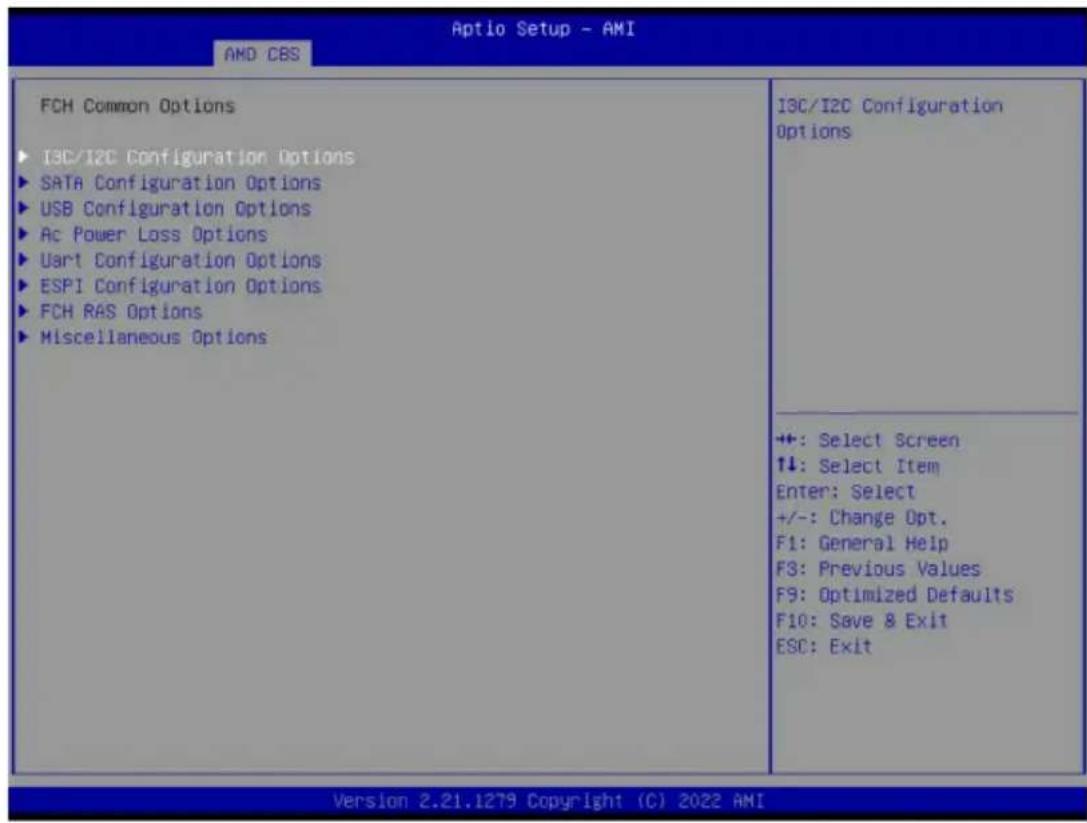
Parameter Description
| FCH Common Options | |
| I3C/I2C Configuration Options | Press [Enter] for configuration of advanced items. |
| SATA Configuration Options | Press [Enter] for configuration of advanced items. |
| USB Configuration Options | Press [Enter] for configuration of advanced items. |
| AC Power Loss Options Press [Enter] for configuration of advanced items. | |
| Uart Configuration Options | Press [Enter] for configuration of advanced items. |
| ESPI Configuration Options | Press [Enter] for configuration of advanced items. |
| FCH RAS Options Press [Enter] for configuration of advanced items. | |
| Miscellaneous Options Press [Enter] for configuration of advanced items. | |
2-3-5-1 I3C/I2C Configuration Options
![Aptio Setup - AMI AMD CBS I3C/I2C Configuration Options I3C/I2C 0 Enable [Auto] I3C/I2C 1 Enable [Auto] I3C/I2C 2 Enable [Auto] I3C/I2C 3 Enable [Auto] I2C 4 Enable [Auto] I2C 5 Enable [Auto] Release SPD Host Control [Auto] I2C SDA Hold Override [Auto] APML S8-TSI Mode [I3C] I3C Mode Speed [Auto] I3C SDA Hold Value 2 Enable or disable Inter-Integrated Circuit Control 0 +: Select Screen ↑↓: Select Item Enter: Select +/-: Change Opt. F1: General Help F3: Previous Values F9: Optimized Defaults F10: Save & Exit ESC: Exit Version 2.21.1279 Copyright (C) 2022 AMI](/content/2026/04/671948/images/9594a1fb8f2fdc0c7ccbaba256f84d05c256511fca784fc39e7ee1561d85a40f.jpg)
| Parameter | Description |
| I3C/I2C Configuration Options | |
| I3C/I2C 0/1/2/3 Enable | Options available: Both Disabled, I3C Enabled, I2C Enabled, Auto. Default setting is Auto. |
| I2C 4/5 Enable | Options available: Disabled, Enabled, Auto. Default setting is Auto. |
| Release SPD Host Control | Options available: Disabled, Enabled, Auto. Default setting is Auto. |
| I2C SDA Hold Override | Options available: Disabled, Enabled, Auto. Default setting is Auto. |
| APML SB-TSI Mode | Options available: I3C, I2C. Default setting is I3C. |
| I3C Mode Speed | Options available: SDR2(6MHz), SDR0(12.5MHz), Auto. Default setting is Auto. |
| I3C SDA Hold Value | Configures I3C SDA Hold value. |
2-3-5-2 SATA Configuration Options
![Aptio Setup - AMI AMD CBS SATA Configuration Options SATA Enable [Auto] SATA RAS Support [Auto] SATA Staggered Spin-up [Auto] SATA Disabled AHCI Prefetch [Auto] Function Aggressive SATA Device Sleep P0 [Auto] Aggressive SATA Device Sleep P1 [Auto] ▶ SATA Controller options Disable or enable OnChip SATA controller +: Select Screen +: Select Item Enter: Select +/-: Change Opt. F1: General Help F3: Previous Values F9: Optimized Defaults F10: Save & Exit ESC: Exit Version 2.21.1279 Copyright (C) 2022 AMI](/content/2026/04/671948/images/e4a4e05c77bcff2ea2ee88fa9406cb8fd4ae6ab0360d755d0518626042ab98df.jpg)
| Parameter | Description |
| SATA Configuration Options | |
| SATA Enable | Enable/Disable OnChip SATA controller. Options available: Disabled, Enabled, Auto. Default setting is Auto. |
| SATA RAS Support | Options available: Disabled, Enabled, Auto. Default setting is Auto. |
| SATA Staggered Spin-up | Options available: Disabled, Enabled, Auto. Default setting is Auto. |
| SATA Disabled AHCI Prefetch Function | Options available: Disabled, Enabled, Auto. Default setting is Auto. |
| Aggressive SATA Device Sleep P0/P1 | Options available: Disabled, Enabled, Auto. Default setting is Auto. |
| SATA Controller options | Press [Enter] for configuration of advanced items. ◆ SATA Controller Enable ◆ SATA Controller eSATA ◆ SATA Controller DevSlp ◆ SATA Controller SGPIO |
2-3-5-3 USB Configuration Options
![Aptio Setup - AMI AND CBS USB Configuration Options XHCI Controller0 enable [Auto] XHCI Controller1 enable [Auto] USB ecc SMI Enable [Auto] ► MCM USB enable Enable or disable USB3 controller. +: Select Screen ↑↓: Select Item Enter: Select +/-: Change Opt. F1: General Help F3: Previous Values F9: Optimized Defaults F10: Save & Exit ESC: Exit Version 2.21.1279 Copyright (C) 2022 AMI](/content/2026/04/671948/images/bab955c2fb8dac9c79e4e3600d307de9f5664a67a45ce5ba7bc4565742622f73.jpg)
| Parameter | Description |
| USB Configuration Options | |
| XHCI Controller0/1 enable | Enable/Disable USB controller.Options available: Enabled, Disabled, Auto. Default setting isAuto. |
| USB ecc SMI Enable | Options available: Enable, Off, Auto. Default setting isAuto. |
| MCM USB enable | Press [Enter] for configuration of advanced items.♦ XHCI2/ XHCI3 enable (Socket1)– Options available: Enabled, Disabled, Auto. Default setting isAuto. |
2-3-5-4 AC Power Loss Options
![Aptio Setup - AMI AMD CBS Ac Power Loss Options Ac Loss Control [Last State] Select Ac Loss Control Method +:-: Select Screen ↑↓: Select Item Enter: Select +/-: Change Opt. F1: General Help F3: Previous Values F8: Optimized Defaults F10: Save & Exit ESC: Exit Version 2.21.1279 Copyright (C) 2022 AMI](/content/2026/04/671948/images/e8d9ca8b925d75907060269a57c3823b8beee9b0d73e7e277f4a87c702633ea2.jpg)
| Parameter | Description |
| AC Power Loss Options | |
| AC Loss Control | Selects the AC Loss Control Method. Options available: Power Off, Power On, Last State. Default setting is Last State. |
2-3-5-5 Uart Configuration Options
![Aptio Setup - AMI AMD CBS Uart Configuration Options Uart 0 Enable [Auto] Uart 1 Enable [Auto] Uart 2 Enable [Auto] Uart 3 Enable [Auto] Enable or disable Uart0. Uart 0 has no HW flow control if Uart 2 is enabled +: Select Screen ↑↓: Select Item Enter: Select +/-: Change Opt. F1: General Help F3: Previous Values F9: Optimized Defaults F10: Save & Exit ESC: Exit Version 2.21.1279 Copyright (C) 2022 AMI](/content/2026/04/671948/images/a7291bd4263623683c2a76f2f3d4d97e5a342dbb06cc1b53c434b84e882c04e1.jpg)
| Parameter | Description |
| Uart Configuration Options | |
| Uart 0/1/2/3 Enable | Options available: Disabled, Enabled, Auto. Default setting is Auto. |
2-3-5-6 ESPI Configuration Options
![Aptio Setup - AMI AND CBS ESPI Configuration Options ESPI Enable [Auto] No help string +: Select Screen ↑↓: Select Item Enter: Select +/-: Change Opt. F1: General Help F3: Previous Values F9: Optimized Defaults F10: Save & Exit ESC: Exit Version 2.21.1279 Copyright (C) 2022 AMI](/content/2026/04/671948/images/ca07e8561bdb8b0be04dc071ac5448936cc4827fafb930d405f9fd2592438c91.jpg)
| Parameter | Description |
| ESPI Configuration Options | |
| ESPI Enable | Options available: Disabled, Enabled, Auto. Default setting is Auto. |
2-3-5-7 FCH RAS Options
![Aptio Setup - AMI AMD CBS FCH RAS Options ALink RAS Support [Auto] Reset After Sync-Flood [Auto] Enable FCH A-Link parity error +: Select Screen ↑↓: Select Item Enter: Select +/-: Change Opt. F1: General Help F3: Previous Values F9: Optimized Defaults F10: Save & Exit ESC: Exit Version 2.21.1279 Copyright (C) 2022 AMI](/content/2026/04/671948/images/315aecc8e1334f0022d79bd5699b7da877e3d4481eb06c05e0a5e590f380c262.jpg)
| Parameter | Description |
| FCH RAS Options | |
| ALink RAS Support | Enable/Disable the ALink RAS Support.Options available: Disabled, Enabled, Auto. Default setting isAuto. |
| Reset after sync flood | Enables AB to forward downstream sync-flood message to system controller.Options available: Enable, Disable, Auto. Default setting isAuto. |
2-3-5-8 Miscellaneous Options
![Aptio Setup - AMI AMD CBS Miscellaneous Options Boot Timer Enable [Auto] Boot Timer enable. Enable : force PMx44 bit 27 = 1 Disable : force PMx44 bit 27 = 0 Auto:PMx44 bit 27 = PcdBootTimerEnable +: Select Screen +: Select Item Enter: Select +/-: Change Opt. F1: General Help F3: Previous Values F9: Optimized Defaults F10: Save & Exit ESC: Exit Version 2.21.1279 Copyright (C) 2022 AMI](/content/2026/04/671948/images/e7c1f512eeba31070389d39338c467eecf3e480346d8ecd655a636f263cbceae.jpg)
| Parameter | Description |
| Miscellaneous Options | |
| Boot Timer Enable | Enable/Disable Boot Timer.Options available: Disabled, Enabled, Auto. Default setting is Auto. |
2-3-6 NTB Common Options
![Aptio Setup - AMI AMD CBS NTB Common Options Socket-0 P0 NTB Enable [Auto] Socket-0 P2 NTB Enable [Auto] Socket-0 G0 NTB Enable [Auto] Socket-0 G2 NTB Enable [Auto] Enable NTB on Socket-0 P0 Link +: Select Screen ↑↓: Select Item Enter: Select +/-: Change Opt. F1: General Help F3: Previous Values F9: Optimized Defaults F10: Save & Exit ESC: Exit Version 2.21.1279 Copyright (C) 2022 AMI](/content/2026/04/671948/images/223e04a382fec85abf23d76d29cfe544cd2eaf64c673fada084eb4aaf1f0836d.jpg)
| Parameter | Description |
| NTB Common Options | |
| Socket-0 P0/P2 NTB Enable | Enable/Disable NTB on Socket-0 P0/P2 Link.Options available: Auto, Enable, Disable. Default setting isAuto. |
| Socket-0 G0/G2 NTB Enable | Enable/Disable NTB on Socket-0 G0/G2 Link.Options available: Auto, Enable, Disable. Default setting isAuto. |
2-3-7 SOC Miscellaneous Control
![Aptio Setup - AMI AMD CBS Soc Miscellaneous Control ABL Console Out Control [Auto] ABL Console Out Serial Port [Auto] ABL Console Out Serial Port ID [Auto] ABL Basic Console Out Control [Auto] ABL PMU message Control [Auto] ABL Memory Population message [Warning message] Control PSP error injection support [False] ► Firmware Anti-rollback (FAR) Enable : Enable ConsoleOut Function for ABL Disable : Disable ConsoleOut Function for ABL Auto : Keep default behavior +: Select Screen ↑↓: Select Item Enter: Select +/-: Change Opt. F1: General Help F3: Previous Values F9: Optimized Defaults F10: Save & Exit ESC: Exit Version 2.21.1279 Copyright (C) 2022 AMI](/content/2026/04/671948/images/82a997111bdbf18acb5697aaebaebe03e27c4f432d4311082fc21da37b01cda0.jpg)
| Parameter | Description |
| SOC Miscellaneous Control | |
| ABL Console Out Control ^(Note) | Enable/Disable the ConsoleOut function for ABL. Options available: Disable, Enable, Auto. Default setting isAuto. |
| ABL Console Out Serial Port ^(Note) | Options available: eSPI, SOC UART0, SOC UART1, Auto. Default setting isAuto. |
| ABL Console Out Serial Port IO | Options available: 0x3F8, 0x2F8, 0x3E8, 0x2E8, Auto. Default setting isAuto. |
| ABL Basic Console Out Control | Enable/Disable the Basic ConsoleOut function for ABL. Options available: Disable, Enable, Auto. Default setting isAuto. |
| ABL PMU message Control | To Control the total number of PMU debug messages. Options available: Auto, Detailed debug message, Coarse debug message, Stage completion, Assertion messages, Firmware completion message only. Default setting isAuto. |
| ABL Memory Population message Control | Options available: Warning message, Fatal error. Default setting isWarning message. |
| PSP error injection support | Options available: False, True. Default setting isFalse. |
(Note) Advanced items are configurable when this item is defined.
Firmware Anti-rollback (FAR)
Press [Enter] for configuration of advanced items.
♦ FAR enforcement state
- Default setting is Enabled.
◆ SPL value in the CPU Fuse
◆ SPL value in the SPL table
FAR Switch
- Options available: Disabled, Enabled, Auto. Default setting is Auto.
2-3-8 Workload Tuning
![Aptio Setup - AMI AMD CBS Workload Tuning **************** Descriptions ***************** Use BIOS default workload profile. **************** Workload Profile [Auto] Performance Tracing [Auto] Select the profile for different workloads. +: Select Screen ↑↓: Select Item Enter: Select +/-: Change Opt. F1: General Help F3: Previous Values F9: Optimized Defaults F10: Save & Exit ESC: Exit Version 2.21.1279 Copyright (C) 2022 AMI](/content/2026/04/671948/images/156b40bb9d28c299f49f5f1db61e5e0571d3e77a484d37a5ceaffa95287cf02a.jpg)
| Parameter | Description |
| Workload Tuning | |
| Workload Profile | Select the profile for different workloads.Options available: CPU Intensive, Java Throughput, Java Latency, Power Efficiency, Memory Throughput Intensive, Storgae IO Intensive, NIC Throughput Intensive, NIC Latency Sensitive, Accelerator Throughput, VMware vSphere Optimized, Linux KVM Optimized, Container Optimized, RDBMS Optimized, Big Data Analytics Optimized, IOT Gateway, HPC Optimized, OpenStack NFV, OpenStack for ReakTime Kernel, Auto. Default setting isAuto. |
| Performance Tracing | Enable to allow capturing performance traces.Options available: Disabled, Enabled, Auto. Default setting isAuto. |
2-3-9 CXL Common Options
![Aptio Setup - AMI AMD CBS CXL Common Options CXL Control [Auto] CXL SPM [Auto] CXL ASPN [Auto] ► CXL VLSM Power Management CXL Encryption [Disabled] Temp Gen5 Advertisement [Auto] Sync Header Bypass [Auto] ► CXL RAS No help string +: Select Screen ↑↓: Select Item Enter: Select +/-: Change Opt. F1: General Help F3: Previous Values F9: Optimized Defaults F10: Save & Exit ESC: Exit Version 2.21.1279 Copyright (C) 2022 AMI](/content/2026/04/671948/images/24212d19e35e58fb61a55cdc0cf87ba1674cdf104c7774e575e6fcf34d4ddad4.jpg)
| Parameter | Description |
| CXL Control Options available: Auto, Enabled, Disabled. Default setting is Auto. | |
| CXL SPM Options available: Auto, Enabled, Disabled. Default setting is Auto. | |
| CXL ASPM | Options available: Auto, Enabled, Disabled. Default setting is Auto. |
| CXL vLSM Power Management | Press [Enter] for configuration of advanced items.CXL.io– L1/L2Options available: Auto, Enabled, Disabled. Default setting is Auto.CXL.camem– L1/L2Options available: Auto, Enabled, Disabled. Default setting is Auto. |
| CXL Encryption Options available: Enabled, Disabled. Default setting is Disabled. | |
| Temp Gen5 Advertisement | Options available: Disable, Enable, Auto. Default setting is Auto. |
| Sync Header Bypass Options available: Auto, Enabled, Disabled. Default setting is Auto. | |
| CXL RAS | Press [Enter] for configuration of advanced items.CXL Protocol Error Reporting– Options available: Disabled, SameAsPcieAer,ForceAerFwFirstIfCxlPresent. Default setting is SameAsPcieAer.CXL Component Error Reporting– Options available: OS First, FW-First. Default setting is FW-First. |
2-4 AMD PBS Menu
AMD PBS Option menu displays submenu options for configuring the function of AMD PBS. Select a submenu item, then press [Enter] to access the related submenu screen.
![Aptio Setup - AMI Main Advanced AMD CBS AMD PBS Option Chipset Server Mgmt Security Boot Save & Exit AMD PBS RAS SPI Locking [Disabled] AMD CPM RAS related settings +: Select Screen +: Select Item Enter: Select +/-: Change Opt. F1: General Help F3: Previous Values F9: Optimized Defaults F10: Save & Exit ESC: Exit Version 2.21.1279 Copyright (C) 2022 AMI](/content/2026/04/671948/images/5ce2927cdf0fccb8ecf0db9118e74cbdd5de00665d3178ad41e37d9fc5a638e7.jpg)
Parameter Description
RAS Press [Enter] for configuration of advanced items.
SPI Locking Enable/Disable SPI Locking for protect ROM part. Options available: Disabled, Enabled. Default setting is Disabled.
| RAS Periodic SMI Control [Enabled] SMI Threshold 5 SMI Scale 1000 SMI Scale Unit [millisecond] SMI Period 1000 | Enable/ disable Periodic SMI for polling (MCA Threshold) error | |
| GHES Notify Type [Polled] GHES UnCorr Notify Type [NMI] PCIe GHES Notify Type [Polled] PCIe UnCorr GHES Notify Type [NMI] PCIe Root Port Corr Err Mask Reg 0 PCIe Root Port UnCorr Err Mask Reg 0 PCIe Root Port UnCorr Error Sev 7EF6030 | ||
| Reg PCIe Device Corr Err Mask Reg 0 PCIe Device UnCorr Err Mask Reg 100000 PCIe Device UnCorr Error Sev Reg 7EF6030 DRAM Hard Post Package Repair [Disabled] HEST DMC Structure Support [Disabled] CXL Error Report Support [Disabled] | ++: Select Screen ↑↓: Select Item Enter: Select +/-: Change Opt. F1: General Help F3: Previous Values F9: Optimized Defaults F10: Save & Exit ESC: Exit | |
| Parameter | Description |
| RAS Periodic SMI Control | Enable/Disable the Periodic SMI for polling [MCA Threshold] error. Options available: Disabled, Enabled. Default setting is Enabled. |
| SMI Threshold Configures the SMI Threshold value. | |
| SMI Scale Configures the SMI Scale value. | |
| SMI Scale Unit | Defines the unit of time scale. Options available: millisecond, second, minute. Default setting is millisecond. |
| SMI Period Configures the SMI Period. | |
| GHES Notify Type | Selects the Notification type for deferred/ corrected errors. Options available: Polled, SCI. Default setting is Polled. |
| GHES UnCorr Notify Type | Selects the Notification type for uncorrected errors. Options available: Polled, NMI. Default setting is NMI. |
| PCIe GHES Notify Type | Selects the Notification type for PCIe corrected errors. Options available: Polled, SCI. Default setting is Polled. |
| PCIe UnCorr GHES Notify Type | Selects the Notification type for PCIe uncorrected errors. Options available: Polled, NMI. Default setting is NMI. |
| PCIe Root Port Corr Err Mask Reg | Initialize the PCIe AER Corrected Error Mask register of Root Port. |
| PCIe Root Port UnCorr Err Mask Reg | Initialize the PCIe AER Uncorrected Error Mask register of Root Port. |
| PCIe Root Port UnCorr Err Sev Reg | Initialize the PCIe AER Uncorrected Error Severity register of Root Port. |
| PCIe Device Corr Err Mask Reg | Initialize the PCIe AER Corrected Error Mask register of PCIe device. |
| PCIe Device UnCorr Err Mask Reg | Initialize the PCIe AER Uncorrected Error Mask register of PCIe device. |
| PCIe Device UnCorr Err Sev Reg | Initialize the PCIe AER Uncorrected Error Severity register of PCIe device. |
| DRAM Hard Post Package Repair | This feature allows spare DRAM rows to replace malfunctioning rows via an in-field repair mechanism.Options available: Disabled, Enabled. Default setting is Disabled. |
| HEST DMC Structure Support | HEST DMC (Deferred Machine Check) Structure Support.Options available: Disabled, Enabled. Default setting is Disabled. |
| CXL Error Report Support | Enable/Disable CXL Error Reporting.Options available: Disabled, Enabled. Default setting is Disabled. |
2-5 Chipset Setup Menu
Chipset Setup menu displays submenu options for configuring the function of the North Bridge. Select a submenu item, then press
![Aptio Setup - AMI Main Advanced AND CBS AND PBS Option Chipset Server Mgmt Security Boot Save & Exit PCIe Link Training Type [1 Step] PCIe Compliance Mode [Off] Program All VR [Enabled] ► North Bridge ► Fabric Resource PCIe Link training in 1 or 2 steps. +: Select Screen ↑↓: Select Item Enter: Select +/-: Change Opt. F1: General Help F3: Previous Values F9: Optimized Defaults F10: Save & Exit ESC: Exit Version 2.21.1279 Copyright (C) 2022 AMI](/content/2026/04/671948/images/a0b1957be3828687dd797883bbc692100a795243decf946c0f00c5d489295631.jpg)
| Parameter | Description |
| PCIe Link Training Type | Options available: 1 Step, 2 Step. Default setting is 1 Step. |
| PCIe Compliance Mode Options available: Off, On. Default setting is Off. | |
| Program All VR | Enable/Disable program all VR on MB. Options available: Disabled, Enabled. Default setting is Enabled. |
| North Bridge Press [Enter] for configuration of advanced items. | |
| Fabric Resource Press [Enter] for configuration of advanced items. | |
2-5-1 North Bridge
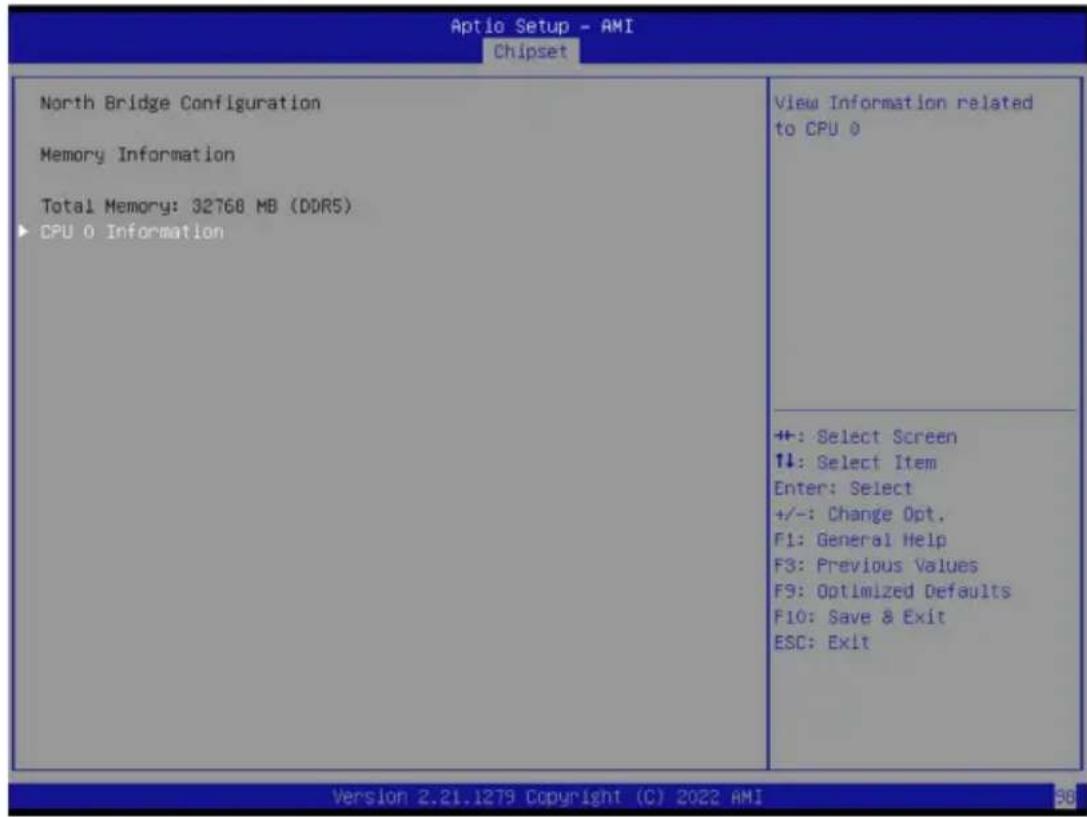
| Parameter | Description |
| North Bridge ConfigurationMemory Information | |
| Total Memory Displays the total memory information. | |
| CPU 0 Information Press [Enter] to view information related to CPU 0. | |
2-5-2 Fabric Resource
![Aptio Setup - AMI Chipset CPU0 NBI01: Base Bus: 0x80 Prefetchable Mmio Above 4G Size: 1500 GB IO Resource: 0x0 PCIe Bus Number 40 Prefetchable Mmio Above 4G size [System Default] PCIe IO Resource FFFF CPU0 NBI02: Base Bus: 0x00 Prefetchable Mmio Above 4G Size: 1500 GB IO Resource: 0x0 PCIe Bus Number 40 Prefetchable Mmio Above 4G size [System Default] PCIe IO Resource FFFF CPU0 NBI03: Base Bus: 0x40 Prefetchable Mmio Above 4G Size: 1500 GB IO Resource: 0x0 PCIe Bus Number 40 Prefetchable Mmio Above 4G size [System Default] PCIe IO Resource FFFF Change CPU0 NBI03 PCIe IO Resource +: Select Screen ↓: Select Item Enter: Select +/-: Change Opt. F1: General Help F3: Previous Values F9: Optimized Defaults F10: Save & Exit ESC: Exit Version 2.21.1279 Copyright (C) 2022 AMI](/content/2026/04/671948/images/403070113f22d92bb8b82af651085010a1966afe54333a3397dfb6c0168fdbf2.jpg)
![Aptio Setup - AMI Chipset Fabric Resource CPU0 NBI00: Base Bus: 0xC0 Prefetchable Mmio Above 4G Size: 1500 GB IO Resource: 0x0 PCIe Bus Number 40 Prefetchable Mmio Above 4G size [System Default] PCIe IO Resource FFFF CPU0 NBI01: Base Bus: 0xB0 Prefetchable Mmio Above 4G Size: 1500 GB IO Resource: 0x0 PCIe Bus Number 40 Prefetchable Mmio Above 4G size [System Default] PCIe IO Resource FFFF CPU0 NBI02: Base Bus: 0x00 Prefetchable Mmio Above 4G Size: 1500 GB IO Resource: 0x0 PCIe Bus Number 40 Prefetchable Mmio Above 4G size [System Default] PCIe IO Resource FFFF Change CPU0 NBI00 PCIe bus number +: Select Screen 1↓: Select Item Enter: Select +/-: Change Opt. F1: General Help F3: Previous Values F9: Optimized Defaults F10: Save & Exit ESC: Exit Version 2.21.1279 Copyright (C) 2022 AMI](/content/2026/04/671948/images/ccb42e1d3f85737725bef436e8880268f77952819a5a782e794df7fc4fab0799.jpg)
| Parameter | Description |
| Fabric Resource | |
| CPU 0 NBIO_# PCIe Bus Number | Change CPU 0/1 NBIO_# PCIe Bus Number. |
| Prefetchable Mmio Above 4G size | Change CPU 0/1 NBIO_# Prefetchable MMIO Above 4G Size.Options available: System Default, 0, 1G, 2G, 4G, 8G, 16G, 32G, 64G, 128G, 256G, 512G, 1T, 2T, 4T, 8T. Default setting isSystem Default. |
| PCIe IO Resource Change CPU 0/1 NBIO_# PCIe IO Resource. | |
2-6 Server Management Menu
![Aptio Setup - AMI Main Advanced AMD CDS AMD PBS Option Chipset Server Mgmt Security Boot Save & Exit FRB-2 Timer [Enabled] FRB-2 Timer timeout [6 minutes] FRB-2 Timer Policy [Do Nothing] OS Watchdog Timer [Disabled] OS Wtd Timer Timeout [10 minutes] OS Wtd Timer Policy [Reset] Wait BMC Ready [2 minutes] ► System Event Log ► View FRU information ► BMC network configuration ► IPv6 BMC Network Configuration Enter value Between 3 to 6 min for FRB-2 Timer Expiration value ++: Select Screen ↑↓: Select Item Enter: Select +/-: Change Opt. F1: General Help F3: Previous Values F9: Optimized Defaults F10: Save & Exit ESC: Exit Version 2.21.1279 Copyright (C) 2022 AMI](/content/2026/04/671948/images/cde2a3084b352a788959e808c0e6dcaf805bf9853be82e865f0a9639600e8583.jpg)
| Parameter | Description |
| FRB-2 Timer | Enable/Disable FRB-2 timer (POST timer).Default setting is Enabled. |
| FRB-2 Timer timeout | Configures the FRB2 Timer timeout.Options available: 3 minutes, 4 minutes, 5 minutes, 6 minutes. Default setting is 6 minutes. |
| FRB-2 Timer Policy | Configures the FRB2 Timer policy.Options available: Do Nothing, Reset, Power Down, Power Cycle.Default setting is Do Nothing. |
| OS Watchdog Timer | Enable/Disable OS Watchdog Timer function.Options available: Enabled, Disabled. Default setting is Disabled. |
| OS Wtd Timer Timeout ^(Note) | Configures OS Watchdog Timer.Options available: 5 minutes, 10 minutes, 15 minutes, 20 minutes.Default setting is 10 minutes. |
| OS Wtd Timer Policy ^(Note) | Configure OS Watchdog Timer Policy.Options available: Do Nothing, Reset, Power Down, Power Cycle.Default setting is Reset. |
| Wait BMC Ready | Post wait BMC ready and reboot system.Options available: Disabled, 2 minutes, 4 minutes, 6 minutes. Default setting is 2 minutes. |
(Note) This item is configurable when OS Watchdog Timer is set to Enabled.
| Parameter | Description |
| System Event Log | Press [Enter] to configure advanced items. |
| View FRU Information | Press [Enter] to view the FRU information. |
| BMC network configuration | Press [Enter] to configure advanced items. |
| IPv6 BMC Network Configuration | Press [Enter] to configure advanced items. |
2-6-1 System Event Log
![Aptio Setup - AMI Server Mgmt Enabling/Disabling Options SEL Components [Enabled] Erasing Settings Erase SEL [No] When SEL Is Full [Do Nothing] Custom EFI Logging Options Log EFI Status Codes [Error code] NOTE: All values changed here do not take effect until computer is restarted. Change this to enable or disable all features of System Event Logging during boot. +: Select Screen ↑↓: Select Item Enter: Select +/-: Change Opt. F1: General Help F3: Previous Values F9: Optimized Defaults F10: Save & Exit ESC: Exit Version 2.21.1279 Copyright (C) 2022 AMI](/content/2026/04/671948/images/4446bd37f8ad6004de38071c80dc46a251dc00ddb88fcbb4e382f4ea04462ad1.jpg)
| Parameter | Description |
| Enabling / Disabling Options | |
| SEL Components | Change this item to enable or disable all features of System Event Logging during boot.Options available: Disabled, Enabled. Default setting is Enabled. |
| Erasing Settings | |
| Erase SEL | Choose options for erasing SEL.Options available: No/Yes, On next reset/Yes, On every reset. Default setting is No. |
| When SEL is Full | Choose options for reactions to a full SEL.Options available: Do Nothing, Erase Immediately. Default setting is Do Nothing. |
| Custom EFI Logging Options | |
| Log EFI Status Codes | Enable/Disable the logging of EFI Status Codes (if not already converted to legacy).Options available: Disabled, Both, Error code, Progress code. Default setting is Error code. |
2-6-2 View FRU Information
The FRU page is a simple display page for basic system ID information, as well as System product information. Items on this window are non-configurable.
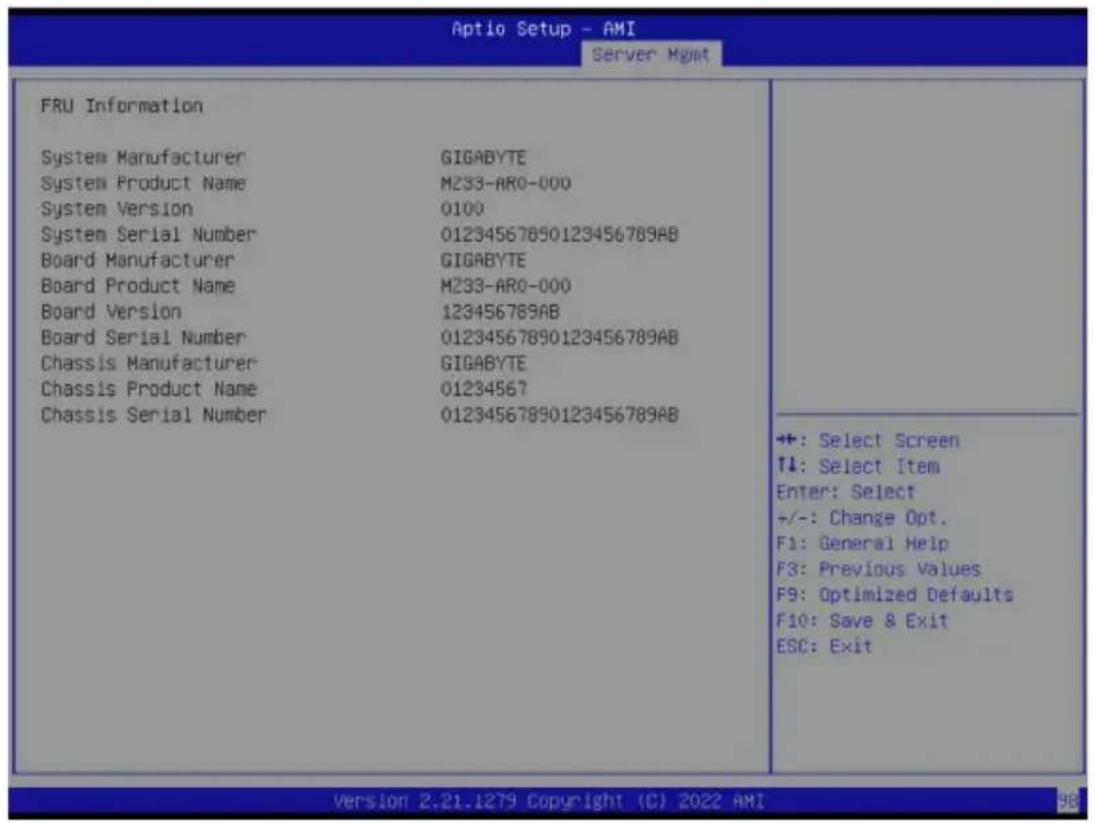
2-6-3 BMC Network Configuration
![Aptio Setup - AMI Server Mgmt --BMC network configuration-- Lan channel 1 Configuration Address source [DynamicBmcDmcp] Station IP address 10.1.112.106 Subnet mask 255.255.255.0 Router IP address 10.1.112.253 Station MAC address e0-d5-5e-65-98-ca VLAN Support [Disabled] Real-time synchronize BMC network parameter values Select to configure LAN channel parameters statically or dynamically(by BIOS or BMC). Unspecified option will not modify any BMC network parameters during BIOS phase +: Select Screen ↑↓: Select Item Enter: Select +/-: Change Opt. F1: General Help F3: Previous Values F9: Optimized Defaults F10: Save & Exit ESC: Exit Version 2.21.1279 Copyright (C) 2022 AMI](/content/2026/04/671948/images/e97d9c0c5974eb92b059923285d51572aa8f35cbc565729ac117e9c5eee873aa.jpg)
| Parameter | Description |
| BMC network configuration | |
| Lan Channel 1 | |
| Configuration Address source | Selects to configure LAN channel parameters statically or dynamically (DHCP). Do nothing option will not modify any BMC network parameters during BIOS phase. Options available: Unspecified, Static, DynamicBmcDhcp. Default setting is DynamicBmcDhcp. |
| Station IP address | Displays IP Address information. |
| Subnet mask | Displays Subnet Mask information. Please note that the IP address must be in three digitals, for example, 192.168.000.001. |
| Router IP address | Displays the Router IP Address information. |
| Station MAC address | Displays the MAC Address information. |
| VLAN Support | Set BMC to enable/disable VLAN support. Options available: Enabled, Disabled. Default setting is Disabled. |
| Real-time synchronize BMC network parameter values | Press [Enter] will set Address source(Static/DHCP) to BMC and then get Station IP address, Subnet mask and Router IP address from BMC. |
2-6-4 IPv6 BMC Network Configuration
![Aptio Setup - AMI Server Mgmt IPv6 BMC Network Configuration IPv6 BMC Lan Channel 1: IPv6 BMC Lan Option [Enable] IPv6 BMC Lan IP Address Source [Dynamic-Obtained by BMC running DHCP] IPv6 BMC Lan IP Address/Prefix ://0 Length -> [::/0] Enable/Disable IPv6 BMC LAN channel function. Disable option will not modify any BMC network during BIOS Phase +: Select Screen ↑↓: Select Item Enter: Select +/-: Change Opt. F1: General Help F3: Previous Values F9: Optimized Defaults F10: Save & Exit ESC: Exit Version 2.21.1279 Copyright (C) 2022 AMI](/content/2026/04/671948/images/e2107984b73fcc9f02f61d9089e8f73cb461ece7ba321e7da5c3bf5fda6644f1.jpg)
| Parameter | Description |
| IPv6 BMC network configuration | |
| IPv6 BMC Lan Channel 1 | |
| IPv6 BMC Lan Option | Enable/Disable IPv6 BMC LAN channel function. When this item is disabled, the system will not modify any BMC network during BIOS phase.Options available: Unspecified, Disable, Enable. Default setting is Enable. |
| IPv6 BMC Lan IP Address Source | Selects to configure LAN channel parameters statically or dynamically (by BIOS or BMC).Options available: Unspecified, Static, Dynamic-Obtained by BMC running DHCP. Default setting is Dynamic-Obtained by BMC running DHCP. |
| IPv6 BMC Lan IP Address/ Prefix Length | Check if the IPv6 BMC LAN IP address matches those displayed on the screen. |
2-7 Security Menu
The Security menu allows you to safeguard and protect the system from unauthorized use by setting up access passwords.
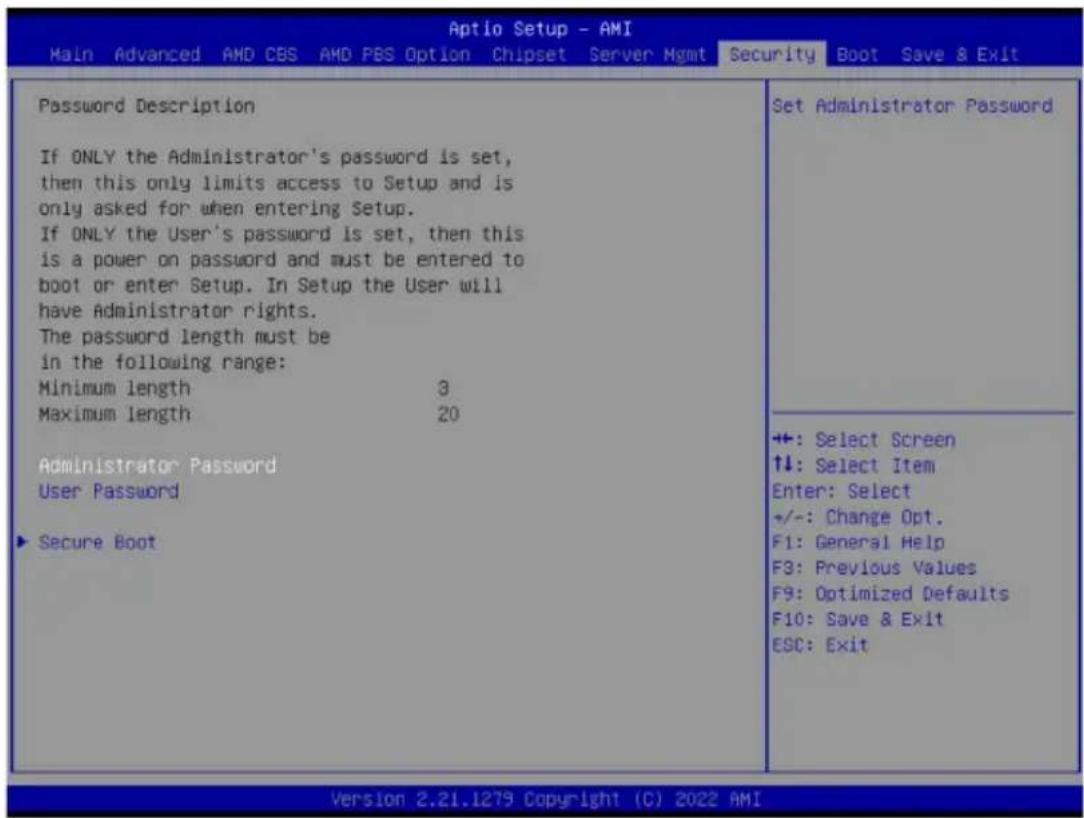
There are two types of passwords that you can set:
- Administrator Password
Entering this password will allow the user to access and change all settings in the Setup Utility.
- User Password
Entering this password will restrict a user's access to the Setup menus. To enable or disable this field, a Administrator Password must first be set. A user can only access and modify the System Time, System Date, and Set User Password fields.
| Parameter | Description |
| Administrator Password | Press [Enter] to configure the administrator password. |
| User Password | Press [Enter] to configure the user password. |
| Secure Boot | Press [Enter] to configure advanced items. |
2-7-1 Secure Boot
The Secure Boot submenu is applicable when your device is installed the Windows® 8 (or above) operating system.
| System Mode | Setup | Secure Boot feature is Active if Secure Boot is Enabled, Platform Key(PK) is enrolled and the System is in User mode. The mode change requires platform reset |
| Secure Boot | [Disabled] Not Active | |
| Secure Boot Mode | [Custom] | |
| Restore Factory Keys | ||
| Reset To Setup Mode | ||
| Enter Audit Mode | ||
| Key Management | ||
| +: Select Screen ↑↓: Select Item Enter: Select +/-: Change Opt. F1: General Help F3: Previous Values F9: Optimized Defaults F10: Save & Exit ESC: Exit |
| Parameter | Description |
| System Mode | Displays if the system is in User mode or Setup mode. |
| Secure Boot | Enable/ Disable the Secure Boot function.Options available: Enabled, Disabled. Default setting is Disabled. |
| Secure Boot Mode^(Note) | Secure Boot requires all the applications that are running during the booting process to be pre-signed with valid digital certificates. This way, the system knows all files being loaded before Windows loads to the login screen have not been tampered with.When set to Standard, it will automatically load the Secure Boot keys form the BIOS databases.When set to Custom, you can customize the Secure Boot settings and manually load its keys from the BIOS database.Options available: Standard, Custom. Default setting is Standard. |
| Restore Factory Keys | Forces the system to user mode and installs factory default Secure Boot key database. |
| Reset To Setup Mode | Press [Enter] to reset the system mode to Setup mode. |
| Enter Audit Mode | Press [Enter] to set the system mode to audit mode. |
(Note) Advanced items prompt when this item is set to Custom.
| Parameter | Description |
| Key Management | Press [Enter] to configure advanced items.Please note that this item is configurable when Secure Boot Mode is set to Custom.◆ Factory Key Provision- Allows to provision factory default Secure Boot keys when system is in Setup Mode.- Options available: Enabled, Disabled. Default setting is Disabled.◆ Restore Factory Keys- Installs all factory default keys. It will force the system in User Mode.- Options available: Yes, No.◆ Enroll Efi Image- Press [Enter] to enroll SHA256 hash of the binary into Authorized Signature Database (db).◆ Secure Boot variable- Displays the current status of the variables used for secure boot.◆ Platform Key (PK)- Displays the current status of the Platform Key (PK).- Press [Enter] to configure a new PK.- Options available: Update.◆ Key Exchange Keys (KEK)- Displays the current status of the Key Exchange Key Database (KEK).- Press [Enter] to configure a new KEK or load additional KEK from storage devices.- Options available: Update, Append.◆ Authorized Signatures (DB)- Displays the current status of the Authorized Signature Database.- Press [Enter] to configure a new DB or load additional DB from storage devices.- Options available: Update, Append.◆ Forbidden Signatures (DBX)- Displays the current status of the Forbidden Signature Database.- Press [Enter] to configure a new dbx or load additional dbx from storage devices.- Options available: Update, Append.◆ Authorized TimeStamps (DBT)- Displays the current status of the Authorized TimeStamps Database.- Press [Enter] to configure a new DBT or load additional DBT from storage devices.- Options available: Update, Append.◆ OsRecovery Signatures- Displays the current status of the OsRecovery Signature Database.- Press [Enter] to configure a new OsRecovery Signature or load additional OsRecovery Signature from storage devices.- Options available: Update, Append. |
2-8 Boot Menu
The Boot menu allows you to set the drive priority during system boot-up. BIOS setup will display an error message if the legacy drive(s) specified is not bootable.
![Aptio Setup - AMI Main Advanced AMD CBS AMD PBS Option Chipset Server Mgmt Security Boot Save & Exit Boot Configuration Setup Prompt Timeout 2 Bootup NumLock State [On] Quiet Boot [Enabled] Setup Flash Dump full Setup Data Dump non-default Setup Data Restore Setup Data Boot mode select [UEFI] FIXED BOOT ORDER Priorities Boot Option #1 [Hard Disk] Boot Option #2 [CD/DVD] Boot Option #3 [USB Device] Boot Option #4 [Network:UEFI: PXE IPv4 Intel(R) Network D8:5E:D03:81:63:70] Boot Option #5 [UEFI AP:UEFI: Built-in EFI Shell] ► UEFI NETWORK Drive BBS Priorities ► UEFI Application Boot Priorities Number of seconds to wait for setup activation key. 65S35(0xFFFF) means indefinite waiting. +: Select Screen ↑↓: Select Item Enter: Select +/-: Change Opt. F1: General Help F3: Previous Values F9: Optimized Defaults F10: Save & Exit ESC: Exit Version 2.21.1279 Copyright (C) 2022 AMI](/content/2026/04/671948/images/1a16950200783ab2af9651a47fbf81d18bbee81b9651f2771a7d866f79e7727d.jpg)
| Parameter | Description |
| Boot Configuration | |
| Setup Prompt Timeout | Number of seconds to wait for setup activation key. 65535 (0xFFFF) means indefinite waiting.Press the numeric keys to input the desired values. |
| Bootup NumLock State | Enable/Disable the Bootup NumLock function.Options available: On, Off. Default setting is On. |
| Quiet Boot | Enable/Disable showing the logo during POST.Options available: Enabled, Disabled. Default setting is Enabled. |
| Setup Flash | Press [Enter] to run setup flash. |
| Dump full Setup Data | Press [Enter] to dump full setup data to file. |
| Dump non-default Setup Data | Press [Enter] to dump non-default setup data to file. |
| Restore Setup Data | Press [Enter] to restore setup data from file (cJson format). |
| Boot mode select | Selects the boot mode.Options available: LEGACY, UEFI. Default setting is UEFI. |
| FIXED BOOT ORDER Priorities | |
| Boot Option #1 / #2 / #3 / #4 / #5 | Press [Enter] to configure the boot priority.By default, the server searches for boot devices in the following sequence:1. Hard drive.2. CD-COM/DVD drive.3. USB device.4. Network.5. UEFI. |
| UEFI Network Drive BBS Priorities | Press [Enter] to configure the boot priority. |
| UEFI Application Boot Priorities | Press [Enter] to configure the boot priority. |
2-9 Save & Exit Menu
The Save & Exit menu displays the various options to quit from the BIOS setup. Highlight any of the exit options then press
| Aptio Setup - AMI Main Advanced AMD CBS AMD PBS Option Chipset Server Hgmt Security Boot Save & Exit | |
| Save Options Save Changes and Exit Discard Changes and Exit Save Changes Default Options Restore Defaults Boot Override UEFI: PXE IPv4 Intel(R) Network D8:5E:D3:81:63:70 UEFI: PXE IPv4 Intel(R) Network D8:5E:D3:81:63:71 UEFI: PXE IPv6 Intel(R) Network D8:5E:D3:81:63:70 UEFI: PXE IPv6 Intel(R) Network D8:5E:D3:81:63:71 UEFI: Built-in EFI Shell Launch EFI Shell from filesystem device | Exit system setup after saving the changes. +: Select Screen ↑↓; Select Item Enter: Select +/-: Change Opt. F1: General Help F3: Previous Values F9: Optimized Defaults F10: Save & Exit ESC: Exit |
| Parameter | Description |
| Save Options | |
| Save Changes and Exit | Saves changes made and closes the BIOS setup. Options available: Yes, No. |
| Discard Changes and Exit | Discards changes made and exits the BIOS setup. Options available: Yes, No. |
| Save Changes | Saves changes done so far to any of the setup options. Options available: Yes, No. |
| Default Options | |
| Restore Defaults | Loads the default settings for all BIOS setup parameters. Setup Defaults are quite demanding in terms of resources consumption. If you are using low-speed memory chips or other kinds of low-performance components and you choose to load these settings, the system might not function properly. Options available: Yes, No. |
| Boot Override | Press [Enter] to configure the device as the boot-up drive. |
| Launch EFI Shell from filesystem device | Attempts to Launch EFI Shell application (Shell.efi) from one of the available file system devices. |
2-10 BIOS Recovery
The system has an embedded recovery technique. In the event that the BIOS becomes corrupt the boot block can be used to restore the BIOS to a working state. To restore your BIOS, please follow the instructions listed below:
Recovery Instruction:
- Copy the XXX.rom to USB diskette.
- Setting BIOS Recovery jump to enabled status.
- Boot into BIOS recovery.
- Run Proceed with flash update.
- BIOS updated.
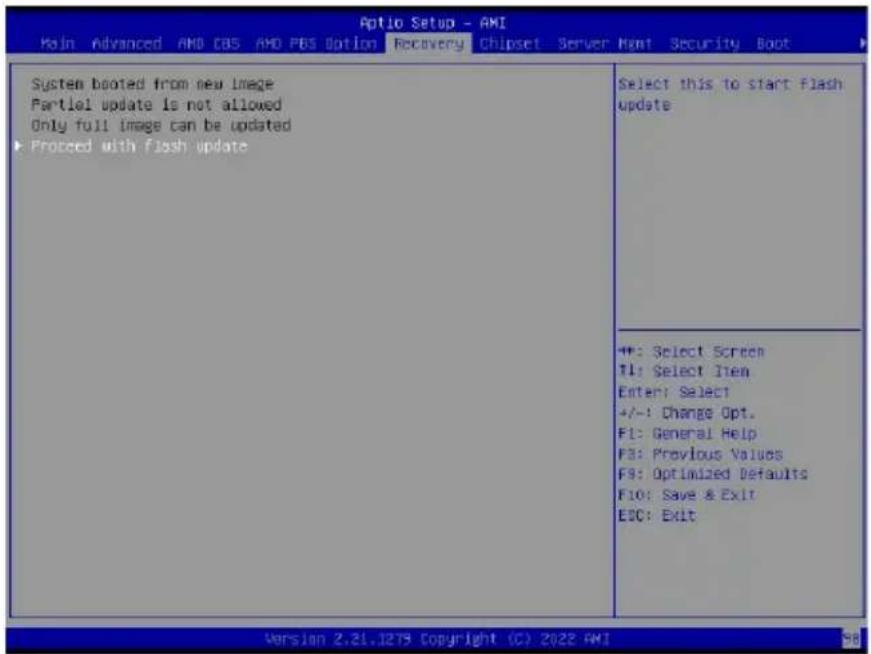
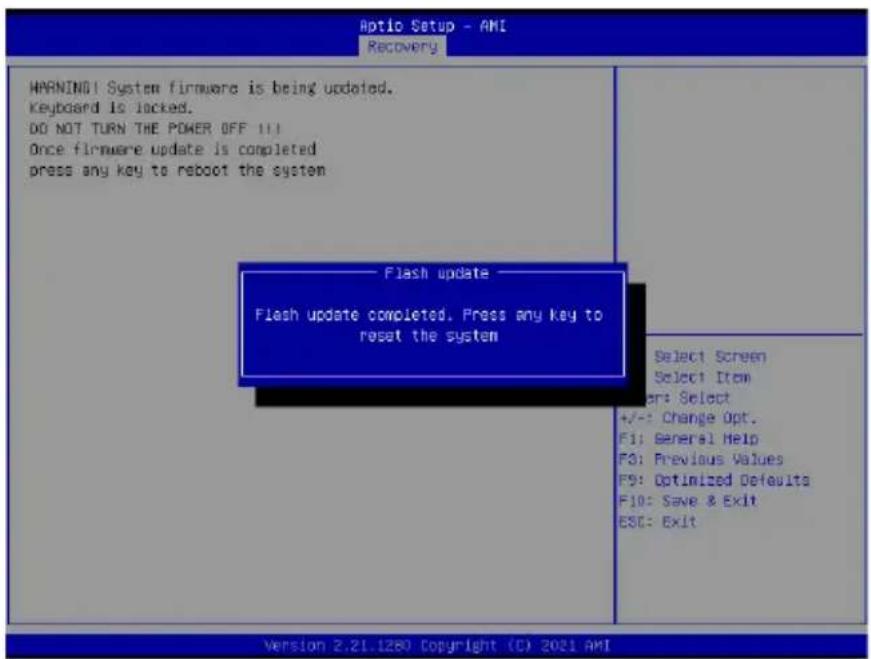
2-11 BIOS POST Beep code (AMI standard)
2-11-1 PEI Beep Codes
| # of Beeps Description | |
| 1 | Memory not Installed. |
| 1 | Memory was installed twice (InstallPeiMemory routine in PEI Core called twice) |
| 2 | Recovery started |
| 3 DXEIPL was not found | |
| 3 DXE Core Firmware | ware Volume was not found |
| 4 Recovery failed | |
| 4 | S3 Resume failed |
| 7 | Reset PPI is not available |
2-11-2 DXE Beep Codes
| # of Beeps Description | |
| 1 Invalid password | |
| 4 Some of the Architectural Protocols are not available | |
| 5 No Console Output Devices are found | |
| 5 No Console Input Devices are found | |
| 6 Flash update is failed | |
| 7 Reset protocol is not available | |
| 8 Platform PCI resource requirements cannot be met | |
- Disclaimer
- Documentation Classifications
- For More Information
- Table of Contents
- 2-3 AMD CBS Menu....66
- 2-4 AMD PBS Menu 123
- 2-5 Chipset Setup Menu....126
- 2-6 Server Management Menu....130
- 2-7 Security Menu 136
- 2-8 Boot Menu....139
- 2-9 Save & Exit Menu....141
- 2-10 BIOS Recovery 142
- 2-11 BIOS POST Beep code (AMI standard).... 143
- Block Diagram
- Chapter 1 Hardware Installation
- 1-1 Installation Precautions
- 1-2 Product Specifications
- Operating
- Properties
- 1-3 Installing and Removing the CPU and Heat Sink
- WARNING!
- Follow these instructions to Install the CPU:
- Note:
- 1-4 Installing and Removing Memory
- 1-4-1 12-Channel Memory Configuration
- 1-4-2 Installing and Removing the Memory Module
- Follow these instructions to install a DIMM module:
- 1-4-3 Processor and Memory Module Matrix Table
- 1-4-4 Memory Population Table
- 1-5 Installing and Removing the M.2 SSD Module
- CAUTION
- Follow the steps below to install an optional M.2 SSD module on your motherboard:
- 1-6 Back Panel Connectors
- LAN and ID Button LEDs
- 1-7 Internal Connectors
- 1/2/3/4) ATX1/P12V\_AUX1/P12V\_AUX2/P12V\_PCIE
- (2x12 Main Power Connector and 2x4/2x3 12V Power Connector)
- 5/6/7) CPU0\_FAN1/SYS\_FAN1/SYS\_FAN2/SYS\_FAN3/SYS\_FAN4/SYS\_FAN5 (FAN Headers)
- 8) PMBus Connector
- 9/10) F\_USB3/ F\_USB2 (USB 3.2 Gen1 Connector/ 2.0 Header)
- 11) FP\_1 (Front Panel Header)
- 13) SPI\_TPM (Trusted Platform Module Connector)
- 14) IPMB (Intelligent Platform Management Bus) Connector
- 15) CN\_NCSI (NCSI Connector)
- 16) LED\_BMC (BMC Firmware Readiness LED)
- 17) BAT (Battery Socket)
- 19) CASE\_OPEN (Case Open Intrusion Alert Header)
- Chapter 2 BIOS Setup
- Main
- ■ Advanced
- AMD CBS
- AMD PBS Option
- Chipset
- ■ Server Management
- ■ Security
- Boot
- ■ Save & Exit
- 2-1 The Main Menu
- Main Menu Help
- Submenu Help
- 2-2 Advanced Menu
- When "Boot Mode Select" is set to Legacy in the Boot > Boot Mode Select section
- 2-2-1 Trusted Computing
- 2-2-2 PSP Firmware Versions
- 2-2-3 Legacy Video Select
- 2-2-4 AST2600 Super IO Configuration
- 2-2-4-1 Serial Port 1 Configuration
- 2-2-5 S5 RTC Wake Settings
- 2-2-6 Serial Port Console Redirection
- 2-2-7 CPU Configuration
- 2-2-8 PCI Subsystem Settings
- 2-2-9 USB Configuration
- 2-2-10 Network Stack Configuration
- 2-2-11 NVMe Configuration
- 2-2-12 SATA Configuration
- 2-2-13 Graphic Output Configuration
- 2-2-14 AMD Mem Configuration Status
- 2-2-15 TIs Auth Configuration
- 2-2-16 RAM Disk Configuration
- 2-2-17 iSCSI Configuration
- 2-2-18 Broadcom BCM57416 10GBASE-T Network Connection
- 2-2-18-1 iSCSI Boot Configuration Menu
- Parameter Description
- 2-2-19 VLAN Configuration
- 2-2-20 MAC IPv4 Network Configuration
- 2-2-21 MAC IPv6 Network Configuration
- 2-3 AMD CBS Menu
- 2-3-1 CPU Common Options
- 2-3-1-1 Performance
- 2-3-1-2 Prefetcher Settings
- 2-3-1-3 Core Watchdog
- 2-3-2 DF Common Options
- 2-3-2-1 Memory Addressing
- 2-3-2-2 ACPI
- 2-3-2-4 SDCI
- 2-3-3 UMC Common Options
- 2-3-3-1 DDR Addressing Options
- 2-3-3-2 DDR Controller Configuration
- 2-3-3-2-1 DDR Power Options
- 2-3-3-2-2 Memory Channel Disable
- 2-3-3-2-3 Refresh Management (RFM)
- 2-3-3-3 DDR MBIST Options
- 2-3-3-3-1 Data Eye
- 2-3-3-5 DDR Bus Configuration
- 2-3-3-6 DDR Timing Configuration
- 2-3-3-7 DDR Training Options
- 2-3-3-8 DDR Security
- 2-3-3-9 DDR PMIC Configuration
- 2-3-3-10 DDR Miscellaneous
- 2-3-4 NBIO Common Options
- 2-3-4-1 SMU Common Options
- 2-3-4-2 NBIO RAS Common Options
- 2-3-5 FCH Common Options
- 2-3-5-1 I3C/I2C Configuration Options
- 2-3-5-2 SATA Configuration Options
- 2-3-5-3 USB Configuration Options
- 2-3-5-4 AC Power Loss Options
- 2-3-5-5 Uart Configuration Options
- 2-3-5-6 ESPI Configuration Options
- 2-3-5-7 FCH RAS Options
- 2-3-5-8 Miscellaneous Options
- 2-3-6 NTB Common Options
- 2-3-7 SOC Miscellaneous Control
- 2-3-8 Workload Tuning
- 2-3-9 CXL Common Options
- 2-4 AMD PBS Menu
- 2-5 Chipset Setup Menu
- 2-5-1 North Bridge
- 2-5-2 Fabric Resource
- 2-6 Server Management Menu
- 2-6-1 System Event Log
- 2-6-2 View FRU Information
- 2-6-3 BMC Network Configuration
- 2-6-4 IPv6 BMC Network Configuration
- 2-7 Security Menu
- 2-7-1 Secure Boot
- 2-8 Boot Menu
- 2-9 Save & Exit Menu
- 2-10 BIOS Recovery
- Recovery Instruction:
- 2-11 BIOS POST Beep code (AMI standard)
- 2-11-1 PEI Beep Codes
- 2-11-2 DXE Beep Codes
Brand : GIGABYTE
Model : MZ33-AR0
Category : Server