1833FL - Microwave Oven Flama - Free user manual and instructions
Find the device manual for free 1833FL Flama in PDF.



| Product type | Microwave oven |
| Brand | Flama |
| Model | 1833FL |
| Supply voltage | 230 V ~ 50 Hz |
| Maximum power | 800 W (estimated) |
| Power levels | 5 levels: P10, P30, P50, P80, P100 |
| Maximum timer | 95 minutes |
| Capacity | 20 L (estimated) |
| Turntable | Glass, diameter 25 cm (estimated) |
| Dimensions (W x H x D) | 45 x 25 x 35 cm (estimated) |
| Weight | 10 kg (estimated) |
| Main functions | Microwave, defrost by weight/time, multi-stage cooking, time preselect, quick start, clock |
| Control panel | Rotary knob and keys (Stop, Start, Menu, functions) |
| Child safety lock | Lock by holding Stop key for 3 seconds |
| Included accessories | Turntable, turntable support, user manual |
| Maintenance and cleaning | Interior: damp cloth; turntable: dishwasher safe; do not use steam cleaner |
| Warranty | 36 months |
| After-sales service | Flama authorized technical support center |
| Reparability | Do not disassemble yourself; entrust to a qualified technician |
Frequently Asked Questions - 1833FL Flama
User questions about 1833FL Flama
0 question about this device. Answer the ones you know or ask your own.
Ask a new question about this device
Download the instructions for your Microwave Oven in PDF format for free! Find your manual 1833FL - Flama and take your electronic device back in hand. On this page are published all the documents necessary for the use of your device. 1833FL by Flama.
USER MANUAL 1833FL Flama
natural_image
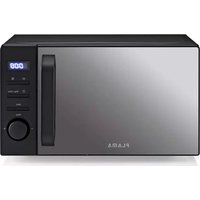
Black FlAMA microwave oven with digital display and control knobs (no visible text or symbols on main body)1833FL
PT MICRO-ONDAS
ES MICROONDAS
EN - WARNING- The mica plate (7) is an integral part of the appliance and should not be removed. Do not remove the light brown (depending on model) mica plate (7) located in the interior space of the microwave to protect the magnetron. In case of damage, have it repaired immediately by a Flama-Authorized Technical Assistance Service.
Please read these instructions carefully before using the appliance for the first time and keep them for future reference. FLAMA shall not be liable for any use that is not in accordance with the instructions.
To reduce the risk of fire, electric shock, personal injury from excessive exposure to microwave energy, when using the appliance, please follow basic precautions, including the following:
Liquids and other foods should not be heated in closed containers, as they may explode.
Please check that the supply voltage of your electrical system corresponds to the voltage on the appliance's rating plate.
Please check that the circuit breaker to which the appliance will be connected is at least 6A.
Choose a level surface with sufficient free area for the air inlets and/or outlets. The minimum installation height is 85 cm.
To ensure good ventilation, there should be a free space of at least:
- 30 cm above the appliance;
- 20 cm behind the appliance;
- 20 cm on the sides of the appliance.
The back of the appliance should be placed against a wall.
This appliance was designed for household, indoor use only. It may be used for heating, cooking, or defrosting food, but it should not be used for industrial purposes.
This appliance may be used by children aged 8 and over and by persons with physical, sensory or mental disabilities, or by persons with lack of experience and knowledge, if they have received training or instructions concerning the safe use of the appliance and are fully aware of the dangers involved. Children must not play with the appliance.
Cleaning and maintenance must not be carried out by children unless they are over 8 years old and supervised.
Keep the appliance and its extension cord out of the reach of children under the age of 8.
Do not run the microwave on empty as you may damage the appliance.
Use only utensils that are suitable for microwave use. To make sure that they are suitable, place the empty utensil in the microwave together with a glass of water, selecting the maximum power for 60 seconds. If the utensil gets too hot, it should not be used.
The appliance should be cleaned regularly and any food deposits removed.
Please read and follow the ‘Precautions for Avoiding Possible Exposure to Excessive Microwave Energy’ carefully.
When heating food in plastic or paper containers, keep an eye on the operation due to the possibility of ignition.
Make cuts on foods with thick shells such as potatoes, whole pumpkins, apples, chestnuts, or others before cooking them.
Do not fry food in the microwave. Oil can damage appliance components and cause burns to the user.
When the microwave is running, containers may heat up due to the heat transmitted by the food. It may be necessary to handle them with holders.
If you notice smoke inside, switch off the microwave, remove the plug from the outlet, and keep the door closed in order to stifle any flames inside.
Do not overcook the food.
Do not use the inside of the microwave to store food. Do not leave paper products, cooking utensils, or food inside the microwave when the appliance is not in use.
The microwave, namely sealing areas, its inside or other parts should be cleaned as indicated in the Cleaning and Maintenance instructions.
Remove staples and other metal components from paper or
plastic bags before placing them in the microwave.
Install or place the appliance according to the instructions in the 'Installation' chapter.
Eggs (raw or cooked) in their shells should not be heated in the microwave as they may burst, even after cooking is complete.
This appliance is intended for households and similar uses, such as:
- Staff kitchen areas in stores, workshops and other working environments;
- Cottages;
- Guests of hotels, motels and other residential environments
- Hotel room-type environments.
Do not use or store the appliance outdoors.
Do not use the appliance near water, in damp environments (basement) or near a swimming pool.
The temperature of accessible surfaces may be high when the appliance is switched on.
Surfaces may be hot when the appliance is switched on. Children must be kept at a distance.
Keep the power cord away from hot surfaces and do not cover the appliance's ventilation systems.
Do not leave the cord hanging over the edge of a table or counter.
Failure to clean the microwave could lead to the deterioration of its surfaces, which could shorten the useful life of the appliance and possibly result in dangerous situations.
The contents of baby bottles and food jars should be stirred or shaken and the temperature checked before consumption to avoid burns.
Microwave heating of beverages can result in delayed eruptive boiling, so please be careful when handling the container.
This appliance is not intended to be used by persons (including children) with limited physical, sensory or mental abilities, or lack of experience and knowledge, unless they have received
supervision or instructions concerning the use of the appliance by a person responsible for their safety.
Children should be supervised to ensure they do not play with the appliance.
The appliance is not intended to be operated using an external timer or separate remote control system.
Steam cleaning should not be used.
During use, the appliance becomes hot. Please be extremely careful not to touch the heating element inside the appliance.
Use only the temperature probe recommended for this appliance. (for microwaves equipped to use a temperature sensor).
The appliance cannot be placed in a cabinet unless it has been tested in a cabinet.
The microwave should run with the decorative door open (for microwaves with a decorative door).
WARNING: If the door or sealing areas are damaged, do not use the appliance. Have it repaired immediately at an Authorized Flama Technical Assistance Service.
WARNING: Any repair that involves removing the external cover, which protects against exposure to microwave energy, is dangerous and must only be carried out by a qualified technician at an Authorized Flama Technical Assistance Service.
Switch off the microwave and let it cool down, if necessary, before performing any Cleaning and Maintenance operations.
Do not immerse the appliance in water or any other liquid. It must be cleaned as indicated in the Cleaning and Maintenance instructions.
Do not remove the plug from the socket by pulling the power cord.
It is especially important that the microwave door is closing properly and that its components are free from anomalies such as: hanging door, broken or loose hinges and bolts, defective door latches and locking surfaces, among others.
Do not use the appliance if it is not working properly, or if it is
in any way damaged. Any intervention other than cleaning must be carried out by an Authorized FLAMA Technical Assistance Service.
Do not use the appliance if the power cord or plug are damaged. Do not attempt to replace the power cord or plug as this is a dangerous operation. Have them replaced immediately at an Authorized Flama Technical Assistance Service.
This product complies with the Low-Voltage and Electromagnetic Compatibility Directives.
This instruction manual is also available in PDF format at www.flama.pt.
DESCRIPTION
- Door latch with safety system
- Viewing window
- Rotating plate support
- Rotating plate mechanism
- Control panel
- Rotating plate
- Mica plate*
PRECAUTIONS TO AVOID POSSIBLE EXPOSURE TO EXCESSIVE MICROWAVE RADIATION
Do not attempt to operate the microwave with the door open, as this could result in harmful exposure to microwave radiation. It is important not to break or change the safety lock devices.
Do not place any object between the front opening of the microwave and the door, and do not allow food or detergent residue to accumulate on the isolating surfaces.
Keep the door and respective isolating surfaces clean, cleaning them after each use, first with a damp cloth and then with a soft, dry cloth.
WARNING: if the door or components of the door are damaged, the microwave should not be operated until it has been repaired by a competent technician.
If the appliance is not maintained in a good state of cleanliness, its surface may degrade and affect its useful life, leading to a dangerous situation.
REDUCING THE RISK OF PERSONAL INJURY
Grounding installation
DANGER - Risk of electric shock
Touching some of the internal components can cause serious personal injury or death. Do not disassemble the appliance.
WARNING
Risk of electric shock
The inadequate use of the grounded connection may result in electric shock.
Do not plug into a socket before the appliance has been properly installed and grounded.
This appliance should be grounded. In the event of an electrical short circuit, the grounded connection reduces the risk of electric shock by providing an escape wire for the electrical current.
This appliance is equipped with a power cable that has a grounding wire and a grounded plug. The plug should be connected to a properly installed and grounded wall socket.
Consult an electrician or a qualified technician if you do not fully understand the grounded connection instructions or if you have doubts about correctly grounding the appliance. If the use of an extension cord is required, only use a 3-wire extension cord.
- A short power cable is provided to reduce the risks of it becoming tangled or of tripping over a longer cable.
- If a longer cable or extension cord is used:
1) The electrical rating of the cable or extension cord must be at least as high as the electrical rating of the appliance.
2) The extension cord must be a 3-wired, grounded cord.
3) The long cable must be positioned so that it does not fall over the edge of the counter or tabletop, where it may be pulled by children or accidentally tripped over.
CLEANING AND MAINTENANCE
Before cleaning the appliance, turn it off and unplug it from the wall socket.
Keep the interior of the microwave oven clean. Whenever food splatters or spilled liquids adhere to the walls of the microwave, wipe them off with a damp cloth. You may use a mild detergent when the microwave requires cleaning.
Avoid using sprays or other harsh cleaning agents as these can stain, scratch or dull the surface of the door.
The exterior surfaces should be cleaned with a damp cloth. To avoid damaging the working components inside the microwave, do not allow water to penetrate its interior through the ventilation openings.
Wipe both sides of the window with a damp cloth to remove splatters.
Do not allow the control panel to get wet. Clean it with a soft, damp cloth. Keep the door open whenever you clean the control panel to prevent the microwave from turning on accidentally.
If steam accumulates inside or around the door of the microwave, wipe it with a soft cloth. This can happen when the microwave is used in very humid conditions. This is normal.
Occasionally, the glass plate will need to be removed for cleaning. Clean it in hot water with detergent or in the dishwasher.
The rotating plate support and the base of the microwave should be cleaned regularly to prevent excessive noise. Clean them with a mild detergent. The rotating plate support can be washed in water with mild detergent or in the dishwasher. Make sure to return the rotating plate support to the correct position.
Remove odors from your microwave by mixing a cup of water with the juice and rind of a lemon in a deep, microwave-safe container and microwave it for 5 minutes. Clean very well and dry with a soft cloth.
Whenever the light bulb in the microwave needs to be replaced, contact a Flama-Authorized Technical Assistance Service.
CAUTION
Danger of personal injury
It is dangerous for any untrained person to perform any service or repair work that involves removing a cover that protects against exposure to microwave radiation.
UTENSILS
See the instructions in “Materials that can be used in the microwave” and “Materials that cannot be used in the microwave.”
There are certain non-metallic utensils that are not safe for use in the microwave. In case of doubt, test the utensil in question by following this procedure:
Utensil test:
Fill a microwave-safe container with 1 cup of cold water (250 mL) and the utensil to be tested.
Turn on the appliance for 1 minute on maximum power.
When the time is up, carefully touch the utensil. If it is hot, do not use it in the microwave.
WARNING - Do not exceed the indicated test time.
Materials that can be used in the microwave
| Utensils Observations | |
| Browning plate Follow the manufacturer's instructions. The base of the browning plate should be at least 5 mm above the rotating support. Incorrect use can result in damage to the rotating support. | |
| Crockery Use only microwave-safe items. Follow the manufacturer's instructions. Do not use cracked or chipped dishes. | |
| Glass jars | Always remove the lid Use only to heat food to a medium temperature. Most of these jars are not heat resistant and can break. |
| Glass crockery | Use only heat-resistant glass crockery. Make sure it does not have a metallic edge. Do not use cracked or chipped dishes. |
| Cooking bags | Follow the manufacturer's instructions. Do not close with a metallic tie. Puncture to allow steam to escape. |
| Paper plates and cups | Use only for brief cooking/heating. Do not leave the microwave unattended while cooking. |
| Paper towels | Use to cover foods during reheating and to absorb grease. Use with supervision and only for brief cook times. |
| Parchment paper | Use as a covering to prevent splatters or as wrapping for steam cooking. |
| Plastic | Use only microwave-safe items. Follow the manufacturer's instructions. The item should bear a “Microwave-safe” label. Some plastic containers soften as the foods they hold heat up. “Boil bags” and closed plastic bags must be punctured or ventilated according to the package instructions. |
| Plastic wrap | Use only microwave-safe items. Use to cover foods while cooking and to retain humidity. Do not allow the plastic wrap to touch the food. |
| Thermometers | Use only microwave-safe thermometers (for meat and candy). |
| Vegetable paper | Use as a covering to prevent splatters and to retain humidity. |
Materials that cannot be used in the microwave
| Aluminum tray | Can cause electrical arcing. Transfer foods to a microwave-safe plate. |
| Paper box with metal handle | Can cause electrical arcing. Transfer foods to a microwave-safe plate. |
| Metallic utensils or those with metallic trim. | The metal protects the foods from the microwave energy. The metallic trim can cause electrical arcing. |
| Metallic ties | These can cause electrical arcing and start a fire in the microwave. |
| Paper bags | Can catch fire in the microwave. |
| Plastic foam | When exposed to high temperatures, plastic foam can melt or contaminate the liquid it contains. |
| Wood | When used in the microwave, wood dries out and can crack. |
INSTALLATION
Remove all packaging material and accessories. Inspect the microwave for damage, like dents or a broken door. Do not install the microwave if damaged.
Body: Remove any protective film on the surface of the body of the microwave.
Do not remove the light brown (depending on model) mica covering located in the interior space of the microwave to protect the magnetron.
Select a level surface with enough space for the intake and/or outlet ventilation openings.
The minimum installation height is 85 cm.
The rear surface of the appliance should face the wall.
Allow a minimum space of 30 cm above the microwave and a minimum of 20 cm between the microwave and any adjacent walls.
Do not remove the legs from the base of the microwave.
Blocking the inlet and/or outlet openings may damage the microwave.
Keep the microwave as far away as possible from radios and televisions. Operation of the microwave can cause interference in radio and television reception.
Plug the microwave into a normal wall socket. Make sure that the voltage and frequency are the same as those indicated on the rating label.
WARNING: Do not install the microwaveabove cooktops or other heat-producing
appliances. If installed near or above of a heat source, the microwave may become damaged, invalidating the warranty.
The exposed surface may heat up during operation.
Rotating plate:
The rotating plate must always be used while cooking.
All foods and cooking containers must always be placed on the rotating plate during cooking.
The rotating plate support should always be placed before the rotating plate.
Never use the rotating plate upside down. The rotating plate has a cavity where the rotating plate mechanism should be fitted. The rotating plate should never be fixed or prevented from turning.
- If the rotating plate, the rotating plate support or the rotating plate mechanism are damaged in any way, do not operate the appliance and immediately contact a Flama-Authorized Technical Assistance Service.
BASICS OF MICROWAVE COOKING
Position the foods carefully. Place the thicker portions toward the outer edge of the plate.
Be mindful of the cooking time. Cook for the shortest indicated period of time and add more time as needed.
Overcooked foods may smoke or burn.
Cover the foods as they cook. Coverings prevent splatters and help the foods cook evenly.
Turn foods over once to speed up cooking of foods like chicken or hamburger. Large items, such as roasts, must be turned over at least once.
Redistribute foods, like meatballs, halfway through the cook time, moving them from bottom to top and from the center of the plate to the edge.
OPERATION
Control Panel

| Microwave Functi on | |
| Defrost Functi on by ti me/weight | |
| Clock/predefi ned ti me functi on | |
| Stop | Clear | Stop / clear |
| Start | Start/+30 sec./Confi rm |
 | MENU button |
Clock configuration
When plugging in the microwave, the screen will display "0:00" and a beep is emitted.
Press the Clock Functi on button. The hours fi eld fl ashes.
Turn the Menu Button to adjust the hours. The value should be between 0 and 23.
Press the Clock Function button. The minutes fi eld fl ashes.
Turn the Menu Button to adjust the minutes. The value should be between 0 and 59.
Press the Clock Functi on button to complete the configuration. ":" flashes and the time is shown.
Note: When connected to an electrical outlet, if the clock has not been set, it will not operate.
During the process of setting the clock, if you do not press the Clock Function button to confirm in 1 minute, the oven will automatically assume the previous state.
Microwave cooking
Press the Microwave Function button. The display shows P100.
Press the Microwave Function button or turn the Menu button to select the desired output.
 | P10 |
 | P30 |
 | P50 |
 | P80 |
 | P100 |
Press the Start button (Start/+30 sec./Confirm) to confirm the selection.
Turn the Menu Button to adjust the time. The maximum cooking time is 95 minutes.
Then, Press Start (Start/+30 sec./Confirm) to start cooking.
Quick start
In standby mode, Press Start (Start/+30 sec./Confirm) to start cooking with maximum output. Every time you press the button, 30 seconds is added to the cooking time, up to 95 minutes.
In microwave cooking or timed defrost mode, every time you press Start (Start/+30 sec./Confirm) the cooking time increases 30 seconds.
In standby mode, turn the Menu Button to the left to define the cooing time with maximum power. Then, Press Start (Start/+30 sec./Confirm) to start cooking.
Defrosting by weight
Press the Defrost by time/weight function key. The screen will show "dEF1".
Turn the Menu Button to select the weight of the food, between 100g and 2000 g.
Press Start (Start/+30 sec./Confirm) to start defrosting.
Defrost by time
Press the Defrost by time/weight function key twice. The screen will show "dEF2".
Turn the Menu Button to select the defrost time. The maximum time is 95 minutes.
Press Start (Start/+30 sec./Confirm) to start defrosting.
Multi-stage cooking
You can configure the microwave to cook in two stages. If one stage is defrosting, this should be configured first. The beep will sound once at the end of the stage and when the next one begins.
Example: if you want to defrost the food for 5 minutes, then cook with 80% of the output of the microwave for 7 minutes. The stages are as follows:
Press the Defrost by time/weight function key twice. The screen will show "dEF2".
Turn the Menu Button to select the defrosting time, in this case 5 minutes.
Press Microwave function.
Turn the Menu button to select the desired output, in this case P80.
Press Start (Start/+30 sec./Confirm) to confirm.
Turn the Menu Button to select the cooking time, in this case 7 minutes.
Press the Start button (Start/+30 sec./Confirm) to start cooking.
Pre-defined time function
Set the clock (See clock configuration).
Enter the cooking program.
You can define a maximum of two stages.
You should not defrost with this function.
Example: if you want to cook with 80% of the output of the microwave for 7 minutes.
-Press the Microwave Function button once.
-Turn the Menu button to select 80% of the microwave output, until "P80" is shown;
- Press Start (Start/+30 sec./Confirm) to confirm.
- Turn the Menu Button to adjust the cooking time to 7 minutes;
- After the steps above, do not press Start (Start/+30 sec./Confirm) to start.
Program the time predefinition:
Press the Clock/predefined time button. The time will flash on the display.
Turn the Menu Button to adjust the hours. The value should be between 0 and 23.
Press the Clock/predefined time button. The minutes will flash on the display.
Turn the Menu Button to adjust the minutes. The value should be between 0 and 59.
Press the Start button (Start/+30 sec./Confirm) to confirm. “:” will light up. The beep will sound twice at the right time and cooking will automatically begin.
Note: the clock should be set first. Otherwise, the pre-defined time function will not work.
Automatic mode
(Consult program table)
Turn the Menu Button to the right to select the menu and you will be shown a value between "A-1" and "A-8".
Press the Start button (Start/+30 sec./Confirm) to confirm.
Turn the Menu Button to select the weight. Press Start (Start/+30 sec./Confirm) to start.
Child-block function
Blocking:
In standby mode, keep the Stop/Clear (Stop/clear) button pressed for 3 seconds.
You will hear a long beep to confirm the activation of the child-proof blocking.
Unblocking:
In blocked mode, keep the Stop/Clear (Stop/clear) button pressed for 3 seconds. You will hear a long beep to confirm unblocking.
ADDITIONAL INFORMATION
The Start button (Start/+30 sec./Confirm) should be pressed to continue cooking if the door is opened during cooking;
After a configuration has been defined, if the Start (Start/+30 sec./Confirm) button is not pressed within 1 minute, the configuration will be canceled.
The beep will sound five times to remind you that the program has ended.
Program table
| Program Weight Display Output | |||
| A-1 | 200g 200 | 100%400g 400 | |
| Reheat | 600g 600 | ||
| A-2 | 200g 200 | 100%300g 300 | |
| Vegetables | 400g 400 | ||
| A-3 | 250g 250 | 80%350g 350 | |
| Fish | 450g 450 | ||
| A-4 | 250g 250 | 100%350g 350 | |
| Meat | 450g 450 | ||
| A-5 | 50G(with water 450 g) 50 | 80% | |
| Pasta | 100G(with water 800 g) 100 | ||
| A-6 | 200g 200 | 100%400g 400 | |
| Potato | 600g 600 | ||
| A-7 | 200g 200 | 100% | |
| Pizza | 400g 400 | ||
| A-8 | 200ml 200 | 80% | |
| Soup | 400ml 400 | ||
WARNINGS
| The microwave was started on accident with no food inside. | It is very dangerous to use the appliance without food inside. |
| The microwave interferes with television reception. | Radio or television reception may experience interference when the microwave is in operation. It is similar to the interference caused by small electronic devices, such as blenders, vacuums, and fans. This is normal. |
| Weak microwave light. When cooking on low power, the microwave light may be weak. This is normal. | |
| Accumulation of steam on the door, hot air escapes from the ventilation openings. | Food may release steam when cooking. Most of it will escape through the ventilation openings. However, some steam may accumulate in cold places, such as the microwave door. This is normal. |
TROUBLESHOOTING
| Problem Cause | Solution | |
| The microwave cannot be turned on. | The power cable is not well connected. | Remove the plug from the wall socket. Plug it in again 10 seconds later. |
| There is a burnt fuse or a breaker has tripped. | Replace the fuse or reset the breaker (repaired by a professional from our company). | |
| Problems with the plug. | Test the wall socket with other electrical appliances. | |
| The microwave doesn't heat up. | The door isn't well closed. | Close the door well. |
| The glass rotating plate makes noise when the microwave is working. | The rotating support and base of the microwave are dirty. | See the section on Cleaning and Maintenance. |
ANOMALIES AND REPAIR
In case of malfunction, please take the appliance to an authorized Technical Assistance Service. Do not attempt to disassemble or repair the appliance, as this may be dangerous.
PROTECTING THE ENVIRONMENT

This symbol indicates the separate collection of electrical and electronic equipment.
The main objective of the separate collection of this waste is to reduce the quantity to be disposed of, promote re-use, recycling and other forms of recovery in order to reduce its negative effects on the environment.
When it is no longer in use, this appliance must not be disposed of together with other unsorted municipal waste.
The user is responsible for delivering it free of charge to the selective collection facilities available for that purpose.
Pieces of equipment that are no longer in use can also be taken back at points of sale, by purchasing new pieces of equipment that are equivalent and have the same functions.
For more detailed information on collection points, please contact your City Council or a point of sale for this equipment.
FOUR À MICRO-ONDES
CONSIGNES DE SÉCURITÉ
DYSFONCTIONNEMENTS ET RÉPARATIONS
We declare, under our own responsibility, that the above appliance covered by this declaration is in conformity with the following directive(s), standard(s) or other normative document(s), provided that the products are used in accordance with our instructions -
The product is in conformity with the following(s) directive(s) -
The product is in conformity with the following(s) harmonized european standard(s) -
- Keep the proof of purchase (receipt) for this product carefully. When a repair is made under these conditions, the technician will require proof of purchase. This assistance can only be provided once you have proven, with the proof of purchase, that your appliance is within the warranty period.
- The warranty period for this appliance is defined by the respective EU Directive in force on the date of purchase/delivery.
- Within the guarantee period, we will repair or replace, free of charge, any parts which, during the normal use of the appliance, have deteriorated as a result of a proven material or manufacturing defect.
- This warranty does not cover consumable items, light bulbs, easily breakable parts made of glass or plastic, or any other defects that do not impair its proper functioning.
- We accept no liability for damage caused by incorrect or careless use of the appliance, by its connection to an electrical current other than that indicated on the appliance's rating plate, by faulty electrical installation, or by atmospheric, chemical or electrochemical causes. Other claims or demands for compensation relating to objects which are not an integral part of the appliance will be denied.
- The provision of assistance under warranty does not extend the warranty period. Only within this period will assistance be provided under warranty. The right to assistance is only granted to the first purchaser of the device and cannot be transferred to a third party.
- The warranty expires when unauthorized persons have attempted to repair, modify or replace parts of the appliance.
- All expenses and risks of transportation to our factory or vice versa will always be borne by the buyer.
WARRANTY CONDITIONS
To benefit from the Technical Assistance service during the 36-month warranty period after the date of purchase, you will need to:
Present the Invoice/Proof of Purchase, stating the model and the manufacturing number of the product (whenever possible).
Note: Failure to present the aforementioned documents will be grounds for not providing services under warranty.
CONDITIONS DE GARANTIE
CONDITIONS DE GARANTIE


- This product complies with the Low-Voltage and Electromagnetic Compatibility Directives.
- DESCRIPTION
- PRECAUTIONS TO AVOID POSSIBLE EXPOSURE TO EXCESSIVE MICROWAVE RADIATION
- REDUCING THE RISK OF PERSONAL INJURY
- CLEANING AND MAINTENANCE
- CAUTION
- Danger of personal injury
- UTENSILS
- INSTALLATION
- Rotating plate:
- BASICS OF MICROWAVE COOKING
- OPERATION
- Control Panel
- Clock configuration
- Microwave cooking
- Quick start
- Defrosting by weight
- Defrost by time
- Multi-stage cooking
- Pre-defined time function
- Automatic mode
- Child-block function
- ADDITIONAL INFORMATION
- TROUBLESHOOTING
- ANOMALIES AND REPAIR
- PROTECTING THE ENVIRONMENT
- FOUR À MICRO-ONDES
- CONSIGNES DE SÉCURITÉ
- DYSFONCTIONNEMENTS ET RÉPARATIONS
- WARRANTY CONDITIONS
- CONDITIONS DE GARANTIE
Brand : Flama
Model : 1833FL
Category : Microwave Oven