ManualGo.com
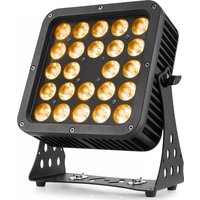
SB420IP - Lighting BeamZ - Free user manual and instructions
Find the device manual for free SB420IP BeamZ in PDF.



Download the instructions for your Lighting in PDF format for free! Find your manual SB420IP - BeamZ and take your electronic device back in hand. On this page are published all the documents necessary for the use of your device. SB420IP by BeamZ.
USER MANUAL SB420IP BeamZ
At the last unit, you must close the DMX line with a terminating resistor. Take an XLR connector and solder a 120 Ohm resistor between signal (-) and signal (+) and connect it to the DMX output of the last unit in the line.
This unit can communicate using RDM (Remote Device Management) via DMX512. RDM is a bi-directional communication protocol for use in DMX512 control systems, it is the open standard for DMX512 configuration and status monitoring. The RDM protocol allows data packets to be inserted into a DMX512 line without affecting the existing non-RDM equipment. The system allows a controller or special RDM controller to send and receive commands from specific fixtures. The RDM function allows you, for example to remotely set the DMX start address of your fixtures. This is especially useful when the fixture is installed in an inaccessible location. Each unit has an RDM UID (unique identification number). Units with protection class IP65 are dust-tight and completely protected against contact (first code number). They are also protected against splash water from any angle (second code digit). That is why this unit can also be used out‐ doors. Events units are generally only designed for temporary use however (event lighting) and not for permanent use outdoors. The specified protection class does not make a statement about the weather resistance of the units (resistance to changing ambient conditions as well as against the effects of sunlight and UV rays). The seals and screw connections of the units must be checked regularly to ensure a fault-free operation. This unit is virtually maintenance-free, but you should check the unit regularly for mechanical and electrical aspects. Assess the operating environment and establish an inspection and cleaning schedule that follows the guidelines below: Disconnect the unit from the power supply and allow it to cool completely before inspecting and cleaning. Check that the screws and bolts used to install the unit are securely tightened and free from corrosion. Check the housing, fixing points and installation points, they must not show any signs of deformation, wear or fatigue. Check the mechanically moving parts, these must not show any signs of wear or fatigue. Check the electrical power and signal cables, they must not show any damage or fatigue. Do not use solvents, abrasives or other aggressive products to clean the unit. Wipe the unit and clean the glass plate with a soft, clean, lint-free cloth moistened with a weak cleaning solution. Place the solution on the cloth and not on the surface to be cleaned. Avoid rubbing glass surfaces. Dry the unit, connectors and contacts with a soft, clean, lint-free cloth or low-pressure compressed air before re-powering the unit.The checklist below may help you troubleshoot in the unlikely event that a problem occurs while using the product: No response from unit. No power to unit. Check that power is turned on. Check cables and connections. Fuse blown or internal fault.
Replace mean fuse or c ontact Beamz support
or Beamz authorized service partner. Do not remove base or yoke covers. Do not attempt to replace a fuse or carry out any repairs or service that are not described in this User Manual unless you have both authorization from Beamz support or Beamz authorized service partner. Unit resets correctly but does not respond (or does not respond correctly) to the controller. The controller is not connected. Connect controller. Bad DMX-line. Inspect connections and cables. Correct poor connections. Repair or replace damaged cables. DMX
line has no end resistance.
plug in DMX output socket of last unit on DMX-line. Incorrect unit addressing. Check unit address and DMX mode settings. A unit is defective and is disturbing data transmission on the DMX-line. Unplug DMX IN and OUT connectors and connect them directly together to bypass one unit at a time until normal operation is regained. Have defective unit serviced by an authorized technician. Pin 2 and 3 are reversed in XLR connection. Inspect connections and cables. Install a phase-reversing cable between the units or swap pin 2 and 3 in the unit, that behaves erratically. Error after unit
Effect requires mechanical adjustment.
Fade mode from slow to fast DE00-DE99 Pulse mode from slow to fast o000- o255 Dimmer Amber All Leds y000
Design and product specifications are subject to change without prior notice.
The products referred to in this manual is conforming European and UK legislation directives to which they are subject: European Union
Tronios Ltd., 130 Harley Street, London W1G 7JU, United Kingdom
2014/35/EU S.I. 2016:1101 2014/30/EU S.I. 2016:1091 2011/65/EC
S.I. 2012:3032offers a wide range of high performance lighting equipment and related accessories for the rental, entertainment and architectural lighting markets. BeamZ Pro stands for performance, innovation and value pricing!