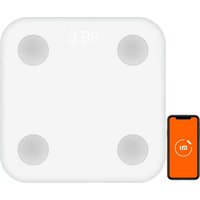
Mi Body Composition Scale 2 - Scale Xiaomi - Free user manual and instructions
Find the device manual for free Mi Body Composition Scale 2 Xiaomi in PDF.

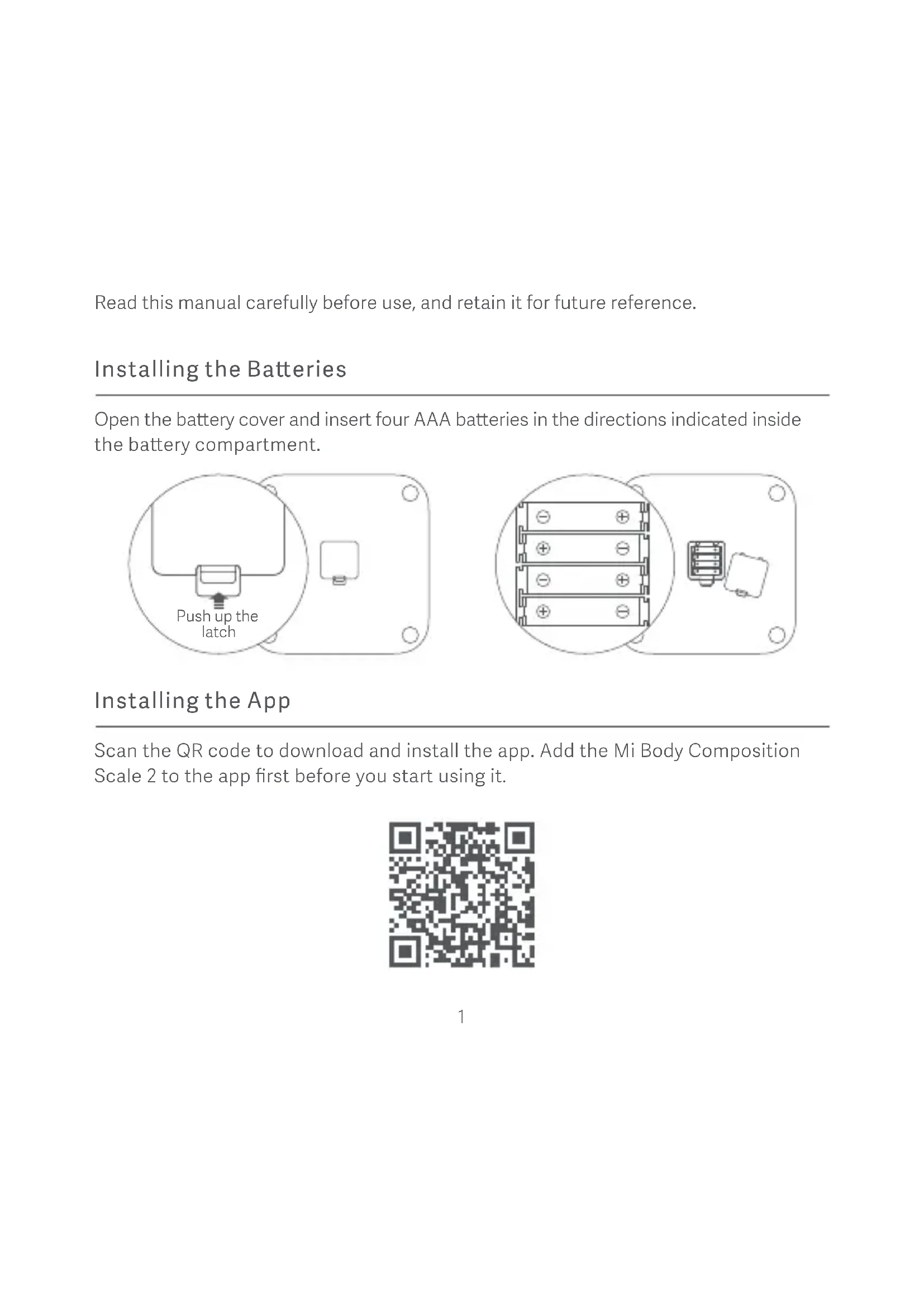


| Product Type | Connected impedance meter scale |
| Brand | Xiaomi |
| Model | XMTZC05HM |
| Dimensions | 300 × 300 × 24 mm |
| Net weight | 1.5 kg |
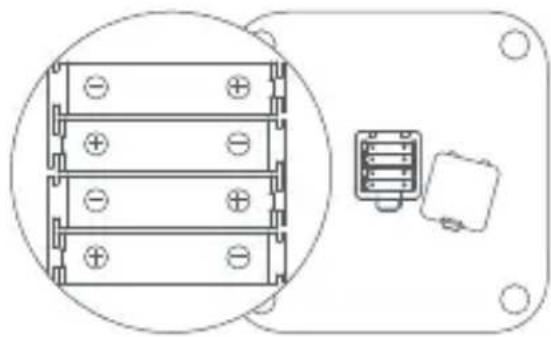
| Power supply | 4 AAA batteries (not included) |
| Connectivity | Bluetooth 5.0 |
| Compatibility | Android 4.4+ / iOS 10.0+ (iPhone 5S and later) |
| Weighing capacity | 100 g to 150 kg |
| Accuracy | 100 g |
| Measurement units | kg, lb, jin |
| Main functions | Weighing, body composition measurement (fat mass, muscle mass, water, etc.), synchronization with the Mi Fit app |
| Materials | Tempered glass platform, plastic base |
| Operating temperature | 0 °C to 40 °C |
| Radio frequency | 2402-2480 MHz |
| Max output power | < 20 mW |
| Maintenance | Clean with a damp cloth and mild detergent. Do not use organic solvents. |
| Safety | Do not use on slippery floor or with wet feet. Do not immerse. Not recommended for pacemaker wearers. |
| Batteries | Remove discharged batteries to avoid leakage. Do not mix battery types. |
| Repairability | Manufactured by Huami Information Technology Co., Ltd. (Mi Ecosystem company). Spare parts not specified. |
Frequently Asked Questions - Mi Body Composition Scale 2 Xiaomi
User questions about Mi Body Composition Scale 2 Xiaomi
0 question about this device. Answer the ones you know or ask your own.
Ask a new question about this device
Download the instructions for your Scale in PDF format for free! Find your manual Mi Body Composition Scale 2 - Xiaomi and take your electronic device back in hand. On this page are published all the documents necessary for the use of your device. Mi Body Composition Scale 2 by Xiaomi.
USER MANUAL Mi Body Composition Scale 2 Xiaomi
Mi Body Composition Scale 2 User Manual ·1
Read this manual carefully before use, and retain it for future reference.
Installing the Batteries
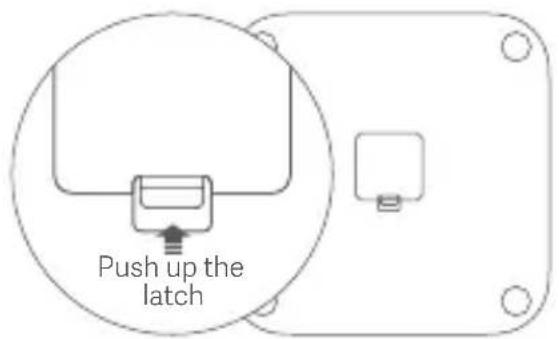
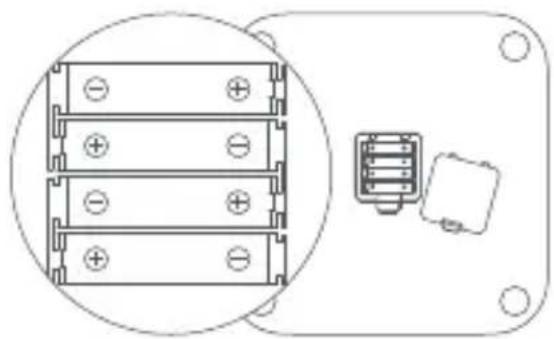
Open the battery cover and insert four AAA batteries in the directions indicated inside the battery compartment.
natural_image
Technical line drawing of a mechanical component with three stacked blocks and a separate internal component (no text or symbols)Installing the App
Scan the QR code to download and install the app. Add the Mi Body Composition Scale 2 to the app first before you start using it.

Pairing the Scale
Open the app and sign in using your Mi account, then pair the scale with your account and enter your personal data according to the on-screen instructions.
After pairing the scale, you can check the weighing records and body composition information via the app.
Personal data is used to analyze your body composition. To ensure the accuracy of the results, please enter accurate personal data.
Weighing and Measuring Body Fat
Place the scale on a hard, flat floor.
Step barefoot onto the scale as shown in the figure. Make sure the skin of your feet makes good contact with the four metal electrodes on the scale.
After your weight is measured, the scale will begin calculating your body composition. The process is completed when the status bar below the indicated weight starts blinking. You can then view your body composition results on your phone.
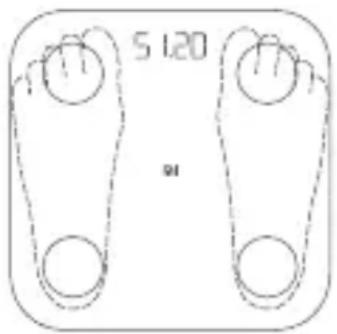
The body composition data provided by this scale is for reference only and does not constitute medical advice.
Weighing Items
Place the scale on a hard, flat surface. Press on the scale to turn it on. Wait until "0.00" is displayed and place the item you want to weigh onto the scale. Moving or bumping the scale may affect the accuracy, in which case you should weigh the item again to make sure the measurement is accurate.
Alert Indications
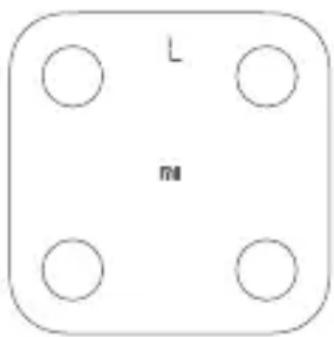
When weighing, a blinking "L" indicates a low battery level, and you should replace the batteries as soon as possible.
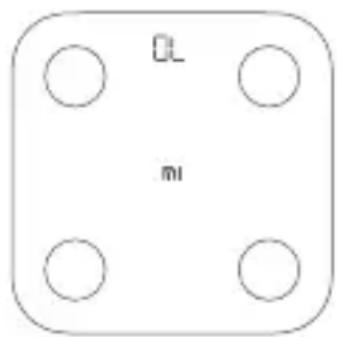
When weighing, a blinking "OL" indicates the scale is overloaded beyond its maximum capacity of 150 kg.
Selecting a Weighing Unit
The scale calculates weight in kilograms (kg) by default. You can change the scale's weighing unit via the device settings in the app.
The scale can display weight in kilograms (kg) and pounds (lbs).
Precautions
- To prevent slipping, do not place the scale on a slippery floor, and do not use it when your feet or the scale are wet.
- Always stand in the middle of the scale, to prevent it from accidentally flipping over while weighing yourself.
- Only use the scale in a dry environment, and do not immerse it in water.
- Wipe the surface of the scale with a damp cloth and mild detergent to clean it. Do not use any organic solvents or other chemicals.
- After the batteries are depleted, immediately remove them to avoid potential leaking and corrosion.
- Do not replace a battery with an incorrect type. Disposal of a battery into fire or a hot oven, or mechanically crushing or cutting of a battery, that can result in an explosion. Leaving a battery in an extremely high temperature surrounding environment that can result in an explosion or the leakage of flammable liquid or gas. A battery subjected to extremely low air pressure that may result in an explosion or the leakage of flammable liquid or gas.
- This scale is not recommended for persons with a pacemaker or other implanted medical devices. The accuracy of the body composition data may vary when used by professional athletes, pregnant women, and certain other individuals with special conditions.
- You can go to app to experience the function of One-foot-stand with Eyes Closed Measurement. When you are feeling off balance, please be sure to open your eyes and stand on your feet firmly to prevent from accidentally flipping over and causing a fall. Anyone including children, elderly, expectant mother, and others with physical or balance disorders should use this function with caution.
Disposal and Recycling Information
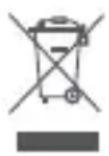
The following symbol signifies that this product has to be disposed separately from ordinary household wastes at its end of life. Please kindly be aware that this is your responsibility to dispose the electronic equipment at recycling centers so as to help conserve the natural resources.
Certifications and Safety Approvals

Hereby, Anhui Huami Information Technology Co., Ltd. declares that the radio equipment type XMTZC05HM is in compliance with Directive 2014/53/EU. The full text of the EU declaration of conformity is available at the following internet address: http://www.mi.com/global/service/support/declaration.html

Hereby, Anhui Huami Information Technology Co., Ltd. declares that the radio equipment type XMTZC05HM is in compliance with Radio Equipment Regulations 2017. The full text of the UK declaration of conformity is available at the following internet address: https://www.mi.com/uk/service/support/declaration.html
The product is in compliance with UK PSTI regulations, the full text of declaration of conformity is available at the following internet address: https://www.mi.com/global/service/support/declaration.html
Specifications
| Dimensions: 300 × 300 × 24 mm | Wireless Connectivity: Bluetooth 5.0 |
| Net Weight: 1.5 kg | Operating Temperature: 0°C to 40°C |
| Weighing Range: 100 g - 150 kg | Frequency: 2402 - 2480 MHz |
| Weighing Units: kg / lbs | Max. Output: <20 mW |
| Increments: 0.1 kg / lbs | Power Source: 1.5 V AAA batteries × 4 |
Casing Material: Tempered glass, engineering plastic
Compatible with: Android 4.4 or iOS 10.0 (iPhone 5S and later) and above, and
Bluetooth 4.0 and above
Mi Body Composition Scale 2
Model: XMTZC05HM
Manufactured for: Xiaomi Communications Co., Ltd.
Manufactured by: Anhui Huami Information Technology Co., Ltd.
(a Mi Ecosystem company)
Address: 7/F, Building B2, Huami Global Innovation Center, No. 900, Wangjiang West
Road, High-tech Zone, Hefei City, China (Anhui) Pilot Free Trade Zone
For further information, please go to www.mi.com
natural_image
Technical line drawing of a mechanical or electrical component with three stacked blocks and a separate internal component (no text or symbols)natural_image
Simple diagram with four circles arranged in a square frame, no text or symbols present.http://www.mi.com/global/service/support/declaration.html
Especificaciones
Dimensiones: 300 x 300 x 24 mm
Peso neto: 1,5 kg
natural_image
Technical line drawing of a mechanical component with three stacked blocks and a separate housing (no text or symbols)natural_image
Simple diagram with four circles arranged in a square frame, no text or symbols present.Адрес: 7/F, Building B2, Huami Global Innovation Center, No. 900, Wangjiang West
natural_image
Technical line drawing of a mechanical component with mounting holes and a central spring-like housing (no text or symbols)http://www.mi.com/global/service/support/declaration.html
Specifiche tecniche
Indirizzo: 7/F, Building B2, Huami Global Innovation Center, No. 900, Wangjiang West
Road, High-tech Zone, Hefei, Cina (Anhui) Pilot Free Trade Zone
natural_image
Technical line drawing of a mechanical component with mounting holes and a central internal structure (no text or symbols)natural_image
Simple diagram of a four-hole table with 'mi' at the center and 'L' above it (no text or symbols beyond basic labels)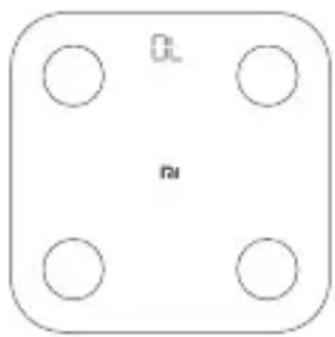
natural_image
Simple diagram with four circles arranged in a square frame, no text or symbols present.Adresse: 7/F, Building B2, Huami Global Innovation Center, No. 900, Wangjiang
West Road, High-tech Zone, Hefei City, China (Anhui) Pilot Free Trade Zone
natural_image
Technical line drawing of a mechanical or electrical component with three stacked blocks and a separate internal component (no text or symbols)Installer l'application
Appariement de la balance
Graduation: 0,1 kg/lbs
Alimentation: 4 piles AAA 1,5 V
Adresse : 7/F, Building B2, Huami Global Innovation Center, No. 900, Wangjiang West
Road, High-tech Zone, Hefei, Chine (Anhui) Zone de libre-échange pilote
natural_image
Technical line drawing of a mechanical component with three stacked blocks and a separate internal component (no text or symbols)アプリのインストール
体組成計を関連付ける
natural_image
Simple diagram of a four-hole table with 'L' and 'M' labels, no text or symbols beyond the labels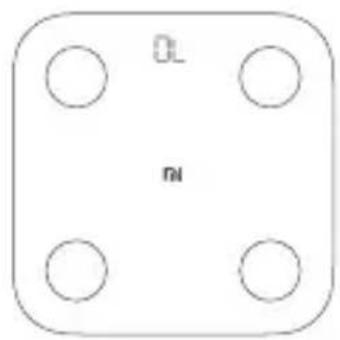
natural_image
Simple diagram with four circles arranged in a square (no text or symbols)計量単位
所在地:7/F, Building B2, Huami Global Innovation Center, No. 900, Wangjiang West Road, High-tech Zone, Hefei City, China (Anhui) Pilot Free Trade Zone
natural_image
Technical line drawing of a mechanical component with mounting holes and a central internal structure (no text or symbols)APP 설치
natural_image
Simple diagram of a four-hole table with 'L' and 'M' labels, no additional text or symbols present.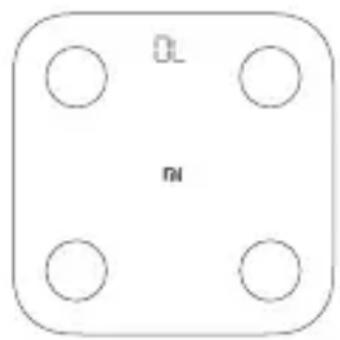
natural_image
Simple diagram with four circles arranged in a square, no text or symbols present무게 단위 설정
상품업체: Xiaomi Communications Co., Ltd.
제조업체: Anhui Huami Information Technology Co., Ltd.
(Mi 에코시스템 기업)
natural_image
Technical line drawing of a mechanical component with mounting holes and a central connector (no text or symbols)下載App
綁定體脂計
natural_image
Simple diagram of a four-hole table with 'L' and 'M' labels, no additional text or symbols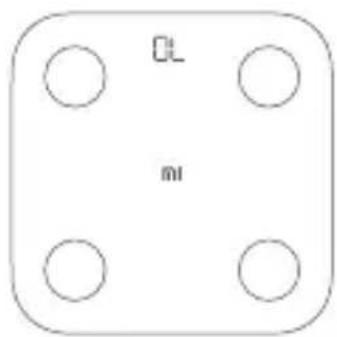
設定稱重單位
產品尺寸: 300mm x 300mm x 24mm
無線連接: 藍牙5.0
產品淨重: 1.5kg
頻段: 2402-2480MHz
稱量範圍: 100g-150kg
最大輸出: <20 mW
稱重單位: 公斤/磅/斤
- Installing the Batteries
- Installing the App
- Pairing the Scale
- Weighing and Measuring Body Fat
- Weighing Items
- Alert Indications
- Selecting a Weighing Unit
- Precautions
- Disposal and Recycling Information
- Certifications and Safety Approvals
- Specifications
- Mi Body Composition Scale 2
- Especificaciones
- Specifiche tecniche
- Installer l'application
- Appariement de la balance
- アプリのインストール
- 体組成計を関連付ける
- 計量単位
- APP 설치
- 무게 단위 설정
- 下載App
- 綁定體脂計
- 設定稱重單位
Brand : Xiaomi
Model : Mi Body Composition Scale 2
Category : Scale