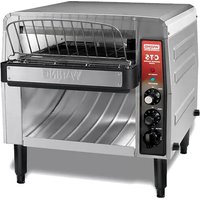
CTS1000B - Toaster Waring Commercial - Free user manual and instructions
Find the device manual for free CTS1000B Waring Commercial in PDF.


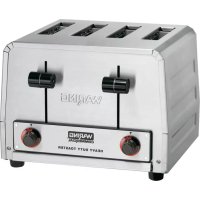
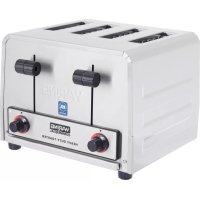
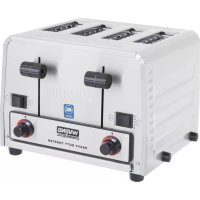
| Product Type | Conveyor Toaster |
| Brand | Waring Commercial |
| Model | CTS1000B |
| Rated Voltage | 208 V |
| Rated Power | 2700 W |
| Rated Current | 13 A |
| Plug Type | NEMA 6-20P |
| Certifications | UL, CUL, NSF |
| Recommended Use | Commercial |
| Conveyor Speed | Adjustable from 1 (fast) to 9 (slow) |
| Browning Control | Adjustable from 1 (light) to 9 (dark) |
| Functions | Toast, Bagel, Standby |
| Power Indicator | Red (POWER ON) |
| Preheat/Ready Indicator | Green (READY/HOT) |
| Feet | Height adjustable |
| Crumb Tray / Reflector | Removable, washable |
| Feed Plate | Removable |
| Bread Exit Tray | Removable |
| Automatic Safety Shutoff | Yes, in case of overheating |
| Safety Distance from Walls | At least 5 cm |
| Exterior Cleaning | Sponge or cloth lightly soaked in warm soapy water |
| Cleaning Removable Parts | Wash with soapy water, rinse and dry thoroughly |
Frequently Asked Questions - CTS1000B Waring Commercial
User questions about CTS1000B Waring Commercial
0 question about this device. Answer the ones you know or ask your own.
Ask a new question about this device
Download the instructions for your Toaster in PDF format for free! Find your manual CTS1000B - Waring Commercial and take your electronic device back in hand. On this page are published all the documents necessary for the use of your device. CTS1000B by Waring Commercial.
USER MANUAL CTS1000B Waring Commercial
CTS1000/CTS1000CND/CTS1000B
For your safety and continued enjoyment of this product, always read the instruction book carefully before using.
When using electrical appliances, basic safety precautions should always be followed, including the following:
Read all instructions.
-
Unplug from outlet when not in use and before cleaning. Allow unit to cool before unplugging, cleaning or handling. Do not unplug until the READY/HOT light has turned off indicating that the unit has cooled off completely.
-
Do not touch hot surfaces. Use handles or knobs.
-
T his appliance is not intended for use by persons (including children) with reduced physical, sensory or mental capabilities, or lack of experience and knowledge, unless they have been given supervision or instruction concerning use of the appliance by a person responsible for their safety. Children should be supervised to ensure that they do not play with the appliance.
-
To protect against risk of electrical hazards, do not immerse cord, plug, or any part of the Waring ^® Commercial Conveyor Toaster in water or other liquids.
-
Do not operate any appliance with a damaged cord or plug, or after the appliance has been dropped or damaged in any way, or if it is not operating properly. Return the toaster to the nearest Waring authorized service facility for examination, repair, or adjustment.
-
The use of attachments not recommended or sold by Waring may cause injury.
-
Do not use outdoors.
-
Do not let cord hang over edge of table or countertop, or touch hot surfaces.
-
Do not place on or near a hot gas or electric burner or in a heated oven.
-
Do not use this toaster for other than its intended use.
-
A fire may occur if the toaster is covered or touching flammable materials such as draperies or walls when in operation. Do not operate under wall cabinets.
-
Oversized bread, metal foil packages or utensils must not be inserted in a toaster as they may involve a risk of fire or electrical shock.
- Do not attempt to dislodge food when toaster is plugged into electrical outlet.
- To avoid possibility of fire, do not leave toaster unattended during use.
- Do not store or use gasoline or other flammable vapors or liquids in the vicinity of this or any other appliance.
- Waring toasters are designed, built, and sold for commercial use. If positioned where the general public can use them, make sure that all cautions, warning, and operating instructions are clearly posted near each unit to insure proper operation and reduce the chance of personal injury and/or equipment damage.
- Plug unit into a properly grounded electrical outlet of the correct voltage, size and plug configuration. If the plug and receptacle do not match, contact a qualified electrician to determine the proper voltage and size and install the proper electrical outlet.
- Unit is not waterproof. DO NOT submerge in water. Do not operate if it has been submerged in water.
- To avoid injury, turn the power switch off, allow to cool completely, and unplug unit from power source before performing any maintenance or cleaning.
- To avoid electrical shock, always unplug the unit before performing cleaning or maintenance.
- For safe and proper operation, the unit must be located a reasonable distance from combustible walls and materials. If safe distances are not maintained, discoloration or combustion could occur.
- To avoid electrical shock or personal injury, do not steam clean or use excessive water on the unit.
- Some exterior surfaces on the unit will get hot. Use caution when touching these areas to avoid injury.
- Locate the unit at the proper counter height, in an area that is convenient for use. The location should be level to prevent
the unit or its contents from accidentally falling, and strong enough to support the weight of the unit and food.
- Failure to provide clearances will cause unit to fail and invalidate warranty claims (see Initial Preparation, page 7).
- Do not use toppings (butter, etc.) on bread or bagels as they are inverted during normal operation.
- O perating toaster without its adjustable feet invalidates any warranty claims.
- Neglecting to keep fan opening clean could result in toaster failure.
SAVE THESE INSTRUCTIONS FOR COMMERCIAL USE ONLY
Item Electrical Plug Type Listings
CTS1000 120 Volt, 15A, 1800W NEMA 5-15P UL, NSF
CTS1000CND 120 Volt, 12.5A, 1500W NEMA 5-15P ⓋUL, CUL, NSF
CTS1000B 208 Volt, 13A, 2700W NEMA 6-20P JL, CUL, NSF
SHORT CORD INSTRUCTIONS
CAUTION: A short power supply cord is provided to reduce the risk of personal injury resulting from becoming entangled in or tripping over a long cord.
EXTENSION CORD USE
An extension cord or longer detachable cord is not recommended for use with conveyor toasters.
ELECTRIC POWER
If the electrical circuit is overloaded with other appliances, your appliance may not operate. It should be operated on an electrical circuit that is free from other appliances. If you are not sure of the reason for overloading or cannot find a separate circuit, contact a qualified electrician.
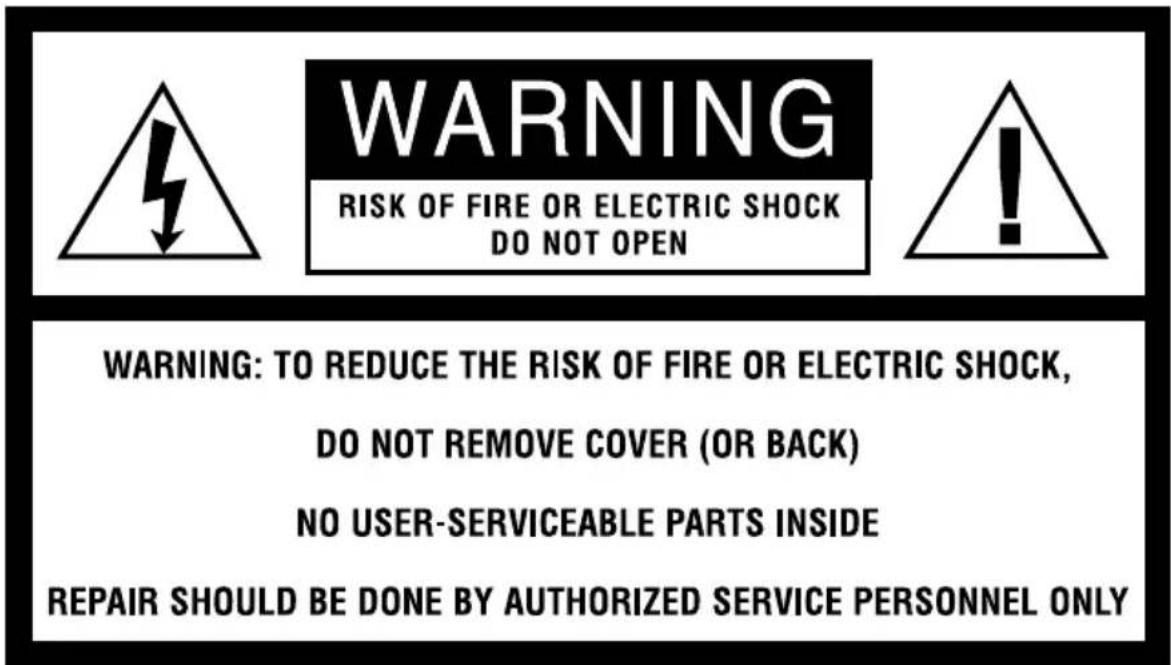
The lightning flash with arrowhead symbol within an equilateral triangle is intended to alert the user to the presence of uninsulated dangerous voltage within the product's enclosure that may be of sufficient magnitude to constitute a risk of fire or electric shock to persons.

The exclamation point within an equilateral triangle is intended to alert the user to the presence of important operating and maintenance (servicing) instructions in the literature accompanying the appliance.
PARTS (CTS1000/CTS1000CND)
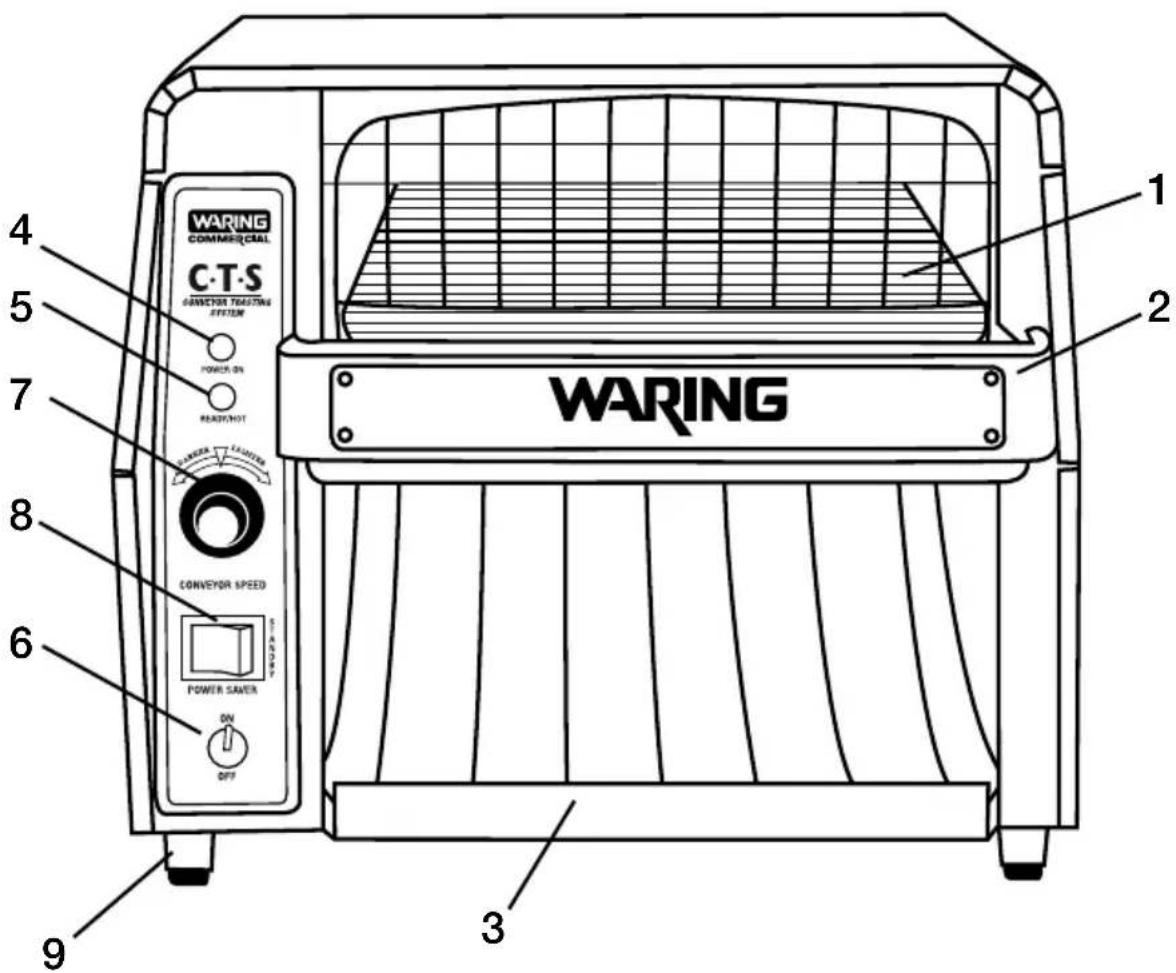
- Wire Bread Feeder
- Reflector/Crumb Tray
- Toast Drawer
- POWER ON Indicator Light
- Temperature READY Indicator Light
- ON/OFF Toggle Switch
- Conveyor Speed Control Knob
- Standby Switch
- AdjustableFeet
PARTS (CTS1000B)
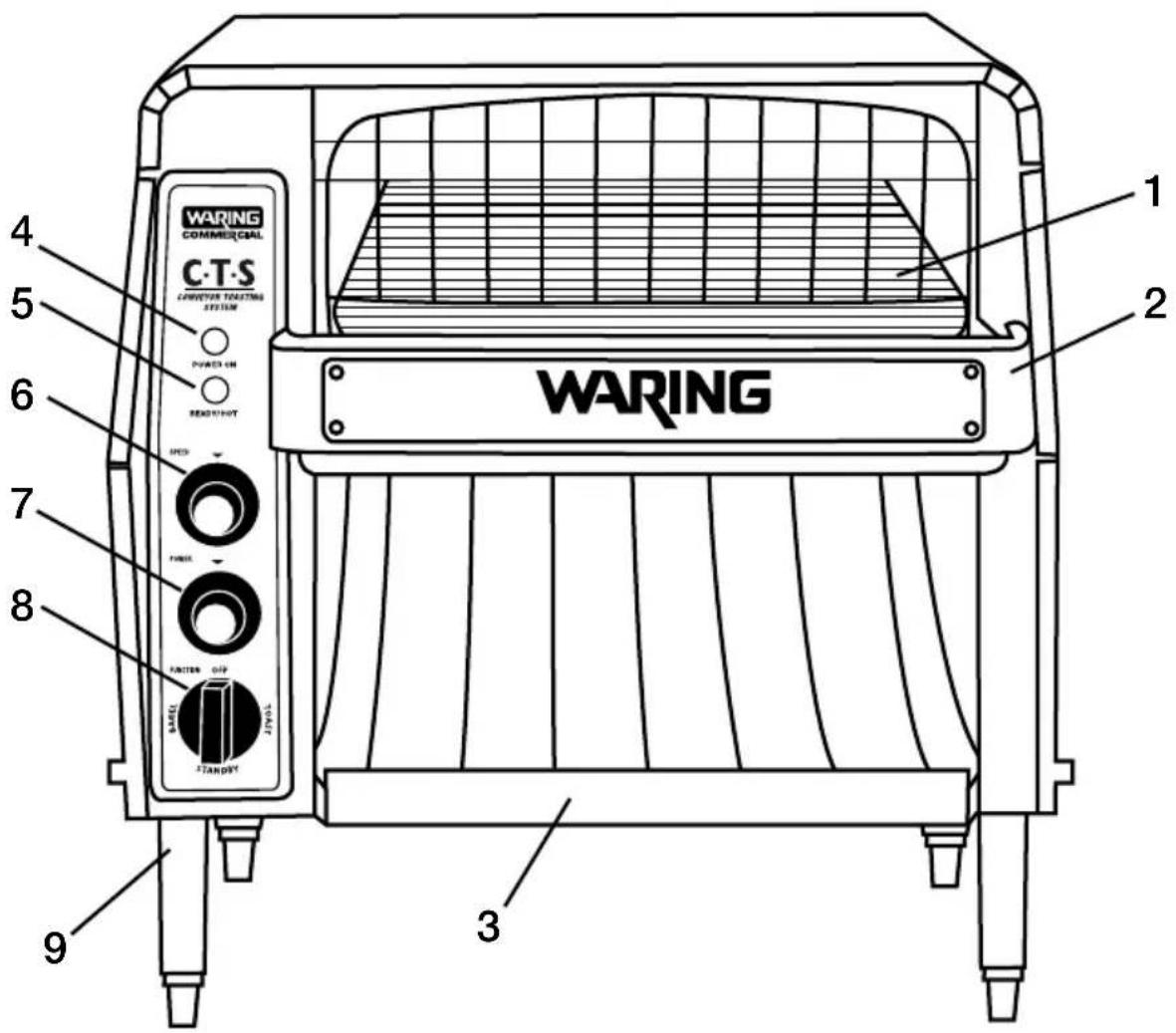
- Wire Bread Feeder
- Reflector/Crumb Tray
- Toast Drawer
- POWER ON Indicator Light
- Temperature READY/HOT Light
- Conveyor Speed Control Knob
- Power Control Knob
- Function Control Knob
- Feet
OPERATION INSTRUCTIONS
CTS1000/CTS1000CND
There are four unattached feet. Each has a screw protruding from the top for assembly. Locate the four screw holes at each corner of the bottom housing. Insert the screw and turn clockwise until snug. Repeat for remaining feet.
Initial Preparation
- PlaceWaring ^® Commercial Conveyor Toaster on level countertop with a minimum of a 2" clearance between the side and back walls.
NOTE: If unit is not seated properly, the feet are adjustable for balancing.
- Remove all parts (reflector/crumb tray and toast drawer) and clean thoroughly before first use.
- R eplace all parts and plug unit into appropriate outlet (see previous page).
- S witch unit to the ON position. The red POWER ON indicator light will illuminate.
IMPORTANT: Make sure the standby switch is in the full power position (to the left).
- When conveyor toaster is ready for toasting, the green READY indicator light will illuminate. This should take approximately 5 minutes.
- Turn the conveyor speed control knob to set the desired toasting speed and shade.
- When the main power switch is turned to the OFF position, the cooling fan and green READY indicator light may stay on up to 15 minutes for cooling.
Toasting
- Place bread, bagel or muffin to be toasted on wire bread feeder. The conveyor toaster will automatically pull bread into the toasting chamber at the speed set by the conveyor speed control knob.
-
When complete, toast will slide down bread chute into the toast drawer.
-
If toast is too light or too dark, adjust the speed control. Turn the knob to the right for lighter toasting. Turn the knob to the left for darker toasting. For best results, use day-old bread stored at room temperature.
Standby Function
- During long periods of inactivity, the standby switch can be used to decrease the unit to 14 power. The switch is found below the conveyor speed control knob and should be switched to the right to activate this feature. This is done to save power and energy during idle periods and extend the life of the toaster's components. When full power is needed once again, switch back to the left and allow 3 to 4 minutes for unit to heat up again. The green indicator light will illuminate when unit is ready to toast.
NOTE: Your conveyor toaster is equipped with an automatic shut off feature. If unit shuts off automatically, immediately unplug the toaster and let cool completely. Make sure the fan intake area is clear and that there is ample space around the unit so that it does not overheat (2 inches). Plug the unit back in and begin toasting.
CTS1000B
Initial Preparation
- Follow instructions 1 through 3 in previous section.
- Turn the unit to the desired function by twisting the function knob located at the bottom of the control panel. The red POWER ON indicator light will illuminate.
- When conveyor toaster is ready for toasting, the green READY/HOT indicator light will illuminate. This should take approximately 5 minutes.
- Turn the conveyor speed control knob to set the desired toasting speed, 1 being the fastest speed and 9 being the slowest.
- Turn the power control to the desired setting, 1 being the lightest setting and 9 being the darkest setting.
- The darkness of your toast/bagel will depend on how hot and how fast you select your controls.
- When selecting the bagel function, only the bottom elements will operate.
Toasting
- P lace bread, bagel or muffin to be toasted on wire bread feeder. The conveyor toaster will automatically pull bread into the toasting chamber at the speed set by the conveyor speed control knob.
- When complete, toast will slide down bread chute into the toast drawer.
- If toast is too light or too dark, adjust the power control and speed control until you reach your desired shade.
Standby Function
- During long periods of inactivity, the standby position on the function control knob can be used to decrease the unit to 14 power. This is done to save power and energy during idle periods and extend the life of the toaster's components. When full power is needed once again, select desired function and allow 3 to 4 minutes for unit to heat up again. The green indicator light will illuminate when unit is ready to toast.
IMPORTANT
Your READY/HOT indicator light will illuminate when the toaster is hot. Once turned off, the light will remain on until the unit has cooled off. Keep the unit plugged in until the light has shut off and the unit is cool.
Do not clean the unit until it has completely cooled off, the READY/HOT light has turned off, and the unit has been unplugged.
NOTE: Your conveyor toaster is equipped with an automatic shut off feature. If unit shuts off automatically, immediately unplug the toaster and let cool completely. Make sure the fan intake area is clear and that there is ample space around the unit so that it does not overheat (2 inches). Plug the unit back in and begin toasting.
Clearing a Toaster Jam
- WARNING: Never insert hands into the toasting chamber to clear a jam. Serious injury may result.
- WARNING: Never use a plastic object to clear a jam. If the toaster has not cooled down completely, damage to the toaster may result.
- Switch toaster to the OFF position, allow the toaster to cool completely and unplug.
CAUTION: DO NOT ATTEMPT TO CLEAR THE JAM UNTIL THE TOASTER HAS COOLED THOROUGHLY.
- To clear jam, remove reflector/crumb tray and, using a long object, preferably made of wood, dislodge object causing jam.
Cleaning Instructions
- CAUTION: Switch toaster off, wait for READY/HOT switch to turn off, then unplug. Do not touch hot surfaces until the unit has cooled.
- IMPORTANT: Do not clean your conveyor toaster using abrasive cleaners or pads. This will scratch and dull the surface of your unit.
- CAUTION: Do not spray, rinse or submerge the toaster in any liquid. Excessive moisture in the unit will cause a severe electrical hazard and may otherwise damage the toaster.
- Wipe the exterior of the toaster with a damp sponge or cloth soaked in hot or warm detergent water. Wipe with a clean, damp cloth to remove excess detergent and then wipe to dry the toaster.
- Remove the reflector/crumb tray, toast drawer and wire bread feeder from the unit and empty them. Wash them in warm detergent water and rinse them. Dry tray, drawer and rack thoroughly.
AVERTISSEMENT
RISQUE D'INCENDIE OU D'ÉLECTROCUTION-NE PAS OUVRIR

AVERTISSEMENT : AFIN DE RÉDUIRE LE RISQUE D'INCENDIE OU D'ÉLECTROCUTION, NE PAS OUVRIR LE BOÎTIER. CET APPAREIL NE CONTIENT AUCUNE PIÈCE POUVANT ÊTRE RÉPARÉE PAR L'UTILISATEUR. TOUTE RÉPARATION DOIT ÊTRE EFFECTUÉE PAR UN TECHNICIEN AUTORISÉ.
©2013 Waring Commercial
314 Ella T. Grasso Avenue
Torrington, CT 06790
www.waringcommercialproducts.com
Printed in China
Imprimé en Chine
Impreso en la China
CTS1000/CTS1000CND/CTS1000B IB
13WC143872
- Read all instructions.
- SAVE THESE INSTRUCTIONS FOR COMMERCIAL USE ONLY
- Item Electrical Plug Type Listings
- SHORT CORD INSTRUCTIONS
- EXTENSION CORD USE
- ELECTRIC POWER
- PARTS (CTS1000/CTS1000CND)
- PARTS (CTS1000B)
- OPERATION INSTRUCTIONS
- CTS1000/CTS1000CND
- Initial Preparation
- Toasting
- Standby Function
- CTS1000B
- IMPORTANT
- Clearing a Toaster Jam
- CAUTION: DO NOT ATTEMPT TO CLEAR THE JAM UNTIL THE TOASTER HAS COOLED THOROUGHLY.
- Cleaning Instructions
- AVERTISSEMENT
Brand : Waring Commercial
Model : CTS1000B
Category : Toaster