QG270S3 - Monitor ACER - Free user manual and instructions

Find the device manual for free QG270S3 ACER in PDF.

ACER QG270S3 - Monitor
📄 34 pages English EN Download 💬 AI Question 11 questions ⚙️ Specs
Notice ACER QG270S3 - page 9
View the manual : Français FR English EN
Pick your language and provide your email: we'll send you a specifically translated version.
Product Type LCD Monitor
Brand Acer
Model QG270S3
Screen Size 27 inches
Native Resolution 1920 x 1080 (Full HD)
Maximum Refresh Rate 180 Hz
Connectivity 1 x HDMI, 1 x DisplayPort
Display Technologies FreeSync Premium, HDR10, Low Blue Light, Super Sharpness
Tilt Angle -5° to +15°
Power Supply Universal AC adapter 100-240 V AC, 50/60 Hz
Power Consumption (Typical) Approximately 30 W
Standby Power Consumption Less than 0.5 W
Dimensions (with Stand) Approximately 614 x 456 x 235 mm
Weight (with Stand) Approximately 5.5 kg
Main Features Game Mode (Action, Racing, Sports), Over Drive, VRB, Aim Point, OSD Lock, DDC/CI
Maintenance and Cleaning Unplug the monitor before cleaning; use a soft, dry cloth
Safety Instructions Do not block ventilation openings; use on a stable surface; disconnect during thunderstorms
Spare Parts and Repairability Have all repairs performed by a qualified technician; contact Acer support
General Information Warranty: refer to the manual; recycling: follow WEEE regulations

Frequently Asked Questions - QG270S3 ACER

How to adjust the brightness of the Acer QG270S3 monitor?
Press the Menu button to open the OSD. Navigate to Image then Brightness and use the directional keys to adjust the value from 0 to 100. Press Enter to confirm.
How to enable FreeSync Premium technology?
Open the OSD menu, go to Games and set FreeSync Premium to On. Note: this disables the Over Drive setting and may cause flicker depending on the graphics card.
What cables are included with the monitor?
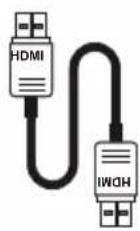
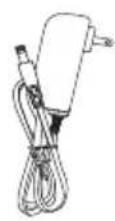
The package contains the monitor, a power adapter, an HDMI cable (optional), a DP cable (optional), and a quick start guide.
How to clean the monitor screen?
Always unplug the monitor before cleaning. Use a soft, dry cloth to wipe the screen and the casing. Do not use harsh chemicals.
What to do if the screen remains black and the LED is red?
Check that the signal cable is properly connected. Make sure the computer is not in sleep mode. If the LED is red, the monitor is in power saving mode. Move the mouse or press a key on the keyboard to wake it up.
How to adjust the monitor tilt?
Hold the monitor by the edges (not on the screen) and tilt it forward or backward. The tilt angle is -5° to +15°.
How to reduce eye strain?
Use the Low Blue Light function in the OSD menu (level 1 to 4). Adjust brightness and contrast comfortably, take regular breaks and blink frequently.
What is the maximum supported resolution?
The native resolution is 1920 x 1080 (Full HD) with a maximum refresh rate of 180 Hz via HDMI or DP.
How to lock the OSD buttons?
Go to the OSD menu, select OSD, then set OSD Lock to On. To unlock, hold the second OSD button for 3 seconds.
The monitor emits a humming sound, is this normal?
A slight humming may come from the power adapter or internal electronics. If the sound is loud or unusual, unplug the monitor and contact Acer support.

User questions about QG270S3 ACER

1 question about this device. Answer the ones you know or ask your own.

Ask a new question about this device

Your email remains private: it is only used to notify you if someone answers your question.

Can the ACER QG270S3 monitor be installed on a mounting arm?
Frequently Asked Questions - 05/25/2026
Response Notice-Facile

Yes, the ACER QG270S3 monitor is compatible with a dual mounting arm. The monitor has a VESA 100 x 100 mm mount, making it compatible with all standard arms that meet this VESA standard.

For installation on a dual arm, ensure that:

  • The arm has a VESA 100 x 100 mm interface
  • The arm's load capacity is sufficient for the monitor
  • The weight does not exceed the limit specified by the arm's manufacturer

The integrated desk stand offers an adjustable tilt of 15 degrees upward or 5 degrees downward. With a mounting arm, you will have much better positioning flexibility according to your setup.

Respond (be the first)

Download the instructions for your Monitor in PDF format for free! Find your manual QG270S3 - ACER and take your electronic device back in hand. On this page are published all the documents necessary for the use of your device. QG270S3 by ACER.

USER MANUAL QG270S3 ACER

Copyright © 2022. Acer Incorporated.

EU Declaration of Conformity

We,

Acer Incorporated

8F, 88, Sec. 1, Xintai 5th Rd., Xizhi, New Taipei City 221

And,

Acer Italy s.r.l.

Viale delle Industrie 1/A, 20044 Arese (MI), Italy

Tel: +39-02-939-921, Fax: +39-02 9399-2913

www.acer.it

Product: LCD Monitor

Trade Name: acer

Model Number: QG240Y

SKU Number: QG240Y xxxxxxxx

We, Acer Incorporated, hereby declare under our sole responsibility that the product described above is in conformity with the relevant Union harmonization legislations as below Directive and following harmonized standards and/or other relevant standards have been applied:

EMC Directive: 2014/30/EU

EN 55032:2015+AC:2016 Class B

EN 61000-3-3:2013+A1:2019

EN 61000-3-2:2014 Class D

EN 55035:2017+A11:2020

EN 55024:2010+A1:2015

LVD Directive: 2014/35/EU

EN 62368-1:2014+A11:2017

RoHS Directive: 2011/65/EU

EN IEC 63000:2018

ErP Directive: 2009/125/EC

(EU) 2019/2021; EN 50564:2011

Year to begin affixing CE marking: 2022.
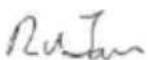
ACER QG270S3 - EU Declaration of Conformity - 1

RU Jan / Manager

Acer Incorporated (New Taipei City)

Dec. 05, 2022

Date

ACER QG270S3 - EU Declaration of Conformity - 2

Federal Communications Commission Declaration of Conformity

This device complies with Part 15 of the FCC Rules. Operation is subject to the following two conditions: (1) this device may not cause harmful interference, and (2) this device must accept any interference received, including interference that may cause undesired operation.

The following local Manufacturer / Importer is responsible for this declaration:

Product: LCD Monitor

Model Number: QG240Y

SKU Number: QG240Y xxxxxxxx

("x" = 0 to 9, a to z, A to Z, or blank)

Name of Responsible Party: Acer America Corporation

Address of Responsible Party: 333 West San Carlos St.,

Suite 1500

San Jose, CA 95110,

U. S. A.

Contact Person: Acer Representative

Phone No.: 254-298-4000

Fax No.: 254-298-4147

EU Declaration of Conformity

We,

Acer Incorporated

8F, 88, Sec. 1, Xintai 5th Rd., Xizhi, New Taipei City 221

And,

Acer Italy s.r.l.

Viale delle Industrie 1/A, 20044 Arese (MI), Italy

Tel: +39-02-939-921, Fax: +39-02 9399-2913

www.acer.it

Product: LCD Monitor

Trade Name: acer

Model Number: QG270

SKU Number: QG270 xxxxxxxx

("x" = 0-9, a-z, A-Z, or blank)

We, Acer Incorporated, hereby declare under our sole responsibility that the product described above is in conformity with the relevant Union harmonization legislations as below Directive and following harmonized standards and/or other relevant standards have been applied:

EMC Directive: 2014/30/EU

EN 55032:2015+AC:2016 Class B

EN 61000-3-3:2013+A1:2019

EN 61000-3-2:2014 Class D

EN 55035:2017+A11:2020

EN 55024:2010+A1:2015

LVD Directive: 2014/35/EU

EN 62368-1:2014+A11:2017

RoHS Directive: 2011/65/EU

EN IEC 63000:2018

ErP Directive: 2009/125/EC

(EU) 2019/2021; EN 50564:2011

Year to begin affixing CE marking: 2022.
ACER QG270S3 - EU Declaration of Conformity - 1

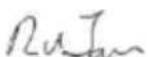
RU Jan / Manager

Acer Incorporated (New Taipei City)

Dec. 05, 2022

Date

ACER QG270S3 - EU Declaration of Conformity - 2

Federal Communications Commission Declaration of Conformity

This device complies with Part 15 of the FCC Rules. Operation is subject to the following two conditions: (1) this device may not cause harmful interference, and (2) this device must accept any interference received, including interference that may cause undesired operation.

The following local Manufacturer / Importer is responsible for this declaration:

Product: LCD Monitor

Model Number: QG270

SKU Number: QG270 xxxxxxxx

(" x" = 0 9, a z, A Z, orblank)

Name of Responsible Party: Acer America Corporation

Address of Responsible Party: 333 West San Carlos St.,

Suite 1500

San Jose, CA 95110,

U. S. A.

Contact Person: Acer Representative

Phone No.: 254-298-4000

Fax No.: 254-298-4147
ACER QG270S3 - Federal Communications Commission Declaration of Conformity - 1

ACER USER GUIDE

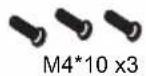
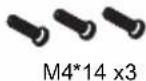
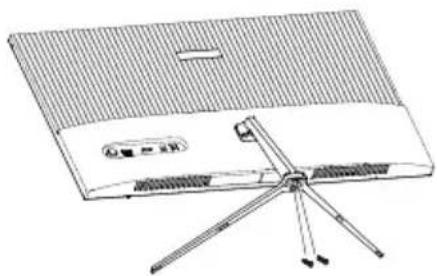
ScrewsACER QG270S3 - Federal Communications Commission Declaration of Conformity - 3

Isometric technical drawing of a multi-chamber plastic housing or enclosure with internal compartments and mounting holes (no text or symbols)

Screws M4*10, Screws M4*14

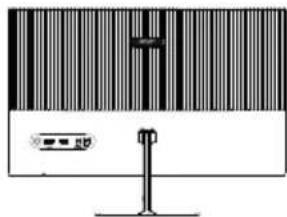
Technical line drawing of a flat-panel electronic device with four blades and a control panel (no text or symbols)

Illustration of a computer monitor with a barcode bar and indicator lights (no text or symbols)

The Function Page

QR code image containing encoded data, no visible human-readable text

QG240Y QG270

Manual assistant
Powered by Anthropic
Waiting for your message
Product information

Brand : ACER

Model : QG270S3

Category : Monitor