Acerpure Pro P2 AP551-50W - Air purifier ACER - Free user manual and instructions
Find the device manual for free Acerpure Pro P2 AP551-50W ACER in PDF.



| Product type | Air purifier |
| Brand | Acer |
| Model | Acerpure Pro P2 AP551-50W |
| Rated voltage | 220-240 V ~ 50 Hz |
| Rated power | 38 W |
| Net weight | 4.22 kg |
| Dimensions (W x D x H) | 253 x 253 x 576 mm |
| Country of origin | China |
| Filter type | HEPA 4-in-1 |
| Purification speeds | Smart, Low, Medium, High, Turbo |
| Sensors | PM1.0, PM2.5, gas (odors) |
| Air quality display | LCD screen with green, yellow, red indicators |
| Connectivity | Wi-Fi 2.4 GHz via acerpure Life app |
| Timer | 1 h, 2 h, 4 h, 8 h, 12 h |
| Silent mode | Yes (screen and keys go to sleep after 15 s) |
| Key lock | Yes (long press 3 s on speed button) |
| Remote control | Yes (CR2032 battery included, range 5 m) |
| Filter replacement indicator | Yes (after 3000 h of use) |
| Maintenance | Clean exterior with soft cloth; vacuum the grilles |
| Safety | Automatic shut-off, overheating protection, child lock |
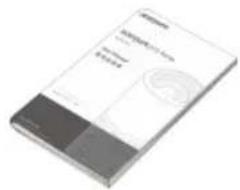
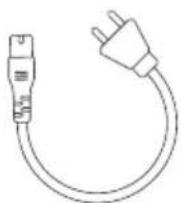
| Included accessories | Power cord, remote control, user manual, warranty card |
Frequently Asked Questions - Acerpure Pro P2 AP551-50W ACER
User questions about Acerpure Pro P2 AP551-50W ACER
0 question about this device. Answer the ones you know or ask your own.
Ask a new question about this device
Download the instructions for your Air purifier in PDF format for free! Find your manual Acerpure Pro P2 AP551-50W - ACER and take your electronic device back in hand. On this page are published all the documents necessary for the use of your device. Acerpure Pro P2 AP551-50W by ACER.
USER MANUAL Acerpure Pro P2 AP551-50W ACER

User Manual
Thank you for purchasing this product. Please read this manual carefully, use this product correctly, and store it properly.
Table of Contents
Safety Instructions
05
Product Introduction
06
Product Overview
07
Function Buttons
08
Panel Introduction
09
Wi-Fi connection - acerpure Life
11
Disassembling and Maintenance
12
Checking Air Quality
13
Battery Precautions
13
Before Calling Customer Service
14
Product Specifications and Company Information
15
Safety Instructions

Prohibited

Attention
| This product is for home and office useDo not use it for other purposes. | Before using, check the power cord and plug for damage.To avoid poor contact, do not twist or pull the power cord. |
| Before using, please check if the voltage on your power socket is compatible with the voltage label on the product. | Turn off the power before pulling out the plug.Do not touch the power plug with wet hands to avoid the risk of electric shock. |
| Do not use this product where foreign objects, such as curtains, may be sucked into the air circulator in order to prevent product damages. | Use of this product without proper assembly is strictly prohibited; it is also prohibited to insert your hand or sharp objects into the air outlet in order to prevent accidents from occurring.Children should be supervised to ensure they do not play with electrical appliances. |
| Do not hang clothes on the product, and do not use the product at places with barriers or unstable places. | This appliance can be used by children aged from 8 years and above and persons with reduced physical, sensory or mental capabilities or lack of experience and knowledge if they have been given supervision or instruction concerning use of the appliance in a safe way and understand the hazards involved children shall not play with the appliance. Cleaning and user maintenance shall not be made by children without supervision. |
| Do not spray liquids such as volatile agents or insecticides on this product. | Do not use this product at places with high temperature (over 40°C), high humidity (such as bathrooms), dusty or where acid-base oils can easily spill. |
| If you do not use the product for long periods of time, please unplug the power plug, especially when there is inclement weather such as thunderstorms, lightning, and other hazards.Please turn off the power immediately and pull out the plug. | This product only requires external cleaning and maintenance; do not clean the surface with rough cleaning tools, and do not rinse it |
| If the product was accidentally immersed in water, please stop using it immediately and contact customer service. | If the product is operating abnormally, such as giving off noise, smoke, or odors, please turn off the power immediately, unplug the product, and contact customer service. |
| If the power cord is damaged, it must be replaced by the manufacturer, its service agent or similarly qualified persons in order to avoid a hazard. | For customer service contact information, please see the company information at the end of this manual. |
*Ensure that the fan is switched off from the supply mains before removing the guard.
Product Introduction
Product accessories
1

Machine Body
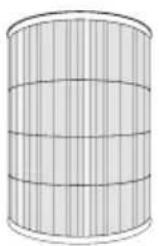
Filter
5

Power Cord
3

Remote Control with Battery (CR2032)
The image is too blurry to recognize any text content.
User Manual & Warranty Card
Remote control battery installation
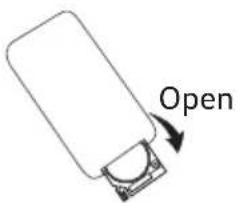
Open
- Remove the battery cover by pressing the left button lightly and pulling the battery cover down.

Install Close
- Place the battery positive (+) side up.

- Push the battery cover back to its original outlet and close it completely.

Remote control precautions
- The remote control must face the receiver directly (Face the remote control downwards and aim it at the operation panel for use).
- The usage range of the remote control is approximately within 500cm to the front of the receiver; if the remote control is not faced towards the receiver, its usage range will be reduced.
- Do not place any obstacles between the receiver and the remote control.
- Please keep the remote control properly; avoid impacts and dropping. Please remove the battery when not using the remote control, and keep it in a safe place.
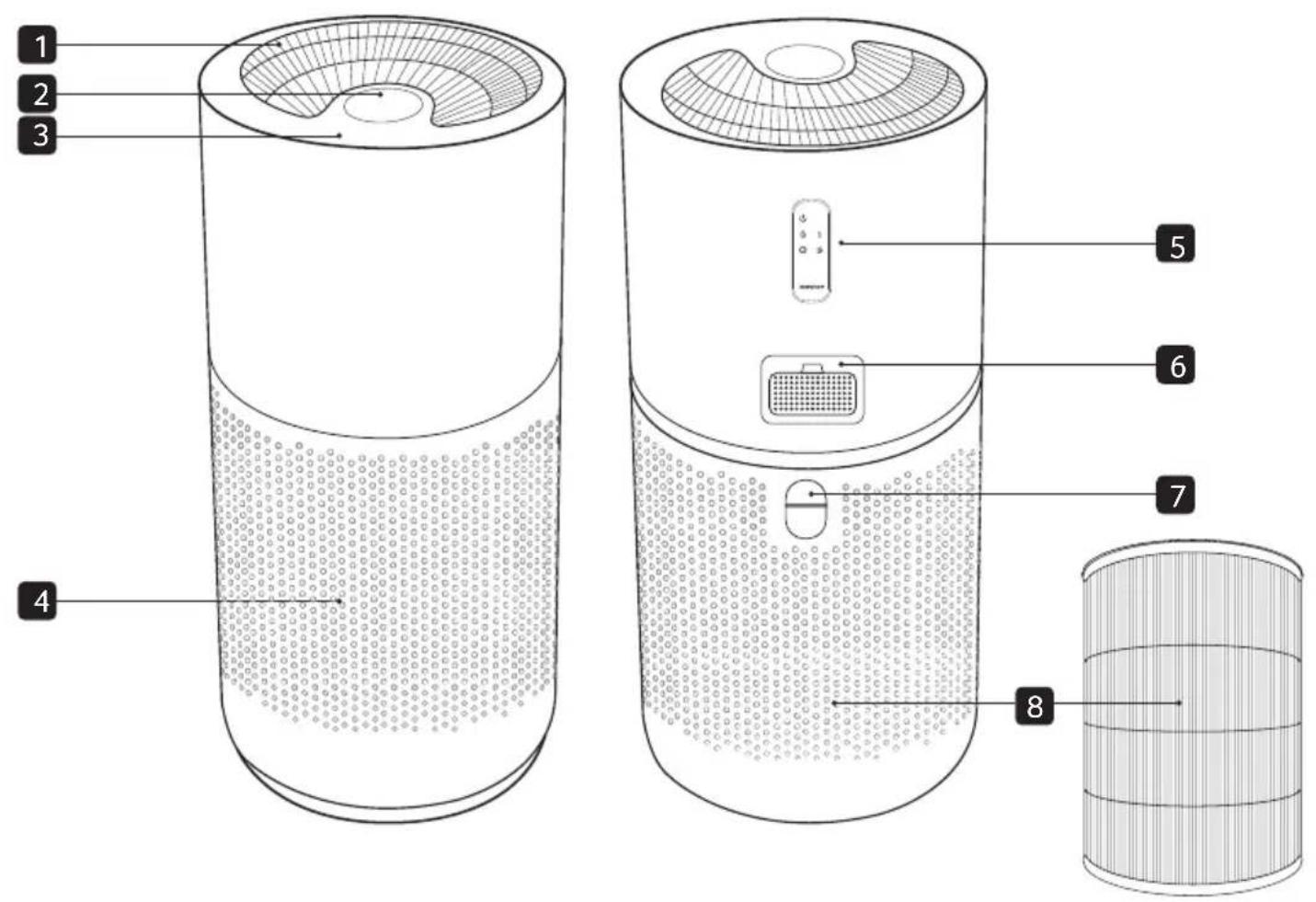
1 Air Outlet Remote Control Mag 5
2 LCD Display Screen
6 Dust (PM1.0 & PM2.5) and Gas Sensor (VOCs)
3 Control Panel Filter Cover Hand 7
4 Air Inlet 4-in-1 HEPA Filter
8
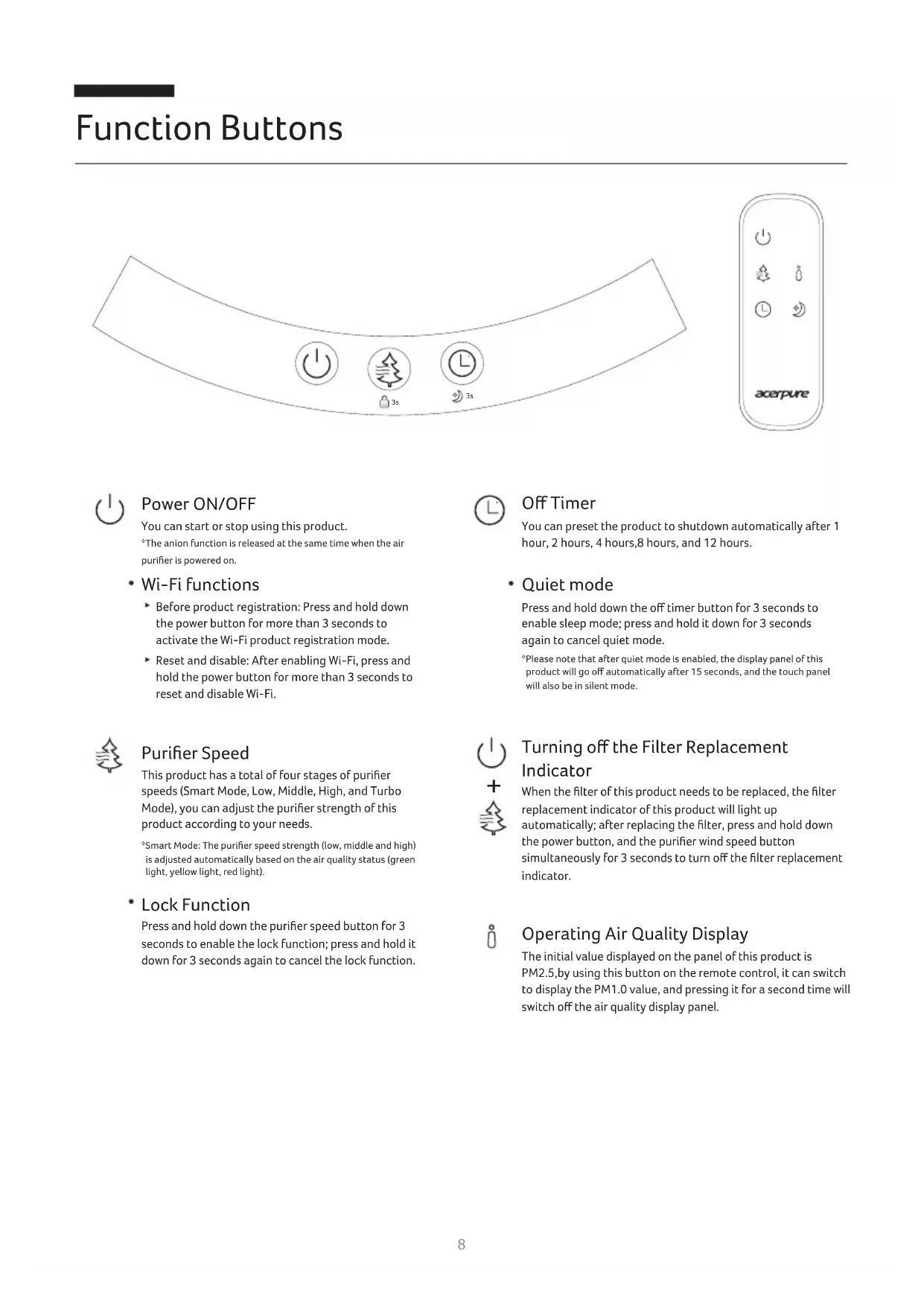
Function Buttons
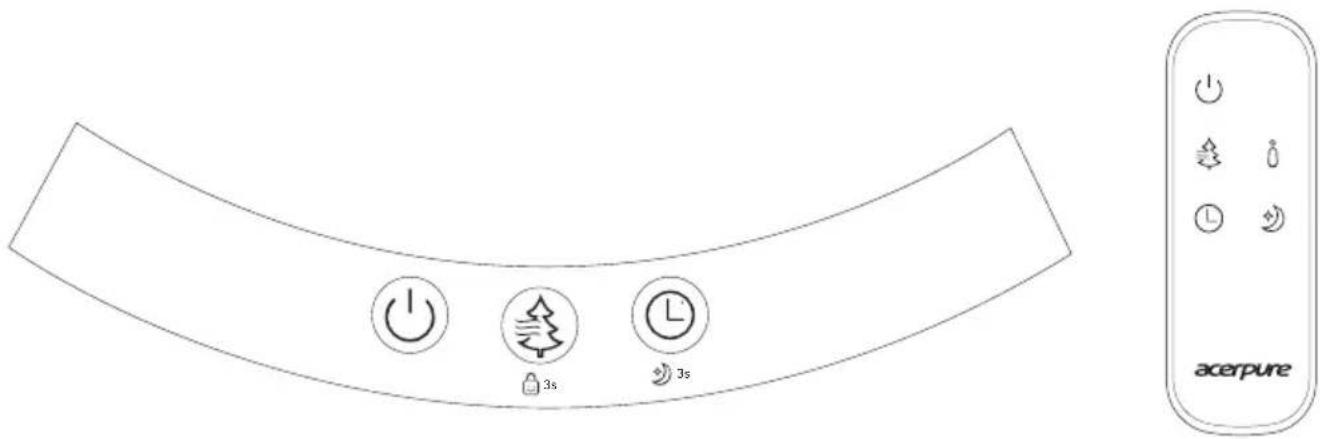

Power ON/OFF
You can start or stop using this product.
*The anion function is released at the same time when the air purifier is powered on.
- Wi-Fi functions
Before product registration: Press and hold down the power button for more than 3 seconds to activate the Wi-Fi product registration mode.
- Reset and disable: After enabling Wi-Fi, press and hold the power button for more than 3 seconds to reset and disable Wi-Fi.

Purifier Speed
This product has a total of four stages of purifier speeds (Smart Mode, Low, Middle, High, and Turbo Mode), you can adjust the purifier strength of this product according to your needs.
*Smart Mode: The purifier speed strength (low, middle and high) is adjusted automatically based on the air quality status (green light, yellow light, red light).
- Lock Function
Press and hold down the purifier speed button for 3 seconds to enable the lock function; press and hold it down for 3 seconds again to cancel the lock function.

Off Timer
You can preset the product to shutdown automatically after 1 hour, 2 hours, 4 hours, 8 hours, and 12 hours.
- Quiet mode
Press and hold down the off timer button for 3 seconds to enable sleep mode; press and hold it down for 3 seconds again to cancel quiet mode.
a Please note that after quiet mode is enabled, the display panel of this product will go off automatically after 15 seconds, and the touch panel will also be in silent mode.

Turning off the Filter Replacement Indicator

When the filter of this product needs to be replaced, the filter replacement indicator of this product will light up automatically; after replacing the filter, press and hold down the power button, and the purifier wind speed button simultaneously for 3 seconds to turn off the filter replacement indicator.

Operating Air Quality Display
The initial value displayed on the panel of this product is PM2.5, by using this button on the remote control, it can switch to display the PM1.0 value, and pressing it for a second time will switch off the air quality display panel.
![graph TD A["1"] --> B["Smart 001"] C["2"] --> B D["3"] --> B E["4"] --> B F["5"] --> B G["6"] --> H["PM2.5"] I["7"] --> H B --> J["GAS"] style B fill:#f9f,stroke:#333,stroke-width:2px](/content/2026/04/642293/images/7cd178138b5e51a36ab2c09006268eebdd86b64f89f7223a50ee49a4539e3d9c.jpg)
1 Smart Mode
When smart mode is enabled, the Smart icon on the panel will always stay on.
2 Timer Mode


*Under timer mode, press the off timer button and display countdown screen, then press it again to cancel timer mode.
3 Lock Mode
After lock mode is enabled, it will light up constantly on the display panel. When disabled,⊗ will appear and then it will no longer be displayed on the panel.

4 Wi-Fi Mode
When the Wi-Fi function is enabled, the lights will flash; after the smart device is successfully connected, it will stay lit on the display panel.
5 PM2.5/PM1.0 Value Display
The initial value displayed on the panel of this product is PM2.5; the remote control can be used to turn to display the PM1.0 value.
6 Dust Status Display
This product uses three color lights, green, yellow and red to display the PM2.5/PM1.0 dust concentration status (good, moderate, poor).
7 Gas Status Display
This product uses three color lights, green, yellow and red to display the VOCs status (good, moderate, poor).
Introduction to other icon displays

Purifier Speed
Based on the purifier speed selected, the value (Smart, 1, 2, 3, Turbo) will be displayed on the panel.

Quiet Mode
After enabling quiet mode, it will be displayed on the panel.

Firmware Update
When the firmware of the product is updating, it will be displayed on the panel.

My Favorite Mode
You can set frequently used modes as My Favorite on the APP, after this mode is enabled, it will be displayed on the panel.

When the firmware of the product is being updated, do not shut down the product or unplug the power cord.
Filter Replacement Indicator
Please replace the filter when this indicator lights up.
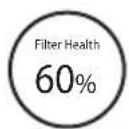
*The filter health will be displayed before this product shuts down completely.
Abnormality Warning
When the filter cover is not covered properly on the product, this abnormality warning will display on the panel.


Wi-Fi connection—acerpure Life
Install the acerpure Life app on your mobile device to add convenient features.
Installing acerpure Life
Find and install the acerpure Life app from the App Store or Google Play on your mobile device.
Using the acerpure Life
This function is only applicable to products with Wi-Fi function.
1 Check your mobile device is compatible with the app, switched on, and connected to a Wi-Fi network.
2 Open the acerpure Life app and follow the instructions to create a new account if you do not already have one.
- Before product registration: Press and hold down the power button for more than 3 seconds to activate the Wi-Fi product registration mode.
- Reset and disable: After enabling Wi-Fi, press and hold the power button for more than 3 seconds to reset and disable Wi-Fi.
3 Follow the on-screen instructions to pair your appliance to the acerpure Life application.
Note
• Wi-Fi only supports Wi-Fi 4 2.4 GHz frequency.
- When registering the product, make sure that the Wi-Fi connection of the mobile device is on.
- If possible, install the wireless router close to the product. The signal strength depends on the location and distance from the router, and will affect the data transmission rate from the router to the product.
- Contact your Internet service provider for assistance with issues like signal strength and network settings.
- For best results, set the security protocol on the router to WPA2. If the WEP protocol is used, the product may fail to register on the network.
- Set the wireless network name (SSID) to any alphanumeric combination. For best results, do not use special characters. The SSID is what appears in the list when you search for available Wi-Fi networks on your mobile device.
- Connect only to wireless networks you are authorized to use. Unauthorized Wi-Fi connections are illegal, and may subject you to legal action.
• These instructions are accurate at the time of publication. The acerpure Life app may be changed without prior notice to users.
Disassembling and Maintenance
Filter Replacement
The appliance must be disconnected from the supply main.
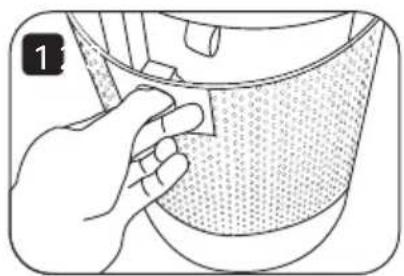
- After switching off the power and unplugging the power plug, pull the handle on the filter cover behind the product backward.
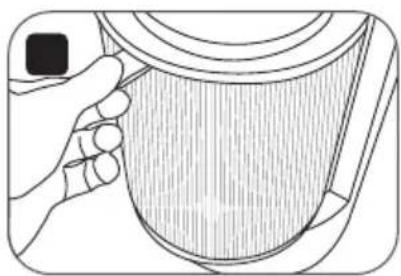
- Remove the filter and replace it with a new filter.

- Place the filter cover back onto the product.
* The recommended replacement time for the filter is after 3000 hours of use.
* When the filter replacement indicator lights up, please remove the filter and replace or clean the filter based on the filter's cleanliness.
* After installing the filter back into this product, press and hold down the power button and purifier wind speed button simultaneously for 3 seconds to turn off the filter replacement indicator.
* Please avoid pulling the power cord during disassembly to prevent the power cord from breaking.
* When using this product for the first time or replacing a new filter, please remove the packaging bag of the filter first and then start using this product.
Maintenance
This product only requires general external cleaning and maintenance (as shown in the figure).

Do not wipe with thinner, toluene, acidic cleansers, lamp oil, alcohol, or chemical cloth in order to avoid discoloration or deterioration.

Please note: After maintenance and cleaning, wait for the product to fully dry before connecting power to use again or storing. If the product needs to be stored, please place the product back into the packaging box in the original packaging order, and place it at a dry location for safekeeping.
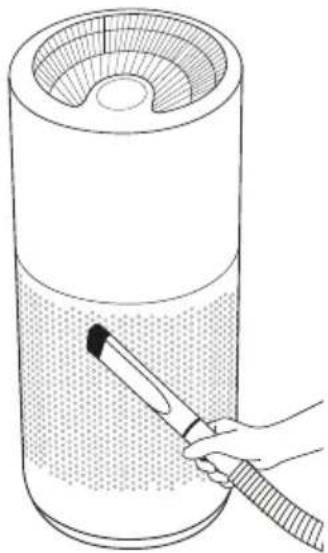
Use a vacuum cleaner to remove the dust from the air outlet and inlet.
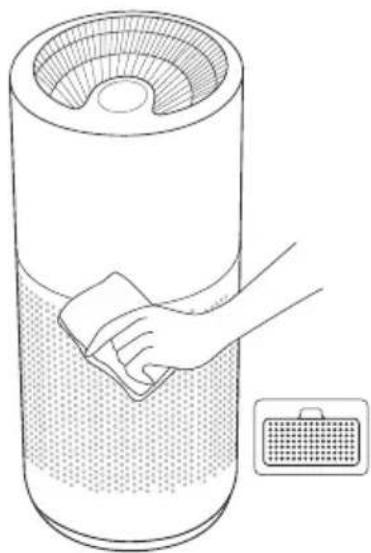
Use a soft cloth to wipe the exterior and the sensor cover at the back of the product.
Checking Air Quality
You can learn the air quality of the room used based on the air quality indicator of this product. The indicator colors in the table below represent the cleanliness of PM2.5, PM1.0 and Gas (VOCs).
| Indicator Color | PM2.5 & PM1.0 ( µg/m3 ) | Gas (VOCs) | Recommended Purifier Speed |
| Green 0~15 Good Low | |||
| Yellow 16~35 Moderate Middle | |||
| Red >35 Poor High |
Battery Precautions
- Do not place the battery within a distance that infants and young children can reach. If you, or a child accidentally swallows the battery, please consult a doctor immediately.
- In the unlikely event that the liquid leaking from the battery sprays into your eyes, do not rub your eyes, and see a doctor immediately after washing with water. Please note that this may cause blindness.
- If the liquid leaked from the battery gets on your skin or clothing, please wash the affected area with water immediately. Please note that this may leave a stain on clothes.
- If you want to throw the battery away, please follow the garbage classification method in your area (please use transparent tape to wrap the "+" and "-" sides when discarding).
- Please do not attempt to recharge non-rechargeable batteries.
- Please do not mix different battery types, or new and used batteries.
- Please do not insert batteries with the incorrect polarity.
- Please safely dispose of exhausted batteries.
- If the appliance is to be stored unused for a long period of time, the batteries should be removed.
- Please do not short-circuit supply terminals.
WARNING:
Keep out of reach of children. Swallowing can lead to chemical burns, perforation of soft tissue, and death. Severe burns can occur within 2 h of ingestion. Seek medical attention immediately.
Before Calling Customer Service
If you find a problem with the product, please check the following before contacting the customer service.
| Problem Possible cause Solution | ||
| Product fails to start. | The power plug may not be plugged into the outlet. | Please make sure the power is plugged into the outlet. |
| The buttons on the control panel do not respond. | The lock function may be on. | Please press and hold down the purifier speed button for 3 seconds to disable the lock function. |
| There may be too much dust or particles accumulated in the filter. | Please clean the filter of the purifier properly, or replace the filter directly. | |
| There may be other debris around the product. | Please remove the sundries around the product. | |
| Indoor air keeps showing a red light indicator and cannot be purified. | The product is placed in the corner. | Please move the product and place it elsewhere. |
| There may be too much ventilation. | Please place the product in a suitable indoor space for use, and avoid placing it next to a ventilated window. | |
| The indoor air may be severely polluted. | Please ventilate the room first and then use this product. | |
| The product is making a loud noise. | The floor and tabletop where the product is placed is uneven or unstable. | Place move the product to a flat floor or table top. |
| The remote control cannot be operated. | The battery may be dead. | Please replace the battery.(Applicable model: CR2032) |
| The remote control may not be pointed at the product. | Please change the angle and make sure the remote control facing the receiver directly. | |
| The product cannot connect with the acerpure Life app. | The power plug may not plugged in the outlet properly. | Please plug the power plug of this product in the outlet correctly. |
| The Wi-Fi (wireless router) connected to the product may not be working properly. | Please turn off the wireless router and switch it on again. | |
| Please confirm whether the wireless router has internet connection problems. | ||
| The Wi-Fi (wireless router) connected to the product may not be working properly. | Please place the wireless router closer to the product. | |
| Cannot register or operate the product from the acerpure Life app. | The Wi-Fi (wireless router) connected to the product may not be working properly. | Please turn off the wireless router and turn it on again. |
| Please confirm whether the wireless router has internet connection problems. | ||
| The product and acerpure Life app have different dust concentrations. | They may be checking for different dust concentrations. | Please check whether the value displayed on the product panel is the same PM1.0 or PM2.5 displayed on the acerpure Life app. |
| The acerpure Life app may not be the latest version. | Please go to the Google Play Store or Apple App Store to update the acerpure Life app to the latest version. | |
Product Specifications
| Product Specifications | |
| Product name Air Purifier | |
| Product model AP551-50W | |
| Rated voltage 220-240V / 50Hz | |
| Rated power 38W | |
| Net weight 4.22 kg | |
| Product dimensions 253 x 253 x 576mm | |
| Place of Production China | |
Company information


Corps de l'appareil
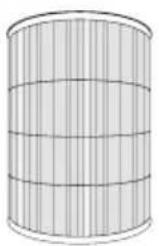
Filtre
The image is too blurry to recognize any text content.

Marche/arrêt

Bedienungsanleitung
Gerätegehäuse

Filter
5
Netzkabel
3

The image is too blurry to recognize any text content.


Ein-/Ausschalten

- USER MANUAL
- TABLE OF CONTENTS
- SAFETY INSTRUCTIONS
- PRODUCT INTRODUCTION
- PRODUCT ACCESSORIES
- REMOTE CONTROL BATTERY INSTALLATION
- REMOTE CONTROL PRECAUTIONS
- FUNCTION BUTTONS
- POWER ON/OFF
- WI-FI FUNCTIONS
- PURIFIER SPEED
- LOCK FUNCTION
- OFF TIMER
- QUIET MODE
- TURNING OFF THE FILTER REPLACEMENT INDICATOR
- OPERATING AIR QUALITY DISPLAY
- 1 SMART MODE
- 2 TIMER MODE
- 3 LOCK MODE
- 4 WI-FI MODE
- 5 PM2.5/PM1.0 VALUE DISPLAY
- 6 DUST STATUS DISPLAY
- 7 GAS STATUS DISPLAY
- INTRODUCTION TO OTHER ICON DISPLAYS
- FIRMWARE UPDATE
- MY FAVORITE MODE
- FILTER REPLACEMENT INDICATOR
- ABNORMALITY WARNING
- WI-FI CONNECTION—ACERPURE LIFE
- INSTALLING ACERPURE LIFE
- USING THE ACERPURE LIFE
- NOTE
- DISASSEMBLING AND MAINTENANCE
- FILTER REPLACEMENT
- MAINTENANCE
- CHECKING AIR QUALITY
- BATTERY PRECAUTIONS
- WARNING
- BEFORE CALLING CUSTOMER SERVICE
- COMPANY INFORMATION
- MARCHE/ARRÊT
- BEDIENUNGSANLEITUNG
- EIN-/AUSSCHALTEN
Brand : ACER
Model : Acerpure Pro P2 AP551-50W
Category : Air purifier