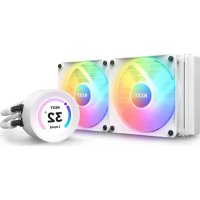
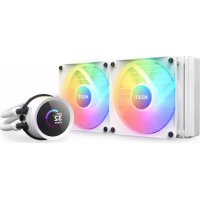
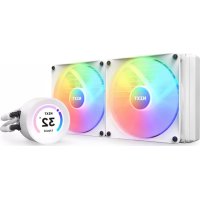
Kraken Elite 240 RGB - Computer cooling system NZXT - Free user manual and instructions
Find the device manual for free Kraken Elite 240 RGB NZXT in PDF.


| Product type | All-in-one liquid CPU cooler |
| Brand | NZXT |
| Model | Kraken Elite 240 RGB |
| Radiator dimensions | 277 x 120 x 30 mm |
| Included fans | 2 x 120 mm RGB |
| Estimated total weight | Approximately 1.2 kg |
| Power supply | Pump: 5V SATA connector; fans: 4-pin PWM |
| Intel socket compatibility | LGA 1700, 1200, 115X |
| AMD socket compatibility | AM5, AM4 |
| Main features | CPU cooling, customizable LCD screen via NZXT CAM, addressable RGB lighting |
| Control software | NZXT CAM (monitoring, pump control, fan control, screen control) |
| Maintenance and cleaning | Clean dust from radiator and fans with a soft cloth; check connectors |
| Safety | Do not bend tubes, avoid leaks, use provided washers for mounting |
| Spare parts and repairability | Spare parts available via support.nzxt.com (fans, cables, brackets) |
| General information | Limited warranty, compliant with CE directives (EMC, RoHS, LVD) |
Frequently Asked Questions - Kraken Elite 240 RGB NZXT
User questions about Kraken Elite 240 RGB NZXT
0 question about this device. Answer the ones you know or ask your own.
Ask a new question about this device
Download the instructions for your Computer cooling system in PDF format for free! Find your manual Kraken Elite 240 RGB - NZXT and take your electronic device back in hand. On this page are published all the documents necessary for the use of your device. Kraken Elite 240 RGB by NZXT.
USER MANUAL Kraken Elite 240 RGB NZXT
MOUNTING THE RADIATOR & FANS 16
B Intel Retention Bracket (Pre-installed)
X1
C AMD Retention Bracket
×1
Intel Backplate
×1
Intel Socket 1200/115X Standoff
X4
Intel Socket 1700 Standoff
×4
G AMD Standoff
X4
Dual-Sided AMD Sleeve
X4


30mm UNC 6-32 Fan Screw
240 - x8, 280 - x8, 360 - x12
J 5mm UNC 6-32 Screw
240 - x8, 280 - x8, 360 - x12
K Washer
240 - x16, 280 - x16, 360 - x24
LThumbscrew
X4
M Breakout Cable Set
×1
N FRGB Core Fan
240 - 120mmx2, 280 - 140mmx2, 360 - 120mmx3
O RGB Controller
×1
P USBY-Cable
×1


| A. Kraken Elite 240/280/360 B. Soporte de retencion Intel (préinstalado) C. Soporte de retencion AMD D. Placa trasera Intel E. Separador de zócalo 1200/115x Intel F. Separador de zócalo 1700 Intel G. Separador AMD H. Manguito de AMD de doble cara | I. Tornillo de ventilador UNC 6-32 de 30 mm J. Tornillo UNC 6-32 de 5 mm K. Arandela L. Tornillo molteado M. Juego de cable breakout N. Ventilador Serie F RGB Core O. Controlador de RGB P. Cable USB en Y |
| A. Kraken Elite 240 / 280 / 360 B. Support de Maintien Intel (préinstallé) C. Support de mainien AMD D. Platine arrérière Intel E. Vis d'espacement pour interface de connexion Intel 1200/115X F. Vis d'espacement pour interface de connexion Intel 1700 G. Vis d'espacement AMD H. Manchon AMD à double sens | I. Vis pour ventilateur 30 mm UNC 6-32 J. Vis 5 mm UNC 6-32 K. Rondelle L. Vis à main M. Kit de câblage de raccordement N. Ventilateur Serie F RGB Core O. Comanche RGB P. Cable USB en Y |
| A. Kraken Elite 240 / 280 / 360 B. Intel-Halterung (vormontiert) C. AMD-Halterung D. Intel-Rückplatte E. Intel-Socket 1200/115X Abstandshalter F. Intel-Socket 1700 Abstandshalter G. AMD-Abstandshalter H. AMD-Sleeve, beidseitig | I. 30 mm UNC 6-32 Lüfterschraube J. 5 mm UNC 6-32 Schraube K. Unterlegscheibe L. Rändelschraube M. Breakoutkabelsatz N. F-Series RGB Core Lüfter O. RGB-Steuerung P. USB-Y-Kabel |
| A. Kraken Elite 240 / 280 / 360 B. Staffa di supporto Intel (préinstallata) C. Staffa di supporto AMD D. Piastra posteriori Intel E. Distranziatore per socket Intel 1200/115X F. Distranziatore per socket Intel 1700 G. Distranziatore AMD H. Manicotto a doppi faccia AMD | I. Vite per ventola UNC 6-32 da 30 mm J. Vite UNC 6-32 da 5 mm K. Rondella L. Vite con testa ad alette M. Set di cavi breakout N. Ventola Serie F RGB Core O. Controller RGB P. Cavo USB a Y |
| A. Kraken Elite 240 / 280 / 360 B. Bracadeira de retencion Intel (pré-installada) C. Bracadeira de retencion AMD D. Placa traseira Intel E. Parafuso afastador para encaixe Intel 1200/115X F. Parafuso afastador para encaixe Intel 1700 G. Parafuso afastador AMD H. Manga AMD cominous lados | I. Parafuso 30mm UNC 6-32 para ventoinha J. Parafuso 5mm UNC 6-32 K. Anilha L. Parafuso de aperto manual M. Cabo de comunicação completeness N. Ventoinha RGB Core Serie F O. Controlador RGB P. Cabo USB Y |
| A. Kraken Elite 240 / 280 / 360 B. Intel iRoboten Veriack (nemel serlci) C. AMD iRoboten Veriack D. Intel iRoboten Veriack E. Intel Sotem 1200/115X Sotem Oslot F. Intel Sotem 1700 Sotem Oslot G. AMD Sotem Oslot H. NVI emai eHT AMD chlirbr | I. 30mm UNC 6-32 emel serlci J. 5mm UNC 6-32 emel K. Wvjtser L. Naiba nasa M. bsralieikc h one kiey bne chet N. F siteris RGB CORE emel O. RGB Konthet emel P. USB Y-Emel |
| A. Kraken Elite 240 / 280 / 360 B. Intel iRoboten Prokert (frileinstool) | I. 30mm UNC 6-32 Franm用,新 J. 5mm UNC 6-32 new |
| C. AMD iRoboten Prokert D. Intel iRoboten Prokert E. Intel Sotem 1200/115X Sotem Oslot F. Intel Sotem 1700 Sotem Oslot G. AMD Sotem Oslot H. NVI emai eHT AMD chlirbr | K. Wjtser L. Tsimui new M. pfleakwotk emel N. F Siteris RGB CORE emel O. RGB Conthet emel P. USB Y-Emel |
| A. Kraken Elite 240 / 280 / 360 B. Intel iRobot (预装) C. AMD iRobot D. Intel iRobot | I. 30mm UNC 6-32风扇螺丝 J. 5mm UNC 6-32螺丝 K. 垫圈 L. 手动螺丝 M. 分支电缆组件 N. RGB CORE风扇 O. RGB控制器 P. USB Y型电缆 |
| A. Kraken Elite 240 / 280 / 360 B. Intel iRobot (预装) C. AMD iRobot D. Intel iRobot | I. 30mm UNC 6-32风扇螺丝 J. 5mm UNC 6-32螺丝 K. 垫圈 L. 手动螺丝 M. 分支电缆组件 N. RGB CORE风扇 P. USB Y型电缆 |
| A. Kraken Elite 240 / 280 / 360 B. Intel iRobot (预装) C. AMD iRobot | I. 30mm UNC 6-32风扇螺丝 J. 5mm UNC 6-32螺丝 K. 垫圈 L. 手动螺丝 M. 分支电缆组件 N. RGB CORE风扇 O. RGB控制器 P. USB Y型电缆 |

HARDWARE INTRODUCTION

INTRODUCCION DE HARDWARE
PRÉSENTATION DU MATÉRIEL
EINLEITUNG HARDWARE
INTRODUZIONE ALL'HARDWARE
INTRODUÇÃO DO HARDWARE
hurwro

Breakout Cable Set

M1. Conector de bomba de tres pines
M2. Conector de alimentacion de bomba SATA
M3.Conector USB
M4. Divisor de ventilador
M1. Connecteur de pompe 3 broches
M2. Connecteur d'alimentation SATA pour pompe
M3. Connecteur USB
M4. Séparateur pour ventilateur
M1.3-poliger Anschluss fur Pumpe
M2.SATA-Stromanschluss fur Pumper
M3. USB-Anschluss
M4. Luftersplitter
M1. Connettore a 3 pin per pompa
M2. Connetto di alimentazione SATA per pompa
M3. Connettore USB
M4. Splitter per ventola
M1. Conector de 3 pinos da bomba
M2. Conectar de Alimentacao SATA da Bomba
M3. Conector USB
M4. Repartidor de ventoinha
Move all four sliders on the Intel backplate to:
- the innermost positions for Socket 1200 / 115X
the outermost positions for Socket 1700
From the front of the motherboard, install the four Socket standoffs.
Orient the pump's tube to fit your build. The display orientation can be adjusted in 90^ increment via CAM.
Place the pump with the retention bracket onto the CPU. Ensure the standoffs go through the holes on the bracket and apply the thumb nuts in the order as shown.
Remove the stock AMD mounting bracket and keep the original backplate on the rear of the motherboard.
From the front of the motherboard, install the four AMD sleeves. Make sure you use the right side of the sleeve. According to your socket, place the sleeves with the name of the socket facing up.
- Press and hold the Intel retention bracket firmly towards the pump.
- Rotate the Intel retention bracket counterclockwise to release.
- Pull out the Intel retention bracket.
- Follow these steps in reverse order to install the AMD retention bracket onto the pump.
For SocketTR4, Install the AMD SocketTR4 retention bracket included inside the Threadripper CPU retail box.
- Mantén presionado el soporte de retencion Intel firmamente hacía la bomba.
- Gira el soporte de retencion Intel en sentido antihorario para soltarlo.
- Extrae el soporte de retencion Intel.
-
Sigue"These pasos enorden inverso para instalar el soporte de retencion AMD en la bomba.
Para montar el zócalo TR4, instalala el soporte de retencion del zócalo TR4 de AMD queiene en la caja de la CPU Threadripper. -
Appuyez fermement sur le support de maintainien Intel en direction de la pompe et maintenez-le enforcé.
- Tournez le support de maintain Intel dans le sens des aiguilles d'une montre pour le détacher.
- Tirez sur le support de maintainen Intel.
- Suivez ces étapes dans le sens inverse pour installer le support de maintainien AMD sur la pompe.
Pour l'interface de connexion TR4, installez le support de maintien TR4 AMD inclus à l'intérieur de la boite du processeur Threadripper. - Die Intel-Halterung kräftig in Richtung Pumpe schieben und damit gedrückt halten.
- Zum Lösen Intel-Halterung gegen den Uhrzeigersinn drehen.
- Intel-Halterung Herausziehen.
- Zur Befestigung der AMD-Halterung an der Pumpe diese Schritte in umgekehrter Reihenfolge ausfuhren.
Fur den Sockel TR4 ist die Halterung fur den AMD Sockel TR4 zu verwenden, die in der Verpackung der Threadripper-CPU enthalten ist. - Premere eteneresaldamente la staffa di supporto Intel in direzione della pompa.
- Ruotare la staffa di supporto Intel in senso antiorario fino al rilascio.
- Estrarre la staffa di supporto Intel.
- Seguire questi passaggi nell'ordine inverso per installare la staffa di supporto AMD sulla pompa.
Per SocketTR4, installare la staffa di ritenuta AMD SocketTR4 inclusa nella confezione commerciale della CPU Threadripper.


Orient the pump's tube to fit your build. We recommend installing with the tubes exit at the 6 o'clock position. The display orientation can be adjusted in 90^ increment via NZXT CAM.
Place the pump with the retention bracket onto the CPU. Ensure the standoffs go through the holes on the bracket and apply the thumb nuts in the order as shown.
MOUNTING THE RADIATOR & FANS
MONTAJE DEL RADIADOR Y LOS VENTILADORES INSTALLATION DU RADIATEUR ET DES VENTILATEURS BEFESTIGEN VON RADIATOR UND LUFTERN MONTAGGIO DEL RADIATORE E DELLE VENTOLE MONTAGEM DO RADIADOR E DOS FANS
DEPENDING ON YOUR RADIATOR MOUNTING SETUP,
PLEASE USE THE APPROPRIATE SCREWS TO MOUNT THE RADIATORS
Note: Always use washers to prevent damage.
For mounting in which the radiator fits directly onto the case, please install the fan(s) first using the 30mm fan screws and washers. Use the 5mm case screws and washers to mount the radiator.
For mounting in which the fan(s) fit between the radiator and chassis, please use the 30mm fan screws and washers for mounting.
Connect the breakout cable to the pump.
Connect the pump 3-pin connector to the 4-pin CPU_FAN or AIO_PUMP connector on the motherboard.
Note: You may need to disable fan-fail warning within the motherboard BIOS if CPU_FAN is unused.
Connect the USB connector to an available USB 2.0 internal header on the motherboard.
Connect pump SATA power cable to an available SATA power connector.
Connect the fan 4-pin NZXT RGB connector to an NZXT RGB lighting channel on your lighting controller.
Plug the USB Connector to an internal USB 2.0 header on the motherboard.
NOTE: If your motherboard only supports one USB header, use the USBY-Cable to connect the pump & controller USB connectors to the USB 2.0 header on the motherboard.
Connect the controller SATA power cable to the power connector
After setting up the Kraken, turn on your PC and proceed to download and install NZXT CAM software to enable Kraken controls: nzxt.com/camapp/
This NZXT Global Warranty Policy governs the sale of products by NZXT to you.

I. WARRANTY LENGTH
New NZXT Product Warranty Length
Kraken Elite RGB 6 Years
Any replacement product will be covered under warranty for the remainder of the warranty period or thirty days, whichever is longer. Proof of purchase is required for warranty service.
II. WHO IS PROTECTED
The Warranty covers only NZXT products purchased by the original consumer.
III. WHAT IS AND IS NOT COVERED
Please note that our warranty is not an unconditional guarantee. If the product, in NZXT's reasonable opinion, malfunctions within the warranty period, NZXT will provide you at its sole discretion with a repaired or replacement product, either new or refurbished, with a similar function that is equal or greater in value depending on supply. Our warranty does not cover the following:
- any product or serial number/warranty sticker modification applied without permission from NZXT;
- any damage that is not a manufacturing defect;
- damage, deterioration or malfunction resulting from: accident, abuse, misuse, neglect, fire, water, lightning, or other acts of nature, unauthorized product modification or failure to follow instructions included with the product;
- improper installation, unauthorized alterations or modifications, or repair or attempted repair by anyone not authorized by NZXT;
- shipping or transport damage (claims must be made with the carrier);
normal wear and tear.
NZXT does not warrant that this product will meet your requirements. It is your responsibility to determine the suitability of this product for your purpose. For NZXT Store orders, we cover two way return shipping for all exchanges and returns. For all other authorized dealers, NZXT Support does not cover return shipping and only covers one way shipping from NZXT back to the end user for exchanges. Two way expedited shipping is provided for all PSUs covered under the Less Than Three program, indiscriminate of purchase location, provided the location is an approved NZXT reseller.
IV. EXCLUSION OF DAMAGES (DISCLAIMER)
NZXT's sole obligation and liability under this warranty is limited to the repair or replacement of a defective product with either a new or refurbished product with a similar function that is equal or greater in value at our option. NZXT shall not, in any event, be liable for any incidental or consequential damage, including but not limited to damages resulting from interruption of service and loss of data, business, or for liability in tort relating to this product or resulting from its use or possession.
V. LIMITATIONS OF IMPLIED WARRANTYES
There are no other warranties, expressed or implied, including but not limited to those of merchantability or fitness for a particular purpose. The duration of implied warranties is limited to the warranty length specified in Paragraph 1.
VI. TO OBTAIN TECHNICAL SUPPORT
If you have already referenced your product owner's manual and still need help, you may contact us by phone at +1 (800) 228-
9395, by email at service@nzxt.com, or visit the NZXT Support site at nzxt.com/customer-support.
VII. HOW TO OBTAIN A WARRANTY SERVICE FROM NZXT
To receive a warranty service for your product when purchased directly from NZXT, you must submit a request via the NZXT Support site outlining the problem. If a technician deems the product defective or requiring testing, you will be required to provide a copy of your proof of purchase, which will enable you to submit a Return Merchandise Authorization "RMA" request.
Once approved, you'll receive an RMA number, upon which you will be asked to ship the defective item back to NZXT with the RMA number clearly marked or labelled on the package. NZXT recommends that appropriate measures are taken to safeguard the product from damage during shipping.
VIII. APPLICABLE LAW AND ADDITIONAL LEGAL RIGHTS FOR CONSUMERS
This warranty gives you specific legal rights. These conditions are governed and construed in accordance with the laws of California (with exception of its conflict of law provisions), and the application of the United Nations Convention of Contracts for the International Sale of Goods is expressly excluded. The non-exclusive jurisdiction of the courts of California is agreed, which means that you may bring a claim to enforce your consumer protection rights in connection with this Global Warranty in the country which you have your habitual residence where you may have additional rights. These rights may vary.
For original consumers who are covered by consumer protection laws or regulations in their country, state, or province of purchase or, if different, their country, state, or province of residence, the benefits conferred by this warranty are in addition to all rights and remedies conveyed by such consumer protection laws and regulations. To the extent that liability under such consumer laws can be limited, NZXT's liability is limited, and its sole option, to repair or replacement, either new or refurbished, with a similar function that is equal or greater in value depending on supply.
In the United Kingdom:
For NZXT products sold to customers in the UK, during the expected lifespan of your product your legal rights entitle you to the following:
Up to 30 days: if your goods are faulty, then you can get an immediate refund.
Up to six months: if your goods can't be repaired or replaced, then you're entitled to a full refund, in most cases.
Up to six years: if your goods do not last a reasonable length of time you may be entitled to some money back.
If the person seeking to rely on the guarantee is not the original consumer, the NZXT Warranty will cover the product in relation to that person provided that they are able to provide proof of the transfer of the benefit of the guarantee from the original consumer.
The implied warranties under the Consumer Rights Act 2015 says that your goods must be as described, fit for all purposes for which such goods are usually supplied, and of satisfactory quality.
In the EU:
If you are a consumer and have your habitual residence in the EU, you additionally enjoy the protection afforded to you by provisions that cannot be derogated from by agreement by virtue of the law where you have your habitual residence.
IX. WARRANTY SERVICE FROM RESELLERS
In the event that a warranty service is sought, you must provide proof of purchase (store receipt or invoice) in order to receive the service and if deemed necessary, repair or replacement product.
In North America:
Within the first 60 days after purchase, please return your product (or for power supplies installed within our enclosures, just the failed power supply) to your dealer or reseller for a replacement. If the product is still within warranty and you can no longer return it to your dealer, please contact NZXT Customer Support (see above) for assistance and instructions. NZXT will not accept returns without prior approval and an RMA number.
In Europe:
Within the first year after purchase, please return your product (or for power supplies installed within our enclosures, just the failed power supply) to your dealer or reseller for a replacement. If the product is still within warranty and you can no longer return it to your dealer, please contact NZXT Customer Support (see above) for assistance and instructions. NZXT will not accept returns without prior approval.

In Australasia:
Within the first two years after purchase, please return your product (or for power supplies installed within our enclosures, just the failed power supply) to your dealer or reseller for a replacement. If the product is still within warranty and you can no longer return it to your dealer, please contact NZXT Customer Support (see above) for assistance and instructions. NZXT will not accept returns without prior approval.
The cost of shipping will be borne at the first instance by you; however, if the purchased item is defective, NZXT will reimburse reasonable postage or transportation of costs.
Outside North America, Europe, and Australasia:
If your product needs to be returned within the warranty period, please contact the retailer or distributor from whom you purchased the product.
X. NZXT.COM STORE RETURNS/EXCHANGE POLICY
Eligible products under this NZXT Warranty qualify for a full refund or exchange only with an authorized RMA number and if the item is returned to the NZXT.com store inventory within 30 days of purchase. Returns are not allowed beyond 30 days of the purchase date. The NZXT.com Store reserves the right to deny any return or exchange. Refunds will be credited to the original method of payment. To initiate a return, simply submit a request via NZXT support site.
Visit nzxt.com/warranty and support.nzxt.com for information on warranty coverage and service.
Visite el situ Web nzxt.com/warranty y support.nzxt.com para Obtener informacion sobre la cobertura y el service de la garantia.
Visitez nzxt.com/warranty et support.nzxt.com pour les informations de la couverture de la garantie et du service.
Informationen zu Geltungsbereich und Service der Garantie finden Sie unter support.nzxt.com und nzxt.com/warranty.
Visitare il site nzxt.com/warranty e support.nzxt.com per informazioni sulla copertura e sul servizio della garanzia.
Visite nzxt.com/warranty e support.nzxt.com para obter informações sobre a cobertura da garantia e assistencia.
產品保養費用及服務費的計算方法請遵循nzxt.com/warranty號上的support.nzxt.com的頁面說明書中所列明的內容。
保证範圍およこに一言スに開る情報にようは,support.nzxt.comとnzxt.com/warrantyにアケ塞尔てくだ。
请造访nzxt.com/warranty和support.nzxt.com了解保修范围和服务的信息。
請訪問nzxt.com/warranty和support.nzxt.com了解產品保固範圍和更多服務訊息。

REGULATORY STATEMENT

Designed in Los Angeles, California.
This device complies with Part 15 of the FCC Rules. Operation is subject to the following two conditions: (1) This device may not cause harmful interference, and (2) this device must accept any interference received, including interference that may cause undesired operation. CAN ICES-003/NMB-003(B)
前記用藥音安原藏蘭贝章之的
链接:Liquid CPU Cooling System,
MOH:RL-KR24E/RL-KR24E-B1/RL-KR24E-W1/
RI-KR28E/RI-KR28E-B1/RI-KR28F-W1/
RL-KR36E/RL-KR36E-B1/RL-KR36E-W1,
The maximum ambient temperature is 50^ , the maximum normal operating temperature of the radiator (coolant) is 60^ , and the maximum abnormal temperature of the radiator (coolant) is 70^ .
This equipment is not suitable for use in locations where children are likely to be present.

NB-0009

UKCA statement
The object of the declaration described above is in conformity with the relevant UK harmonization legislation:
Electromagnetic Compatibility Regulations 2016
- Electrical Equipment (Safety) Regulations 2016
The Restriction of the Use of Certain Hazardous Substances in Electrical and Electronic Equipment Regulations 2012
RoHS statement
This product is compliant to implemented RoHS (Restriction of Hazardous Substances) type regulations worldwide, including but not limited to Japan, India, Korea, and European Union.
REACH statement
EU REACH SVHC Disclosure on Candidate List REACH (Registration, Evaluation, Authorization and Restriction of Chemicals, EC 1907/2006) is the European Union's (EU) chemical substances regulatory framework. REACH requires NZXT Inc. to provide customers with sufficient information on Substances of Very High Concern (SVHC) contained in products in concentration above 0.1% weight by weight (w / w) to allow safe use of the product.
EU CEDOC

DECLARATION OF CONFORMITY
The device complies with the requirements set out in the Council Directives relevant Union harmonization legislation:
EMC Directive 2014/30/EU
RoHS Directive 2011/65/EU & (EU) 2015/863
LVD Directive 2014/35/EU
- Turkish EEE Directive
KONFORMITETSDEKLARATION
DEKJIAPAU3ACbOTBETCTBNE
UcTPOCTBOTOOTOBAPHaH3NCKBaHHaTaHaMyMeCTHO3aKHOHaTeJICTBOHaCbO3a3axapMOHN3aunHaIneHTNBITEHaCbBeta:
EMC dupeKtBa 2014/30/EC
RoHS DnpeKtBa 2011/65/EC & (EC) 2015/863
LVD DnpeKtNbA 2014/35/EC
DEKLARACIJAOUSKLAGENOSTI
Ovaj uredaj sukladan je s odredbama postavljenim u direktivamaVijeca vezanim uz relevantne harmonizacijski zakone Unije:
EMC Direktiva 2014/30/EU
RoHS Direktiva 2011/65/EU & (EU) 2015/863
LVD Direktiva 2014/35/EU
△HAΩEHEYMOPΦΩEHS
HoukeunoumuopovwveaetaicataatneoeiocnukaOopiocvtaoticOsbnyiectouEupwnaiokuusoubouliaoukaoxetiovteyepiaepiepapovionctcEvonc
- OδηγιαπεριHMS 2014/30/EE
O8nyianepi RoHS 2011/65/EE & (EE) 2015/863
O8nyianepi LVD 2014/35/EE


To protect the global environment and as an environmentalist, NZXT must remind you that: Under the European Union ("EU") Directive on Waste Electrical and Electronic Equipment, Directive 2002/96/EC, which takes effect on August 13, 2005, products of "electrical and electronic equipment" cannot be discarded as municipal waste anymore and manufacturers of covered electronic equipment will be obligated to take back such products at the end of their useful life. NZXT will comply with the product take back requirements at the end of life of NZXT-branded products that are sold into the EU. You can return these products to local collection points.
This device complies with Part 15 of the FCC Rules. Operation is subject to the following two conditions: (1) This device may not cause harmful interference, and (2) this device must accept any interference received, including interference that may cause undesired operation.
CANICES-003(B)/NMB-003(B)
限用物质及元素列表/限用物質及元素清單


If you have any questions or problems with the NZXT product you purchased, please don't hesitate to contact us using our support system. service@nzxt.com support.nzxt.com
Please include a detailed explanation of your problem and your proof of purchase. For comments and suggestions, you can e-mail our design team, designer@nzxt.com.
Lastly we would like to thank you for your support by purchasing this product. For more information about NZXT, please visit us online. NZXT Website: NZXT.com
SOPORTEY SERVICIO
NZXT, Inc. | 15736 E. Valley Blvd, City of Industry, CA 91744, USA
NZXT UK Ltd. First Floor 5 Fleet Place London EC4M 7RD, GB United Kingdom
+1 (800) 228-9395 / service@nzxt.com / nzxt.com
- HARDWARE INTRODUCTION
- MOUNTING THE RADIATOR & FANS
- WARRANTY LENGTH
- New NZXT Product Warranty Length
- WHO IS PROTECTED
- WHAT IS AND IS NOT COVERED
- EXCLUSION OF DAMAGES (DISCLAIMER)
- LIMITATIONS OF IMPLIED WARRANTYES
- TO OBTAIN TECHNICAL SUPPORT
- HOW TO OBTAIN A WARRANTY SERVICE FROM NZXT
- APPLICABLE LAW AND ADDITIONAL LEGAL RIGHTS FOR CONSUMERS
- In the United Kingdom:
- In the EU:
- WARRANTY SERVICE FROM RESELLERS
- In North America:
- In Europe:
- In Australasia:
- Outside North America, Europe, and Australasia:
- NZXT.COM STORE RETURNS/EXCHANGE POLICY
- REGULATORY STATEMENT
- Designed in Los Angeles, California.
- 前記用藥音安原藏蘭贝章之的
- UKCA statement
- RoHS statement
- REACH statement
- EU CEDOC
- DECLARATION OF CONFORMITY
- KONFORMITETSDEKLARATION
- DEKJIAPAU3ACbOTBETCTBNE
- DEKLARACIJAOUSKLAGENOSTI
- △HAΩEHEYMOPΦΩEHS
- 限用物质及元素列表/限用物質及元素清單
- SOPORTEY SERVICIO
Brand : NZXT
Model : Kraken Elite 240 RGB
Category : Computer cooling system