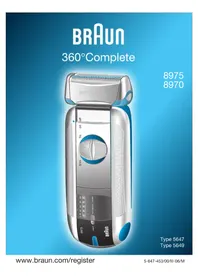
BRAUN 360°Complete 8970 - Shaver

360°Complete 8970 - Shaver BRAUN - Free user manual and instructions

Find the device manual for free 360°Complete 8970 BRAUN in PDF.
📄 70 pages English EN Download 💬 AI Question 10 questions ⚙️ Specs
Notice BRAUN 360°Complete 8970 - page 8
Pick your language and provide your email: we'll send you a specifically translated version.
Product Type Rechargeable electric shaver
Brand Braun
Model 360°Complete 8970
Power Supply Mains via special very low voltage power cord, integrated rechargeable battery
Initial Charge Time Minimum 4 hours
Normal Charge Time 1 hour
Wireless Runtime Approx. 50 minutes (depending on beard)
Ideal Charging Temperature 15 °C to 35 °C
Shaving Head 360° pivoting with fixed mode
Integrated Trimmer Retractable, for sideburns, mustache, beard
Charge Indicator (green) Lights during charging, then flashes and turns off when fully charged
Discharge Indicator (red) Flashes when battery < 20%
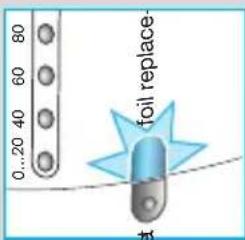
Parts Replacement Indicator Indicator light (9) flashes for 7 shaves, then automatic reset
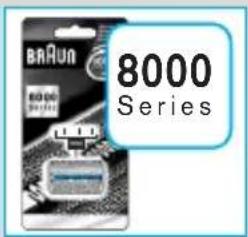
Replacement Parts Foil and cutter block (Series 8000)
Recommended Replacement Frequency Every 18 months or when indicator lights up
Cleaning Brush, no water; use Braun cleaner or sewing machine oil every 4 weeks
Battery Maintenance Full discharge every 6 months to optimize capacity
Safety Do not modify power cord; do not immerse; keep dry
Warranty 2 years (manufacturing defects), excluding normal wear (foil and cutter block)
Compliance European Directives 89/336/EEC and 73/23/EEC

Frequently Asked Questions - 360°Complete 8970 BRAUN

How long does it take to charge the Braun 360°Complete 8970 shaver?
The first charge takes at least 4 hours. Subsequent charges take 1 hour.
What is the runtime of the shaver?
A full charge provides approximately 50 minutes of cordless shaving, depending on beard type.
Can I use the shaver while plugged into the mains?
Yes, if the battery is discharged, you can shave with the shaver plugged into the mains using the power cord.
How do I clean my shaver properly?
Never use water. After each shave, remove the foil, tap it, and brush the cutter block. Every 4 weeks, clean using Braun cleaner and oil the foil with a drop of sewing machine oil.
When should I replace the foil and cutter block?
Replace them when the indicator light (9) lights up or at least every 18 months. Use Series 8000 parts.
How do I reset the parts replacement counter?
After changing the foil and cutter block, press the reset button with the tip of a pen for at least 3 seconds.
What do the indicator lights mean?
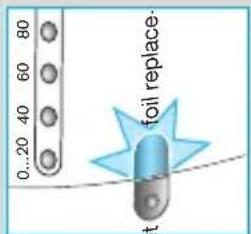
The green indicator (7) indicates charging: lights during charging, flashes then turns off when full. The red indicator (8) flashes if the battery is below 20%. The indicator (9) indicates parts replacement.
How do I maintain the battery to prolong its life?
Every 6 months, let the battery fully discharge during normal use, then recharge it to full capacity.
Is the integrated trimmer removable?
No, the trimmer is retractable and extends by sliding the switch to the 'trim' position.
What does the Braun warranty cover?
The 2-year warranty covers manufacturing and material defects, but not normal wear (foil and cutter block) nor damage from improper use.

User questions about 360°Complete 8970 BRAUN

0 question about this device. Answer the ones you know or ask your own.

Ask a new question about this device

The email remains private: it is only used to notify you if someone responds to your question.

No questions yet. Be the first to ask one.

Download the instructions for your Shaver in PDF format for free! Find your manual 360°Complete 8970 - BRAUN and take your electronic device back in hand. On this page are published all the documents necessary for the use of your device. 360°Complete 8970 by BRAUN.

USER MANUAL 360°Complete 8970 BRAUN

GB Helpline Should you require any further assistance please call Braun (UK) Consumer Relations on 0800 783 70 10

IRL Helpline 1 800 509 448
natural_image Illustration of a transparent plastic container with a blue tip and a numbered line pointing to it (no text or symbols on the container itself)

BRAUN 360°Complete 8970 - 1

natural_image 3D rendering of a white cylindrical device with textured surface and blue highlight, labeled with number 2 (no text or symbols on the device itself)

BRAUN 360°Complete 8970 - 2

natural_image Diagram of a mechanical component with labeled parts 3 and 4, showing internal structure without any text or symbols.

BRAUN 360°Complete 8970 - 3

natural_image Illustration of a medical device with labeled parts (no text or symbols present)

off fix on trim 5 6

8 9 10 11 12 8975 B3RUN 7 B3RUN

BRAUN 360°Complete 8970 - 6

natural_image Coiled metal wire with two connectors and a labeled number 13 (no text or symbols on the coiled itself)

Deutsch

BRAUN 360°Complete 8970 - Deutsch - 1

natural_image Diagram of a plug inserted into a socket connected to a cable (no text or symbols visible)

empty charge foil replace+cut

100 80 60 40 20 0...20 foil replace+cut

empty charge foil replace+cut

fix on

BRAUN 360°Complete 8970 - Deutsch - 6

natural_image Diagram of a mechanical joint or connector with directional arrows indicating movement (no text or symbols)

fix on

BRAUN 360°Complete 8970 - Deutsch - 8

natural_image Simple line drawing of a stylized object resembling a bottle or container with a flame-like shape (no text or symbols)

Gx on 15mm

BRAUN 360°Complete 8970 - Deutsch - 10

natural_image Line drawing of a human face with an eye and a stylized object, no text or symbols present

90°

Diagram illustrating a sewing process with labeled measurement points and directional arrows indicating movement

BRAUN 360°Complete 8970 - Deutsch - 13

natural_image Illustration of a hand holding a zipper with teeth, showing mechanical components (no text or symbols)

BRAUN 360°Complete 8970 - Deutsch - 14

Diagram showing a hand holding a device with blue cross lines indicating crossed or blocked states, and a scale labeled '5' at the bottom.

BRAUN 360°Complete 8970 - Deutsch - 16

natural_image Illustration of a person operating a mechanical device with blue diagonal lines (no text or symbols)

BRAUN 360°Complete 8970 - Deutsch - 17

natural_image Diagram showing a connector with two coils and directional arrows indicating movement or force (no text or symbols)

BRAUN 360°Complete 8970 - Deutsch - 18

natural_image Illustration of a hand using a blue tool to press down a mechanical component (no text or symbols visible)

BRAUN 360°Complete 8970 - Deutsch - 19

natural_image Illustration of a hand holding a small oil droplet, no text or symbols present

BRAUN 360°Complete 8970 - Deutsch - 20

natural_image Illustration of hands using a measuring tool to adjust a component (no text or symbols visible)

BBA Run 8000 Series

80 60 40 20 0...20 foil replace. set

natural_image Diagram of a cable being inserted into a socket connected to a wall-mounted device (no text or symbols visible)

Our products are designed to meet the highest standards of quality, functionality and design. We hope you enjoy your new Braun shaver.

The system tells you when to replace the shaving foil and cutter block.

Warning

Keep the appliance dry. Your shaver is provided with a special cord set with integrated Safety Extra Low Voltage power supply. Do not exchange or manipulate any part of it. Otherwise there is a risk of electric shock.

Description

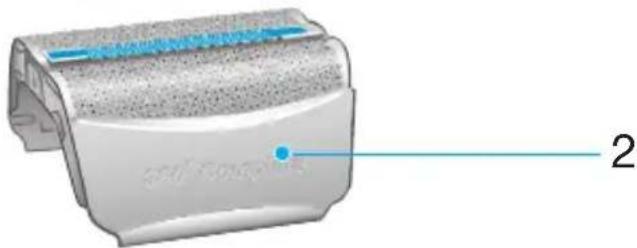
1 Foil protection cap
2 Shaver foil
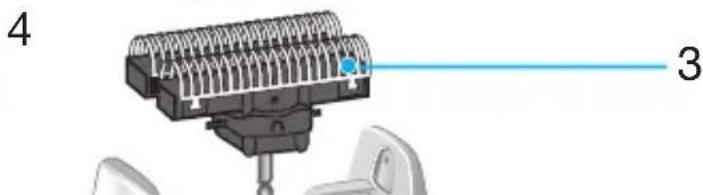
3 Cutter block
4 Release buttons
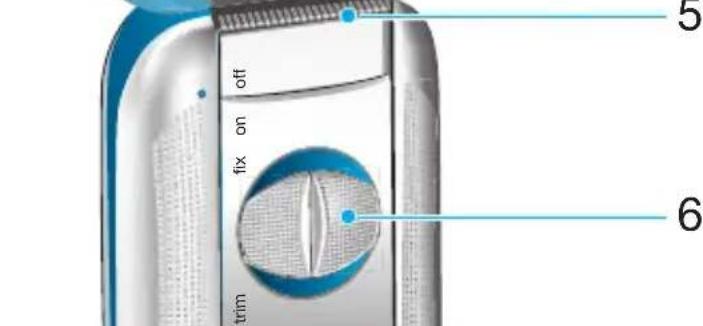
5 Long hair trimmer
6 Switch
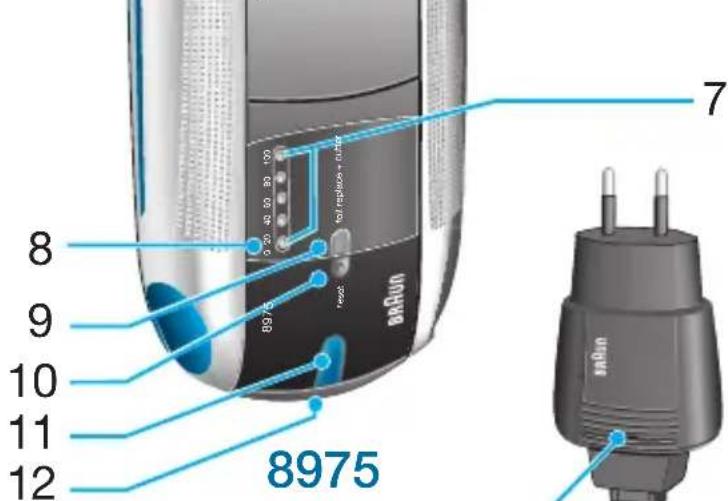
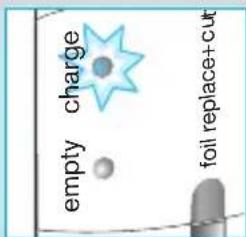
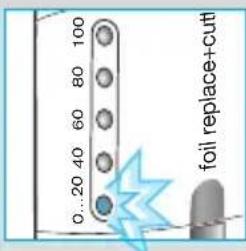
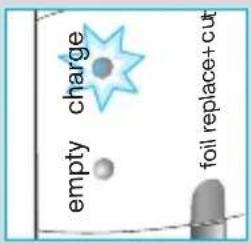
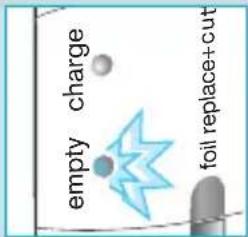
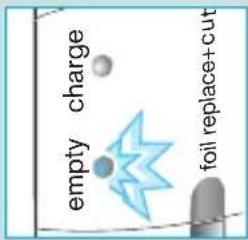
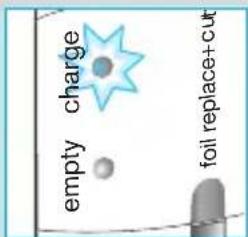
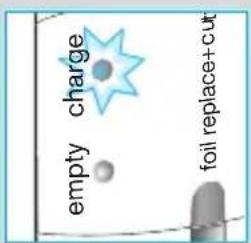
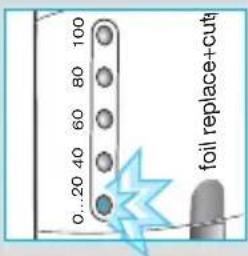
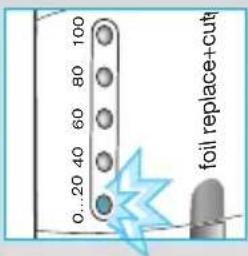
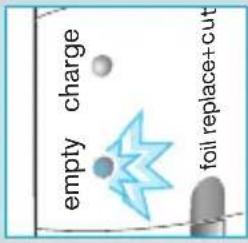
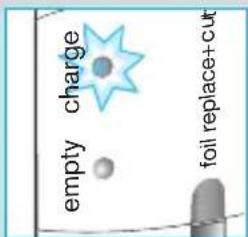
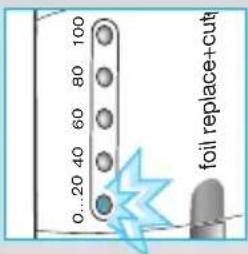
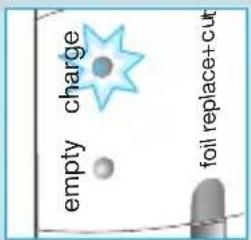
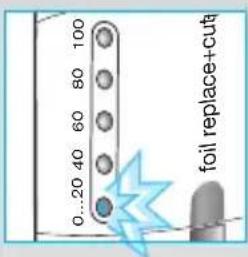
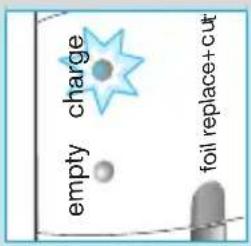
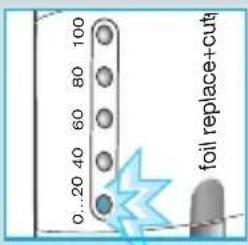
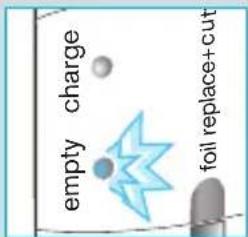
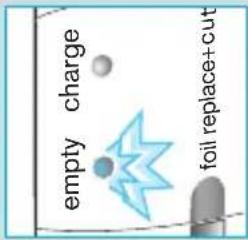
7 Charging lights (green)
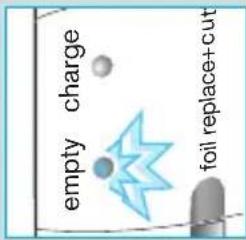
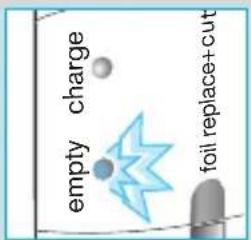
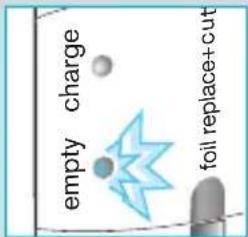
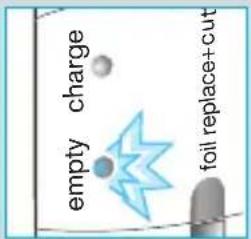
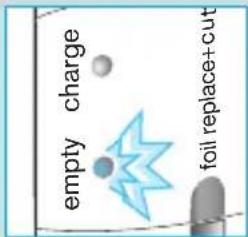
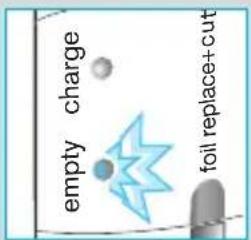
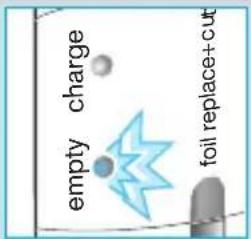
8 Low charge light (red)
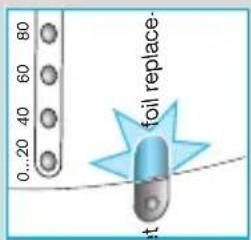
9 Replacement light for shaving parts
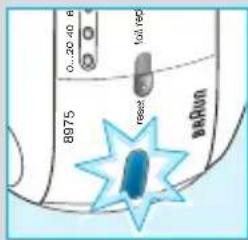
10 Reset button
11 Pilot light
12 Shaver socket
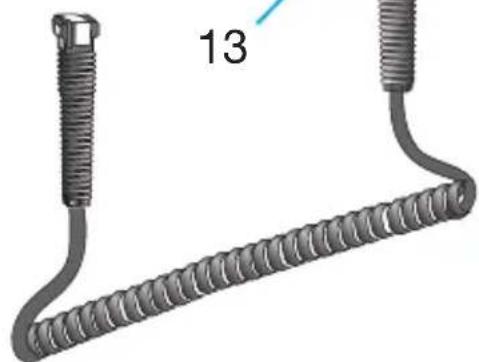
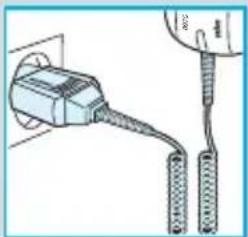
13 Special cord set

Charging the shaver

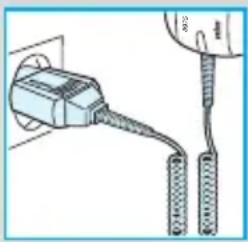
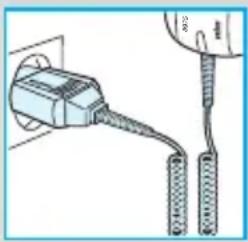
  • When charging for the first time: Using the special cord set, connect the shaver to an electrical outlet.
    The shaver must be switched off. Charge it for at least 4 hours (special cord set and shaver might get warm).
    Once the shaver is completely charged, shave until fully discharged. Then recharge to full capacity again (1 hour).
  • A full charge will give up to 50 minutes of cordless shaving time, depending on your beard growth.
    However, the maximum battery capacity will only be reached after several charging/discharging cycles.
  • Best environmental temperature range for charging is from 15 °C to 35 °C.
  • When fully discharged, you may also shave with the shaver connected to an electrical outlet via the special cord set.

Indicator lights

Pilot light (11): The shaver is connected to an electrical outlet.

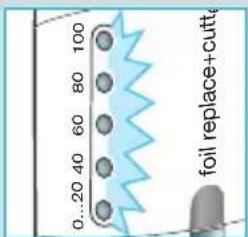
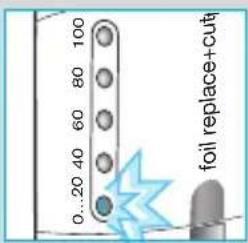
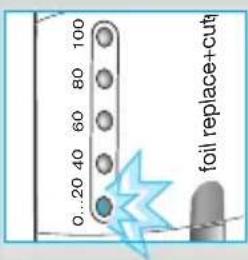
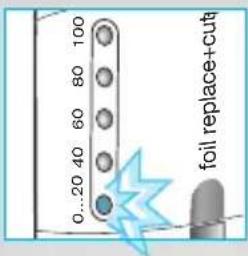
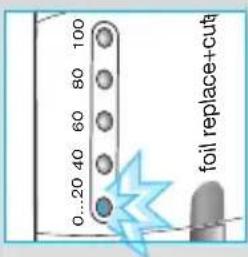
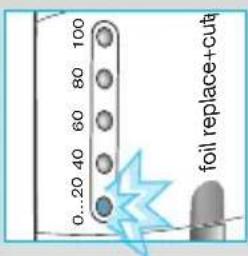
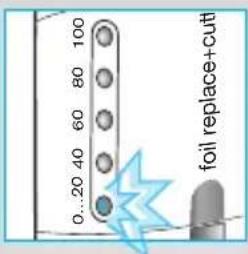
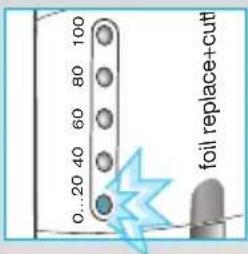
Model 8975: When the shaver is fully charged, all five charging lights (7) will light up (20% per light), provided the shaver is connected to an electrical outlet or switched on.

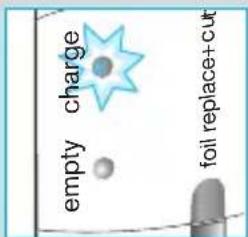
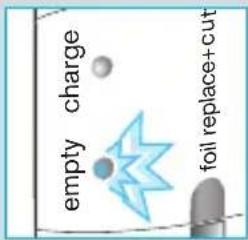
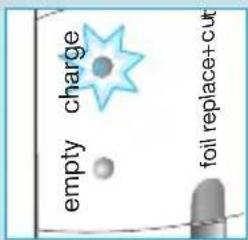
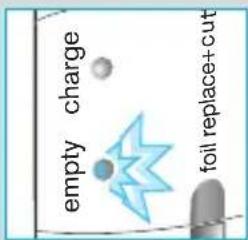
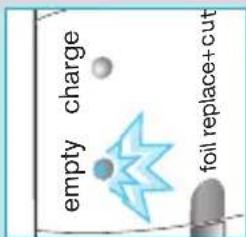
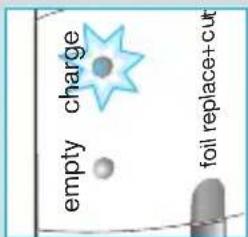
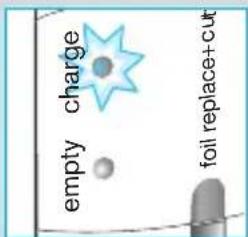
Model 8970: The green single charging light (7) shows that the shaver is being charged. When fully charged, the charging light flashes or goes off. If later on, the charging light comes on again, this indicates that the shaver is being recharged to maintain its full capacity.

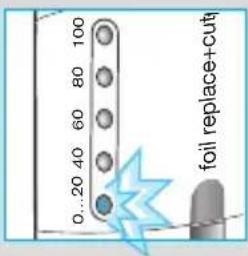
The red low charge light (8) flashes when the battery capacity has dropped below 20%, provided the shaver is switched on. The remaining capacity will then be sufficient for 2 to 3 shaves.

Shaving

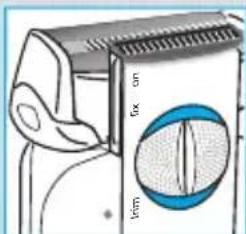
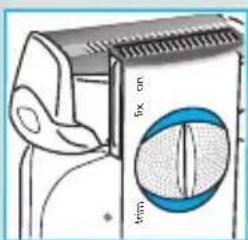
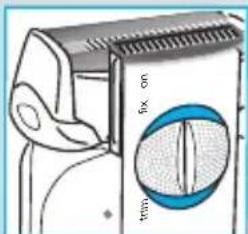
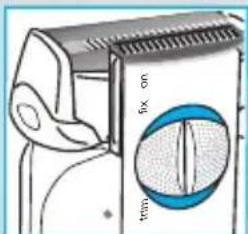
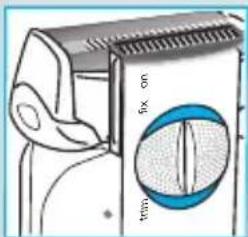
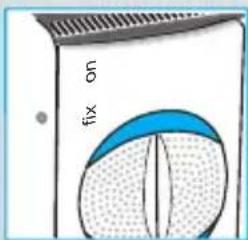
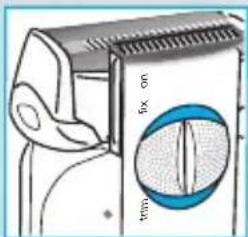
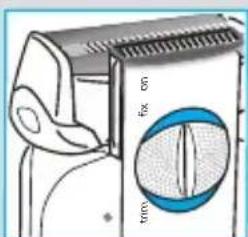
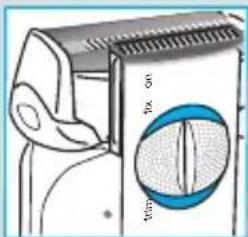
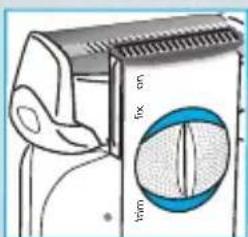
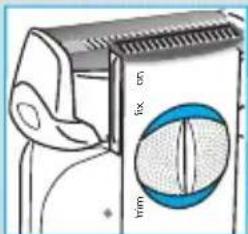
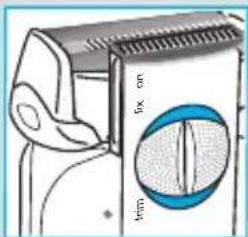
Switch positions

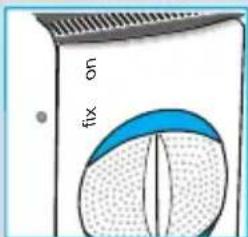
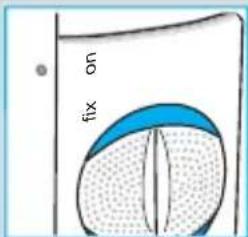
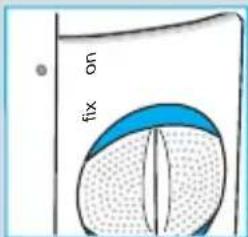
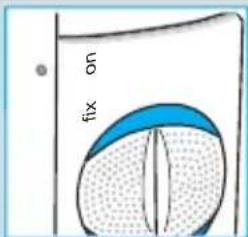
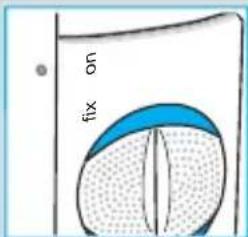
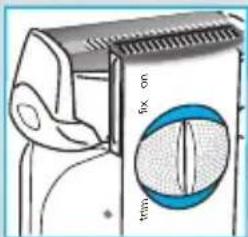
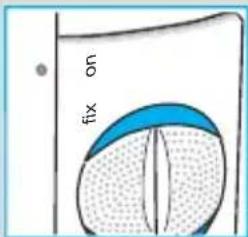
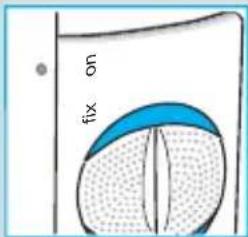
off = (switch is locked)

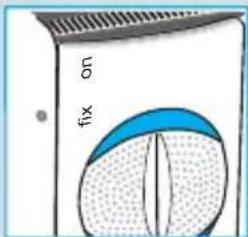
Press and push up the switch to operate the shaver:

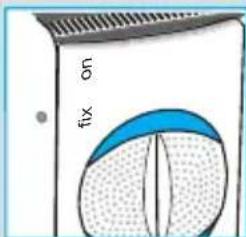
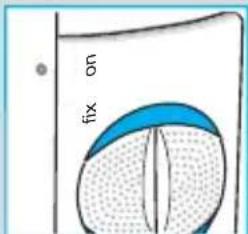
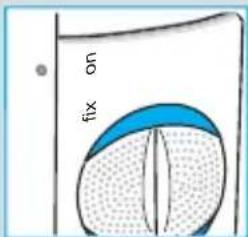
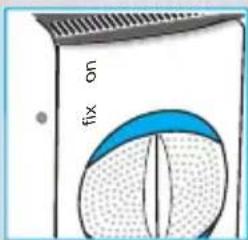
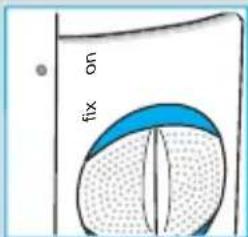
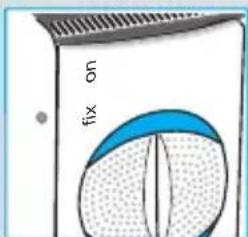
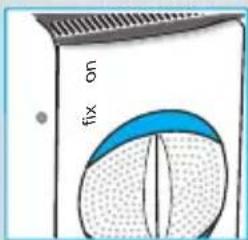
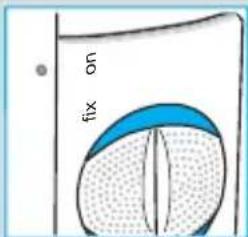
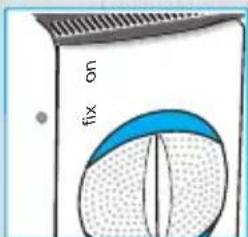
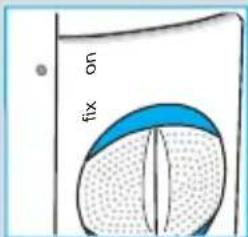
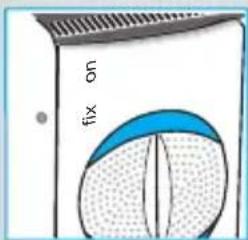
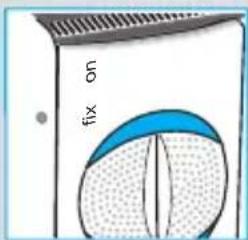
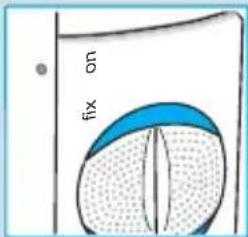
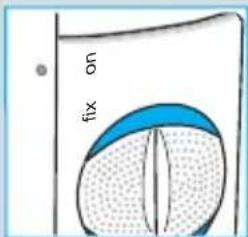
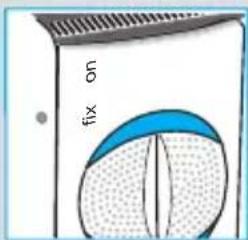
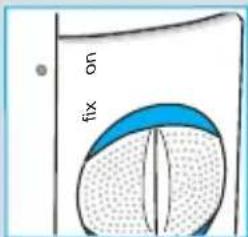
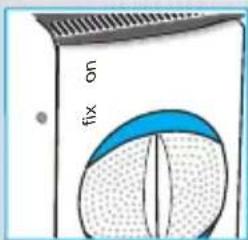
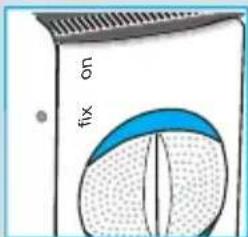
on = Shaving with the pivoting head

(the pivoting cutting system automatically adjusts to every contour of your face).

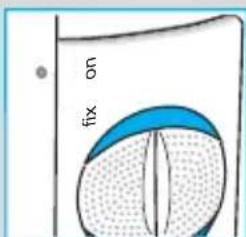
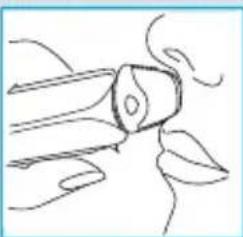
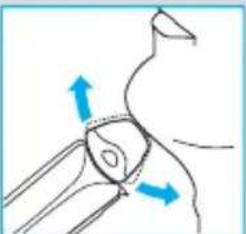
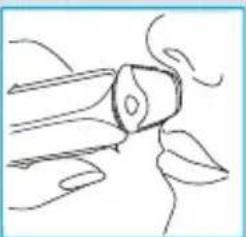
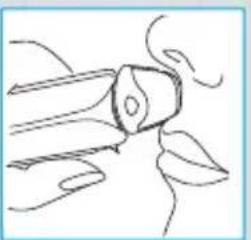
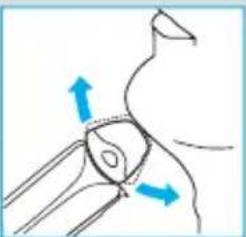
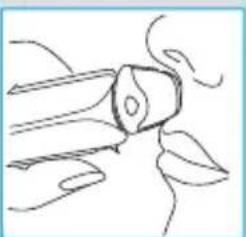
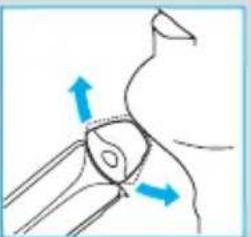
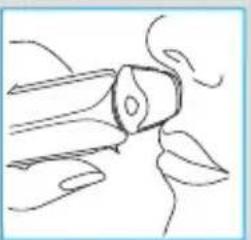
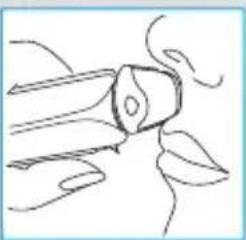
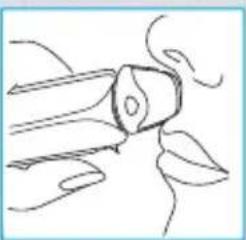
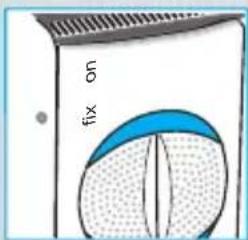
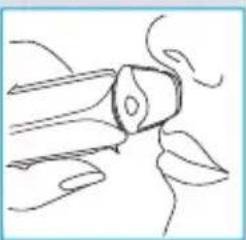
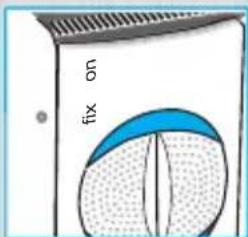
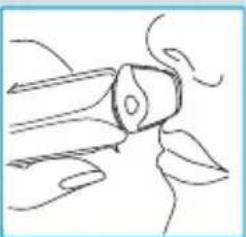
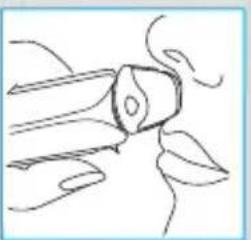
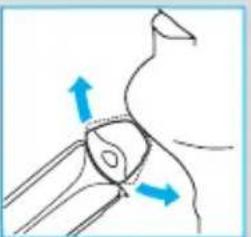
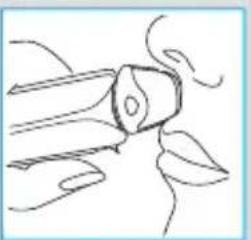
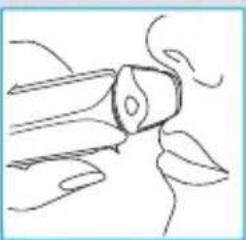
fix = Shaving with the pivoting head locked at an angle (to permit shaving in difficult areas, e.g. under the nose).

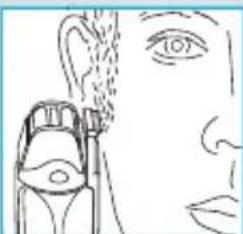
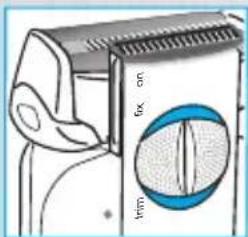
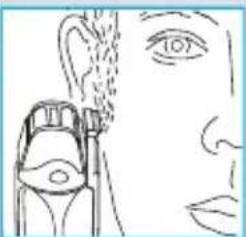
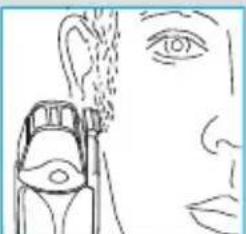
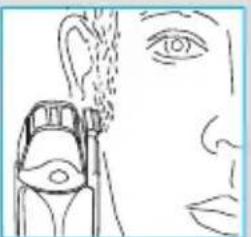
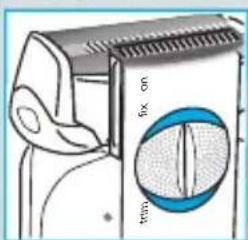
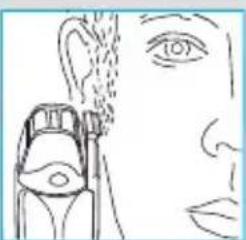
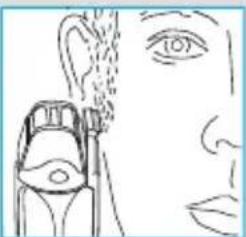
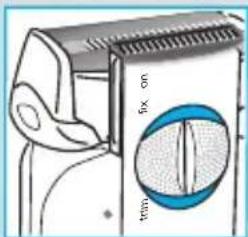
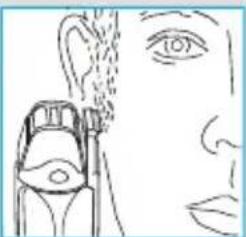
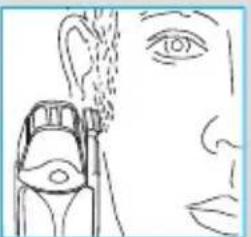
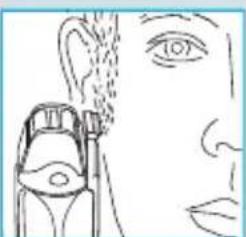
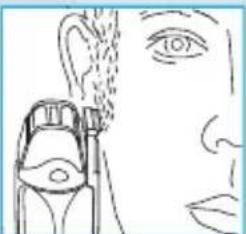
trim= The long hair trimmer is activated

(for trimming sideburns, moustache and beard).
0.20-40.8 B975 reset barRun

0...20 40 60 80 100 foil replace+cutt

empty charge foil replace+cut

0..20 40 60 80 100 foil replace+cut

empty charge foil replace+cut

fix on

BRAUN 360°Complete 8970 - Switch positions - 7

natural_image Diagram of a human hand holding a small object with blue arrows indicating direction (no text or symbols)

fix on

BRAUN 360°Complete 8970 - Switch positions - 9

natural_image Simple line drawing of a stylized object resembling a flower or plant, with no text or symbols present.

fox on lim

BRAUN 360°Complete 8970 - Switch positions - 11

natural_image Line drawing of a human face with an eye and a medical device inserted (no text or symbols)

90°

Diagram showing a person's seat with measurement markings and directional arrows indicating movement or positioning.

BRAUN 360°Complete 8970 - Switch positions - 14

natural_image Illustration of a hand using a tool to cut or spread material, no text or symbols present

BRAUN 360°Complete 8970 - Switch positions - 15

BRAUN 360°Complete 8970 - Switch positions - 16

natural_image Illustration of a hand holding a small object, crossed by blue diagonal lines (no text or symbols)

BRAUN 360°Complete 8970 - Switch positions - 17

natural_image Illustration of a person operating a robotic arm with blue diagonal lines (no text or symbols)

BRAUN 360°Complete 8970 - Switch positions - 18

natural_image Diagram showing two mechanical components with arrows indicating movement or force (no text or symbols)

BRAUN 360°Complete 8970 - Switch positions - 19

natural_image Illustration of a hand using a blue tool to clean or store items on a surface (no text or symbols visible)

BRAUN 360°Complete 8970 - Switch positions - 20

natural_image Illustration of a hand applying liquid to a small oil dropper (no text or symbols)

BRAUN 360°Complete 8970 - Switch positions - 21

natural_image Illustration of hands using a handheld device to press or install a component (no text or symbols visible)

BBA Run 8000 Series

0...20 40 60 80 foil replace- at

Tips for the perfect shave

• We recommend that you shave before washing, as the skin tends to be slightly swollen after washing.
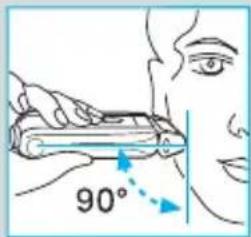
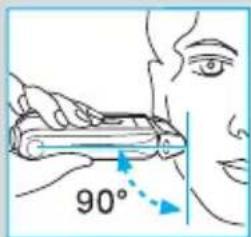
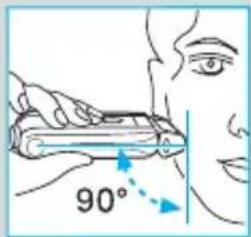
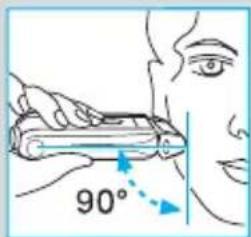
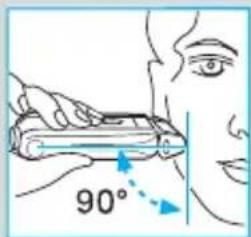
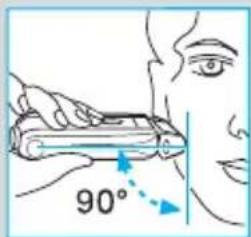
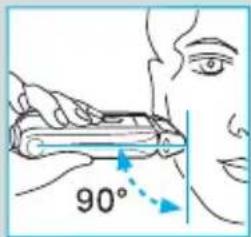
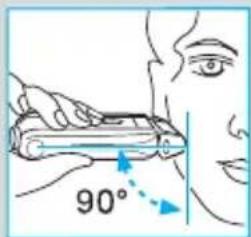
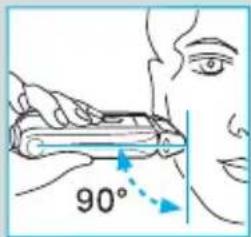
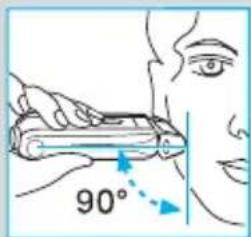
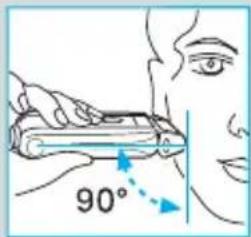
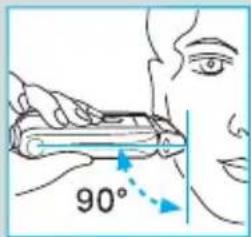
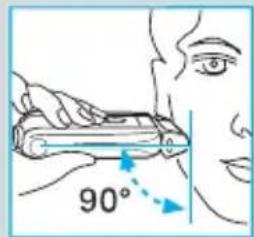
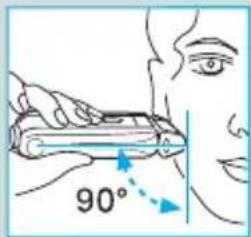
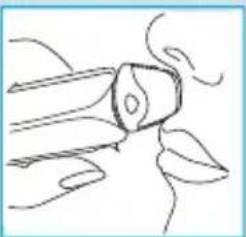
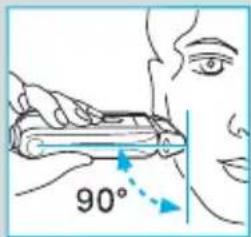
- Hold the shaver at right angles (90°) to the skin. Stretch your skin and shave against the direction of beard growth.
- To maintain 100% shaving performance, replace your foil and cutter block, when the replacement light (9) comes on (after about 18 months), or when worn.

Cleaning

Never use water to clean the shaver.

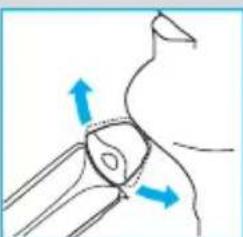
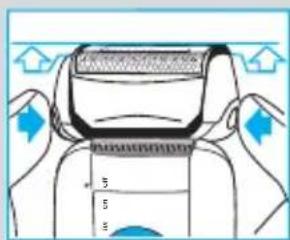
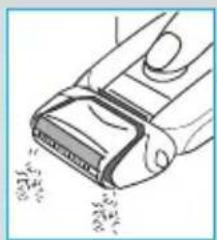
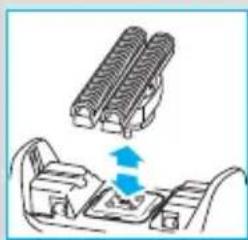
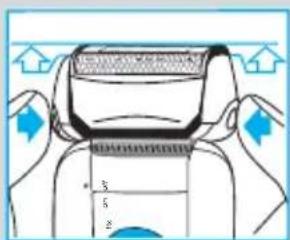
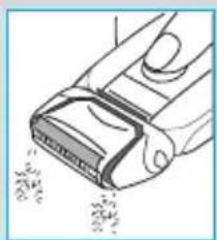
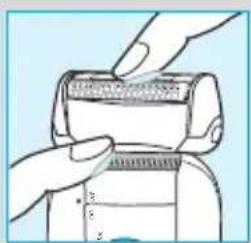
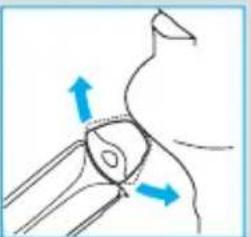
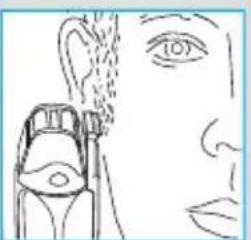
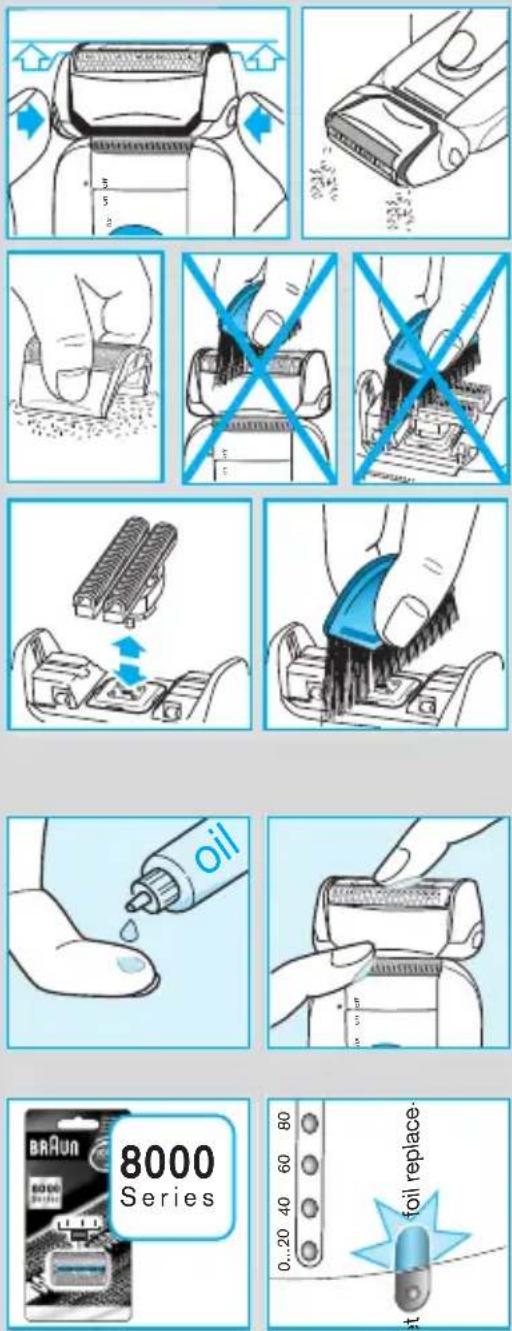
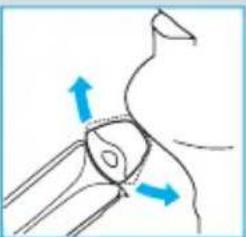
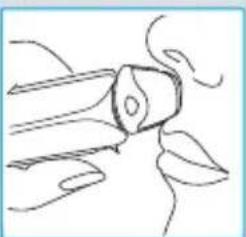
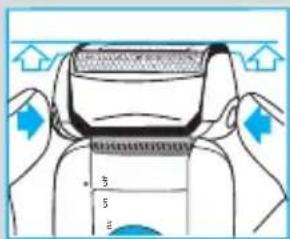
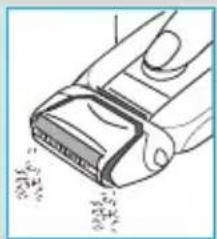
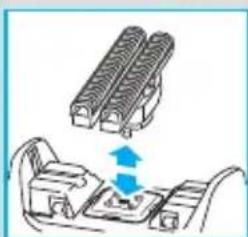
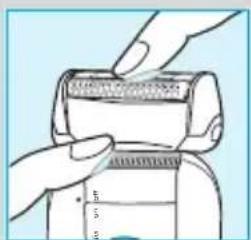
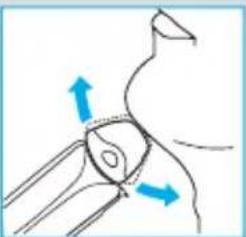
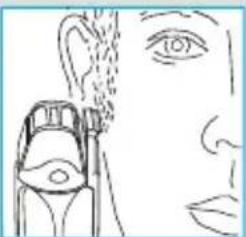
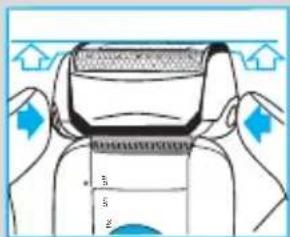
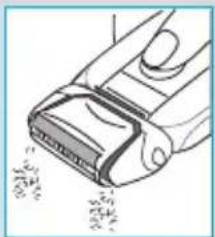
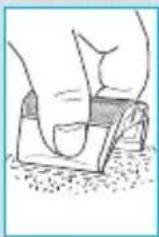
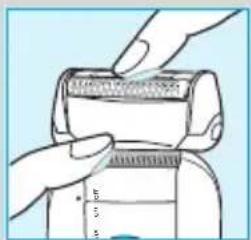
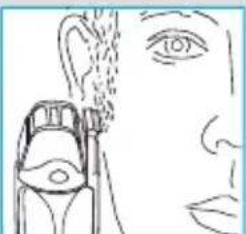
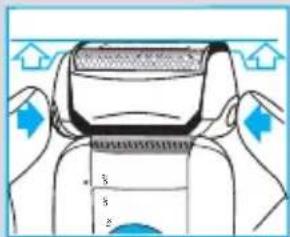
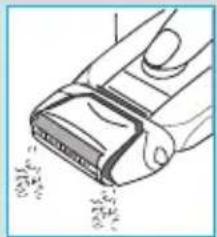
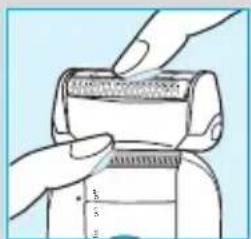
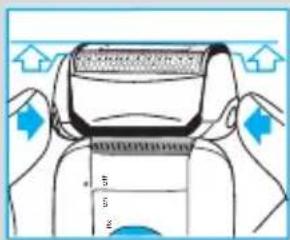
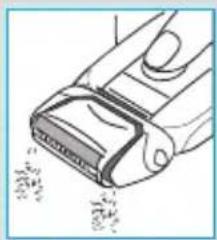
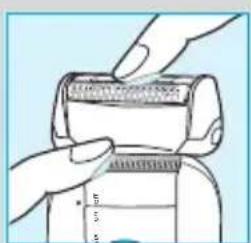
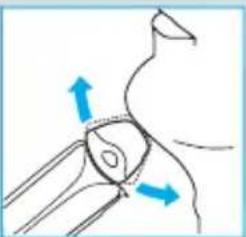
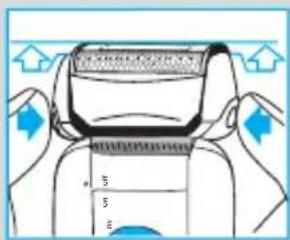
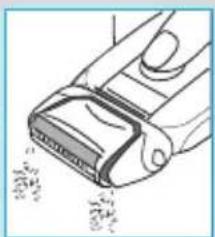
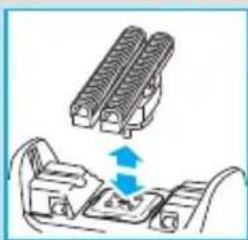
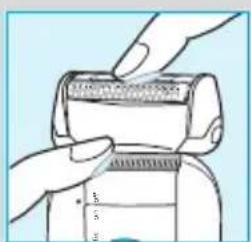
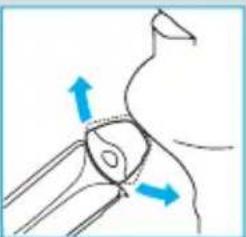
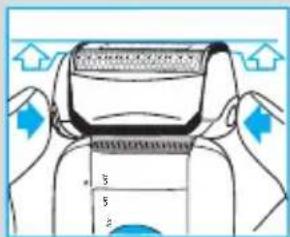
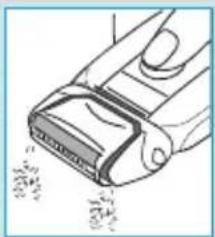
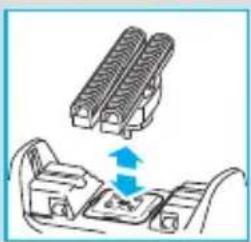
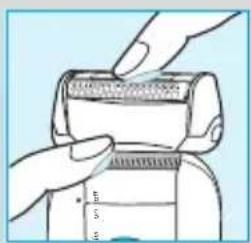
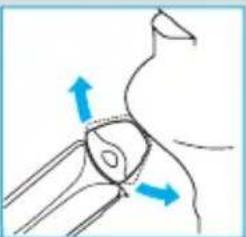
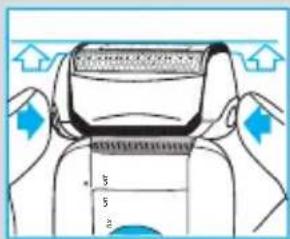
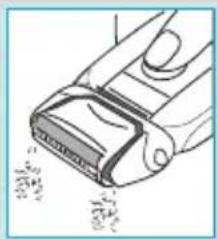
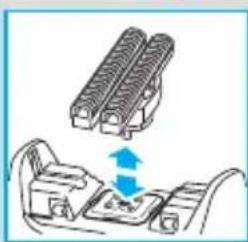
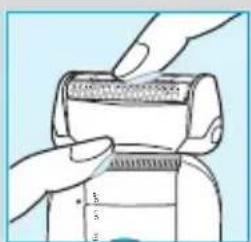
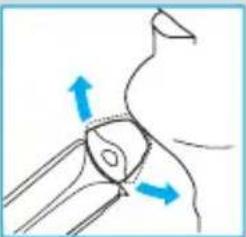
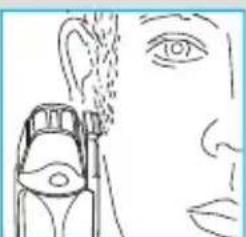
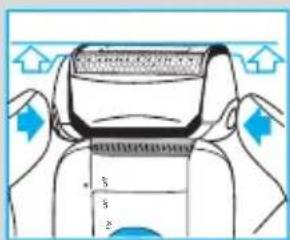
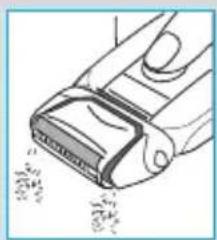
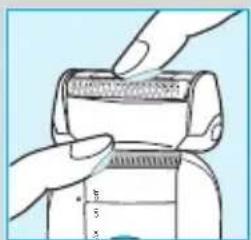
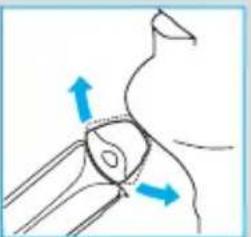
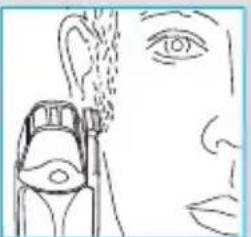
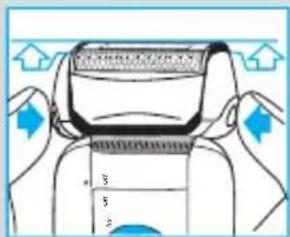
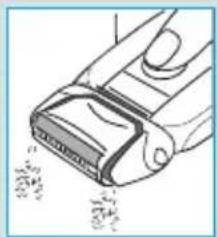
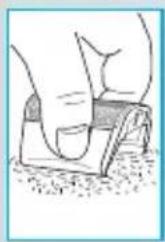
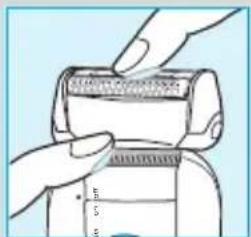
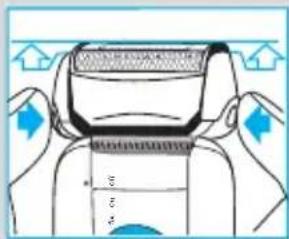
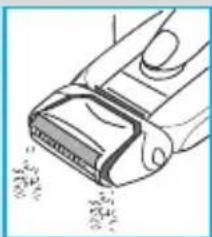
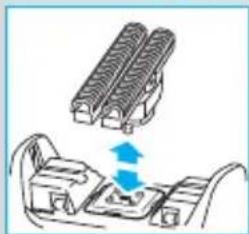
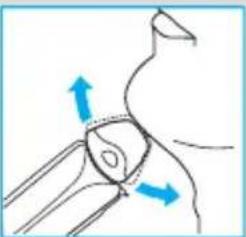
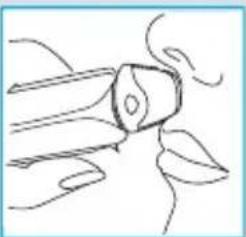
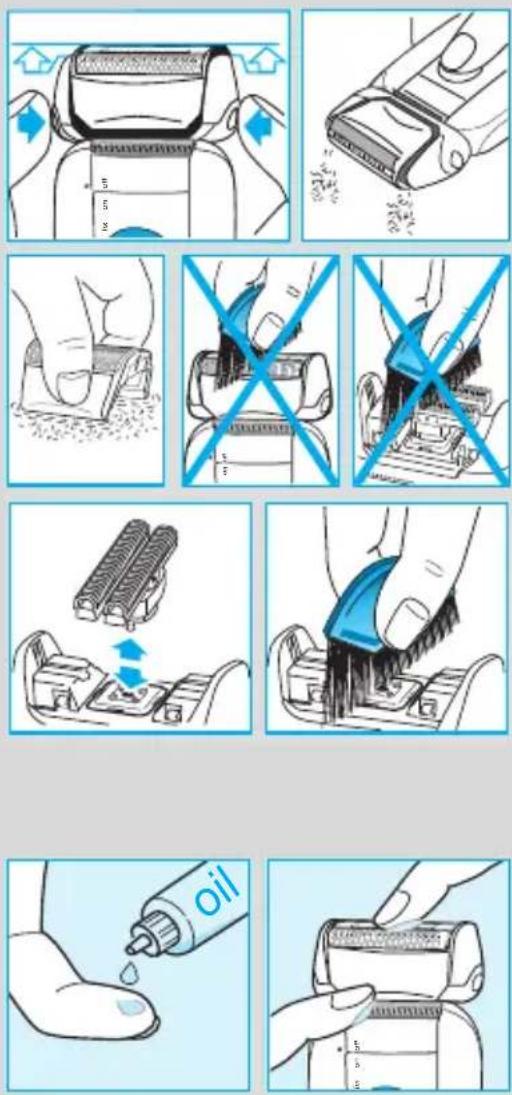
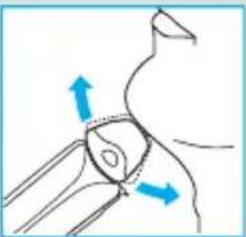
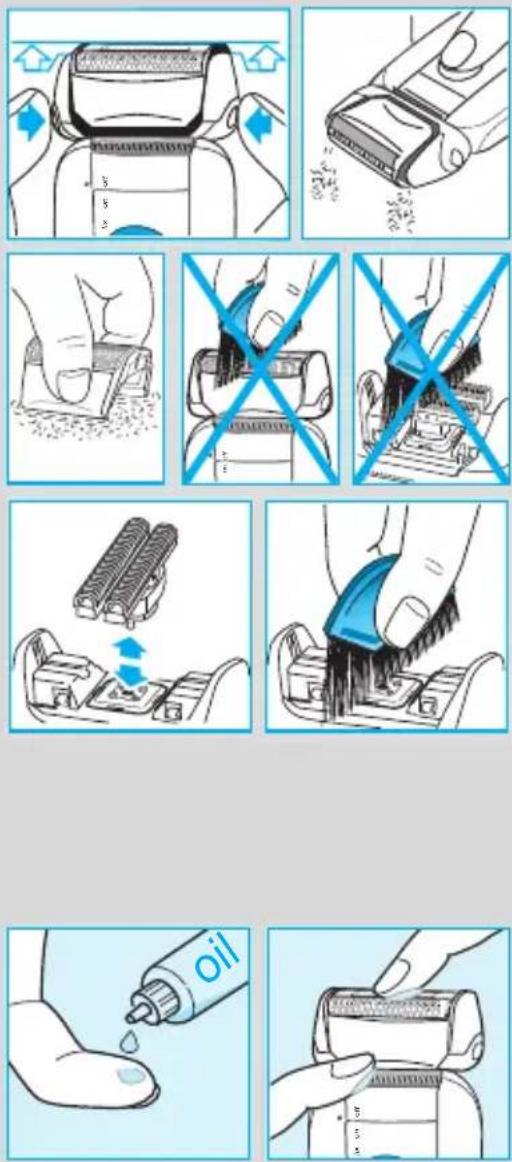
For easy cleaning after each shave, switch the shaver off. Press the release buttons to lift the shaver foil (do not remove the foil completely). Switch on the shaver for approx. 5–10 seconds so that the shaved stubbles can fall out.

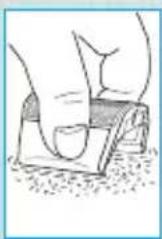
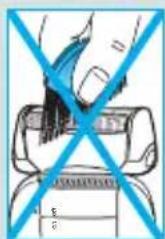
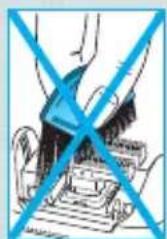
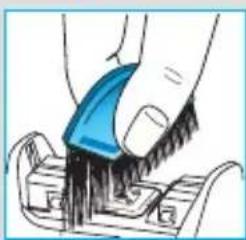
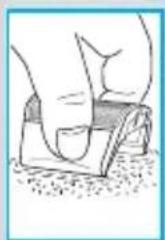
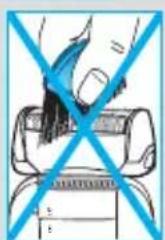
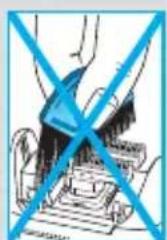
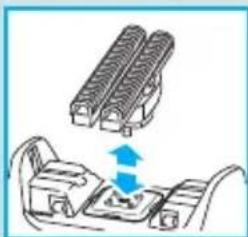
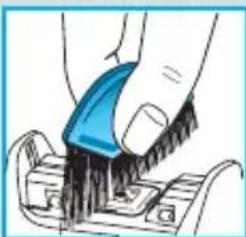
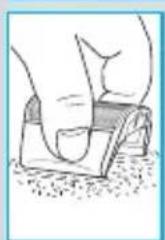
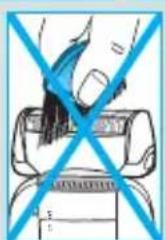
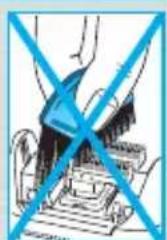
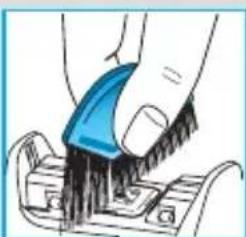
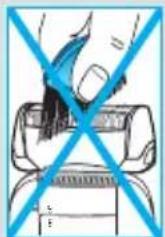
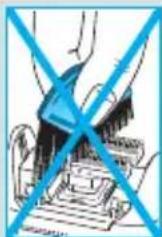
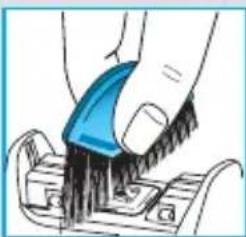
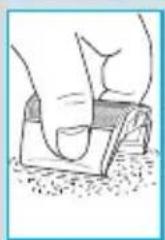
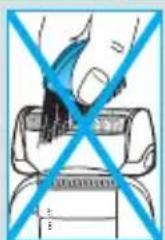
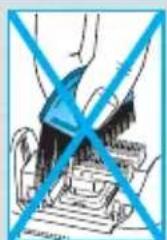
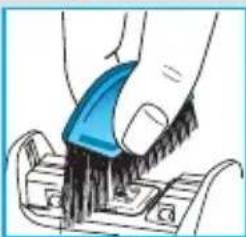
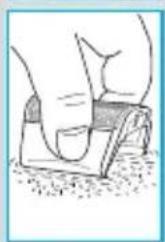
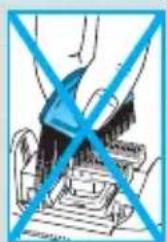
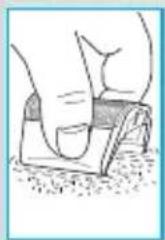
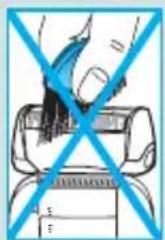
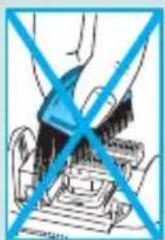
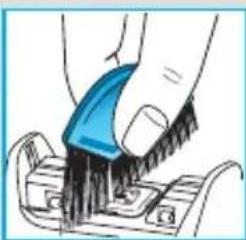
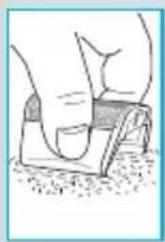
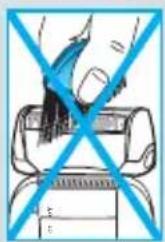
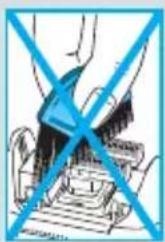
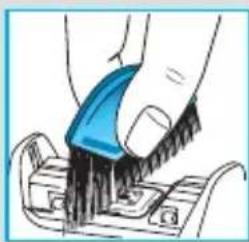
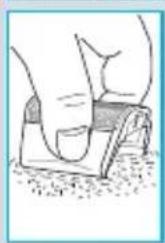
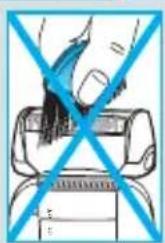
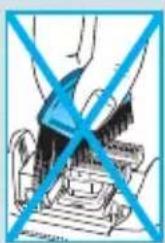
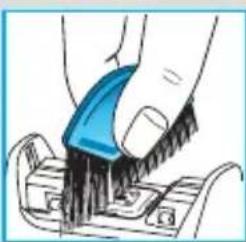
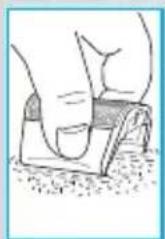
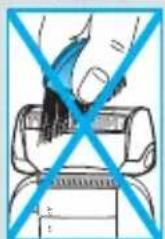
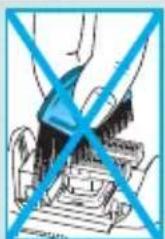
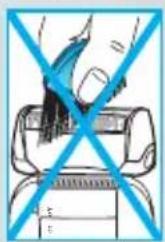
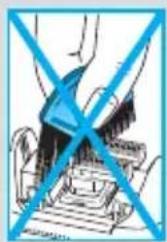
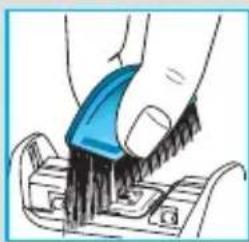
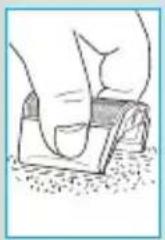
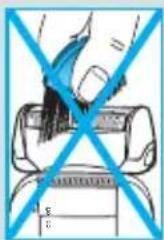
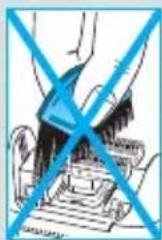
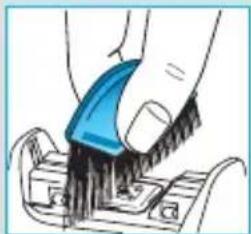
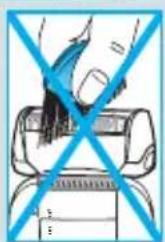
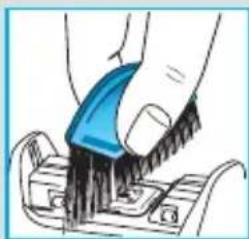
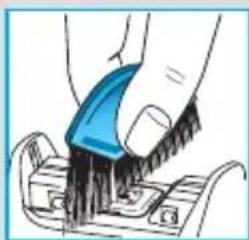
Then remove the shaver foil and tap it out on a flat surface. Using the brush, clean the inner area of the pivoting head. However, do not clean the shaver foil nor the cutter block with the brush as this may damage them.

Keeping your shaver in top shape

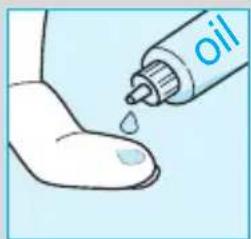
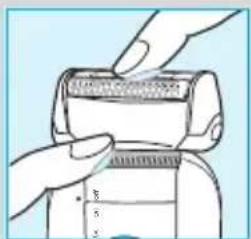
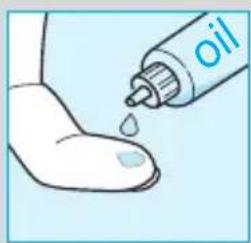
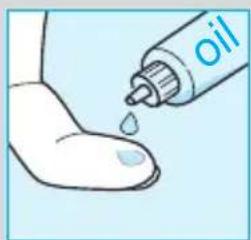
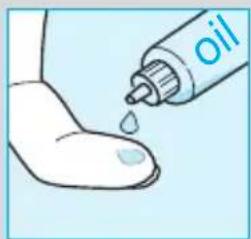
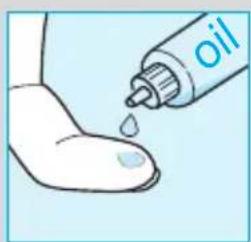
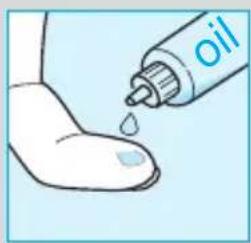
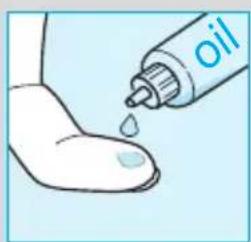
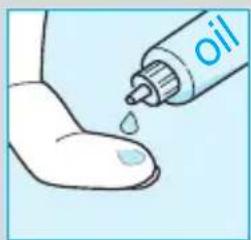
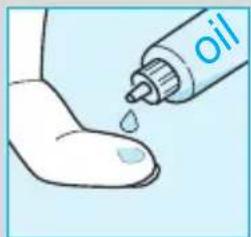
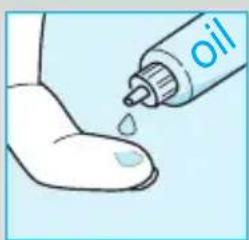
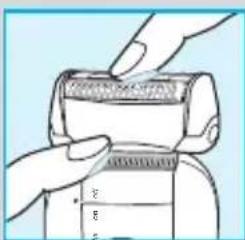
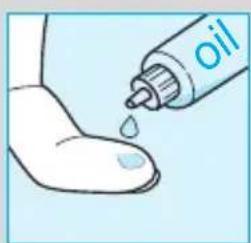
About every four weeks, clean the cutter block with Braun cleaning agents. Put a drop of light machine oil onto the long hair trimmer and the shaver foil.

Replacement light for shaving parts / Reset

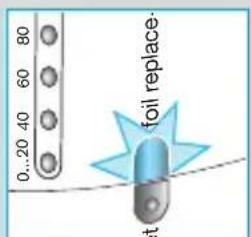
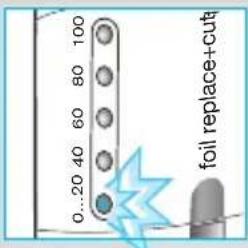
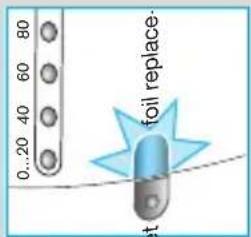
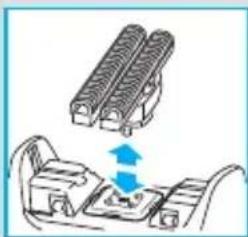
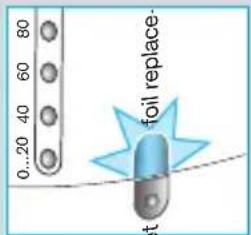
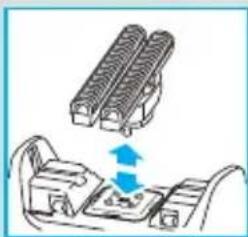
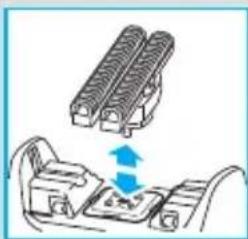
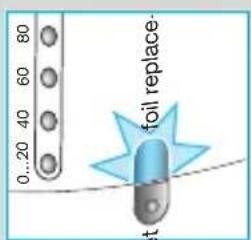
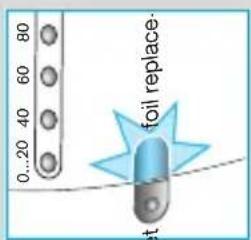
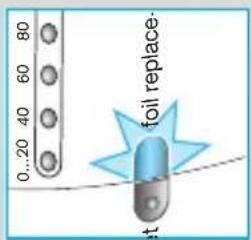
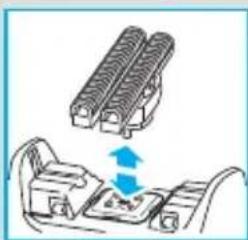
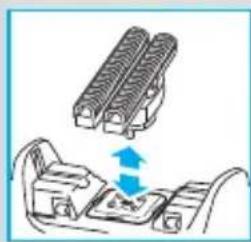
To maintain 100% shaving performance, replace your foil and cutter block, when the replacement light for shaving parts (9) comes on (after about 18 months) or when worn. Change both parts at the same time for a closer shave with less skin irritation.

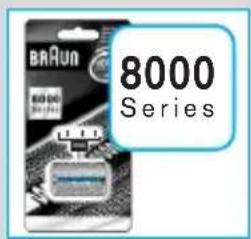
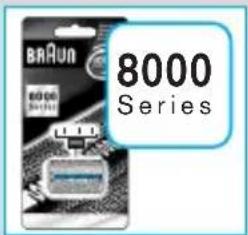
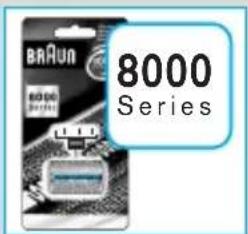
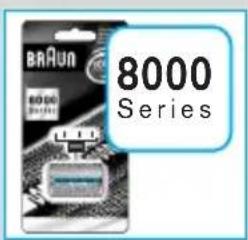
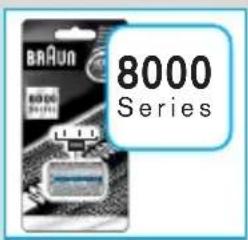
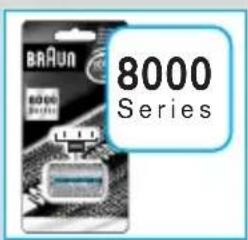
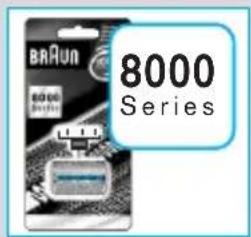
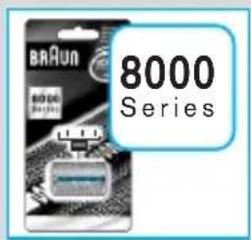
(Shaver foil and cutter block: 8000 series)

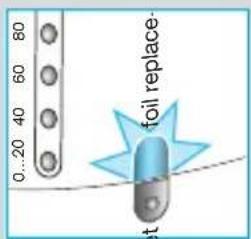
The replacement light will remind you during the next 7 shaves to replace the shaving parts. Then the shaver will automatically reset the display.

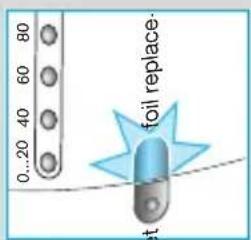
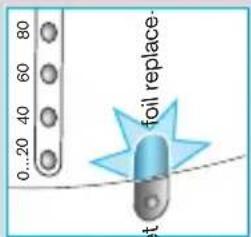
After you have replaced the shaving parts (foil and cutter block), use a ball-pen to push the reset button (10) for at least 3 seconds to reset the counter.

While doing so, the replacement light blinks and goes off when the reset is complete. The manual reset can be done at any time.

Preserving the batteries

In order to maintain the optimum capacity of the rechargeable batteries, the shaver has to be fully discharged (through normal use) every 6 months approximately. Then recharge the shaver to full capacity. Do not expose the shaver to temperatures higher than 50 °C for extended periods of time.

Environmental notice

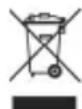
This product contains rechargeable batteries. In the interest of protecting the environment, please do not dispose of the product in the household waste at the end of its useful life. Disposal can take place at a Braun Service Centre or at appropriate collection points provided in your country.
BRAUN 360°Complete 8970 - Environmental notice - 1

Subject to change without notice.

This product conforms to the European Directives EMC 89/336/EEC and Low Voltage 73/23/EEC.

BRAUN 360°Complete 8970 - Environmental notice - 2

Electric specifications see printing on the special cord set.
Français

BRAUN 360°Complete 8970 - Français - 1

natural_image Diagram of a cable being inserted into a socket connected to a wall-mounted device (no text or symbols visible)

empty charge foil replace+ cut

0...20 40 60 80 100 foil replace+cut

empty charge foil replace+cut

fix on

BRAUN 360°Complete 8970 - Français - 6

natural_image Diagram of a human anatomical structure with directional arrows indicating movement or force (no text or labels)

fix on

BRAUN 360°Complete 8970 - Français - 8

natural_image Simple line drawing of a flower with petals and leaves, no text or symbols present

fix. on trim

BRAUN 360°Complete 8970 - Français - 10

natural_image Line drawing of a human face with an eye and a small object near the mouth (no text or symbols)

90°

BRAUN 360°Complete 8970 - Français - 12

natural_image Diagram of a cable being inserted into a socket connected to a wall-mounted device (no text or symbols visible)

0...20 40 60 80 100 foil replace+cut

empty charge foil replace+cut

fix on

BRAUN 360°Complete 8970 - Français - 16

natural_image Diagram of a medical or anatomical procedure showing two blue arrows pointing to a central circular region (no text or labels)

fix on

BRAUN 360°Complete 8970 - Français - 18

natural_image Simple line drawing of a mechanical component or tool (no text or symbols)

fix on mm

BRAUN 360°Complete 8970 - Français - 20

natural_image Line drawing of a human face with an eye and a small object near the mouth (no text or symbols)

90°

Diagram illustrating a step in a device's measurement process with arrows indicating direction of change.

BRAUN 360°Complete 8970 - Français - 23

natural_image Illustration of a hand using a power tool to cut a rectangular object with visible cutting lines (no text or symbols)

BRAUN 360°Complete 8970 - Français - 24

BRAUN 360°Complete 8970 - Français - 25

natural_image Illustration of a hand gripping a wristband with blue diagonal lines (no text or symbols)

BRAUN 360°Complete 8970 - Français - 26

natural_image Illustration of a hand operating a machine with blue diagonal lines (no text or symbols)

BRAUN 360°Complete 8970 - Français - 27

natural_image Diagram showing two mechanical components with arrows indicating movement or force (no text or symbols)

BRAUN 360°Complete 8970 - Français - 28

natural_image Illustration of a hand using a blue tool to clean or store items on a surface (no text or symbols visible)

BRAUN 360°Complete 8970 - Français - 29

natural_image Illustration of a hand holding a small oil droplet with a piping bag (no text or symbols)

BRAUN 360°Complete 8970 - Français - 30

natural_image Illustration of hands using a measuring tool to measure a cylindrical object (no text or symbols visible)

BAUN 8000 Series

0...20 40 60 80 foil replace. at

natural_image Diagram of a plug inserted into a socket connected to a cable (no text or symbols visible)

0...20 40 60 80 100 foil replace+cut

empty charge foil replace+cut

fix on

BRAUN 360°Complete 8970 - Français - 36

natural_image Diagram of a medical procedure showing force application on a curved anatomical structure with blue arrows indicating direction (no text or labels)

fix on

BRAUN 360°Complete 8970 - Français - 38

natural_image Simple line drawing of a flower with petals and leaves, no text or symbols present

fox on trim

BRAUN 360°Complete 8970 - Français - 40

natural_image Line drawing of a human face with an eye and a small object near the mouth (no text or symbols)

90°

Diagram showing a device's top view with labeled parts and directional arrows indicating motion or force.

BRAUN 360°Complete 8970 - Français - 43

natural_image Diagram of a mechanical component with a knife inserted, showing internal structure and motion lines (no text or symbols)

BRAUN 360°Complete 8970 - Français - 44

BRAUN 360°Complete 8970 - Français - 45

BRAUN 360°Complete 8970 - Français - 46

BRAUN 360°Complete 8970 - Français - 47

natural_image Diagram showing two mechanical components with arrows indicating movement or force (no text or symbols)

BRAUN 360°Complete 8970 - Français - 48

natural_image Illustration of a hand using a blue tool to press down a mechanical component (no text or symbols visible)

BRAUN 360°Complete 8970 - Français - 49

natural_image Illustration of a hand holding a small oil droplet with a piping bag (no text or symbols)

BRAUN 360°Complete 8970 - Français - 50

natural_image Illustration of hands using a brush to cut a cylindrical object, with measurement scale visible (no text or symbols)

BRAUN 8000 Series

0...20 40 60 80 foil replace- at

Preservar as baterias

natural_image Diagram of a medical or laboratory setup showing a device connected to a coiled tube (no text or symbols visible)

empty charge foil replace+cut

0...20 40 60 80 100 foil replace+cut

empty charge foil replace+cut

fix on

BRAUN 360°Complete 8970 - Preservar as baterias - 5

natural_image Diagram of a human shoulder joint with blue directional arrows indicating movement or force (no text or labels)

fix on

BRAUN 360°Complete 8970 - Preservar as baterias - 7

natural_image Simple line drawing of a stylized object resembling a bottle or container with floral elements (no text or symbols)

fix on mm

BRAUN 360°Complete 8970 - Preservar as baterias - 9

natural_image Line drawing of a human face with an eye and a small object near the mouth (no text or symbols)

90°

Diagram illustrating a sewing process with labeled parts and directional arrows indicating steps

BRAUN 360°Complete 8970 - Preservar as baterias - 12

natural_image Illustration of a hand holding a tool with a textured grip and spray particles (no text or symbols)

BRAUN 360°Complete 8970 - Preservar as baterias - 13

BRAUN 360°Complete 8970 - Preservar as baterias - 14

natural_image Illustration of a hand pressing down on a chair with blue diagonal lines (no text or symbols)

BRAUN 360°Complete 8970 - Preservar as baterias - 15

natural_image Illustration of a hand operating a machine with blue diagonal lines (no text or symbols)

BRAUN 360°Complete 8970 - Preservar as baterias - 16

natural_image Diagram showing a mechanical component with two stacked parts and directional arrows indicating movement (no text or symbols)

BRAUN 360°Complete 8970 - Preservar as baterias - 17

natural_image Illustration of a hand using a blue tool to press down a mechanical component (no text or symbols visible)

BRAUN 360°Complete 8970 - Preservar as baterias - 18

natural_image Illustration of a hand holding a small object with liquid, being poured into a tube labeled 'oil' (no other text or symbols)

BRAUN 360°Complete 8970 - Preservar as baterias - 19

natural_image Illustration of hands using a measuring tool to adjust or install a component (no text or symbols visible)

BBAun 8000 Series 8000 Series

0...20 40 60 80 foil replace. at

natural_image Diagram of a cable being inserted into a plug, showing wire routing and connector (no text or symbols)

empty charge foil replace+cut

0...20 40 60 80 100 foil replace+cut

empty charge foil replace+cut

fix on

BRAUN 360°Complete 8970 - Preservar as baterias - 26

natural_image Diagram showing a medical procedure with blue arrows indicating direction of movement or force (no text or labels)

fix on

BRAUN 360°Complete 8970 - Preservar as baterias - 28

natural_image Simple line drawing of a tool tip interacting with a flower (no text or symbols)

fix on mm

BRAUN 360°Complete 8970 - Preservar as baterias - 30

natural_image Line drawing of a human face with an eye and a small object near the ear (no text or symbols)

90°

Diagram showing a person's hair cutting process with measurement scale and directional arrows indicating movement

BRAUN 360°Complete 8970 - Preservar as baterias - 33

natural_image Illustration of a mechanical component with a handle and clamped parts (no text or symbols)

BRAUN 360°Complete 8970 - Preservar as baterias - 34

natural_image Illustration of a hand pressing down on a small object (no text or symbols visible)

BRAUN 360°Complete 8970 - Preservar as baterias - 35

natural_image Illustration of a hand holding a device with blue diagonal lines crossing through it (no text or symbols)

BRAUN 360°Complete 8970 - Preservar as baterias - 36

natural_image Illustration of a hand operating a machine with blue diagonal lines (no text or symbols)

BRAUN 360°Complete 8970 - Preservar as baterias - 37

natural_image Diagram showing two mechanical components with arrows indicating movement or force (no text or symbols)

BRAUN 360°Complete 8970 - Preservar as baterias - 38

natural_image Illustration of a hand using a blue tool to press down a mechanical component (no text or symbols visible)

BRAUN 360°Complete 8970 - Preservar as baterias - 39

natural_image Illustration of a hand holding a small oil droplet with a piping bag (no text or symbols)

BRAUN 360°Complete 8970 - Preservar as baterias - 40

natural_image Illustration of hands using a measuring tool to measure a cylindrical object (no text or symbols visible)

BRAUN 8000 Series

0..20 40 80 foil replace- at

natural_image Diagram of a cable being inserted into a plug, showing wire routing and a magnified view (no text or symbols)

empty charge foil replace+cut

0...20 40 60 80 100 foil replace+cut

empty charge foil replace+cut

fix on

BRAUN 360°Complete 8970 - Preservar as baterias - 47

natural_image Diagram of a medical procedure showing force application on a curved anatomical structure with blue arrows indicating direction (no text or labels)

fix on

BRAUN 360°Complete 8970 - Preservar as baterias - 49

natural_image Simple line drawing of a flower with petals and leaves, no text or symbols present

fix on mm

BRAUN 360°Complete 8970 - Preservar as baterias - 51

natural_image Line drawing of a human face with an eye and ear canal, no text or symbols present

90°

Diagram illustrating a hairpin measurement setup with labeled parts and directional arrows indicating movement or positioning.

BRAUN 360°Complete 8970 - Preservar as baterias - 54

natural_image Line drawing of a mechanical component with no visible text or symbols

BRAUN 360°Complete 8970 - Preservar as baterias - 55

natural_image Illustration of a hand pressing down on a small object (no text or symbols visible)

BRAUN 360°Complete 8970 - Preservar as baterias - 56

natural_image Illustration of a person sitting on a chair with blue diagonal lines crossing the seat (no text or symbols)

BRAUN 360°Complete 8970 - Preservar as baterias - 57

natural_image Illustration of a hand operating a machine with blue diagonal lines (no text or symbols)

BRAUN 360°Complete 8970 - Preservar as baterias - 58

natural_image Diagram showing two mechanical components with arrows indicating movement or force (no text or symbols)

BRAUN 360°Complete 8970 - Preservar as baterias - 59

natural_image Illustration of a hand using a blue tool to press or install a component (no text or symbols visible)

BRAUN 360°Complete 8970 - Preservar as baterias - 60

natural_image Illustration of a hand holding a small object with liquid, being pumped by a tool labeled 'oil' (no other text or symbols)

BRAUN 360°Complete 8970 - Preservar as baterias - 61

natural_image Illustration of hands using a measuring tool to adjust a cylindrical object (no text or symbols visible)

8000 Series

0...20 40 80 foil replace. ft

natural_image Diagram of a cable being inserted into a socket connected to a wall-mounted device (no text or symbols visible)

0...20 40 60 80 100 foil replace+cut

empty charge foil replace+cut

fix on

BRAUN 360°Complete 8970 - Preservar as baterias - 67

natural_image Diagram of a medical procedure showing force application on a curved anatomical structure (no text or labels)

fix on

BRAUN 360°Complete 8970 - Preservar as baterias - 69

natural_image Simple line drawing of a flower with petals and leaves (no text or symbols)

fix on mm

BRAUN 360°Complete 8970 - Preservar as baterias - 71

natural_image Line drawing of a human face with an eye and a small object inserted, no text or symbols present

90°

Diagram showing a person's seat with arrows indicating movement or force, labeled with numbers 3 and 5.

BRAUN 360°Complete 8970 - Preservar as baterias - 74

natural_image Line drawing of a mechanical component with no visible text or symbols

BRAUN 360°Complete 8970 - Preservar as baterias - 75

natural_image Illustration of a hand pressing down on a small object (no text or symbols visible)

BRAUN 360°Complete 8970 - Preservar as baterias - 76

natural_image Illustration of a hand holding a device with blue diagonal lines crossing through it (no text or symbols)

BRAUN 360°Complete 8970 - Preservar as baterias - 77

natural_image Illustration of a hand operating a laptop with blue diagonal lines (no text or symbols)

BRAUN 360°Complete 8970 - Preservar as baterias - 78

natural_image Diagram showing two mechanical components with arrows indicating movement or force (no text or symbols)

BRAUN 360°Complete 8970 - Preservar as baterias - 79

natural_image Illustration of a hand using a blue tool to press down a mechanical component (no text or symbols visible)

BRAUN 360°Complete 8970 - Preservar as baterias - 80

natural_image Illustration of a hand holding a small oil droplet with a piping bag (no text or symbols)

BRAUN 360°Complete 8970 - Preservar as baterias - 81

natural_image Illustration of hands using a measuring tool to measure a cylindrical object (no text or symbols visible)

BRAUN 8000 Series

0...20 40 80 foil replace. ft

Tips for perfekt barbering

natural_image Diagram of a cable being inserted into a plug, showing wire routing and connector (no text or symbols)

0...20 40 60 80 100 foil replace+cut

empty charge foil replace+cut

fix on

BRAUN 360°Complete 8970 - Tips for perfekt barbering - 4

natural_image Diagram of a human hand holding a small object with blue arrows indicating direction (no text or symbols)

fix on

BRAUN 360°Complete 8970 - Tips for perfekt barbering - 6

natural_image Line drawing of a stylized flower with petals and leaves, no text or symbols present

fix on mm

BRAUN 360°Complete 8970 - Tips for perfekt barbering - 8

natural_image Line drawing of a human face with an eye and a small object near the mouth (no text or symbols)

90°

Diagram showing a person's seat with arrows indicating movement or force, labeled with numbers 3 and 5.

BRAUN 360°Complete 8970 - Tips for perfekt barbering - 11

natural_image Illustration of a hand holding a tool with a textured grip and spray particles (no text or symbols)

BRAUN 360°Complete 8970 - Tips for perfekt barbering - 12

natural_image Illustration of a hand pressing down on a small object (no text or symbols visible)

BRAUN 360°Complete 8970 - Tips for perfekt barbering - 13

natural_image Illustration of a hand holding a device with blue X marks (no text or symbols)

BRAUN 360°Complete 8970 - Tips for perfekt barbering - 14

natural_image Illustration of a hand operating a laptop with blue diagonal lines (no text or symbols)

BRAUN 360°Complete 8970 - Tips for perfekt barbering - 15

natural_image Diagram showing two mechanical components with arrows indicating movement or force (no text or symbols)

BRAUN 360°Complete 8970 - Tips for perfekt barbering - 16

natural_image Illustration of a hand using a blue tool to press down a mechanical component (no text or symbols visible)

BRAUN 360°Complete 8970 - Tips for perfekt barbering - 17

natural_image Illustration of a hand holding a small object with liquid, being pointed by a piping bag labeled 'oil' (no other text or symbols)

BRAUN 360°Complete 8970 - Tips for perfekt barbering - 18

natural_image Illustration of hands using a measuring tool to measure a cylindrical object (no text or symbols visible)

8000 Series

0...20 40 60 80 foil replace. ft

natural_image Diagram of a cable being inserted into a socket connected to a wall-mounted device (no text or symbols visible)

empty charge foil replace+cut

0...20 40 60 80 100 foil replace+cut

empty charge foil replace+cut

fix on

BRAUN 360°Complete 8970 - Tips for perfekt barbering - 25

natural_image Diagram of a medical procedure with blue arrows indicating direction (no text or symbols)

fix on

BRAUN 360°Complete 8970 - Tips for perfekt barbering - 27

natural_image Simple line drawing of a stylized object resembling a flower or abstract form (no text or symbols)

fix on tmax

BRAUN 360°Complete 8970 - Tips for perfekt barbering - 29

natural_image Line drawing of a human face with an object near the ear, showing no text or symbols

90°

BRAUN 360°Complete 8970 - Tips for perfekt barbering - 31

natural_image Illustration of a person's seatbelt with arrows indicating movement or pressure points (no text or symbols)

BRAUN 360°Complete 8970 - Tips for perfekt barbering - 32

natural_image Illustration of a hand holding a small object with a pointed tip, emitting powder (no text or symbols visible)

BRAUN 360°Complete 8970 - Tips for perfekt barbering - 33

natural_image Illustration of a hand pressing down on a small object (no text or symbols visible)

BRAUN 360°Complete 8970 - Tips for perfekt barbering - 34

natural_image Illustration of a hand pressing down on a device with blue X marks (no text or symbols)

BRAUN 360°Complete 8970 - Tips for perfekt barbering - 35

natural_image Illustration of a hand operating a machine with blue diagonal lines (no text or symbols)

BRAUN 360°Complete 8970 - Tips for perfekt barbering - 36

natural_image Diagram showing two mechanical components with arrows indicating movement or force (no text or symbols)

BRAUN 360°Complete 8970 - Tips for perfekt barbering - 37

natural_image Illustration of a hand using a blue tool to press down a mechanical component (no text or symbols visible)

BRAUN 360°Complete 8970 - Tips for perfekt barbering - 38

natural_image Illustration of a hand holding a small object with liquid, being poured into a tube labeled 'oil' (no other text or symbols)

BRAUN 360°Complete 8970 - Tips for perfekt barbering - 39

natural_image Illustration of hands measuring a cylindrical object with measurement markings (no text or symbols)

BARUN 8000 Series

0...20 40 60 80 foil replace. at

natural_image Diagram of a cable being inserted into a plug, showing wire routing and a magnified view (no text or symbols)

empty charge foil replace+cut

0...20 40 60 80 100 foil replace+cut

empty charge foil replace+cut

fix on

BRAUN 360°Complete 8970 - Tips for perfekt barbering - 46

natural_image Diagram of a surgical procedure with arrows indicating force direction (no text or labels)

fix on

BRAUN 360°Complete 8970 - Tips for perfekt barbering - 48

natural_image Simple line drawing of a flower with petals and leaves, no text or symbols present

fix on mm

BRAUN 360°Complete 8970 - Tips for perfekt barbering - 50

natural_image Line drawing of a human face profile with a hand holding an object, no text or symbols present

90°

Diagram illustrating a seatbelt buckle with measurement markings and directional arrows indicating movement or positioning.

BRAUN 360°Complete 8970 - Tips for perfekt barbering - 53

natural_image Illustration of a cleaning brush with a brush tip and spray particles (no text or symbols)

BRAUN 360°Complete 8970 - Tips for perfekt barbering - 54

natural_image Illustration of a person using a chair to lift or press their feet (no text or symbols)

BRAUN 360°Complete 8970 - Tips for perfekt barbering - 55

natural_image Illustration of a person sitting on a chair with blue diagonal lines crossing the seat (no text or symbols)

BRAUN 360°Complete 8970 - Tips for perfekt barbering - 56

natural_image Illustration of a person using a computer with blue diagonal lines (no text or symbols)

BRAUN 360°Complete 8970 - Tips for perfekt barbering - 57

natural_image Diagram showing two mechanical components with arrows indicating movement or force (no text or symbols)

BRAUN 360°Complete 8970 - Tips for perfekt barbering - 58

natural_image Illustration of a hand using a blue tool to press down a mechanical component (no text or symbols visible)

BRAUN 360°Complete 8970 - Tips for perfekt barbering - 59

natural_image Illustration of a hand holding a small oil droplet with a pipette, no text or symbols present

BRAUN 360°Complete 8970 - Tips for perfekt barbering - 60

natural_image Illustration of hands using a measuring tool to measure a cylindrical object (no text or symbols visible)

BBA Run 8000 Series

0...20 40 60 80 foil replace. ft

natural_image Diagram of a cable being inserted into a socket connected to a wall-mounted device (no text or symbols visible)

empty charge foil replace+cut

0...20 40 60 80 100 foil replace+cut

empty charge foil replace+cut

fix on

BRAUN 360°Complete 8970 - Tips for perfekt barbering - 67

natural_image Diagram of a medical procedure with arrows indicating movement or force direction (no text or labels)

fix on

BRAUN 360°Complete 8970 - Tips for perfekt barbering - 69

natural_image Simple line drawing of a hairpin with leaves (no text or symbols)

Top On Top-down

BRAUN 360°Complete 8970 - Tips for perfekt barbering - 71

natural_image Line drawing of a human face with an eye and a small object near the mouth (no text or symbols)

90°

BRAUN 360°Complete 8970 - Tips for perfekt barbering - 73

natural_image Illustration of a person's seat with arrows indicating movement or pressure points (no text or symbols)

BRAUN 360°Complete 8970 - Tips for perfekt barbering - 74

natural_image Illustration of a hand using a tool to clean or brush the edge of a rectangular object (no text or symbols visible)

BRAUN 360°Complete 8970 - Tips for perfekt barbering - 75

natural_image Illustration of a hand pressing down on a small object (no text or symbols visible)

Diagram showing a hand using a tool to lift a button, with blue diagonal lines indicating crossed or blocked states.

BRAUN 360°Complete 8970 - Tips for perfekt barbering - 77

BRAUN 360°Complete 8970 - Tips for perfekt barbering - 78

natural_image Diagram showing a mechanical component with two stacked parts and directional arrows indicating movement (no text or symbols)

BRAUN 360°Complete 8970 - Tips for perfekt barbering - 79

natural_image Illustration of a hand using a blue tool to press down a mechanical component (no text or symbols visible)

BRAUN 360°Complete 8970 - Tips for perfekt barbering - 80

natural_image Illustration of a hand holding a small oil droplet with a piping bag (no text or symbols)

BRAUN 360°Complete 8970 - Tips for perfekt barbering - 81

natural_image Illustration of hands using a handheld device to press or install a physical component (no text or symbols visible)

BBAUN 8000 Series

0..20 40 80 foil replace- 式

natural_image Diagram of a cable being inserted into a plug, showing wire routing and connector (no text or symbols)

empty charge foil replace+cut

0...20 40 60 80 100 foil replace+cutt

empty charge foil replace+cut

fix on

BRAUN 360°Complete 8970 - Tips for perfekt barbering - 88

natural_image Diagram of a human anatomical structure with blue arrows indicating force or movement (no text or labels)

fix on

BRAUN 360°Complete 8970 - Tips for perfekt barbering - 90

natural_image Simple line drawing of a stylized object resembling a bottle or container with a handle, no text or symbols present.
5x on 50m

BRAUN 360°Complete 8970 - Tips for perfekt barbering - 92

natural_image Line drawing of a human face with an eye and a medical device inserted (no text or symbols)

90°

8000 Series

Українська

BRAUN 360°Complete 8970 - Українська - 1

natural_image Diagram of a cable being inserted into a plug, showing wire routing and connector (no text or symbols)

empty charge foil replace+cut

0...20 40 60 80 100 foil replace+cut!

empty charge foil replace+cut

fix on

BRAUN 360°Complete 8970 - Українська - 6

natural_image Diagram of a human head with surgical forceps and blue directional arrows indicating movement or force (no text or symbols)

fix on

BRAUN 360°Complete 8970 - Українська - 8

natural_image Simple line drawing of a flower with petals and leaves (no text or symbols)

5x 50 1mm

BRAUN 360°Complete 8970 - Українська - 10

natural_image Line drawing of a human face with an eye and a small object near the ear (no text or symbols)

90°

80 60 40 0...20 toil replace.
BRAUN 8000 Series
BRAUN 360°Complete 8970 - Українська - 14

Бритва електрична Braun 360° Complete 8970

Країна виробництва:

We grant 2 years guarantee on the product commencing on the date of purchase. Within the guarantee period we will eliminate, free of charge, any defects in the appliance resulting from faults in materials or workmanship, either by repairing or replacing the complete appliance as we may choose.

This guarantee extends to every country where this appliance is supplied by Braun or its appointed distributor.

This guarantee does not cover: damage due to improper use, normal wear and tear (e.g. shaver foil or cutter block) as well as defects that have a negligible effect on the value or operation of the appliance. The guarantee becomes void if repairs are undertaken by unauthorised persons and if original Braun parts are not used.
To obtain service within the guarantee period, hand in or send the complete appliance with your sales receipt to an authorised Braun Customer Service Centre.

For UK only:

This guarantee in no way affects your rights under statutory law.

Française

Garantie

Manual assistant
Powered by Anthropic
Waiting for your message
Product information

Brand : BRAUN

Model : 360°Complete 8970

Category : Shaver