
Lavazza A Modo Mio - Coffee maker SMEG - Free user manual and instructions
Find the device manual for free Lavazza A Modo Mio SMEG in PDF.
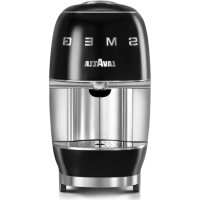


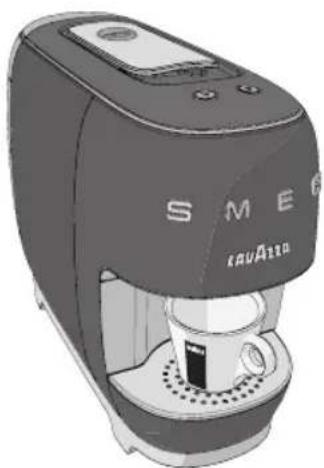
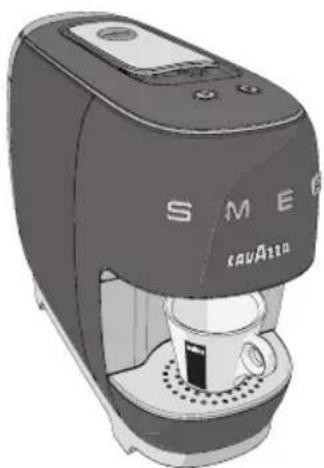
| Product type | Lavazza A Modo Mio capsule espresso coffee machine |
| Brand | SMEG |
| Model | Lavazza A Modo Mio |
| Dimensions (H x W x D) | 286 x 156 x 370 mm |
| Weight | Approximately 3.5 kg |
| Water tank capacity | 0.9 L removable |
| Power supply | 220-240 V ~ 50/60 Hz |
| Power cable length | 90 cm |
| Compatible capsules | Lavazza A Modo Mio or compatible |
| Main functions | Espresso (30 ml), Espresso Lungo (60 ml), dose programming, automatic shut-off |
| Stand-by mode | Automatic after 7 minutes, manual after 3 seconds on buttons |
| Tank cleaning | Dishwasher safe (lid not) |
| Drawer cleaning | Used capsule basket, cup rest grid, and drip tray are dishwasher safe |
| Descaling frequency | Every 2-3 months or if flow rate decreases |
| Safety | Automatic shut-off if water is missing, mechanical button lock, burn protection |
| Operating ambient temperature | Between 10°C and 40°C |
| Maximum relative humidity | 95% |
| Body materials | ABS + metal, chrome lever |
| Intended use | Domestic and similar (offices, hotels, etc.) |
Frequently Asked Questions - Lavazza A Modo Mio SMEG
User questions about Lavazza A Modo Mio SMEG
0 question about this device. Answer the ones you know or ask your own.
Ask a new question about this device
Download the instructions for your Coffee maker in PDF format for free! Find your manual Lavazza A Modo Mio - SMEG and take your electronic device back in hand. On this page are published all the documents necessary for the use of your device. Lavazza A Modo Mio by SMEG.
USER MANUAL Lavazza A Modo Mio SMEG


LEGGERE ATTENTAMENTE LE ISTRUZIONI
READ THE INSTRUCTIONS CAREFULLY
LIRE ATTENTIVEMENT LES INSTRUCTIONS
Dear Customer thank you for purchasing the Lavazza A MODO MIO espresso coffee machine and for choosing our company.
Before operating the machine, we recommend you carefully read the operating instructions that explain how to use, clean and maintain it in perfect working order. We hope you enjoy brewing authentic Italian coffee, thanks to Lavazza!
Félicitations!

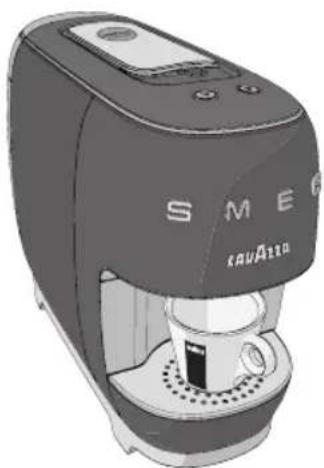

PULIZIA SERBATOIO ACQUA
This appliance is intended to be used in household and similar applications such as:
– staff kitchen areas in shops, offices and other working environments;
- farm houses;
– by clients in hotels, motels and other residential type environments;
- bed and breakfast type environments.
The improper use of the machine may cause possible injuries.
It is prohibited to make any technical changes to the machine.
The machine may not be used by children under 8 years of age or persons with physical, sensory or mental impairment, or lacking the necessary experience, unless supervised or after being instructed in the safe use of the machine and understanding the potential dangers.
Do not let children play with the machine. Keep the machine and its mains lead out of the reach of children under 8 years of age.
The necessary cleaning and maintenance meant to be performed by the user must not be carried out by children if not under direct supervision and older than 8 years.
Installation site:
Place the coffee machine in a safe place, where nobody may overturn it or be injured by it. Do not keep the machine at a temperature below 41° F ( 5° C) as freezing may damage it. Do not use the coffee machine outdoors.
Do not place the machine on very hot surfaces or close to flames.
The coffee machine shall not be stored inside a cabinet when it's in use.
Power supply:
The coffee machine shall be connected only to adequate power sockets equipped with grounding means.
The voltage must match the one on the appliance identification plate.
Power supply cable:
Do not operate the coffee machine if the power cord is damaged.
If the power cord is damaged, it must be replaced by the manufacturer (or the latter's technical service staff) or, in any case, by a person duly qualified to do that, in order to prevent any risk. Do not pass the power cable for angles and sharp edges, over very hot objects, and protect it from oil.
Do not carry or pull the coffee machine holding it by the power cord.
Do not remove the plug by pulling the power cord, do not touch it with wet hands. Power cord should not hang loose from tables or shelves.
Danger of electrocution:
Live parts should never come into touch with water.
This unit shall not be dipped into any liquid.
⚠️ Protect children under 8 years of age:
Prevent children from playing with the machine.
Children are not aware of the risks related to electric household appliances.
Do not leave the machine packaging materials within the reach of children.
Danger of burns:
Do not touch the hot parts (cartridge holder group) of the machine immediately after use. While dispensing the drink, pay attention to any possible splashes of hot liquid.
Cleaning:
Before cleaning, unplug the machine and let it cool down.
Do not immerse the machine in water! It is strictly forbidden to tamper with the internal parts of the machine. Change the water in the tank if not used for 3 days. To prevent damage to the appliance do not use alkaline cleaning agents when cleaning, use a soft cloth and a mild detergent.

Storing the machine:
If the machine remains inactive for a long time, unplug it and store it in a dry place out of reach of children. Keep it protected from dust and dirt.

Servicing / Maintenance:
In case of failure, problems or a suspected fault resulting from falling of the machine, immediately unplug the machine.
Do not attempt to operate a faulty machine. Servicing and repairs can only be performed by Authorized Service Centres. All liability for damages resulting from work not carried out by professionals is declined.

Water tank:
Fill the tank only with fresh, non-sparkling, drinking water. Do not operate the machine if the water is not at least above the minimum level indicated on the tank.

apsule compartment:
Only Lavazza A MODO MIO or compatible capsules must be introduced in the capsule-holder; do not put in your fingers or any other object. The capsules shall be used only once.

Machine disposal at the end of its operational life:
INFORMATION FOR THE USER: the symbol of the crossed-out wheeled bin on the appliance or its packaging indicates that the product must be disposed of separately from other waste at the end of its operational life.
The user must therefore take the appliance to be disposed of to an appropriate separate collection centre for electrical and electronic equipment.
Appropriate separate waste collection, in view of the decommissioned equipment's recycling, processing and environment-friendly disposal, helps avoiding possible adverse effects both on the environment and the public health and, also, promotes the reuse and/or recycling of the materials the machine is made up of. Specific administrative sanctions provided for by current regulations will be applied for illicit disposal of the product by the user.
PACKAGE CONTENT *
• A MODO MIO SMEG machine
- Welcome kit consisting of 9 assorted Lavazza A MODO MIO capsule (included only in some countries)
- Instruction booklet
- Quick guide
- Warranty sheet
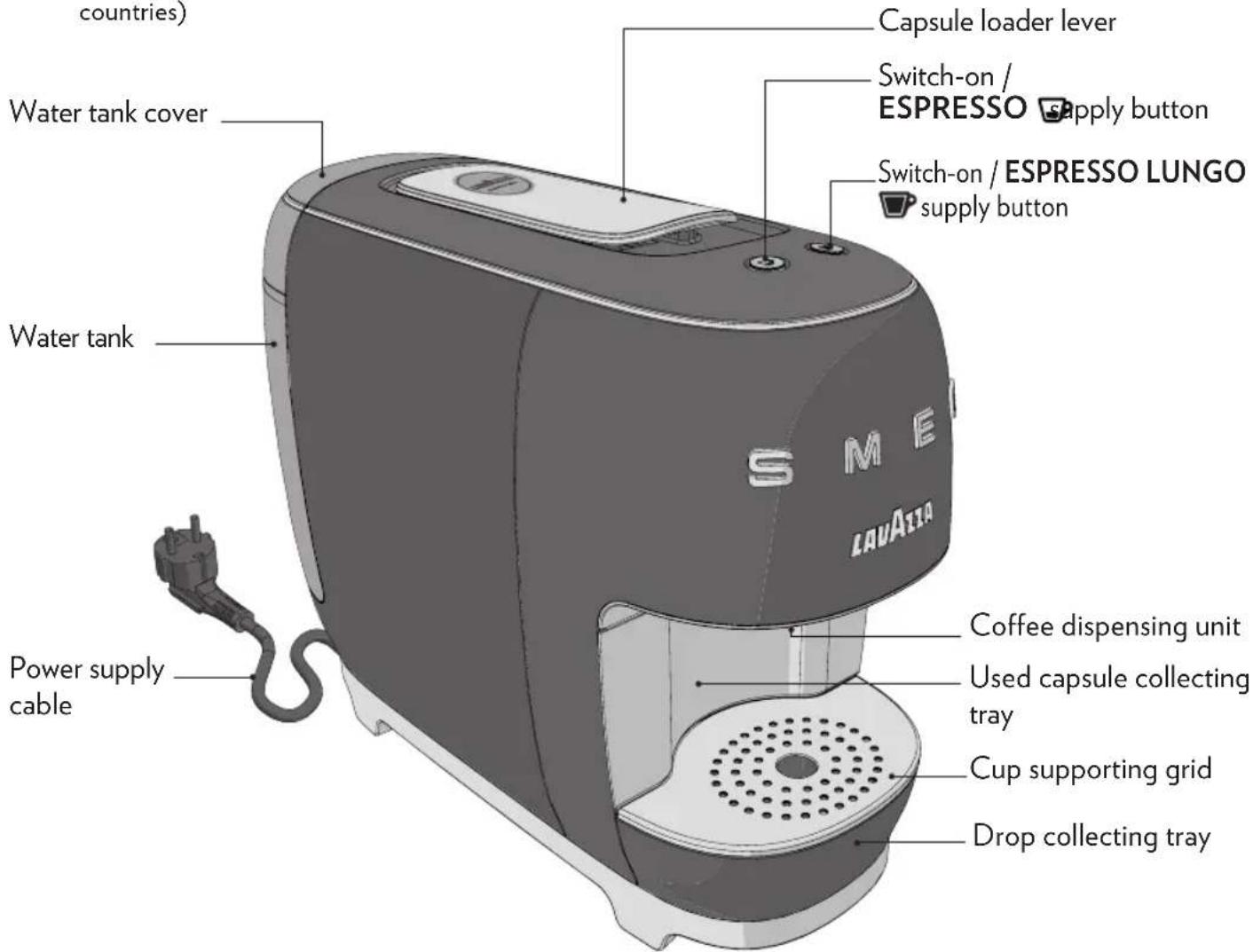
* The characteristics and the package content can vary according to the target market.

No liability is held for damage caused by:
- incorrect use not in accordance with the intended purposes;
• repairs not carried out by authorized service centres;
• tampering with the power supply cable;
• tampering with any parts of the machine; - the use of non-original spare parts and accessories;
- failure to descale;
• storage at temperatures below 39,2° F ( 4° C); - use in places with temperature below 50° F (10°C) or above 104° F (40°C);
• use in places with relative humidity above 95%;
• use of capsules others than indicated.
In these cases, the warranty is not valid.
1 Lift and remove the cover, then pull the water tank out.
2 Rinse the tank before using it.
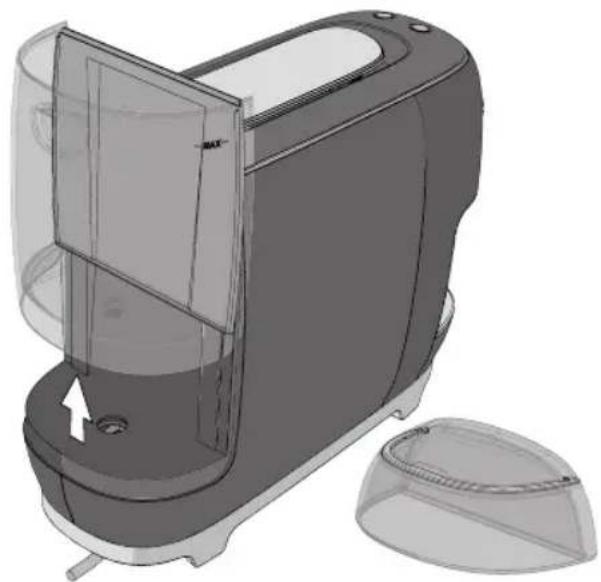
STARTING THE MACHINE

Place the coffee machine on a flat and stable surface, far from water and heat sources.
Do not connect the machine to the mains supply. Machine damages due to non-observance of these indications are not covered by warranty.
3 Fill the water tank up to the MAX level indicated, using only fresh drinking water.
4 Fit the tank back into place, then close by using the cover.
Hot water and other liquids can damage the tank and the machine.
Do not operate the machine without water: make sure that there is enough water in the tank.

4 Fit the supply plug into the power outlet.
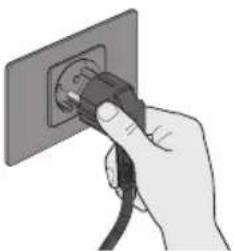
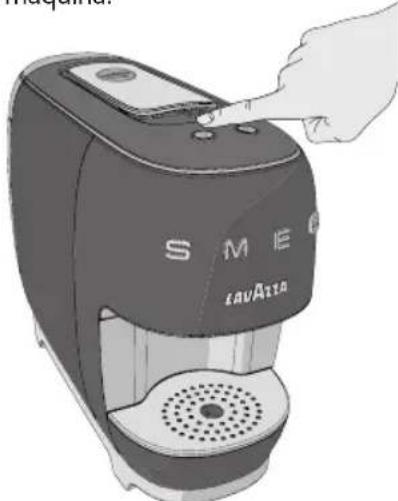
5 Press one button or both buttons briefly, to switch the machine on.
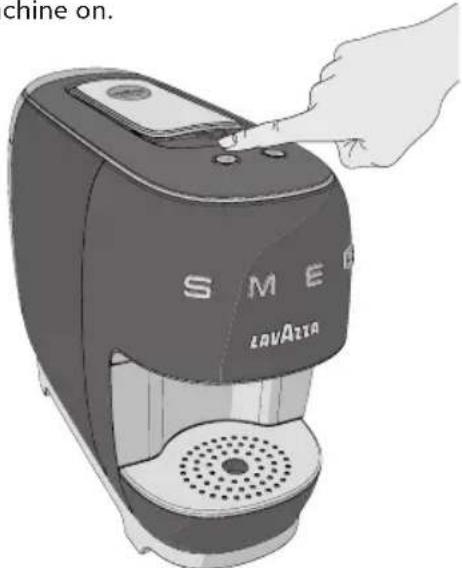
6 The coffee machine starts the heating cycle. The switch-on/supply buttons will start blinking to a white light.
During the heating cycle, you can book the drink, pressing one of the switch-on /supply buttons. The drink will be released after the end of the heating cycle.
7 The machine will be ready for use when the switch-on/ supply buttons light up to a steady white light.
8 At first power-on, supply at least 15.5 fl oz (500 ml) of water without capsule placing a container under the coffee spout.
Since the machine's hydraulic circuit is empty, the machine may automatically make up to five attempts at supplying, to ensure that the circuit will be filled up.
STAND-BY FUNCTION
In order to ensure energy saving, the machine will be set to a low-consumption mode after it has not been used for two minutes, and will be automatically set to the stand-by mode after it has not been used for seven more minutes.
The machine can be set to the stand-by mode manually, first of the 9 minutes' time, by keeping both buttons pressed down for at least 3 seconds
This mode is indicated by the switching off of the buttons.
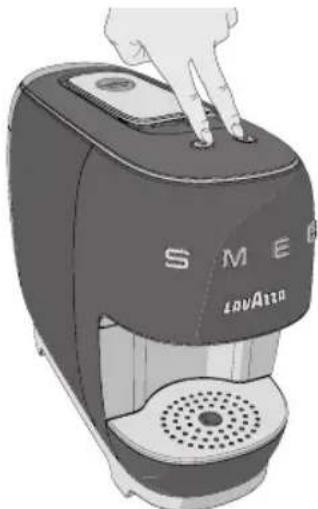
The machine can be reactivated by pressing either button.
PREPARING THE COFFEE
EN
COFFEE DISPENSING
i Make sure that the switch-on/supply buttons lights up to a steady white light.
To always have a coffee at the perfect temperature, it is recommended to preheat the cup with hot water. Position the cup under the dispensing spout without inserting the capsule. Press one of the switch-on/supply buttons to supply hot water enough to pre-heat the cup. Empty the cup.
1 Place a coffee cup under the dispenser to supply an ESPRESSO 📋
2 Alternatively, place a cup to supply a ESPRESSO LUNGO 📋
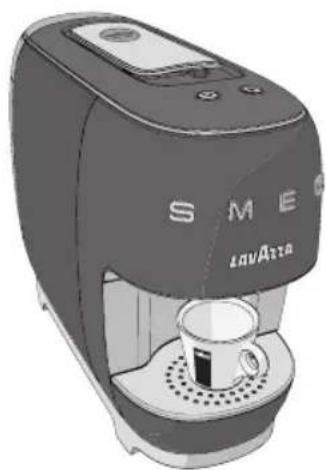
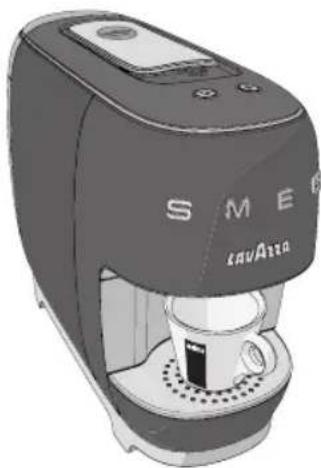
3 Lift the capsule loading lever until it locks into position to open the capsule fitting compartment.
Single-dose capsules are prepared to dispense one coffee/product. DO NOT use the capsules more than once. Inserting two or more capsules can cause the machine to malfunction.
Never put fingers or objects in the capsule-holder. Only Lavazza A MODO MIO or compatible capsule must be inserted into the pod compartment.
4 Put a capsule into the capsule fitting compartment.
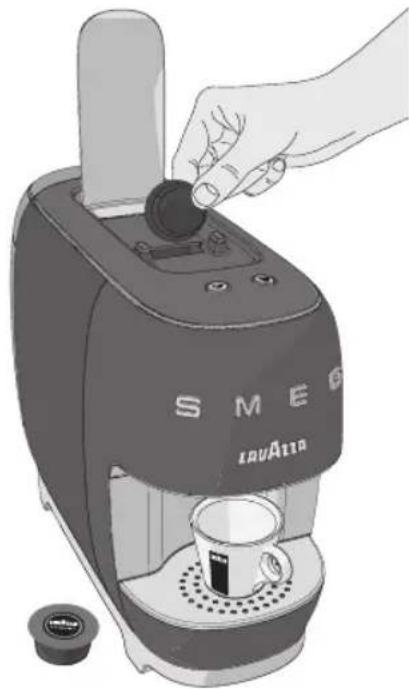
5 Lower the capsule loading lever to close the capsule fitting compartment.
6 Press either button to start supplying.
ESPESSO (1 fl oz/30 ml)
ESFRESSO LUNGO (2 fl oz/60 ml)
The selected button will switch on to a blinking white light.
If power supply is interrupted during the coffee supply cycle, restore power supply and restart the coffee supply procedure.
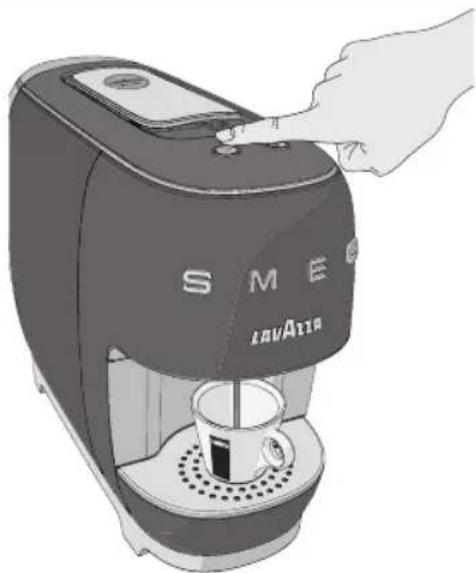
7 The machine will stop delivery automatically when the programmed measure is reached.
To supply the product again, wait for the switch-on/supply button to light up to a steady white light.
The machine will be set to the low-consumption mode after it has not been used for 2 minutes. When either button is pressed to supply again, the machine will perform a warming cycle to reach the operating temperature; then, the supply will be automatically started.
In case water is not found inside the tank during the supply phase, the machine will make five attempts at supplying, then it will notify this condition as follows:
steady white light on the selected button blinking white light on the other button
Proceed as described below:
- fill the water tank up to the indicated MAX. level. - press the power-on / supply button 📋 previously selected. The button 📋 will start blinking and the coffee supply procedure will be resumed.
After six supply instances, both power-on/supply buttons will start blinking quickly to a white light, to indicate that the pod collecting tray is full. Empty the capsule collecting tray, then press either button to reset the machine.
COFFEE DOSE PROGRAMMING
1 Place a cup or coffee cup under the dispenser.
2 Lift the loading lever until it locks, then fit a pod into the compartment.
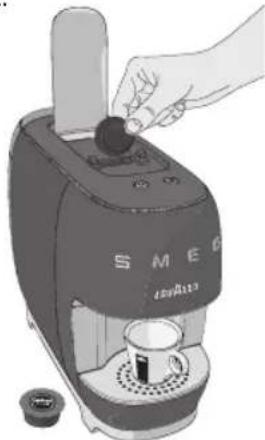
4 Press and hold one of the two coffee delivery buttons.
The selected button will flash and the coffee machine will enter the programming mode.
5 Once the desired amount of coffee has been obtained, stop supply by releasing the button.
3 Lower the capsule loading lever to close the capsule fitting compartment.
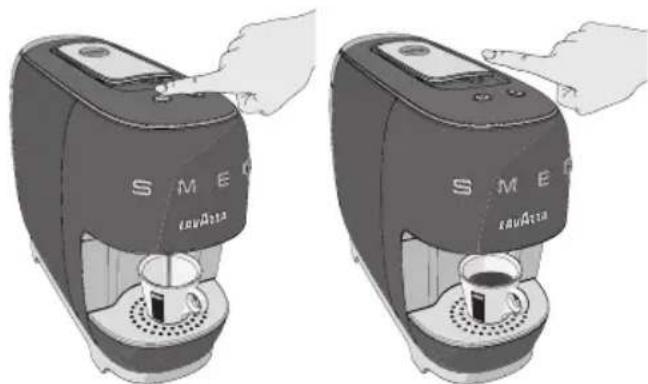
The machine is set to the energy-saving mode is the supply is not started immediately when a button is kept pressed down. If the button is pressed down until the operating temperature is reached, the supply will start and, therefore, the desired dose can be programmed by releasing the button when the amount is reached.
The programmed amount for the supplied product can be changed as follows:
MIN.: 0.5 fl oz (15 ml). If the programmed dose is lower than this limit, the supply will, when the button is released, continue until the previously set dose is reached or, if no dose has been set, until the expected standard dose is reached.
MAX.: the amount of product the machine is able to supply within 90 seconds.
After this limit is reached, the machine will stop automatically.
If the electric power supply fails during a dose programming operation, the programming procedure will have to be repeated.
If, during a dose programming operation, the machine informs that water is not found in the tank, the dose programming procedure will have to be repeated after water is added.
MAINTENANCE AND CLEANING
Wash machine components (electric components excluded) with cold/lukewarm water and non-abrasive clothes/sponges.
Never use solvents, alcohol or other aggressive substances or ovens for drying the coffee machine components.
COFFEE DISPENSER CLEANING
To clean the dispenser, a ESPRESSO LUNGO
supply operation must be carried out on a weekly basis, without inserting the capsule.
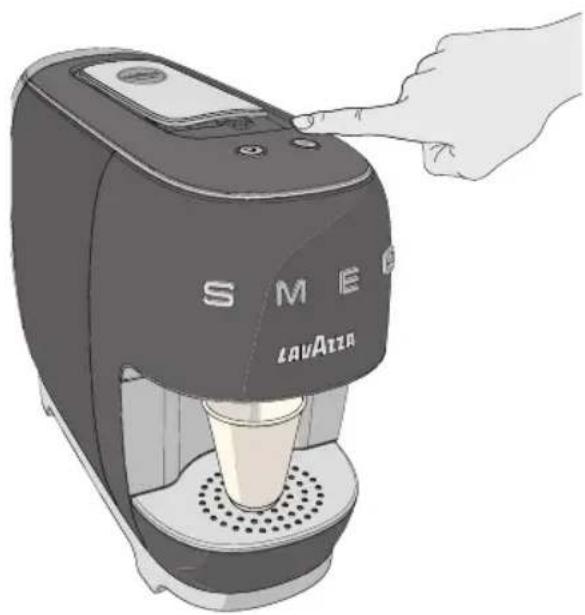
CLEANING THE WATER TANK
Do not leave water in the tank and water circuit for more than 3 days.
The tank must be emptied, rinsed and filled again with fresh water every two or three days.
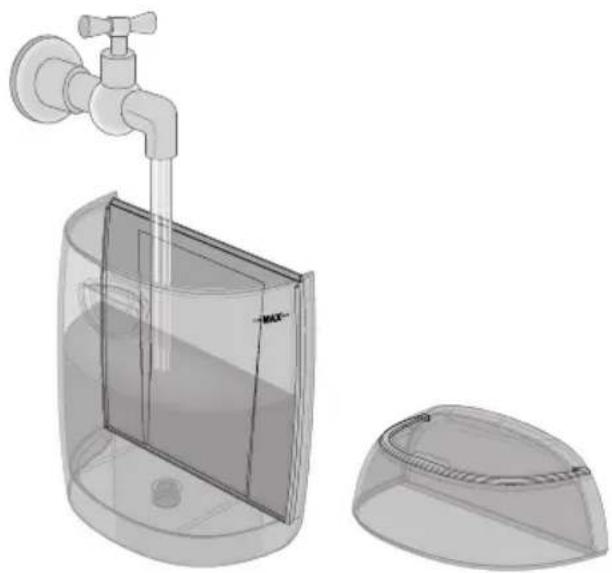
2 Carry out a supply operation (without using a capsule) prior to dispensing coffee or a beverage.
Only the tank can be washed by using a dishwasher – the tank cover CANNOT.
CLEANING THE CAPSULE AND THE DROP COLLECTING DRAWERS
The used capsule collecting tray must be emptied every time the machine requires so or every 2-3 days at the most.
Regularly verify that the used capsule collecting drawer and the drop collecting drawer will not be full, to avoid machine malfunctions and damage.
Both the power-on / supply but is will start blinking quickly to a white light to indicate that the pod collecting tray is full.
1 Pull the used capsule tray out together with the drop collecting drawer.
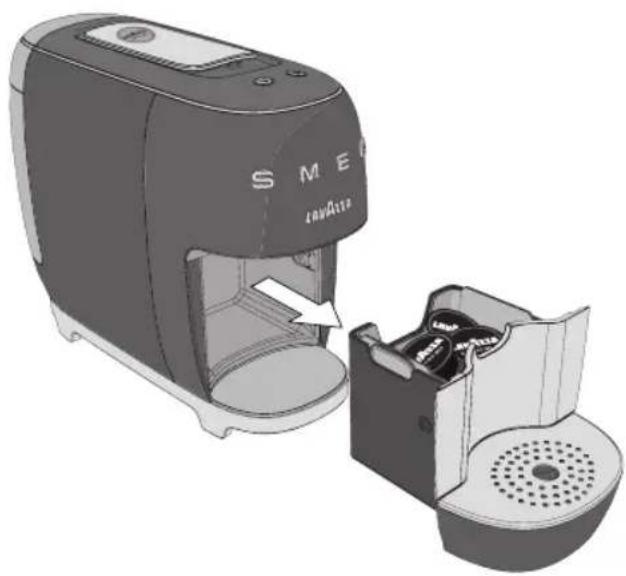
2 Remove and empty the capsule collection tray.
3 Remove the cup support grid, take off and empty the drop collection tray and the water discharge tray.
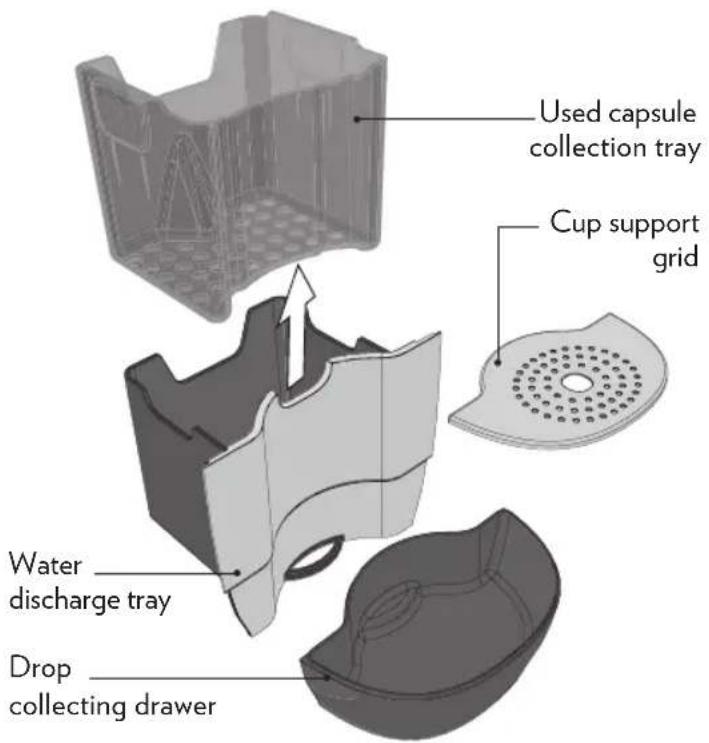
4 Wash all the components with warm water.
The following components can be washed by using a dishwasher: used capsule collecting tray, cup supporting grid, drop collecting tray and water tank.
Both the water discharge tray and the tank cover CAN-NOT be washed by using a dishwasher.
5 Dry off all the components before fitting them back into place.
6 Fit the drop collecting tray (complete with all its parts) back into place on the machine.
EN
MAINTENANCE AND CLEANING
DESCALING

Carefully read the descaling instructions.
Limescale normally builds up with extended use of the appliance; the machine needs descaling every 2-3 months and/or whenever a reduction in water flow is noticed.
The descaling cycle will be requested by the machine only in the “ready” status, by causing the following warning lights to illuminate:

ESPRESSO blinking over 1 second
alternatively to a white and orange light.

ESPRESSO LUNGO steady white light.
If no operation is carried out, the machine will be set to the stand-by mode after nine minutes.
The warning will be displayed each time the machine leaves the stand-by mode, until when the descaling operation is carried out.

Never use vinegar as a descaling solution
The cycle will have, once it has been started, to be performed completely.
Do not switch the machine off when the descaling cycle is under way.
Do not move away from the machine when the des- caling cycle Is under way.
Do not drink the descaling solution and products dispensed until the completion of the cycle.

To decalcify the machine, It is recommended that the Lavazza DESCALING agent should be used.
The descaling operation can be enabled only in the stand-by condition, i.e. when the supply button LEDs are off.
1 Check there is no capsule inside the capsule containing compartment.
2 Press both buttons over at least 10 seconds.
After the descaling operation has been requested by pressing the two buttons simultaneously, the operation CANNOT be cancelled any more and the descaling cycle will have to be performed to the end.
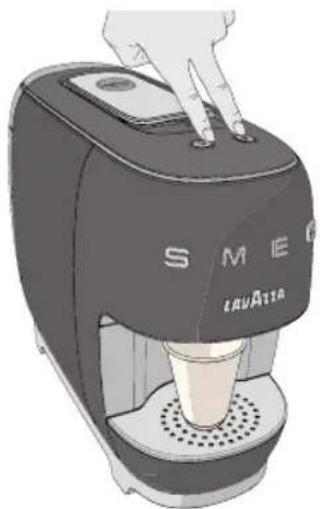
3 The machine will start the warming phase:
ESPRSSO orange light;
ESPESSO LUNGO white light;
Both buttons will blink (0.5 sec. ON / OFF) until the warming process is over.
4 Remove and empty the water tank.
5 Fill the tank with the Lavazza DESCALING agent 8.7 fl oz (250 ml) and water 8.7 fl oz (250 ml).
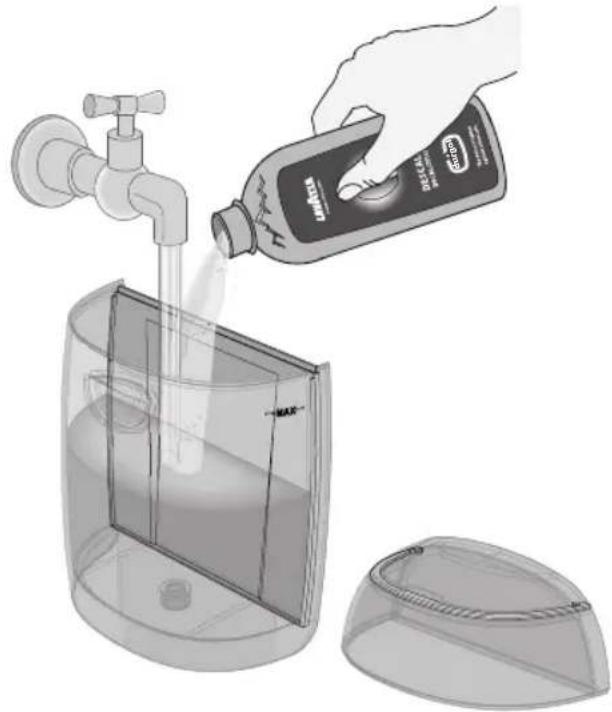
Use a moist cloth to wipe off the squirts or drops, if any.
6 Fit the tank back into place on the machine.
7 Place a suitable container under the dispenser.
8 Once the warming process is over, the ESPRESSO button with a steady orange light will be the only one available to start the descaling operation.
9 Press the ESPRESSO 📋 button to start the descaling cycle.
i Pressing the button over a long time will have no effects on the machine.
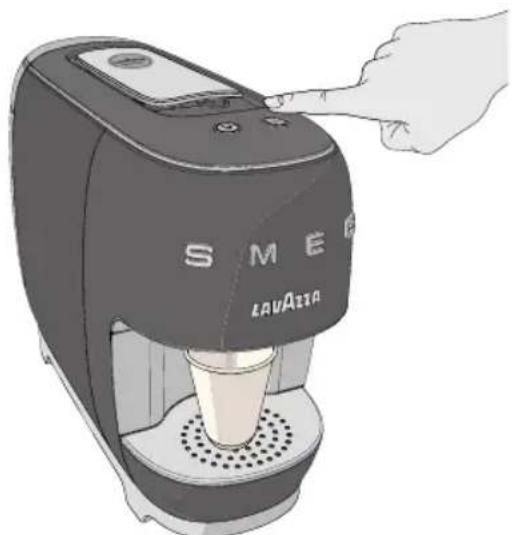
10 The descaling procedure involves supplying 2 fl oz (60 ml) of solution alternating with a fifteen seconds' pause, until the tank is emptied.
During the descaling process, the ESPRESSO button will blink to an orange light (1 sec. ON/OFF).
Once the descaling process has been activated, it cannot be interrupted until when the machines delivers the full quantity of descaling solution and water needed for rinsing.
This means that, if the machine is set to the stand-by mode owing to a power cut-off, the process will be resumed from the point where it has been interrupted.
The sequence will be repeated until the "tank empty" condition is achieved (approximately 15.5 fl oz (500 ml), equal to six supply instances).
EN
MAINTENANCE AND CLEANING
Moreover, you can pause the descaling process by simply pressing the ESPRESSO button. Pressing the same button will also enable you to restart the descaling process.
11 The container used to collect the solution shall be emptied during the pause times.
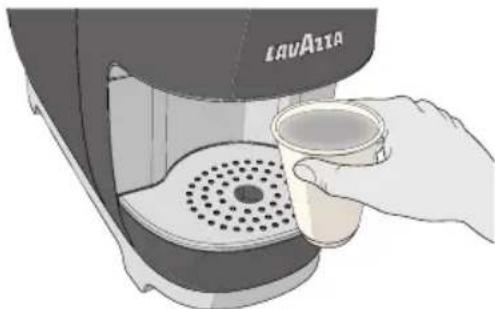
The end of the descaling phase will be indicated as follows:
ESPRESSO steady orange light; ESPRESSO LUNGO steady white light.
12 Remove the water tank, rinse and wash it accurately. Fill it with drinking fresh non-carbonated water up to the MAX level
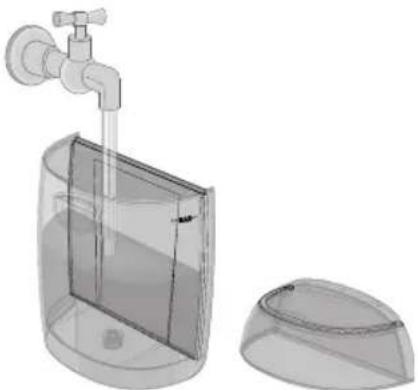
Fit the tank back into place on the machine, then place a suitable container under the dispenser.
13 Press the ESPRESSO 📋 button again to start the rinsing phase.
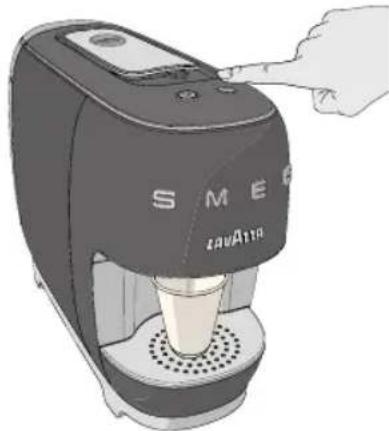
14 During the rinsing phase, the ESPRESSO button will blink to an orange light.

The rinsing operation will be carried out continuously until an amount of 70 fl oz (2 litres) of water is reached. The tank will have to be filled several times.
If, during the rinsing phase, the tank is found to be empty, the machine will show the following warning-lights:
ESPRESSO to a steady orange light;

ESPRESSO LUNGO
to a blinking white light.
Furthermore, you can pause the rinsing process by simply pressing the ESPRESSO 📋 button.
At the end of the rinsing phase, the machine will go back to the warming phase; after that, it will be ready to supply.
TROUBLESHOOTING
EN
| Problem encountered Possible causes Solution | ||
| Machine does not turn on.Power lights are off after having pressed the switch-on/ supply buttons. | » Machine is not connected to the power source.» The machine is connect to power strip not working.» Power supply not present. | » Connected the machine to the power source.» Connected the machine directly to the power source.» Connect another device to check the power supply.» If the problem remain please contact L.C.S.* |
| The machine requires a lot of time to heat up. | » Machine storage at low temperatures (e.g.: cellar/garage).» The machine has limescale build-up. | » Store the coffee machine in a proper environment and run 2 supplies without capsules.» Descale the machine.» If the problem remain please contact L.C.S.* |
| The machine is very noisy. » | Machine not is on a flat and stable surface.» Power supply cable incorrectly positioned.» Movable parts not fitted properly.» No water in the tank.» Capsule not present. | » Check the surface.» Check the correct position of the cable into the base of the machine.» Fit the movable parts properly.» Top up the tank with fresh drinking water.» Insert Lavazza A MODO MIO capsule or compatible.» If the problem remain please contact L.C.S.* |
| No supply. » Electrical failure: | buttons not working.» No water in the tank.» Tank not inserted correctly.» Power-onfailed. | » Press one of the buttons and check the operation of the pilot light (ON with white blinking light) and the machine power-on.» Top up the tank with fresh drinking water.» Insert the tank correctly.» Repeat the coffee machine power-on procedure.» If the problem remain please contact L.C.S.* |
| Problem encountered Possible causes Solution | |
| Water leaks at the rear side of the coffee machine. | » Tank not inserted correctly.» Tankdamaged. |
| Water leaks at the front side of the coffee machine. | » Spent capsule drawer not inserted correctly.» Spent capsule drawer filled.» Capsulestuck.» Capsule not compatible. |
| The capsule does not fall down to the used capsule collecting tray. | » Capsule got stuck or adhered » Lift and lower the capsule loading lever. If this is not enough, disconnect the machine from power mains and operate manually to remove the capsule from the duct.» If the problem remain please contact L.C.S.* |
| The loading lever does not reach the supply position or requires an excessive closing effort. | » Spent capsule drawer filled.» Capsule fitted incorrectly. |
| Espresso button with orange flashing light and Espresso lungo button off. | » Machinebroken.» Contact Lavazza Customer Service.* |
| Buttons with white lights and blinking fast. | » Spent capsule drawer filled. » Empty the spent capsule drawer and press one of the power on/supply buttons to reset the machine. |
TROUBLESHOOTING
EN
| Problem encountered Possible causes Solution | |
| The coffee flows out too fast and no creamy froth forms on the surface. | » Capsule not compatible.» Capsule already used. |
| The coffee is cold. » Coffee pours out in drops, water circuit clogged.» The machine has limescale build-up. | » UseLavazzaA MODO MIOcapsules or compatibles.» Bring the lever back to rest position and load a new capsule.» If the problem remain please contact L.C.S.* |
| Dispensed coffee is insufficient or excessive. | » Incorrect dose programming. » Program the coffee dose properly.» If the problem remain please contact L.C.S.* |
| Coffee not supplied and steam coming out of the capsule compartment. | » The loading lever was not set to the brewing position.» Set the loading lever to the brewing position.» If the problem remain please contact L.C.S.* |
| Coffee pours out in drops. » Faultycapsule.» Spout/water circuit clogged.» The machine has limescale build-up. | » Replace the capsule.» Clean the coffee dispensing spout.» Descale the machine.» If the problem remain please contact L.C.S.* |
| One of the two buttons is not working and the relevant LED is off. | » Mechanicalblocking» Try to power the machine off by disconnecting the power plug for 10 seconds then reconnect it. Power the machine on and check the correct operation of both buttons.» If the problem persists, the machine can continue to be used with the other button; in this case, the button working regularly will no longer have the automatic dosing but will be free dosing, and the user will decide when stopping the dose.» If the problem remain please contact L.C.S.* |
* Contact Lavazza Customer Service (L.C.S.) for any problem or failure not included in the above list.
EN
TECHNICAL SPECIFICATIONS
• Nominal Voltage: see label on the appliance
• Power Rating: see label on the appliance
• Power Supply: see label on the appliance
• Dimensions: Height 11.2 in (286 mm)
Width 6.1 in (156 mm)
Depth 14.5 in (370 mm)
• Weight: approx. 7.7lb/3,5 kg
• Water tank: 30.4 fl oz / 0,9 L - Removable type
• Materials used for the machine frame:
Body: ABS + metal
Lever: chrome-plated
Finishes: chrome-plated
Grid: metal cover (polished)
• Cable: Schuko length: 35.4 in/90 cm
Customer Service LAVAZZA A MODO MIO UK
0800 599 9200
https://www.lavazza.co.uk/en/contact-us
Customer Service LAVAZZA A MODO MIO AUSTRALIA
1300 307 171
https://www.lavazza.com.au/en/contact-us
⚠️ Destination d'usage:


NETTOYAGE RESERVOIR D'EAU




5 Pulsar brevemente uno o ambos botones para encender la máquina.
LIMPIEZA DEL DEPÓSITO DE AGUA
https://www.lavazza.com/en/contact-us
Indicações de uso:


LIMPEZA DO RESERVATÓRIO DE ÁGUA


2 Remover e esvaziar a gaveta de colectar cápsulas.
https://www.lavazza.com/en/contact-us
LAVAZZA
www.lavazza.com
The manufacturer reserves the right to make changes without prior notice.


- FÉLICITATIONS
- PULIZIA SERBATOIO ACQUA
- INSTALLATION SITE
- POWER SUPPLY
- POWER SUPPLY CABLE
- DANGER OF ELECTROCUTION
- ⚠️ PROTECT CHILDREN UNDER 8 YEARS OF AGE
- DANGER OF BURNS
- CLEANING
- STORING THE MACHINE
- SERVICING / MAINTENANCE
- WATER TANK
- APSULE COMPARTMENT
- MACHINE DISPOSAL AT THE END OF ITS OPERATIONAL LIFE
- PACKAGE CONTENT
- STARTING THE MACHINE
- STAND-BY FUNCTION
- PREPARING THE COFFEE
- EN
- COFFEE DISPENSING
- COFFEE DOSE PROGRAMMING
- MAINTENANCE AND CLEANING
- COFFEE DISPENSER CLEANING
- CLEANING THE WATER TANK
- CLEANING THE CAPSULE AND THE DROP COLLECTING DRAWERS
- DESCALING
- CAREFULLY READ THE DESCALING INSTRUCTIONS
- ESPRESSO BLINKING OVER 1 SECOND
- ESPRESSO LUNGO STEADY WHITE LIGHT
- NEVER USE VINEGAR AS A DESCALING SOLUTION
- TO DECALCIFY THE MACHINE, IT IS RECOMMENDED THAT THE LAVAZZA DESCALING AGENT SHOULD BE USED
- TROUBLESHOOTING
- TECHNICAL SPECIFICATIONS
- ⚠️ DESTINATION D'USAGE
- NETTOYAGE RESERVOIR D'EAU
- LIMPIEZA DEL DEPÓSITO DE AGUA
- INDICAÇÕES DE USO
- LIMPEZA DO RESERVATÓRIO DE ÁGUA
- LAVAZZA
- WWW.LAVAZZA.COM
Brand : SMEG
Model : Lavazza A Modo Mio
Category : Coffee maker