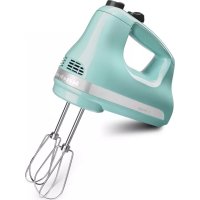
KHM512AQ - Hand blender KITCHENAID - Free user manual and instructions
Find the device manual for free KHM512AQ KITCHENAID in PDF.


| Brand | KitchenAid |
| Model | KHM512AQ |
| Product Type | Electric Hand Mixer |
| Number of Speeds | 5 Speeds |
| Power Supply | 120 V, 60 Hz, AC only |
| Wattage | Not specified |
| Dimensions (approx.) | 20 x 10 x 15 cm |
| Weight (approx.) | 1.1 kg |
| Housing Material | Plastic |
| Included Accessories | 2 Turbo Beater™ II beaters, 12-wire whisk (depending on model) |
| Main Functions | Mix, beat, whip, fold |
| Speed Control | Digital slider with speed markings |
| Eject Button | Yes, large button to remove accessories |
| Cord Length | Approximately 1.2 m |
| Housing Cleaning | Wipe with a damp cloth, do not immerse |
| Accessories Cleaning | Dishwasher or warm soapy water |
| Safety | Do not immerse, unplug before cleaning or changing accessories |
| Warranty | 1 year (hassle-free replacement) |
| Replacement Parts | Available at shopkitchenaid.com or 1-800-541-6390 |
| Customer Service (U.S./Canada) | 1-800-541-6390 / 1-800-807-6777 |
Frequently Asked Questions - KHM512AQ KITCHENAID
User questions about KHM512AQ KITCHENAID
0 question about this device. Answer the ones you know or ask your own.
Ask a new question about this device
Download the instructions for your Hand blender in PDF format for free! Find your manual KHM512AQ - KITCHENAID and take your electronic device back in hand. On this page are published all the documents necessary for the use of your device. KHM512AQ by KITCHENAID.
USER MANUAL KHM512AQ KITCHENAID
natural_image
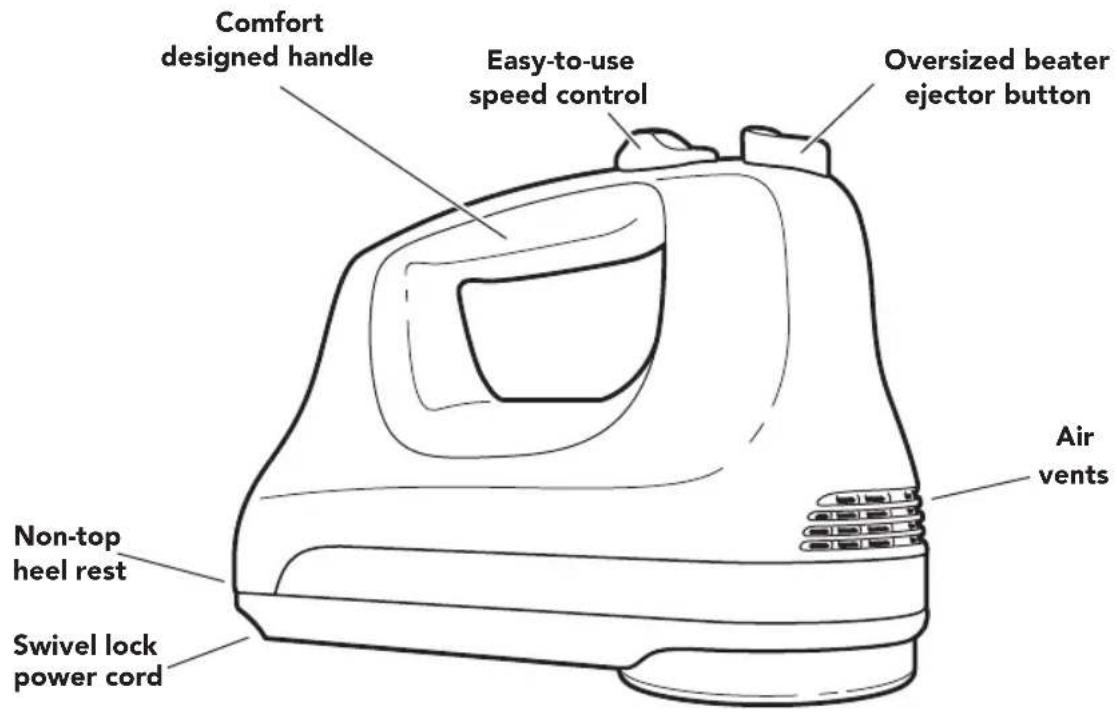
Black Kieches electric mixer with whisk, no visible text or symbols on the device itselfPARTS AND FEATURES
PARTS AND ACCESSORIES

natural_image
Line drawing of two vertical poles connected to a coiled cable or wire structure (no text or symbols)Stainless Steel Turbo Beater™ accessory
natural_image
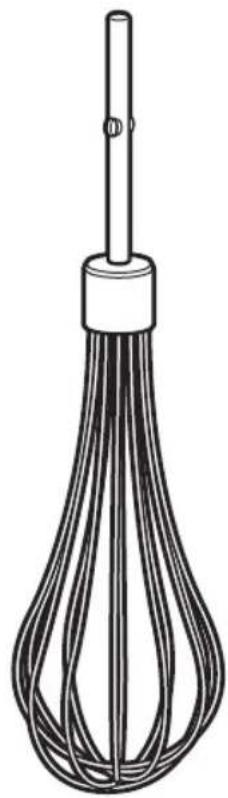
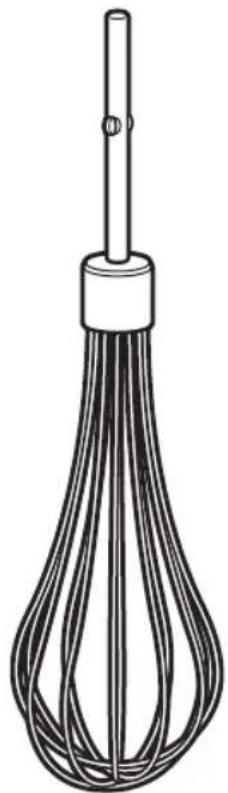
Line drawing of a whisk with multiple strands, no text or symbols presentStainless Steel 12-tine whisk accessory
PARTS AND FEATURES
ACCESSORY GUIDE
| Accessory Uses | Included with Model | |||
| KHM31 K | HM51 KHM61 | |||
Turbo BeaterTM cookie dough, cake  | batter | ● ● | ● | |
Turbo BeaterTM II cookie dough, cake 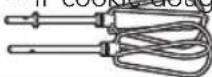 | batter | |||
ArtisanTM Beatert cookie dough, cake 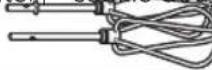 | batter | |||
Liquid blender rod smoothies, diet drink 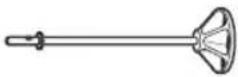 | mixes, chocolate milk, iced tea milkshakes, soups, sauces | |||
Dough hooks  | ||||
12-tine whisk whipped cream,  | puddings whipped egg whites, sauces | ● | ||
Storage bag† to ssories 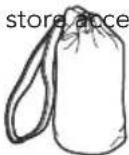 | ||||
†Not sold as an accessory.
To order these accessories
In USA: visit www.shopkitchenaid.com, or call 1-800-541-6390.
In Canada: call 1-800-807-6777.
HAND MIXER SAFETY
Your safety and the safety of others are very important.
We have provided many important safety messages in this manual and on your appliance. Always read and obey all safety messages.

This is the safety alert symbol.
This symbol alerts you to potential hazards that can kill or hurt you and others.
All safety messages will follow the safety alert symbol and either the word "DANGER" or "WARNING." These words mean:
! DANGER
You can be killed or seriously injured if you don't immediately follow instructions.
WARNING
You can be killed or seriously injured if you don't follow instructions.
All safety messages will tell you what the potential hazard is, tell you how to reduce the chance of injury, and tell you what can happen if the instructions are not followed.
State of California Proposition 65 Warnings:
WARNING: This product contains one or more chemicals known to the State of California to cause cancer.
WARNING: This product contains one or more chemicals known to the State of California to cause birth defects or other reproductive harm.
IMPORTANT SAFEGUARDS
When using electrical appliances, basic safety precautions should always be followed, including the following:
I. Read all instructions.
2. To protect against risk of electrical shock, do not put Hand Mixer in water or other liquid.
3. This appliance is not intended for use by persons (including children) with reduced physical, sensory, or mental capabilities, or lack of experience and knowledge, unless they are closely supervised and instructed concerning use of the appliance by a person responsible for their safety. Close supervision is necessary when any appliance is used by or near children. Children should be supervised to ensure that they do not play with the appliance.
-
Turn the appliance OFF, then unplug from the outlet when not in use, before assembling or disassembling parts and before cleaning. To unplug, grasp the plug and pull from the outlet. Never pull from the power cord.
-
Avoid contacting moving parts. Keep hands, hair, clothing, as well as spatulas and other utensils away from all accessories during operation to reduce the risk of injury to persons and/or damage to the Hand Mixer.
HAND MIXER SAFETY
- Do not operate the Hand Mixer with a damaged cord or plug, or after the Hand Mixer malfunctions, or is dropped or damaged in any manner. Return the Hand Mixer to the nearest Authorized Service Center for examination, repair, or electrical or mechanical adjustment.
- The use of attachments not recommended or sold by KitchenAid may cause fire, electric shock, or injury.
- Do not use the Hand Mixer outdoors.
- Do not let cord hang over edge of table or counter.
- Do not let cord contact hot surface, including the stove.
II. Remove any accessories from the Hand Mixer before washing.
SAVE THESE INSTRUCTIONS
This product is designed for household use only.
ELECTRICAL REQUIREMENTS
Volts: 120 A.C. only.
Hertz: 60 Hz
NOTE: This Hand Mixer has a polarized plug (one blade is wider than the other). To reduce the risk of electric shock, this plug will fit in a polarized outlet only one way. If the plug does not fit fully in the outlet, reverse the plug. If it still does not fit, contact a qualified electrician. Do not modify the plug in any way. This product is designed for household use only.
The 3-speed Hand Mixer should always be set on the lowest speed to start mixing. Move to higher speeds as needed.
| Speed Attachment Description | ||
1 For slow stirring, combining, and starting all  | ||
2 Stir batters and gelatin mixtures. Combine heavy  | ||
3 Beat  |
NOTE: The Turbo Beater™ accessories are not designed for mixing and kneading bread dough. See "Accessory guide" section to order special dough hooks.
The 5-speed Hand Mixer should always be set on the lowest speed to start mixing. Move to higher speeds as needed.
| Speed Attachment Description | ||
| 1 For sl |  | bining, and startingall mixing procedures. Use this speed to stir in nuts, chocolate chips, shredded cheese, onions, olives, and other chunky ingredients. Mix flour and other dry ingredients with liquids or other moist mixtures. Helps aviod ingredient splash out. |
| 2 Stir b |  | n mixtures. Combine heavy mixtures, such as cookie dough. Mix light cream cheese spreads. Mash potatoes. |
| 3 Comb |  | n cheese mixtures.Mash squash. |
| 4 Blend |  | ar. Mix muffins, quickbreads, cake batters, and frostings. |
| 5 Beat |  | meringue mixtures.Whip heavy cream and mousse mixtures. |
NOTE: The Turbo Beater™ accessories are not designed for mixing and kneading bread dough. See "Accessory guide" section to order special dough hooks.
The 6-speed Hand Mixer should always be set on the lowest speed to start mixing. Move to higher speeds as needed.
| Speed Attachment Description | ||
| 1 | 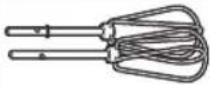 | For slow stirring, combining, and starting all mixing procedures. |
| 2 | 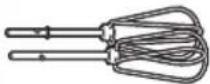 | Use this speed to stir in nuts, chocolate chips, shredded cheese, onions, olives, and other chunky ingredients. Mix flour and other dry ingredients with liquids or other moist mixtures. Helps avoid ingredient splash out. |
| 3 | 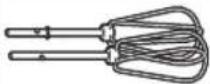 | Stir batters and gelatin mixtures. Combine heavy mixtures, such as cookie dough. Mix light cream cheese spreads. Mash potatoes. |
| 4 | 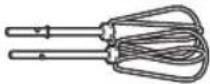 | Combine heavy cream cheese mixtures. Mash squash. |
| 5 | 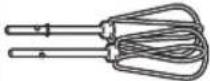 | Blend butter and sugar. Mix muffins, quick breads, cake batters, and frostings. |
| 6 | 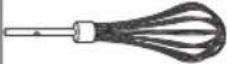 | Beat egg whites and meringue mixtures. Whip heavy cream and mousse mixtures. |
NOTE: The Turbo Beater™ accessories are not designed for mixing and kneading bread dough. See "Accessory guide" section to order special dough hooks.
This KitchenAid® Hand Mixer will beat faster and more thoroughly than most other electric hand mixers. Therefore, the beating time in most recipes must be adjusted to avoid over beating. Beating time is faster due to larger beater sizes.
To help determine the ideal beating time, observe the batter or dough and beat only until it has the desired appearance described in your recipe, such as "smooth and creamy". To select the best beating speeds, use the "Speed control guide" section.
WARNING
Injury Hazard
Unplug mixer before touching beaters.
Failure to do so can result in broken bones, cuts, or bruises.
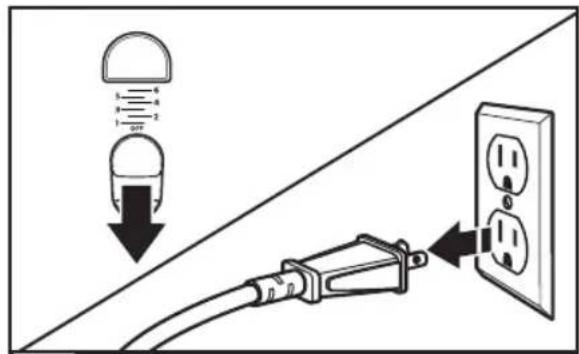
Make sure the Speed Control is in the "OFF" position by sliding it backward as far as possible. "OFF" will be visible on the speed control pad. Then plug the Hand Mixer into an electrical outlet.
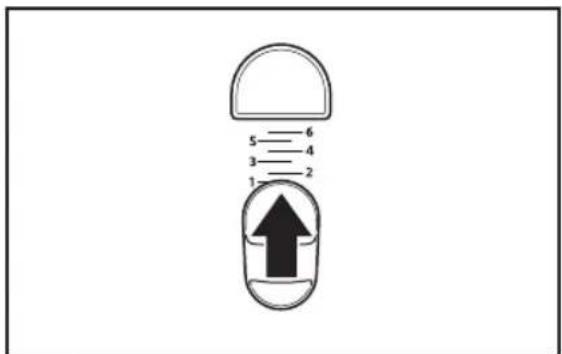
Start mixing at the lowest speed by sliding the Speed Control forward to the first position mark, which is Speed 1.
natural_image
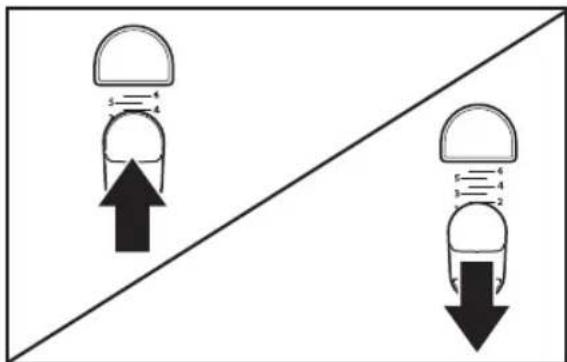
Diagram showing two capsule-shaped objects with upward and downward arrows, separated by a diagonal line (no text or symbols)To increase the Hand Mixer speed, slide the Speed Control forward. 3 To decrease the Hand Mixer speed, slide the Speed Control backward. See "Speed control guide" section.
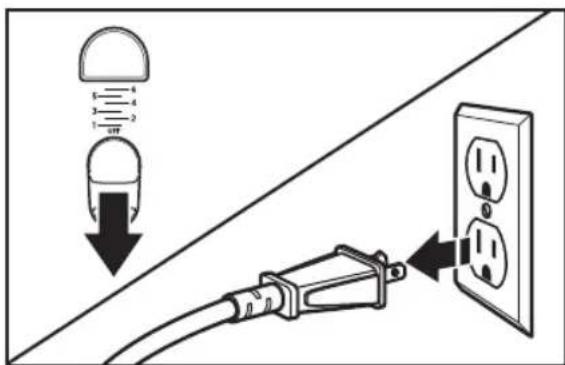
When finished, slide speed control to "OFF". Unplug the Hand Mixer before removing the accessories.
SETTING UP THE HAND MIXER
ATTACHING THE ACCESSORIES
WARNING
Injury Hazard
Unplug mixer before touching beaters.
Failure to do so can result in broken bones, cuts, or bruises.
IMPORTANT: Be sure to read and follow the specific instructions in this manual for proper use of the Hand Mixer.
natural_image
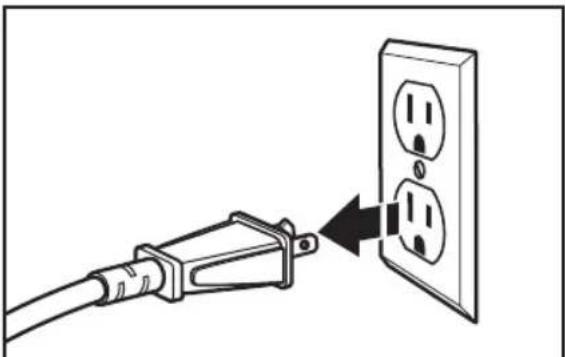
Diagram showing a cable being inserted into an electrical outlet with two outlets (no text or symbols present)1 Make sure the Hand Mixer is unplugged from the electrical outlet.
SETTING UP THE HAND MIXER
natural_image
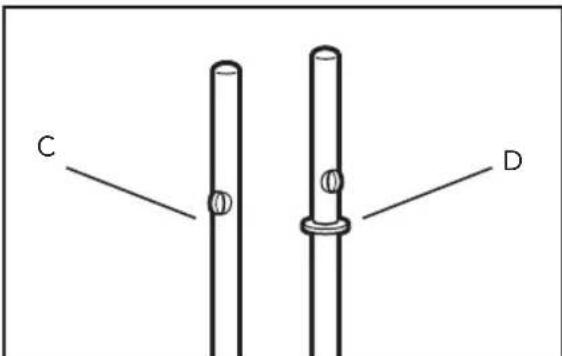
Simple line drawing of two vertical cylindrical objects labeled C and D, with circular features on each (no text or symbols beyond labels)Paired accessories (beaters, optional dough hooks) include one accessory with a collar (D), and one without (C). Single accessories come with a collar (D) (liquid blending rod) or without (C) (whisk).

2 Insert the accessory shaft with the collar (D) into the larger opening (B) of the hand mixer. Align the flanges on the shaft with the slots in the opening. Push to lock into place.
HSITDN3
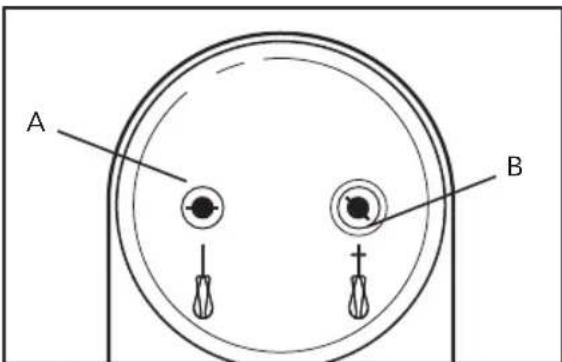
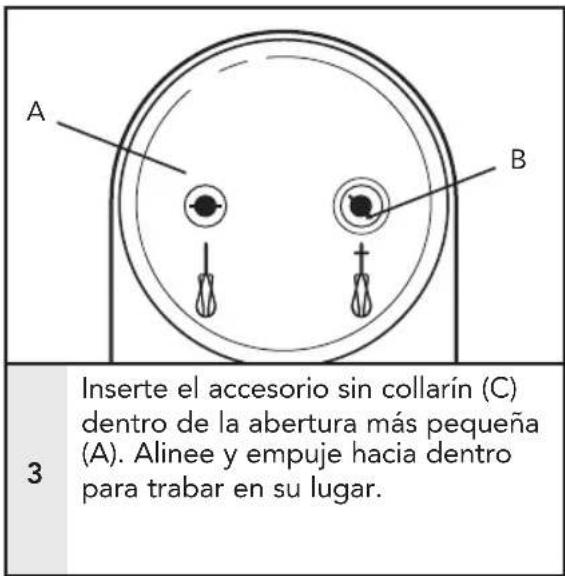
3 Insert the accessory without a collar (C) into the smaller opening (A). Align and push to lock into place.
NOTE: An accessory shaft without a collar may be used in either opening (A or B). Those with a collar may only be used in the larger opening (B).
REMOVING THE ACCESSORIES
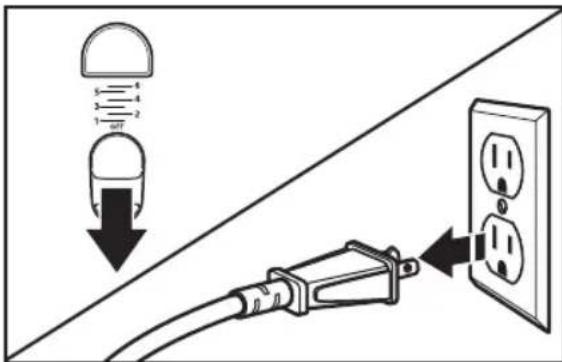
If the Hand Mixer is running, stop the Hand Mixer by sliding the Power switch to the "O" (Off) position. Then unplug from the electrical outlet.
natural_image
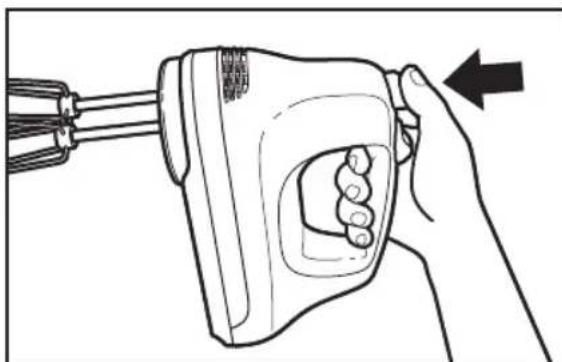
Line drawing of a hand holding a handheld device with a black arrow pointing to the handle (no text or symbols present)Press the ejector button to release the accessories from the Hand Mixer, then remove them.
CARE AND CLEANING
Electrical Shock Hazard
Do not put in water.
Doing so can result in death or electrical shock.
WARNING
Injury Hazard
Unplug mixer before touching beaters.
Failure to do so can result in broken bones, cuts, or bruises.
NOTE: Do not immerse Hand Mixer in water.
natural_image
Line drawing of a hand holding a medical or surgical tool, no text or symbols present1
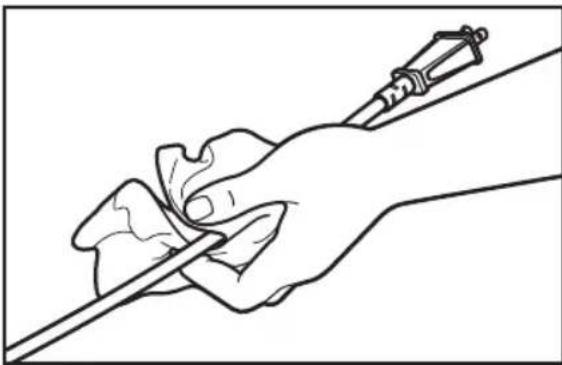
Always unplug Hand Mixer before cleaning. Wipe power cord and cord strap with damp cloth. Dry with a soft cloth.
natural_image
Line drawing of a hand using a power tool to clean or brush the iron (no text or symbols)2
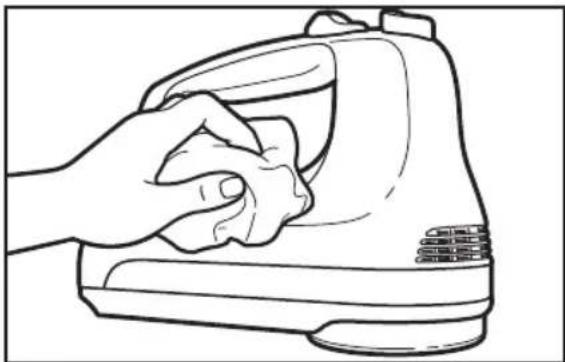
Wipe Hand Mixer with a damp cloth. Dry with a soft cloth.
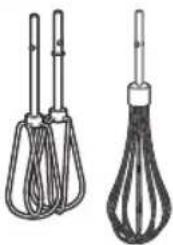
CLEANING THE ACCESSORIES
natural_image
Two types of kitchen utensils: a whisk and a pipette, shown side by side (no text or symbols)Always remove beaters from Hand Mixer before cleaning. Wash in dishwasher, or by hand in warm, soapy water. Rinse and wipe dry.
CLEANING THE STORAGE BAG
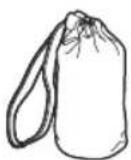
Machine wash warm, tumble dry low. Or wipe clean with a warm soapy cloth.
TROUBLESHOOTING
IF HAND MIXER MALFUNCTIONS OR FAILS TO OPERATE
First try the solutions suggested here and possibly avoid the cost of service.
I. Is the Hand Mixer plugged in?
2. Is the fuse in the circuit to the Hand Mixer in working order? If you have a circuit breaker box, make sure the circuit is closed.
3. Try unplugging the Hand Mixer, then plug it back in.
If the problem cannot be fixed with the steps provided in this section, then contact KitchenAid or an Authorized Service Center.
USA/Puerto Rico: 1-800-541-6390,
Canada: 1-800-807-6777,
Mexico:01-800-024-17-17
(JV Distribuciones)
or
01-800-902-31-00
(Industrias Birtman)
See the "Warranty" section for additional details. Do not return the Hand Mixer to the retailer – they do not provide service.
WARRANTY AND SERVICE
KitchenAid® Hand Mixer Warranty for the 50 United States, the District of Columbia, Puerto Rico, and Canada
This warranty extends to the purchaser and any succeeding owner for Hand Mixers operated in the 50 United States, the District of Columbia, Puerto Rico, and Canada.
Length of Warranty: One Year Full Warranty from date of purchase.
KitchenAid Will Pay Hassle-Free Replacement of your Hand Mixer.
for Your Choice of: See the next page for details on how to arrange for service, or call the Customer Satisfaction Center toll-free at

1-800-541-6390.
OR
The replacement parts and repair labor costs to correct deferral materials and workmanship. Service must be provided by an Authorized KitchenAid Service Center.
KitchenAid Will A. Repairs when the Hand Mixer is used in other than Not Pay for: normal single family home use.
B. Damage resulting from accident, alteration, misuse or abuse.
C. Any shipping or handling costs to deliver your Hand Mixer to an Authorized Service Center.
D. Replacement parts or repair labor costs for Hand Mixers operated outside the 50 United States, District of Columbia, Puerto Rico, and Canada.
DISCLAIMER OF IMPLIED WARRANTIES; LIMITATION OF REMEDIES
IMPLIED WARRANTIES, INCLUDING TO THE EXTENT APPLICABLE WARRANTIES OF MERCHANTABILITY OR FITNESS FOR A PARTICULAR PURPOSE, ARE EXCLUDED TO THE EXTENT LEGALLY PERMISSIBLE. ANY IMPLIED WARRANTIES THAT MAY BE IMPOSED BY LAW ARE LIMITED TO ONE YEAR, OR THE SHORTEST PERIOD ALLOWED BY LAW. SOME STATES AND PROVINCES DO NOT ALLOW LIMITATIONS OR EXCLUSIONS ON HOW LONG AN IMPLIED WARRANTY OF MERCHANTABILITY OR FITNESS LASTS, SO THE ABOVE LIMITATIONS OR EXCLUSIONS MAY NOT APPLY TO YOU.
IF THIS PRODUCT FAILS TO WORK AS WARRANTED, CUSTOMER'S SOLE AND EXCLUSIVE REMEDY SHALL BE REPAIR OR REPLACEMENT ACCORDING TO THE TERMS OF THIS LIMITED WARRANTY. KITCHENAID AND KITCHENAID CANADA DO NOT ASSUME ANY RESPONSIBILITY FOR INCIDENTAL OR CONSEQUENTIAL DAMAGES. This warranty gives you specific legal rights and you may also have other rights which vary from state to state or province to province.
WARRANTY AND SERVICE
Hassle-Free Replacement Warranty – 50 United States, District of Columbia, and Puerto Rico
We're so confident the quality of our products meets the exacting standards of KitchenAid brand that, if your Hand Mixer should fail within the first year of ownership, KitchenAid will arrange to deliver an identical or comparable replacement to your door free of charge and arrange to have your original Hand Mixer returned to us. Your replacement unit will also be covered by our one year limited warranty.
If your Hand Mixer should fail within the first year of ownership, simply call our toll-free Customer eXperience Center at 1-800-541-6390 Monday through Friday. Please have your original sales receipt available when you
call. Proof of purchase will be required to initiate the claim. Give the consultant your complete shipping address. (No P.O. Box numbers, please.)
When you receive your replacement Hand Mixer, use the carton, packing materials, and prepaid shipping label to pack up your original Hand Mixer and send it back to KitchenAid.
Hassle-Free Replacement Warranty – Canada
We're so confident the quality of our products meets the exacting standards
of the KitchenAid brand that, if your Hand Mixer should fail within the first year of ownership, we will replace your Hand Mixer with an identical or comparable replacement. Your replacement unit will also be covered by our one year limited warranty.
If your Hand Mixer should fail within the first year of ownership, simply call our toll-free Customer eXperience Center at 1-800-807-6777 Monday through Friday. Please have your original sales receipt available when you call. Proof of purchase
will be required to initiate the claim. Give the consultant your complete shipping address.
When you receive your replacement Hand Mixer, use the carton, packing materials, and prepaid shipping label to pack up your original Hand Mixer and send it back to KitchenAid.
Arranging for Service after the Warranty Expires, or Ordering Accessories and Replacement Parts
In the United States and Puerto Rico:
For service information, or to order accessories or replacement parts, call toll-free at 1-800-541-6390 or write to:
Customer eXperience Center, KitchenAid Small Appliances, P.O. Box 218, St. Joseph, MI 49085-0218
Outside the United States and Puerto Rico:
Consult your local KitchenAid dealer or the store where you purchased the Hand Mixer for information on how to obtain service.
For service information in Canada:
Call toll-free 1-800-807-6777.
For service information in Mexico:
Call toll-free 01-800-0022-767.
®/™ ©2018 KitchenAid. All rights reserved. KITCHENAID and the design of the stand mixer are trademarks in the U.S. and elsewhere.
PIÈCES ET CARACTÉRISTIQUES
natural_image
Line drawing of two vertical rods tied together with coiled wires, no text or symbols presentAccessoire Turbo Beater™ en acier inoxydable
natural_image
Line drawing of a whisk with multiple strands of liquid, no text or symbols present1
natural_image
Diagram showing two capsule-shaped objects with upward and downward arrows, separated by a diagonal line (no text or symbols)3
4
natural_image
Line drawing of a plug inserted into an open electrical outlet (no text or symbols)1
natural_image
Line drawing of a hand holding a handheld device with a black arrow pointing to the handle (no text or symbols present)2
natural_image
Line drawing of a hand holding a pen, no text or symbols present1
natural_image
Line drawing of a hand using a power tool to clean or wash a shoe (no text or symbols)2
natural_image
Two types of kitchen utensils: a three-wheeler and a four-wheeler with a spool, shown side by side (no text or symbols)Customer eXperience Center, KitchenAid Small Appliances, P.O. Box 218, St. Joseph, MI 49085-0218
natural_image
Line drawings of two types of kitchen utensils: a whisk and a coiled whisk, shown without any text or symbols.natural_image
Line drawing of a whisk with multiple strands, no text or symbols presentCÓMO USAR LA BATIDORA MANUAL
GUÍA DE LOS ACCESORIOS
CÓMO USAR LA BATIDORA MANUAL
CÓMO USAR LA BATIDORA MANUAL
CÓMO USAR LA BATIDORA MANUAL
CÓMO USAR LA BATIDORA MANUAL
ADVERTENCIA
Peligro de Lesiones
natural_image
Diagram showing two capsule-shaped objects with upward and downward arrows, separated by a diagonal line (no text or symbols)3
CÓMO USAR LA BATIDORA MANUAL
4
natural_image
Line drawing of a cable inserted into an electrical outlet with two outlets, showing power flow direction (no text or symbols)1
2
CÓMO USAR LA BATIDORA MANUAL
natural_image
Line drawing of a hand holding a pen, with no text or symbols presentnatural_image
Line drawing of a hand using a power tool to clean or repair a shoe (no text or symbols)natural_image
Illustration of two different types of kitchen utensils: a whisk and a pipette (no text or symbols present)Quite siempre los
natural_image
Red background with a white telephone handset icon (no text or symbols)PRODUCT QUESTIONS OR RETURNS
QUESTIONS SUR LE PRODUIT OU LES RETOURS
PREGUNTAS SOBRE EL PRODUCTO O DEVOLUCIONES
USA: 1.800.541.6390 | KitchenAid.com
CANADA: 1.800.807.6777 | KitchenAid.ca

natural_image
Silhouette of a kitchen mixer on a bowl (no text or symbols)KitchenAid®
®/™ ©2018 KitchenAid. All rights reserved. KITCHENAID and the design of the stand mixer are trademarks in the U.S. and elsewhere.

- PARTS AND FEATURES
- HAND MIXER SAFETY
- Your safety and the safety of others are very important.
- ! DANGER
- WARNING
- IMPORTANT SAFEGUARDS
- SAVE THESE INSTRUCTIONS
- This product is designed for household use only.
- SETTING UP THE HAND MIXER
- HSITDN3
- REMOVING THE ACCESSORIES
- CARE AND CLEANING
- CLEANING THE ACCESSORIES
- CLEANING THE STORAGE BAG
- TROUBLESHOOTING
- WARRANTY AND SERVICE
- KitchenAid® Hand Mixer Warranty for the 50 United States, the District of Columbia, Puerto Rico, and Canada
- Hassle-Free Replacement Warranty – 50 United States, District of Columbia, and Puerto Rico
- Hassle-Free Replacement Warranty – Canada
- Arranging for Service after the Warranty Expires, or Ordering Accessories and Replacement Parts
- PIÈCES ET CARACTÉRISTIQUES
- CÓMO USAR LA BATIDORA MANUAL
- ADVERTENCIA
- KitchenAid®
Brand : KITCHENAID
Model : KHM512AQ
Category : Hand blender