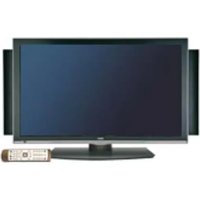
PlasmaSync 50XR6 - Monitor NEC - Free user manual and instructions
Find the device manual for free PlasmaSync 50XR6 NEC in PDF.



Pick your language and provide your email: we'll send you a specifically translated version.
| Product type | Plasma monitor |
| Brand | NEC |
| Model | PlasmaSync 50XR6 |
| Screen size | 50 inches (127 cm) diagonal |
| Native resolution | 1366 x 768 pixels (WXGA) |
| Dimensions (W x H x D) | 1210 x 750 x 100 mm (without stand) |
| Weight | Approximately 40 kg |
| Power supply | 100-240 V, 50/60 Hz |
| Power consumption (typical) | 400 W |
| Standby power consumption | Less than 5 W |
| Main video inputs | Analog RGB (D-Sub 15-pin), DVI-D, HDMI, Composite, S-Video, Component |
| Main functions | Multilingual OSD menu, PIP (picture-in-picture), remote control, child lock, screen saver |
| Maintenance and cleaning | Use a soft, lint-free cloth slightly damp. Do not use abrasive products or solvents |
| Safety | Use a wall mount suitable for the weight. Avoid prolonged static display to prevent screen burn-in |
| Spare parts and repairability | Remote control, cables, anti-glare filters available. Repair by authorized technician recommended |
| General information | Professional plasma monitor for digital signage or home cinema. Manual available for free download |
Frequently Asked Questions - PlasmaSync 50XR6 NEC
How to switch between different input sources?
Use the INPUT or SOURCE button on the remote control or front panel to cycle through inputs (VGA, DVI, HDMI, etc.). Confirm with the OK button.
What is the maximum supported resolution?
The native resolution is 1366 x 768 pixels. The monitor can display signals up to 1920 x 1080i by scaling.
How to clean the screen without damaging it?
Turn off the device, use a soft, lint-free cloth slightly damp (clean water). Never use chemicals, alcohol, or abrasive cleaners.
What to do to avoid screen burn-in (image retention)?
Avoid displaying static images for long periods. Enable the built-in screen saver or use the orbiter function in the OSD menu to shift the image periodically.
Can I connect a game console or a PC to this monitor?
Yes, via HDMI, DVI, or VGA inputs. Make sure the cable is suitable and select the corresponding source.
The remote control does not work, what to check?
Check the presence and condition of the batteries. Point the remote control at the infrared sensor on the monitor. Replace the batteries if necessary.
How to reduce power consumption in standby?
Enable Power Saving mode in the OSD menu. Standby consumption will drop below 5 W. Turn off the device completely via the main switch for maximum savings.
Can I mount the monitor on the wall?
Yes, use a wall mount compatible with VESA 400 x 200 mm pattern and capable of supporting at least 40 kg. Make sure to secure it firmly into a load-bearing wall.
The image is frozen or not displayed, what to do?
Check connections and input source. Restart the monitor and the source. If the issue persists, perform a factory reset via the OSD menu.
Where can I download the full user manual?
The manual is available for free on notice-facile.com in PDF format. You can download it directly from the product page by selecting your language.
User questions about PlasmaSync 50XR6 NEC
0 question about this device. Answer the ones you know or ask your own.
Ask a new question about this device
No questions yet. Be the first to ask one.
Download the instructions for your Monitor in PDF format for free! Find your manual PlasmaSync 50XR6 - NEC and take your electronic device back in hand. On this page are published all the documents necessary for the use of your device. PlasmaSync 50XR6 by NEC.
USER MANUAL PlasmaSync 50XR6 NEC


Manual assistant
Powered by Anthropic
Waiting for your message
Product information
Brand : NEC
Model : PlasmaSync 50XR6
Category : Monitor