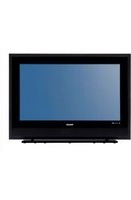
42PFS4012 - Television PHILIPS - Free user manual and instructions

Find the device manual for free 42PFS4012 PHILIPS in PDF.

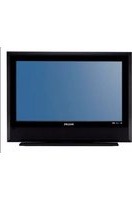
PHILIPS 42PFS4012 - Television
📄 22 pages English EN Download 💬 AI Question 1 questions
Notice PHILIPS 42PFS4012 - page 1
Pick your language and provide your email: we'll send you a specifically translated version.

User questions about 42PFS4012 PHILIPS

1 question about this device. Answer the ones you know or ask your own.

Ask a new question about this device

Your email remains private: it is only used to notify you if someone answers your question.

No picture on my PHILIPS 42PFS4012 but sound works - what to do?
Frequently Asked Questions - 1 d
Response Notice-Facile

If you have sound but no picture on your PHILIPS 42PFS4012, here are the troubleshooting steps to try:

1. Check the input source

The first thing to do is to confirm that the correct input source is selected. Press the source button on your remote and test the different inputs (TV, HDMI 1, HDMI 2, etc.) to see if the picture reappears.

2. Check the connections

If you are watching a TV program, check that the antenna is properly connected to the television. If you are using another source (set-top box, DVD player, etc.), make sure the input cable is securely connected.

3. Test the picture format

The issue may be related to the picture format. Press the FORMAT button on your remote and cycle through the available options: Auto, 16:9, 4:3, or Zoom. The picture should reappear with one of these options.

4. Reset the picture settings

Go to MENU > PICTURE to check the settings. Ensure that:

  • The brightness is not set to zero
  • The picture mode is set to a standard value (Personal, Vivid, Standard, or Light)
  • The contrast is properly adjusted

If the problem persists after all these checks, it may be a cable failure, tuner issue, or a malfunction of the television that requires technical intervention.

Respond (be the first)

Download the instructions for your Television in PDF format for free! Find your manual 42PFS4012 - PHILIPS and take your electronic device back in hand. On this page are published all the documents necessary for the use of your device. 42PFS4012 by PHILIPS.

USER MANUAL 42PFS4012 PHILIPS

Risque de surchauffe!

Alternatively, you could use a portable computer to connect to the PC and HDMI. This is a great way of connecting to the PC and HDMI, as it allows you to easily access the internet and watch the TV.

Avec VGA

PHILIPS 42PFS4012 - Avec VGA - 1
43PFS4001 / 43PFT4001 / 49PFS4001 / 49PFT4001

DisEqc1.0 (Digital Satellite Equipment Control)

ATV: PAL, SECAM, NTSC

DTV:DVB-T/C/T2

Télécommande

Batteries: 2 × AAA

43PFS4001 / 43PFT4001

Sans pied

Manual assistant
Powered by Anthropic
Waiting for your message
Product information

Brand : PHILIPS

Model : 42PFS4012

Category : Television