P3 - Hi-fi system POLAROID - Free user manual and instructions
Find the device manual for free P3 POLAROID in PDF.

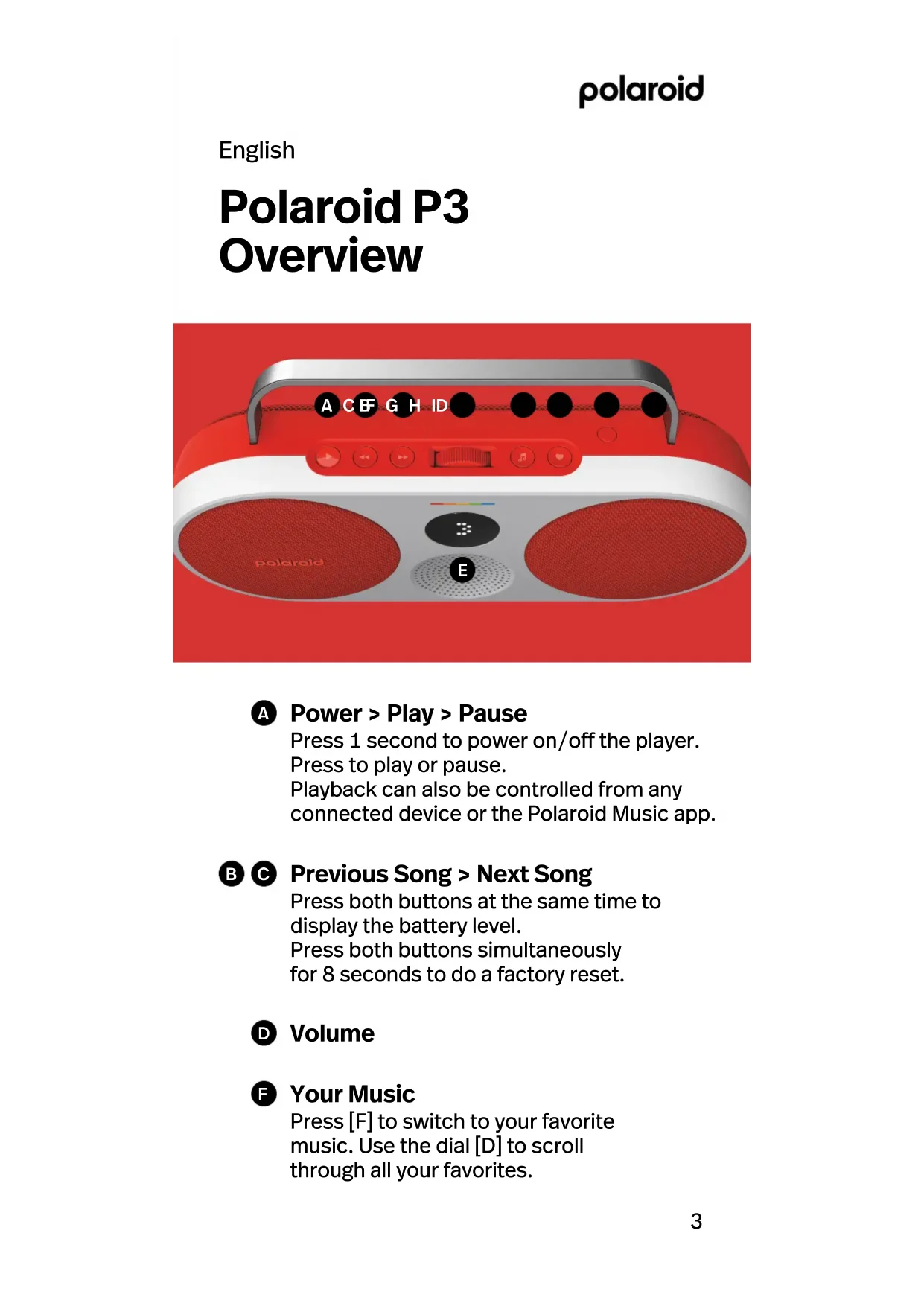


| Product type | Portable hi-fi system |
| Brand | Polaroid |
| Model | P3 |
| Dimensions (approx.) | 150 x 150 x 50 mm |
| Weight (approx.) | 0.5 kg |
| Power supply | Rechargeable battery, charges via USB-C |
| Connectivity | Bluetooth 5.0, NFC |
| Ports | USB-C (charge and data), 3.5 mm auxiliary input |
| Main functions | Play/Pause, next/previous track, volume, like/dislike, stereo pairing, favorites access |
| Associated app | Polaroid Music (iOS and Android) |
| Stereo pairing | Possible with a second Polaroid P3 (left/right channel) |
| Reset | Simultaneous 8-second press on previous/next buttons |
| Battery indicator | Displayed by simultaneously pressing the previous/next buttons |
| Maintenance and cleaning | Soft, dry cloth, avoid moisture and abrasive products |
| Safety | Do not expose to water or extreme temperatures |
| Spare parts and repairability | Not provided by the manufacturer; factory reset possible |
| General information | Music playback via app, internet radio, podcasts |
Frequently Asked Questions - P3 POLAROID
User questions about P3 POLAROID
0 question about this device. Answer the ones you know or ask your own.
Ask a new question about this device
Download the instructions for your Hi-fi system in PDF format for free! Find your manual P3 - POLAROID and take your electronic device back in hand. On this page are published all the documents necessary for the use of your device. P3 by POLAROID.
USER MANUAL P3 POLAROID
Polaroid P3 Music Player
User Manual
Music in Full Color
polaroid
Contents
English 3
Deutsch 14
Espanol 20
Italiano 26
简体中文 32
繁體中文 37
43
日本語 49
4^
60
English
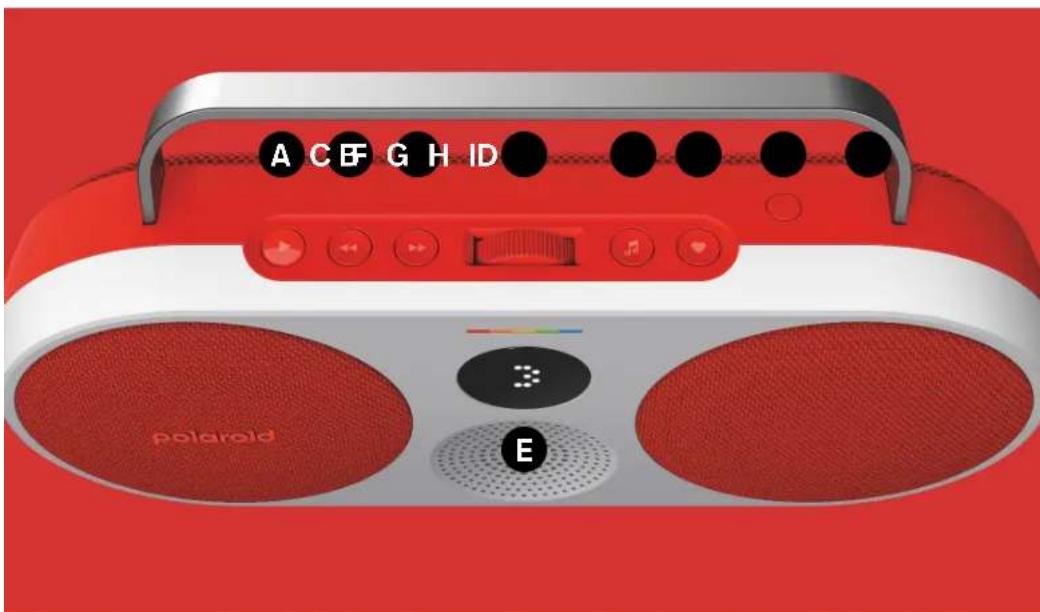
Polaroid P3 Overview
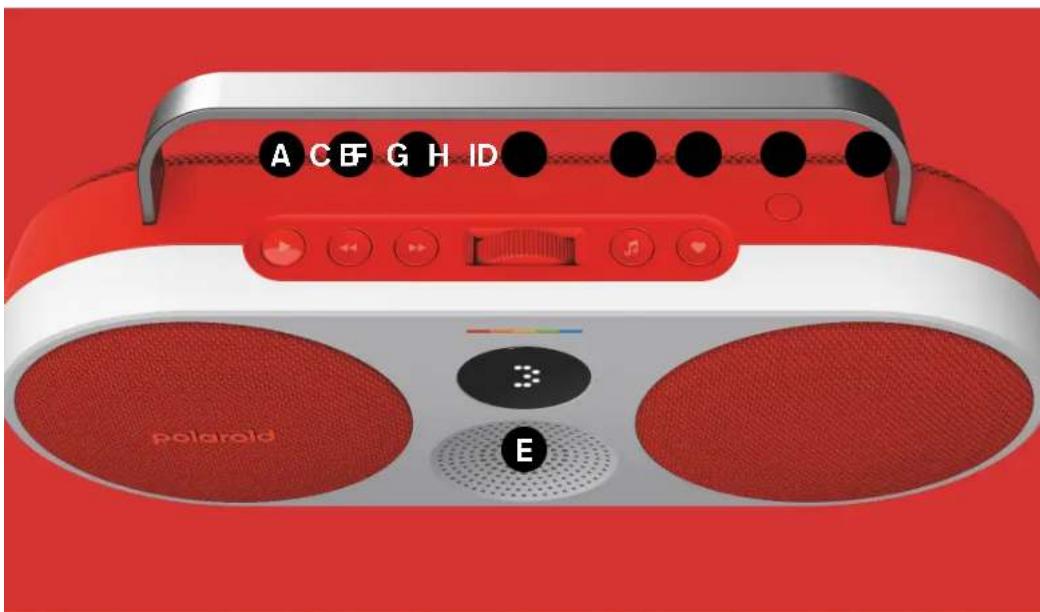
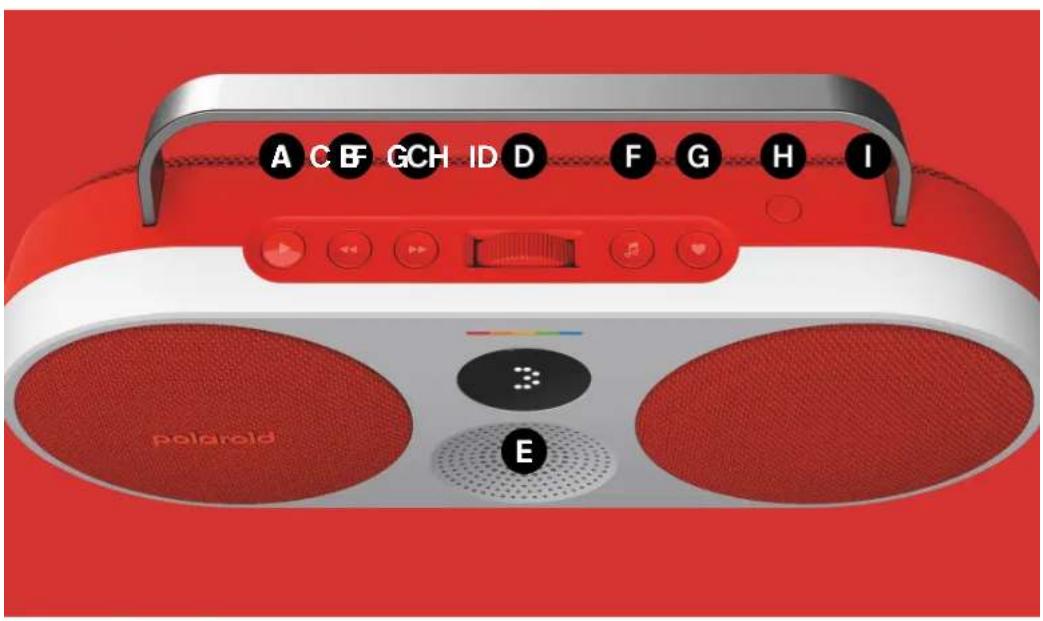
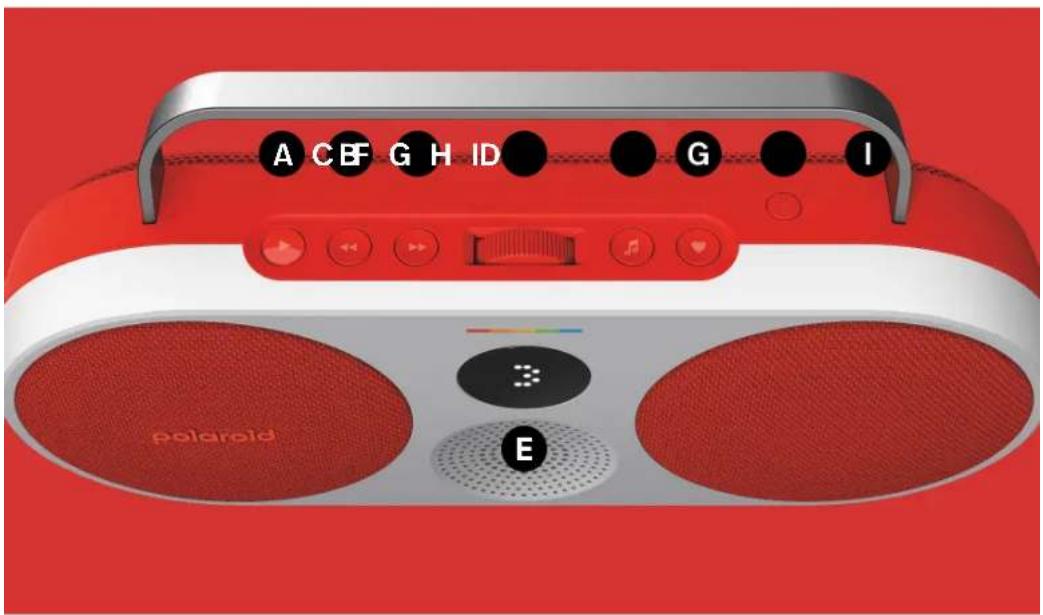
A Power > Play > Pause
Press 1 second to power on/off the player. Press to play or pause. Playback can also be controlled from any connected device or the Polaroid Music app.
Previous Song > Next Song
Press both buttons at the same time to display the battery level. Press both buttons simultaneously for 8 seconds to do a factory reset.
Volume
F Your Music
Press [F] to switch to your favorite music. Use the dial [D] to scroll through all your favorites.
Like > Dislike
Press [G] to like.
Long press to dislike.
Bluetooth® > Stereo Pairing
Press [H] to start Bluetooth pairing.
Double press to enable stereo pairing with another Polaroid P3.
NFC
If NFC is enabled on your phone, touch your Polaroid P3 with your phone to open the Polaroid Music app.
USB-C Charging Port + AUX-in
These features are only available when using the Polaroid Music app.
Download the Polaroid Music app

English
Your Polaroid P3
Getting started
a Use the included USB-C cable to connect to a power source or use a compatible adapter to charge via a wall socket.
b Press the power button [A] for 1 second to power on the player.
c Download the Polaroid Music app to connect your music.
Connect via Bluetooth®
a The Polaroid P3 will power on in pairing mode when it has never been paired to a device.
b Otherwise press the Bluetooth button [H], a sound will play, and the display shows the player is in pairing mode.
c Select Polaroid P3 from your Bluetooth devices list.
Connect your music
a Use the Polaroid Music app to connect up to 10 favorite channels to your player from a range of playlists, internet radio, podcasts and much more.
b Directly after pressing the music button [F] you can use the dial [D] to switch between your favorites.
c The like button [G] will let you like/dislike songs when using compatible playlists.
Stereo pairing
a Double press the Bluetooth button [H] on both players to enable stereo pairing with another Polaroid P3. The first enabled player will serve as the primary player.
b The display will identify the right and left channel.
c When using the AUX-in, make sure it's plugged into the primary player.
d The players will relink automatically when turned on.
e Double press again to unlink the player.
For support or troubleshooting visit polaroid.com/help.
These features are only available when using the Polaroid Music app.
Download the Polaroid Music app

Polaroid P3 Music Player
Conectariate Bluetooth®
Download on the App Store

GET IT ON Google Play
hydromyblowBluetoothsFlfK
USB-C 15:5V=2A
[BaTeRl] 7.2VDC, 4000mAh,
28.8Wh
Bluetooth:5.0
Polaroid P3 Music Player
ヨ一マ二アル

音楽(ル力ラ一)
polaroid
日本語
Polaroid P3 概要
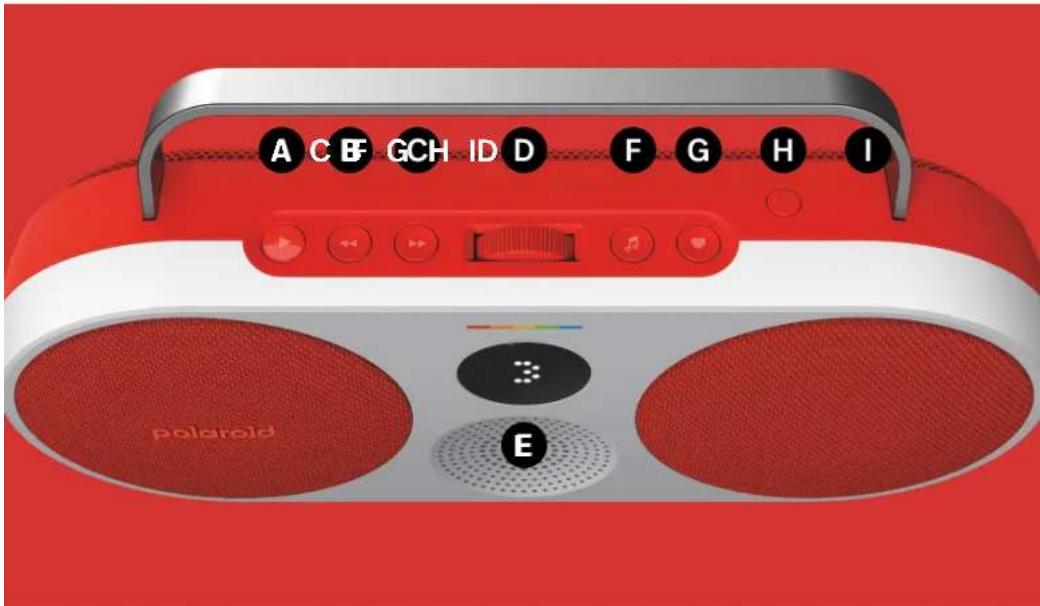
A [電源] > [再生] > [一時停止]
< Previous Song aLl aicy! Next Song aIaiey! B C
gss
18 8
可回收成本:可以收回的成本
GgD
polaroid
山
11 1111111111111111
F
Dislike Like
G
LcVl 1y baiol LcVl pae 1y ygb jai baiol
H
Bluetooth Stereo Pairing
H
J 1 J 1 J 1 J 1 J 1 J 1 J 1 J 1 J 1 J 1 J 1 J 1 J 1 J 1 J 1 J 1 J 1 J 1 J 1 J 1 J 1 J 1 J 1 J 1 J 1 J 1 J 1 J 1 J 1 J 1 J 1 J 1 J 1 J 1 J
0
NFC
0
Ie Polaroid P3. Polaroid Music
L
L+USB-C AUX-in
Jubu Jia Jie bai aol gial .Polaroid Music
Polaroid Music


Polaroid P2
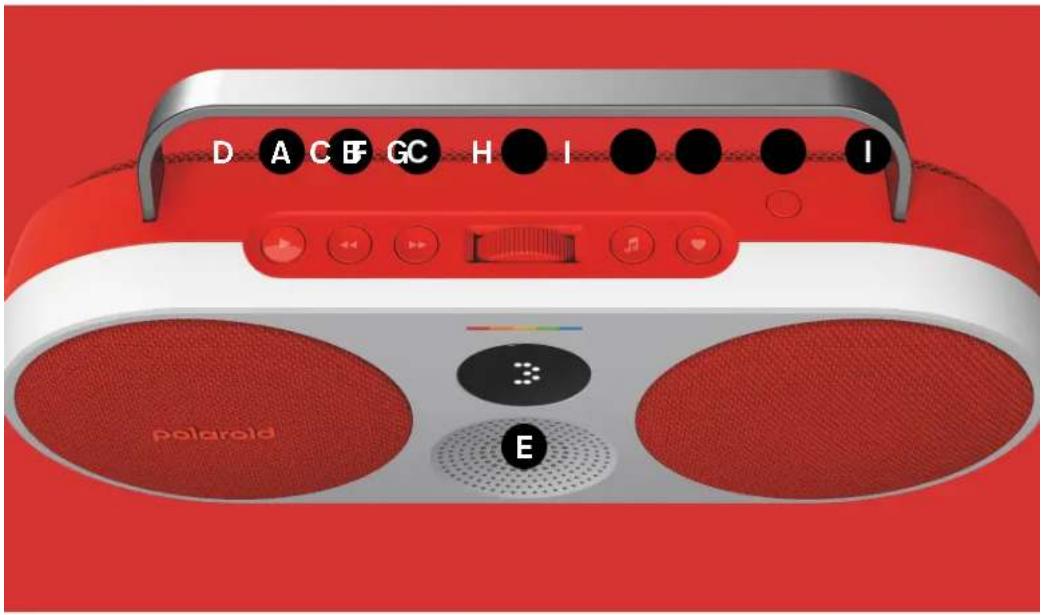
J
JUUSB-C JI JIL 1
JUULgio gao juao 1 aIb Juaa
.
A] 1
Polaroid Music
J
Polaroid P3J 1
JSSiic[H] 1gul1 jzgl 1g .B
Polaroid P3.
山
10 Polaroid Music 1
J
J
J
J
J
J
J
J
J
J
J
J
J
J
J
J
J
J
J
J
J
J
J
J
J
J
J
J
J
J
J
J
J
J
J
J
J
J
J
J
J
J
J
J
J
J
J
J
J
J
J
J
J
J
J
J
J
J
J
J
J
J
J
J
J
J
J
J
J
J
J
J
J
J
J
J
J
J
J
J
J
J
J
J
J
J
J
J
J
J
J
J
J
[ F] aaggl jz jle baiai 1
1/(G]jzJg 2
J
H] 1 J 1 P3
Lg 11
AUX-in Ldl JdJLK 1000
1
polaroid.com/help
Polaroid P3 Music Player
vannnuh
xyn ynx npnn
polaroid
Polaroid P3 - nbdnnpd
yn < 1 × yn < y_n .
y
y
nynbn nnnnyn
wnon nn nn nn nn nn
Polaroid Music
NAN<DTIPN
yynn
nynnynn
8 7n-7y by y
yannnnnnd
nny
polaroid
#
F
y DnD [D] nn nn
nannnn
G
"nnn" yyn 1nnn" nyn
Bluetooth
H
Bluetooth wnnnynn nn PnPn PnPn Pn Pn Pn Pn Pn Pn Pn Pn Pn Pn Pn Pn Pn Pn Pn Pn Pn Pn Pn Pn Pn Pn Pn Pn Pn Pn Pn Pn Pn Pn Pn Pn Pn Pn Pn Pn Pn Pn Pn Pn Pn Pn Pn Pn Pn Pn Pn Pn Pn Pn
NFC 0
NNTN,NTN NFC ynnn nn Polaroid P3-5 .Polaroid Music
AUX-in + nys USB-C
Polaroid Music
Polaroid


Polaroid P3 5.7
D
USB-C wannn .N nn n nn nn nn nn nn nn nn
USB-C wwnn nn nnnn nn nnnnnnn
Polaroid Music nn n
Bluetooth® myynxnannnn
N Polaroid P3
;Bluetooth[H] ynn by ynn nnN .3
Xn nn n nn nn nn nn nn nn
polaroid
Polaroid P3
.Bluetooth-
7y07ynn
Polaroid Music 10 y nn n nn nn nn nn nn nn nn nn nn nn nn nn nn nn nn nn nn nn nn nn nn nn nn nn nn nn nn nn nn nn nn nn nn nn nn nn nn nn nn nn nn nn nn nn nn nn nn nn nn nn nn nn nn nn nn nn nn nn nn nn nn nn nn nn nn nn nn nn nn nn nn nn nn nn nn nn nn nn nn nn nn nn nn nn nn nn nn nn nn nn nn nn nn nn nn nn nn nn nn nn
ywn npnn nyn by ny . 1 y [F] nn wnnn .y nn npnn
[G] "n" 1n. .
NND
yNn y Nn yNn .
Nn Dn Wn nDn Bluteoth [H]
n nn Polaroid P3 n nn dy
. nn nn nn nn
.
nnnu,AUX-in ypu wnu nyu .N
17vip'pJn,nnnnyn .T nVn
n nn nnnnynn .n
polaroid.com/help
polaroid
POLAROID and the Color Spectrum are protected trademarks of Polaroid.
App Store and the App Store logo are trademarks of Apple Inc., registered in the U.S. and other countries and regions. Google Play and the Google Play logo are trademarks of Google LLC. The Bluetooth® word mark and logos are registered trademarks owned by Bluetooth SIG Inc. and use of such marks by Polaroid International B.V. is under license. Other trademarks and tradenames are those of their respective owners.
Polaroid International B.V. Danzigerkade 16C, 1013 AP Amsterdam The Netherlands
- Polaroid P3 Music Player
- Contents
- Polaroid P3 Overview
- A Power > Play > Pause
- Previous Song > Next Song
- Volume
- F Your Music
- Like > Dislike
- Bluetooth® > Stereo Pairing
- NFC
- USB-C Charging Port + AUX-in
- Download the Polaroid Music app
- Your Polaroid P3
- Getting started
- Connect via Bluetooth®
- Connect your music
- Stereo pairing
- Conectariate Bluetooth®
- Polaroid P3 概要
- A [電源] > [再生] > [一時停止]
- polaroid
- Polaroid P2
- Polaroid P3 - nbdnnpd
- #
- nannnn
- Bluetooth
- NFC 0
- AUX-in + nys USB-C
- Polaroid P3 5.7
- Bluetooth® myynxnannnn
- 7y07ynn
- NND
Brand : POLAROID
Model : P3
Category : Hi-fi system