
KXFP215E - Fax machine PANASONIC - Free user manual and instructions
Find the device manual for free KXFP215E PANASONIC in PDF.
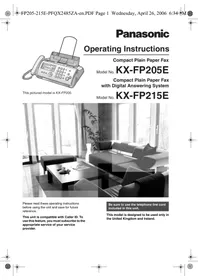


Pick your language and provide your email: we'll send you a specifically translated version.
| Product type | Fax machine |
| Brand | Panasonic |
| Model | KXFP215E |
| Dimensions (L x W x H) | 360 x 240 x 120 mm |
| Weight | 3.5 kg |
| Power supply | 220-240 V, 50/60 Hz |
| Power consumption | 10 W (standby), 150 W (operation) |
| Print type | Inkjet on plain paper |
| Print resolution | 200 x 200 dpi |
| Transmission speed | 33.6 kbps |
| Document feeder capacity | 20 sheets |
| Paper tray capacity | 50 sheets |
| Main functions | Fax send/receive, copy, digital answering machine, speed dial, automatic reduction, hands-free function |
| Display | Backlit LCD screen |
| Maintenance and cleaning | Clean the print head and roller with a soft cloth. Use quality paper. |
| Safety | Unplug before cleaning. Do not expose to moisture. |
| Spare parts and repairability | Parts available from Panasonic authorized service. Repairs by a professional. |
| General information | User manual available for free download in PDF format. |
Frequently Asked Questions - KXFP215E PANASONIC
How to install the ink cartridge?
Open the front cover, remove the used cartridge, insert the new cartridge following the indicated direction, then close the cover. The device will perform an automatic cleaning cycle.
How to set the date and time?
Press the Menu button, use the arrows to select 'Basic Settings', confirm, then set the date and time using the numeric keypad. Confirm with OK.
What to do if the fax does not turn on?
Check that the power cord is plugged in and the outlet works. Try another device. If the problem persists, contact customer service.
How to send a fax?
Place the document face up in the feeder. Dial the recipient's number, then press the Fax/Start button. Wait for transmission confirmation.
How to receive a fax?
Make sure the device is in Fax mode. The device will answer automatically after a certain number of rings. You can also pick up the handset and press Fax/Start to receive manually.
What to do in case of a paper jam?
Open the rear cover and gently remove the jammed paper. Avoid tearing the paper. Check that the paper is loaded correctly and not wrinkled. Use standard paper.
How to clean the print head?
Access the Maintenance menu, select 'Head Cleaning'. Follow the on-screen instructions. You can also use a specific cleaning kit.
How to set up speed dial?
Press Menu, select 'Speed Dial', enter the desired number and assign a key (1-9). To call, hold the key while sending a fax.
How to use the copy function?
Place the document in the feeder. Press the Copy button. Set the number of copies using the numeric keys, then press Fax/Start to start.
How to resolve line problems?
Check that the telephone cable is properly connected to the LINE and TEL jacks. Test the line with another phone. If the problem is with the line, contact your operator.
User questions about KXFP215E PANASONIC
0 question about this device. Answer the ones you know or ask your own.
Ask a new question about this device
No questions yet. Be the first to ask one.
Download the instructions for your Fax machine in PDF format for free! Find your manual KXFP215E - PANASONIC and take your electronic device back in hand. On this page are published all the documents necessary for the use of your device. KXFP215E by PANASONIC.
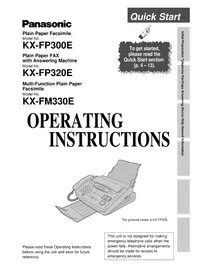
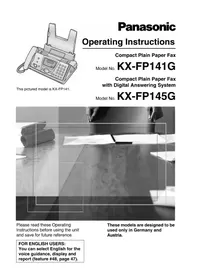
USER MANUAL KXFP215E PANASONIC
Manual assistant
Powered by Anthropic
Waiting for your message
Product information
Brand : PANASONIC
Model : KXFP215E
Category : Fax machine