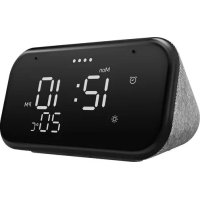
Smart Clock 2 - Smart Home LENOVO - Free user manual and instructions
Find the device manual for free Smart Clock 2 LENOVO in PDF.


| Product type | Smart connected alarm clock |
| Brand | Lenovo |
| Model | CD-24502F |
| Dimensions (approx.) | 10 x 10 x 10 cm |
| Weight (approx.) | 300 g |
| Power supply | AC adapter (included) |
| Voice assistant | Built-in Google Assistant |
| Display | Touch screen |
| Sensors | Proximity and ambient light sensor |
| Wireless connectivity | Wi-Fi 2.4 GHz and Bluetooth 2.4 GHz |
| Buttons | Volume (up/down), microphone mute button |
| Main functions | Alarm, weather info, music, voice assistant, smart home control |
| Cleaning | Wipe with a soft dry cloth |
| Safety instructions | Keep plastic bags away from children; do not use as a toy |
| Warranty | Lenovo Limited Warranty (LLW), visit support.lenovo.com |
| Repairability | Not user serviceable; contact Lenovo support |
| Regulatory information | CE, FCC compliant; max power <20 dBm (Wi-Fi), <10 dBm (Bluetooth) |
Frequently Asked Questions - Smart Clock 2 LENOVO
User questions about Smart Clock 2 LENOVO
0 question about this device. Answer the ones you know or ask your own.
Ask a new question about this device
Download the instructions for your Smart Home in PDF format for free! Find your manual Smart Clock 2 - LENOVO and take your electronic device back in hand. On this page are published all the documents necessary for the use of your device. Smart Clock 2 by LENOVO.
USER MANUAL Smart Clock 2 LENOVO
Lenovo Smart Clock 2
Safety, Warranty & Quick Start Guide Lenovo CD-24502F
Contents
English....1
Français....10
Deutsch....18
Español 26
Nederlands 34
Norsk bokmål 42
Svenska 50
Dansk 58
Italiano....66
English

Read this guide carefully before using the device.
Read before using the device
Read first - regulatory information
Device models equipped with wireless communications comply with the radio frequency and safety standards of any country or region in which it has been approved for wireless use. In addition, if your product contains a telecom modem, it complies with the requirements for connection to the telephone network in your country.
Be sure to read the Regulatory Notice for your country or region before using the wireless devices contained in your device. To obtain a PDF version of the Regulatory Notice, go to:
https://support.lenovo.com
Getting support
To learn more, go to https://support.lenovo.com.
Legal notices
Lenovo and the Lenovo logo are trademarks of Lenovo in the United States, other countries, or both.
Other company, product, or service names may be trademarks or service marks of others.
LIMITED AND RESTRICTED RIGHTS NOTICE: If data or software is delivered pursuant a General Services Administration “GSA” contract, use, reproduction, or disclosure is subject to restrictions set forth in Contract No. GS-35F-05925.
Google, Google Home, Google Play and other related marks and logos are trademarks of Google LLC.
Open source information
This Product may include software made publicly available by Lenovo, including software licensed under the General Public License and/or the Lesser General Public License (the “open source software”).
You may obtain a copy of the corresponding source code for any such open source software licensed under the General Public License and/or the Lesser General Public License (or any other license requiring us to make a written offer to provide corresponding source code to you) from Lenovo for a period of three years without charge except for the cost of media, shipping, and handling, upon written request to Lenovo or at https://support.lenovo.com/us/en/solutions/HT511330. This offer is valid to anyone in receipt of this Product. You may send your request in writing to the address below accompanied by a check or money order for \$15 to:
Lenovo Legal Department
Attn: Open Source Team / Source Code Requests
8001 Development Dr.
Morrisville, NC 27560
Please include the “Build version” associated with the software of this Product as part of your request. Be sure to provide a return address.
The open source software is distributed in hope it will be useful, but WITHOUT ANY WARRANTY; without even the implied warranty of MERCHANTABILITY or FITNESS FOR A PARTICULAR PURPOSE.
See for example the GNU General Public License and/or the Lesser General Public License for more information.
To view additional information regarding licenses,
acknowledgements and required copyright notices for the open source software used in this Product, go to “Open source licenses” within the “About device” menu on your Product.
Overview
Name Model
Lenovo Smart Clock 2 Lenovo CD-24502F
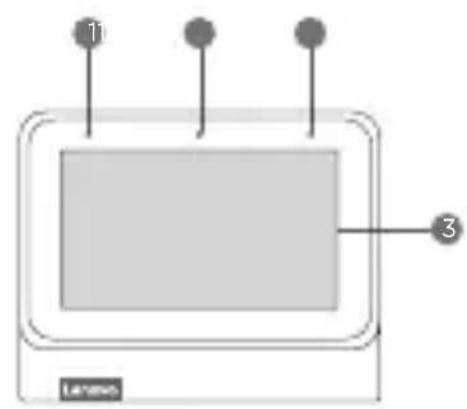
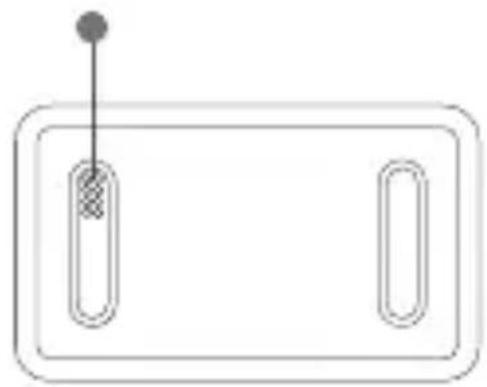
natural_image
Simple line drawing of a rectangular frame with two vertical slots and a small dot above it (no text or symbols)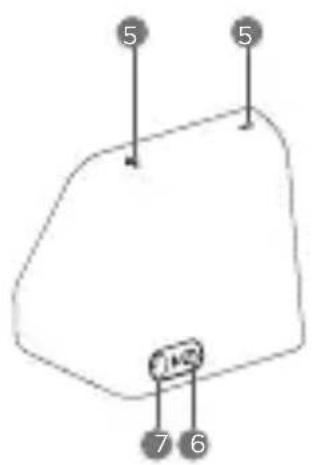
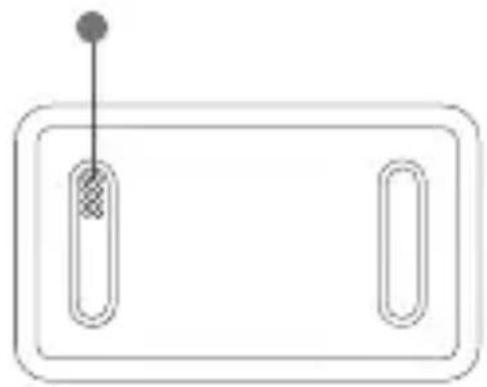
1 Microphones
2 Light/proximity sensor
3 Touch screen
4 Dock connector
5 Volume buttons
6 Microphone mute switch
7 Power adapter connector

- All pictures and illustrations in this document are for your reference only and may differ from the final product.
• To mute the microphone, slide the Microphone mute switch to the left.
Getting Started
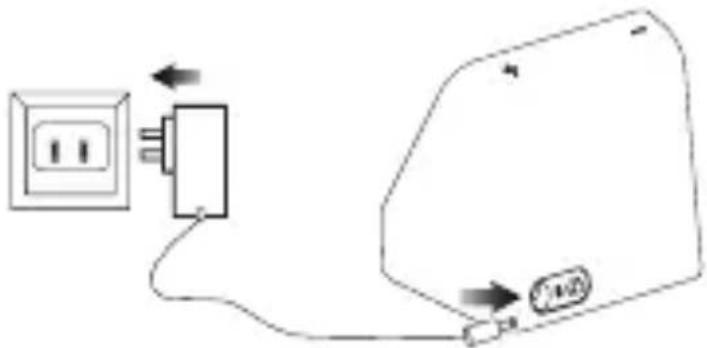
Plug it in
Connect the power adapter to your device.
natural_image
Simple line drawing of a smartphone with an arrow pointing to a house icon (no text or symbols)Getting the app
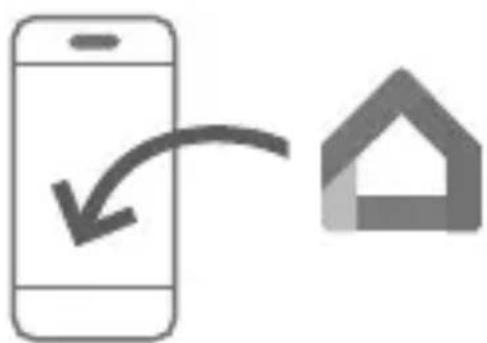
Download and run the Google Home app in the Google Play Store on a phone/tablet. Or if you are an iPhone user, you can download the Google Home app from the App Store.
Follow the on-screen instructions to set up your Lenovo Smart Clock 2.

Use the same WLAN network for your Lenovo Smart Clock 2 and phone/tablet.
Talking to your device
Lenovo Smart Clock 2 has the Google Assistant built in. Just say "Hey Google" to get started.
Important safety and handling information
Plastic bag notice
Danger: Plastic bags can be dangerous. Keep plastic bags away from babies and children to avoid danger of suffocation.
Safety instructions for parents and adult supervisors
The device is not a toy. As with all electrical products, precautions should be observed during handling and using of electrical products to reduce the risk of electric shock. If parents choose to allow children to use the device, they should caution his or her child about the potential hazard while using and handling the mobile device. Parents should inspect the mobile device (including the ac power adapter and the small part, as applicable) periodically for damage. Routinely check this mobile device to ensure that the device is working properly and is safe for children to use.
Service and support information
Lenovo Limited Warranty notice
This product is covered by the terms of the Lenovo Limited Warranty (LLW), version L5050010-02 08/2011. Read the LLW at https://www.lenovo.com/warranty/llw_02. You can view the LLW in a number of languages from this website.
Warranty information
Lenovo provides a warranty period for your device. To check the warranty status of your device purchase upgrades, go to https://support.lenovo.com/warrantylookup, and then select the product and follow the on-screen instructions.
Get support
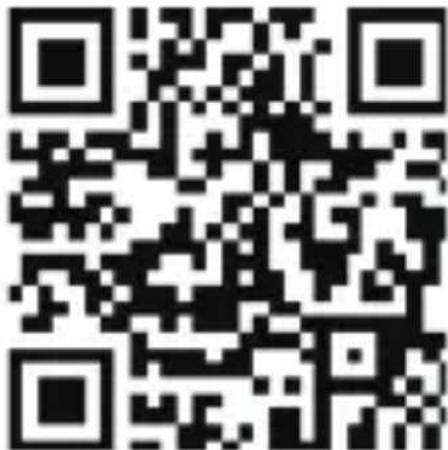
Visit Lenovo's support website (https://support.lenovo.com) with the device serial number to get more Lenovo support options, or scan the QR code, and then follow the on-screen instructions.
Environmental, recycling, and disposal information
General recycling statement
Lenovo encourages owners of information technology (IT) equipment to responsibly recycle their equipment when it is no longer needed. Lenovo offers a variety of programs and services to assist equipment owners in recycling their IT products. For information on recycling Lenovo products, go to http://www.lenovo.com/recycling.
Recycling information for Japan
Recycling and disposal information for Japan is available at: http://www.lenovo.com/recycling/japan
WEEE information
natural_image
Symbol of a recycling bin with crossed lines and a blank rectangular base (no text or numbers)Don't dispose of your product with your household waste. Refer to the User Guide that came with your product for further information, or go to https://www.lenovo.com/recycling
Restriction of Hazardous Substances Directive (RoHS)
Turkey
Lenovo products sold in Turkey, on or after June 1, 2009, meet the requirements of the former Republic of Turkey Restriction of Hazardous Substances legislation from 30th of May 2008 and the Control of Waste Electrical and Electronic Equipment Regulations from 22nd of May 2012(“Turkey RoHS”).
Ukraine
Lenovo products sold in Ukraine, on or after January 1, 2011, meet the requirements of the Technical Directive on Restriction of Hazardous Substances in Electric and Electronic Equipment enforced by the Government, Decision No 1057 dated 2008/12/03” (“Ukraine TR on RoHS”).
India
Lenovo products sold in India, on or after May 1, 2012, meet the requirements of the India E-waste (Management) Rules (“India RoHS”).
Vietnam
Lenovo products sold in Vietnam, on or after September 23, 2011, meet the requirements of the Vietnam Circular 30/2011/TT-BCT (“Vietnam RoHS”).
Singapore
Lenovo products sold in Singapore, on or after June 1, 2017, meet the requirements of Government Gazette order No. S 263/2016 Restriction of Hazardous Substances in Electrical and Electronic Equipment in Singapore (“SG-RoHS”).
European Union (EU) / United Kingdom (UK) RoHS
This Lenovo product, with included parts (cables, cords, and so on) meets the requirements of EU Directive 2011/65/EU as amended by Directive 2015/863/EU and UK SI 2012 No. 3032 on the restriction of the use of certain hazardous substances in electrical and electronic equipment (“RoHS recast” or “RoHS 2”). For more information about Lenovo progress on RoHS, go to: https://www.lenovo.com/us/en/social_responsibility/RoHS-Communication.pdf
European Union compliance statement
European Union conformity
CE
Compliance with the RE Directive
Lenovo PC HK Limited declares that the radio equipment type
Lenovo CD-24502F is in compliance with Directive 2014/53/EU.
The full text of the EU declaration of conformity is available at the following internet address:
https://www.lenovo.com/us/en/social_responsibility/eu-doc-smart-devices
This radio equipment operates with the following frequency bands and maximum radio-frequency power:
| Model Name Frequency Bands Maximum Power (dBm) | |
| Lenovo CD-24502F | WLAN 2400-2483.5 <20 |
| Bluetooth 2400-2483.5 <10 | |
The device could be used with a separation distance of 20cm to the human body.

- The above information is for EU countries only. Please refer to the actual product for supported frequency bands in other countries.
- This device complies with Part 15 of the FCC Rules. Operation is subject to the following two conditions: (1) This device may not cause harmful interference, and (2) this device must accept any interference received, including interference that may cause undesired operation.
Français

natural_image
Simple line drawing of a rectangular frame with two vertical slots and a small dot above it (no text or symbols)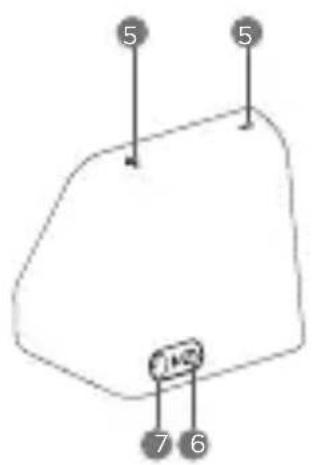
1 Microphones
natural_image
Simple line drawing of a smartphone with an arrow pointing to a house icon (no text or symbols)natural_image
Symbol of a trash bin crossed with no text or numbers, representing waste sorting or disposal (no text present)Directive européenne RoHS (Restriction of Hazardous Substances)
Turquie
https://support.lenovo.com
Support
natural_image
Simple line drawing of a rectangular frame with two vertical slots and a small dot above it (no text or symbols)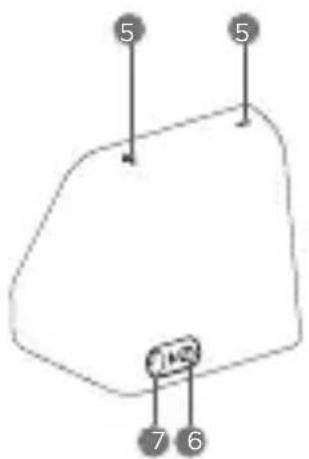
1 Mikrofone
natural_image
Simple line drawing of a smartphone with a house icon and curved arrow, no text or symbols present.App herunterladen
natural_image
Symbol of a trash bin crossed with a diagonal line and a circular symbol, no text or labels present.https://www.lenovo.com/us/en/social_responsibility/RoHS-Communication.pdf
natural_image
Simple line drawing of a rectangular frame with two vertical slots and a small dot above it (no text or symbols)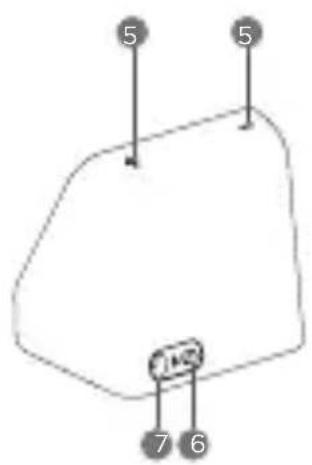
1 Micrófonos
natural_image
Simple line drawing of a smartphone with a house icon and curved arrow, no text or symbols present.natural_image
Symbol of a trash bin crossed out by two crossed lines, with no text or numbers present.https://www.lenovo.com/us/en/social_responsibility/RoHS-Communication.pdf
https://www.lenovo.com/us/en/social_responsibility/eu-doc-smart-devices
natural_image
Simple line drawing of a rectangular device with two vertical slots and a dot on top (no text or symbols)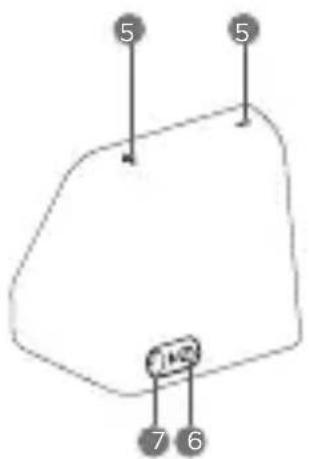
1 Microfoons
2 Licht-/afstandssensor
3 Aanraakscherm
4 Dokaansluiting
5 Volumeknoppen
natural_image
Simple line drawing of a smartphone with a house icon and curved arrow, no text or symbols present.De app downloaden
natural_image
Symbol of a trash bin crossed with no text or numbers, representing waste sorting or disposal (no text present)https://www.lenovo.com/us/en/social_responsibility/RoHS-Communication.pdf
https://support.lenovo.com
Få støtte
natural_image
Simple line drawing of a rectangular frame with two vertical slots and a small dot above it (no text or symbols)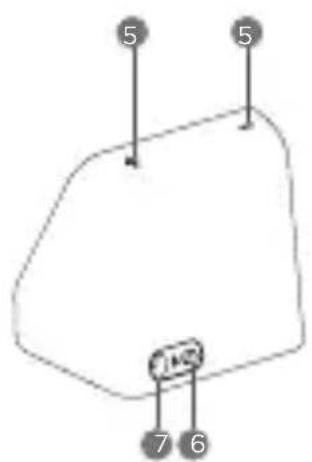
1 Mikrofoner
2 Lys-/nærsensor
3 Berøringsskjerm
4 Dokkontakt
5 Volum-knapper
6 Mikrofondemp-bryter
natural_image
Simple line drawing of a smartphone with an arrow pointing to a house icon (no text or symbols)Få appen
natural_image
Symbol of a trash bin with crossed lines indicating no waste or discharge (no text or labels)https://www.lenovo.com/us/en/social_responsibility/RoHS-Communication.pdf
https://support.lenovo.com
Få support
natural_image
Simple line drawing of a rectangular frame with two vertical slots and a small dot above it (no text or symbols)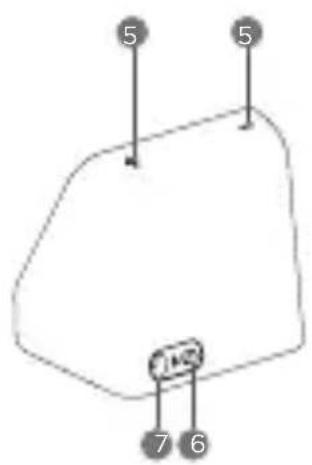
1 Mikrofoner
natural_image
Simple line drawing of a smartphone with a house icon and curved arrow, no text or symbols present.Hämta appen
natural_image
Symbol of a trash bin crossed with no text or labels, accompanied by a solid black rectangle below (no readable text or symbols)natural_image
Simple line drawing of a rectangular frame with two vertical slots and a small dot above it (no text or symbols)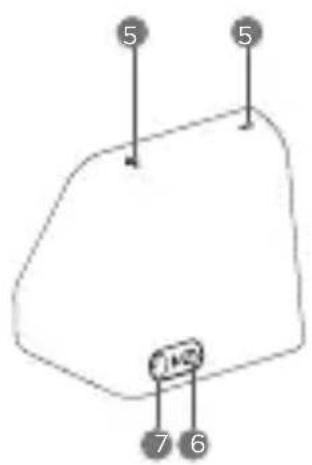
1 Mikrofoner
2 Lys-/ afstandssensor
3 Berøringsskærm
4 Dockingkonnektor
5 Lydstyrkeknapper
natural_image
Simple line drawing of a smartphone with a house icon and curved arrow, no text or symbols present.Sådan hentes appen
Oplysninger om miljø, genanvendelse og bortskaffelse
natural_image
Symbol of a trash bin crossed with a diagonal line, no text or numbers presenthttps://www.lenovo.com/us/en/social_responsibility/RoHS-Communication.pdf
https://support.lenovo.com
natural_image
Simple line drawing of a rectangular device with two vertical slots and a dot on top (no text or symbols)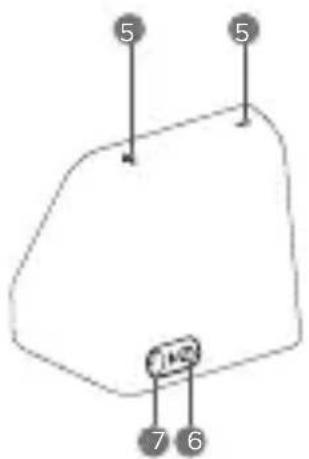
1 Microfoni
natural_image
Simple line drawing of a smartphone with a house icon, no text or symbols presentDownload dell'app
natural_image
Symbol of a trash bin crossed with no text or labelshttps://www.lenovo.com/us/en/social_responsibility/RoHS-Communication.pdf
© Copyright Lenovo 2021.
Reduce | Reuse | Recycle

V1.0_20210429
72-HEL10S-DFUB3 MC
Printed in China
- Lenovo Smart Clock 2
- Safety, Warranty & Quick Start Guide Lenovo CD-24502F
- Contents
- English
- Read before using the device
- Read first - regulatory information
- Getting support
- Legal notices
- Open source information
- Overview
- Name Model
- Getting Started
- Plug it in
- Getting the app
- Talking to your device
- Important safety and handling information
- Plastic bag notice
- Safety instructions for parents and adult supervisors
- Service and support information
- Lenovo Limited Warranty notice
- Warranty information
- Get support
- Environmental, recycling, and disposal information
- General recycling statement
- Recycling information for Japan
- WEEE information
- Restriction of Hazardous Substances Directive (RoHS)
- Turkey
- Ukraine
- India
- Vietnam
- Singapore
- European Union (EU) / United Kingdom (UK) RoHS
- European Union compliance statement
- European Union conformity
- CE
- Compliance with the RE Directive
- Français
- Directive européenne RoHS (Restriction of Hazardous Substances)
- Turquie
- Support
- App herunterladen
- De app downloaden
- Få støtte
- Få appen
- Få support
- Hämta appen
- Sådan hentes appen
- Oplysninger om miljø, genanvendelse og bortskaffelse
- Download dell'app
Brand : LENOVO
Model : Smart Clock 2
Category : Smart Home