
DMP-UB900EG - Blu-ray player PANASONIC - Free user manual and instructions
Find the device manual for free DMP-UB900EG PANASONIC in PDF.
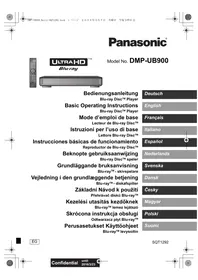


| Product Type | Ultra HD Blu-ray Player |
| Brand | Panasonic |
| Model | DMP-UB900EG |
| Dimensions (W x D x H) | 430 x 205 x 49 mm |
| Weight | Approximately 2.2 kg |
| Power Supply | 220-240 V AC, 50/60 Hz |
| Power Consumption | Approximately 25 W (operating), less than 0.3 W (standby) |
| Supported Disc Formats | Ultra HD Blu-ray, BD-Video, BD-RE/R, DVD-Video, DVD-R/RW/+R/+RW, Audio CD, CD-R/RW |
| Audio File Formats | AAC, ALAC, DSD (DFF/DSF), FLAC, MP3, WAV, WMA |
| Video File Formats | MKV, MP4, MPEG2, AVCHD |
| Image File Formats | JPEG, MPO |
| Output Resolution | Up to 4K (50p/60p) with HDR |
| Connectivity | 1 HDMI output (VIDEO OUT), 1 LAN port, 2 USB ports (front/rear), 1 SD card slot |
| Network | Built-in Wi-Fi (2.4/5 GHz), Ethernet 10/100 |
| Main Functions | Ultra HD Blu-ray playback, 4K upscaling, HDR (HDR10, HLG), access to online services, DLNA compatibility |
| Care and Cleaning | Disconnect the device before cleaning. Use a soft, dry cloth. Do not use chemicals. |
| Safety | Do not expose to moisture, do not block ventilation openings, disconnect during storms. |
| Spare Parts and Repairability | Repairs reserved for qualified personnel. Use only recommended accessories. |
| General Information | Firmware update recommended. Refer to the PDF instruction manual for details. |
Frequently Asked Questions - DMP-UB900EG PANASONIC
User questions about DMP-UB900EG PANASONIC
0 question about this device. Answer the ones you know or ask your own.
Ask a new question about this device
Download the instructions for your Blu-ray player in PDF format for free! Find your manual DMP-UB900EG - PANASONIC and take your electronic device back in hand. On this page are published all the documents necessary for the use of your device. DMP-UB900EG by PANASONIC.
USER MANUAL DMP-UB900EG PANASONIC
Operating Instructions
Blu-ray Disc™ Player
Basic Operating Instructions
Blu-ray Disc™ Player
Firmware Update
OPTICAL/COAXIAL (DIGITAL AUDIO OUT)![graph TD A["Device Interface"] -->|KOaxialkabel| B["Optisches Digitalkabel"] A -->|ODER| C["Verstärker/Receiver"] A -->|Optical IN| D["Coaxial IN"] A -->|COAXIAL IN| E["Optical IN"]](/content/2019/10/56480/images/fc684689c721a1ed7f03d328e9bba0a330d40d11f95a3261d4cd06ff5d6e91eb.jpg)
2ch AUDIO OUT (Analog AUDIO OUT)

DLNA, the DLNA Logo and DLNA CERTIFIED are trademarks, service marks, or certification marks of the Digital Living Network Alliance.

dts-HD Master Audio | Essential




Quick Start Guide
STEP 1: Connecting to a TV
Use the HDMI VIDEO OUT terminal with the supplied HDMI cable.
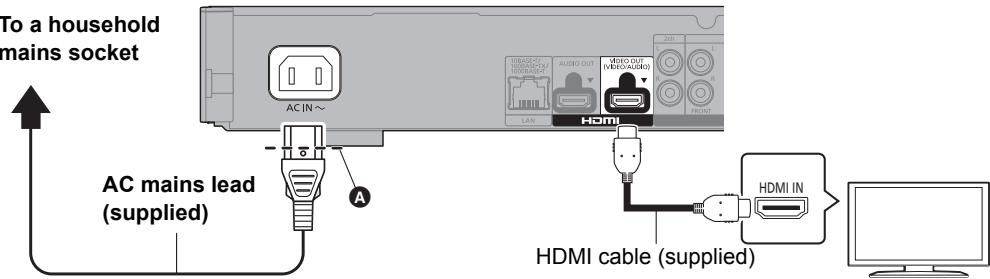
- Insert the AC mains lead up to Ⓐ, a point just before the round hole.
- To enjoy 4K output, you need to connect this unit to a 4K compatible TV.
- To enjoy images in 4K (50p/60p), you need an HDMI cable that supports 18 Gbps.
A High Speed HDMI-compliant cable that supports 18 Gbps is supplied with this unit. Part number: K1HY19YY0048
- When you connect to a 4K-compatible TV, 4K (50p/60p) will be automatically selected.
- To view Ultra HD Blu-ray content in 4K/HDR format, connect to the HDMI terminal of a device that supports HDCP2.2, 4K (50p/60p) 4:4:4, and HDR signals that meet Ultra HD Blu-ray standards.
STEP 2: Connecting to the network
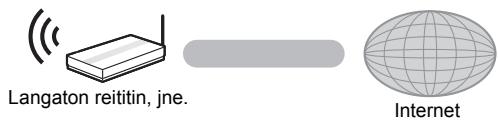
■ Wireless LAN connection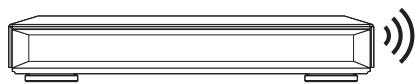

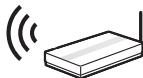
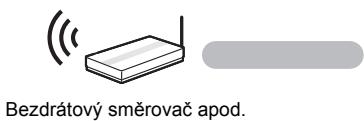
Wireless router, etc.
Internet
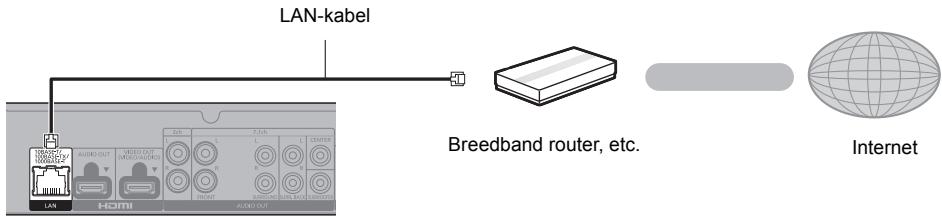
■ LAN cable connection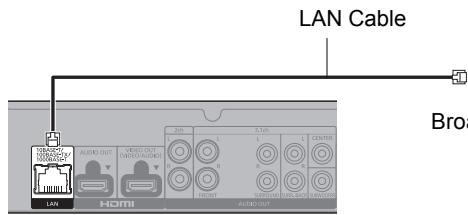
Broadband router, etc.

Internet
Use category 5 or above straight LAN cables (STP) when connecting to peripheral devices.
STEP 3: Settings
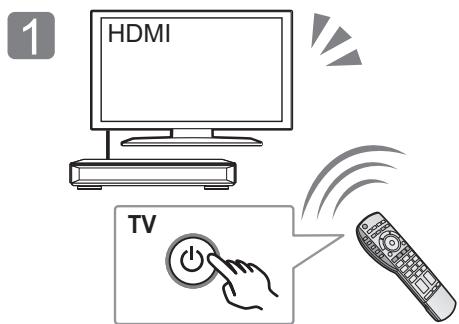
Turn on the TV and select the appropriate video input.
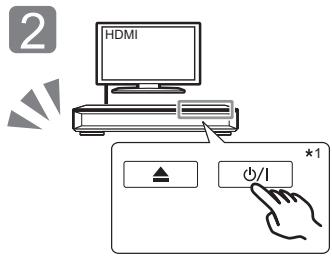
Touch [⏻/l]*2.
Follow the on-screen instructions to continue with the settings.
*1 These buttons work just by touching the marks. Do not place any objects on or around the buttons. *2 Standby/on switch (⏻/l)
Touch to switch the unit from on to standby mode or vice versa. In standby mode, the unit is still consuming a small amount of power.
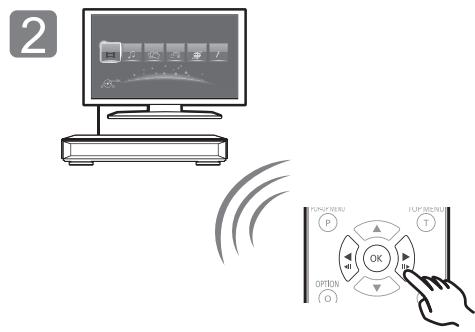
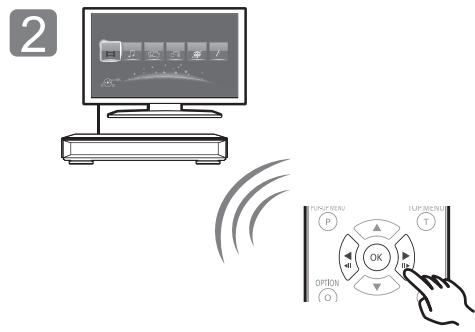
STEP 4: Playing a disc
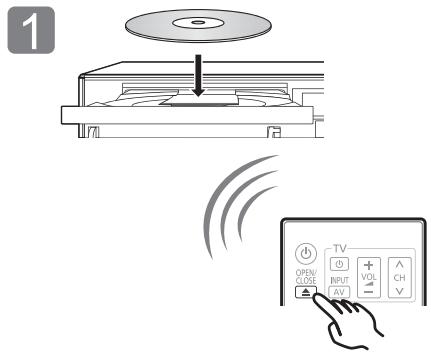
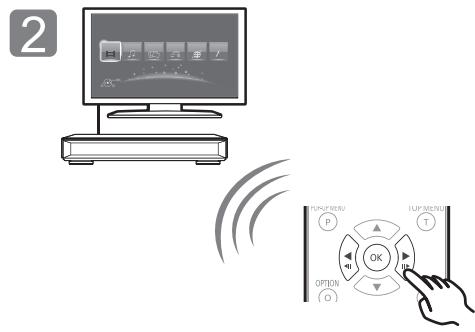
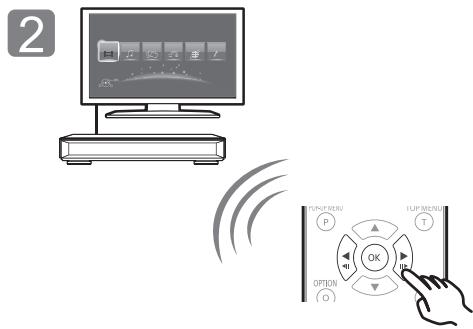
Insert the disc.
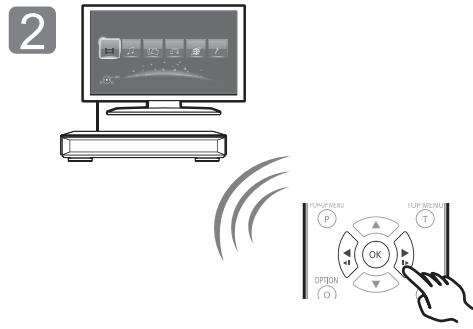
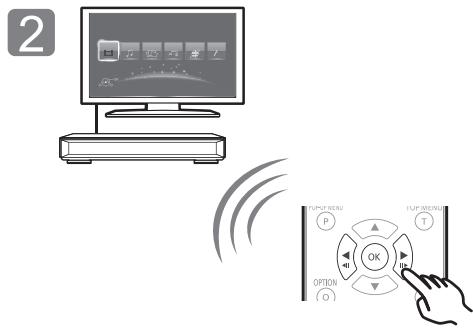
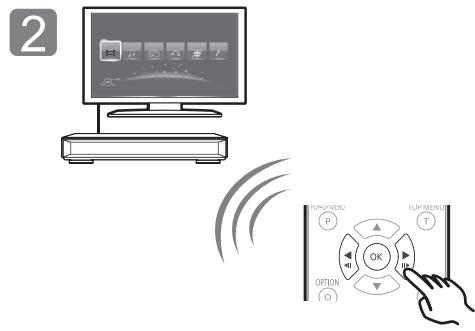
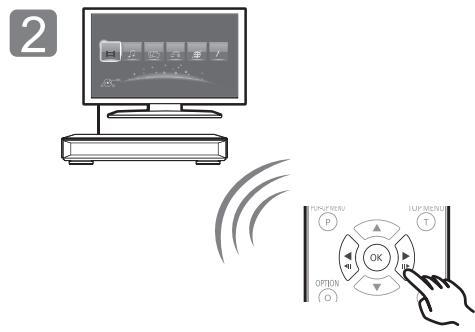
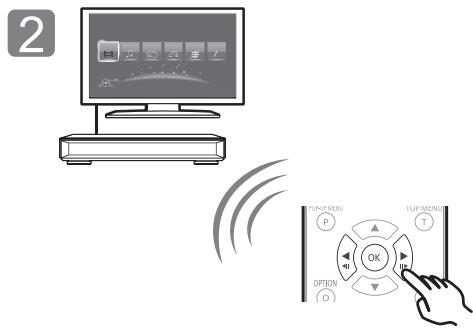
Select the item to play and press [OK].

Firmware updates
Panasonic is constantly improving the unit's firmware to ensure that our customers are enjoying the latest technology.
Panasonic recommends updating your firmware as soon as you are notified.
For details, refer to the operating instructions (PDF format).
Thank you for purchasing this product. Please read these instructions carefully before using this product, and save this manual for future use.
Reading the Operating Instructions
This document explains basic operations of the unit. For more detailed explanation, please refer to “Operating Instructions (PDF format)” which is recorded in the enclosed CD-ROM.
■ How to open the Operating Instructions (PDF format)
When you insert the CD-ROM and open the [INDEX.pdf] in the CD-ROM, the Operating Instructions list will be displayed. Click the document name of the Operating Instructions you would like to open.
- Adobe Reader is required to view the PDF file. Please download it from the homepage of Adobe Systems Incorporated.

Operating Instructions (PDF format) cannot be played back on the player itself.
Accessories
Check the supplied accessories before using this unit.
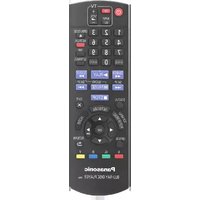
1 Remote control (N2QAYA000128) 2 Batteries for remote control 1 AC mains lead 1 HDMI Cable 1 CD-ROM

- Product numbers are provided in these operating instructions correct as of March 2016. These may be subject to change.
- Do not use AC mains lead with other equipment.
• Using the remote control
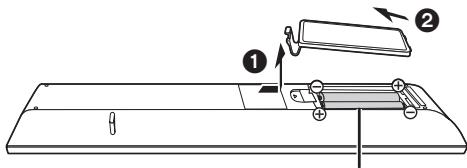
R03/LR03, AAA (Alkaline or manganese batteries)
- Insert the batteries to the terminal so that it (+ and -) matches those in the remote control.
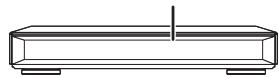
Point it at the remote control signal sensor on this unit.
Playable media
Ultra HD Blu-ray: Video
BD-Video: Video
BD-RE: Video, JPEG, MPO
BD-R: Video, MKV, JPEG, MPO
DVD-Video: Video
DVD-R/DVD-R DL: Video, AVCHD, MKV, JPEG, MPO, AAC, ALAC, DSD (DFF, DSF), FLAC, MP3, WAV, WMA
DVD-RW/+R/+RW/+R DL: Video, AVCHD
Music CD: Music [CD-DA]
CD-R/CD-RW: MKV, JPEG, MPO, AAC, ALAC, FLAC, MP3, Music [CD-DA], WAV, WMA
SD Memory Card (from 8 MB to 2 GB)/
SDHC Memory Card (from 4 GB to 32 GB)/
SDXC Memory Card (48 GB, 64 GB)/
(Compatible with both mini and micro types): AVCHD, AVCHD 3D, MP4, JPEG, MPO
USB devices (up to 2 TB): MKV, MP4, MPEG2, JPEG, MPO, AAC, ALAC, DSD (DFF, DSF), FLAC, MP3, WAV, WMA
To dispose or transfer this unit
The unit may keep the user settings information in the unit. If you discard this unit either by disposal or transfer, then follow the procedure to return all the settings to the factory presets to delete the user settings. For details, refer to the operating instructions (PDF format).
- The operation history may be recorded in the memory of this unit.
Precautions
WARNING
Unit
To reduce the risk of fire, electric shock or product damage,
- Do not expose this unit to rain, moisture, dripping or splashing.
- Do not place objects filled with liquids, such as vases, on this unit.
- Use only the recommended accessories.
- Do not remove covers.
- Do not repair this unit by yourself. Refer servicing to qualified service personnel.
- Do not let metal objects fall inside this unit.
- Do not place heavy items on this unit.
AC mains lead
To reduce the risk of fire, electric shock or product damage,
- Ensure that the power supply voltage corresponds to the voltage printed on this unit.
- Insert the mains plug fully into the socket outlet.
- Do not pull, bend, or place heavy items on the lead.
- Do not handle the plug with wet hands.
- Hold onto the mains plug body when disconnecting the plug.
- Do not use a damaged mains plug or socket outlet.
The mains plug is the disconnecting device.
Install this unit so that the mains plug can be unplugged from the socket outlet immediately.
Small object
Keep the Memory Card and the batteries out of reach of children to prevent swallowing.
CAUTION
Unit
- This unit utilizes a laser. Use of controls or adjustments or performance of procedures other than those specified herein may result in hazardous radiation exposure.
- Do not place sources of naked flames, such as lighted candles, on this unit.
- This unit may receive radio interference caused by mobile telephones during use. If such interference occurs, please increase separation between this unit and the mobile telephone.
- This unit is intended for use in moderate climates.
- Some portions of this unit may become hot during use. When moving or cleaning this unit, disconnect the AC mains lead and wait for 3 minutes or longer.
Placement
Place this unit on an even surface.
To reduce the risk of fire, electric shock or product damage,
- Do not install or place this unit in a bookcase, built-in cabinet or in another confined space. Ensure this unit is well ventilated.
- Do not obstruct this unit's ventilation openings with newspapers, tablecloths, curtains, and similar items.
- Do not place the unit on amplifiers/receivers or equipment that may become hot. The heat can damage the unit.
- Do not expose this unit to direct sunlight, high temperatures, high humidity, and excessive vibration.
Batteries
Mishandling of batteries can cause electrolyte leakage and may cause a fire.
- Danger of explosion if battery is incorrectly replaced. Replace only with the type recommended by the manufacturer.
- When disposing of the batteries, please contact your local authorities or dealer and ask for the correct method of disposal.
- Do not mix old and new batteries or different types at the same time.
- Do not heat or expose to flame.
- Do not leave the battery(ies) in a car exposed to direct sunlight for a long period of time with doors and windows closed.
- Do not take apart or short circuit.
- Do not recharge alkaline or manganese batteries.
- Do not use batteries if the covering has been peeled off.
Remove batteries if you do not intend to use the remote control for a long period of time. Store in a cool, dark place.
Wireless LAN connection
The following limits are in place regarding the usage of this unit. You must be aware of these limits before using this unit. Panasonic will in no way be responsible for any incidental damage which may arise due to a failure to obey these limits, or to any condition of use or disuse of this unit.
- Data transmitted and received over radio waves may be intercepted and monitored. ● This unit contains delicate electronic components.
Please use this unit in the manner in which it was intended and follow the following points:
- Do not expose this unit to high temperatures or direct sunlight.
- Do not bend, or subject this unit to strong impacts.
- Keep this unit away from moisture.
- Do not disassemble or alter this unit in any way.
Disposal of Old Equipment and Batteries Only for European Union and countries with recycling systems

These symbols on the products, packaging, and/or accompanying documents mean that used electrical and electronic products and batteries must not be mixed with general household waste.
For proper treatment, recovery and recycling of old products and used batteries, please take them to applicable collection points in accordance with your national legislation.
By disposing of them correctly, you will help to save valuable resources and prevent any potential negative effects on human health and the environment.
For more information about collection and recycling, please contact your local municipality. Penalties may be applicable for incorrect disposal of this waste, in accordance with national legislation.

Note for the battery symbol (bottom symbol):
This symbol might be used in combination with a chemical symbol. In this case it complies with the requirement set by the Directive for the chemical involved.
Insert the disc.
Readable media

Wireless router, etc. Internet
Insert the disc.
R03/LR03, AAA (alkaline or manganese batteries)
MPO, AAC, ALAC, DSD (DFF, DSF), FLAC, MP3, WAV, WMA
Wireless router, etc.
Internet
Insert the disc.
MPO, AAC, ALAC, DSD (DFF, DSF), FLAC, MP3, WAV, WMA

Wireless router, etc.
Internet
■ LAN cable connection
Insert the disc.
R03/LR03, AAA (alkaline or manganese batteries)
Playable media
Ultra HD Blu-ray: Video
BD-Video: Video
BD-RE: Video, JPEG, MPO
BD-R: Video, MKV, JPEG, MPO
DVD-Video: Video
DVD-R/DVD-R DL: Video, AVCHD, MKV, JPEG, MPO, AAC, ALAC, DSD (DFF, DSF), FLAC, MP3, WAV, WMA
DVD-RW/+R/+RW/+R DL: Video, AVCHD

Wireless router, etc. Internet
Insert the disc.
R03/LR03, AAA
(Alkaline or manganese batteries)
Playable media
Ultra HD Blu-ray: Video
BD-Video: Video
BD-RE: Video, JPEG, MPO
BD-R: Video, MKV, JPEG, MPO
DVD-Video: Video
DVD-R/DVD-R DL: Video, AVCHD, MKV, JPEG, MPO, AAC, ALAC, DSD (DFF, DSF), FLAC, MP3, WAV, WMA
DVD-RW/+R/+RW/+R DL: Video, AVCHD
Insert the disc.
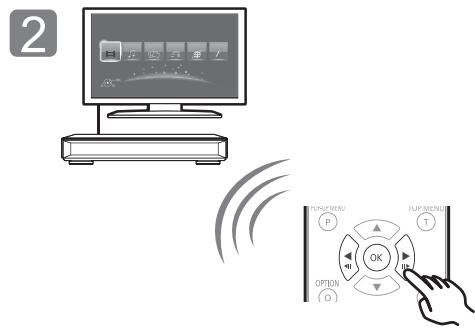
Firmware update
R03/LR03, AAA (Alkaline or manganese batteries)
Insert the disc.
Playable media
Ultra HD Blu-ray: Video
BD-Video: Video
BD-RE: Video, JPEG, MPO
BD-R: Video, MKV, JPEG, MPO
DVD-Video: Video
DVD-R/DVD-R DL: Video, AVCHD, MKV, JPEG, MPO, AAC, ALAC, DSD (DFF, DSF), FLAC, MP3, WAV, WMA
DVD-RW/+R/+RW/+R DL: Video, AVCHD

Wireless router stb. Internet
R03/LR03, AAA (Alkaline-manganese batteries)

Insert the disc.
MPO, AAC, ALAC, DSD (DFF, DSF), FLAC, MP3, WAV, WMA
Insert the disc.
R03/LR03, AAA (Alkaline or manganese batteries)
Declaration of Conformity (DoC)
Hereby, "Panasonic
Corporation" declares that this product is in compliance
with the essential requirements and other relevant provisions of Directive 1999/5/EC.
Customers can download a copy of the original DoC to our R&TTE products from our DoC server:
http://www.doc.panasonic.de
Contact to Authorised Representative:
Panasonic Marketing Europe GmbH, Panasonic Testing Centre, Winsbergring 11, 22525 Hamburg, Germany
This product is in compliance with the radio standards of the following countries.
Austria, Belgium, Bulgaria, Cyprus, Czech Republic, Denmark, Finland, France, Germany, Greece, Hungary, Ireland, Italy, Iceland, Liechtenstein, Luxembourg, Malta, Netherlands, Norway, Poland, Portugal, Romania, Slovakia, Slovenia, Spain, Sweden, United Kingdom, Switzerland
The WLAN feature of this product shall exclusively be used inside buildings.
This product is intended to connect to access points of 2.4 GHz or 5 GHz WLAN.
French
"Panasonic Corporation"
"Panasonic Corporation"
Corporation", at dette
produkt opfylder de
CE1731①
"Panasonic Corporation"
"Panasonic Corporation"
"Panasonic Corporation"
Panasonic Corporation
Panasonic Corporation
Panasonic Corporation
declares that this
Either of these labels is affixed to this unit.
(Inside of product)
LUOKAN 1 LASERLAITE
KLASS 1 LASER APPARAT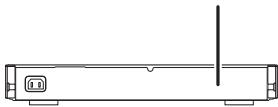
Manufactured by:
Importer for Europe:
Panasonic Corporation
Kadoma, Osaka, Japan
Panasonic Marketing Europe GmbH
Panasonic Testing Centre
Winsbergring 11, 22525 Hamburg, Germany

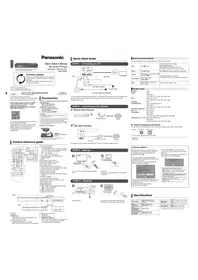

- OPERATING INSTRUCTIONS
- BASIC OPERATING INSTRUCTIONS
- FIRMWARE UPDATE
- CH AUDIO OUT (ANALOG AUDIO OUT)
- QUICK START GUIDE
- STEP 1: CONNECTING TO A TV
- STEP 2: CONNECTING TO THE NETWORK
- STEP 3: SETTINGS
- STEP 4: PLAYING A DISC
- FIRMWARE UPDATES
- READING THE OPERATING INSTRUCTIONS
- HOW TO OPEN THE OPERATING INSTRUCTIONS (PDF FORMAT)
- ACCESSORIES
- PLAYABLE MEDIA
- TO DISPOSE OR TRANSFER THIS UNIT
- PRECAUTIONS
- WARNING
- UNIT
- AC MAINS LEAD
- SMALL OBJECT
- CAUTION
- PLACEMENT
- BATTERIES
- WIRELESS LAN CONNECTION
- DISPOSAL OF OLD EQUIPMENT AND BATTERIES ONLY FOR EUROPEAN UNION AND COUNTRIES WITH RECYCLING SYSTEMS
- NOTE FOR THE BATTERY SYMBOL (BOTTOM SYMBOL)
- READABLE MEDIA
- LAN CABLE CONNECTION
- DECLARATION OF CONFORMITY (DOC)
- FRENCH
Brand : PANASONIC
Model : DMP-UB900EG
Category : Blu-ray player