
PSS200WC - Air purifier LG - Free user manual and instructions
Find the device manual for free PSS200WC LG in PDF.
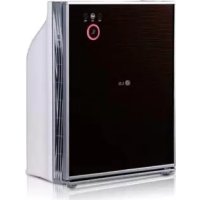


| Brand | LG |
| Model | PSS200WC |
| Product type | Air purifier |
| Dimensions (W x H x D) | 372 x 463 x 199 mm |
| Net weight | 7.2 kg |
| Power supply | 230 V ~ 50 Hz |
| Power consumption | 18 W |
| Recommended coverage area | 20 m² |
| Operating modes | Auto, Turbo, Sleep |
| Air quality indicator | Indicator light (white for clean air, red for polluted air) |
| Air quality sensor | Odor detector |
| Filtration system | 3 stages: Sandstorm filter, HEPA filter, Odor filter |
| Sandstorm filter (pre-filter) | Washable, clean monthly |
| HEPA filter | Replace annually |
| Odor filter | Replace annually |
| Noise level | Low (Sleep mode) |
| Safety | Automatic shutdown if front panel is open |
| Exterior cleaning | Soft cloth and mild detergent |
| Country of origin | Korea |
| Warranty | Manufacturer's warranty (see manual) |
Frequently Asked Questions - PSS200WC LG
User questions about PSS200WC LG
0 question about this device. Answer the ones you know or ask your own.
Ask a new question about this device
Download the instructions for your Air purifier in PDF format for free! Find your manual PSS200WC - LG and take your electronic device back in hand. On this page are published all the documents necessary for the use of your device. PSS200WC by LG.
USER MANUAL PSS200WC LG
Read before using product (safety instruction), use properly.
About ensuring users safety and property.
Product warranty card is enclosed with the user manual.
After careful read through the user manual, do keep it in a handy place.
PS-S200 Series
P/No.:MFL31040048
www.lg.com
The advantages are
Congratulations on your purchase and welcome to the LG Family.
By following the use and care instructions in this manual, your air purifier will provide you with many years of reliable service.
Easy to use Filter Checking system.
- Filter cleaning is easy with LG's convenient filter separation system.
Quiet Operation
- Minimum noise levels for a better nights rest.
Table of Contents
Getting Started
☐ The advantages are ....2
□ Safety Precautions 4\~13
Installation 14
□ How to Use....15
☐ Key Parts and Components ....16\~18
- Mainframe
- Display and Control Panel
- Filter system
How to Use
Operation....19\~21
- Air Purifying Mode
- Auto Mode
- Turbo Mode
- Sleep Mode
Care and Cleaning
☐ Filter cleaning....22\~23
□ Exterior cleaning and Storage ....24
□ Troubleshooting before calling for service....25\~26
□ Product Specification....27
☐ Filter cleaning....22\~23
□ Exterior cleaning and Storage ....24
□ Troubleshooting before calling for service....25\~26
□ Product Specification....27
Safety Precautions
For your safety, the information in this manual must be followed to minimize the risk of fire or explosion, electric shock, or to prevent property damage, personal injury, or death.
Warning / Caution

This symbol will alert you to any product detail or operation that could lead to a safety hazard if the instructions in the manual are not followed properly.

WARNING
If not followed, it can cause death or major injury to the user.

CAUTIONS
This symbol will alert you to the possibility of improper use that may result in damage. Read instructions to avoid damage or injury.
Safety Precautions

Warning
Installation
If the power cord becomes worn or damaged, the cord should only be replaced by a qualified service technician using genuine replacement parts.
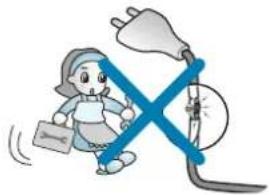
Do not operate this or any electrical appliance when you smell gas.
Do not plug other appliances into the same outlet. Overloading of any outlet can cause a fire or create an electrical shock hazard.
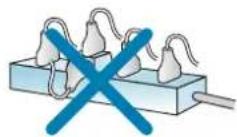
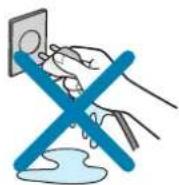
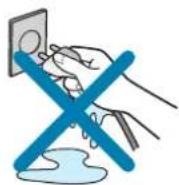
Do not operate with wet hands or in a damp environment.
Do not remove the round grounding plug prong from the plug.
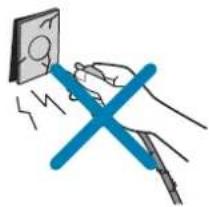
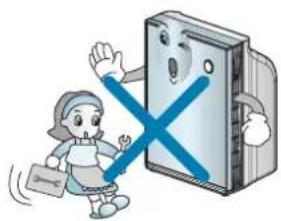
Do not disassemble or modify the air purifier or the power cord.

Safety Precautions
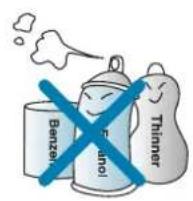
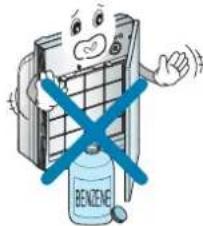
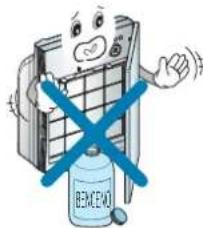
Do not use this or any appliance near flammable gases or liquids, liquids or other combustibles such as gasoline, benzene, thinner, etc.
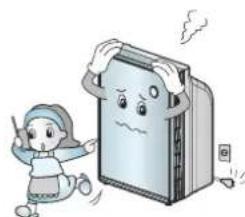
If you hear abnormal sounds or smell smoke, immediately unplug your unit and the unit checked by a qualified service technician.
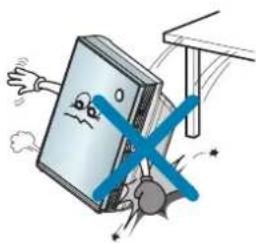
Make sure the unit and cord are positioned where it does not create a tipping hazard. Do not roll heavy furniture over the top of the cord.
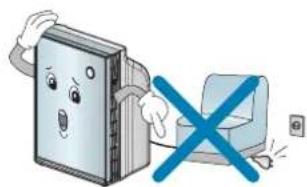
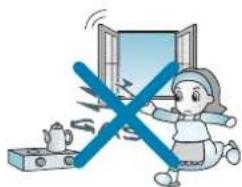
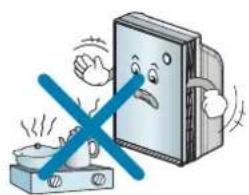
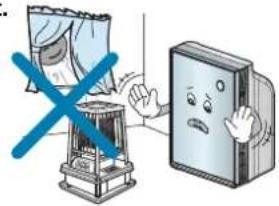
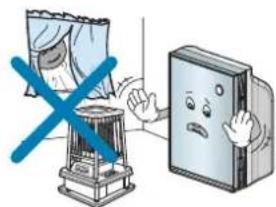
Do not use near open flames. Keep this product out of the direct ray of the sun or other heat sources. Do not use the unit near water sources that could allow moisture to enter the unit. Overheating and/or water infiltration could lead to a fire or a shock hazard and could result in failure to the product.
Safety Precautions
Operation
Make sure the power cord is plugged firmly and completely into the outlet.
Do not operate with wet hands.
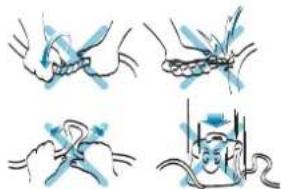
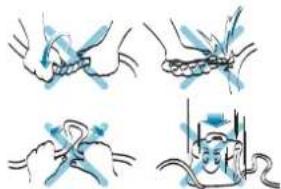
If the power cord ever becomes frayed or damaged, do not attempt to repair. The cord should be replaced by a qualified technician.
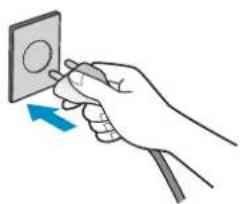
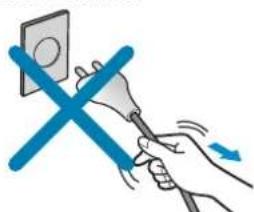
Never pull the power plug away from the outlet by pulling on the wire. Always grasp the cord by the receptacle end.
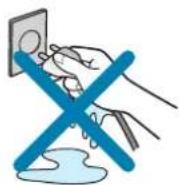
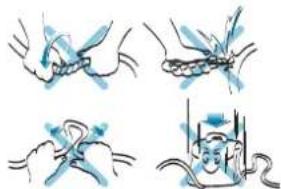
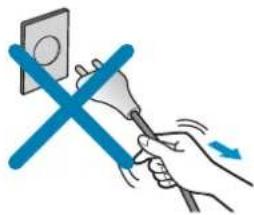
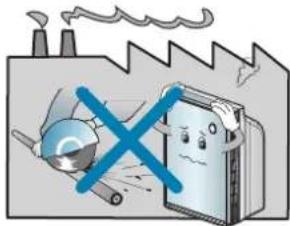
Do not install a place where there are much industrial Oil dust or metallic dust. If may cause fire and failure of product.
When the power code is damaged, it should be repaired by the qualified person to prevent any risk.
Otherwise, it may cause electric shock, fire or failure of product.
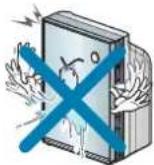
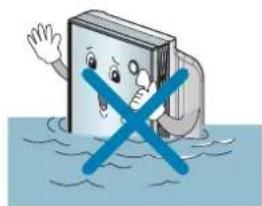
Never pour or allow water to run onto or into the unit. It could damage internal components and create a shock and fire hazard.
Safety Precautions
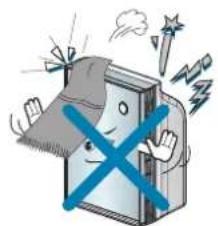
Keep objects such as curtains away from the air opening in the unit. The openings must be free from obstruction for the unit to work efficiently.
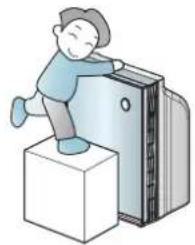
This unit is not designed for use by children. Children should be supervised to ensure that they do not play with or climb on the unit.
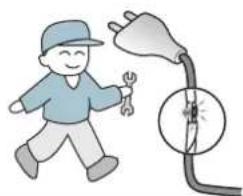
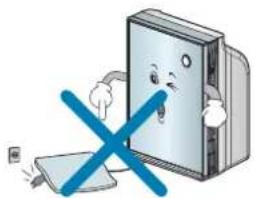
Do not run power cords under carpeting or other coverings which could fray the cord and expose the wires. Frayed cords are a shock and fire hazard.
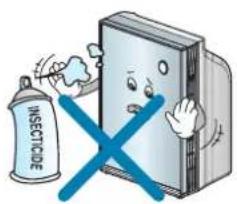
Do not use your unit to remove hair spray and insecticides from a room. These chemicals not only clog the filters but could damage the unit.
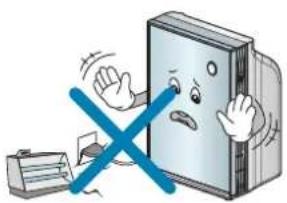
Do not place the power cord or unit near a heater, radiator, or any other heat source.
Secure the unit to prevent it from rolling on smooth floors. When moving the unit, insure that the power cord is unplugged from the wall.
Safety Precautions
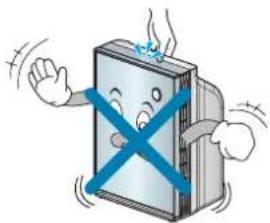
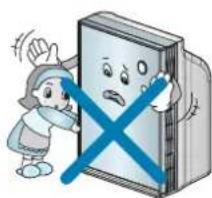
Do not move the unit by pulling or pushing on the front panel.
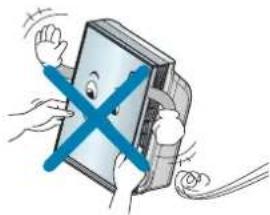
Do not apply pressure to the front panel of the unit.
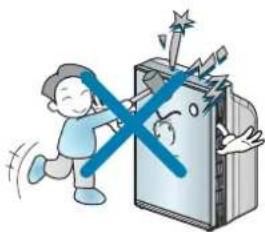
Do not use the top of the unit for storage. Keep liquids away from the top of the unit.
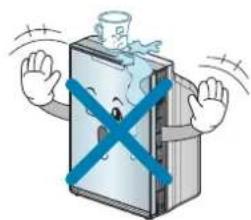
Keep hands and objects away from the air inlet and outlet.
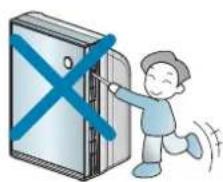
Contact with the service center for repairing the product. Any arbitrary disconnection or repairing may cause electric shock or fire.
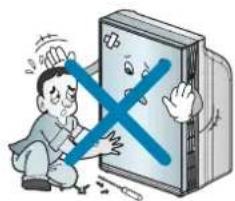
Do not clean the unit by submerging in water. Water in the unit will damage the insulation and create an electrical shock hazard. If water enters the unit, unplug immediately and contact Customer Service.
Safety Precautions

Cautions
Installation
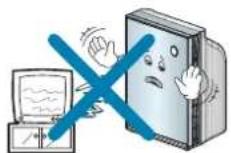
When using the unit, maintain a distance of at least 3 feet between the unit and any television or audio product.
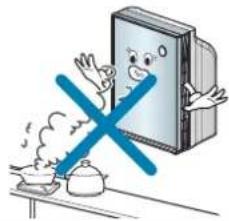
Do not use your unit to remove food odors while cooking. Airborne oils that are released during cooking will clog the filters. Wait until cooking is complete before operating your unit.
Avoid installing the unit in direct sunlight and never operate the unit near or around open flames or other heat sources.
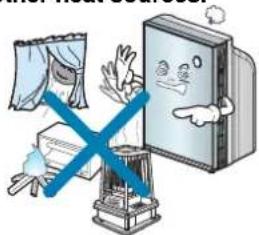
Install the unit on a stable, flat surface.
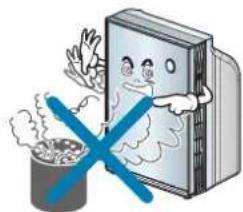
Never use your unit to remove toxic gasses such as Carbon Monoxide, Natural or Liquefied Petroleum Gasses.
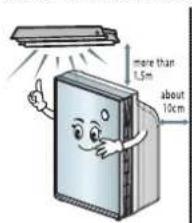
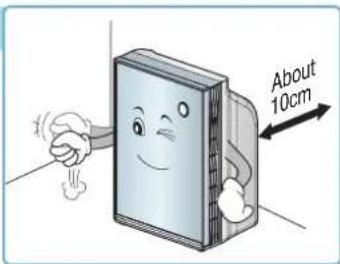
Maintain a minimum distance of 1.5 m from any heat producing light source. For proper ventilation, maintain a distance of 10 cm or more from a wall.
Safety Precautions
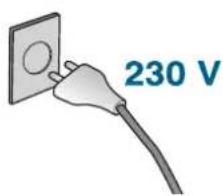
Do not use except AC 230 V.
Otherwise, it may cause fire or electrical shock.
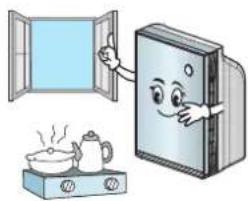
This unit is not designed to remove combustion by products such as those produced by open flame burners. Toxic substances such as carbon monoxide should be ventilated from the room by either using an exhaust fan or by opening a window.
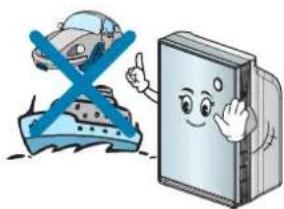
Your unit is not designed to be used in moving vehicles such as cars, RV's or boats.
Safety Precautions
Operation
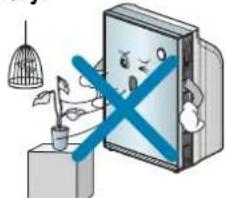
To prevent damage to plants or injury to pets, make sure they are not exposed to direct air flow from the unit. This unit is not intended to be used for the preservation of art objects or precision machinery.
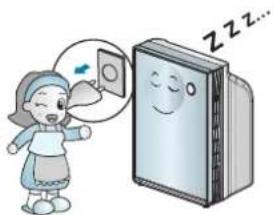
Always turn off and unplug the unit when it will not be used for extended periods of time. This conserves energy and reduces the chance of accidents.
Clean with a soft cloth and mild detergent. Filter should be cleaned monthly.
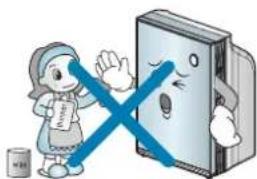
Clean filters on a regular basis. Improper filter maintenance can cause premature failure of the product.
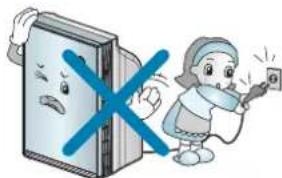
Do not start or stop operation by plugging or unplugging the power cord.
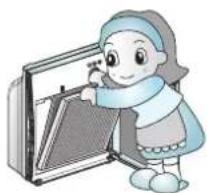
Turn off and unplug the unit before disassembling the unit before cleaning.
Safety Precautions
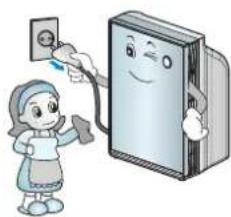
A damaged filter can create an electrical hazard.
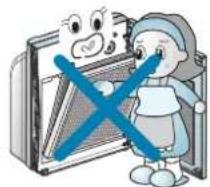
Do not open the front panel during the operation of the product. Opening the front panel stops the operation.
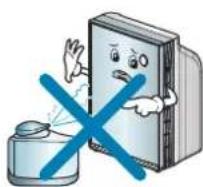
If a humidifier is used in the same room as your unit, keep the humidifier a safe distance away from the humidifier could clog the filters and create an electrical shock hazard.
After washing Sand Storm filter, dry it completely in the shade. Do not run your unit with wet Sand Storm filter.
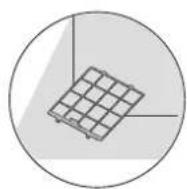
Do not use your unit to remove food odors while cooking. Airborne oils that are released during cooking will clog the filters. Wait until cooking is completed before operating your unit.
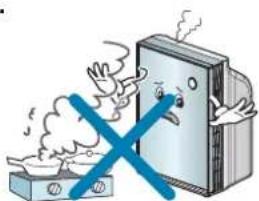
Keep flammable products away from your unit. Failure to keep flammable products away from your unit could lead to premature failure or create a fire hazard.
Installation
Place to Install
- Plug power cord into its own dedicated properly grounded outlet.
- Make sure the power cord is positioned where it does not cause a tripping hazard and will receive adequate ventilation. Do not install your unit directly next to furniture or objects that could block the vent openings.
- Make sure that any items that could be blown or damaged by the air flow from the fan are out of the airflow path.

Warning
This unit is not intended for use on boats or recreation vehicles.

Warning
This appliance is not intended for use by persons (including children) with reduced physical, sensory or mental capabilities, or lack of experience and knowledge, unless they have been given supervision or instruction concerning use of the appliance by person responsible for their safety.
Children should be supervised to ensure that they do not play with the appliance.
How to Use
Cleaning the Air Purifier
- The air filter should be cleaned on a regular basis. Depending on the air quality, more frequent cleaning maybe required.
- Allow the filter to completely dry before reinstalling.
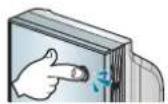
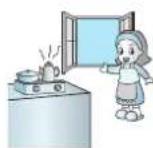
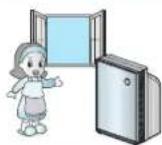
Use after enough air circulation when cooking
- Certain foods can give off oils during cooking which can shorten the life of the filters. When frying meats or fish, use other methods to exhaust the odors from the home (such as an exhaust fan or an open window). Once the majority of the odors have been exhausted, your air purifier can then be used to remove any residual odors that remain. This will insure maximum life of your filters.
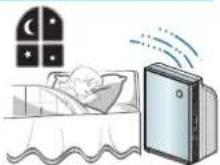
Do not sleep too close to the unit.
- To prevent drafts while you are sleeping, do not install the unit closer than 1 meter from sleep areas.
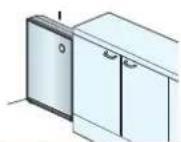
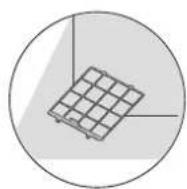
Do not place in the corner edge.
- Do not place directly next to furniture or objects that could block the vent openings. Avoid installing in inclosed areas such as the corner of a room, where air flow to the rest of the room will be restricted.
Ensure air circulate 30 minutes at least everyday.
- Use the unit for at least 30 minutes a day to ensure a fresh air flow. Also, regular cleaning maintenance will assure better air flow.
Key Parts and Components
Mainframe
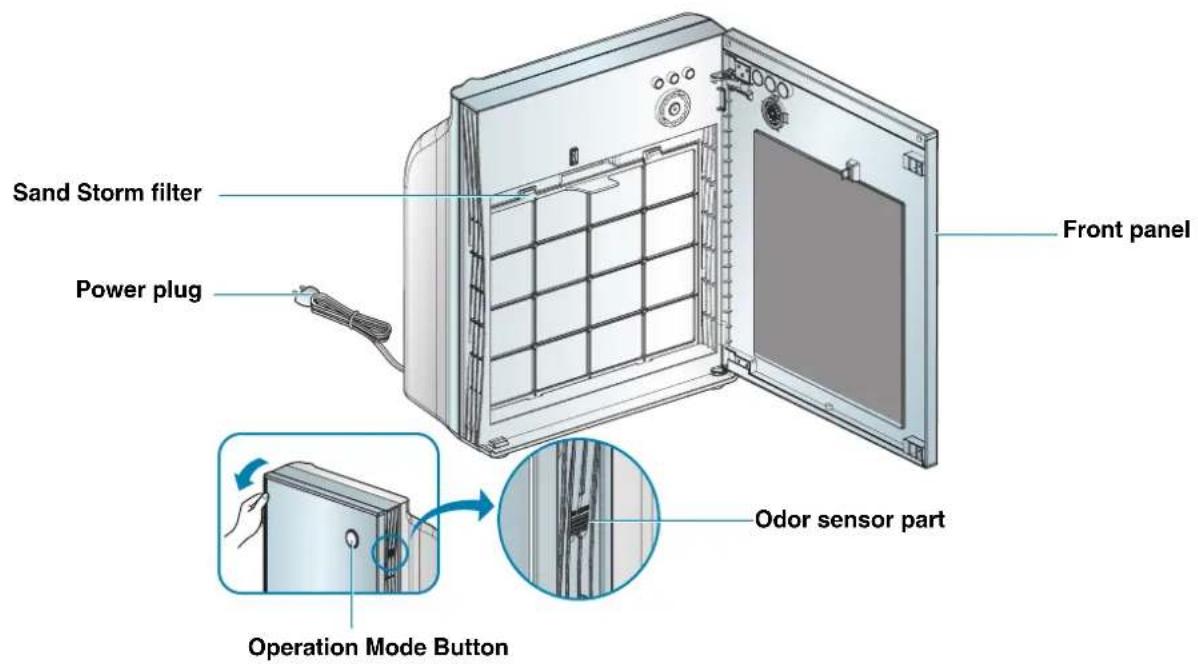
Key Parts and Components
Display and Control Panel
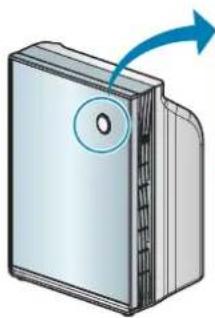
Operation mode indicator


AUTO TURBO SLEEP
Operation Mode Button This is the button to change the operating mode.
Clean Air Indicator Light
The indicator light will show the quality of the air in the surrounding area.
A white indicator light indicates clean air and a low fan speed.
A red indicator light indicates a poor air quality and will run the fan on a high speed.
Key Parts and Components
12 Sand Storm Filter 34 HEPA filter 56 Odor Filter
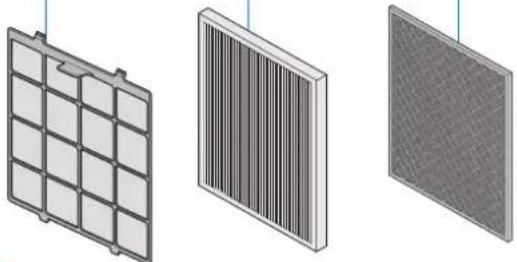
Filter system(This is the introduction of only the filter part.)
| Filter name Function | Cleaning and replacement frequency | ||
| Sand Storm Filter | 1 Nano silver antibacterial2 Big dust removal filter | This filter enables 2 roles of antibacterial process and removal of large dust particles with only one filter to extent the washing frequency of the washable filter. | Clean frequency of about 1 month |
| HEPA Filter | 3 Nano silver antibacterial4 HEPA filter | HEPA filter removes the minute dust particles including dead ticks, flower powder, cigarette smoke (particle), minute dust, minute particle, floating fungus, animal fur etc. | Replacement frequency of 1 year |
| Odor Filter | 5 Antibacterial mesh6 Odor filter | This removes the smell of animal fur, NO4, bathroom smell, alkali & acid smell, volatile oil compound (VOCs). | Replacement frequency of 1 year |
Operation
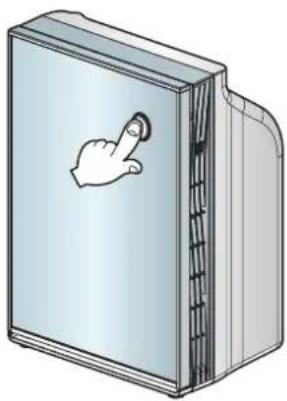
Air Purifying Operation Purify Indoor Air.
Press Operation Mode Button
- Turns the unit on and off. Press once to turn on, again to turn off.
- A confirmation tone will sound to indicate that the unit is powering on or turning off. The unit will also produce a tone when the unit is first plugged in.
What is "Start-up Operation"?
When first turned on, the unit will go through a Start-up function which prepares the unit for operation. During this two minutes period, the display will fluctuate to indicate that the unit is sensing the air quality in the room.
Operation
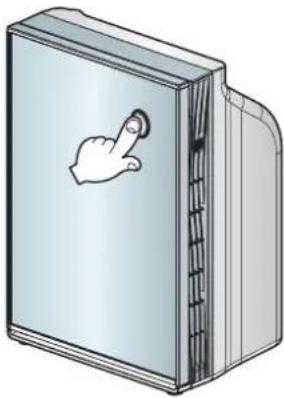
Automatic Mode Air Purifier will automatically set the most appropriate Fan speed.
Select Auto Mode by pressing the Operation Mode button.
- The Operation Mode button will switch from one setting to the next by repeatedly pressing the Operation Mode button. AUTO → TURBO → SLEEP → STOP
- A white indicator light indicates clean air and a low fan speed.
A red indicator light indicates a poor air quality and will run the fan on a high speed. - The fan level will automatically adjust to the indoor air quality.
[Non-Text]
- To clean the odor sensor, use a soft brush or vacuum cleaner every 6 months.
- Do not allow dirt to fall back into the unit.
![LG PSS200WC - [Non-Text] - 1](/content/2026/03/547043/images/a6df6d3bf344a6636621a62352a8711fe3021db7306859ad0c38a6e2a2764d8d.jpg)
![LG PSS200WC - [Non-Text] - 2](/content/2026/03/547043/images/97166bd470dc87aabc43271ee278e45eea072d5b361990d17bf18293d8c8c263.jpg)
![LG PSS200WC - [Non-Text] - 3](/content/2026/03/547043/images/1d737e0f3c9ffcaf12acf49b8ebebf311caf0bd30b2a4a07b3a526e7ec810de9.jpg)
Operation
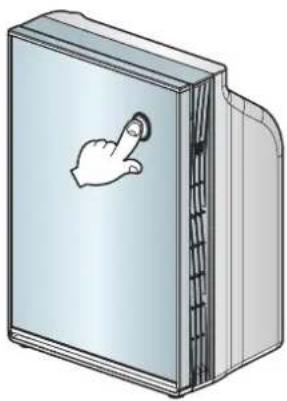
Turbo Mode The air purifier operates at maximum fan level.
Select Turbo Mode by pressing the Operation Mode button.
- When you press the Operation Mode button, it will switch in the order of AUTO → TURBO → SLEEP → STOP repeatedly.
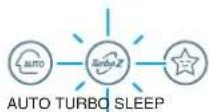

Sleep Mode This provides a quiet indoor atmosphere during sleep.
Select Sleep Mode by pressing the Operation Mode button.
- When you press the Operation Mode button, it will switch in the order of AUTO → TURBO → SLEEP → STOP repeatedly.
- The cleanness lamp will be turned off after 3 seconds of sleep operation.



AUTO TURBO SLEEP

Filter Cleaning
- The Sand Storm filter should be cleaned on a monthly basis.
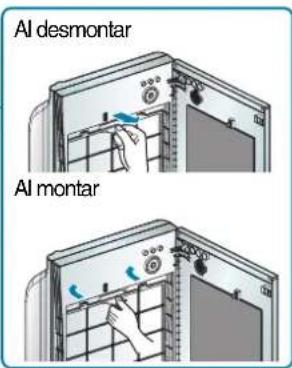
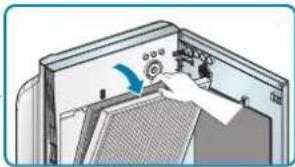
1 Turn unit off and unplug before cleaning. Open the front panel.
2 Remove the filter from the mainframe by pulling the handle near the center of the filter. Align latches into the groves to reinstall.
3 Pull the HEPA filter and Odor filter to the front to separate from the main unit.
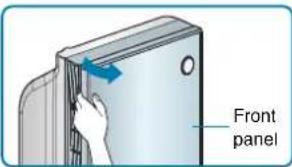
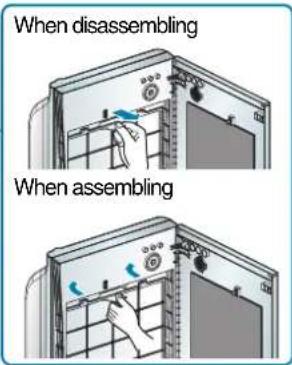
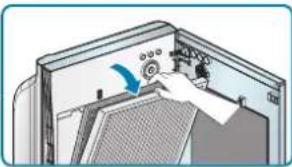
Filter Cleaning
4 Clean the Sand Storm filter with a vacuum cleaner or a soft brush. (Clean the filter every a month.)
When the contamination is severe, use a neutral detergent and water to clean it off.
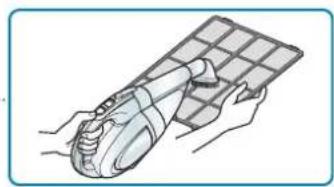
5 Replace HEPA filter and Odor filter in case of over clogging on the filters. The replacement cycle of the filters is as belows.
| Filter type | Replacement frequency |
| HEPA filter | Replacement frequency of 1 year |
| Odor filter | Replacement frequency of 1 year |

Caution
- For your safety, turn off and unplug the air purifier before cleaning.
- Allow the filters to completely dry before using.
- Utilizing the unit before all the filters are completely dry may result in the odors from the unit.
- Replace filters when unable to remove all dirt on the filter.
- Do not rub filters with your hands.
Exterior cleaning and Storage
Exterior Cleaning Method
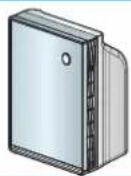
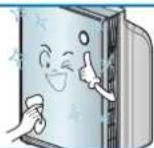
Wipe the exterior of the unit with a soft cloth using warm water and a mild detergent.

Caution
- Do not use harsh cleaners or very hot water. Do not wash in the dishwasher.
- Never pour water onto the unit; it could damage the internal components and create a shock and fire hazard.
Storage method
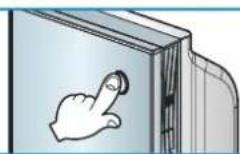
1 Operate the air purifier for more than 1 hour on a clear day and then press the Operation Mode button to stop the operation.
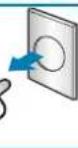
2 Turn unit off and unplug power cord.
3 Clean and protect the unit's mainframe.
Cover the unit while storing for an extended period of time.
Power plug
Troubleshooting Before Calling for Service
| Problem Possible Cause Solutions | ||
| Air Purifier will not start. | • Is the power plug unplugged? | • Plug the power properly. |
| • Is the fuse disconnected? | • Request service to the LG Electronics Service Center. | |
| • Is the power shut down? | • Re-operate the product after the power is reconnected. | |
| • Is the front panel open? | • When the front panel is open, the product will not operate. Close the front panel properly. | |
| Low air volume Noisy operation | • Is the Sand Storm filter clogged? | • Clean the Sand Storm filter well. |
| • Is there dust accumulated on the HEPA filter? | • Replace the HEPA filter. | |
| Air Purifier function is not working well. | • Is the indoor contamination severe? | • Ventilate the area to use the product. |
| • Are there many particles on the Sand Storm filter? | • Clean the Sand Storm filter. | |
| • Is the using location too spacey? | • Use the product that fits the room size. (Avoid using it where it is ventilated well such as entrance, window etc.) | |
| • Are there any obstacles near the product? | • Remove any obstacles. | |
| • Is the unit installed at a location where air flows freely? | • Move and install at a different location. | |
Troubleshooting Before Calling for Service
| Problem Possible Cause Solutions | ||
| Air outlet has an abnormal odor | Are you using the product where there is smoke or odor? | The air cleaning function can deteriorate in locations where there is a lot of smoke or odor. Ventilate the space and then use the air purifier. |
| Are you using the product where there is a food smell? | For the food smell, it can be penetrated to the filter. Ventilate the space and then use the air purifier. | |
| Sensor Indicator | Is the sensor working properly? | LG Air Purifier odor sensor is the sensor to detect the contaminated gas and sometimes may not react to the food smell (Korean food such as Kimchi, soybean paste, Chunggukjang etc.). But the smell will be deodorized by the Odor filter. |
Product Specification
The external dimension, design and product standard can change to improve the quality of the product.
| Model Name | PS-S200 Series |
| Power Supply | 230 V~ 50 Hz |
| Effective Space | 20 m2 |
| Weight of Product | 7.2 kg |
| Appearance Size(mm) | 372 (W) X 463 (H) X 199 (D) |
| Power consumption | 18 W |

LG
Life's Good
MANUAL DE PROPIETARIO
PURIFICADOR DE AIRE

instalación

Advertencia
Limpieza de filtros
Installation


- THE ADVANTAGES ARE
- QUIET OPERATION
- TABLE OF CONTENTS
- GETTING STARTED
- HOW TO USE
- CARE AND CLEANING
- SAFETY PRECAUTIONS
- WARNING / CAUTION
- WARNING
- CAUTIONS
- INSTALLATION
- OPERATION
- PLACE TO INSTALL
- CLEANING THE AIR PURIFIER
- USE AFTER ENOUGH AIR CIRCULATION WHEN COOKING
- DO NOT SLEEP TOO CLOSE TO THE UNIT
- DO NOT PLACE IN THE CORNER EDGE
- ENSURE AIR CIRCULATE 30 MINUTES AT LEAST EVERYDAY
- KEY PARTS AND COMPONENTS
- MAINFRAME
- DISPLAY AND CONTROL PANEL
- CLEAN AIR INDICATOR LIGHT
- AIR PURIFYING OPERATION PURIFY INDOOR AIR
- PRESS OPERATION MODE BUTTON
- WHAT IS "START-UP OPERATION
- AUTOMATIC MODE AIR PURIFIER WILL AUTOMATICALLY SET THE MOST APPROPRIATE FAN SPEED
- SELECT AUTO MODE BY PRESSING THE OPERATION MODE BUTTON
- [NON-TEXT]
- TURBO MODE THE AIR PURIFIER OPERATES AT MAXIMUM FAN LEVEL
- SELECT TURBO MODE BY PRESSING THE OPERATION MODE BUTTON
- SLEEP MODE THIS PROVIDES A QUIET INDOOR ATMOSPHERE DURING SLEEP
- SELECT SLEEP MODE BY PRESSING THE OPERATION MODE BUTTON
- FILTER CLEANING
- CLEAN THE SAND STORM FILTER WITH A VACUUM CLEANER OR A SOFT BRUSH. (CLEAN THE FILTER EVERY A MONTH.)
- REPLACE HEPA FILTER AND ODOR FILTER IN CASE OF OVER CLOGGING ON THE FILTERS. THE REPLACEMENT CYCLE OF THE FILTERS IS AS BELOWS
- CAUTION
- EXTERIOR CLEANING AND STORAGE
- EXTERIOR CLEANING METHOD
- STORAGE METHOD
- TROUBLESHOOTING BEFORE CALLING FOR SERVICE
- PRODUCT SPECIFICATION
- MANUAL DE PROPIETARIO
- PURIFICADOR DE AIRE
- INSTALACIÓN
- ADVERTENCIA
- LIMPIEZA DE FILTROS
Brand : LG
Model : PSS200WC
Category : Air purifier