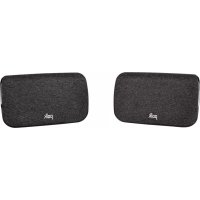
SR2 - Loudspeaker POLK - Free user manual and instructions
Find the device manual for free SR2 POLK in PDF.



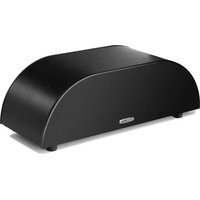
| Product Type | Wireless Surround Speaker |
| Brand | Polk |
| Model | SR2 |
| Category | Surround Speaker |
| Number of Speakers | 2 (left and right) |
| Usage | Home theater, soundbar extension |
| Connectivity | Wireless (CONNECT button) |
| Power | Main power, adapter included (2 units) |
| Box Contents | 2 surround speakers, 2 power adapters, documentation |
| Color | Black |
| LED Indicator | LED: off, orange, solid green |
| Firmware Update | Automatic via soundbar connected to Internet |
| Compatibility | Polk soundbars with pairing function |
| Placement | On the sides, slightly behind listening position |
| Maintenance | Clean with a soft, dry cloth |
| Safety | Do not expose to moisture or liquids |
| Technical Support | North America: 800-377-POLK (7655), Others: +1-410-358-3600 |
| Email Support | polkcs@polkaudio.com |
| Website | polkaudio.com/support |
| Warranty | Refer to included documentation |
Frequently Asked Questions - SR2 POLK
User questions about SR2 POLK
0 question about this device. Answer the ones you know or ask your own.
Ask a new question about this device
Download the instructions for your Loudspeaker in PDF format for free! Find your manual SR2 - POLK and take your electronic device back in hand. On this page are published all the documents necessary for the use of your device. SR2 by POLK.
USER MANUAL SR2 POLK
Date November 12, 2020
TITLE BLOCK DOES NOT PRINT
File Name SR2_Wireless Surrounds_QSG_111220_All_Languages.pdf
Scale 168mmX124mm
Drawn By KB
Color Full color
Paper Tortilla smooth/80T (uncoated stock) (98 opacity, 10.6 caliper, 150 smoothness)
Process Offset lithography
Artwork Digital file
| Revision | Date Description |
| A 9/9/20 Initial release | |
| B 10/16/20 Layout, graphics and content changes | |
| C 10/30/20 Added pages for translation. | |
| D 11/02/20 Added translations. | |
| E 11/04/20 Added updated graphics, incorporated review comments, and updated translations. | |
| F 11/17/20 Added updated graphics and incorporated review comments and updated translations | |
| G 11/12/20 Incorporated review comments and updated translations. | |
polk
SR2
WIRELESS SURROUND
Quick Start Guide
THANK YOU FOR YOUR POLK PURCHASE
If you have a question or comment, please feel free to contact us.
TECHNICAL ASSISTANCE
North America: 800-377-POLK(7655)
United Kingdom and Ireland: +44 2890279830
Netherlands: +31 402507800
Other countries: +1-410-358-3600
Email: polkcs@polkaudio.com
Polk FAQs:polk.custhelp.com
In all other countries, refer to polk-eu@mailmw.custhelp.com for support contact details.
WHAT'S IN THE BOX
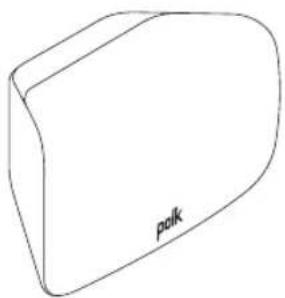
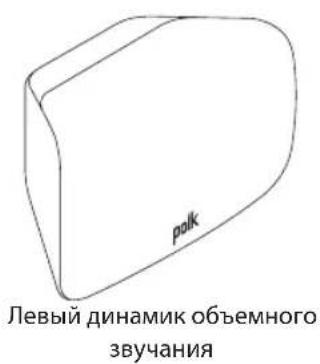
Left Surround Speaker
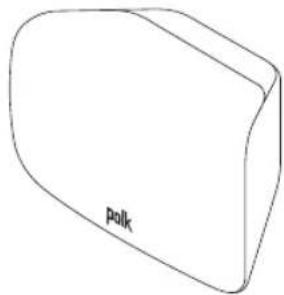
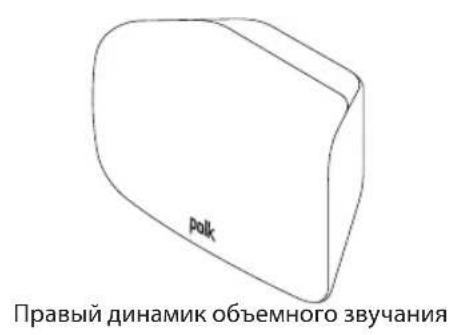
Right Surround Speaker
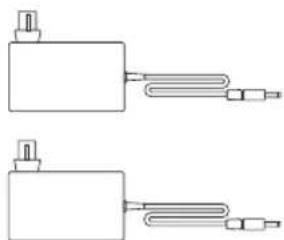
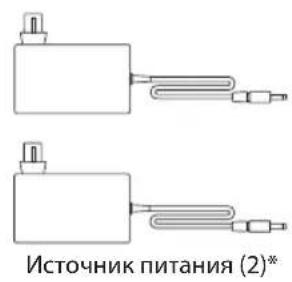
Power Supplies (2)*
Product Literature
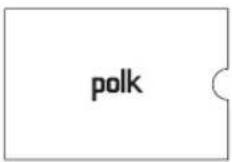
* EU/UK adaptors are included with some models.

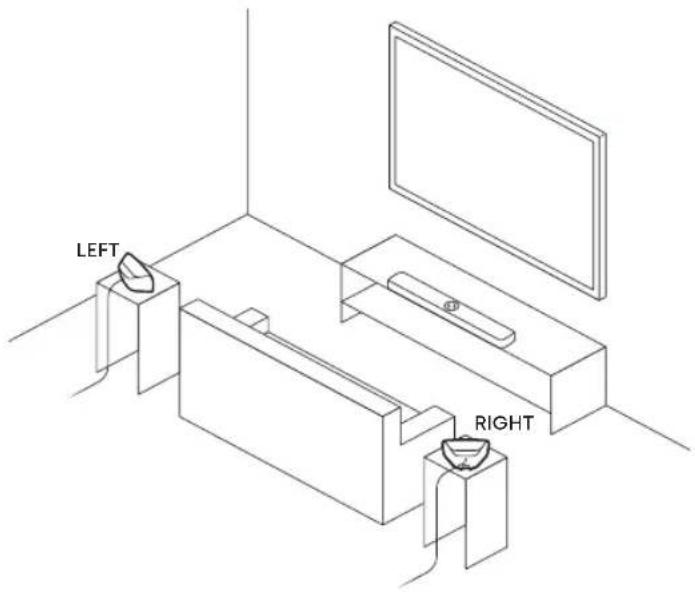
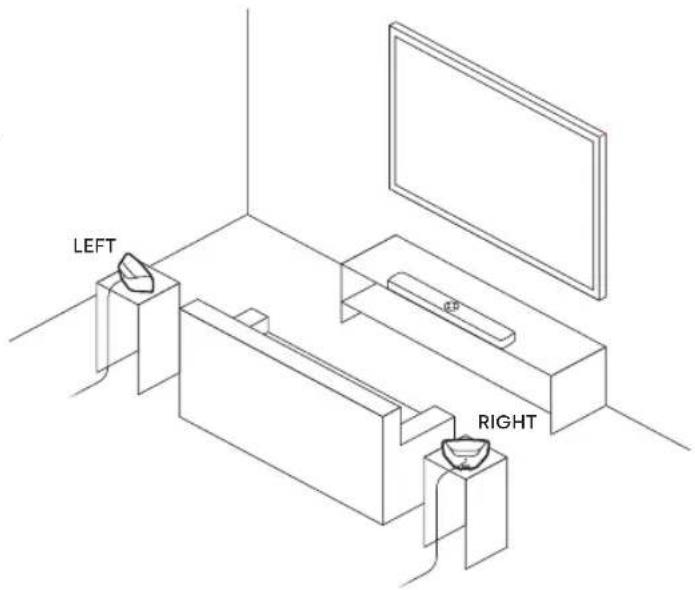
- Place the surround speakers on the left and right sides, equidistant and slightly behind the main listening position.
- Make sure you place the speaker marked "LEFT" on the left and the speaker marked "RIGHT" on the right.
- Aim the surround speakers toward the main listening position.
- Plug a power supply into each speaker and then into a power outlet.
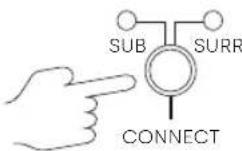
- Press and hold the CONNECT button on the back of the sound bar for about 4 seconds.
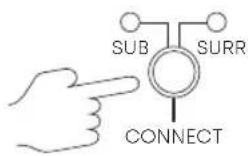
- Press and hold the CONNECT button on the back of the surround speaker for about 4 seconds.
- Release the button when the light on the back of the surround speaker is solid green.

- Repeat steps 2 and 3 for the other surround speaker.
- Press and release the CONNECT button on the back of the sound bar to complete pairing.

TROUBLESHOOTING
If the light on the bottom of the surround speaker is:
- Off, verify that the power supply is connected to the speaker and to a working power outlet.
- Amber, make sure your sound bar is turned on, and connect the speaker to the sound bar using the instructions on the previous page.
- Green, turn up the surround volume using the remote control.
The SR2 surround speakers are automatically updated whenever your sound bar is connected to the Internet and receives an update. Refer to your sound bar's Quick Start Guide and make sure your sound bar is properly connected to your home network.
For more troubleshooting and information, please visit polkaudio.com/support.
MERCI POUR VOTRE ACHAT

BENIKO6pTaHnIuPJIaHnIy:+442890279830
HnepnaDbI: +31 402507800
Дугпстравл: +1-410-358-3600
Пουта: polkcs@polkaudio.com
Yacto 3aDaBaEmbIe BonpoCbI o Polk: polk.custhelp.com
Bo Bcex npyrnx ctpa hax o6paauTecb K polk-eu@mailw.custhelp.com IJRA NOLyueHnKoHTaKTbIX daHHbIX cnjxkbI noDnepKKn.
CopeKIMoe Bkopo6ke
*AaTepbI Dc EC/BenKo6pTuHnBKnUoyHeB HeKOToPbE Moeenn..
PacnoJoxnTe nnHaMnKo oBemHoro 3ByaHnA
- Pa3mecnte dHamaNKo 6bemHoro 3ByaHnna CneBa n cnpaba,Ha paBHOM pacCTOHNn HEMHORO N03aDN OCHOBHO MecTa CNyuaTeJRA.
- Y6eIITecb, yTO Bbl pa3MeCTnIN dINHaMnK C MeTKoN «LEFT» cNeBa, a dINHaMnK C MeTKoN «RIGHT» - cnpaba.
- HanpaBbTe dHAmKn OObemHoro 3ByuHaHa Na OCHOBHyIO N03nCIO CnyaTeIa.
4.ПОДКЛЮЧITE6LOKПИТAHINKKAJOI KOJOHKe,a3aTeM Kpo3eTKe.
RU
IopKnIOuHTe KOLOHKn O6bEmHOro 3ByuHaHn
BoindteBpeKMMcOpraXeHNa3ByKOBoNpaHeJI
- Haxmnte uyepejxbaite KhoNky CONNECT Ha 3aHne naHEn 3ByKOBo nHaHEn OKoNo 4ceKyHd.
IoKIOHnTe dHAMNKO6bemHoro 3ByaHnA
- Haxmte u ydepKuBaTe KhoNky CONNECT Ha 3aHei nHaHAMka o6bemHoro 3ByaHnnpimepHO 4 cekyHbl.
- OTnyctnte KhoNky, KOrda INHdNKaTOp Ha 3aHHei NaHEni DnHAMnKa O6bEmHOrO 3ByaHn8 6ydt ropeTB 3eHbIM.

4.ПОВТОРИЕшаги2и3дядpyrorOДINHamnkaObьемHorO3ByaHЯ.
5. Haxmte n OTncykny CONNcT Ha 3aHne naHEn 3ByKOBo nHaEnu, yTo6bI 3aBepunTb cOpJxKeHne.
NCIPABJIENHEI PPOBJEM
A He cIbIy 3Byk n3 dHAmNKOB o6bemHoro 3ByaHa.
Ecnn HnKaTOp Bn3y DnHAMKa 06bemHoro 3ByaHna:
BbIKIOueHo, y6eIITecb, yTO nCTOHTHnK nITaHnN NOkJIoueH K dHAmKy nCnpabHO p03eTke.
OpahXeBbIy6eINTEcB,HTO 3ByKOBAaHaHeJIb BKNIOUeHa,NIOKNIQUHTe DnHaMnK 3ByKOBOI NaHeN, CneDyra HnCTpyKuMaH NapeDbIyuei CTpaHnce.
3eHbI, yBeJIuYbTe rPOMKoCTb OKpyKaIOUeRo 3ByKa c NOMOuIyNbTa dNCTaHcIOHHOr OynpaBHeHn.
OBHOBJEHNIE ObEMHbIX INHAMNKOB
ДиHamNKOObemHOrO 3ByaHnSR2 O6HOBJIOTcA BtOMaTueeCKN, KOrJa 3ByKObA NaHeNb IOnKlIOuAeTCa KВ INTePHeTe N NOlyuaet O6HOBJIeHne. O6paTntecb K pyKOBoDCTBY IO 6bICTpOMy 3aNyCSy 3ByKOBOI NaHeN y6eDITecb, YTO Ba7a 3ByKOBa NaHeNb npaBnIbHO IOnKlIOUeHa K BaWeJ DOMaShNe CETN.
Для поученя дононтельнбix cbehen no6 yctpaheHn HeNoIaOk n HΦopMaun nocetute cait polkaudio.com/support.
BEDANKT VOOR UW AANKOOP BIJ POLK
Jesli kontrlka na spodzie gtosnika surround to:
Eindhoven, The Netherlands


- SR2
- WIRELESS SURROUND
- THANK YOU FOR YOUR POLK PURCHASE
- TECHNICAL ASSISTANCE
- WHAT'S IN THE BOX
- TROUBLESHOOTING
- MERCI POUR VOTRE ACHAT
- COPEKIMOE BKOPO6KE
- PACNOJOXNTE NNHAMNKO OBEMHORO 3BYAHNA
- IOPKNIOUHTE KOLOHKN O6BEMHORO 3BYUHAHN
- BOINDTEBPEKMMCOPRAXEHNA3BYKOBONPAHEJI
- IOKIOHNTE DHAMNKO6BEMHORO 3BYAHNA
- NCIPABJIENHEI PPOBJEM
- A HE CIBIY 3BYK N3 DHAMNKOB O6BEMHORO 3BYAHA
- OBHOBJEHNIE OBEMHBIX INHAMNKOB
- BEDANKT VOOR UW AANKOOP BIJ POLK
Brand : POLK
Model : SR2
Category : Loudspeaker