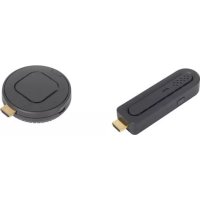
QuickCast starter kit - Wireless pointer OPTOMA - Free user manual and instructions
Find the device manual for free QuickCast starter kit OPTOMA in PDF.


Pick your language and provide your email: we'll send you a specifically translated version.
| Product type | Wireless presenter pointer |
| Brand | Optoma |
| Model | QuickCast starter kit |
| Dimensions (LxWxH) | 155 x 356 x 155 mm |
| Operating conditions | 0°C to 40°C |
| Wireless range | 10 meters |
| Operating frequency | 5 GHz |
| Wireless technology | 802.11n |
| Battery type | Rechargeable (transmitter) |
| Battery life | 3 hours |
| Charging time | 2.5 hours |
| Power supply | 5V / 2A |
| Input connectivity | 1 x HDMI |
| Output connectivity | 1 x HDMI |
| Maximum resolution | Up to 1080p |
| Standalone system | No software or application required |
| Compatibility | Computer, tablet, smartphone |
| Display modes | Extend or duplicate desktop |
| Box contents | Transmitter, receiver, 2 HDMI extension cables, 2 USB-micro USB cables |
| Maintenance | Clean with a soft, dry cloth |
| Safety | Do not expose to moisture or extreme temperatures |
| Repairability | Spare parts available on request |
Frequently Asked Questions - QuickCast starter kit OPTOMA
How to set up the QuickCast starter kit?
Connect the receiver to your display via HDMI and power it via USB. Turn on the transmitter, it will connect automatically. No software is required.
Which devices are compatible?
The kit is compatible with any device that has an HDMI output or a WiFi connection: computers, tablets, and smartphones.
What is the signal range?
The wireless range is 10 meters in an open environment.
How long does the transmitter battery last?
The rechargeable battery provides 3 hours of continuous use.
How to charge the transmitter?
Use the supplied USB-micro USB cable and plug it into a 5V/2A USB port. The charging time is approximately 2.5 hours.
Can I use the kit without an Internet connection?
Yes, the kit creates its own WiFi network. No Internet connection is required.
Does the kit require software installation?
No, the system is standalone. It works without any additional software or application.
What is the maximum supported resolution?
The kit supports a resolution up to 1080p (Full HD).
What to do if the HDMI connection does not work?
Check that the HDMI cable is properly connected and that the display is on the correct source. Make sure the receiver is powered.
How to clean the device?
Use a soft, dry cloth to clean the surface. Avoid liquid or abrasive products.
User questions about QuickCast starter kit OPTOMA
0 question about this device. Answer the ones you know or ask your own.
Ask a new question about this device
No questions yet. Be the first to ask one.
Download the instructions for your Wireless pointer in PDF format for free! Find your manual QuickCast starter kit - OPTOMA and take your electronic device back in hand. On this page are published all the documents necessary for the use of your device. QuickCast starter kit by OPTOMA.
USER MANUAL QuickCast starter kit OPTOMA
QuickCast starter kit
natural_image
Black USB device with gold connector, no visible text or symbols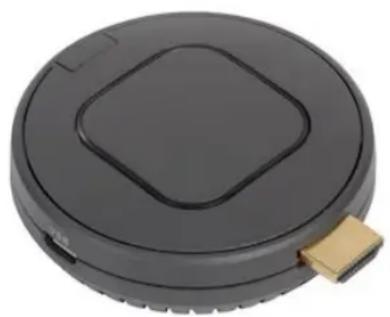
natural_image
Circular black device with a square lid and a gold connector attached (no text or symbols visible)natural_image
Hand pressing a circular device on a laptop keyboard (no visible text or symbols)Specifications
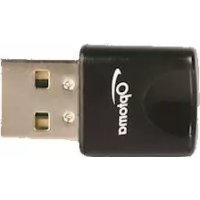
Table of contents
Click a title to access it
Manual assistant
Powered by Anthropic
Waiting for your message
Product information
Brand : OPTOMA
Model : QuickCast starter kit
Category : Wireless pointer